Introduction to C Programming & Unix
CSI 1420
Anyi Liu, Ph.D.
Agenda
• Introduction to Unix system
• Installation of Ubuntu VM
Course Objectives
• Main objective
– Be familiar with the C language and its development environment
• Other objectives
– Providing you a broader view beyond other languages and programming
environments, such as Java and Windows
– Preparing you to learn other (but similar) languages and development
tools in the future
– Looking at computer and programs, from a system’s perspective
– Many others are listed on the syllabus
Top Priorities
• Read the syllabus carefully
• Make sure that you have access to the course website on Moodle
(moodle.oakland.edu)
– Email me if you encounter any problem: anyiliu@oakland.edu
• Make sure that you can receive my emails
• Get the textbooks
– Unix Tutorial at www.tutorialspoint.com/unix/unix_tutorial.pdf
– C, How to Program, 8th edition by P. Deitel, H. Deitel, C, Pearson, 2016, ISBN-10: 0-13-
397689-0, ISBN-13: 978-0-13-397689-2
Policy Highlights
• Class preparation
– Read the assigned sections before the classes
– Pop quizzes could be given
• They are easy if you have read and understood the content
• No makeup!
– Come to class with questions about your reading
• Class participation  10 points
– A laboratory of constructing new knowledge
– No participation, No credit!
– Some parts of the lecture notes are intended to leave as blank
– Taking notes will help you!
– Format: Pop-Quiz, Exercises, etc.
In-class Policy
• Academic conduct policy: We expect ethical behavior from
everyone
– Any work that you turn in must be your work!
• Simple principle: Be considerate with others
• Maintain a good learning environment for you and others
– Turn off the monitor during the lecture
– No cell phones. No talking. No browsing
– No Laptop is allowed unless explicitly required
– Engaging in discussions
– Ask questions, such as
• What if ... ? Why is it true/false?
Grading
The course participation credit (10 points) will be counted beyond 100 points
Parts Percentage (in-person and
online synchronous)
Percentage (online
asynchronous)
Homework and Labs 45 45
Midterm Exam 10 20
Final Exam 30 30
Quizzes 5 5
Class Attendance 10 10
Total 100 100
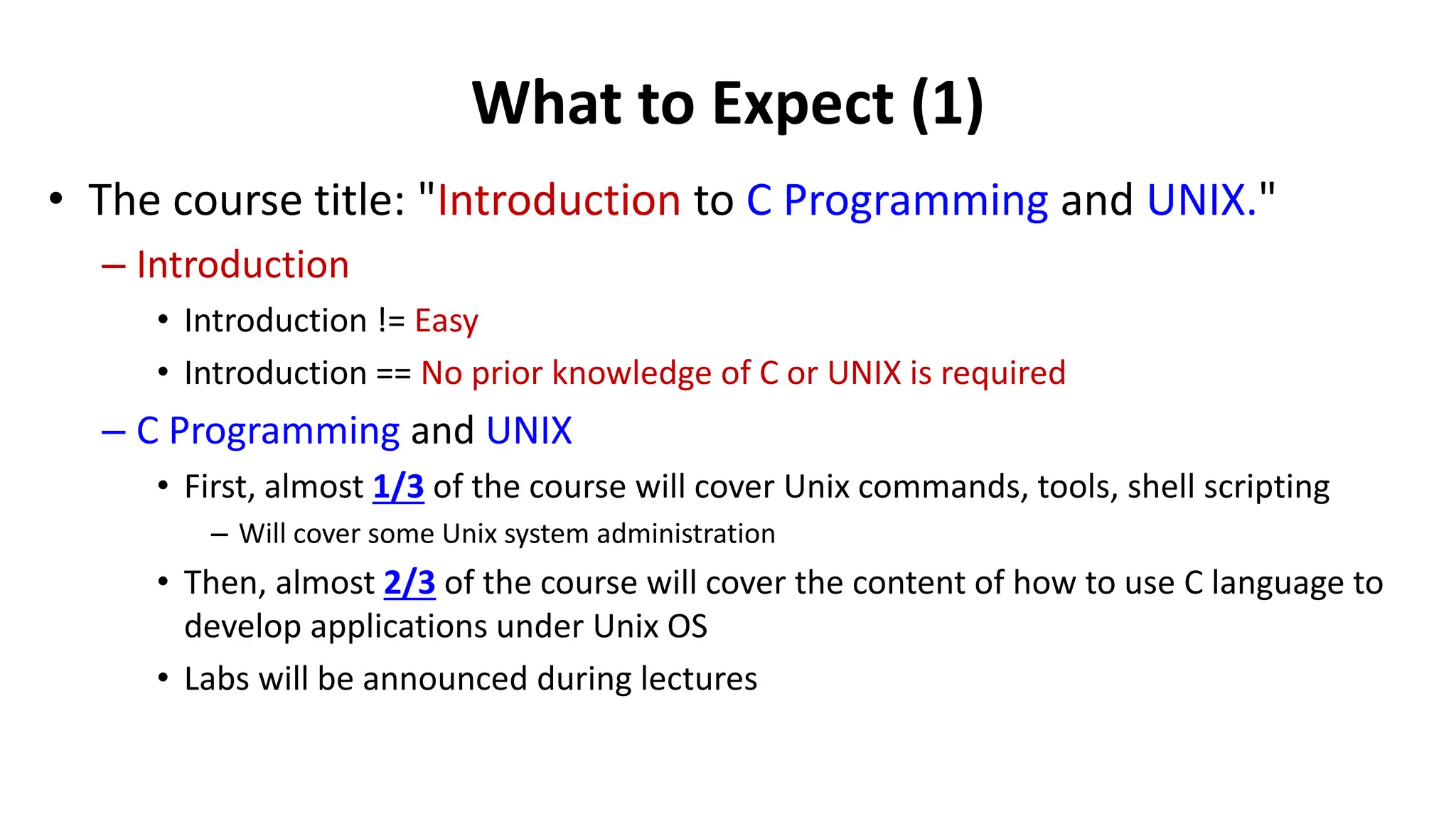
What to Expect (1)
• The course title: "Introduction to C Programming and UNIX."
– Introduction
• Introduction != Easy
• Introduction == No prior knowledge of C or UNIX is required
– C Programming and UNIX
• First, almost 1/3 of the course will cover Unix commands, tools, shell scripting
– Will cover some Unix system administration
• Then, almost 2/3 of the course will cover the content of how to use C language to
develop applications under Unix OS
• Labs will be announced during lectures
What to Expect (2)
• The material will be challenging
– Using C effectively requires a complete and deep understanding of
some concepts that are initially difficult to grasp
– It might be more complex than other 100-level CSE courses!
• Keys to success: We will conduct a lot of hands-on practice!
– You cannot get a good grade without hands-on!
• But, I do not doubt that you can meet the challenge and learn a
lot from this course
Lecture Outline
• Introduction to UNIX family, its family tree, and some
background concepts.
• Installing Linux on your computer.
What is UNIX OS?
• UNIX refers to a family of multi-tasking, multi-
user computer operating systems derived from
the original AT&T Unix, whose development
starts in the 1960s by the Bell Labs
• What is an Operating System (OS)?
– OS is a system software that manages computer
hardware and software resources and provides
common services for computer programs. All
computer programs require the support from an OS.
*NIX-alike
• Although UNIX was used to be a trademark; it is now used as a generic term
to describe the family members of “UNIX-alike” operating systems (OS)
– Unix
– Linux
– Minix
– …
• There are numerous flavors of UNIX
– All of them utilize similar UNIX operating system design principles and interfaces, but
may have different features or run on different computers
– Reference:
• https://en.wikipedia.org/wiki/Unix
• http://en.wikipedia.org/wiki/Unix-like
The UNIX Umbrella
RedHat, Mandrake, SuSe,
Debian, CentOS, Arch
Linux, ….
FreeBSD, BSDI*, NetBSD
OpenBSD
Sun Solaris, HP HP-UX*,
Compaq True 64 UNIX*, IBM
AIX*, IRIX*, MAC OSX*
SCO UNIX (now
Caldera/Tarantula)
Hardware Vendors
BSD Flavors
Linux Distributions
Other
* = Commercial distribution (i.e
you must pay for it)
† = Derivative of RedHat
Unix System Architecture
• You will learn more from CSI 4450 -
Fundamentals of Operating Systems in
the future
• A Unix operating system contains the following four essential
components:
– Kernel
– Shell
– Application programs
– Files and directories
What Makes UNIX SO Unique?
• UNIX is a family of multi-user, time-sharing operating systems
– Every user gets a portion of the CPU time.
• UNIX flavors generally adhere to some standards, such as
POSIX
• POSIX (/ˈpɒzɪks/ POZ-iks), an acronym for Portable Operating System
Interface is a family of standards specified by the IEEE Computer Society for
maintaining compatibility between operating systems.
• Open source!
• UNIX standards allow UNIX software to be portable across
different UNIX distributions
What is Linux?
• A family of UNIX-alike operating systems initially developed in
the early 1990s by Linus Torvold (a Finnish-American software
engineer).
• Initially developed to run on Intel PC but has been ported to
other hardware, as well
• Distributed under a GNU General Public License – free
software
– Kernel is its distinguishing feature.
– Generally packaged in various distributions.
Linux Family is BIG
• Vary according to included software packages, package management
systems, installation process, and X Window Managers.
• Distributions
– Red Hat Linux
– Ubuntu Linux
– Mandrake Linux
– Debian Linux
– SuSE Linux
– TurboLinux
– CentOS Linux
– Slackware
– Android
– …
Linux Distributions
• List of Linux distributions
– https://en.wikipedia.org/wiki/List_of_Linux_distributions
• Name some *inux distributions you have ever used
– Why do you choose them?
Why Linux?
• Linux has significantly matured over the past ten years and has
positioned itself as the most flexible UNIX distribution nowadays.
• It supports a wide range of hardware
– From very low-end users to super computers
• Flexible – you can customized the same Linux OS for various applications
• A tremendous amount of software selections.
• A considerable number of voluntary developers.
• Administration skill sets can be transferred easily to and from other
*NIX flavors.
• It’s open source and free!
Personal Remark
• All OS have their advantages
• Windows suffers performance and security issues, it is a good time
time for users to consider some alternatives, and both OSx and Linux
provides that alternatives
Commercial Products Choose Linux
The Dronecode Project
(https://www.dronecode.org/)
Other Examples
Tesla Model S
Tesla uses a customized version of Ubuntu Linux in its Model S
IoT Products Choose Linux
The operating system of Nest is based on Linux
Auto Solutions Chooses Linux
Why Unix/Linux?
Linux Windows
Open Source Close Source
Free Not free
A lot of freeware Not many freeware
Secure Insecure
Some virus A lot of viruses and malware
Easily customizable Not customizable
To be a Linux Geek
• It is non-trivial to set up a Linux environment
• To be a skillful Linux professional, you should:
– Know the hardware pretty well
– Know the difference between different flavors or Linux pretty well
– Be proficient with the tools from the command-line
– Know how to handle many different kinds of compilation, execution errors
and all kinds of weird issues
• In a nutshell, it might not be quite friendly (even hostile) to
beginners!
Physical Machine v.s. Virtual Machine
• Most operating systems can be installed on physical machines
• However, you might not think of some realistic issues:
– Your desktop/laptop easily getting obsolete
– Most of the time, they are idled  waste of money
– When you try to access them from anywhere, probably, you CANNOT!
– If your computer is attacked, you loss all your data
– If you choose a MacBook, you cannot use Windows at the same time
– Many more ……
• What might be a good solution to address them?
Bridge Gaps
• What is Virtualization?
– The technology that creates a virtual (NOT actual) version of
something, including (but not limited to) virtual computer hardware,
operating system (OS), and nearly all computer resources virtually
The Recommended Virtualization Software
• Basic and easy to use choices
• On your laptop/desktop
– Virtual Box
– VMWare Products
• Otherwise, use the web-based cloud
environment absolutely free!
– Aporto
– Cloud9
– Codeanywhere
– Codiad
– Koding
– …..
Lab1 and Homework
• Lab1: Work on your first lab, which starts to introduce some
Linux commands
– Demo
• Homework: Prepare the next lecture
– Read Chapters 1, 2, 3 of the “UNIX Tutorial”
– We will introduce some Linux commands and tools from the next class
– A pop quiz will be given at the beginning of the class.

Topic_2_Introduction_to_Unix.pptx

  • 1.
    Introduction to CProgramming & Unix CSI 1420 Anyi Liu, Ph.D.
  • 2.
    Agenda • Introduction toUnix system • Installation of Ubuntu VM
  • 3.
    Course Objectives • Mainobjective – Be familiar with the C language and its development environment • Other objectives – Providing you a broader view beyond other languages and programming environments, such as Java and Windows – Preparing you to learn other (but similar) languages and development tools in the future – Looking at computer and programs, from a system’s perspective – Many others are listed on the syllabus
  • 4.
    Top Priorities • Readthe syllabus carefully • Make sure that you have access to the course website on Moodle (moodle.oakland.edu) – Email me if you encounter any problem: anyiliu@oakland.edu • Make sure that you can receive my emails • Get the textbooks – Unix Tutorial at www.tutorialspoint.com/unix/unix_tutorial.pdf – C, How to Program, 8th edition by P. Deitel, H. Deitel, C, Pearson, 2016, ISBN-10: 0-13- 397689-0, ISBN-13: 978-0-13-397689-2
  • 5.
    Policy Highlights • Classpreparation – Read the assigned sections before the classes – Pop quizzes could be given • They are easy if you have read and understood the content • No makeup! – Come to class with questions about your reading • Class participation  10 points – A laboratory of constructing new knowledge – No participation, No credit! – Some parts of the lecture notes are intended to leave as blank – Taking notes will help you! – Format: Pop-Quiz, Exercises, etc.
  • 6.
    In-class Policy • Academicconduct policy: We expect ethical behavior from everyone – Any work that you turn in must be your work! • Simple principle: Be considerate with others • Maintain a good learning environment for you and others – Turn off the monitor during the lecture – No cell phones. No talking. No browsing – No Laptop is allowed unless explicitly required – Engaging in discussions – Ask questions, such as • What if ... ? Why is it true/false?
  • 7.
    Grading The course participationcredit (10 points) will be counted beyond 100 points Parts Percentage (in-person and online synchronous) Percentage (online asynchronous) Homework and Labs 45 45 Midterm Exam 10 20 Final Exam 30 30 Quizzes 5 5 Class Attendance 10 10 Total 100 100
  • 8.
    What to Expect(1) • The course title: "Introduction to C Programming and UNIX." – Introduction • Introduction != Easy • Introduction == No prior knowledge of C or UNIX is required – C Programming and UNIX • First, almost 1/3 of the course will cover Unix commands, tools, shell scripting – Will cover some Unix system administration • Then, almost 2/3 of the course will cover the content of how to use C language to develop applications under Unix OS • Labs will be announced during lectures
  • 9.
    What to Expect(2) • The material will be challenging – Using C effectively requires a complete and deep understanding of some concepts that are initially difficult to grasp – It might be more complex than other 100-level CSE courses! • Keys to success: We will conduct a lot of hands-on practice! – You cannot get a good grade without hands-on! • But, I do not doubt that you can meet the challenge and learn a lot from this course
  • 10.
    Lecture Outline • Introductionto UNIX family, its family tree, and some background concepts. • Installing Linux on your computer.
  • 11.
    What is UNIXOS? • UNIX refers to a family of multi-tasking, multi- user computer operating systems derived from the original AT&T Unix, whose development starts in the 1960s by the Bell Labs • What is an Operating System (OS)? – OS is a system software that manages computer hardware and software resources and provides common services for computer programs. All computer programs require the support from an OS.
  • 12.
    *NIX-alike • Although UNIXwas used to be a trademark; it is now used as a generic term to describe the family members of “UNIX-alike” operating systems (OS) – Unix – Linux – Minix – … • There are numerous flavors of UNIX – All of them utilize similar UNIX operating system design principles and interfaces, but may have different features or run on different computers – Reference: • https://en.wikipedia.org/wiki/Unix • http://en.wikipedia.org/wiki/Unix-like
  • 13.
    The UNIX Umbrella RedHat,Mandrake, SuSe, Debian, CentOS, Arch Linux, …. FreeBSD, BSDI*, NetBSD OpenBSD Sun Solaris, HP HP-UX*, Compaq True 64 UNIX*, IBM AIX*, IRIX*, MAC OSX* SCO UNIX (now Caldera/Tarantula) Hardware Vendors BSD Flavors Linux Distributions Other * = Commercial distribution (i.e you must pay for it) † = Derivative of RedHat
  • 14.
    Unix System Architecture •You will learn more from CSI 4450 - Fundamentals of Operating Systems in the future • A Unix operating system contains the following four essential components: – Kernel – Shell – Application programs – Files and directories
  • 15.
    What Makes UNIXSO Unique? • UNIX is a family of multi-user, time-sharing operating systems – Every user gets a portion of the CPU time. • UNIX flavors generally adhere to some standards, such as POSIX • POSIX (/ˈpɒzɪks/ POZ-iks), an acronym for Portable Operating System Interface is a family of standards specified by the IEEE Computer Society for maintaining compatibility between operating systems. • Open source! • UNIX standards allow UNIX software to be portable across different UNIX distributions
  • 16.
    What is Linux? •A family of UNIX-alike operating systems initially developed in the early 1990s by Linus Torvold (a Finnish-American software engineer). • Initially developed to run on Intel PC but has been ported to other hardware, as well • Distributed under a GNU General Public License – free software – Kernel is its distinguishing feature. – Generally packaged in various distributions.
  • 17.
    Linux Family isBIG • Vary according to included software packages, package management systems, installation process, and X Window Managers. • Distributions – Red Hat Linux – Ubuntu Linux – Mandrake Linux – Debian Linux – SuSE Linux – TurboLinux – CentOS Linux – Slackware – Android – …
  • 18.
    Linux Distributions • Listof Linux distributions – https://en.wikipedia.org/wiki/List_of_Linux_distributions • Name some *inux distributions you have ever used – Why do you choose them?
  • 19.
    Why Linux? • Linuxhas significantly matured over the past ten years and has positioned itself as the most flexible UNIX distribution nowadays. • It supports a wide range of hardware – From very low-end users to super computers • Flexible – you can customized the same Linux OS for various applications • A tremendous amount of software selections. • A considerable number of voluntary developers. • Administration skill sets can be transferred easily to and from other *NIX flavors. • It’s open source and free!
  • 20.
    Personal Remark • AllOS have their advantages • Windows suffers performance and security issues, it is a good time time for users to consider some alternatives, and both OSx and Linux provides that alternatives
  • 21.
  • 22.
    The Dronecode Project (https://www.dronecode.org/) OtherExamples Tesla Model S Tesla uses a customized version of Ubuntu Linux in its Model S
  • 23.
    IoT Products ChooseLinux The operating system of Nest is based on Linux
  • 24.
  • 25.
    Why Unix/Linux? Linux Windows OpenSource Close Source Free Not free A lot of freeware Not many freeware Secure Insecure Some virus A lot of viruses and malware Easily customizable Not customizable
  • 26.
    To be aLinux Geek • It is non-trivial to set up a Linux environment • To be a skillful Linux professional, you should: – Know the hardware pretty well – Know the difference between different flavors or Linux pretty well – Be proficient with the tools from the command-line – Know how to handle many different kinds of compilation, execution errors and all kinds of weird issues • In a nutshell, it might not be quite friendly (even hostile) to beginners!
  • 27.
    Physical Machine v.s.Virtual Machine • Most operating systems can be installed on physical machines • However, you might not think of some realistic issues: – Your desktop/laptop easily getting obsolete – Most of the time, they are idled  waste of money – When you try to access them from anywhere, probably, you CANNOT! – If your computer is attacked, you loss all your data – If you choose a MacBook, you cannot use Windows at the same time – Many more …… • What might be a good solution to address them?
  • 28.
    Bridge Gaps • Whatis Virtualization? – The technology that creates a virtual (NOT actual) version of something, including (but not limited to) virtual computer hardware, operating system (OS), and nearly all computer resources virtually
  • 29.
    The Recommended VirtualizationSoftware • Basic and easy to use choices • On your laptop/desktop – Virtual Box – VMWare Products • Otherwise, use the web-based cloud environment absolutely free! – Aporto – Cloud9 – Codeanywhere – Codiad – Koding – …..
  • 30.
    Lab1 and Homework •Lab1: Work on your first lab, which starts to introduce some Linux commands – Demo • Homework: Prepare the next lecture – Read Chapters 1, 2, 3 of the “UNIX Tutorial” – We will introduce some Linux commands and tools from the next class – A pop quiz will be given at the beginning of the class.