
Introduction ofTOMOYO LinuxSeptember 2010TOMOYO Linux project
TOMOYO Linux as a “Linux system analyze tool”Part 1
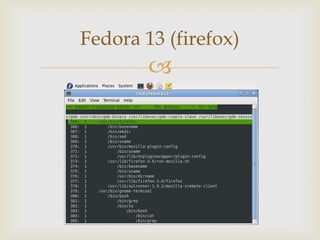
TOMOYO Linux is an extension of Linux kernel (it’s not a Linux distribution)TOMOYO Linux add a “process tracing capability” to your Linux environment“process tracing capability”What is TOMOYO Linux?
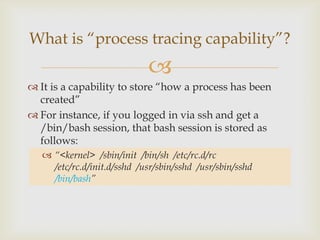
It is a capability to store “how a process has been created”For instance, if you logged in via ssh and get a /bin/bash session, that bash session is stored as follows:“<kernel>  /sbin/init /bin/sh  /etc/rc.d/rc  /etc/rc.d/init.d/sshd  /usr/sbin/sshd  /usr/sbin/sshd/bin/bash”What is “process tracing capability”?
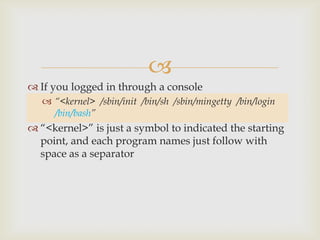
If you logged in through a console“<kernel>  /sbin/init  /bin/sh  /sbin/mingetty  /bin/login  /bin/bash”“<kernel>” is just a symbol to indicated the starting point, and each program names just follow with space as a separator
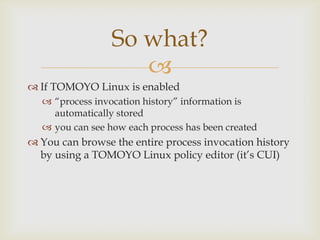
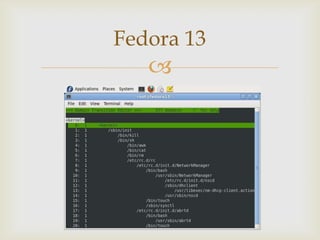
If TOMOYO Linux is enabled“process invocation history” information is automatically storedyou can see how each process has been createdYou can browse the entire process invocation history by using a TOMOYO Linux policy editor (it’s CUI)So what?
Fedora 13
Fedora 13 (firefox)
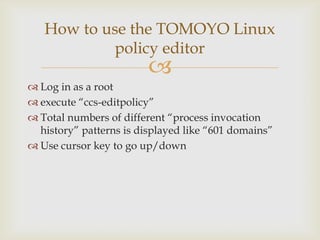
Log in as a rootexecute “ccs-editpolicy”Total numbers of different “process invocation history” patterns is displayed like “601 domains”Use cursor key to go up/downHow to use the TOMOYO Linuxpolicy editor
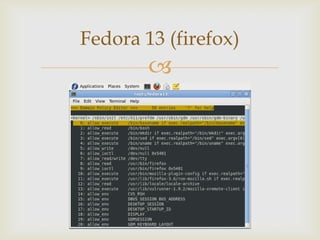
TOMOYO Linux monitors actions caused for each “process invocation history” patternTo see them, simply select the line and hit enter key
Fedora 13 (firefox)
You need to install TOMOYO Linux kernel and TOMOYO Linux toolsWe are maintaining TOMOYO Linux kernel and tools repositoriesfor users’ convenienceKernel patches and tools source code are available, tooProject homepage has everything you needhttp://tomoyo.sourceforge.jp/How to use TOMOYO Linux
TOMOYO Linux as a “security tool”Part 2
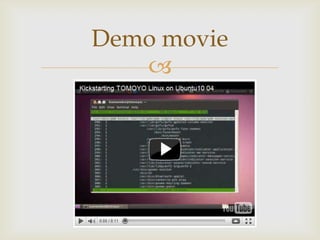
Demo movie
Q and A

Tomoyo linux introduction

  • 1.
    Introduction ofTOMOYO LinuxSeptember2010TOMOYO Linux project
  • 2.
    TOMOYO Linux asa “Linux system analyze tool”Part 1
  • 3.
    TOMOYO Linux isan extension of Linux kernel (it’s not a Linux distribution)TOMOYO Linux add a “process tracing capability” to your Linux environment“process tracing capability”What is TOMOYO Linux?
  • 4.
    It is acapability to store “how a process has been created”For instance, if you logged in via ssh and get a /bin/bash session, that bash session is stored as follows:“<kernel> /sbin/init /bin/sh /etc/rc.d/rc /etc/rc.d/init.d/sshd /usr/sbin/sshd /usr/sbin/sshd/bin/bash”What is “process tracing capability”?
  • 5.
    If you loggedin through a console“<kernel> /sbin/init /bin/sh /sbin/mingetty /bin/login /bin/bash”“<kernel>” is just a symbol to indicated the starting point, and each program names just follow with space as a separator
  • 6.
    If TOMOYO Linuxis enabled“process invocation history” information is automatically storedyou can see how each process has been createdYou can browse the entire process invocation history by using a TOMOYO Linux policy editor (it’s CUI)So what?
  • 7.
  • 8.
  • 9.
    Log in asa rootexecute “ccs-editpolicy”Total numbers of different “process invocation history” patterns is displayed like “601 domains”Use cursor key to go up/downHow to use the TOMOYO Linuxpolicy editor
  • 10.
    TOMOYO Linux monitorsactions caused for each “process invocation history” patternTo see them, simply select the line and hit enter key
  • 11.
  • 12.
    You need toinstall TOMOYO Linux kernel and TOMOYO Linux toolsWe are maintaining TOMOYO Linux kernel and tools repositoriesfor users’ convenienceKernel patches and tools source code are available, tooProject homepage has everything you needhttp://tomoyo.sourceforge.jp/How to use TOMOYO Linux
  • 13.
    TOMOYO Linux asa “security tool”Part 2
  • 14.
  • 15.