To Patch or Custom 
How to select the right path. 
#PatchOrCustom, #justREAD
Who You Are. 
• Site Builder 
• Developer 
• Decision Maker 
• New to Drupal 
! 
• Want to re-enforce habits
What’s it all about. 
How to quickly make smart, informed decisions.
Michael Miles 
• Associate Director of PHP @ Genuine Interactive. 
• Drank the Drupal Kool-aid in 2008. (it’s grape flavored) 
! 
• Twitter: @mikemiles86 
• D.o: mikemiles86 
@WeAreGenuine
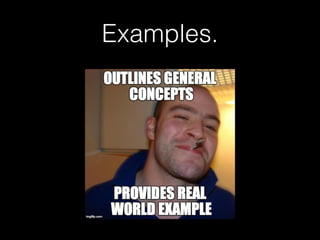
A lover of memes.
How to R.E.A.D! 
(yay acr!onyms!)
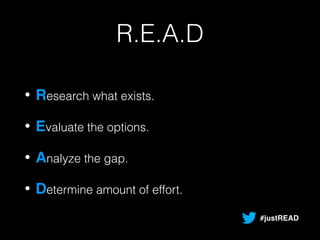
R.E.A.D 
• Research what exists. 
• Evaluate the options. 
• Analyze the gap. 
• Determine amount of effort. 
#justREAD
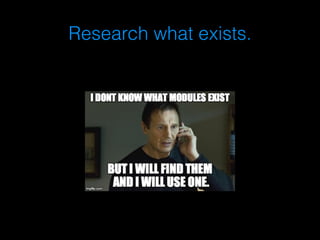
Research what exists.
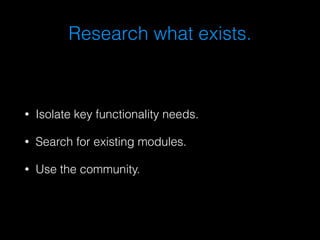
Research what exists. 
• Isolate key functionality needs. 
• Search for existing modules. 
• Use the community.
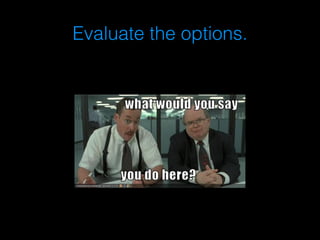
Evaluate the options.
Evaluate the options. 
• Read the module description. 
• Look at community adoption. 
• Look at maintainer activity.
Analyze the gap.
Analyze the gap. 
• Download and test the module. 
• Discover missing functionality. 
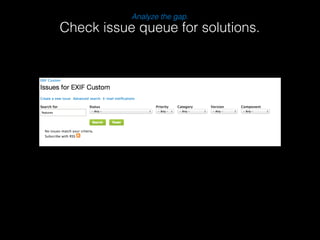
• Check issue queue for solutions.
Patch not found.
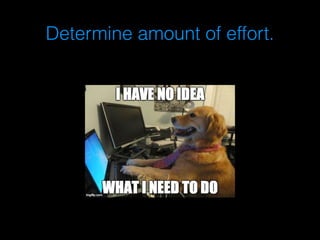
Determine amount of effort.
Determine amount of effort. 
• Review the module code. 
• Estimate how much has to be changed. 
• Do changes extend or alter module?
Let’s review. 
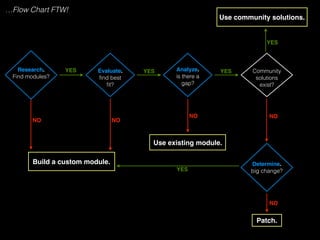
Like developers…
Research.! 
Find modules? 
Evaluate.! 
find best 
fit? 
Analyze.! 
is there a 
gap? 
Use community solutions. 
Determine.! 
big change? 
Build a custom module. 
Use existing module. 
Community 
solutions 
exist? 
Patch. 
YES YES YES 
YES 
NO NO 
NO NO 
YES 
NO 
…Flow Chart FTW!
Examples.
Scenario #1.
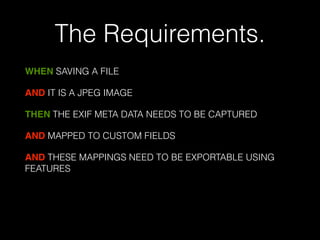
The Requirements. 
WHEN SAVING A FILE 
AND IT IS A JPEG IMAGE 
THEN THE EXIF META DATA NEEDS TO BE CAPTURED 
AND MAPPED TO CUSTOM FIELDS 
AND THESE MAPPINGS NEED TO BE EXPORTABLE USING 
FEATURES 
!
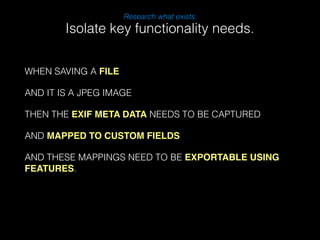
WHEN SAVING A FILE 
Research what exists. 
AND IT IS A JPEG IMAGE 
THEN THE EXIF META DATA NEEDS TO BE CAPTURED 
AND MAPPED TO CUSTOM FIELDS 
AND THESE MAPPINGS NEED TO BE EXPORTABLE USING 
FEATURES. 
! 
Isolate key functionality needs.
Research what exists. 
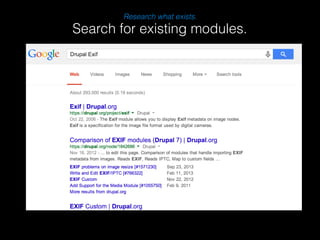
Search for existing modules.
Research what exists. 
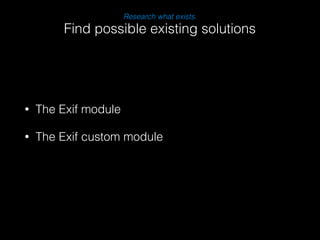
Find possible existing solutions 
• The Exif module 
• The Exif custom module
Evaluate the options 
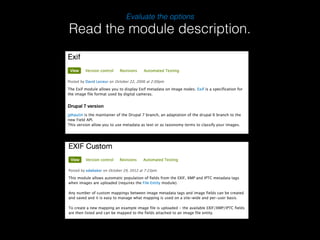
Read the module description.
Evaluate the options 
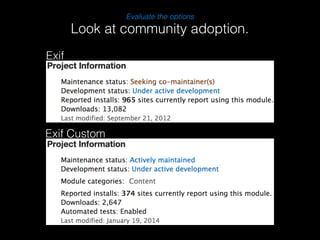
Look at community adoption. 
Exif 
Exif Custom
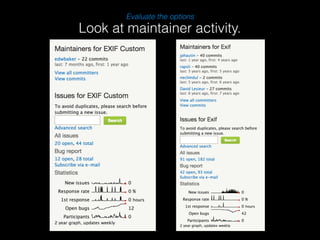
Evaluate the options 
Look at maintainer activity.
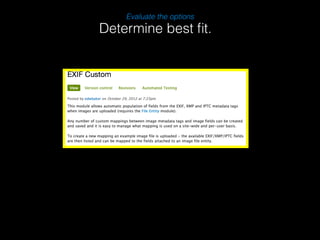
Evaluate the options 
Determine best fit.
Analyze the gap. 
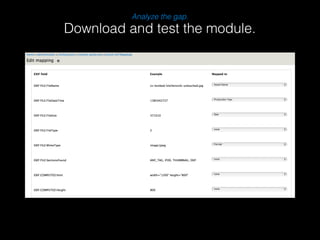
Download and test the module.
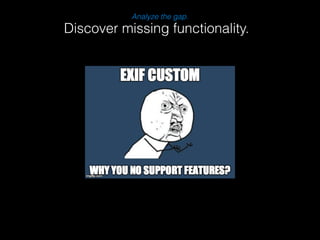
Analyze the gap. 
Discover missing functionality.
Analyze the gap. 
Check issue queue for solutions.
Which path to choose? 
• Patch Exif Custom module 
! 
• Write own Exif module
PATCH!
What is a Patch? 
• drupal.org/patch 
• A structured list of changes to a file. 
• Used to re-create changes to a files. 
• Focus on a single change.
How to submit a Patch. 
• Create/Comment on an issue. 
• Attach the patch. 
• [description]-[issue-number]-[comment-number].patch 
• Revise based on testing/reviews.
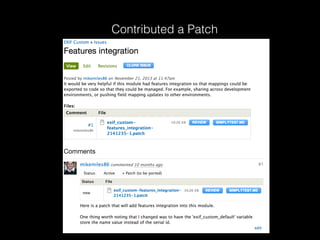
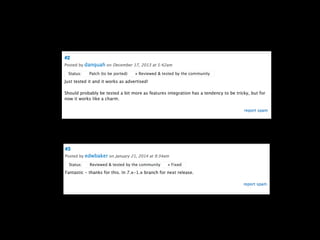
Contributed a Patch
Scenario #2.
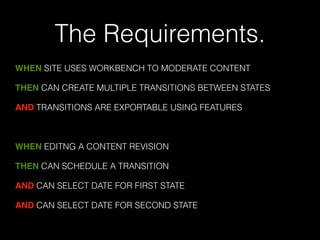
The Requirements. 
WHEN SITE USES WORKBENCH TO MODERATE CONTENT 
THEN CAN CREATE MULTIPLE TRANSITIONS BETWEEN STATES 
AND TRANSITIONS ARE EXPORTABLE USING FEATURES 
! 
WHEN EDITNG A CONTENT REVISION 
THEN CAN SCHEDULE A TRANSITION 
AND CAN SELECT DATE FOR FIRST STATE 
AND CAN SELECT DATE FOR SECOND STATE
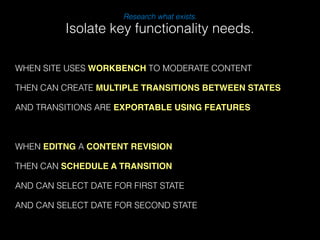
Research what exists. 
Isolate key functionality needs. 
WHEN SITE USES WORKBENCH TO MODERATE CONTENT 
THEN CAN CREATE MULTIPLE TRANSITIONS BETWEEN STATES 
AND TRANSITIONS ARE EXPORTABLE USING FEATURES 
! 
WHEN EDITNG A CONTENT REVISION 
THEN CAN SCHEDULE A TRANSITION 
AND CAN SELECT DATE FOR FIRST STATE 
AND CAN SELECT DATE FOR SECOND STATE
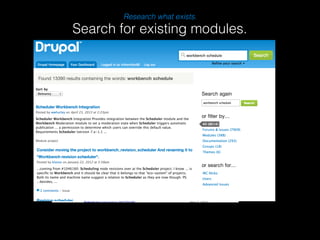
Research what exists. 
Search for existing modules.
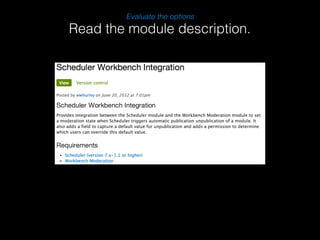
Evaluate the options 
Read the module description.
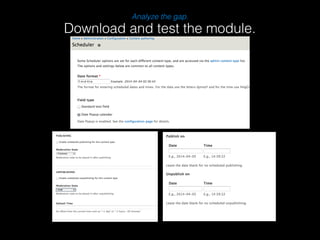
Analyze the gap. 
Download and test the module.
Analyze the gap. 
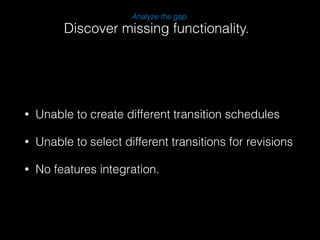
Discover missing functionality. 
• Unable to create different transition schedules 
• Unable to select different transitions for revisions 
• No features integration.
Determine amount of effort. 
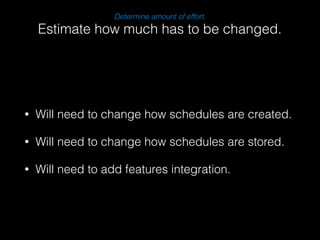
Estimate how much has to be changed. 
• Will need to change how schedules are created. 
• Will need to change how schedules are stored. 
• Will need to add features integration.
Which path to choose? 
• Patch Scheduler workbench module 
! 
• Write own scheduler module
CUSTOM MODULE!
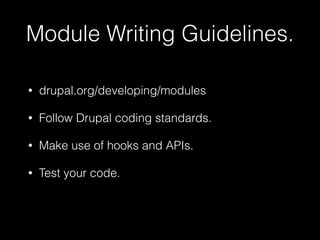
Module Writing Guidelines. 
• drupal.org/developing/modules 
• Follow Drupal coding standards. 
• Make use of hooks and APIs. 
• Test your code.
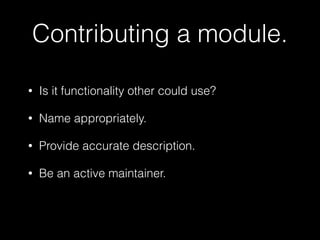
Contributing a module. 
• Is it functionality other could use? 
• Name appropriately. 
• Provide accurate description. 
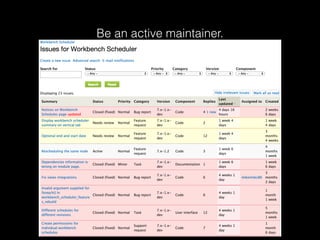
• Be an active maintainer.
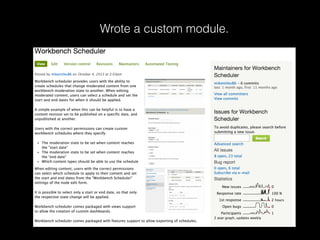
Wrote a custom module.
Be an active maintainer.
Remember R.E.A.D. 
• Research what exists. 
• Evaluate the options. 
• Analyze the gap. 
• Determine amount of effort. 
#justREAD
Thank You! 
@mikemiles86

To Patch or Custom: How to decide when to patch a contrib module or go custom @NerdSummit 2014

  • 1.
    To Patch orCustom How to select the right path. #PatchOrCustom, #justREAD
  • 2.
    Who You Are. • Site Builder • Developer • Decision Maker • New to Drupal ! • Want to re-enforce habits
  • 3.
    What’s it allabout. How to quickly make smart, informed decisions.
  • 4.
    Michael Miles •Associate Director of PHP @ Genuine Interactive. • Drank the Drupal Kool-aid in 2008. (it’s grape flavored) ! • Twitter: @mikemiles86 • D.o: mikemiles86 @WeAreGenuine
  • 5.
    A lover ofmemes.
  • 6.
    How to R.E.A.D! (yay acr!onyms!)
  • 7.
    R.E.A.D • Researchwhat exists. • Evaluate the options. • Analyze the gap. • Determine amount of effort. #justREAD
  • 8.
  • 9.
    Research what exists. • Isolate key functionality needs. • Search for existing modules. • Use the community.
  • 11.
  • 12.
    Evaluate the options. • Read the module description. • Look at community adoption. • Look at maintainer activity.
  • 14.
  • 15.
    Analyze the gap. • Download and test the module. • Discover missing functionality. • Check issue queue for solutions.
  • 16.
  • 17.
  • 18.
    Determine amount ofeffort. • Review the module code. • Estimate how much has to be changed. • Do changes extend or alter module?
  • 19.
    Let’s review. Likedevelopers…
  • 20.
    Research.! Find modules? Evaluate.! find best fit? Analyze.! is there a gap? Use community solutions. Determine.! big change? Build a custom module. Use existing module. Community solutions exist? Patch. YES YES YES YES NO NO NO NO YES NO …Flow Chart FTW!
  • 21.
  • 22.
  • 23.
    The Requirements. WHENSAVING A FILE AND IT IS A JPEG IMAGE THEN THE EXIF META DATA NEEDS TO BE CAPTURED AND MAPPED TO CUSTOM FIELDS AND THESE MAPPINGS NEED TO BE EXPORTABLE USING FEATURES !
  • 24.
    WHEN SAVING AFILE Research what exists. AND IT IS A JPEG IMAGE THEN THE EXIF META DATA NEEDS TO BE CAPTURED AND MAPPED TO CUSTOM FIELDS AND THESE MAPPINGS NEED TO BE EXPORTABLE USING FEATURES. ! Isolate key functionality needs.
  • 25.
    Research what exists. Search for existing modules.
  • 26.
    Research what exists. Find possible existing solutions • The Exif module • The Exif custom module
  • 27.
    Evaluate the options Read the module description.
  • 28.
    Evaluate the options Look at community adoption. Exif Exif Custom
  • 29.
    Evaluate the options Look at maintainer activity.
  • 30.
    Evaluate the options Determine best fit.
  • 31.
    Analyze the gap. Download and test the module.
  • 32.
    Analyze the gap. Discover missing functionality.
  • 33.
    Analyze the gap. Check issue queue for solutions.
  • 34.
    Which path tochoose? • Patch Exif Custom module ! • Write own Exif module
  • 35.
  • 36.
    What is aPatch? • drupal.org/patch • A structured list of changes to a file. • Used to re-create changes to a files. • Focus on a single change.
  • 37.
    How to submita Patch. • Create/Comment on an issue. • Attach the patch. • [description]-[issue-number]-[comment-number].patch • Revise based on testing/reviews.
  • 38.
  • 40.
  • 41.
    The Requirements. WHENSITE USES WORKBENCH TO MODERATE CONTENT THEN CAN CREATE MULTIPLE TRANSITIONS BETWEEN STATES AND TRANSITIONS ARE EXPORTABLE USING FEATURES ! WHEN EDITNG A CONTENT REVISION THEN CAN SCHEDULE A TRANSITION AND CAN SELECT DATE FOR FIRST STATE AND CAN SELECT DATE FOR SECOND STATE
  • 42.
    Research what exists. Isolate key functionality needs. WHEN SITE USES WORKBENCH TO MODERATE CONTENT THEN CAN CREATE MULTIPLE TRANSITIONS BETWEEN STATES AND TRANSITIONS ARE EXPORTABLE USING FEATURES ! WHEN EDITNG A CONTENT REVISION THEN CAN SCHEDULE A TRANSITION AND CAN SELECT DATE FOR FIRST STATE AND CAN SELECT DATE FOR SECOND STATE
  • 43.
    Research what exists. Search for existing modules.
  • 44.
    Evaluate the options Read the module description.
  • 45.
    Analyze the gap. Download and test the module.
  • 46.
    Analyze the gap. Discover missing functionality. • Unable to create different transition schedules • Unable to select different transitions for revisions • No features integration.
  • 47.
    Determine amount ofeffort. Estimate how much has to be changed. • Will need to change how schedules are created. • Will need to change how schedules are stored. • Will need to add features integration.
  • 48.
    Which path tochoose? • Patch Scheduler workbench module ! • Write own scheduler module
  • 49.
  • 50.
    Module Writing Guidelines. • drupal.org/developing/modules • Follow Drupal coding standards. • Make use of hooks and APIs. • Test your code.
  • 51.
    Contributing a module. • Is it functionality other could use? • Name appropriately. • Provide accurate description. • Be an active maintainer.
  • 52.
  • 53.
    Be an activemaintainer.
  • 55.
    Remember R.E.A.D. •Research what exists. • Evaluate the options. • Analyze the gap. • Determine amount of effort. #justREAD
  • 56.