


Think in LINQ
Introduction to LINQ to Objects
Sudipta Mukherjee
What shall we talk about?
• Why bother about LINQ?
• What’s the origin?
• How it works?
• Introduction to LINQPad
• Some LINQ Operators
• Demos
• Q & A
Slides are designed for
self study at a later
stage also.
So if it seems really
long. That’s ok.
Disclaimer
Why bother to learn LINQ ?
What can it do for us?
One more step close to concept
While you are
expressing your
intent by loops you
are not only telling
what you want done,
but you are giving
painful detail of how
you want it done. So
it is very difficult for
the compiler to emit
high performance
code using multiple
processors.
In LINQ you tell
WHAT you want, not
HOW you want it get
done.
This makes for
compilers happy and
it can make the code
parallel by using
multiple processors
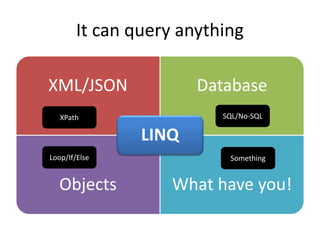
It can query anything
XML/JSON Database
Objects What have you!
LINQ
XPath SQL/No-SQL
Loop/If/Else Something
It’s about time we care
• Computer processor speed is stagnated
• We won’t get faster processor
• We will get more of them
• Need Parallelism
• Functional approach is good
for parallel processing as
that’s side-effect free.
Where did it came from?
Who are the people behind it?
When did it become part of .NET ?
Where are we going with this ?
Key people and their talks about LINQ
Erik Meijer Anders HejlsbergTalk
Talk
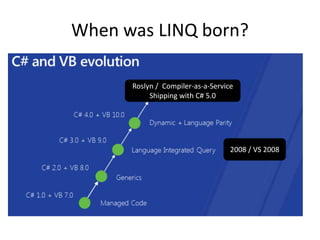
When was LINQ born?
2008 / VS 2008
Roslyn / Compiler-as-a-Service
Shipping with C# 5.0
Where are we going?
• Asynchronous apps is the future
• Roots of LINQ gave us a new language
Paradigm Shift?
• C# is bringing best of all worlds
• C# is statically typed
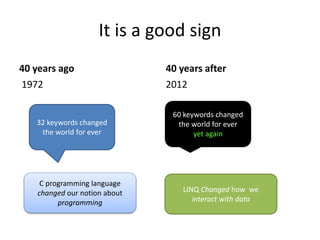
It is a good sign
40 years ago
1972
40 years after
2012
32 keywords changed
the world for ever
60 keywords changed
the world for ever
yet again
C programming language
changed our notion about
programming
LINQ Changed how we
interact with data
How it works?
Open for extension,
Closed for modification.
• LINQ to Objects is a collection of extension
methods declared on IEnumerable<T>
• So all collections get to use these extension
methods
• These extension methods are called LINQ
Standard Query Operators (LSQO in short)
• You can define your own LSQO
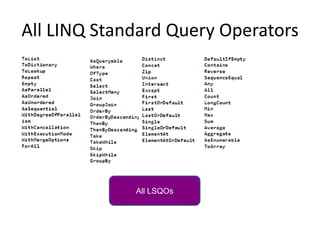
All LINQ Standard Query Operators
All LSQOs
What’s LINQ?
• Language Integrated Query
• Uses Method chaining
• Built by Extension Methods
• Deeply integrated in the .NET framework
Little Jargons
• Extension Method
– A static method of a static class that let you
extend the behavior of the class.
• Lambda Expression
– An inline/concise (if you will) representation of a
function
• Functor
– A place holder for functions
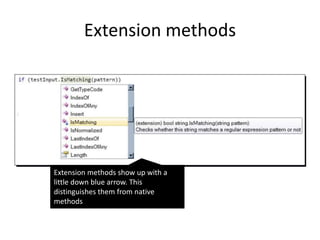
Extension methods
Extension methods show up with a
little down blue arrow. This
distinguishes them from native
methods
How to declare a lambda expression?
Grammar
• (variables involved separated by comma ) =>
(expression involving the variables)
[Example]
(customer => customer.City == “London”)
This is also an unary predicate
Declaring a functor
• Use Func<…>
• There are several overloads.
• Func<int,bool> matches any function that takes
an int and returns a bool
• Func<string,string,int> matches any function that
takes two strings as input and returns an integer.
• There are 17 overloaded version. That’s a lot.
• The last one is the return type
LINQPad – Your C# Snippet Editor
It is beyond LINQ
• C# Snippet compiler
• F# Snippet compiler
• Test External APIs
http://www.linqpad.net/
Most of today’s demo are
shown in LINQPad
LINQ Operators (that we shall cover)
• Restriction Operators
• Projection Operators
• Partitioning Operators
• Set Operators
• Sorting Operators
• Element Operators
• Casting Operators
• Quantification Operators
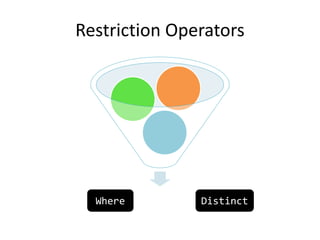
Restriction Operators
Where Distinct
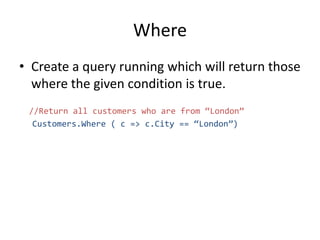
Where
• Create a query running which will return those
where the given condition is true.
//Return all customers who are from “London”
Customers.Where ( c => c.City == “London”)
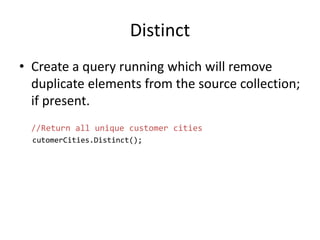
Distinct
• Create a query running which will remove
duplicate elements from the source collection;
if present.
//Return all unique customer cities
cutomerCities.Distinct();
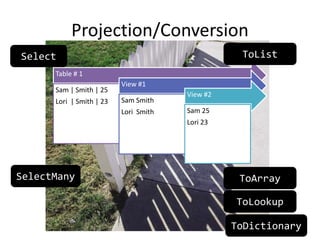
Projection/Conversion
Table # 1
Sam | Smith | 25
Lori | Smith | 23
View #1
Sam Smith
Lori Smith
View #2
Sam 25
Lori 23
Select
SelectMany
ToList
ToArray
ToLookup
ToDictionary
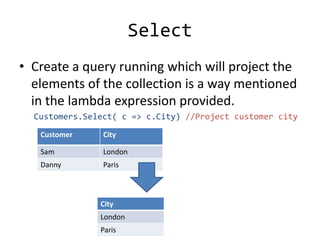
Select
• Create a query running which will project the
elements of the collection is a way mentioned
in the lambda expression provided.
Customers.Select( c => c.City) //Project customer city
Customer City
Sam London
Danny Paris
City
London
Paris
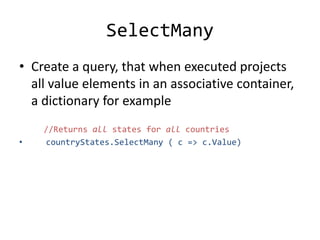
SelectMany
• Create a query, that when executed projects
all value elements in an associative container,
a dictionary for example
//Returns all states for all countries
• countryStates.SelectMany ( c => c.Value)
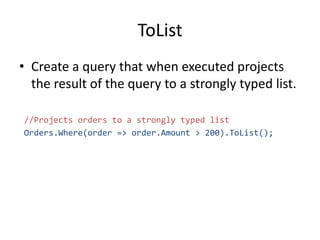
ToList
• Create a query that when executed projects
the result of the query to a strongly typed list.
//Projects orders to a strongly typed list
Orders.Where(order => order.Amount > 200).ToList();
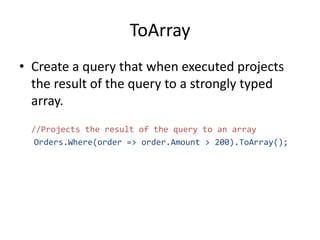
ToArray
• Create a query that when executed projects
the result of the query to a strongly typed
array.
//Projects the result of the query to an array
Orders.Where(order => order.Amount > 200).ToArray();
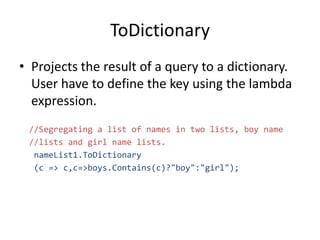
ToDictionary
• Projects the result of a query to a dictionary.
User have to define the key using the lambda
expression.
//Segregating a list of names in two lists, boy name
//lists and girl name lists.
nameList1.ToDictionary
(c => c,c=>boys.Contains(c)?"boy":"girl");
ToLookup
• Create a query that when executed creates a
lookup table.
//Creating a lookup of unique domain names
• string emails = "a@b.com,c@b.com,c2@b.com,c233@d.com";
emails.Split(new char[] { ',' },
StringSplitOptions.RemoveEmptyEntries)
.Select(c => c)
.ToLookup(c => c.Substring(c.IndexOf('@') + 1).Trim())
•
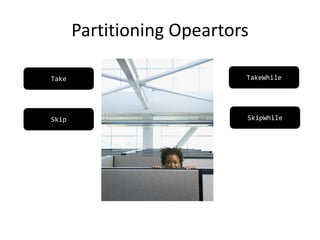
Partitioning Opeartors
Take TakeWhile
Skip SkipWhile
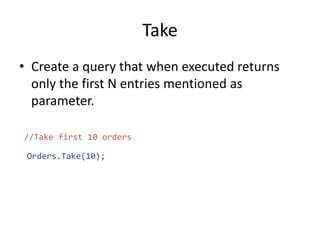
Take
• Create a query that when executed returns
only the first N entries mentioned as
parameter.
//Take first 10 orders
Orders.Take(10);
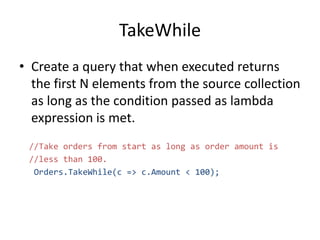
TakeWhile
• Create a query that when executed returns
the first N elements from the source collection
as long as the condition passed as lambda
expression is met.
//Take orders from start as long as order amount is
//less than 100.
Orders.TakeWhile(c => c.Amount < 100);
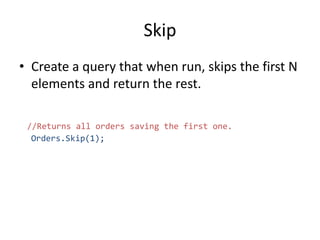
Skip
• Create a query that when run, skips the first N
elements and return the rest.
//Returns all orders saving the first one.
Orders.Skip(1);
SkipWhile
• Create a query that when run, skips the first
few elements from the source collection as
long as the condition, passed as lambda
expression is met.
//Skip orders if the are delivered
Orders.SkipWhile(ord => ord.Delivered);
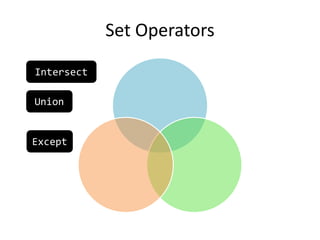
Set Operators
Union
Intersect
Except
Intersect
• Creates a query, that when run returns values
from the intersect of two given sets.
//Find intersection of two collection
listA.Intersect(setB);
• Not in-place unlike IntersectWith()
Union
• Creates a query that when run returns the
union of two given sets
//Returns union of two collections
listA.Union(setB);
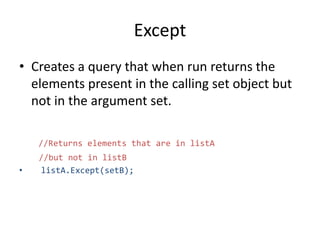
Except
• Creates a query that when run returns the
elements present in the calling set object but
not in the argument set.
//Returns elements that are in listA
//but not in listB
• listA.Except(setB);
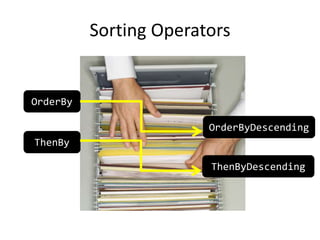
Sorting Operators
OrderBy
ThenBy
OrderByDescending
ThenByDescending
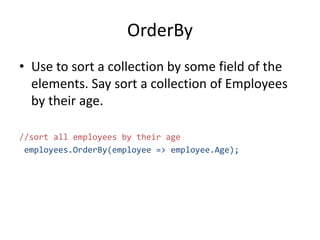
OrderBy
• Use to sort a collection by some field of the
elements. Say sort a collection of Employees
by their age.
//sort all employees by their age
employees.OrderBy(employee => employee.Age);
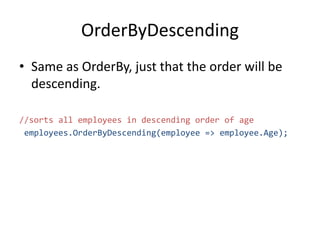
OrderByDescending
• Same as OrderBy, just that the order will be
descending.
//sorts all employees in descending order of age
employees.OrderByDescending(employee => employee.Age);
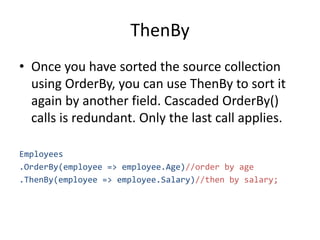
ThenBy
• Once you have sorted the source collection
using OrderBy, you can use ThenBy to sort it
again by another field. Cascaded OrderBy()
calls is redundant. Only the last call applies.
Employees
.OrderBy(employee => employee.Age)//order by age
.ThenBy(employee => employee.Salary)//then by salary;
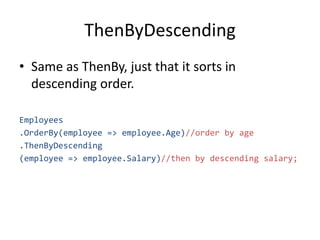
ThenByDescending
• Same as ThenBy, just that it sorts in
descending order.
Employees
.OrderBy(employee => employee.Age)//order by age
.ThenByDescending
(employee => employee.Salary)//then by descending salary;
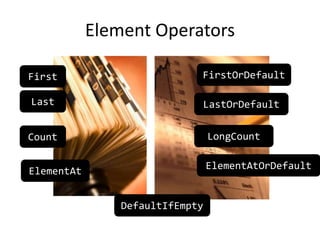
Element Operators
First
Last
ElementAt
ElementAtOrDefault
DefaultIfEmpty
Count LongCount
FirstOrDefault
LastOrDefault
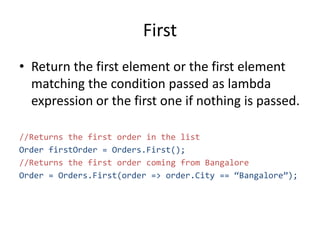
First
• Return the first element or the first element
matching the condition passed as lambda
expression or the first one if nothing is passed.
//Returns the first order in the list
Order firstOrder = Orders.First();
//Returns the first order coming from Bangalore
Order = Orders.First(order => order.City == “Bangalore”);
Last
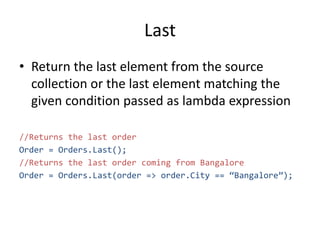
• Return the last element from the source
collection or the last element matching the
given condition passed as lambda expression
//Returns the last order
Order = Orders.Last();
//Returns the last order coming from Bangalore
Order = Orders.Last(order => order.City == “Bangalore”);
Count
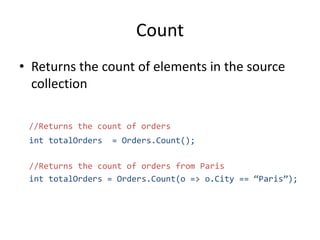
• Returns the count of elements in the source
collection
//Returns the count of orders
int totalOrders = Orders.Count();
//Returns the count of orders from Paris
int totalOrders = Orders.Count(o => o.City == “Paris”);
LongCount
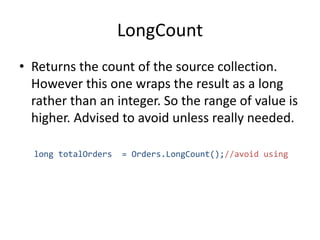
• Returns the count of the source collection.
However this one wraps the result as a long
rather than an integer. So the range of value is
higher. Advised to avoid unless really needed.
long totalOrders = Orders.LongCount();//avoid using
ElementAt
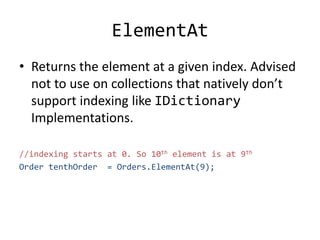
• Returns the element at a given index. Advised
not to use on collections that natively don’t
support indexing like IDictionary
Implementations.
//indexing starts at 0. So 10th element is at 9th
Order tenthOrder = Orders.ElementAt(9);
ElementAtOrDefault
• If there is no element found at the given
index, this operator returns the default value
for the data type of the given collection. For
example for an integer collection it would
return 0. For classes it returns null.
//If there is no 10th element set the default value.
Order tenthOrder = Orders.ElementAtOrDefault(9);
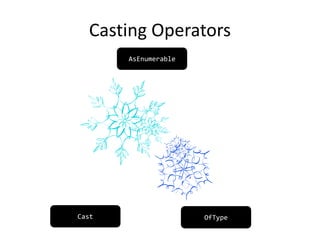
Casting Operators
Cast OfType
AsEnumerable
AsEnumerable
• Wraps all the elements in a strongly typed
source collection of type in an
IEnumerable<T>. This is used to continue the
pipe line.
//strongly typed
List<Order> orders = GetOrders(Yesterday);
//loosely typed
IEnumerable<Order> iOrders = orders.AsEnumerable();
//strongly typed again
orders = iOrders.ToList();
•
Cast
• Cast all elements in the source collection to
the given type; if possible.
List<Match> matches =
//returning a MatchCollection with all matches
Regex.IsMatch(“ACGTACAGGACGA”, “CG”)
//casting it to a IEnumerable<Match> instance
.Cast<Match>()
//Projecting the result to a list
.ToList();
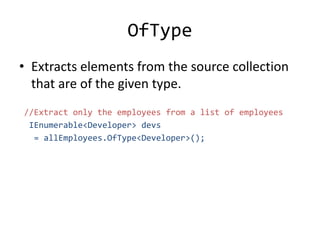
OfType
• Extracts elements from the source collection
that are of the given type.
//Extract only the employees from a list of employees
IEnumerable<Developer> devs
= allEmployees.OfType<Developer>();
Create values
Repeat
Range
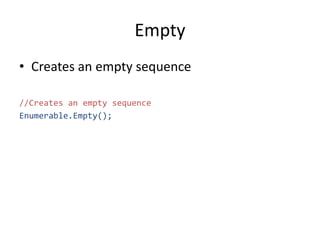
Empty
Empty
• Creates an empty sequence
//Creates an empty sequence
Enumerable.Empty();
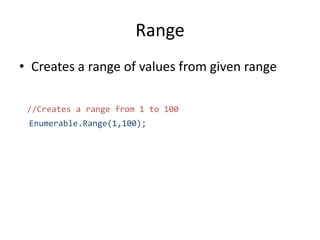
Range
• Creates a range of values from given range
//Creates a range from 1 to 100
Enumerable.Range(1,100);
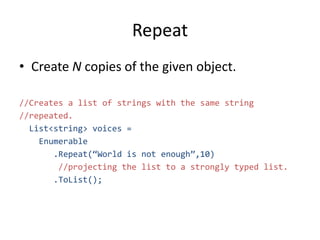
Repeat
• Create N copies of the given object.
//Creates a list of strings with the same string
//repeated.
List<string> voices =
Enumerable
.Repeat(“World is not enough”,10)
//projecting the list to a strongly typed list.
.ToList();
Quantification Operators
Any
Single SingleOrDefault
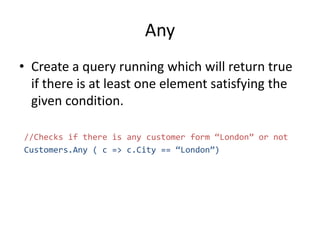
Any
• Create a query running which will return true
if there is at least one element satisfying the
given condition.
//Checks if there is any customer form “London” or not
Customers.Any ( c => c.City == “London”)
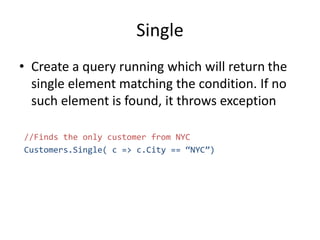
Single
• Create a query running which will return the
single element matching the condition. If no
such element is found, it throws exception
//Finds the only customer from NYC
Customers.Single( c => c.City == “NYC”)
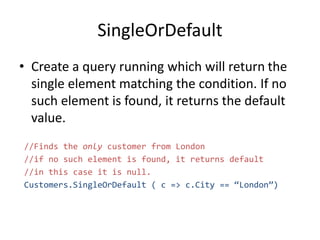
SingleOrDefault
• Create a query running which will return the
single element matching the condition. If no
such element is found, it returns the default
value.
//Finds the only customer from London
//if no such element is found, it returns default
//in this case it is null.
Customers.SingleOrDefault ( c => c.City == “London”)
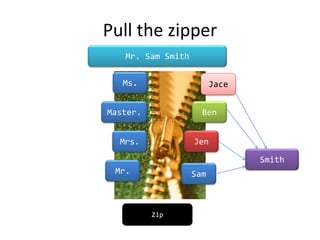
Pull the zipper
Zip
Mr.
Mrs.
Master.
Ms.
Sam
Jen
Ben
Jace
Smith
Mr. Sam Smith
Zip
• Puts together two entities from two different
lists at the same index and creates a collection
of the concatenated results.
//Creates full name with salutation for Smith family
string[] salutations = {"Mr.","Mrs.","Master.","Ms."};
string[] firstNames = {"Sam","Jen","Ben","Jace"};
string lastName = "Smith";
Salutations
.Zip(firstNames, (sal , first) => sal + " " + first)
.ToList()
.ForEach(name => Console.WriteLine(name + lastName));
Some example LINQ Scripts
Exciting but not really from our domain
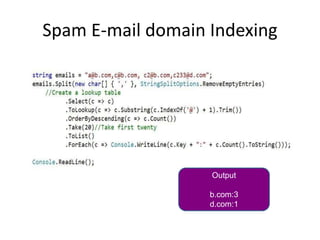
Spam E-mail domain Indexing
Output
b.com:3
d.com:1
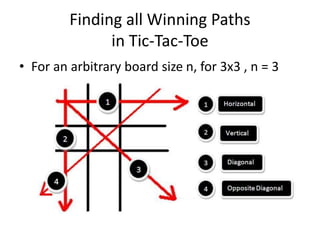
Finding all Winning Paths
in Tic-Tac-Toe
• For an arbitrary board size n, for 3x3 , n = 3
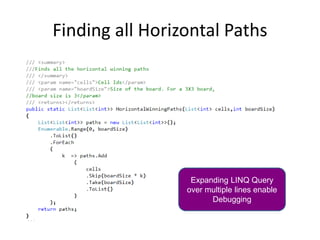
Finding all Horizontal Paths
Expanding LINQ Query
over multiple lines enable
Debugging
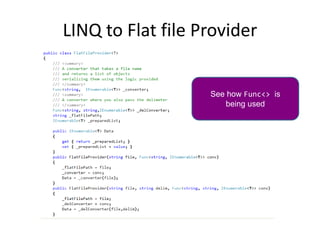
LINQ to Flat file Provider
See how Func<> is
being used
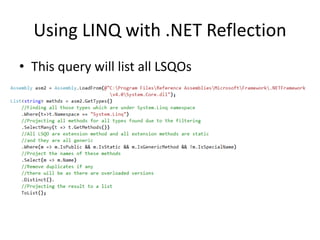
Using LINQ with .NET Reflection
• This query will list all LSQOs
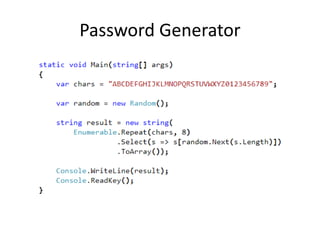
Password Generator
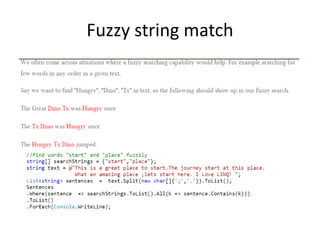
Fuzzy string match
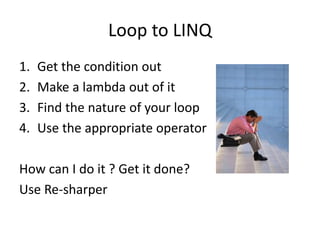
Loop to LINQ
1. Get the condition out
2. Make a lambda out of it
3. Find the nature of your loop
4. Use the appropriate operator
How can I do it ? Get it done?
Use Re-sharper
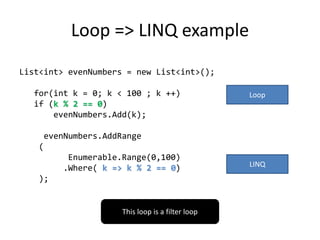
Loop => LINQ example
List<int> evenNumbers = new List<int>();
for(int k = 0; k < 100 ; k ++)
if (k % 2 == 0)
evenNumbers.Add(k);
evenNumbers.AddRange
(
Enumerable.Range(0,100)
.Where( k => k % 2 == 0)
);
Loop
LINQ
This loop is a filter loop
Thank You! Thanks a lot!
Questions ?
sudipta.mukherjee@hp.com

Think in linq

  • 1.
    Think in LINQ Introductionto LINQ to Objects Sudipta Mukherjee
  • 2.
    What shall wetalk about? • Why bother about LINQ? • What’s the origin? • How it works? • Introduction to LINQPad • Some LINQ Operators • Demos • Q & A Slides are designed for self study at a later stage also. So if it seems really long. That’s ok. Disclaimer
  • 3.
    Why bother tolearn LINQ ? What can it do for us?
  • 4.
    One more stepclose to concept While you are expressing your intent by loops you are not only telling what you want done, but you are giving painful detail of how you want it done. So it is very difficult for the compiler to emit high performance code using multiple processors. In LINQ you tell WHAT you want, not HOW you want it get done. This makes for compilers happy and it can make the code parallel by using multiple processors
  • 5.
    It can queryanything XML/JSON Database Objects What have you! LINQ XPath SQL/No-SQL Loop/If/Else Something
  • 6.
    It’s about timewe care • Computer processor speed is stagnated • We won’t get faster processor • We will get more of them • Need Parallelism • Functional approach is good for parallel processing as that’s side-effect free.
  • 7.
    Where did itcame from? Who are the people behind it? When did it become part of .NET ? Where are we going with this ?
  • 8.
    Key people andtheir talks about LINQ Erik Meijer Anders HejlsbergTalk Talk
  • 9.
    When was LINQborn? 2008 / VS 2008 Roslyn / Compiler-as-a-Service Shipping with C# 5.0
  • 10.
    Where are wegoing? • Asynchronous apps is the future • Roots of LINQ gave us a new language
  • 11.
    Paradigm Shift? • C#is bringing best of all worlds • C# is statically typed
  • 12.
    It is agood sign 40 years ago 1972 40 years after 2012 32 keywords changed the world for ever 60 keywords changed the world for ever yet again C programming language changed our notion about programming LINQ Changed how we interact with data
  • 13.
  • 14.
    Open for extension, Closedfor modification. • LINQ to Objects is a collection of extension methods declared on IEnumerable<T> • So all collections get to use these extension methods • These extension methods are called LINQ Standard Query Operators (LSQO in short) • You can define your own LSQO
  • 15.
    All LINQ StandardQuery Operators All LSQOs
  • 16.
    What’s LINQ? • LanguageIntegrated Query • Uses Method chaining • Built by Extension Methods • Deeply integrated in the .NET framework
  • 17.
    Little Jargons • ExtensionMethod – A static method of a static class that let you extend the behavior of the class. • Lambda Expression – An inline/concise (if you will) representation of a function • Functor – A place holder for functions
  • 18.
    Extension methods Extension methodsshow up with a little down blue arrow. This distinguishes them from native methods
  • 19.
    How to declarea lambda expression? Grammar • (variables involved separated by comma ) => (expression involving the variables) [Example] (customer => customer.City == “London”) This is also an unary predicate
  • 20.
    Declaring a functor •Use Func<…> • There are several overloads. • Func<int,bool> matches any function that takes an int and returns a bool • Func<string,string,int> matches any function that takes two strings as input and returns an integer. • There are 17 overloaded version. That’s a lot. • The last one is the return type
  • 21.
    LINQPad – YourC# Snippet Editor It is beyond LINQ • C# Snippet compiler • F# Snippet compiler • Test External APIs http://www.linqpad.net/ Most of today’s demo are shown in LINQPad
  • 22.
    LINQ Operators (thatwe shall cover) • Restriction Operators • Projection Operators • Partitioning Operators • Set Operators • Sorting Operators • Element Operators • Casting Operators • Quantification Operators
  • 23.
  • 24.
    Where • Create aquery running which will return those where the given condition is true. //Return all customers who are from “London” Customers.Where ( c => c.City == “London”)
  • 25.
    Distinct • Create aquery running which will remove duplicate elements from the source collection; if present. //Return all unique customer cities cutomerCities.Distinct();
  • 26.
    Projection/Conversion Table # 1 Sam| Smith | 25 Lori | Smith | 23 View #1 Sam Smith Lori Smith View #2 Sam 25 Lori 23 Select SelectMany ToList ToArray ToLookup ToDictionary
  • 27.
    Select • Create aquery running which will project the elements of the collection is a way mentioned in the lambda expression provided. Customers.Select( c => c.City) //Project customer city Customer City Sam London Danny Paris City London Paris
  • 28.
    SelectMany • Create aquery, that when executed projects all value elements in an associative container, a dictionary for example //Returns all states for all countries • countryStates.SelectMany ( c => c.Value)
  • 29.
    ToList • Create aquery that when executed projects the result of the query to a strongly typed list. //Projects orders to a strongly typed list Orders.Where(order => order.Amount > 200).ToList();
  • 30.
    ToArray • Create aquery that when executed projects the result of the query to a strongly typed array. //Projects the result of the query to an array Orders.Where(order => order.Amount > 200).ToArray();
  • 31.
    ToDictionary • Projects theresult of a query to a dictionary. User have to define the key using the lambda expression. //Segregating a list of names in two lists, boy name //lists and girl name lists. nameList1.ToDictionary (c => c,c=>boys.Contains(c)?"boy":"girl");
  • 32.
    ToLookup • Create aquery that when executed creates a lookup table. //Creating a lookup of unique domain names • string emails = "a@b.com,c@b.com,c2@b.com,c233@d.com"; emails.Split(new char[] { ',' }, StringSplitOptions.RemoveEmptyEntries) .Select(c => c) .ToLookup(c => c.Substring(c.IndexOf('@') + 1).Trim()) •
  • 33.
  • 34.
    Take • Create aquery that when executed returns only the first N entries mentioned as parameter. //Take first 10 orders Orders.Take(10);
  • 35.
    TakeWhile • Create aquery that when executed returns the first N elements from the source collection as long as the condition passed as lambda expression is met. //Take orders from start as long as order amount is //less than 100. Orders.TakeWhile(c => c.Amount < 100);
  • 36.
    Skip • Create aquery that when run, skips the first N elements and return the rest. //Returns all orders saving the first one. Orders.Skip(1);
  • 37.
    SkipWhile • Create aquery that when run, skips the first few elements from the source collection as long as the condition, passed as lambda expression is met. //Skip orders if the are delivered Orders.SkipWhile(ord => ord.Delivered);
  • 38.
  • 39.
    Intersect • Creates aquery, that when run returns values from the intersect of two given sets. //Find intersection of two collection listA.Intersect(setB); • Not in-place unlike IntersectWith()
  • 40.
    Union • Creates aquery that when run returns the union of two given sets //Returns union of two collections listA.Union(setB);
  • 41.
    Except • Creates aquery that when run returns the elements present in the calling set object but not in the argument set. //Returns elements that are in listA //but not in listB • listA.Except(setB);
  • 42.
  • 43.
    OrderBy • Use tosort a collection by some field of the elements. Say sort a collection of Employees by their age. //sort all employees by their age employees.OrderBy(employee => employee.Age);
  • 44.
    OrderByDescending • Same asOrderBy, just that the order will be descending. //sorts all employees in descending order of age employees.OrderByDescending(employee => employee.Age);
  • 45.
    ThenBy • Once youhave sorted the source collection using OrderBy, you can use ThenBy to sort it again by another field. Cascaded OrderBy() calls is redundant. Only the last call applies. Employees .OrderBy(employee => employee.Age)//order by age .ThenBy(employee => employee.Salary)//then by salary;
  • 46.
    ThenByDescending • Same asThenBy, just that it sorts in descending order. Employees .OrderBy(employee => employee.Age)//order by age .ThenByDescending (employee => employee.Salary)//then by descending salary;
  • 47.
  • 48.
    First • Return thefirst element or the first element matching the condition passed as lambda expression or the first one if nothing is passed. //Returns the first order in the list Order firstOrder = Orders.First(); //Returns the first order coming from Bangalore Order = Orders.First(order => order.City == “Bangalore”);
  • 49.
    Last • Return thelast element from the source collection or the last element matching the given condition passed as lambda expression //Returns the last order Order = Orders.Last(); //Returns the last order coming from Bangalore Order = Orders.Last(order => order.City == “Bangalore”);
  • 50.
    Count • Returns thecount of elements in the source collection //Returns the count of orders int totalOrders = Orders.Count(); //Returns the count of orders from Paris int totalOrders = Orders.Count(o => o.City == “Paris”);
  • 51.
    LongCount • Returns thecount of the source collection. However this one wraps the result as a long rather than an integer. So the range of value is higher. Advised to avoid unless really needed. long totalOrders = Orders.LongCount();//avoid using
  • 52.
    ElementAt • Returns theelement at a given index. Advised not to use on collections that natively don’t support indexing like IDictionary Implementations. //indexing starts at 0. So 10th element is at 9th Order tenthOrder = Orders.ElementAt(9);
  • 53.
    ElementAtOrDefault • If thereis no element found at the given index, this operator returns the default value for the data type of the given collection. For example for an integer collection it would return 0. For classes it returns null. //If there is no 10th element set the default value. Order tenthOrder = Orders.ElementAtOrDefault(9);
  • 54.
  • 55.
    AsEnumerable • Wraps allthe elements in a strongly typed source collection of type in an IEnumerable<T>. This is used to continue the pipe line. //strongly typed List<Order> orders = GetOrders(Yesterday); //loosely typed IEnumerable<Order> iOrders = orders.AsEnumerable(); //strongly typed again orders = iOrders.ToList(); •
  • 56.
    Cast • Cast allelements in the source collection to the given type; if possible. List<Match> matches = //returning a MatchCollection with all matches Regex.IsMatch(“ACGTACAGGACGA”, “CG”) //casting it to a IEnumerable<Match> instance .Cast<Match>() //Projecting the result to a list .ToList();
  • 57.
    OfType • Extracts elementsfrom the source collection that are of the given type. //Extract only the employees from a list of employees IEnumerable<Developer> devs = allEmployees.OfType<Developer>();
  • 58.
  • 59.
    Empty • Creates anempty sequence //Creates an empty sequence Enumerable.Empty();
  • 60.
    Range • Creates arange of values from given range //Creates a range from 1 to 100 Enumerable.Range(1,100);
  • 61.
    Repeat • Create Ncopies of the given object. //Creates a list of strings with the same string //repeated. List<string> voices = Enumerable .Repeat(“World is not enough”,10) //projecting the list to a strongly typed list. .ToList();
  • 62.
  • 63.
    Any • Create aquery running which will return true if there is at least one element satisfying the given condition. //Checks if there is any customer form “London” or not Customers.Any ( c => c.City == “London”)
  • 64.
    Single • Create aquery running which will return the single element matching the condition. If no such element is found, it throws exception //Finds the only customer from NYC Customers.Single( c => c.City == “NYC”)
  • 65.
    SingleOrDefault • Create aquery running which will return the single element matching the condition. If no such element is found, it returns the default value. //Finds the only customer from London //if no such element is found, it returns default //in this case it is null. Customers.SingleOrDefault ( c => c.City == “London”)
  • 66.
  • 67.
    Zip • Puts togethertwo entities from two different lists at the same index and creates a collection of the concatenated results. //Creates full name with salutation for Smith family string[] salutations = {"Mr.","Mrs.","Master.","Ms."}; string[] firstNames = {"Sam","Jen","Ben","Jace"}; string lastName = "Smith"; Salutations .Zip(firstNames, (sal , first) => sal + " " + first) .ToList() .ForEach(name => Console.WriteLine(name + lastName));
  • 68.
    Some example LINQScripts Exciting but not really from our domain
  • 69.
    Spam E-mail domainIndexing Output b.com:3 d.com:1
  • 70.
    Finding all WinningPaths in Tic-Tac-Toe • For an arbitrary board size n, for 3x3 , n = 3
  • 71.
    Finding all HorizontalPaths Expanding LINQ Query over multiple lines enable Debugging
  • 72.
    LINQ to Flatfile Provider See how Func<> is being used
  • 73.
    Using LINQ with.NET Reflection • This query will list all LSQOs
  • 74.
  • 75.
  • 76.
    Loop to LINQ 1.Get the condition out 2. Make a lambda out of it 3. Find the nature of your loop 4. Use the appropriate operator How can I do it ? Get it done? Use Re-sharper
  • 77.
    Loop => LINQexample List<int> evenNumbers = new List<int>(); for(int k = 0; k < 100 ; k ++) if (k % 2 == 0) evenNumbers.Add(k); evenNumbers.AddRange ( Enumerable.Range(0,100) .Where( k => k % 2 == 0) ); Loop LINQ This loop is a filter loop
  • 78.
    Thank You! Thanksa lot! Questions ? sudipta.mukherjee@hp.com