INTRODUCTION TO
LINQ :
METHODS AND QUERY
TECHNIQUES
◦ Language Integrated Query LINQ is a query syntax built in C# and VB.NET which
helps us to retrieve data from different types of data sources like an Object Collection,
Datatables, XML, web service, List etc. efficiently.
◦ LINQ Queries are the first-class language construct in C# .NET, just like classes,
methods, events.
◦ For example, SQL is a Structured Query Language used to save and retrieve data from a
database. In the same way, LINQ is a structured query syntax built in C# and VB.NET
to retrieve data from different types of data sources like mentioned above.
What’s LINQ?
A Traditional Program in .NET
Public Class Student
Public Property Age As Integer
Public Property Grade As Double
End Class
Sub Main()
Dim students As Student() = {
New Student With {.Age = 19, .Grade = 85.5},
New Student With {.Age = 21, .Grade = 92.0},
New Student With {.Age = 22, .Grade = 78.6},
New Student With {.Age = 20, .Grade = 89.5},
New Student With {.Age = 23, .Grade = 88.8}
}
Dim totalGrade As Double = 0
Dim count As Integer = 0
For Each student In students
If student.Age > 20 Then
totalGrade += student.Grade
count += 1
End If
Next
Dim averageGrade As Double = totalGrade / count
Console.WriteLine($"Average grade of students > 20 years old: {averageGrade}")
Console.ReadKey()
End Sub
Import System.Linq
Public Class Student
Public Property Age As Integer
Public Property Grade As Double
End Class
Sub Main()
Dim students As Student() = {
New Student With {.Age = 19, .Grade = 85.5},
New Student With {.Age = 21, .Grade = 92.0},
New Student With {.Age = 22, .Grade = 78.6},
New Student With {.Age = 20, .Grade = 89.5},
New Student With {.Age = 23, .Grade = 88.8}
}
Dim averageGrade =
students.Where(Function(student) student.Age > 20).
Average(Function(student)
student.Grade)
Console.WriteLine($"Average grade of students > 20
years old: {averageGrade}")
Console.ReadKey()
End Sub
LINQ
LINQ IN UIPATH:
◦ Data Filtering:
LINQ makes it easy to filter data in collections based on certain conditions. For example, if you have
a DataTable and you want to select rows where a particular column's value is greater than a certain
number, you can easily do this with LINQ.
◦ Grouping Data:
With LINQ, you can group data in collections based on certain conditions or attributes. This can be
particularly useful when working with large amounts of data that need to be categorized or grouped in
a certain way.
◦ Sorting Data:
LINQ provides ordering operators
like OrderBy, OrderByDescending, ThenBy, ThenByDescending which can be used to sort data in
collections.
◦ Data Aggregation:
LINQ provides several functions like Sum, Average, Min, Max etc., which can be used to perform
calculations on collections of data.
◦ Efficient Processing:
Large datasets can be processed more efficiently using LINQ queries in less time
Usage of LINQ in UiPath
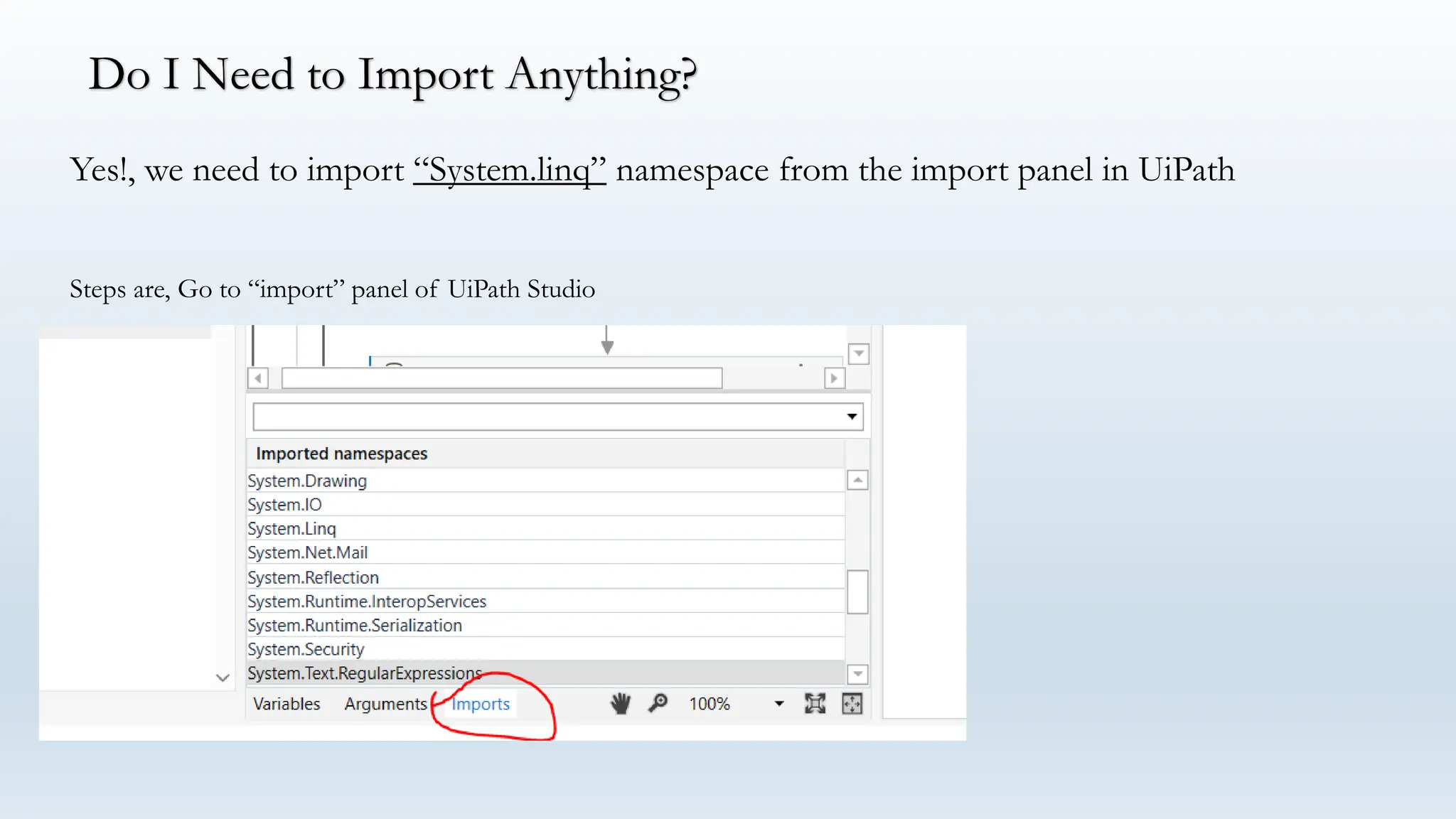
Yes!, we need to import “System.linq” namespace from the import panel in UiPath
Do I Need to Import Anything?
Steps are, Go to “import” panel of UiPath Studio
Search for System.Linq and add it to the imports panel if not already present
Now, we will learn about ways of writing LINQ queries in UiPath
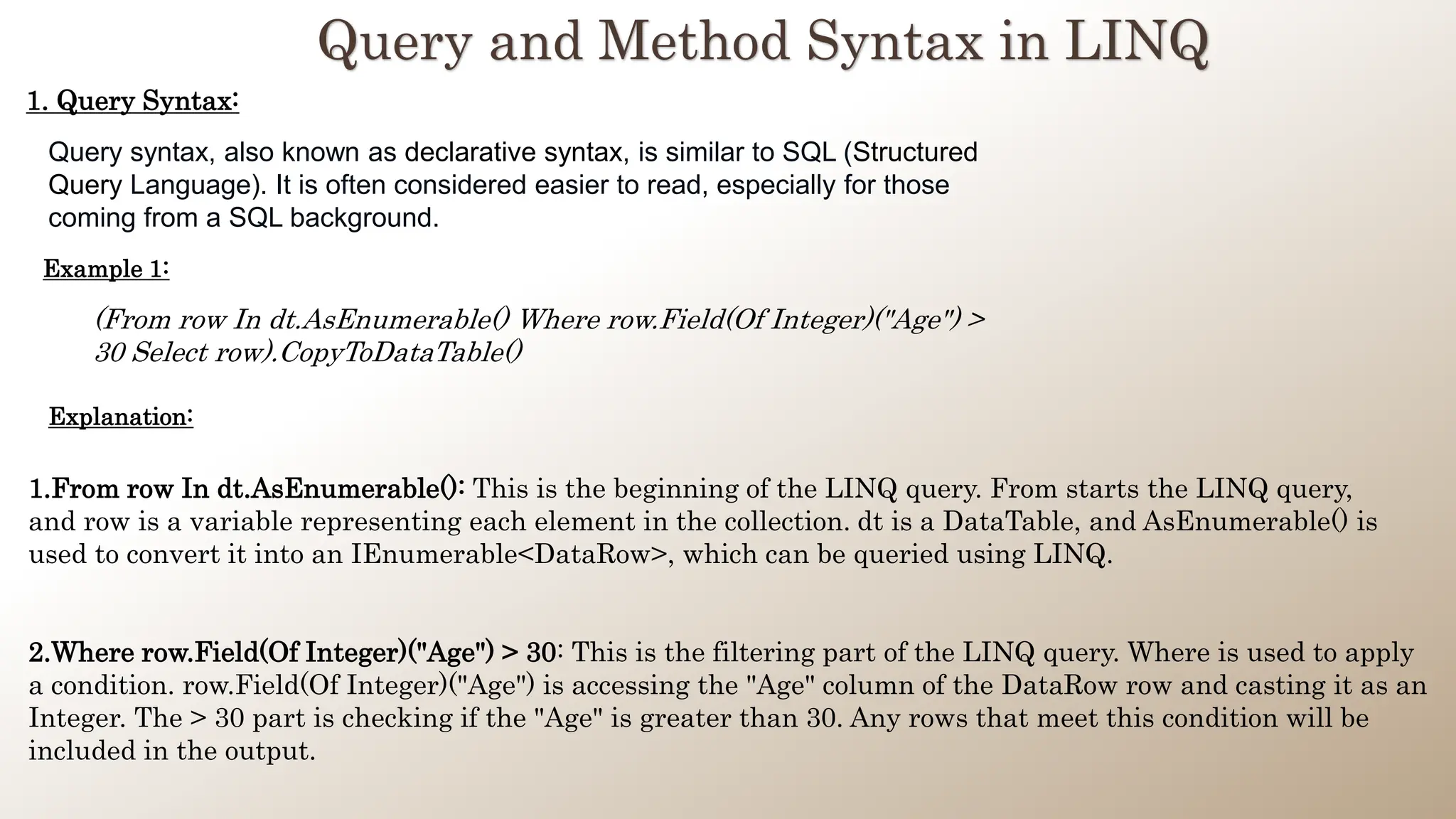
Query and Method Syntax in LINQ
1. Query Syntax:
Query syntax, also known as declarative syntax, is similar to SQL (Structured
Query Language). It is often considered easier to read, especially for those
coming from a SQL background.
(From row In dt.AsEnumerable() Where row.Field(Of Integer)("Age") >
30 Select row).CopyToDataTable()
Example 1:
Explanation:
1.From row In dt.AsEnumerable(): This is the beginning of the LINQ query. From starts the LINQ query,
and row is a variable representing each element in the collection. dt is a DataTable, and AsEnumerable() is
used to convert it into an IEnumerable<DataRow>, which can be queried using LINQ.
2.Where row.Field(Of Integer)("Age") > 30: This is the filtering part of the LINQ query. Where is used to apply
a condition. row.Field(Of Integer)("Age") is accessing the "Age" column of the DataRow row and casting it as an
Integer. The > 30 part is checking if the "Age" is greater than 30. Any rows that meet this condition will be
included in the output.
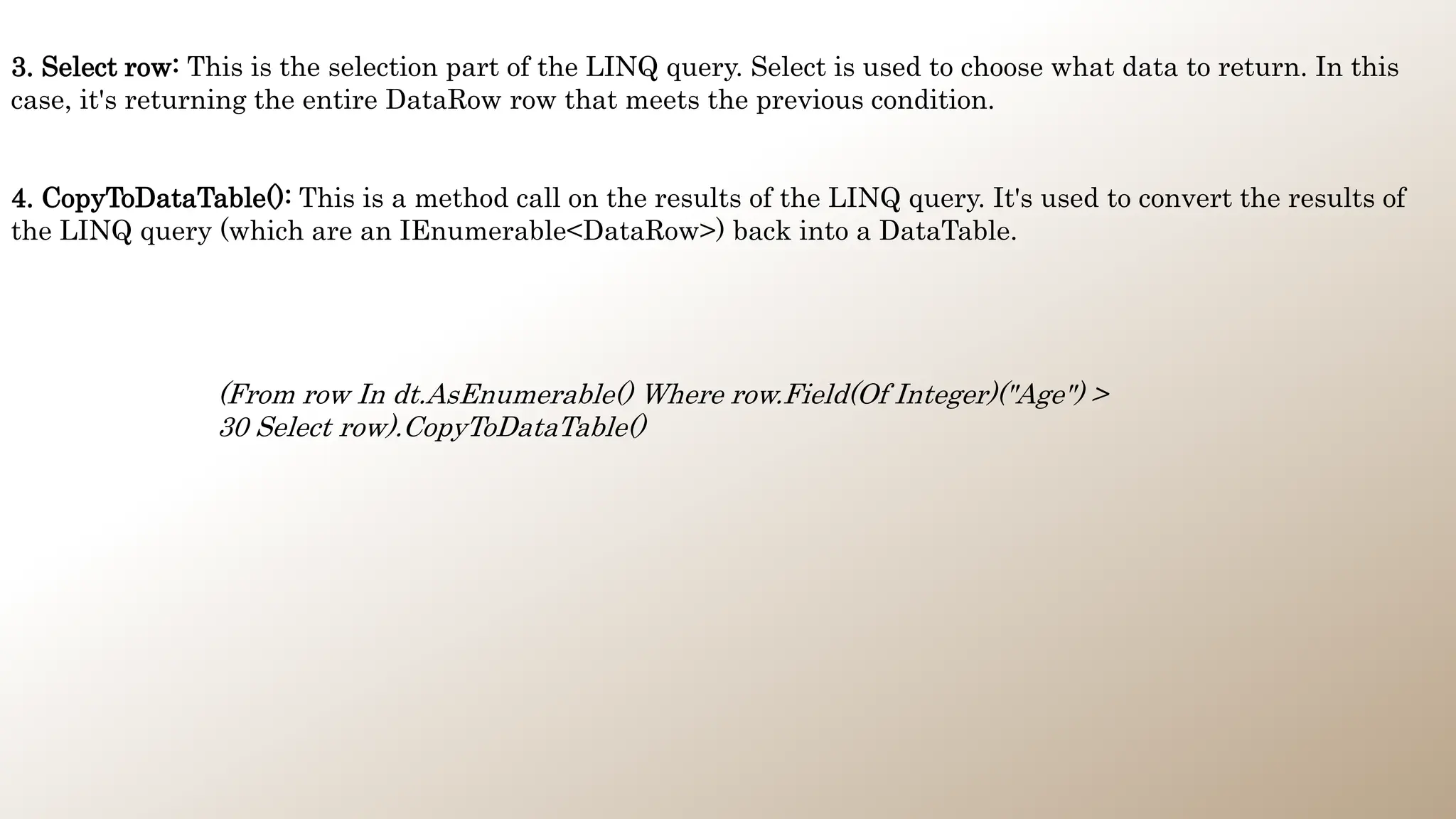
(From row In dt.AsEnumerable() Where row.Field(Of Integer)("Age") >
30 Select row).CopyToDataTable()
3. Select row: This is the selection part of the LINQ query. Select is used to choose what data to return. In this
case, it's returning the entire DataRow row that meets the previous condition.
4. CopyToDataTable(): This is a method call on the results of the LINQ query. It's used to convert the results of
the LINQ query (which are an IEnumerable<DataRow>) back into a DataTable.
2. Method Syntax:
Method syntax, also known as imperative syntax or "dot notation", uses chained
together methods to perform the same tasks. This syntax can provide more
flexibility, because you can call any method of the returned IEnumerable or
IQueryable result.
dt.AsEnumerable().Where(Function(row) row.Field(Of Integer)("Age")
> 30).CopyToDataTable()
Example 1:
Explanation:
1.dt: This refers to a DataTable object that you're querying. LINQ can be used to query different data sources, and in
this case, it's being used with an in-memory DataTable.
2.AsEnumerable(): This is a method that converts the DataTable into an IEnumerable<DataRow> object. LINQ
operates on objects that implement the IEnumerable interface, so this conversion is necessary to allow LINQ to
query the DataTable.
3.Where: This is a LINQ operator used to filter the data. It takes a delegate (in this case, a lambda function) that
defines the filter criteria. The Where operator will return all the elements in the collection that match the criteria
defined by the function.
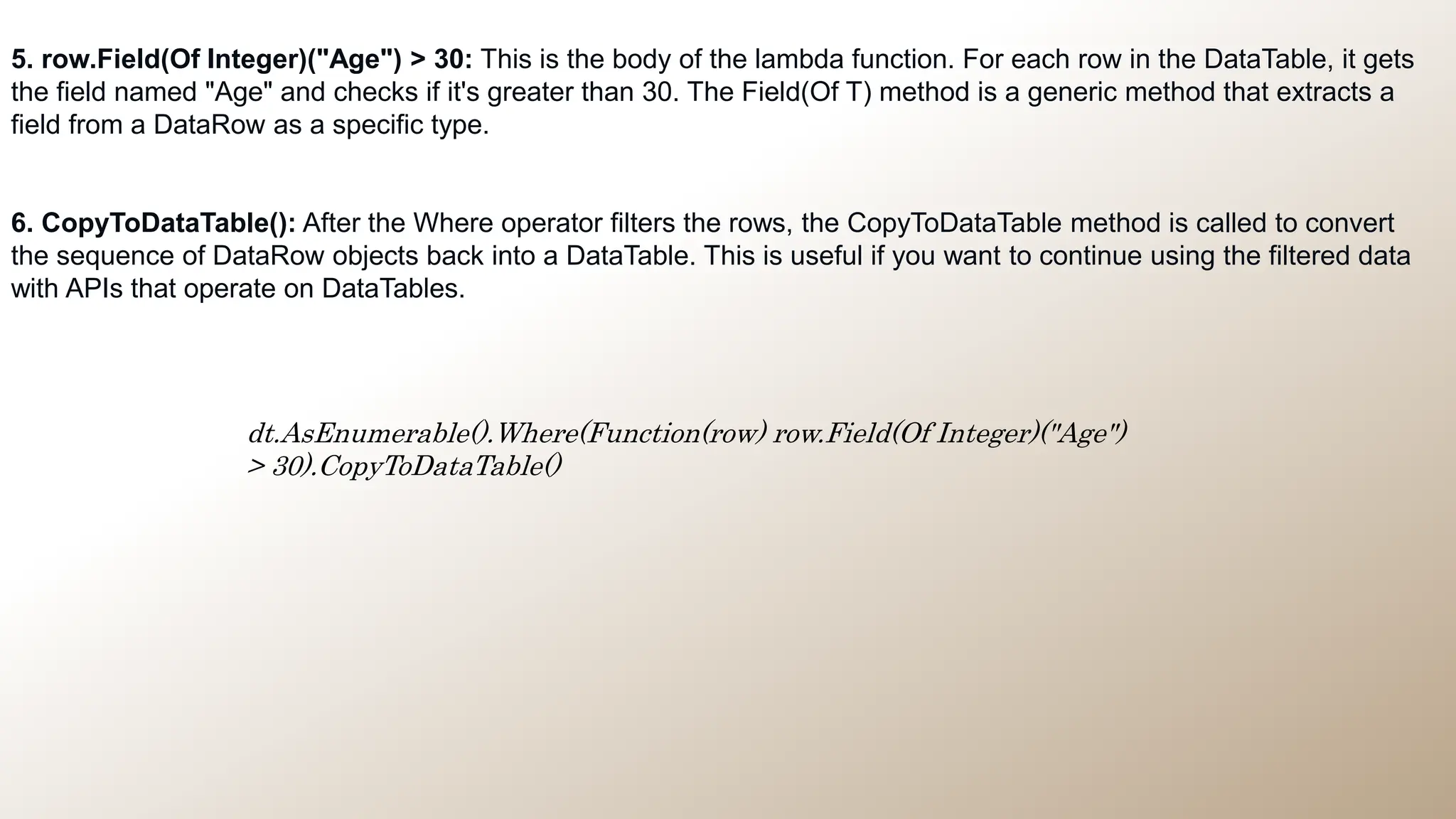
dt.AsEnumerable().Where(Function(row) row.Field(Of Integer)("Age")
> 30).CopyToDataTable()
5. row.Field(Of Integer)("Age") > 30: This is the body of the lambda function. For each row in the DataTable, it gets
the field named "Age" and checks if it's greater than 30. The Field(Of T) method is a generic method that extracts a
field from a DataRow as a specific type.
6. CopyToDataTable(): After the Where operator filters the rows, the CopyToDataTable method is called to convert
the sequence of DataRow objects back into a DataTable. This is useful if you want to continue using the filtered data
with APIs that operate on DataTables.
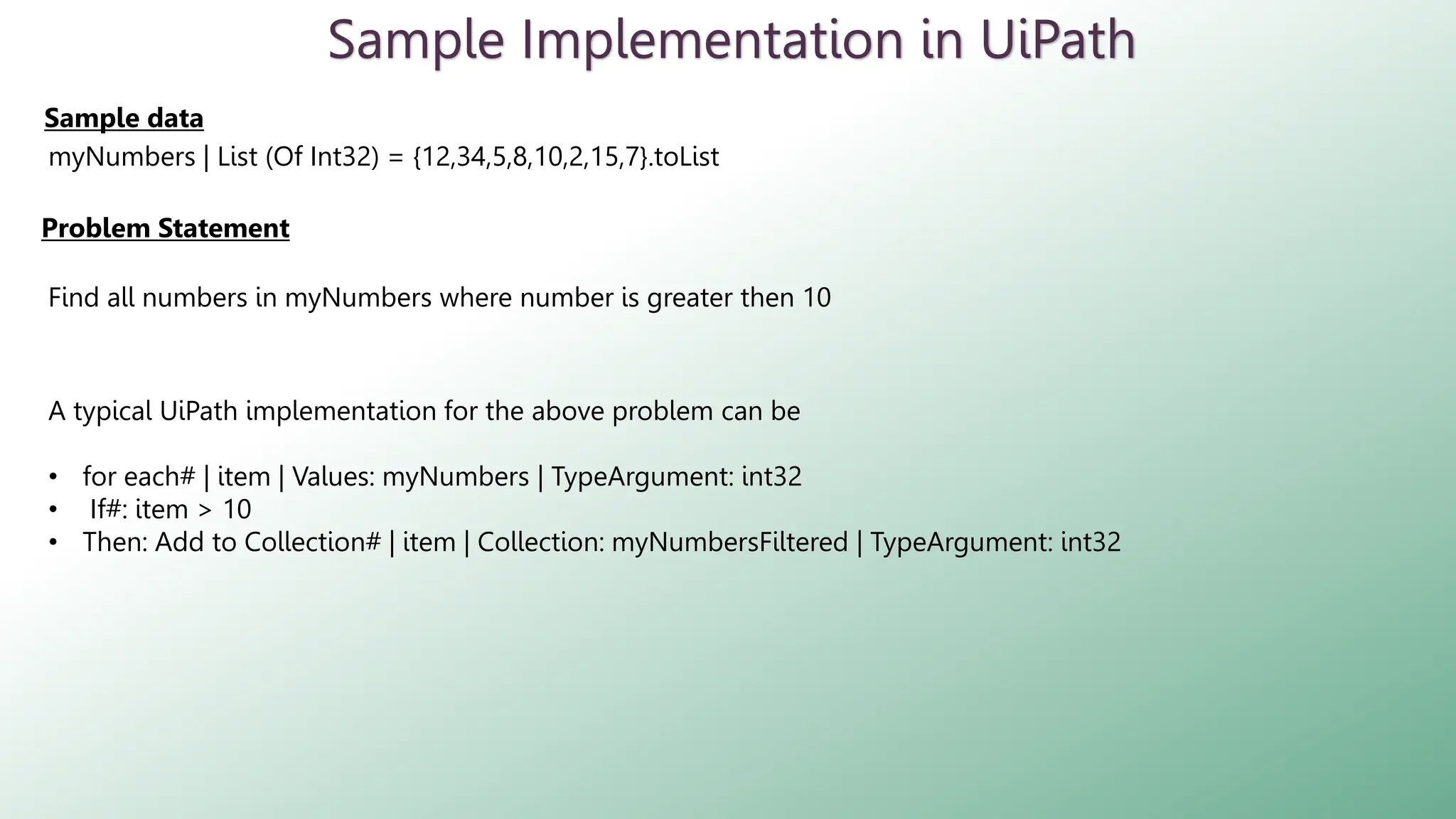
Sample Implementation in UiPath
Problem Statement
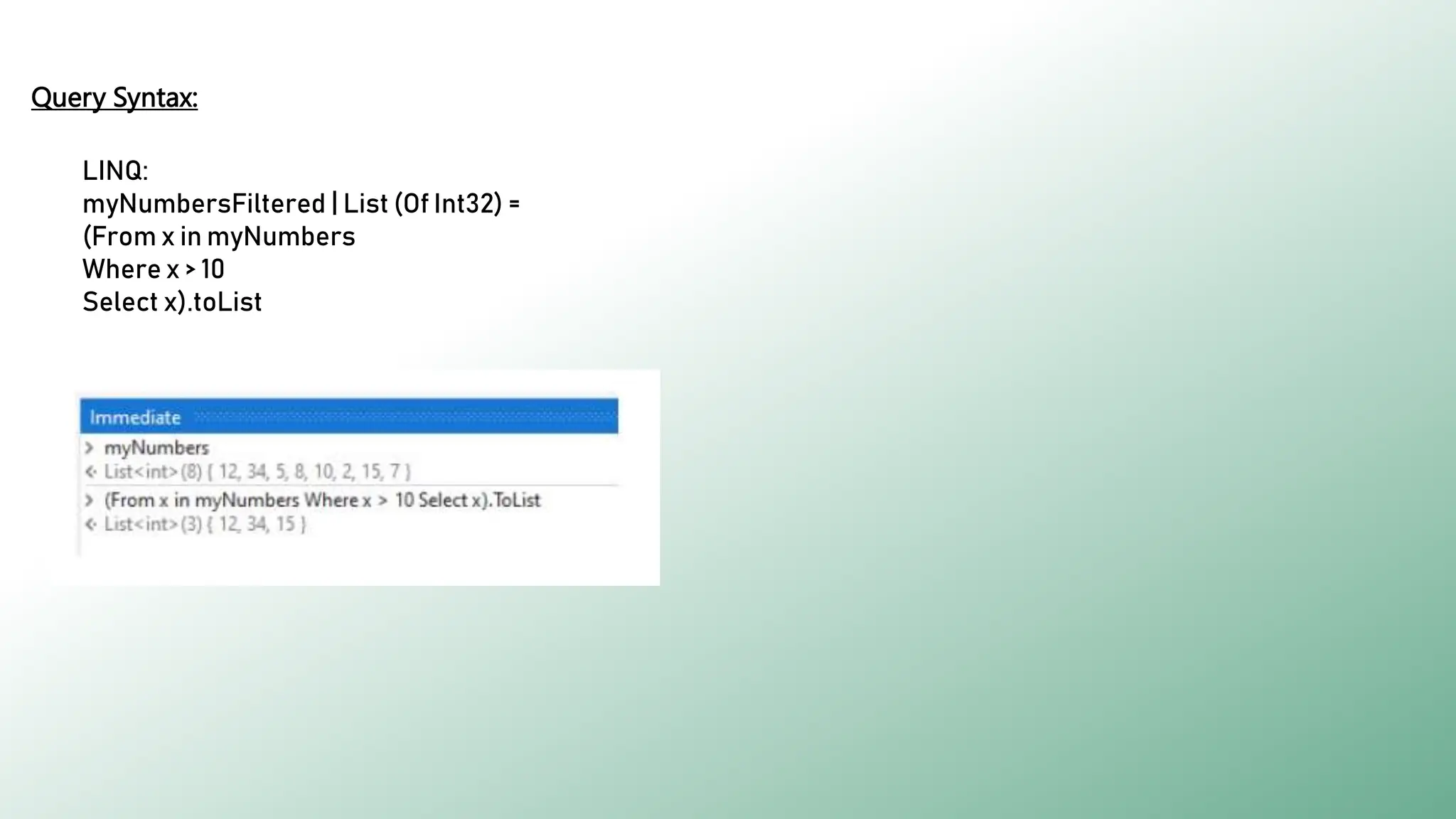
myNumbers | List (Of Int32) = {12,34,5,8,10,2,15,7}.toList
Sample data
Find all numbers in myNumbers where number is greater then 10
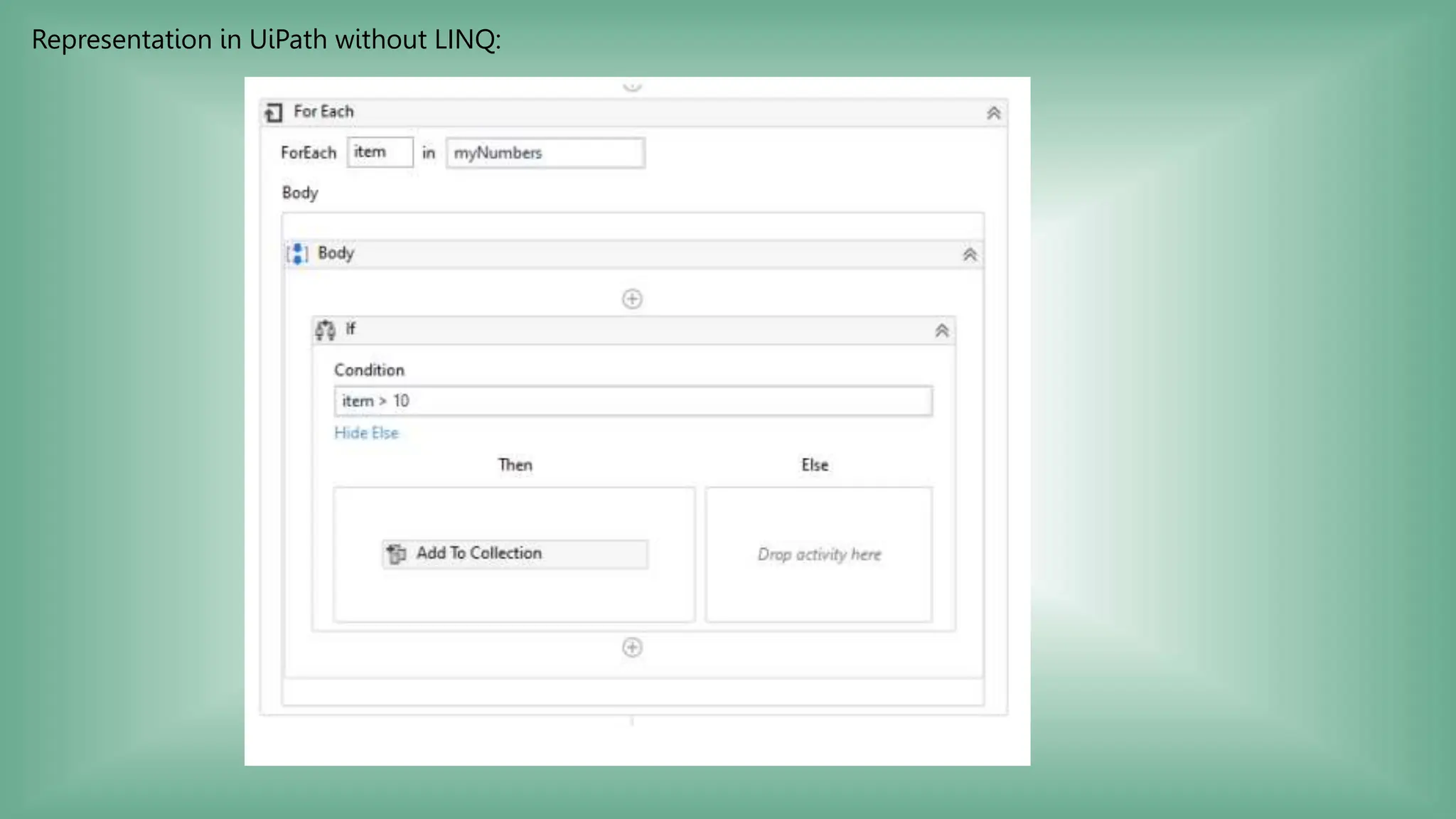
A typical UiPath implementation for the above problem can be
• for each# | item | Values: myNumbers | TypeArgument: int32
• If#: item > 10
• Then: Add to Collection# | item | Collection: myNumbersFiltered | TypeArgument: int32
Representation in UiPath without LINQ:
Representation in UiPath with LINQ:
Method Syntax:
LINQ:
myNumbersFiltered | List (Of Int32) = myNumbers.Where(Function (x) x > 10).toList
Query Syntax:
LINQ:
myNumbersFiltered | List (Of Int32) =
(From x in myNumbers
Where x > 10
Select x).toList
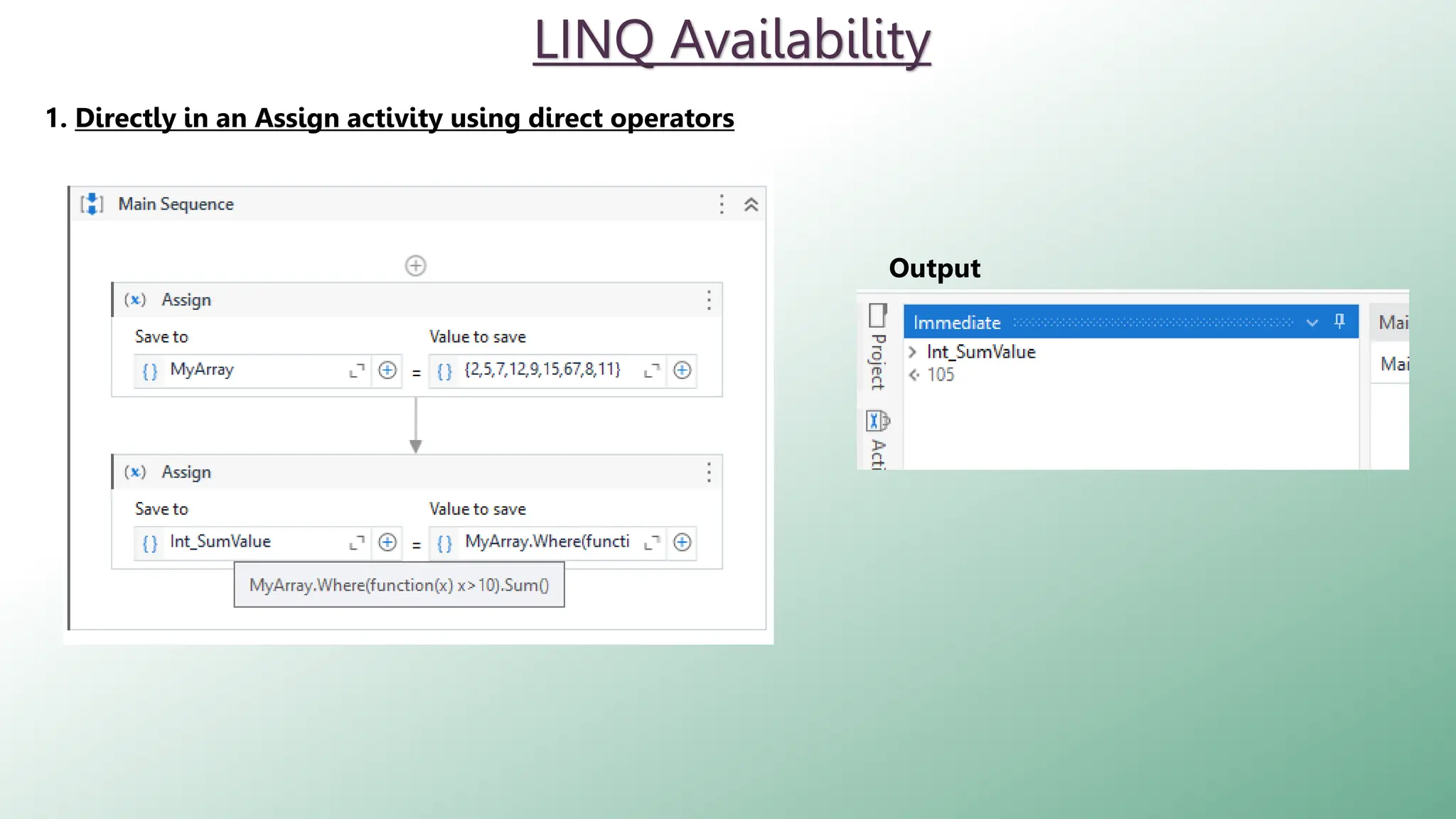
LINQ Availability
1. Directly in an Assign activity using direct operators
Output
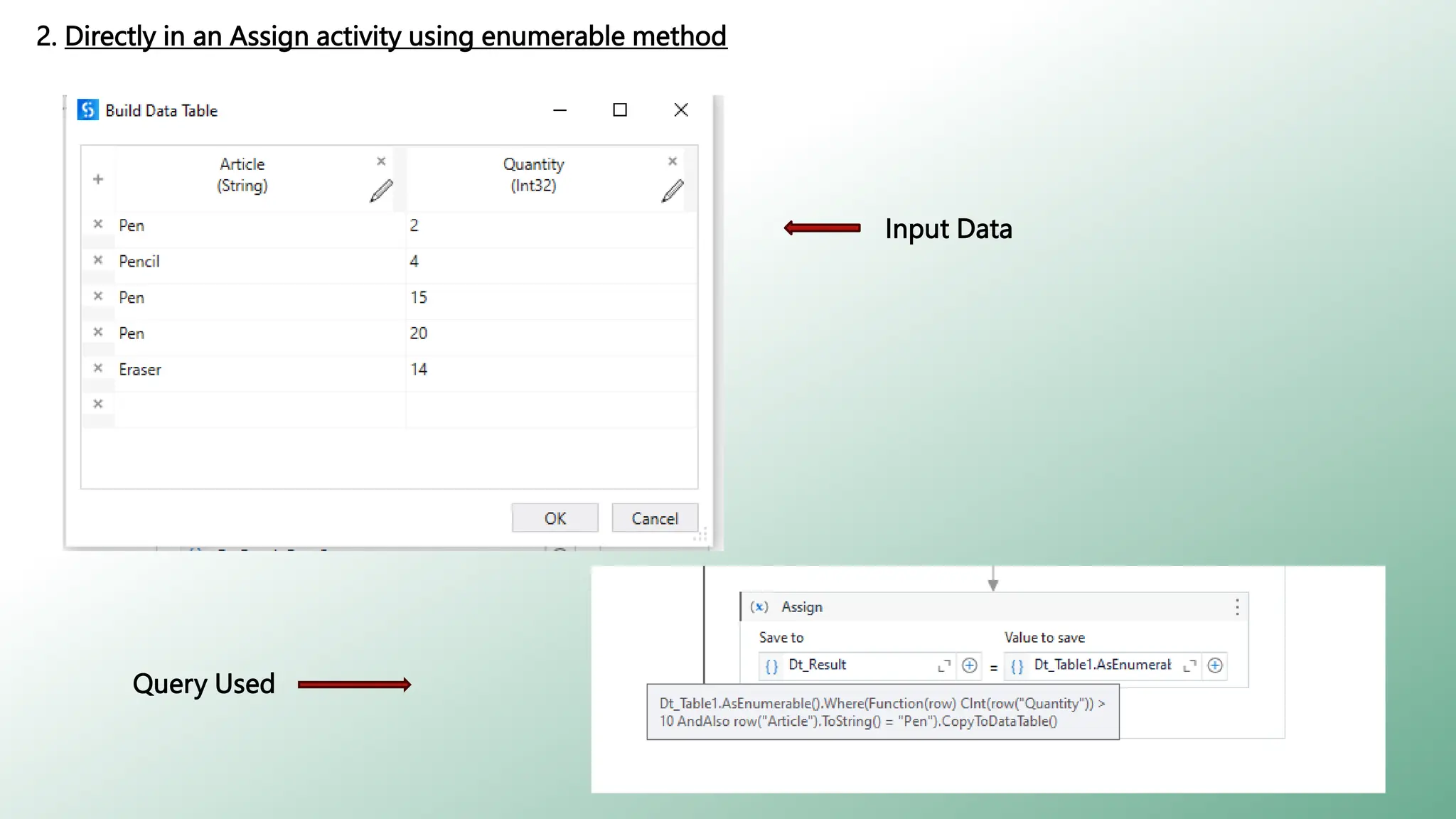
2. Directly in an Assign activity using enumerable method
Input Data
Query Used
Output
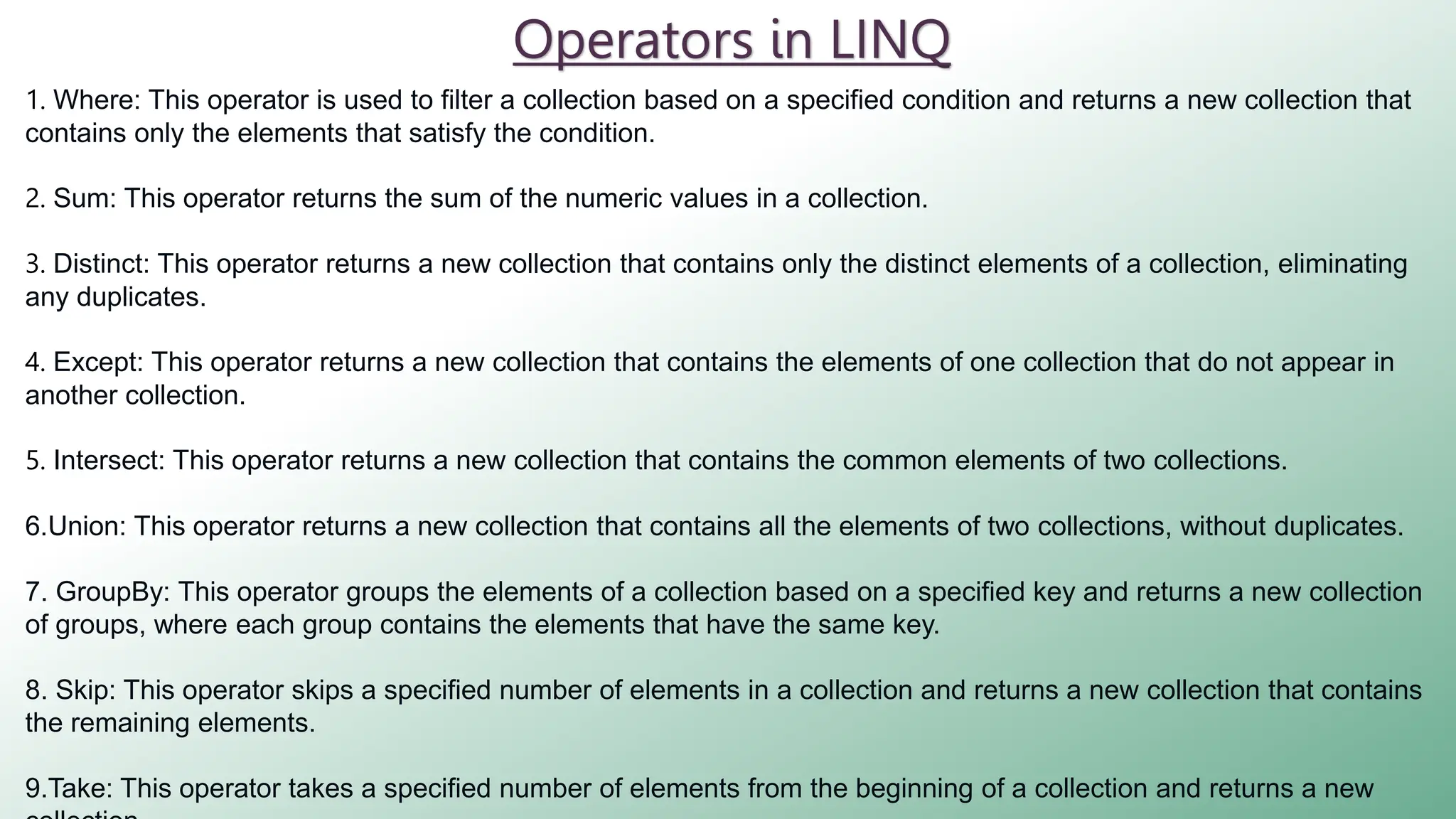
Operators in LINQ
1. Where: This operator is used to filter a collection based on a specified condition and returns a new collection that
contains only the elements that satisfy the condition.
2. Sum: This operator returns the sum of the numeric values in a collection.
3. Distinct: This operator returns a new collection that contains only the distinct elements of a collection, eliminating
any duplicates.
4. Except: This operator returns a new collection that contains the elements of one collection that do not appear in
another collection.
5. Intersect: This operator returns a new collection that contains the common elements of two collections.
6.Union: This operator returns a new collection that contains all the elements of two collections, without duplicates.
7. GroupBy: This operator groups the elements of a collection based on a specified key and returns a new collection
of groups, where each group contains the elements that have the same key.
8. Skip: This operator skips a specified number of elements in a collection and returns a new collection that contains
the remaining elements.
9.Take: This operator takes a specified number of elements from the beginning of a collection and returns a new
Introduction to LINQ in UiPath with examples.pptx

Introduction to LINQ in UiPath with examples.pptx

  • 1.
    INTRODUCTION TO LINQ : METHODSAND QUERY TECHNIQUES
  • 2.
    ◦ Language IntegratedQuery LINQ is a query syntax built in C# and VB.NET which helps us to retrieve data from different types of data sources like an Object Collection, Datatables, XML, web service, List etc. efficiently. ◦ LINQ Queries are the first-class language construct in C# .NET, just like classes, methods, events. ◦ For example, SQL is a Structured Query Language used to save and retrieve data from a database. In the same way, LINQ is a structured query syntax built in C# and VB.NET to retrieve data from different types of data sources like mentioned above. What’s LINQ?
  • 4.
    A Traditional Programin .NET Public Class Student Public Property Age As Integer Public Property Grade As Double End Class Sub Main() Dim students As Student() = { New Student With {.Age = 19, .Grade = 85.5}, New Student With {.Age = 21, .Grade = 92.0}, New Student With {.Age = 22, .Grade = 78.6}, New Student With {.Age = 20, .Grade = 89.5}, New Student With {.Age = 23, .Grade = 88.8} } Dim totalGrade As Double = 0 Dim count As Integer = 0 For Each student In students If student.Age > 20 Then totalGrade += student.Grade count += 1 End If Next Dim averageGrade As Double = totalGrade / count Console.WriteLine($"Average grade of students > 20 years old: {averageGrade}") Console.ReadKey() End Sub Import System.Linq Public Class Student Public Property Age As Integer Public Property Grade As Double End Class Sub Main() Dim students As Student() = { New Student With {.Age = 19, .Grade = 85.5}, New Student With {.Age = 21, .Grade = 92.0}, New Student With {.Age = 22, .Grade = 78.6}, New Student With {.Age = 20, .Grade = 89.5}, New Student With {.Age = 23, .Grade = 88.8} } Dim averageGrade = students.Where(Function(student) student.Age > 20). Average(Function(student) student.Grade) Console.WriteLine($"Average grade of students > 20 years old: {averageGrade}") Console.ReadKey() End Sub LINQ
  • 5.
  • 6.
    ◦ Data Filtering: LINQmakes it easy to filter data in collections based on certain conditions. For example, if you have a DataTable and you want to select rows where a particular column's value is greater than a certain number, you can easily do this with LINQ. ◦ Grouping Data: With LINQ, you can group data in collections based on certain conditions or attributes. This can be particularly useful when working with large amounts of data that need to be categorized or grouped in a certain way. ◦ Sorting Data: LINQ provides ordering operators like OrderBy, OrderByDescending, ThenBy, ThenByDescending which can be used to sort data in collections. ◦ Data Aggregation: LINQ provides several functions like Sum, Average, Min, Max etc., which can be used to perform calculations on collections of data. ◦ Efficient Processing: Large datasets can be processed more efficiently using LINQ queries in less time Usage of LINQ in UiPath
  • 7.
    Yes!, we needto import “System.linq” namespace from the import panel in UiPath Do I Need to Import Anything? Steps are, Go to “import” panel of UiPath Studio
  • 8.
    Search for System.Linqand add it to the imports panel if not already present Now, we will learn about ways of writing LINQ queries in UiPath
  • 9.
    Query and MethodSyntax in LINQ 1. Query Syntax: Query syntax, also known as declarative syntax, is similar to SQL (Structured Query Language). It is often considered easier to read, especially for those coming from a SQL background. (From row In dt.AsEnumerable() Where row.Field(Of Integer)("Age") > 30 Select row).CopyToDataTable() Example 1: Explanation: 1.From row In dt.AsEnumerable(): This is the beginning of the LINQ query. From starts the LINQ query, and row is a variable representing each element in the collection. dt is a DataTable, and AsEnumerable() is used to convert it into an IEnumerable<DataRow>, which can be queried using LINQ. 2.Where row.Field(Of Integer)("Age") > 30: This is the filtering part of the LINQ query. Where is used to apply a condition. row.Field(Of Integer)("Age") is accessing the "Age" column of the DataRow row and casting it as an Integer. The > 30 part is checking if the "Age" is greater than 30. Any rows that meet this condition will be included in the output.
  • 10.
    (From row Indt.AsEnumerable() Where row.Field(Of Integer)("Age") > 30 Select row).CopyToDataTable() 3. Select row: This is the selection part of the LINQ query. Select is used to choose what data to return. In this case, it's returning the entire DataRow row that meets the previous condition. 4. CopyToDataTable(): This is a method call on the results of the LINQ query. It's used to convert the results of the LINQ query (which are an IEnumerable<DataRow>) back into a DataTable.
  • 11.
    2. Method Syntax: Methodsyntax, also known as imperative syntax or "dot notation", uses chained together methods to perform the same tasks. This syntax can provide more flexibility, because you can call any method of the returned IEnumerable or IQueryable result. dt.AsEnumerable().Where(Function(row) row.Field(Of Integer)("Age") > 30).CopyToDataTable() Example 1: Explanation: 1.dt: This refers to a DataTable object that you're querying. LINQ can be used to query different data sources, and in this case, it's being used with an in-memory DataTable. 2.AsEnumerable(): This is a method that converts the DataTable into an IEnumerable<DataRow> object. LINQ operates on objects that implement the IEnumerable interface, so this conversion is necessary to allow LINQ to query the DataTable. 3.Where: This is a LINQ operator used to filter the data. It takes a delegate (in this case, a lambda function) that defines the filter criteria. The Where operator will return all the elements in the collection that match the criteria defined by the function.
  • 12.
    dt.AsEnumerable().Where(Function(row) row.Field(Of Integer)("Age") >30).CopyToDataTable() 5. row.Field(Of Integer)("Age") > 30: This is the body of the lambda function. For each row in the DataTable, it gets the field named "Age" and checks if it's greater than 30. The Field(Of T) method is a generic method that extracts a field from a DataRow as a specific type. 6. CopyToDataTable(): After the Where operator filters the rows, the CopyToDataTable method is called to convert the sequence of DataRow objects back into a DataTable. This is useful if you want to continue using the filtered data with APIs that operate on DataTables.
  • 13.
    Sample Implementation inUiPath Problem Statement myNumbers | List (Of Int32) = {12,34,5,8,10,2,15,7}.toList Sample data Find all numbers in myNumbers where number is greater then 10 A typical UiPath implementation for the above problem can be • for each# | item | Values: myNumbers | TypeArgument: int32 • If#: item > 10 • Then: Add to Collection# | item | Collection: myNumbersFiltered | TypeArgument: int32
  • 14.
  • 15.
    Representation in UiPathwith LINQ: Method Syntax: LINQ: myNumbersFiltered | List (Of Int32) = myNumbers.Where(Function (x) x > 10).toList
  • 16.
    Query Syntax: LINQ: myNumbersFiltered |List (Of Int32) = (From x in myNumbers Where x > 10 Select x).toList
  • 17.
    LINQ Availability 1. Directlyin an Assign activity using direct operators Output
  • 18.
    2. Directly inan Assign activity using enumerable method Input Data Query Used
  • 19.
  • 20.
    Operators in LINQ 1.Where: This operator is used to filter a collection based on a specified condition and returns a new collection that contains only the elements that satisfy the condition. 2. Sum: This operator returns the sum of the numeric values in a collection. 3. Distinct: This operator returns a new collection that contains only the distinct elements of a collection, eliminating any duplicates. 4. Except: This operator returns a new collection that contains the elements of one collection that do not appear in another collection. 5. Intersect: This operator returns a new collection that contains the common elements of two collections. 6.Union: This operator returns a new collection that contains all the elements of two collections, without duplicates. 7. GroupBy: This operator groups the elements of a collection based on a specified key and returns a new collection of groups, where each group contains the elements that have the same key. 8. Skip: This operator skips a specified number of elements in a collection and returns a new collection that contains the remaining elements. 9.Take: This operator takes a specified number of elements from the beginning of a collection and returns a new