The Role of Accessibility Managers in
Creating ADA-Compliant Presentations
inkppt.com
“Using people to be inclusive is not an attack. It is progress.”
–DaShanne Stokes
In the contemporary corporate landscape, where inclusivity is not just a
legal obligation but also a moral imperative, Accessibility Managers play a
vital role in ensuring that all organizational content, including enterprise
presentations, is ADA-compliant.
The blog begins by emphasizing the crucial role of Accessibility Managers
in creating ADA-compliant presentations within today’s corporate
landscape. As the guardians of accessibility, these professionals ensure that
organizational content not only meets legal standards but also fosters an
inclusive environment. Failing to achieve ADA compliance can result in
significant legal risks, brand damage, and the exclusion of key stakeholders,
making the role of Accessibility Managers indispensable in bridging the gap
between legal mandates and practical implementation.
Expanding Role of Accessibility
Managers in Ensuring
ADA-Compliant Presentations
As organizations increasingly recognize the importance of inclusivity in
their communications, the role of Accessibility Managers has grown beyond
merely ensuring compliance with legal standards like the Americans with
Disabilities Act (ADA). This role now encompasses leadership in fostering a
culture of accessibility and inclusivity, guided by disability legislation.
1. The Intersection of Disability Legislation and
Inclusive Leadership
Disability legislation, including the ADA, serves as more than just a legal
framework—it acts as a moral compass guiding organizations toward truly
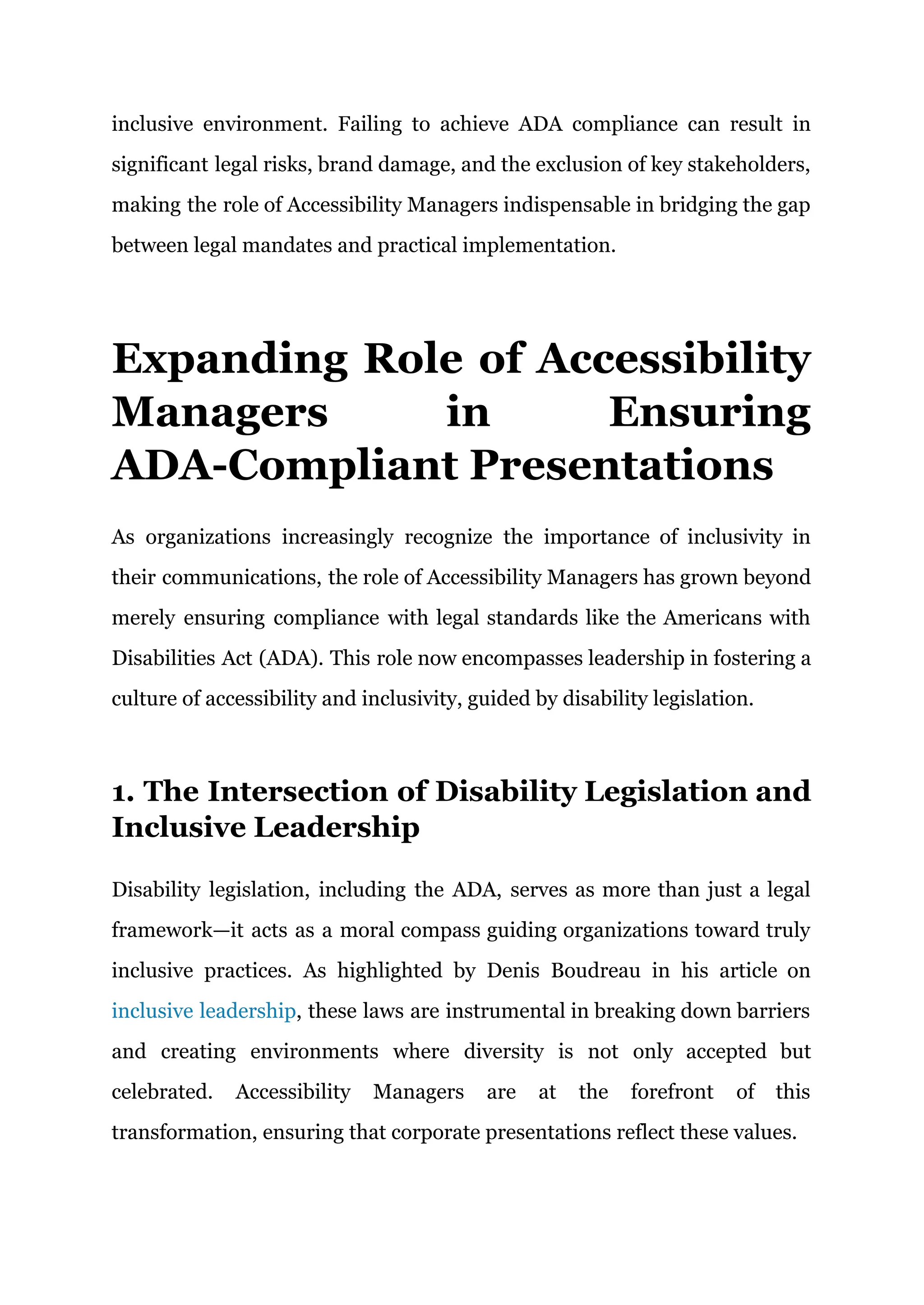
inclusive practices. As highlighted by Denis Boudreau in his article on
inclusive leadership, these laws are instrumental in breaking down barriers
and creating environments where diversity is not only accepted but
celebrated. Accessibility Managers are at the forefront of this
transformation, ensuring that corporate presentations reflect these values.
Accessibility Managers must navigate the complexities of disability
legislation while fostering an inclusive corporate culture. This involves not
just adhering to the letter of the law but also embracing its spirit—ensuring
that presentations are accessible to all, including people with disabilities.
2. Leading by Example: The Role of
Accessibility Managers in Inclusive
Communication
In line with inclusive leadership, Accessibility Managers advocate for
diversity, involving people with disabilities in creating and testing
presentations. This approach ensures presentations meet accessibility
standards and enriches content by incorporating diverse perspectives.
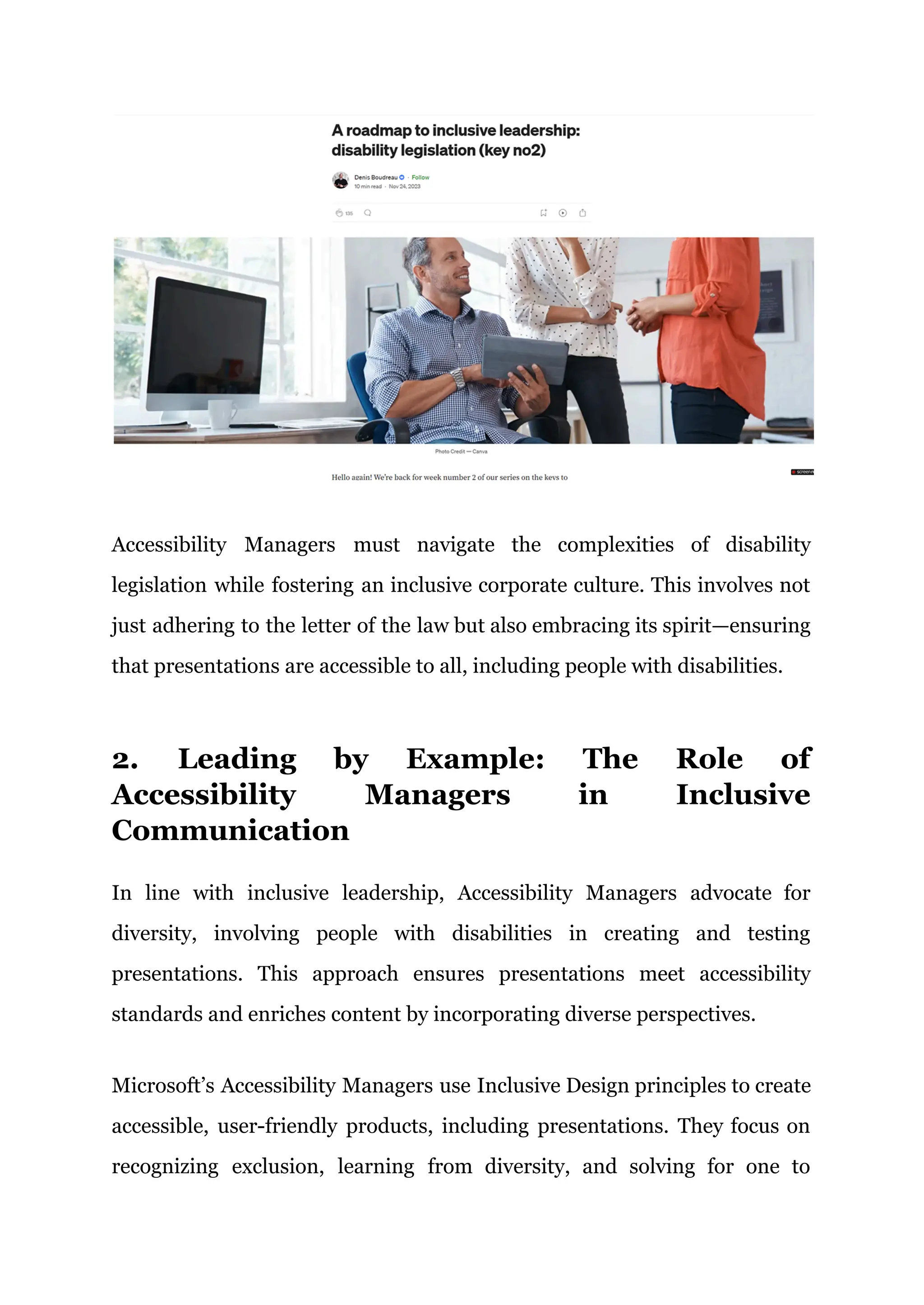
Microsoft’s Accessibility Managers use Inclusive Design principles to create
accessible, user-friendly products, including presentations. They focus on
recognizing exclusion, learning from diversity, and solving for one to
benefit many. This strategy involves designing for users with permanent
disabilities, leading to features like accessible color contrasts and screen
reader compatibility, which improve usability for all. By consistently
applying these principles, Microsoft demonstrates the importance of
accessibility in corporate presentations, promoting an inclusive
environment that meets ADA requirements.
Recommended YouTube Video:
The video emphasizes the importance of empathy in the design process,
particularly in creating inclusive communities that embrace human
diversity. Jutta Treviranus discusses how empathy, distinct from sympathy,
is crucial for designers to consider the broader impact of their work. She
highlights empathy as a necessary skill for addressing future challenges,
advocating for designs that allow everyone to participate and contribute.
The video concludes with a reflection on the far-reaching effects of design
decisions on individuals.
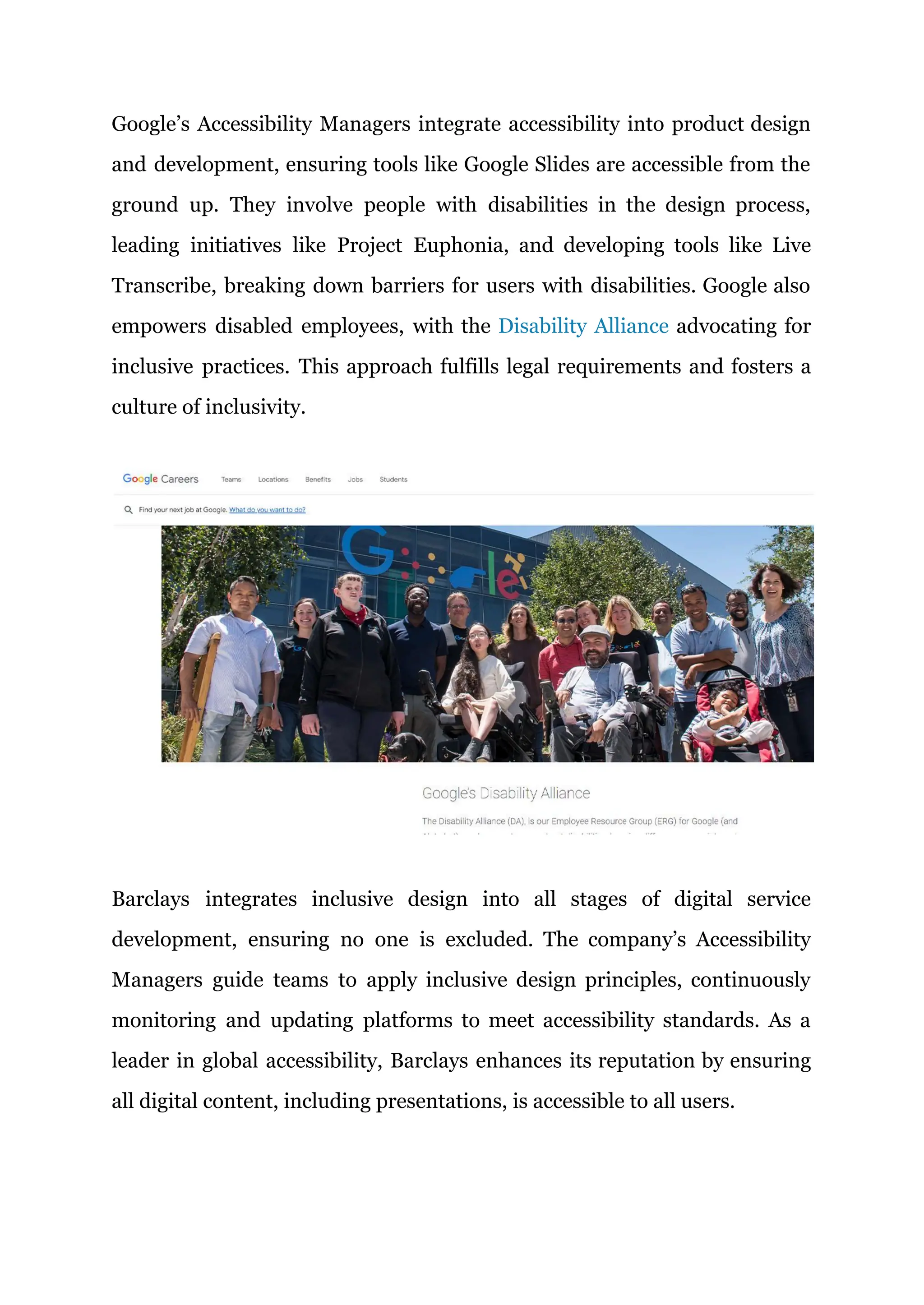
Google’s Accessibility Managers integrate accessibility into product design
and development, ensuring tools like Google Slides are accessible from the
ground up. They involve people with disabilities in the design process,
leading initiatives like Project Euphonia, and developing tools like Live
Transcribe, breaking down barriers for users with disabilities. Google also
empowers disabled employees, with the Disability Alliance advocating for
inclusive practices. This approach fulfills legal requirements and fosters a
culture of inclusivity.
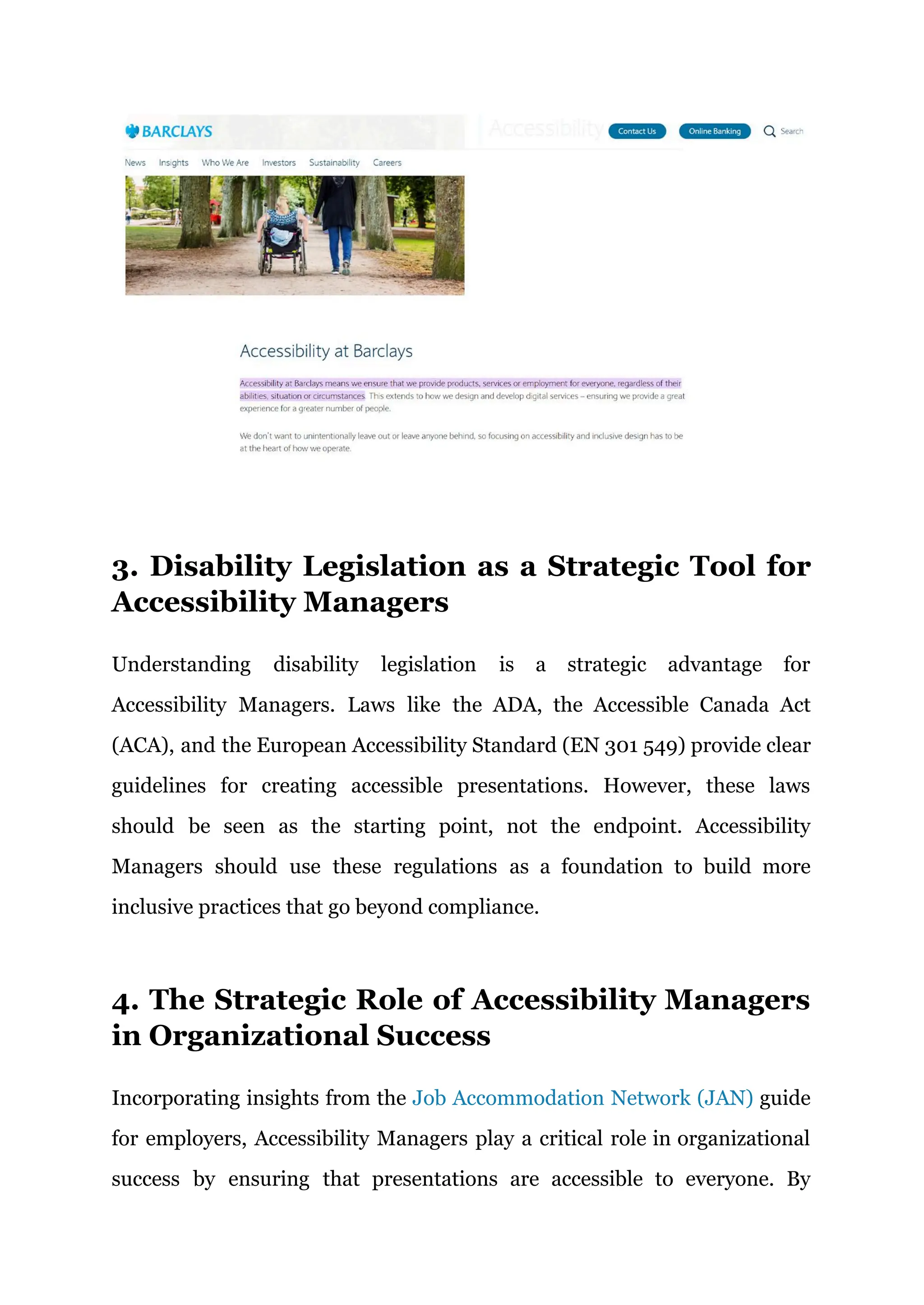
Barclays integrates inclusive design into all stages of digital service
development, ensuring no one is excluded. The company’s Accessibility
Managers guide teams to apply inclusive design principles, continuously
monitoring and updating platforms to meet accessibility standards. As a
leader in global accessibility, Barclays enhances its reputation by ensuring
all digital content, including presentations, is accessible to all users.
3. Disability Legislation as a Strategic Tool for
Accessibility Managers
Understanding disability legislation is a strategic advantage for
Accessibility Managers. Laws like the ADA, the Accessible Canada Act
(ACA), and the European Accessibility Standard (EN 301 549) provide clear
guidelines for creating accessible presentations. However, these laws
should be seen as the starting point, not the endpoint. Accessibility
Managers should use these regulations as a foundation to build more
inclusive practices that go beyond compliance.
4. The Strategic Role of Accessibility Managers
in Organizational Success
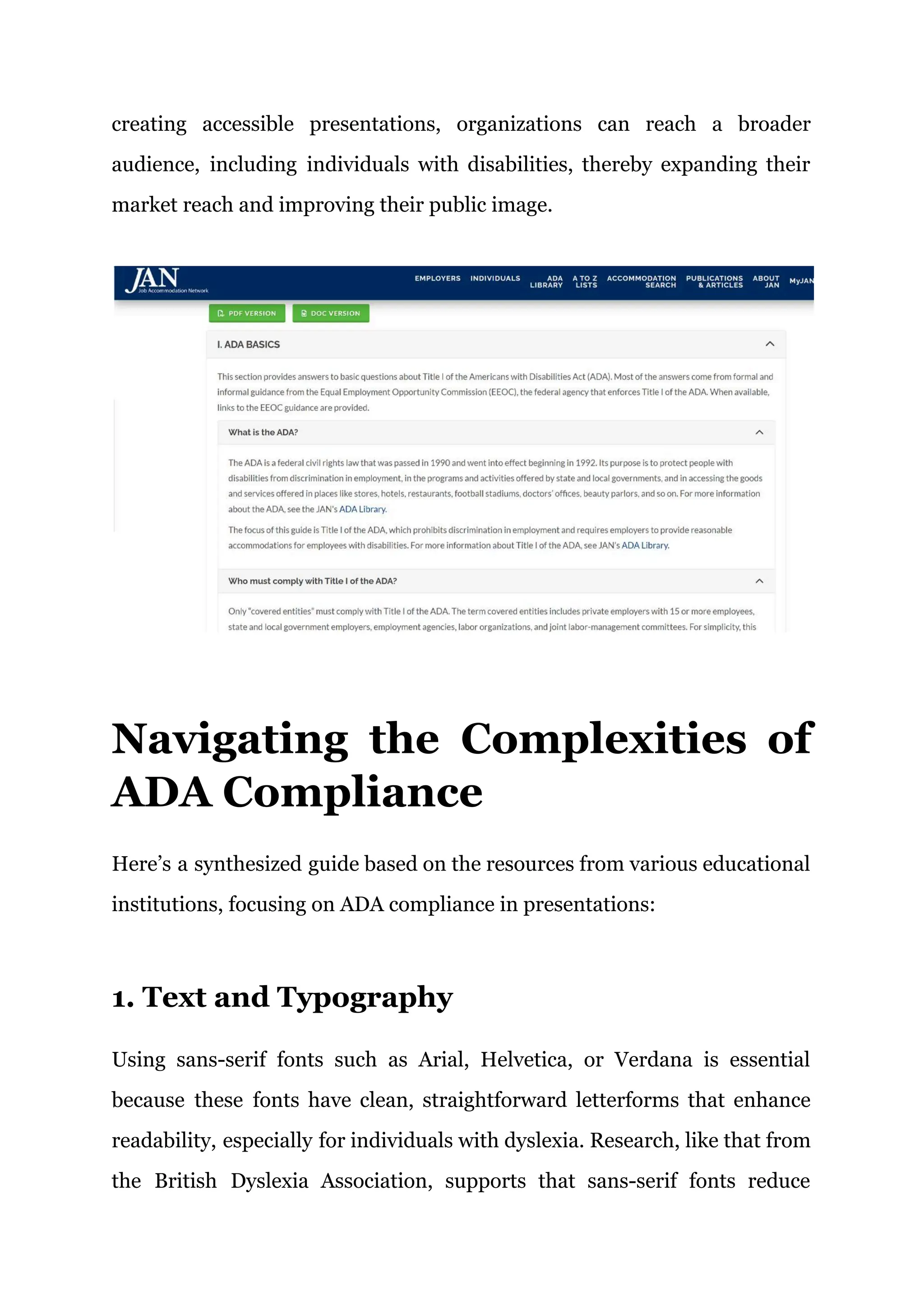
Incorporating insights from the Job Accommodation Network (JAN) guide
for employers, Accessibility Managers play a critical role in organizational
success by ensuring that presentations are accessible to everyone. By
creating accessible presentations, organizations can reach a broader
audience, including individuals with disabilities, thereby expanding their
market reach and improving their public image.
Navigating the Complexities of
ADA Compliance
Here’s a synthesized guide based on the resources from various educational
institutions, focusing on ADA compliance in presentations:
1. Text and Typography
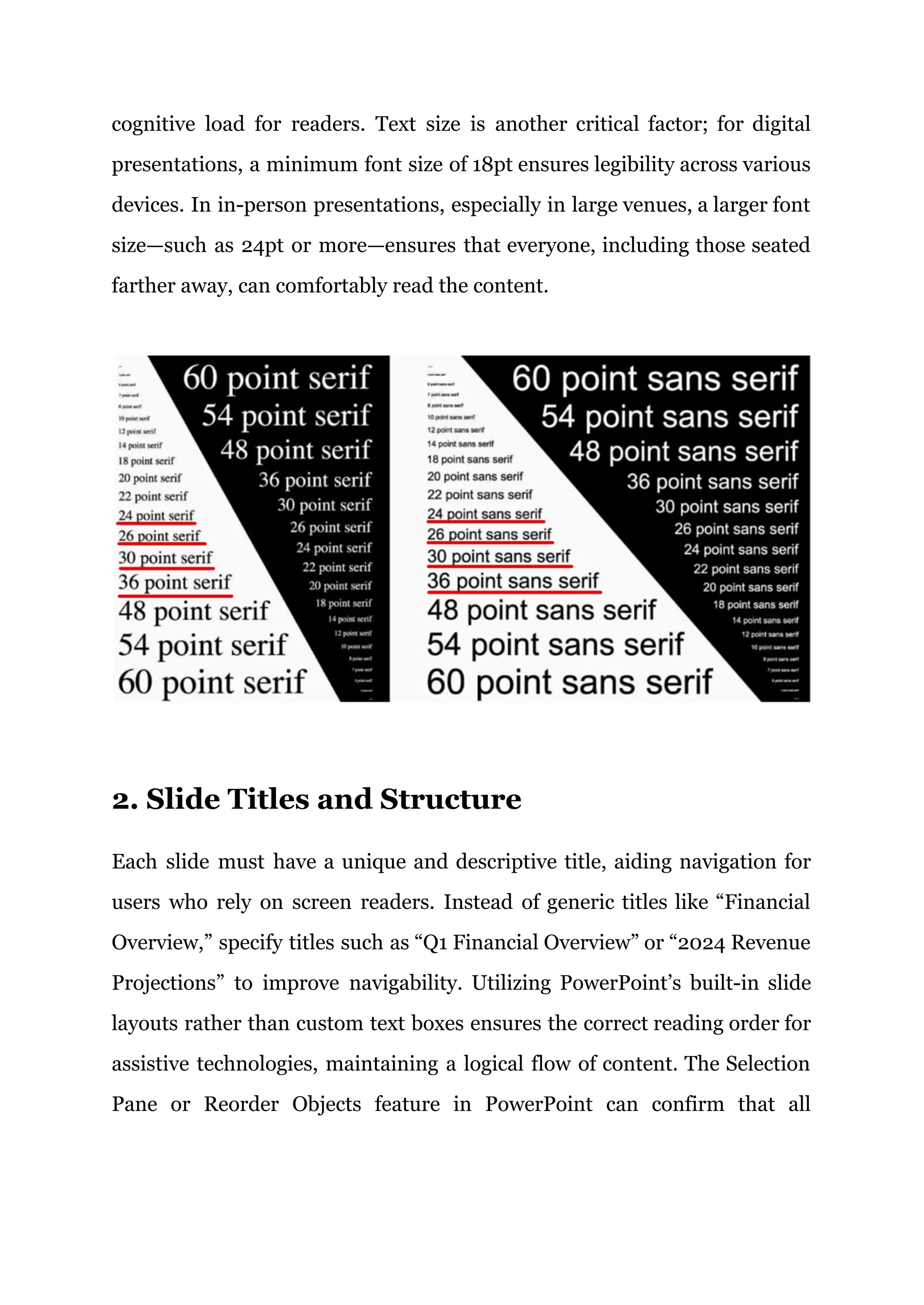
Using sans-serif fonts such as Arial, Helvetica, or Verdana is essential
because these fonts have clean, straightforward letterforms that enhance
readability, especially for individuals with dyslexia. Research, like that from
the British Dyslexia Association, supports that sans-serif fonts reduce
cognitive load for readers. Text size is another critical factor; for digital
presentations, a minimum font size of 18pt ensures legibility across various
devices. In in-person presentations, especially in large venues, a larger font
size—such as 24pt or more—ensures that everyone, including those seated
farther away, can comfortably read the content.
2. Slide Titles and Structure
Each slide must have a unique and descriptive title, aiding navigation for
users who rely on screen readers. Instead of generic titles like “Financial
Overview,” specify titles such as “Q1 Financial Overview” or “2024 Revenue
Projections” to improve navigability. Utilizing PowerPoint’s built-in slide
layouts rather than custom text boxes ensures the correct reading order for
assistive technologies, maintaining a logical flow of content. The Selection
Pane or Reorder Objects feature in PowerPoint can confirm that all
elements are read in the correct sequence, ensuring a coherent presentation
for screen reader users.
3. Color and Contrast
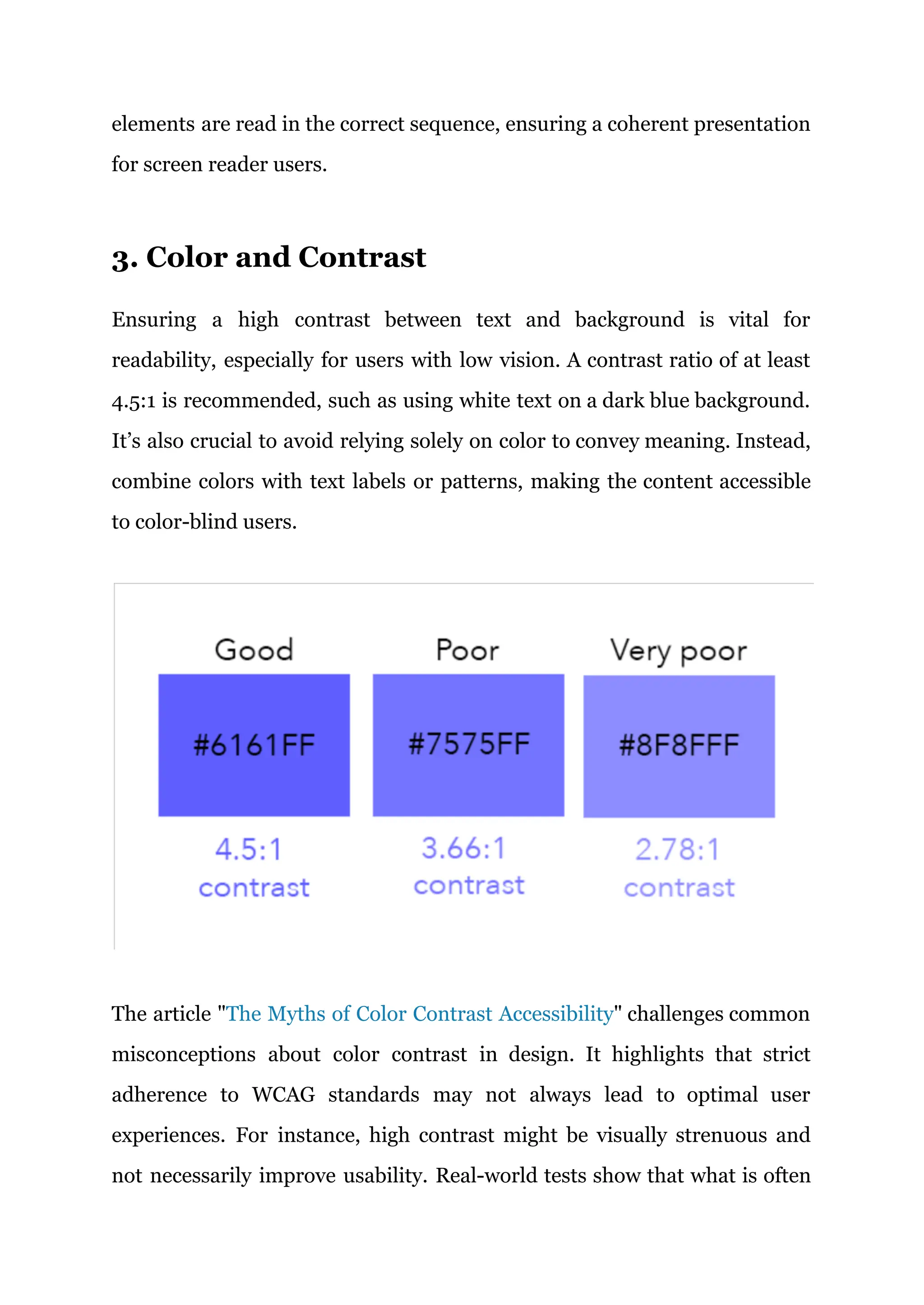
Ensuring a high contrast between text and background is vital for
readability, especially for users with low vision. A contrast ratio of at least
4.5:1 is recommended, such as using white text on a dark blue background.
It’s also crucial to avoid relying solely on color to convey meaning. Instead,
combine colors with text labels or patterns, making the content accessible
to color-blind users.
The article "The Myths of Color Contrast Accessibility" challenges common
misconceptions about color contrast in design. It highlights that strict
adherence to WCAG standards may not always lead to optimal user
experiences. For instance, high contrast might be visually strenuous and
not necessarily improve usability. Real-world tests show that what is often
perceived as inadequate, like white text on blue, can be more readable than
black on blue, contrary to WCAG ratios. The piece emphasizes the
importance of a balanced approach and considering actual user feedback
rather than strictly following computational models.
4. Images and Graphics
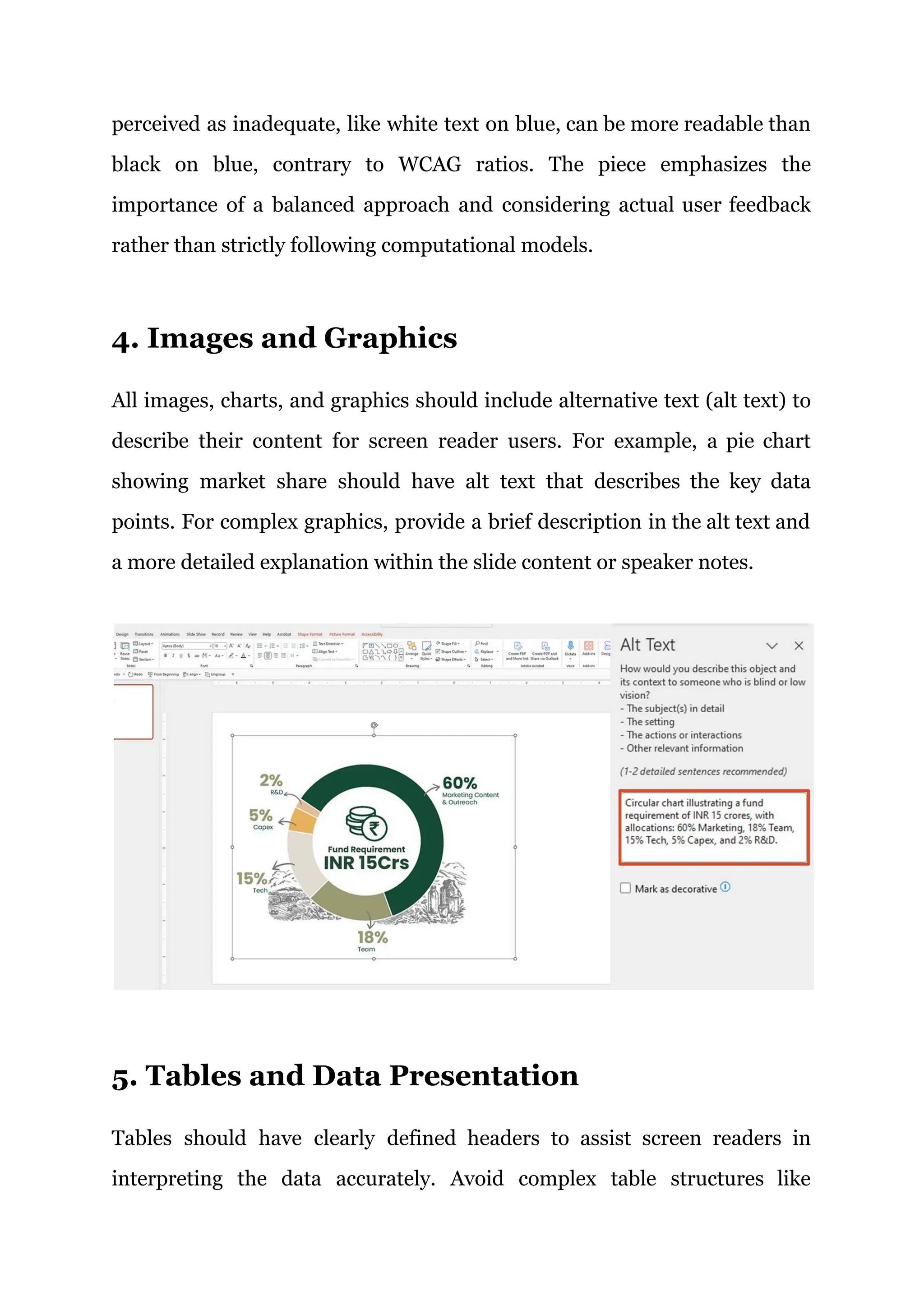
All images, charts, and graphics should include alternative text (alt text) to
describe their content for screen reader users. For example, a pie chart
showing market share should have alt text that describes the key data
points. For complex graphics, provide a brief description in the alt text and
a more detailed explanation within the slide content or speaker notes.
5. Tables and Data Presentation
Tables should have clearly defined headers to assist screen readers in
interpreting the data accurately. Avoid complex table structures like
merged cells, which can confuse assistive technologies. Simple,
straightforward tables with clearly defined rows and columns ensure the
data is accessible to all users.
6. Multimedia and Interactive Content
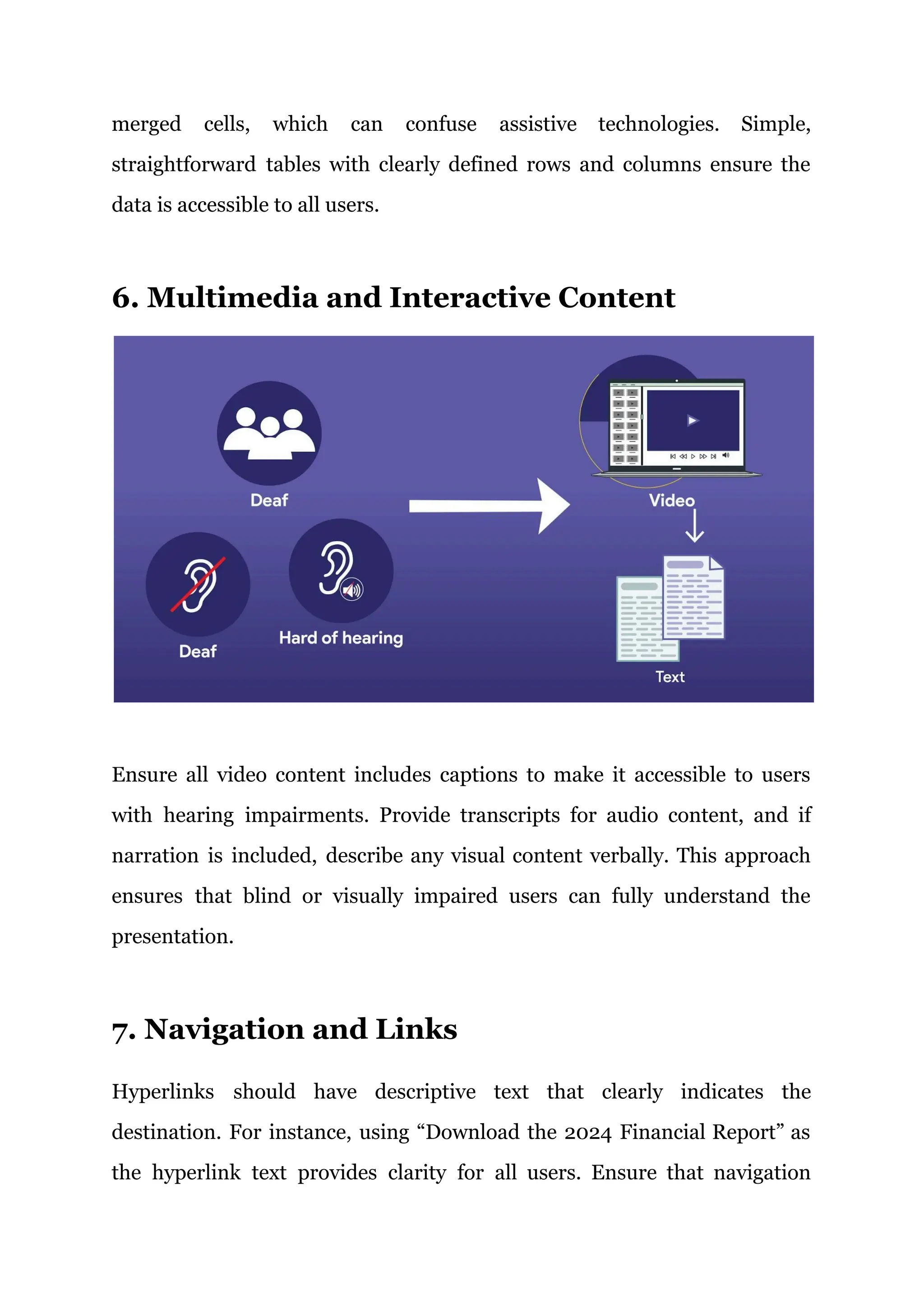
Ensure all video content includes captions to make it accessible to users
with hearing impairments. Provide transcripts for audio content, and if
narration is included, describe any visual content verbally. This approach
ensures that blind or visually impaired users can fully understand the
presentation.
7. Navigation and Links
Hyperlinks should have descriptive text that clearly indicates the
destination. For instance, using “Download the 2024 Financial Report” as
the hyperlink text provides clarity for all users. Ensure that navigation
through the presentation is logical and intuitive, using consistent buttons
and slide numbers.
8. Reviewing and Testing
Use PowerPoint’s Accessibility Checker to identify and fix potential issues,
but complement this with manual reviews to catch problems the automated
tool might miss. Testing with screen readers or other assistive devices, like
JAWS (Job Access with Speech) or NVDA (NonVisual Desktop Access),
ensures your presentation is fully accessible.
9. Saving and Sharing
Save your presentation in accessible formats like PDF, ensuring that all
accessibility features are preserved. Provide materials in advance, giving
users with disabilities ample time to review and prepare, ensuring they can
fully participate.
Following this, ADA compliance checklist will ensure your presentations
are accessible to everyone, fulfilling legal obligations and promoting an
inclusive environment where all audience members can effectively engage
with your content.
Recommended YouTube Video:
Peter Wu emphasizes the importance of making ADA compliance in
presentations that are accessible for people with disabilities by focusing on
key elements like color contrast, screen reader compatibility, and captions.
He highlights the need for high contrast in text and graphics, logical slide
structures with unique titles, and the use of shapes and line styles in charts
to convey information. Adding captions to videos, providing accurate alt
text for images, and utilizing PowerPoint’s Accessibility Checker are crucial
for ensuring inclusivity and enhancing the overall effectiveness of
presentations.
Collaboration and Leadership
In the realm of ADA-compliant presentations, Accessibility Managers play a
crucial role in both collaboration and leadership. Their task extends beyond
ensuring compliance with accessibility standards—they must also lead
teams, coordinate efforts across departments, and champion a culture of
inclusivity in corporate communications. Effective collaboration and
leadership are key to creating presentations that are not only accessible but
also impactful and inclusive.
1. Role of Accessibility Managers as
Collaborative Leaders
By fostering collaboration across teams, Accessibility Managers break down
silos, ensuring everyone contributes to accessibility. Similar to the
collaborative leadership approach highlighted by Slack, Accessibility
Managers encourage open communication, seek diverse opinions, and
involve all team members, regardless of seniority. This inclusive approach
not only ensures compliance but also energizes teams, enhances creativity,
and strengthens the overall quality of presentations.
2. Leading by Example: The Influence of
Accessibility Managers
Leadership of Accessibility Managers extends beyond technical compliance;
they must also inspire and educate others about the value of inclusivity in
corporate communications.
Educating and Training Teams:
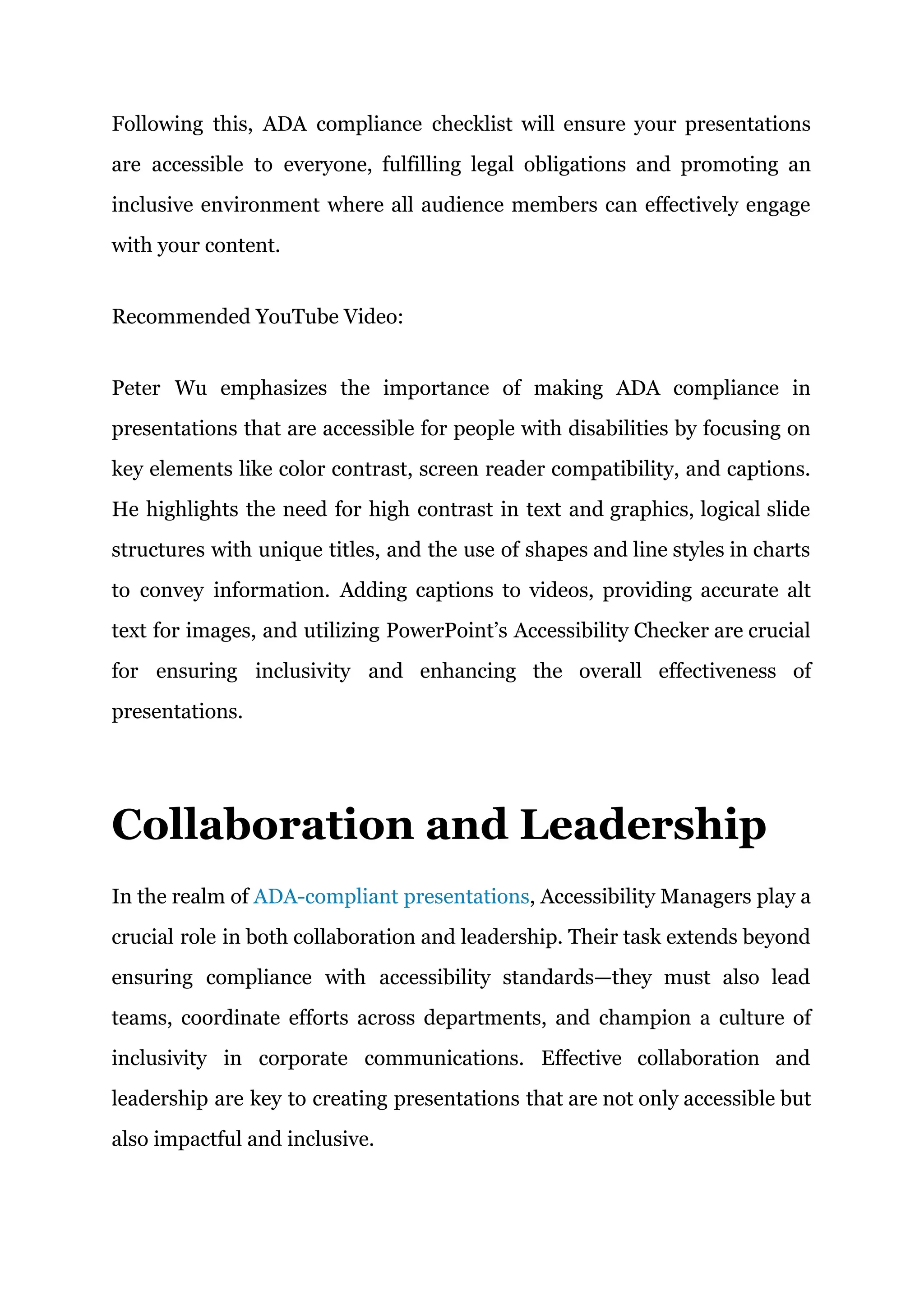
Workshops and Training Sessions: Educating and training teams on
accessibility is essential for creating inclusive presentations. At the
University of Illinois Chicago, Dr. Jon Gunderson’s two-day workshop
emphasizes understanding how people with disabilities use web
technologies, incorporating the W3C Web Content Accessibility Guidelines
(WCAG), and using tools like screen readers.
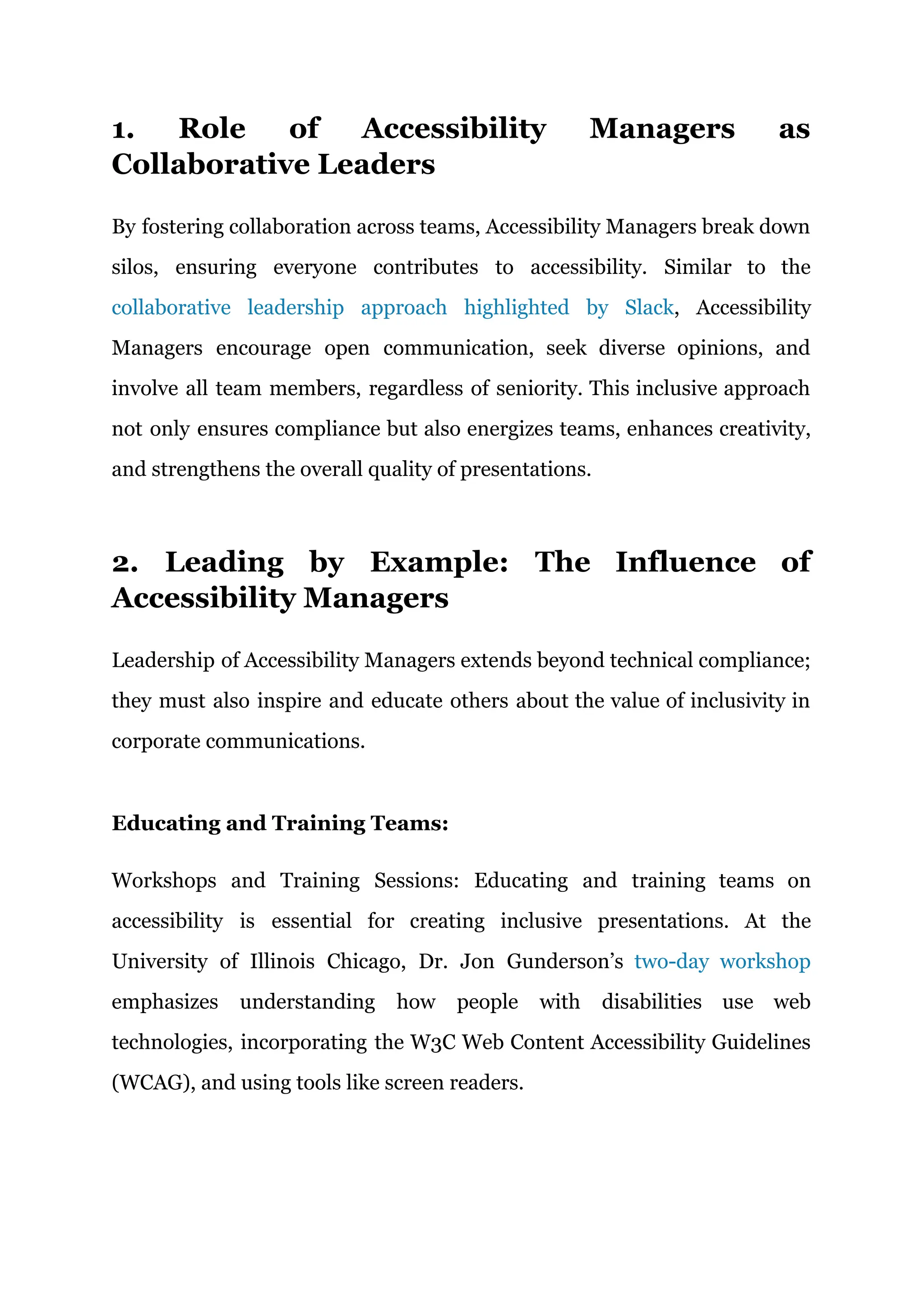
Similarly, the Event Leadership Institute's course focuses on practical
accessibility in event settings, teaching staff to implement real-world
strategies for inclusivity.
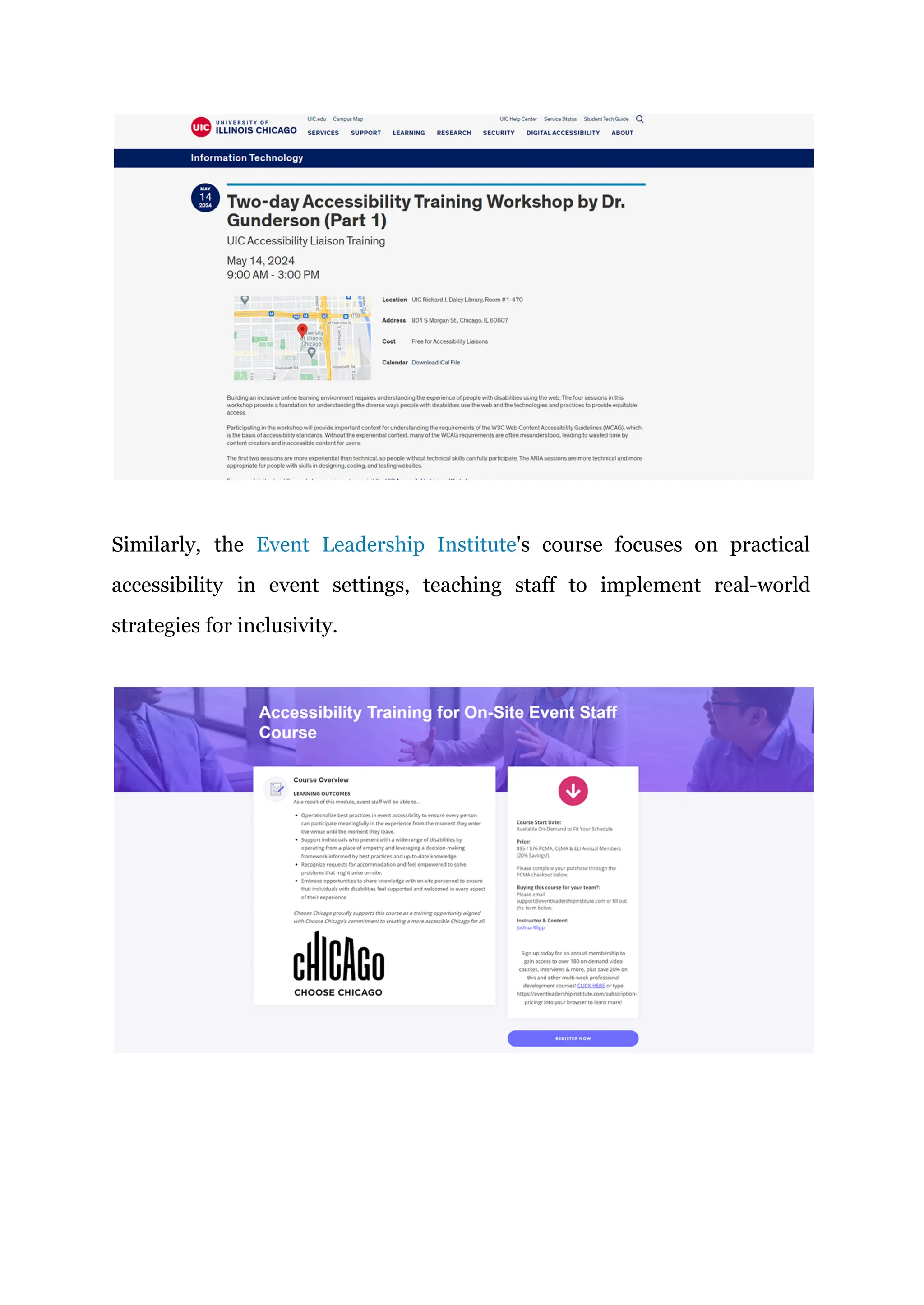
Microsoft’s Accessibility Fundamentals course provides a comprehensive
overview, equipping teams with the skills to make digital content
accessible, ensuring all presentations meet ADA standards.
Ongoing Support: Ongoing support is critical for maintaining ADA
compliance, ensuring accessibility is consistently upheld in all digital and
physical environments. According to the U.S. Access Board, continuous
training and updates are essential as accessibility standards evolve. Wright
State University emphasizes the importance of regular audits and reviews,
allowing organizations to adapt to new guidelines and avoid potential
non-compliance issues.
Facilitating Cross-Departmental Collaboration
Accessibility Managers coordinate cross-functional teams—design, IT, and
communications—ensuring alignment on Enterprise ADA compliance
goals. Using project management tools like Trello or Asana, they monitor
progress and integrate accessibility at every stage. Post-presentation, they
gather feedback using surveys, focus groups, and tools like Google Forms
and screen reader testing software. This feedback, especially from users
with disabilities, is crucial for refining and continuously improving
accessibility practices.
The Future of Accessibility in
Corporate Presentations
The future of accessibility in corporate presentations is set to be shaped by
rapid advancements in technology, a growing emphasis on inclusivity, and
evolving legal standards. This shift is driven by the need to not only comply
with legal requirements like the Americans with Disabilities Act (ADA) but
also to create a more inclusive environment that enhances engagement and
communication for all participants.
1. Integration of Artificial Intelligence (AI) and
Machine Learning (ML)
AI and Machine Learning (ML) tools are transforming accessibility in
corporate presentations by making content more inclusive and adaptable.
AI-driven tools like Google’s Live Transcribe provide real-time captioning,
making spoken content accessible to those with hearing impairments.
Microsoft’s Seeing AI uses image recognition to describe visual elements,
aiding visually impaired users in understanding slide content.
2. Rise of Inclusive Design Principles
Inclusive design ensures that presentations are not only accessible but also
engaging for all users, regardless of their abilities. Future presentations will
likely incorporate design elements that cater to a wide range of cognitive
and sensory needs, such as interactive content that can be navigated using
multiple input methods (e.g., voice commands, touch, and keyboard
shortcuts). This holistic approach to design will ensure that all participants
can interact with and benefit from the presentation content equally.
3. Greater Emphasis on Compliance and Global
Standards
As accessibility becomes a global concern, there will be an increasing
emphasis on compliance with international standards. Organizations will
need to stay updated on the latest accessibility guidelines and ensure that
their presentations meet these standards across different regions. This will
involve not only adhering to the ADA but also considering regulations like
the European Accessibility Act and other international laws.
4. Virtual and Augmented Reality (VR/AR) in
Presentations
As VR and AR technologies become more mainstream, their application in
corporate presentations will open new avenues for accessibility. These
technologies can create immersive experiences that cater to various
accessibility needs. For instance, VR can provide a 360-degree view of a
presentation, allowing users to explore content at their own pace, while AR
can overlay additional information or translations in real-time, enhancing
the accessibility of live presentations.
Recommended YouTube Video:
Michael Hinkson, Chief Vision Officer, and Shear Eckerling, CEO of
Accessory, discuss the urgent issue of internet inaccessibility for people
with disabilities. They argue that traditional solutions are inadequate for
the growing online landscape and introduce Accessory's scalable,
cloud-based approach to web accessibility. Eckerling shares a pivotal
experience using a screen reader, highlighting the transformative potential
of accessible web design. With a goal to make the internet fully accessible
by 2025, they emphasize the need for innovation and collaboration and
invite viewers to join their mission for a more inclusive online experience.
Final Thoughts
As the corporate landscape evolves, the role of Accessibility Managers in
ensuring ADA compliance in presentations becomes increasingly critical.
By embracing innovative technologies, fostering cross-departmental
collaboration, and leading by example, these managers not only meet legal
requirements but also pave the way for a more inclusive and effective
communication environment for all audiences.
At INK PPT, your global solution for ADA-compliant corporate
presentations, ensure that every presentation not only meets the highest
legal standards but also advances inclusivity and accessibility. Let us help
you enhance your corporate communication with presentations designed to
be clear, engaging, and accessible to all. Reach out today and see how our
expert design team can transform your ideas into powerful presentations
that resonate with every member of your audience. Join us in creating a
more inclusive world, one presentation at a time.
FAQs
1. How do different countries’ accessibility laws compare to ADA standards
when it comes to presentations?
A comparison of international accessibility standards with ADA guidelines
could provide insights into global compliance requirements for
multinational corporations.
2. What technological advancements have been made in assistive
technologies that could enhance ADA compliance in presentations?
This question seeks information on the latest technologies that can be
integrated into presentations to improve accessibility for users with
disabilities.
3. What training programs are recommended for Accessibility Managers to
stay current with ADA compliance and inclusive design practices?
Investigating effective training and certification programs that help
professionals keep up-to-date with accessibility laws and inclusive design
techniques.

The Role of Accessibility Managers in Creating ADA-Compliant Presentations

  • 1.
    The Role ofAccessibility Managers in Creating ADA-Compliant Presentations inkppt.com “Using people to be inclusive is not an attack. It is progress.” –DaShanne Stokes In the contemporary corporate landscape, where inclusivity is not just a legal obligation but also a moral imperative, Accessibility Managers play a vital role in ensuring that all organizational content, including enterprise presentations, is ADA-compliant. The blog begins by emphasizing the crucial role of Accessibility Managers in creating ADA-compliant presentations within today’s corporate landscape. As the guardians of accessibility, these professionals ensure that organizational content not only meets legal standards but also fosters an
  • 2.
    inclusive environment. Failingto achieve ADA compliance can result in significant legal risks, brand damage, and the exclusion of key stakeholders, making the role of Accessibility Managers indispensable in bridging the gap between legal mandates and practical implementation. Expanding Role of Accessibility Managers in Ensuring ADA-Compliant Presentations As organizations increasingly recognize the importance of inclusivity in their communications, the role of Accessibility Managers has grown beyond merely ensuring compliance with legal standards like the Americans with Disabilities Act (ADA). This role now encompasses leadership in fostering a culture of accessibility and inclusivity, guided by disability legislation. 1. The Intersection of Disability Legislation and Inclusive Leadership Disability legislation, including the ADA, serves as more than just a legal framework—it acts as a moral compass guiding organizations toward truly inclusive practices. As highlighted by Denis Boudreau in his article on inclusive leadership, these laws are instrumental in breaking down barriers and creating environments where diversity is not only accepted but celebrated. Accessibility Managers are at the forefront of this transformation, ensuring that corporate presentations reflect these values.
  • 3.
    Accessibility Managers mustnavigate the complexities of disability legislation while fostering an inclusive corporate culture. This involves not just adhering to the letter of the law but also embracing its spirit—ensuring that presentations are accessible to all, including people with disabilities. 2. Leading by Example: The Role of Accessibility Managers in Inclusive Communication In line with inclusive leadership, Accessibility Managers advocate for diversity, involving people with disabilities in creating and testing presentations. This approach ensures presentations meet accessibility standards and enriches content by incorporating diverse perspectives. Microsoft’s Accessibility Managers use Inclusive Design principles to create accessible, user-friendly products, including presentations. They focus on recognizing exclusion, learning from diversity, and solving for one to
  • 4.
    benefit many. Thisstrategy involves designing for users with permanent disabilities, leading to features like accessible color contrasts and screen reader compatibility, which improve usability for all. By consistently applying these principles, Microsoft demonstrates the importance of accessibility in corporate presentations, promoting an inclusive environment that meets ADA requirements. Recommended YouTube Video: The video emphasizes the importance of empathy in the design process, particularly in creating inclusive communities that embrace human diversity. Jutta Treviranus discusses how empathy, distinct from sympathy, is crucial for designers to consider the broader impact of their work. She highlights empathy as a necessary skill for addressing future challenges, advocating for designs that allow everyone to participate and contribute. The video concludes with a reflection on the far-reaching effects of design decisions on individuals.
  • 5.
    Google’s Accessibility Managersintegrate accessibility into product design and development, ensuring tools like Google Slides are accessible from the ground up. They involve people with disabilities in the design process, leading initiatives like Project Euphonia, and developing tools like Live Transcribe, breaking down barriers for users with disabilities. Google also empowers disabled employees, with the Disability Alliance advocating for inclusive practices. This approach fulfills legal requirements and fosters a culture of inclusivity. Barclays integrates inclusive design into all stages of digital service development, ensuring no one is excluded. The company’s Accessibility Managers guide teams to apply inclusive design principles, continuously monitoring and updating platforms to meet accessibility standards. As a leader in global accessibility, Barclays enhances its reputation by ensuring all digital content, including presentations, is accessible to all users.
  • 6.
    3. Disability Legislationas a Strategic Tool for Accessibility Managers Understanding disability legislation is a strategic advantage for Accessibility Managers. Laws like the ADA, the Accessible Canada Act (ACA), and the European Accessibility Standard (EN 301 549) provide clear guidelines for creating accessible presentations. However, these laws should be seen as the starting point, not the endpoint. Accessibility Managers should use these regulations as a foundation to build more inclusive practices that go beyond compliance. 4. The Strategic Role of Accessibility Managers in Organizational Success Incorporating insights from the Job Accommodation Network (JAN) guide for employers, Accessibility Managers play a critical role in organizational success by ensuring that presentations are accessible to everyone. By
  • 7.
    creating accessible presentations,organizations can reach a broader audience, including individuals with disabilities, thereby expanding their market reach and improving their public image. Navigating the Complexities of ADA Compliance Here’s a synthesized guide based on the resources from various educational institutions, focusing on ADA compliance in presentations: 1. Text and Typography Using sans-serif fonts such as Arial, Helvetica, or Verdana is essential because these fonts have clean, straightforward letterforms that enhance readability, especially for individuals with dyslexia. Research, like that from the British Dyslexia Association, supports that sans-serif fonts reduce
  • 8.
    cognitive load forreaders. Text size is another critical factor; for digital presentations, a minimum font size of 18pt ensures legibility across various devices. In in-person presentations, especially in large venues, a larger font size—such as 24pt or more—ensures that everyone, including those seated farther away, can comfortably read the content. 2. Slide Titles and Structure Each slide must have a unique and descriptive title, aiding navigation for users who rely on screen readers. Instead of generic titles like “Financial Overview,” specify titles such as “Q1 Financial Overview” or “2024 Revenue Projections” to improve navigability. Utilizing PowerPoint’s built-in slide layouts rather than custom text boxes ensures the correct reading order for assistive technologies, maintaining a logical flow of content. The Selection Pane or Reorder Objects feature in PowerPoint can confirm that all
  • 9.
    elements are readin the correct sequence, ensuring a coherent presentation for screen reader users. 3. Color and Contrast Ensuring a high contrast between text and background is vital for readability, especially for users with low vision. A contrast ratio of at least 4.5:1 is recommended, such as using white text on a dark blue background. It’s also crucial to avoid relying solely on color to convey meaning. Instead, combine colors with text labels or patterns, making the content accessible to color-blind users. The article "The Myths of Color Contrast Accessibility" challenges common misconceptions about color contrast in design. It highlights that strict adherence to WCAG standards may not always lead to optimal user experiences. For instance, high contrast might be visually strenuous and not necessarily improve usability. Real-world tests show that what is often
  • 10.
    perceived as inadequate,like white text on blue, can be more readable than black on blue, contrary to WCAG ratios. The piece emphasizes the importance of a balanced approach and considering actual user feedback rather than strictly following computational models. 4. Images and Graphics All images, charts, and graphics should include alternative text (alt text) to describe their content for screen reader users. For example, a pie chart showing market share should have alt text that describes the key data points. For complex graphics, provide a brief description in the alt text and a more detailed explanation within the slide content or speaker notes. 5. Tables and Data Presentation Tables should have clearly defined headers to assist screen readers in interpreting the data accurately. Avoid complex table structures like
  • 11.
    merged cells, whichcan confuse assistive technologies. Simple, straightforward tables with clearly defined rows and columns ensure the data is accessible to all users. 6. Multimedia and Interactive Content Ensure all video content includes captions to make it accessible to users with hearing impairments. Provide transcripts for audio content, and if narration is included, describe any visual content verbally. This approach ensures that blind or visually impaired users can fully understand the presentation. 7. Navigation and Links Hyperlinks should have descriptive text that clearly indicates the destination. For instance, using “Download the 2024 Financial Report” as the hyperlink text provides clarity for all users. Ensure that navigation
  • 12.
    through the presentationis logical and intuitive, using consistent buttons and slide numbers. 8. Reviewing and Testing Use PowerPoint’s Accessibility Checker to identify and fix potential issues, but complement this with manual reviews to catch problems the automated tool might miss. Testing with screen readers or other assistive devices, like JAWS (Job Access with Speech) or NVDA (NonVisual Desktop Access), ensures your presentation is fully accessible. 9. Saving and Sharing Save your presentation in accessible formats like PDF, ensuring that all accessibility features are preserved. Provide materials in advance, giving users with disabilities ample time to review and prepare, ensuring they can fully participate.
  • 13.
    Following this, ADAcompliance checklist will ensure your presentations are accessible to everyone, fulfilling legal obligations and promoting an inclusive environment where all audience members can effectively engage with your content. Recommended YouTube Video: Peter Wu emphasizes the importance of making ADA compliance in presentations that are accessible for people with disabilities by focusing on key elements like color contrast, screen reader compatibility, and captions. He highlights the need for high contrast in text and graphics, logical slide structures with unique titles, and the use of shapes and line styles in charts to convey information. Adding captions to videos, providing accurate alt text for images, and utilizing PowerPoint’s Accessibility Checker are crucial for ensuring inclusivity and enhancing the overall effectiveness of presentations. Collaboration and Leadership In the realm of ADA-compliant presentations, Accessibility Managers play a crucial role in both collaboration and leadership. Their task extends beyond ensuring compliance with accessibility standards—they must also lead teams, coordinate efforts across departments, and champion a culture of inclusivity in corporate communications. Effective collaboration and leadership are key to creating presentations that are not only accessible but also impactful and inclusive.
  • 14.
    1. Role ofAccessibility Managers as Collaborative Leaders By fostering collaboration across teams, Accessibility Managers break down silos, ensuring everyone contributes to accessibility. Similar to the collaborative leadership approach highlighted by Slack, Accessibility Managers encourage open communication, seek diverse opinions, and involve all team members, regardless of seniority. This inclusive approach not only ensures compliance but also energizes teams, enhances creativity, and strengthens the overall quality of presentations. 2. Leading by Example: The Influence of Accessibility Managers Leadership of Accessibility Managers extends beyond technical compliance; they must also inspire and educate others about the value of inclusivity in corporate communications. Educating and Training Teams: Workshops and Training Sessions: Educating and training teams on accessibility is essential for creating inclusive presentations. At the University of Illinois Chicago, Dr. Jon Gunderson’s two-day workshop emphasizes understanding how people with disabilities use web technologies, incorporating the W3C Web Content Accessibility Guidelines (WCAG), and using tools like screen readers.
  • 15.
    Similarly, the EventLeadership Institute's course focuses on practical accessibility in event settings, teaching staff to implement real-world strategies for inclusivity.
  • 16.
    Microsoft’s Accessibility Fundamentalscourse provides a comprehensive overview, equipping teams with the skills to make digital content accessible, ensuring all presentations meet ADA standards. Ongoing Support: Ongoing support is critical for maintaining ADA compliance, ensuring accessibility is consistently upheld in all digital and physical environments. According to the U.S. Access Board, continuous training and updates are essential as accessibility standards evolve. Wright State University emphasizes the importance of regular audits and reviews, allowing organizations to adapt to new guidelines and avoid potential non-compliance issues. Facilitating Cross-Departmental Collaboration Accessibility Managers coordinate cross-functional teams—design, IT, and communications—ensuring alignment on Enterprise ADA compliance goals. Using project management tools like Trello or Asana, they monitor
  • 17.
    progress and integrateaccessibility at every stage. Post-presentation, they gather feedback using surveys, focus groups, and tools like Google Forms and screen reader testing software. This feedback, especially from users with disabilities, is crucial for refining and continuously improving accessibility practices. The Future of Accessibility in Corporate Presentations The future of accessibility in corporate presentations is set to be shaped by rapid advancements in technology, a growing emphasis on inclusivity, and evolving legal standards. This shift is driven by the need to not only comply with legal requirements like the Americans with Disabilities Act (ADA) but also to create a more inclusive environment that enhances engagement and communication for all participants. 1. Integration of Artificial Intelligence (AI) and Machine Learning (ML) AI and Machine Learning (ML) tools are transforming accessibility in corporate presentations by making content more inclusive and adaptable. AI-driven tools like Google’s Live Transcribe provide real-time captioning, making spoken content accessible to those with hearing impairments. Microsoft’s Seeing AI uses image recognition to describe visual elements, aiding visually impaired users in understanding slide content.
  • 18.
    2. Rise ofInclusive Design Principles Inclusive design ensures that presentations are not only accessible but also engaging for all users, regardless of their abilities. Future presentations will likely incorporate design elements that cater to a wide range of cognitive and sensory needs, such as interactive content that can be navigated using multiple input methods (e.g., voice commands, touch, and keyboard shortcuts). This holistic approach to design will ensure that all participants can interact with and benefit from the presentation content equally. 3. Greater Emphasis on Compliance and Global Standards As accessibility becomes a global concern, there will be an increasing emphasis on compliance with international standards. Organizations will need to stay updated on the latest accessibility guidelines and ensure that their presentations meet these standards across different regions. This will involve not only adhering to the ADA but also considering regulations like the European Accessibility Act and other international laws. 4. Virtual and Augmented Reality (VR/AR) in Presentations As VR and AR technologies become more mainstream, their application in corporate presentations will open new avenues for accessibility. These technologies can create immersive experiences that cater to various accessibility needs. For instance, VR can provide a 360-degree view of a presentation, allowing users to explore content at their own pace, while AR
  • 19.
    can overlay additionalinformation or translations in real-time, enhancing the accessibility of live presentations. Recommended YouTube Video: Michael Hinkson, Chief Vision Officer, and Shear Eckerling, CEO of Accessory, discuss the urgent issue of internet inaccessibility for people with disabilities. They argue that traditional solutions are inadequate for the growing online landscape and introduce Accessory's scalable, cloud-based approach to web accessibility. Eckerling shares a pivotal experience using a screen reader, highlighting the transformative potential of accessible web design. With a goal to make the internet fully accessible by 2025, they emphasize the need for innovation and collaboration and invite viewers to join their mission for a more inclusive online experience. Final Thoughts As the corporate landscape evolves, the role of Accessibility Managers in ensuring ADA compliance in presentations becomes increasingly critical. By embracing innovative technologies, fostering cross-departmental collaboration, and leading by example, these managers not only meet legal requirements but also pave the way for a more inclusive and effective communication environment for all audiences. At INK PPT, your global solution for ADA-compliant corporate presentations, ensure that every presentation not only meets the highest legal standards but also advances inclusivity and accessibility. Let us help
  • 20.
    you enhance yourcorporate communication with presentations designed to be clear, engaging, and accessible to all. Reach out today and see how our expert design team can transform your ideas into powerful presentations that resonate with every member of your audience. Join us in creating a more inclusive world, one presentation at a time. FAQs 1. How do different countries’ accessibility laws compare to ADA standards when it comes to presentations? A comparison of international accessibility standards with ADA guidelines could provide insights into global compliance requirements for multinational corporations. 2. What technological advancements have been made in assistive technologies that could enhance ADA compliance in presentations? This question seeks information on the latest technologies that can be integrated into presentations to improve accessibility for users with disabilities. 3. What training programs are recommended for Accessibility Managers to stay current with ADA compliance and inclusive design practices?
  • 21.
    Investigating effective trainingand certification programs that help professionals keep up-to-date with accessibility laws and inclusive design techniques.