Accessibility Importance
Krishna Vutla
Agenda
 What is Accessibility?
 Why is accessibility important?
 Section 508
 Advantages
 Screen Readers
 Accessibility Testing
 Accessibility Principles
 General Accessibility Problems
What is Accessibility?
Accessibility is a general term used to describe the degree
to which a system is usable by as many people as possible.
Making the content of a application/web available to everyone,
including those with disabilities of various orders.
 Providing equal access to everyone
 Providing equal information
 Providing equal functionality to all
Accessibility for All!
http://signsanddisplays.wordpress.com/2011/03/06/disability-access-sign-symbols-for-download/
Why is accessibility important?
 Accessibility is the right thing to do
Day-to-day activities, tax forms, social programs
 Accessibility is the law for many institutions
Section 508 of the U.S. Rehabilitation Act
 Accessibility offers benefits for all users
easier to read, easier to navigate, and faster to download
 Accessibility uses innovative technology
Personal Digital Assistance (PDAs)
 Accessibility creates market opportunity
new customers, new markets and widest possible audience
Section 508
Section 508 of the Rehabilitation Act: It's a law
 Section 508 requires that Federal agencies electronic and information
technology is accessible to people with disabilities
 Millions of U.S. citizens must use assistive technology (AT) in order to read electronic content
 All electronic and information technology used, procured, developed, or maintained
by agencies and departments of the U.S. Government must be accessible to people
with disabilities
1 in 5 people have a disability
According to the U.S. Census brief, Disability Status: 2000
 People with disabilities in the U.S.: 54.4 million
 People in U.S. with disabilities that impede them using the internet: 24 million
 People age 15 and older having difficulty hearing a normal conversation: 8 million
Completely deaf: 1 million
 People age 15 and older having difficulty reading ordinary newsprint (even with glasses): 8 million
Completely blind: 1.8 million
Type of Disability Disability Details Assistive Technologies
Visual
Blindness, Low-vision, Color-blindness.
JAWS Screen Magnifier
Hearing
Partial to total deafness
Hearing Device
Physical Impairments
Inability to use a mouse or physical keyboard, slow
response time, limited fine motor control
Larger Keyboard Joystick
Cognitive Impairments
Learning disabilities, distractibility, dyslexia, inability
to remember or focus on large amount of
information
Accessibility Target Users & Assistive Technologies
Screen Readers
JAWS Reader
ChromeVox - Free
IOS Voice Over
NVDA (Non Visual Desktop Access) - Free
Screen Readers
ChromeVox - Free IOS Voice Over
Accessibility Testing
Accessibility Developer Tools - Chrome Audits Chrome Shades
Accessibility Testing
http://webaim.org/standards/508/checklist
www.wave.com www.apple.com
https://www.apple.com/in/accessibility/
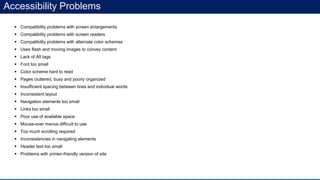
Accessibility Problems
 Compatibility problems with screen enlargements
 Compatibility problems with screen readers
 Compatibility problems with alternate color schemes
 Uses flash and moving images to convey content
 Lack of Alt tags
 Font too small
 Color scheme hard to read
 Pages cluttered, busy and poorly organized
 Insufficient spacing between lines and individual words
 Inconsistent layout
 Navigation elements too small
 Links too small
 Poor use of available space
 Mouse-over menus difficult to use
 Too much scrolling required
 Inconsistencies in navigating elements
 Header text too small
 Problems with printer-friendly version of site
Advantages of being a leader…
 Reach new target markets
 Improve the customer experience, helping increase consumer commitment
 Maintain an awareness of changing requirements for accessibility
 Reinforce your public image as a strong, corporate-responsibility leader
Engage with people, awareness…
 Practitioners
 Developers
 ID
 SME
 QA
 Usability specialists
 Policy maker
 People
 Researchers
 Communities
 UX advocates
 Accessibility researchers
Four Accessibility Principles (POUR)
• Provide text alternatives for non-text content
• Provide captions and alternatives for audio and video content
• Make content adaptable; and make it available to assistive technologies
• Use sufficient contrast to make things easy to see and hear
Perceivable
• Make all functionality keyboard accessible
• Give users enough time to read and use content
• Do not use content that causes seizures
• Help users navigate and find content
Operable
• Make text readable and understandable
• Make content appear and operate in predictable ways
• Help users avoid and correct mistakes
Understandable
• Functionality Across Current and Future Technologies
• Adhering to W3C standards ensures future compatibility
Robust
www.google.com/accessibility
https://mikewest.org/2011/12/transcript-gdd-accessibility-with-chromevox
http://signsanddisplays.wordpress.com/2011/03/06/disability-access-sign-symbols-for-download/
http://en.wikipedia.org/wiki/Web_Accessibility_Initiative
http://html5accessibility.com/
http://webaim.org/
References
Thank you for your time.

Accessibility importance

  • 1.
  • 2.
    Agenda  What isAccessibility?  Why is accessibility important?  Section 508  Advantages  Screen Readers  Accessibility Testing  Accessibility Principles  General Accessibility Problems
  • 3.
    What is Accessibility? Accessibilityis a general term used to describe the degree to which a system is usable by as many people as possible. Making the content of a application/web available to everyone, including those with disabilities of various orders.  Providing equal access to everyone  Providing equal information  Providing equal functionality to all Accessibility for All! http://signsanddisplays.wordpress.com/2011/03/06/disability-access-sign-symbols-for-download/
  • 4.
    Why is accessibilityimportant?  Accessibility is the right thing to do Day-to-day activities, tax forms, social programs  Accessibility is the law for many institutions Section 508 of the U.S. Rehabilitation Act  Accessibility offers benefits for all users easier to read, easier to navigate, and faster to download  Accessibility uses innovative technology Personal Digital Assistance (PDAs)  Accessibility creates market opportunity new customers, new markets and widest possible audience
  • 5.
    Section 508 Section 508of the Rehabilitation Act: It's a law  Section 508 requires that Federal agencies electronic and information technology is accessible to people with disabilities  Millions of U.S. citizens must use assistive technology (AT) in order to read electronic content  All electronic and information technology used, procured, developed, or maintained by agencies and departments of the U.S. Government must be accessible to people with disabilities
  • 6.
    1 in 5people have a disability According to the U.S. Census brief, Disability Status: 2000  People with disabilities in the U.S.: 54.4 million  People in U.S. with disabilities that impede them using the internet: 24 million  People age 15 and older having difficulty hearing a normal conversation: 8 million Completely deaf: 1 million  People age 15 and older having difficulty reading ordinary newsprint (even with glasses): 8 million Completely blind: 1.8 million
  • 7.
    Type of DisabilityDisability Details Assistive Technologies Visual Blindness, Low-vision, Color-blindness. JAWS Screen Magnifier Hearing Partial to total deafness Hearing Device Physical Impairments Inability to use a mouse or physical keyboard, slow response time, limited fine motor control Larger Keyboard Joystick Cognitive Impairments Learning disabilities, distractibility, dyslexia, inability to remember or focus on large amount of information Accessibility Target Users & Assistive Technologies
  • 8.
    Screen Readers JAWS Reader ChromeVox- Free IOS Voice Over NVDA (Non Visual Desktop Access) - Free
  • 9.
    Screen Readers ChromeVox -Free IOS Voice Over
  • 10.
    Accessibility Testing Accessibility DeveloperTools - Chrome Audits Chrome Shades
  • 11.
  • 12.
    Accessibility Problems  Compatibilityproblems with screen enlargements  Compatibility problems with screen readers  Compatibility problems with alternate color schemes  Uses flash and moving images to convey content  Lack of Alt tags  Font too small  Color scheme hard to read  Pages cluttered, busy and poorly organized  Insufficient spacing between lines and individual words  Inconsistent layout  Navigation elements too small  Links too small  Poor use of available space  Mouse-over menus difficult to use  Too much scrolling required  Inconsistencies in navigating elements  Header text too small  Problems with printer-friendly version of site
  • 13.
    Advantages of beinga leader…  Reach new target markets  Improve the customer experience, helping increase consumer commitment  Maintain an awareness of changing requirements for accessibility  Reinforce your public image as a strong, corporate-responsibility leader Engage with people, awareness…  Practitioners  Developers  ID  SME  QA  Usability specialists  Policy maker  People  Researchers  Communities  UX advocates  Accessibility researchers
  • 14.
    Four Accessibility Principles(POUR) • Provide text alternatives for non-text content • Provide captions and alternatives for audio and video content • Make content adaptable; and make it available to assistive technologies • Use sufficient contrast to make things easy to see and hear Perceivable • Make all functionality keyboard accessible • Give users enough time to read and use content • Do not use content that causes seizures • Help users navigate and find content Operable • Make text readable and understandable • Make content appear and operate in predictable ways • Help users avoid and correct mistakes Understandable • Functionality Across Current and Future Technologies • Adhering to W3C standards ensures future compatibility Robust
  • 15.
  • 16.
    Thank you foryour time.