Ring Documentation, Release 1.5.4
fontMenu = glutCreateMenu(:processFontMenu)
glutAddMenuEntry("BITMAP_8_BY_13 ",C_INT_GLUT_BITMAP_8_BY_13 )
glutAddMenuEntry("BITMAP_9_BY_15",C_INT_GLUT_BITMAP_9_BY_15 )
glutAddMenuEntry("BITMAP_TIMES_ROMAN_10 ",C_INT_GLUT_BITMAP_TIMES_ROMAN_10 )
glutAddMenuEntry("BITMAP_TIMES_ROMAN_24",C_INT_GLUT_BITMAP_TIMES_ROMAN_24 )
glutAddMenuEntry("BITMAP_HELVETICA_10 ",C_INT_GLUT_BITMAP_HELVETICA_10 )
glutAddMenuEntry("BITMAP_HELVETICA_12",C_INT_GLUT_BITMAP_HELVETICA_12 )
glutAddMenuEntry("BITMAP_HELVETICA_18",C_INT_GLUT_BITMAP_HELVETICA_18 )
fillMenu = glutCreateMenu(:processFillMenu)
glutAddMenuEntry("Fill",C_FILL)
glutAddMenuEntry("Line",C_LINE)
colorMenu = glutCreateMenu(:processColorMenu)
glutAddMenuEntry("Red",C_RED);
glutAddMenuEntry("Blue",C_BLUE);
glutAddMenuEntry("Green",C_GREEN);
glutAddMenuEntry("Orange",C_ORANGE);
mainMenu = glutCreateMenu(:processMainMenu)
glutAddSubMenu("Polygon Mode", fillMenu)
glutAddSubMenu("Color", colorMenu)
glutAddSubMenu("Font",fontMenu)
// attach the menu to the right button
glutAttachMenu(GLUT_RIGHT_BUTTON)
// this will allow us to know if the menu is active
glutMenuStatusFunc(:processMenuStatus)
// -----------------------------------
// MAIN
// -----------------------------------
func main
// init GLUT and create window
glutInit()
glutInitDisplayMode(GLUT_DEPTH | GLUT_DOUBLE | GLUT_RGBA)
glutInitWindowPosition(100,100)
glutInitWindowSize(320,320)
glutCreateWindow("RingFreeGLUT - Test - 9 SnowMan")
// register callbacks
glutDisplayFunc(:renderScene)
glutReshapeFunc(:changeSize)
glutIdleFunc(:renderScene)
glutIgnoreKeyRepeat(1)
glutKeyboardFunc(:processNormalKeys)
glutSpecialFunc(:pressKey)
glutSpecialUpFunc(:releaseKey)
// here are the two new functions
glutMouseFunc(:mouseButton)
4.10. RingFreeGLUT Extension 55
Ring Documentation, Release 1.5.4
glutMotionFunc(:mouseMove)
// OpenGL init
glEnable(GL_DEPTH_TEST)
glEnable(GL_CULL_FACE)
// init Menus
createPopupMenus()
// enter GLUT event processing cycle
glutMainLoop()
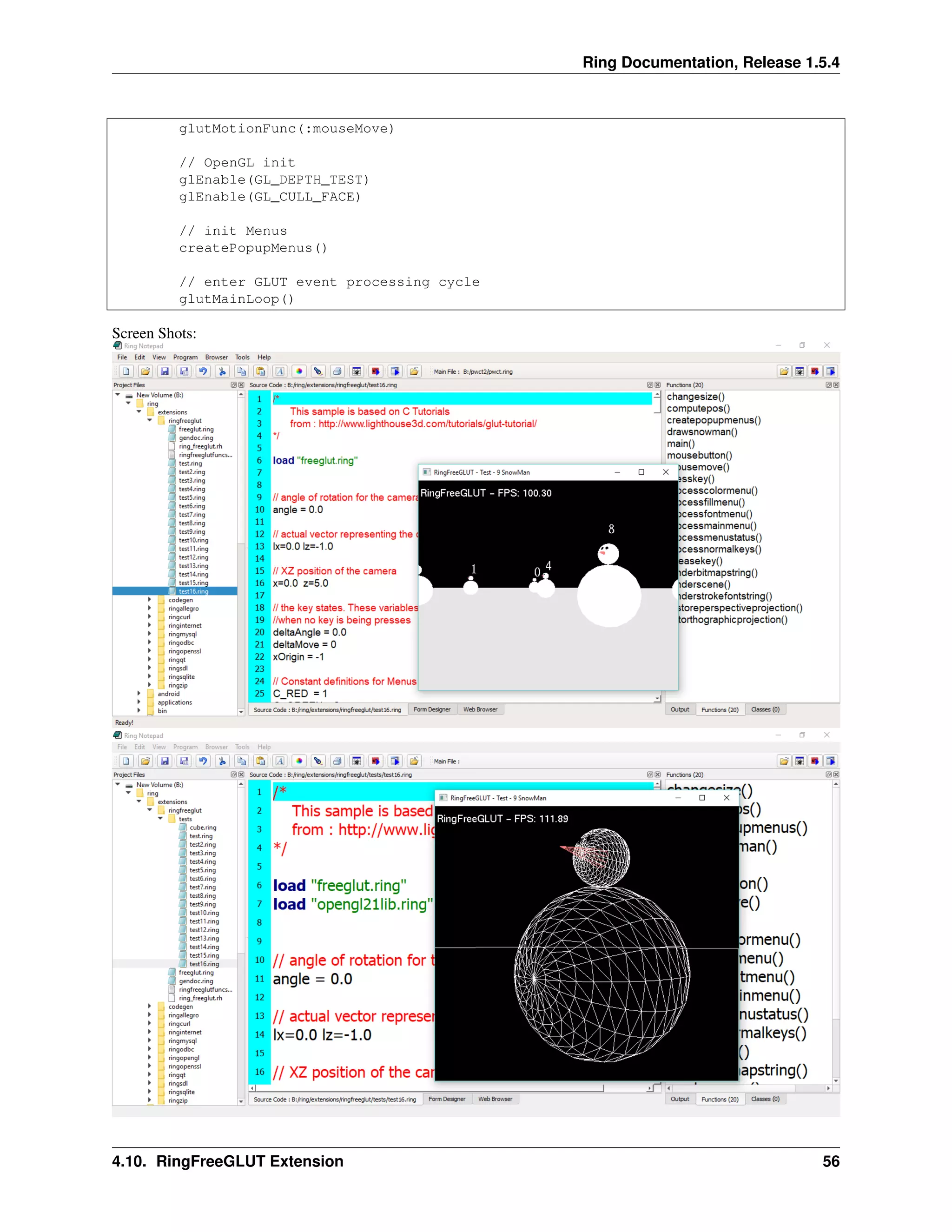
Screen Shots:
4.10. RingFreeGLUT Extension 56
Ring Documentation, Release 1.5.4
4.11 RingOpenGL Extension
Ring 1.5 comes with RingOpenGL and support for the next versions
• OpenGL 1.1
• OpenGL 1.2
• OpenGL 1.3
• OpenGL 1.4
• OpenGL 1.5
• OpenGL 2.0
• OpenGL 2.1
• OpenGL 3.0
• OpenGL 3.2
• OpenGL 3.3
• OpenGL 4.0
• OpenGL 4.1
• OpenGL 4.2
• OpenGL 4.3
• OpenGL 4.4
• OpenGL 4.5
• OpenGL 4.6
Example:
/*
This sample is based on C Tutorials
from :
http://www.wikihow.com/Make-a-Cube-in-OpenGL
*/
load "freeglut.ring"
load "opengl21lib.ring"
// ----------------------------------------------------------
// Global Variables
// ----------------------------------------------------------
rotate_y=0
rotate_x=0
// ----------------------------------------------------------
// display() Callback function
// ----------------------------------------------------------
func display
// Clear screen and Z-buffer
glClear(GL_COLOR_BUFFER_BIT|GL_DEPTH_BUFFER_BIT)
// Reset transformations
4.11. RingOpenGL Extension 57
Ring Documentation, Release 1.5.4
glLoadIdentity()
// Rotate when user changes rotate_x and rotate_y
glRotatef( rotate_x, 1.0, 0.0, 0.0 )
glRotatef( rotate_y, 0.0, 1.0, 0.0 )
//Multi-colored side - FRONT
glBegin(GL_POLYGON)
glColor3f( 1.0, 0.0, 0.0 ) glVertex3f( 0.5, -0.5, -0.5 ) # P1 is red
glColor3f( 0.0, 1.0, 0.0 ) glVertex3f( 0.5, 0.5, -0.5 ) # P2 is green
glColor3f( 0.0, 0.0, 1.0 ) glVertex3f( -0.5, 0.5, -0.5 ) # P3 is blue
glColor3f( 1.0, 0.0, 1.0 ) glVertex3f( -0.5, -0.5, -0.5 ) # P4 is purple
glEnd()
// White side - BACK
glBegin(GL_POLYGON)
glColor3f( 1.0, 1.0, 1.0 )
glVertex3f( 0.5, -0.5, 0.5 )
glVertex3f( 0.5, 0.5, 0.5 )
glVertex3f( -0.5, 0.5, 0.5 )
glVertex3f( -0.5, -0.5, 0.5 )
glEnd()
// Purple side - RIGHT
glBegin(GL_POLYGON)
glColor3f( 1.0, 0.0, 1.0 )
glVertex3f( 0.5, -0.5, -0.5 )
glVertex3f( 0.5, 0.5, -0.5 )
glVertex3f( 0.5, 0.5, 0.5 )
glVertex3f( 0.5, -0.5, 0.5 )
glEnd()
// Green side - LEFT
glBegin(GL_POLYGON)
glColor3f( 0.0, 1.0, 0.0 )
glVertex3f( -0.5, -0.5, 0.5 )
glVertex3f( -0.5, 0.5, 0.5 )
glVertex3f( -0.5, 0.5, -0.5 )
glVertex3f( -0.5, -0.5, -0.5 )
glEnd()
// Blue side - TOP
glBegin(GL_POLYGON)
glColor3f( 0.0, 0.0, 1.0 )
glVertex3f( 0.5, 0.5, 0.5 )
glVertex3f( 0.5, 0.5, -0.5 )
glVertex3f( -0.5, 0.5, -0.5 )
glVertex3f( -0.5, 0.5, 0.5 )
glEnd()
// Red side - BOTTOM
glBegin(GL_POLYGON)
glColor3f( 1.0, 0.0, 0.0 )
glVertex3f( 0.5, -0.5, -0.5 )
glVertex3f( 0.5, -0.5, 0.5 )
glVertex3f( -0.5, -0.5, 0.5 )
4.11. RingOpenGL Extension 58
Ring Documentation, Release 1.5.4
glVertex3f( -0.5, -0.5, -0.5 )
glEnd()
glFlush()
glutSwapBuffers()
// ----------------------------------------------------------
// specialKeys() Callback Function
// ----------------------------------------------------------
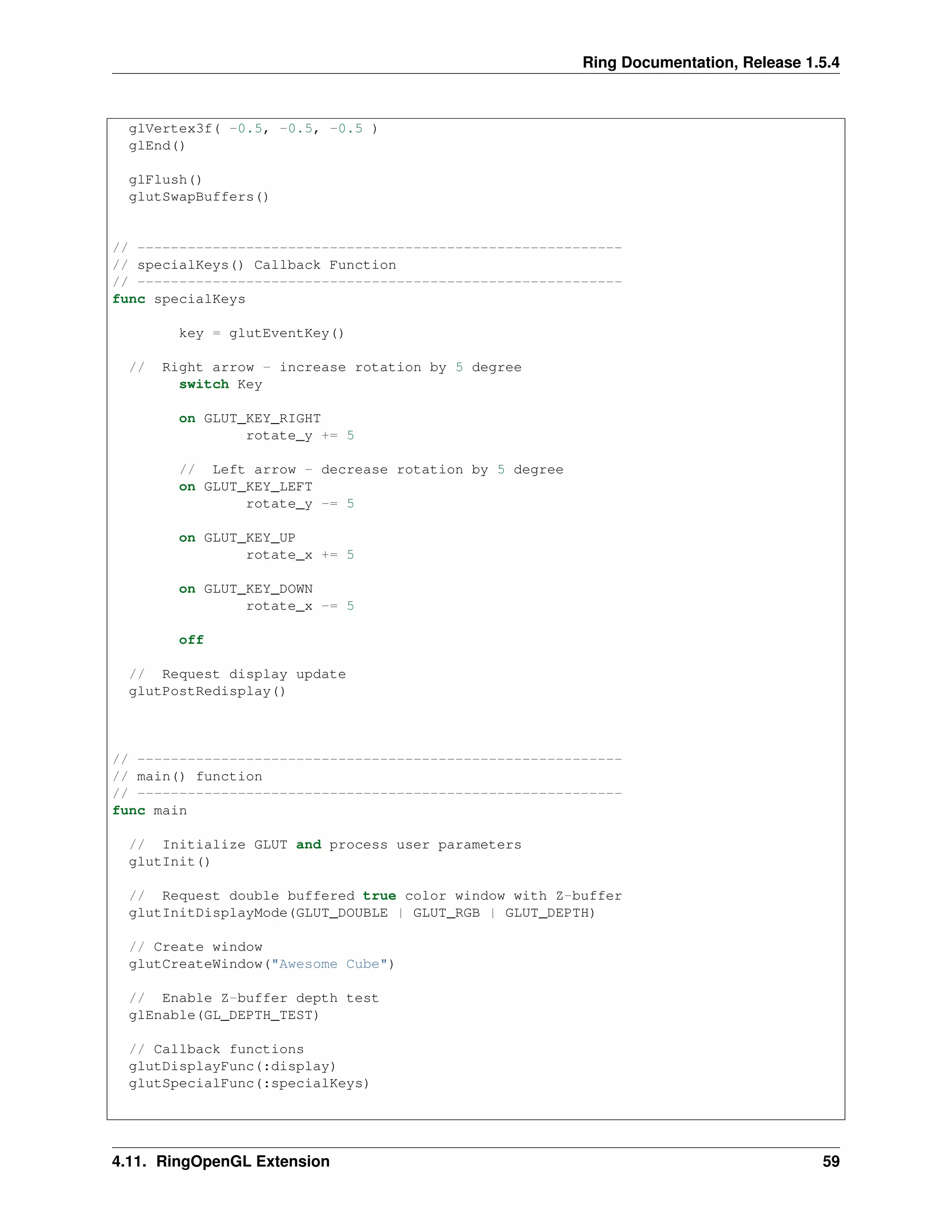
func specialKeys
key = glutEventKey()
// Right arrow - increase rotation by 5 degree
switch Key
on GLUT_KEY_RIGHT
rotate_y += 5
// Left arrow - decrease rotation by 5 degree
on GLUT_KEY_LEFT
rotate_y -= 5
on GLUT_KEY_UP
rotate_x += 5
on GLUT_KEY_DOWN
rotate_x -= 5
off
// Request display update
glutPostRedisplay()
// ----------------------------------------------------------
// main() function
// ----------------------------------------------------------
func main
// Initialize GLUT and process user parameters
glutInit()
// Request double buffered true color window with Z-buffer
glutInitDisplayMode(GLUT_DOUBLE | GLUT_RGB | GLUT_DEPTH)
// Create window
glutCreateWindow("Awesome Cube")
// Enable Z-buffer depth test
glEnable(GL_DEPTH_TEST)
// Callback functions
glutDisplayFunc(:display)
glutSpecialFunc(:specialKeys)
4.11. RingOpenGL Extension 59
Ring Documentation, Release 1.5.4
// Pass control to GLUT for events
glutMainLoop()
// Return to OS
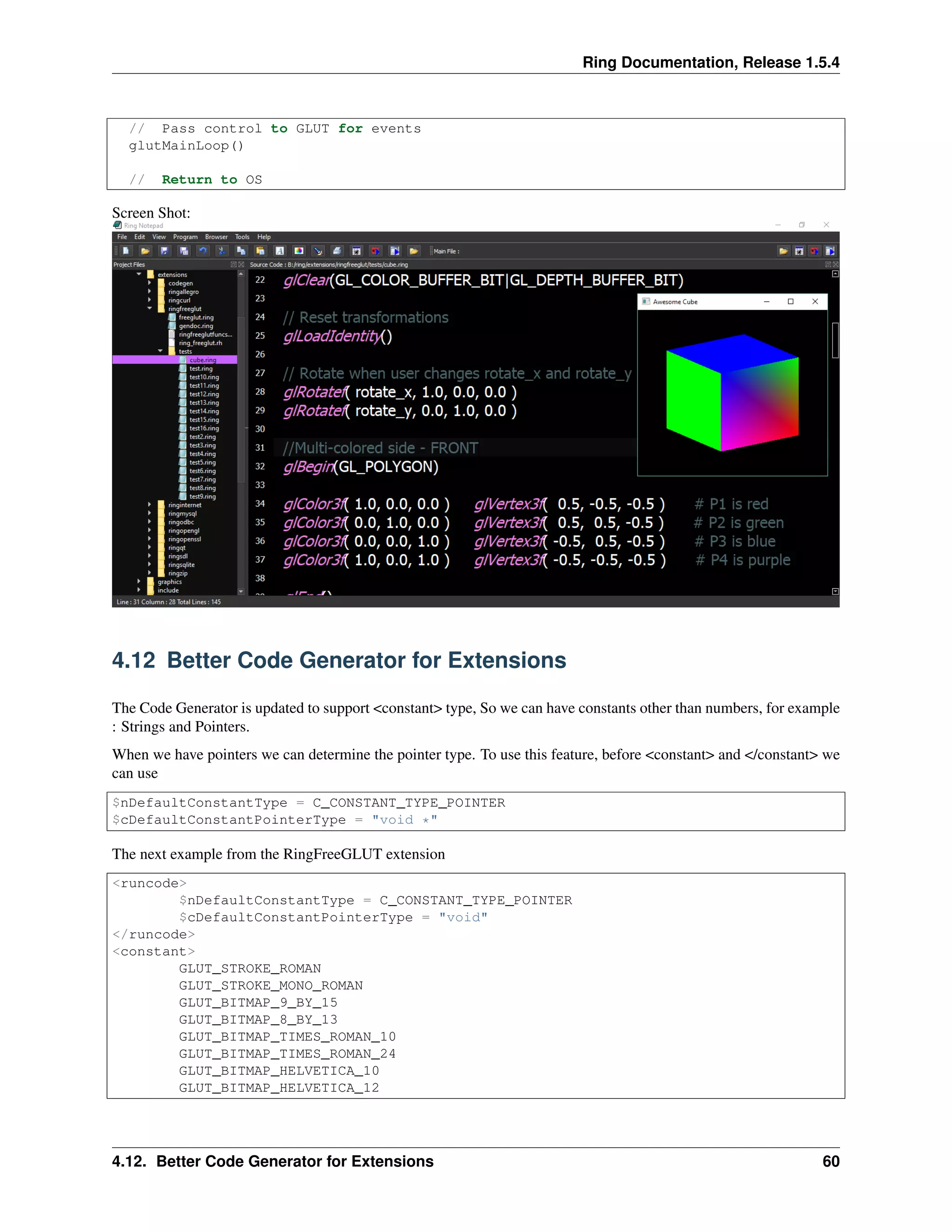
Screen Shot:
4.12 Better Code Generator for Extensions
The Code Generator is updated to support <constant> type, So we can have constants other than numbers, for example
: Strings and Pointers.
When we have pointers we can determine the pointer type. To use this feature, before <constant> and </constant> we
can use
$nDefaultConstantType = C_CONSTANT_TYPE_POINTER
$cDefaultConstantPointerType = "void *"
The next example from the RingFreeGLUT extension
<runcode>
$nDefaultConstantType = C_CONSTANT_TYPE_POINTER
$cDefaultConstantPointerType = "void"
</runcode>
<constant>
GLUT_STROKE_ROMAN
GLUT_STROKE_MONO_ROMAN
GLUT_BITMAP_9_BY_15
GLUT_BITMAP_8_BY_13
GLUT_BITMAP_TIMES_ROMAN_10
GLUT_BITMAP_TIMES_ROMAN_24
GLUT_BITMAP_HELVETICA_10
GLUT_BITMAP_HELVETICA_12
4.12. Better Code Generator for Extensions 60
Ring Documentation, Release 1.5.4
GLUT_BITMAP_HELVETICA_18
</constant>
4.13 Better Documentation Generator for Extensions
The documentation generator for extensions is updated to generate a list of constants in the generated documentation
The previous versions provides the functions prototype only, Now we have the list of constants too.
4.14 Ring VM - Tracing Functions
In Ring 1.5 the next functions are added to Ring VM
• RingVM_SetTrace(cCode)
• RingVM_TraceData() –> aDataList
• RingVM_TraceEvent() –> nTraceEvent
• RingVM_TraceFunc() –> cCode
• RingVM_ScopesCount() –> nScopes
• RingVM_EvalInScope(nScope,cCode)
• RingVM_PassError()
• RingVM_HideErrorMsg(lStatus)
• RingVM_CallFunc(cFuncName)
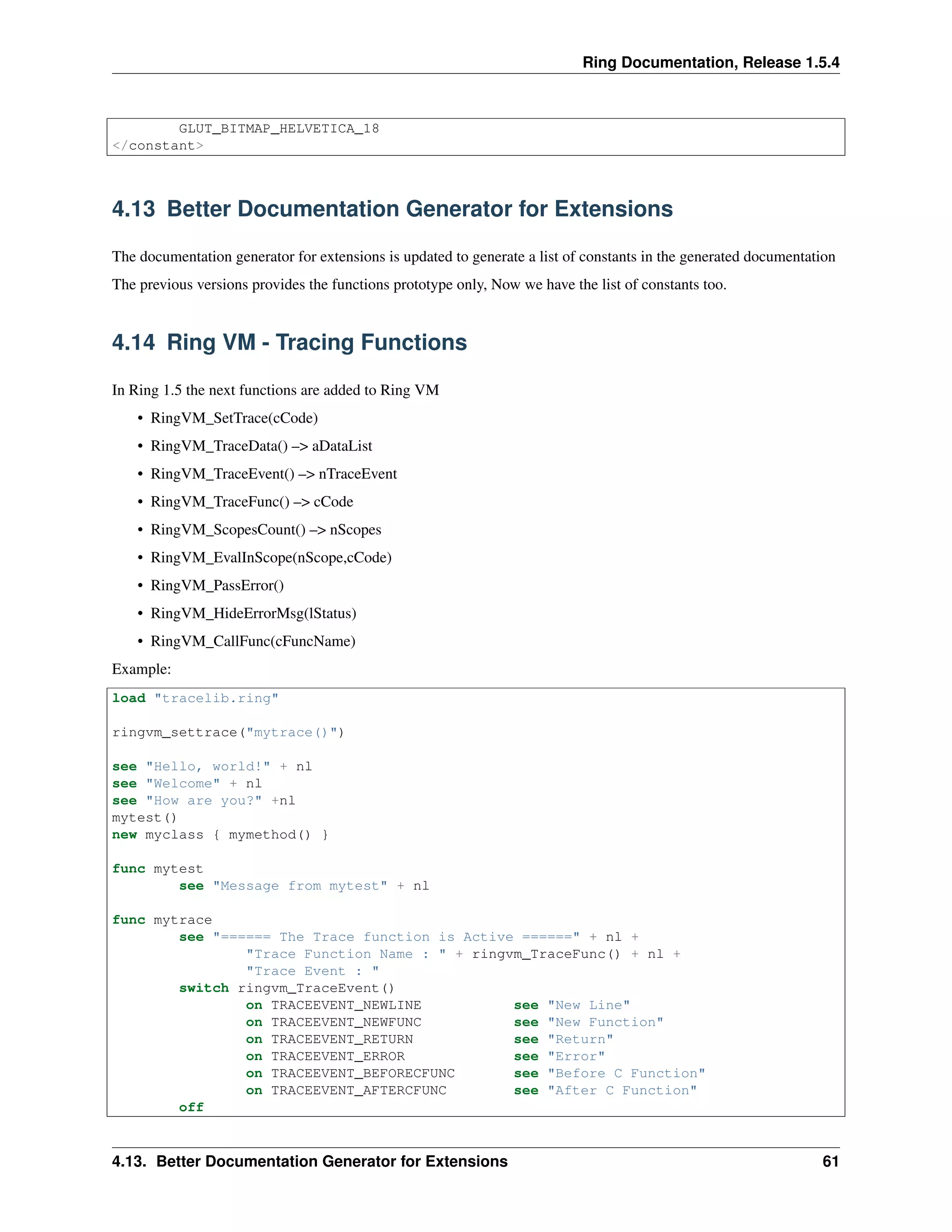
Example:
load "tracelib.ring"
ringvm_settrace("mytrace()")
see "Hello, world!" + nl
see "Welcome" + nl
see "How are you?" +nl
mytest()
new myclass { mymethod() }
func mytest
see "Message from mytest" + nl
func mytrace
see "====== The Trace function is Active ======" + nl +
"Trace Function Name : " + ringvm_TraceFunc() + nl +
"Trace Event : "
switch ringvm_TraceEvent()
on TRACEEVENT_NEWLINE see "New Line"
on TRACEEVENT_NEWFUNC see "New Function"
on TRACEEVENT_RETURN see "Return"
on TRACEEVENT_ERROR see "Error"
on TRACEEVENT_BEFORECFUNC see "Before C Function"
on TRACEEVENT_AFTERCFUNC see "After C Function"
off
4.13. Better Documentation Generator for Extensions 61
Ring Documentation, Release 1.5.4
see nl +
"Line Number : " + ringvm_tracedata()[TRACEDATA_LINENUMBER] + nl +
"File Name : " + ringvm_tracedata()[TRACEDATA_FILENAME] + nl +
"Function Name : " + ringvm_tracedata()[TRACEDATA_FUNCNAME] + nl +
"Method or Function : "
if ringvm_tracedata()[TRACEDATA_METHODORFUNC] =
TRACEDATA_METHODORFUNC_METHOD
see "Method"
else
if ringvm_tracedata()[TRACEDATA_FUNCNAME] = NULL
see "Command"
else
see "Function"
ok
ok
see nl + Copy("=",42) + nl
class myclass
func mymethod
see "Message from mymethod" + nl
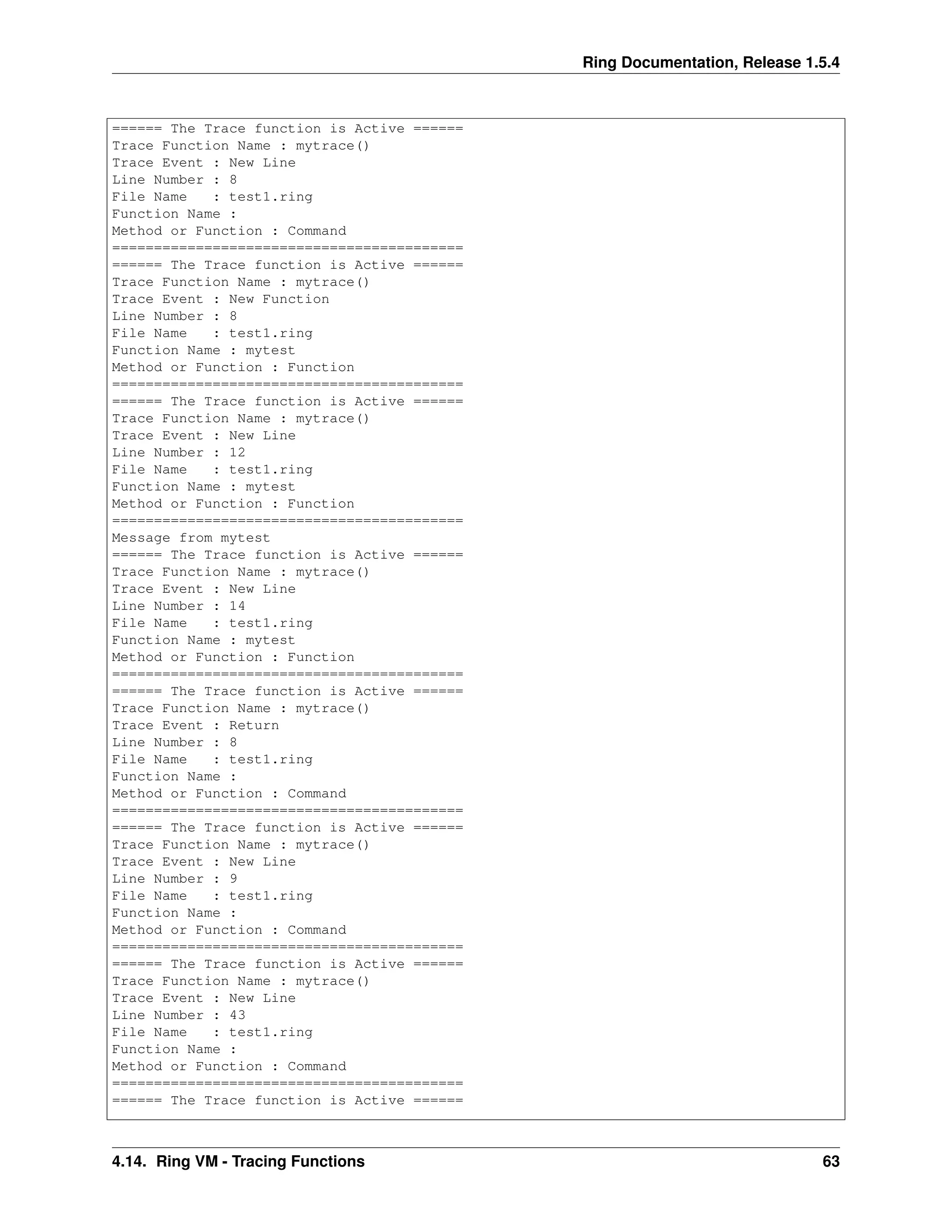
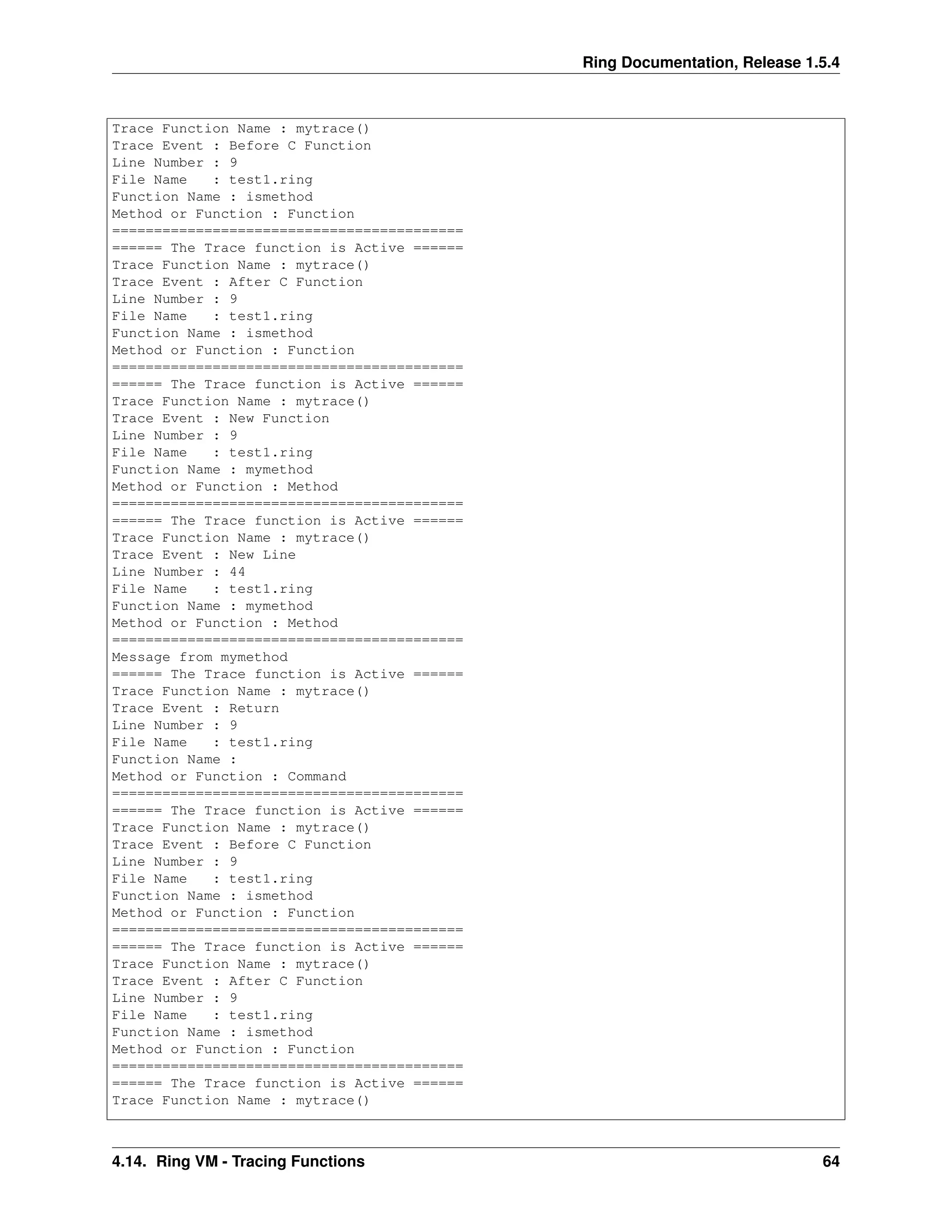
Output:
====== The Trace function is Active ======
Trace Function Name : mytrace()
Trace Event : After C Function
Line Number : 3
File Name : test1.ring
Function Name : ringvm_settrace
Method or Function : Function
==========================================
====== The Trace function is Active ======
Trace Function Name : mytrace()
Trace Event : New Line
Line Number : 5
File Name : test1.ring
Function Name :
Method or Function : Command
==========================================
Hello, world!
====== The Trace function is Active ======
Trace Function Name : mytrace()
Trace Event : New Line
Line Number : 6
File Name : test1.ring
Function Name :
Method or Function : Command
==========================================
Welcome
====== The Trace function is Active ======
Trace Function Name : mytrace()
Trace Event : New Line
Line Number : 7
File Name : test1.ring
Function Name :
Method or Function : Command
==========================================
How are you?
4.14. Ring VM - Tracing Functions 62
Ring Documentation, Release 1.5.4
====== The Trace function is Active ======
Trace Function Name : mytrace()
Trace Event : New Line
Line Number : 8
File Name : test1.ring
Function Name :
Method or Function : Command
==========================================
====== The Trace function is Active ======
Trace Function Name : mytrace()
Trace Event : New Function
Line Number : 8
File Name : test1.ring
Function Name : mytest
Method or Function : Function
==========================================
====== The Trace function is Active ======
Trace Function Name : mytrace()
Trace Event : New Line
Line Number : 12
File Name : test1.ring
Function Name : mytest
Method or Function : Function
==========================================
Message from mytest
====== The Trace function is Active ======
Trace Function Name : mytrace()
Trace Event : New Line
Line Number : 14
File Name : test1.ring
Function Name : mytest
Method or Function : Function
==========================================
====== The Trace function is Active ======
Trace Function Name : mytrace()
Trace Event : Return
Line Number : 8
File Name : test1.ring
Function Name :
Method or Function : Command
==========================================
====== The Trace function is Active ======
Trace Function Name : mytrace()
Trace Event : New Line
Line Number : 9
File Name : test1.ring
Function Name :
Method or Function : Command
==========================================
====== The Trace function is Active ======
Trace Function Name : mytrace()
Trace Event : New Line
Line Number : 43
File Name : test1.ring
Function Name :
Method or Function : Command
==========================================
====== The Trace function is Active ======
4.14. Ring VM - Tracing Functions 63
Ring Documentation, Release 1.5.4
Trace Function Name : mytrace()
Trace Event : Before C Function
Line Number : 9
File Name : test1.ring
Function Name : ismethod
Method or Function : Function
==========================================
====== The Trace function is Active ======
Trace Function Name : mytrace()
Trace Event : After C Function
Line Number : 9
File Name : test1.ring
Function Name : ismethod
Method or Function : Function
==========================================
====== The Trace function is Active ======
Trace Function Name : mytrace()
Trace Event : New Function
Line Number : 9
File Name : test1.ring
Function Name : mymethod
Method or Function : Method
==========================================
====== The Trace function is Active ======
Trace Function Name : mytrace()
Trace Event : New Line
Line Number : 44
File Name : test1.ring
Function Name : mymethod
Method or Function : Method
==========================================
Message from mymethod
====== The Trace function is Active ======
Trace Function Name : mytrace()
Trace Event : Return
Line Number : 9
File Name : test1.ring
Function Name :
Method or Function : Command
==========================================
====== The Trace function is Active ======
Trace Function Name : mytrace()
Trace Event : Before C Function
Line Number : 9
File Name : test1.ring
Function Name : ismethod
Method or Function : Function
==========================================
====== The Trace function is Active ======
Trace Function Name : mytrace()
Trace Event : After C Function
Line Number : 9
File Name : test1.ring
Function Name : ismethod
Method or Function : Function
==========================================
====== The Trace function is Active ======
Trace Function Name : mytrace()
4.14. Ring VM - Tracing Functions 64

The Ring programming language version 1.5.4 book - Part 9 of 185

  • 1.
    Ring Documentation, Release1.5.4 fontMenu = glutCreateMenu(:processFontMenu) glutAddMenuEntry("BITMAP_8_BY_13 ",C_INT_GLUT_BITMAP_8_BY_13 ) glutAddMenuEntry("BITMAP_9_BY_15",C_INT_GLUT_BITMAP_9_BY_15 ) glutAddMenuEntry("BITMAP_TIMES_ROMAN_10 ",C_INT_GLUT_BITMAP_TIMES_ROMAN_10 ) glutAddMenuEntry("BITMAP_TIMES_ROMAN_24",C_INT_GLUT_BITMAP_TIMES_ROMAN_24 ) glutAddMenuEntry("BITMAP_HELVETICA_10 ",C_INT_GLUT_BITMAP_HELVETICA_10 ) glutAddMenuEntry("BITMAP_HELVETICA_12",C_INT_GLUT_BITMAP_HELVETICA_12 ) glutAddMenuEntry("BITMAP_HELVETICA_18",C_INT_GLUT_BITMAP_HELVETICA_18 ) fillMenu = glutCreateMenu(:processFillMenu) glutAddMenuEntry("Fill",C_FILL) glutAddMenuEntry("Line",C_LINE) colorMenu = glutCreateMenu(:processColorMenu) glutAddMenuEntry("Red",C_RED); glutAddMenuEntry("Blue",C_BLUE); glutAddMenuEntry("Green",C_GREEN); glutAddMenuEntry("Orange",C_ORANGE); mainMenu = glutCreateMenu(:processMainMenu) glutAddSubMenu("Polygon Mode", fillMenu) glutAddSubMenu("Color", colorMenu) glutAddSubMenu("Font",fontMenu) // attach the menu to the right button glutAttachMenu(GLUT_RIGHT_BUTTON) // this will allow us to know if the menu is active glutMenuStatusFunc(:processMenuStatus) // ----------------------------------- // MAIN // ----------------------------------- func main // init GLUT and create window glutInit() glutInitDisplayMode(GLUT_DEPTH | GLUT_DOUBLE | GLUT_RGBA) glutInitWindowPosition(100,100) glutInitWindowSize(320,320) glutCreateWindow("RingFreeGLUT - Test - 9 SnowMan") // register callbacks glutDisplayFunc(:renderScene) glutReshapeFunc(:changeSize) glutIdleFunc(:renderScene) glutIgnoreKeyRepeat(1) glutKeyboardFunc(:processNormalKeys) glutSpecialFunc(:pressKey) glutSpecialUpFunc(:releaseKey) // here are the two new functions glutMouseFunc(:mouseButton) 4.10. RingFreeGLUT Extension 55
  • 2.
    Ring Documentation, Release1.5.4 glutMotionFunc(:mouseMove) // OpenGL init glEnable(GL_DEPTH_TEST) glEnable(GL_CULL_FACE) // init Menus createPopupMenus() // enter GLUT event processing cycle glutMainLoop() Screen Shots: 4.10. RingFreeGLUT Extension 56
  • 3.
    Ring Documentation, Release1.5.4 4.11 RingOpenGL Extension Ring 1.5 comes with RingOpenGL and support for the next versions • OpenGL 1.1 • OpenGL 1.2 • OpenGL 1.3 • OpenGL 1.4 • OpenGL 1.5 • OpenGL 2.0 • OpenGL 2.1 • OpenGL 3.0 • OpenGL 3.2 • OpenGL 3.3 • OpenGL 4.0 • OpenGL 4.1 • OpenGL 4.2 • OpenGL 4.3 • OpenGL 4.4 • OpenGL 4.5 • OpenGL 4.6 Example: /* This sample is based on C Tutorials from : http://www.wikihow.com/Make-a-Cube-in-OpenGL */ load "freeglut.ring" load "opengl21lib.ring" // ---------------------------------------------------------- // Global Variables // ---------------------------------------------------------- rotate_y=0 rotate_x=0 // ---------------------------------------------------------- // display() Callback function // ---------------------------------------------------------- func display // Clear screen and Z-buffer glClear(GL_COLOR_BUFFER_BIT|GL_DEPTH_BUFFER_BIT) // Reset transformations 4.11. RingOpenGL Extension 57
  • 4.
    Ring Documentation, Release1.5.4 glLoadIdentity() // Rotate when user changes rotate_x and rotate_y glRotatef( rotate_x, 1.0, 0.0, 0.0 ) glRotatef( rotate_y, 0.0, 1.0, 0.0 ) //Multi-colored side - FRONT glBegin(GL_POLYGON) glColor3f( 1.0, 0.0, 0.0 ) glVertex3f( 0.5, -0.5, -0.5 ) # P1 is red glColor3f( 0.0, 1.0, 0.0 ) glVertex3f( 0.5, 0.5, -0.5 ) # P2 is green glColor3f( 0.0, 0.0, 1.0 ) glVertex3f( -0.5, 0.5, -0.5 ) # P3 is blue glColor3f( 1.0, 0.0, 1.0 ) glVertex3f( -0.5, -0.5, -0.5 ) # P4 is purple glEnd() // White side - BACK glBegin(GL_POLYGON) glColor3f( 1.0, 1.0, 1.0 ) glVertex3f( 0.5, -0.5, 0.5 ) glVertex3f( 0.5, 0.5, 0.5 ) glVertex3f( -0.5, 0.5, 0.5 ) glVertex3f( -0.5, -0.5, 0.5 ) glEnd() // Purple side - RIGHT glBegin(GL_POLYGON) glColor3f( 1.0, 0.0, 1.0 ) glVertex3f( 0.5, -0.5, -0.5 ) glVertex3f( 0.5, 0.5, -0.5 ) glVertex3f( 0.5, 0.5, 0.5 ) glVertex3f( 0.5, -0.5, 0.5 ) glEnd() // Green side - LEFT glBegin(GL_POLYGON) glColor3f( 0.0, 1.0, 0.0 ) glVertex3f( -0.5, -0.5, 0.5 ) glVertex3f( -0.5, 0.5, 0.5 ) glVertex3f( -0.5, 0.5, -0.5 ) glVertex3f( -0.5, -0.5, -0.5 ) glEnd() // Blue side - TOP glBegin(GL_POLYGON) glColor3f( 0.0, 0.0, 1.0 ) glVertex3f( 0.5, 0.5, 0.5 ) glVertex3f( 0.5, 0.5, -0.5 ) glVertex3f( -0.5, 0.5, -0.5 ) glVertex3f( -0.5, 0.5, 0.5 ) glEnd() // Red side - BOTTOM glBegin(GL_POLYGON) glColor3f( 1.0, 0.0, 0.0 ) glVertex3f( 0.5, -0.5, -0.5 ) glVertex3f( 0.5, -0.5, 0.5 ) glVertex3f( -0.5, -0.5, 0.5 ) 4.11. RingOpenGL Extension 58
  • 5.
    Ring Documentation, Release1.5.4 glVertex3f( -0.5, -0.5, -0.5 ) glEnd() glFlush() glutSwapBuffers() // ---------------------------------------------------------- // specialKeys() Callback Function // ---------------------------------------------------------- func specialKeys key = glutEventKey() // Right arrow - increase rotation by 5 degree switch Key on GLUT_KEY_RIGHT rotate_y += 5 // Left arrow - decrease rotation by 5 degree on GLUT_KEY_LEFT rotate_y -= 5 on GLUT_KEY_UP rotate_x += 5 on GLUT_KEY_DOWN rotate_x -= 5 off // Request display update glutPostRedisplay() // ---------------------------------------------------------- // main() function // ---------------------------------------------------------- func main // Initialize GLUT and process user parameters glutInit() // Request double buffered true color window with Z-buffer glutInitDisplayMode(GLUT_DOUBLE | GLUT_RGB | GLUT_DEPTH) // Create window glutCreateWindow("Awesome Cube") // Enable Z-buffer depth test glEnable(GL_DEPTH_TEST) // Callback functions glutDisplayFunc(:display) glutSpecialFunc(:specialKeys) 4.11. RingOpenGL Extension 59
  • 6.
    Ring Documentation, Release1.5.4 // Pass control to GLUT for events glutMainLoop() // Return to OS Screen Shot: 4.12 Better Code Generator for Extensions The Code Generator is updated to support <constant> type, So we can have constants other than numbers, for example : Strings and Pointers. When we have pointers we can determine the pointer type. To use this feature, before <constant> and </constant> we can use $nDefaultConstantType = C_CONSTANT_TYPE_POINTER $cDefaultConstantPointerType = "void *" The next example from the RingFreeGLUT extension <runcode> $nDefaultConstantType = C_CONSTANT_TYPE_POINTER $cDefaultConstantPointerType = "void" </runcode> <constant> GLUT_STROKE_ROMAN GLUT_STROKE_MONO_ROMAN GLUT_BITMAP_9_BY_15 GLUT_BITMAP_8_BY_13 GLUT_BITMAP_TIMES_ROMAN_10 GLUT_BITMAP_TIMES_ROMAN_24 GLUT_BITMAP_HELVETICA_10 GLUT_BITMAP_HELVETICA_12 4.12. Better Code Generator for Extensions 60
  • 7.
    Ring Documentation, Release1.5.4 GLUT_BITMAP_HELVETICA_18 </constant> 4.13 Better Documentation Generator for Extensions The documentation generator for extensions is updated to generate a list of constants in the generated documentation The previous versions provides the functions prototype only, Now we have the list of constants too. 4.14 Ring VM - Tracing Functions In Ring 1.5 the next functions are added to Ring VM • RingVM_SetTrace(cCode) • RingVM_TraceData() –> aDataList • RingVM_TraceEvent() –> nTraceEvent • RingVM_TraceFunc() –> cCode • RingVM_ScopesCount() –> nScopes • RingVM_EvalInScope(nScope,cCode) • RingVM_PassError() • RingVM_HideErrorMsg(lStatus) • RingVM_CallFunc(cFuncName) Example: load "tracelib.ring" ringvm_settrace("mytrace()") see "Hello, world!" + nl see "Welcome" + nl see "How are you?" +nl mytest() new myclass { mymethod() } func mytest see "Message from mytest" + nl func mytrace see "====== The Trace function is Active ======" + nl + "Trace Function Name : " + ringvm_TraceFunc() + nl + "Trace Event : " switch ringvm_TraceEvent() on TRACEEVENT_NEWLINE see "New Line" on TRACEEVENT_NEWFUNC see "New Function" on TRACEEVENT_RETURN see "Return" on TRACEEVENT_ERROR see "Error" on TRACEEVENT_BEFORECFUNC see "Before C Function" on TRACEEVENT_AFTERCFUNC see "After C Function" off 4.13. Better Documentation Generator for Extensions 61
  • 8.
    Ring Documentation, Release1.5.4 see nl + "Line Number : " + ringvm_tracedata()[TRACEDATA_LINENUMBER] + nl + "File Name : " + ringvm_tracedata()[TRACEDATA_FILENAME] + nl + "Function Name : " + ringvm_tracedata()[TRACEDATA_FUNCNAME] + nl + "Method or Function : " if ringvm_tracedata()[TRACEDATA_METHODORFUNC] = TRACEDATA_METHODORFUNC_METHOD see "Method" else if ringvm_tracedata()[TRACEDATA_FUNCNAME] = NULL see "Command" else see "Function" ok ok see nl + Copy("=",42) + nl class myclass func mymethod see "Message from mymethod" + nl Output: ====== The Trace function is Active ====== Trace Function Name : mytrace() Trace Event : After C Function Line Number : 3 File Name : test1.ring Function Name : ringvm_settrace Method or Function : Function ========================================== ====== The Trace function is Active ====== Trace Function Name : mytrace() Trace Event : New Line Line Number : 5 File Name : test1.ring Function Name : Method or Function : Command ========================================== Hello, world! ====== The Trace function is Active ====== Trace Function Name : mytrace() Trace Event : New Line Line Number : 6 File Name : test1.ring Function Name : Method or Function : Command ========================================== Welcome ====== The Trace function is Active ====== Trace Function Name : mytrace() Trace Event : New Line Line Number : 7 File Name : test1.ring Function Name : Method or Function : Command ========================================== How are you? 4.14. Ring VM - Tracing Functions 62
  • 9.
    Ring Documentation, Release1.5.4 ====== The Trace function is Active ====== Trace Function Name : mytrace() Trace Event : New Line Line Number : 8 File Name : test1.ring Function Name : Method or Function : Command ========================================== ====== The Trace function is Active ====== Trace Function Name : mytrace() Trace Event : New Function Line Number : 8 File Name : test1.ring Function Name : mytest Method or Function : Function ========================================== ====== The Trace function is Active ====== Trace Function Name : mytrace() Trace Event : New Line Line Number : 12 File Name : test1.ring Function Name : mytest Method or Function : Function ========================================== Message from mytest ====== The Trace function is Active ====== Trace Function Name : mytrace() Trace Event : New Line Line Number : 14 File Name : test1.ring Function Name : mytest Method or Function : Function ========================================== ====== The Trace function is Active ====== Trace Function Name : mytrace() Trace Event : Return Line Number : 8 File Name : test1.ring Function Name : Method or Function : Command ========================================== ====== The Trace function is Active ====== Trace Function Name : mytrace() Trace Event : New Line Line Number : 9 File Name : test1.ring Function Name : Method or Function : Command ========================================== ====== The Trace function is Active ====== Trace Function Name : mytrace() Trace Event : New Line Line Number : 43 File Name : test1.ring Function Name : Method or Function : Command ========================================== ====== The Trace function is Active ====== 4.14. Ring VM - Tracing Functions 63
  • 10.
    Ring Documentation, Release1.5.4 Trace Function Name : mytrace() Trace Event : Before C Function Line Number : 9 File Name : test1.ring Function Name : ismethod Method or Function : Function ========================================== ====== The Trace function is Active ====== Trace Function Name : mytrace() Trace Event : After C Function Line Number : 9 File Name : test1.ring Function Name : ismethod Method or Function : Function ========================================== ====== The Trace function is Active ====== Trace Function Name : mytrace() Trace Event : New Function Line Number : 9 File Name : test1.ring Function Name : mymethod Method or Function : Method ========================================== ====== The Trace function is Active ====== Trace Function Name : mytrace() Trace Event : New Line Line Number : 44 File Name : test1.ring Function Name : mymethod Method or Function : Method ========================================== Message from mymethod ====== The Trace function is Active ====== Trace Function Name : mytrace() Trace Event : Return Line Number : 9 File Name : test1.ring Function Name : Method or Function : Command ========================================== ====== The Trace function is Active ====== Trace Function Name : mytrace() Trace Event : Before C Function Line Number : 9 File Name : test1.ring Function Name : ismethod Method or Function : Function ========================================== ====== The Trace function is Active ====== Trace Function Name : mytrace() Trace Event : After C Function Line Number : 9 File Name : test1.ring Function Name : ismethod Method or Function : Function ========================================== ====== The Trace function is Active ====== Trace Function Name : mytrace() 4.14. Ring VM - Tracing Functions 64