Ring Documentation, Release 1.5.1
see myList
see nl +"=====================" + nl + nl
for i = 1 to len(myList)
see "Pos: "+ i +" | "+ myList[i].position +" | "+ myList[i].name +
" | "+ myList[i].symbol +" | "+ nl
next
See findclass(myList, "MHD", "symbol") +nl ### Specify Member class name
###---------------------------------------
func findclass classList, cValue, classMember
See nl + "FindClass: " +" "+ cValue + nl + nl
for i = 1 to len(classList)
result = getattribute( classList[i], classMember )
See "Result-Attr: " + i +" "+ result +nl
if result = cValue
j = i
ok
next
return j
###--------------------------------------
class company position name symbol
Output:
Pos: 1 | 3 | Mahmoud | MHD |
Pos: 2 | 2 | Bert | BRT |
Pos: 3 | 1 | Ring | RNG |
FindClass: MHD
Result-Attr: 1 MHD
Result-Attr: 2 BRT
Result-Attr: 3 RNG
1
41.27 setattribute() function
We can set the object attribute value using the setattribute() function
Syntax:
SetAttribute(oObject,cAttributeName,Value)
Example:
o1 = new person
setattribute(o1,"cName","Mahmoud")
41.27. setattribute() function 285
Ring Documentation, Release 1.5.1
setattribute(o1,"nSalary",1000000)
setattribute(o1,"aColors",["white","blue","yellow"])
see o1
see o1.aColors
Class Person
cName
nSalary
aColors
Output:
cname: Mahmoud
nsalary: 1000000.000000
acolors: List...
white
blue
yellow
41.28 mergemethods() Function
We can share methods between classes without inheritance using the MergeMethods() function
This function merge class methods to another class.
Syntax:
MergeMethods(cClassNameDestination,cClassNameSource)
Example:
mergemethods("count","share")
mergemethods("count2","share")
o1 = new count { test() }
o1 = new count2 { test() }
Class Share
func one
see "one" + nl
func two
see "two" + nl
func three
see "three" + nl
Class Display
Func printline
see copy("*",20) + nl
Class Count from Display
Func test
printline()
one()
two()
three()
printline()
41.28. mergemethods() Function 286
Ring Documentation, Release 1.5.1
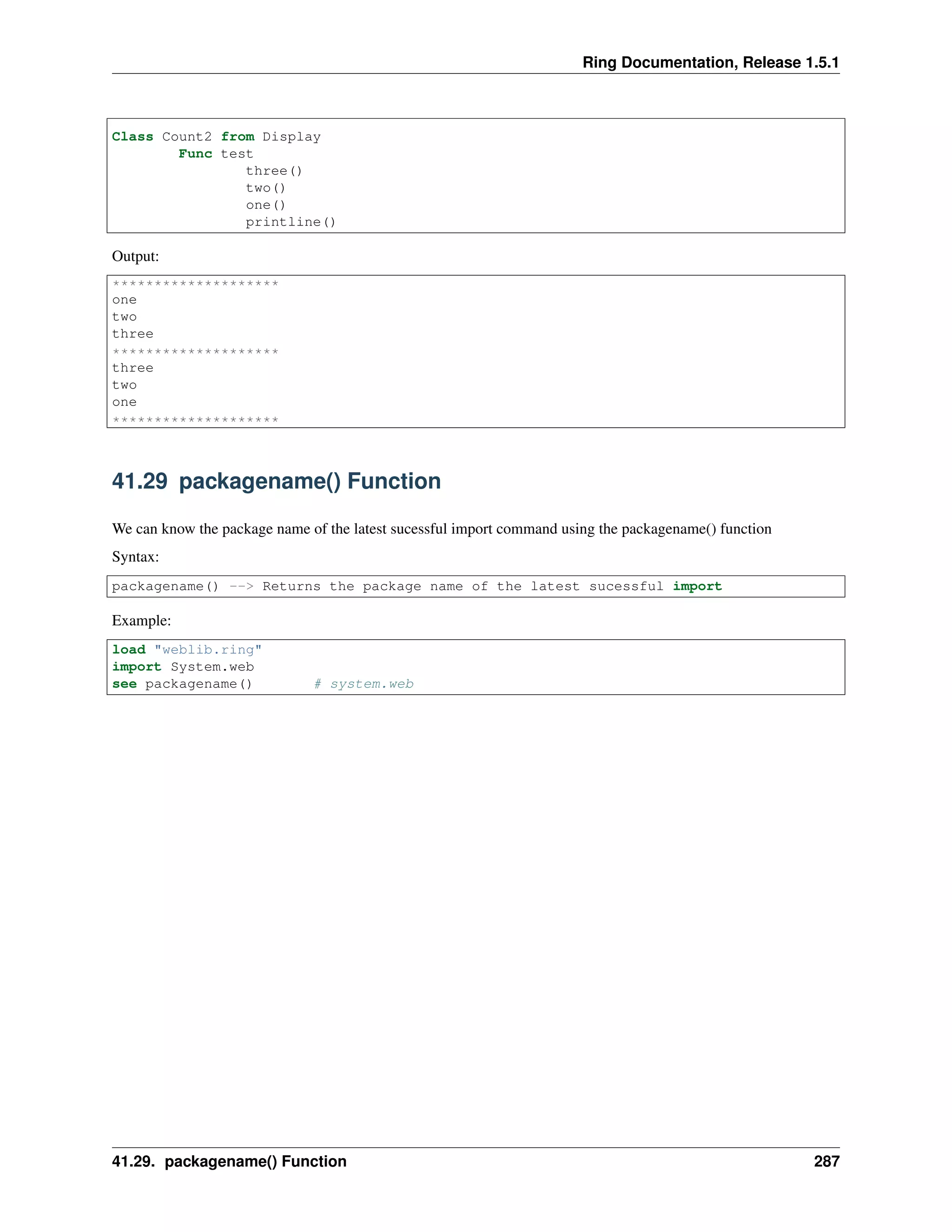
Class Count2 from Display
Func test
three()
two()
one()
printline()
Output:
********************
one
two
three
********************
three
two
one
********************
41.29 packagename() Function
We can know the package name of the latest sucessful import command using the packagename() function
Syntax:
packagename() --> Returns the package name of the latest sucessful import
Example:
load "weblib.ring"
import System.web
see packagename() # system.web
41.29. packagename() Function 287
CHAPTER
FORTYTWO
STDLIB FUNCTIONS
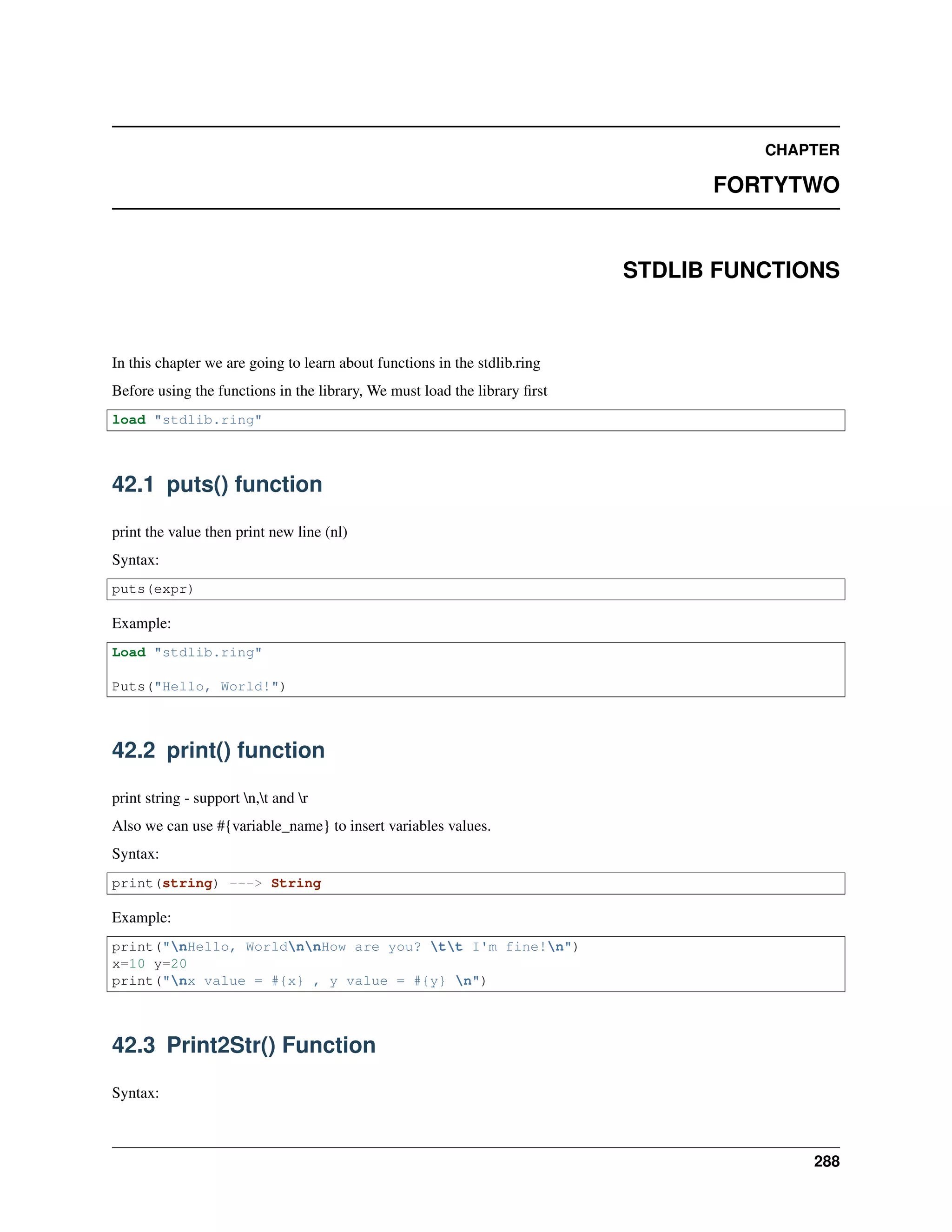
In this chapter we are going to learn about functions in the stdlib.ring
Before using the functions in the library, We must load the library first
load "stdlib.ring"
42.1 puts() function
print the value then print new line (nl)
Syntax:
puts(expr)
Example:
Load "stdlib.ring"
Puts("Hello, World!")
42.2 print() function
print string - support n,t and r
Also we can use #{variable_name} to insert variables values.
Syntax:
print(string) ---> String
Example:
print("nHello, WorldnnHow are you? tt I'm fine!n")
x=10 y=20
print("nx value = #{x} , y value = #{y} n")
42.3 Print2Str() Function
Syntax:
288
Ring Documentation, Release 1.5.1
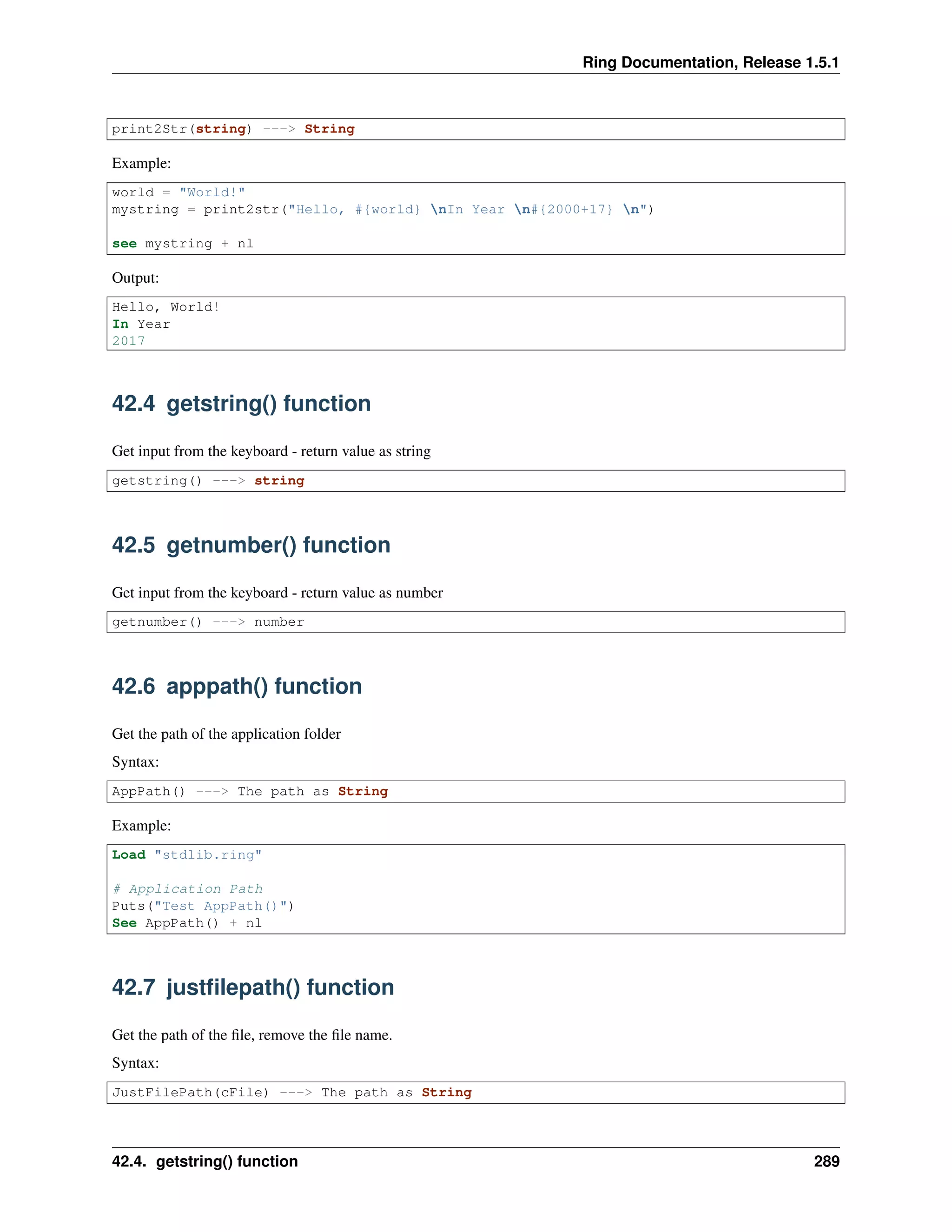
print2Str(string) ---> String
Example:
world = "World!"
mystring = print2str("Hello, #{world} nIn Year n#{2000+17} n")
see mystring + nl
Output:
Hello, World!
In Year
2017
42.4 getstring() function
Get input from the keyboard - return value as string
getstring() ---> string
42.5 getnumber() function
Get input from the keyboard - return value as number
getnumber() ---> number
42.6 apppath() function
Get the path of the application folder
Syntax:
AppPath() ---> The path as String
Example:
Load "stdlib.ring"
# Application Path
Puts("Test AppPath()")
See AppPath() + nl
42.7 justfilepath() function
Get the path of the file, remove the file name.
Syntax:
JustFilePath(cFile) ---> The path as String
42.4. getstring() function 289
Ring Documentation, Release 1.5.1
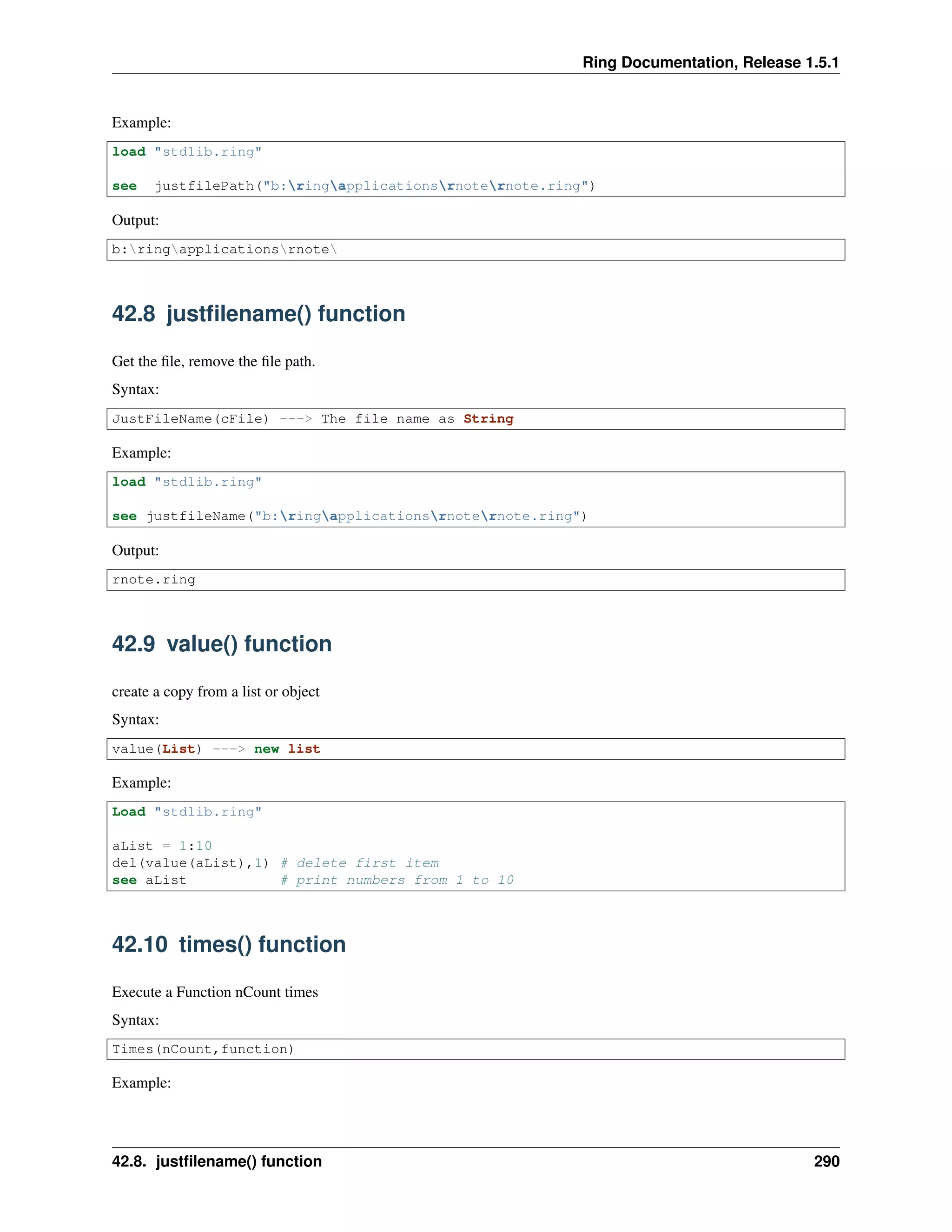
Example:
load "stdlib.ring"
see justfilePath("b:ringapplicationsrnoternote.ring")
Output:
b:ringapplicationsrnote
42.8 justfilename() function
Get the file, remove the file path.
Syntax:
JustFileName(cFile) ---> The file name as String
Example:
load "stdlib.ring"
see justfileName("b:ringapplicationsrnoternote.ring")
Output:
rnote.ring
42.9 value() function
create a copy from a list or object
Syntax:
value(List) ---> new list
Example:
Load "stdlib.ring"
aList = 1:10
del(value(aList),1) # delete first item
see aList # print numbers from 1 to 10
42.10 times() function
Execute a Function nCount times
Syntax:
Times(nCount,function)
Example:
42.8. justfilename() function 290
Ring Documentation, Release 1.5.1
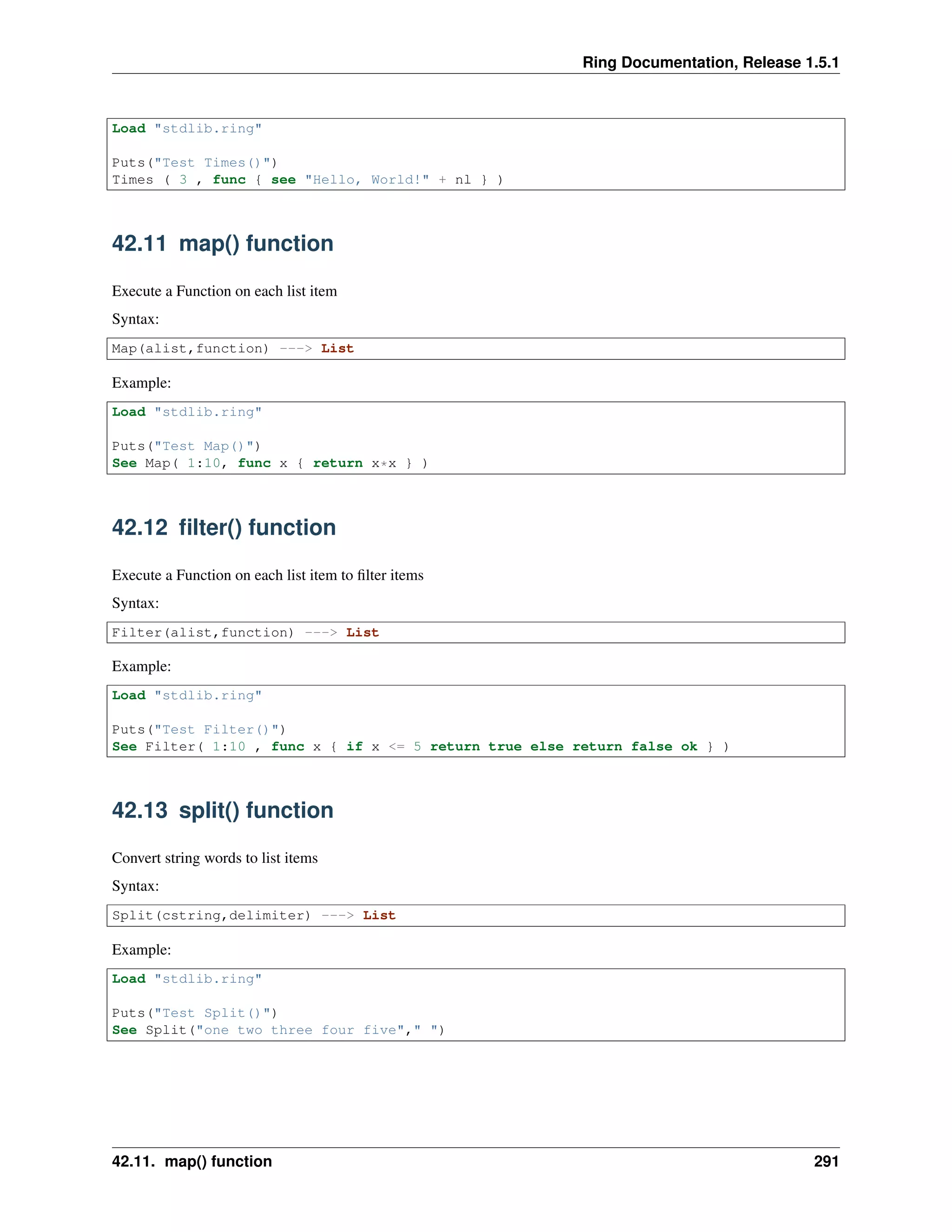
Load "stdlib.ring"
Puts("Test Times()")
Times ( 3 , func { see "Hello, World!" + nl } )
42.11 map() function
Execute a Function on each list item
Syntax:
Map(alist,function) ---> List
Example:
Load "stdlib.ring"
Puts("Test Map()")
See Map( 1:10, func x { return x*x } )
42.12 filter() function
Execute a Function on each list item to filter items
Syntax:
Filter(alist,function) ---> List
Example:
Load "stdlib.ring"
Puts("Test Filter()")
See Filter( 1:10 , func x { if x <= 5 return true else return false ok } )
42.13 split() function
Convert string words to list items
Syntax:
Split(cstring,delimiter) ---> List
Example:
Load "stdlib.ring"
Puts("Test Split()")
See Split("one two three four five"," ")
42.11. map() function 291
Ring Documentation, Release 1.5.1
42.14 splitmany() function
Convert string words to list items. Allow many delimiters.
Syntax:
SplitMany(cstring,delimiters as string or list) --> List
Example:
Load "stdlib.ring"
Puts("Test SplitMany()")
See SplitMany("one,two,three,four and five"," ,")
42.15 newlist() function
Create a two dimensional list
Syntax:
NewList(nRows,nColumns) ---> new list
Example:
Load "stdlib.ring"
Puts("Test Newlist()")
a1 = 3
a2 = 5
chrArray = newlist(a1,a2)
numArray = newlist(a1,a2)
chrArray[1][1] = "Hello"
numArray[1][1] = 987.2
See chrArray[1][1] + nl
See numArray[1][1] + nl
42.16 capitalized() function
Return a copy of a string with the first letter capitalized
Syntax:
Capitalized(string) ---> string
Example:
Load "stdlib.ring"
Puts("Test Capitalized()")
See capitalized("welcome to the Ring Programming Language")
42.14. splitmany() function 292
Ring Documentation, Release 1.5.1
42.17 isspecial() function
Check whether a character is special or not
Syntax:
IsSpecial(char) ---> True/False
Example:
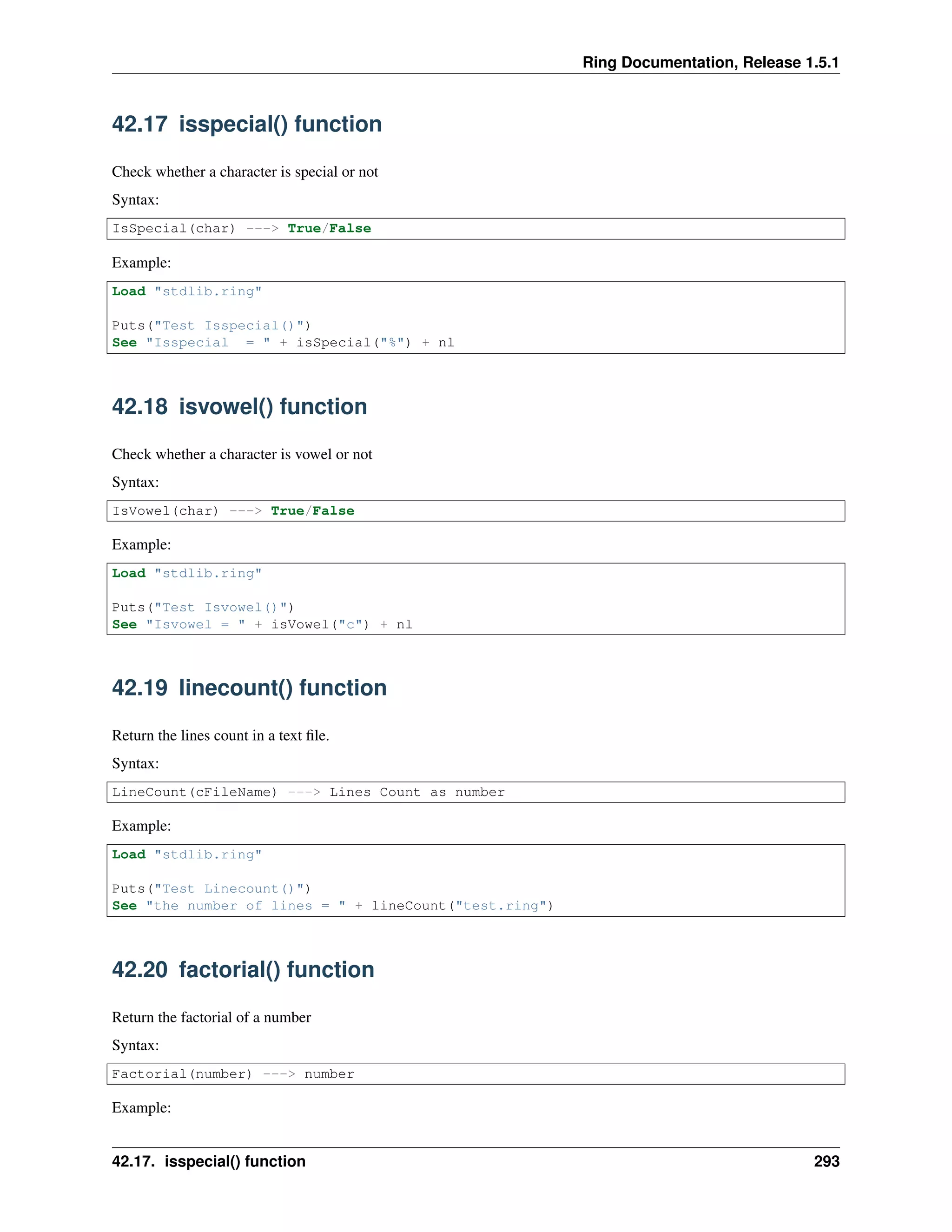
Load "stdlib.ring"
Puts("Test Isspecial()")
See "Isspecial = " + isSpecial("%") + nl
42.18 isvowel() function
Check whether a character is vowel or not
Syntax:
IsVowel(char) ---> True/False
Example:
Load "stdlib.ring"
Puts("Test Isvowel()")
See "Isvowel = " + isVowel("c") + nl
42.19 linecount() function
Return the lines count in a text file.
Syntax:
LineCount(cFileName) ---> Lines Count as number
Example:
Load "stdlib.ring"
Puts("Test Linecount()")
See "the number of lines = " + lineCount("test.ring")
42.20 factorial() function
Return the factorial of a number
Syntax:
Factorial(number) ---> number
Example:
42.17. isspecial() function 293
Ring Documentation, Release 1.5.1
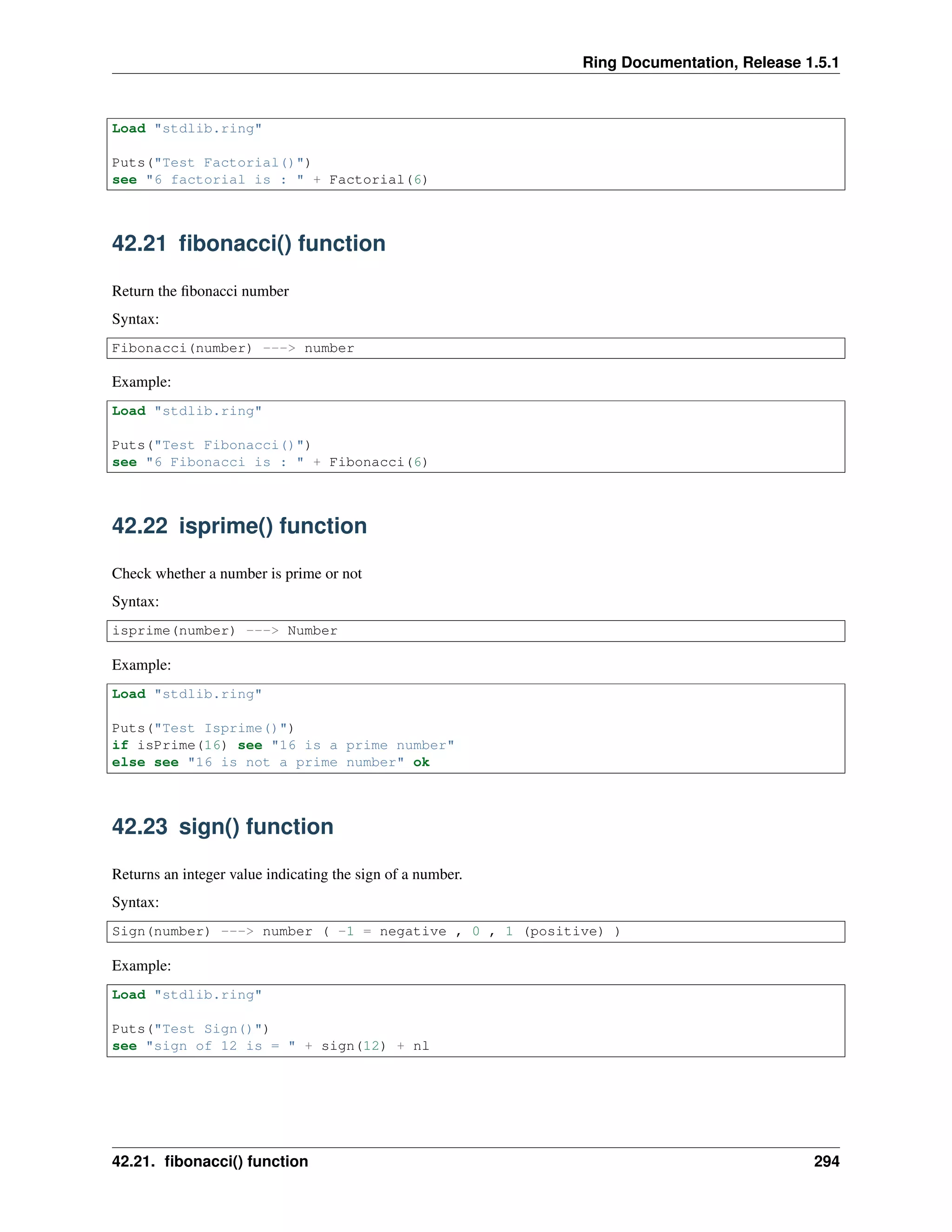
Load "stdlib.ring"
Puts("Test Factorial()")
see "6 factorial is : " + Factorial(6)
42.21 fibonacci() function
Return the fibonacci number
Syntax:
Fibonacci(number) ---> number
Example:
Load "stdlib.ring"
Puts("Test Fibonacci()")
see "6 Fibonacci is : " + Fibonacci(6)
42.22 isprime() function
Check whether a number is prime or not
Syntax:
isprime(number) ---> Number
Example:
Load "stdlib.ring"
Puts("Test Isprime()")
if isPrime(16) see "16 is a prime number"
else see "16 is not a prime number" ok
42.23 sign() function
Returns an integer value indicating the sign of a number.
Syntax:
Sign(number) ---> number ( -1 = negative , 0 , 1 (positive) )
Example:
Load "stdlib.ring"
Puts("Test Sign()")
see "sign of 12 is = " + sign(12) + nl
42.21. fibonacci() function 294

The Ring programming language version 1.5.1 book - Part 32 of 180

  • 1.
    Ring Documentation, Release1.5.1 see myList see nl +"=====================" + nl + nl for i = 1 to len(myList) see "Pos: "+ i +" | "+ myList[i].position +" | "+ myList[i].name + " | "+ myList[i].symbol +" | "+ nl next See findclass(myList, "MHD", "symbol") +nl ### Specify Member class name ###--------------------------------------- func findclass classList, cValue, classMember See nl + "FindClass: " +" "+ cValue + nl + nl for i = 1 to len(classList) result = getattribute( classList[i], classMember ) See "Result-Attr: " + i +" "+ result +nl if result = cValue j = i ok next return j ###-------------------------------------- class company position name symbol Output: Pos: 1 | 3 | Mahmoud | MHD | Pos: 2 | 2 | Bert | BRT | Pos: 3 | 1 | Ring | RNG | FindClass: MHD Result-Attr: 1 MHD Result-Attr: 2 BRT Result-Attr: 3 RNG 1 41.27 setattribute() function We can set the object attribute value using the setattribute() function Syntax: SetAttribute(oObject,cAttributeName,Value) Example: o1 = new person setattribute(o1,"cName","Mahmoud") 41.27. setattribute() function 285
  • 2.
    Ring Documentation, Release1.5.1 setattribute(o1,"nSalary",1000000) setattribute(o1,"aColors",["white","blue","yellow"]) see o1 see o1.aColors Class Person cName nSalary aColors Output: cname: Mahmoud nsalary: 1000000.000000 acolors: List... white blue yellow 41.28 mergemethods() Function We can share methods between classes without inheritance using the MergeMethods() function This function merge class methods to another class. Syntax: MergeMethods(cClassNameDestination,cClassNameSource) Example: mergemethods("count","share") mergemethods("count2","share") o1 = new count { test() } o1 = new count2 { test() } Class Share func one see "one" + nl func two see "two" + nl func three see "three" + nl Class Display Func printline see copy("*",20) + nl Class Count from Display Func test printline() one() two() three() printline() 41.28. mergemethods() Function 286
  • 3.
    Ring Documentation, Release1.5.1 Class Count2 from Display Func test three() two() one() printline() Output: ******************** one two three ******************** three two one ******************** 41.29 packagename() Function We can know the package name of the latest sucessful import command using the packagename() function Syntax: packagename() --> Returns the package name of the latest sucessful import Example: load "weblib.ring" import System.web see packagename() # system.web 41.29. packagename() Function 287
  • 4.
    CHAPTER FORTYTWO STDLIB FUNCTIONS In thischapter we are going to learn about functions in the stdlib.ring Before using the functions in the library, We must load the library first load "stdlib.ring" 42.1 puts() function print the value then print new line (nl) Syntax: puts(expr) Example: Load "stdlib.ring" Puts("Hello, World!") 42.2 print() function print string - support n,t and r Also we can use #{variable_name} to insert variables values. Syntax: print(string) ---> String Example: print("nHello, WorldnnHow are you? tt I'm fine!n") x=10 y=20 print("nx value = #{x} , y value = #{y} n") 42.3 Print2Str() Function Syntax: 288
  • 5.
    Ring Documentation, Release1.5.1 print2Str(string) ---> String Example: world = "World!" mystring = print2str("Hello, #{world} nIn Year n#{2000+17} n") see mystring + nl Output: Hello, World! In Year 2017 42.4 getstring() function Get input from the keyboard - return value as string getstring() ---> string 42.5 getnumber() function Get input from the keyboard - return value as number getnumber() ---> number 42.6 apppath() function Get the path of the application folder Syntax: AppPath() ---> The path as String Example: Load "stdlib.ring" # Application Path Puts("Test AppPath()") See AppPath() + nl 42.7 justfilepath() function Get the path of the file, remove the file name. Syntax: JustFilePath(cFile) ---> The path as String 42.4. getstring() function 289
  • 6.
    Ring Documentation, Release1.5.1 Example: load "stdlib.ring" see justfilePath("b:ringapplicationsrnoternote.ring") Output: b:ringapplicationsrnote 42.8 justfilename() function Get the file, remove the file path. Syntax: JustFileName(cFile) ---> The file name as String Example: load "stdlib.ring" see justfileName("b:ringapplicationsrnoternote.ring") Output: rnote.ring 42.9 value() function create a copy from a list or object Syntax: value(List) ---> new list Example: Load "stdlib.ring" aList = 1:10 del(value(aList),1) # delete first item see aList # print numbers from 1 to 10 42.10 times() function Execute a Function nCount times Syntax: Times(nCount,function) Example: 42.8. justfilename() function 290
  • 7.
    Ring Documentation, Release1.5.1 Load "stdlib.ring" Puts("Test Times()") Times ( 3 , func { see "Hello, World!" + nl } ) 42.11 map() function Execute a Function on each list item Syntax: Map(alist,function) ---> List Example: Load "stdlib.ring" Puts("Test Map()") See Map( 1:10, func x { return x*x } ) 42.12 filter() function Execute a Function on each list item to filter items Syntax: Filter(alist,function) ---> List Example: Load "stdlib.ring" Puts("Test Filter()") See Filter( 1:10 , func x { if x <= 5 return true else return false ok } ) 42.13 split() function Convert string words to list items Syntax: Split(cstring,delimiter) ---> List Example: Load "stdlib.ring" Puts("Test Split()") See Split("one two three four five"," ") 42.11. map() function 291
  • 8.
    Ring Documentation, Release1.5.1 42.14 splitmany() function Convert string words to list items. Allow many delimiters. Syntax: SplitMany(cstring,delimiters as string or list) --> List Example: Load "stdlib.ring" Puts("Test SplitMany()") See SplitMany("one,two,three,four and five"," ,") 42.15 newlist() function Create a two dimensional list Syntax: NewList(nRows,nColumns) ---> new list Example: Load "stdlib.ring" Puts("Test Newlist()") a1 = 3 a2 = 5 chrArray = newlist(a1,a2) numArray = newlist(a1,a2) chrArray[1][1] = "Hello" numArray[1][1] = 987.2 See chrArray[1][1] + nl See numArray[1][1] + nl 42.16 capitalized() function Return a copy of a string with the first letter capitalized Syntax: Capitalized(string) ---> string Example: Load "stdlib.ring" Puts("Test Capitalized()") See capitalized("welcome to the Ring Programming Language") 42.14. splitmany() function 292
  • 9.
    Ring Documentation, Release1.5.1 42.17 isspecial() function Check whether a character is special or not Syntax: IsSpecial(char) ---> True/False Example: Load "stdlib.ring" Puts("Test Isspecial()") See "Isspecial = " + isSpecial("%") + nl 42.18 isvowel() function Check whether a character is vowel or not Syntax: IsVowel(char) ---> True/False Example: Load "stdlib.ring" Puts("Test Isvowel()") See "Isvowel = " + isVowel("c") + nl 42.19 linecount() function Return the lines count in a text file. Syntax: LineCount(cFileName) ---> Lines Count as number Example: Load "stdlib.ring" Puts("Test Linecount()") See "the number of lines = " + lineCount("test.ring") 42.20 factorial() function Return the factorial of a number Syntax: Factorial(number) ---> number Example: 42.17. isspecial() function 293
  • 10.
    Ring Documentation, Release1.5.1 Load "stdlib.ring" Puts("Test Factorial()") see "6 factorial is : " + Factorial(6) 42.21 fibonacci() function Return the fibonacci number Syntax: Fibonacci(number) ---> number Example: Load "stdlib.ring" Puts("Test Fibonacci()") see "6 Fibonacci is : " + Fibonacci(6) 42.22 isprime() function Check whether a number is prime or not Syntax: isprime(number) ---> Number Example: Load "stdlib.ring" Puts("Test Isprime()") if isPrime(16) see "16 is a prime number" else see "16 is not a prime number" ok 42.23 sign() function Returns an integer value indicating the sign of a number. Syntax: Sign(number) ---> number ( -1 = negative , 0 , 1 (positive) ) Example: Load "stdlib.ring" Puts("Test Sign()") see "sign of 12 is = " + sign(12) + nl 42.21. fibonacci() function 294