Ring Documentation, Release 1.10
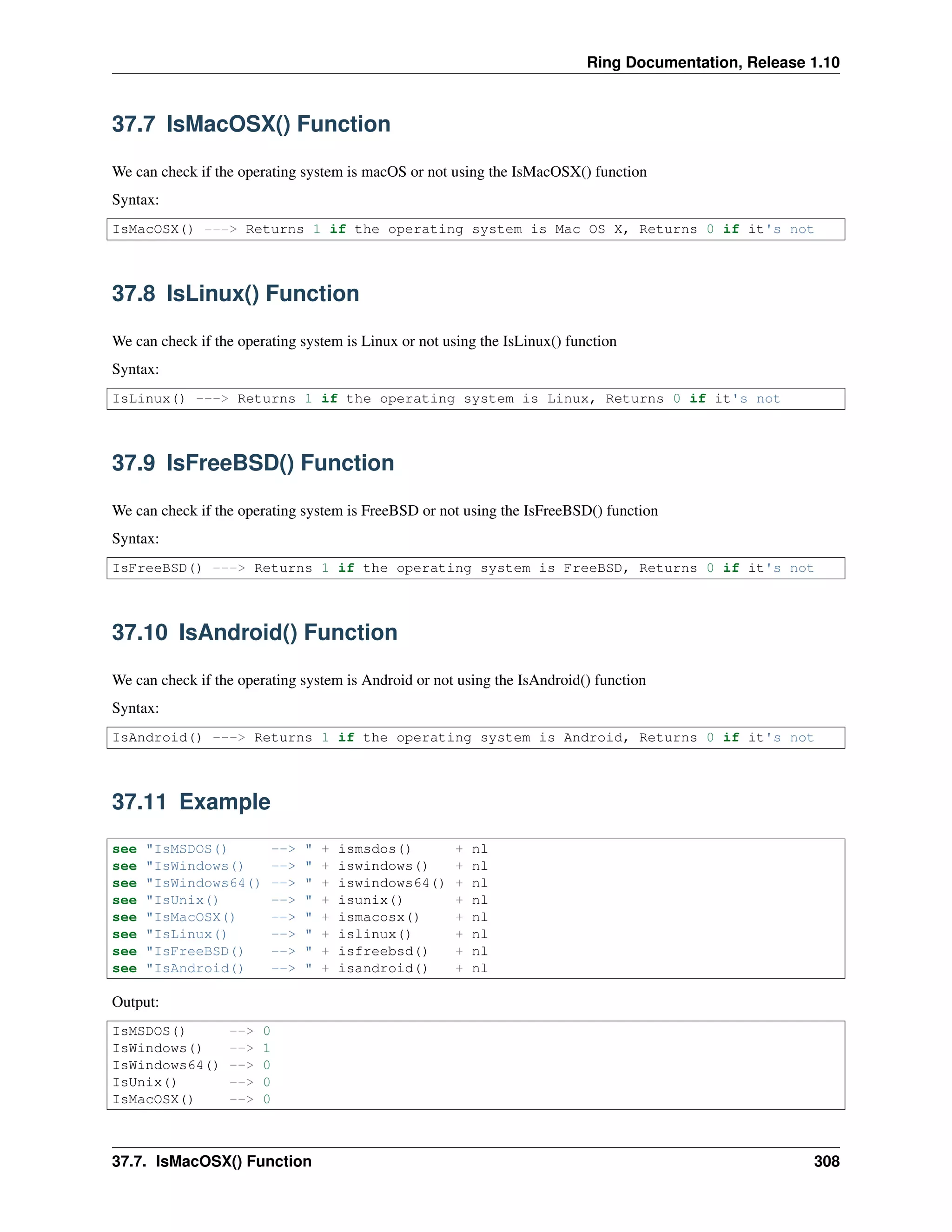
37.7 IsMacOSX() Function
We can check if the operating system is macOS or not using the IsMacOSX() function
Syntax:
IsMacOSX() ---> Returns 1 if the operating system is Mac OS X, Returns 0 if it's not
37.8 IsLinux() Function
We can check if the operating system is Linux or not using the IsLinux() function
Syntax:
IsLinux() ---> Returns 1 if the operating system is Linux, Returns 0 if it's not
37.9 IsFreeBSD() Function
We can check if the operating system is FreeBSD or not using the IsFreeBSD() function
Syntax:
IsFreeBSD() ---> Returns 1 if the operating system is FreeBSD, Returns 0 if it's not
37.10 IsAndroid() Function
We can check if the operating system is Android or not using the IsAndroid() function
Syntax:
IsAndroid() ---> Returns 1 if the operating system is Android, Returns 0 if it's not
37.11 Example
see "IsMSDOS() --> " + ismsdos() + nl
see "IsWindows() --> " + iswindows() + nl
see "IsWindows64() --> " + iswindows64() + nl
see "IsUnix() --> " + isunix() + nl
see "IsMacOSX() --> " + ismacosx() + nl
see "IsLinux() --> " + islinux() + nl
see "IsFreeBSD() --> " + isfreebsd() + nl
see "IsAndroid() --> " + isandroid() + nl
Output:
IsMSDOS() --> 0
IsWindows() --> 1
IsWindows64() --> 0
IsUnix() --> 0
IsMacOSX() --> 0
37.7. IsMacOSX() Function 308
Ring Documentation, Release 1.10
IsLinux() --> 0
IsFreeBSD() --> 0
IsAndroid() --> 0
37.12 Windowsnl() Function
We can get the windows new line string using the Windowsnl() function.
Syntax:
WindowsNL() ---> Returns a string contains CR+LF = CHAR(13) + CHAR(10)
Example:
cStr = read("input.txt")
if iswindows()
cStr = substr(cStr,windowsnl(),nl)
ok
aList = str2list(cStr)
# to do - list items processing using "for in"
cStr = list2str(aList)
if iswindows()
cStr = substr(cStr,nl,windowsnl())
ok
write("ouput.txt",cStr)
37.13 Get Command Line Arguments
We can get the command line arguments passed to the ring script using the sysargv variable.
The sysargv variable is a list contains the command line parameters.
Example
see copy("=",30) + nl
see "Command Line Parameters" + nl
see "Size : " + len(sysargv) + nl
see sysargv
see copy("=",30) + nl
if len(sysargv) < 4 return ok
nStart = sysargv[3]
nEnd = sysargv[4]
for x = nStart to nEnd
see x + nl
next
Output
b:mahmoudappsring>ring testssyspara.ring 1 10
==============================
Command Line Parameters
37.12. Windowsnl() Function 309
Ring Documentation, Release 1.10
Size : 4
ring
testssyspara.ring
1
10
==============================
1
2
3
4
5
6
7
8
9
10
37.14 Get Active Source File Name
We can get the active source file name (*.ring) using the filename() function
Syntax:
filename() ---> String contains the active source file name.
Example:
see "Active Source File Name : " + filename() + nl
Output:
Active Source File Name : testsfilename.ring
Example:
if sysargv[2] = filename()
see "I'm the main program file!" + nl
# we can run tests here!
else
see "I'm a sub file in a program" + nl
ok
37.15 PrevFileName() Function
Using the PrevFileName() function we can get the previous active source file name.
The previous file would be the file of the caller function, Or the file of the function that we called before calling
PrevFileName().
Syntax:
prevfilename() ---> String contains the previous source file name.
Example:
The next function in stdlib.ring uses the PrevFileName() to know if the file of the caller function is the main source
file of the program or not.
37.14. Get Active Source File Name 310
Ring Documentation, Release 1.10
Func IsMainSourceFile
if PrevFileName() = sysargv[2]
return true
ok
return false
37.16 CurrentDir() Function
Return the path of the current directory
Syntax:
CurrenDir() ---> String contains the path of the currect directory
37.17 ExeFileName() Function
Return the Ring executable file name
Syntax:
exefilename() ---> String contains the Ring executable file name
37.18 ChDir() Function
Change the current directory
Syntax:
ChDir(cNewPath)
37.19 ExeFolder() Function
Return the Ring executable file path
Syntax:
exefolder() ---> String contains the Ring executable path
37.20 Version() Function
Return the Ring version
Syntax:
version() ---> String contains the Ring version
Output:
37.16. CurrentDir() Function 311
Ring Documentation, Release 1.10
1.10
37.21 Shutdown() Function
Close the application
Syntax:
shutdown(nStatus) ---> Close the application
37.21. Shutdown() Function 312
CHAPTER
THIRTYEIGHT
EVAL() AND DEBUGGING
In this chapter we are going to learn about
• Error Handling using Try/Catch/Done
• Eval() function
• Raise() function
• Assert() function
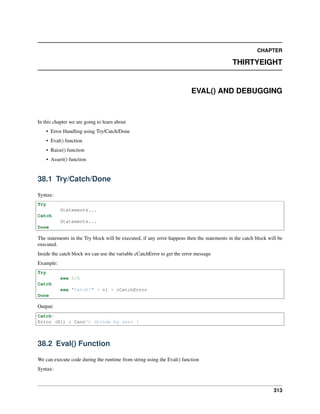
38.1 Try/Catch/Done
Syntax:
Try
Statements...
Catch
Statements...
Done
The statements in the Try block will be executed, if any error happens then the statements in the catch block will be
executed.
Inside the catch block we can use the variable cCatchError to get the error message
Example:
Try
see 5/0
Catch
see "Catch!" + nl + cCatchError
Done
Output:
Catch!
Error (R1) : Cann't divide by zero !
38.2 Eval() Function
We can execute code during the runtime from string using the Eval() function
Syntax:
313
Ring Documentation, Release 1.10
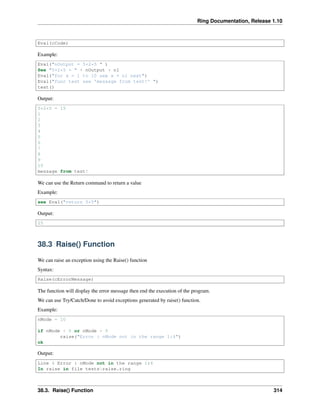
Eval(cCode)
Example:
Eval("nOutput = 5+2*5 " )
See "5+2*5 = " + nOutput + nl
Eval("for x = 1 to 10 see x + nl next")
Eval("func test see 'message from test!' ")
test()
Output:
5+2*5 = 15
1
2
3
4
5
6
7
8
9
10
message from test!
We can use the Return command to return a value
Example:
see Eval("return 5*5")
Output:
25
38.3 Raise() Function
We can raise an exception using the Raise() function
Syntax:
Raise(cErrorMessage)
The function will display the error message then end the execution of the program.
We can use Try/Catch/Done to avoid exceptions generated by raise() function.
Example:
nMode = 10
if nMode < 0 or nMode > 5
raise("Error : nMode not in the range 1:4")
ok
Output:
Line 4 Error : nMode not in the range 1:4
In raise in file testsraise.ring
38.3. Raise() Function 314
Ring Documentation, Release 1.10
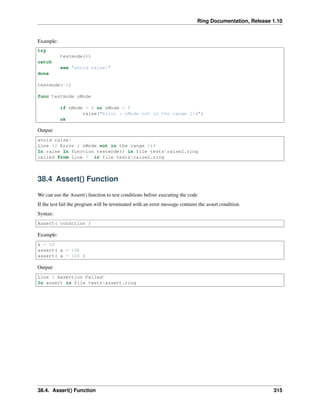
Example:
try
testmode(6)
catch
see "avoid raise!"
done
testmode(-1)
func testmode nMode
if nMode < 0 or nMode > 5
raise("Error : nMode not in the range 1:4")
ok
Output:
avoid raise!
Line 12 Error : nMode not in the range 1:4
In raise In function testmode() in file testsraise2.ring
called from line 7 in file testsraise2.ring
38.4 Assert() Function
We can use the Assert() function to test conditions before executing the code
If the test fail the program will be terminated with an error message contains the assert condition.
Syntax:
Assert( condition )
Example:
x = 10
assert( x = 10)
assert( x = 100 )
Output:
Line 3 Assertion Failed!
In assert in file testsassert.ring
38.4. Assert() Function 315
CHAPTER
THIRTYNINE
DEMO PROGRAMS
In this chapter we will see simple demo programs
• Language Shell
• Main Menu
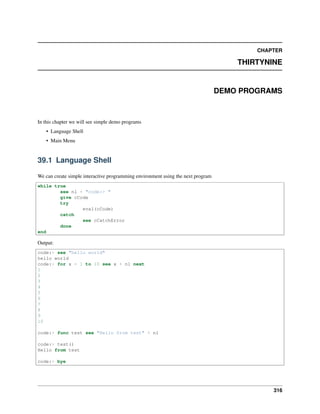
39.1 Language Shell
We can create simple interactive programming environment using the next program
while true
see nl + "code:> "
give cCode
try
eval(cCode)
catch
see cCatchError
done
end
Output:
code:> see "hello world"
hello world
code:> for x = 1 to 10 see x + nl next
1
2
3
4
5
6
7
8
9
10
code:> func test see "Hello from test" + nl
code:> test()
Hello from test
code:> bye
316
Ring Documentation, Release 1.10
39.2 Main Menu
Example:
# Demo Program
while true
see "
Main Menu
===========
[1] Say Hello
[2] Sum two numbers
[3] Stars
[4] Fact
[5] Exit
" give nMenu see nl
# we can use Switch-ON-Other-OFF instead of IF-BUT-ELSE-OK
Switch nMenu
On 1 sayhello()
On 2 Sum()
On 3 Stars()
On 4
see "Enter Number : " give x
see "Output : "
Try
see Fact(number(x))
Catch
see "Error in parameters!" + nl
Done
On "5" return
Other see "bad option" + nl
Off
end
func sayhello
see "Enter your name ? " give fname
see "Hello " + fname + nl
func sum
see "number 1 : " give num1 see "number 2 : " give num2
see "Sum : " see 0 + num1 + num2
func stars
for x = 1 to 10
see space(8)
for y = 1 to x see "*" next see nl
next
func fact x if x = 0 return 1 else return x * fact(x-1) ok
39.2. Main Menu 317

The Ring programming language version 1.10 book - Part 35 of 212

  • 1.
    Ring Documentation, Release1.10 37.7 IsMacOSX() Function We can check if the operating system is macOS or not using the IsMacOSX() function Syntax: IsMacOSX() ---> Returns 1 if the operating system is Mac OS X, Returns 0 if it's not 37.8 IsLinux() Function We can check if the operating system is Linux or not using the IsLinux() function Syntax: IsLinux() ---> Returns 1 if the operating system is Linux, Returns 0 if it's not 37.9 IsFreeBSD() Function We can check if the operating system is FreeBSD or not using the IsFreeBSD() function Syntax: IsFreeBSD() ---> Returns 1 if the operating system is FreeBSD, Returns 0 if it's not 37.10 IsAndroid() Function We can check if the operating system is Android or not using the IsAndroid() function Syntax: IsAndroid() ---> Returns 1 if the operating system is Android, Returns 0 if it's not 37.11 Example see "IsMSDOS() --> " + ismsdos() + nl see "IsWindows() --> " + iswindows() + nl see "IsWindows64() --> " + iswindows64() + nl see "IsUnix() --> " + isunix() + nl see "IsMacOSX() --> " + ismacosx() + nl see "IsLinux() --> " + islinux() + nl see "IsFreeBSD() --> " + isfreebsd() + nl see "IsAndroid() --> " + isandroid() + nl Output: IsMSDOS() --> 0 IsWindows() --> 1 IsWindows64() --> 0 IsUnix() --> 0 IsMacOSX() --> 0 37.7. IsMacOSX() Function 308
  • 2.
    Ring Documentation, Release1.10 IsLinux() --> 0 IsFreeBSD() --> 0 IsAndroid() --> 0 37.12 Windowsnl() Function We can get the windows new line string using the Windowsnl() function. Syntax: WindowsNL() ---> Returns a string contains CR+LF = CHAR(13) + CHAR(10) Example: cStr = read("input.txt") if iswindows() cStr = substr(cStr,windowsnl(),nl) ok aList = str2list(cStr) # to do - list items processing using "for in" cStr = list2str(aList) if iswindows() cStr = substr(cStr,nl,windowsnl()) ok write("ouput.txt",cStr) 37.13 Get Command Line Arguments We can get the command line arguments passed to the ring script using the sysargv variable. The sysargv variable is a list contains the command line parameters. Example see copy("=",30) + nl see "Command Line Parameters" + nl see "Size : " + len(sysargv) + nl see sysargv see copy("=",30) + nl if len(sysargv) < 4 return ok nStart = sysargv[3] nEnd = sysargv[4] for x = nStart to nEnd see x + nl next Output b:mahmoudappsring>ring testssyspara.ring 1 10 ============================== Command Line Parameters 37.12. Windowsnl() Function 309
  • 3.
    Ring Documentation, Release1.10 Size : 4 ring testssyspara.ring 1 10 ============================== 1 2 3 4 5 6 7 8 9 10 37.14 Get Active Source File Name We can get the active source file name (*.ring) using the filename() function Syntax: filename() ---> String contains the active source file name. Example: see "Active Source File Name : " + filename() + nl Output: Active Source File Name : testsfilename.ring Example: if sysargv[2] = filename() see "I'm the main program file!" + nl # we can run tests here! else see "I'm a sub file in a program" + nl ok 37.15 PrevFileName() Function Using the PrevFileName() function we can get the previous active source file name. The previous file would be the file of the caller function, Or the file of the function that we called before calling PrevFileName(). Syntax: prevfilename() ---> String contains the previous source file name. Example: The next function in stdlib.ring uses the PrevFileName() to know if the file of the caller function is the main source file of the program or not. 37.14. Get Active Source File Name 310
  • 4.
    Ring Documentation, Release1.10 Func IsMainSourceFile if PrevFileName() = sysargv[2] return true ok return false 37.16 CurrentDir() Function Return the path of the current directory Syntax: CurrenDir() ---> String contains the path of the currect directory 37.17 ExeFileName() Function Return the Ring executable file name Syntax: exefilename() ---> String contains the Ring executable file name 37.18 ChDir() Function Change the current directory Syntax: ChDir(cNewPath) 37.19 ExeFolder() Function Return the Ring executable file path Syntax: exefolder() ---> String contains the Ring executable path 37.20 Version() Function Return the Ring version Syntax: version() ---> String contains the Ring version Output: 37.16. CurrentDir() Function 311
  • 5.
    Ring Documentation, Release1.10 1.10 37.21 Shutdown() Function Close the application Syntax: shutdown(nStatus) ---> Close the application 37.21. Shutdown() Function 312
  • 6.
    CHAPTER THIRTYEIGHT EVAL() AND DEBUGGING Inthis chapter we are going to learn about • Error Handling using Try/Catch/Done • Eval() function • Raise() function • Assert() function 38.1 Try/Catch/Done Syntax: Try Statements... Catch Statements... Done The statements in the Try block will be executed, if any error happens then the statements in the catch block will be executed. Inside the catch block we can use the variable cCatchError to get the error message Example: Try see 5/0 Catch see "Catch!" + nl + cCatchError Done Output: Catch! Error (R1) : Cann't divide by zero ! 38.2 Eval() Function We can execute code during the runtime from string using the Eval() function Syntax: 313
  • 7.
    Ring Documentation, Release1.10 Eval(cCode) Example: Eval("nOutput = 5+2*5 " ) See "5+2*5 = " + nOutput + nl Eval("for x = 1 to 10 see x + nl next") Eval("func test see 'message from test!' ") test() Output: 5+2*5 = 15 1 2 3 4 5 6 7 8 9 10 message from test! We can use the Return command to return a value Example: see Eval("return 5*5") Output: 25 38.3 Raise() Function We can raise an exception using the Raise() function Syntax: Raise(cErrorMessage) The function will display the error message then end the execution of the program. We can use Try/Catch/Done to avoid exceptions generated by raise() function. Example: nMode = 10 if nMode < 0 or nMode > 5 raise("Error : nMode not in the range 1:4") ok Output: Line 4 Error : nMode not in the range 1:4 In raise in file testsraise.ring 38.3. Raise() Function 314
  • 8.
    Ring Documentation, Release1.10 Example: try testmode(6) catch see "avoid raise!" done testmode(-1) func testmode nMode if nMode < 0 or nMode > 5 raise("Error : nMode not in the range 1:4") ok Output: avoid raise! Line 12 Error : nMode not in the range 1:4 In raise In function testmode() in file testsraise2.ring called from line 7 in file testsraise2.ring 38.4 Assert() Function We can use the Assert() function to test conditions before executing the code If the test fail the program will be terminated with an error message contains the assert condition. Syntax: Assert( condition ) Example: x = 10 assert( x = 10) assert( x = 100 ) Output: Line 3 Assertion Failed! In assert in file testsassert.ring 38.4. Assert() Function 315
  • 9.
    CHAPTER THIRTYNINE DEMO PROGRAMS In thischapter we will see simple demo programs • Language Shell • Main Menu 39.1 Language Shell We can create simple interactive programming environment using the next program while true see nl + "code:> " give cCode try eval(cCode) catch see cCatchError done end Output: code:> see "hello world" hello world code:> for x = 1 to 10 see x + nl next 1 2 3 4 5 6 7 8 9 10 code:> func test see "Hello from test" + nl code:> test() Hello from test code:> bye 316
  • 10.
    Ring Documentation, Release1.10 39.2 Main Menu Example: # Demo Program while true see " Main Menu =========== [1] Say Hello [2] Sum two numbers [3] Stars [4] Fact [5] Exit " give nMenu see nl # we can use Switch-ON-Other-OFF instead of IF-BUT-ELSE-OK Switch nMenu On 1 sayhello() On 2 Sum() On 3 Stars() On 4 see "Enter Number : " give x see "Output : " Try see Fact(number(x)) Catch see "Error in parameters!" + nl Done On "5" return Other see "bad option" + nl Off end func sayhello see "Enter your name ? " give fname see "Hello " + fname + nl func sum see "number 1 : " give num1 see "number 2 : " give num2 see "Sum : " see 0 + num1 + num2 func stars for x = 1 to 10 see space(8) for y = 1 to x see "*" next see nl next func fact x if x = 0 return 1 else return x * fact(x-1) ok 39.2. Main Menu 317