The Importance of Performance Testing
Theory and Practice
Cyrus Rashedi
Technology Manager
crashedi@QueBIT.com
San Francisco, CA
Michael Cowie
Director, Strategic Solutions
mcowie@QueBIT.com
Tuscaloosa, AL
Introductions
Welcome to our Webinar!
This webinar is being recorded. All attendees will receive the video link
within 24-hours.
Today’s webinar is part of a monthly advanced webinar series offered by
QueBIT. Visit the QueBIT website and register for upcoming webinars
today at www.QueBIT.com/news-events
Next webinar May 10: Creating user experiences in CA that tell a story
Miss a past webinar? No problem!
Go to the Resources tab on the QueBIT website:
www.QueBIT.com/who-we-are/video-catalog/
There will be a Q&A segment at the end of this presentation. Please type
and submit all questions as they occur to you in the Questions Box located
on the GoToWebinar toolbar.
Follow-up sessions for questions and answers are available, if needed.
About QueBIT
 Trusted Experts in Analytics
 15+ years in business with managers on the team who have been working in area of
Analytics for 20+ years
 Full Offerings – Advisory, Implementation & Support Services, Reseller of IBM Software
and Developer of Solutions
 900+ successful Analytics Projects
 400+ analytics customers in all types of industries
 100+ employees with HQ in New York
 Building an experienced team from the ground up
 Deep Expertise in Business Intelligence, Information Management, Financial Analytics,
Advanced Analytics
 2016 Worldwide Overall Business Analytics Partner Excellence Award
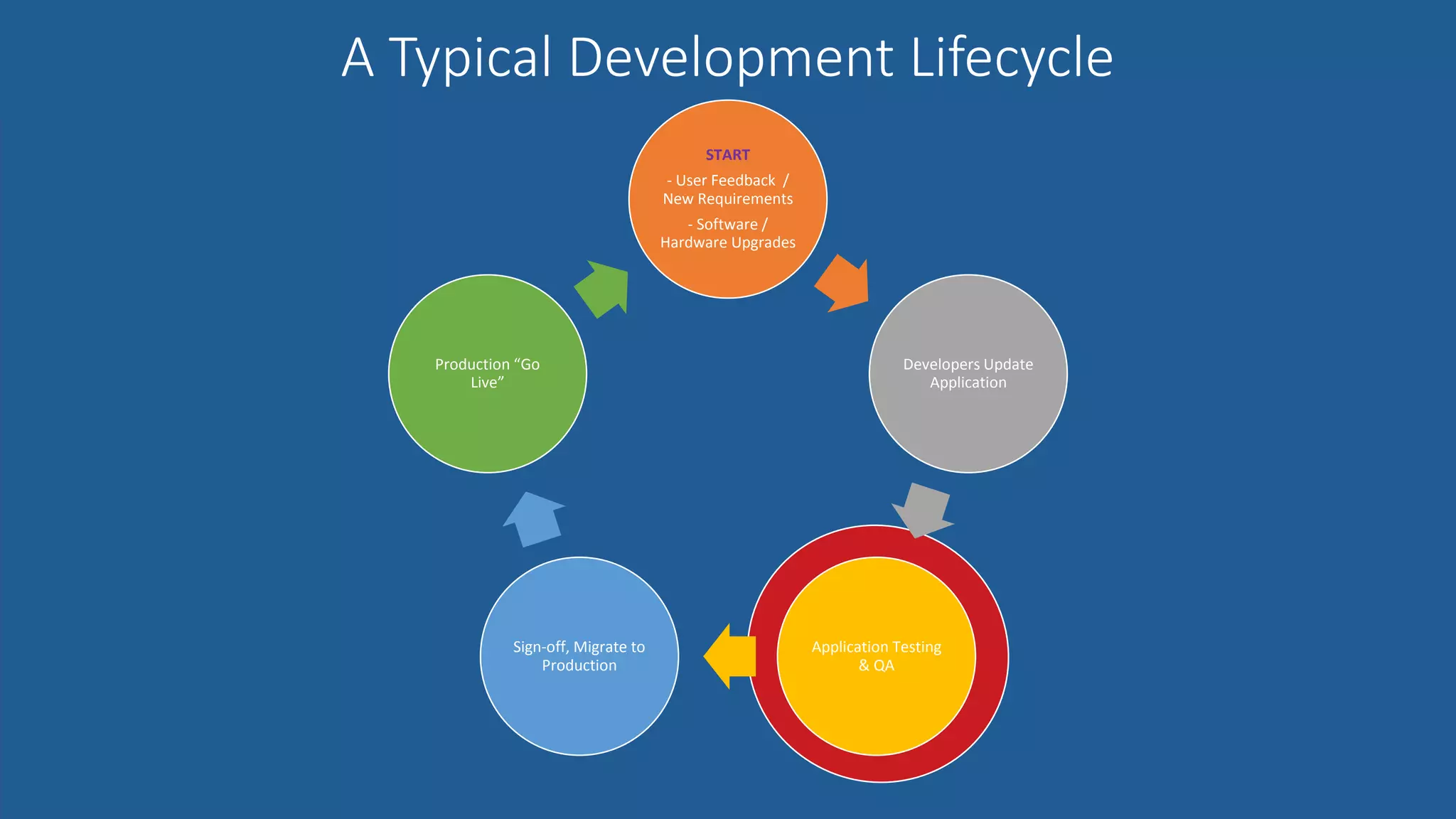
A Typical Development Lifecycle
INTRODUCTIONS & ROLES
START
- User Feedback /
New Requirements
- Software /
Hardware Upgrades
Developers Update
Application
Application Testing
& QA
Sign-off, Migrate to
Production
Production “Go
Live”
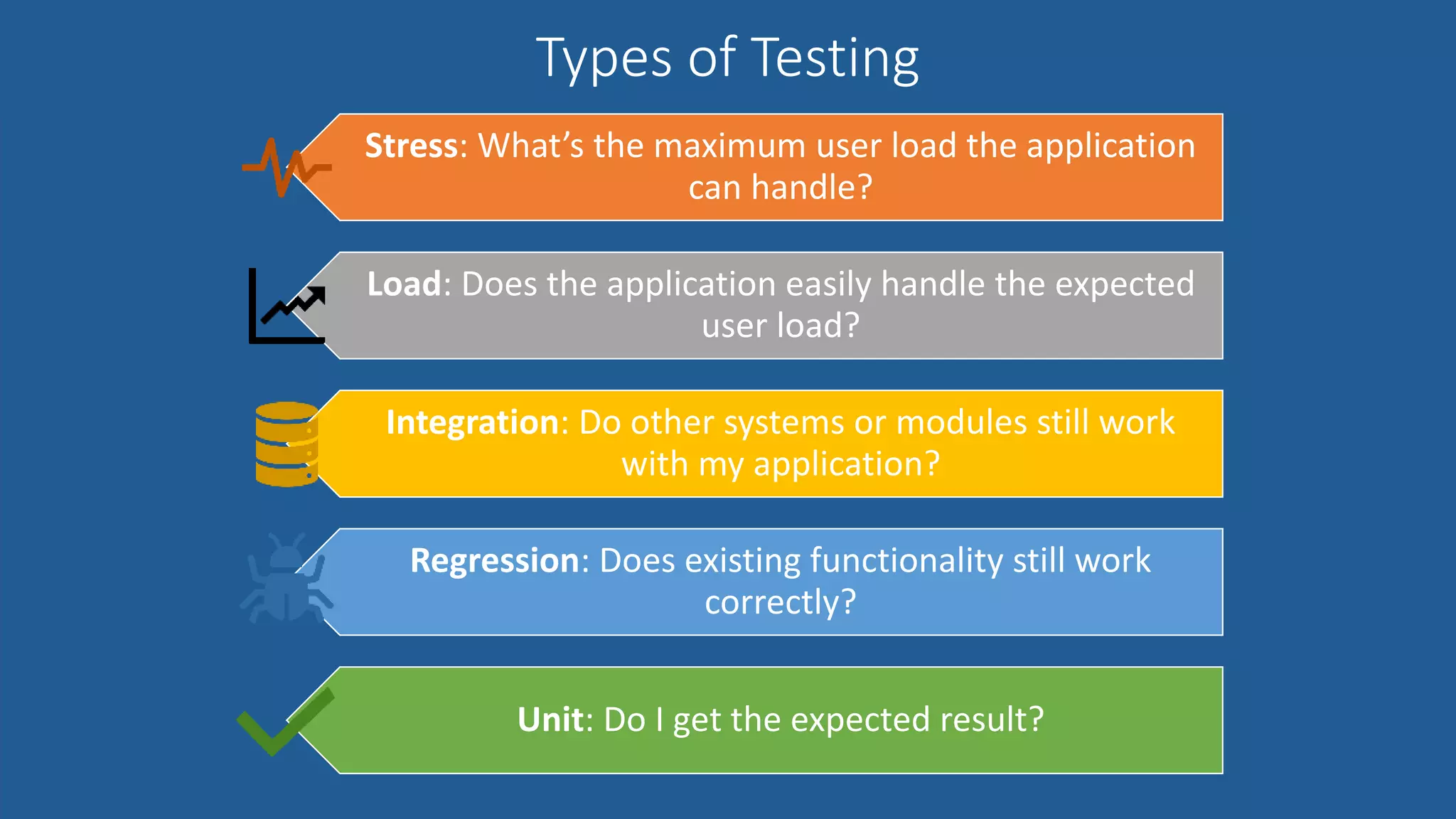
Types of Testing
INTRODUCTIONS & ROLES
Stress: What’s the maximum user load the application
can handle?
Load: Does the application easily handle the expected
user load?
Integration: Do other systems or modules still work
with my application?
Regression: Does existing functionality still work
correctly?
Unit: Do I get the expected result?
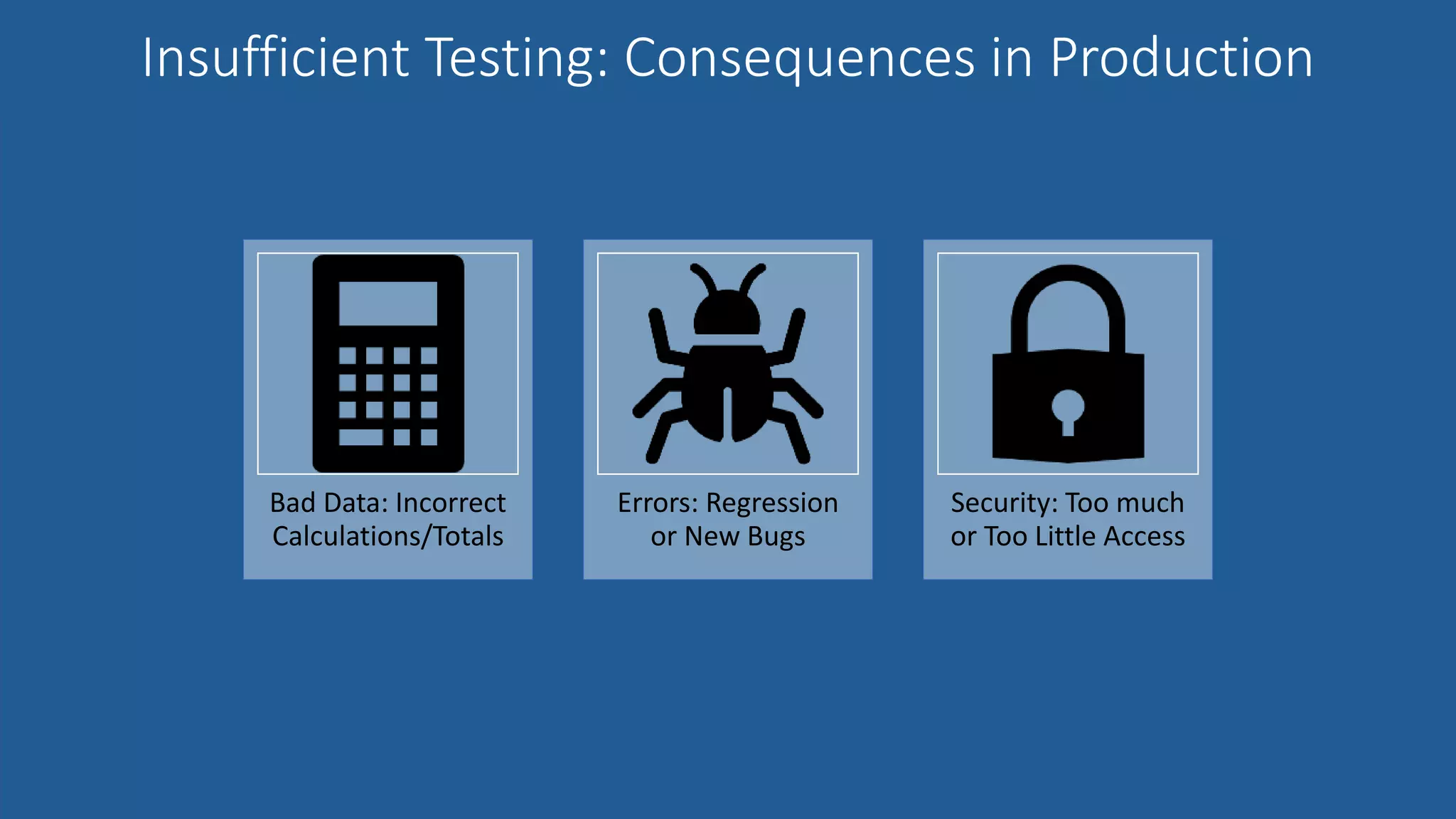
Insufficient Testing: Consequences in Production
INTRODUCTIONS & ROLES
Bad Data: Incorrect
Calculations/Totals
Errors: Regression
or New Bugs
Security: Too much
or Too Little Access
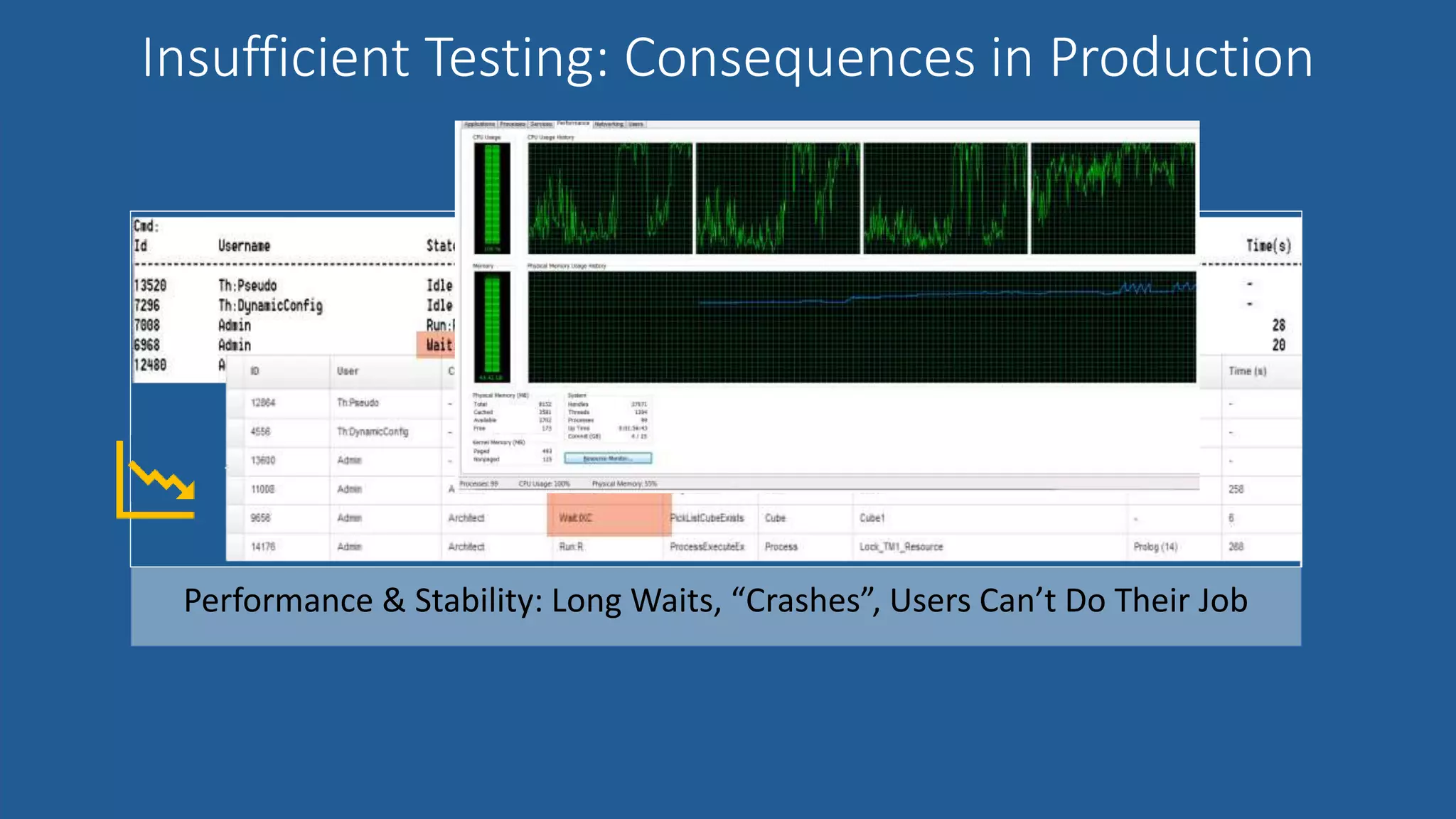
Insufficient Testing: Consequences in Production
INTRODUCTIONS & ROLES
Performance & Stability: Long Waits, “Crashes”, Users Can’t Do Their Job
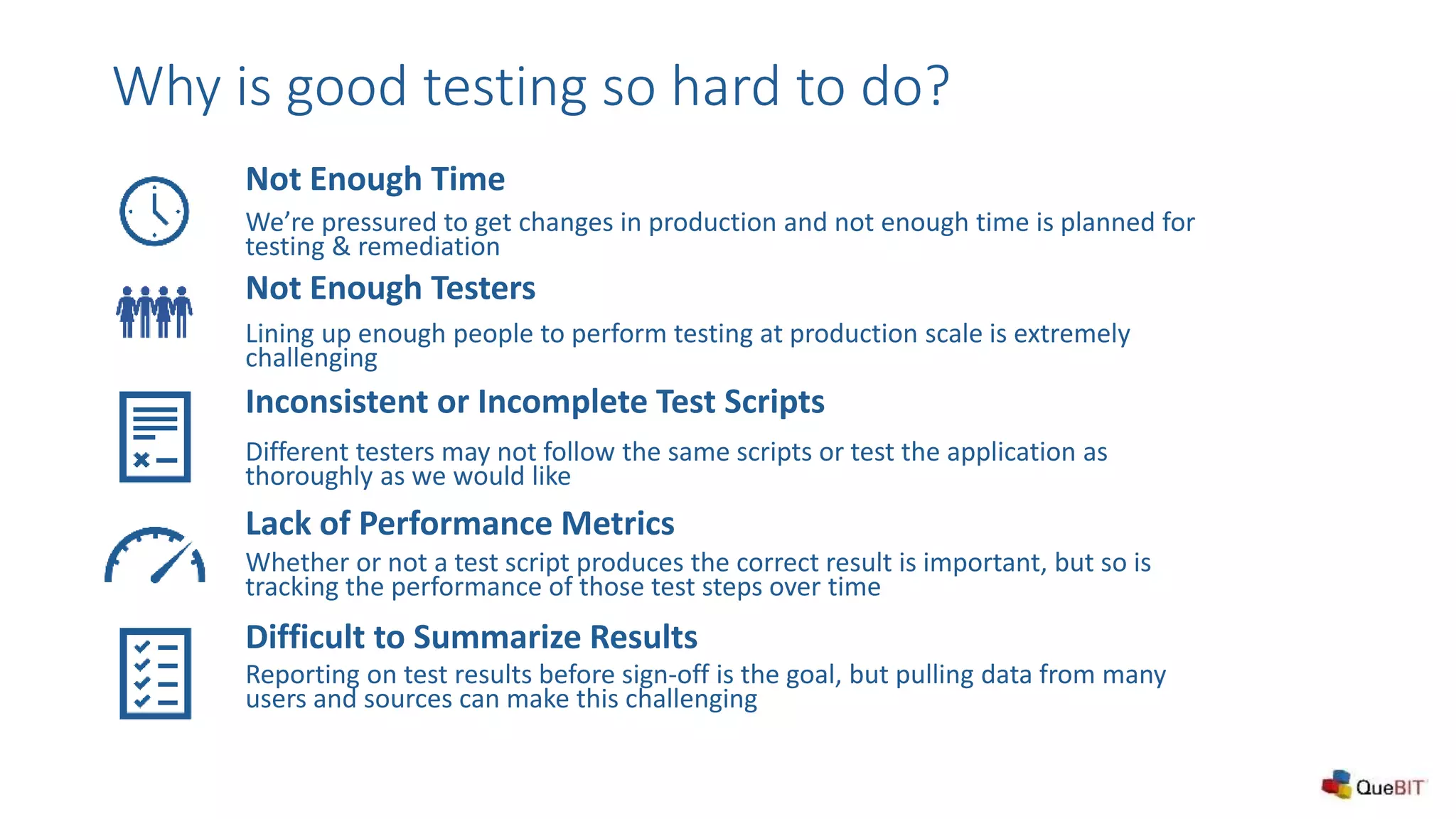
Not Enough Testers
Lining up enough people to perform testing at production scale is extremely
challenging
Inconsistent or Incomplete Test Scripts
Different testers may not follow the same scripts or test the application as
thoroughly as we would like
Not Enough Time
We’re pressured to get changes in production and not enough time is planned for
testing & remediation
Why is good testing so hard to do?
Lack of Performance Metrics
Whether or not a test script produces the correct result is important, but so is
tracking the performance of those test steps over time
Difficult to Summarize Results
Reporting on test results before sign-off is the goal, but pulling data from many
users and sources can make this challenging
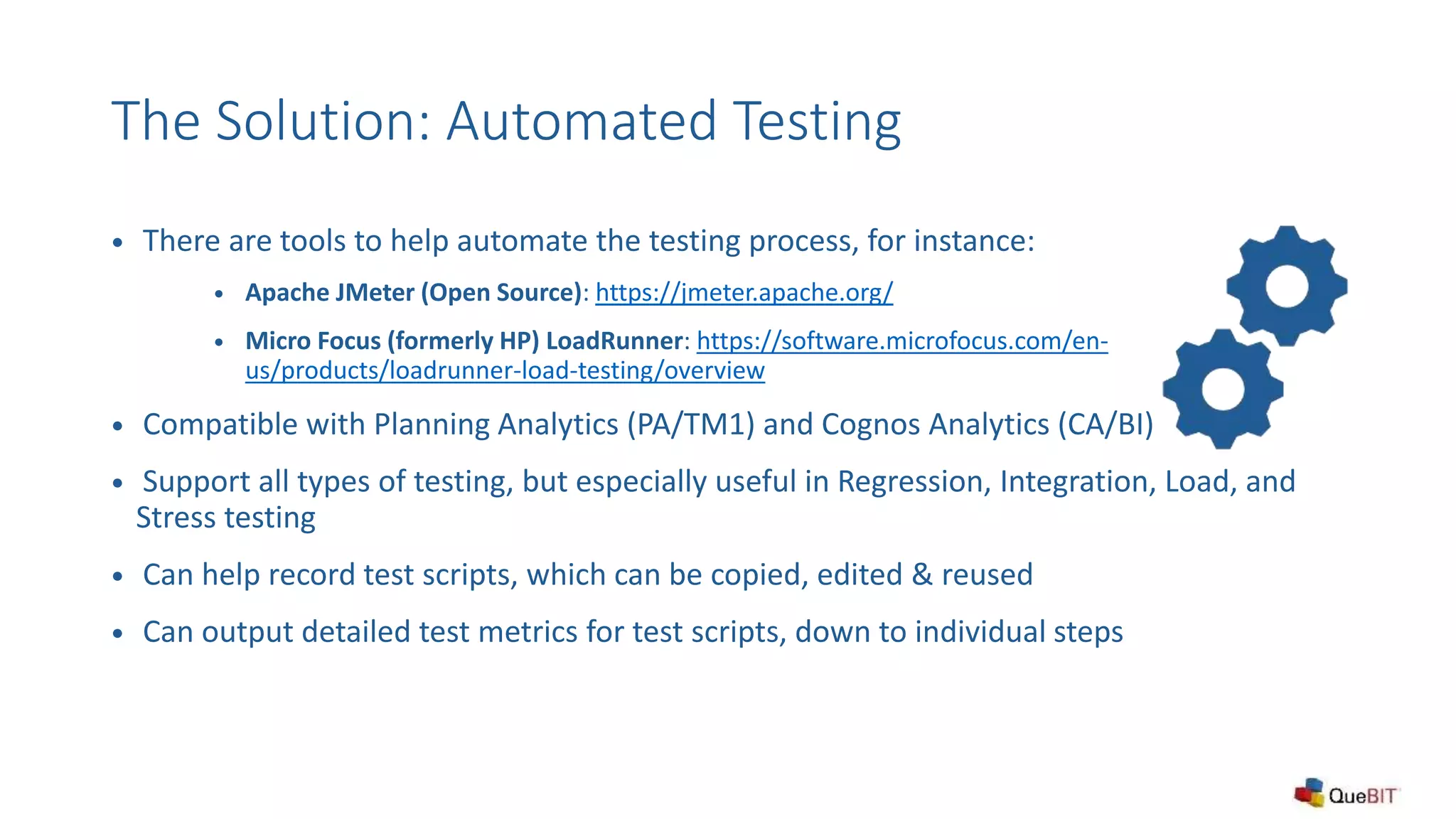
The Solution: Automated Testing
 There are tools to help automate the testing process, for instance:
 Apache JMeter (Open Source): https://jmeter.apache.org/
 Micro Focus (formerly HP) LoadRunner: https://software.microfocus.com/en-
us/products/loadrunner-load-testing/overview
 Compatible with Planning Analytics (PA/TM1) and Cognos Analytics (CA/BI)
 Support all types of testing, but especially useful in Regression, Integration, Load, and
Stress testing
 Can help record test scripts, which can be copied, edited & reused
 Can output detailed test metrics for test scripts, down to individual steps
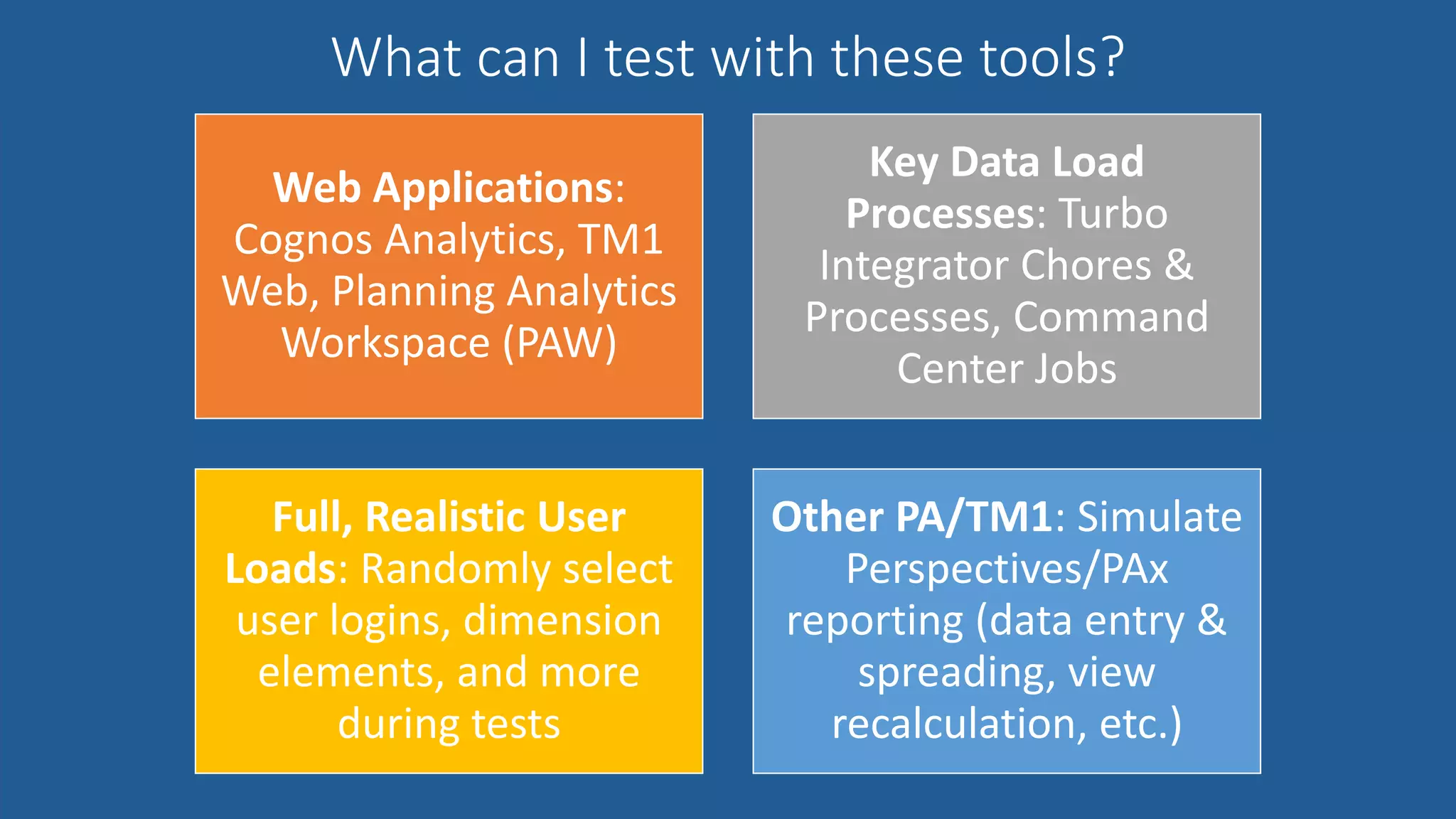
What can I test with these tools?
INTRODUCTIONS & ROLES
Web Applications:
Cognos Analytics, TM1
Web, Planning Analytics
Workspace (PAW)
Key Data Load
Processes: Turbo
Integrator Chores &
Processes, Command
Center Jobs
Full, Realistic User
Loads: Randomly select
user logins, dimension
elements, and more
during tests
Other PA/TM1: Simulate
Perspectives/PAx
reporting (data entry &
spreading, view
recalculation, etc.)
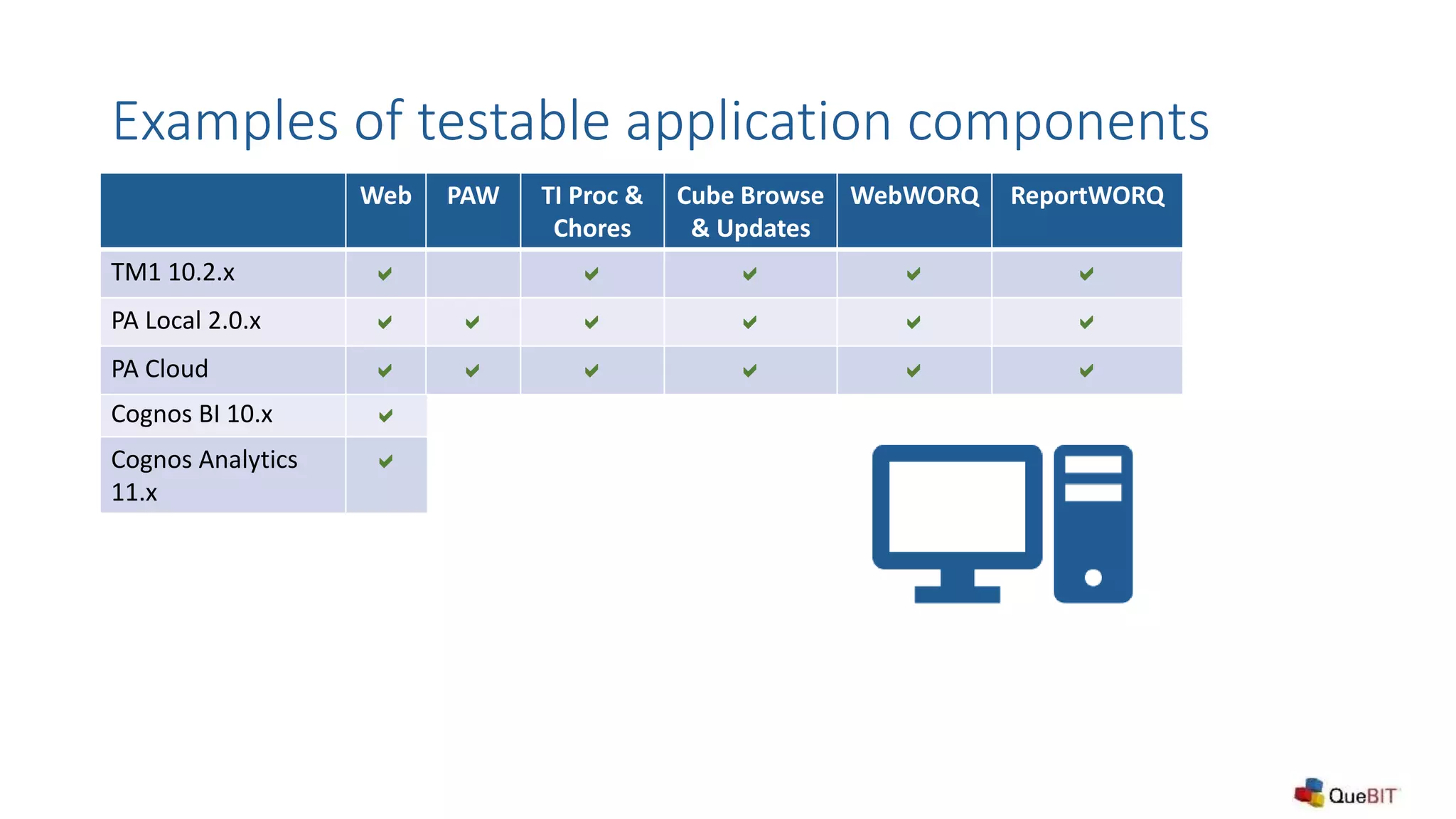
Examples of testable application components
Web
Cognos BI 10.x a
Cognos Analytics
11.x
a
Web PAW TI Proc &
Chores
Cube Browse
& Updates
WebWORQ ReportWORQ
TM1 10.2.x a a a a a
PA Local 2.0.x a a a a a a
PA Cloud a a a a a a
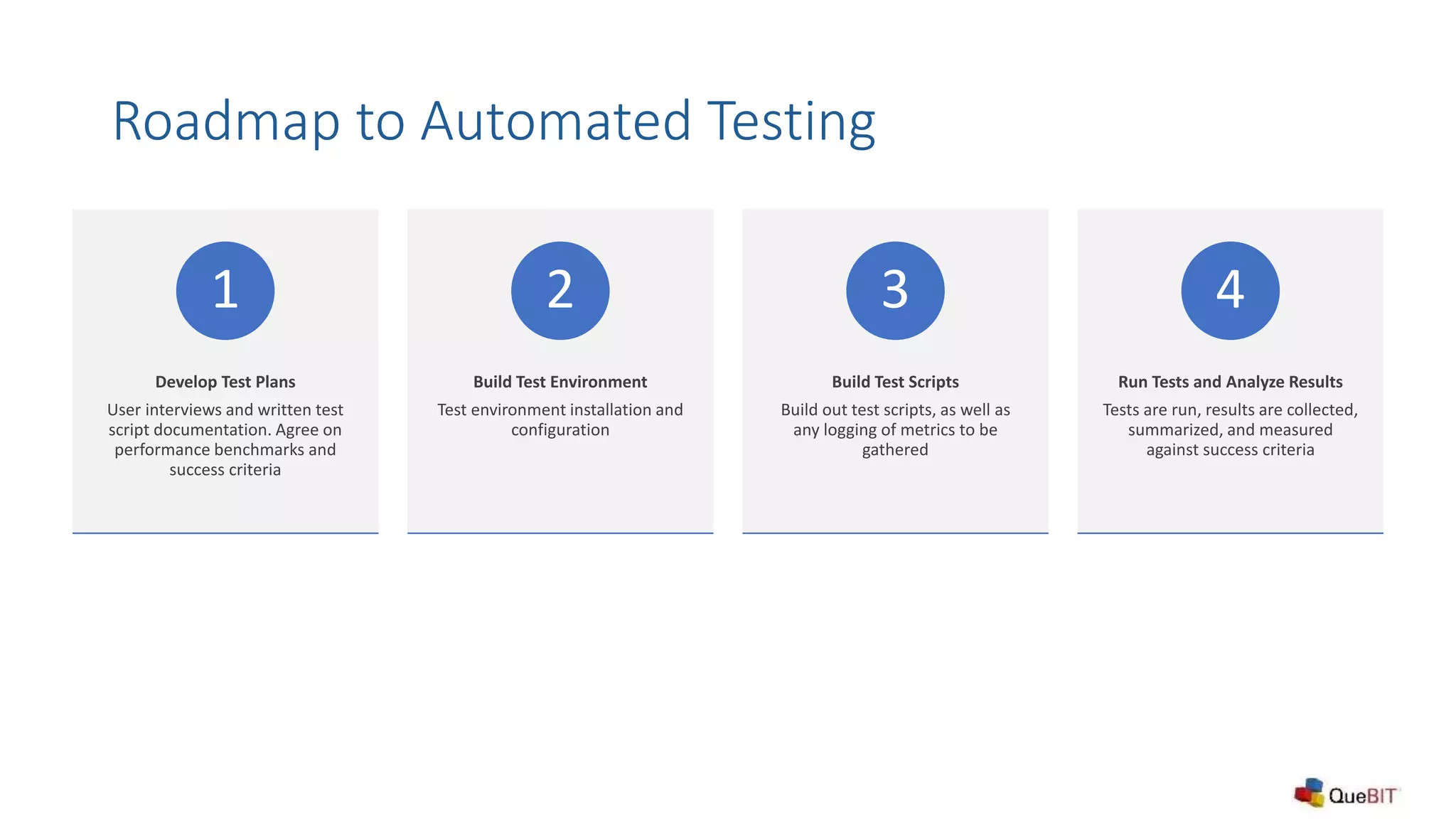
Roadmap to Automated Testing
Develop Test Plans
User interviews and written test
script documentation. Agree on
performance benchmarks and
success criteria
1
Build Test Environment
Test environment installation and
configuration
2
Build Test Scripts
Build out test scripts, as well as
any logging of metrics to be
gathered
3
Run Tests and Analyze Results
Tests are run, results are collected,
summarized, and measured
against success criteria
4
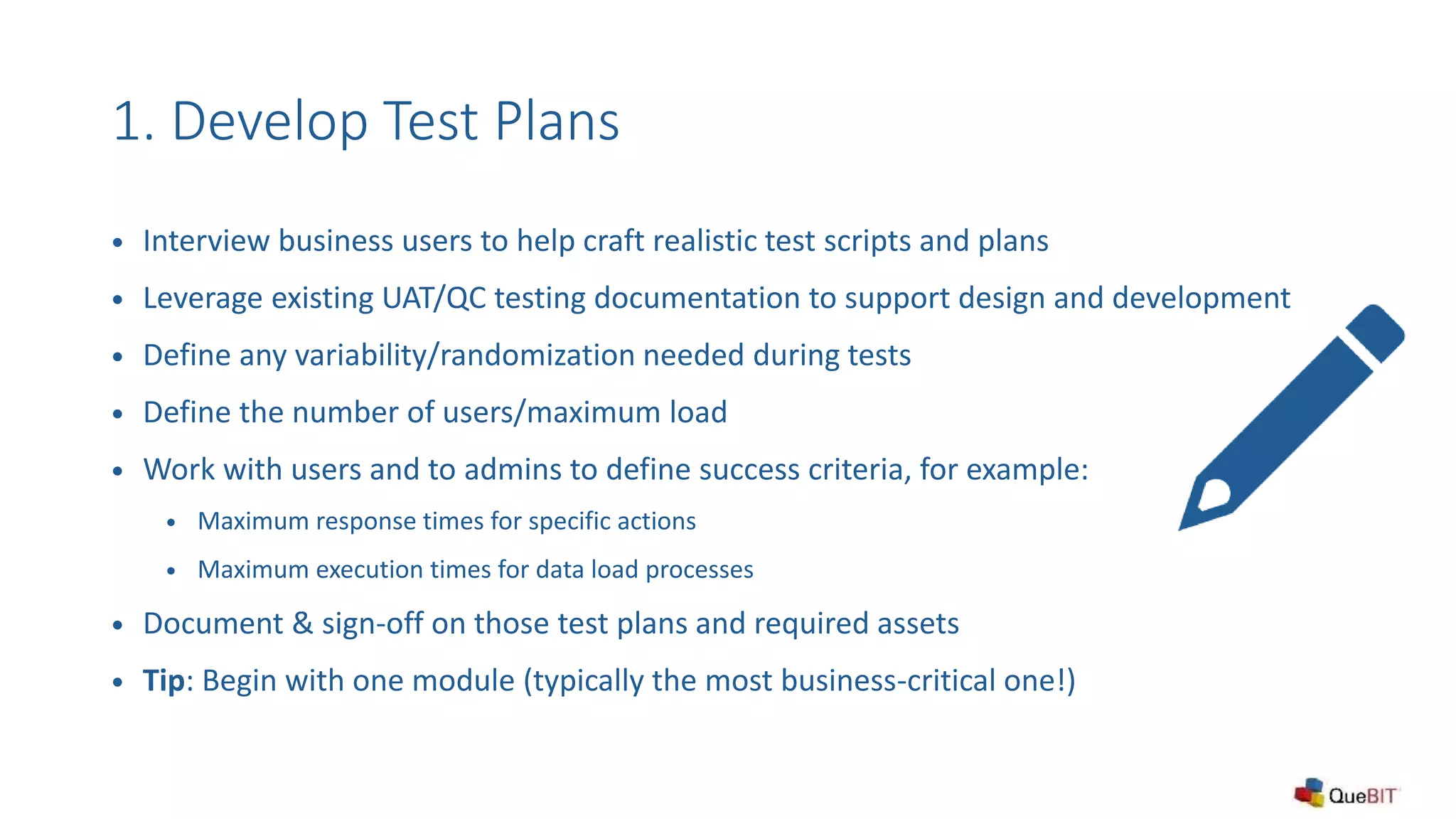
1. Develop Test Plans
 Interview business users to help craft realistic test scripts and plans
 Leverage existing UAT/QC testing documentation to support design and development
 Define any variability/randomization needed during tests
 Define the number of users/maximum load
 Work with users and to admins to define success criteria, for example:
 Maximum response times for specific actions
 Maximum execution times for data load processes
 Document & sign-off on those test plans and required assets
 Tip: Begin with one module (typically the most business-critical one!)
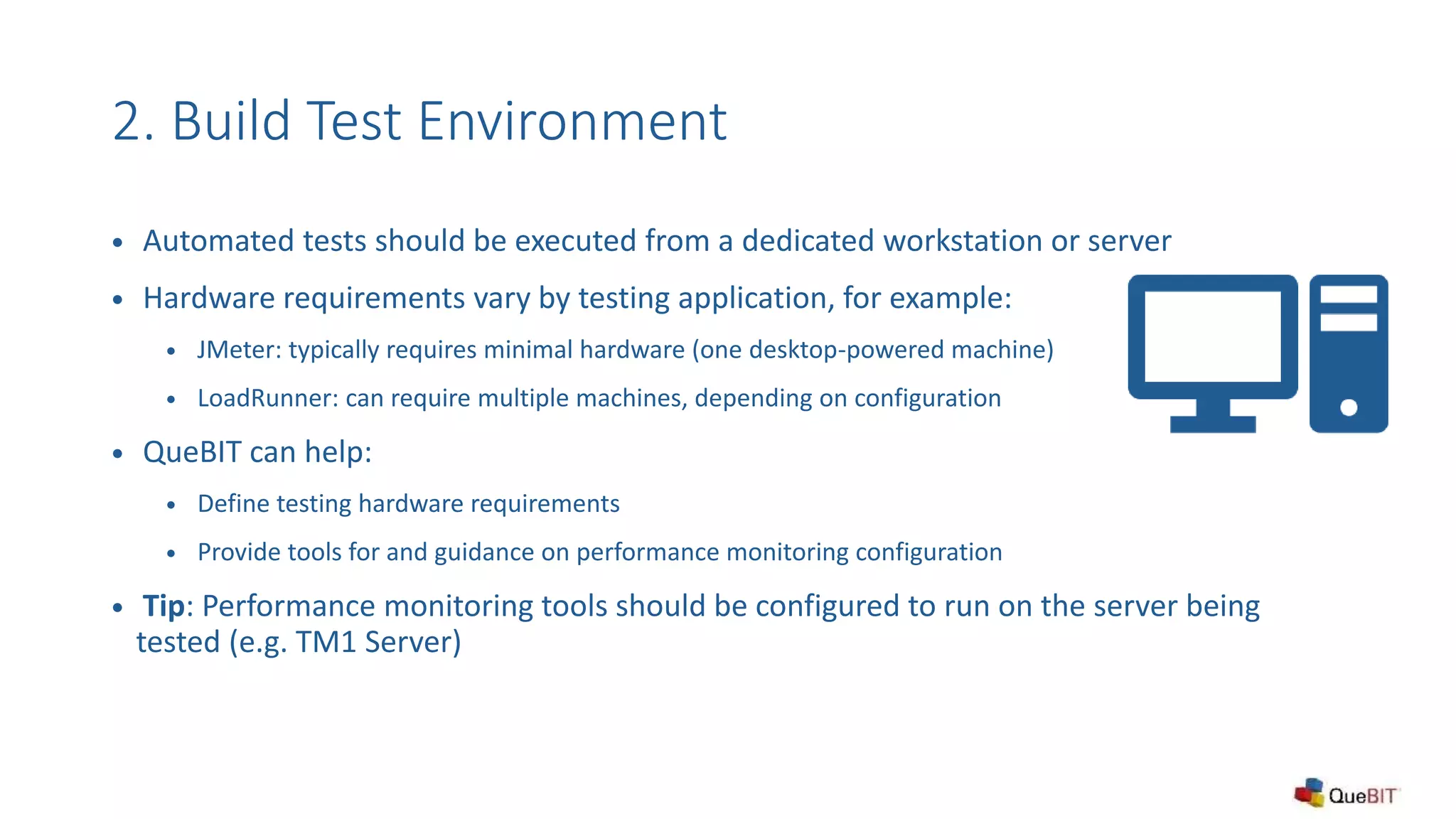
2. Build Test Environment
 Automated tests should be executed from a dedicated workstation or server
 Hardware requirements vary by testing application, for example:
 JMeter: typically requires minimal hardware (one desktop-powered machine)
 LoadRunner: can require multiple machines, depending on configuration
 QueBIT can help:
 Define testing hardware requirements
 Provide tools for and guidance on performance monitoring configuration
 Tip: Performance monitoring tools should be configured to run on the server being
tested (e.g. TM1 Server)
3. Build Test Scripts
 Steps vary by testing application, but typically include:
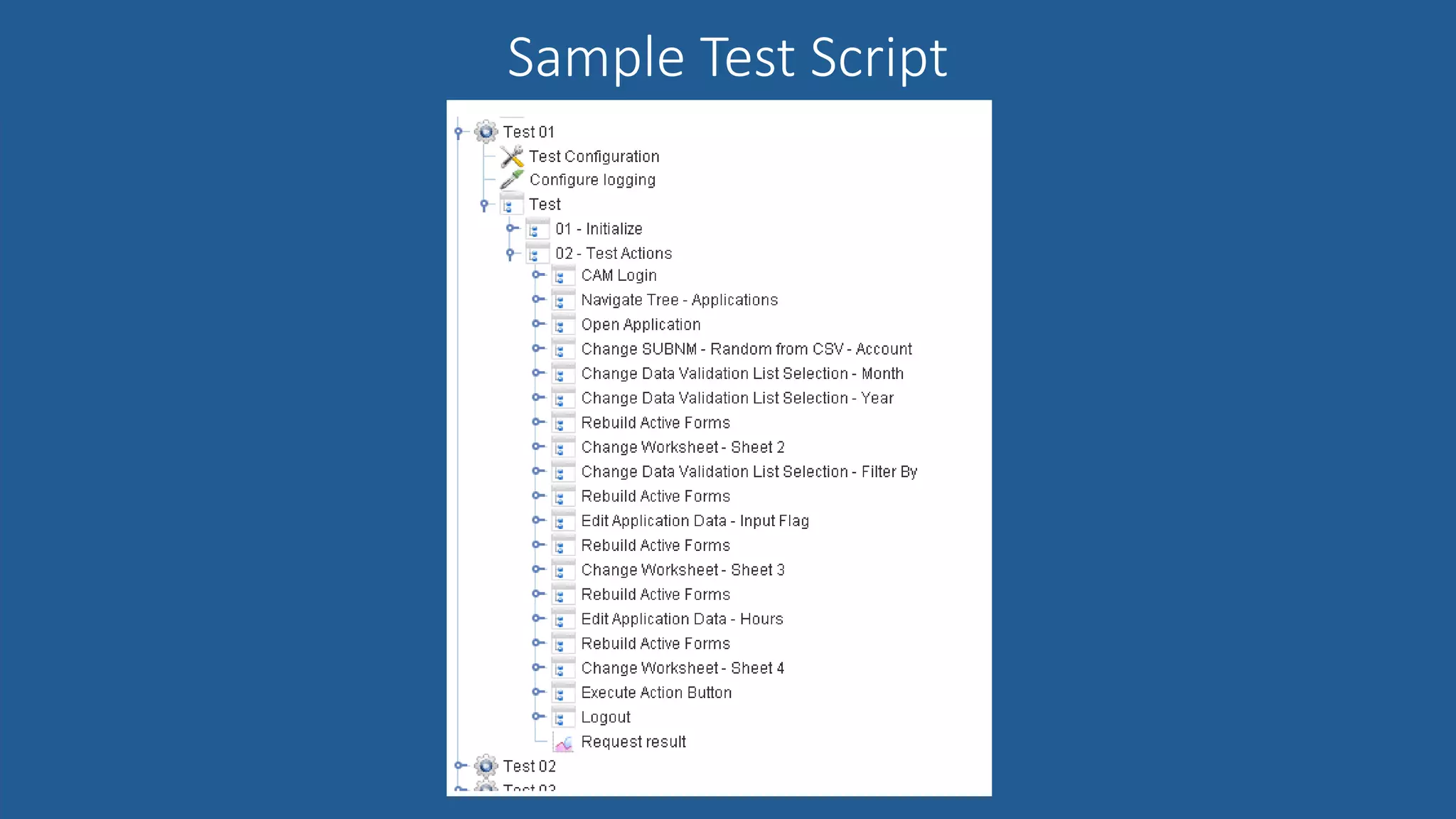
 Building out the individual test steps and overall test plans
 Building lists used to randomize element selections, user logins, etc.
 Ensuring logging off step success and logging results
 Scripting activation of related performance monitoring tools when tests begin
 QueBIT can help:
 Provide training, guidance and services needed to create test scripts
 Provide pre-built test components that can be reused for common actions, such as:
 Logging into an application
 Selecting/filtering data on a webpage
 Inputting data (both single value and data spreading)
 Web clicking actions, such as action buttons to run a TI process or navigate to another page
 Running a list of TI processes or chores with or without specific parameter values
Sample Test Script
INTRODUCTIONS & ROLES
4. Run Tests & Analyze Results
 Test results may include data from many sources which support test analytics:
 JMeter or LoadRunner test logs
 Performance Monitor
 Other logs, such as TM1TOP and message logs
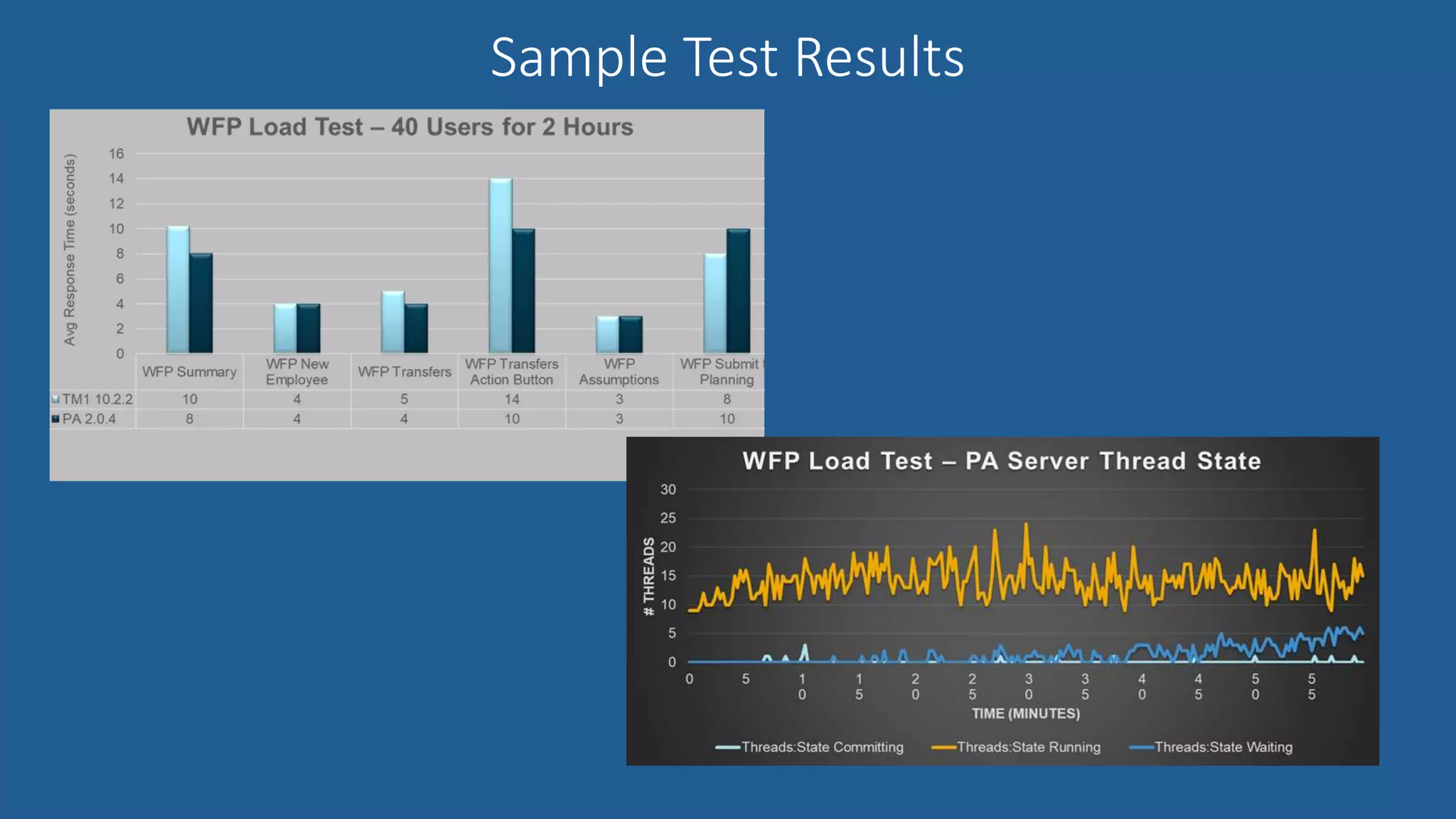
 Tip: Test results should be compared against prior test runs or benchmarks
 QueBIT can help:
 Help automate the aggregation and presentation of test results, for example in:
 Planning Analytics
 Cognos Analytics
 Excel and PowerPoint
Sample Test Results
INTRODUCTIONS & ROLES
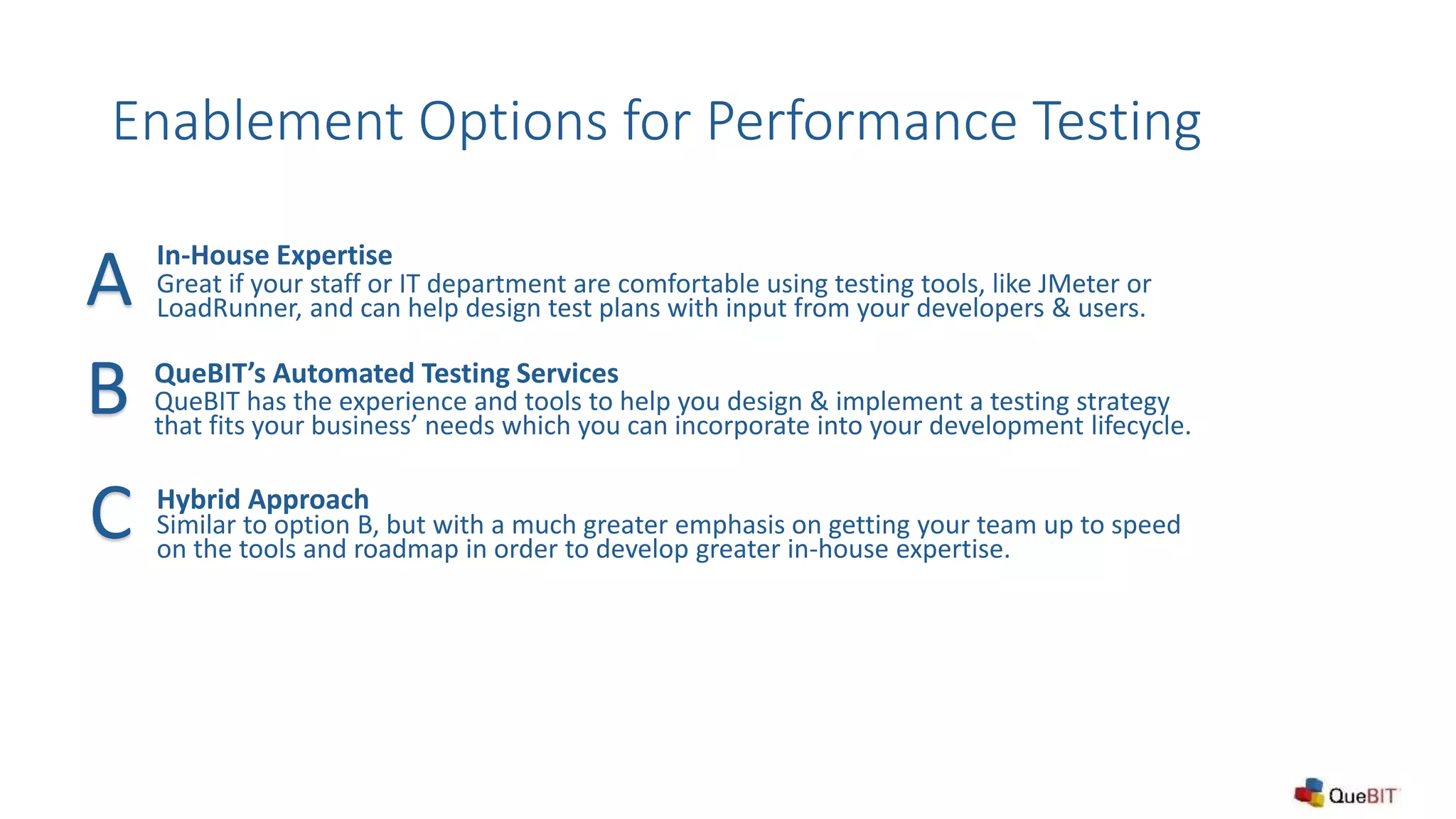
Enablement Options for Performance Testing
In-House Expertise
Great if your staff or IT department are comfortable using testing tools, like JMeter or
LoadRunner, and can help design test plans with input from your developers & users.
QueBIT’s Automated Testing Services
QueBIT has the experience and tools to help you design & implement a testing strategy
that fits your business’ needs which you can incorporate into your development lifecycle.
Hybrid Approach
Similar to option B, but with a much greater emphasis on getting your team up to speed
on the tools and roadmap in order to develop greater in-house expertise.
A
B
C
Visit our website for additional information: www.quebit.com
Or email us at info@quebit.com
THANK YOU!!
INTRODUCTIONS & ROLES
Questions Welcome!
Thanks for attending and have a wonderful day!

The Importance of Performance Testing Theory and Practice - QueBIT Consulting April 2018 Webinar

  • 1.
    The Importance ofPerformance Testing Theory and Practice
  • 2.
    Cyrus Rashedi Technology Manager crashedi@QueBIT.com SanFrancisco, CA Michael Cowie Director, Strategic Solutions mcowie@QueBIT.com Tuscaloosa, AL Introductions
  • 3.
    Welcome to ourWebinar! This webinar is being recorded. All attendees will receive the video link within 24-hours. Today’s webinar is part of a monthly advanced webinar series offered by QueBIT. Visit the QueBIT website and register for upcoming webinars today at www.QueBIT.com/news-events Next webinar May 10: Creating user experiences in CA that tell a story Miss a past webinar? No problem! Go to the Resources tab on the QueBIT website: www.QueBIT.com/who-we-are/video-catalog/ There will be a Q&A segment at the end of this presentation. Please type and submit all questions as they occur to you in the Questions Box located on the GoToWebinar toolbar. Follow-up sessions for questions and answers are available, if needed.
  • 4.
    About QueBIT  TrustedExperts in Analytics  15+ years in business with managers on the team who have been working in area of Analytics for 20+ years  Full Offerings – Advisory, Implementation & Support Services, Reseller of IBM Software and Developer of Solutions  900+ successful Analytics Projects  400+ analytics customers in all types of industries  100+ employees with HQ in New York  Building an experienced team from the ground up  Deep Expertise in Business Intelligence, Information Management, Financial Analytics, Advanced Analytics  2016 Worldwide Overall Business Analytics Partner Excellence Award
  • 5.
    A Typical DevelopmentLifecycle INTRODUCTIONS & ROLES START - User Feedback / New Requirements - Software / Hardware Upgrades Developers Update Application Application Testing & QA Sign-off, Migrate to Production Production “Go Live”
  • 6.
    Types of Testing INTRODUCTIONS& ROLES Stress: What’s the maximum user load the application can handle? Load: Does the application easily handle the expected user load? Integration: Do other systems or modules still work with my application? Regression: Does existing functionality still work correctly? Unit: Do I get the expected result?
  • 7.
    Insufficient Testing: Consequencesin Production INTRODUCTIONS & ROLES Bad Data: Incorrect Calculations/Totals Errors: Regression or New Bugs Security: Too much or Too Little Access
  • 8.
    Insufficient Testing: Consequencesin Production INTRODUCTIONS & ROLES Performance & Stability: Long Waits, “Crashes”, Users Can’t Do Their Job
  • 9.
    Not Enough Testers Liningup enough people to perform testing at production scale is extremely challenging Inconsistent or Incomplete Test Scripts Different testers may not follow the same scripts or test the application as thoroughly as we would like Not Enough Time We’re pressured to get changes in production and not enough time is planned for testing & remediation Why is good testing so hard to do? Lack of Performance Metrics Whether or not a test script produces the correct result is important, but so is tracking the performance of those test steps over time Difficult to Summarize Results Reporting on test results before sign-off is the goal, but pulling data from many users and sources can make this challenging
  • 10.
    The Solution: AutomatedTesting  There are tools to help automate the testing process, for instance:  Apache JMeter (Open Source): https://jmeter.apache.org/  Micro Focus (formerly HP) LoadRunner: https://software.microfocus.com/en- us/products/loadrunner-load-testing/overview  Compatible with Planning Analytics (PA/TM1) and Cognos Analytics (CA/BI)  Support all types of testing, but especially useful in Regression, Integration, Load, and Stress testing  Can help record test scripts, which can be copied, edited & reused  Can output detailed test metrics for test scripts, down to individual steps
  • 11.
    What can Itest with these tools? INTRODUCTIONS & ROLES Web Applications: Cognos Analytics, TM1 Web, Planning Analytics Workspace (PAW) Key Data Load Processes: Turbo Integrator Chores & Processes, Command Center Jobs Full, Realistic User Loads: Randomly select user logins, dimension elements, and more during tests Other PA/TM1: Simulate Perspectives/PAx reporting (data entry & spreading, view recalculation, etc.)
  • 12.
    Examples of testableapplication components Web Cognos BI 10.x a Cognos Analytics 11.x a Web PAW TI Proc & Chores Cube Browse & Updates WebWORQ ReportWORQ TM1 10.2.x a a a a a PA Local 2.0.x a a a a a a PA Cloud a a a a a a
  • 13.
    Roadmap to AutomatedTesting Develop Test Plans User interviews and written test script documentation. Agree on performance benchmarks and success criteria 1 Build Test Environment Test environment installation and configuration 2 Build Test Scripts Build out test scripts, as well as any logging of metrics to be gathered 3 Run Tests and Analyze Results Tests are run, results are collected, summarized, and measured against success criteria 4
  • 14.
    1. Develop TestPlans  Interview business users to help craft realistic test scripts and plans  Leverage existing UAT/QC testing documentation to support design and development  Define any variability/randomization needed during tests  Define the number of users/maximum load  Work with users and to admins to define success criteria, for example:  Maximum response times for specific actions  Maximum execution times for data load processes  Document & sign-off on those test plans and required assets  Tip: Begin with one module (typically the most business-critical one!)
  • 15.
    2. Build TestEnvironment  Automated tests should be executed from a dedicated workstation or server  Hardware requirements vary by testing application, for example:  JMeter: typically requires minimal hardware (one desktop-powered machine)  LoadRunner: can require multiple machines, depending on configuration  QueBIT can help:  Define testing hardware requirements  Provide tools for and guidance on performance monitoring configuration  Tip: Performance monitoring tools should be configured to run on the server being tested (e.g. TM1 Server)
  • 16.
    3. Build TestScripts  Steps vary by testing application, but typically include:  Building out the individual test steps and overall test plans  Building lists used to randomize element selections, user logins, etc.  Ensuring logging off step success and logging results  Scripting activation of related performance monitoring tools when tests begin  QueBIT can help:  Provide training, guidance and services needed to create test scripts  Provide pre-built test components that can be reused for common actions, such as:  Logging into an application  Selecting/filtering data on a webpage  Inputting data (both single value and data spreading)  Web clicking actions, such as action buttons to run a TI process or navigate to another page  Running a list of TI processes or chores with or without specific parameter values
  • 17.
  • 18.
    4. Run Tests& Analyze Results  Test results may include data from many sources which support test analytics:  JMeter or LoadRunner test logs  Performance Monitor  Other logs, such as TM1TOP and message logs  Tip: Test results should be compared against prior test runs or benchmarks  QueBIT can help:  Help automate the aggregation and presentation of test results, for example in:  Planning Analytics  Cognos Analytics  Excel and PowerPoint
  • 19.
  • 20.
    Enablement Options forPerformance Testing In-House Expertise Great if your staff or IT department are comfortable using testing tools, like JMeter or LoadRunner, and can help design test plans with input from your developers & users. QueBIT’s Automated Testing Services QueBIT has the experience and tools to help you design & implement a testing strategy that fits your business’ needs which you can incorporate into your development lifecycle. Hybrid Approach Similar to option B, but with a much greater emphasis on getting your team up to speed on the tools and roadmap in order to develop greater in-house expertise. A B C
  • 21.
    Visit our websitefor additional information: www.quebit.com Or email us at info@quebit.com THANK YOU!! INTRODUCTIONS & ROLES Questions Welcome! Thanks for attending and have a wonderful day!