
Download to read offline
![SIProp Project, 2006-2019 3
Enable Windows Subsystem for Linux 1/4
Click [Apps] in Windows Settings](https://image.slidesharecdn.com/qutipsetup-191106102037/75/The-easiest-way-of-setup-QuTiP-on-Windows-3-2048.jpg)
![SIProp Project, 2006-2019 4
Enable Windows Subsystem for Linux 2/4
Click [Programs and Features] in Apps &
features Pane](https://image.slidesharecdn.com/qutipsetup-191106102037/75/The-easiest-way-of-setup-QuTiP-on-Windows-4-2048.jpg)
![SIProp Project, 2006-2019 5
Enable Windows Subsystem for Linux 3/4
Click [Turn Windows features on or off] in left Pane](https://image.slidesharecdn.com/qutipsetup-191106102037/75/The-easiest-way-of-setup-QuTiP-on-Windows-5-2048.jpg)
![SIProp Project, 2006-2019 6
Enable Windows Subsystem for Linux 4/4
Check [Windows Subsystem for Linux]
Click [OK]
Reboot Windows](https://image.slidesharecdn.com/qutipsetup-191106102037/75/The-easiest-way-of-setup-QuTiP-on-Windows-6-2048.jpg)
![SIProp Project, 2006-2019 7
Setup Ubuntu18.04LTS on WSL 1/2
Run [Microsoft Store]
Input [Linux] in Search
Click [Ubuntu18.04LTS] icon](https://image.slidesharecdn.com/qutipsetup-191106102037/75/The-easiest-way-of-setup-QuTiP-on-Windows-7-2048.jpg)
![SIProp Project, 2006-2019 8
Setup Ubuntu18.04LTS on WSL 2/2
Click [Get]
Download & Install Ubuntu18.04LTS on Your
Windows](https://image.slidesharecdn.com/qutipsetup-191106102037/75/The-easiest-way-of-setup-QuTiP-on-Windows-8-2048.jpg)
![SIProp Project, 2006-2019 9
First Run Setup
Copy Ubuntu18.04LTS’s Files on Your System
Input [Your User ID]
Input [Your Passward]](https://image.slidesharecdn.com/qutipsetup-191106102037/75/The-easiest-way-of-setup-QuTiP-on-Windows-9-2048.jpg)
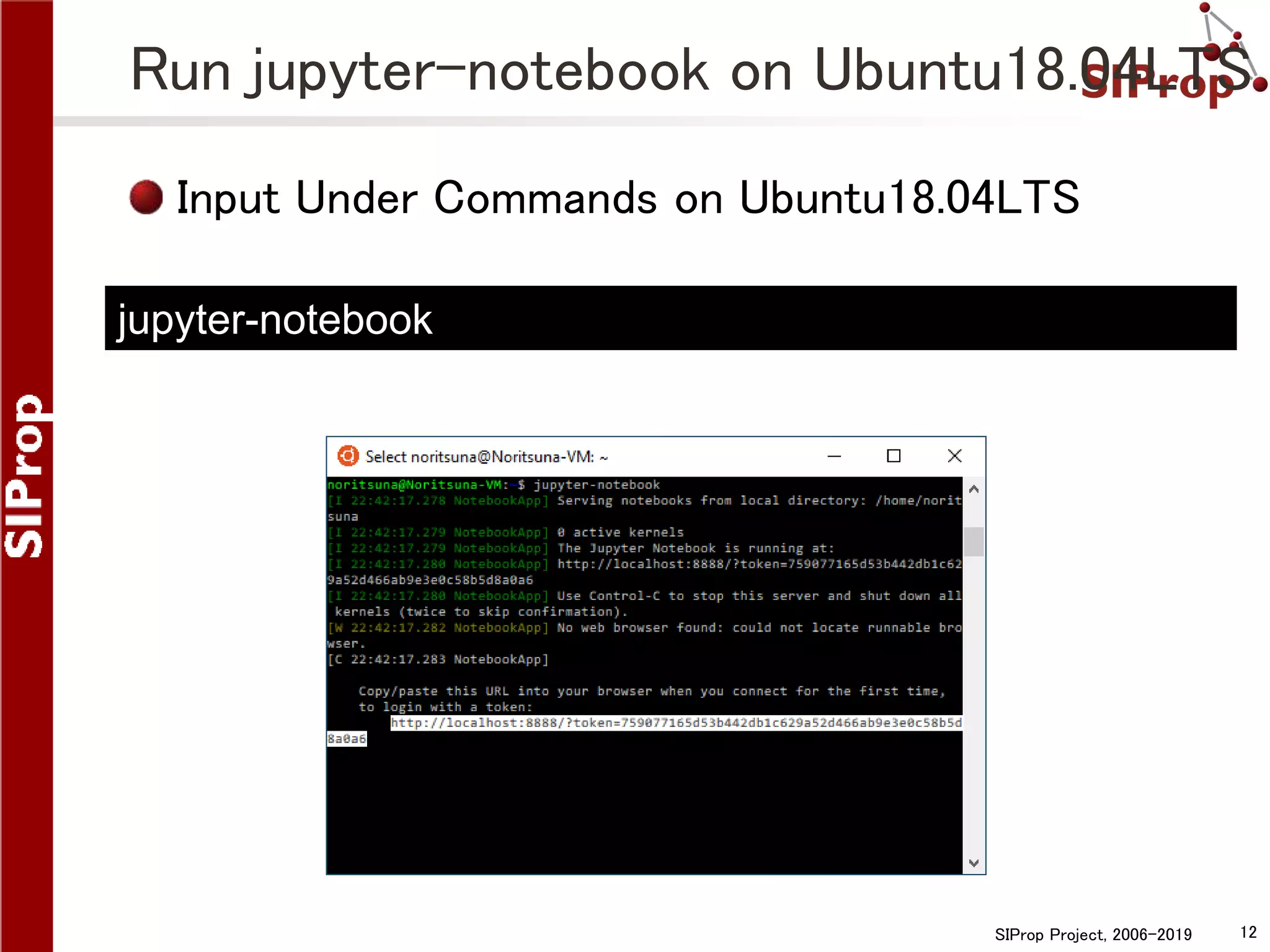
![SIProp Project, 2006-2019 13
Run jupyter-notebook on Windows
Run a Browser on Windows
Copy [http://localhost:8888/?token=xxx] from
Ubuntu18.04LTS
Paste the Browser’s URL Bar](https://image.slidesharecdn.com/qutipsetup-191106102037/75/The-easiest-way-of-setup-QuTiP-on-Windows-13-2048.jpg)
![SIProp Project, 2006-2019 14
Change to Quick Edit Mode
If you can’t copy URL on Ubuntu18.04LTS,
please change Ubuntu18.04LTS’s property.
Click Ubuntu18.04LTS’s Menu Bar
Click [properties]
Check [Quick Edit Mode]](https://image.slidesharecdn.com/qutipsetup-191106102037/75/The-easiest-way-of-setup-QuTiP-on-Windows-14-2048.jpg)
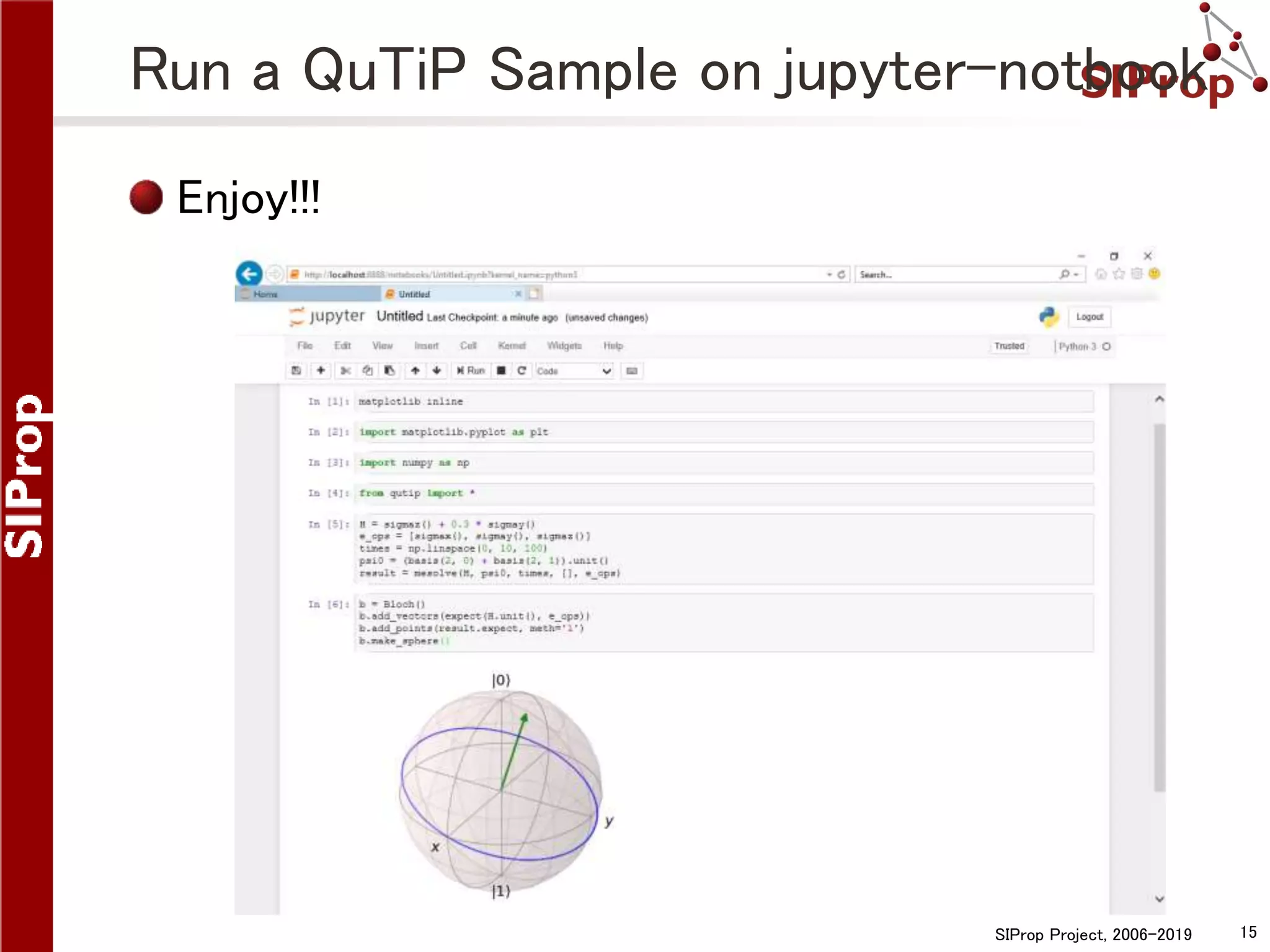
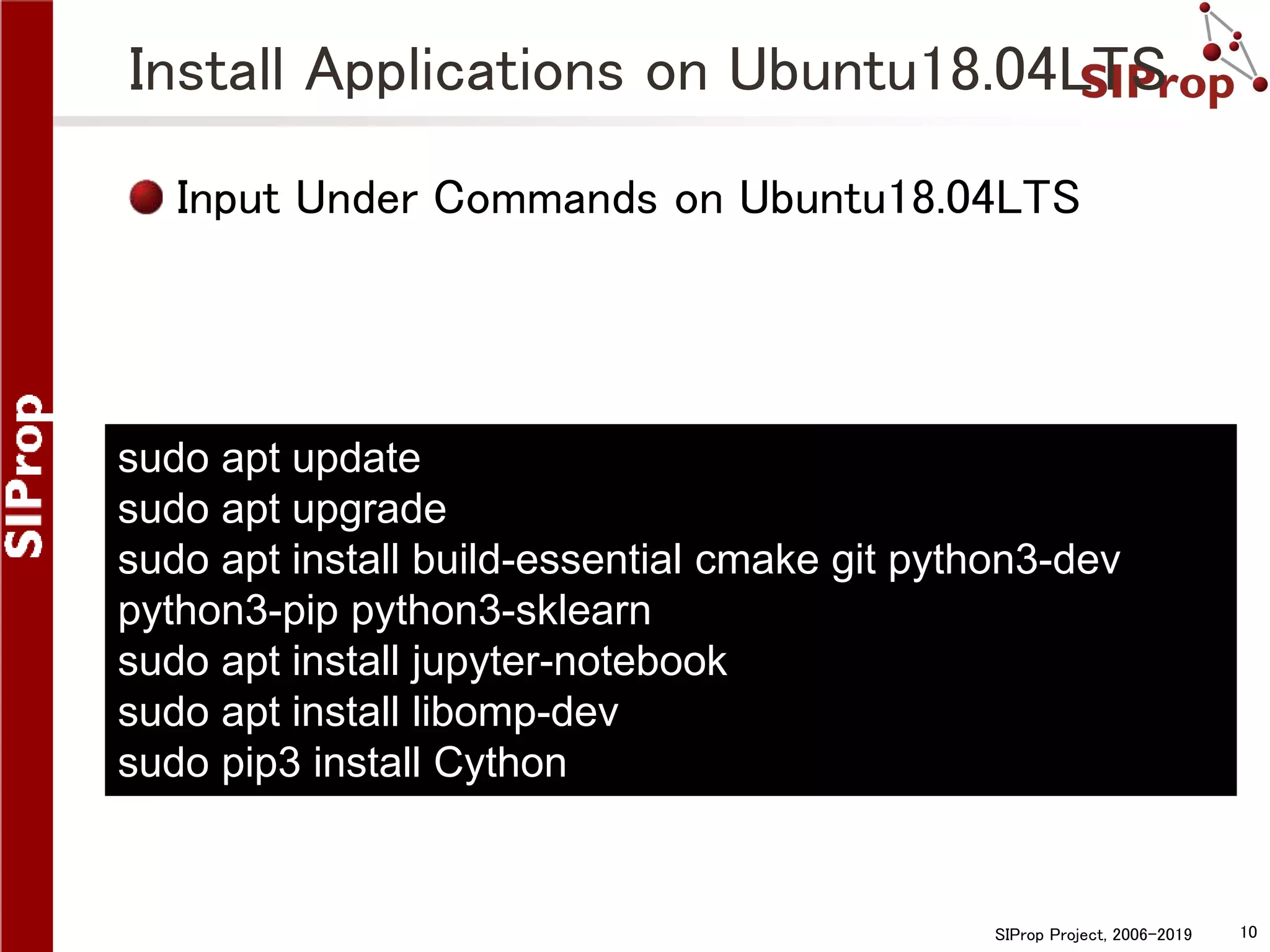
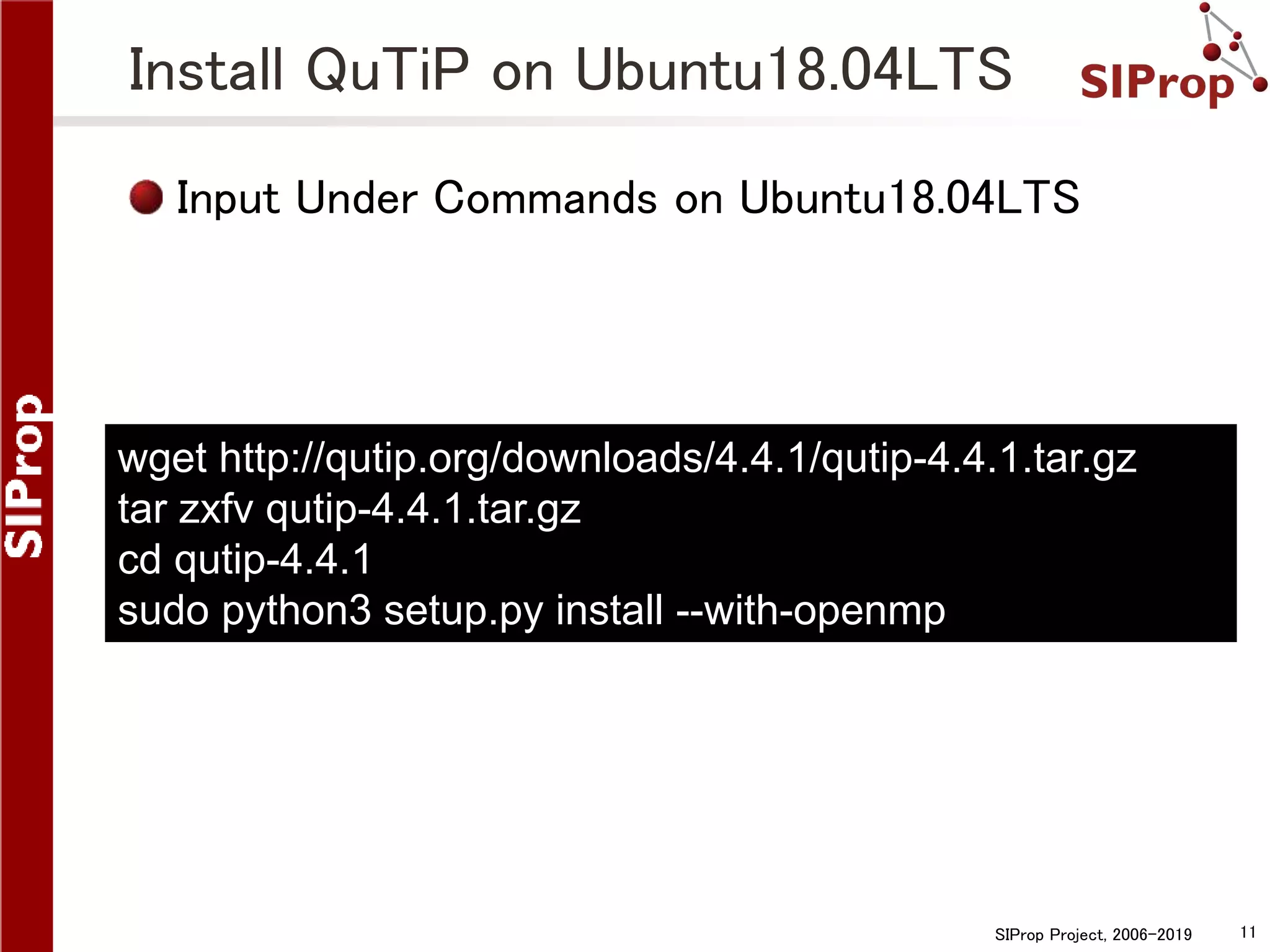
This document provides instructions for setting up QuTiP, a quantum toolkit in Python, on Windows by using the Windows Subsystem for Linux (WSL) to run Ubuntu 18.04 LTS. It describes how to enable WSL, install Ubuntu 18.04 LTS, install necessary applications like Jupyter Notebook and QuTiP on the Ubuntu subsystem, and run a QuTiP sample notebook through the browser on Windows.


