The Art of Sitecore
Upgrades
Ruud van Falier
Co-founder & Senior Consultant @ ParTech
Sitecore MVP 2013-2017
2
Who am I?
Ruud van Falier
Co-founder ParTech (2011)
Sitecore MVP (2013 – 2017)
E-mail: ruud@partech.nl
Twitter: @BrruuD
3
• What is a Sitecore upgrade?
• Upgrade methods
• Express MigrationTool
• Upgrade considerations
Overview
What is a Sitecore
upgrade?
5
When a new Sitecore version is released, it means Sitecore has (potentially)
modified (added/modified/removed):
• Files (binaries, server-side scripts, client-side scripts, config files)
• Database schema and data
• Items (templates, system items)
Applying these changes to your existing Sitecore implementation is what
we consider to be a Sitecore Upgrade.
What is a Sitecore upgrade?
Upgrade methods
7
There are several methods for upgrading Sitecore to a newer version:
1. Incremental upgrade using Update Packages
2. Migrating content to a clean Sitecore instance (using the latest version)
3. Using the Express MigrationTool
Upgrade methods
8
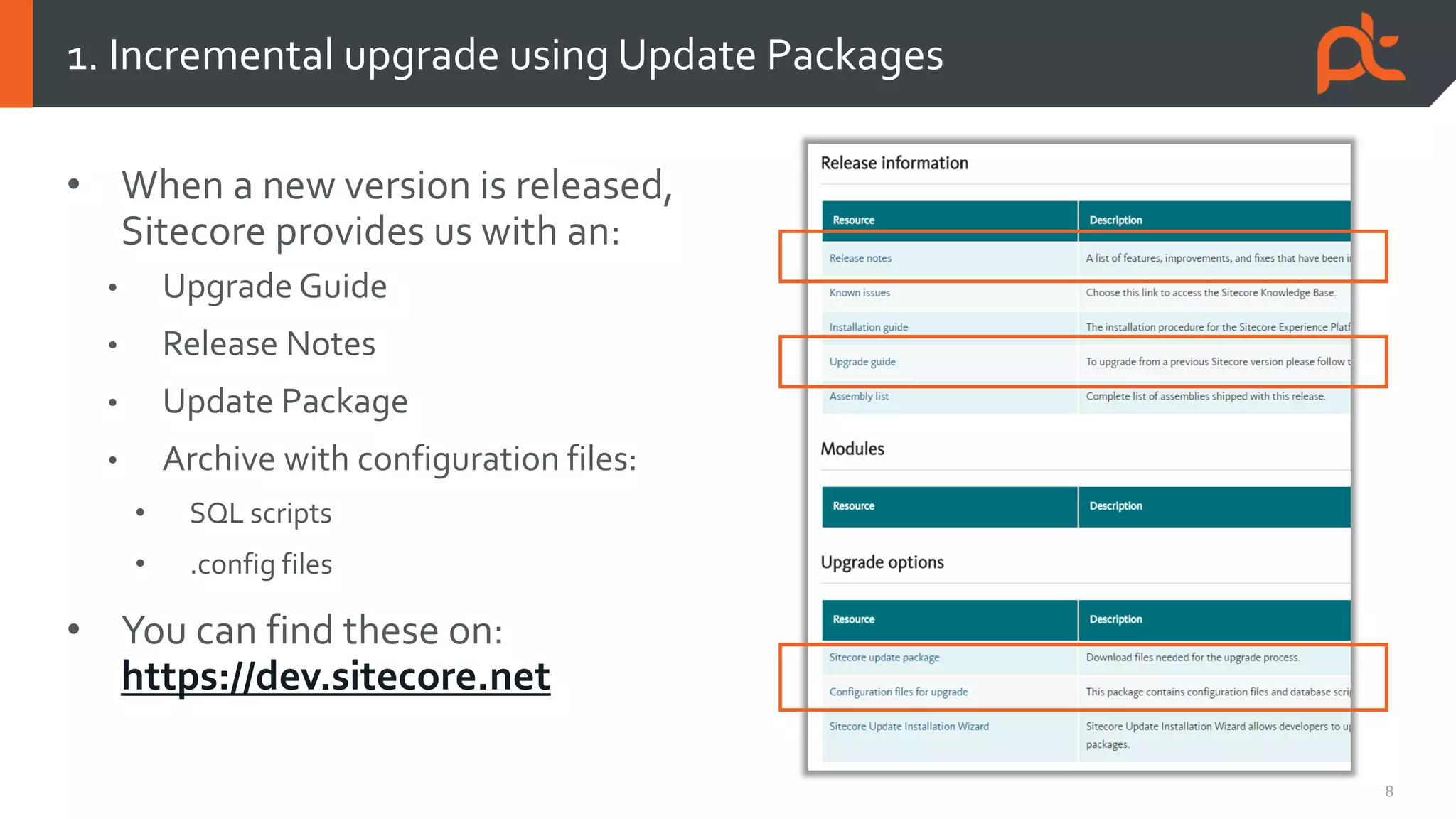
• When a new version is released,
Sitecore provides us with an:
• Upgrade Guide
• Release Notes
• Update Package
• Archive with configuration files:
• SQL scripts
• .config files
• You can find these on:
https://dev.sitecore.net
1. Incremental upgrade using Update Packages
9
• Update Package
• Contains added and updated files & items, a record of removed files & items and
post-install logic
• Rename the .update file to .zip to examine its contents
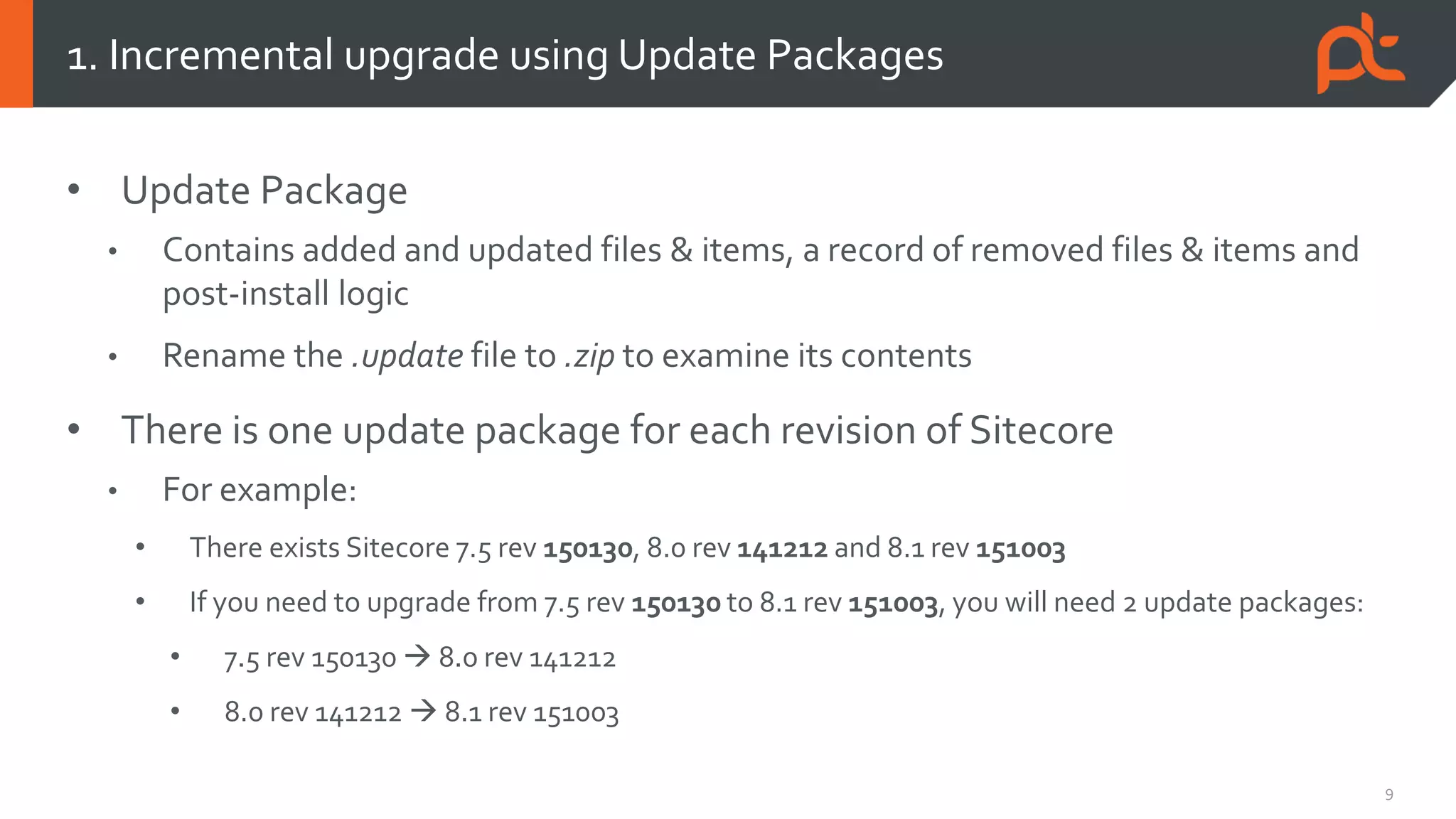
• There is one update package for each revision of Sitecore
• For example:
• There exists Sitecore 7.5 rev 150130, 8.0 rev 141212 and 8.1 rev 151003
• If you need to upgrade from 7.5 rev 150130 to 8.1 rev 151003, you will need 2 update packages:
• 7.5 rev 150130  8.0 rev 141212
• 8.0 rev 141212  8.1 rev 151003
1. Incremental upgrade using Update Packages
10
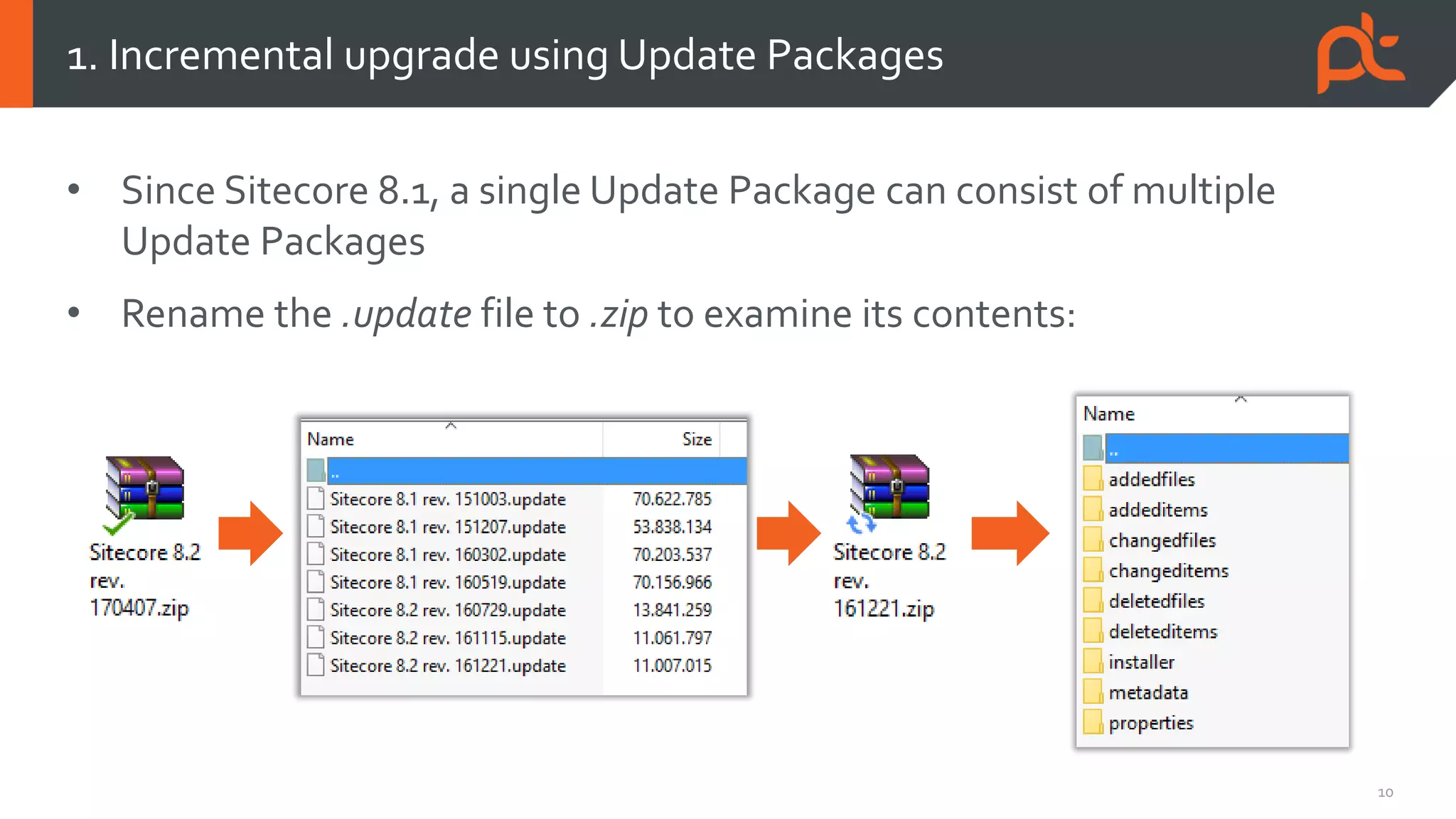
• Since Sitecore 8.1, a single Update Package can consist of multiple
Update Packages
• Rename the .update file to .zip to examine its contents:
1. Incremental upgrade using Update Packages
11
• Steps for an incremental upgrade (in general):
1. Read the Upgrade Guide
This is crucial as the upgrade guide tells you about the prerequisites and what steps are
specific to your version. Each version may have different steps!
2. Run pre-install SQL scripts (see Upgrade Guide if this applies to your version)
3. Update the Update Installation Wizard tool (again, see Upgrade Guide whether this step
applies to your version)
This is done by installing a Sitecore Package.
4. Install the Update Package using the Update InstallationWizard, found at
http://<hostname>/sitecore/admin/UpdateInstallationWizard.aspx
(…continued on next slide)
5. Run post-install SQL scripts (if this applies to your version)
1. Incremental upgrade using Update Packages
12
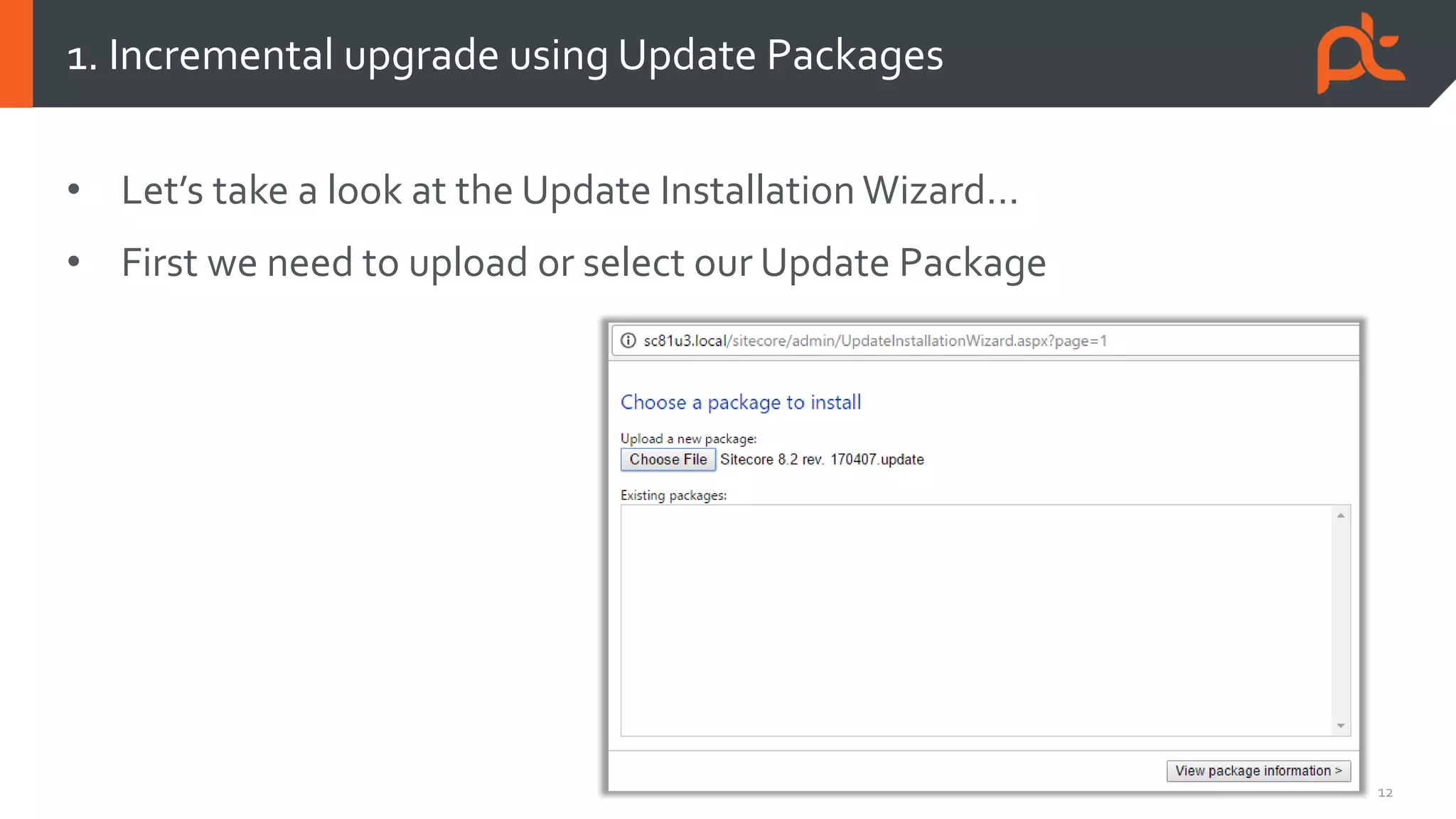
• Let’s take a look at the Update Installation Wizard…
• First we need to upload or select our Update Package
1. Incremental upgrade using Update Packages
13
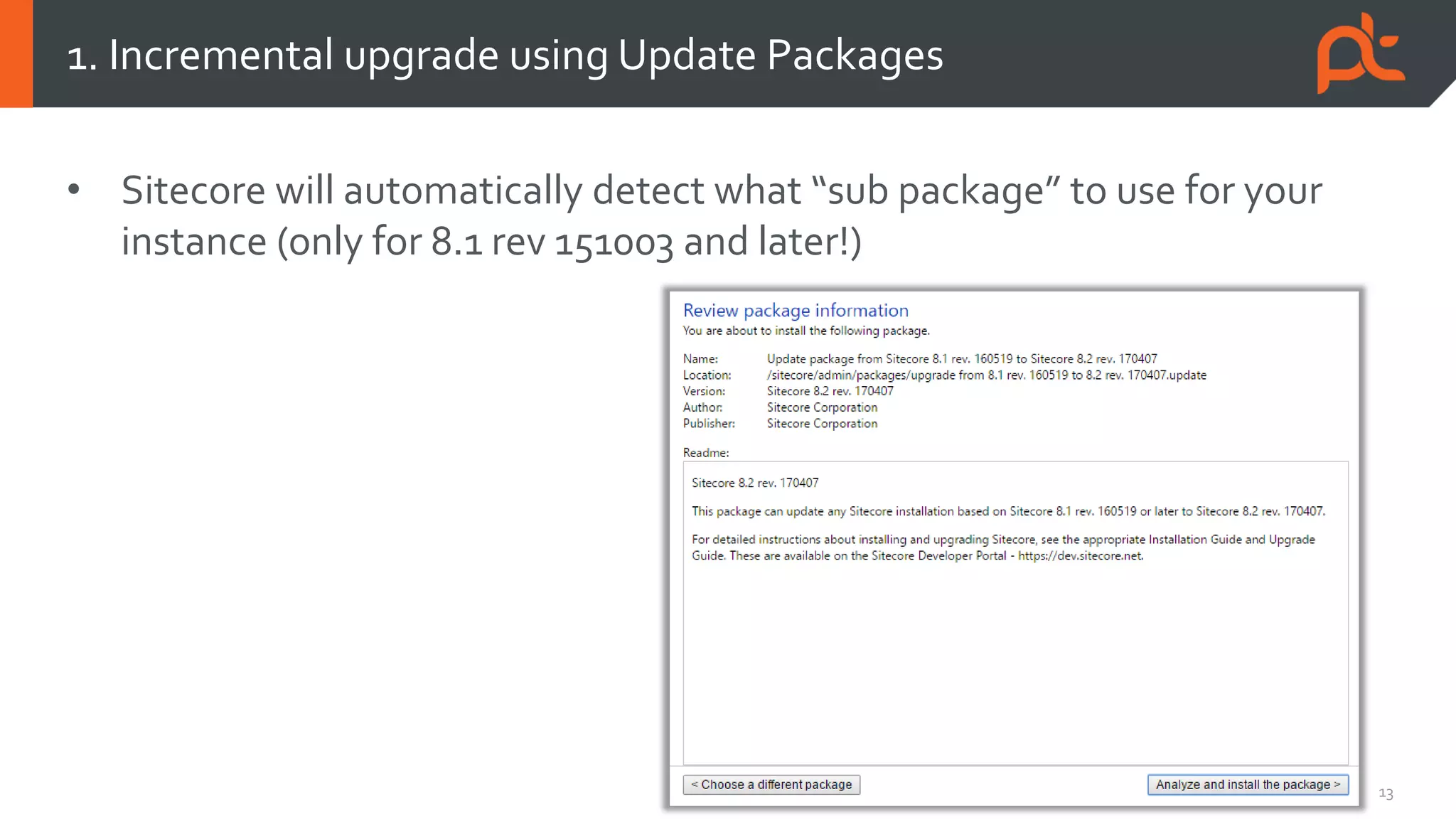
• Sitecore will automatically detect what “sub package” to use for your
instance (only for 8.1 rev 151003 and later!)
1. Incremental upgrade using Update Packages
14
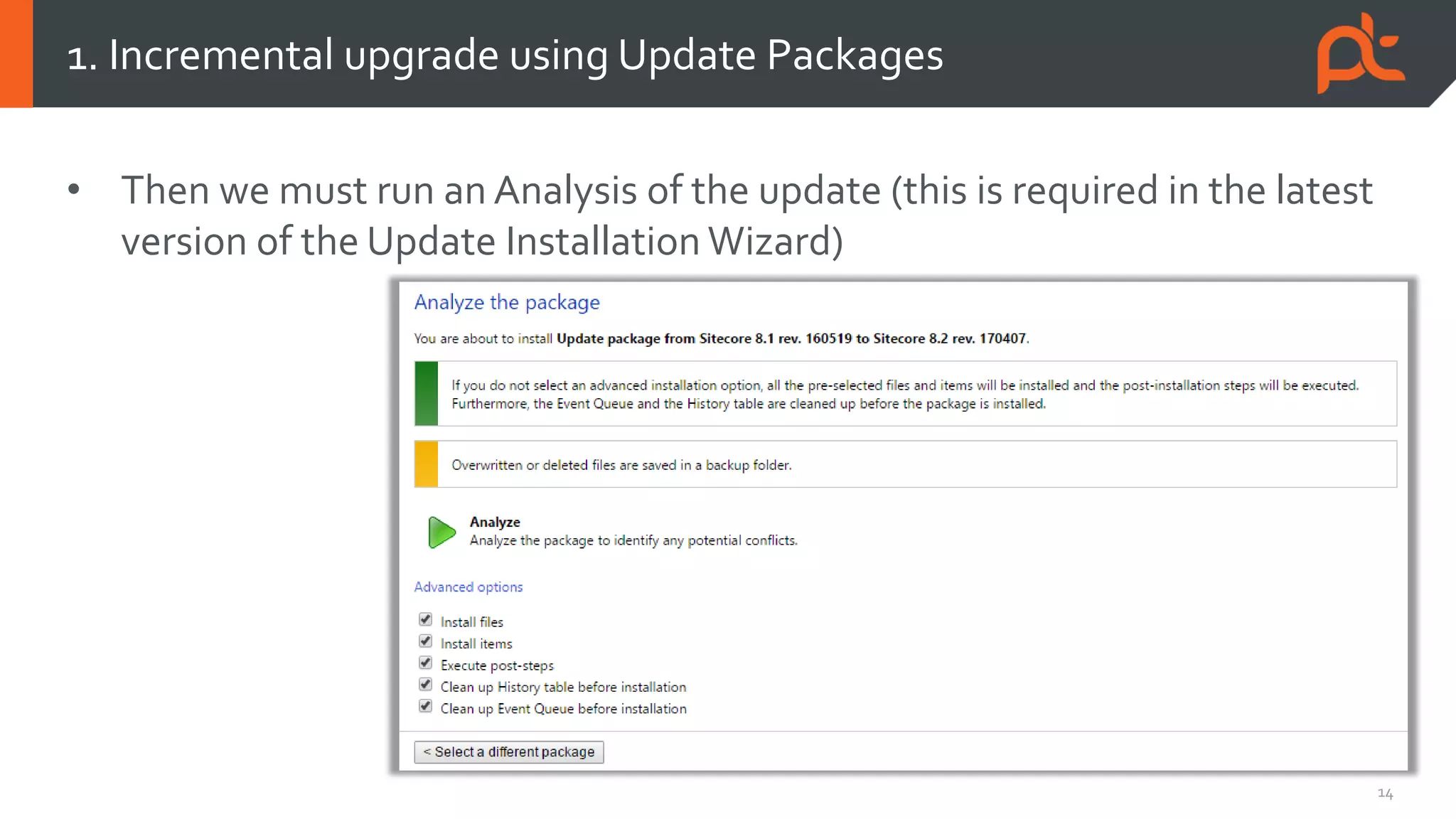
• Then we must run an Analysis of the update (this is required in the latest
version of the Update Installation Wizard)
1. Incremental upgrade using Update Packages
15
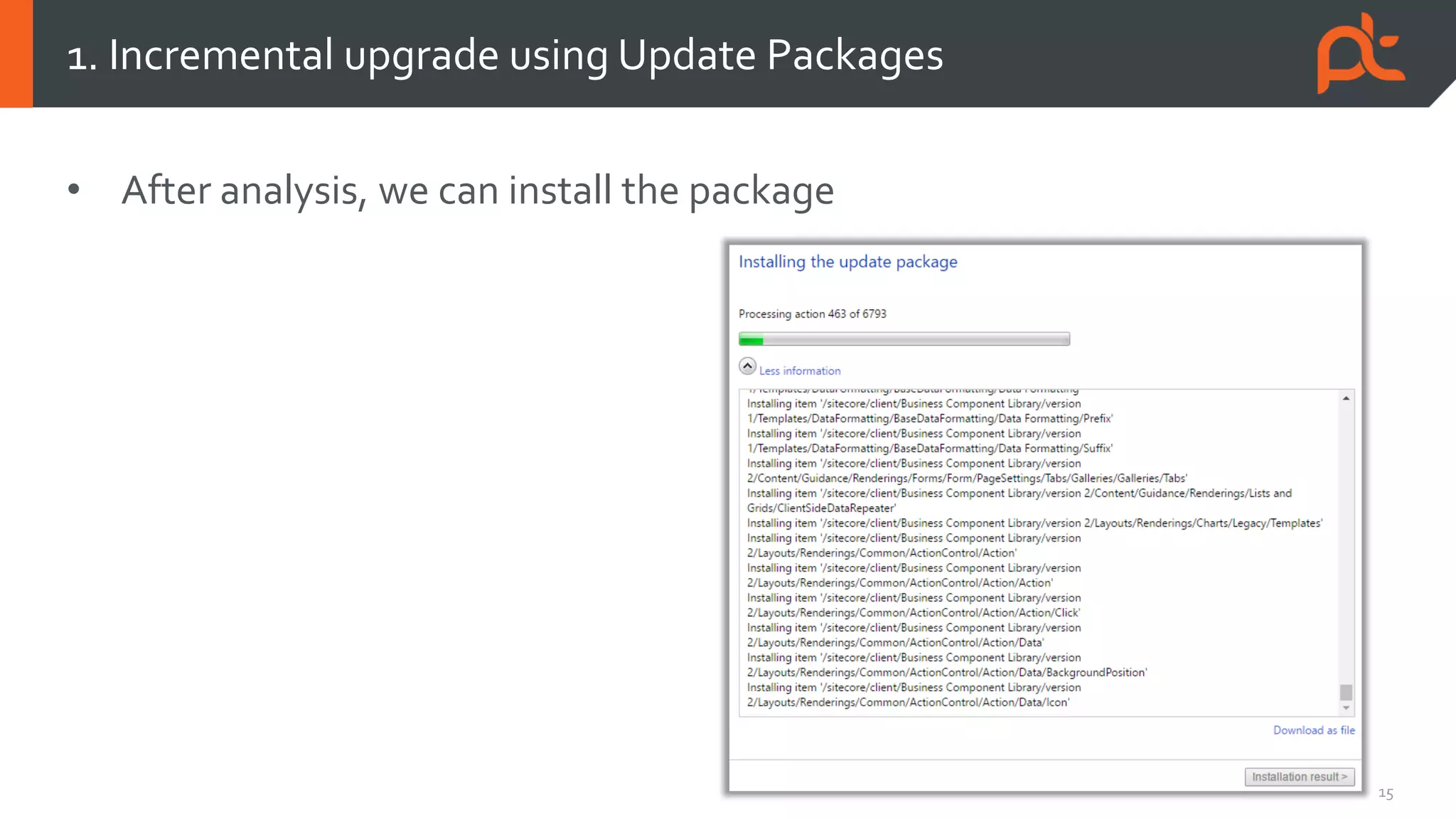
• After analysis, we can install the package
1. Incremental upgrade using Update Packages
16
• Configuration changes are largely applied automatically by the Update
Installation Wizard
• You may need to apply some manual changes (web.config changes for
example), which will be listed in Configuration files for update and
mentioned in the Upgrade Guide
• Upgrades will be less painful if you never modify any of the standard
Sitecore configuration (.config) files during development
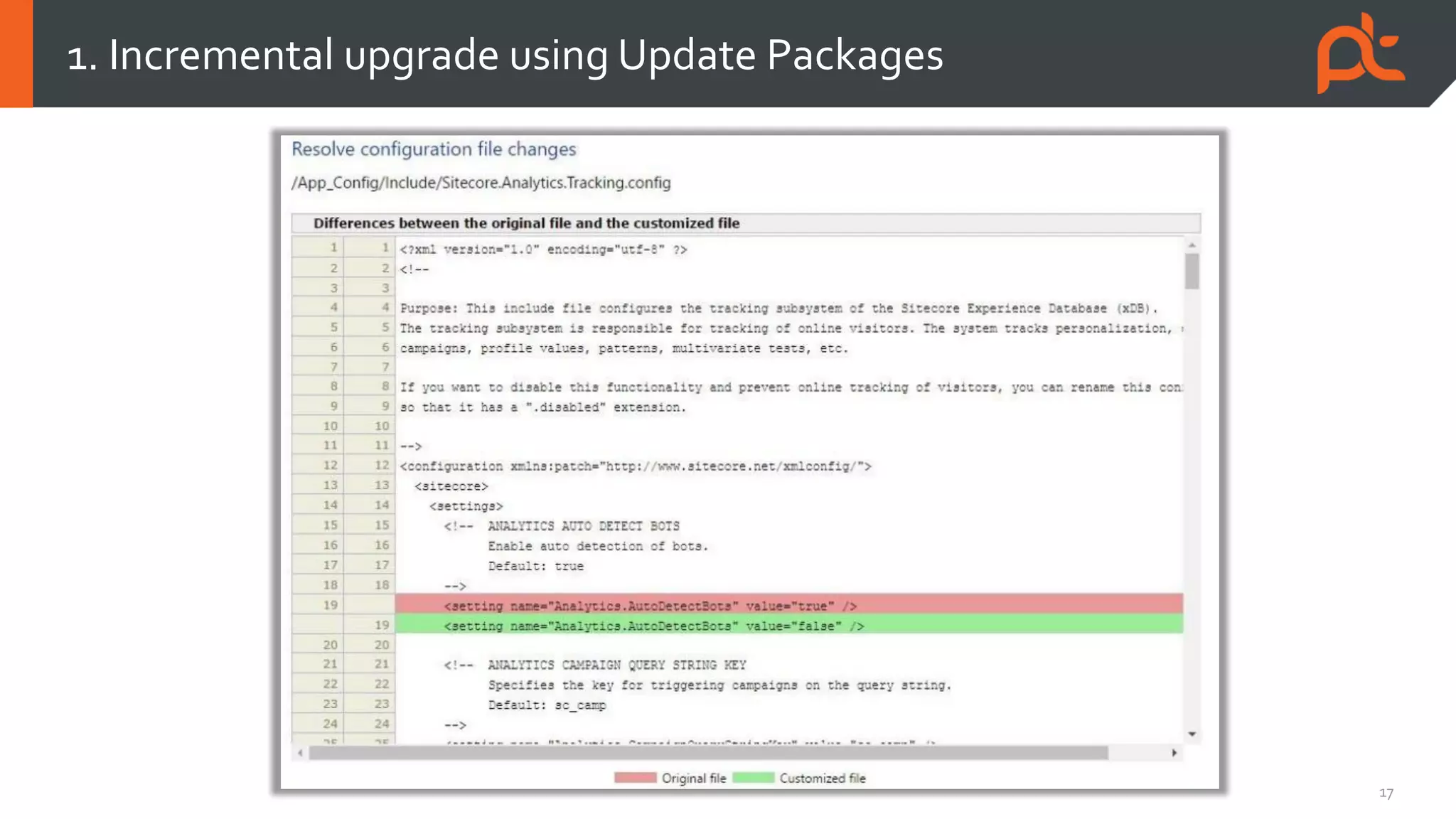
• However, the latest Update Installation Wizard offers a merge tool that allows you
to resolve conflicts due to modified configuration
1. Incremental upgrade using Update Packages
17
1. Incremental upgrade using Update Packages
18
• I find that it’s less prone to errors when you let the Update Installation
Wizard only install items and not files.
• You can easily take the files from the ZIP archive of the Sitecore root of
the target version and copy them to your Sitecore instance root,
replacing all the old, standard Sitecore files and adding new ones.
• You do have to consider that files may have been removed entirely in the target
version. Use a tool like WinMerge to determine if you need to remove any files.
• The latest version of the Update InstallationWizard allows you to choose
whether files must be installed. For older versions, you can manually
modify the update packages and remove the files from them.
1. Incremental upgrade using Update Packages
19
• You take a clean Sitecore instance of the latest version, package all your
custom content items (and files) from your old instance and install them
into the new instance
• This method is usually a lot faster than installing incremental update
packages (especially when upgrading from <8.1)
• However, it is not a recommended method for upgrading.
• The regular upgrade process may include database schema changes and updates
to existing, custom content items.
If you skip these steps there will be side effects!
• You may not get support from Sitecore
2. Migrating content to a clean Sitecore instance
Express Migration
Tool
21
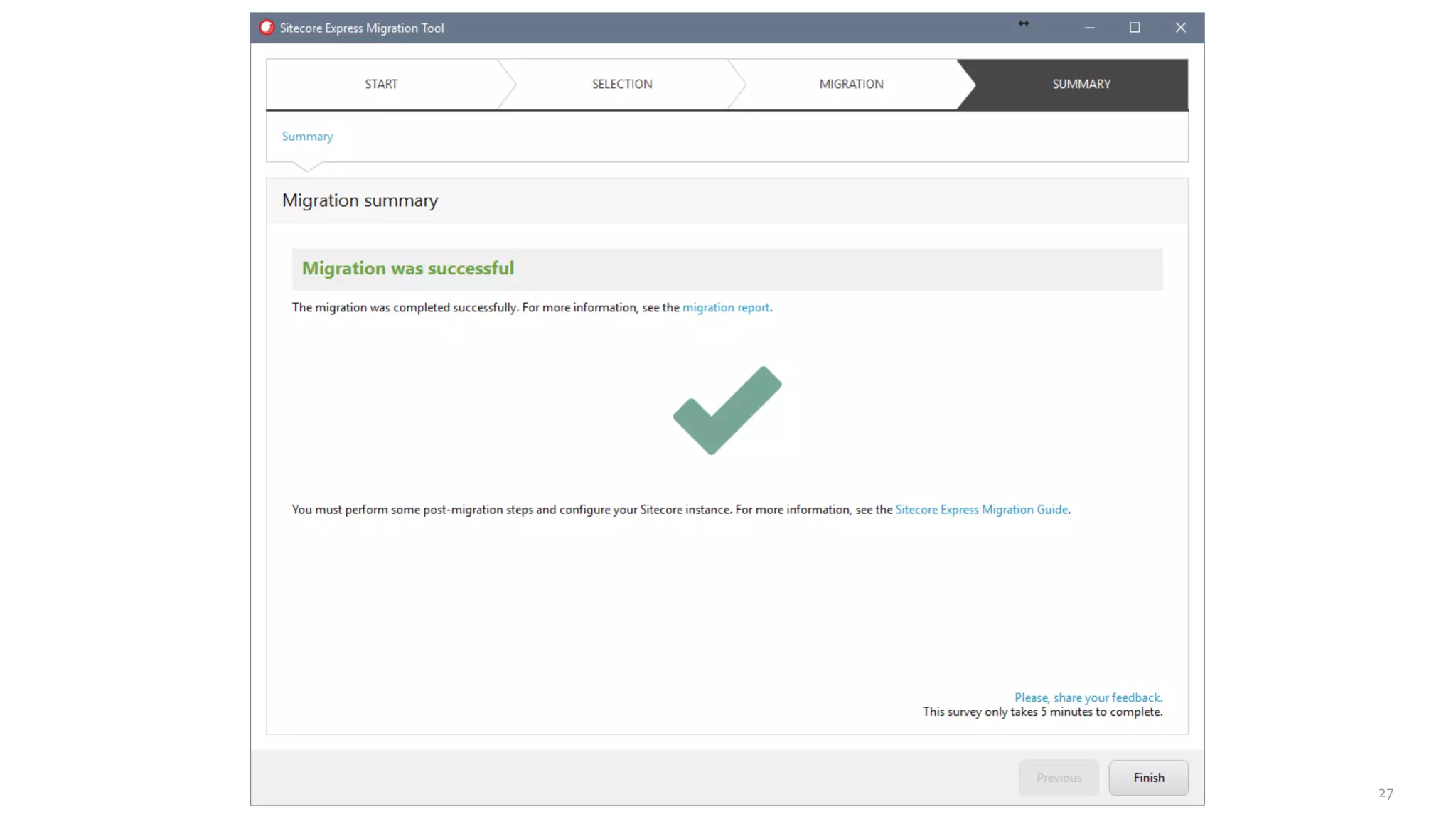
• Upgrading from 6.6 or 7.2 to the latest version involves a large number
of incremental updates
• This makes these upgrades very time consuming and complex
• Sitecore has introduced the Express MigrationTool to help with this
process
• This tool is aWindows Executable that you run locally
Express MigrationTool
22
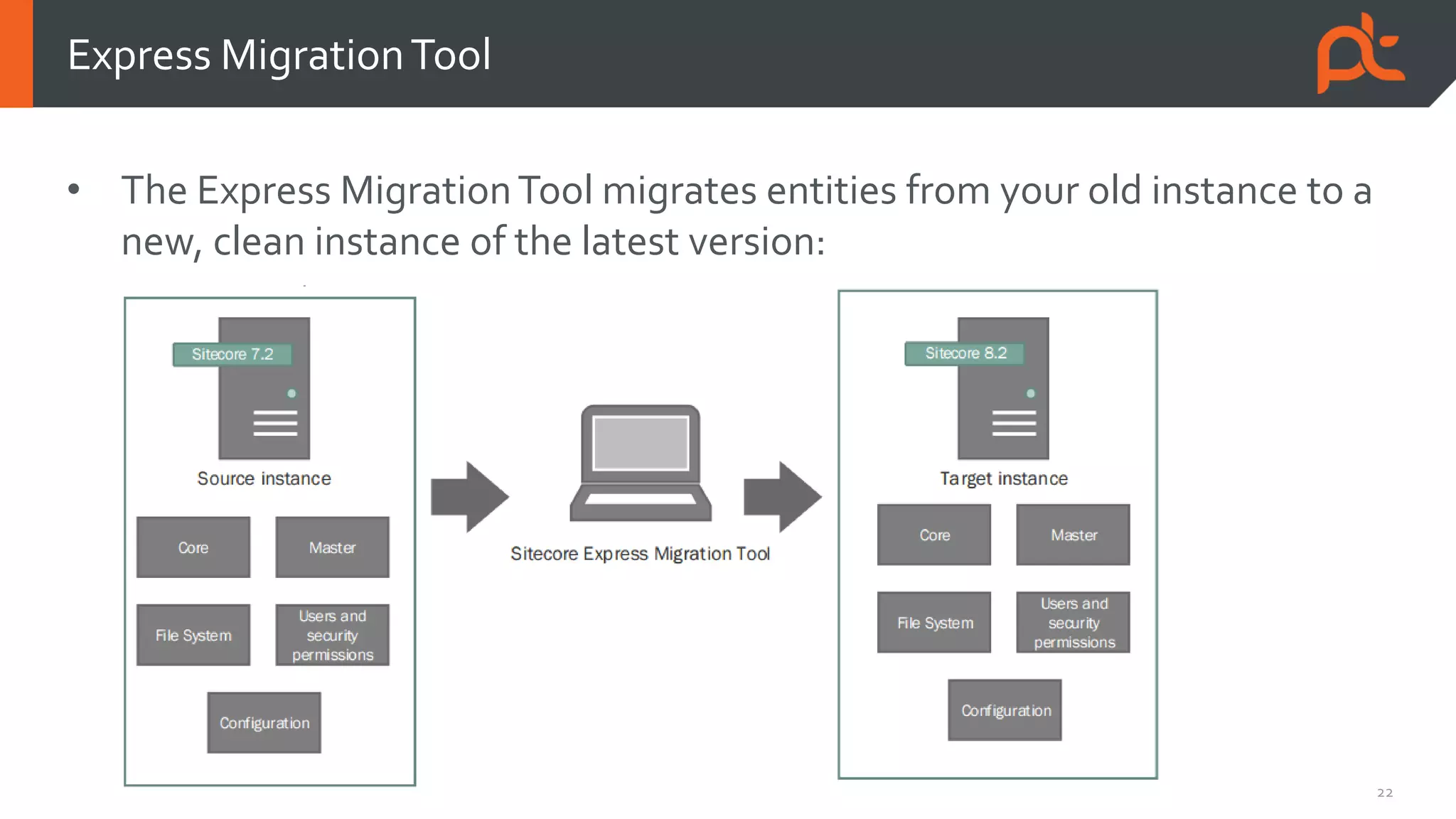
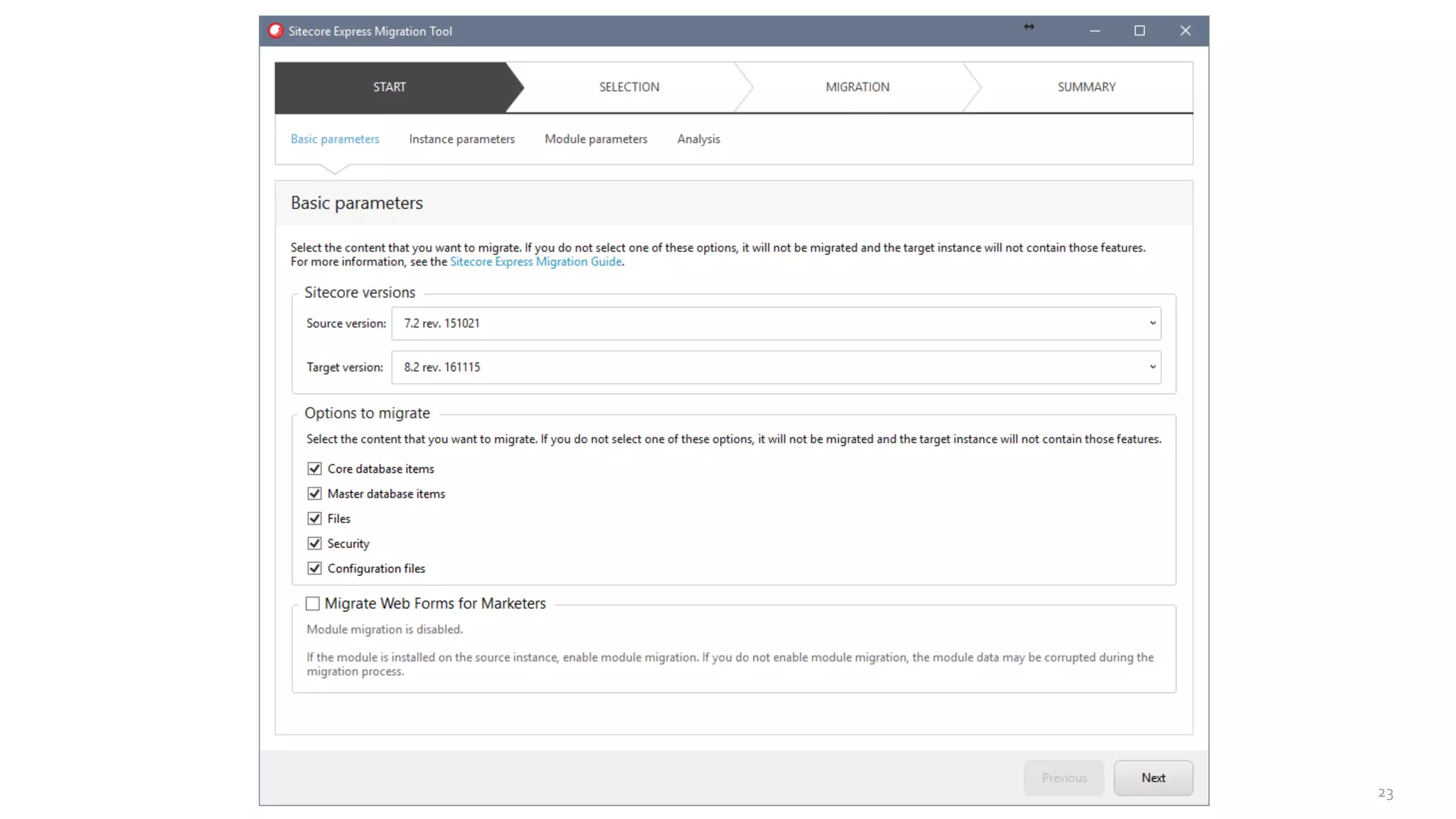
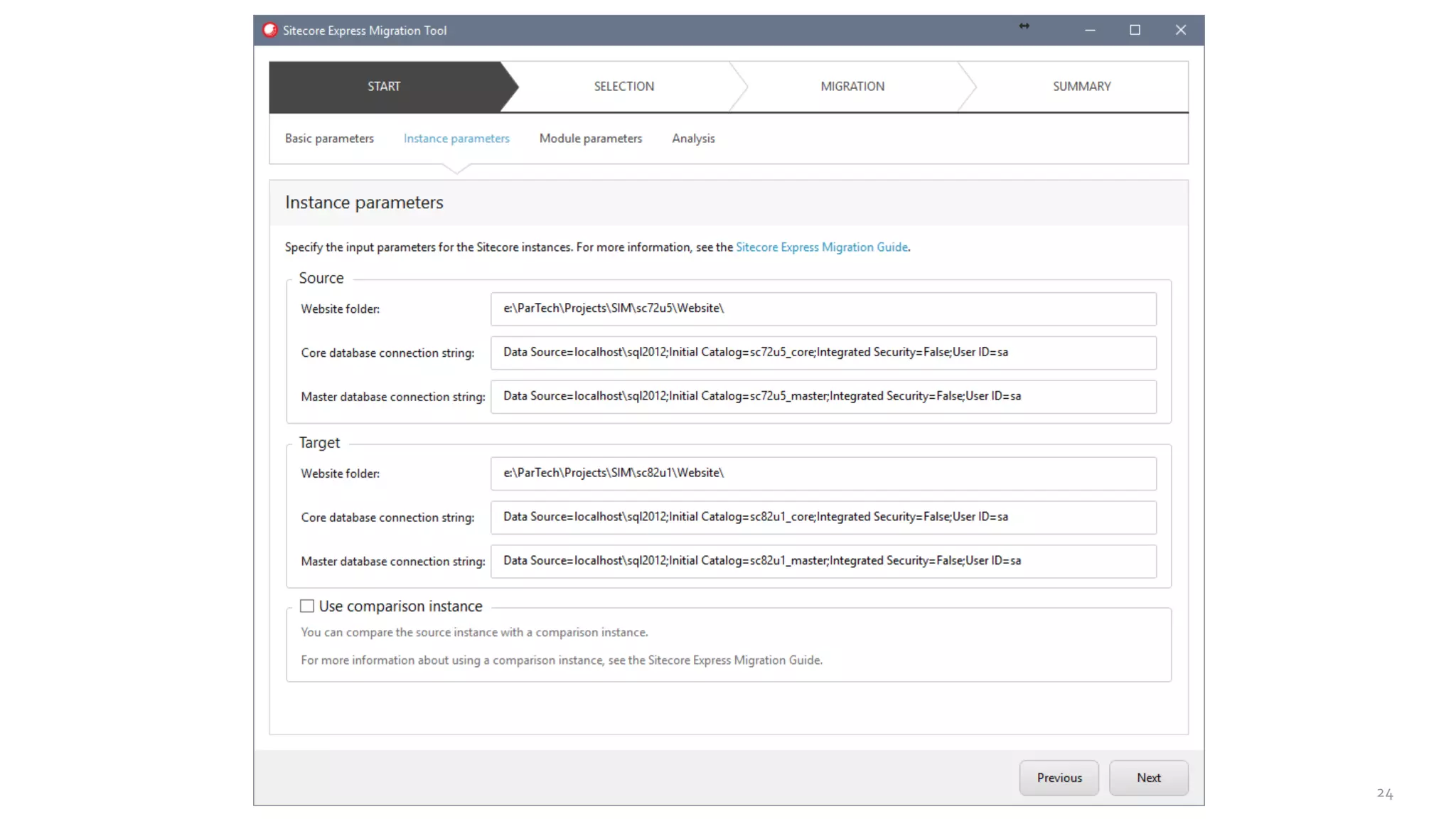
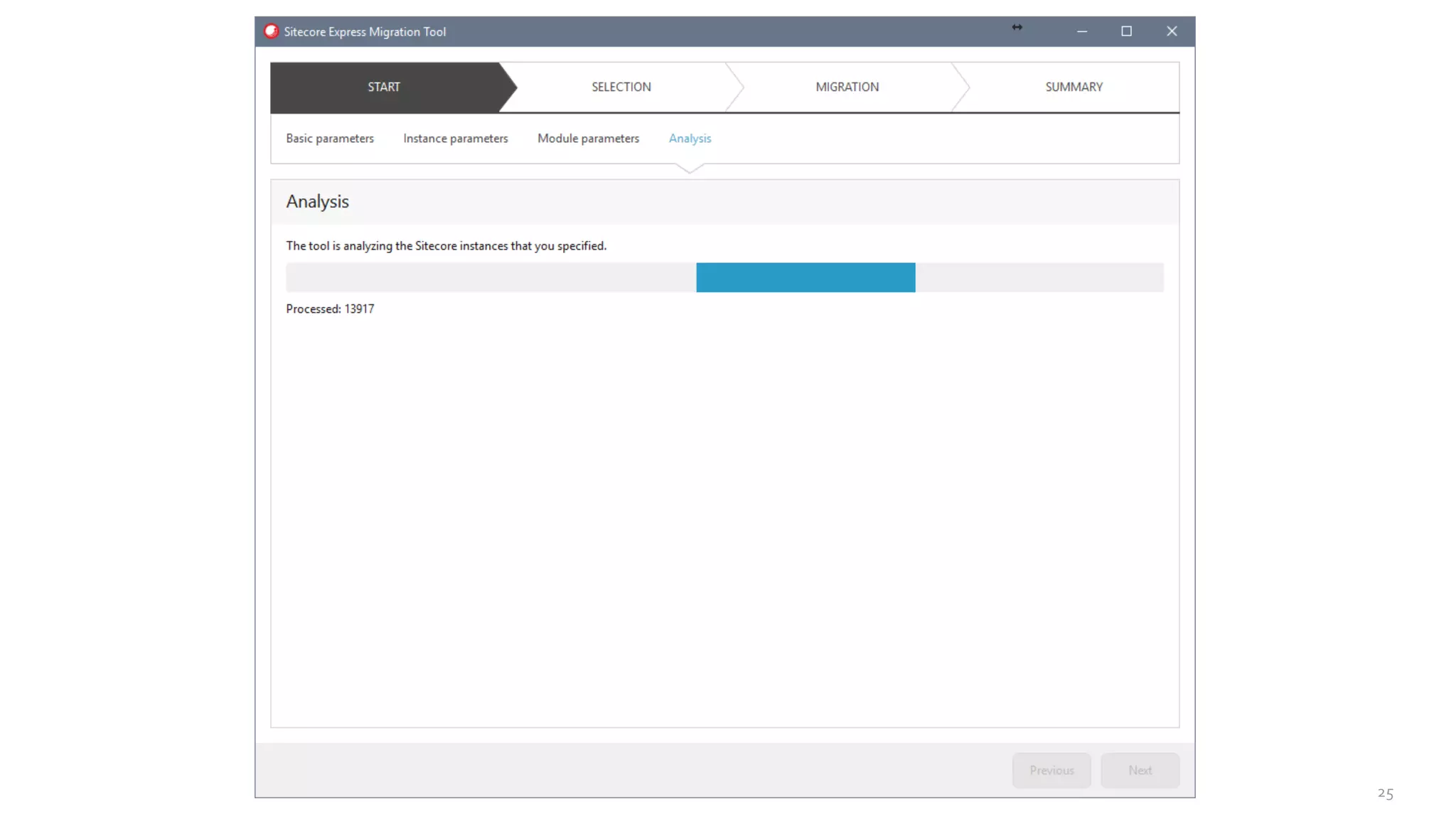
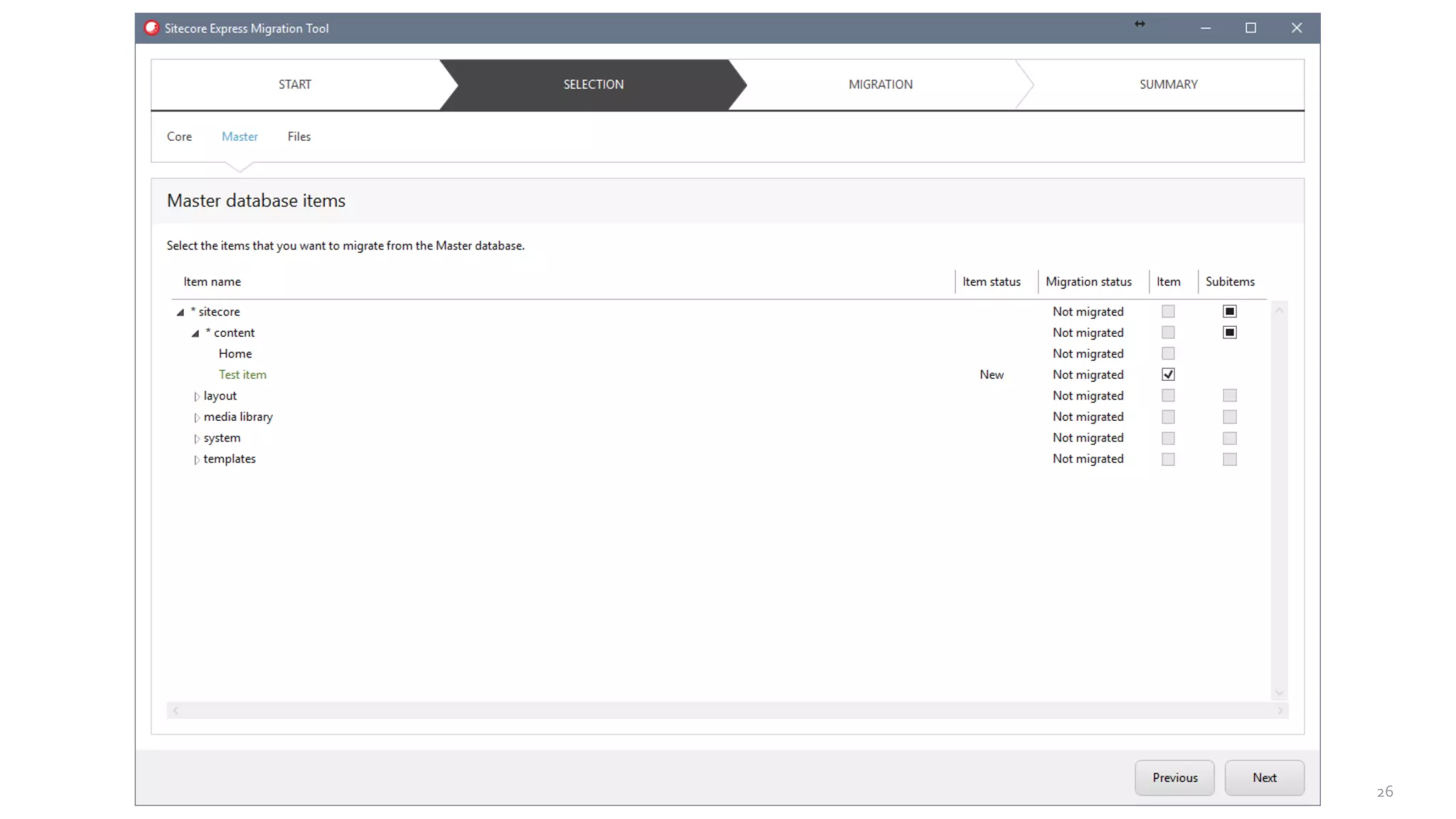
• The Express MigrationTool migrates entities from your old instance to a
new, clean instance of the latest version:
Express MigrationTool
23
24
25
26
27
28
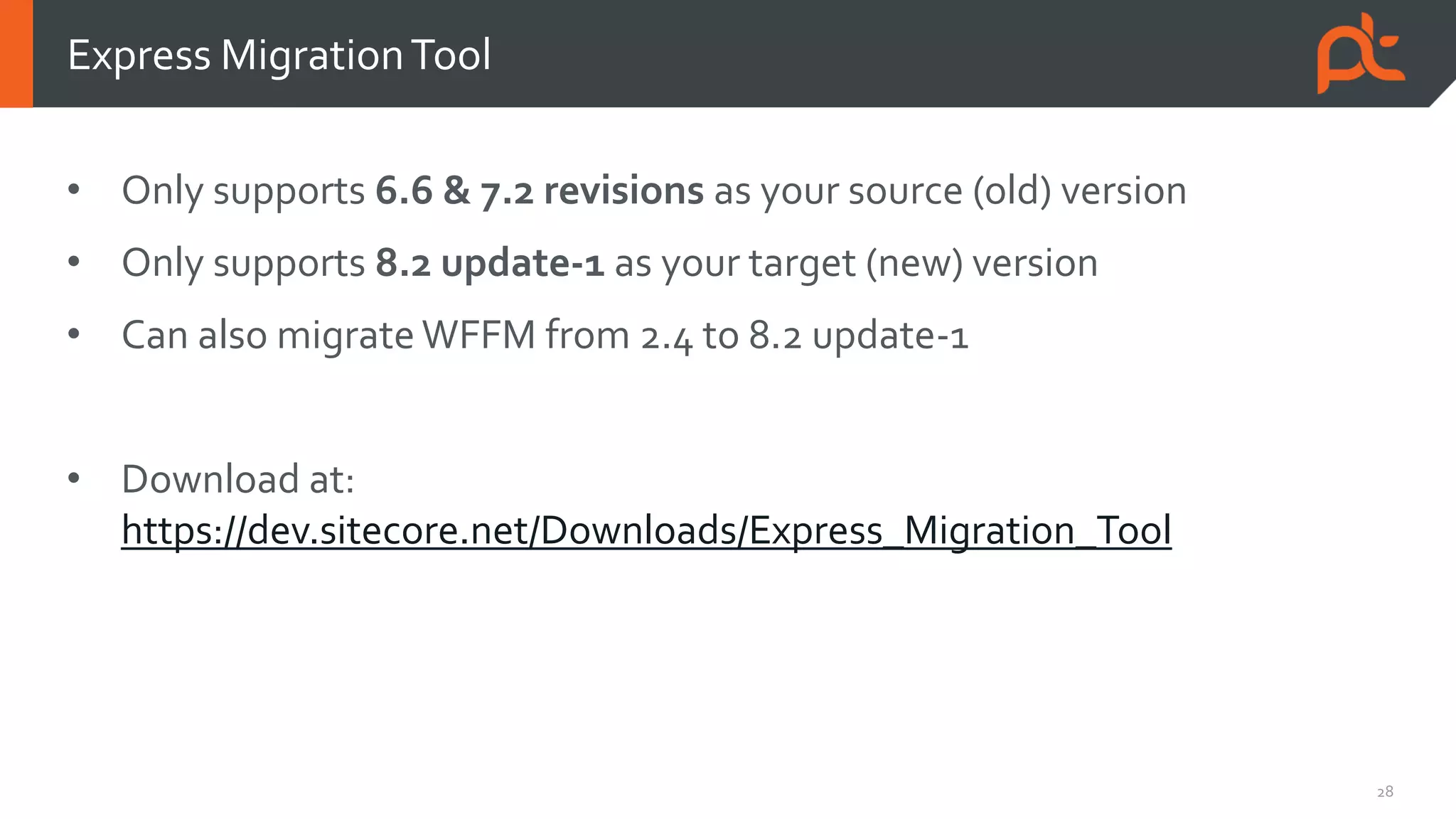
• Only supports 6.6 & 7.2 revisions as your source (old) version
• Only supports 8.2 update-1 as your target (new) version
• Can also migrate WFFM from 2.4 to 8.2 update-1
• Download at:
https://dev.sitecore.net/Downloads/Express_Migration_Tool
Express MigrationTool
Upgrade
considerations
30
• Code compatibility
• Your implementation could potentially contain custom code that uses deprecated
API calls or is no longer compatible
• The older your source version is, the more likely you are going to run into code
compatibility issues
• Analyze the release notes for all releases between your old version and the target
version to determine how your implementation is affected by the changes
• Also take into account Support Patch DLL’s, workarounds for known bugs and changes in
configuration
Upgrade considerations
31
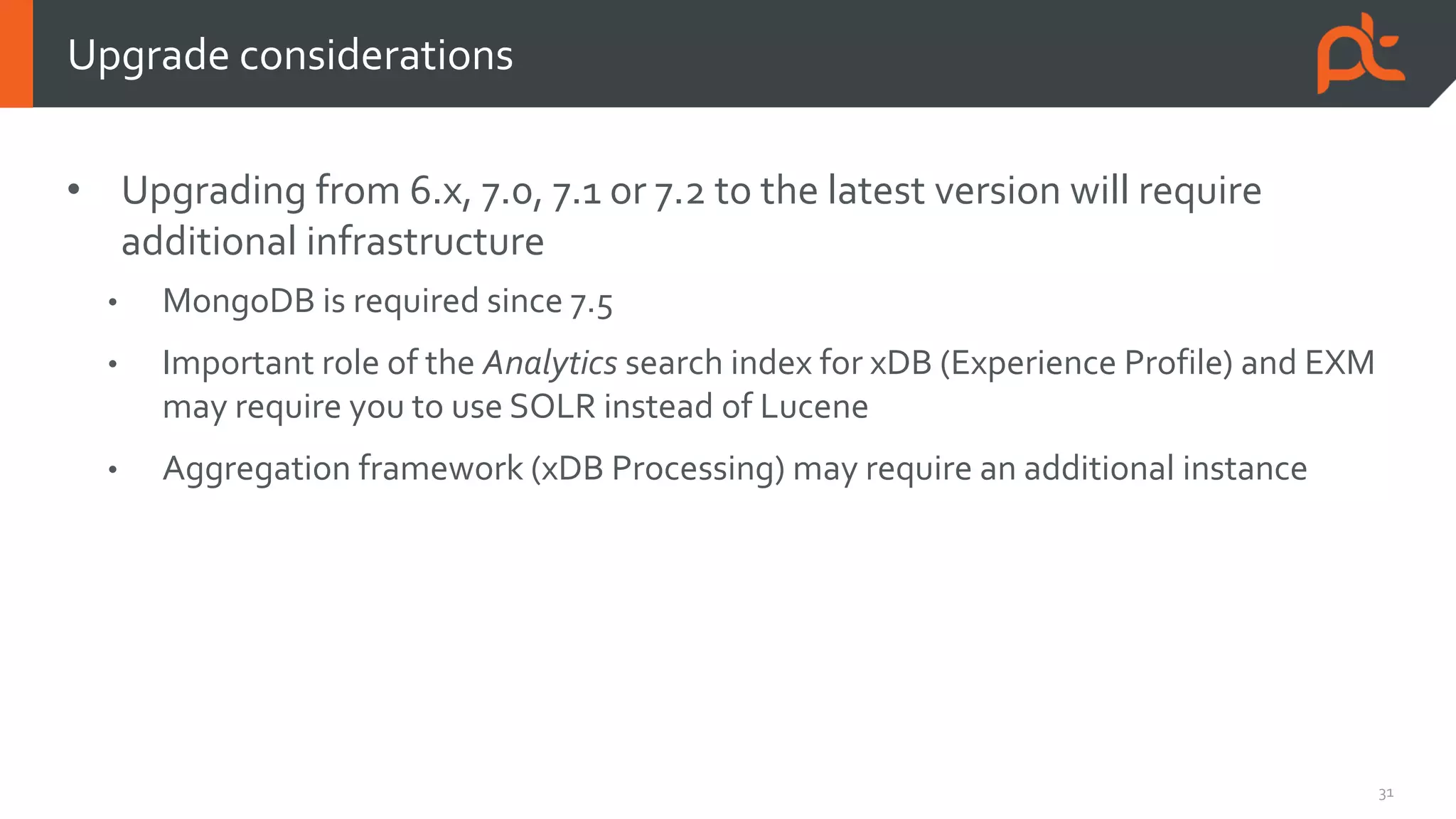
• Upgrading from 6.x, 7.0, 7.1 or 7.2 to the latest version will require
additional infrastructure
• MongoDB is required since 7.5
• Important role of the Analytics search index for xDB (Experience Profile) and EXM
may require you to use SOLR instead of Lucene
• Aggregation framework (xDB Processing) may require an additional instance
Upgrade considerations
32
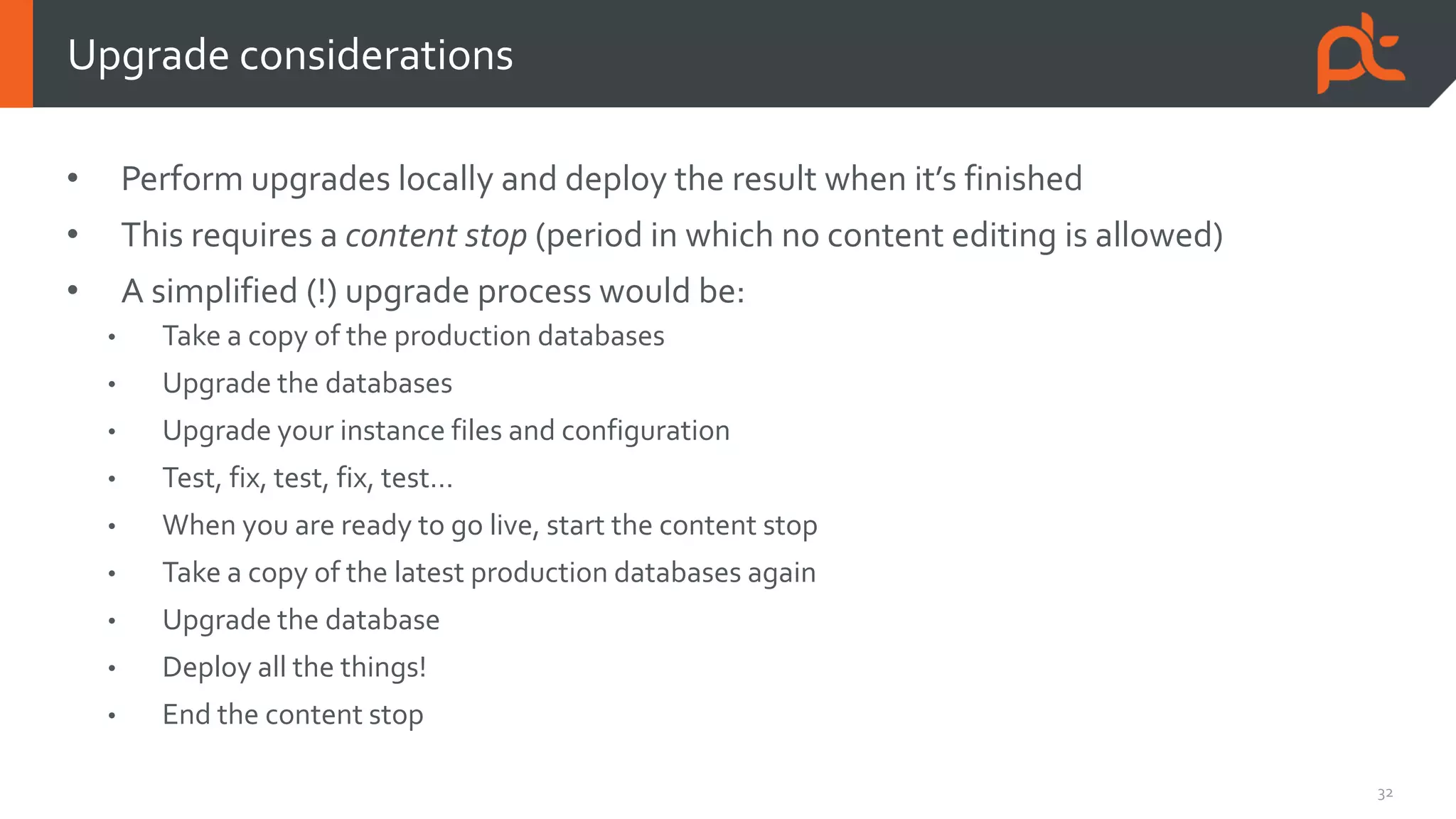
• Perform upgrades locally and deploy the result when it’s finished
• This requires a content stop (period in which no content editing is allowed)
• A simplified (!) upgrade process would be:
• Take a copy of the production databases
• Upgrade the databases
• Upgrade your instance files and configuration
• Test, fix, test, fix, test…
• When you are ready to go live, start the content stop
• Take a copy of the latest production databases again
• Upgrade the database
• Deploy all the things!
• End the content stop
Upgrade considerations
33
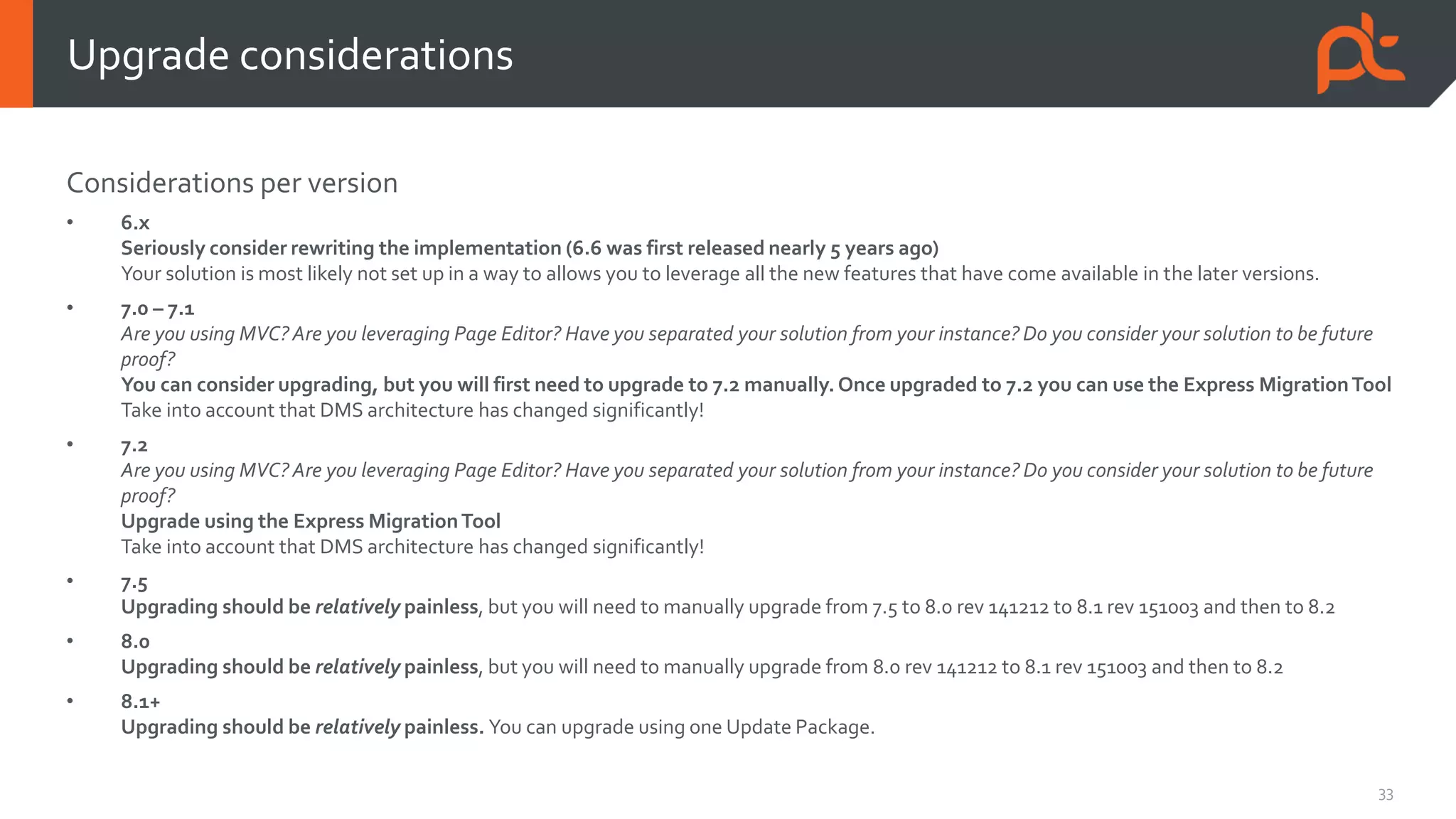
Considerations per version
• 6.x
Seriously consider rewriting the implementation (6.6 was first released nearly 5 years ago)
Your solution is most likely not set up in a way to allows you to leverage all the new features that have come available in the later versions.
• 7.0 – 7.1
Are you using MVC?Are you leveraging Page Editor? Have you separated your solution from your instance? Do you consider your solution to be future
proof?
You can consider upgrading, but you will first need to upgrade to 7.2 manually. Once upgraded to 7.2 you can use the Express MigrationTool
Take into account that DMS architecture has changed significantly!
• 7.2
Are you using MVC?Are you leveraging Page Editor? Have you separated your solution from your instance? Do you consider your solution to be future
proof?
Upgrade using the Express MigrationTool
Take into account that DMS architecture has changed significantly!
• 7.5
Upgrading should be relatively painless, but you will need to manually upgrade from 7.5 to 8.0 rev 141212 to 8.1 rev 151003 and then to 8.2
• 8.0
Upgrading should be relatively painless, but you will need to manually upgrade from 8.0 rev 141212 to 8.1 rev 151003 and then to 8.2
• 8.1+
Upgrading should be relatively painless. You can upgrade using one Update Package.
Upgrade considerations
34
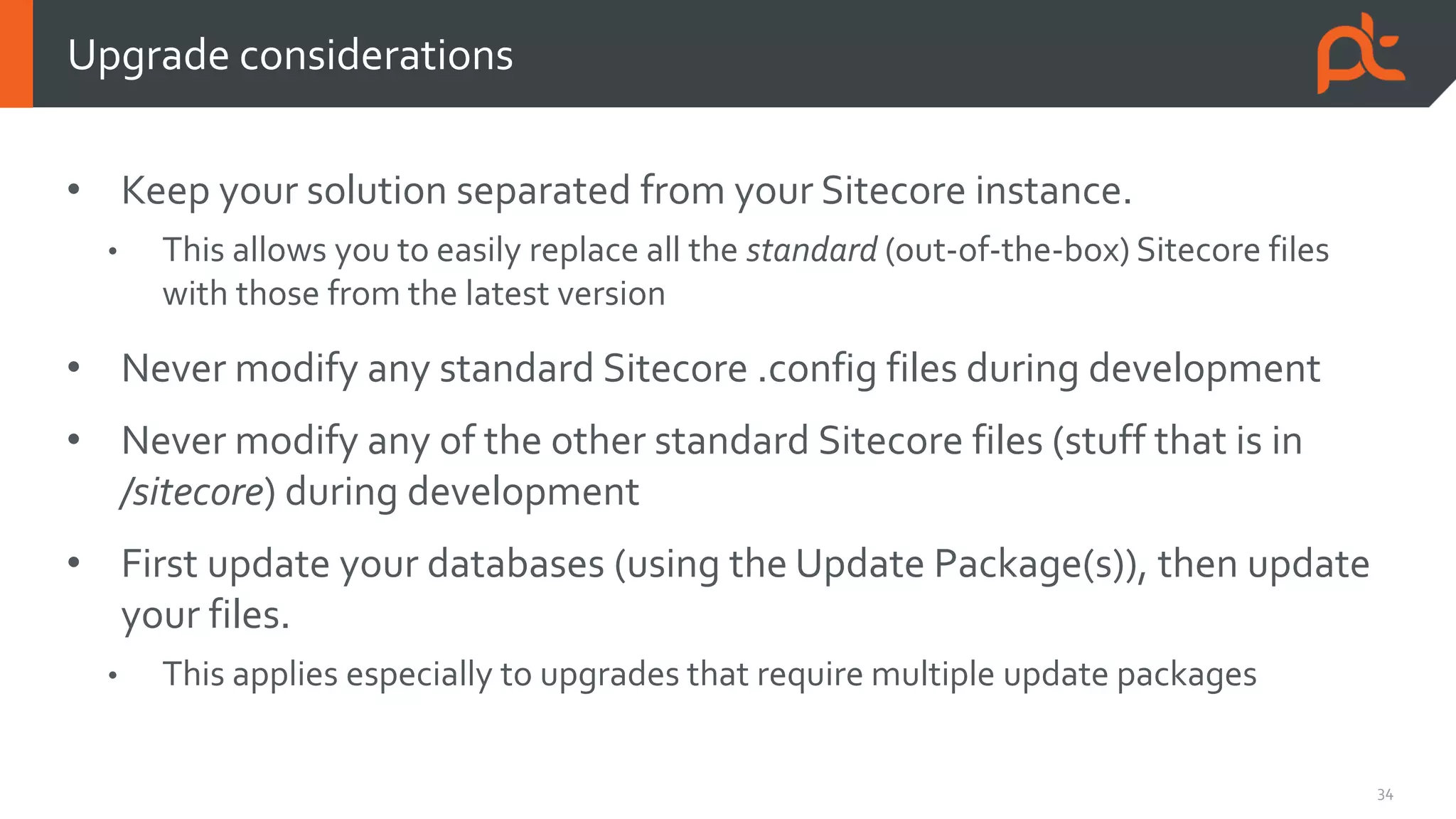
• Keep your solution separated from your Sitecore instance.
• This allows you to easily replace all the standard (out-of-the-box) Sitecore files
with those from the latest version
• Never modify any standard Sitecore .config files during development
• Never modify any of the other standard Sitecore files (stuff that is in
/sitecore) during development
• First update your databases (using the Update Package(s)), then update
your files.
• This applies especially to upgrades that require multiple update packages
Upgrade considerations
35
• No upgrade is the same!
• Always read the Upgrade Instructions thoroughly
• Treat every step as required.You never know what consequences missing a step
may have
• Analyze the release notes for all releases between your old version and the target
version
Upgrade considerations
Thanks!
Contact me:
@BrruuD
ruud@partech.nl

The Art of Sitecore Upgrades

  • 1.
    The Art ofSitecore Upgrades Ruud van Falier Co-founder & Senior Consultant @ ParTech Sitecore MVP 2013-2017
  • 2.
    2 Who am I? Ruudvan Falier Co-founder ParTech (2011) Sitecore MVP (2013 – 2017) E-mail: ruud@partech.nl Twitter: @BrruuD
  • 3.
    3 • What isa Sitecore upgrade? • Upgrade methods • Express MigrationTool • Upgrade considerations Overview
  • 4.
    What is aSitecore upgrade?
  • 5.
    5 When a newSitecore version is released, it means Sitecore has (potentially) modified (added/modified/removed): • Files (binaries, server-side scripts, client-side scripts, config files) • Database schema and data • Items (templates, system items) Applying these changes to your existing Sitecore implementation is what we consider to be a Sitecore Upgrade. What is a Sitecore upgrade?
  • 6.
  • 7.
    7 There are severalmethods for upgrading Sitecore to a newer version: 1. Incremental upgrade using Update Packages 2. Migrating content to a clean Sitecore instance (using the latest version) 3. Using the Express MigrationTool Upgrade methods
  • 8.
    8 • When anew version is released, Sitecore provides us with an: • Upgrade Guide • Release Notes • Update Package • Archive with configuration files: • SQL scripts • .config files • You can find these on: https://dev.sitecore.net 1. Incremental upgrade using Update Packages
  • 9.
    9 • Update Package •Contains added and updated files & items, a record of removed files & items and post-install logic • Rename the .update file to .zip to examine its contents • There is one update package for each revision of Sitecore • For example: • There exists Sitecore 7.5 rev 150130, 8.0 rev 141212 and 8.1 rev 151003 • If you need to upgrade from 7.5 rev 150130 to 8.1 rev 151003, you will need 2 update packages: • 7.5 rev 150130  8.0 rev 141212 • 8.0 rev 141212  8.1 rev 151003 1. Incremental upgrade using Update Packages
  • 10.
    10 • Since Sitecore8.1, a single Update Package can consist of multiple Update Packages • Rename the .update file to .zip to examine its contents: 1. Incremental upgrade using Update Packages
  • 11.
    11 • Steps foran incremental upgrade (in general): 1. Read the Upgrade Guide This is crucial as the upgrade guide tells you about the prerequisites and what steps are specific to your version. Each version may have different steps! 2. Run pre-install SQL scripts (see Upgrade Guide if this applies to your version) 3. Update the Update Installation Wizard tool (again, see Upgrade Guide whether this step applies to your version) This is done by installing a Sitecore Package. 4. Install the Update Package using the Update InstallationWizard, found at http://<hostname>/sitecore/admin/UpdateInstallationWizard.aspx (…continued on next slide) 5. Run post-install SQL scripts (if this applies to your version) 1. Incremental upgrade using Update Packages
  • 12.
    12 • Let’s takea look at the Update Installation Wizard… • First we need to upload or select our Update Package 1. Incremental upgrade using Update Packages
  • 13.
    13 • Sitecore willautomatically detect what “sub package” to use for your instance (only for 8.1 rev 151003 and later!) 1. Incremental upgrade using Update Packages
  • 14.
    14 • Then wemust run an Analysis of the update (this is required in the latest version of the Update Installation Wizard) 1. Incremental upgrade using Update Packages
  • 15.
    15 • After analysis,we can install the package 1. Incremental upgrade using Update Packages
  • 16.
    16 • Configuration changesare largely applied automatically by the Update Installation Wizard • You may need to apply some manual changes (web.config changes for example), which will be listed in Configuration files for update and mentioned in the Upgrade Guide • Upgrades will be less painful if you never modify any of the standard Sitecore configuration (.config) files during development • However, the latest Update Installation Wizard offers a merge tool that allows you to resolve conflicts due to modified configuration 1. Incremental upgrade using Update Packages
  • 17.
    17 1. Incremental upgradeusing Update Packages
  • 18.
    18 • I findthat it’s less prone to errors when you let the Update Installation Wizard only install items and not files. • You can easily take the files from the ZIP archive of the Sitecore root of the target version and copy them to your Sitecore instance root, replacing all the old, standard Sitecore files and adding new ones. • You do have to consider that files may have been removed entirely in the target version. Use a tool like WinMerge to determine if you need to remove any files. • The latest version of the Update InstallationWizard allows you to choose whether files must be installed. For older versions, you can manually modify the update packages and remove the files from them. 1. Incremental upgrade using Update Packages
  • 19.
    19 • You takea clean Sitecore instance of the latest version, package all your custom content items (and files) from your old instance and install them into the new instance • This method is usually a lot faster than installing incremental update packages (especially when upgrading from <8.1) • However, it is not a recommended method for upgrading. • The regular upgrade process may include database schema changes and updates to existing, custom content items. If you skip these steps there will be side effects! • You may not get support from Sitecore 2. Migrating content to a clean Sitecore instance
  • 20.
  • 21.
    21 • Upgrading from6.6 or 7.2 to the latest version involves a large number of incremental updates • This makes these upgrades very time consuming and complex • Sitecore has introduced the Express MigrationTool to help with this process • This tool is aWindows Executable that you run locally Express MigrationTool
  • 22.
    22 • The ExpressMigrationTool migrates entities from your old instance to a new, clean instance of the latest version: Express MigrationTool
  • 23.
  • 24.
  • 25.
  • 26.
  • 27.
  • 28.
    28 • Only supports6.6 & 7.2 revisions as your source (old) version • Only supports 8.2 update-1 as your target (new) version • Can also migrate WFFM from 2.4 to 8.2 update-1 • Download at: https://dev.sitecore.net/Downloads/Express_Migration_Tool Express MigrationTool
  • 29.
  • 30.
    30 • Code compatibility •Your implementation could potentially contain custom code that uses deprecated API calls or is no longer compatible • The older your source version is, the more likely you are going to run into code compatibility issues • Analyze the release notes for all releases between your old version and the target version to determine how your implementation is affected by the changes • Also take into account Support Patch DLL’s, workarounds for known bugs and changes in configuration Upgrade considerations
  • 31.
    31 • Upgrading from6.x, 7.0, 7.1 or 7.2 to the latest version will require additional infrastructure • MongoDB is required since 7.5 • Important role of the Analytics search index for xDB (Experience Profile) and EXM may require you to use SOLR instead of Lucene • Aggregation framework (xDB Processing) may require an additional instance Upgrade considerations
  • 32.
    32 • Perform upgradeslocally and deploy the result when it’s finished • This requires a content stop (period in which no content editing is allowed) • A simplified (!) upgrade process would be: • Take a copy of the production databases • Upgrade the databases • Upgrade your instance files and configuration • Test, fix, test, fix, test… • When you are ready to go live, start the content stop • Take a copy of the latest production databases again • Upgrade the database • Deploy all the things! • End the content stop Upgrade considerations
  • 33.
    33 Considerations per version •6.x Seriously consider rewriting the implementation (6.6 was first released nearly 5 years ago) Your solution is most likely not set up in a way to allows you to leverage all the new features that have come available in the later versions. • 7.0 – 7.1 Are you using MVC?Are you leveraging Page Editor? Have you separated your solution from your instance? Do you consider your solution to be future proof? You can consider upgrading, but you will first need to upgrade to 7.2 manually. Once upgraded to 7.2 you can use the Express MigrationTool Take into account that DMS architecture has changed significantly! • 7.2 Are you using MVC?Are you leveraging Page Editor? Have you separated your solution from your instance? Do you consider your solution to be future proof? Upgrade using the Express MigrationTool Take into account that DMS architecture has changed significantly! • 7.5 Upgrading should be relatively painless, but you will need to manually upgrade from 7.5 to 8.0 rev 141212 to 8.1 rev 151003 and then to 8.2 • 8.0 Upgrading should be relatively painless, but you will need to manually upgrade from 8.0 rev 141212 to 8.1 rev 151003 and then to 8.2 • 8.1+ Upgrading should be relatively painless. You can upgrade using one Update Package. Upgrade considerations
  • 34.
    34 • Keep yoursolution separated from your Sitecore instance. • This allows you to easily replace all the standard (out-of-the-box) Sitecore files with those from the latest version • Never modify any standard Sitecore .config files during development • Never modify any of the other standard Sitecore files (stuff that is in /sitecore) during development • First update your databases (using the Update Package(s)), then update your files. • This applies especially to upgrades that require multiple update packages Upgrade considerations
  • 35.
    35 • No upgradeis the same! • Always read the Upgrade Instructions thoroughly • Treat every step as required.You never know what consequences missing a step may have • Analyze the release notes for all releases between your old version and the target version Upgrade considerations
  • 36.