Intro to
Python:
Build a
Predictive
Model
Introductions
➔ What's your name?
➔ What brought you here today?
➔ What is your programming experience?
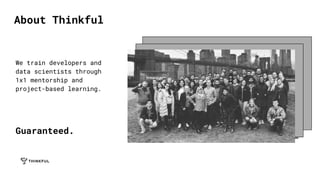
We train developers and
data scientists through
1x1 mentorship and
project-based learning.
Guaranteed.
About Thinkful
Learn
by
Doing
➔ Why is Data Science a thing?
➔ What is Python?
➔ How do we use it with a real
world project?
➔ How do I learn more?
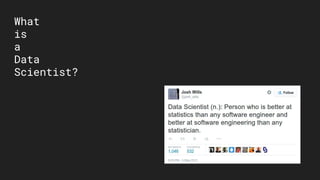
What
is
a
Data
Scientist?
“[LinkedIn] was like arriving at a conference
reception and realizing you don’t know anyone. So
you just stand in the corner sipping your drink —
and you probably leave early.”
— LinkedIn Manager, June 2006
Example:
LinkedIn
2006
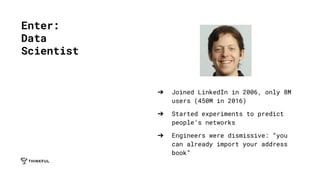
➔ Joined LinkedIn in 2006, only 8M
users (450M in 2016)
➔ Started experiments to predict
people’s networks
➔ Engineers were dismissive: “you
can already import your address
book”
Enter:
Data
Scientist
➔ Frame the question
➔ Collect the raw data
➔ Process the data
➔ Explore the data
➔ Communicate results
The
Process:
LinkedIn
Example
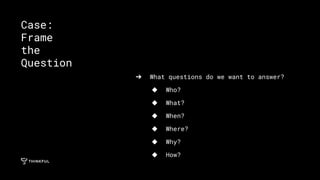
➔ What questions do we want to answer?
◆ Who?
◆ What?
◆ When?
◆ Where?
◆ Why?
◆ How?
Case:
Frame
the
Question
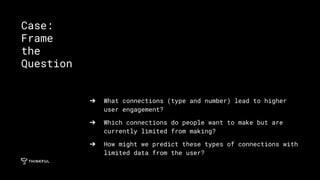
➔ What connections (type and number) lead to higher
user engagement?
➔ Which connections do people want to make but are
currently limited from making?
➔ How might we predict these types of connections with
limited data from the user?
Case:
Frame
the
Question
➔ What data do we need to
answer these questions?
Case:
Collect
the
Data
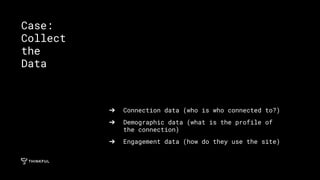
➔ Connection data (who is who connected to?)
➔ Demographic data (what is the profile of
the connection)
➔ Engagement data (how do they use the site)
Case:
Collect
the
Data
➔ How is the data
“dirty” and how can
we clean it?
Case:
Process
the
Data
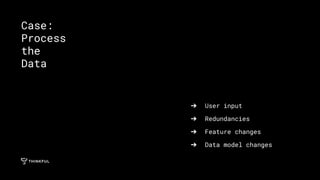
➔ User input
➔ Redundancies
➔ Feature changes
➔ Data model changes
Case:
Process
the
Data
➔ What are the meaningful
patterns in the data?
Case:
Explore
the
Data
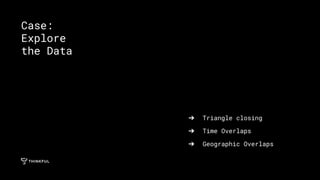
➔ Triangle closing
➔ Time Overlaps
➔ Geographic Overlaps
Case:
Explore
the Data
➔ How do we communicate this?
➔ To whom?
Case:
Communicate
Findings
➔ Marketing - sell X more ad space, results in X more
impressions per day
➔ Product - build X more features
➔ Development - grow our team by X
➔ Sales - attract X more premium accounts
➔ C-Level - more revenue, 8M - 450M in 10 years
Case:
Communicate
Findings
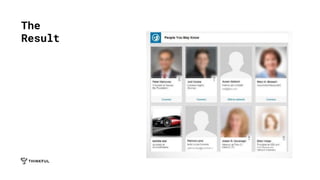
The
Result
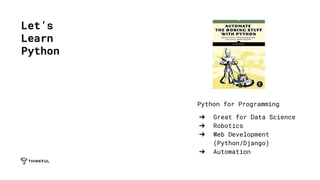
Python for Programming
➔ Great for Data Science
➔ Robotics
➔ Web Development
(Python/Django)
➔ Automation
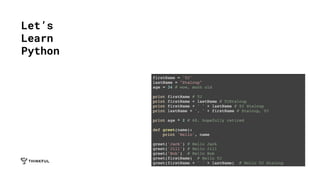
Let’s
Learn
Python
Let’s
Learn
Python
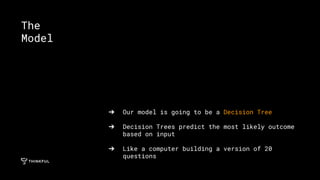
➔ Our model is going to be a Decision Tree
➔ Decision Trees predict the most likely outcome
based on input
➔ Like a computer building a version of 20
questions
The
Model
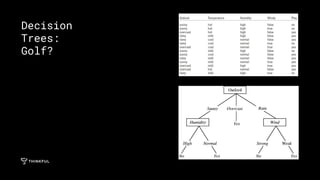
Decision
Trees:
Golf?
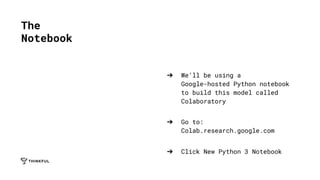
➔ We’ll be using a
Google-hosted Python notebook
to build this model called
Colaboratory
➔ Go to:
Colab.research.google.com
➔ Click New Python 3 Notebook
The
Notebook
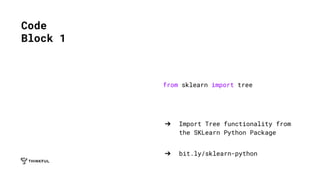
from sklearn import tree
➔ Import Tree functionality from
the SKLearn Python Package
➔ bit.ly/sklearn-python
Code
Block 1
X = [[181,80], [177,70], [160,60], [154,54], [166,65],
[190,90], [175,64], [177,70], [159,55], [171,75], [181,85]]
Y = ['male','female','female','female','male','male','male','female',
'male','female','male']
➔ Load in our seed data
➔ X is an array of inputs, each input is itself
an array that contains Height (in cm) and
Weight (in kg)
➔ Y is an array of strings that map to the
inputs in X so we can train the model
Code
Block 2
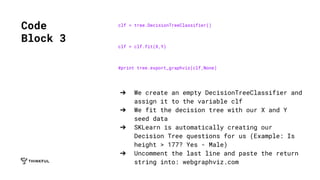
clf = tree.DecisionTreeClassifier()
clf = clf.fit(X,Y)
#print tree.export_graphviz(clf,None)
➔ We create an empty DecisionTreeClassifier and
assign it to the variable clf
➔ We fit the decision tree with our X and Y
seed data
➔ SKLearn is automatically creating our
Decision Tree questions for us (Example: Is
height > 177? Yes - Male)
➔ Uncomment the last line and paste the return
string into: webgraphviz.com
Code
Block 3
prediction = clf.predict([[183,76]])
print prediction
➔ Now we give our inputs, in the same format
➔ Height (cm), Weight (kg)
➔ Print our prediction
Code
Block 4
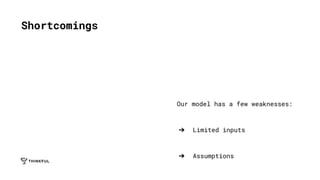
Our model has a few weaknesses:
➔ Limited inputs
➔ Assumptions
Shortcomings
Ways
to
Learn
Data
Science
➔ Start with Python and Statistics
➔ Personal Program Manager
➔ Unlimited Q&A Sessions
➔ Student Slack Community
➔ bit.ly/freetrial-ds
Thinkful
Two-Week
Free
Trial
The
Student
Experience
Marnie Boyer, Thinkful Graduate
Capstone
Wolfgang Hall, Thinkful Graduate
Capstone
➔ bit.ly/tf-event-feedback
Survey

Tf itpbapm

  • 1.
  • 2.
    Introductions ➔ What's yourname? ➔ What brought you here today? ➔ What is your programming experience?
  • 3.
    We train developersand data scientists through 1x1 mentorship and project-based learning. Guaranteed. About Thinkful
  • 4.
    Learn by Doing ➔ Why isData Science a thing? ➔ What is Python? ➔ How do we use it with a real world project? ➔ How do I learn more?
  • 5.
  • 6.
    “[LinkedIn] was likearriving at a conference reception and realizing you don’t know anyone. So you just stand in the corner sipping your drink — and you probably leave early.” — LinkedIn Manager, June 2006 Example: LinkedIn 2006
  • 7.
    ➔ Joined LinkedInin 2006, only 8M users (450M in 2016) ➔ Started experiments to predict people’s networks ➔ Engineers were dismissive: “you can already import your address book” Enter: Data Scientist
  • 8.
    ➔ Frame thequestion ➔ Collect the raw data ➔ Process the data ➔ Explore the data ➔ Communicate results The Process: LinkedIn Example
  • 9.
    ➔ What questionsdo we want to answer? ◆ Who? ◆ What? ◆ When? ◆ Where? ◆ Why? ◆ How? Case: Frame the Question
  • 10.
    ➔ What connections(type and number) lead to higher user engagement? ➔ Which connections do people want to make but are currently limited from making? ➔ How might we predict these types of connections with limited data from the user? Case: Frame the Question
  • 11.
    ➔ What datado we need to answer these questions? Case: Collect the Data
  • 12.
    ➔ Connection data(who is who connected to?) ➔ Demographic data (what is the profile of the connection) ➔ Engagement data (how do they use the site) Case: Collect the Data
  • 13.
    ➔ How isthe data “dirty” and how can we clean it? Case: Process the Data
  • 14.
    ➔ User input ➔Redundancies ➔ Feature changes ➔ Data model changes Case: Process the Data
  • 15.
    ➔ What arethe meaningful patterns in the data? Case: Explore the Data
  • 16.
    ➔ Triangle closing ➔Time Overlaps ➔ Geographic Overlaps Case: Explore the Data
  • 17.
    ➔ How dowe communicate this? ➔ To whom? Case: Communicate Findings
  • 18.
    ➔ Marketing -sell X more ad space, results in X more impressions per day ➔ Product - build X more features ➔ Development - grow our team by X ➔ Sales - attract X more premium accounts ➔ C-Level - more revenue, 8M - 450M in 10 years Case: Communicate Findings
  • 19.
  • 20.
    Python for Programming ➔Great for Data Science ➔ Robotics ➔ Web Development (Python/Django) ➔ Automation Let’s Learn Python
  • 21.
  • 22.
    ➔ Our modelis going to be a Decision Tree ➔ Decision Trees predict the most likely outcome based on input ➔ Like a computer building a version of 20 questions The Model
  • 23.
  • 24.
    ➔ We’ll beusing a Google-hosted Python notebook to build this model called Colaboratory ➔ Go to: Colab.research.google.com ➔ Click New Python 3 Notebook The Notebook
  • 25.
    from sklearn importtree ➔ Import Tree functionality from the SKLearn Python Package ➔ bit.ly/sklearn-python Code Block 1
  • 26.
    X = [[181,80],[177,70], [160,60], [154,54], [166,65], [190,90], [175,64], [177,70], [159,55], [171,75], [181,85]] Y = ['male','female','female','female','male','male','male','female', 'male','female','male'] ➔ Load in our seed data ➔ X is an array of inputs, each input is itself an array that contains Height (in cm) and Weight (in kg) ➔ Y is an array of strings that map to the inputs in X so we can train the model Code Block 2
  • 27.
    clf = tree.DecisionTreeClassifier() clf= clf.fit(X,Y) #print tree.export_graphviz(clf,None) ➔ We create an empty DecisionTreeClassifier and assign it to the variable clf ➔ We fit the decision tree with our X and Y seed data ➔ SKLearn is automatically creating our Decision Tree questions for us (Example: Is height > 177? Yes - Male) ➔ Uncomment the last line and paste the return string into: webgraphviz.com Code Block 3
  • 28.
    prediction = clf.predict([[183,76]]) printprediction ➔ Now we give our inputs, in the same format ➔ Height (cm), Weight (kg) ➔ Print our prediction Code Block 4
  • 29.
    Our model hasa few weaknesses: ➔ Limited inputs ➔ Assumptions Shortcomings
  • 30.
  • 31.
    ➔ Start withPython and Statistics ➔ Personal Program Manager ➔ Unlimited Q&A Sessions ➔ Student Slack Community ➔ bit.ly/freetrial-ds Thinkful Two-Week Free Trial
  • 32.
    The Student Experience Marnie Boyer, ThinkfulGraduate Capstone Wolfgang Hall, Thinkful Graduate Capstone
  • 33.