

12-01/2012
TELE
since 1981
The World’s Largest Digital TV Trade Magazine
w w w.T E L E - s a t e l l i t e . c o m
Test Report
Horizon
John McLoone has a Heart for TV
Installers with a New Easy-to-Use Meter
Test Report
NetUP
Abylay Ospan Surprises the Professionals
With an Exceptional Card
Test Report
GlobalInvacom
Ivan Horrocks makes it Easy to Install
a Fibre Optic Satellite System
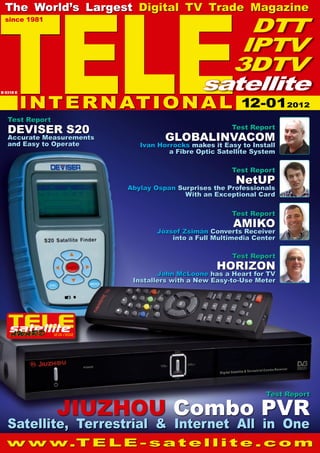
Satellite, Terrestrial & Internet All in One
Test Report
Deviser S20
Accurate Measurements
and Easy to Operate
Test Report
Jiuzhou Combo PVR
INTERNATIONAL
DTT
IPTV
3DTV
satellite
B 9318 E
Test Report
Amiko
József Zsimán Converts Receiver
into a Full Multimedia Center
12-012012
TELE
satellite
Address TELE-satellite International, PO Box 1234, 85766 Munich-Ufg, GERMANY/EUROPE
Editor-in-Chief Alexander Wiese, alex@TELE-satellite.com
Published by TELE-satellite Medien GmbH, Aschheimer Weg 19, 85774 Unterfoehring,
GERMANY/EUROPE Design Németi Barna Attila
Advertising www.TELE-satellite.com/ads/
Hardcopy Subscriptions www.TELE-satellite.com/secure/eng/
Printer Blackprint Nyomdaipari Kft, Tenkefürdő utca 3, 1044 Budapest, HUNGARY/EUROPE
Copyright © 2012 by TELE-satellite ISSN 1435-7003
TELE-satellite was established in 1981 and today is the oldest, largest and most-read digital tv trade
magazine in the world. TELE-satellite is seen by more than 350,000 digital tv professionals around the
world and is available both in printed form and online.
www.TELE-satellite.com
Redaktion TELE-satellite, Postfach 1234, D-85766 München-Ufg Chefredakteur Alexander
Wiese (verantwortlich) Anschrift wie Verlag, Verlag TELE-satellite Medien GmbH, Aschheimer
Weg 19, D-85774 Unterföhring, Inhaber: Alexander Wiese, Verleger, Unterföhring
Anzeigen Alexander Wiese (verantwortlich), Anschrift wie Verlag
TELE-satellite
International
The World’s Largest
Digital TV Trade Magazine
since 1981
Alexander Wiese
Publisher
alex@TELE-satellite.com
HQ in Munich, Germany
Dear Readers,
The availability of different signal analyzers is getting
larger and larger. In this issue we are introducing
three more of these products and as you’ve seen by
reading the test reports, these devices continue to offer
more and more functions. This makes the setting up
of a digital reception system a lot of fun regardless of
whether it’s a satellite or terrestrial system.
Why is it that there are more and more signal analyzers
available? The answer is actually quite simple: the
analyzer market continues to grow and grow and grow.
Of course the next logical question is: why is it growing?
There are some obvious reasons such as the cost/
performance of the analyzers. This ratio continues to
grow: either the price goes down for the performance
you get or you get more performance for the price you
pay. But whatever the case may be, it’s becoming more
and more attractive for digital TV friends, even those
who don’t install such a system very often, to go out
and buy a signal analyzer.
But there’s another reason: the technology is becoming
more sophisticated and complex. “Simple” installations,
like those involving only one antenna, one receiver and
a single TV, are becoming fewer and fewer. You hardly
see this anymore. Today installations typically involve
a combination system where, for example, a terrestrial
and satellite system would be installed that also would
include Internet access. On top of this there would
be multiple outlets available and let’s not forget the
SmartPhone that would also need to be able to receive
TV signals.
And it doesn’t stop there. In this issue of TELE-satellite
we are reporting on an entirely new transmission method
called MIS. There are hardly any receivers available for
this new method but this technology has potential and
undoubtedly will be expanded upon. And at some point
the matching signal analyzers would be needed as well.
And of course this guarantees that the signal analyzer
market will grow even more. New transmission and
reception technologies will follow and the complexities
of the reception systems will also increase.
As you can see, the original product group that was
relatively small in size has developed because of all
these technological improvements into a product that
more and more digital TV friends will actually end up
using on a regular basis.
Sincerely,
Alexander Wiese
Editor-in-Chief TELE-satellite International
6 TELE-satellite International — The World‘s Largest Digital TV Trade Magazine — 12-01/2012 — www.TELE-satellite.com
Download editorial in English
www.TELE-satellite.com/TELE-satellite-1201/eng/editorial.pdf
Opinion
Dear Readers, the
availability of different
signal analyzers is getting
larger and larger. In this
issue we are introducing
three more of these
products and as you’ve
seen by reading the test
reports, these devices
continue to offer more
and more functions. This
makes the setting up of a
digital reception system
a lot of fun regardless of
whether it’s a satellite or
terrestrial system.
Why is it that there are
more and more signal
analyzers available? The
answer is actually quite
simple: the analyzer
market continues to grow
and grow and grow. Of
course the next logical
question is: why is it
growing?
There are some obvious
reasons such as the
cost/performance of the
analyzers. This ratio
continues to grow: either
the price goes down for
the performance you
get or you get more
this new method but this
technology has potential
and undoubtedly will be
expanded upon. And at
some point the matching
signal analyzers would
be needed as well. And
of course this guarantees
that the signal analyzer
market will grow even
more. New transmission
and reception
technologies will follow
and the complexities of
the reception systems will
also increase.
As you can see, the
original product group
that was relatively
small in size has
developed because of
all these technological
improvements into a
product that more and
more digital TV friends
will actually end up using
on a regular basis.
Sincerely,
Alexander Wiese
Editor-in-Chief
TELE-satellite
International
performance for the price
you pay. But whatever
the case may be, it’s
becoming more and
more attractive for digital
TV friends, even those
who don’t install such
a system very often, to
go out and buy a signal
analyzer.
But there’s another
reason: the technology
is becoming more
sophisticated and
complex. “Simple”
installations, like those
involving only one
antenna, one receiver
and a single TV, are
becoming fewer and
fewer. You hardly see
this anymore. Today
installations typically
involve a combination
system where, for
example, a terrestrial and
satellite system would be
installed that also would
include Internet access.
On top of this there
would be multiple outlets
available and let’s not
forget the SmartPhone
that would also need to
be able to receive TV
signals.
And it doesn’t stop
there. In this issue of
TELE-satellite we are
reporting on an entirely
new transmission
method called MIS.
There are hardly any
receivers available for
Download editorial in German
www.TELE-satellite.com/
TELE-satellite-1201/
deu/editorial.pdf	
EDITORIAL on the Internet
10 TELE-satellite International — The World‘s Largest Digital TV Trade Magazine — 12-01/201
1 — www.TELE-satellite.com
...172
...184
...194
...220
CONTENT
Jiuzhou Combo PVR DTS6695
DVB-S/S2 and DVB-T Combo
Receiver with PVR Functions......... 18
DEVISER S20
Satellite Antenna
Meter................................ 34
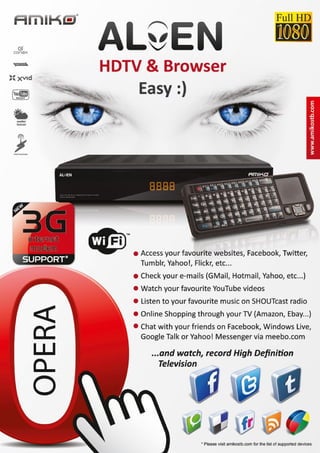
Amiko WLK-100
Wireless Multimedia Keyboard
with Trackpad..................... 48
NetUP Dual DVB-T/C-CI
Professional PC Card............ 62
Horizon HD-STM
Satellite and Terrestrial
Antenna Meter.......... 76
SPAUN
SUS 5581/33 NF
Satellite Multiswitch
Distribution System... 88
Icecrypt S3500HDCCI
HD PVR enabled
Satellite Receiver........................ 98
Lexium FastAlign
7100 Pro
Satellite Meter.........110
GlobalInvacom
Fibre Optic Installation
Materials................124
DEKTEC DTU-215
Gold Edition
USB 2.0 digital VHF/
UHF Modulator........136
AWARD Winning:
Digital Receivers of 21st Century......... 146
AWARD Winning:
HDTV PC Cards of 21st Century........... 156
AWARD Winning:
Signal Analyzers of 21st Century......... 162
Company Report:
Receiver and Multiswitch Manufacturer
INPA, Turkey..................................... 172
Company Report:
Wholesaler and Shop
P-SAT, Hungary ................................ 184
Company Report:
Wholesaler and Manufacturer
SatelliteAV, USA................................ 194
Company Overview:
Best Digital TV Companies
of the World...................................... 206
Company Report:
Cologne Broadcasting Center,
CBC, Germany.................................. 220
Feature:
Waterfall Diagrams for
8dtek Satellite Meters........................ 232
Feature:
The New Flexible MIS
Transmission Technology.................... 240
Company Report:
Satellite Information Website
BSD, Brasil....................................... 246
Technical Service:
Digital TV Transponder Streams
around the World............................... 254
DTT of the World............................ 268
Global Readership of
TELE-satellite Magazine.................. 272
ADVERTISER‘S INDEX
8DTEK............................................China................... 51
AB-COM..........................................Slovakia......... 46-47
ALUOSAT........................................China...........155, 161
AMIKO............................................Hungary.............. 11
ANDREAWEB..................................Germany............201
APPLIED INSTRUMENTS................USA................... 239
AZBOX............................................Portugal.............275
AZURESHINE..................................Taiwan...............201
B2C-ELECTRONIC...........................Germany........ 60-61
BEIJINGTOPREAL...........................China..................105
BOIINGSAT....................................China..................119
BOMARE.........................................Algeria...............131
BSD................................................Brasil..................235
BT..................................................UK......................... 7
BYAELECTRONIC............................Algeria...............219
CABSAT2012..................................Dubai.................. 95
CARDATTACK..................................Germany............193
CCBN2012......................................China..................115
CES2012.........................................USA....................101
CSTB2012.......................................Russia................187
CHINABROADCASTING..................China..................193
CNBROADCASTING........................China..................193
CONVERGENCEINDIA2012.............India..................175
DEVISER........................................China................... 91
DEKTEC..........................................Netherlands.......121
DIGITALTELEMEDIA.......................China..................276
DISHPOINTER................................UK..................... 223
DOEBIS..........................................Germany.........16-17
DOEBIS-JAEGER.............................Germany............. 85
FULANELECTRONICS......................China..................... 5
GLOBALINVACOM...........................UK....................... 41
GLOBALSAT....................................China................... 69
GOOSAT.........................................China................... 69
HANGZHOUPREVAIL......................China...............32-33
HORIZON.......................................UK....................... 27
IBC2012.........................................UK......................127
ICECRYPT.......................................UK......................... 4
ICLASS...........................................Korea.................. 13
INPAX............................................Turkey................. 37
JAEGER..........................................Germany............. 85
JIUZHOU........................................China..................276
JONSA............................................Taiwan...............179
KARMACOM....................................Hungary.............. 11
LEXIUM..........................................USA....................205
MEGASAT.......................................Germany........ 60-61
MFC................................................USA....................227
MICO..............................................China..................... 2
MOTECK.........................................Taiwan...............197
NABSHOW2012..............................USA.............. 83, 139
NETUP............................................Russia................179
OIPF...............................................Sweden............. 223
OPENSAT........................................Portugal.............275
PANODIC........................................China..................... 2
PREVAIL.........................................China...............32-33
SAPRO............................................Czech.................197
SATBEAMS......................................Belgium..............189
SATCATCHER..................................UK....................... 55
SATELLITEGUYS.............................USA....................249
SATFINDER....................................Germany........... 239
SBTVD............................................Brasil..................189
SCATINDIA2012.............................India..................143
SCHOTT..........................................Germany............201
SEN5..............................................China................... 51
SICHUANJIUZHOU.........................China..................276
SICHUANVIDEOELECTRONIC.........China................... 79
SKYWORTH....................................China................... 43
SMARTWI.......................................Denmark............. 23
SOWELL.........................................China................... 65
SPAUN............................................Germany............. 73
STREAM..........................................Algeria...............131
SVEC..............................................China................... 79
TEHNICB........................................Romania.............249
TENOW...........................................China..................227
TEVII.............................................Taiwan...............205
TOPREAL........................................China..................105
TOOWAY.........................................Germany............201
TRIMAX..........................................China..................133
TURBOSAT......................................UK......................... 4
WSINTERNATIONAL.......................USA....................205
12 TELE-satellite International — The World‘s Largest Digital TV Trade Magazine — 12-01/2012 — www.TELE-satellite.com
08-09/201
1
AB 3DBox Converter
Magically transforms every TV program into
a fascinating 3D experience
04-05/201
1
Fulan ST7111
Excellently designed operating software
with built-in customer service
14 TELE-satellite International — The World‘s Largest Digital TV Trade Magazine — 12-01/2012 — www.TELE-satellite.com
08-09/2010
AZBox Ultra HD
Fully Equipped Satellite
and Internet HDTV Receiver
08-09/2009
Global Invacom Optical LNB
The first worldwide production-ready
optical satellite reception and
transmission system with excellent results
– an investment that already
makes sense today
MAGAZINE
15
www.TELE-satellite.com — 12-01/2012 — TELE-satellite International — The World‘s Largest Digital TV Trade Magazine
10-1
1/201
1
Tenow TBS6984
Made for TV addicts who can never
watch and record enough channels.
18 TELE-satellite International — The World‘s Largest Digital TV Trade Magazine — 12-01/2012 — www.TELE-satellite.com
Combo Receiver
Jiuzhou
Combo PVR
DTS6695 for
Europe
TEST REPORT
19
www.TELE-satellite.com — 12-01/2012 — TELE-satellite International — The World‘s Largest Digital TV Trade Magazine
•	Great for the whole family thanks to
Internet access
•	Smart power supply with external power
unit
•	Sufficient channel memory
•	Seamless integration of Internet services
offered by TV channels
•	Easy software update
TELE-satellite Magazine
Business Voucher
www.TELE-satellite.info/12/01/jiuzhou-DTS6695
Direct Contact to Sales Manager
12-01/2012
0.2
20 TELE-satellite International — The World‘s Largest Digital TV Trade Magazine — 12-01/2012 — www.TELE-satellite.com
Combo Receiver
Jiuzhou Combo PVR DTS6695
Top-notch receiver for the
whole family
A single box for DVB-S/S2
and DVB-T reception
Jiuzhou’s combo receiver
DTS6695 is so new it arrived
at the TELE-satellite edito-
rial office in a blank white
box devoid of any logo or
description.
When we opened the box
we were in for another sur-
prise: Well aware of its in-
creasingly prominent posi-
tion as global supplier of
top-notch receivers, Jiuzhou
has made a smart move to-
wards being compatible with
all sorts of power supplies
and mains sockets – the re-
ceiver itself comes without
a power pack at all, which
instead is supplied as an
external unit, depending on
the destination country. A
simple 12V power socket is
positioned on the receiver’s
back panel, and all you need
to do is hook up the exter-
nal power pack that comes
with the box, or you may
even use any existing de-
vice as long as it provides
12V DC with a minimum of
2.5A. As our test unit came
without a power pack, we
simply chose the latter op-
tion and used one of our ex-
isting units – which worked
just fine.
They say that first impres-
sions go a long way, and Jiu-
zhou packs all components
of the DTS6695 into a stylish
26cm case featuring six but-
tons on the front panel for
operation without a remote
control. A CI+ compatible
card reader is hidden behind
a flap, as well as a USB 2.0
interface. A four-digit seg-
ment display and an LED in-
dicating the operating mode
round off the front panel.
The receiver’s front panel
comes in black, while the
case itself is silver – even
though this design state-
ment may not go down well
with all potential buyers we
found that the colour mix
works quite well.
Let’s have a look at the
back panel now, which is
filled to the brim with all
connection options you will
ever need. Apart from the
standard tuner input and
loop-through outputs (for
DVB-S/S2 and DVB-T) you
will of course find a HDMI
output for excellent video
quality, an electrical S/PDIF
TEST REPORT
1
2
3
4
5
21
www.TELE-satellite.com — 12-01/2012 — TELE-satellite International — The World‘s Largest Digital TV Trade Magazine
output for mind-blowing sur-
round sound, and a network
interface for linking up to a
local LAN. Added to that are
a total of eight RCA jacks for
stereo audio, CVBS and YUV
video, and an S-Video sock-
et, scart euroconnector and
RS 232 interface. In case
you’re wondering about the
main switch: There is none
on the back panel of the
DTS6695, because with an
external power pack there
is no need for one. The re-
mote control that comes
with the receiver also leaves
a positive impression with
its easy-to-use layout and
great ergonomics.
When you turn on the re-
ceiver for the first time all
you will likely see is a ‘No
channel’ message, which
means that you should start
out with running a chan-
nel scan. To that end all
you need to do is press the
MENU button to call up the
perfectly neat main menu,
which is easy to navigate
and also pleasing to the eye.
Working yourself through
the individual entries you
first make sure the receiver
cooperates with your LCD
or plasma TV, before taking
the next step and setting
up the receiver to work with
your antenna configuration.
1. Main menu of the
DTS6695
2. Basic settings of the
DTS6695
3. Satellite settings
4. Automatic channel
search on several satellites
5. Manual channel search
in DVB-T mode
6
7
8
9
10
22 TELE-satellite International — The World‘s Largest Digital TV Trade Magazine — 12-01/2012 — www.TELE-satellite.com
6. Automatic channel search
via satellite
7. Channel editing and sorting
options
8. Several favourites lists are
available
9. LAN configuration
10. Web browser – address field
supported so that the re-
ceiver will work with stand-
ard multi-feed antennas for
up to four LNBs just as well
as with multi-focus anten-
nas for up to 16 LNBs and
with motorised antennas
using either the DiSEqC 1.2
or 1.3 protocols. Big cheers
from us for such brilliant
DiSEqC implementation!
The channel memory can
hold up to 4000 channel en-
tries and in order to fill it
up a single touch of a but-
ton takes you to the chan-
nel search menu. On the
left section of the screen
there is a list of all avail-
able satellites for selection
(several entries can select-
ed at once), while the right-
hand section shows various
search modes and options
such as free-to-air chan-
nels only, radio or TV only,
network search mode, and
so on.
Once you have made all
relevant settings the green
function key activates the
automatic signal search. We
selected HOTBIRD 13° East
for our test and the Jiuzhou
DTS6695 took slightly more
than eight minutes to scan
the entire frequency range.
The DVB-T scan was com-
pleted in less than a minute.
If you need to add indi-
vidual channels at a later
stage you should perform
a manual search, which is
available for both DVB-T and
DVB-S/S2. In satellite mode
the Jiuzhou box even al-
lows manual PID input. The
modulation type is always
detected automatically by
the receiver. A search on
one of the major European
satellite platforms may eas-
ily yield 1000 or even more
channel entries, so organis-
ing and managing all those
channels is of the essence.
Luckily, the channel edi-
tor of the DTS6695 is your
Obviously the new Jiuzhou
box makes sure users in
many countries can ‘under-
stand’ its on-screen display,
and the choice of menu lan-
guages goes far beyond the
classics such as English,
French and German. Speak-
ers of Spanish, Italian, Pol-
ish, Russian, Hungarian,
Czech, Dutch and Romanian
will be happy to learn that
‘their’ language is available
as well. The selection of lan-
guages also goes to show
that the DTS6695 is geared
towards the European mar-
ket. The list of pre-set coun-
tries for DVB-T reception
underpins that impression
as it only includes European
countries.
Using the HDMI output
the video signal can be pro-
cessed in 576p, 720p and
1080i and we cannot praise
highly enough a dedicated
button on the remote to
switch between these set-
tings on the fly, without hav-
ing to go through a menu.
Now that the DTS6695 has
become a perfect match for
our TV, we proceed to the
next stage and introduce it
to our reception equipment
high up on the roof. Jiuzhou
ships its new box with a
list of 64 pre-stored Euro-
pean satellite positions, all
of which come with suitably
current transponder data.
As far as LOF’s are con-
cerned, the Jiuzhou receiver
offers a range of pre-set os-
cillator frequencies for the C
and Ku bands, as well as a
manual option for those out-
of-the-ordinary settings.
All DiSEqC protocols are
11
12
13
14
15
16
17
18
19
20
24 TELE-satellite International — The World‘s Largest Digital TV Trade Magazine — 12-01/2012 — www.TELE-satellite.com
21
22
23
24
25
25
www.TELE-satellite.com — 12-01/2012 — TELE-satellite International — The World‘s Largest Digital TV Trade Magazine
best friend when it comes to
bringing some order to your
list. It can be used to delete,
move or rename channels,
or to perform an automatic
channel sorting. Thanks to
several favourites lists you
(and all the other members
of your family with their in-
dividual favourites list) will
find your favourite channels
in next to no time at all.
Now that the Jiuzhou re-
ceiver is tailored to your
needs and those of your
satellite antenna(s) it’s fi-
nally time to check out how
it performs its core task: TV
and radio reception. To start
with, we should emphasise
the DTS6695’s video and
audio quality, which is noth-
ing short of brilliant and was
able to impress everybody
in our editorial offices.
Every time a new chan-
nel is called up the receiver
shows a smartly designed
info bar for a few seconds,
which displays the name of
the current and next event.
With the help of the receiv-
er’s clearly laid out EPG it
is even possible to use it as
a seven-day TV guide, as
long as individual channels
transmit the required data.
Zapping equals fun with
the DTS6695, since chan-
nels can be grouped into
favourites lists and are thus
always at your fingertips.
Speaking of zapping: It
only takes about one sec-
ond until the selected chan-
nel appears on screen so
there’s nothing in the way
of exploring the wide range
of channel offerings. Thanks
to the neat info bar we
were always kept up to date
about current and upcoming
events as well.
The comprehensive range
of features of the new Jiu-
zhou receiver is rounded
off with an OSD teletext
decoder, an audio option
to switch between different
audio tracks (if provided by
the channel) and a subtitle
mode. We even discovered
a handy little feature of
the channel list which al-
lows searching for a specific
channel by keying in the
first letter(s) of its name.
If you need to change be-
tween DVB-T and DVB-S/
S2 reception there is a dedi-
cated button on the remote
and we found that switch-
ing worked flawlessly in any
event.
When we mentioned the
USB interface on the front
panel earlier on you might
have guessed already that
the DTS6695 comes with
PVR capability. The USB
socket can be used to at-
tach an external storage
11. Software upgrades can be performed via satellite or with a USB
stick
12. MP3 playback
13. JPEG picture viewer
14. The DTS6695 is able to play back video files with a variety of
formats
15. Playback of a HD video in H.264 format
16. Playback of a HD video in Divx format
17. Channel list with satellite selection
18. TELE-satellite website as displayed on the LCD TV using the
DTS6695 browser
19. Info bar with title of current and next event
20. EPG
21. Interactive multimedia services of Bayerischer Rundfunk
22. Extended EPG
23. Interactive multimedia services of Bayerischer Rundfunk
24. Interactive multimedia services of Sat.1
25. Video on demand via Internet
26
27
28
29
30
26 TELE-satellite International — The World‘s Largest Digital TV Trade Magazine — 12-01/2012 — www.TELE-satellite.com
26. The DTS6695 can also
display current weather
information
27. ARD Mediathek (online
content library)
28. Teletext
29. HDTV channels via DVB-S2
are processed flawlessly by the
DTS6695
30. Channel list restriction to
DVB-T reception
medium, even though this
means that the flap on the
front panel has to stay open
while the USB interface is in
use. We tested all PVR func-
tions of the box and could
not fault any of them. But
then again, we would not
expect anything less from
Jiuzhou.
These days PVR receiv-
ers don’t just record and
play back events, and the
DTS6695 is no exception:
It can be your MP3 jukebox,
your image viewer and your
video player for TS, MPEG
and DivX files, to name just
a few formats.
If you don’t want to stop
at DTH satellite reception,
you will be interested to find
out more about the high
quality and low threshold of
the satellite tuner used by
Jiuzhou.
As you know we like to
push all tested models to
the limit and in this case we
are pleased to state that the
DTS6695 passed all tests
with flying colours. It ac-
cepted and processed weak
signals (C/N values start-
ing from just 5 dB) just as
well as SCPC signals from
approximately 2 MS/s. The
only thing that is missing
with the Jiuzhou DTS6695 is
a blind scan mode.
The Internet has become a
driving force in our life, and
no matter how we view that
development, being online
is almost a fact of life these
days. Posting on social net-
works, checking mails and
chatting with family and
friends all over the globe are
part of our daily routine, so
it’s only logical that Jiuzhou
has made its DTS6695 fully
Internet-ready. The receiv-
er comes with an Ethernet
interface on the hardware
side, and Internet browser
on the software side so that
users can go online during
commercial breaks.
Remember the time when
a game of Tetris on a satel-
lite receiver was considered
cool? These days you go on-
line rather than play games.
Obviously the Jiuzhou box
supports all required pro-
tocols such as DHCP, for
example, and therefore be-
haves similar to a PC in your
local network.
One of the reasons for
supplying the DTS6695 with
a network interface is the
emergence of interactive
TV. HbbTV (Hybrid Broad-
cast Broadband TV) is the
name of a service that is
already offered in a num-
ber of European countries
such as Germany (ARD,
ZDF, Sat1/Pro7, Vox, QVC,
etc.), France and Spain, to
name but a few. If a viewer
watches an HbbTV channel
the receiver will automati-
cally detect this feature, es-
tablish an Internet connec-
tion and display a message
indicating available HbbTV
content.
If you then want to switch
from the regular channel to
corresponding additional in-
formation you simply press
the red function key in order
to call up comprehensive
background content which
may range from advanced
EPG and current news and
weather all the way to ex-
tensive content libraries or
on-demand services. In our
view, one of the most use-
ful features is a content li-
brary: Many channels offer
their programming for on-
31 32
33 34
28 TELE-satellite International — The World‘s Largest Digital TV Trade Magazine — 12-01/2012 — www.TELE-satellite.com
31. Channel list restriction to favorite lists
32. Channel list restriction to individual satellites
33, 34. SCPC reception via TURKSAT 42° East
line viewing on your PC after
the actual broadcast date.
Using HbbTV, receivers like
the DTS6695 can now ac-
cess these offerings direct-
ly on the TV, so you don’t
need your PC monitor any
longer for watching TV. All
you need for it to work is an
HbbTV compatible receiver
like the Jiuzhou DTS6695
and an Internet connection
with a bandwidth of at least
2 Mb/s. Of course we tried
out the HbbTV feature and
found that it works flawless-
ly. We particularly enjoyed
various content libraries and
at the same time stayed up
to date with the latest news
and weather reports.
The new Jiuzhou DTS6695
has left a lasting impression
with us and proves yet again
that Jiuzhou is one of the
most innovative companies
in the satellite business. Its
latest offspring boasts top-
quality workmanship and
worked flawlessly through-
out our test. In addition,
the manufacturer never
stops improving the soft-
ware (which can be updated
either with a USB stick or
via satellite) so that you can
expect additional features
every now and then.
What’s even more impor-
tant, any potential software
bugs can easily be solved as
quickly as possible.
+
–
Thomas Haring
TELE-satellite
Test Center
Austria
DATA
TECHNICAL
Manufacturer	 Jiuzhou (Sichuan Jiuzhou Electric Group Co., Ltd.)
	 7F, Jiuzhou Electric Building, Southern No. 12 Road
	 Hi-Tech Industrial Park, Nanshan District, Shenzhen
	 Guangdong 518057, China
Tel.	+86-755-26947128
Email	sales8@d-telemedia.com
Model	DTS6695
Input frequency / 	 950-2150 MHz
Input frequency 	 177.5 - 226.5 MHz and 474 - 858 MHz
Symbol rates	 2-45 Ms/s ( ) & 2-30 Ms/s ( )
SCPC compatible	 yes (tested >2 Ms/s)
DiSEqC	 1.0, 1.1, 1.2, 1.3
EPG	yes
C/KU band compatible	yes
HDTV support	 yes (up to 1080i in MPEG-4 AVC/ H.264)
Input terminal	 F-type 75 Ohm
Modulations	 QPSK, 8PSK, 16 QAM, 64 QAM
HDMI	yes
YUV, CVBS, Stereo Audio	yes
S-Video	yes
RF-Modulator	no
Ethernet	yes
USB 2.0	yes
RS232	yes
PVR Function	yes
HbbTV	yes
Power supply	 12V, 2.5A
DIAGRAM
ENERGY
Active Power
Apparent Power
Mode Apparent Active Factor
Active 5 W 1 W 0.2
StandBy 21 W 10 W 0.47
29
www.TELE-satellite.com — 12-01/2012 — TELE-satellite International — The World‘s Largest Digital TV Trade Magazine
Perfect DVB-S/S2 and DVB-T combo receiver
with PVR for the living room. The stable and
sophisticated software did not show any sign
of weakness during our test. What’s more,
innovative features such as a web browser
and access to interactive multimedia services
and online content libraries put this receiver
well ahead of the competition.
We were not able to activate WiFi reception, even though a
dedicated menu entry pretended that it should work.
Expert Opinion
First 15 minutes: Standby; Second 15 minutes: Active use with
channel switching and PVR operation
30
TEST REPORT on the Internet
TELE-satellite International — The World‘s Largest Digital TV Trade Magazine — 12-01/2012 — www.TELE-satellite.com
Download this report in English
www.TELE-satellite.com/TELE-satellite-1201/eng/jiuzhou.pdf
Combo Receiver
Jiuzhou’s combo receiver
DTS6695 is so new it arrived
at the TELE-satellite edito-
rial office in a blank white
box devoid of any logo or
description.
When we opened the box
we were in for another sur-
prise: Well aware of its in-
creasingly prominent posi-
tion as global supplier of
top-notch receivers, Jiuzhou
has made a smart move
towards being compat-
ible with all sorts of power
supplies and mains sockets
– the receiver itself comes
without a power pack at all,
which instead is supplied as
an external unit, depending
on the destination country.
A simple 12V power socket
is positioned on the receiv-
er’s back panel, and all you
need to do is hook up the
external power pack that
comes with the box, or you
may even use any existing
device as long as it provides
12V DC with a minimum of
2.5A. As our test unit came
without a power pack, we
simply chose the latter op-
tion and used one of our ex-
isting units – which worked
just fine.
They say that first impres-
sions go a long way, and Jiu-
zhou packs all components
of the DTS6695 into a styl-
ish 26cm case featuring six
buttons on the front panel
for operation without a re-
mote control. A CI+ com-
patible card reader is hid-
den behind a flap, as well as
a USB 2.0 interface. A four-
digit segment display and
an LED indicating the op-
erating mode round off the
front panel. The receiver’s
front panel comes in black,
while the case itself is silver
– even though this design
statement may not go down
well with all potential buy-
ers we found that the colour
mix works quite well.
Let’s have a look at the
back panel now, which is
filled to the brim with all
connection options you will
ever need. Apart from the
standard tuner input and
loop-through outputs (for
DVB-S/S2 and DVB-T) you
will of course find a HDMI
output for excellent video
quality, an electrical S/PDIF
output for mind-blowing sur-
round sound, and a network
interface for linking up to a
local LAN. Added to that are
a total of eight RCA jacks for
stereo audio, CVBS and YUV
video, and an S-Video sock-
et, scart euroconnector and
RS 232 interface. In case
you’re wondering about the
main switch: There is none
on the back panel of the
DTS6695, because with an
external power pack there
is no need for one. The re-
mote control that comes
with the receiver also leaves
a positive impression with
its easy-to-use layout and
great ergonomics.
When you turn on the re-
ceiver for the first time all
you will likely see is a ‘No
channel’ message, which
31
www.TELE-satellite.com — 12-01/2012 — TELE-satellite International — The World‘s Largest Digital TV Trade Magazine
means that you should start
out with running a chan-
nel scan. To that end all
you need to do is press the
MENU button to call up the
perfectly neat main menu,
which is easy to navigate
and also pleasing to the eye.
Working yourself through
the individual entries you
first make sure the receiver
cooperates with your LCD
or plasma TV, before taking
the next step and setting
up the receiver to work with
your antenna configuration.
Obviously the new Jiu-
zhou box makes sure users
in many countries can ‘un-
derstand’ its on-screen dis-
play, and the choice of menu
languages goes far beyond
the classics such as English,
French and German. Speak-
ers of Spanish, Italian, Pol-
ish, Russian, Hungarian,
Czech, Dutch and Romanian
will be happy to learn that
‘their’ language is available
as well. The selection of lan-
guages also goes to show
that the DTS6695 is geared
towards the European mar-
ket. The list of pre-set coun-
tries for DVB-T reception
underpins that impression
as it only includes European
countries.
Using the HDMI output
the video signal can be pro-
cessed in 576p, 720p and
1080i and we cannot praise
highly enough a dedicated
button on the remote to
switch between these set-
tings on the fly, without hav-
ing to go through a menu.
Now that the DTS6695 has
become a perfect match for
our TV, we proceed to the
next stage and introduce it
to our reception equipment
high up on the roof. Jiuzhou
ships its new box with a
list of 64 pre-stored Euro-
pean satellite positions, all
of which come with suit-
ably current transponder
data. As far as LOF’s are
concerned, the Jiuzhou re-
ceiver offers a range of pre-
set oscillator frequencies
for the C and Ku bands, as
well as a manual option for
those out-of-the-ordinary
settings.
All DiSEqC protocols are
supported so that the re-
ceiver will work with stand-
ard multi-feed antennas for
up to four LNBs just as well
as with multi-focus anten-
nas for up to 16 LNBs and
with motorised antennas
using either the DiSEqC 1.2
or 1.3 protocols. Big cheers
from us for such brilliant
DiSEqC implementation!
The channel memory can
hold up to 4000 channel
entries and in order to fill it
up a single touch of a but-
ton takes you to the chan-
nel search menu. On the
left section of the screen
there is a list of all available
satellites for selection (sev-
eral entries can selected
at once), while the right-
hand section shows various
search modes and options
such as free-to-air channels
only, radio or TV only, net-
work search mode, and so
on.
Once you have made all
relevant settings the green
function key activates the
automatic signal search. We
selected HOTBIRD 13° East
for our test and the Jiuzhou
DTS6695 took slightly more
than eight minutes to scan
the entire frequency range.
The DVB-T scan was com-
pleted in less than a minute.
If you need to add indi-
vidual channels at a later
stage you should perform
a manual search, which is
available for both DVB-T and
DVB-S/S2. In satellite mode
the Jiuzhou box even al-
lows manual PID input. The
modulation type is always
detected automatically by
the receiver. A search on
one of the major European
satellite platforms may eas-
ily yield 1000 or even more
Download this report in German
www.TELE-satellite.com/
TELE-satellite-1201/
deu/jiuzhou.pdf	
channel entries, so organis-
ing and managing all those
channels is of the essence.
Luckily, the channel edi-
tor of the DTS6695 is your
best friend when it comes to
bringing some order to your
list. It can be used to delete,
move or rename channels,
or to perform an automatic
channel sorting. Thanks to
several favourites lists you
(and all the other members
of your family with their in-
dividual favourites list) will
find your favourite channels
in next to no time at all.
Now that the Jiuzhou re-
ceiver is tailored to your
needs and those of your
satellite antenna(s) it’s fi-
nally time to check out how
it performs its core task: TV
and radio reception. To start
with, we should emphasise
the DTS6695’s video and
audio quality, which is noth-
ing short of brilliant and was
able to impress everybody
in our editorial offices.
Every time a new chan-
nel is called up the receiver
shows a smartly designed
info bar for a few seconds,
which displays the name of
the current and next event.
With the help of the re-
ceiver’s clearly laid out EPG
it is even possible to use it
as a seven-day TV guide, as
long as individual channels
transmit the required data.
Zapping equals fun with
the DTS6695, since chan-
nels can be grouped into
favourites lists and are thus
always at your fingertips.
Speaking of zapping: It
only takes about one sec-
ond until the selected chan-
nel appears on screen so
there’s nothing in the way
of exploring the wide range
of channel offerings. Thanks
to the neat info bar we
were always kept up to date
about current and upcoming
events as well.
The comprehensive range
of features of the new Jiu-
zhou receiver is rounded
off with an OSD teletext
decoder, an audio option
to switch between different
audio tracks (if provided by
the channel) and a subtitle
mode. We even discovered
a handy little feature of
the channel list which al-
lows searching for a specific
channel by keying in the
first letter(s) of its name.
■
34 TELE-satellite International — The World‘s Largest Digital TV Trade Magazine — 12-01/2012 — www.TELE-satellite.com
Satellite Meter
DEVISER S20
Satellite
Meter
TELE-satellite Technical
Expert Jacek Pawlowski uses
the Deviser S20 to align a
satellite dish.
TEST REPORT
TELE-satellite Magazine
Business Voucher
www.TELE-satellite.info/12/01/deviser-S20
Direct Contact to Sales Manager
35
www.TELE-satellite.com — 12-01/2012 — TELE-satellite International — The World‘s Largest Digital TV Trade Magazine
•	includes the very useful
satellite spectrum view
•	locks both to very high and
very low symbol rates
•	very easy to operate
•	very accurate measurement
results
•	usable both for C and Ku band
satellites
12-01/2012
36 TELE-satellite International — The World‘s Largest Digital TV Trade Magazine — 12-01/2012 — www.TELE-satellite.com
Deviser S20 Satellite Meter
Ideally suited to fastly install dishes
A Well Performing Meter
Which Even Looks Great
Someone once said: “We
buy with our eyes” and that’s
true. The designers of Devis-
er’s new satellite meter took
this advice to their heart and
managed to fit their new
product into a really great
housing. The light blue and
gray combination of colors
is definitely an eyecatcher.
The plastic case of the me-
ter is gray but it is wrapped
around with a light blue rub-
ber envelope. Quite an inter-
esting design, but let’s have
a look now into its perfor-
mance.
The meter sits nicely in
your hand. Its backlit LCD
is quite large and readable
even outside. Seven but-
tons are clearly labeled and
you can operate them with
your thumb without touching
neighbouring buttons. Signal
input connector is located at
the bottom of the case while
the 12 V DC power socket
and mini USB port are lo-
cated on the right side of the
S20 case.
Deviser included two F
barrel connectors, so if the
first one is torn off, you sim-
ply replace it with the sec-
ond one. The power supply
unit and car charger unit
are also in the package. But
that is not yet all: you get
a detailed hard copy user
manual as well as a small CD
ROM containing PC software
for managing satellites and
transponders stored in the
S20’s memory. And there’s
even more: the S20 comes
with a vanity case that you
can attach to your belt and
a light blue strap if you pre-
fer to hang the S20 on your
neck or shoulder.
Right after power on, S20
enters the signal search
mode. There are two bar
graph indicators on the
screen for signal strength
and signal quality, with per-
centage values showed next
to them. Satellite name,
TEST REPORT Satellite Meter
1 2 3
4 5 6
7 8 9
38 TELE-satellite International — The World‘s Largest Digital TV Trade Magazine — 12-01/2012 — www.TELE-satellite.com
its longitude, transponder
name, polarization as well
as the battery status are
shown. With the left and
right arrow buttons you
switch the satellite, and with
up and down buttons the
transponder. Every satellite
has exactly 6 transponders
stored in the S20’s memory.
Once the meter locks to the
transponder, you know that
your antenna is aimed at the
satellite shown at the top of
screen.
In an early stage of the
antenna alignment process,
you do not receive any sig-
nal yet. In such situation,
the best idea is to use the
angle calculator embedded
in the S20. When you enter
the geographical coordinates
of your antenna location and
satellite longitude, it will cal-
culate the azimuth, eleva-
tion and LNB tilt angles. You
should apply those angles to
the dish as accurately as you
can and then switch the S20
to spectrum view. Now ro-
tate and tilt your dish gently
until you see signal peaks on
the spectrum.
When in spectrum view,
you can change the span (80,
160, 320 MHz and Full band)
and you can also move the
cursor to the left and right.
But that’s not all. If you po-
sition the cursor on a tran-
sponder and press OK, S20
will measure this transpond-
er. That’s a great advantage
of this meter.
When you managed to set
your dish well enough to
produce peaks on the spec-
trum screen, chances are
you have found your satel-
lite but how can you be sure?
Well, you simply return to
the signal search screen that
the S20 shows when pow-
ered on. You switch satellites
left and right until you find
the only one at which S20
locks. Even if this is not the
one you wanted to receive,
you will know the longitude
of the satellite you have
just turned your dish at. In
this way, you will also know
whether to rotate your an-
tenna more to the East or to
the West in search of the de-
sired satellite.
Once you are receiving the
right satellite, we suggest to
switch to the transponder
measurement screen, where
more parameters are shown.
Now observe the SNR read-
ing when adjusting your dish
and LNB tilt. Maximize its
value. And that’s it. Tighten
the screws carefully to avoid
unintentional shift. Your dish
is perfectly aligned.
Antenna alignment with
10 11 12
13 14
39
www.TELE-satellite.com — 12-01/2012 — TELE-satellite International — The World‘s Largest Digital TV Trade Magazine
the S20 from Deviser is real-
ly an easy task. But how ac-
curate is the meter? We de-
cided to compare it with two
signal analyzers of different
brands. The S20 measure-
ment results where quite
close to the readings of its
competitors. The meter had
a problem in locking to one
DVB-S2 transponder (TP2 in
our graphs) but at the same
time the other meters where
completely unable to lock
to the signals the S20 pro-
cessed without any trouble!
These were the transpond-
ers of lower symbol rates
(around 10 Ms/sec and 2.5
Ms/sec). So, in real life, al-
most every meter can have
a problem with locking to
this or that signal. The S20
was quite at par with much
more complex and much
more expensive meters if we
compare the ability to lock
and measure different tran-
sponders.
Of course, everybody is
aware that the S20 can not
play the video in full color
or audio of a TV channel or
take more advanced meas-
urements. But the S20 of-
fers everything you need to
to set up a dish in a fast and
easy way. It is usable both in
Ku-Band and C-band as you
can freely define values for
single and dual frequency lo-
cal oscillators (LOFs).
What’s more, during our
tests Deviser released a new
software version (1.06B)
which now even includes
DiSEqC settings. First of all,
DiSEqc 1.0 and 1.1 were add-
ed in a separate menu item.
The content of this menu
item is very simple. The first
line lets you choose which
DiSEqC protocol you need:
1.0 or 1.1. The second line
is for choosing the input of
a DiSEqC switch. For DiSEqC
1.0 the possibilities are from
1 through 4 and for DiSEqC
1.1 from 1 through 16. The
third line lets you send the
command to the switch. You
could not invent it any sim-
pler. For the majority of re-
ception systems that use a
single DiSEqC 1.0 switch or
DiSEqC 1.1 switch, the fea-
tures of Deviser’s S20 will be
absolutely sufficient.
The software included in
the package is a rather ba-
sic transponder editor. It
allows you to change satel-
lite name and position and
to define 6 transponders for
every satellite. The number
of satellites is limited to 16
what should be sufficient for
most installers. If you prefer,
you can also edit the param-
eters directly in the setup
menu using the S20 buttons.
But of course it is faster and
more convenient to do that
on your PC.
1. Fast Search window
2. Transponder Measurement window
3. Spectrum View
4. Measuring a transponder selected from
the spectrum
5. Setting up the Dish Angle Calculator
6. Angle Calculator helps in dish and LNB
alignment
7. Setup menu
8. Battery charge status
9. Satellite list contains up to 16 satellites
10. Satellite and transponder lists are editable
11. Editing satellite parameters
12. Selecting a transponder to select its parameters
13. Transponder parameter edition - screen 1
14. Transponder parameter edition -screen 2
When installing the PC
software we encountered an
error. The Deviser installer
informed us that one DLL file
was missing in our Windows
XP system. To successfully
finish the installation, we had
to look for the missing file on
the Internet, download it and
save it in the Windowssys-
tem32 folder.
In our test sample, the
satellite list along with the
corresponding transponder
DEVISER	
Signal Analyzer Manufacturer, China	 www.devisertek.com
www.TELE-satellite.com/TELE-satellite-1107/eng/deviser.pdf
More on This Manufacturer
Read TELE-satellite’s Company Report:
40 TELE-satellite International — The World‘s Largest Digital TV Trade Magazine — 12-01/2012 — www.TELE-satellite.com
DATA
TECHNICAL
Manufacturer	 Tianjin Deviser Electronics Instrument Co., Ltd.
Fax	+86-22-27645002
E-mail	overseasbiz@deviser.com.cn
Web page	www.devisertek.com
Model	S20
Function	 Satellite antenna meter
Input Frequency	 950~2150 MHz
Input Signal Level	 30~110 dBµV
Symbol Rate	 1~45 Ms/sec
LCD	 128 x 64 pixels
LNB max current	 400 mA
Power Supply	 12 V DC 1.2 A
Operating Time	 4 hours when fully charged
Charging Time	 5 hours
Jacek Pawlowski
TELE-satellite
Test Center
Poland
+
–
■
42 TELE-satellite International — The World‘s Largest Digital TV Trade Magazine — 12-01/2012 — www.TELE-satellite.com
Very easy operation
Quite fast and accurate
Good measurement resolution
(0.1 dB for SNR)
Locks without any problem to high and low
symbol rate transponders
Many accessories
The meter shows BER, instead of VBER
Expert Opinion
Satellite Channel Editor
parameters was suitable for
Asia rather than Europe. For
the purpose of the test, we
changed two satellites to Eu-
ropean ones. To do that, we
needed to refer to a tran-
sponder list (www.satbeams.
com).
Not every transponder of
a given satellite is receiv-
able in your location due
to various footprints, so be
sure to only put into the S20
transponder list the ones re-
ceivable in your area. Actu-
ally, Deviser will of course
customize the satellite/tran-
sponder list once the S20 is
sold in different parts of the
world.
The S20 is a great little
meter ideally suited to fastly
install dishes. Once all sat-
ellite and transponders are
set in its memory, the built-
in spectrum greatly helps
to identify the satellite. The
calculator makes it easy to
pre-install the dish into the
approximate direction. It’s
great design makes the S20
a valuable assistant to the
dish installer.
TEST REPORT on the Internet
44 TELE-satellite International — The World‘s Largest Digital TV Trade Magazine — 12-01/2012 — www.TELE-satellite.com
Download this report in English
www.TELE-satellite.com/TELE-satellite-1201/eng/deviser.pdf
Satellite Meter
Someone once said: “We
buy with our eyes” and
that’s true. The designers
of Deviser’s new satellite
meter took this advice to
their heart and managed
to fit their new product into
a really great housing. The
light blue and gray combi-
nation of colors is definitely
an eyecatcher. The plastic
case of the meter is gray
but it is wrapped around
with a light blue rubber en-
velope. Quite an interest-
ing design, but let’s have
a look now into its perfor-
mance.
The meter sits nicely in
your hand. Its backlit LCD
is quite large and read-
able even outside. Seven
buttons are clearly labeled
and you can operate them
with your thumb without
touching neighbouring but-
tons. Signal input connec-
tor is located at the bot-
tom of the case while the
12 V DC power socket and
mini USB port are located
on the right side of the S20
case.
Deviser included two F
barrel connectors, so if
the first one is torn off,
you simply replace it with
the second one. The power
supply unit and car charger
unit are also in the pack-
age. But that is not yet
all: you get a detailed hard
copy user manual as well as
a small CD ROM containing
PC software for managing
satellites and transponders
stored in the S20’s memo-
ry. And there’s even more:
the S20 comes with a van-
ity case that you can attach
to your belt and a light blue
strap if you prefer to hang
the S20 on your neck or
shoulder.
Right after power on, S20
enters the signal search
mode. There are two bar
graph indicators on the
screen for signal strength
and signal quality, with
percentage values showed
next to them. Satellite
name, its longitude, tran-
sponder name, polariza-
tion as well as the battery
status are shown. With the
left and right arrow but-
tons you switch the satel-
lite, and with up and down
buttons the transponder.
Every satellite has exactly
6 transponders stored in
the S20’s memory. Once
the meter locks to the
transponder, you know that
your antenna is aimed at
the satellite shown at the
top of screen.
In an early stage of the
antenna alignment process,
you do not receive any sig-
nal yet. In such situation,
the best idea is to use the
angle calculator embed-
ded in the S20. When you
enter the geographical co-
ordinates of your antenna
location and satellite lon-
gitude, it will calculate the
azimuth, elevation and LNB
tilt angles. You should ap-
ply those angles to the dish
as accurately as you can
45
www.TELE-satellite.com — 12-01/2012 — TELE-satellite International — The World‘s Largest Digital TV Trade Magazine
and then switch the S20 to
spectrum view. Now rotate
and tilt your dish gently un-
til you see signal peaks on
the spectrum.
When in spectrum view,
you can change the span
(80, 160, 320 MHz and Full
band) and you can also
move the cursor to the left
and right. But that’s not all.
If you position the cursor
on a transponder and press
OK, S20 will measure this
transponder. That’s a great
advantage of this meter.
When you managed to
set your dish well enough
to produce peaks on the
spectrum screen, chances
are you have found your
satellite but how can you
be sure? Well, you simply
return to the signal search
screen that the S20 shows
when powered on. You
switch satellites left and
right until you find the only
one at which S20 locks.
Even if this is not the one
you wanted to receive, you
will know the longitude of
the satellite you have just
turned your dish at. In this
way, you will also know
whether to rotate your an-
tenna more to the East or
to the West in search of the
desired satellite.
Once you are receiv-
ing the right satellite, we
suggest to switch to the
transponder measurement
screen, where more pa-
rameters are shown. Now
observe the SNR reading
when adjusting your dish
and LNB tilt. Maximize
its value. And that’s it.
Tighten the screws care-
fully to avoid unintentional
shift. Your dish is perfectly
aligned.
Antenna alignment with
the S20 from Deviser is
really an easy task. But
how accurate is the meter?
We decided to compare it
with two signal analyzers
of different brands. The
S20 measurement results
where quite close to the
readings of its competitors.
The meter had a problem in
locking to one DVB-S2 tran-
sponder (TP2 in our graphs)
but at the same time the
other meters where com-
pletely unable to lock to
the signals the S20 pro-
cessed without any trouble!
These were the transpond-
ers of lower symbol rates
(around 10 Ms/sec and 2.5
Ms/sec). So, in real life, al-
most every meter can have
a problem with locking to
this or that signal. The S20
was quite at par with much
more complex and much
more expensive meters if
we compare the ability to
lock and measure different
transponders.
Of course, everybody is
aware that the S20 can not
play the video in full color
or audio of a TV channel or
take more advanced meas-
urements. But the S20 of-
fers everything you need
to to set up a dish in a fast
and easy way. It is usable
both in Ku-Band and C-
band as you can freely de-
fine values for single and
dual frequency local oscil-
lators (LOFs).
What’s more, during our
tests Deviser released
a new software version
(1.06B) which now even
includes DiSEqC settings.
First of all, DiSEqc 1.0 and
1.1 were added in a sepa-
rate menu item. The con-
tent of this menu item is
very simple. The first line
lets you choose which DiS-
EqC protocol you need: 1.0
or 1.1. The second line is
for choosing the input of a
DiSEqC switch. For DiSEqC
1.0 the possibilities are
from 1 through 4 and for
DiSEqC 1.1 from 1 through
16. The third line lets you
send the command to the
switch. You could not in-
vent it any simpler. For the
Download this report in German
www.TELE-satellite.com/
TELE-satellite-1201/
deu/deviser.pdf	
majority of reception sys-
tems that use a single DiS-
EqC 1.0 switch or DiSEqC
1.1 switch, the features of
Deviser’s S20 will be abso-
lutely sufficient.
The software included
in the package is a rather
basic transponder editor. It
allows you to change sat-
ellite name and position
and to define 6 transpond-
ers for every satellite. The
number of satellites is lim-
ited to 16 what should be
sufficient for most install-
ers. If you prefer, you can
also edit the parameters
directly in the setup menu
using the S20 buttons. But
of course it is faster and
more convenient to do that
on your PC.
When installing the PC
software we encountered
an error. The Deviser in-
staller informed us that
one DLL file was missing in
our Windows XP system. To
successfully finish the in-
stallation, we had to look
for the missing file on the
Internet, download it and
save it in the Windowssys-
tem32 folder.
In our test sample, the
satellite list along with the
corresponding transponder
parameters was suitable
for Asia rather than Europe.
For the purpose of the test,
we changed two satellites
to European ones. To do
that, we needed to refer to
a transponder list (www.
satbeams.com).
Not every transponder
of a given satellite is re-
ceivable in your location
due to various footprints,
so be sure to only put into
the S20 transponder list
the ones receivable in your
area. Actually, Deviser will
of course customize the
satellite/transponder list
once the S20 is sold in dif-
ferent parts of the world.
The S20 is a great little
meter ideally suited to fast-
ly install dishes. Once all
satellite and transponders
are set in its memory, the
built-in spectrum greatly
helps to identify the satel-
lite. The calculator makes
it easy to pre-install the
dish into the approximate
direction. It’s great design
makes the S20 a valuable
assistant to the dish in-
staller.
48 TELE-satellite International — The World‘s Largest Digital TV Trade Magazine — 12-01/2012 — www.TELE-satellite.com
Wir
UPDATE REPORT Multimedia Receiver
TELE-satellite Magazine
Business Voucher
www.TELE-satellite.info/12/01/amiko-WLK-100
Direct Contact to Sales Manager
49
www.TELE-satellite.com — 12-01/2012 — TELE-satellite International — The World‘s Largest Digital TV Trade Magazine
•	Converts receiver into
a fully-functional
Multimedia Center
•	Integration of the receiver
into the local network
•	Energy efficient
power source
•	Mobile use, such as
for camping, due to
integration of 3G
Amiko
WLK-100
Two-in-One
reless Keyboard
12-01/2012
■
50 TELE-satellite International — The World‘s Largest Digital TV Trade Magazine — 12-01/2012 — www.TELE-satellite.com
Amiko WLK-100
Excellent modification: Converts the
popular Alien receiver into a fully
functional Multimedia Center
A wireless keyboard with
track pad for control
of the Amiko Alien and
a large software update
Thomas Haring
We here at TELE-satellite
really love it when a man-
ufacturer, after introduc-
ing one of their products,
continues to listen to the
customers wishes and sug-
gestions and then actually
implements them.
An example of one of
these manufacturers is
Karmacom from Hungary
whose top receiver model
Alien SHD-8900 we first
introduced to you in the
05-06/2011 issue of TELE-
satellite. It‘s a receiver with
the world‘s first dual boot
system. We were quite im-
pressed already with the
Alien back then and as the
sales figures showed it re-
ceived high marks not only
with TELE-satellite but with
end users as well.
But Karmacom wasn‘t sat-
isfied and continued to work
on improving their Amiko
Alien receiver. All of this
work has resulted in not one
but two distinct improve-
ments: first is the WLK-100
two-in-one keyboard with
track pad and the second
is a large software update
(version number 1.2.07)
with which Karmacom has
added a large assortment of
new features.
But first things first; let‘s
start with the wireless two-
in-one keyboard that turns
the Alien into an exception-
al multimedia center.
The actual keyboard itself
takes up about two thirds
of the space on the WLK-
100. Despite the relatively
small size of the buttons,
the keyboard is quite easy
to use. It‘s laid out in the
US American standard and
can therefore be used in-
ternationally.
The right side of the WLK-
100 consists of the track
pad, two mouse buttons as
well as cross-shaped but-
tons. We especially liked
the fact that the keyboard
did not run off of standard
batteries; instead it is pow-
ered by an internal 3.3V
power supply. It is integrat-
The Alien receiver test report
from the 05-06/2011 issue of
TELE-satellite magazine. The
new wireless keyboard turns
this receiver into a complete
Mutlimedia Center.
UPDATE REPORT Multimedia Receiver
52 TELE-satellite International — The World‘s Largest Digital TV Trade Magazine — 12-01/2012 — www.TELE-satellite.com
ed into the WLK-100 and is
charged through a micro
USB port. You can connect
it to any available USB port
or you can simply use an in-
expensive USB charger that
you can find in any elec-
tronics store.
The WLK-100 is back-
lit so that it can easily be
used in a dark room. And
even if the backlight is used
regularly, the WLK-100 does
saving mode after a certain
amount of inactivity.
The signal transmission
to the receiver takes place
in the 2.4 GHz range and
should therefore not cause
any interference with other
devices such as wireless
headphones and other simi-
lar equipment.
not put a great load on the
power supply; in fact, the
wireless keyboard can be
used all day without having
to worry about recharging
it. The integrated Standby
function is in large part the
reason for this. It automati-
cally puts the two-in-one
keyboard into an energy
At this point you might
be asking yourself how the
Alien receives the signals
from the wireless keyboard
- did Karmacom already
include a 2.4 GHz receiver
in the Alien from the fac-
tory? No, they didn‘t, and it
wouldn‘t have made sense
either; it would have forced
customers to pay for a fea-
ture that they might not
have wanted in the first
place. Karmacom came up
with a far more intelligent
solution and included the
receiver with the keyboard.
But Karmacom wouldn‘t be
Karmacom if they simply
placed the 2.4 GHz receiver
alongside the keyboard in
the shipping box!
When we saw the WLK-
53
www.TELE-satellite.com — 12-01/2012 — TELE-satellite International — The World‘s Largest Digital TV Trade Magazine
100 for the first time here in
our test center, we looked
all over for the signal re-
ceiver but had no luck in
finding it; we thought at
first that Karmacom might
have forgotten to put it in
the box.
But that was far from the
truth: The USB receiver is
extremely small and is real-
ly only just a little bit larger
than a standard USB plug.
It is stored in a small open-
ing in the side of the key-
board and therefore can‘t
be lost. When the WLK-100
is to be used, the USB re-
ceiver is simply taken out
of its ‚garage‘ and inserted
into the USB port of the
Alien receiver.
Since the Amiko Alien
only operates with a free
USB port, effective imme-
diately the software now
supports the connection of
a USB hub or Y cable so that
multiple USB devices can be
used at the same time.
To top it all off, the WLK-
100 also comes with an
integrated laser pointer
that can be used, for ex-
ample, during the course
of a presentation. And let‘s
not forget the fact that the
WLK-100 can also be used
with a Windows XP, Vista or
Windows 7 PC or laptop. All
you need to do is to connect
the signal receiver to a free
USB port on the PC or lap-
top and you‘re ready to go.
But in order to take ad-
vantage of all the new ca-
pabilities of the WLK-100,
a software update for the
receiver was necessary and
Karmacom included in this
update an assortment of
new features.
When we first tested the
Amiko Alien (see TELE-
satellite issue 05-06/2011),
we were already quite im-
pressed with the stability
and functionality of the ex-
isting software in the re-
ceiver. But for Karmacom it
wasn‘t enough; while work-
ing on adapting the Alien to
the new WLK-100 two-in-
one wireless keyboard, they
also decided to include a
wide range of new features
at the same time.
But in order to enjoy all of
these new features, the re-
ceiver first has to be updat-
ed to the latest software.
This can be done either
through a direct Internet
connection or, as was the
case with us, with a USB
stick on which the latest
version of the software was
copied from the Internet.
As soon as the USB stick is
plugged in and the Update
process is accessed from
the menu, the receiver rec-
ognizes that new software
is available and asks the
user to confirm the update.
Once the update process
is started, the user just
needs to sit back and re-
lax since the receiver takes
care of this process fully
automatically. After just a
few minutes and a restart,
the Amiko Alien is once
again ready to be used.
The first and most im-
portant new feature in the
update is the integration of
the WLK-100 wireless two-
in-one keyboard. The key-
board itself has a specified
range of about 10 meters;
in our tests it was actually
quite a bit more. It really
doesn‘t make any sense to
use the keyboard to control
the various receiver func-
tions; for this purpose it‘s
better to use the Alien‘s
exceptional remote con-
trol. But later on, when you
access Karmacom‘s inte-
grated Opera web browser,
that’s when the WLK-100
keyboard first comes into
play.
We appreciated the fact
that Karmacom kept in
mind those users that don‘t
have a WLK-100 keyboard
and must continue to rely
AMIKO	
Receiver Manufacturer, Hungary	 www.amikostb.com
www.TELE-satellite.com/TELE-satellite-1107/eng/amiko.pdf
More on This Manufacturer
Read TELE-satellite’s Company Report:
54 TELE-satellite International — The World‘s Largest Digital TV Trade Magazine — 12-01/2012 — www.TELE-satellite.com
on the remote control. The
keyboard is not a require-
ment for the Alien but rath-
er an option. In those cases
where the WLK-100 is not
used, the Alien includes an
OSD virtual keyboard. But
in our case, we couldn‘t
wait to start playing with
the WLK-100!
The link to the receiver
takes place automatically;
several blinks of the back-
ground illumination con-
firmed this to us in just a
few seconds. The F1 button
on the WLK-100 can be used
to switch back and forth
between the wireless key-
board and the on-screen
virtual keyboard. For new-
bies the manufacturer high-
lights this fact once again
with a message on the start
page of the web browser.
We actually had quite a
bit of fun using the WLK-
100 to surf the internet di-
rectly on our TV. We even
checked a few e-mails and
also provided some status
updates on Facebook and
Twitter.
Although our first look
at the WLK-100 suggested
to us that the keys were
rather small and placed
too close to each other,
we found that after playing
with it for a while that this
worry was unfounded. We
were able to press every
desired letter confidently
and without any problems.
Even the sensitivity of the
trackball was just right and
above all there were no
delays. Together with the
WLK-100, the Amiko Alien‘s
web browser is comparable
to that of a PC or laptop. We
were a little disappointed
that there were consistent
problems with displaying
web sites that contained
Flash animation but it‘s not
as bad as it sounds. Flash is
really a technology that is
on its way out and will soon
be replaced by HTML5.
The start page of the Op-
era web browser definitely
needs to be mentioned
as well. In addition to the
Google search field, you‘ll
also find direct links to
Facebook, Twitter, Tumblr,
Yahoo and Amazon. Securi-
ty is also a very big subject;
the integrated browser in
the receiver immediately
identifies any web site that
has an expired certificate
and thereby prevents fu-
ture Phishing attacks.
For users the Internet is
more and more becoming
the first source for movies
and videos and all of this
is completely legal. The
amount of freely available
and unrestricted content
is continuously on the rise.
How nice would it be to be
able to watch those down-
loaded videos directly on
your TV instead of on your
PC? Who wants to sit in
front of a monitor for hours
at a time? Karmacom has
heard this wish from all of
these users and has inte-
grated this capability into
the Amiko Alien by provid-
ing access to all of the MS
Windows network drives.
All you need to do is en-
able access to the desired
hard drive or folder, pro-
vide the receiver with the
name and IP address of the
Windows PC as well as en-
ter in the previously set up
user name and password. If
all the entries are correct,
then after only a few sec-
onds the Amiko Alien has
incorporated the hard drive
or folder into its operating
system. A total of six net-
work folders or hard drives
can be accessed; the re-
ceiver assigns them drive
letters from U to Z.
After some brief difficul-
ties (the integrated Win-
dows Firewall had to be
convinced that the Amiko
Alien was not something
dangerous), the connec-
tion took place right away.
In our tests we were unable
to disturb the link even with
high-resolution videos with
their corresponding high
data rate. We really didn‘t
expect anything else from
Amiko.
Naturally, the linked hard
drives can be used not only
for playback but also for
recording so that even if
there is no available exter-
nal hard drive, the Amiko‘s
Record function can still
be completely used. In
this way recordings can be
placed directly on a PC so
that they can be cropped,
edited and burned to a DVD
at a later time.
An especially interest-
ing and practical feature
is Karmacom‘s support of
1
2
3
4
5
6
7
8
9
10
56 TELE-satellite International — The World‘s Largest Digital TV Trade Magazine — 12-01/2012 — www.TELE-satellite.com
11
12
13
14
57
www.TELE-satellite.com — 12-01/2012 — TELE-satellite International — The World‘s Largest Digital TV Trade Magazine
3G modems. At the mo-
ment this support is limited
to models from the com-
pany Huawei, but these are
so widely distributed that
most users should have no
trouble getting their hands
on one. According to Kar-
macom, this function is
still in the Beta stage and
when we connected our
Huawei E5830 we found
out why. The receiver cor-
rectly recognized the mo-
dem although a link to the
UMTS network could not
be established. Since this
is a beta version, we un-
derstood that there might
still be some glitches; we
look forward to the day
when our E5830 will also
work nicely together with
the Amiko Alien. This fea-
ture will let you access the
Internet for example, on a
camping trip, without hav-
ing to drag along your lap-
top or tablet PC.
Even the Amiko Alien‘s
YouTube function has been
given a facelift and can now
store clips on external stor-
age media. You can then
quickly transfer them to a
PC or other device and ar-
chive them or pass them on
to others via e-mail or so-
cial networking. We found
this to be an excellent func-
tion that worked perfectly
during our tests.
Especially noteworthy are
the two additional functions
that were added to the me-
dia player with this software
update. First there‘s the on-
line subtitle search that can
be accessed with the yellow
function button during the
play back of a movie.
With the data name and
the selection of the de-
sired language, the Alien
automatically searches the
Internet and blends in the
subtitle it has found. This
feature is not just inter-
esting for the hearing im-
paired; it can also be used
alongside foreign language
movies to make it easier for
viewers to follow what is
going on.
The second new feature is
the fully automatic search
of the IMDb movie data-
base allowing the display of
a wide variety of additional
information on the movie
that is currently playing.
This includes not only the
names of the actors and
a brief description of the
movie itself, but also where
the movie was made, when
it was made, the length of
the movie plus much more.
For our test we selected
a somewhat older movie
from 2007 (Bury My Heart
At Wounded Knee). The
IMDb information was im-
mediately accessed by the
Amiko Alien. This is an out-
standing feature that we
hope other manufacturers
will integrate into their re-
ceivers. Karmacom, with
their Amiko receiver series,
is quite a few steps ahead
of all the others and there‘s
no doubt that customers
are quite satisfied with the
products from the Hungar-
ian company.
With the WLK-100 two-
in-one keyboard, Karma-
com offers a very practical
improvement to the Amiko
Alien receiver. Thanks to
the perfect integration
into the software, the key-
board‘s setup is actually
fun and greatly simplifies
the use of the receiver‘s
Internet features. The key-
board itself is highlighted
by its exceptional work-
manship, the comfortable
operation of its buttons
and the sensitivity of the
track pad.
All in all, it‘s an exception-
al expansion of the Amiko
Alien that is topped off by
a wide-reaching software
update that includes access
to network drives, 3G mo-
dem support, the recording
of YouTube videos as well as
the additional features in
the media player.
1. The Amiko Alien‘s
software can be updated
either via the Internet or
via a USB stick. Before the
update process begins,
the receiver confirms the
version number of the
update.
2. After a restart and a
quick reorganization of
some critical data, the
receiver can immediately
be put back into service.
3. Access to a Windows
shared folder
4. 3G Modem settings
5. The reworked network
menu, now also with a web
browser
6. The Opera web
browser‘s start page with
search field and five links
to most-often viewed web
sites
7. Despite the wireless
two-in-one keyboard,
the manufacturer did
not eliminate the OSD
keyboard.
8. Facebook on the Amiko
Alien
9. Access to YouTube
videos. With the push of
one button the current
video is stored on an
external storage device
10. Amazon search for a current Tom Cruise movie in the Amiko
Alien‘s web browser
11. Our USB hard drive with some test data for the media player was
recognized without any problems.
12. Internet subtitle search. The Amiko Alien provides complete
access to the IMDb database
13. A previously enabled Windows folder can easily be linked to the
Amiko Alien as a logical drive
14. Security settings during the enabling of a folder under MS
Windows
TEST REPORT on the Internet
58 TELE-satellite International — The World‘s Largest Digital TV Trade Magazine — 12-01/2012 — www.TELE-satellite.com
Download this report in English
www.TELE-satellite.com/TELE-satellite-1201/eng/amiko.pdf
Multimedia Receiver
We here at TELE-satellite
really love it when a man-
ufacturer, after introduc-
ing one of their products,
continues to listen to the
customers wishes and sug-
gestions and then actually
implements them.
An example of one of
these manufacturers is
Karmacom from Hungary
whose top receiver model
Alien SHD-8900 we first
introduced to you in the
05-06/2011 issue of TELE-
satellite. It‘s a receiver with
the world‘s first dual boot
system. We were quite im-
pressed already with the
Alien back then and as the
sales figures showed it re-
ceived high marks not only
with TELE-satellite but with
end users as well.
But Karmacom wasn‘t
satisfied and continued to
work on improving their
Amiko Alien receiver. All
of this work has resulted
in not one but two dis-
tinct improvements: first
is the WLK-100 two-in-one
keyboard with track pad
and the second is a large
software update (version
number 1.2.07) with which
Karmacom has added a
large assortment of new
features.
But first things first; let‘s
start with the wireless two-
in-one keyboard that turns
the Alien into an exception-
al multimedia center.
The actual keyboard itself
takes up about two thirds
of the space on the WLK-
100. Despite the relatively
small size of the buttons,
the keyboard is quite easy
to use. It‘s laid out in the US
American standard and can
therefore be used interna-
tionally.
The right side of the WLK-
100 consists of the track
pad, two mouse buttons as
well as cross-shaped but-
tons. We especially liked the
fact that the keyboard did
not run off of standard bat-
teries; instead it is powered
by an internal 3.3V power
supply. It is integrated into
the WLK-100 and is charged
through a micro USB port.
You can connect it to any
available USB port or you
can simply use an inexpen-
sive USB charger that you
can find in any electronics
store.
The WLK-100 is back-
lit so that it can easily be
used in a dark room. And
even if the backlight is used
regularly, the WLK-100 does
not put a great load on the
power supply; in fact, the
wireless keyboard can be
used all day without having
to worry about recharging
it. The integrated Standby
function is in large part the
reason for this. It automati-
cally puts the two-in-one
keyboard into an energy
saving mode after a certain
amount of inactivity.
The signal transmission
to the receiver takes place
in the 2.4 GHz range and
should therefore not cause
59
www.TELE-satellite.com — 12-01/2012 — TELE-satellite International — The World‘s Largest Digital TV Trade Magazine
any interference with other
devices such as wireless
headphones and other simi-
lar equipment.
At this point you might be
asking yourself how the Al-
ien receives the signals from
the wireless keyboard - did
Karmacom already include
a 2.4 GHz receiver in the
Alien from the factory? No,
they didn‘t, and it wouldn‘t
have made sense either; it
would have forced custom-
ers to pay for a feature that
they might not have wanted
in the first place. Karmacom
came up with a far more
intelligent solution and in-
cluded the receiver with the
keyboard. But Karmacom
wouldn‘t be Karmacom if
they simply placed the 2.4
GHz receiver alongside the
keyboard in the shipping
box!
When we saw the WLK-
100 for the first time here
in our test center, we looked
all over for the signal receiv-
er but had no luck in finding
it; we thought at first that
Karmacom might have for-
gotten to put it in the box.
But that was far from the
truth: The USB receiver is
extremely small and is real-
ly only just a little bit larger
than a standard USB plug. It
is stored in a small opening
in the side of the keyboard
and therefore can‘t be lost.
When the WLK-100 is to be
used, the USB receiver is
simply taken out of its ‚ga-
rage‘ and inserted into the
USB port of the Alien re-
ceiver.
Since the Amiko Alien only
operates with a free USB
port, effective immediately
the software now supports
the connection of a USB hub
or Y cable so that multiple
USB devices can be used at
the same time.
To top it all off, the WLK-
100 also comes with an in-
tegrated laser pointer that
can be used, for example,
during the course of a pres-
entation. And let‘s not for-
get the fact that the WLK-
100 can also be used with
a Windows XP, Vista or Win-
dows 7 PC or laptop. All you
need to do is to connect the
signal receiver to a free USB
port on the PC or laptop and
you‘re ready to go.
But in order to take ad-
vantage of all the new ca-
pabilities of the WLK-100,
a software update for the
receiver was necessary and
Karmacom included in this
update an assortment of
new features.
When we first tested the
Amiko Alien (see TELE-
satellite issue 05-06/2011),
we were already quite im-
pressed with the stabil-
ity and functionality of the
existing software in the re-
ceiver. But for Karmacom it
wasn‘t enough; while work-
ing on adapting the Alien to
the new WLK-100 two-in-
one wireless keyboard, they
also decided to include a
wide range of new features
at the same time.
But in order to enjoy all
of these new features, the
receiver first has to be up-
dated to the latest soft-
ware. This can be done
either through a direct In-
ternet connection or, as was
the case with us, with a USB
stick on which the latest
version of the software was
copied from the Internet.
As soon as the USB stick is
plugged in and the Update
process is accessed from
the menu, the receiver rec-
ognizes that new software
is available and asks the
user to confirm the update.
Once the update process
is started, the user just
needs to sit back and re-
lax since the receiver takes
care of this process fully au-
tomatically. After just a few
minutes and a restart, the
Amiko Alien is once again
ready to be used.
Download this report in German
www.TELE-satellite.com/
TELE-satellite-1201/
deu/amiko.pdf	
The first and most im-
portant new feature in the
update is the integration of
the WLK-100 wireless two-
in-one keyboard. The key-
board itself has a specified
range of about 10 meters;
in our tests it was actually
quite a bit more. It really
doesn‘t make any sense to
use the keyboard to control
the various receiver func-
tions; for this purpose it‘s
better to use the Alien‘s
exceptional remote con-
trol. But later on, when you
access Karmacom‘s inte-
grated Opera web browser,
that’s when the WLK-100
keyboard first comes into
play.
We appreciated the fact
that Karmacom kept in
mind those users that don‘t
have a WLK-100 keyboard
and must continue to rely
on the remote control. The
keyboard is not a require-
ment for the Alien but rath-
er an option. In those cases
where the WLK-100 is not
used, the Alien includes an
OSD virtual keyboard. But
in our case, we couldn‘t wait
to start playing with the
WLK-100!
The link to the receiver
takes place automatically;
several blinks of the back-
ground illumination con-
firmed this to us in just a
few seconds. The F1 but-
ton on the WLK-100 can be
used to switch back and
forth between the wireless
keyboard and the on-screen
virtual keyboard. For new-
bies the manufacturer high-
lights this fact once again
with a message on the start
page of the web browser.
We actually had quite a
bit of fun using the WLK-100
to surf the internet directly
on our TV. We even checked
a few e-mails and also pro-
vided some status updates
on Facebook and Twitter.
Although our first look at
the WLK-100 suggested to
us that the keys were rather
small and placed too close
to each other, we found that
after playing with it for a
while that this worry was
unfounded. We were able
to press every desired let-
ter confidently and without
any problems. Even the
sensitivity of the trackball
was just right and above all
there were no delays.
62 TELE-satellite International — The World‘s Largest Digital TV Trade Magazine — 12-01/2012 — www.TELE-satellite.com
Test of the
NetUP
Dual
DVB-T/C-CI
•	Suitable for setting up professional
IPTV servers
•	Also ideally suitable for Linux based
multimedia centers
•	Designed with longevity in mind with
its modern components
•	Compact design with two DVB-T/C
tuners and two CI slots
TEST REPORT Professional PC Card
63
www.TELE-satellite.com — 12-01/2012 — TELE-satellite International — The World‘s Largest Digital TV Trade Magazine
TELE-satellite Magazine
Business Voucher
www.TELE-satellite.info/12/01/netup-DVB-TC-CI
Direct Contact to Sales Manager
12-01/2012
64 TELE-satellite International — The World‘s Largest Digital TV Trade Magazine — 12-01/2012 — www.TELE-satellite.com
DVB-T/C-CI
Impressive professional card for IPTV
servers and multimedia centers that is
loaded with the latest technologies for
long-term use
A Professional card for
professional applications
under Linux
The NetUP Dual DVB-T/C-
CI is being offered as a pro-
fessional DVB-C and DVB-T
PCI-e adapter and is being
primarily marketed for use
in IPTV servers. When the
adapter arrived at our TELE-
satellite test labs in an unre-
markable package, we were
a little concerned at first
when we opened the pack-
age and couldn’t find any
trace of a user manual or
quick start guide; not even
a driver CD could be found!
As it turns out, if you pay
a visit to the manufacturer’s
web site you’ll find a brief
overview of how to install
this adapter under Linux. It
is necessary to recompile
the kernel in a NetUP modi-
fied kernel version 3.0.0-rc7.
Prepared software has to be
put together by the custom-
ers themselves. The card is
tested with tzap and czap.
It’s obvious that we’re not
dealing with a consumer
product here but rather a
professional product. Linux
experience is required so
that the card can even be
recognized by the operating
system.
The manufacturer wasn’t
neglectful in including a
written description, it’s just
a simple consequence of
the brand new hardware
components that are used.
The chips are very new and
boast high power in a small
space: A DVB-C or DVB-T
signal can be placed on ei-
ther of the two tuners. There
are also two CI slots. The in-
ternal components consist
of a Conexant CX23885 that
can handle two MPEG trans-
port streams and works with
an integrated Sigma-Delta
ADCs with 4:2 MUX.
There’s also an extreme-
ly energy efficient STM
STV0367 ultra compact
combination DVB-T/C single
chip receiver on board. This
comes with 6, 7 or 8 Mhz
bandwidth as well as QPSK,
16 QAM and 64 QAM modu-
lations. 16, 32, 64, 128 and
256 constellations are sup-
ported in DVB-C mode.
The tuners are Xceive
XC5000 Silicon tuners that
don’t need any kind of me-
tallic shielding thus making
them easier to incorporate
onto the circuit board. These
tuners support all the TV
standards and have excep-
tional sensitivity even with
weaker signals.
For the CI slots an Altera
FPGA is available. This chip
is a programmable proces-
sor and by that we mean
the software based arrange-
ment of the function struc-
ture. This makes it theoreti-
cally possible to modify the
CI interface to work with
new developments.
After the installation of the
hardware in the PC, a Linux
distribution must then be in-
stalled. For our case we se-
lected an up to date Ubuntu
Distribution since it can be
installed rather quickly and
not necessarily because of
the popularity of this Linux
distribution with its good
support.
Once Linux has been in-
stalled, the Kernel, the cen-
tral component of any Unix
operating system, must be
recompiled so that it can
then recognize the NetUP
card. Since the components
on the card are still quite
new, current Linux distribu-
tions with v2.6 won’t recog-
nize it.
NetUP provides some help
as can be seen in Figure 1.
However this newly installed
Ubuntu Linux won’t take you
all the way to the end since,
for example, GIT has not
yet been installed. Because
of this we went ahead as
described in Figure 2. Once
you have accessed “make
menuconfig”, three options
need to be activated. These
are described on the NetUP
website although in our tests
there were only slight differ-
ences. Figures 3, 4 and 5
show exactly what needs to
be changed.
The line “export CONCUR-
RENCY_LEVEL=3” works
better with a multi-core
TEST REPORT Professional PC Card
1
2
3
4
5
6
66 TELE-satellite International — The World‘s Largest Digital TV Trade Magazine — 12-01/2012 — www.TELE-satellite.com
5. After compiling the kernel
successfully, you should use
dmesg to check if the card
was correctly recognized and
incorporated into the system
6. Two simultaneous channel
scans using w_scan; Adapter1
is searching for DVB-T
channels while Adapter2 is
scanning for DVB-C channels
processor in which two CPU
cores are used for compila-
tion. The rule is: “CONCUR-
RENCY_LEVEL=X where X is
the number of the CPU cores
used +1
After a restart GRUB
should allow a boot up in the
newly compiled Kernel. If
any errors should occur, you
should first try to compile
1. We took this path to compile
the kernel under Ubuntu
2. Under Device Drivers,
Multimedia Support, DVB/
ATSC adapters, Customize
DVB Frontends, ST STV0367
based (NEW) with <M> must be
activated
3. Under Device Drivers,
Staging drivers, Altera FPGA
firmware download module
with <M> must be activated
4. Under Device Drivers,
Multimedia Support, Video
capture adapters, Altera FPGA
based CI module with <M> must
be activated
and install an official Kernel.
This should make it easier to
diagnose any future prob-
lems. In many cases it’s the
nVidia graphics card that
is the problem. If this hap-
pens, you should first try to
reinstall up-to-date nVidia
drivers and then try to re-
compile the Kernel. After
the first restart, it would be
a good idea to have a look in
/dev/dvb and check to see if
both adapter0 and adapter1
are available.
7 8
9
10
11
67
www.TELE-satellite.com — 12-01/2012 — TELE-satellite International — The World‘s Largest Digital TV Trade Magazine
As a second test you
should start “dmseg” in a
shell and check to see if the
NetUP card was success-
fully initialized and that its
firmware is running. If you
don’t have any patience,
you can start “w_scan -f t -c
XX” where XX is the country
code, for example, DE for
Germany. With the “-ft” op-
tion you can start a DVB-T
scan. The “-fc” option starts
a DVB-C scan.
When both of the scans
have found channels, you
can breath easy; the most
difficult hurdles are behind
you.
Since with Ubuntu’s Soft-
ware Manager its easy to
select and install “Kaffeine”,
the first tests with this TV
software have been com-
pleted. This doesn’t need
any special explanation: you
should set up the transpon-
der list in such a way that
it contains predefined tran-
sponders from your region.
You can enter, for example,
the following into a shell:
“nano .kde/share/apps/kaf-
feine/scanfile.dvb“
Since this data is already
predefined, there’s usu-
ally nothing that needs to
be changed. If the desired
transponder group is never-
theless still not there, it can
easily be added since the
structure of the data is for
the most part self-explana-
tory.
The last step involves
starting Kaffeine and set-
ting up the recognized DVB
adapters. Four devices
should have been found:
Adapter0/Frontend0 (DVB-
T), Adapter0/Frontend1
(DVB-C) Adapter1/Fron-
tend0 (DVB-T) and Adapt-
er1/Frontend1 (DVB-C).
Keep in mind that Apapter0
corresponds to the “F” con-
nector next to the CI slot!
Otherwise you might be
wondering why no channels
were found…
Once a scan has been
completed, the channels
that were found have to be
carried over. Now you can
7. Kaffeine found four devices: DVB-T Nr.1, DVB-C 1 Nr.1, DVB-T
Nr.2 and DVB-C Nr.2. An individual transponder list can be set up
for each device for the channel scan
8. Results of a DVB-T scan in Portugal. Unfortunately, only five
channels are being transmitted on a transponder
9. Kaffeine being used as TV software - display of a DVB-T channel
10. More channels are now available after a DVB-C scan
11. VLC can also be used as TV software - here we see a channel
list of a DVB-C transponder
12
13
14
68 TELE-satellite International — The World‘s Largest Digital TV Trade Magazine — 12-01/2012 — www.TELE-satellite.com
comfortably watch TV with
Kaffeine. This software
comes with all of the typical
functions you’d expect such
as time shifting or record-
ing.
If you want to get into it
a little deeper, simply install
VDR. This ultimate TV soft-
ware - VDR stands for Video
Disc Recorder - gives you
everything your heart could
possibly desire in the form of
plug-ins. Experienced Linux
users can construct them-
selves a multimedia center
that would be far better than
12. The NetUP card was also incorporated into a VDR system
without any problems. The advantage here: while one adapter is
responsible for displaying pictures, the second adapter keeps the
channel list current in the background
13. A test PC receives four streams in parallel from the IPTV server
that is equipped with a NetUP Dual DVB-T/C-CI
14. Example of how VLC can operate as a streaming server
anything else available on
the market!
And this is exactly where
the NetUP card shines: in
the smallest possible space
it provides two independent
DVB-T/C adapters and two
CI slots. In this way a mul-
timedia center with living
room compatible boxes can
be created: small size and
low energy usage are critical
features here.
The installation and con-
figuration of VDR will not be
described here; there are
far too many features and
it would burst out the sides
of this test report. Those
who are interested should
find out more about yaVDR.
This involves a completed
distribution in which VDR is
already preinstalled with all
the important plug-ins and,
as a bonus, also includes
XBMC. Naturally the Kernel
most also be recompiled
here.
The NetUP Dual DVB-T/C-
CI is specifically meant for
professional applications;
it has enhanced the IPTV
product palette of this man-
ufacturer. In the 10-11/2011
issue of TELE-satellite the
NetUP DVB-IP Gateway 4x
was tested and in the 02-
03/2011 issue the NetUp sis-
ter card Dual DVB-S2-CI was
introduced.
These two PCI-e cards,
the NetUP Dual DVB-T/C-CI
and the NetUP Dual DVB-
S2-CI were designed to be
installed into IPTV servers.
With that in mind, two of
15
16
70 TELE-satellite International — The World‘s Largest Digital TV Trade Magazine — 12-01/2012 — www.TELE-satellite.com
these cards can be installed
in a standard 1U rack. With
a corresponding network
connection and software the
customer‘s requirements
can be solved at an attrac-
tive price.
A server can be equipped
with two of these cards
thus providing four com-
plete transponders to the
network. These can then be
received by IPTV receivers.
Hotels could then build up
an inexpensive bouquet of
channels out of DVB-T and
DVB-C transponders that
could then be made avail-
able to individual rooms.
Ideal is the fact that en-
crypted transponders can
easily be decrypted with just
one SmartCard and then re-
streamed further down the
line. This makes it simple
to make encrypted DVB-T/C
channels available in the
IPTV stream.
We thought it would be in-
teresting to set up an IPTV
streaming server in our test
labs which would then be
used to drive a number of
PCs that would act as IPTV
clients in an attempt to sim-
ulate a network load. We
wanted to see how difficult
it would be to set up an IPTV
server with NetUP cards.
We installed the well-
known VideoLAN VLC soft-
ware on the server and the
clients. This involves an
open-source project that
is available for a variety of
platforms. The advantage
of this solution is the ease
in which our needs could
be implemented. Configu-
ration data must be set up
for the server. We chose the
http-protocol since it can be
directly used without any
excessive network configu-
ration so that PCs with vari-
ous IP addresses can access
the server; that’s what a
Unicast solution is all about:
a stream is made available
for each client in the net-
work.
In the configuration data
each channel must have a
row added that identifies
what channel is to be made
available on what stream.
The VLC clients have to
choose network streaming
as the source and http://
iptv-address:port/stream
must be entered where “ip-
tv-address” is the IP address
of the server, “port” is the
port identified in the con-
figuration data and “stream”
is the corresponding stream
for each channel. Our ex-
ample data can be seen in
Figure 15.
To test this set up we
opened four VLC windows
and streamed four streams
parallel to each other as
you can see in Figure 16. On
three additional computers
we opened four VLC windows
with various channels on
each of them. A total of 16
channels were streamed in
parallel. The feared network
bottleneck never happened.
Instead an Asus EeePC
turned out to be too slow to
play back four MPEG4 chan-
nels at the same time. A look
at the network load showed
that there were still enor-
mous reserves available as
can be seen in Figure 17.
Our network was a 100
NETUP	
IPTV Software and Hardware Producer, Russia
www.TELE-satellite.com/TELE-satellite-1101/eng/netup.pdf
More on This Manufacturer
Read TELE-satellite’s Company Report:
17
18
71
www.TELE-satellite.com — 12-01/2012 — TELE-satellite International — The World‘s Largest Digital TV Trade Magazine
Mbps network; 1000 Mbps
networks are not so unusual
anymore today and when it
involves new construction,
it’s a good idea to use the
proper cabling.
Real professionals natu-
rally don’t even use VLC as
streaming software, instead
they use specialized stream-
ing programs for the com-
mand lines. This has the
advantage of being able to
operate the IPTV server
without a monitor; Secure-
Shell (ssh) is used for ac-
cess instead. An example of
just such an IPTV stream-
ing software is MumuDVB.
15. A VLC window is running as a server on the IPTV server making
the streams available. As a test four additional VLC windows are
running as clients and display four different channels in parallel
16. Network load with 16 parallel streamed channels in MPEG-4
format
17. MumuDVB streams a complete DVB-C transponder; czap keeps
an eye on the reception quality at the same time
18. Simultaneous presentation of the MumuDVB IPTV stream; a
real studio feeling comes over you!
Vitor Martins Augusto
TELE-satellite
Test Center
Portugal
+
–
72 TELE-satellite International — The World‘s Largest Digital TV Trade Magazine — 12-01/2012 — www.TELE-satellite.com
Two independent tuners
Each tuner can process DVB-C or DVB-T
Excellent reception capabilities
CI-Interface
Only for Linux
Expert Opinion
able to stream entire bou-
quets with an IPTV server
via Multicasting, make sure
you use compatible routers
and switches. To really test
the limits of the NetUP Dual
DVB-T/C-CI, we decided to
stream a DVB-T transponder
at the same time. The card
did not even blink when we
did this; it functioned per-
fectly as you might expect
from a professional product.
The NetUP Dual DVB-T/C-
CI is a professional card
perfectly suited for use in
IPTV servers. Because of
the ability to use two of
these cards in a server, the
operator can stream up to
two DVB-T and two DVB-C
transponders. Naturally, you
could also combine the Net-
UP Dual DVB-T/C-CI with a
NetUP Dual DVB-S2-CI card.
The advantage to building
your own IPTV server is that
you can customize it to the
needs of your customers. A
server like this can also of-
fer additional services such
as video-on-demand as well
as function as a DHCP server
and Internet gateway. This
type of flexibility is rare with
broadcasting equipment.
Traditional installers
should set themselves apart
with this IPTV technology
since it has been more and
more playing a key role when
it comes to community-
based systems, multi-family
homes and hotels. A single
cable can provide IPTV, In-
ternet and VoiP telephone.
This card is not only meant
This software doesn‘t cost
anything to use and can be
loaded as source code or it
can be installed as a com-
plete package for most Linux
distributions. Aside from
that, Multicast, not Unicast,
is used to provide the IPTV
stream to large networks.
In this case the entire IPTV
stream is available in the
network and each client is
able to access this stream.
In order for this to work, the
network infrastructure must
include routers that can han-
dle Multicasting.
In order to test an actual
professional configuration
with Multicasting, we took
an entire DVB-C transpon-
der and streamed it into our
network with our own home-
made IPTV server with the
IPTV protocol “RTP”. This
had a real “broadcasting
feeling” to it! We were able
to open all 12 channels at
the same time on our PC.
One thing though, our switch
gave us some problems; as
it turns out, it wasn’t really
compatible with Multicast-
ing. If you really want to be
vide two individual adapters
that would support not only
DVB-T and DVB-C, but per-
haps also Mini-ITX mother-
boards as well. These come
with one PCI-e slot, if any at
all; up until now they weren’t
a very popular choice to use.
This all changes with the
NetUP card. Throughout our
entire test in which we put
the card through its paces,
there were no stability or
heat problems. It’s clear that
this card was designed for
long-term use.
We were very impressed
with the capabilities of the
NetUP Dual DVB-T/C-CI!
for professional applications.
It would also play an inter-
esting role in the set up of
a compact multimedia center
because it would take up only
one PCI-e slot and yet pro-
Compact Headend 8 / 16 x DVB-S(2) into QAM
BluBox 8 and BluBox 16
•	 8	/	16	x	DVB-S(2)	(QPSK/8PSK)	into	DVB-C	(QAM)
•	 For	the	reception	of	60/120	TV	programs	SD/HD	and
	 30/60	Radio	programs
•	 Compact	dimensions	and	high	energy	efficiency
•	 LNB	control	with	14/18	V	+	22	kHz	or	DiSEqC	
•	 Configuration	via	LAN/IP
•	 Complete	processing	of	the	transport	streams	possible
•	 All	8	/	16	output	channels	can	be	placed	individually	in	the	spectrum
•	 Two	individual	input	ports
SAT-HD-ANALYZER
SPAROS SAT HD
•	High	quality	and	bright	display	(4.3	inch)
•	MPEG4-display	and	measuring
•	SCR	single	cable	switching	commands	according	to	EN	50494
•	DiSEqC	control
•	Spectrum	analysis
•	Robust,	impact-resistant	housing
•	Splash-resistant	keypad
Optical Transmitter
SOTx 1310607 NF
•	Frequency	range	of	47	...	2200	MHz
•	Laser	output	power:	+6	dBm
•	Quattro-	and	QUAD-LNB	support
Optical Receiver
SORx 1310607 NF and SORx 1310607/1 NF
•	4-way	/	1-way	receiver	in	a	compact	housing
•	Remote	powerable	through	one	coaxial	output
TEST REPORT on the Internet
74 TELE-satellite International — The World‘s Largest Digital TV Trade Magazine — 12-01/2012 — www.TELE-satellite.com
Download this report in English
www.TELE-satellite.com/TELE-satellite-1201/eng/netup.pdf
Professional PC Card
The NetUP Dual DVB-T/C-
CI is being offered as a pro-
fessional DVB-C and DVB-T
PCI-e adapter and is being
primarily marketed for use
in IPTV servers. When the
adapter arrived at our TELE-
satellite test labs in an unre-
markable package, we were
a little concerned at first
when we opened the pack-
age and couldn’t find any
trace of a user manual or
quick start guide; not even
a driver CD could be found!
As it turns out, if you pay
a visit to the manufacturer’s
web site you’ll find a brief
overview of how to install
this adapter under Linux. It
is necessary to recompile
the kernel in a NetUP modi-
fied kernel version 3.0.0-
rc7. Prepared software has
to be put together by the
customers themselves. The
card is tested with tzap and
czap.
It’s obvious that we’re not
dealing with a consumer
product here but rather a
professional product. Linux
experience is required so
that the card can even be
recognized by the operating
system.
The manufacturer wasn’t
neglectful in including a
written description, it’s just
a simple consequence of
the brand new hardware
components that are used.
The chips are very new
and boast high power in a
small space: A DVB-C or
DVB-T signal can be placed
on either of the two tun-
ers. There are also two CI
slots. The internal compo-
nents consist of a Conex-
ant CX23885 that can han-
dle two MPEG transport
streams and works with
an integrated Sigma-Delta
ADCs with 4:2 MUX.
There’s also an extreme-
ly energy efficient STM
STV0367 ultra compact
combination DVB-T/C single
chip receiver on board. This
comes with 6, 7 or 8 Mhz
bandwidth as well as QPSK,
16 QAM and 64 QAM modu-
lations. 16, 32, 64, 128 and
256 constellations are sup-
ported in DVB-C mode.
The tuners are Xceive
XC5000 Silicon tuners that
don’t need any kind of me-
tallic shielding thus making
them easier to incorpo-
rate onto the circuit board.
These tuners support all
the TV standards and have
exceptional sensitivity even
with weaker signals. For the
CI slots an Altera FPGA is
available. This chip is a pro-
grammable processor and
by that we mean the soft-
ware based arrangement
of the function structure.
This makes it theoretically
possible to modify the CI
interface to work with new
developments.
After the installation of
the hardware in the PC, a
Linux distribution must then
be installed. For our case
we selected an up to date
Ubuntu Distribution since
it can be installed rather
75
www.TELE-satellite.com — 12-01/2012 — TELE-satellite International — The World‘s Largest Digital TV Trade Magazine
quickly and not necessarily
because of the popularity of
this Linux distribution with
its good support.
Once Linux has been in-
stalled, the Kernel, the cen-
tral component of any Unix
operating system, must be
recompiled so that it can
then recognize the NetUP
card. Since the components
on the card are still quite
new, current Linux distribu-
tions with v2.6 won’t recog-
nize it.
NetUP provides some help
as can be seen in Figure 1.
However this newly installed
Ubuntu Linux won’t take
you all the way to the end
since, for example, GIT has
not yet been installed. Be-
cause of this we went ahead
as described in Figure 2.
Once you have accessed
“make menuconfig”, three
options need to be activat-
ed. These are described on
the NetUP website although
in our tests there were only
slight differences. Figures
3, 4 and 5 show exactly
what needs to be changed.
The line “export CONCUR-
RENCY_LEVEL=3” works
better with a multi-core
processor in which two CPU
cores are used for compila-
tion. The rule is: “CONCUR-
RENCY_LEVEL=X where X
is the number of the CPU
cores used +1
After a restart GRUB
should allow a boot up in
the newly compiled Kernel.
If any errors should occur,
you should first try to com-
pile and install an official
Kernel. This should make
it easier to diagnose any
future problems. In many
cases it’s the nVidia graph-
ics card that is the prob-
lem. If this happens, you
should first try to reinstall
up-to-date nVidia drivers
and then try to recompile
the Kernel. After the first
restart, it would be a good
idea to have a look in /dev/
dvb and check to see if both
adapter0 and adapter1 are
available.
As a second test you
should start “dmseg” in a
shell and check to see if the
NetUP card was success-
fully initialized and that its
firmware is running. If you
don’t have any patience,
you can start “w_scan -f t -c
XX” where XX is the country
code, for example, DE for
Germany. With the “-ft” op-
tion you can start a DVB-T
scan. The “-fc” option starts
a DVB-C scan. When both of
the scans have found chan-
nels, you can breath easy;
the most difficult hurdles
are behind you.
Since with Ubuntu’s Soft-
ware Manager its easy to
select and install “Kaffeine”,
the first tests with this TV
software have been com-
pleted. This doesn’t need
any special explanation:
you should set up the tran-
sponder list in such a way
that it contains predefined
transponders from your
region. You can enter, for
example, the following into
a shell: “nano .kde/share/
apps/kaffeine/scanfile.dvb“
Since this data is already
predefined, there’s usu-
ally nothing that needs to
be changed. If the desired
transponder group is never-
theless still not there, it can
easily be added since the
structure of the data is for
the most part self-explana-
tory.
The last step involves
starting Kaffeine and set-
ting up the recognized DVB
adapters. Four devices
should have been found:
Adapter0/Frontend0 (DVB-
T), Adapter0/Frontend1
(DVB-C) Adapter1/Fron-
tend0 (DVB-T) and Adapt-
er1/Frontend1 (DVB-C).
Keep in mind that Apapter0
corresponds to the “F” con-
nector next to the CI slot!
Otherwise you might be
Download this report in German
www.TELE-satellite.com/
TELE-satellite-1201/
deu/netup.pdf	
wondering why no channels
were found…
Once a scan has been
completed, the channels
that were found have to
be carried over. Now you
can comfortably watch TV
with Kaffeine. This software
comes with all of the typical
functions you’d expect such
as time shifting or record-
ing.
If you want to get into it
a little deeper, simply install
VDR. This ultimate TV soft-
ware - VDR stands for Video
Disc Recorder - gives you
everything your heart could
possibly desire in the form
of plug-ins. Experienced
Linux users can construct
themselves a multimedia
center that would be far
better than anything else
available on the market!
And this is exactly where
the NetUP card shines: in
the smallest possible space
it provides two independ-
ent DVB-T/C adapters and
two CI slots. In this way a
multimedia center with liv-
ing room compatible boxes
can be created: small size
and low energy usage are
critical features here.
The installation and con-
figuration of VDR will not be
described here; there are
far too many features and
it would burst out the sides
of this test report. Those
who are interested should
find out more about yaVDR.
This involves a completed
distribution in which VDR is
already preinstalled with all
the important plug-ins and,
as a bonus, also includes
XBMC. Naturally the Kernel
most also be recompiled
here.
The NetUP Dual DVB-T/C-
CI is specifically meant for
professional applications;
it has enhanced the IPTV
product palette of this man-
ufacturer. In the 10-11/2011
issue of TELE-satellite the
NetUP DVB-IP Gateway 4x
was tested and in the 02-
03/2011 issue the NetUp
sister card Dual DVB-S2-CI
was introduced.
These two PCI-e cards,
the NetUP Dual DVB-T/C-CI
and the NetUP Dual DVB-
S2-CI were designed to be
installed into IPTV servers.
With that in mind, two of
these cards can be installed
in a standard 1U rack.
76 TELE-satellite International — The World‘s Largest Digital TV Trade Magazine — 12-01/2012 — www.TELE-satellite.com
Horizon
HD-STM
TEST REPORT Combo Signal Analyzer
77
www.TELE-satellite.com — 12-01/2012 — TELE-satellite International — The World‘s Largest Digital TV Trade Magazine
•	can be used intuitively, manual is not needed
•	perfect workmanship
•	optimized for the day-to-day work of an installer
•	gives all the "Must-Have" informations an installer needs
•	very accurate readings and fast reaction to signal changes
TELE-satellite Magazine
Business Voucher
www.TELE-satellite.info/12/01/horizon-HD-STM
Direct Contact to Sales Manager
12-01/2012
78 TELE-satellite International — The World‘s Largest Digital TV Trade Magazine — 12-01/2012 — www.TELE-satellite.com
Horizon HD-STM
Perfect choice for an installer who values
a practical instrument.
A Satellite and Terrestrial Meter
with a Very Practical and
Intuitive User Interface
Tune Your TV Antenna
This new signal analyzer
is bigger than the other Ho-
rizon meters we have tested
in TELE-satellite. No wonder,
the HD-STM can measure
not only satellite DVB-S/S2
signals but also DVB-T and
even the old analog TV and
FM radio signals. The green
case color gives this meter a
somewhat military look, but
fortunately its case is made
of ABS plastic, not metal, and
a fully machined Aluminum
front panel. Its weight is also
quite “civilian”. Definitely,
you will not strain your neck
when working with the HD-
STM at 2kg.
The meter sports 10 but-
tons: except for the naviga-
tion arrows and an OK button
in the middle of them, there
is an ON/OFF button and four
“soft” buttons located near
the LCD. Their function de-
pends on the current menu
and is always displayed on
the screen. The last element
on the front panel is the signal
input connector. Along with
the meter itself, Horizon pro-
vided us with a short piece of
coaxial cable with F connec-
tors on both ends, then an
F-to-IEC adapter and finally
2 pieces of 10 dB signal at-
tenuators for the 5-1000 MHz
range. The latter ones come
in very handy when measur-
ing the output of a terrestrial
antenna amplifier.
The Horizon HD-STM is also
equipped with a car lighter
type DC charger, a mains
cord with the proper plug for
your region and an USB cable.
As with every other Horizon
meter, you do not need any
external power supply unit
but connect the mains cord
directly to the meter. This is
very practical as it saves the
hassle with a separate power
supply unit, all these items
can be stored in the padded
case supplied.
When you look at the HD-
STM from the right side you
will notice: a slot for a SD
card, the USB port and a DC
power supply input to be used
with the car charger. The SD
card is to be used to log the
measurements results.
Horizon provides the User
Manual in an electronic form
– a file in PDF format on
the included CD-ROM. We
browsed through it and no-
ticed that it is very detailed
and written in a simple style
illustrated with a huge num-
ber of screen-shots. How-
ever, for the purpose of this
test, we decided not to study
it in detail but start using HD-
STM right away. In this way,
we wanted to check if the
user interface was intuitive
TEST REPORT Combo Signal Analyzer
6
3
2
5
8
11
9
7
4
10
1
12
80 TELE-satellite International — The World‘s Largest Digital TV Trade Magazine — 12-01/2012 — www.TELE-satellite.com
14
16
15
17 18
13
81
www.TELE-satellite.com — 12-01/2012 — TELE-satellite International — The World‘s Largest Digital TV Trade Magazine
and self explanatory. Right
after the welcome screen,
you have three menu items:
SAT – to measure a satellite
signal, TERR – to measure a
terrestrial signal and SETUP
– to configure the basic set-
tings of the meter. Pressing
a soft key (a button near the
screen) you make your selec-
tion. The very first screen in
satellite mode is already a
measurement mode. At the
top of the screen, you can
see the name of the satel-
lite and a signal strength
measurement result in two
forms: bar graph and nu-
merical. With the left and
right arrows, you change the
satellite until the HD-STM is
able to lock to the signal and
shows its parameters: chan-
nel power, modulation er-
ror ratio (MER) or carrier to
noise (C/N), channel bit error
rate and post-Viterbi bit er-
ror rate. You can also select a
desired satellite from the list
which is displayed after you
press the LIST soft key.
For each receivable sat-
ellite, HD-STM has at least
one transponder stored in
its internal memory. In this
way, when the meter locks
to the transponder, HD-STM
“knows” the satellite name. If
the factory preprogrammed
transponder settings are not
enough for you, you can add
your own custom transpond-
ers. The possibility to manu-
ally add more transponder
data when needed, without
turning to a PC but directly
from within the meter menu,
is an important asset of the
HD-STM. Simpler meters of-
ten do not allow this option.
If your antenna is not yet
set to receive a signal, Hori-
zon’s HD-STM can help you
too. Simply switch it to spec-
trum mode and turn and tilt
your dish until you see peaks
of signals in the spectrum.
Span of the shown spectrum
is adjustable in the follow-
ing steps: 60, 120, 240, 480,
960, 1200 MHz. Once you
maximized the peaks in the
spectrum view, you return
to the previously described
measurement screen and by
switching the satellite name
you identify to which satellite
you have just directed your
dish. If this is not the desired
one, knowing what satellite
you are receiving now gives
you a good hint what to do
with your dish: turn it east-
wards or westwards.
Once your antenna is look-
ing at the right satellite, you
delicately tilt it and slightly
turn it left or right to maxi-
mize all the readings which
the HD-STM is presenting.
Meter sensitivity and resolu-
tion is exactly as they should
be. HD-STM measures chan-
nel power with 0.1 dBµV and
MER and C/N with 0.1 dB res-
olution.
The HD-STM can be used
not only in simple installa-
tion with a direct connection
to an LNB. The meter is com-
patible with DiSEqC switches
and DiSEqC motors. Thanks
to that, you can check if your
customer has a problem with
a DiSEqC device or perhaps
everything is OK with the
switches and a motor but the
receiver itself does not gen-
erate the right DiSEqC com-
mands. The HD-STM can also
detect an open circuit and
short circuit in the cable con-
necting it to the LNB. This is
also a helpful function. Oper-
ating the functions described
above is quite simple thanks
to the very logical menu
structure.
The HD-STM can also show
the constellation diagram for
both QPSK and 8PSK. Having
a little experience, you can
judge how noisy the signal is
just by looking at the graphs.
1. Main menu
2. Satellite finder
3. Spectrum view
4. Span increased to 960 MHz
5. Span decreased to 120 MHz
6. Constellation view (DVB-S2)
7. LNB and cable test result
8. DiSEqC switch submenu
9. DiSEqC motor submenu
10. SD card management
screen
11. Setup menu
12. Selecting a region in Poland
for terrestrial TV
13. Selecting a city in the region
14. Analog terrestrial channel
measurement
15. Digital terrestrial channel
(DVB-T) measurement
16. Constellation of a terrestrial
signal
17. Setting up power supply for
terrestrial antenna amplifiers
18. Logging measurement
results in the memory
When we switched the HD-
STM to the terrestrial mode,
it surprised us by asking in
which region of Poland we
live and even in the vicinity
of which city. That’s because
the test sample Horizon pro-
vided us with had been cus-
tomized for Poland. Should
it be bought in some other
country, it would be custom-
ized with the settings suit-
able for that region. This is
quite helpful as you do not
have to memorize the chan-
nel numbers or frequencies
82 TELE-satellite International — The World‘s Largest Digital TV Trade Magazine — 12-01/2012 — www.TELE-satellite.com
of the DVB-T multiplexes in
different regions. However,
nothing prevents the HD-
STM to show the whole spec-
trum, channel after channel,
if you so require.
But that’s not all. It is Ho-
rizon’s policy to make vari-
ous settings for their meters
available on their web page.
You just download the most
recent settings dedicated to
our region and install them in
the meter’s internal memory.
To do this, you just need to
install a simple software that
is delivered on the included
CD-ROM. Not only terrestrial
but also satellite data is up-
dated in this way.
The HD-STM can measure
both analog and digital ter-
restrial signals. It can even
show constellation diagram
for DVB-T. Moreover, you can
configure the meter to pro-
vide DC voltage for power-
ing mast amplifier. You have
a choice of 5, 12 or 18 V DC.
The SETUP menu has quite
a number of items. Except for
typical settings like: the units
of channel power (dBµV, dBm
or dBmV) or LCD param-
eters, you can also choose
whether to measure MER or
C/N for digital satellite sig-
nals. We prefer MER as this
measurement is less depend-
ent on meter type and brand.
Choice of menu language is
presently limited to English
and French but this is rather
not a big problem as most
users all over the world are
quite familiar with the English
terms related to measure-
ment technique.
Your measurement results,
no matter satellite or terres-
trial, can be stored on a SD
card as well as downloaded
to a PC. Horizon provides the
necessary PC software on
the included CD ROM. This
is applicable not only to the
values. You can also capture
screens of spectrum or con-
stellation displays.
Summarizing the user in-
terface, we are happy to state
DATA
TECHNICAL
Manufacturer	 Horizon Global Electronics Ltd.
Fax	+44-1279-417025
E-mail	sales@horizonhge.com
Web page	www.horizonhge.com
Model	HD-STM
Function	 Satellite and terrestrial antenna meter
SATELLITE:
RF Input range	 950 – 2150MHz 40dBµV to 110dBµV
LNB Supply Voltages	 13V Vertical 18V Horizontal (21V SCR)
LNB Short Circuit Protection	 750mA maximum current limiter
Transponder memory	 4000 definitions
Modulation supported	 QPSK, DSS, QPSK, 8PSK
Satellite Bands	 C, Ku and Ka
Input dynamic range	 -70dBm to 0dBm
Symbol rate	 1Msps – 45Msps
TERRESTRIAL:
Channel bandwidth	 Up to 8 MHz
Frequency range	 49MHz (VHF) to 861MHz (UHF)
Input levels	 -92dBm to -20dBm
Analogue measurements	 Video and Audio levels
Jacek Pawlowski
TELE-satellite
Test Center
Poland
+
–
HORIZON	
Signal Analyzer Manufacturer, UK	 www.horizonhge.com
www.TELE-satellite.com/TELE-satellite-1111/eng/horizon.pdf
www.TELE-satellite.com/TELE-satellite-0801/eng/horizon.pdf
www.TELE-satellite.com/TELE-satellite-0701/eng/horizon.pdf
More on This Manufacturer
Read TELE-satellite’s Company Report:
84 TELE-satellite International — The World‘s Largest Digital TV Trade Magazine — 12-01/2012 — www.TELE-satellite.com
Very intuitive user interface
Fast reaction to signal change
Good sensitivity and measurement resolution
Customized to your country - no useless tran-
sponder data to hack through
Data logging
Non-compliant with DVB-T2
Expert Opinion
that everybody who has just
basic orientation in TV signal
measurements will practical-
ly not need the user manual.
Perhaps. you may want to re-
fer to the manual when cre-
ating additional transponder
entries or to learn how the
logging process works but
even in these cases most us-
ers can do fine without the
manual. The HD-STM firm-
ware is really very intuitive.
Our test would not be com-
plete if we did not compare
the Horizon instrument with
analyzers of other brands.
We selected two quite com-
plex and expensive meters as
our references. We checked
the difference in satellite and
terrestrial measurements.
Two satellites were the sourc-
es of signal: HOTBIRD on 13°
East (DVB-S2 11278 V tran-
sponder) and Atlantic Bird 3
on 5° West (one DVB-S2 and
two DVB-S transponders). In
terrestrial mode we had one
DVB-T carrier and 4 analog
carriers available in our lo-
cation. See the charts in this
report. HD-STM performed
quite well – its readings were
very close to the results
shown by the other two me-
ters. In one case, our refer-
ence # 2 was unable to lock
to the signal (DVB-S 12615H
9180 ks/sec from Atlantic
Bird) and it measured only
channel power but not MER.
But HD-STM had no problem
with this signal. Good job!
The HD-STM is not a fully
fledged signal analyzer but
it has most of the features
and functions a satellite and
terrestrial reception system
installers may need. Hori-
zon’s policy with this meter
clearly was: to include all
“must have” features and to
forget all the “nice to have”.
In this way, HD-STM has eve-
rything that is really relevant
for the installer to do the job
fast and easy. Of course, it
can not play video and audio
of the channel or tell you the
bit rate of video or audio, but
how many installers are ea-
ger to pay for such functions?
Workmanship of the Hori-
zon HD-STM is perfect and
it is equipped with a high ca-
pacity polymer battery. Its
satellite and terrestrial per-
formance leaves nothing to
be desired. This is a perfect
choice for an installer who
values a practical instrument.
TEST REPORT on the Internet
86 TELE-satellite International — The World‘s Largest Digital TV Trade Magazine — 12-01/2012 — www.TELE-satellite.com
Download this report in English
www.TELE-satellite.com/TELE-satellite-1201/eng/horizon.pdf
Combo Signal Analyzer
This new signal analyzer
is bigger than the other Ho-
rizon meters we have tested
in TELE-satellite. No won-
der, the HD-STM can meas-
ure not only satellite DVB-
S/S2 signals but also DVB-T
and even the old analog TV
and FM radio signals. The
green case color gives this
meter a somewhat military
look, but fortunately its
case is made of ABS plastic,
not metal, and a fully ma-
chined Aluminum front pan-
el. Its weight is also quite
“civilian”. Definitely, you will
not strain your neck when
working with the HD-STM
at 2kg.
The meter sports 10 but-
tons: except for the naviga-
tion arrows and an OK but-
ton in the middle of them,
there is an ON/OFF button
and four “soft” buttons lo-
cated near the LCD. Their
function depends on the
current menu and is always
displayed on the screen.
The last element on the
front panel is the signal in-
put connector. Along with
the meter itself, Horizon
provided us with a short
piece of coaxial cable with
F connectors on both ends,
then an F-to-IEC adapter
and finally 2 pieces of 10
dB signal attenuators for
the 5-1000 MHz range. The
latter ones come in very
handy when measuring the
output of a terrestrial an-
tenna amplifier.
The Horizon HD-STM is
also equipped with a car
lighter type DC charger, a
mains cord with the proper
plug for your region and an
USB cable. As with every
other Horizon meter, you
do not need any external
power supply unit but con-
nect the mains cord di-
rectly to the meter. This is
very practical as it saves
the hassle with a separate
power supply unit, all these
items can be stored in the
padded case supplied.
When you look at the HD-
STM from the right side you
will notice: a slot for a SD
card, the USB port and a
DC power supply input to be
used with the car charger.
The SD card is to be used
to log the measurements
results.
Horizon provides the User
Manual in an electronic form
– a file in PDF format on
the included CD-ROM. We
browsed through it and no-
ticed that it is very detailed
and written in a simple style
illustrated with a huge num-
ber of screen-shots. How-
ever, for the purpose of this
test, we decided not to study
it in detail but start using HD-
STM right away. In this way,
we wanted to check if the
user interface was intuitive
and self explanatory. Right
after the welcome screen,
you have three menu items:
SAT – to measure a satellite
signal, TERR – to measure a
terrestrial signal and SETUP
– to configure the basic set-
tings of the meter. Pressing
87
www.TELE-satellite.com — 12-01/2012 — TELE-satellite International — The World‘s Largest Digital TV Trade Magazine
a soft key (a button near the
screen) you make your se-
lection. The very first screen
in satellite mode is already a
measurement mode. At the
top of the screen, you can
see the name of the satel-
lite and a signal strength
measurement result in two
forms: bar graph and nu-
merical. With the left and
right arrows, you change the
satellite until the HD-STM is
able to lock to the signal and
shows its parameters: chan-
nel power, modulation er-
ror ratio (MER) or carrier to
noise (C/N), channel bit er-
ror rate and post-Viterbi bit
error rate. You can also se-
lect a desired satellite from
the list which is displayed
after you press the LIST soft
key.
For each receivable sat-
ellite, HD-STM has at least
one transponder stored in
its internal memory. In this
way, when the meter locks
to the transponder, HD-
STM “knows” the satellite
name. If the factory pre-
programmed transponder
settings are not enough
for you, you can add your
own custom transponders.
The possibility to manually
add more transponder data
when needed, without turn-
ing to a PC but directly from
within the meter menu, is
an important asset of the
HD-STM. Simpler meters
often do not allow this op-
tion.
If your antenna is not yet
set to receive a signal, Hori-
zon’s HD-STM can help you
too. Simply switch it to spec-
trum mode and turn and
tilt your dish until you see
peaks of signals in the spec-
trum. Span of the shown
spectrum is adjustable in
the following steps: 60, 120,
240, 480, 960, 1200 MHz.
Once you maximized the
peaks in the spectrum view,
you return to the previously
described measurement
screen and by switching the
satellite name you identify
to which satellite you have
just directed your dish. If
this is not the desired one,
knowing what satellite you
are receiving now gives you
a good hint what to do with
your dish: turn it eastwards
or westwards.
Once your antenna is
looking at the right satel-
lite, you delicately tilt it and
slightly turn it left or right
to maximize all the read-
ings which the HD-STM is
presenting. Meter sensitiv-
ity and resolution is exactly
as they should be. HD-STM
measures channel power
with 0.1 dBµV and MER and
C/N with 0.1 dB resolution.
The HD-STM can be used
not only in simple installa-
tion with a direct connec-
tion to an LNB. The meter
is compatible with DiSEqC
switches and DiSEqC mo-
tors. Thanks to that, you
can check if your customer
has a problem with a DiS-
EqC device or perhaps
everything is OK with the
switches and a motor but
the receiver itself does not
generate the right DiSEqC
commands. The HD-STM
can also detect an open
circuit and short circuit in
the cable connecting it to
the LNB. This is also a help-
ful function. Operating the
functions described above
is quite simple thanks to the
very logical menu structure.
The HD-STM can also
show the constellation dia-
gram for both QPSK and
8PSK. Having a little expe-
rience, you can judge how
noisy the signal is just by
looking at the graphs.
When we switched the
HD-STM to the terrestrial
mode, it surprised us by
asking in which region of
Poland we live and even in
the vicinity of which city.
That’s because the test
sample Horizon provided
Download this report in German
www.TELE-satellite.com/
TELE-satellite-1201/
deu/horizon.pdf	
us with had been custom-
ized for Poland. Should it be
bought in some other coun-
try, it would be customized
with the settings suitable
for that region. This is quite
helpful as you do not have
to memorize the channel
numbers or frequencies
of the DVB-T multiplexes
in different regions. How-
ever, nothing prevents the
HD-STM to show the whole
spectrum, channel after
channel, if you so require.
But that’s not all. It is Ho-
rizon’s policy to make vari-
ous settings for their meters
available on their web page.
You just download the most
recent settings dedicated
to our region and install
them in the meter’s inter-
nal memory. To do this, you
just need to install a simple
software that is delivered
on the included CD-ROM.
Not only terrestrial but also
satellite data is updated in
this way.
The HD-STM can measure
both analog and digital ter-
restrial signals. It can even
show constellation diagram
for DVB-T. Moreover, you
can configure the meter to
provide DC voltage for pow-
ering mast amplifier. You
have a choice of 5, 12 or 18
V DC.
The SETUP menu has
quite a number of items.
Except for typical settings
like: the units of channel
power (dBµV, dBm or dBmV)
or LCD parameters, you
can also choose whether
to measure MER or C/N for
digital satellite signals. We
prefer MER as this meas-
urement is less dependent
on meter type and brand.
Choice of menu language is
presently limited to English
and French but this is rather
not a big problem as most
users all over the world are
quite familiar with the Eng-
lish terms related to meas-
urement technique.
Your measurement re-
sults, no matter satellite or
terrestrial, can be stored on
a SD card as well as down-
loaded to a PC. Horizon
provides the necessary PC
software on the included
CD ROM. This is applicable
not only to the values. You
can also capture screens of
spectrum or constellation
displays.
88 TELE-satellite International — The World‘s Largest Digital TV Trade Magazine — 12-01/2012 — www.TELE-satellite.com
SPAUN's
UNiSEqC
System
•	up to 9 satellite receivers can be connected
•	differently specified wall sockets make it
easy to adjust signal levels for each receiver
•	systems allows both for serial as tree
installations
•	terrestrial signals can be included, making
system very economical for terrestrial and
satellite signal distribution in one cable
TEST REPORT Satellite Distribution System
89
www.TELE-satellite.com — 12-01/2012 — TELE-satellite International — The World‘s Largest Digital TV Trade Magazine
TELE-satellite Magazine
Business Voucher
www.TELE-satellite.info/12/01/spaun-UNiSEqC
Direct Contact to Sales Manager
12-01/2012
90 TELE-satellite International — The World‘s Largest Digital TV Trade Magazine — 12-01/2012 — www.TELE-satellite.com
SPAUN SUS 5581/33 NF
Great solution for saving additional cables
in smaller community systems
A very Easy-to-Install Satellite
TV Signal Distribution
SPAUN SUS 5581/33 NF
Satellite TV is so easily
accessible today that more
and more often you have
not just one receiver in the
living room but two or more
of them located in different
rooms of your apartment or
house. Today’s higher class
PVR receivers have usually
two satellite tuners and to
take full advantage of this
feature, you should connect
two independent coax cables
to them. How many of us
were so clever 10 years ago
or earlier to foresee the need
for that many cables?
To solve this kind of prob-
lems as well as to keep the
cabling as simple as pos-
sible, a solution called SCR
can be used. SCR stands
for Satellite-Channel-Router
and this is a European indus-
try standard for distributing
satellite signals over a sin-
gle coaxial cable - CENELEC
EN50494.
SPAUN use their own
trademark UNiSEqC to mark
their products dedicated
for this solution. We asked
SPAUN to send us samples
of their UNiSEqC products
so that we could test them
and inform our readers what
they should expect when ap-
plying them.
As usually, SPAUN had
been very responsive and
we received their products
very soon. It was the SUS
5581/33 NF cascadable SCR
Multiswitch and a number
of wall sockets dedicated
for the system. The sock-
ets were of three different
types: UNiSocket 310, 314
and 318.
Let us first describe the
heart of the system – SCR
multiswitch. SUS 5581/33
NF accepts either LNB Quat-
tro or LNB Quad signals plus
a signal from a terrestrial
antenna. You can configure
the multiswitch to generate
a SCR signal either on one
output or on three outputs.
If you choose one output,
you use only one coaxial ca-
ble on which you can hook up
as many as eight UNiSock-
ets. The system with three
outputs lets you connect up
to three sockets on each of
the three coax cables. So,
in the first configuration you
can connect 8 independent
receivers and in the second
configuration – 9 receivers.
You must though keep in
mind that all receivers used
in this system must be com-
patible with SCR technology.
If SCR is not clearly stated
in the receiver specification,
check if EN 50494 stand-
ard is mentioned or a term
“unicable” (another trade-
mark for a SCR solution).
If you can put your hands
on the receiver in question,
TEST REPORT Satellite Distribution System
■
92 TELE-satellite International — The World‘s Largest Digital TV Trade Magazine — 12-01/2012 — www.TELE-satellite.com
enter its installation menu
and check if you can set its
LNB to “SCR” “UNiSEqC” or
“Unicable” type. The menu
should also offer you the
possibility to program the
SCR frequencies or to detect
them automatically.
During the system con-
figuration, we need to assign
a unique SCR frequency to
each receiver. Two receiv-
ers can not operate on the
same frequency. When using
SUS 5581/33 NF in one out-
put configuration, the avail-
able frequencies are: 1068,
1284, 1400, 1516, 1632,
1748, 1864 and 1980 MHz.
The best idea is to assign
the lowest frequency (1068
MHz) to the receiver which
is the last one on the cable
and thus must overcome the
highest cable attenuation.
Cable attenuation increases
with frequency, so to make
“life easier” for the last re-
ceiver, we should keep its
operating frequency as low
as possible. Of course the
last but one receiver should
work on 1284 MHz and so
on. The very first one should
operate on 1980 MHz.
If a three cable installation
makes more sense in your
particular location, the fol-
lowing frequencies are avail-
able: 1068, 1284 and 1400
MHz on output no. 1, 1516,
1632 and 1748 MHz on out-
put no. 2 and 1864, 1980
and 2096 MHz on output
no. 3. Of course, the laws of
physics do not change when
you use this configuration,
so use output no. 3 for the
shortest cable and output
no. 1 for the longest cable.
And, as explained above, the
further is the receiver from
the SCR multiswitch the
lower should be its operating
frequency.
All these frequencies are
not only listed in the well
written and detailed user
guide but also on the top
cover of the SUS 5581/33
NF. Like all other SPAUN
multiswitches, also this unit
is perfectly finished off and
its labels could not be more
self-explanatory. You can
see it for yourselves in the
pictures presented alongside
this report.
The SCR multiswitch is
cascadable what means
that you can connect anoth-
er SUS 5581/33 NF to the
trunk outputs and increase
the number of the receivers
in the installation. Of course,
each receiver (or receiver
tuner) will be fully independ-
ent and capable of receiving
any channel from the satel-
lite your antenna, equipped
witha Quad or Quattro LNB,
is aimed at. While one multi-
switch should be a sufficient
solution for a family house,
you may need to cascade a
few multiswitches to serve a
multistory building.
Speaking of the distribu-
tion system configuration,
it is worth mentioning that
you are not limited to either
1x8 or 3x3 configurations.
For example, if you split the
single output to two lines,
you can get the configura-
tion 2x4. You only need to
remember that the splitter
must support the IF frequen-
cy range (950-2150 MHz)
and have a DC pass. This is
clearly explained in the user
guide.
An important thing you
should remember is that the
input signal from Quad or
Quattro type LNB should be
rather high (65~90 dBµV).
This is not a problem if you
are going to receive a strong
European satellite like AS-
TRA 1 on 19.2° and you
have enough room to install
90 cm dish, but if this is a
weaker satellite, you should
think of either a bigger dish
(what is always advisable for
a “collective” reception) or
an additional amplifier be-
tween LNB and SCR multi-
switch input.
Exemplary installation
diagram with SPAUN
components (from the
brochure available on
www.spaun.com).
1
2
3
93
www.TELE-satellite.com — 12-01/2012 — TELE-satellite International — The World‘s Largest Digital TV Trade Magazine
1. SPAROS Signal Analyzer detected correctly all eight
SCR frequencies when connected to SUS 558133 NF SCR
Multiswitch.
2. The lowest SCR frequency (1068 MHz) activated – measured
directly at the output of SUS 558133 NF SCR Multiswitch.
3. All but one SCR frequencies activated on the output
number 2 of SUS 558133 NF SCR Multiswitch in the single
cable mode.
A valuable feature of
the SUS 5581/33 NF is its
versatility in powering it
up. SPAUN supplies a wall
mount power supply unit
but if this is not practical in
your installation, you can
power the multiswitch via
its terrestrial trunkline. By
the way, the included pow-
er supply unit have a con-
venient plug adapters what
combined with its high in-
put voltage range (100-240,
V 50/60 Hz) makes it truly
worldwide. There are also 5
pieces of 75 ohm termina-
tors included in the package.
You attach them to the trunk
outputs if they are not used
for cascading.
Although the UNiSockets
are much simpler products
than the SCR multiswitch,
their performance also
counts in the whole system.
We got tree socket types.
Although they look identical
except for the type number
printed on them, they dif-
fer in the insertion and tap
losses. UNiSocket 310 has
the lowest tap loss – only 10
dB, but its insertion loss is
the highest from the three
models – 3 dB. You’d bet-
ter choose this model for the
most distant socket from the
SCR switch. Model 318 has
the highest tap loss – 18 dB
but the lowest insertion loss
– only 1.5 dB. This model
should be considered for the
sockets located close to the
SCR multiswitch. UNiSocket
314 is an interim model with
moderate tap loss – 14 dB
and insertion loss – 2 dB.
All those parameters are the
typical values and according
to the product specifications,
you should be ready to ac-
cept +/- 2 dB tolerance of
the tap loss for every model.
We started our tests with
measuring the sockets. The
results were very satisfac-
tory for the insertion loss –
all three models had lower
average loss than specified.
Model 310 had the average
insertion loss 2.49 dB, mod-
el 314 – 1.99 dB and model
318 – 1.66 dB. The loss vari-
ation was small in the whole
IF frequency range (950-
2150 MHz). We can say that
the sockets were 0.5 dB bet-
ter than specified.
When we took the meas-
urements of the tap loss, the
average results were still in
the specifications: 11.96 dB
for 310, 15.85 dB for 314
and 17.98 dB for 318. but
slightly higher than typical
value.
We built a test distribution
system then. A high output
power quad LNB was driving
our SUS 5581/33 NF. Later,
we switched to a Quattro
LNB and everything worked
equally good. The SCR mul-
tiswitch was configured for
one output. We connected
a quite long cable (over 30
meters) to its output. The
first UNiSocket 318 was con-
nected to the cable end and
after this socket we connect-
ed the other seven ones:
2 x 318, 3 x 314 and 2 x
310. Between the sockets
we connected cables of vari-
ous lengths: from 30 cm to
6 meters. The whole system
from the SCR multiswitch
to the last socket measured
about 50-55 meters.
A cable of such length at-
tenuates the signal by about
15 dB and usually does not
pose a problem for a normal
satellite reception in which
an LNB is routed directly to
a receiver. However, in our
case, every socket installed
on the cable added its at-
tenuation (insertion loss).
The SCR multiswitch has
automatic gain control that
regulates its output signal to
about 90 dBµV output if only
the input signal from the
Quad or Quattro LNB is in
the range 65-90 dBµV. The
above table presents the
signal levels we achieved at
each of the sockets.
We were quite anxious
when we connected our
receiver. Would it be able
to lock to the signal? We
used a modern Icecrypt
STC6000 HDPVR. The re-
ceiver was locking to the
signal and showing channel
video without any problem,
no matter to which socket
we connected it and which
SCR frequency we chose. Its
DATA
TECHNICAL
Manufacturer	 SPAUN electronic GmbH & Co. KG, Germany
Web	www.spaun.com
E-mail	contact@spaun.com
Phone	 +49 (0)7731 - 8673-0
Fax	 +49 (0)7731 - 8673-17
Model	 SUS 5581/33 NF
Function	 SCR Multiswitch compatible with EN50494
Inputs	 4 satellite (LNB Quattro or Quad)+ 1 terrestrial
Tap outputs	 1 or 3 (switchable: 1x8 or 3x3)
Trunk outputs	5
Through loss	 1~2.5 dB for IF and <4 dB for terrestrial signal
Terrestrial tap loss	 13~15 dB
SAT input signal	 65~90 dBµV
SAT tap output	 90 dBµV for 1 x 8 output
	 82 dBµV for 3 x 3 outputs
LNB remote current	 500 mA
Power consumption	 < 7 W
Ambient temperature	 -20~+50° C
Jacek Pawlowski
TELE-satellite
Test Center
Poland
+
–
94 TELE-satellite International — The World‘s Largest Digital TV Trade Magazine — 12-01/2012 — www.TELE-satellite.com
signal strength was at 90%
and signal quality at 80%.
Not bad, not bad at all, if
you take into account that
the signal was attenuated by
a long cable and the sockets.
However, in real life, you
do not always have the most
modern receivers well pre-
pared for the SCR system.
Therefore, we decided to
check how an old receiver
would perform. We took a 5
years old receiver with SCR
feature. At that time it was
quite a novelty. We were full
of doubts if it will be able to
lock to the signal when con-
nected to the last socket
but to our surprise, it had
no problem at all, neither at
the lowest frequency (1068
MHz) nor at the highest
(1980 MHz).
But what you should do
if your cable installation is
longer than that in our test
setup (about 55 meters)?
The solution is quite simple.
Use an inline satellite signal
amplifier. When we connect-
ed the SPAUN SVN 231 F am-
plifier, it boosted the signal
by 30 dB. Signal level meas-
ured at the last G10 socket
at 1980 MHz rose from 50.2
dBµV to 80.6 dBµV. With
such amplifier you can add
another 100 meters of co-
axial cable and have in total
over 150 meters! And mind
that with a single amplifier
you boost the signal for all
eight receivers!
When we switched the SUS
5581/33 NF to 3x3 mode, its
output signal is regulated to
about 80 dBµV. We checked
output no. 3 in the similar
setup. This output generates
the highest frequencies and
thus is most sensitive to ca-
ble losses. Total cable length
was about 45 meters and we
used G18, G14 and G10. Sig-
nal level measured at their
outputs was respectively:
52.7, 54.2 and 56.5 dBµV
and of course our receivers
had absolutely no problem in
locking to the signal.
But this was not the end
of our test. SPAUN claims
in their user guide that ”By
internal electronics of the
device, the use of special
protection sockets (with
shut-down on reception of
non-standard DiSEqC com-
mands to EN 50494) is not
necessary.” Such statement
is nothing but a challenge for
a dedicated tester.
So, apart from the EN
50494 compatible receiv-
ers, we connected a classi-
Very good workmanship of the SUS 5581/33
NF and the UNiSockets.
Simple installation and trouble free operation.
SCR switch cascadable not only with identi-
cal products but also with classical multi-
switches.
Possibility to power the switch via the terres-
trial trunkline.
Low insertion loss of the UNiSockets
None
Expert Opinion
cal receiver to the single ca-
ble system built with SPAUN
components and operated
it in such a way to make it
send various DiSEqC com-
mands (1.0, 1.1 and 1.2).
We were changing reception
system configuration in the
receiver menu and then zap-
ping channels.
And indeed, in line with
SPAUN’s promise, nothing
could disturb the operation
of UniSEqC compatible re-
ceivers. They continued to
deliver undistorted video
and audio. We know, how-
ever, that not every SCR
system offered on the mar-
ket has so advanced rout-
ers as SPAUN. So the SPAUN
UNiSEqC offers the addi-
tional advantage of being
foolproof against users con-
necting regular receivers or
badly configured receivers
- SPAUN’s system simply ig-
nores these commands and
keeps working perfectly.
The UNiSEqC system, once
configured, works reliably
without any maintenance.
After a power shortage, the
receivers boot and send
commands to the SCR multi-
switch to activate “their” fre-
quencies. Everything starts
to work again.
We are sure that this is
the simplest and cheapest
solution to make an existing
installation suitable for twin
tuner receivers with only one
cable entering every room.
The system is also attractive
for new installation as the
complexity of cabling is sig-
nificantly reduced. You can
easily combine classical mul-
tiswitches and the UNiSEqC
system. Several wiring ex-
amples are provided in the
user guide. The only precon-
dition is: you must use SCR
compatible receivers. Fortu-
nately, more and more new
receivers are equipped with
this feature.
TEST REPORT on the Internet
96 TELE-satellite International — The World‘s Largest Digital TV Trade Magazine — 12-01/2012 — www.TELE-satellite.com
Download this report in English
www.TELE-satellite.com/TELE-satellite-1201/eng/spaun.pdf
Satellite Distribution System
Satellite TV is so easily
accessible today that more
and more often you have
not just one receiver in the
living room but two or more
of them located in different
rooms of your apartment or
house. Today’s higher class
PVR receivers have usually
two satellite tuners and to
take full advantage of this
feature, you should connect
two independent coax cables
to them. How many of us
were so clever 10 years ago
or earlier to foresee the need
for that many cables?
To solve this kind of prob-
lems as well as to keep the
cabling as simple as pos-
sible, a solution called SCR
can be used. SCR stands
for Satellite-Channel-Router
and this is a European indus-
try standard for distributing
satellite signals over a sin-
gle coaxial cable - CENELEC
EN50494. SPAUN use their
own trademark UNiSEqC to
mark their products dedicat-
ed for this solution. We asked
SPAUN to send us samples
of their UNiSEqC products
so that we could test them
and inform our readers what
they should expect when ap-
plying them.
As usually, SPAUN had
been very responsive and
we received their products
very soon. It was the SUS
5581/33 NF cascadable SCR
Multiswitch and a number
of wall sockets dedicated
for the system. The sock-
ets were of three different
types: UNiSocket 310, 314
and 318.
Let us first describe the
heart of the system – SCR
multiswitch. SUS 5581/33
NF accepts either LNB Quat-
tro or LNB Quad signals plus
a signal from a terrestrial
antenna. You can configure
the multiswitch to generate
a SCR signal either on one
output or on three outputs.
If you choose one output,
you use only one coaxial
cable on which you can
hook up as many as eight
UNiSockets. The system
with three outputs lets you
connect up to three sockets
on each of the three coax
cables. So, in the first con-
figuration you can connect
8 independent receivers and
in the second configuration
– 9 receivers.
You must though keep in
mind that all receivers used
in this system must be com-
patible with SCR technology.
If SCR is not clearly stated
in the receiver specification,
check if EN 50494 standard
is mentioned or a term “uni-
cable” (another trademark
for a SCR solution). If you
can put your hands on the
receiver in question, enter its
installation menu and check
if you can set its LNB to
“SCR” “UNiSEqC” or “Unica-
ble” type. The menu should
also offer you the possibility
to program the SCR frequen-
cies or to detect them auto-
matically.
During the system con-
figuration, we need to assign
a unique SCR frequency to
each receiver. Two receiv-
ers can not operate on the
same frequency. When using
SUS 5581/33 NF in one out-
put configuration, the avail-
able frequencies are: 1068,
97
www.TELE-satellite.com — 12-01/2012 — TELE-satellite International — The World‘s Largest Digital TV Trade Magazine
1284, 1400, 1516, 1632,
1748, 1864 and 1980 MHz.
The best idea is to assign
the lowest frequency (1068
MHz) to the receiver which
is the last one on the cable
and thus must overcome the
highest cable attenuation.
Cable attenuation increases
with frequency, so to make
“life easier” for the last re-
ceiver, we should keep its
operating frequency as low
as possible. Of course the
last but one receiver should
work on 1284 MHz and so
on. The very first one should
operate on 1980 MHz.
If a three cable installation
makes more sense in your
particular location, the fol-
lowing frequencies are avail-
able: 1068, 1284 and 1400
MHz on output no. 1, 1516,
1632 and 1748 MHz on out-
put no. 2 and 1864, 1980
and 2096 MHz on output
no. 3. Of course, the laws of
physics do not change when
you use this configuration,
so use output no. 3 for the
shortest cable and output no.
1 for the longest cable. And,
as explained above, the fur-
ther is the receiver from the
SCR multiswitch the lower
should be its operating fre-
quency.
All these frequencies are
not only listed in the well
written and detailed user
guide but also on the top
cover of the SUS 5581/33
NF. Like all other SPAUN
multiswitches, also this unit
is perfectly finished off and
its labels could not be more
self-explanatory. You can see
it for yourselves in the pic-
tures presented alongside
this report.
The SCR multiswitch is
cascadable what means that
you can connect another
SUS 5581/33 NF to the trunk
outputs and increase the
number of the receivers in
the installation. Of course,
each receiver (or receiver
tuner) will be fully independ-
ent and capable of receiving
any channel from the satel-
lite your antenna, equipped
witha Quad or Quattro LNB,
is aimed at. While one multi-
switch should be a sufficient
solution for a family house,
you may need to cascade a
few multiswitches to serve a
multistory building.
Speaking of the distribu-
tion system configuration, it
is worth mentioning that you
are not limited to either 1x8
or 3x3 configurations. For ex-
ample, if you split the single
output to two lines, you can
get the configuration 2x4.
You only need to remember
that the splitter must sup-
port the IF frequency range
(950-2150 MHz) and have a
DC pass. This is clearly ex-
plained in the user guide.
An important thing you
should remember is that the
input signal from Quad or
Quattro type LNB should be
rather high (65~90 dBµV).
This is not a problem if you
are going to receive a strong
European satellite like AS-
TRA 1 on 19.2° and you have
enough room to install 90 cm
dish, but if this is a weaker
satellite, you should think of
either a bigger dish (what is
always advisable for a “col-
lective” reception) or an ad-
ditional amplifier between
LNB and SCR multiswitch
input.
A valuable feature of the
SUS 5581/33 NF is its ver-
satility in powering it up.
SPAUN supplies a wall mount
power supply unit but if this
is not practical in your instal-
lation, you can power the
multiswitch via its terres-
trial trunkline. By the way,
the included power supply
unit have a convenient plug
adapters what combined
with its high input voltage
range (100-240, V 50/60 Hz)
makes it truly worldwide.
There are also 5 pieces of
75 ohm terminators included
in the package. You attach
them to the trunk outputs if
they are not used for cascad-
ing.
Although the UNiSockets
are much simpler products
than the SCR multiswitch,
their performance also
counts in the whole system.
We got tree socket types.
Although they look identical
Download this report in German
www.TELE-satellite.com/
TELE-satellite-1201/
deu/spaun.pdf	
except for the type number
printed on them, they dif-
fer in the insertion and tap
losses. UNiSocket 310 has
the lowest tap loss – only
10 dB, but its insertion loss
is the highest from the three
models – 3 dB. You’d better
choose this model for the
most distant socket from the
SCR switch. Model 318 has
the highest tap loss – 18 dB
but the lowest insertion loss
– only 1.5 dB. This model
should be considered for the
sockets located close to the
SCR multiswitch. UNiSocket
314 is an interim model with
moderate tap loss – 14 dB
and insertion loss – 2 dB.
All those parameters are the
typical values and according
to the product specifications,
you should be ready to ac-
cept +/- 2 dB tolerance of
the tap loss for every model.
We started our tests with
measuring the sockets. The
results were very satisfac-
tory for the insertion loss –
all three models had lower
average loss than specified.
Model 310 had the aver-
age insertion loss 2.49 dB,
model 314 – 1.99 dB and
model 318 – 1.66 dB. The
loss variation was small in
the whole IF frequency range
(950-2150 MHz). We can say
that the sockets were 0.5 dB
better than specified. When
we took the measurements
of the tap loss, the average
results were still in the speci-
fications: 11.96 dB for 310,
15.85 dB for 314 and 17.98
dB for 318. but slightly high-
er than typical value.
We built a test distribution
system then. A high output
power quad LNB was driving
our SUS 5581/33 NF. Later,
we switched to a Quattro
LNB and everything worked
equally good. The SCR mul-
tiswitch was configured for
one output. We connected
a quite long cable (over 30
meters) to its output. The
first UNiSocket 318 was con-
nected to the cable end and
after this socket we con-
nected the other seven ones:
2 x 318, 3 x 314 and 2 x
310. Between the sockets
we connected cables of vari-
ous lengths: from 30 cm to
6 meters. The whole system
from the SCR multiswitch
to the last socket measured
about 50-55 meters.
A cable of such length at-
tenuates the signal by about
15 dB and usually does not
pose a problem for a normal
satellite reception in which
an LNB is routed directly to
a receiver.
98 TELE-satellite International — The World‘s Largest Digital TV Trade Magazine — 12-01/2012 — www.TELE-satellite.com
Icecrypt
S3500HDCCI
TEST REPORT Miniature HDTV Satellite Receiver
TELE-satellite Magazine
Business Voucher
www.TELE-satellite.info/12/01/icecrypt-S3500HDCCI
Direct Contact to Sales Manager
99
www.TELE-satellite.com — 12-01/2012 — TELE-satellite International — The World‘s Largest Digital TV Trade Magazine
•	extremely tiny but fully equipped Linux receiver
•	includes a sophisticated blindscan mode
•	less than 1 second for FTA channel zapping
•	can be upgraded with lots of useful applications
•	uses a very powerful chipset
12-01/2012
0.4
100 TELE-satellite International — The World‘s Largest Digital TV Trade Magazine — 12-01/2012 — www.TELE-satellite.com
Icecrypt S3500HDCCI
Extremely small and
extremely powerful
Ferrari Engine
in a Mini Morris
You could easily pass by
and do not pay any atten-
tion to this unpretentious
small box. Actually it is that
small that you could put two
S3500HDCCI receivers side
by side on a single page of
this TELE-satellite magazine.
Placing it near a 50 inch flat
panel TV creates an amusing
impression. It is like putting
a mouse near an elephant.
However, the possibilities of
this “mouse” are astonishing!
Its front panel is very as-
cetic – just three buttons and
a single status LED shining
either in red or green. How-
ever, as soon as you look
at the rear panel you start
thinking that perhaps your
very first impression is quite
wrong. PCMCIA connector for
CA modules, card reader slot,
USB for external memory or
hard disk, Ethernet for con-
nection to the Internet, HDMI
and optical S/PDIF ports are
not necessarily the things
you expect to find in a simple
small box.
You might be a little bit sur-
prised that there is neither a
SCART connector nor three
color RCA outputs with CVBS
video and stereo audio but
closer examination reveals
that there is a mini jack con-
nector between HDMI and
S/PDIF ports. Having suit-
able A/V cable (mini jack to
3xRCA) you can easily route
analog video and audio to
your old TV-set or VHS re-
corder if you still have one.
Additionally, there are: 12 V
DC power input connector,
RS-232C port and a connec-
tor for an optional infra red
receiver if you want to hide
the S3500HDCCCI but still
be able to control it with its
remote control. Of course, a
plug type power supply unit
is also included.
A look at the remote con-
trol units leaves no doubt
- S3500HDCCI is equipped
with PVR functions and even
some trick modes normally
associated with much bigger
receivers. The remote sits
nicely in hand though its rub-
ber keyboard is rather typical
for not so expensive models.
But this is not the end of
the surprises. When you con-
nect the S3500HDCCCI to
your TV set and see its full
color on-screen graphics and
when you experience the
speed of operation you can
not believe that it all comes
from this tiny box. And that‘s
not all. It is a Linux based re-
ceiver! It means a possibility
to install many interesting pl-
ugins and add-ons available
on the Internet for this kind
of receivers. S3500HDCCCI
is like a top class receiver
without some not-so-neces-
sary features. But the power
of its processor, capacity of
internal memory or Inter-
net related functions are the
same as in top class receiv-
ers. Even blindscan channel
search is available! Can you
believe it?
OK, but let’s start from
the beginning. This Icecrypt
receiver right after the first
power up asks you to se-
lect the OSD language. The
choice is pretty wide: Eng-
lish, French, German, Dutch,
Greek, Spanish, Arabic.
Italian, Portuguese, Turk-
ish, Russian, Polish, Czech,
Swedish, Suomi, Danish,
Norwegian, Slovenian, Slo-
vak, Macedonian, Romanian,
Serbian, Hungarian and Thai.
The next installation step is
the selection of local time
zone and turning on or off
light saving time.
When you are through with
these basic settings, S3500H-
DCCI takes you to the ser-
vice search menu. Before the
search, you have to select
the right satellite and check
the configuration of your an-
tenna system. The Icecrypt
box is compatible with all
DiSEqC protocols (1.0, 1.1
and 1.2). We checked during
our test the operation with
1x4 and 1x8 switches as well
as a DiSEqC motor. Every-
thing worked perfectly. You
can use any type of LNB with
TEST REPORT Miniature HDTV Satellite Receiver
1
2
3
4
5
102 TELE-satellite International — The World‘s Largest Digital TV Trade Magazine — 12-01/2012 — www.TELE-satellite.com
1. Configuration menu
2. Installation menu
3. Storage Manager
4. Service List Manager
5. Recording Options
turned off. The S3500HDCCI
found 894 TV services and
221 radio services. When we
turned the Network option
on, the channel search time
increased to 6 minutes and
20 seconds but the box was
able to find 21 additional TV
services. The scan ended up
with 915 TV and 221 radio
channels.
After testing the Automatic
search mode, we did the re-
set to factory defaults and
started the Blindscan. We
set the receiver to scan the
whole band and both polari-
zations. We were prepared
for quite a long wait but to
our great surprise, S3500H-
DCCI was through after
merely 10 minutes and 15
seconds. It announced it had
found 918 TV and 221 radio
channels. The results are im-
pressive. Icecrypt box did a
really good job!
We searched a number of
other satellites using our DiS-
EqC motorized dish as well
as DiSEqC switches: 1x4 and
1x8. Everything worked per-
fectly. Occasionally, S3500H-
DCCI halted during a channel
search and we had to restart
the scan. However, this did
not cause any loss of previ-
ously stored channels.
Channel zapping is fast and
pleasant in S3500HDCCI: less
than one second for the FTA
channels and a little longer
for the scrambled channels
what is natural as descram-
bling takes extra time. An
information box that appears
right after a channel change
is clearly designed and apart
from the typical data, it can
show you something extra. If
set so in the Display menu,
the information box shows
you not only the title and
start and end times of the
present event but also the ti-
tle and start and end times of
the following event. It might
at first sound as a negligi-
ble improvement but after a
very short time of using it,
you feel so comfortable with
the receiver: single, univer-
sal or unicable. Of course, all
LOFs are supported.
There are no fewer but five
channel search modes: Au-
tomatic, Manual, Advanced,
Fast and Blindscan. Auto-
matic scan is a most common
search mode based on the
factory preprogrammed sat-
ellite and transponder data.
There are 162 satellites avail-
able from all over the world!
In the unlikely event that the
satellite you are looking for is
not on the list, you can add
it manually as there are four
user defined positions added
at the bottom of the list. The
Manual search mode let you
choose a specific transpond-
er to search. The Advanced
mode is similar to Manual but
you can define audio, video
PIDs and detect in this way
normally hidden channels.
The Fast mode is a search
dedicated for a particular
satellite provider. Presently
S3500HDCCI has two pos-
sibilities here: Canal Digitaal
and TV Vlaanderen.
The most exciting mode is
naturally the blindscan. The
receiver scans the frequency
band and tries to detect tran-
sponders without referring to
any preprogrammed tran-
sponders data. In this way, it
can discover also the brand
new transponders that did
not operate when the manu-
facturer was releasing the
firmware and created satel-
lite and transponder data
for S3500HDCCI . There is
no need to scan always the
entire band in both polari-
zations. The receiver allows
you to specify narrower fre-
quency range and choose po-
larization.
The Automatic search of
ASTRA satellite on 19.2° East
took 3 minutes and 45 sec-
onds with the network option
6
7
8
9
10
103
www.TELE-satellite.com — 12-01/2012 — TELE-satellite International — The World‘s Largest Digital TV Trade Magazine
this feature that you do not
ever want to switch back to
traditional an information
box with only present event
shown. Other satellite receiv-
ers offer you a possibility to
see the future event after
pressing right arrow. But if
you love channel zapping,
the Icecrypt solution saves
you time and increases the
pleasure of playing with your
receiver.
Another improvement is
the ability to set the audio
volume as normal, increased
or decreased for every chan-
nel independently. Every sat-
ellite fan will appreciate this
feature. Thanks to that you
can zap channels more com-
fortably without any fear that
suddenly you will wake up
the whole house by entering
a channel with unnaturally
high audio level. Once you
pinpoint such channel, you
set its audio to be 30% down
and every next time you
visit the channel its audio
is somewhat muted. It also
works the other way - if you
find a channel with too low
audio, you can set it individu-
ally to be played 30% louder.
The pleasure of operat-
ing the S3500HDCCI is ad-
ditionally increased due to
trick modes it offers: picture
in picture and mosaic pic-
ture. Picture in picture lets
you easily choose a channel
to monitor in an inset, in-
terchange the main and the
monitored channel or show
them in equal size side by
side. And everything with
just a single button press.
The mosaic shows you 12
frozen screenshots of 12 dif-
ferent channels (assuming
there are 12 or more on the
current transponder) and one
channel active in the middle.
6. Info box can be set to show
present and following events
7. A/V Output Settings
8. Dish Settings
9. Network Settings
10. We installed the free
JpgViewer plugin downloaded
from the Internet
With the arrow buttons you
navigate among the screen-
shots deciding which channel
you want to see live.
An interesting solution –
not so popular in other re-
ceivers - is regarding chan-
nels from a single satellite
like one of the favorite lists.
For example, you can have
the favorite lists: Drama,
Sports, News, but also As-
tra 19.2° E and Hotbird 13°
E. Thank to this, you do not
need to have an extra button
on the remote called SAT or
something like that. We like
this approach and recom-
mend the other manufactur-
ers to adopt this idea.
EPG works in two modes:
grid mode and list mode. The
grid mode is a table in which
a channel name is shown in
the first column while the
channel events are shown
as rectangles in the same
line, to the right of the chan-
nel name. The length of the
rectangle is proportional to
the event duration. The list
mode shows the event titles
of the present channel listed
one below the other. While
the grid mode is more con-
venient when making deci-
sions what to watch on which
channel right now or in the
near future, the list mode
is quicker when you want to
find a favorite event in the
more distant future. EPG
S3500HDCCI allows you not
only to mark an event for
automatic recording but also
to set a reminder. If you do
so, three minutes before the
start of the chosen event,
you will see a message tell-
ing you that in three minutes
your receiver will tune to the
other channel to present you
the event.
All channel edition func-
tions that you may ever need
are there. You can delete,
move, or copy a channel to
one of many favorite lists
and so on. And also here you
have a feeling that the user
interface has been thought
11
12
13
14
15
104 TELE-satellite International — The World‘s Largest Digital TV Trade Magazine — 12-01/2012 — www.TELE-satellite.com
11. Free TV+ lets you choose
from YouTube and Earth Touch
services
12. Searching Queen clips on
YouTube
13. Service List
14. Searching specific service
on the list
15. Satellites are regarded as a
kind of a favorite list
receiver will work on every
model so some experiment-
ing may be necessary. Among
the most exciting possibilities
is the web browser. We in-
stalled a viewer for JPG files.
That’s because on our TV-
set, the S3500HDCCI tended
to display 4:3 JPG photos
stretched unnaturally to a
16:9 aspect ratio. To get cor-
rect proportions, we had to
degrade video resolution to
576p. The plugin solved the
problem for high video reso-
lutions. All our photos are
shown correctly now. That’s
a small example how useful a
plugin can be. Where to find
plugins? The most conveni-
ent way is to start with the
Internet forums dedicated to
Icecrypt receivers and then
explore the forums for other
Linux based receivers. As we
noted, some plugins original-
ly developed and tested for
the other receiver brands will
also work when installed on
S3500HDCCI.
Many plugins require con-
nection to Internet. Achiev-
ing this with the S3500HDC-
CI is simple: you only need
a router supporting DHCP.
Everything goes automati-
cally. However, if you wish,
you can configure your con-
nection manually. But this is
not all. The receiver can con-
nect with a Wi-Fi network via
an external USB device. It is
somewhat slower than a ca-
ble connection but if you do
not have a PC network avail-
able in your living room –
that can be the only option.
Consult the user manual for
compatible USB devices.
Icecrypt box has a USB
port as well as all required
buttons on its remote con-
trol, so it must be ready for
PVR operation. And indeed,
not only regular recording
and time-shift functions are
provided. You can record as
many as three channels at
the same time while watch-
ing two others (using PIP
function for example). Of
over profoundly. There are
no unnecessary button
presses required. If you want
to move or delete a bigger
number of channels, it does
not take you that long as in
the other receiver models.
Excellent job!
Not only during channel
edition but also in normal
viewing, when you invoke
the channel list with the OK
button, you have plenty of
possibilities to sort channels
and search for specific chan-
nel or provider names. At the
beginning, it may look a little
bit confusing – that many op-
tions you have. Fortunately,
everything is so logical that
you master handling your re-
ceiver in a short time. And
because the S3500HDCCI is
exceptionally fast, running
even more complex functions
that require a lot of naviga-
tion over menu structure is
as immediate as simple func-
tions in other receivers.
Speaking about the menu,
as soon as you enter it, you
realize how configurable your
S3500HDCCI is. The list of
things is very long – you can
get a good feeling on what
you can do with this receiver
by looking at the screenshots
we did for you. Even such
small things like the timeout
of the volume adjustment
bar graph can be adjusted.
Satellite fans will be delight-
ed having that many possi-
bilities at their fingertips.
And as we are at the cus-
tomization, we would like to
remind you that the Icecrypt
receiver is Linux based. This
means that you are able to
install plugins and add-ons
developed for this and similar
receivers. Not every plugin
developed for Linux based
21
16
17
18
19
20
106 TELE-satellite International — The World‘s Largest Digital TV Trade Magazine — 12-01/2012 — www.TELE-satellite.com
course, one can take full ad-
vantage of such great per-
formance having not one but
two tuners. If you think you
might be needing concur-
rent recording and watching
channels from different tran-
sponders, you should think of
another Icecrypt model – the
two tuner STC6000HD PVR
that we presented recently in
TELE-satellite 10-11/2011.
Actually, when we turned
on the small S3500HDCCI,
we had the impression of
a déjà vu. The OSD looked
pretty much the same as in
STC6000HD PVR. OK, we
said to ourselves, that’s a
reasonable approach to re-
use thousands of lines of
software code for the next
product. But will this soft-
ware work fast enough in this
small box, presumably with
simpler and cheaper chipset?
And as you already know, it
worked as fast as in its big-
ger brother. Evidently, the
chipset is not any simpler
and cheaper. That’s why we
titled our report as we did.
You take a seat in a small
Mini Morris, press the pedal
and you get flattened by ac-
celeration produced by its
engine. Evidently, this is not
what you expect from a small
and apparently lower perfor-
mance product. S3500HDCCI
by no means can be named
low performance. On the
contrary, this is the top class
product stripped from the
second tuner, VFD display
and a few interfaces that did
not fit on a small rear panel.
But the speed and power are
unchanged.
Even the remote controls
DATA
TECHNICAL
Manufacturer	 Icecrypt, Great Britain
Fax	 01795 427 666
E-mail	 info@icecrypt.com
Web page	 www.icecrypt.com
Model	 S3500HDCCI
Function	 HD PVR enabled satellite receiver
Input Signal Standards	 / , MPEG2 and MPEG4
Input Frequency	 950 ~ 2150 MHz
Symbol Rates	 2-67.5 Ms/sec for and
	 2-52.5 Ms/sec for
DiSEqC	 1.0, 1.1, 1.2
Audio	 AC-3 Dolby Digital and MPEG 1 Layer 1,2 and 3
Video	 From 480i through 1080p
Number of Channels Stored	 10.000
Power Supply	 AC 100 ~ 240 V 50/60 Hz
Power Consumption	 12 V/2A plug adapter: 24 W max (10W in our tests)
Dimensions	 220 x 35 x 145 mm
DIAGRAM
ENERGY
Active Power
Apparent Power
Mode Apparent Active Factor
Active 25 W 10 W 0.4
StandBy 13 W 5 W 0.38
Deep StandBy 0 W 0 W 1
22 23
Jacek Pawlowski
TELE-satellite
Test Center
Poland
+
–
Active Power
Apparent Power
107
www.TELE-satellite.com — 12-01/2012 — TELE-satellite International — The World‘s Largest Digital TV Trade Magazine
First 10 minutes: operate mode, next 5 minutes: standby mode
(power saving ON), last 5 minutes: standby mode
(power saving OFF).
Extremely powerful and fast HD PVR receiver
matching the top class models.
Almost endless configuration options but still
very user friendly.
1080p video output.
All DiSEqC protocols
Very good video and audio quality
Small power consumption and extremely eco-
friendly power saving mode
It can halt occasionally during channel scans and you have to
restart the scan then.
Expert Opinion
16. EPG – grid mode
17. PIP mode works perfect for
HD channels
18. Mosaic View
19. Simple Service List
20. Selecting soundtrack
21. Picture viewer
22. A recorded file is about to be
played
23. Radio channel
are interchangeable between
the two models. For some
people who would love to
have not one but more Ice-
crypt receivers in their A/V
cabinet this may be a prob-
lem. But for a vast majority
of users, this problem is only
theoretical.
All the reception tests we
did proved that S3500HDCCI
has a very sensitive tuner
and can deal with very weak
signals as well as signals with
small and high symbol rates.
Sometimes when you switch
to a low symbol rate channel,
like 2000 kbps, you have to
wait longer before you can
watch it. It is not one second
but 3-4 seconds before the
receiver locks to the signal.
This happens also in other
receiver brands as most of
the receivers are optimized
for higher symbol rates.
Except for a small prob-
lem with the aspect ratio of
photographs when watched
in high resolution settings,
we did not encounter any
problems when dealing with
multimedia. MP3 files as well
as AVI and MPG files were
played back correctly, not to
mention of course the play-
back of recordings done with
the receiver. It is very con-
venient to connect an exter-
nal USB HDD and keep there
all your multimedia files.
Before we end this report,
we would like to mention
one important feature of the
box. This is the power sav-
ing mode. Normally, when
this mode is not activated,
the receiver consumes about
10 Watts in normal opera-
tion and 5 Watts in standby.
Switching from standby to
operate takes only 4 sec-
onds. But when you acti-
vate in the menu the option
called “Power saving”, the
power consumed in standby
drops almost to zero (well
below 1 Watt). The receiver
consumes almost no electric
energy. Naturally, it has to
take longer to wake up from
such a deep standby. And
this is 35 seconds. It is up to
the user, but we think that
many of them will choose to
be eco-friendly and turn this
option on.
TEST REPORT on the Internet
108 TELE-satellite International — The World‘s Largest Digital TV Trade Magazine — 12-01/2012 — www.TELE-satellite.com
Download this report in English
www.TELE-satellite.com/TELE-satellite-1201/eng/icecrypt.pdf
Miniature HDTV Satellite Receiver
You could easily pass by
and do not pay any atten-
tion to this unpretentious
small box. Actually it is that
small that you could put two
S3500HDCCI receivers side
by side on a single page of
this TELE-satellite maga-
zine. Placing it near a 50
inch flat panel TV creates
an amusing impression. It
is like putting a mouse near
an elephant. However, the
possibilities of this “mouse”
are astonishing!
Its front panel is very as-
cetic – just three buttons
and a single status LED shin-
ing either in red or green.
However, as soon as you
look at the rear panel you
start thinking that perhaps
your very first impression is
quite wrong. PCMCIA con-
nector for CA modules, card
reader slot, USB for external
memory or hard disk, Eth-
ernet for connection to the
Internet, HDMI and optical
S/PDIF ports are not neces-
sarily the things you expect
to find in a simple small box.
You might be a little bit
surprised that there is nei-
ther a SCART connector
nor three color RCA outputs
with CVBS video and stereo
audio but closer examina-
tion reveals that there is
a mini jack connector be-
tween HDMI and S/PDIF
ports. Having suitable A/V
cable (mini jack to 3xRCA)
you can easily route analog
video and audio to your old
TV-set or VHS recorder if
you still have one. Addi-
tionally, there are: 12 V DC
power input connector, RS-
232C port and a connector
for an optional infra red re-
ceiver if you want to hide
the S3500HDCCCI but still
be able to control it with its
remote control. Of course, a
plug type power supply unit
is also included.
A look at the remote con-
trol units leaves no doubt
- S3500HDCCI is equipped
with PVR functions and
even some trick modes
normally associated with
much bigger receivers. The
remote sits nicely in hand
though its rubber keyboard
is rather typical for not so
expensive models.
But this is not the end of
the surprises. When you
connect the S3500HDCCCI
to your TV set and see its
full color on-screen graph-
ics and when you experi-
ence the speed of operation
you can not believe that
it all comes from this tiny
box. And that‘s not all. It
is a Linux based receiver!
It means a possibility to
install many interesting pl-
ugins and add-ons available
on the Internet for this kind
of receivers. S3500HDCCCI
is like a top class receiver
without some not-so-neces-
sary features. But the pow-
er of its processor, capac-
ity of internal memory or
Internet related functions
are the same as in top class
receivers. Even blindscan
channel search is available!
109
www.TELE-satellite.com — 12-01/2012 — TELE-satellite International — The World‘s Largest Digital TV Trade Magazine
Can you believe it?
OK, but let’s start from
the beginning. This Ice-
crypt receiver right after
the first power up asks you
to select the OSD language.
The choice is pretty wide:
English, French, German,
Dutch, Greek, Spanish, Ar-
abic. Italian, Portuguese,
Turkish, Russian, Polish,
Czech, Swedish, Suomi,
Danish, Norwegian, Slove-
nian, Slovak, Macedonian,
Romanian, Serbian, Hun-
garian and Thai. The next
installation step is the se-
lection of local time zone
and turning on or off light
saving time.
When you are through
with these basic settings,
S3500HDCCI takes you to
the service search menu.
Before the search, you have
to select the right satellite
and check the configura-
tion of your antenna sys-
tem. The Icecrypt box is
compatible with all DiSEqC
protocols (1.0, 1.1 and 1.2).
We checked during our test
the operation with 1x4 and
1x8 switches as well as a
DiSEqC motor. Everything
worked perfectly. You can
use any type of LNB with
the receiver: single, univer-
sal or unicable. Of course,
all LOFs are supported.
There are no fewer but
five channel search modes:
Automatic, Manual, Ad-
vanced, Fast and Blinds-
can. Automatic scan is a
most common search mode
based on the factory pre-
programmed satellite and
transponder data. There
are 162 satellites available
from all over the world! In
the unlikely event that the
satellite you are looking for
is not on the list, you can
add it manually as there
are four user defined posi-
tions added at the bottom of
the list. The Manual search
mode let you choose a spe-
cific transponder to search.
The Advanced mode is simi-
lar to Manual but you can
define audio, video PIDs and
detect in this way normally
hidden channels. The Fast
mode is a search dedicated
for a particular satellite pro-
vider. Presently S3500H-
DCCI has two possibilities
here: Canal Digitaal and TV
Vlaanderen.
The most exciting mode is
naturally the blindscan. The
receiver scans the frequen-
cy band and tries to detect
transponders without refer-
ring to any preprogrammed
transponders data. In this
way, it can discover also
the brand new transpond-
ers that did not operate
when the manufacturer was
releasing the firmware and
created satellite and tran-
sponder data for S3500H-
DCCI . There is no need
to scan always the entire
band in both polarizations.
The receiver allows you to
specify narrower frequency
range and choose polariza-
tion.
The Automatic search of
ASTRA satellite on 19.2°
East took 3 minutes and
45 seconds with the net-
work option turned off. The
S3500HDCCI found 894
TV services and 221 radio
services. When we turned
the Network option on, the
channel search time in-
creased to 6 minutes and
20 seconds but the box was
able to find 21 additional TV
services. The scan ended up
with 915 TV and 221 radio
channels.
After testing the Auto-
matic search mode, we did
the reset to factory defaults
and started the Blindscan.
We set the receiver to scan
the whole band and both
polarizations. We were pre-
pared for quite a long wait
but to our great surprise,
S3500HDCCI was through
after merely 10 minutes and
15 seconds. It announced it
Download this report in German
www.TELE-satellite.com/
TELE-satellite-1201/
deu/icecrypt.pdf	
had found 918 TV and 221
radio channels. The results
are impressive. Icecrypt
box did a really good job!
We searched a number
of other satellites using our
DiSEqC motorized dish as
well as DiSEqC switches:
1x4 and 1x8. Everything
worked perfectly. Occasion-
ally, S3500HDCCI halted
during a channel search
and we had to restart the
scan. However, this did not
cause any loss of previously
stored channels.
Channel zapping is fast
and pleasant in S3500H-
DCCI: less than one second
for the FTA channels and a
little longer for the scram-
bled channels what is natu-
ral as descrambling takes
extra time. An information
box that appears right after
a channel change is clearly
designed and apart from
the typical data, it can show
you something extra. If set
so in the Display menu, the
information box shows you
not only the title and start
and end times of the pre-
sent event but also the title
and start and end times of
the following event. It might
at first sound as a negligi-
ble improvement but after a
very short time of using it,
you feel so comfortable with
this feature that you do not
ever want to switch back to
traditional an information
box with only present event
shown. Other satellite re-
ceivers offer you a possibil-
ity to see the future event
after pressing right arrow.
But if you love channel zap-
ping, the Icecrypt solution
saves you time and increas-
es the pleasure of playing
with your receiver.
Another improvement is
the ability to set the au-
dio volume as normal, in-
creased or decreased for
every channel indepen-
dently. Every satellite fan
will appreciate this feature.
Thanks to that you can zap
channels more comfort-
ably without any fear that
suddenly you will wake up
the whole house by enter-
ing a channel with unnatu-
rally high audio level. Once
you pinpoint such channel,
you set its audio to be 30%
down and every next time
you visit the channel its au-
dio is somewhat muted.
Professional
Technology
110 TELE-satellite International — The World‘s Largest Digital TV Trade Magazine — 12-01/2012 — www.TELE-satellite.com
Lexium
FastAlign 7100
Pro Digital
Satellite
Meter
TEST REPORT Satellite Meter
LEXIUM
111
www.TELE-satellite.com — 12-01/2012 — TELE-satellite International — The World‘s Largest Digital TV Trade Magazine
•	DiSEqC 1.0, 1.1 and 1.2 compatible
•	Fully programmable
•	AutoFind and QuickSweep
technologies
•	USB Interface
TELE-satellite Magazine
Business Voucher
www.TELE-satellite.info/12/01/lexium-FastAlign7100
Direct Contact to Sales Manager
112 TELE-satellite International — The World‘s Largest Digital TV Trade Magazine — 12-01/2012 — www.TELE-satellite.com
Lexium’s
New Satellite Meter
Powerhouse
WS International is a com-
pany that was founded back
in April of 2001. They are a
global wholesale distributor
of FTA satellite receivers and
related satellite equipment
(LNBs, satellite meters, an-
tennas, motors, etc.). They
have offices in Marietta, Geor-
gia (outside of Atlanta) and
Pacoima, California (near Los
Angeles) and distribute their
products around the world.
WS International markets
their satellite receivers and
satellite meters under their
own Lexium brand name. The
Lexium product line has had
quite a bit of success over the
past several years and WS In-
ternational is always working
to add new and better prod-
ucts to their product line.
In keeping with that phi-
losophy, WS International
has recently introduced a
new digital satellite meter to
their line of Lexium products.
The new FastAlign 7100 Pro
professional satellite meter
boasts the latest technology
in the industry and is high-
lighted by the new AutoFind
and QuickSweep features.
Naturally, we were very in-
terested in finding out more
about this new meter. WS In-
ternational was kind enough
to send us a sample so that
we could take a closer look at
the new FastAlign 7100 Pro
and find out exactly what it
has to offer.
The Lexium FastAlign 7100
Pro comes packaged in a
bright blue colored box. When
you open the box it’s easy to
see that great care was taken
in protecting the signal meter
in the package. The meter as
well as the accessories are
each surrounded individu-
ally by Styrofoam to provide
the ultimate protection. Even
the eight Ni-HM 2700 mAh
rechargeable batteries are
in their own Styrofoam com-
partment. The package in-
cludes the FastAlign 7100
Pro signal meter as well as
a 16 VDC power supply, the
eight rechargeable batteries,
a blue colored carrying case,
a handy shoulder strap and
a 34-page English language
user manual. 240V AC char-
gers in addition to spare AA
rechargeable batteries and
TEST REPORT Satellite Meter
12-01/2012
■
LEXIUM
113
www.TELE-satellite.com — 12-01/2012 — TELE-satellite International — The World‘s Largest Digital TV Trade Magazine
LEXIUM FastAlign 7100 Pro
Excellent
Dish Installation Tool
TELE-satellite author Ron
Roessel using the FastAlign 7100
Pro Digital Satellite Meter to adjust
his BUD after hurricane Irene
passed through his location. The
FastAlign's features made this an
easy and fast task.
■
■
114 TELE-satellite International — The World‘s Largest Digital TV Trade Magazine — 12-01/2012 — www.TELE-satellite.com
spare 110V AC chargers are
available for purchase from
WS International or their local
distributor in Europe & Africa.
The signal meter itself can
easily be held in one hand and
is 149x97x60mm in size. It
comes in a black housing and
sports a 23x97mm LCD dis-
play on the front panel. A set
of four blue-colored function
buttons along with a single
status LED can also be found
on the front panel. There’s
also a small speaker on the
left side of the front panel. On
the rear panel you’ll find the
LNB “F” input connector along
with a looped-through output
connector. There you’ll also
find the 16 VDC input jack as
well as a USB interface.
Before doing anything else,
the rechargeable batteries
need to be installed into the
7100 Pro signal meter. The
battery compartment is lo-
cated on top of the meter
and is accessed by opening
the top cover. All eight re-
chargeable batteries supplied
with the meter need to be in-
stalled. The inside of the bat-
tery compartment is clearly
marked to help prevent the
batteries from being installed
incorrectly. The manufac-
turer recommends charging
the batteries for at least five
hours before using the signal
The satellite meter is fully
recharged, the LED turned off
and the display showed the
message “Charged Stop”.
“Charged Stop”. This is a very
interesting feature that let’s
you keep an eye on the prog-
ress of a charging cycle.
Now that the meter is fully
charged, we can start putting
it through its paces. Turn-
ing the meter on is a simple
matter of holding down the F4
function button for about two
seconds. The very first screen
to appear asks you to decide
whether or not you want the
backlight for the LCD display
turned on. Simply push the
F1 button for “Day” (back-
light off) or the F2 button for
“Night” (backlight on). If you
don’t make a choice within ten
seconds, the meter automati-
cally turns itself off.
There are four menus built
into the meter: Additional
Functions, Manual Search,
Auto Search and Motor 1.2.
The left and right arrow but-
tons (F2 and F3) can be used
to move between the differ-
ent menus. The “OK” button
Keeping track of the charging cycle
meter for the first time. The
meter weighs in at about 1 Lb
7 oz (645g) with the batter-
ies installed. When the power
supply is plugged in to the
signal meter, not only does
the status LED illuminate red,
but progress of the charge is
also shown on the LCD dis-
play. There’s a timer to indi-
cate how long the meter has
been charging and there’s
also an indicator to show the
voltage level of the batteries.
When we plugged in the pow-
er supply, the timer started at
00:00 and the voltage level
was at 10.5V. Although the
manufacturer recommended
an initial charge time of five
hours, we let the signal me-
ter charge overnight. At the
end of the charging cycle,
the LED turned off and the
display showed the message
116 TELE-satellite International — The World‘s Largest Digital TV Trade Magazine — 12-01/2012 — www.TELE-satellite.com
(F1) is then used to select the
desired menu that you want
to work with.
We decided to start with
the Additional Functions
menu. From this menu you
can choose to edit the pa-
rameters of the satellites
stored in the meter’s memory
or modify the settings of the
meter. The FastAlign 7100 Pro
comes preloaded from the
factory with only 27 satellites
that include many of the more
popular American satellites as
well as a few Asian satellites.
However, soon regionalized
lists will be available from the
manufacturer’s website www.
LEXIUM-DVB.com covering
the popular satellites in Eu-
rope, Asia, Middle East and
Africa.
If the satellite you want to
align your antenna to is not
in the list, you simply need to
edit one of the existing entries
using the front panel function
buttons to add the satellite
you need. This is done in the
Editor menu inside the Addi-
tional Functions menu. Once
you are in the Editor menu,
you can among other things
change the satellite name,
edit transponder data, select
the correct LNB LOF frequen-
cy (OFF, Universal, 10750,
5150, 5750, 10600, 9750 and
11300), set up any necessary
DiSEqC protocols (1.0 and 1.1
can be set up here; there‘s
a separate menu section for
setting up DiSEqC 1.2), enter
in the orbital position of the
satellite as well as turn the
Auto Search feature on or off.
The USB port on the back of
the meter lets you link the me-
ter with a laptop or a PC. This
link will allow you to perform
these editing functions on
your laptop or PC with loader
software available from the
manufacturer at www.LEXI-
UM-DVB.com or www.wsidigi-
tal.com. The software allows
1
2
3
4
117
www.TELE-satellite.com — 12-01/2012 — TELE-satellite International — The World‘s Largest Digital TV Trade Magazine
the user to change and/or up-
date all parameters including
DiSEqC port settings, LO fre-
quencies, transponder names,
and parameters.
The AutoFind technology
that is built into the FastAlign
7100 Pro satellite meter is an
automatic satellite recognition
technology that recognizes
the satellite that your antenna
is pointing to and then dis-
plays the name of that satel-
lite on the meter’s LCD display
from the preprogrammed list
of satellites stored in the me-
ter’s memory. Directly above
the name of the satellite is
also a signal quality bar graph
that can be used to fine tune
the antenna for best possible
signal.
The timing of this test re-
port couldn’t have been
any better. Hurricane Irene
passed through our test cen-
ter here on Long Island, New
York just a few days ago. She
brought with her quite a bit of
wind that resulted in many of
our dish antennas being blown
out of alignment. This proved
to be the perfect opportunity
to put the meter through its
paces. The worst hit antenna
was our 3.0-meter C-band
mesh dish. The strong winds
created such a great amount
of torque that the entire an-
tenna assembly spun around
on top of the mast. So much
for the mounting bolts that
were supposed to keep the
antenna in place. This seemed
like a good place to start.
Once the dish was placed
back into a position that was
close to what it was before
the storm, we connected the
Lexium FastAlign 7100 Pro to
the C-band LNB. The C-band
antenna was pointed to GAL-
AXY 17 at 91W before Irene
greeted us so the goal was
to realign the antenna to that
satellite. But before we tried
to find GALAXY 17 with the
Lexium meter, we first had
to program this satellite as
well as a few of the surround-
ing satellites into the satellite
meter since these were not
preprogrammed in the meter.
As mentioned before, some
of the preprogrammed satel-
lites stored in memory were
Asian satellites so we decided
to reprogram some of these
1. While searching for GALAXY 17, the meter first found GALAXY
28. We continued moving the antenna until…
2. …the meter locked onto the GALAXY 17 satellite at 89W
3. Confirmation that our 90cm antenna was still pointed to
GALAXY at 97W.
4. The Lexium FastAlign 7100 Pro satellite meter helped us find
GALAXY 3C in no time at all.
entries with the American sat-
ellites that we needed. Since
we wanted to find GALAXY 17,
we programmed this satellite
as well as the two surrounding
satellites GALAXY 28 at 89W
and GALAXY 25 at 93W.
Now that the Lexium meter
has the correct satellite infor-
mation, it was time to realign
our C-band dish. We turned
the satellite meter on and
selected DAY mode since the
sun was shining brightly out-
side and we therefore didn’t
need any backlighting on the
LCD display. We then used to
left/right arrow buttons (F2/
F3) to find the Auto Search
screen and pressed the OK
button (F1) to start the Auto
Search. The FastAlign 7100
Pro was now actively search-
ing for satellite signals.
The C-band dish was slow-
ly rotated on its mast while
keeping an eye on the satel-
lite meter. It didn’t take long
for the meter to lock onto a
signal; the green “signal lock”
LED on the front panel illumi-
nated and it instantly identi-
fied the satellite as GALAXY
28. Since we wanted to align
to GALAXY 17, we knew that
we had to rotate the antenna
just a little more to the right
(west) in order to find GAL-
AXY 17. And, sure enough, a
few seconds later the green
“signal lock” LED on the front
panel illuminated once again
and the Lexium meter report-
ed that we had found GALAXY
17. As mentioned before, the
display shows not only the
satellite name but also a sig-
nal quality bar graph mak-
ing it a snap to fine tune the
antenna. After adjusting the
antenna for the best possible
signal, all the mounting hard-
ware was retightened and in
just a few minutes our C-band
antenna was back in service.
The Lexium FastAlign 7100
Pro satellite meter not only
identified the correct satel-
lite by name, it also told us if
we were on a different satel-
lite by also identifying it by
name. We therefore knew
exactly which way to turn the
antenna to find the target sat-
ellite. There were no guessing
games involved.
The Lexium meter’s Quick
Sweep technology allows the
meter to react to satellite sig-
nals very quickly. There is no
lag time from when the satel-
lite signal reaches your dish
antenna to when it is displayed
on the meter. This allows you
to move your dish at a faster
rate across the satellite arc
without having to worry about
overshooting the target satel-
lite. The quick response of the
meter will prevent you from
missing the satellite you want
to receive.
But we weren’t finished. Our
test center also has a smaller
90cm Ku-band antenna point-
ed to GALAXY 19 at 97W that
fortunately wasn’t affected
by Hurricane Irene. Never-
theless, we wanted to “make
sure” that everything was still
OK with this antenna. First of
all, we used the Lexium meter
to confirm that this was the
case. The green “signal lock”
LED popped on and the meter
showed that indeed our 90cm
antenna was still pointed to
GALAXY 19 and that Hurricane
Irene’s wrath did not bother it
at all. But we wanted to go a
step further and see how long
it would take for us to find the
GALAXY 3C satellite at 95W.
Both satellites were already
preprogrammed in the me-
ter so we had to do nothing
more than connect the meter
to the LNB and start mov-
ing the dish. The mounting
screws were loosened on the
antenna and the realignment
began. The dish was moved
slowly east and within just a
few seconds the Lexium me-
ter chimed in letting us know
we had found GALAXY 3C. It
really doesn’t get any easier
than that.
The Lexium meter’s user
manual specifies that the me-
ter can be used for about four
hours on fully charged batter-
ies. In our tests we were able
to use the 7100 Pro for the en-
2
1
118 TELE-satellite International — The World‘s Largest Digital TV Trade Magazine — 12-01/2012 — www.TELE-satellite.com
tire duration of our tests with-
out having to recharge the
batteries. Of course, if you
plan on using the signal meter
to drive a DiSEqC 1.2 motor,
you can expect the operation-
al time of your meter to be
somewhat less because of the
extra load created by an an-
tenna motor. Since these are
AA rechargeable batteries,
you can always carry around
a spare set of conventional
AA batteries just in case the
rechargeable ones die and
there’s no opportunity to re-
charge them in between jobs.
In this way, you can continue
to work and not have to worry
about the meter dying in the
middle of an alignment.
Other niceties include a
user-settable timer that will
shut the meter off after a
certain amount of inactivity.
It’s a nice feature that helps
save your batteries in case
you should forget to turn the
meter off after a job. The Lex-
ium meter can also be used in
Manual Search mode. In this
mode the meter will only iden-
tify the selected satellite but
it will lock onto the desired
satellite just as quickly as in
Auto Search mode. And let’s
not forget DiSEqC 1.2 mode.
In this mode the meter can
be used to drive any DiSEqC
1.2 compatible antenna mo-
tor and will allow you to easily
align a motor driven antenna.
Overall, we were quite
impressed by the capabili-
ties of the Lexium FastAlign
7100 Pro satellite meter. It
performed as advertised by
identifying satellites by name
as the antenna was swept
across the satellite arc. This
automatic identification of
satellites makes antenna in-
stallations quick and painless;
the installer will know exactly
which way to move a dish if
the meter names a satellite
other than the target satellite.
The FastAlign 7100 Pro
takes a lot of the guesswork
out of satellite antenna instal-
lations. What more could you
ask for?
Customers interested in
this product can contact WS
International via www.wsi-
digital.com to request contact
information for local distribu-
tors in their region.
Using the Lexium
FastAlign 7100 Pro in Europe
Thomas Haring
TRA 19.2° east or HOTBIRD
13.0° east, although there
are some less popular sat-
ellites in the list. These in-
clude HELLAS SAT at 39°
east, EXPRESS AM22 at 53°
east, BONUM1 at 56° east,
INTELSAT 904 at 60° east
as well as ABS1 at 75°.
Before we began to add
some other more standard
European satellite posi-
tions, we first wanted to
test the capabilities of the
FastAlign 7100 Pro with the
existing data.
The ABS1 satellite at 75°
east is fairly weak and more
difficult to receive in Europe
and the FEC of 7/8 (seven of
the eight data bits are infor-
mation bits with only one bit
an error correction bit) that
nearly every transponder
has presents quite a chal-
lenge. Quite a few other
signal analyzers “overlook”
this satellite during antenna
alignment since the tuner
more often than not can’t
read and process the weak-
er, error-prone signal fast
1. The FastAlign 7100 Pro
mastered the reception of the
ABS satellite at 75° east; other
signal analyzers were not up to
the task.
2. The analyzer also had no
trouble with the HELLASSAT bird
at 39° east, one of the 27 satellite
positions preprogrammed in the
original version of the FastAlign
7100 Pro.
The way the Lexium
FastAlign 7100 Pro is deliv-
ered from the factory, it’s
clear that it’s focus is on
North America. But since
Lexium is planning to market
this product in other regions
of the world, we thought it
would be a good idea to
send our test sample to the
TELE-satellite test center in
Austria so that its function-
ality can also be checked
out in Europe.
The preprogrammed sat-
ellite and transponder list
in the Lexium signal me-
ter does not include any
of the popular DTH satel-
lites in Europe such as AS-
DATA
TECHNICAL
Distributor (North America) 	 WS International, Atlanta, Georgia and
	 Los Angeles, California, USA
Home Page	 www.wsidigital.com or www.LEXIUM-DVB.com
e-mail	sales@wsidigital.com
Product	 FastAlign 7100 Pro Digital Satellite Meter
Frequency Range	 950 to 2150 MHz
Signal Level	 -65dBm to -25dBm
DiSEqC Compatible	 yes, 1.0, 1.1 and 1.2
LNB Supply	 13/18V, 500mA max
LNB Switch Control	 22 KHz
Demodulator	 QPSK
Signal Input	 “F” type with looped-through output
USB Interface	 yes
Power Source	 Eight 1.2VDC 2700mAh NiMH rechargeable batteries
Battery Charger	 120V/60Hz input; 16VDC/750mA output
Dimensions	 149x97x60mm
Weight	 0.645Kg (1 Lb 7 Oz)
Ron Roessel
TELE-satellite
Test Center
USA
+
–
120 TELE-satellite International — The World‘s Largest Digital TV Trade Magazine — 12-01/2012 — www.TELE-satellite.com
The Lexium FastAlign 7100 Pro satellite meter
is an excellent dish antenna installation tool.
It’s a handheld device that instantly identifies
the name of a satellite that the antenna is poin-
ting to and also displays a signal quality bar
graph for quick and easy antenna fine tuning
adjustments. It runs for hours on a single
charge and can be used day or night thanks to
its backlit display.
It has room for only 27 preprogrammed satellites. If you want
to enter a new satellite, you must edit an existing satellite
memory location. There’s also no car charger included in the
package.
Expert Opinion
enough. Before you know it,
you’ve turned the antenna
past the ABS1 satellite at
75° east.
But that’s not the case
with the Lexium FastAlign
7100 Pro! We started slowly
turning our antenna from
60° east and after only a few
seconds the green LED on
the front panel of the Lexi-
um meter lit up announcing
that we had found the ABS1
bird at 75° east! The Lexium
also had no trouble locking
on to the EXPRESS AM22 at
53° east; it recognized this
satellite instantly and fully
automatically.
But we weren’t finished;
the meter now had to prove
itself on the popular DTH
satellites ASTRA 19.2°
east, HOTBIRD 13° east as
well as ASTRA2 28.2° east.
Since these satellites were
not preprogrammed into
the meter by the manufac-
turer (the European version
of the FastAlign 7100 Pro
would undoubtedly include
these satellites), we had
to manually program them
into the Lexium. This task
was actually accomplished
quickly and easily thanks
to its simple and logical
operation; the four front-
panel function buttons also
helped.
In just about two minutes
the Lexium meter became
an indispensable aid for Eu-
ropean users. We were now
able to quickly align our
multi-focus antenna pre-
cisely and effortlessly to the
ASTRA 19.2° east, ASTRA2
28.2° east and HOTBIRD
13° east satellites.
We here in the TELE-sat-
ellite test center in Austria
actually enjoyed checking
out the Lexium FastAlign
7100 Pro and we can’t wait
to see the European version
of this signal meter.
TEST REPORT on the Internet
122 TELE-satellite International — The World‘s Largest Digital TV Trade Magazine — 12-01/2012 — www.TELE-satellite.com
Download this report in English
www.TELE-satellite.com/TELE-satellite-1201/eng/lexium.pdf
Satellite Meter
WS International is a
company that was founded
back in April of 2001. They
are a global wholesale dis-
tributor of FTA satellite re-
ceivers and related satellite
equipment (LNBs, satellite
meters, antennas, motors,
etc.). They have offices in
Marietta, Georgia (outside
of Atlanta) and Pacoima,
California (near Los An-
geles) and distribute their
products around the world.
WS International markets
their satellite receivers and
satellite meters under their
own Lexium brand name.
The Lexium product line has
had quite a bit of success
over the past several years
and WS International is al-
ways working to add new
and better products to their
product line.
In keeping with that phi-
losophy, WS International
has recently introduced a
new digital satellite meter
to their line of Lexium prod-
ucts. The new FastAlign
7100 Pro professional satel-
lite meter boasts the latest
technology in the industry
and is highlighted by the
new AutoFind and Quick-
Sweep features. Naturally,
we were very interested in
finding out more about this
new meter. WS Interna-
tional was kind enough to
send us a sample so that we
could take a closer look at
the new FastAlign 7100 Pro
and find out exactly what it
has to offer.
The Lexium FastAlign
7100 Pro comes packaged
in a bright blue colored box.
When you open the box it’s
easy to see that great care
was taken in protecting the
signal meter in the pack-
age. The meter as well as
the accessories are each
surrounded individually by
Styrofoam to provide the
ultimate protection. Even
the eight Ni-HM 2700 mAh
rechargeable batteries are
in their own Styrofoam
compartment. The package
includes the FastAlign 7100
Pro signal meter as well as
a 16 VDC power supply, the
eight rechargeable batter-
ies, a blue colored carry-
ing case, a handy shoulder
strap and a 34-page Eng-
lish language user manual.
240V AC chargers in addi-
tion to spare AA recharge-
able batteries and spare
110V AC chargers are avail-
able for purchase from WS
International or their local
distributor in Europe & Af-
rica.
The signal meter it-
self can easily be held in
one hand and is 149x97x-
60mm in size. It comes in
a black housing and sports
a 23x97mm LCD display on
the front panel. A set of four
blue-colored function but-
tons along with a single sta-
tus LED can also be found
on the front panel. There’s
also a small speaker on the
left side of the front panel.
On the rear panel you’ll find
the LNB “F” input connector
LEXIUM
123
www.TELE-satellite.com — 12-01/2012 — TELE-satellite International — The World‘s Largest Digital TV Trade Magazine
along with a looped-through
output connector. There
you’ll also find the 16 VDC
input jack as well as a USB
interface.
Before doing anything
else, the rechargeable bat-
teries need to be installed
into the 7100 Pro signal me-
ter. The battery compart-
ment is located on top of
the meter and is accessed
by opening the top cover.
All eight rechargeable bat-
teries supplied with the me-
ter need to be installed. The
inside of the battery com-
partment is clearly marked
to help prevent the batter-
ies from being installed in-
correctly. The manufacturer
recommends charging the
batteries for at least five
hours before using the sig-
nal meter for the first time.
The meter weighs in at about
1 Lb 7 oz (645g) with the
batteries installed. When
the power supply is plugged
in to the signal meter, not
only does the status LED il-
luminate red, but progress
of the charge is also shown
on the LCD display. There’s
a timer to indicate how long
the meter has been charg-
ing and there’s also an in-
dicator to show the voltage
level of the batteries. When
we plugged in the power
supply, the timer started at
00:00 and the voltage level
was at 10.5V. Although the
manufacturer recommend-
ed an initial charge time of
five hours, we let the sig-
nal meter charge overnight.
At the end of the charging
cycle, the LED turned off
and the display showed the
message “Charged Stop”.
This is a very interesting
feature that let’s you keep
an eye on the progress of a
charging cycle.
Now that the meter is fully
charged, we can start put-
ting it through its paces.
Turning the meter on is a
simple matter of holding
down the F4 function button
for about two seconds. The
very first screen to appear
asks you to decide whether
or not you want the back-
light for the LCD display
turned on. Simply push the
F1 button for “Day” (back-
light off) or the F2 button for
“Night” (backlight on). If you
don’t make a choice within
ten seconds, the meter au-
tomatically turns itself off.
There are four menus
built into the meter: Ad-
ditional Functions, Manual
Search, Auto Search and
Motor 1.2. The left and right
arrow buttons (F2 and F3)
can be used to move be-
tween the different menus.
The “OK” button (F1) is then
used to select the desired
menu that you want to work
with.
We decided to start with
the Additional Functions
menu. From this menu you
can choose to edit the pa-
rameters of the satellites
stored in the meter’s mem-
ory or modify the settings
of the meter. The FastAlign
7100 Pro comes preloaded
from the factory with only
27 satellites that include
many of the more popular
American satellites as well
as a few Asian satellites.
However, soon regionalized
lists will be available from
the manufacturer’s web-
site www.LEXIUM-DVB.com
covering the popular satel-
lites in Europe, Asia, Middle
East and Africa.
If the satellite you want
to align your antenna to
is not in the list, you sim-
ply need to edit one of the
existing entries using the
front panel function but-
tons to add the satellite
you need. This is done in
the Editor menu inside the
Additional Functions menu.
Once you are in the Editor
menu, you can among other
things change the satel-
lite name, edit transponder
Download this report in German
www.TELE-satellite.com/
TELE-satellite-1201/
deu/lexium.pdf	
data, select the correct LNB
LOF frequency (OFF, Uni-
versal, 10750, 5150, 5750,
10600, 9750 and 11300),
set up any necessary DiS-
EqC protocols (1.0 and 1.1
can be set up here; there‘s
a separate menu section for
setting up DiSEqC 1.2), en-
ter in the orbital position of
the satellite as well as turn
the Auto Search feature on
or off.
The USB port on the back
of the meter lets you link
the meter with a laptop or a
PC. This link will allow you to
perform these editing func-
tions on your laptop or PC
with loader software avail-
able from the manufacturer
at www.LEXIUM-DVB.com
or www.wsidigital.com. The
software allows the user
to change and/or update
all parameters including
DiSEqC port settings, LO
frequencies, transponder
names, and parameters.
The AutoFind technol-
ogy that is built into the
FastAlign 7100 Pro satellite
meter is an automatic satel-
lite recognition technology
that recognizes the satellite
that your antenna is point-
ing to and then displays the
name of that satellite on the
meter’s LCD display from
the preprogrammed list
of satellites stored in the
meter’s memory. Directly
above the name of the sat-
ellite is also a signal quality
bar graph that can be used
to fine tune the antenna for
best possible signal.
The timing of this test
report couldn’t have been
any better. Hurricane Irene
passed through our test
center here on Long Island,
New York just a few days
ago. She brought with her
quite a bit of wind that re-
sulted in many of our dish
antennas being blown out
of alignment. This proved to
be the perfect opportunity
to put the meter through
its paces. The worst hit
antenna was our 3.0-me-
ter C-band mesh dish. The
strong winds created such a
great amount of torque that
the entire antenna assem-
bly spun around on top of
the mast. So much for the
mounting bolts that were
supposed to keep the an-
tenna in place. This seemed
like a good place to start.
124 TELE-satellite International — The World‘s Largest Digital TV Trade Magazine — 12-01/2012 — www.TELE-satellite.com
TEST REPORT Fibre Optic Installation Materials
TELE-satellite Magazine
Business Voucher
www.TELE-satellite.info/12/01/globalinvacom-FibreOptic
Direct Contact to Sales Manager
125
www.TELE-satellite.com — 12-01/2012 — TELE-satellite International — The World‘s Largest Digital TV Trade Magazine
Global
Invacom:
Installation
Accessories
for Optical
LNBs
■
126 TELE-satellite International — The World‘s Largest Digital TV Trade Magazine — 12-01/2012 — www.TELE-satellite.com
Optical Installation –
the Easy Way
In 2008 TELE-satellite ran
an exclusive report on fibre
optic LNBs made by Glo-
balInvacom (TELE-satellite
04-05/2008). In the mean-
time this new technology has
turned into a serious alterna-
tive to traditional satellite re-
ception systems using coax
cables. Even more, fibre op-
tic distribution technology
will eventually become the
new standard, once the first
receivers with an optical sig-
nal input will come to mar-
ket. Until then, a converter
will have to be used to trans-
form optical signals back to
electrical signals for com-
patibility with conventional
receivers.
Yet, the benefits of fibre
optic technology are too
huge to ignore even today,
so that many professional
installers are already mak-
ing use of GlobalInvacom
technology.
In order to assist those –
and also less experienced
amateur users – GlobalIn-
vacom has launched some
very useful installation ac-
cessories that will add even
more shine to its optical
product line-up. After all,
most installers and private
all that is required for coax
cables, optical signal distri-
bution places much higher
demands on installers. But
before we go into greater
detail let’s first look at the
technical background of an
optical LNB and its advan-
tages: A conventional LNB
receives satellite signals
which are reflected from the
antenna’s focal point, then
converts those signals into
a lower frequency range and
transmits the converted sig-
nal right to the receiver via
a coax cable. Since the fre-
quency range a coax cable
can carry is quite limited
in bandwidth (ranging only
from 950 MHz to 2150 MHz),
two ‘tricks’ have to be used
in order to transmit the en-
tire frequency spectrum of a
satellite over a single signal
line. One of those ‘tricks’ is
signal polarization, which
can be either horizontal or
vertical. Based on the con-
trol voltage sent from the re-
ceiver via the coax cable to
the LNB, either vertical (13 V
users lack appropriate tools
to professionally work with
optical technology. While a
few F-plugs and some in-
sulation aids (a sharpened
knife will do just as nicely) is
The FibreROD consist of
6 flexible rods (of varying
flex), 2 x FC/PC adaptor
and 1 x wire pulling sock.
They are designed to assist
the installer with pre and
un-terminated fibre cable
routing.
TEST REPORT Fibre Optic Installation Materials
■
■
128 TELE-satellite International — The World‘s Largest Digital TV Trade Magazine — 12-01/2012 — www.TELE-satellite.com
control voltage) or horizontal
(18 V control voltage) signals
are transmitted. The sec-
ond ‘trick’ can be achieved
with the help of a 22 kHz
control signal which is used
to switch between low band
and high band frequencies.
For a typical direct-to-home
satellite the low band ranges
from 10.7 GHz to 11.75 GHz,
while the high band covers
11.8 GHz to 12.75 GHz. If the
receiver-generated 22 kHz
control signal is detected by
the LNB it transmits the high
band frequencies through
the coax cable to the receiv-
er, and if no 22 kHz signal is
sent, the low band frequen-
cies arrive at the box.
In summary, it becomes
quite obvious that a coax ca-
ble is only able to take care
of one scenario at a time
(vertical or horizontal low
band, vertical or horizontal
high band). For simple re-
ception setups with only a
single user these restrictions
do not matter at all. Things
only get messy as soon as
several receivers use a sin-
gle coax line for receiving
satellite television. What
happens if, for example, re-
ceiver 1 requests a horizon-
tal high band signal from the
LNB, while at the same time
receiver 2 requires a vertical
low band signal? In a first-
come, first-serve scenario
receiver 2 would have to do
with the range receiver 1 has
requested, if all that is avail-
able is a single line to the
LNB. This would by an abso-
lute no-go in everyday use
so that other routes have to
be chosen for unlimited re-
ception by all users in a mul-
ti-user system.
The method of choice so
far has been to use LNBs
with up to four outputs, each
of which can offer any band
and polarisation requested
by up to four separate re-
ceivers. If the number of
receivers hooked up to an
antenna exceeds that num-
ber, multi-switches need to
be installed which receive all
four reception bands/levels
via separate coax cables and
then distribute the signals
to any number of receivers,
with each user having full ac-
cess to all channels. Unfor-
tunately, what we just called
‘any number of receivers’ in
the previous sentence is in
actual fact a somewhat lim-
ited affair. Signal distribution
with multi-switches via coax
cables is subject to consid-
erable signal attenuation.
While this generally has only
negligible effects in smaller
set-ups of up to 10 outputs,
it can pose serious problems
if that number increases to
30, 40 or even more.
Now this is where the opti-
cal LNB from GlobalInvacom
comes into play. A stacker
that is built into the LNB
distributes all four recep-
tion levels (vertical low and
high bands, horizontal low
and high bands) on different
frequency ranges between 1
GHz and 5 GHz. After that,
the RF signal is converted
into a digital signal which is
then transmitted by laser via
a fibre optic cable. On the re-
ceiving end of the line a GTU
(gateway termination unit)
converter box receives the
digital signal and re-converts
it into a conventional satellite
signal that will be accepted
by all satellite receivers.
The GTUs are available
as Quatro or Quad models,
with the Quad versions de-
signed for direct connection
of receivers, and the Quatro
model for feeding an exist-
ing multi-switch distribution
system, as it provides each
reception level through a
dedicated output.
So what’s the big deal? No
big deal at all: A single 3 mm
fibre optic cable is enough
to distribute the entire fre-
quency range of a satel-
lite to any number (and this
time we really mean it!) of
receivers, with no need for
a 22 kHz signal for switch-
ing between the low and
high bands. The beam of
light travelling through fibre
optic cables carries all fre-
quencies at the same time,
so that each receiver within
the distribution network is
absolutely independent in its
selection of channels.
Even if you need to pro-
vide satellite television to
entire apartment buildings
or estates GlobalInvacom
has the perfect solution: A
single fibre optic cable is
led from the LNB to a cen-
tral distribution point where
the initial light beam is split
into several new light beams,
GlobalInvacom
provide a number of
fibre connectors and
attenuators that assist
with the installation of a
fibre system. There are
Barrel Connectors and
Adapters designed to aid
a trouble free install and
attenuators of varying
values used when the
optical signals are too
strong (type, male to
female).
1m FC/PC
Pre-Terminated
PatchCord
■
129
www.TELE-satellite.com — 12-01/2012 — TELE-satellite International — The World‘s Largest Digital TV Trade Magazine
which are transmitted to in-
dividual levels of a build-
ing, for example. There the
light beams are split once
more until each apartment
receives a dedicated beam.
Even within each apartment
it’s possible to hook up as
many receivers as you like,
since each beam of light
carries the satellite’s entire
frequency spectrum at any
given time.
Contrary to coax-based
distribution it is perfectly
feasible with GlobalInva-
com’s optical technology
to use a twin-tuner PVR in
the living room, a receiver
in your child’s room and a
box in the master bedroom
at the same time, without
any restriction or interfer-
ence whatsoever. Try the
same with coax cables and
you’d need four separate
lines from the multi-switch
to your apartment alone.
The potential of this new
optical distribution technol-
ogy is clear to see for eve-
ryone. Not only does it take
an awful lot of effort and
trouble off any professional
installer’s shoulder, it also
offers new possibilities to
private users. What’s more,
a fibre optic cable is capable
of transmitting much more
than the entire frequency
spectrum of a satellite. Ter-
restrial TV and radio can be
fed into the system without
much ado and if you want
do provide high-speed Inter-
net access throughout your
home or set up a network
connection between various
devices then you can use the
same fibre optic cable for
those purposes as well.
It’s no wonder then that
GlobalInvacom was able to
convince the professional
satellite world in a breeze
with its optical LNB tech-
nology, and with the newly
launched installation ac-
cessories the company will
make installation and main-
tenance even easier.
Connecting plugs,
terminating plugs
and attenuators
Compared with coax ca-
bles it takes a lot more ef-
fort to attach plugs to a fibre
optic cable and in most cases
it makes sense to obtain pre-
assembled cables which are
available from GlobalInva-
com in various lengths.
If you need to connect two
or more of these pre-assem-
bled cables there are easy-
to-use connecting plugs
which will create almost any
desired cable length. After
all, it’s in anybody’s interest
to buy only the exact cable
length that is required in or-
der to avoid valuable surplus
material.
Even though signal attenu-
ation does not play a role in
most fibre optic distribution
systems, it may still require
attention in large-scale pro-
jects with a very complex
distribution layout. If you
need attenuation of signals
transmitted via fibre optic
cables GlobalInvacom offers
intermediate plugs with fibre
optic connection for signal
attenuations of 5 dB or 10
dB at the termination point.
In addition, GlobalInva-
com’s product range also
features terminating plugs
that are attached either to a
presently unused signal out-
put in an optical distribution
network or directly to an un-
used fibre optic cable which
is correctly terminated this
way.
GI Microscope
Fibre X400
A microscope for optical
The Fibre X400 Microscope
is designed to assist with a
trouble free fibre installation.
A high powered lens and white
LED, for cable illumination,
allows the user to identify
scratches and contamination
quickly and easily avoiding
costly time wasting.
■
130 TELE-satellite International — The World‘s Largest Digital TV Trade Magazine — 12-01/2012 — www.TELE-satellite.com
signal distribution? What
the heck is that for, you may
ask yourself. As a matter of
fact, fibre optic cables are
perfectly protected from
outside damage and dirt
thanks to sturdy metal and
plastic mantling. But what
about plugs? They are the
weakest link of the chain
and flawless signal trans-
mission can only be guar-
anteed if they are kept to-
tally free from dust, dirt and
even minor damage.
With the Fibre X400 mi-
croscope GlobalInvacom
has come up with just the
right installation aid to make
sure small scratches and al-
most invisible damage can
be spotted before they may
cause failures once the dis-
tribution network is fully up
and running.
We put the X400 to the
test and found that it does a
wonderful job. It does show
even the smallest deficiency
and when we had a look at
the fibre optic cable we in-
stalled some three years ago
for our first optical LNB test
report, we were surprised
that a signal can make it
from the LNB to our receiver
at all – considering the sad
state of the plug surface.
What the X400 actually
revealed was a connecting
plug covered all over with
dirt and dust, giving us a
desperately needed wake-
up call to do some thorough
cleaning every once in a
while. Speaking of which,
GlobalInvacom has the per-
fect aid for keeping your op-
tical network neat and tidy:
Cleaning material
As mentioned just before,
dust and dirt can kill even
the most state-of-the-art fi-
bre optic connection, so ab-
solute cleanliness is a must
when setting up an optical
distribution system. It’s the
cabling between satellite
antenna and converter box
near the receiver that re-
quires most attention, as it
frequently runs through an
attic, terrace, backyard or
cable duct and therefore is
most prone to collecting un-
wanted dirt and dust parti-
cles.
GlobalInvacom’s product
range includes a number
of cleaning aids to combat
unwanted contamination:
One of them is an easy-to-
use cleaning pen filled with
a cleaning agent. Together
with specially developed
cleaning wipes it constitutes
the perfect cleaning system
for fibre optic connections.
This is how it works: A 2
cm patch of the cleaning
wipe is moistened with the
cleaning pen. Next, the fibre
optic plug is slowly moved in
a 90 degree angle from the
moistened patch of the wipe
to a dry area. This proce-
dure is repeated until the Fi-
bre X400 microscope shows
a spotlessly clean surface.
When cleaning the connec-
tion it is paramount to use
any patch on the wipe one
time only to make sure pre-
viously removed dust is not
transferred back to the fibre
optic surface again.
Another helpful product
is a set of foam swabs for
cleaning connections and
contact points. These swabs
When installing a fibre system
it is imperative that the end-
face of every fibre cable is
spotless. The FibreCLEANING
Kit comprises of Wipes, a
cleaning fluid pen and a pot
of swabs which provide the
complete cleaning solution.
DATA
TECHNICAL
Manufacturer	 Global Invacom Ltd, Winterdale Manor, 	 Southminster Road,
	 Althorne, Essex CM3 6BX, 	 United Kingdom
Products	 Fibre Optic Installation Materials
Phone	 +44-1621-743 440
Fax	 +44-1621-743 676
Email	sales@globalinvacom.com
Web	www.globalinvacom.com
■
132 TELE-satellite International — The World‘s Largest Digital TV Trade Magazine — 12-01/2012 — www.TELE-satellite.com
come with a lintless top part
and are a very handy clean-
ing aid during the installation
process. Our editorial team
tried out those swabs and
was able to achieve spotless
connections and optimum
signal transmission condi-
tions in next to no time.
Cable feeding aids
When I saw GlobalInva-
com’s cable pipes and vari-
ous cable feeding aids for the
first time my initial thought
was that I had gone to sev-
enth heaven. When we first
installed a fibre optic sys-
tem in our test lab some four
years ago that was a rather
troubling affair and required
considerable time and effort.
I can more than vaguely re-
member that we used all
sorts of DIY tools and equip-
ment in order to squeeze ca-
bles and plugs into narrow
pipes and ducts.
Thanks to GlobalInvacom
those troubles have be-
come a thing of the past, if
the company’s wonderful
tools are used. We’re talk-
ing about a set of six plastic
sticks that come in three dif-
ferent diameters. Depending
on the depth and diameter of
the wall outlet two or more
sticks can be combined, with
the optical plug being at-
tached to one end. Thanks
to its robust metal end piece
plugs can easily be screwed
onto the stick(s) and, in ad-
dition, are perfectly protect-
ed from dust and dirt. The
plastic used for the sticks is
flexible enough not to break
of trouble. Hidden behind a
small protective hood is a
connection for a fibre op-
tic cable. At the touch of a
button on the top side of the
1.5V battery-powered device
it emits a clearly visible light
beam in the 650 nm range
that can travel a distance
of up to 10 km. Now all you
have to do is check all cables
and, in particular, all con-
nection pieces for this red
light beam until you identify
the problem. If no outside
damage is visible the fibre
optic cable can be removed
from any connecting plug
and checked for the light. If
it’s not there, the previously
checked cable must be the
culprit. When tested for ac-
curacy and usefulness in our
test lab we found that the
red light is easily identifiable
even in direct sunlight. In
dark cable ducts and on the
attic it is bright enough not
to be missed anyway.
Conclusion
We at TELE-satellite had a
great time testing the new
installation materials from
GlobalInvacom. We believe
they are one more step in
the right direction and will
further boost optical tech-
nology for DTH satellite re-
ception. With the recently
launched installation and
cleaning tools GlobalInva-
com now offers a complete
package for professional in-
stallers and ambitious pri-
vate users alike.
The GI FibreMDU Visible Light Source is designed to assist the installer
during installation in finding faults within the optical cable, after fitting
connectors. It does this by beaming a low powered red laser light through
the fibre cable to show where there may be leakage or damaged areas.
apart too easily, while at the
same time offering sufficient
strength to push away small
obstacles when feeding a ca-
ble through pipes or cable
ducts. Two adapter plugs for
connecting the fibre optic ca-
ble to the plastic stick round
off the cable feeding aids on
offer from GlobalInvacom.
Fibre Fault
Locator
Picture this: All the cabling
is done, the installation of an
optical distribution system
is completed, and it turns
out a flawed connection or
damaged cable prevents you
from bringing all your efforts
to fruition. If you find your-
self in such a situation and
have to find the proverbial
needle in a haystack, you
can either go mad or use
professional equipment.
GlobalInvacom offers just
that with its Fibre Fault Lo-
cator. What looks like an
oversize pen at first glance
turns out to be a godsend
that swiftly can take you out
TEST REPORT on the Internet
134 TELE-satellite International — The World‘s Largest Digital TV Trade Magazine — 12-01/2012 — www.TELE-satellite.com
Download this report in English
www.TELE-satellite.com/TELE-satellite-1201/eng/globalinvacom.pdf
Fibre Optic Installation Materials
In 2008 TELE-satellite ran
an exclusive report on fibre
optic LNBs made by Glo-
balInvacom (TELE-satellite
04-05/2008). In the mean-
time this new technology
has turned into a serious
alternative to traditional
satellite reception systems
using coax cables. Even
more, fibre optic distribu-
tion technology will eventu-
ally become the new stand-
ard, once the first receivers
with an optical signal input
will come to market. Until
then, a converter will have
to be used to transform op-
tical signals back to electri-
cal signals for compatibility
with conventional receivers.
Yet, the benefits of fibre
optic technology are too
huge to ignore even today,
so that many professional
installers are already mak-
ing use of GlobalInvacom
technology.
In order to assist those –
and also less experienced
amateur users – GlobalIn-
vacom has launched some
very useful installation ac-
cessories that will add even
more shine to its optical
product line-up. After all,
most installers and private
users lack appropriate tools
to professionally work with
optical technology. While a
few F-plugs and some in-
sulation aids (a sharpened
knife will do just as nicely) is
all that is required for coax
cables, optical signal distri-
bution places much higher
demands on installers. But
before we go into greater
detail let’s first look at the
technical background of an
optical LNB and its advan-
tages: A conventional LNB
receives satellite signals
which are reflected from the
antenna’s focal point, then
converts those signals into
a lower frequency range
and transmits the convert-
ed signal right to the receiv-
er via a coax cable. Since
the frequency range a coax
cable can carry is quite lim-
ited in bandwidth (ranging
only from 950 MHz to 2150
MHz), two ‘tricks’ have to
be used in order to trans-
mit the entire frequency
spectrum of a satellite over
a single signal line. One of
those ‘tricks’ is signal polar-
ization, which can be either
horizontal or vertical. Based
on the control voltage sent
from the receiver via the
coax cable to the LNB, ei-
ther vertical (13 V control
voltage) or horizontal (18
V control voltage) signals
are transmitted. The sec-
ond ‘trick’ can be achieved
with the help of a 22 kHz
control signal which is used
to switch between low band
and high band frequencies.
For a typical direct-to-home
satellite the low band rang-
es from 10.7 GHz to 11.75
GHz, while the high band
covers 11.8 GHz to 12.75
GHz. If the receiver-gener-
ated 22 kHz control signal
is detected by the LNB it
transmits the high band fre-
135
www.TELE-satellite.com — 12-01/2012 — TELE-satellite International — The World‘s Largest Digital TV Trade Magazine
quencies through the coax
cable to the receiver, and if
no 22 kHz signal is sent, the
low band frequencies arrive
at the box.
In summary, it becomes
quite obvious that a coax
cable is only able to take
care of one scenario at a
time (vertical or horizontal
low band, vertical or hori-
zontal high band). For sim-
ple reception setups with
only a single user these
restrictions do not mat-
ter at all. Things only get
messy as soon as several
receivers use a single coax
line for receiving satellite
television. What happens
if, for example, receiver 1
requests a horizontal high
band signal from the LNB,
while at the same time re-
ceiver 2 requires a vertical
low band signal? In a first-
come, first-serve scenario
receiver 2 would have to do
with the range receiver 1
has requested, if all that is
available is a single line to
the LNB. This would by an
absolute no-go in everyday
use so that other routes
have to be chosen for un-
limited reception by all us-
ers in a multi-user system.
The method of choice so
far has been to use LNBs
with up to four outputs,
each of which can offer
any band and polarisation
requested by up to four
separate receivers. If the
number of receivers hooked
up to an antenna exceeds
that number, multi-switches
need to be installed which
receive all four reception
bands/levels via separate
coax cables and then dis-
tribute the signals to any
number of receivers, with
each user having full access
to all channels. Unfortu-
nately, what we just called
‘any number of receivers’
in the previous sentence is
in actual fact a somewhat
limited affair. Signal distri-
bution with multi-switches
via coax cables is subject to
considerable signal attenu-
ation. While this generally
has only negligible effects
in smaller set-ups of up to
10 outputs, it can pose seri-
ous problems if that number
increases to 30, 40 or even
more.
Now this is where the
optical LNB from GlobalIn-
vacom comes into play. A
stacker that is built into the
LNB distributes all four re-
ception levels (vertical low
and high bands, horizon-
tal low and high bands) on
different frequency ranges
between 1 GHz and 5 GHz.
After that, the RF signal is
converted into a digital sig-
nal which is then transmit-
ted by laser via a fibre optic
cable. On the receiving end
of the line a GTU (gateway
termination unit) converter
box receives the digital sig-
nal and re-converts it into a
conventional satellite signal
that will be accepted by all
satellite receivers.
The GTUs are available
as Quatro or Quad models,
with the Quad versions de-
signed for direct connection
of receivers, and the Quatro
model for feeding an exist-
ing multi-switch distribution
system, as it provides each
reception level through a
dedicated output.
So what’s the big deal? No
big deal at all: A single 3 mm
fibre optic cable is enough
to distribute the entire fre-
quency range of a satellite
to any number (and this
time we really mean it!) of
receivers, with no need for
a 22 kHz signal for switch-
ing between the low and
high bands. The beam of
light travelling through fibre
optic cables carries all fre-
quencies at the same time,
so that each receiver within
the distribution network is
absolutely independent in
its selection of channels.
Download this report in German
www.TELE-satellite.com/
TELE-satellite-1201/
deu/globalinvacom.pdf	
Even if you need to pro-
vide satellite television to
entire apartment buildings
or estates GlobalInvacom
has the perfect solution: A
single fibre optic cable is led
from the LNB to a central
distribution point where the
initial light beam is split into
several new light beams,
which are transmitted to
individual levels of a build-
ing, for example. There the
light beams are split once
more until each apartment
receives a dedicated beam.
Even within each apartment
it’s possible to hook up as
many receivers as you like,
since each beam of light
carries the satellite’s entire
frequency spectrum at any
given time.
Contrary to coax-based
distribution it is perfectly
feasible with GlobalInva-
com’s optical technology
to use a twin-tuner PVR in
the living room, a receiver
in your child’s room and a
box in the master bedroom
at the same time, without
any restriction or interfer-
ence whatsoever. Try the
same with coax cables and
you’d need four separate
lines from the multi-switch
to your apartment alone.
The potential of this new
optical distribution technol-
ogy is clear to see for eve-
ryone. Not only does it take
an awful lot of effort and
trouble off any professional
installer’s shoulder, it also
offers new possibilities to
private users. What’s more,
a fibre optic cable is capable
of transmitting much more
than the entire frequency
spectrum of a satellite. Ter-
restrial TV and radio can be
fed into the system without
much ado and if you want
do provide high-speed In-
ternet access throughout
your home or set up a net-
work connection between
various devices then you
can use the same fibre optic
cable for those purposes as
well.
It’s no wonder then that
GlobalInvacom was able to
convince the professional
satellite world in a breeze
with its optical LNB tech-
nology, and with the newly
launched installation ac-
cessories the company will
make installation and main-
tenance even easier.
136 TELE-satellite International — The World‘s Largest Digital TV Trade Magazine — 12-01/2012 — www.TELE-satellite.com
DekTec
DTU-215
Gold Edition
TEST REPORT Digital TV Modulator
137
www.TELE-satellite.com — 12-01/2012 — TELE-satellite International — The World‘s Largest Digital TV Trade Magazine
•	Professional modulator for nearly every digital
modulation standard
•	Ideal for use as a test signal modulator, for example,
for receiver manufacturers
•	Capable of modulating transponder streams as well as
test signals
•	Fully compatible with all HD standards
•	Plug&Play for Windows PC
TELE-satellite Magazine
Business Voucher
www.TELE-satellite.info/12/01/dektec-DTU-215
Direct Contact to Sales Manager
138 TELE-satellite International — The World‘s Largest Digital TV Trade Magazine — 12-01/2012 — www.TELE-satellite.com
One Modulator for
Every Terrestrial Digital
TV Standard
The Gold Modulator
Digital TV has a number of
different standards. Most of
the terrestrial receivers that
we have introduced to you
here in the pages of TELE-
satellite receive signals in
the DVB standard, for ex-
ample, DVB-T (most often
used for TV transmissions in
standard definition) and the
newer DVB-T2 (mostly used
for high resolution signals).
For those receivers used
with cable TV networks, it’s
mostly DVB-C while receiv-
ers in the ISDB-T standard
are used in South America.
TELE-satellite test report-
ers can be found all over the
world and therefore have
direct access to their corre-
sponding signal standards.
But the same can’t be said
for receiver manufacturers: a
receiver production line sim-
ply can’t be moved from one
location to another for the
purpose of receiving live TV
signals in other standards.
Obviously, it would be far
better to bring the neces-
sary signals to the manu-
facturer. DekTec, a com-
pany located in Holland, has
developed a multi-standard
modulator just for this type
of application. It’s ideally
suited to test terrestrial
receivers in different TV
standards and to take these
digital TV signals and make
them available in the VHF/
UHF range.
All of the DekTec’s modu-
lator hardware is enclosed
in an unremarkable, silver-
gray aluminum box that is
123 x 62 x 22mm in size. It
comes with a single USB 2.0
connector as well as the RF
signal output on both ends
of the box.
If you’re all scratching
your heads now trying to
figure out where the in-
put signal comes from and
how the box gets its power,
DekTec has found a rather
interesting solution: the
DekTec DTU-215 is designed
to be used with any stan-
dard PC and thus gets its
power from thePC via the
USB 2.0 interface.
The little modulator box
doesn’t place too much of a
demand on the PC: an Intel
Pentium III processor with
1 GB of memory is enough
for almost all of the modula-
tor’s functions; in the case
of DVB-T2, a more powerful
processor would be needed,
for example, an Intel Core 2
Duo.
All of the required drivers
and the necessary software
are supplied by DekTec on
a USB stick. This USB stick
not only contains the soft-
ware for the DTU-215, but
it also has DekTec’s en-
tire software palette. This
means the user has to
search through all the files
on the USB stick to find the
matching software for the
DTU-215.
Overall, the workmanship
and packaging of the modu-
lator left us with a very good
impression; clearly, this is a
high-end product for use by
professionals.
We referred to the instal-
lation manual included by
the manufacturer regard-
ing the integration of the
required drivers in the op-
erating system (Windows
XP/2003/Vista/2008 and
Windows 7 are supported).
This all functioned very eas-
ily with a double-click on the
installation assistant. The
Stream Player Software, the
modulator’s actual control
center, was just as quickly
installed and set up only
after we found it hidden
behind a DTC-300 labelled
folder on the included USB
stick.
Once all of the software
needs were taken care of,
we connected the modula-
tor to our PC via the USB 2.0
port. Windows instantly rec-
ognized the new hardware
and set it up in just a few
seconds.
Before we can start test-
ing this modulator, a few
basic settings have to be
taken care of first. This in-
cludes the modulation mode
as well as the desired output
frequency. The modulations
are listed in Table 1.
The user can select an
output frequency between
47 and 1000 MHZ in the
VHF and UHF bands with
a bandwidth from 2.7 to 8
MHz. The modulators sig-
nal output level for QAM is
between -46 and -15 dBm;
with OFDM it lies between
-49 and -18 dBm. The mod-
ulator draws roughly 500mA
at 5V; this can be obtained
from a USB 2.0 interface so
TEST REPORT Digital TV Modulator
1 2
3 4
140 TELE-satellite International — The World‘s Largest Digital TV Trade Magazine — 12-01/2012 — www.TELE-satellite.com
that an external power sup-
ply is not necessary.
All of the popular trans-
port streams can be used.
Since the box modulates
the stream 1:1 and passes it
on to the attached receiver,
raw MPEG, AVI or even DivX
content is not suitable. The
DTU-215 does not modify
the stream, rather, it pass-
es it along with all its infor-
mation in the preselected
modulation mode (for ex-
ample, MPEG-2 or MPEG-
4). The more complete the
stream is, the better the
result at the modulator’s RF
output.
How do you recognize a
complete stream and where
do you get it from? You
should direct yourself to a
stream from a satellite op-
erator that is known for its
proper streams (Tip: larger
worldwide satellite opera-
tors are more likely to deal
with correct streams than
are smaller national opera-
tors).
In addition to a complete
PMT, you should look for
numerous other features
of the individual channels
in the stream of the tran-
sponder such as EPG, Sub-
title, teletext, multiple audio
tracks or even encryption.
To record such a stream
you can use a standard
DVB-S/S2 card for a PC (you
can find suitable cards in
this issue of TELE-satellite
on the overview pages of
the award winning HDTV PC
card).
This PC card communi-
cates with the PC through
the PCI-e port so that there
won’t be any problems re-
cording large data rates like
5 6
7 8
Norm SD HD Main Usage Areas Transmission Receiver
DVB-T yes no Europe, Parts of Asia and Africa, Australia Terrestrial STB
DVB-T2 yes yes Parts of Europe and Africa Terrestrial STB
DVB-H yes no Parts of Europe and Asia Terrestrial Smartphone*
DVB-C yes yes Europe Cable STB
DVB-C2 yes yes Parts of Europe Cable STB
QAM yes no Europe Cable, MVDS STB
ISDB-TB yes yes South America Terrestrial STB
ATSC yes yes North America Terrestrial STB
DMB-TH yes yes China Terrestrial STB
CMMB yes no China Terrestrial Smartphone*
141
www.TELE-satellite.com — 12-01/2012 — TELE-satellite International — The World‘s Largest Digital TV Trade Magazine
1. The DekTec DTU-215 modulates a DVB-T signal from
an original transponder stream via satellite
2. Signal measurement without artificially introduced
errors
3. Signal measurement with artificially introduced
errors through the modulator
4. The signal curve in the spectrum with high output
level
5. The signal curve in the spectrum with low output
signal
6. Signal measurement with artificially introduced
errors through the modulator
7. Through the introduction of data containing errors,
the display on our analyzer was significantly distorted
8. Clean image without any modulator introduced error
bits
those from a DVB-S2 tran-
sponder with multiple HD
channels.
Streams stored in this
manner find their way 1:1 in
the Stream Player Software
which are then completely
read and modulated into the
desired output data stream.
In the software’s main
window the user is pre-
sented with three large text
fields that contain informa-
tion on the transponder
stream, which channels it
contains, the PIDs that are
in use and the data rate that
was used to send it.
Since the DekTec DTU-
215 cannot receive a live in-
put signal and instead relies
on a stream that is already
available, the Stream Player
Table 1: The most important modulation standards supported by the DTU-215 Gold Edition
(*Note: If you are connecting to a SmartPhone without an antenna input jack, an external transmitter would be necessary)
1
2
3
4
5
6
142 TELE-satellite International — The World‘s Largest Digital TV Trade Magazine — 12-01/2012 — www.TELE-satellite.com
Software can play it back
in an endless line; even
individual portions of the
stream can be replayed.
As a professional unit,
the DTU-215 can also mod-
ify the transport stream in
ways that a user with nor-
mal TV reception would
never want: it can artifi-
cially introduce errors. In
this way the Stream Player
Software can simulate the
loss of data packets, bit er-
rors as well as entire byte
errors in amounts and fre-
quencies that are user-se-
lectable.
This is an outstanding
feature in that it allows you
to thoroughly test the input
sensitivity and error cor-
rection capability of a re-
ceiver.
The DTU-215 also lets
you adjust the signal level
between -46 and -15 dBm
with QAM and between -49
and -18 dBm with OFDM.
By looking at the screen-
shots that came with this
test report, you can clearly
see how the signal curve
changes in the spectrum of
our signal analyzer.
Even the simulation of a
1. The Stream Player’s main window
2. Detailed information can be
displayed for every PID in the
transponder stream
3. Frequency selection in ISDB-T
Mode
4. Using the Channel Simulator
function an AWGN signal can be
created; even the transmission of
the signal can be simulated over
multiple stations
5. Through a total of six stations
the signal can be individually
adjusted for attenuation and delay
6. Various additional options in
DVB-T/H mode
7 8
9 10
11 12
13
14
15
144 TELE-satellite International — The World‘s Largest Digital TV Trade Magazine — 12-01/2012 — www.TELE-satellite.com
7. Individual portions of the data
stream can easily be marked for
playback
8. The modulator can introduce
missing data packets into the
output data stream
9. The modulator can introduce
bit errors into the output data
stream
10. The modulator can introduce
byte errors into the output data
stream
11. In Loop mode you can
customize the time information
in the data stream
12. In addition to a transponder
stream, a test signal can also
be generated, if desired, in any
of the supported modulation
standards
13. Customizing the output level
14. Information on the hardware
in use
15. Even modulation of HD
content is possible without any
problems
16. Detailed information on an
HD channel
17. Thanks to Plug&Play, the
DTU-215 is easily recognized in
the Windows Device Manager
complex signal distribution
and transmission system is
possible with the DTU-215.
You can use the box to in-
troduce signal attenuation
(in dB) at multiple transmis-
sion points as well as trans-
mission delays (in µs).
You can even generate
DATA
TECHNICAL
Manufacturer	 DekTec Digital Video B.V., Van Riebeeckweg 43A,
	 1212 EH Hilversum, The Netherlands
Email sales	info@dektec.com
Internet	www.dektec.com
Model	 DTU-215 Gold Edition
Function	 USB 2.0 digital VHF/UHF Modulator
Frequency range	 47 . . 1000 MHz (+/- 1ppm)
Bandwidth	 2.7 .. 8 MHz
Modulations	 ATSC VSB, ADTB-T/DTMB, CMMB, DVB-C, DVB-C2
	 DVB-T/DVB-H, DVB-T2, ISDB-T, QAM
MER (OFDM)	 > 42dB
RF Connector	 75 Ohm (F)
Return loss	 15dB (47 .. 862 MHz)
Level (QAM)	 -46 .. -15dBm (+/-2 dB)
Level (OFDM)	 -49 .. -18dBm (+/-2 dB)
Amplitude Step Size	0.5dB
Adjacent Channel	 -54dB (QAM), -52dB (OFDM)
Phase Noise	 < -95dBc @ 10kHz
Spectral Purity	 > 50dB ( 47 .. 1000MHz)
USB Port	 USB 2.0
Power (through USB 2.0)	 5V, 500mA
Dimensions	 123 x 62 x 22 mm
+
–
Thomas Haring
TELE-satellite
Test Center
Austria
16 17
145
www.TELE-satellite.com — 12-01/2012 — TELE-satellite International — The World‘s Largest Digital TV Trade Magazine
The DekTec DTU-215 is a professional signal
modulator for nearly every digital modula-
tion standard via satellite, terrestrial or cable.
Thanks to the multifaceted Stream Player
Software, it makes an exceptional test instru-
ment and can also be used for demonstration
purposes.
No information is provided on which of the many drivers
stored on the included USB stick are actually for use with
the modulator
Expert Opinion
a test signal in any of the
modulation standards as
well as an AWGN (Additive
White Gaussian Noise) sig-
nal. If you introduce this
AWGN signal to the actual
signal and manipulate its
amplitude according to a
Gauss curve, you can model
what would happen to the
original signal if it should get
disturbed by white noise.
During our tests we were
quite surprised at the high
efficiency of the modula-
tor and the relatively small
load it placed on the PC.
We were able to modulate
a transport stream with five
TV channels and multiple
radio channels along with
all of the additional services
and display them on a TV
via DVB-T.
It became interesting
though when we tried to
take an HDTV transpon-
der with a total of three HD
channels and modulate it in
DVB-T2. It was easy to see
that the USB 2.0 port was
at the limits of its capabili-
ties. But if you reduce the
number of HD channels in
the transport stream, it can
be processed without any
problems.
The DekTec DTU-215 is
available from the manufac-
turer in two versions: While
the DTU-215 Gold Edition
can handle every possible
modulation including future
versions and can simulate
a complex signal distribu-
tion network plus generate
an AWGN signal, these op-
tions are not available in the
DTU-215 SP nor are some
of the modulations (ISDB-T,
CMMB, DTMB).
If you have sufficient pro-
gramming experience, you
can develop your own soft-
ware with the help of the
C++ API available for down-
load from the manufacturer
that would access the at-
tached hardware through
the DekTec drivers.
This would seem to be a
good time to point out that
DekTec offers not only Win-
dows drivers but Linux driv-
ers as well although the
matching modulator control
software is not yet available
for Linux; the user must de-
velop it themselves using
the C++ API.
DIGITAL
receivers of
这些是获得最高奖的产品
146 TELE-satellite International — The World‘s Largest Digital TV Trade Magazine — 12-01/2012 — www.TELE-satellite.com
Manufacturer Icecrypt
Website www.icecrypt.com
Function
HD PVR enabled satellite
receiver
/LAN ● / ●
Channel Memory 10000
DiSEqC 1.0 / 1.1 / 1.2
S-Video/HDMI — / ●
Scart/Digital Audio — / ●
12-01/2012
Icecrypt S3500HDCCI
Extremely small and
extremely powerful
0.2
12-01/2012
Jiuzhou Combo PVR DTS6695
Top-notch receiver for the
whole family
Manufacturer Jiuzhou
Website www.jiuzhou.com.cn
Function
/ , PVR
Digital Receiver
/LAN ● / ●
Channel Memory 4000
PVR ●
S-Video/HDMI ● / ●
Scart/Digital Audio ● / ●
0.4
TELE-satellite
Magazine
Business
Voucher
www.TELE-satellite.info/12/01/jiuzhou
Direct Contact to Sales Manager
TELE-satellite
Magazine
Business
Voucher
www.TELE-satellite.info/12/01/icecrypt
Direct Contact to Sales Manager
147
www.TELE-satellite.com — 12-01/2012 — TELE-satellite International — The World‘s Largest Digital TV Trade Magazine
AWARD WINNING Digital Receivers of 21st Century
0.59
Manufacturer Icecrypt
Website www.icecrypt.com
Function
Two tuner HD receiver with
Linux OS
/LAN ● / ●
Channel Memory 10000
DiSEqC 1.0 / 1.1 / 1.2 / 1.3 (USALS)
S-Video/HDMI — / ●
Scart/Digital Audio ● / ●
0.5
10-1
1/201
1
Icecrypt STC6000HD PVR
Well designed features in a
well designed box
Manufacturer Skyworth
Website www.skyworth.com.hk
Function
Receiver with PVR
function
/LAN — / —
Channel Memory 1000
PVR ●
S-Video/HDMI — / ●
Scart/Digital Audio — / —
TELE-satellite
Magazine
Business
Voucher
www.TELE-satellite.info/11/11/icecrypt
Direct Contact to Sales Manager
10-1
1/201
1
Skyworth HI-11 PVR ISDB-T
Easy to use terrestrial receiver for
South America
TELE-satellite
Magazine
Business
Voucher
www.TELE-satellite.info/11/11/skyworth
Direct Contact to Sales Manager
148 TELE-satellite International — The World‘s Largest Digital TV Trade Magazine — 12-01/2012 — www.TELE-satellite.com
这些是获得最高奖的产品
0.57
08-09/201
1
Jiuzhou DTS6696
Ideal living room HD Combo receiver
for South America
Manufacturer Icecrypt
Website www.icecrypt.com
Function
Digital Satellite Receiver with
PVR ready
/LAN ● / ●
Channel Memory 5000
DiSEqC 1.0 / 1.1 / 1.2 / 1.3 (USALS)
S-Video/HDMI — / ●
Scart/Digital Audio ● / ●
0.47
08-09/201
1
Icecrypt S3000HDCCI
Super fast blindscan finds
all channels
Manufacturer Jiuzhou
Website www.jiuzhou.com.cn
Function
/ , PVR
Digital Receiver
/LAN ● / ●
Channel Memory 4000
PVR ●
S-Video/HDMI ● / ●
Scart/Digital Audio — / ●
TELE-satellite
Magazine
Business
Voucher
www.TELE-satellite.info/11/09/icecrypt
Direct Contact to Sales Manager
TELE-satellite
Magazine
Business
Voucher
www.TELE-satellite.info/11/09/jiuzhou
Direct Contact to Sales Manager
149
www.TELE-satellite.com — 12-01/2012 — TELE-satellite International — The World‘s Largest Digital TV Trade Magazine
AWARD WINNING Digital Receivers of 21st Century
Manufacturer Amiko
Website www.amikostb.com
Function
Digital HDTV
including dual boot
/LAN ● / ●
Channel Memory unlimited
DiSEqC 1.0 / 1.1 / 1.2 / 1.3
S-Video/HDMI — / ●
Scart/Digital Audio ● / ●
0.5
04-05/201
1
Amiko SHD-8900 Alien
Innovative dual boot receiver with two
different operating systems
Manufacturer Inpax
Website www.inpax.com
Function
HDTV Satellite Receiver
with PVR
/LAN ● / ●
Channel Memory 10000
DiSEqC 1.0 / 1.1 / 1.2 / 1.3
S-Video/HDMI — / ●
Scart/Digital Audio ● / ●
0.52
06-07/201
1
Inpax X-9100 Linux PVR
A competent good-looking black box with
full range of functions
TELE-satellite
Magazine
Business
Voucher
www.TELE-satellite.info/11/07/inpax
Direct Contact to Sales Manager
TELE-satellite
Magazine
Business
Voucher
www.TELE-satellite.info/11/05/amiko
Direct Contact to Sales Manager
150 TELE-satellite International — The World‘s Largest Digital TV Trade Magazine — 12-01/2012 — www.TELE-satellite.com
这些是获得最高奖的产品
Manufacturer AB-COM
Website www.abcomeu.com
Function
HDTV Linux Receiver with
single tuner and USB for PVR
/LAN ● / ●
Channel Memory 10000
DiSEqC 1.0 / 1.1 / 1.2 / 1.3
S-Video/HDMI — / ●
Scart/Digital Audio ● / ●
0.5
04-05/201
1
AB IPBox 55HD
Ideal Linux receiver for
those on a budget
Manufacturer Fulan
Website www.fulansoft.com
Function
Digital HDTV Receiver with
Dual-Boot and
Spark online-plattform
/LAN ● / ●
Channel Memory unlimited
DiSEqC 1.0 / 1.1 / 1.2 / 1.3
S-Video/HDMI — / ●
Scart/Digital Audio — / ●
0.55
04-05/201
1
Fulan ST7111
Excellently designed operating software
with built-in customer service
TELE-satellite
Magazine
Business
Voucher
www.TELE-satellite.info/11/05/abipbox
Direct Contact to Sales Manager
TELE-satellite
Magazine
Business
Voucher
www.TELE-satellite.info/11/05/fulan
Direct Contact to Sales Manager
151
www.TELE-satellite.com — 12-01/2012 — TELE-satellite International — The World‘s Largest Digital TV Trade Magazine
Digital Receivers of 21st Century
AWARD WINNING
Manufacturer Jaeger / Doebis
Website www.doebis.de
Function
Digital HDTV Receiver
with Smart Card reader
for HD+
/LAN ● / —
Channel Memory 5000
DiSEqC 1.0 / 1.2
S-Video/HDMI — / ●
Scart/Digital Audio ● / ●
0.62
12-01/201
1
Jaeger HD+ 2011
Excellent Family Friendly HDTV
Receiver optimized for the HD+
Transmission Standard in Germany
Manufacturer AB-COM
Website www.abcomeu.com
Function
Twin Multimedia
Receiver
/LAN ● / ●
Channel Memory 10000
DiSEqC 1.0 / 1.1 / 1.2 / 1.3
S-Video/HDMI — / ●
Scart/Digital Audio ● / ●
0.72
12-01/201
1
AB IPBox 9900HD
Very Powerful Satellite and Media
Receiver with Endless Features
TELE-satellite
Magazine
Business
Voucher
www.TELE-satellite.info/11/01/abipbox
Direct Contact to Sales Manager
TELE-satellite
Magazine
Business
Voucher
www.TELE-satellite.info/11/01/jaeger
Direct Contact to Sales Manager
152 TELE-satellite International — The World‘s Largest Digital TV Trade Magazine — 12-01/2012 — www.TELE-satellite.com
这些是获得最高奖的产品
Manufacturer Jiuzhou
Website www.jiuzhou.com.cn
Function Digital PVR Receiver
/LAN — / —
Channel Memory 1000
PVR ●
S-Video/HDMI — / ●
Scart/Digital Audio ● / ●
0.58
06-07/2010
Jiuzhou DTT6720
Future-proof HDTV receiver
for terrestrial TV loaded with features
and outstanding picture quality
Manufacturer AZBox
Website www.azbox.com
Function
Digital HDTV Receiver with
and Tuners
and various Multimedia
& Internet Features
/LAN ● / ●
Channel Memory 15000
DiSEqC 1.0 / 1.1 / 1.2 / 1.3
S-Video/HDMI — / ●
Scart/Digital Audio ● / ●
12-01/201
1
AzBox Premium HD
Perfect receiver for watching
all TV channels available
in South America
TELE-satellite
Magazine
Business
Voucher
www.TELE-satellite.info/11/01/azbox
Direct Contact to Sales Manager
TELE-satellite
Magazine
Business
Voucher
www.TELE-satellite.info/10/07/jiuzhou
Direct Contact to Sales Manager
153
www.TELE-satellite.com — 12-01/2012 — TELE-satellite International — The World‘s Largest Digital TV Trade Magazine
Digital Receivers of 21st Century
AWARD WINNING 这些是获得最高奖的产品
Manufacturer AZBox
Website www.azbox.com
Function
HDTV receiver with
various Multimedia
& Internet Features
/LAN ● / ●
Channel Memory 15000
DiSEqC 1.0 / 1.1 / 1.2 / 1.3
S-Video/HDMI — / ●
Scart/Digital Audio ● / ●
04-05/2010
AzBox Premium HD Plus
Excellent video quality
with full Internet access
0.52
Manufacturer AB-COM
Website www.abcomeu.com
Function
Digital Linux-based HDTV
PVR Receiver
/LAN ● / ●
Channel Memory 10000
DiSEqC 1.0 / 1.1 / 1.2 / 1.3
S-Video/HDMI — / ●
Scart/Digital Audio ● / ●
0.61
08-09/2009
AB IPBox 91HD
A smart choice both for DXers and
regular family usage
TELE-satellite
Magazine
Business
Voucher
www.TELE-satellite.info/10/05/azbox
Direct Contact to Sales Manager
TELE-satellite
Magazine
Business
Voucher
www.TELE-satellite.info/09/09/abcom
Direct Contact to Sales Manager
154 TELE-satellite International — The World‘s Largest Digital TV Trade Magazine — 12-01/2012 — www.TELE-satellite.com
HDTV
PC cards OF
这些是获得最高奖的产品
156 TELE-satellite International — The World‘s Largest Digital TV Trade Magazine — 12-01/2012 — www.TELE-satellite.com
Manufacturer NetUP
Website www.netup.tv
Function Dual / - CI Professional PC Card
Channel Memory unlimited
Channel Bandwidth 6,7,8 MHz
FFT mode 2K, 8K
Operating System Linux
12-01/2012
DVB-T/C-CI
Impressive professional card for IPTV
servers and multimedia centers that is
loaded with the latest technologies for
long-term use
TELE-satellite
Magazine
Business
Voucher
www.TELE-satellite.info/12/01/netup
Direct Contact to Sales Manager
157
www.TELE-satellite.com — 12-01/2012 — TELE-satellite International — The World‘s Largest Digital TV Trade Magazine
HDTV PC cards of 21st Century
AWARD WINNING
Manufacturer Tenow International
Website www.tbsdtv.com
Function PCI-E professional card with Blindscan function
Channel Memory unlimited
Satellite Memory unlimited
Symbol Rates 0.2-45 Ms/sec (QPSK), 0.2-45 Ms/sec (8PSK)
DiSEqC 1.0, 1.1, 1.2, 1.3, 2.x
10-1
1/201
1
Tenow TBS6925
Has every reception feature you
could possibly ask for, plus blind
scan. The card of choice for true
die-hard professionals venturing
to the extreme edges of
satellite reception.
Manufacturer Tenow International
Website www.tbsdtv.com
Function
PCI-E card with 4 tuners compatible with Windows
and Linux operating systems
Channel Memory unlimited
Satellite Memory unlimited
Symbol Rates 1-45 Ms/sec (QPSK), 2-36 Ms/sec (8PSK)
DiSEqC 1.0, 1.1, 1.2, 1.3, 2.x
10-1
1/201
1
Tenow TBS6984
Made for TV addicts who can never
watch and record enough channels.
TELE-satellite
Magazine
Business
Voucher
www.TELE-satellite.info/11/11/tenow
Direct Contact to Sales Manager
TELE-satellite
Magazine
Business
Voucher
www.TELE-satellite.info/11/11/tenow
Direct Contact to Sales Manager
158 TELE-satellite International — The World‘s Largest Digital TV Trade Magazine — 12-01/2012 — www.TELE-satellite.com
这些是获得最高奖的产品
Manufacturer Tenow International
Website www.tbsdtv.com
Function / PCI-E card with 2 Tuners
Channel Memory unlimited
Channel Bandwidth 6,7,8 MHz
FFT mode 1K, 2K, 4K, 8K, 16K, 32K
Center IF Frequency 3 ~ 5 MHz
10-1
1/201
1
Tenow TBS6280
Fit for the future thanks to impeccable
DVB-T/T2 implementation.
Manufacturer TeVii Technology
Website www.tevii.com
Function
PCI-E card for TV & Radio reception on the PC in SDTV and
HDTV with two separate Tuners
Channel Memory unlimited
Satellite Memory 178 preprogrammed - added by user: unlimited
Symbol Rates 2-45 Ms/sec
DiSEqC 1.0, 1.1, 1.2, 1.3
06-07/201
1
TeVii S480 TWIN TUNER PC CARD
Perfectly suited to upgrade a PC with
2 x HDTV reception plus PVR
TELE-satellite
Magazine
Business
Voucher
www.TELE-satellite.info/11/11/tenow
Direct Contact to Sales Manager
TELE-satellite
Magazine
Business
Voucher
www.TELE-satellite.info/11/07/tevii
Direct Contact to Sales Manager
159
www.TELE-satellite.com — 12-01/2012 — TELE-satellite International — The World‘s Largest Digital TV Trade Magazine
HDTV PC cards of 21st Century
AWARD WINNING 这些是获得最高奖的产品
Manufacturer NetUP
Website www.netup.tv
Function Two Tuners PCIe card
Channel Memory unlimited
Satellite Memory —
Symbol Rates 1 to 47 Ms/sec (QPSK), 1 to 31.5 Ms/sec (8PSK)
DiSEqC 1.0, 1.1, 1.2
02-03/2010
NetUP Dual DVB-S2-CI
The best PC card we ever tested
Manufacturer TeVii Technology
Website www.tevii.com
Function PCI-E card for TV reception on the PC in SDTV and HDTV
Channel Memory unlimited
Satellite Memory 177
Symbol Rates 2-45 Ms/sec
DiSEqC 1.0, 1.1, 1.2, 1.3
08-09/2009
TeVii DVB-S/S2
PCI-E CarD S470
An elegant solution for normal
and HDTV reception on a PC
TELE-satellite
Magazine
Business
Voucher
www.TELE-satellite.info/10/03/netup
Direct Contact to Sales Manager
TELE-satellite
Magazine
Business
Voucher
www.TELE-satellite.info/09/09/tevii
Direct Contact to Sales Manager
160 TELE-satellite International — The World‘s Largest Digital TV Trade Magazine — 12-01/2012 — www.TELE-satellite.com
这些是获得最高奖的产品
162 TELE-satellite International — The World‘s Largest Digital TV Trade Magazine — 12-01/2012 — www.TELE-satellite.com
Manufacturer Horizon Global Electronics
Website www.horizonhge.com
Function Satellite and terrestrial antenna meter
Frequency Range 45~861 MHz (terrestrial) and 950~2150 MHz (satellite)
Video Output —
Built-in Monitor LCD display
12-01/2012
Horizon HD-STM
Perfect choice for an installer who values
a practical instrument.
TELE-satellite
Magazine
Business
Voucher
www.TELE-satellite.info/12/01/horizon
Direct Contact to Sales Manager
163
www.TELE-satellite.com — 12-01/2012 — TELE-satellite International — The World‘s Largest Digital TV Trade Magazine
Signal Analyzers of 21st Century
AWARD WINNING
Manufacturer Tianjin Deviser Electronics Instrument
Website www.devisertek.com
Function Satellite Antenna Meter
Frequency Range 950~2150 MHz
Video Output —
Built-in Monitor LCD display
12-01/2012
Deviser S20 Satellite Meter
Ideally suited to fastly install dishes
Manufacturer WS International
Website www.lexium-dvb.com
Function Digital Satellite Meter with AutoFind and QuickSweep features
Frequency Range 950~2150 MHz
Video Output —
Built-in Monitor LCD display
12-01/2012
LEXIUM FastAlign 7100 Pro
Excellent
Dish Installation Tool
TELE-satellite
Magazine
Business
Voucher
www.TELE-satellite.info/12/01/lexium
Direct Contact to Sales Manager
TELE-satellite
Magazine
Business
Voucher
www.TELE-satellite.info/12/01/deviser
Direct Contact to Sales Manager
164 TELE-satellite International — The World‘s Largest Digital TV Trade Magazine — 12-01/2012 — www.TELE-satellite.com
这些是获得最高奖的产品
Manufacturer 8dtek Technology
Website www.8dtek.com
Function Satellite Meter for Antenna Alignment
Frequency Range L-Band (950-2150 MHz), DVB-S/S2 and analog signal
Video Output Composite
Built-in Monitor Color graphic LCD
06-07/201
1
8dtek DSM Gifted
Very useful small tv meter with
high-end features
Manufacturer 8dtek Technology
Website www.8dtek.com
Function Satellite Meter for Antenna Alignment
Frequency Range L-Band (950-2150 MHz), DVB-S/S2 and analog signal
Video Output A/V (composite + mono)
Built-in Monitor Color graphic 16:9 LCD
08-09/201
1
8dtek DSM Desired
A HDTV signal meter and receiver all in
one with plenty of professional features
TELE-satellite
Magazine
Business
Voucher
www.TELE-satellite.info/11/07/8dtek
Direct Contact to Sales Manager
TELE-satellite
Magazine
Business
Voucher
www.TELE-satellite.info/11/09/8dtek
Direct Contact to Sales Manager
165
www.TELE-satellite.com — 12-01/2012 — TELE-satellite International — The World‘s Largest Digital TV Trade Magazine
Signal Analyzers of 21st Century
AWARD WINNING
Manufacturer Horizon Global Electronics
Website www.horizonhge.com
Function Antenna Alignment Meter
Frequency Range 950~2150 MHz
Video Output —
Built-in Monitor LCD display
10-1
1/2010
Horizon HD-S2
Extremely easy to use with an amazing
list of features for the pros
Manufacturer SatCatcher
Website www.satcatcher.com
Function
Signal meter for digital signals in DVB-S, DVB-T and DAB.
Analogue signals in FM radio.
Frequency Range 46~870 MHz
Video Output Composite
Built-in Monitor 120 x 64 3.5“ LCD color display
06-07/201
1
SatCatcher Digipro ST Combo
Combo Signal Analyzer with Huge
Memory for Satellite and Terrestrial
Channels
TELE-satellite
Magazine
Business
Voucher
www.TELE-satellite.info/10/11/horizon
Direct Contact to Sales Manager
TELE-satellite
Magazine
Business
Voucher
www.TELE-satellite.info/11/07/satcatcher
Direct Contact to Sales Manager
166 TELE-satellite International — The World‘s Largest Digital TV Trade Magazine — 12-01/2012 — www.TELE-satellite.com
Manufacturer Horizon Global Electronics
Website www.horizonhge.com
Function
Digital and analog terrestrial TV meter
with spectrum analyzer and USB data output
Frequency Range 49~861 MHz
Video Output —
Built-in Monitor LCD display
08-09/2010
Horizon HD-TM USB PLUS
Small, economic and fast
terrestrial signal meter
Manufacturer SPAUN Electronic
Website www.spaun.de
Function TV Signal Analyzer with WiFi Receiver
Frequency Range 45~865 MHz (terrestrial) and 950~2150 MHz (satellite)
Video Output RCA Composite
Built-in Monitor 7 inch 16:9 color LCD display
08-09/2010
SPAROS 609 WIFI OPTION
Converts the signal analyzer to a
universally usable tool
这些是获得最高奖的产品
TELE-satellite
Magazine
Business
Voucher
www.TELE-satellite.info/10/09/horizon
Direct Contact to Sales Manager
TELE-satellite
Magazine
Business
Voucher
www.TELE-satellite.info/10/09/spaun
Direct Contact to Sales Manager
167
www.TELE-satellite.com — 12-01/2012 — TELE-satellite International — The World‘s Largest Digital TV Trade Magazine
Signal Analyzers of 21st Century
AWARD WINNING
Manufacturer SatCatcher
Website www.satcatcher.com
Function
Signal Meter for DVB-T, analogue TV, digital DAB radio,
analogue FM radio
Frequency Range 46~870 MHz
Video Output —
Built-in Monitor 120x64 3.5“ LCD color display
06-07/2010
Satcatcher Digipro T Max
Easy to use signal meter that doesn’t stop
at DVB-T. Everything you want from a
signal meter
Manufacturer Horizon Global Electronics
Website www.horizonhge.com
Function DVB-C and analog cable TV meter
Frequency Range 51~858 MHz
Video Output —
Built-in Monitor LCD display
06-07/2010
Horizon HD-CM Cable Meter
Small, lightweight and easy to use
anywhere in the world
TELE-satellite
Magazine
Business
Voucher
www.TELE-satellite.info/10/07/satcatcher
Direct Contact to Sales Manager
TELE-satellite
Magazine
Business
Voucher
www.TELE-satellite.info/10/07/horizon
Direct Contact to Sales Manager
168 TELE-satellite International — The World‘s Largest Digital TV Trade Magazine — 12-01/2012 — www.TELE-satellite.com
Manufacturer 8dtek Technology
Website www.8dtek.com
Function DVB Signal Meter with tv monitor for DVB-S and DVB-T
Frequency Range 950~2150 MHz (satellite) and UHF/VHF (terrestrial)
Video In/Output RCA/RCA
Built-in Monitor 3.5“ LCD color display
04-05/2010
8dtek TSM-8800
Easy menu operation and exceptionally
simple to operate 0.6
Manufacturer Trimax Technology
Website www.trimaxtec.com
Function Satellite Meter with TV and Spectrum
Frequency Range 930~2150 MHz
Video Output RCA Composite
Built-in Monitor 3.5“ LCD color display
02-03/2010
Trimax SM-3500
A well-balanced digital meter with
spectrum display and TV mode
这些是获得最高奖的产品
TELE-satellite
Magazine
Business
Voucher
www.TELE-satellite.info/10/05/8dtek
Direct Contact to Sales Manager
TELE-satellite
Magazine
Business
Voucher
www.TELE-satellite.info/10/03/trimax
Direct Contact to Sales Manager
169
www.TELE-satellite.com — 12-01/2012 — TELE-satellite International — The World‘s Largest Digital TV Trade Magazine
Signal Analyzers of 21st Century
AWARD WINNING
Manufacturer Horizon Global Electronics
Website www.horizonhge.com
Function Handheld Satellite Meter for fast and easy Dish Alignment
Frequency Range 950~2150 MHz
Video Output —
Built-in Monitor 128x64 Pixel LCD
12-01/2010
Horizon NanoSat
Ideal for the speedy alignment of
satellite antennas
Manufacturer Global Invacom
Website www.globalinvacom.com
Function Signal Analyzer with an Optical Input
Frequency Range 950(160)~2150 MHz
Optical Range +10 to -25 dBm
Video Output —
Built-in Monitor Eight-digit LCD display
12-01/2010
Global Invacom OptiScan
Future-proof satellite signal analyzer
for optical and coaxial LNBs
TELE-satellite
Magazine
Business
Voucher
www.TELE-satellite.info/10/01/horizon
Direct Contact to Sales Manager
TELE-satellite
Magazine
Business
Voucher
www.TELE-satellite.info/10/01/gi
Direct Contact to Sales Manager
170 TELE-satellite International — The World‘s Largest Digital TV Trade Magazine — 12-01/2012 — www.TELE-satellite.com
Manufacturer SatCatcher
Website www.satcatcher.com
Function Fully-fledged Signal Meter with TV display
Frequency Range 930~2150 MHz
Video Output RCA Composite
Built-in Monitor 120x64 3.5“ LCD color display
10-1
1/2009
SatCatcher DigiPro Excel-TV MK3
Easy and self-explanatory – a device for
laymen and pros alike
Manufacturer Horizon Global Electronics
Website www.horizonhge.com
Function Satellite Meter optimized for Ka-Band
Frequency Range 950~2150 MHz
Video Output —
Built-in Monitor LCD display
10-1
1/2009
Horizon HD-TC8
Ideal multirange signal analyzer
for the Ka and Ku-bands, optimized for
Turbo Coded Data Transmissions
这些是获得最高奖的产品
TELE-satellite
Magazine
Business
Voucher
www.TELE-satellite.info/09/11/satcatcher
Direct Contact to Sales Manager
TELE-satellite
Magazine
Business
Voucher
www.TELE-satellite.info/09/11/horizon
Direct Contact to Sales Manager
171
www.TELE-satellite.com — 12-01/2012 — TELE-satellite International — The World‘s Largest Digital TV Trade Magazine
172 TELE-satellite International — The World‘s Largest Digital TV Trade Magazine — 12-01/2012 — www.TELE-satellite.com
•	Their own receiver brand INPAX
•	Receivers in all the critical
reception standards
•	Their own production of receivers
and multiswitches
•	Strong presence in the Middle
East and Africa
•	Focused on market driven
product features
INPA
on the Path
to
Globalization
COMPANY REPORT Receiver and Multiswitch Manufacturer INPA, Turkey
■
173
www.TELE-satellite.com — 12-01/2012 — TELE-satellite International — The World‘s Largest Digital TV Trade Magazine
INPA’s administration is
located in this building on
the Kemeralti Street near
Taksim Place in the Karaköy
suburb. The production of
the INPAX brand name of
products is located outside
of Istanbul.
TELE-satellite Magazine
Business Voucher
www.TELE-satellite.info/12/01/inpa
Direct Contact to Sales Manager
■
ëIstanbul
174 TELE-satellite International — The World‘s Largest Digital TV Trade Magazine — 12-01/2012 — www.TELE-satellite.com
Nurullah Kaki is Ugur Kaki’s younger
brother. They are both owner/operators of
INPA Electronik with their own INPAX brand
name. Nurullah Kaki is here in his modern
office showing us the test report of the
INPAX X-9100 receiver that appeared in the
06-07/2011 issue of TELE-satellite.
Two brothers founded INPA in 2001.
Ugur Kaki is the older brother and over-
sees their worldwide expansion from
the INPA office in Shenzhen, China. His
younger brother Nurullah Kaki keeps
track of business in the local Turkish
market from the company’s headquar-
ters in Istanbul. There, in Istanbul’s
Karaköy quarter, known throughout the
country as the central location where
companies manufacture technical prod-
ucts, we met up with Nurullah Kaki.
In INPA’s super modern office, he ex-
plains to us the origination of the name
INPA: “It’s a form of an abbreviation of
the Turkish term ‘International Pazar-
lama’, which essentially means interna-
tional marketing.” When he was asked
what brand name should be used for the
international market, the two brothers
simply added an “X” to the end of the
company name; and just like that, the
brand name INPAX was born.
“Back in 2001 we started by importing
multiswitches from China”, remembers
Nurullah Kaki from the company’s early
days that he and his brother plus three
employees put a lot of work into. “We
were a wholesaler for these multiswitch-
es and sold these products to dealers in
Turkey.” Sales in their first year weren’t
bad for a newly founded company: “It
was around US$ 500,000.”
LNBs and splitters came later on and
in 2006 the young company attempted
expansion abroad. At first it was the
neighboring countries such as Greece
but France and Germany were also ini-
tial export markets for INPA. It all be-
came really interesting in 2007 when
the first “homemade” satellite receiver
was introduced. “It was the X-2007 FTA
of which we managed to sell 40,000
pieces in the first year.” This box found
great appeal in the Middle Eastern coun-
tries.
In the meantime, INPA developed 14
different receiver models for satellite
reception and another eight models for
terrestrial reception. “In 2011 produc-
tion increased to 400,000 and for 2012
we are expecting a further increase to
about 550,000 units”, predicts Nurullah
Kaki.
Just like with every other receiver
INPA Conquers the
Global Market with
Their Own Brand Name
From Multiswitches
to Digital Receivers
COMPANY REPORT Receiver and Multiswitch Manufacturer INPA, Turkey
■
176 TELE-satellite International — The World‘s Largest Digital TV Trade Magazine — 12-01/2012 — www.TELE-satellite.com
A small selection of the wide variety
of INPAX brand name products: the
company began with multiswitches but
today it’s digital TV receivers that are the
main product. Even satellite dishes are
available but only as a spin-off product.
The company is also big in LNBs “In 2011
we sold roughly 600,000 LNBs, mostly the
single LNB version.”
manufacturer, there’s also a noticeable
move at INPA in the direction of HD: “In
2011 only 30% of our receivers were
for DVB-S2 but for 2012 this ratio will
increase to 50%”, he is certain. This in-
creased ratio has already found its way
to their terrestrial receivers: “For 2011
half of our production is already geared
towards DVB-T2 for HD reception while
the other half is still for DVB-T (SD re-
ception).”
Another trend is just as easily rec-
ognizable: “In 2011 our terrestrial re-
ceivers only made up about 15% of our
total production but for 2012 this will
increase to about 25%.” One reason for
this is that INPA recently began produc-
ing ISDB-T receivers for the Latin Amer-
ican terrestrial market. This begs the
question, what is the geographical dis-
■
177
www.TELE-satellite.com — 12-01/2012 — TELE-satellite International — The World‘s Largest Digital TV Trade Magazine
tribution of their customers? “Roughly
25% of our production is delivered do-
mestically here in Turkey; the remain-
ing 75% is exported.” A large portion of
their shipments go to Iran and Iraq fol-
lowed by countries like Greece, but at
a decreasing rate because of the finan-
cial crisis. Another portion goes to the
remaining European countries. “About
15% of our sales find their way to coun-
tries in Africa like Morocco and Algeria in
North Africa as well as to Ghana, Gabon
and Mauritius.”
Success has not been limited to digital
receivers; it has also found it’s way to
INPA’s new multiswitch sector. “In 2011
we sold roughly 40,000 multiswitches”,
explains Nurullah Kaki as he looks at IN-
PA’s sales statistics. “30% of them stay
here in Turkey while another 30% go to
Syria and other Near Eastern countries
such as Iran and Iraq but also Tunisia.”
The fact that INPA has quite a presence
in a country like Syria has to do with
the local government wanting to put
an end to the prolific growth of satellite
dishes there and pressuring apartment
building owners to install community re-
ception systems. It’s also an excellent
reason for local installers to install INPA
multiswitches.
In connection with this, we found out
another interesting fact: “We also offer
Headend components.” INPA can boast
of a number of prestigious installations:
“Our Headend systems are used in the
Hilton Hotel Istanbul, the Crowne Plaza
Hotels in Istanbul and Ankara, in the
Radisson and Holiday Inn hotels in Is-
tanbul as well as the Medicana Hospital
in Istanbul.” But that’s not all: “We even
have an INPAX Headend installed in the
President of Azerbaijan’s private house!”
INPA has already sold 70 of these costly
Headend systems.
The company started with three em-
ployees in their founding year 2001;
INPA now has 25 employees: “Our sales
team consists of four employees, our
technical department has three engi-
neers, plus there are two employees in
the warehouse and in logistics, another
two in administration as well as 15 at
our production facility outside of Istan-
bul.” In 2009 INPA moved into the of-
fices on Kemeralti Street but the move
there was a short one: “Before that we
had our offices right here directly across
the street”, grins Nurullah Kaki.
Headend components are a high-end
product from INPA
■
■
178 TELE-satellite International — The World‘s Largest Digital TV Trade Magazine — 12-01/2012 — www.TELE-satellite.com
The company’s sales have grown
enormously: “In 2011 we reached
US$10 million in sales and for 2012 we
expect an increase to US$12 million.”
He can explain this optimism with new
products: “In addition to the ISDB-T re-
ceiver that will be available on the mar-
ket, we will soon be starting with other
DVB-T2 models with additional features.
We are planning on 3D receivers in 2012
as well as the start of a satellite finder.”
Even the multiswitch product line will be
enhanced with an economy version.
With all of these measures and new
products, INPA is looking to consistently
increase sales as well as better serve
the international market. “We want to
become a globally recognized brand
name”, says Nurullah Kaki.
INPA is already international and has
the necessary products available. From
here he can only go up.
An international brand name like
INPAX needs patent protection. All of
their own products are patented. Here
we can see the documents of some of
their products.
This DVB-S receiver was the start of success for the company as a
receiver manufacturer in 2007 for the brand name INPAX. The box sold
very quickly and found many takers especially in the Middle East.
1
2
180 TELE-satellite International — The World‘s Largest Digital TV Trade Magazine — 12-01/2012 — www.TELE-satellite.com
1. INPA receptionist
Eda Eso greets
visitors and answers
the telephone.
2. Repairs are
handled by Technical
Customer Support
employee Serdar Isk.
3. A look in the
warehouse. Logistics
Manager Ferdi Sen
keeps everything
organized and
makes sure that the
customer gets the
right receiver.
3
INPA
Receiver and Multiswitch Manufacturer, Turkey www.inpax.com.tr
www.TELE-satellite.com/TELE-satellite-1201/eng/inpa.pdf
Company Details
Engineers in Research & Development | Total Number of Employees
▼ ▼
0................................25.................................. 50
Average Turnover (Previous, This, Next Year Estimates)
▼
0................................10...................20 Mio €uro
Production Certificates
DVB
Production Categories
own brand INPAX
Main Products
Manufacture ofSatellite Receiver, Multiswitch, Headend,
Wholesale of LNB, Dishes, Cable
181
www.TELE-satellite.com — 12-01/2012 — TELE-satellite International — The World‘s Largest Digital TV Trade Magazine
■
182 TELE-satellite International — The World‘s Largest Digital TV Trade Magazine — 12-01/2012 — www.TELE-satellite.com
View of the Bosporus from the roof of
the INPA building. This lively city is a
great vacation spot. Of course, you could
also build up a large global company like
INPA.
183
www.TELE-satellite.com — 12-01/2012 — TELE-satellite International — The World‘s Largest Digital TV Trade Magazine
■
184 TELE-satellite International — The World‘s Largest Digital TV Trade Magazine — 12-01/2012 — www.TELE-satellite.com
How P-SAT
Wins New
Customers
Since November 2010 wholesaler and retailer P-SAT Kft has been leasing
this 330 square meter building in northern Budapest; the 150 square meter
warehouse in the background also belongs to P-SAT. The company also
operates a very popular Internet digital TV community as well as a web shop
under the name SAT.HU. The company has six employees.
COMPANY REPORT Wholesaler and Shop P-SAT, Hungary
185
www.TELE-satellite.com — 12-01/2012 — TELE-satellite International — The World‘s Largest Digital TV Trade Magazine
•	Has its own customer
magazine
•	Created supermarket style
store
•	Planning start of own
branded TV services
•	Operates one of the
most well-known web
communities in Hungary
TELE-satellite Magazine
Business Voucher
www.TELE-satellite.info/12/01/p-sat-hu
Direct Contact to Sales Manager
■
ëBudapest
186 TELE-satellite International — The World‘s Largest Digital TV Trade Magazine — 12-01/2012 — www.TELE-satellite.com
Active and full
of ideas:
A successful climb
Tibor Posta is founder and majority owner of P-SAT. Anything and
everything an antenna installer would need, including fiber optic LNBs
from GlobalInvacom, can be found in his shop.
Anyone, whether it’s a manufacturer
or a dealer, who has something to sell
has the same problem: how do you
win new customers? What good is the
best product if no one knows about it?
What use are all those sensational of-
fers if no one is aware of them? How
do you make your potential customers
notice your products? Every success-
ful manufacturer and every success-
ful dealer managed to find their own
solution. A wholesaler that came up
with an especially interesting solution
to this problem is P-SAT in Hun-
gary. The founder and operator of
this company, Tibor Posta, gave us
some insight into how he solved the
problem of winning new customers.
But first we wanted to learn more
about Posta’s Company P-SAT. Obvi-
ously, the “P” in P-SAT stands for his
name Posta. “The company P-SAT Kft
was founded in 2002”, explains Tibor
Posta. Before that time he was an an-
tenna installer. “In 1991 I started out
erecting TV antennas”, he remembers,
“This was at the same time when Hun-
gary started their second TV chan-
nel via UHF.” His first customer was
his parents. And then it happened as
it usually does: friends and relatives
would call and Tibor Posta ended up
with more and more work to do. Back
then he lived in eastern Hungary and
COMPANY REPORT Wholesaler and Shop P-SAT, Hungary
■
188 TELE-satellite International — The World‘s Largest Digital TV Trade Magazine — 12-01/2012 — www.TELE-satellite.com
one day he realized that the anten-
nas and cable plus whatever else he
needed could be acquired less expen-
sively at wholesalers in Budapest. The
breakthrough came when he began
reselling these cheaper components to
antenna installers where he lived.
In 2002 he decided to immerse him-
self completely in this new job as a
dealer and founded P-SAT as a Limited
company (Kft in Hungarian). Since he
purchased his antenna components as
before from wholesalers in Budapest,
he opened a small office there in 2003:
“It was only 20 square meters in size”,
says Tibor Posta, “and had a secre-
tary.”
But then, of course, the next logical
step came: why buy your components
from other wholesalers when you can
buy them directly from the manufac-
turers? P-SAT converted into a whole-
saler that ultimately became so strong
that Tibor Posta brought two addi-
tional partners into his company that
are also involved in the satellite field
in Hungary. “The two partners have a
49% stake in the company; with 51%
share I hold the majority stake”, he re-
veals regarding the ownership stake in
P-SAT.
Parallel to all of these activities, Ti-
bor Posta also took command of the
Internet: “In 1996 I started my web-
site and in 1999 a web shop was added
to it. In 2000 I started sat.hu”, com-
ments Tibor Posta. The latter is today
one of the most well-known digital TV
web communities in Hungary. This
takes us to the subject of marketing
and the winning of customers. To be-
come known, Tibor Posta from the be-
ginning on has relied on the media. “I
write quite a few articles myself”, he
says, “and especially in the beginning
I sent many articles to local newspa-
pers.” That’s how his small company
became bigger and bigger: “At some
point there was a local satellite maga-
zine in which I regularly placed ads.
I even put ads in Hungarian TV pro-
gramming magazines.”
So far so good, but times had
changed. “That Hungarian satellite
magazine doesn’t exist anymore and
there is no longer any source of spe-
cialized information for the local mar-
ket outside of the Internet”, he con-
tinued. His solution? Publish his own
customer magazine. “That started in
2009: the first three issues were pub-
lished for our professional customers
under the name sat.hu”, he remem-
bers. “As I was preparing the fourth
issue, the idea came to me to change
the target group of my magazine from
dealers to end-users.” And so, in Octo-
ber of 2010 the first issue of „Tévésről
Egyszerűen Magazin“ (Simple TV Re-
ception Magazine) appeared. It con-
sisted of 32 pages that explained in
layman’s terms the technology behind
TV reception. The magazine is put to-
gether professionally and naturally
has product write-ups from only those
manufacturers that are part of P-SAT’s
program.
“We print 5000 issues and ship the
magazine to end-users as well as to our
roughly 200 professional customers,
that is, small dealers and installers.”
The magazine is free for end-users;
dealers pay a small fee to cover some
of the expenses. “In return, they can
put their own stamp on the back; this
brings customers directly to them”, he
adds. But that’s not all: “In 2011 we
began offering our website as a fran-
Receptionist Lilla
Nagy greets everyone
in a friendly manner
1
190 TELE-satellite International — The World‘s Largest Digital TV Trade Magazine — 12-01/2012 — www.TELE-satellite.com
chise.” This means that dealers and
installers can use their own websites
to link directly to P-SAT’s web shop.
Ten of their largest dealer customers
have already done that; Tibor Posta is
convinced another 15 will soon be on
board after which 25 of the top dealers
will be linked to the sat.hu web shop.
“If an end-user finds something inter-
esting in the magazine, he can order it
online through each of our dealer part-
ners and it always ends up in our web
shop.”
Tibor Posta would like to publish two
or three issues of his magazine each
year and hopes that this will further in-
crease his exposure and thereby bring
in even more new customers for his
digital TV products. Naturally the costs
of publishing your own magazine have
to be put up against the hoped-for suc-
cess but as Tibor Posta puts it, “How
else are we supposed to reach the end
users with useful digital TV reception
information?”
It’s a bold move to start your own
customer magazine. In a small country
such as Hungary (roughly 10 million
inhabitants) in which local trade maga-
zines already face difficulties because
2
191
www.TELE-satellite.com — 12-01/2012 — TELE-satellite International — The World‘s Largest Digital TV Trade Magazine
1. Multi LNB reception is standard at P-SAT. For every make of
dish that P-SAT sells, they have a matching Multi LNB mount. A
metal shop under contract to P-SAT manufactures the mounts for
all the different dish variants. “Reception of ASTRA at 19.2 east,
HOTBIRD at 13 east, EUTELSAT at 9 east and AMOS at 4 west are
the most popular here in Hungary”, says Tibor Posta as he holds
a multi LNB mount up to the camera. The advantage of such a
prefabricated solution is that the customer or installer only needs
to swap out the original mount for the multi LNB mount, align the
antenna to the satellite in the dish’s focal point and there you have
it, all the other satellites are correctly aligned automatically. The
elevation is also displayed on the mount. Multi satellite reception
has never been easier!
2. Contrary to nearly every other specialized store, Tibor Posta
specifically chose the supermarket type system in which the
customers can freely look around and touch any product they
might be interested in. All of the products are, like in the real
TESCO supermarket located diagonally across the street, nicely
organized and labeled with little cards that also show the price.
“We’ve already had customers walk in and find a product that they
had no idea we even carried. Yet these products have always been
in our price lists!” That is the small but significant difference: give
the customers an opportunity to look at and touch the products
themselves and the decision to buy anything becomes that much
easier than first looking it up in a catalog or a product list that
they might not have even known existed in the first place. But
Tibor Posta is aware of the drawbacks of having such an open
supermarket type of store: “We naturally have cameras installed
everywhere.” He then adds, “Roughly 25% of our customers are
end users; the remainder are professional dealers and installers.”
1
2
192 TELE-satellite International — The World‘s Largest Digital TV Trade Magazine — 12-01/2012 — www.TELE-satellite.com
the number of readers are simply too
low, the start of your own customer
magazine is an interesting alternative.
“10% of our profits go to marketing”,
explains Tibor Posta, “and it just so
happens that our magazine is part of
that marketing.”
He’s not only active in local market-
ing; he actually has some far reaching
plans and ideas: “Content is missing
here in Hungary. I’ve been giving a lot
of thought to starting a TV channel.”
P-SAT could possibly start its own P-TV
channel via IPTV or satellite as early
as 2012. “I’m currently in negotiations
with a number of TV rights owners”,
reveals Tibor Posta. He has managed
to go from nothing to an ever-increas-
ingly successful company thanks to
his non-stop diligence. One thing is
for sure, Tibor Posta is never short of
ideas!
1. Should there be a problem with a
receiver, Technical Manager Mátyás Nagy
quickly takes care of the repairs.
2. Warehouse Manager Csanád Posta
keeps everything organized in the
warehouse. Yes, before you ask, he is
owner Tibor Posta’s son.
194 TELE-satellite International — The World‘s Largest Digital TV Trade Magazine — 12-01/2012 — www.TELE-satellite.com
"My Hobby is
My Occupation"
COMPANY REPORT Wholesaler and Manufacturer SatelliteAV, USA
TELE-satellite Magazine
Business Voucher
www.TELE-satellite.info/12/01/satellite-av
Direct Contact to Sales Manager
■
195
www.TELE-satellite.com — 12-01/2012 — TELE-satellite International — The World‘s Largest Digital TV Trade Magazine
•	Optimized complete product
assortment plus service
•	Own receiver line for semi-
professional applications
•	First provider of OTA-SSU FTA
receivers in the USA
•	Offers the smallest LNB in the world
•	Develops first Android hybrid satellite
and IPTV receiver for North America
SatelliteAV along with their partner company PowerON can be found in a section
of Roseville’s enormous industrial park near Sacramento, California in the USA.
You can see the tip of a C-band dish mounted on the roof. There are 10 different
C and Ku band antennas installed on the roof ranging in size from 45cm to 3m
covering the entire arc from 58W to 166E.
ëSacramento
■
196 TELE-satellite International — The World‘s Largest Digital TV Trade Magazine — 12-01/2012 — www.TELE-satellite.com
Success with Your
Hobby – Plus a
Little Luck
Brian Gohl is
Founder and President
of SatelliteAV. The
company distributes
the GLORYSTAR system
and as a wholesaler
manufactures and
distributes the
GEOSATpro brand name.
COMPANY REPORT Wholesaler and Manufacturer SatelliteAV, USA
■
■
■
198 TELE-satellite International — The World‘s Largest Digital TV Trade Magazine — 12-01/2012 — www.TELE-satellite.com
The best career you could possibly
have is one in which you turn your hob-
by into your occupation and you’re ac-
tually excited to go to work every day.
Or, as Brian Gohl puts it, “On the week-
end I can’t wait for the start of work
Monday morning.”
Brian Gohl took his hobby – the play-
ing around and experimenting with sat-
ellite components – and turned it into
the successful company SatelliteAV.
But the path to this success was not
exactly a straight line, in fact the ini-
tial spark was actually a catastrophe:
“I was struck by a bolt of lightning that
put me in the hospital for three months
and since then I’ve had a pacemaker”,
explains Brian Gohl coolly regarding his
worst experience.
Brian Gohl started his career with a
company that offered data transmis-
sions via satellite. That was 1984 in Fort
Lauderdale, Florida and the technology
behind this was still in its infant stages.
Back then only large companies could
afford satellite transmissions. Brian
Gohl was responsible for the send and
receive sections. One day a technician
called in sick and Brian Gohl was asked
to swap out an amplifier at a reception
station. At that very moment, as he un-
screwed the component, a lightning bolt
struck the station sending him several
meters across the floor. He went to the
hospital and had a pacemaker implant-
ed. Unfortunately, this meant he could
no longer work at his job since the pow-
erful transmissions from satellite sta-
tions could disrupt his pacemaker.
Brian Gohl changed jobs but stayed
close to the technology: he became a
cameraman and worked for several
years in TV production. His first satellite
TV system he had already installed by
his father back in 1983. In 1989 he felt
the time was right and moved to Oregon
and for the first time had enough space
to erect his own satellite system: “It was
a three-meter C-band dish that I ex-
panded to include the Ku-band in 1992”,
remembers Brian Gohl. As fate would
have it, his mother came to him one day
with a problem. At that time she lived
in Washington State but in a valley far
away from everything. She was so far
away that she couldn’t receive any TV
signals. Brian Gohl installed a 1.8-meter
satellite antenna so that she could re-
ceive 3ABN, a Christian oriented chan-
nel. His mother was so thrilled that she
told the story all over town. That’s how
Brian Gohl began installing more satel-
lite systems on the weekends.
Megan Paradise is the Call Center
Team Leader. She coordinates the
incoming telephone calls from
customers with her seven employees.
“We also all have a technical
background and can therefore answer
any technical questions”, says Megan
Paradise pointing out that these
employees are all highly qualified.
Bonnie Marroquin coordinates
the cooperation with broadcasters
and assigns each of them their own
telephone number. She explains, “At
the moment we operate 85 toll-free
numbers and receive on average 200
telephone calls every day.” As the demand for his satellite instal-
lation work continued to increase a de-
cision had to be made between TV pro-
duction and satellites. The love of the
satellite hobby won out and in 2001 he
founded Satellite AV. “In the first sev-
eral years I sold and installed more than
300 complete systems a year”, says Bri-
an Gohl as he looks back at the begin-
ning.
The leap from a one-man operation to
a real company came at an Easter fam-
ily reunion. One of his relatives, Brent
Kelley, operated the company PowerON
(www.poweron.com) with an interesting
business concept: They purchase used
electronics (mostly higher valued PCs,
laptops, monitors and Smartphones)
refurbish them and then resell them
either directly or through middlemen.
Some devices such as Smartphones
are disassembled and usable compo-
nents such as the flash memory and the
screen are picked out of the pieces. At
that Easter meeting the idea to combine
the expertise of PowerON with Brian
Gohl’s satellite firm was discussed.
The driving force of the
operation is Office Manager
Janine Mullinix. She concerns
herself with the smooth flow of
the office.
■
199
www.TELE-satellite.com — 12-01/2012 — TELE-satellite International — The World‘s Largest Digital TV Trade Magazine
Sure enough, Brian Gohl packed his
things and moved to Sacramento in
northern California. Satellite AV took
over a portion of the PowerON ware-
house and offices with new partner,
Brent Kelley as CEO and a short time
later brought on Kevin Hardy, CFO.
PowerON had something that Satel-
liteAV was missing: enormous technical
expertise and an expansive Call Center
infrastructure.
Now SatelliteAV entered a new busi-
ness sector: the company began of-
fering satellite reception systems for
Christian channels under the name
GLORYSTAR. The reality is that all of
the different Christian channel opera-
tors don’t want to or are unable to de-
vote staffing and resources to support
the distribution, installation and techni-
cal support of FTA systems, but on the
other hand are dependent on their fu-
ture customers successfully setting up
and then maintaining a satellite recep-
tion system.
Brian Gohl explains the procedure like
this: “The Christian channels advertise
using every possible local media outlet.
These ads direct potential customers
to call a specific telephone number to
order a satellite system so that these
people can watch their TV channel.”
Since GLORYSTAR offers this service to
nearly every Christian TV provider, all
of these telephone calls, regardless of
what number is actually dialed by the
end-users, end up in SatelliteAV’s Call
Center. “Depending on the program-
ming operator, our employees answer
using that providers name”, explains
Brian Gohl.
At this point Brian Gohl’s hobby activ-
ities come fully into play: the customers
that want to receive these TV channels
get not just a typical satellite receiver
system that you can buy almost any-
where, but rather a special system
specifically designed for Christian TV
channels. “We offer a special satellite
receiver that can be operated in two
different modes”, explains Brian Gohl,
“either in normal mode like any other
receiver or you activate the GLORYSTAR
programming. In this second mode, the
menu is greatly simplified since the
Christian channels and transponders
are already preprogrammed. The cus-
tomer really can’t do anything wrong.”
Nothing functions without
bookkeeping. Senior Accountant Hope
Lothrop organizes all of the invoices
and keeps an eye out on all company
expenditures.
■
200 TELE-satellite International — The World‘s Largest Digital TV Trade Magazine — 12-01/2012 — www.TELE-satellite.com
The GEOSATpro receiver was the first
FTA product in the USA to introduce au-
tomatic receiver programming via sat-
ellite. All GEOSATpro receivers are kept
up-to-date via two satellite streams:
one stream is used to keep the firmware
updated while the second stream keeps
the channel programming current.
“When we started with this system in
2006, we coordinated with 18 channels
from 10 different Christian providers. In
2011 it’s grown to 67 channels from 45
providers”, explains Brian Gohl.
SatelliteAV’s success is actually great-
er if you analyze the situation in the USA
a little closer. For satellite viewers in
North America there are only three ar-
eas where they can watch free TV: the
first would be foreign language chan-
nels for all the different ethnic groups.
For English-language viewers that is ir-
relevant; all that remains for them are
the religious oriented channels that
don’t encrypt their programming. The
third group of freely receivable chan-
nels would be feed transmissions al-
though this is more for satellite enthu-
siasts who have a motorized antenna as
well as some necessary patience. As a
satellite enthusiast himself, Brian Gohl
is in the process of developing some-
thing for that segment, but more on
that later.
In just a few years Brian Gohl, with
his GLORYSTAR system and the know-
how and organizational expertise of
his partner PowerON, has won over a
very important group of FTA viewers in
North America. “We are working with
a partner in Canada and in Mexico our
branch office there is run by Jonathan
McCallie”, comments Brian Gohl on the
activities of these groups. Jonathan Mc-
Callie came up with the name GLORY-
STAR. “Today we have 15 employees
that work for GLORYSTAR as well as two
employees in Mexico”, comments Brian
Gohl.
How successful is GLORYSTAR in the
sales of their satellite systems? “In 2005
we sold roughly 5,500 complete sys-
tems. That number increased to 10,000
in 2011 and for 2012 we’re expecting a
further increase of 15%”, reveals Brian
Gohl and then continues, “SatelliteAV,
as a manufacturer and wholesaler,
sold an additional 1000 complete sys-
tems, 5000 receivers and 20,000 LNBFs
through their reseller network in 2005.
Those numbers remained relatively
constant over the years and for 2012
we’re expecting an increase.”
Let’s turn away from GLORYSTAR’s
activities and have a look at what whole-
saler and manufacturer SatelliteAV has
to offer: “In 2005 we founded a new
brandname, GEOSATpro, under which
we offer C-band, Ku-band and C/Ku-
band LNBs, installation kits and satellite
dishes ranging in size from 90cm to 2.4
meters.” In 2007 SatelliteAV expanded
its receiver production. “In 2007 we in-
troduced the first PVR SD receiver to
the North American market that in 2009
was expanded to include automatic pro-
gramming via satellite. This was also a
first for the North American market”,
reports Brian Gohl proudly on his com-
pany’s innovations.
Other innovative creations from Brian
Gohl, the satellite enthusiast that con-
sistently works on new ideas, include a
mast insert with built-in bubble level, a
Ku-band LNB bracket for two LNBs off-
set by 4° that is so flexible that it can be
used anywhere in the USA plus an es-
pecially interesting highlight: “We offer
the world’s smallest LNB!” explains Bri-
an Gohl referring to the 40mm narrow
LNB that is the same size as the LNB
bracket thus allowing two of these LNBs
to be mounted right next to each other.
“They are not only extremely small, but
also extremely sensitive across the en-
tire frequency spectrum”, comments
Brian Gohl.
With this LNB he has locked himself
into a small but nice market segment.
“These LNBs are ideally matched to our
90cm dish; the built-in feed of the LNB
Customer reported problems can be
dealt with here as can the testing of new
software versions. Technical Manager
Eugene Zaikin is seen here testing the
correct function of a receiver.
4
1
SATELLITEAV
Wholesaler and Manufacturer, USA www.satelliteav.com
www.TELE-satellite.com/TELE-satellite-1109/eng/satelliteav.pdf
Company Details
Engineers in Research & Development | Total Number of Employees
▼ ▼
0................................10.................................. 20
Average Turnover (Previous, This, Next Year Estimates)
▼
0...............................2.5.....................5 Mio U$D
Production Certificates
DVB
Production Categories
own brands GEOSATpro, GLORYSTAR
Main Products
Complete Satellite Systems GLORYSTAR, accessories, LNBs,
19“ satellite receivers
202 TELE-satellite International — The World‘s Largest Digital TV Trade Magazine — 12-01/2012 — www.TELE-satellite.com
was specifically designed without the
traditional external scalars and thereby
optimally illuminates our dish.”
Brian Gohl’s love for detail and his
self-proclamation as a satellite enthu-
siast has brought about another prod-
uct series: semi-professional satellite
receivers for 19-inch racks. They can
each receive only one channel that is
not only very stable but with audio and
video outputs that professionals de-
mand such as symmetrical audio jacks.
His heart for the third group of freely
receivable channels, the feed hunters
that we mentioned earlier, will be happy
with Brian Gohl’s latest development for
his line of rack mounted receivers: “Our
newest rack model will come with not
only an ASI output but also a USB port
for PVR and an HDMI output. Above
all, we also offer MPEG 4:2:2 with this
rack model for feed reception as well as
Blind Scan and an extremely wide range
of symbolrates from less than 1.0 Ms/
sec all the way up to 45.000 Ms/sec.”
Brian Gohl saved the best for last: “This
rack model will sell for less than US$
500.00.”
Yet, Brian Gohl still hasn’t reached
his creative limit: “We are currently in
the process of developing an Android
based hybrid box that will be set up for
HDTV reception via satellite and IPTV.”
Brian Gohl believes that Internet TV
is the future for the long term and he
is very enthusiastic about the Android
operating system. “There are so many
applications already available for this
operating system and because of this
it will be the leader.” The fact that An-
droid has not prevailed as of yet lies up
until now, according to Brian, with the
slow processor speeds. “With new chips
5
2 3
203
www.TELE-satellite.com — 12-01/2012 — TELE-satellite International — The World‘s Largest Digital TV Trade Magazine
1. Satellites Receivers as far as the
eye can see: palette after palette in
SatelliteAV’s large warehouse.
2. This is how a dish with all of its
mounting hardware is packed. “I need
roughly 1:30 minutes to pack a dish
with all of its components”, explains
Armando Rocozco. 1200 of these
complete systems are currently being
shipped every month.
3. Brian Gohl thought of everything
when he put together the dish antenna
package. In addition to the necessary
parts that come with each package,
such as prefabricated coax cable,
you’ll also find things like a compass
and grounding clips. He even thought
of including a sealing kit for the
cable connections. Also included is
a customized printout of azimuth and
elevation values (left side of picture)
based on the customer’s zip code or
postal code.
4. Armando Aorozco works in the
warehouse and is also responsible for
packaging the dish antennas; all of
the dish components are delivered to
SatelliteAV separately. “It’s more cost
effective than having the manufacturer
in Asia package them completely and
ship them”, says SatelliteAV Founder
Brian Gohl.
5. Shipping Manager Rupi Khangura
keeps an eye on things in the
warehouse. He not only oversees and
organizes shipping within the USA
but also incoming shipments from
production facilities in Asia. “One
palette contains 138 90cm dishes”, he
says.
and the new Android 2.3 version there’s
no longer anything standing in the way
of their use in receivers”, Brian Gohl is
convinced.
Brian Gohl started off with a small
company but turned it into a large firm
with a wide assortment of services. With
his new product creativity he’s able to
look into the future and expand his op-
eration to customers outside of North
America. SatelliteAV is on the road to
becoming a global player.
1
2 3
4
204 TELE-satellite International — The World‘s Largest Digital TV Trade Magazine — 12-01/2012 — www.TELE-satellite.com
Innovative Products
from SatelliteAV
1. A Brian Gohl invention: an antenna mount
with fully adjustable mast leveling on all
axis plus built-in spirit level. “If the bubble is
directly in the middle, the mast is perfectly
vertical”, comments Brian Gohl regarding his
invention that is flexible up to 30° in every
direction. The antenna mount can therefore be
installed on uneven or slightly angled surfaces.
2. The smallest LNBF in the world! At 40mm
they are the same size as the mounting bracket
and can therefore be mounted right next to
each other as can be seen here in a Brian Gohl
designed mount for two satellites with a 4°
offset (installed on a 90cm dish). The multi-
satellite rotating LNBF clamp is designed in
such a way that LNBFs can be independently
positioned as much as necessary in order to
optimize each LNBF for the antenna's focal
point for each satellite. The LNBFs to the left
are narrow but normal in length while the
LNBF to the upper right is shorter and thus the
smallest consumer Ku band LNBF in the world.
A universal version of this LNBF is currently
sold in several European Markets and is
available for OEM production.
3. Although normally very hard to get, at
SatelliteAV they are part of the standard
product line: Ku-band LNBs for prime focus
dishes. They would be used, for example, with
an existing C-band dish that is being converted
to Ku-band use. Normal Ku-band LNBs are
designed for offset dishes and are therefore
not meant for prime focus antennas.
4. Semi-professional 19-inch rack mounted
satellite receivers are supplied by SatelliteAV
under the brand name GEOSATpro. They
come with audio and video outputs desired by
professionals but are far less expensive than
professional rack mounted receivers.
Best Digital TV Companies of the World
COMPANIES OVERVIEW
TELE-satellite International — The World‘s Largest Digital TV Trade Magazine — 12-01/2012 — www.TELE-satellite.com
BEST DIGITAL TV
COMPANIES on planet
EARTH
COMPANIES OVERVIEW
206 – Operator Market Qualified
AZBOX H H PR
BYA H
DISHPOINTER H
GLOBALINVACOM H
HORIZON H
TURBOSAT H
DO
MEGA
SP
SATBE
HUBER+SUH
MFC H
H SATELLITE AV
H WS INTERNATIONAL
H APPLIED INSTRUMENTS
www.TELE-satellite.com — 12-01/2012 — TELE-satellite International — The World‘s Largest Digital TV Trade Magazine 207
– Operator Market Qualified
ROMAX
H SAPRO
H AB-COM
H ABC BIZNIS
H AMIKO
H IPONT
H NETUP
H ALUOSAT
H GLOBALSAT
H JIUZHOU
H TENOW
H TRIMAX
H BOMARE
H GOLDENMEDIA
H INPA
OEBIS H
ASAT H
PAUN H
EAMS H
HNER H
H SMARTWI
SVEC H
H AZURESHINE
H MOTECK
H TEVII
KAIFA H
SKYWORTH H
SOWELL H
BOIINGSAT H
H DEVISER
H PREVAIL
Best Digital TV Companies of the World
COMPANIES OVERVIEW
TELE-satellite International — The World‘s Largest Digital TV Trade Magazine — 12-01/2012 — www.TELE-satellite.com
ABC BIZNIS
Satellite Receiver Manufacturer, Slovakia
www.TELE-satellite.com/TELE-satellite-0903/eng/abcbiznis.pdf
AB-COM	
Satellite Receiver Manufacturer, Slovakia	 www.abcomeu.com
www.TELE-satellite.com/TELE-satellite-1111/eng/abcom.pdf
www.TELE-satellite.com/TELE-satellite-1009/eng/abipbox.pdf
ALUOSAT	
Satellite Consultant, China	 www.aluosat.com
www.TELE-satellite.com/TELE-satellite-0905/eng/aluosat.pdf
APPLIED INSTRUMENTS	
Signal Analyzer Manufacturer, USA	 www.appliedin.com
www.TELE-satellite.com/TELE-satellite-1111/eng/applied.pdf
Company Details
Engineers in Research & Development | Total Number of Employees
▼ ▼
0................................25....................................50
Average Turnover (Previous, This, Next Year Estimates)
▼
0................................10....................20 Mio U$D
Production Certificates
DVB
Production Categories
own brand
Main Products
Cable TV Signal Analyzers, Satellite TV Analyzers, Noise Signal
Generators, Noise Power Ratio Test Instrument
208 – Operator Market Qualified
www.TELE-satellite.com — 12-01/2012 — TELE-satellite International — The World‘s Largest Digital TV Trade Magazine
AZBOX	
Satellite Receiver Manufacturer, Portugal	 www.azbox.com
AZURESHINE	
Professional Dish Manufacturer, Taiwan	 www.azureshine.com.tw
www.TELE-satellite.com/TELE-satellite-0707/eng/azureshine.pdf
BOIINGSAT	
LNB Manufacturer, China	 www.boiingsat.com
www.TELE-satellite.com/TELE-satellite-1105/eng/boiingsat.pdf
Company Details
Engineers in Research & Development | Total Number of Employees
▼ ▼
0..............................500................................1000
Average Turnover (Previous, This, Next Year Estimates)
▼
0.............................12.5.................... 25 Mio US$
Production Certificates
RoHS in preparation
Main Products
LNBs for Ku and C bands, Ka band in preparation. Variants in
Single, Twin, Quad, Quattro and Octo.
BOMARE	
TV and Receiver Manufacturer, Algeria	 www.bomarecompany.com
www.TELE-satellite.com/TELE-satellite-1103/eng/bomare.pdf
Company Details
Engineers in Research & Development | Total Number of Employees
▼ ▼
0................................75..................................150
Average Turnover (Previous, This, Next Year Estimates)
▼
0.............................12.5....................25 Mio €uro
Production Certificates
RoHS, DVB
Production Categories
OEM, ODM
Main Products
LCD and Plasma TV-Sets with integrated DVB-Tuner, Satellite
Receiver for DVB-S/S2, DVB-T, Home Theatre Systems
209
– Operator Market Qualified
Best Digital TV Companies of the World
COMPANIES OVERVIEW
TELE-satellite International — The World‘s Largest Digital TV Trade Magazine — 12-01/2012 — www.TELE-satellite.com
BYA
Dish and Receiver Manufacturer, Algeria
www.TELE-satellite.com/TELE-satellite-1107/eng/bya.pdf
Company Details
Engineers in Research & Development | Total Number of Employees
▼ ▼
0................................75..................................150
Average Turnover (Previous, This, Next Year Estimates)
▼
0..................................5....................10 Mio €uro
Production Certificates
RoHS, DVB
Production Categories
OEM, ODM
Main Products
Satellite Dishes with Full and Perforated Metal (60, 105 and
120cm), TV-Sets with CRT, LCD (32 and 40 inch) or Plasma (42
and 50 inch), Satellite Receiver for DVB-S/S2
DEVISER	
Signal Analyzer Manufacturer, China	 www.devisertek.com
www.TELE-satellite.com/TELE-satellite-1107/eng/deviser.pdf
Company Details
Engineers in Research & Development | Total Number of Employees
▼ ▼
0..............................250..................................500
Average Turnover (Previous, This, Next Year Estimates)
▼
0.............................12.5.................... 25 Mio US$
Production Certificates
RoHS, CE, UL, ISO 10012, ISO 90001
Production Categories
OEM, own brand
Main Products
Signal Analyzers for Cable, Terrestrial, Telecommunications,
Fiber Optic and Satellite, Spektrum Analyzers, Vector Network
Analyzers, Broadcasting Measurement Instruments, QAM Meters
DISHPOINTER	
Software Programming, UK	 www.dishpointer.com
www.TELE-satellite.com/TELE-satellite-0803/eng/dishpointer.pdf
DOEBIS	
Satellite Wholesaler, Germany	 www.doebis.de
www.TELE-satellite.com/TELE-satellite-1011/eng/doebis.pdf
210 – Operator Market Qualified
www.TELE-satellite.com — 12-01/2012 — TELE-satellite International — The World‘s Largest Digital TV Trade Magazine
GLOBALINVACOM	
Fibre Optic Products, UK	 www.globalinvacom.com
www.TELE-satellite.com/TELE-satellite-1009/eng/globalinvacom.pdf
www.TELE-satellite.com/TELE-satellite-1005/eng/globalinvacom.pdf
www.TELE-satellite.com/TELE-satellite-0909/eng/globalinvacom.pdf
GLOBALSAT	
Receiver Mass Manufacturer, China	 www.globalsatdvb.com
www.TELE-satellite.com/TELE-satellite-1103/eng/globalsat.pdf
Company Details
Engineers in Research & Development | Total Number of Employees
▼ ▼
0..............................125..................................250
Average Turnover (Previous, This, Next Year Estimates)
▼
0................................75.................. 150 Mio US$
Production Certificates
RoHS, FCC, UL, CE, DVB, ISO
Main Products
Receiver for HDTV and SDTV in DVB-S/S2, DVB-T, DVB-C, ISDB-
T, HD+, CI+ and HbbTV, Multimedia Receiver, IPTV Boxes, Media
Player
GOLDEN MEDIA
Manufacturer and Distributor, Germany
www.TELE-satellite.com/TELE-satellite-1009/eng/goldenmedia.pdf
211
– Operator Market Qualified
Best Digital TV Companies of the World
COMPANIES OVERVIEW
TELE-satellite International — The World‘s Largest Digital TV Trade Magazine — 12-01/2012 — www.TELE-satellite.com
HORIZON	
Signal Analyzer Manufacturer, UK	 www.horizonhge.com
www.TELE-satellite.com/TELE-satellite-1111/eng/horizon.pdf
www.TELE-satellite.com/TELE-satellite-0801/eng/horizon.pdf
www.TELE-satellite.com/TELE-satellite-0701/eng/horizon.pdf
Company Details
Engineers in Research & Development | Total Number of Employees
▼ ▼
0................................50..................................100
Average Turnover (Previous, This, Next Year Estimates)
▼
0...............................2.5......................5 Mio GB£
Production Certificates
RoHS
Production Categories
own brand and OEM
Main Products
Satellite, Terrestrial and Cable Signal Analyzers and Meters
HUBER+SUHNER	
Fibre Optic Cables and Distribution, Switzerland	www.hubersuhner.com
www.TELE-satellite.com/TELE-satellite-1111/eng/huber+suhner.pdf
Company Details
Engineers in Research & Development | Total Number of Employees
▼ ▼
0............................2500 ...............................5000
Average Turnover (Previous, This, Next Year Estimates)
▼
0..............................500................. 1000 Mio SFr
Production Certificates
ISO 9001, ISO 14001, IRIS, RoHS, REACH
Production Categories
own brand CLIK!
Main Products
Connectivity solutions for Radio Frequency, Low Frequency and
Fiber Optic applications. Fibre optic distribution systems for
professional and home use.
INPA	
Receiver and Multiswitch Manufacturer, Turkey	 www.inpax.com.tr
www.TELE-satellite.com/TELE-satellite-1201/eng/inpa.pdf
Company Details
Engineers in Research & Development | Total Number of Employees
▼ ▼
0................................25....................................50
Average Turnover (Previous, This, Next Year Estimates)
▼
0................................10....................20 Mio €uro
Production Certificates
DVB
Production Categories
own brand INPAX
Main Products
Manufacture of Satellite Receiver, Multiswitch, Headend,
Wholesale of LNB, Dishes, Cable
212 – Operator Market Qualified
www.TELE-satellite.com — 12-01/2012 — TELE-satellite International — The World‘s Largest Digital TV Trade Magazine
IPONT	
3D Software Solutions
www.TELE-satellite.com/TELE-satellite-1107/eng/ipont.pdf
JIUZHOU	
Receiver Manufacturer, China	 www.jiuzhou.com.cn
www.TELE-satellite.com/TELE-satellite-1003/eng/jiuzhou.pdf
www.TELE-satellite.com/TELE-satellite-0903/eng/jiuzhou.pdf
www.TELE-satellite.com/TELE-satellite-0803/eng/jiuzhou.pdf
KAIFA	
Satellite Receiver Manufacturer, China
www.TELE-satellite.com/TELE-satellite-1003/eng/kaifa.pdf
MEGASAT	
Wholesaler and Manufacturer, Germany	 www.b2c-electronic.de
www.TELE-satellite.com/TELE-satellite-1109/eng/megasat.pdf
Company Details
Engineers in Research & Development | Total Number of Employees
▼ ▼
0................................12....................................25
Average Turnover (Previous, This, Next Year Estimates)
▼
0..................................5....................10 Mio €uro
Production Certificates
DVB
Production Categories
own brand MEGASAT
Main Products
Satellite Receiver for DVB-S/S2, LNB with normal size and
extremely small size, dishes, multiswitches, Mobile Satellite
Systems with automatized two axis motors (CampingSat)
213
– Operator Market Qualified
Best Digital TV Companies of the World
COMPANIES OVERVIEW
TELE-satellite International — The World‘s Largest Digital TV Trade Magazine — 12-01/2012 — www.TELE-satellite.com
MFC	
Satellite Filter Manufacturer, USA	 www.microwavefilter.com
www.TELE-satellite.com/TELE-satellite-0903/eng/mfc.pdf
MOTECK	
Antenna Motor Manufacturer, Taiwan	 www.moteck.com
www.TELE-satellite.com/TELE-satellite-0707/eng/moteck.pdf
NETUP	
IPTV Software and Hardware Producer, Russia
www.TELE-satellite.com/TELE-satellite-1101/eng/netup.pdf
PREVAIL	
Fiber Optic and CATV Manufacturer, China	 www.prevail-catv.com
www.TELE-satellite.com/TELE-satellite-1105/eng/prevail.pdf
Company Details
Engineers in Research & Development | Total Number of Employees
▼ ▼
0..............................250..................................500
Average Turnover (Previous, This, Next Year Estimates)
▼
0.............................12.5....................25 Mio €uro
Production Certificates
RoHS
Production Categories
OEM
Main Products
Fiber Optic Nodes and Systems, Optical Receivers and
Transmitters, CATV Equipment, Bi-directional Network
Transmission Equipment, Head-Ends, Splitters, Taps
214 – Operator Market Qualified
www.TELE-satellite.com — 12-01/2012 — TELE-satellite International — The World‘s Largest Digital TV Trade Magazine
PROMAX	
Accessory Manufacturer, Spain	
www.TELE-satellite.com/TELE-satellite-0909/eng/promax.pdf
SAPRO	
Manufacturer and Wholesaler, Czech Republic	 www.sapro.cz
www.TELE-satellite.com/TELE-satellite-1109/eng/sapro.pdf
Company Details
Engineers in Research & Development | Total Number of Employees
▼ ▼
0................................12....................................25
Average Turnover (Previous, This, Next Year Estimates)
▼
0...............................2.5......................5 Mio €uro
Production Certificates
DVB
Production Categories
own brands Di-Way, Di-Box, SatElita, Dreamsky, HD-Box
Main Products
Satellite Receivers for economic range, mid range and high
range, Wholesaler for LNBs, dishes, accessories
SATBEAMS	
Software Programming, Belgium	 www.satbeams.com
www.TELE-satellite.com/TELE-satellite-1011/eng/satbeams.pdf
215
– Operator Market Qualified
Best Digital TV Companies of the World
COMPANIES OVERVIEW
TELE-satellite International — The World‘s Largest Digital TV Trade Magazine — 12-01/2012 — www.TELE-satellite.com
SATELLITEAV
Wholesaler and Manufacturer, USA
www.TELE-satellite.com/TELE-satellite-1109/eng/satelliteav.pdf
Company Details
Engineers in Research & Development | Total Number of Employees
▼ ▼
0................................10....................................20
Average Turnover (Previous, This, Next Year Estimates)
▼
0...............................2.5......................5 Mio U$D
Production Certificates
DVB
Production Categories
own brands GEOSATpro, GLORYSTAR
Main Products
Complete Satellite Systems GLORYSTAR, accessories, LNBs,
19“ satellite receivers
SKYWORTH	
OEM Receiver Manufacturer, China	 www.skyworth.com
www.TELE-satellite.com/TELE-satellite-1103/eng/skyworth.pdf
www.TELE-satellite.com/TELE-satellite-1003/eng/skyworth.pdf
Company Details
Engineers in Research & Development | Total Number of Employees
▼ ▼
0............................1250................................2500
Average Turnover (Previous, This, Next Year Estimates)
▼
0...........................1.250.................. 250 Mio US$
Production Certificates
RoHS, CE, REACH, DVB
Main Products
Receiver for DVB-S/S2, DVB-T, ISDB-T with single, twin and
combo tuner, Receiver Sticks for USB, SCART in DVB-S and
HDMI in DVB-S2
SOWELL	
OEM Receiver Manufacturer, China	 www.sowell-tech.com
www.TELE-satellite.com/TELE-satellite-1103/eng/sowell.pdf
Company Details
Engineers in Research & Development | Total Number of Employees
▼ ▼
0................................50..................................100
Average Turnover (Previous, This, Next Year Estimates)
▼
0................................25.................... 50 Mio US$
Production Certificates
DVB
Main Products
Receiver for DVB-S/S2, DVB-T/T2, DVB-C and ISDB-T, Receivers
with 3D graphics
216 – Operator Market Qualified
www.TELE-satellite.com — 12-01/2012 — TELE-satellite International — The World‘s Largest Digital TV Trade Magazine
SPAUN POWER	
Power Supply Manufacturer, Germany	 www.spaun.com
www.TELE-satellite.com/TELE-satellite-1011/eng/spaun.pdf
SPAUN	
High Quality Accessory Manufacturer, Germany	 www.spaun.com
www.TELE-satellite.com/TELE-satellite-0811/eng/spaun.pdf
SMARTWI	
Wireless Card Reader Producer, Denmark	 www.smartwi.net
www.TELE-satellite.com/TELE-satellite-1011/eng/smartwi.pdf
www.TELE-satellite.com/TELE-satellite-0709/eng/smartwi.pdf
SVEC	
Professional Dish Manufacturer, China	 www.svec.com.cn
www.TELE-satellite.com/TELE-satellite-1003/eng/svec.pdf
TENOW	
PC Card Manufacturer, China	 www.tenower.com
www.TELE-satellite.com/TELE-satellite-1103/eng/tenow.pdf
Company Details
Engineers in Research & Development | Total Number of Employees
▼ ▼
0................................12....................................25
Average Turnover (Previous, This, Next Year Estimates)
▼
0...............................1.5......................3 Mio €uro
Production Certificates
RoHS, DVB
Main Products
PC-Cards for DVB-S/S2, DVB-T/T2, DVB-C with single, dual and
quad tuner, CAM Box for DVB-S2, USB-Stick for DVB-S/S2, DVB-C
and ISDB-T
217
– Operator Market Qualified
Best Digital TV Companies of the World
COMPANIES OVERVIEW
TELE-satellite International — The World‘s Largest Digital TV Trade Magazine — 12-01/2012 — www.TELE-satellite.com
TEVII	
PC Card & Receiver Manufacturer, Taiwan	 www.tevii.com
www.TELE-satellite.com/TELE-satellite-1101/eng/tevii.pdf
Company Details
Engineers in Research & Development | Total Number of Employees
▼ ▼
0................................25....................................50
Average Turnover (Previous, This, Next Year Estimates)
▼
0...............................2.5...................... 5 Mio US$
Production Certificates
RoHS
Production Categories
OEM, ODM
Main Products
PC Cards for DVB-S/S2 and DVB-T/MPEG-4, Boxes for DVB-S/S2,
DVB-T/MPEG-4, PC Sticks for DVB-S/S2
TRIMAX	
Signal Analyzer Manufacturer, China	 www.trimaxtec.com
www.TELE-satellite.com/TELE-satellite-1103/eng/trimax.pdf
Company Details
Engineers in Research & Development | Total Number of Employees
▼ ▼
0................................25....................................50
Average Turnover (Previous, This, Next Year Estimates)
▼
0..................................1...................... 2 Mio US$
Production Certificates
RoHS, FCC, DVB
Main Products
Signal Analyzer with built-in Monitor for DVB-S/S2, DVB-T and
DVB-C
TURBOSAT	
Wholesaler and Manufacturer, UK	 www.turbosat.com
www.TELE-satellite.com/TELE-satellite-1111/eng/turbosat.pdf
Company Details
Engineers in Research & Development | Total Number of Employees
▼ ▼
0................................12....................................25
Average Turnover (Previous, This, Next Year Estimates)
▼
0...............................2.5......................5 Mio GB£
Production Certificates
DVB
Production Categories
own brand ICECRYPT
Main Products
Satellite Receiver for DVB-T/T2, DVB-S/S2, LNB, SmartCards
218 – Operator Market Qualified
www.TELE-satellite.com — 12-01/2012 — TELE-satellite International — The World‘s Largest Digital TV Trade Magazine
WS INTERNATIONAL	
Wholesaler and Manufacturer, USA	 www.wsidigital.com
www.TELE-satellite.com/TELE-satellite-1109/eng/wsinternational.pdf
Company Details
Engineers in Research & Development | Total Number of Employees
▼ ▼
0................................10....................................20
Average Turnover (Previous, This, Next Year Estimates)
▼
0...............................2.5......................5 Mio U$D
Production Certificates
DVB
Production Categories
own brands LEXIUM
Main Products
Receiver for DVB-S, dishes 75cm up to 4.5m, LNB and LNB
holders for KU and C band, DiSEqC switches, signal analyzers
219
– Operator Market Qualified
220 TELE-satellite International — The World‘s Largest Digital TV Trade Magazine — 12-01/2012 — www.TELE-satellite.com
COMPANY REPORT Uplink Provider
TELE-satellite Magazine
Business Voucher
www.TELE-satellite.info/12/01/CologneBroadcastingCenter
Direct Contact to Sales Manager
■
221
www.TELE-satellite.com — 12-01/2012 — TELE-satellite International — The World‘s Largest Digital TV Trade Magazine
Zero Tape –
Full HD
•	all programming content stored as files
•	huge file-based electronic archive
•	global content distribution
•	production and international playout
of live coverage of German Bundesliga
soccer matches
•	fully equipped for HDTV
This is what 4.6 m look like.
We’re talking about the diameter
of one of CBC’s uplink antennas
in the new Cologne Broadcasting
Center.
■
ëCologne
222 TELE-satellite International — The World‘s Largest Digital TV Trade Magazine — 12-01/2012 — www.TELE-satellite.com
The new Cologne
Broadcasting
Center in Germany
Achim Pauly is the head of Communication & Marketing at CBC. Here
he is seen right at the heart of CBC, overlooking the inner courtyard of
the former exhibition halls on the Rhine river.
CBC has recently launched one the most modern broadcasting
centers worldwide. It goes without saying that such a major pro-
ject was not put into operation over night, but rather was a step-
by-step process spanning several months. “In mid-2010 the first
production units were able to move to the new center,” we learn
from Achim Pauly, head of Communication & Marketing at CBC.
Today, all companies and networks of German media enter-
prise RTL Deutschland operate from the new CBC, which is lo-
cated in premises directly on the banks of the Rhine river. What
formerly used to be exhibition halls has turned into a top-notch
and one of the leading media and broadcasting centers in the
world, even though you’d be hard pressed to notice that right
away, with historic facades meticulously preserved.
Within the RTL media group CBC is in charge of production,
post-production, technology, IT and content distribution. CBC
COMPANY REPORT Uplink Provider
The New IPTV Standard
• OIPF provides the IPTV market with open end-2-end IPTV specifications
• OIPF includes most IPTV stakeholders
• OIPF stimulates a go-to-market drive from the IPTV industry
Open IPTV Forum
650, Route des Lucioles
F-06921 SOPHIA-ANTIPOLIS Cedex
France
Tel: +33 4 92 94 43 83
Fax: +33 4 92 38 52 90
Email: contact@oipf.tv
Website: www.oipf.tv
■
■
224 TELE-satellite International — The World‘s Largest Digital TV Trade Magazine — 12-01/2012 — www.TELE-satellite.com
All signals from RTL media
group are beamed to the
satellites from this spot.
These uplink antennas are
located at CBC in Cologne
right on the banks of the
Rhine river.
If you look
between the two
huge antennas you
are able to catch a
glimpse of Cologne
Cathedral, the
city’s unmistakable
landmark sight.
Media journalist
Luo Shigang from
Shenzhen (China) is
up on the roof and
puts the sheer size
of the antennas into
perspective.
225
www.TELE-satellite.com — 12-01/2012 — TELE-satellite International — The World‘s Largest Digital TV Trade Magazine
was responsible for planning and imple-
menting all structures and processes of
the new broadcasting center in relation
to production, broadcasting and IT, and
now runs the operations.
RTL media group is a leading media
corporation whose portfolio consists of
fully-owned free TV channels RTL Tel-
evision, VOX and n-tv, as well as share-
holdings in RTL II and SUPER RTL and
pay TV channels RTL Crime, Passion
and RTL Living.
Mido Fayad heads the broadcasting
department and has some in-depth in-
formation: “Here in Cologne our broad-
casting engineers and technicians look
after the RTL, VOX and Super RTL net-
works for Germany, Austria and Swit-
zerland, as well as the special interest
channels RTL Crime, RTL Living and
Passion. In addition, we distribute the
n-tv news channel from here. Our sec-
ond location in Munich/Grünwald takes
care of RTL II for Germany, Austria and
Switzerland.”
CBC is also the broadcasting center of
choice for a number of content provid-
ers outside the RTL media group, such
as Channel 21, for example, whose pro-
gram is also distributed via CBC.
Not only is CBC in charge of the tech-
nical aspects of broadcasting and play-
out, but has turned into an full-service
provider. According to Fayad, “the new
broadcasting center features four fully-
fledged studios, a range of sets for TV
productions, as well as in excess of 70
post-production units. We also produce
German Bundesliga live coverage for
distribution outside Germany. On behalf
of Sportcast we offer complete match
coverage and produce highlight seg-
ments in foreign languages.” CBC is live
on air on all 34 match days of the year
and distributes Bundesliga broadcasts
to more than 180 countries around the
globe.
Project manager Wilfried Klinke steps
in to add that all technology used is fully
HDTV compatible. “RTL, VOX and RTL
II are offering their channels in HDTV
at this point,” says Klinke. Naturally,
each network or channel decides inde-
pendently whether or not to offer HDTV.
“We even have experience with 3D pro-
ductions,” Wilfried Klinke hastens to
add, providing further proof of CBC’s
technical capabilities.
Originally, CBC was an offspring of
the technical department of the VOX
channel, which in its early days was
positioned as in infotainment channel
within the RTL media group and thus
was equipped with state-of-the-art pro-
duction and broadcasting equipment
right from the start. CBC employees
Wilfried Klinke and Mido Fayad have
been with the business from those early
days. When the VOX technical depart-
ment became CBC in 1994 they were
two specialists among 50. These days
CBC has a staff of 500, 40 of which are
in charge of broadcasting, which at CBC
is called distribution. A much larger
share of employees is needed for con-
tribution, which basically means con-
tent production.
One of the high points at CBC is its
electronic archive. “All broadcasts of
RTL media group channels are saved in
file format,” Mido Fayad explains while
leading us to a high-security area of
the building which houses the so-called
‘Contentbank’, a term CBC uses for its
enormous file-based archiving system.
9 petabyte of storage capacity are re-
quired to hold more than 160,000 hours
of content. Burnt onto CDs and stapled
one on top of the other you would end
up with a 16 km high pile of CDs; and
that’s without jewel cases!
Looking at this impressive electronic
archive a question that comes to mind
is availability of stored content from
1
2
226 TELE-satellite International — The World‘s Largest Digital TV Trade Magazine — 12-01/2012 — www.TELE-satellite.com
the early days of RTL channels. “We did
have digital recordings”, explains pro-
ject manager Wilfried Klinke, “but back
then they were stored on video tapes.
Those tapes had been archived in an
area covering more than 2,000 square
meters and using complex air-condi-
tioning systems. In the course of sev-
eral months we converted that data into
files and fed them into our electronic
archive.” Achim Pauly adds that “at CBC
we have a totally tape-less workflow,
with all processes being file-based.”
CBC has extended its tape-less work-
flow even beyond its own premises by
setting up a network linking major Ger-
man cities, London and New York for
exchanging content contributions. This
network is based on a fibre-optic back-
bone and can be used to hook up studi-
os live on air via video-over-IP. For live
coverage from places with no local stu-
dios CBC runs a fleet of SNG vehicles.
Susanne Jumpelt, head of Broadcast-
ing Sales & Marketing, has all the de-
tails: “Our SNG vehicles are located in
Berlin, Munich and Moscow, as well as
two in Colgone. This strategic position-
ing allows quick access to almost all
places in Germany and Europe.”
If you look up to the roof of the multi-
storey car park next to the CBC prem-
ises an impressive antenna farm soars
high into the sky. Of a total of 37 anten-
nas a whopping five feature diameters
of 4.6 m and are all used for signal up-
link. Mido Fayad, head of the broadcast-
ing department, explains that “four of
these giants are in permanent use, with
three antennas pointing to ASTRA 19.2E
and one to EUTELSAT 9E. The fifth 4.6
m antenna serves as back-up.”
So what happens if a heavy down-
pour moves through Cologne and reli-
able signal uplink may be compromised
due to the weather? Will all channels of
RTL media group go blank for satellite
viewers? “No way, because the weather
is under constant observation here at
CBC and as soon as a thunderstorm
approaches we immediately switch the
uplink from Cologne to our outlet in
Grünwald near Munich. Their antennas
take over all uplink tasks within a mat-
ter of split seconds.
1. Project manager Wilfried Klinke in the
antenna operating room. He reveals that
he’s been a loyal TELE-satellite reader from
day one in 1981.
2. One of the workstations in the main
switching room. This is where satellite
antennas are controlled using CBC’s
in-house PilotSat software.
228 TELE-satellite International — The World‘s Largest Digital TV Trade Magazine — 12-01/2012 — www.TELE-satellite.com
■
229
www.TELE-satellite.com — 12-01/2012 — TELE-satellite International — The World‘s Largest Digital TV Trade Magazine
13 broadcast playouts in Cologne
and the Network Operation Center.
60 distribution channels are
monitored and controlled in this
NOC.
[Photo: CBC/Dirk Schwarz]
1
2
230 TELE-satellite International — The World‘s Largest Digital TV Trade Magazine — 12-01/2012 — www.TELE-satellite.com
Viewers will hardly notice anything
other than possibly some interference
for tenths of a second, during which
satellite receivers need to re-sync. This
way we are able to achieve extremely
high reliability and 99.999% signal
uplink to the satellite.” The summer
months are particularly prone to fre-
quent thunderstorms which result in
numerous uplink shifts between Munich
and Cologne. “We have noticed in re-
cent years that severe weather events
are increasing,” Mido Fayad notes.
Yet, broadcasting reliability does not
1. Maicel Pancke is one of the
broadcasting engineers in the NOC.
2. Susanne Jumpelt (centre) is the head
of Broadcasting Sales & Marketing.
Apart from Teleport services she offers
CBC’s SNG vehicles on the market,
whose transmissions are then received
and distributed via the main switching
room.
3
4
231
www.TELE-satellite.com — 12-01/2012 — TELE-satellite International — The World‘s Largest Digital TV Trade Magazine
stop there. Four diesel generators with
an output of 2.5 MW each can take over
power supply at CBC in case a power
failure in the public grid occurs. “Our
emergency power supply is designed
to provide enough energy to keep all
technical installations up and running,”
emphasises Wilfried Klinke. “And it can
run endlessly, provided the tanks keep
getting topped up with diesel fuel.”
Even though to date this contingency
plan never had to be activated it just
goes to show how diligently CBC makes
sure nothing can stop the production
and distribution of content.
Only the latest technology is good
enough for CBC – everything runs with-
out tape and this is an ideal base for
exploiting alternative distribution chan-
nels (such as IPTV, video-on-demand or
mobile applications) as well. Even 3D is
not out of the question for CBC, since all
technical components do not only sup-
port full HD but are also 3D compatible.
The future has already arrived at CBC.
3. This is what the CBC ‘Contentbank’
looks like. Behind a glass panel there
are rows of stapled data carriers.
Mido Fayad, head of the broadcasting
department, and his colleagues look
after this huge content archive.
4. Meet Jürgen Lieder: He manages
the main switching room and what
he loves most is to coordinate the
global playout of German Bundesliga
soccer matches. Here he can be
seen preparing the broadcasts of the
upcoming match day.
232 TELE-satellite International — The World‘s Largest Digital TV Trade Magazine — 12-01/2012 — www.TELE-satellite.com
Waterfall
Diagrams for
8dtek Satellite
Meters
FEATURE Upgrade for 8dtek Satellite Meters
233
www.TELE-satellite.com — 12-01/2012 — TELE-satellite International — The World‘s Largest Digital TV Trade Magazine
•	Detection of weak signals
•	Identification of all active
satellites
•	Allows for highly precise antenna
alignment
•	Long-term measurements for
reliable feed detection
•	Ideal upgrade for 8dtek satellite
meters
TELE-satellite Magazine
Business Voucher
www.TELE-satellite.info/12/01/8dtek-waterfall
Direct Contact to Sales Manager
■
1
234 TELE-satellite International — The World‘s Largest Digital TV Trade Magazine — 12-01/2012 — www.TELE-satellite.com
Satellite meters and satellite finders
are used to professionally align satellite
antennas and to identify flaws in an ex-
isting setup. True satellite enthusiasts,
however, also have additional purposes
for meters: Satellite DXers are per-
manently on the hunt for weak or rare
signals, while feed hunters are on the
lookout for undocumented transmis-
sions (feeds).
Both target groups prefer satellite
meters with spectrum analyzers, be-
cause with the help of a satellite spec-
trum it becomes possible to spot a sat-
ellite long before a satellite receiver is
capable of locking a signal. In addition,
a spectrum display helps to identify and
analyze transponders. It is even possi-
ble to find out whether new transpond-
ers have become active at short notice,
which in many cases hints at new feeds.
Real-time spectrums are the display of
choice for those satellite enthusiasts,
as they have a refresh rate of way less
than one second.
Hence it’s no surprise that in recent
months a number of new satellite me-
ters with spectrum analyzer have been
launched. These analyzers are de-
signed to display the current signal sit-
uation – but what do you do if you need
to monitor a specific signal for a certain
length of time? This may be necessary
when you rotate a motorised antenna,
for manually aligning an antenna or for
performing a long-term measurement.
In ham radio circles a so-called wa-
terfall diagram is used for exactly those
purposes: It shows the spectrum over a
period of time using the three parame-
ters of frequency, signal level and time.
This would actually require a three-di-
mensional diagram, something that can
only be achieved with great effort. In
order to display all required information
without having to do 3D calculations,
one parameter (signal level in our case)
is colour-coded.
So in a waterfall diagram the x-ax-
is refers to frequency and the y-axis
shows time as well as – in a gradual col-
our scheme – signal level. A waterfall
diagram is drawn up line by line from
top to bottom, with each line describing
a full spectrum. Actually, this is how the
name was derived: Like in a waterfall,
information flows from top to bottom.
We wanted to provide proof that a
waterfall diagram can actually work for
satellite meters as well and to that end
we used three different 8dtek satel-
lite meters: Xtra-S, Gifted and Desired
(please refer to TELE-satellite issues
06-07/2011 and 08-09/2011 for test
reports about these devices). They are
absolute exceptions in their price seg-
ment as all of them offer a functional
spectrum analyzer.
It’s rather striking to discover that the
manufacturer decided to focus on ei-
ther speed or display resolution: While
the 8dtek Xtra-S boasts a real-time
spectrum display – albeit at low resolu-
tion – the Gifted and Desired models
impress with high-resolution displays at
the cost of display build-up time.
All three models feature a video out-
Unconventional thinking
turns 8dtek satellite
meters into genuinely
professional tools – without
costing a penny!
Vitor Martins Augusto
Image 1: The three satellite meters Desired, Xtra-S and Gifted from
manufacturer 8dtek were at our disposal for experimenting.
FEATURE Upgrade for 8dtek Satellite Meters
2
3
4
5
236 TELE-satellite International — The World‘s Largest Digital TV Trade Magazine — 12-01/2012 — www.TELE-satellite.com
put which creates a composite video
signal of the spectrum display.
We took advantage of that option to
save the video signal on our PC with
the help of a video card, and to extract
spectrum measurements using image
processing software in order to further
work with the data.
All you need for this is a so-called
video grabber, which is an adapter that
digitises the analog video signal and
creates a file for further software pro-
cessing. In theory, any TV card or USB
adapter should do – USB adapters are
frequently available in a bundle with
video editors to digitise VHS tapes. You
may even want to look for the ‘EasyCap’
adapter on eBay, which we were able to
obtain from Hong Kong for about EUR
5.00 including postage (see image 2).
For our experiment we proceeded
with programming software that con-
verts, analyses and extracts the spec-
trum using a video grabber, so that
data can be displayed as a waterfall
diagram. TELE-satellite readers can
download the software free of charge
(www.TELE-satellite.com/waterfall-for-
8dtek.zip) so that users of any of the
three 8dtek meters can add waterfall
capability to their devices.
Waterfall diagrams can be hugely
useful: After a short adjustment period
we discovered a number of scenarios in
which waterfalls diagrams can be put to
fruitful use. Have a look at image 3, for
example, to find out how our motorised
antenna moves from HIPASAT 30.0W to
INTELSAT12 45.0E. The waterfall dia-
gram shows all passed satellites, which
is an easy way of checking whether all
positions are already stored in the sat-
ellite receiver.
Image 4 shows a rather different ap-
plication for a waterfall diagram. In this
scenario the antenna alignment (HIS-
PASAT 30.0W in our case) is optimised.
While a conventional spectrum display
can be used to perfectly align an an-
tenna using the peak level feature, a
waterfall diagram can achieve the same
result with much less hassle.
Seen from top to bottom the weak
red colours show somewhat mediocre
reception quality of HISPASAT. When
the antenna is moved slightly towards
the East the signal becomes weaker,
which is why the antenna is then ro-
tated in the opposite direction with the
signal becoming stronger, reaching its
peak level and decreasing again. All
6
7
237
www.TELE-satellite.com — 12-01/2012 — TELE-satellite International — The World‘s Largest Digital TV Trade Magazine
Image 2: This EasyCAP video grabber was
bought on eBay for approximately 5 EUR.
Image 3: The waterfall diagram shows
changes during rotation of a motorised
antenna from 30.0W to 45.0E. All satellites
between these two stop positions are
clearly indicated.
Image 4: Fine-tuning of the antenna
alignment towards HISPASAT 30.0W.
Image 5: Long-term measurement of
ASTRA 19.2E using the Desired satellite
meter. This is where the device’s high-
resolution display comes to the fore.
Image 6: Long-term monitoring of two
transponders.
Image 7: Set-up with small motorised
antenna. Due to lack of DiSEqC 1.2
support of the Xtra-S it was rotated using
the button on the motor itself.
this is shown with a time element and
since it is always possible to compare
any current value with preceding val-
ues finding the perfect alignment be-
comes child’s play. In the lower image
segment you can easily see for yourself
how strong the signal is with perfect
antenna alignment.
For real-time measurement the 8dtek
Xtra-S turned out to be a perfect com-
panion. The spectrum builds up very
quickly on this meter, which is a huge
benefit. Unfortunately, however, the
display resolution is rather low, as can
be seen on images 3 and 4. 8dtek went
for higher resolutions with their Gifted
and Desired models, although at re-
duced speed. This is why those two
models cannot be used for creating wa-
terfall diagrams to document antenna
alignment and rotation. For long-term
measurement, on the other hand, they
are perfect. Such measurements are
primarily performed to find out if or
why a signal has occasional errors.
Image 6 presents the result of a
long-term measurement focusing on
two transponders on HISPASAT. No er-
rors can be seen on this measurement,
since only a period of one minute was
analysed. With our software it is of
course possible to vastly extend that
period – all you need to do is select a
time between one second and ten min-
utes instead of real-time. If you select
ten minutes, for example, every line
of the waterfall diagram corresponds
to a spectrum measurement after ten
minutes each. This allows documenting
the entire frequency range of a satellite
over a period of 24 hours. The individu-
al colours indicate any signal deviation
across the entire spectrum.
Looking at the Xtra-S, Gifted and De-
sired satellite meters by manufacturer
8dtek from many different perspectives
our respect and admiration for those
neat devices was growing all the time.
It’s hard to believe how many features
and functions can be packed into such
small meters. Battery life also never
failed to impress: Three to four hours
8 9
10
11
238 TELE-satellite International — The World‘s Largest Digital TV Trade Magazine — 12-01/2012 — www.TELE-satellite.com
of continuous use was the rule rather
than the exception.
Have we raised your interest? Simply
go to www.TELE-satellite.com/water-
fall-for-8dtek.zip to download our soft-
ware from the TELE-satellite server. Of
course you also need an 8dtek satellite
meter as well as a TV card or USB video
grabber.
Once the software is set up you first
need to select your video source (im-
age 8). In the window that pops up you
choose your TV card or the video grab-
ber. Please bear in mind that many lap-
top computers will also list the built-in
camera here.
Next, you select the video format
(image 9). Depending on the TV card
or video grabber various options may
be available; the only thing you need to
make sure is to select 720x576 pixels
(full PAL resolution). The software does
not support any other resolution! Some
video grabbers may not be set up for
PAL by default, but for NTSC or SECAM
instead – in such cases you need to
run the software that comes with your
video grabber and change to PAL video
mode. Finally, you select your 8dtek
model (image 10) and press START to
initiate the waterfall diagram. Due to
implementation of the video function
you need to press STOP if you want to
copy the image using PRTSC.
Happy experimenting!
Image 8: Selecting video
source.
Image 9: Selecting video
format.
Image 10: Selecting
8dtek model.
Image 11: Second test
set-up, this time using a
netbook and the Desired.
Long-term measurement
tests were carried out
with this equipment.
240 TELE-satellite International — The World‘s Largest Digital TV Trade Magazine — 12-01/2012 — www.TELE-satellite.com
•	The receiver chooses the optimal reception
mode
•	Programming providers can optimize
transmission costs
•	Picture quality based on usable signal
•	From "Broad"-Cast it becomes "Individual"-Cast
The New
Flexible MIS
Transmission
Technology
FEATURE Satellite Reception
■
241
www.TELE-satellite.com — 12-01/2012 — TELE-satellite International — The World‘s Largest Digital TV Trade Magazine
In the 10-11/2011 issue
of TELE-satellite we
introduced a number of
new PC cards from Tenow
including the professional
TBS6925 card. This
card is also capable of
receiving MIS satellite
transmissions.
TELE-satellite Magazine
Business Voucher
www.TELE-satellite.info/12/01/tenow-TBS6925
Direct Contact to Sales Manager
EIRP
(dBW)
Modulation / Error
Correction
Data Rate Zone
Amount of
Bandwidth
Resulting
Bandwidth
53 16-ASP 2/3 ~ 35 MB/s 1 20% ~ 7 Mbps
52 8-PSK 3/4 ~ 30 MB/s 2 20% ~ 6 Mbps
51 8-PSK 2/3 ~ 26 MB/s 3 20% ~ 5 Mbps
50 QPSK 8/9 ~ 23 MB/s 4 20% ~ 4.5 Mbps
49 QPSK 4/5 ~ 21 MB/s 5 + further 20% ~ 4.2 Mbps
Total: ~ 27 Mbps
■
242 TELE-satellite International — The World‘s Largest Digital TV Trade Magazine — 12-01/2012 — www.TELE-satellite.com
DVB-S2 MIS Reception
with VCM/ACM
Thomas Haring
Thanks to VCM technology, multiple transponder streams with different
parameters can be made available on a single transponder
With the change from DVB-S to DVB-
S2, a more efficient method was cre-
ated that permits more channels to be
carried over one and the same tran-
sponder. This increase in efficiency is
due in large part to the significant im-
provement in error correction so that
fewer error correction bits need to
be transmitted. From a mathematical
point of view the increase in efficiency
compared to DVB-S is roughly 30%, a
value that in reality isn‘t quite reached,
but it is definitely showing potential.
There are a variety of ways that pro-
gramming can be transmitted. With
DVB-S and for the moment also with
DVB-S2, it‘s mostly CCM (Constant
Coding and Modulation) that is used.
In this process the programming or-
ganizer selects a fixed error correction
and modulation process with which
every receiver within a satellite‘s foot-
print can receive a usable signal with
a reasonable amount of effort. If the
programming organizer wants to also
be able to reach as many viewers as
possible at the edge of a satellite‘s
footprint, he chooses an all around
correction process so that these users
can also obtain an acceptable signal.
If the provider is looking to reach only
those viewers in the heart of the foot-
print, he‘d choose a less costly error
correction.
The operator has to make some deci-
sions. But how? It would be much more
efficient and the operator could avoid
having to make these technical deci-
sions if the signal was transmitted in
exactly the same way that it would be
needed by the receiver.
This is precisely the strategy behind
VCM (Variable Coding and Modulation)
as well as ACM (Adaptive Coding and
Modulation): the entire bandwidth of a
transponder is split into multiple seg-
ments and through the use of vari-
ous modulations and error correction
processes, these bandwidth segments
would be filled with different program-
ming content corresponding to the
available bandwidth. For receivers in
the heart of the satellite‘s footprint, a
very small error correction and high-
ly efficient modulation process could
be used so that a relatively high data
rate could be achieved. At the same
time, the lower the signal level along
the edge of the footprint, the better
the error correction and more reliable
modulation that could be used.
This all takes place within one tran-
sponder, that is, one and the same
transponder transmits through VCM
different modulation and error correc-
tion processes! We‘re referring in this
case here to MIS (Multi Input Streams).
With MIS a satellite receiver can re-
ceive multiple transponder streams
from one transponder that are trans-
mitted completely independent from
each other with differing modulations
and error correction. The idea behind
all of this is that depending on the re-
ception location, not every transpon-
der stream from a transponder can be
received. The end user can only re-
ceive signals that are strong enough
at his location. This means that the
receiver would automatically measure
the signal and use these values to de-
termine which transponder streams it
could process and use.
A VCM target area could look some-
thing like this: in the heart of the sat-
ellite‘s footprint the available TV chan-
nels would be receivable in HD or 3D
while on the outer edge of the footprint
these channels would only be available
in SD; all of this would occur over one
single transponder. The TV viewers in
the center of the footprint would prof-
it from the higher data transmission
rates while the viewers on the foot-
print‘s edge could still receive the sig-
nal with smaller antennas thanks to the
more complex error correction and the
more reliable modulation that would
be used, it just wouldn‘t be HD or 3D.
It’s important to note that no return
channel from the receiver is necessary
with VCM while ACM is geared more
towards studio transmissions (feeds)
since here the reception quality of the
return channel has to be taken into
consideration and the modulation and
error correction are matched from the
transmitting end.
This transmission technology is so
new that VCM or ACM transponders
cannot be received by most DVB-S2
receivers. Once more PayTV providers
have switched over to this new VCM
method or have begun some intensive
testing, we can assume that more and
more receivers will support this clev-
er system that optimizes a satellite‘s
bandwidth use. There‘s already an ex-
citing opportunity to receive this new
transmission technology: the PC card
manufacturer Tenow has already in-
tegrated this technology in its profes-
sional PC card TBS6925. An initial test
report on the TBS6925 was presented
in the 10-11/2011 edition of TELE-
satellite. Now we can actually take a
closer look at the MIS capabilities of
this PC card.
If you try to look for ACM/VCM tran-
sponders in your favorite Internet sat-
ellite list, you won‘t have much luck.
Most providers of this kind of informa-
tion have not included this data in their
lists simply because there‘s hardly any
reception hardware available that can
receive these transponders. So the
first you would do is to search for ACM/
VCM transponder using blindscan tools
such as CrazyScan and TBS Blind-
scan - you may check this forum for
FEATURE Satellite Reception
Items Satellite
Frequency
(MHz)
Symbol Rate
(KSps)
Mode
1 Astra 1G 31.5E 11914 H 27500 8PSK/VCM
2 Astra 1G 31.5E 11875H 29999 32APSK CCM
3 Astra 1G 31.5E 11895V 29999 32APSK CCM
4 Astra 1G 31.5E 11973V 29999 32APSK CCM
5 Astra 1G 31.5E 12051V 29999 32APSK CCM
6 Astra 1G 31.5E 12109H 29999 32APSK CCM
7 Astra 1G 31.5E 12187H 29999 16APSK CCM
8 Astra 1G 31.5E 12262H 3000 32APSK CCM
9 Astra 1G 31.5E 12284V 29999 16APSK CCM
10 Astra 1G 31.5E 12363V 29999 32APSK CCM
11 Astra2 28.2E 12708 H 5000 ACM
12 Badr/Eurobird 26E 11566 H 5625 ACM
13 Eutelsat W6 21.6E 10964 H 1000 16APSK
14 Eutelsat W6 21.6E 11413 V 18500 ACM-FEC 8/9
15 Eutelsat W6 21.6E 11327 V 22075 16APSK ACM/VCM
16 Eutelsat W6 21.6E 11308V 5623 16APSK ACM
17 Eutelsat W6 21.6E 11186H 2000 QPSK ACM
18 Eutelsat W6 21.6E 12647V 1283 QPSK ACM
19 Eutelsat W6 21.6E 11628V 5000 QPSK ACM
20 Eutelsat W6 21.6E 11509V 1644 8PSK ACM
21 Eutelsat W3 7E 11548 H 7200 32APSK-FEC 3/4 ACM/VCM
22 Eurobird 4A 4E 11458 V 7570
23 Amos 2 Middle East  4W 11746 H 27500 16APSK-CCM
24 Amos 2 Middle East  4W 12053 H 27500 16APSK-CCM
25 Amos 2 Middle East  4W 12168 H 27500 16APSK-CCM
26 Atlantic Bird 1 12.5W 12528 H 1250 32APSK-CCM
27 Atlantic Bird 1 12.5W 12712 V 1863 32APSK-CCM
28 Atlantic Bird 1 12.5W 12718 H 36513 ACM
29 Telestar12 15W 10996 H 5307 32APSK-FEC 3/4  ACM/VCM
30 Telstar12 15W 11495 H 5750 16APSK
31 Telstar12 15W 11497 V 5595 32APSK
32 NSS 7 22W 11571 H 5108 32APSK-ACM/VCM
33 NSS 7 22 W 11574 H 5108 8PSK-FEC 3/4-ACM/VCM
34 NSS 7 22 W 10968 H 1033 8PSK-FEC 3/4-ACM/VCM
35 NSS 7 22 W 11654 H 3671 32APSK-FEC 3/4-ACM/VCM
36 Hispasat 1C/1D/1E 30W 10889 H 29999 16APSK-ACM/VCM
37 Hispasat 1C/1D/1E 30W 11789 V 3750 8PSK – FEC 2/3 – ACM/VCM
38 Hispasat 1C/1D/1E 30W 11800 V 5236 16APSK – FEC 2/3 -ACM/VCM
39 Hispasat 1C/1D/1E 30W 11853 V 8947 8PSK – FEC 2/3 – ACM/VCM
40 Hispasat 1C/1D/1E 30W 11909 V 7199 8PSK – FEC 3/5 – CCM
41 Hispasat 1C/1D/1E 30W 11924 V 5667 32APSK – FEC 3/4 – ACM/VCM
42 Hispasat 1C/1D/1E 30W 12013 V 30000 QPSK – FEC ?/? – ACM/VCM
43 Hispasat 1C/1D/1E 30W 12151 V 3700 QPSK – FEC5/6 – ACM/VCM
44 Hispasat 1C/1D/1E 30W 12591 H 30000 ACM/VCM?
45 Telstar 11N 37.5W 11019 V 8229 32APSK
46 Telstar 11N 37.5W 11065 V 2060 ?
47 Telstar 11N 37.5 W 11499 H 2316 16APSK-ACM/CCM
48 Telstar 11N 37.5W 11507 H 2640 ACM
49 Telstar 11N 37.5 W 11646 H 3846 8PSK-ACM/VCM
50 Telstar 11N 37.5 W 12349 H 2316 16APSK-ACM/CCM
51 Telstar 11N 37.5 W 12496 H 3846 8PSK-ACM/CCM
52 Telstar 11N 37.5W 12549 H 1034 32APSK
53 Intelsat 14 45W 11523 H 9800 ACM
54 Intelsat 805 55.5W 4162 H 7200 8PSK – FEC 3/5 – ACM/VCM
55 AMC 6 72W 11628 H 15166 16APSK – FEC 4/5 – ACM/VCM
56 AMC 6 72W 11644 H 10425 QPSK – FEC: 3/4 – ACM/VCM
57 AMC 6 72W 11674 H 11500 8PSK – FEC: 3/4 – ACM/VCM
58 AMC 2 79W 11792 V 1000 32APSK
59 Galaxy 28 89.0W 11760 H 30000 8APSK/ACM/VCM
60 SES-1 101W 3996 V 15120 2/3 FEC VCM
61 Galaxy 13 127W 11720 H 20330 32APSK
■
243
www.TELE-satellite.com — 12-01/2012 — TELE-satellite International — The World‘s Largest Digital TV Trade Magazine
more background information: http://
www.tbsdtv.com/forum/viewtopic.
php?f=25&t=447
Once you know transponders avail-
able with your reception setup, you
have to start the TBS6925 TS recorder.
This program, that we also introduced
to you in the 10-11/2011 issue of TELE-
satellite, can be used as an aid in se-
lecting the desired transport streams.
After entering the parameters of the
MIS transponder (frequency, polariza-
tion and symbol rate), you then simply
need to click on the „Lock TP“ button
after which the software reads the de-
sired transponder.
In the lower most lines of Tools, one
or more numbers appear in the field
„Input Stream Identify“ that highlight
the available transponder streams in
the transponder. Here you simply make
a choice and click on one of the entries.
You can now stop the TBS6925 TS re-
corder and start any of the popular
TBS6925 compatible TV viewers. For
our tests we opted to use DVBViewer.
Simply start a scan on the frequency
of the MIS transponder, the software
will then read in the available channels
and store them. With that you‘ve read
in the first of multiple transponder
streams on that transponder. Now you
would repeat these steps as often as
necessary until all the streams in the
„Input Stream Identify“ field have been
selected and read in. You‘ll be amazed!
With each newly selected stream the
TV software will recognize an entirely
new set of channels, all on the same
frequency!
For our tests we used the 12718 MHz
transponder on ATLANTIC BIRD 1 at
12.5° west on which are four fully in-
dependent transponder streams that
each carry their own set of program-
ming. The bandwidth is enough for
11 channels in SD resolution or up to
three in HD or 3D. Naturally, all of the
typical features, such as EPG or lan-
guage selection, are available with MIS
reception. The only difference with
CCM is the number of available tran-
sponder streams per transponder.
The abbreviation MIS is something
we‘ll all have to start getting used to
seeing more often. Gradually, more
and more programming providers will
begin taking advantage of this new
technology and once this happens the
need for compatible satellite receivers
will naturally grow.
Currently active MIS Satellite Transponders
244 TELE-satellite International — The World‘s Largest Digital TV Trade Magazine — 12-01/2012 — www.TELE-satellite.com
	352.5°E
Network Name	 TIMB4
Transmitter	 ATLANTIC BIRD 1 12.718H
Recording	 Thomas Haring
Remark	 MIS
PID	 Hex PID	 Stream Type Encrypted kbps	 %	 Service Name
757	 0x02F5	 H.264 Video	 -	 9232.66	 41.14	 LA7 HD
762	 0x02FA	 H.264 Video	 -	 9232.39	 41.14	 LA7 test 3D
101	 0x0065	 H.264 Video	 -	 1801.87	 8.03	 LA7 test MOSAICO
8191	 0x1FFF	 Null Packets	 -	 1158.70	 5.16	 N/A
763	 0x02FB	 MPEG Audio	 -	 394.77	 1.76	 LA7 test 3D
758	 0x02F6	 MPEG Audio	 -	 394.68	 1.76	 LA7 HD
18	 0x0012	EIT	 -	 39.17	0.17	 N/A
104	 0x0068	 AAC Audio	 -	 26.64	 0.12	 LA7 test MOSAICO
102	 0x0066	 AAC Audio	 -	 26.64	 0.12	 LA7 test MOSAICO
105	 0x0069	 AAC Audio	 -	 26.55	 0.12	 LA7 test MOSAICO
103	 0x0067	 AAC Audio	 -	 26.55	 0.12	 LA7 test MOSAICO
1	 0x0001	CAT	 -	 15.13	0.07	 N/A
771	 0x0303	PMT	 -	 15.04	0.07	 LA7 test MOSAICO
761	 0x02F9	 PMT	 -	 15.04	 0.07	 LA7 test 3D
756	 0x02F4	 PMT	 -	 15.04	 0.07	 LA7 HD
0	 0x0000	PAT	 -	 15.04	0.07	 N/A
21	 0x0015	 Network Sync	 -	 2.51	 0.01	 N/A
17	 0x0011	SDT	 -	 1.58	0.01	 N/A
16	 0x0010	NIT	 -	 0.28	0.00	 N/A
20	 0x0014	TOT	 -	 0.09	0.00	 N/A
TELE-satellite Technical Service File Download for TELE-satellite Cooperation Partners Only
Duration: 30 Sec, File Size: 92 MB ts.TELE-satellite.com/DVB-S/352/ATLANTICBIRD-12718H-11101.ts
Transponderstream Technical Service File Download for Clients Only
Duration: 5 Min, File Size: 925 MB www.transponderstream.com/DVB-S/352/ATLANTICBIRD-12718H-11101.ts
	352.5°E
Network Name	 TIMB2
Transmitter	 ATLANTIC BIRD 1 12.718H
Recording	 Thomas Haring
Remark	 MIS
PID	 Hex PID	 Stream Type Encrypted kbps	 %	 Service Name
757	 0x02F5	 H.264 Video	 -	 8717.97	 38.86	 LA7 HD
770	 0x0302	 H.264 Video	 -	 4112.51	 18.33	 LA7D HD
766	 0x02FE	 H.264 Video	 -	 3089.98	 13.77	 MTV HD
790	 0x0316	 MPEG2 Video	 -	 2567.23	 11.44	 RTL 102.5 TV
650	 0x028A	 MPEG2 Video	 -	 1465.59	 6.53	 Padre Pio TV
772	 0x0304	 AC3 Audio	 -	 423.75	 1.89	 LA7D HD
759	 0x02F7	 AC3 Audio	 -	 423.75	 1.89	 LA7 HD
768	 0x0300	 AC3 Audio	 -	 423.65	 1.89	 MTV HD
18	 0x0012	EIT	 -	 259.40	1.16	 N/A
792	 0x0318	 MPEG Audio	 -	 200.78	 0.90	 RTL 102.5
791	 0x0317	 MPEG Audio	 -	 198.71	 0.89	 RTL 102.5 TV
8191	 0x1FFF	 Null Packets	 -	 193.95	 0.86	 N/A
651	 0x028B	 MPEG Audio	 -	 135.94	 0.61	 Padre Pio TV
7094	 0x1BB6	Data	 -	 35.05	 0.16	 ROVI
7041	0x1B81	Data	 -	 23.86	 0.11	 ROVI
33	 0x0021	 PMT	 -	 15.15	 0.07	 MTV MUSIC HD
1	 0x0001	CAT	 -	 15.15	0.07	 N/A
769	 0x0301	 PMT	 -	 15.05	 0.07	 LA7D HD
765	 0x02FD	 PMT	 -	 15.05	 0.07	 MTV HD
756	 0x02F4	 PMT	 -	 15.05	 0.07	 LA7 HD
549	 0x0225	 PMT	 -	 15.05	 0.07	 Padre Pio TV
490	 0x01EA	 PMT	 -	 15.05	 0.07	 RTL 102.5
290	 0x0122	 PMT	 -	 15.05	 0.07	 RTL 102.5 TV
269	 0x010D	PMT	 -	 15.05	 0.07	 ROVI
0	 0x0000	PAT	 -	 15.05	0.07	 N/A
7040	0x1B80	Data	 -	 4.65	 0.02	 ROVI
17	 0x0011	SDT	 -	 2.97	0.01	 N/A
21	 0x0015	 Network Sync	 -	 2.48	 0.01	 N/A
16	 0x0010	NIT	 -	 0.30	0.00	 N/A
20	 0x0014	TOT	 -	 0.20	0.00	 N/A
TELE-satellite Technical Service File Download for TELE-satellite Cooperation Partners Only
Duration: 30 Sec, File Size: 92 MB ts.TELE-satellite.com/DVB-S/352/ATLANTICBIRD-12718H-11102.ts
Transponderstream Technical Service File Download for Clients Only
Duration: 5 Min, File Size: 926 MB www.transponderstream.com/DVB-S/352/ATLANTICBIRD-12718H-11102.ts
	352.5°E
Network Name	 TIMB3
Transmitter	 ATLANTIC BIRD 1 12.718H
Recording	 Thomas Haring
Remark	 MIS
PID	 Hex PID	 Stream Type Encrypted kbps	 %	 Service Name
6112	 0x17E0	 MPEG2 Video	 -	 5023.91	 22.39	 LA7
6122	 0x17EA	 MPEG2 Video	 -	 2874.71	 12.81	 LA7D
6132	 0x17F4	 MPEG2 Video	 -	 2567.58	 11.44	 MTV MUSIC
6117	 0x17E5	 MPEG2 Video	 -	 2465.31	 10.99	 MTV
1457	 0x05B1	 MPEG2 Video	 -	 2362.96	 10.53	 frisbee
981	 0x03D5	 MPEG2 Video	 -	 2362.88	 10.53	 K2
8191	 0x1FFF	 Null Packets	 -	 1262.97	 5.63	 N/A
2039	 0x07F7	 MPEG2 Video	 -	 433.78	 1.93	 La7ondemand
6133	 0x17F5	 MPEG Audio	 -	 394.71	 1.76	 MTV MUSIC
6118	 0x17E6	 MPEG Audio	 -	 394.71	 1.76	 MTV
6113	 0x17E1	 MPEG Audio	 -	 263.61	 1.17	 LA7
18	 0x0012	EIT	 -	 259.63	1.16	 N/A
7011	 0x1B63	MHP	 -	 244.39	 1.09	 LA7
6120	0x17E8	Teletext	 -	 188.37	 0.84	 MTV
6115	 0x17E3	Teletext	 -	 150.71	 0.67	 LA7
7001	0x1B59	MHP	 -	 144.31	 0.64	 LA7
7081	 0x1BA9	MHP	 -	 144.23	 0.64	 LA7
6123	 0x17EB	 MPEG Audio	 -	 132.51	 0.59	 LA7D
1458	 0x05B2	 MPEG Audio	 -	 132.51	 0.59	 frisbee
982	 0x03D6	 MPEG Audio	 -	 132.51	 0.59	 K2
990	 0x03DE	MHP	 -	 94.15	 0.42	 CUBOVISION
6111	 0x17DF	PMT	 -	 30.16	 0.13	 LA7
6160	0x1810	PMT	 -	 15.08	0.07	 MTV
6157	 0x180D	PMT	 -	 15.08	 0.07	 La7ondemand
6152	0x1808	PMT	 -	 15.08	0.07	 LA7D
6141	 0x17FD	 PMT	 -	 15.08	 0.07	 MTV MUSIC
6131	 0x17F3	 PMT	 -	 15.08	 0.07	 MTV MUSIC
6116	 0x17E4	PMT	 -	 15.08	 0.07	 MTV
6106	 0x17DA	PMT	 -	 15.08	 0.07	 CUBOVISION
1551	 0x060F	 PMT	 -	 15.08	 0.07	 PIU‘ SERVIZI
1546	0x060A	PMT	 -	 15.08	 0.07	 PORTALE SERVIZI TELECOM
1541	0x0605	PMT	 -	 15.08	0.07	 MTV MUSIC On Demand
1536	0x0600	PMT	 -	 15.08	0.07	 MTV+ On Demand
1531	 0x05FB	PMT	 -	 15.08	 0.07	 La7 Servizi On Demand
1526	0x05F6	PMT	 -	 15.08	 0.07	 La7D On Demand
1521	 0x05F1	 PMT	 -	 15.08	 0.07	 MTV On Demand
1516	 0x05EC	PMT	 -	 15.08	 0.07	 MTV News On Demand
1512	0x05E8	PMT	 -	 15.08	 0.07	 La7 News On Demand
1461	0x05B5	PMT	 -	 15.08	 0.07	 frisbee
0	 0x0000	PAT	 -	 15.08	0.07	 N/A
6151	0x1807	PMT	 -	 15.00	0.07	 LA7D
6150	0x1806	PMT	 -	 15.00	0.07	 LA7
1511	 0x05E7	PMT	 -	 15.00	 0.07	 K2
1	 0x0001	CAT	 -	 15.00	0.07	 N/A
590	 0x024E	 Private Sections	 -	 6.09	 0.03	 N/A
7080	 0x1BA8	 Private Sections	 -	 6.02	 0.03	 N/A
7010	 0x1B62	 Private Sections	 -	 6.02	 0.03	 N/A
7000	 0x1B58	 Private Sections	 -	 6.02	 0.03	 N/A
577	 0x0241	 Private Sections	 -	 6.02	 0.03	 N/A
400	 0x0190	 Private Sections	 -	 6.02	 0.03	 N/A
17	 0x0011	SDT	 -	 4.45	0.02	 N/A
21	 0x0015	 Network Sync	 -	 2.42	 0.01	 N/A
16	 0x0010	NIT	 -	 0.63	0.00	 N/A
20	 0x0014	TOT	 -	 0.23	0.00	 N/A
TELE-satellite Technical Service File Download for TELE-satellite Cooperation Partners Only
Duration: 30 Sec, File Size: 92 MB ts.TELE-satellite.com/DVB-S/352/ATLANTICBIRD-12718H-11103.ts
Transponderstream Technical Service File Download for Clients Only
Duration: 5 Min, File Size: 926 MB www.transponderstream.com/DVB-S/352/ATLANTICBIRD-12718H-11103.ts
DVB-S2 MIS Reception
Thomas Haring
Three of the four transponderstreams transmitted by ATLANTIC BIRD 1. MIS
compatible receivers or PC cards will choose the streams best suited in the
circumstance, depending on the signal level at the reception site. In this example,
viewers in the center of beam with the maximum level of signal quality can watch
LA7's 3D test transmissions, whilst viewers in fringe areas of beam with a less
good signal level can only view the HD channels and viewers outside beam will
only get channels in SD. MIS compatible satellite receivers will choose the stream
according to the signal level available. Special softwares as the TBS6925 TS
Recorder from Tenow allows the viewer to choose individually the desired stream.
245
www.TELE-satellite.com — 12-01/2012 — TELE-satellite International — The World‘s Largest Digital TV Trade Magazine
1 2
3
4
5
1. To identify MIS (Multiple Input Stream) transmissions, you
enter in the reception parameters in the TBS Recorder program.
This program is included with the Tenow TBS6925 PC card. The
Input Stream Identifiers recognized by the software are listed in
the lower-most drop-down menu.
2. The channels that were found can be viewed in a TV Viewer
such as DVBViewer; for example, LA7 on ATLANTIC BIRD 1 at
12.5° west.
3,4. The TBS6925 can receive the channels that were found.
5. The Tenow software‘s scan function finds the corresponding
channels.
246 TELE-satellite International — The World‘s Largest Digital TV Trade Magazine — 12-01/2012 — www.TELE-satellite.com
Benni‘s
BSD
COMPANY REPORT Satellite Information Website BSD, Brasil
TELE-satellite Magazine
Business Voucher
www.TELE-satellite.info/12/01/portal-bsd
Direct Contact to Sales Manager
247
www.TELE-satellite.com — 12-01/2012 — TELE-satellite International — The World‘s Largest Digital TV Trade Magazine
•	Operates Brazil’s largest digital TV website
•	Engaged in the further education of digital TV
antenna installers
•	Planning his own IPTV channel all about digital
technology
•	Living his dream with his own worldwide radio
station
■
ëJundiaí
(São Paulo)
248 TELE-satellite International — The World‘s Largest Digital TV Trade Magazine — 12-01/2012 — www.TELE-satellite.com
Marcus Bernardini, aka
Benni, in his garden. In the
background is his 5.0-
meter antenna as well as
his 1.5-meter dish. Benni
is the operator of the www.
portalbsd.com.br website
that focuses on satellite
interests in Brazil.
Always Active
When it Has
to Do with
Digital TV
COMPANY REPORT Satellite Information Website BSD, Brasil
■
250 TELE-satellite International — The World‘s Largest Digital TV Trade Magazine — 12-01/2012 — www.TELE-satellite.com
Benni installed antennas on
this tower for the reception of
terrestrial channels. The offset
antenna provides him wireless
Internet.
What does a radio announcer do
when his hobby is digital technology?
Exactly, he creates a digital TV web-
site, starts his own radio channel and
is seriously thinking about starting his
own IPTV channel all about digital tech-
nology. At least these are the areas in
which Marcus Bernardini (you can just
call him ‘Benni’) is very active. It turns
out that his website www.portalbsd.
com.br is the largest source of informa-
tion for satellite enthusiasts in Brazil
and because of this we decided to find
out more about it.
‘Benni’ lives in the city of Jundiai
which is located 58 km out of the capi-
tal São Paulo in southeastern Brazil. But
■
251
www.TELE-satellite.com — 12-01/2012 — TELE-satellite International — The World‘s Largest Digital TV Trade Magazine
Benni in his control room. From here
he runs his BSD website “Brasil Sat
Digital” with his direct collaborators
Danilo (Webmaster), Valdecir, Crispim,
André, Gilson and Richard. More than
10 indirect collaborators update daily
the technical data.
there’s more to his home than just the
satellite dishes on the outside; he also
has an entire room in his house that is a
fully functional audio studio. From here
he operates his own Internet radio sta-
tion that can be heard around the world
at www.radiobsd.com.br and is also
transmitted via satellite on via some
brasilian cable networks. Since he was
a radio announcer for many years, he is
quite familiar with jingles and announc-
ing so that his program comes across
as being very professional.
But his radio station is just a hobby
for him. “I love this music and with my
own radio station I have fulfilled my
dream. But it’s not financially profit-
able”, admits Benni. He worked for
many years as an announcer at the lo-
cal radio station; he produced jungles
and read off ads on the air. He earned
good money and founded his own pro-
duction company with some partners.
In 2010, however, he burned himself
out and decided to turn his live around.
He handed over control of his company
to his partners and only occasionally
jumps in as a spokesman. As he sees
it, his main job now is to promote his
website www.portalbsd.com.br.
“In the year 2000 I became really
interested in satellite reception”, re-
members Benni. “Back then I already
had a satellite system with a 2.85-me-
ter diameter dish that I used to receive
popular Brazilian TV channels.” The
changeover from plain TV viewer to TV
hobbyist came when he read a report
covering digitalization and at the same
time stumbled on a group of satellite
enthusiasts that called themselves
“Brasilsat Digital” and is still active to-
day as an Internet discussion group.
“I learned quite a lot from them and
became very fascinated with satellite
reception.” Benni realized that, “back
then there were no websites that gave
you information on satellites, TV chan-
nels and reception equipment for Bra-
zil.”
That led to the start of his own web-
site. “In the meantime we have grown
dramatically. There are 15,000 mem-
bers in our forum; our information da-
tabases are constantly being kept up
to date by roughly 10 helping hands.”
An important component of his website
is the answers provided to technical
questions. “Our members answer tech-
nical questions quickly and as detailed
as possible”, says Benni referring to
the users of his website.
Over the years Benni has built up
some good contacts with Brazilian sat-
ellite dealers. “Many of these companies
have banner ads with us and this gives
us the means to continue to expand our
website.” Benni has a dream to start
his own IPTV channel that would deal
with the subject of digital technology.
“We have already produced the first set
of videos, for example, marking the oc-
casion of digital TV trade shows here
in Sao Paulo.” If you visit the website
www.portalbsd.com.br you can view
the videos. “Our work places great em-
phasis on providing digital technology
information to installers and we are
planning a ‘Distance Learning’ series.
The most important elements of digital
TV technology would be presented in
short videos.”
Benni has a lot of plans. His activi-
ties always revolve around the subject
of digital TV. He gets closer to his goal
with every passing day: “This will be
the headquarters for audio and video
technology information.” It’s an ambi-
tious goal and Benni is always a step
closer to it with the help of his friends.
■
252 TELE-satellite International — The World‘s Largest Digital TV Trade Magazine — 12-01/2012 — www.TELE-satellite.com
Benni can be seen here in his element.
He is an announcer by trade and has
been operating his own 24-hour Internet
radio station BSD from his home since
2008. It can be heard around the world at
www.radiobsd.com.br
253
www.TELE-satellite.com — 12-01/2012 — TELE-satellite International — The World‘s Largest Digital TV Trade Magazine
TELE-satellite Technical Service
TRANSPONDER STREAMS
DIGITAL TV
Transponder Streams
around the
WORLD
254 TELE-satellite International — The World‘s Largest Digital TV Trade Magazine — 12-01/2012 — www.TELE-satellite.com
Sao Paulo
London
London
Porto
Porto
359.2°E
New York
255
www.TELE-satellite.com — 12-01/2012 — TELE-satellite International — The World‘s Largest Digital TV Trade Magazine
Munich
Munich
Amsterdam
Vienna
Vienna
42°E TURKSAT
113°E PALAPA D
108°E TELKOM
1
Doha
19°E ASTRA
13°E HOTBIRD
E (0.8°W) THOR 5
Shenzhen
Eilat
TELE-satellite Technical Service
TRANSPONDER STREAMS
ATSCterrestrial
USUSA
	US
TransportStream ID	 2151
Transmitter	 New York Channel 21
Recording	 Ron Roessel
	
PID	 Hex PID	 Stream Type Encrypted kbps	 %	 Service Name
65	 0x0041	 MPEG2 Video	 -	 7691.89	 39.56	 CREATE
49	 0x0031	 MPEG2 Video	 -	 4857.70	 24.98	 WLIW-SD
81	 0x0051	 MPEG2 Video	 -	 4797.23	 24.67	 WORLD
8191	 0x1FFF	 Null Packets	 -	 877.53	 4.51	 N/A
84	 0x0054	 AC3 Audio	 -	 198.02	 1.02	 WORLD
68	 0x0044	 AC3 Audio	 -	 197.93	 1.02	 CREATE
52	 0x0034	 AC3 Audio	 -	 197.93	 1.02	 WLIW-SD
85	 0x0055	 AC3 Audio	 -	 131.95	 0.68	 WORLD
53	 0x0035	 AC3 Audio	 -	 131.95	 0.68	 WLIW-SD
149	 0x0095	 Data	 -	 90.18	 0.46	 _Service 101
8187	 0x1FFB	MGT	 -	 31.72	 0.16	 N/A
144	 0x0090	 PMT	 -	 30.15	 0.16	 _Service 101
0	 0x0000	PAT	 -	 30.15	0.16	 N/A
7424	 0x1D00	EIT	 -	 28.58	 0.15	 N/A
7680	0x1E00	ETT	 -	 25.17	 0.13	 N/A
7681	0x1E01	ETT	 -	 16.95	 0.09	 N/A
64	 0x0040	PMT	 -	 15.12	0.08	 CREATE
80	 0x0050	PMT	 -	 15.03	0.08	 WORLD
48	 0x0030	PMT	 -	 15.03	0.08	 WLIW-SD
7425	 0x1D01	EIT	 -	 11.53	 0.06	 N/A
7682	0x1E02	ETT	 -	 9.35	 0.05	 N/A
7683	0x1E03	ETT	 -	 7.08	 0.04	 N/A
7426	 0x1D02	EIT	 -	 6.03	 0.03	 N/A
7427	 0x1D03	EIT	 -	 4.37	 0.02	 N/A
7684	0x1E04	ETT	 -	 4.28	 0.02	 N/A
7686	0x1E06	ETT	 -	 3.93	 0.02	 N/A
7685	0x1E05	ETT	 -	 3.93	 0.02	 N/A
7687	0x1E07	ETT	 -	 3.67	 0.02	 N/A
7429	 0x1D05	EIT	 -	 3.06	 0.02	 N/A
7430	 0x1D06	EIT	 -	 2.88	 0.01	 N/A
7428	 0x1D04	EIT	 -	 2.80	 0.01	 N/A
7431	 0x1D07	EIT	 -	 2.45	 0.01	 N/A
TELE-satellite Technical Service File Download for TELE-satellite Cooperation Partners Only
Duration: 30 Sec, File Size: 77 MB ts.TELE-satellite.com/ATSC/US/NewYork-Ch21-1110.ts
Transponderstream Technical Service File Download for Clients Only
Duration: 5 Min, File Size: 729 MB www.transponderstream.com/ATSC/US/NewYork-Ch21-1110.ts
	US
TransportStream ID	 2015
Transmitter	 New York Channel 63
Recording	 Ron Roessel
	
PID	 Hex PID	 Stream Type Encrypted kbps	 %	 Service Name
49	 0x0031	 MPEG2 Video	 -	 4004.26	 20.62	 WMBC DT
129	 0x0081	 MPEG2 Video	 -	 3003.24	 15.47	 Azteca
113	 0x0071	 MPEG2 Video	 -	 3003.20	 15.47	 NTDTV
97	 0x0061	 MPEG2 Video	 -	 2502.68	 12.89	 SinoVSN
81	 0x0051	 MPEG2 Video	 -	 2002.13	 10.31	 CGN-TV
65	 0x0041	 MPEG2 Video	 -	 2002.13	 10.31	 MBN
8182	0x1FF6	?	 -	 921.74	 4.75	 N/A
8191	 0x1FFF	 Null Packets	 -	 780.78	 4.02	 N/A
52	 0x0034	 AC3 Audio	 -	 197.63	 1.02	 WMBC DT
84	 0x0054	 AC3 Audio	 -	 103.54	 0.53	 CGN-TV
164	 0x00A4	 AC3 Audio	 -	 103.50	 0.53	 WDNJ
148	 0x0094	 AC3 Audio	 -	 103.50	 0.53	 KCBN
132	 0x0084	 AC3 Audio	 -	 103.50	 0.53	 Azteca
116	 0x0074	 AC3 Audio	 -	 103.50	 0.53	 NTDTV
100	 0x0064	 AC3 Audio	 -	 103.50	 0.53	 SinoVSN
68	 0x0044	 AC3 Audio	 -	 103.50	 0.53	 MBN
4110	 0x100E	EIT	 -	 53.12	 0.27	 N/A
8187	 0x1FFB	MGT	 -	 45.62	 0.23	 N/A
160	 0x00A0	PMT	 -	 15.08	 0.08	 WDNJ
112	 0x0070	PMT	 -	 15.08	0.08	 NTDTV
96	 0x0060	PMT	 -	 15.08	0.08	 SinoVSN
64	 0x0040	PMT	 -	 15.08	0.08	 MBN
0	 0x0000	PAT	 -	 15.08	0.08	 N/A
144	 0x0090	PMT	 -	 15.04	0.08	 KCBN
128	 0x0080	PMT	 -	 15.04	0.08	 Azteca
80	 0x0050	PMT	 -	 15.04	0.08	 CGN-TV
48	 0x0030	 PMT	 -	 15.04	 0.08	 WMBC DT
1	 0x0001	CAT	 -	 15.04	0.08	 N/A
4111	 0x100F	EIT	 -	 7.62	 0.04	 N/A
4117	0x1015	EIT	 -	 2.93	0.02	 N/A
4112	0x1010	EIT	 -	 2.93	0.02	 N/A
4116	0x1014	EIT	 -	 2.73	0.01	 N/A
4114	0x1012	EIT	 -	 2.73	0.01	 N/A
4113	0x1011	EIT	 -	 2.73	0.01	 N/A
4115	0x1013	EIT	 -	 2.54	0.01	 N/A
8186	0x1FFA	?	 -	 1.56	 0.01	 N/A
4623	0x120F	ETT	 -	 0.20	 0.00	 N/A
TELE-satellite Technical Service File Download for TELE-satellite Cooperation Partners Only
Duration: 30 Sec, File Size: 89 MB ts.TELE-satellite.com/ATSC/US/NewYork-Ch63-1110.ts
Transponderstream Technical Service File Download for Clients Only
Duration: 5 Min, File Size: 729 MB www.transponderstream.com/ATSC/US/NewYork-Ch63-1110.ts
DVB-Ccable
PTPortugal
	PT
Network Name	 Cabo Porto
Transmitter	 Porto Channel 48
Recording	 Vitor Martins Augusto
	
PID	 Hex PID	 Stream Type Encrypted kbps	 %	 Service Name
6256	 0x1870	 MPEG2 Video	 -	 3772.57	 9.91	 BNT World
6176	 0x1820	 MPEG2 Video	 -	 3304.36	 8.68	 Deutsche Welle
6192	 0x1830	 MPEG2 Video	 -	 3283.63	 8.63	 Inter+
6304	 0x18A0	 MPEG2 Video	 -	 3203.01	 8.42	 Eurosport 2
7562	 0x1D8A	 MPEG2 Video	 -	 3151.46	 8.28	 Aljazeera
6352	 0x18D0	 MPEG2 Video	 -	 3000.76	 7.89	 RAI News
6208	 0x1840	 MPEG2 Video	 -	 2823.47	 7.42	 Phoenix CNE
6240	 0x1860	 MPEG2 Video	 -	 2621.93	 6.89	 RTR-Planeta
6160	 0x1810	 MPEG2 Video	 -	 2537.14	 6.67	 Cubavisión Internacional
6272	 0x1880	 MPEG2 Video	 -	 2325.39	 6.11	 TVR International
6224	 0x1850	 MPEG2 Video	 -	 2078.96	 5.46	 Phoenix Infonews
6288	 0x1890	 MPEG2 Video	 -	 1766.40	 4.64	 Rússia 24
8191	 0x1FFF	 Null Packets	 -	 1509.76	 3.97	 N/A
817	 0x0331	 PMT	 -	 297.58	 0.78	 _Service 4
7563	 0x1D8B	 MPEG Audio	 -	 263.44	 0.69	 Aljazeera
6177	 0x1821	 MPEG Audio	 -	 203.87	 0.54	 Deutsche Welle
18	 0x0012	EIT	 -	 198.70	0.52	 N/A
6257	 0x1871	 MPEG Audio	 -	 198.66	 0.52	 BNT World
33	 0x0021	 Private Sections	 -	 198.07	 0.52	 N/A
6353	 0x18D1	 MPEG Audio	 -	 196.90	 0.52	 RAI News
6161	 0x1811	 MPEG Audio	 -	 138.06	 0.36	 Cubavisión Internacional
6193	 0x1831	 MPEG Audio	 -	 138.02	 0.36	 Inter+
6273	 0x1881	 MPEG Audio	 -	 132.39	 0.35	 TVR International
6289	 0x1891	 MPEG Audio	 -	 131.63	 0.35	 Rússia 24
6241	 0x1861	 MPEG Audio	 -	 131.63	 0.35	 RTR-Planeta
6209	 0x1841	 MPEG Audio	 -	 131.63	 0.35	 Phoenix CNE
6305	 0x18A1	 MPEG Audio	 -	 101.98	 0.27	 Eurosport 2
6225	 0x1851	 MPEG Audio	 -	 73.24	 0.19	 Phoenix Infonews
17	 0x0011	SDT	 -	 55.15	0.14	 N/A
0	 0x0000	PAT	 -	 37.52	0.10	 N/A
1	 0x0001	CAT	 -	 24.74	0.07	 N/A
16	 0x0010	NIT	 -	 21.59	0.06	 N/A
20	 0x0014	TOT	 -	 2.70	0.01	 N/A
TELE-satellite Technical Service File Download for TELE-satellite Cooperation Partners Only
Duration: 1 Min, File Size: 286 MB ts.TELE-satellite.com/DVB-C/PT/Porto-Ch48-1109.ts
Transponderstream Technical Service File Download for Clients Only
Duration: 5 Min, File Size: 1425 MB www.transponderstream.com/DVB-C/PT/Porto-Ch48-1109.ts
256 TELE-satellite International — The World‘s Largest Digital TV Trade Magazine — 12-01/2012 — www.TELE-satellite.com
PT
Network Name	 Cabo Porto
Transmitter	 Porto Channel 54
Recording	 Vitor Martins Augusto
Remark	 Nagravision 3
PID	 Hex PID	 Stream Type Encrypted kbps	 %	 Service Name
5184	 0x1440	 MPEG2 Video	 $	 5827.72	 15.32	 TVI
7968	 0x1F20	 MPEG2 Video	 $	 4930.85	 12.97	 SIC Notícias
5168	 0x1430	 MPEG2 Video	 $	 3740.60	 9.84	 SIC
7210	 0x1C2A	 MPEG2 Video	 $	 3603.73	 9.48	 RTP Informação
5152	 0x1420	 MPEG2 Video	 $	 3562.78	 9.37	 RTP 2
8191	 0x1FFF	 Null Packets	 -	 3027.04	 7.96	 N/A
5136	 0x1410	 MPEG2 Video	 $	 2988.99	 7.86	 RTP 1
5232	 0x1470	 MPEG2 Video	 $	 2266.82	 5.96	 Canal Panda
7648	 0x1DE0	 MPEG2 Video	 $	 2087.22	 5.49	 Panda Biggs
18	 0x0012	EIT	 -	 696.07	1.83	 N/A
6743	0x1A57	?	 -	 350.08	 0.92	 N/A
6772	 0x1A74	 Data	 -	 300.07	 0.79	 DSMCC - IPPV
817	 0x0331	 PMT	 -	 297.25	 0.78	 Canal de Teste
5186	0x1442	Teletext	 -	 263.26	0.69	 TVI
5170	0x1432	Teletext	 -	 225.63	0.59	 SIC
8160	 0x1FE0	 Private Sections	 -	 200.03	 0.53	 N/A
8144	 0x1FD0	 Private Sections	 -	 200.03	 0.53	 N/A
8096	 0x1FA0	 Private Sections	 -	 200.01	 0.53	 N/A
5185	 0x1441	 MPEG Audio	 $	 198.53	 0.52	 TVI
5233	 0x1471	 MPEG Audio	 $	 198.51	 0.52	 Canal Panda
5169	 0x1431	 MPEG Audio	 $	 198.51	 0.52	 SIC
5153	 0x1421	 MPEG Audio	 $	 198.51	 0.52	 RTP 2
5137	 0x1411	 MPEG Audio	 $	 198.51	 0.52	 RTP 1
7969	 0x1F21	 MPEG Audio	 $	 198.48	 0.52	 SIC Notícias
7649	 0x1DE1	 MPEG Audio	 $	 198.48	 0.52	 Panda Biggs
7211	 0x1C2B	 MPEG Audio	 $	 198.48	 0.52	 RTP Informação
33	 0x0021	 Private Sections	 -	 198.18	 0.52	 N/A
5280	 0x14A0	 MPEG2 Video	 -	 195.96	 0.52	 Canal de Teste
5138	 0x1412	 Teletext	 -	 188.10	 0.49	 RTP 1
6776	0x1A78	Data	 -	 170.04	 0.45	 DSMCC - RADIOS
8162	 0x1FE2	 Private Sections	 -	 150.02	 0.39	 N/A
8128	 0x1FC0	 Private Sections	 -	 150.02	 0.39	 N/A
8176	 0x1FF0	 Private Sections	 -	 100.02	 0.26	 N/A
6760	 0x1A68	 Data	 -	 100.02	 0.26	 Canal de Teste
119	 0x0077	ECM/EMM	 -	 92.30	0.24	 N/A
17	 0x0011	SDT	 -	 56.40	0.15	 N/A
217	 0x00D9	?	 -	 56.30	 0.15	 N/A
0	 0x0000	PAT	 -	 37.51	0.10	 N/A
1	 0x0001	CAT	 -	 24.70	0.06	 N/A
16	 0x0010	NIT	 -	 21.76	0.06	 N/A
1193	 0x04A9	 ECM/EMM	 -	 15.05	 0.04	 Panda Biggs
1166	 0x048E	 ECM/EMM	 -	 15.05	 0.04	 RTP Informação
1017	 0x03F9	 ECM/EMM	 -	 15.05	 0.04	 SIC Notícias
1006	 0x03EE	 ECM/EMM	 -	 15.05	 0.04	 Canal Panda
1003	 0x03EB	ECM/EMM	 -	 15.05	 0.04	 TVI
1002	 0x03EA	ECM/EMM	 -	 15.05	 0.04	 SIC
1001	 0x03E9	 ECM/EMM	 -	 15.05	 0.04	 RTP 2
1000	 0x03E8	 ECM/EMM	 -	 15.05	 0.04	 RTP 1
216	 0x00D8	?	 -	 8.38	 0.02	 N/A
20	 0x0014	TOT	 -	 2.74	0.01	 N/A
TELE-satellite Technical Service File Download for TELE-satellite Cooperation Partners Only
Duration: 1 Min, File Size: 273 MB ts.TELE-satellite.com/DVB-C/PT/Porto-Ch54-1109.ts
Transponderstream Technical Service File Download for Clients Only
Duration: 5 Min, File Size: 1401 MB www.transponderstream.com/DVB-C/PT/Porto-Ch54-1109.ts
DVB-Ssatellite
19°EASTRA
	19°E
Network Name	 ASTRA1
Transmitter	 ASTRA 11.023H
Recording	 Thomas Haring
Remark	 3D side-by-side
PID	 Hex PID	 Stream Type Encrypted kbps	 %	 Service Name
8191	 0x1FFF	 Null Packets	 -	 13188.42	 38.98	 N/A
33	 0x0021	 H.264 Video	 -	 8188.04	 24.20	 ASTRA 3D demo
2091	 0x082B	 MPEG2 Video	 -	 6173.50	 18.25	 ASTRA Caption
2051	 0x0803	 MPEG2 Video	 -	 3547.00	 10.48	 RTS SAT
640	 0x0280	 MPEG2 Video	 -	 1430.39	 4.23	 AB Channel
36	 0x0024	 Private Data	 -	 459.99	 1.36	 ASTRA 3D demo
642	 0x0282	 Teletext	 -	 225.71	 0.67	 AB Channel
2062	 0x080E	 MPEG Audio	 -	 138.13	 0.41	 Radio Beograd
2052	 0x0804	 MPEG Audio	 -	 137.98	 0.41	 RTS SAT
641	 0x0281	 MPEG Audio	 -	 131.63	 0.39	 AB Channel
1701	0x06A5	PCR	 -	 42.72	 0.13	 N/A
1301	0x0515	PCR	 -	 42.72	0.13	 N/A
2060	 0x080C	 PMT	 -	 18.85	 0.06	 Radio Beograd
2050	 0x0802	 PMT	 -	 18.85	 0.06	 RTS SAT
1112	 0x0458	 PMT	 -	 18.85	 0.06	 ASTRA Caption
34	 0x0022	 PMT	 -	 18.85	 0.06	 3D Tile Format
32	 0x0020	 PMT	 -	 18.85	 0.06	 ASTRA 3D demo
5220	 0x1464	 PMT	 -	 18.77	 0.06	 AB Channel
1	 0x0001	CAT	 -	 3.77	0.01	 N/A
0	 0x0000	PAT	 -	 3.77	0.01	 N/A
16	 0x0010	NIT	 -	 2.00	0.01	 N/A
17	 0x0011	SDT	 -	 1.77	0.01	 N/A
20	 0x0014	TOT	 -	 0.15	0.00	 N/A
TELE-satellite Technical Service File Download for TELE-satellite Cooperation Partners Only
Duration: 30 Sec, File Size: 130 MB ts.TELE-satellite.com/DVB-S/019/ASTRA-11023H-1110.ts
Transponderstream Technical Service File Download for Clients Only
Duration: 5 Min, File Size: 1272 MB www.transponderstream.com/DVB-S/019/ASTRA-11023H-1110.ts
108°E TELKOM 1
	108°E
Network Name	 Tandberg
Transmitter	 TELKOM 1 4.084H
Recording	 Vincent Witjhun
PID	 Hex PID	 Stream Type Encrypted kbps	 %	 Service Name
33	 0x0021	 MPEG2 Video	 -	7324,15	 94,76	Trans TV 1
36	 0x0024	 MPEG Audio	 -	 394,26	 5,10	Trans TV 1
0	 0x0000	 PAT	 -	 3,76	 0,05	N/A
32	 0x0020	PMT	 -	 3,62	 0,05	
Trans TV 1
18	 0x0012	 EIT	 -	 1,61	 0,02	N/A
17	 0x0011	 SDT	 -	 0,81	 0,01	N/A
1	 0x0001	 CAT	 -	 0,81	 0,01	N/A
16	 0x0010	 NIT	 -	 0,13	 0,00	N/A
TELE-satellite Technical Service File Download for TELE-satellite Cooperation Partners Only
Duration: 30 Sec, File Size: 10 MB ts.TELE-satellite.com/DVB-S/108/TELKOM-4084H-1109.ts
	108°E
Network Name	 DSNG Codec
Transmitter	 TELKOM 1 4.097H
Recording	 Vincent Witjhun
PID	 Hex PID	 Stream Type Encrypted kbps	 %	 Service Name
308	 0x0134	 MPEG2 Video	 -	3423,84	 84,72	JTV-REK
257	 0x0101	 MPEG Audio	 -	 263,16	 6,51	JTV-REK
256	 0x0100	 MPEG Audio	 -	 263,16	 6,51	JTV-REK
8190	 0x1FFE	 PCR	 -	 38,23	 0,95	N/A
32	 0x0020	 PMT	 -	 7,55	 0,19	JTV-REK
20	 0x0014	 TOT	 -	 7,55	 0,19	N/A
18	 0x0012	 EIT	 -	 7,55	 0,19	N/A
17	 0x0011	 SDT	 -	 7,55	 0,19	N/A
16	 0x0010	 NIT	 -	 7,55	 0,19	N/A
1	 0x0001	 CAT	 -	 7,55	 0,19	N/A
0	 0x0000	 PAT	 -	 7,55	 0,19	N/A
TELE-satellite Technical Service File Download for TELE-satellite Cooperation Partners Only
Duration: 30 Sec, File Size: 15 MB ts.TELE-satellite.com/DVB-S/108/TELKOM-4097H-1109.ts
257
www.TELE-satellite.com — 12-01/2012 — TELE-satellite International — The World‘s Largest Digital TV Trade Magazine
TELE-satellite Technical Service
TRANSPONDER STREAMS
113°EPALAPA D
	113°E
Network Name	 ASIALINK
Transmitter	 PALAPA D 3.785H
Recording	 Vincent Witjhun
PID	 Hex PID	 Stream Type Encrypted kbps	 %	 Service Name
308	 0x0134	 MPEG2 Video	 -	 6810.44	 92.07	 ASIALINK
256	 0x0100	 MPEG Audio	 -	 272.61	 3.69	 ASIALINK
257	 0x0101	 MPEG Audio	 -	 263.47	 3.56	 ASIALINK
8190	 0x1FFE	PCR	 -	 39.46	 0.53	 N/A
32	 0x0020	PMT	 -	 3.74	0.05	 ASIALINK
0	 0x0000	PAT	 -	 3.74	0.05	 N/A
18	 0x0012	EIT	 -	 1.66	0.02	 N/A
17	 0x0011	SDT	 -	 0.83	0.01	 N/A
1	 0x0001	CAT	 -	 0.83	0.01	 N/A
16	 0x0010	NIT	 -	 0.28	0.00	 N/A
TELE-satellite Technical Service File Download for TELE-satellite Cooperation Partners Only
Duration: 30 Sec, File Size: 10 MB ts.TELE-satellite.com/DVB-S/113/PALAPA-3785H-1109.ts
	113°E
Network Name	 Indosat 01
Transmitter	 PALAPA D 4.080H
Recording	 Vincent Witjhun
PID	 Hex PID	 Stream Type Encrypted kbps	 %	 Service Name
513	 0x0201	 MPEG2 Video	 -	 6136.76	 18.47	 MetroTV
516	 0x0204	 MPEG2 Video	 -	 2688.50	 8.09	 NHK
519	 0x0207	 H.264 Video	 -	 2557.16	 7.69	 CH10
512	 0x0200	 MPEG2 Video	 -	 2412.66	 7.26	 CH3
515	 0x0203	 MPEG2 Video	 -	 2305.19	 6.94	 Spacetoon
514	 0x0202	 MPEG2 Video	 -	 2098.78	 6.32	 Lejel
2102	 0x0836	 MPEG2 Video	 -	 2083.89	 6.27	 CH 20
1902	 0x076E	 MPEG2 Video	 -	 2057.68	 6.19	 Ch 19
1802	 0x070A	 MPEG2 Video	 -	 2053.75	 6.18	 Ch 18
518	 0x0206	 MPEG2 Video	 -	 1760.92	 5.30	 CH7
517	 0x0205	 MPEG2 Video	 -	 1557.64	 4.69	 CH6
520	 0x0208	 H.264 Video	 -	 511.41	 1.54	 CH11
664	 0x0298	 MPEG Audio	 -	 262.63	 0.79	 MTA FM
1903	 0x076F	 MPEG Audio	 -	 262.59	 0.79	 Ch 19
657	 0x0291	 MPEG Audio	 -	 262.59	 0.79	 CH10
656	 0x0290	 MPEG Audio	 -	 262.59	 0.79	 CH7
654	 0x028E	 MPEG Audio	 -	 262.59	 0.79	 NHK
653	 0x028D	 MPEG Audio	 -	 262.59	 0.79	 Spacetoon
652	 0x028C	 MPEG Audio	 -	 262.59	 0.79	 Lejel
651	 0x028B	 MPEG Audio	 -	 262.59	 0.79	 MetroTV
650	 0x028A	 MPEG Audio	 -	 262.59	 0.79	 CH3
2103	 0x0837	 MPEG Audio	 -	 262.54	 0.79	 CH 20
1803	 0x070B	 MPEG Audio	 -	 262.54	 0.79	 Ch 18
666	 0x029A	 MPEG Audio	 -	 262.54	 0.79	 POP FM
665	 0x0299	 MPEG Audio	 -	 262.54	 0.79	 BBC
658	 0x0292	 MPEG Audio	 -	 262.54	 0.79	 CH11
655	 0x028F	 MPEG Audio	 -	 262.54	 0.79	 CH6
1804	 0x070C	 MPEG Audio	 -	 131.67	 0.40	 Rodja
2001	 0x07D1	 MPEG Audio	 -	 66.18	 0.20	 Reda Crossa
1904	 0x0770	 MPEG Audio	 -	 66.18	 0.20	 Radio 19
8190	 0x1FFE	PCR	 -	 44.28	 0.13	 N/A
202	 0x00CA	PCR	 -	 39.65	 0.12	 N/A
2101	0x0835	PCR	 -	 39.60	0.12	 N/A
1901	 0x076D	PCR	 -	 39.60	 0.12	 N/A
211	 0x00D3	PCR	 -	 39.60	 0.12	 N/A
210	 0x00D2	PCR	 -	 39.60	 0.12	 N/A
207	 0x00CF	PCR	 -	 39.60	 0.12	 N/A
206	 0x00CE	PCR	 -	 39.60	 0.12	 N/A
205	 0x00CD	PCR	 -	 39.60	 0.12	 N/A
204	 0x00CC	PCR	 -	 39.60	 0.12	 N/A
203	 0x00CB	PCR	 -	 39.60	 0.12	 N/A
201	 0x00C9	PCR	 -	 39.60	 0.12	 N/A
1801	0x0709	PCR	 -	 39.55	0.12	 N/A
1	 0x0001	CAT	 -	 15.03	0.05	 N/A
0	 0x0000	PAT	 -	 15.03	0.05	 N/A
107	 0x006B	PMT	 -	 13.25	 0.04	 CH7
106	 0x006A	PMT	 -	 13.25	 0.04	 CH6
104	 0x0068	PMT	 -	 13.25	0.04	 Spacetoon
103	 0x0067	PMT	 -	 13.25	0.04	 CH3
102	 0x0066	PMT	 -	 13.25	0.04	 MetroTV
2900	 0x0B54	 PMT	 -	 13.20	 0.04	 Radio 19
2800	 0x0AF0	PMT	 -	 13.20	 0.04	 Rodja
2100	 0x0834	 PMT	 -	 13.20	 0.04	 CH 20
2000	 0x07D0	 PMT	 -	 13.20	 0.04	 Reda Crossa
1900	 0x076C	 PMT	 -	 13.20	 0.04	 Ch 19
1800	 0x0708	 PMT	 -	 13.20	 0.04	 Ch 18
117	 0x0075	 PMT	 -	 13.20	 0.04	 POP FM
116	 0x0074	PMT	 -	 13.20	0.04	 BBC
115	 0x0073	PMT	 -	 13.20	0.04	 68H
114	 0x0072	 PMT	 -	 13.20	 0.04	 MTA FM
111	 0x006F	PMT	 -	 13.20	 0.04	 CH11
110	 0x006E	PMT	 -	 13.20	 0.04	 CH10
105	 0x0069	PMT	 -	 13.20	0.04	 NHK
101	 0x0065	PMT	 -	 13.20	0.04	 Lejel
17	 0x0011	SDT	 -	 4.54	0.01	 N/A
16	 0x0010	NIT	 -	 0.19	0.00	 N/A
20	 0x0014	TOT	 -	 0.05	0.00	 N/A
TELE-satellite Technical Service File Download for TELE-satellite Cooperation Partners Only
Duration: 1 Min, File Size: 133 MB ts.TELE-satellite.com/DVB-S/113/PALAPA-4080H-1110.ts
352.5°E ATLANTIC BIRD 1
	352.5°E
Network Name	 TIMB4
Transmitter	 ATLANTIC BIRD 1 12.718H
Recording	 Thomas Haring
Remark	 MIS
PID	 Hex PID	 Stream Type Encrypted kbps	 %	 Service Name
757	 0x02F5	 H.264 Video	 -	 9232.66	 41.14	 LA7 HD
762	 0x02FA	 H.264 Video	 -	 9232.39	 41.14	 LA7 test 3D
101	 0x0065	 H.264 Video	 -	 1801.87	 8.03	 LA7 test MOSAICO
8191	 0x1FFF	 Null Packets	 -	 1158.70	 5.16	 N/A
763	 0x02FB	 MPEG Audio	 -	 394.77	 1.76	 LA7 test 3D
758	 0x02F6	 MPEG Audio	 -	 394.68	 1.76	 LA7 HD
18	 0x0012	EIT	 -	 39.17	0.17	 N/A
104	 0x0068	 AAC Audio	 -	 26.64	 0.12	 LA7 test MOSAICO
102	 0x0066	 AAC Audio	 -	 26.64	 0.12	 LA7 test MOSAICO
105	 0x0069	 AAC Audio	 -	 26.55	 0.12	 LA7 test MOSAICO
103	 0x0067	 AAC Audio	 -	 26.55	 0.12	 LA7 test MOSAICO
1	 0x0001	CAT	 -	 15.13	0.07	 N/A
771	 0x0303	PMT	 -	 15.04	0.07	 LA7 test MOSAICO
761	 0x02F9	 PMT	 -	 15.04	 0.07	 LA7 test 3D
756	 0x02F4	 PMT	 -	 15.04	 0.07	 LA7 HD
0	 0x0000	PAT	 -	 15.04	0.07	 N/A
21	 0x0015	 Network Sync	 -	 2.51	 0.01	 N/A
17	 0x0011	SDT	 -	 1.58	0.01	 N/A
16	 0x0010	NIT	 -	 0.28	0.00	 N/A
20	 0x0014	TOT	 -	 0.09	0.00	 N/A
TELE-satellite Technical Service File Download for TELE-satellite Cooperation Partners Only
Duration: 30 Sec, File Size: 92 MB ts.TELE-satellite.com/DVB-S/352/ATLANTICBIRD-12718H-11101.ts
Transponderstream Technical Service File Download for Clients Only
Duration: 5 Min, File Size: 925 MB www.transponderstream.com/DVB-S/352/ATLANTICBIRD-12718H-11101.ts
	352.5°E
Network Name	 TIMB2
Transmitter	 ATLANTIC BIRD 1 12.718H
Recording	 Thomas Haring
Remark	 MIS
PID	 Hex PID	 Stream Type Encrypted kbps	 %	 Service Name
757	 0x02F5	 H.264 Video	 -	 8717.97	 38.86	 LA7 HD
770	 0x0302	 H.264 Video	 -	 4112.51	 18.33	 LA7D HD
766	 0x02FE	 H.264 Video	 -	 3089.98	 13.77	 MTV HD
790	 0x0316	 MPEG2 Video	 -	 2567.23	 11.44	 RTL 102.5 TV
650	 0x028A	 MPEG2 Video	 -	 1465.59	 6.53	 Padre Pio TV
772	 0x0304	 AC3 Audio	 -	 423.75	 1.89	 LA7D HD
759	 0x02F7	 AC3 Audio	 -	 423.75	 1.89	 LA7 HD
768	 0x0300	 AC3 Audio	 -	 423.65	 1.89	 MTV HD
18	 0x0012	EIT	 -	 259.40	1.16	 N/A
792	 0x0318	 MPEG Audio	 -	 200.78	 0.90	 RTL 102.5
791	 0x0317	 MPEG Audio	 -	 198.71	 0.89	 RTL 102.5 TV
8191	 0x1FFF	 Null Packets	 -	 193.95	 0.86	 N/A
651	 0x028B	 MPEG Audio	 -	 135.94	 0.61	 Padre Pio TV
7094	 0x1BB6	Data	 -	 35.05	 0.16	 ROVI
7041	0x1B81	Data	 -	 23.86	 0.11	 ROVI
33	 0x0021	 PMT	 -	 15.15	 0.07	 MTV MUSIC HD
1	 0x0001	CAT	 -	 15.15	0.07	 N/A
769	 0x0301	 PMT	 -	 15.05	 0.07	 LA7D HD
765	 0x02FD	 PMT	 -	 15.05	 0.07	 MTV HD
756	 0x02F4	 PMT	 -	 15.05	 0.07	 LA7 HD
549	 0x0225	 PMT	 -	 15.05	 0.07	 Padre Pio TV
490	 0x01EA	 PMT	 -	 15.05	 0.07	 RTL 102.5
290	 0x0122	 PMT	 -	 15.05	 0.07	 RTL 102.5 TV
269	 0x010D	PMT	 -	 15.05	 0.07	 ROVI
0	 0x0000	PAT	 -	 15.05	0.07	 N/A
7040	0x1B80	Data	 -	 4.65	 0.02	 ROVI
17	 0x0011	SDT	 -	 2.97	0.01	 N/A
21	 0x0015	 Network Sync	 -	 2.48	 0.01	 N/A
16	 0x0010	NIT	 -	 0.30	0.00	 N/A
20	 0x0014	TOT	 -	 0.20	0.00	 N/A
TELE-satellite Technical Service File Download for TELE-satellite Cooperation Partners Only
Duration: 30 Sec, File Size: 92 MB ts.TELE-satellite.com/DVB-S/352/ATLANTICBIRD-12718H-11102.ts
Transponderstream Technical Service File Download for Clients Only
Duration: 5 Min, File Size: 926 MB www.transponderstream.com/DVB-S/352/ATLANTICBIRD-12718H-11102.ts
258 TELE-satellite International — The World‘s Largest Digital TV Trade Magazine — 12-01/2012 — www.TELE-satellite.com
352.5°E
Network Name	 TIMB3
Transmitter	 ATLANTIC BIRD 1 12.718H
Recording	 Thomas Haring
Remark	 MIS
PID	 Hex PID	 Stream Type Encrypted kbps	 %	 Service Name
6112	 0x17E0	 MPEG2 Video	 -	 5023.91	 22.39	 LA7
6122	 0x17EA	 MPEG2 Video	 -	 2874.71	 12.81	 LA7D
6132	 0x17F4	 MPEG2 Video	 -	 2567.58	 11.44	 MTV MUSIC
6117	 0x17E5	 MPEG2 Video	 -	 2465.31	 10.99	 MTV
1457	 0x05B1	 MPEG2 Video	 -	 2362.96	 10.53	 frisbee
981	 0x03D5	 MPEG2 Video	 -	 2362.88	 10.53	 K2
8191	 0x1FFF	 Null Packets	 -	 1262.97	 5.63	 N/A
2039	 0x07F7	 MPEG2 Video	 -	 433.78	 1.93	 La7ondemand
6133	 0x17F5	 MPEG Audio	 -	 394.71	 1.76	 MTV MUSIC
6118	 0x17E6	 MPEG Audio	 -	 394.71	 1.76	 MTV
6113	 0x17E1	 MPEG Audio	 -	 263.61	 1.17	 LA7
18	 0x0012	EIT	 -	 259.63	1.16	 N/A
7011	 0x1B63	MHP	 -	 244.39	 1.09	 LA7
6120	0x17E8	Teletext	 -	 188.37	 0.84	 MTV
6115	 0x17E3	Teletext	 -	 150.71	 0.67	 LA7
7001	0x1B59	MHP	 -	 144.31	 0.64	 LA7
7081	 0x1BA9	MHP	 -	 144.23	 0.64	 LA7
6123	 0x17EB	 MPEG Audio	 -	 132.51	 0.59	 LA7D
1458	 0x05B2	 MPEG Audio	 -	 132.51	 0.59	 frisbee
982	 0x03D6	 MPEG Audio	 -	 132.51	 0.59	 K2
990	 0x03DE	MHP	 -	 94.15	 0.42	 CUBOVISION
6111	 0x17DF	PMT	 -	 30.16	 0.13	 LA7
6160	0x1810	PMT	 -	 15.08	0.07	 MTV
6157	 0x180D	PMT	 -	 15.08	 0.07	 La7ondemand
6152	0x1808	PMT	 -	 15.08	0.07	 LA7D
6141	 0x17FD	 PMT	 -	 15.08	 0.07	 MTV MUSIC
6131	 0x17F3	 PMT	 -	 15.08	 0.07	 MTV MUSIC
6116	 0x17E4	PMT	 -	 15.08	 0.07	 MTV
6106	 0x17DA	PMT	 -	 15.08	 0.07	 CUBOVISION
1551	 0x060F	 PMT	 -	 15.08	 0.07	 PIU‘ SERVIZI
1546	0x060A	PMT	 -	 15.08	 0.07	 PORTALE SERVIZI TELECOM
1541	0x0605	PMT	 -	 15.08	0.07	 MTV MUSIC On Demand
1536	0x0600	PMT	 -	 15.08	0.07	 MTV+ On Demand
1531	 0x05FB	PMT	 -	 15.08	 0.07	 La7 Servizi On Demand
1526	0x05F6	PMT	 -	 15.08	 0.07	 La7D On Demand
1521	 0x05F1	 PMT	 -	 15.08	 0.07	 MTV On Demand
1516	 0x05EC	PMT	 -	 15.08	 0.07	 MTV News On Demand
1512	0x05E8	PMT	 -	 15.08	 0.07	 La7 News On Demand
1461	0x05B5	PMT	 -	 15.08	 0.07	 frisbee
0	 0x0000	PAT	 -	 15.08	0.07	 N/A
6151	0x1807	PMT	 -	 15.00	0.07	 LA7D
6150	0x1806	PMT	 -	 15.00	0.07	 LA7
1511	 0x05E7	PMT	 -	 15.00	 0.07	 K2
1	 0x0001	CAT	 -	 15.00	0.07	 N/A
590	 0x024E	 Private Sections	 -	 6.09	 0.03	 N/A
7080	 0x1BA8	 Private Sections	 -	 6.02	 0.03	 N/A
7010	 0x1B62	 Private Sections	 -	 6.02	 0.03	 N/A
7000	 0x1B58	 Private Sections	 -	 6.02	 0.03	 N/A
577	 0x0241	 Private Sections	 -	 6.02	 0.03	 N/A
400	 0x0190	 Private Sections	 -	 6.02	 0.03	 N/A
17	 0x0011	SDT	 -	 4.45	0.02	 N/A
21	 0x0015	 Network Sync	 -	 2.42	 0.01	 N/A
16	 0x0010	NIT	 -	 0.63	0.00	 N/A
20	 0x0014	TOT	 -	 0.23	0.00	 N/A
TELE-satellite Technical Service File Download for TELE-satellite Cooperation Partners Only
Duration: 30 Sec, File Size: 92 MB ts.TELE-satellite.com/DVB-S/352/ATLANTICBIRD-12718H-11103.ts
Transponderstream Technical Service File Download for Clients Only
Duration: 5 Min, File Size: 926 MB www.transponderstream.com/DVB-S/352/ATLANTICBIRD-12718H-11103.ts
DVB-S2satellite
13°EHOTBIRD
	13°E
Network Name	 EUTELSAT 13 EAST
Transmitter	 HOTBIRD 10.971H
Recording	 Thomas Haring
Remark	 HD tests
PID	 Hex PID	 Stream Type Encrypted kbps	 %	 Service Name
532	 0x0214	 H.264 Video	 $	 10500.60	 18.26	 TSR1 HD
542	 0x021E	 H.264 Video	 $	 10500.55	 18.26	 TSR2 HD
512	 0x0200	 H.264 Video	 $	 10500.55	 18.26	 SF zwei HD
502	 0x01F6	 H.264 Video	 $	 10500.55	 18.26	 SF 1 HD
8191	 0x1FFF	 Null Packets	 -	 9526.50	 16.57	 N/A
18	 0x0012	EIT	 -	 1060.37	1.84	 N/A
535	 0x0217	 AC3 Audio	 $	 460.64	 0.80	 TSR1 HD
515	 0x0203	 AC3 Audio	 $	 460.64	 0.80	 SF zwei HD
505	 0x01F9	 AC3 Audio	 $	 460.64	 0.80	 SF 1 HD
545	 0x0221	 AC3 Audio	 $	 460.59	 0.80	 TSR2 HD
537	 0x0219	 Teletext	 -	 263.23	 0.46	 TSR1 HD
507	 0x01FB	 Teletext	 -	 263.23	 0.46	 SF 1 HD
547	 0x0223	 Teletext	 -	 263.18	 0.46	 TSR2 HD
517	 0x0205	 Teletext	 -	 263.18	 0.46	 SF zwei HD
543	 0x021F	 MPEG Audio	 $	 198.50	 0.35	 TSR2 HD
514	 0x0202	 MPEG Audio	 $	 198.50	 0.35	 SF zwei HD
544	 0x0220	 MPEG Audio	 $	 198.45	 0.35	 TSR2 HD
534	 0x0216	 MPEG Audio	 $	 198.45	 0.35	 TSR1 HD
533	 0x0215	 MPEG Audio	 $	 198.45	 0.35	 TSR1 HD
513	 0x0201	 MPEG Audio	 $	 198.45	 0.35	 SF zwei HD
504	 0x01F8	 MPEG Audio	 $	 198.45	 0.35	 SF 1 HD
503	 0x01F7	 MPEG Audio	 $	 198.45	 0.35	 SF 1 HD
602	 0x025A	ECM/EMM	 -	 99.74	 0.17	 N/A
604	 0x025C	ECM/EMM	 -	 99.70	 0.17	 N/A
603	 0x025B	ECM/EMM	 -	 99.70	 0.17	 N/A
1	 0x0001	CAT	 -	 15.03	0.03	 N/A
0	 0x0000	PAT	 -	 15.03	0.03	 N/A
541	 0x021D	 PMT	 -	 13.61	 0.02	 TSR2 HD
531	 0x0213	 PMT	 -	 13.61	 0.02	 TSR1 HD
511	 0x01FF	 PMT	 -	 13.61	 0.02	 SF zwei HD
501	 0x01F5	 PMT	 -	 13.61	 0.02	 SF 1 HD
17	 0x0011	SDT	 -	 7.61	0.01	 N/A
739	 0x02E3	 ECM/EMM	 -	 7.56	 0.01	 SF 1 HD
729	 0x02D9	 ECM/EMM	 -	 7.56	 0.01	 SF 1 HD
719	 0x02CF	 ECM/EMM	 -	 7.56	 0.01	 SF 1 HD
16	 0x0010	NIT	 -	 4.58	0.01	 N/A
20	 0x0014	TOT	 -	 1.46	0.00	 N/A
TELE-satellite Technical Service File Download for TELE-satellite Cooperation Partners Only
Duration: 30 Sec, File Size: 228 MB ts.TELE-satellite.com/DVB-S2/013/HOTBIRD-10971H-1110.ts
Transponderstream Technical Service File Download for Clients Only
Duration: 5 Min, File Size: 2163 MB www.transponderstream.com/DVB-S2/013/HOTBIRD-10971H-1110.ts
43°ETURKSAT
	43°E
Network Name	 TURKSAT
Transmitter	 TURKSAT 12.015H
Recording	 Thomas Haring
Remark	 3D red/cyan
PID	 Hex PID	 Stream Type Encrypted kbps	 %	 Service Name
8191	 0x1FFF	 Null Packets	 -	 25053.62	 59.27	 N/A
145	 0x0091	 MPEG2 Video	 -	 4123.12	 9.75	 TMB TV
135	 0x0087	 MPEG2 Video	 -	 3639.89	 8.61	 BENGUTURK TV
175	 0x00AF	 MPEG2 Video	 -	 2871.66	 6.79	 3D TEST
155	 0x009B	 MPEG2 Video	 -	 2677.05	 6.33	 KARADENIZTURK
115	 0x0073	 MPEG2 Video	 -	 1464.90	 3.47	 TURKSAT TANITIM
118	 0x0076	Teletext	 -	 301.28	0.71	 TURKSAT TANITIM
176	 0x00B0	 MPEG Audio	 -	 263.38	 0.62	 3D TEST
156	 0x009C	 MPEG Audio	 -	 262.56	 0.62	 KARADENIZTURK
146	 0x0092	 MPEG Audio	 -	 262.51	 0.62	 TMB TV
210	 0x00D2	 SSU	 -	 248.64	 0.59	 SUNNY DATA
277	 0x0115	SSU	 -	 224.13	0.53	 EAST BEAM SW UPDATE
136	 0x0088	 MPEG Audio	 -	 209.06	 0.49	 BENGUTURK TV
116	 0x0074	 MPEG Audio	 -	 198.75	 0.47	 TURKSAT TANITIM
297	 0x0129	 SSU	 -	 130.94	 0.31	 ICT OAD 1
287	 0x011F	 Private PES	 -	 128.10	 0.30	 SKYTECH DATA
18	 0x0012	EIT	 -	 30.15	0.07	 N/A
170	 0x00AA	 PMT	 -	 15.07	 0.04	 3D TEST
140	 0x008C	 PMT	 -	 15.07	 0.04	 TMB TV
130	 0x0082	 PMT	 -	 15.07	 0.04	 BENGUTURK TV
120	 0x0078	 PMT	 -	 15.07	 0.04	 BASKENT AB TV
1	 0x0001	CAT	 -	 15.07	0.04	 N/A
0	 0x0000	PAT	 -	 15.07	0.04	 N/A
777	 0x0309	 PMT	 -	 15.03	 0.04	 SUNNY DATA
290	 0x0122	 PMT	 -	 15.03	 0.04	 ICT OAD 1
280	 0x0118	 PMT	 -	 15.03	 0.04	 SKYTECH DATA
270	 0x010E	PMT	 -	 15.03	 0.04	 EAST BEAM SW UPDATE
150	 0x0096	PMT	 -	 15.03	0.04	 KARADENIZTURK
110	 0x006E	PMT	 -	 15.03	 0.04	 TURKSAT TANITIM
17	 0x0011	SDT	 -	 3.08	0.01	 N/A
16	 0x0010	NIT	 -	 0.34	0.00	 N/A
20	 0x0014	TOT	 -	 0.05	0.00	 N/A
TELE-satellite Technical Service File Download for TELE-satellite Cooperation Partners Only
Duration: 30 Sec, File Size: 165 MB ts.TELE-satellite.com/DVB-S2/043/TURKSAT-12015H-1109.ts
Transponderstream Technical Service File Download for Clients Only
Duration: 5 Min, File Size: 1588 MB www.transponderstream.com/DVB-S2/043/TURKSAT-12015H-1109.ts
259
www.TELE-satellite.com — 12-01/2012 — TELE-satellite International — The World‘s Largest Digital TV Trade Magazine
TELE-satellite Technical Service
TRANSPONDER STREAMS
359°E THOR 5
	359°E
Network Name	 Telenor
Transmitter	 THOR 5 11.785H
Recording	 Thomas Haring
Remark	 3D tests encrypted
PID	 Hex PID	 Stream Type Encrypted kbps	 %	 Service Name
516	 0x0204	 H.264 Video	 $	 13846.91	 20.65	 TV 2 3D
515	 0x0203	 H.264 Video	 $	 12305.98	 18.35	 ESPN America HD
512	 0x0200	 H.264 Video	 $	 12038.82	 17.95	 Nat Geo HD
513	 0x0201	 H.264 Video	 $	 11995.69	 17.89	 Nat Geo Wild HD
514	 0x0202	 H.264 Video	 $	 9947.94	 14.83	 MTV Live HD
8191	 0x1FFF	 Null Packets	 -	 3428.83	 5.11	 N/A
641	 0x0281	 AC3 Audio	 $	 462.09	 0.69	 Nat Geo HD
48	 0x0030	ECM/EMM	 -	 413.14	0.62	 N/A
18	 0x0012	EIT	 -	 401.25	0.60	 N/A
657	 0x0291	 AC3 Audio	 -	 400.75	 0.60	 TV 2 3D
648	 0x0288	 AC3 Audio	 $	 400.75	 0.60	 MTV Live HD
656	 0x0290	 MPEG Audio	 $	 267.17	 0.40	 TV 2 3D
652	 0x028C	 MPEG Audio	 $	 263.20	 0.39	 ESPN America HD
644	 0x0284	 MPEG Audio	 $	 229.99	 0.34	 Nat Geo Wild HD
640	 0x0280	 MPEG Audio	 $	 201.12	 0.30	 Nat Geo HD
17	 0x0011	SDT	 -	 25.03	0.04	 N/A
610	 0x0262	 DVB Subtitles	 -	 15.49	 0.02	 Nat Geo HD
612	 0x0264	 DVB Subtitles	 -	 15.24	 0.02	 Nat Geo HD
272	 0x0110	 PMT	 -	 15.12	 0.02	 MTV Live HD
271	 0x010F	 PMT	 -	 15.12	 0.02	 Nat Geo Wild HD
270	 0x010E	 PMT	 -	 15.12	 0.02	 Nat Geo HD
260	 0x0104	 PMT	 -	 15.12	 0.02	 MTV Live HD
259	 0x0103	PMT	 -	 15.12	0.02	 ESPN America HD
258	 0x0102	PMT	 -	 15.12	0.02	 ESPN America HD
257	 0x0101	 PMT	 -	 15.12	 0.02	 Nat Geo Wild HD
256	 0x0100	 PMT	 -	 15.12	 0.02	 Nat Geo HD
104	 0x0068	 ECM/EMM	 -	 15.12	 0.02	 TV 2 3D
103	 0x0067	ECM/EMM	 -	 15.12	0.02	 ESPN America HD
101	 0x0065	 ECM/EMM	 -	 15.12	 0.02	 Nat Geo Wild HD
96	 0x0060	ECM/EMM	 -	 15.12	0.02	 ESPN America HD
87	 0x0057	ECM/EMM	 -	 15.12	0.02	 ESPN America HD
85	 0x0055	 ECM/EMM	 -	 15.12	 0.02	 Nat Geo Wild HD
77	 0x004D	ECM/EMM	 -	 15.12	 0.02	 ESPN America HD
75	 0x004B	 ECM/EMM	 -	 15.12	 0.02	 Nat Geo Wild HD
261	 0x0105	 PMT	 -	 14.99	 0.02	 TV 2 3D
184	 0x00B8	 ECM/EMM	 -	 14.99	 0.02	 Nat Geo HD
174	 0x00AE	 ECM/EMM	 -	 14.99	 0.02	 Nat Geo HD
102	 0x0066	 ECM/EMM	 -	 14.99	 0.02	 MTV Live HD
100	 0x0064	 ECM/EMM	 -	 14.99	 0.02	 Nat Geo HD
1	 0x0001	CAT	 -	 14.99	0.02	 N/A
0	 0x0000	PAT	 -	 14.99	0.02	 N/A
611	 0x0263	 DVB Subtitles	 -	 13.63	 0.02	 Nat Geo HD
16	 0x0010	NIT	 -	 12.89	0.02	 N/A
95	 0x005F	 ECM/EMM	 -	 5.08	 0.01	 Nat Geo Wild HD
94	 0x005E	 ECM/EMM	 -	 5.08	 0.01	 Nat Geo HD
97	 0x0061	ECM/EMM	 -	 4.96	0.01	 ESPN America HD
616	 0x0268	 DVB Subtitles	 -	 2.97	 0.00	 Nat Geo Wild HD
615	 0x0267	 DVB Subtitles	 -	 2.97	 0.00	 Nat Geo Wild HD
614	 0x0266	 DVB Subtitles	 -	 2.97	 0.00	 Nat Geo Wild HD
20	 0x0014	TOT	 -	 2.97	0.00	 N/A
TELE-satellite Technical Service File Download for TELE-satellite Cooperation Partners Only
Duration: 30 Sec, File Size: 264 MB ts.TELE-satellite.com/DVB-S2/359/THOR5-11785H-1110.ts
Transponderstream Technical Service File Download for Clients Only
Duration: 5 Min, File Size: 2515 MB www.transponderstream.com/DVB-S2/359/THOR5-11785H-1110.ts
DVB-Tterrestrial
ATAustria
	AT
Network Name	 ORS DVB-T WN
Transmitter	 Vienna Channel 24
Recording	 Thomas Haring
	
PID	 Hex PID	 Stream Type Encrypted kbps	 %	 Service Name
1020	 0x03FC	 MPEG2 Video	 -	 4736.71	 31.72	 ORF2 W
1010	 0x03F2	 MPEG2 Video	 -	 3687.03	 24.69	 ORF1
1040	 0x0410	 MPEG2 Video	 -	 2891.25	 19.36	 ATV
8191	 0x1FFF	 Null Packets	 -	 898.46	 6.02	 N/A
1013	 0x03F5	 AC3 Audio	 -	 460.59	 3.08	 ORF1
1023	 0x03FF	 AC3 Audio	 -	 460.45	 3.08	 ORF2 W
1025	 0x0401	 Teletext	 -	 300.87	 2.01	 ORF2 W
1045	0x0415	Teletext	 -	 300.82	2.01	 ATV
1015	0x03F7	Teletext	 -	 300.82	 2.01	 ORF1
1041	 0x0411	 MPEG Audio	 -	 175.56	 1.18	 ATV
1021	 0x03FD	 MPEG Audio	 -	 175.51	 1.18	 ORF2 W
1011	 0x03F3	 MPEG Audio	 -	 175.51	 1.18	 ORF1
18	 0x0012	EIT	 -	 167.95	1.12	 N/A
1014	 0x03F6	 Private PES	 -	 37.65	 0.25	 ORF1
1046	 0x0416	 Private PES	 -	 37.60	 0.25	 ATV
1024	 0x0400	 Private PES	 -	 37.60	 0.25	 ORF2 W
104	 0x0068	PMT	 -	 18.82	0.13	 ATV
103	 0x0067	 PMT	 -	 18.82	 0.13	 ORF2 N
102	 0x0066	 PMT	 -	 18.82	 0.13	 ORF2 W
101	 0x0065	PMT	 -	 18.82	0.13	 ORF1
1	 0x0001	CAT	 -	 3.76	0.03	 N/A
0	 0x0000	PAT	 -	 3.76	0.03	 N/A
17	 0x0011	SDT	 -	 2.85	0.02	 N/A
21	 0x0015	 Network Sync	 -	 2.47	 0.02	 N/A
16	 0x0010	NIT	 -	 0.19	0.00	 N/A
20	 0x0014	TOT	 -	 0.10	0.00	 N/A
TELE-satellite Technical Service File Download for TELE-satellite Cooperation Partners Only
Duration: 30 Sec, File Size: 56 MB ts.TELE-satellite.com/DVB-T/AT/Vienna-Ch24-1109.ts
Transponderstream Technical Service File Download for Clients Only
Duration: 5 Min, File Size: 561 MB www.transponderstream.com/DVB-T/AT/Vienna-Ch24-1109.ts
	AT
Network Name	 ORS DVB-T T2
Transmitter	 Vienna Channel 34
Recording	 Thomas Haring
Remark	 Radio
PID	 Hex PID	 Stream Type Encrypted kbps	 %	 Service Name
1060	 0x0424	 MPEG2 Video	 -	 3262.60	 19.64	 ORF Sport Plus
1064	 0x0428	 MPEG2 Video	 -	 3196.39	 19.24	 ServusTV
1055	 0x041F	 MPEG2 Video	 -	 3188.06	 19.19	 3SAT
1050	 0x041A	 MPEG2 Video	 -	 3079.65	 18.54	 PULS 4
8191	 0x1FFF	 Null Packets	 -	 1477.70	 8.90	 N/A
1052	 0x041C	 Teletext	 -	 301.26	 1.81	 PULS 4
1058	0x0422	Teletext	 -	 301.18	1.81	 3SAT
1068	 0x042C	Teletext	 -	 263.67	 1.59	 ServusTV
1067	 0x042B	 MPEG Audio	 -	 175.78	 1.06	 ServusTV
1066	 0x042A	 MPEG Audio	 -	 175.78	 1.06	 ServusTV
1051	 0x041B	 MPEG Audio	 -	 175.69	 1.06	 PULS 4
1061	 0x0425	 MPEG Audio	 -	 175.61	 1.06	 ORF Sport Plus
1057	 0x0421	 MPEG Audio	 -	 175.61	 1.06	 3SAT
1056	 0x0420	 MPEG Audio	 -	 175.53	 1.06	 3SAT
1111	 0x0457	 MPEG Audio	 -	 138.02	 0.83	 Radio Maria
18	 0x0012	EIT	 -	 132.66	0.80	 N/A
1069	 0x042D	 Private PES	 -	 37.68	 0.23	 ORF Sport Plus
1059	 0x0423	 Private PES	 -	 37.68	 0.23	 3SAT
1169	 0x0491	 Private PES	 -	 37.60	 0.23	 ServusTV
153	 0x0099	PMT	 -	 18.88	 0.11	 ServusTV
152	 0x0098	 PMT	 -	 18.88	 0.11	 ORF Sport Plus
151	 0x0097	PMT	 -	 18.88	 0.11	 3SAT
150	 0x0096	 PMT	 -	 18.88	 0.11	 PULS 4
111	 0x006F	 PMT	 -	 18.88	 0.11	 Radio Maria
0	 0x0000	PAT	 -	 3.71	0.02	 N/A
21	 0x0015	 Network Sync	 -	 2.80	 0.02	 N/A
17	 0x0011	SDT	 -	 1.98	0.01	 N/A
16	 0x0010	NIT	 -	 0.25	0.00	 N/A
20	 0x0014	TOT	 -	 0.16	0.00	 N/A
TELE-satellite Technical Service File Download for TELE-satellite Cooperation Partners Only
Duration: 30 Sec, File Size: 61 MB ts.TELE-satellite.com/DVB-T/AT/Vienna-Ch34-1109.ts
Transponderstream Technical Service File Download for Clients Only
Duration: 5 Min, File Size: 624 MB www.transponderstream.com/DVB-T/AT/Vienna-Ch34-1109.ts
260 TELE-satellite International — The World‘s Largest Digital TV Trade Magazine — 12-01/2012 — www.TELE-satellite.com
CNChina
	CN
Network Name	 SZTVM
Transmitter	 Shenzhen Channel 52
Recording	TELE-satellite
Remark	 DVB Tests
PID	 Hex PID	 Stream Type Encrypted kbps	 %	 Service Name
161	 0x00A1	 MPEG2 Video	 -	 2348.05	 29.76	 SZTVM02
308	 0x0134	 MPEG2 Video	 -	 2235.69	 28.33	 SZTVM01
163	 0x00A3	 MPEG2 Video	 -	 1397.22	 17.71	 SZTVM04
162	 0x00A2	 MPEG2 Video	 -	 1309.02	 16.59	 SZTVM03
84	 0x0054	 MPEG Audio	 -	 104.46	 1.32	 SZTVM02
88	 0x0058	 MPEG Audio	 -	 104.43	 1.32	 SZTVM03
256	 0x0100	 MPEG Audio	 -	 104.40	 1.32	 SZTVM01
92	 0x005C	 MPEG Audio	 -	 104.40	 1.32	 SZTVM04
67	 0x0043	PMT	 -	 22.54	0.29	 SZTVM04
66	 0x0042	PMT	 -	 22.54	0.29	 SZTVM03
65	 0x0041	PMT	 -	 22.54	0.29	 SZTVM02
33	 0x0021	PMT	 -	 22.54	0.29	 Data
32	 0x0020	PMT	 -	 22.54	0.29	 SZTVM01
17	 0x0011	SDT	 -	 22.54	0.29	 N/A
16	 0x0010	NIT	 -	 22.54	0.29	 N/A
0	 0x0000	PAT	 -	 22.54	0.29	 N/A
21	 0x0015	 Network Sync	 -	 2.48	 0.03	 N/A
20	 0x0014	TOT	 -	 0.34	0.00	 N/A
TELE-satellite Technical Service File Download for TELE-satellite Cooperation Partners Only
Duration: 30 Sec, File Size: 31 MB ts.TELE-satellite.com/DVB-T/CN/Shenzhen-Ch52-1110.ts
Transponderstream Technical Service File Download for Clients Only
Duration: 5 Min, File Size: 301 MB www.transponderstream.com/DVB-T/CN/Shenzhen-Ch52-1110.ts
DEGermany
	DE
Network Name	 ZDF
Transmitter	 Munich Channel 35
Recording	TELE-satellite
	
PID	 Hex PID	 Stream Type Encrypted kbps	 %	 Service Name
561	 0x0231	 MPEG2 Video	 -	 3123.36	 24.72	 3sat
545	 0x0221	 MPEG2 Video	 -	 2819.02	 22.31	 ZDF
577	 0x0241	 MPEG2 Video	 -	 2332.20	 18.46	 ZDFinfo
593	 0x0251	 MPEG2 Video	 -	 2184.34	 17.29	 neo/KI.KA
18	 0x0012	EIT	 -	 372.19	2.95	 N/A
599	 0x0257	Teletext	 -	 263.21	2.08	 neo/KI.KA
567	 0x0237	Teletext	 -	 263.21	2.08	 3sat
551	 0x0227	Teletext	 -	 263.21	2.08	 ZDF
594	 0x0252	 MPEG Audio	 -	 201.93	 1.60	 neo/KI.KA
562	 0x0232	 MPEG Audio	 -	 201.93	 1.60	 3sat
546	 0x0222	 MPEG Audio	 -	 201.93	 1.60	 ZDF
578	 0x0242	 MPEG Audio	 -	 135.76	 1.07	 ZDFinfo
547	 0x0223	 MPEG Audio	 -	 101.84	 0.81	 ZDF
563	 0x0233	 MPEG Audio	 -	 101.82	 0.81	 3sat
1	 0x0001	CAT	 -	 15.84	0.13	 N/A
0	 0x0000	PAT	 -	 15.83	0.13	 N/A
555	 0x022B	 Private Sections	 -	 10.00	 0.08	 N/A
576	 0x0240	PMT	 -	 5.48	0.04	 ZDFinfo
544	 0x0220	PMT	 -	 5.48	0.04	 ZDF
592	 0x0250	PMT	 -	 5.46	0.04	 neo/KI.KA
560	 0x0230	PMT	 -	 5.46	0.04	 3sat
21	 0x0015	 Network Sync	 -	 2.46	 0.02	 N/A
16	 0x0010	NIT	 -	 0.95	0.01	 N/A
17	 0x0011	SDT	 -	 0.84	0.01	 N/A
20	 0x0014	TOT	 -	 0.22	0.00	 N/A
TELE-satellite Technical Service File Download for TELE-satellite Cooperation Partners Only
Duration: 1 Min, File Size: 99 MB ts.TELE-satellite.com/DVB-T/DE/Munich-Ch35-1109.ts
Transponderstream Technical Service File Download for Clients Only
Duration: 5 Min, File Size: 483 MB www.transponderstream.com/DVB-T/DE/Munich-Ch35-1109.ts
	DE
Network Name	 MEDIA BROADCAST
Transmitter	 Munich Channel 48
Recording	TELE-satellite
	
PID	 Hex PID	 Stream Type Encrypted kbps	 %	 Service Name
225	 0x00E1	 MPEG2 Video	 -	 3492.50	 26.63	 N24
305	 0x0131	 MPEG2 Video	 -	 2590.09	 19.75	 ProSieben
385	 0x0181	 MPEG2 Video	 -	 2496.26	 19.03	 SAT.1
161	 0x00A1	 MPEG2 Video	 -	 2386.04	 18.19	 kabel eins
231	 0x00E7	Teletext	 -	 263.21	 2.01	 N24
391	 0x0187	Teletext	 -	 263.18	2.01	 SAT.1
311	 0x0137	Teletext	 -	 263.18	2.01	 ProSieben
167	 0x00A7	 Teletext	 -	 263.18	 2.01	 kabel eins
18	 0x0012	EIT	 -	 260.26	1.98	 N/A
162	 0x00A2	 MPEG Audio	 -	 198.46	 1.51	 kabel eins
386	 0x0182	 MPEG Audio	 -	 198.43	 1.51	 SAT.1
306	 0x0132	 MPEG Audio	 -	 198.43	 1.51	 ProSieben
226	 0x00E2	 MPEG Audio	 -	 198.43	 1.51	 N24
384	 0x0180	PMT	 -	 5.46	0.04	 SAT.1
304	 0x0130	PMT	 -	 5.46	0.04	 ProSieben
224	 0x00E0	PMT	 -	 5.46	 0.04	 N24
160	 0x00A0	 PMT	 -	 5.46	 0.04	 kabel eins
0	 0x0000	PAT	 -	 5.46	0.04	 N/A
312	 0x0138	 Private Sections	 -	 5.01	 0.04	 N/A
168	 0x00A8	 Private Sections	 -	 5.01	 0.04	 N/A
1	 0x0001	CAT	 -	 3.16	0.02	 N/A
21	 0x0015	 Network Sync	 -	 2.47	 0.02	 N/A
20	 0x0014	TOT	 -	 0.95	0.01	 N/A
17	 0x0011	SDT	 -	 0.80	0.01	 N/A
16	 0x0010	NIT	 -	 0.17	0.00	 N/A
TELE-satellite Technical Service File Download for TELE-satellite Cooperation Partners Only
Duration: 1 Min, File Size: 68 MB ts.TELE-satellite.com/DVB-T/DE/Munich-Ch48-1109.ts
Transponderstream Technical Service File Download for Clients Only
Duration: 5 Min, File Size: 501 MB www.transponderstream.com/DVB-T/DE/Munich-Ch48-1109.ts
	DE
Network Name	 ARD BAYERN
Transmitter	 Munich Channel 54
Recording	TELE-satellite
PID	 Hex PID	 Stream Type Encrypted kbps	 %	 Service Name
513	 0x0201	 MPEG2 Video	 -	 3445.16	 27.19	 Das Erste
49	 0x0031	 MPEG2 Video	 -	 2844.51	 22.45	 Phoenix
33	 0x0021	 MPEG2 Video	 -	 2038.59	 16.09	 arte
97	 0x0061	 MPEG2 Video	 -	 1889.14	 14.91	 EinsPlus
18	 0x0012	EIT	 -	 305.67	2.41	 N/A
516	 0x0204	 Teletext	 -	 263.25	 2.08	 Das Erste
100	 0x0064	Teletext	 -	 263.25	2.08	 EinsPlus
52	 0x0034	Teletext	 -	 263.25	2.08	 Phoenix
36	 0x0024	Teletext	 -	 263.25	2.08	 arte
514	 0x0202	 MPEG Audio	 -	 203.71	 1.61	 Das Erste
98	 0x0062	 MPEG Audio	 -	 203.71	 1.61	 EinsPlus
50	 0x0032	 MPEG Audio	 -	 203.71	 1.61	 Phoenix
35	 0x0023	 MPEG Audio	 -	 203.71	 1.61	 arte
34	 0x0022	 MPEG Audio	 -	 203.71	 1.61	 arte
44	 0x002C	 Private Sections	 -	 9.29	 0.07	 N/A
512	 0x0200	 PMT	 -	 8.59	 0.07	 Das Erste
96	 0x0060	PMT	 -	 8.59	0.07	 EinsPlus
48	 0x0030	PMT	 -	 8.59	0.07	 Phoenix
32	 0x0020	PMT	 -	 8.59	0.07	 arte
524	 0x020C	 Private Sections	 -	 7.74	 0.06	 N/A
108	 0x006C	 Private Sections	 -	 6.10	 0.05	 N/A
0	 0x0000	PAT	 -	 5.47	0.04	 N/A
1	 0x0001	CAT	 -	 3.17	0.03	 N/A
20	 0x0014	TOT	 -	 3.02	0.02	 N/A
21	 0x0015	 Network Sync	 -	 2.45	 0.02	 N/A
60	 0x003C	 Private Sections	 -	 1.55	 0.01	 N/A
16	 0x0010	NIT	 -	 0.95	0.01	 N/A
17	 0x0011	SDT	 -	 0.80	0.01	 N/A
TELE-satellite Technical Service File Download for TELE-satellite Cooperation Partners Only
Duration: 30 Sec, File Size: 55 MB ts.TELE-satellite.com/DVB-T/DE/Munich-Ch54-1109.ts
Transponderstream Technical Service File Download for Clients Only
Duration: 5 Min, File Size: 484 MB www.transponderstream.com/DVB-T/DE/Munich-Ch54-1109.ts
261
www.TELE-satellite.com — 12-01/2012 — TELE-satellite International — The World‘s Largest Digital TV Trade Magazine
TELE-satellite Technical Service
TRANSPONDER STREAMS
	DE
Network Name	 BR
Transmitter	 Munich Channel 56
Recording	TELE-satellite
PID	 Hex PID	 Stream Type Encrypted kbps	 %	 Service Name
561	 0x0231	 MPEG2 Video	 -	 3171.05	 24.88	 BR-alpha
65	 0x0041	 MPEG2 Video	 -	 2720.55	 21.35	 EinsExtra
545	 0x0221	 MPEG2 Video	 -	 2370.25	 18.60	 Bayerisches FS Süd
3601	 0x0E11	 MPEG2 Video	 -	 2345.96	 18.41	 SWR Fernsehen
18	 0x0012	EIT	 -	 299.95	2.35	 N/A
3604	 0x0E14	 Teletext	 -	 263.17	 2.06	 SWR Fernsehen
564	 0x0234	Teletext	 -	 263.17	2.06	 BR-alpha
548	 0x0224	Teletext	 -	 263.17	2.06	 Bayerisches FS Süd
3602	 0x0E12	 MPEG Audio	 -	 203.66	 1.60	 SWR Fernsehen
546	 0x0222	 MPEG Audio	 -	 203.66	 1.60	 Bayerisches FS Süd
562	 0x0232	 MPEG Audio	 -	 203.63	 1.60	 BR-alpha
66	 0x0042	 MPEG Audio	 -	 203.63	 1.60	 EinsExtra
549	 0x0225	 MPEG Audio	 -	 133.16	 1.04	 Bayerisches FS Süd
555	 0x022B	 Private Data	 -	 26.98	 0.21	 Bayerisches FS Süd
560	 0x0230	PMT	 -	 8.61	0.07	 BR-alpha
544	 0x0220	PMT	 -	 8.61	0.07	 Bayerisches FS Süd
64	 0x0040	PMT	 -	 8.61	0.07	 EinsExtra
3600	 0x0E10	 PMT	 -	 8.58	 0.07	 SWR Fernsehen
76	 0x004C	 Private Sections	 -	 7.66	 0.06	 N/A
3612	 0x0E1C	 Private Sections	 -	 6.25	 0.05	 N/A
0	 0x0000	PAT	 -	 5.48	0.04	 N/A
1	 0x0001	CAT	 -	 3.15	0.02	 N/A
556	 0x022C	 Private Sections	 -	 3.12	 0.02	 N/A
572	 0x023C	 Private Sections	 -	 3.06	 0.02	 N/A
554	 0x022A	 Private Data	 -	 3.03	 0.02	 Bayerisches FS Süd
20	 0x0014	TOT	 -	 3.00	0.02	 N/A
21	 0x0015	 Network Sync	 -	 2.48	 0.02	 N/A
17	 0x0011	SDT	 -	 0.86	0.01	 N/A
16	 0x0010	NIT	 -	 0.74	0.01	 N/A
TELE-satellite Technical Service File Download for TELE-satellite Cooperation Partners Only
Duration: 30 Sec, File Size: 55 MB ts.TELE-satellite.com/DVB-T/DE/Munich-Ch56-1109.ts
Transponderstream Technical Service File Download for Clients Only
Duration: 5 Min, File Size: 489 MB www.transponderstream.com/DVB-T/DE/Munich-Ch56-1109.ts
ILIsrael
	IL
Network Name	 Harashut Hashnia
Transmitter	 Eilat Channel 29
Recording	 Benjamin Ganor
	
PID	 Hex PID	 Stream Type Encrypted kbps	 %	 Service Name
2561	 0x0A01	 H.264 Video	 -	 3044.07	 22.93	 Ch 1
2657	 0x0A61	 H.264 Video	 -	 3039.96	 22.89	 Ch 33
2625	 0x0A41	 H.264 Video	 -	 2889.05	 21.76	 Ch 10
2593	 0x0A21	 H.264 Video	 -	 2295.87	 17.29	 Ch 2
2689	 0x0A81	 H.264 Video	 -	 1062.76	 8.00	 Ch 99
8191	 0x1FFF	 Null Packets	 -	 261.74	 1.97	 N/A
18	 0x0012	EIT	 -	 160.12	1.21	 N/A
2658	 0x0A62	 AAC Audio	 -	 53.19	 0.40	 Ch 33
2594	 0x0A22	 AAC Audio	 -	 53.12	 0.40	 Ch 2
2562	 0x0A02	 AAC Audio	 -	 53.09	 0.40	 Ch 1
2626	 0x0A42	 AAC Audio	 -	 53.04	 0.40	 Ch 10
2690	 0x0A82	 AAC Audio	 -	 52.89	 0.40	 Ch 99
94	 0x005E	PCR	 -	 45.13	 0.34	 N/A
2817	 0x0B01	 AAC Audio	 -	 36.66	 0.28	 R01
2993	 0x0BB1	 AAC Audio	 -	 36.57	 0.28	 R12
0	 0x0000	PAT	 -	 30.09	0.23	 N/A
2992	 0x0BB0	PMT	 -	 10.04	 0.08	 R12
2816	0x0B00	PMT	 -	 10.04	 0.08	 R01
2688	 0x0A80	 PMT	 -	 10.04	 0.08	 Ch 99
2624	 0x0A40	 PMT	 -	 10.04	 0.08	 Ch 10
2592	 0x0A20	 PMT	 -	 10.04	 0.08	 Ch 2
2560	 0x0A00	 PMT	 -	 10.04	 0.08	 Ch 1
2656	 0x0A60	 PMT	 -	 10.03	 0.08	 Ch 33
2608	 0x0A30	 DVB Subtitles	 -	 9.23	 0.07	 Ch 2
17	 0x0011	SDT	 -	 6.05	0.05	 N/A
2610	 0x0A32	 DVB Subtitles	 -	 3.58	 0.03	 Ch 2
2609	 0x0A31	 DVB Subtitles	 -	 3.58	 0.03	 Ch 2
2642	 0x0A52	 DVB Subtitles	 -	 3.15	 0.02	 Ch 10
2641	 0x0A51	 DVB Subtitles	 -	 3.15	 0.02	 Ch 10
2640	 0x0A50	 DVB Subtitles	 -	 3.15	 0.02	 Ch 10
20	 0x0014	TOT	 -	 3.03	0.02	 N/A
16	 0x0010	NIT	 -	 3.03	0.02	 N/A
21	 0x0015	 Network Sync	 -	 2.48	 0.02	 N/A
Transponderstream Technical Service File Download for Clients Only
Duration: 5 Min, File Size: 660 MB www.transponderstream.com/DVB-T/IL/Eilat-Ch29-1110.ts
NL The Netherlands
	NL
Network Name	 Digitenne
Transmitter	 Amsterdam Channel 27
Recording	TELE-satellite
Remark	 Radio
PID	 Hex PID	 Stream Type Encrypted kbps	 %	 Service Name
4041	 0x0FC9	 MPEG2 Video	 -	 2682.41	 22.44	 TV Drenthe tijdelijk
4011	 0x0FAB	 MPEG2 Video	 $	 2552.21	 21.36	 Nickelodeon/TeenNick
4031	 0x0FBF	 MPEG2 Video	 $	 2484.09	 20.79	 SLAM!TV
4021	 0x0FB5	 MPEG2 Video	 $	 1918.51	 16.05	 13th Street
4043	 0x0FCB	Teletext	 -	 297.96	 2.49	 TV Drenthe tijdelijk
4013	 0x0FAD	Teletext	 $	 223.62	 1.87	 Nickelodeon/TeenNick
4012	 0x0FAC	 MPEG Audio	 $	 166.37	 1.39	 Nickelodeon/TeenNick
4122	 0x101A	 MPEG Audio	 $	 166.18	 1.39	 BBC Radio 2
4032	 0x0FC0	 MPEG Audio	 $	 166.11	 1.39	 SLAM!TV
4022	 0x0FB6	 MPEG Audio	 $	 166.11	 1.39	 13th Street
4142	 0x102E	 MPEG Audio	 $	 165.98	 1.39	 BBC Radio 4
4132	 0x1024	 MPEG Audio	 $	 165.91	 1.39	 BBC Radio 3
4042	 0x0FCA	 MPEG Audio	 -	 165.78	 1.39	 TV Drenthe tijdelijk
4112	 0x1010	 MPEG Audio	 $	 165.58	 1.39	 BBC Radio 1
182	 0x00B6	ECM/EMM	 -	 98.73	 0.83	 N/A
18	 0x0012	EIT	 -	 83.55	0.70	 N/A
20	 0x0014	TOT	 -	 20.01	0.17	 N/A
4139	 0x102B	 ECM/EMM	 -	 15.17	 0.13	 BBC Radio 3
4119	 0x1017	 ECM/EMM	 -	 15.17	 0.13	 BBC Radio 1
4039	 0x0FC7	ECM/EMM	 -	 15.17	 0.13	 SLAM!TV
4029	 0x0FBD	 ECM/EMM	 -	 15.17	 0.13	 13th Street
4019	 0x0FB3	ECM/EMM	 -	 15.17	 0.13	 Nickelodeon/TeenNick
4149	 0x1035	 ECM/EMM	 -	 15.11	 0.13	 BBC Radio 4
4129	 0x1021	 ECM/EMM	 -	 15.11	 0.13	 BBC Radio 2
4140	 0x102C	 PMT	 -	 15.04	 0.13	 BBC Radio 4
4130	 0x1022	 PMT	 -	 15.04	 0.13	 BBC Radio 3
4120	 0x1018	 PMT	 -	 15.04	 0.13	 BBC Radio 2
4110	 0x100E	 PMT	 -	 15.04	 0.13	 BBC Radio 1
4040	 0x0FC8	PMT	 -	 15.04	 0.13	 TV Drenthe tijdelijk
4030	 0x0FBE	PMT	 -	 15.04	 0.13	 SLAM!TV
4020	 0x0FB4	 PMT	 -	 15.04	 0.13	 13th Street
4010	 0x0FAA	PMT	 -	 15.04	 0.13	 Nickelodeon/TeenNick
1	 0x0001	CAT	 -	 15.04	0.13	 N/A
0	 0x0000	PAT	 -	 14.91	0.12	 N/A
21	 0x0015	 Network Sync	 -	 2.45	 0.02	 N/A
16	 0x0010	NIT	 -	 1.66	0.01	 N/A
17	 0x0011	SDT	 -	 1.46	0.01	 N/A
TELE-satellite Technical Service File Download for TELE-satellite Cooperation Partners Only
Duration: 30 Sec, File Size: 32 MB ts.TELE-satellite.com/DVB-T/NL/Amsterdam-Ch27-1109.ts
262 TELE-satellite International — The World‘s Largest Digital TV Trade Magazine — 12-01/2012 — www.TELE-satellite.com
PLPoland
	PL
Network Name	 TP EmiTel
Transmitter	 Poznan Channel 46
Recording	 Jacek Pawlowski
PID	 Hex PID	 Stream Type Encrypted kbps	 %	 Service Name
8191	 0x1FFF	 Null Packets	 -	 3521.45	 14.15	 N/A
802	 0x0322	 H.264 Video	 -	 3277.97	 13.17	 Polsat Sport News
202	 0x00CA	 H.264 Video	 -	 2936.74	 11.80	 TVN
502	 0x01F6	 H.264 Video	 -	 2563.76	 10.30	 TVN Siedem
102	 0x0066	 H.264 Video	 -	 2154.60	 8.65	 Polsat
302	 0x012E	 H.264 Video	 -	 2149.47	 8.63	 TV4
702	 0x02BE	 H.264 Video	 -	 1817.12	 7.30	 TV6
402	 0x0192	 H.264 Video	 -	 1563.09	 6.28	 TV Puls
602	 0x025A	 H.264 Video	 -	 819.43	 3.29	 PULS 2
18	 0x0012	EIT	 -	 571.33	2.30	 N/A
204	 0x00CC	 AC3 Audio	 -	 459.22	 1.84	 TVN
504	 0x01F8	 AC3 Audio	 -	 393.62	 1.58	 TVN Siedem
305	 0x0131	Teletext	 -	 225.72	0.91	 TV4
205	 0x00CD	Teletext	 -	 225.71	 0.91	 TVN
105	 0x0069	Teletext	 -	 225.71	0.91	 Polsat
505	 0x01F9	 Teletext	 -	 225.69	 0.91	 TVN Siedem
803	 0x0323	 MPEG Audio	 -	 196.82	 0.79	 Polsat Sport News
403	 0x0193	 MPEG Audio	 -	 196.82	 0.79	 TV Puls
303	 0x012F	 MPEG Audio	 -	 196.82	 0.79	 TV4
703	 0x02BF	 MPEG Audio	 -	 196.80	 0.79	 TV6
603	 0x025B	 MPEG Audio	 -	 196.80	 0.79	 PULS 2
503	 0x01F7	 MPEG Audio	 -	 196.80	 0.79	 TVN Siedem
203	 0x00CB	 MPEG Audio	 -	 196.80	 0.79	 TVN
103	 0x0067	 MPEG Audio	 -	 196.80	 0.79	 Polsat
106	 0x006A	 DVB Subtitles	 -	 38.60	 0.16	 Polsat
701	 0x02BD	PMT	 -	 14.95	 0.06	 TV6
601	 0x0259	 PMT	 -	 14.95	 0.06	 PULS 2
801	 0x0321	PMT	 -	 14.93	0.06	 Polsat Sport News
501	 0x01F5	 PMT	 -	 14.93	 0.06	 TVN Siedem
401	 0x0191	 PMT	 -	 14.93	 0.06	 TV Puls
301	 0x012D	PMT	 -	 14.93	 0.06	 TV4
201	 0x00C9	PMT	 -	 14.93	 0.06	 TVN
101	 0x0065	PMT	 -	 14.93	0.06	 Polsat
0	 0x0000	PAT	 -	 14.93	0.06	 N/A
506	 0x01FA	 DVB Subtitles	 -	 3.78	 0.02	 TVN Siedem
206	 0x00CE	 DVB Subtitles	 -	 3.78	 0.02	 TVN
17	 0x0011	SDT	 -	 3.02	0.01	 N/A
20	 0x0014	TOT	 -	 3.01	0.01	 N/A
21	 0x0015	 Network Sync	 -	 2.46	 0.01	 N/A
16	 0x0010	NIT	 -	 0.19	0.00	 N/A
TELE-satellite Technical Service File Download for TELE-satellite Cooperation Partners Only
Duration: 1 Minute, File Size: 366 MB ts.TELE-satellite.com/DVB-T/PL/Poznan-Ch46-1110.ts
Transponderstream Technical Service File Download for Clients Only
Duration: 5 Min, File Size: 1130 MB www.transponderstream.com/DVB-T/PL/Poznan-Ch46-1110.ts
PTPortugal
	PT
Network Name	 1101
Transmitter	 Porto Channel 56
Recording	 Vitor Martins Augusto
PID	 Hex PID	 Stream Type Encrypted kbps	 %	 Service Name
8191	 0x1FFF	 Null Packets	 -	 6271.02	 31.43	 N/A
512	 0x0200	 H.264 Video	 -	 4723.41	 23.67	 RTP 2
256	 0x0100	 H.264 Video	 -	 2495.07	 12.50	 RTP 1
1024	 0x0400	 H.264 Video	 -	 2373.95	 11.90	 TVI
768	 0x0300	 H.264 Video	 -	 1935.72	 9.70	 SIC
3840	 0x0F00	 H.264 Video	 -	 501.31	 2.51	 HD
35	 0x0023	Teletext	 -	 263.93	1.32	 TVI
34	 0x0022	Teletext	 -	 226.16	1.13	 SIC
18	 0x0012	EIT	 -	 218.33	1.09	 N/A
33	 0x0021	 Teletext	 -	 188.40	 0.94	 RTP 2
32	 0x0020	 Teletext	 -	 188.40	 0.94	 RTP 1
513	 0x0201	 AAC Audio	 -	 104.14	 0.52	 RTP 2
1025	 0x0401	 AAC Audio	 -	 103.89	 0.52	 TVI
257	 0x0101	 AAC Audio	 -	 103.81	 0.52	 RTP 1
769	 0x0301	 AAC Audio	 -	 103.48	 0.52	 SIC
0	 0x0000	PAT	 -	 25.07	0.13	 N/A
3856	0x0F10	PMT	 -	 24.32	 0.12	 HD
1040	0x0410	PMT	 -	 24.32	0.12	 TVI
784	 0x0310	PMT	 -	 24.32	0.12	 SIC
528	 0x0210	 PMT	 -	 24.32	 0.12	 RTP 2
272	 0x0110	 PMT	 -	 24.32	 0.12	 RTP 1
20	 0x0014	TOT	 -	 2.64	0.01	 N/A
21	 0x0015	 Network Sync	 -	 2.47	 0.01	 N/A
16	 0x0010	NIT	 -	 1.15	0.01	 N/A
17	 0x0011	SDT	 -	 0.74	0.00	 N/A
TELE-satellite Technical Service File Download for TELE-satellite Cooperation Partners Only
Duration: 1 Min Sec, File Size: 144 MB ts.TELE-satellite.com/DVB-T/PT/Porto-Ch56-1109.ts
Transponderstream Technical Service File Download for Clients Only
Duration: 5 Min, File Size: 750 MB www.transponderstream.com/DVB-T/PT/Porto-Ch56-1109.ts
UK United Kingdom
	UK
Network Name	 London.
Transmitter	 London Channel 25
Recording	TELE-satellite
Remark	 MHEG
PID	 Hex PID	 Stream Type Encrypted kbps	 %	 Service Name
630	 0x0276	 MPEG2 Video	 -	 3586.24	 20.33	 301
620	 0x026C	 MPEG2 Video	 -	 3166.95	 17.96	 CBBC Channel
600	 0x0258	 MPEG2 Video	 -	 2666.03	 15.12	 BBC ONE
610	 0x0262	 MPEG2 Video	 -	 2414.70	 13.69	 BBC TWO
640	 0x0280	 MPEG2 Video	 -	 2413.18	 13.68	 BBC NEWS
650	 0x028A	 MHEG	 -	 1100.58	 6.24	 BBC ONE
18	 0x0012	EIT	 -	 364.27	2.07	 N/A
621	 0x026D	 MPEG Audio	 -	 263.35	 1.49	 CBBC Channel
611	 0x0263	 MPEG Audio	 -	 263.32	 1.49	 BBC TWO
601	 0x0259	 MPEG Audio	 -	 263.27	 1.49	 BBC ONE
631	 0x0277	 MPEG Audio	 -	 198.60	 1.13	 301
641	 0x0281	 MPEG Audio	 -	 198.57	 1.13	 BBC NEWS
651	 0x028B	 Data	 -	 150.10	 0.85	 BBC ONE
652	 0x028C	 Data	 -	 150.08	 0.85	 BBC ONE
632	 0x0278	 MPEG Audio	 -	 132.34	 0.75	 301
654	 0x028E	 SSU	 -	 50.04	 0.28	 BBC Red Button
605	 0x025D	 DVB Subtitles	 -	 35.63	 0.20	 BBC ONE
643	 0x0283	 DVB Subtitles	 -	 35.46	 0.20	 BBC NEWS
4671	 0x123F	 PMT	 -	 15.05	 0.09	 CBBC Channel
4479	 0x117F	 PMT	 -	 15.05	 0.09	 BBC Red Button
4415	 0x113F	 PMT	 -	 15.05	 0.09	 BBC NEWS
4351	 0x10FF	 PMT	 -	 15.05	 0.09	 BBC THREE
4228	 0x1084	 PMT	 -	 15.05	 0.09	 BBC TWO
4164	 0x1044	 PMT	 -	 15.05	 0.09	 BBC ONE
0	 0x0000	PAT	 -	 15.05	0.09	 N/A
7168	 0x1C00	PMT	 -	 15.03	 0.09	 301
615	 0x0267	 DVB Subtitles	 -	 14.22	 0.08	 BBC TWO
623	 0x026F	 DVB Subtitles	 -	 14.09	 0.08	 CBBC Channel
17	 0x0011	SDT	 -	 4.78	0.03	 N/A
1017	0x03F9	MHEG	 -	 3.01	 0.02	 301
1014	 0x03F6	 MHEG	 -	 3.01	 0.02	 BBC NEWS
1013	 0x03F5	 MHEG	 -	 3.01	 0.02	 CBBC Channel
1012	 0x03F4	 MHEG	 -	 3.01	 0.02	 BBC THREE
1011	 0x03F3	 Data	 -	 3.01	 0.02	 BBC THREE
1008	 0x03F0	 MHEG	 -	 3.01	 0.02	 BBC TWO
20	 0x0014	TOT	 -	 3.01	0.02	 N/A
1021	 0x03FD	 Data	 -	 2.98	 0.02	 CBBC Channel
1005	 0x03ED	 MHEG	 -	 2.98	 0.02	 BBC ONE
629	 0x0275	 Private Sections	 -	 1.18	 0.01	 N/A
619	 0x026B	 Private Sections	 -	 1.18	 0.01	 N/A
609	 0x0261	 Private Sections	 -	 1.18	 0.01	 N/A
16	 0x0010	NIT	 -	 1.18	0.01	 N/A
TELE-satellite Technical Service File Download for TELE-satellite Cooperation Partners Only
Duration: 1 Min, File Size: 129 MB ts.TELE-satellite.com/DVB-T/UK/London-Ch25-1107.ts
263
www.TELE-satellite.com — 12-01/2012 — TELE-satellite International — The World‘s Largest Digital TV Trade Magazine
TELE-satellite Technical Service
TRANSPONDER STREAMS
	UK
Network Name	 London.
Transmitter	 London Channel 29
Recording	TELE-satellite
Remark	 MHEG
PID	 Hex PID	 Stream Type Encrypted kbps	 %	 Service Name
601	 0x0259	 MPEG2 Video	 -	 2076.92	 11.59	 ITV4
201	 0x00C9	 MPEG2 Video	 -	 2055.00	 11.46	 VIVA
101	 0x0065	 MPEG2 Video	 -	 2023.19	 11.29	 4Music
2101	 0x0835	 MPEG2 Video	 -	 1988.94	 11.10	 Russia Today
301	 0x012D	 MPEG2 Video	 -	 1769.96	 9.87	 Yesterday
701	 0x02BD	 MPEG2 Video	 -	 1746.56	 9.74	 Film4
2391	 0x0957	 MPEG2 Video	 -	 1653.11	 9.22	 QVC Beauty
501	 0x01F5	 MPEG2 Video	 -	 1556.10	 8.68	 Ideal World
18	 0x0012	EIT	 -	 428.38	2.39	 N/A
3010	 0x0BC2	 MHEG	 -	 208.33	 1.16	 Sky Text
702	 0x02BE	 MPEG Audio	 -	 137.96	 0.77	 Film4
2392	 0x0958	 MPEG Audio	 -	 137.94	 0.77	 QVC Beauty
2102	 0x0836	 MPEG Audio	 -	 137.94	 0.77	 Russia Today
602	 0x025A	 MPEG Audio	 -	 137.94	 0.77	 ITV4
502	 0x01F6	 MPEG Audio	 -	 137.94	 0.77	 Ideal World
302	 0x012E	 MPEG Audio	 -	 137.94	 0.77	 Yesterday
202	 0x00CA	 MPEG Audio	 -	 137.94	 0.77	 VIVA
102	 0x0066	 MPEG Audio	 -	 137.94	 0.77	 4Music
1901	 0x076D	 MPEG Audio	 -	 135.86	 0.76	 Q
1801	 0x0709	 MPEG Audio	 -	 135.86	 0.76	 Magic
1101	 0x044D	 MPEG Audio	 -	 135.86	 0.76	 Kiss
1201	 0x04B1	 MPEG Audio	 -	 94.07	 0.52	 heat
1501	 0x05DD	 MPEG Audio	 -	 94.04	 0.52	 Smash Hits!
1701	 0x06A5	 MPEG Audio	 -	 94.02	 0.52	 The Hits Radio
1301	 0x0515	 MPEG Audio	 -	 94.02	 0.52	 Kerrang!
1401	 0x0579	 MPEG Audio	 -	 70.00	 0.39	 SMOOTH RADIO
1601	 0x0641	 MPEG Audio	 -	 69.98	 0.39	 Premier Radio
105	 0x0069	MHEG	 -	 47.64	0.27	 4Music
3022	 0x0BCE	 Data	 -	 15.44	 0.09	 Channel Zero
3021	 0x0BCD	 Data	 -	 12.38	 0.07	 Channel Zero
2346	 0x092A	 MHEG	 -	 10.18	 0.06	 ADULT Babestn
303	 0x012F	 DVB Subtitles	 -	 9.17	 0.05	 Yesterday
103	 0x0067	 DVB Subtitles	 -	 8.51	 0.05	 4Music
2376	 0x0948	 MHEG	 -	 7.77	 0.04	 Al Jazeera Eng
1042	 0x0412	 PMT	 -	 7.55	 0.04	 QVC Beauty
1030	 0x0406	 PMT	 -	 7.55	 0.04	 Smash Hits!
1017	 0x03F9	 PMT	 -	 7.55	 0.04	 ADULT smileTV2
1041	 0x0411	 PMT	 -	 7.52	 0.04	 Channel Zero
1040	 0x0410	 PMT	 -	 7.52	 0.04	 Premier Radio
1039	 0x040F	 PMT	 -	 7.52	 0.04	 Sky Text
1037	 0x040D	PMT	 -	 7.52	 0.04	 ITV4
1035	 0x040B	 PMT	 -	 7.52	 0.04	 Rocks  Co 1
1033	 0x0409	 PMT	 -	 7.52	 0.04	 Al Jazeera Eng
1032	 0x0408	 PMT	 -	 7.52	 0.04	 ADULT Section
1029	0x0405	PMT	 -	 7.52	0.04	 Q
1028	0x0404	PMT	 -	 7.52	0.04	 Magic
1027	 0x0403	 PMT	 -	 7.52	 0.04	 The Hits Radio
1024	 0x0400	 PMT	 -	 7.52	 0.04	 SMOOTH RADIO
1023	0x03FF	PMT	 -	 7.52	 0.04	 Kerrang!
1022	 0x03FE	PMT	 -	 7.52	 0.04	 heat
1021	 0x03FD	PMT	 -	 7.52	 0.04	 Kiss
1018	 0x03FA	 PMT	 -	 7.52	 0.04	 ADULT Section
1016	 0x03F8	 PMT	 -	 7.52	 0.04	 Russia Today
1008	0x03F0	PMT	 -	 7.52	 0.04	 Film4
1005	 0x03ED	 PMT	 -	 7.52	 0.04	 Ideal World
1003	 0x03EB	PMT	 -	 7.52	 0.04	 Yesterday
1002	 0x03EA	PMT	 -	 7.52	 0.04	 VIVA
1001	0x03E9	PMT	 -	 7.52	 0.04	 4Music
0	 0x0000	PAT	 -	 7.52	0.04	 N/A
1036	 0x040C	 PMT	 -	 6.88	 0.04	 ADULT Babestn
17	 0x0011	SDT	 -	 6.51	0.04	 N/A
2336	 0x0920	 MHEG	 -	 5.77	 0.03	 Rocks  Co 1
1802	0x070A	MHEG	 -	 5.77	 0.03	 Magic
1602	 0x0642	 MHEG	 -	 5.77	 0.03	 Premier Radio
1402	 0x057A	 MHEG	 -	 5.77	 0.03	 SMOOTH RADIO
1202	0x04B2	MHEG	 -	 5.77	 0.03	 heat
1102	 0x044E	MHEG	 -	 5.77	 0.03	 Kiss
516	 0x0204	 MHEG	 -	 5.77	 0.03	 ADULT smileTV2
603	 0x025B	 DVB Subtitles	 -	 5.40	 0.03	 ITV4
2116	 0x0844	 MHEG	 -	 5.01	 0.03	 ADULT Section
1902	0x076E	MHEG	 -	 5.01	 0.03	 Q
1702	 0x06A6	 MHEG	 -	 5.01	 0.03	 The Hits Radio
1302	0x0516	MHEG	 -	 5.01	0.03	 Kerrang!
1502	 0x05DE	 MHEG	 -	 4.51	 0.03	 Smash Hits!
3012	 0x0BC4	 Data	 -	 3.01	 0.02	 Sky Text
20	 0x0014	TOT	 -	 3.01	0.02	 N/A
3020	 0x0BCC	 Data	 -	 1.18	 0.01	 Channel Zero
16	 0x0010	NIT	 -	 1.18	0.01	 N/A
3023	 0x0BCF	 Data	 -	 0.20	 0.00	 Channel Zero
TELE-satellite Technical Service File Download for TELE-satellite Cooperation Partners Only
Duration: 1 Min, File Size: 130 MB ts.TELE-satellite.com/DVB-T/UK/London-Ch29-1107.ts
	UK
Network Name	 London.
Transmitter	 London Channel 28
Recording	TELE-satellite
Remark	 MHEG
PID	 Hex PID	 Stream Type Encrypted kbps	 %	 Service Name
204	 0x00CC	 MPEG2 Video	 $	 4725.64	 27.88	 Sky Sports 2
201	 0x00C9	 MPEG2 Video	 -	 2958.53	 17.45	 CBeebies
202	 0x00CA	 MPEG2 Video	 $	 2187.05	 12.90	 Sky Sports 1
205	 0x00CD	 MPEG2 Video	 -	 1229.36	 7.25	 BBC Parliament
301	 0x012D	Data	 -	 949.95	 5.60	 303
203	 0x00CB	 MPEG2 Video	 -	 891.57	 5.26	 _Service 19456
18	 0x0012	EIT	 -	 426.65	2.52	 N/A
401	 0x0191	 MPEG Audio	 -	 263.17	 1.55	 CBeebies
439	 0x01B7	 MPEG Audio	 -	 200.55	 1.18	 BBC Radio 4
438	 0x01B6	 MPEG Audio	 -	 200.53	 1.18	 BBC Radio 3
437	 0x01B5	 MPEG Audio	 -	 200.53	 1.18	 BBC Radio 2
436	 0x01B4	 MPEG Audio	 -	 200.53	 1.18	 BBC Radio 1
407	 0x0197	 MPEG Audio	 -	 198.41	 1.17	 _Service 19456
434	 0x01B2	 MPEG Audio	 -	 167.10	 0.99	 BBC R1X
432	 0x01B0	 MPEG Audio	 -	 167.10	 0.99	 BBC 6 Music
433	 0x01B1	 MPEG Audio	 -	 167.08	 0.99	 BBC Radio 4 Ex
303	 0x012F	Data	 -	 149.99	 0.88	 303
302	 0x012E	Data	 -	 149.97	 0.88	 303
435	 0x01B3	 MPEG Audio	 -	 135.79	 0.80	 BBC Asian Net.
421	 0x01A5	 MPEG Audio	 -	 132.30	 0.78	 BBC Parliament
411	 0x019B	 MPEG Audio	 $	 132.30	 0.78	 Sky Sports 2
408	 0x0198	 MPEG Audio	 -	 132.30	 0.78	 _Service 19456
403	 0x0193	 MPEG Audio	 $	 132.30	 0.78	 Sky Sports 1
440	 0x01B8	 MPEG Audio	 -	 101.83	 0.60	 BBC World Sv.
431	 0x01AF	 MPEG Audio	 -	 101.83	 0.60	 BBC R5SX
430	 0x01AE	 MPEG Audio	 -	 101.83	 0.60	 BBC R5L
304	 0x0130	Data	 -	 100.00	0.59	 303
305	 0x0131	Data	 -	 81.00	0.48	 303
4147	0x1033	ECM/EMM	 -	 48.81	0.29	 N/A
1203	 0x04B3	 ECM/EMM	 -	 15.04	 0.09	 Sky Sports 2
1202	 0x04B2	 ECM/EMM	 -	 15.04	 0.09	 Sky Sports 2
1201	 0x04B1	 ECM/EMM	 -	 15.04	 0.09	 Sky Sports 2
1103	 0x044F	 ECM/EMM	 -	 15.04	 0.09	 Sky Sports 1
1102	 0x044E	 ECM/EMM	 -	 15.04	 0.09	 Sky Sports 1
1101	 0x044D	 ECM/EMM	 -	 15.04	 0.09	 Sky Sports 1
601	 0x0259	 DVB Subtitles	 -	 14.01	 0.08	 CBeebies
4150	0x1036	ECM/EMM	 -	 9.99	0.06	 N/A
715	 0x02CB	 PMT	 -	 7.93	 0.05	 BBC Radio 1
711	 0x02C7	 PMT	 -	 7.93	 0.05	 Sky Sports 2
703	 0x02BF	PMT	 -	 7.93	 0.05	 CBeebies
701	 0x02BD	 PMT	 -	 7.93	 0.05	 Sky Sports 1
0	 0x0000	PAT	 -	 7.93	0.05	 N/A
719	 0x02CF	 PMT	 -	 7.90	 0.05	 BBC World Sv.
718	 0x02CE	 PMT	 -	 7.90	 0.05	 BBC Radio 4
717	 0x02CD	 PMT	 -	 7.90	 0.05	 BBC Radio 3
716	 0x02CC	 PMT	 -	 7.90	 0.05	 BBC Radio 2
714	 0x02CA	 PMT	 -	 7.90	 0.05	 BBC Parliament
712	 0x02C8	PMT	 -	 7.90	 0.05	 303
710	 0x02C6	 PMT	 -	 7.90	 0.05	 _Service 19456
709	 0x02C5	 PMT	 -	 7.90	 0.05	 BBC Asian Net.
708	 0x02C4	 PMT	 -	 7.90	 0.05	 BBC R1X
707	 0x02C3	 PMT	 -	 7.90	 0.05	 BBC Radio 4 Ex
706	 0x02C2	 PMT	 -	 7.90	 0.05	 BBC 6 Music
705	 0x02C1	 PMT	 -	 7.90	 0.05	 BBC R5SX
704	 0x02C0	 PMT	 -	 7.90	 0.05	 BBC R5L
702	 0x02BE	 PMT	 -	 7.90	 0.05	 BBC FOUR
1	 0x0001	CAT	 -	 7.14	0.04	 N/A
17	 0x0011	SDT	 -	 6.01	0.04	 N/A
605	 0x025D	 DVB Subtitles	 -	 3.00	 0.02	 BBC Parliament
603	 0x025B	 DVB Subtitles	 -	 3.00	 0.02	 Sky Sports 2
602	 0x025A	 DVB Subtitles	 -	 3.00	 0.02	 Sky Sports 1
330	 0x014A	 MHEG	 -	 3.00	 0.02	 BBC Parliament
312	 0x0138	MHEG	 -	 3.00	0.02	 303
309	 0x0135	Data	 -	 3.00	0.02	 CBeebies
308	 0x0134	MHEG	 -	 3.00	0.02	 CBeebies
307	 0x0133	 MHEG	 -	 3.00	 0.02	 BBC FOUR
306	 0x0132	 Data	 -	 3.00	 0.02	 BBC FOUR
20	 0x0014	TOT	 -	 3.00	0.02	 N/A
314	 0x013A	 MHEG	 -	 2.98	 0.02	 _Service 19456
209	 0x00D1	 Private Sections	 -	 1.18	 0.01	 N/A
16	 0x0010	NIT	 -	 1.18	0.01	 N/A
334	 0x014E	 MHEG	 -	 0.52	 0.00	 BBC Radio 3
333	 0x014D	 MHEG	 -	 0.52	 0.00	 BBC Radio 2
322	 0x0142	 MHEG	 -	 0.52	 0.00	 BBC 6 Music
321	 0x0141	 MHEG	 -	 0.52	 0.00	 BBC Asian Net.
336	 0x0150	 MHEG	 -	 0.49	 0.00	 BBC World Sv.
335	 0x014F	 MHEG	 -	 0.49	 0.00	 BBC Radio 4
332	 0x014C	 MHEG	 -	 0.49	 0.00	 BBC Radio 1
324	 0x0144	 MHEG	 -	 0.49	 0.00	 BBC Radio 4 Ex
323	 0x0143	 MHEG	 -	 0.49	 0.00	 BBC R1X
320	 0x0140	 MHEG	 -	 0.49	 0.00	 BBC R5SX
319	 0x013F	 MHEG	 -	 0.49	 0.00	 BBC R5L
TELE-satellite Technical Service File Download for TELE-satellite Cooperation Partners Only
Duration: 1 Min, File Size: 123 MB ts.TELE-satellite.com/DVB-T/UK/London-Ch29-1107.ts
264 TELE-satellite International — The World‘s Largest Digital TV Trade Magazine — 12-01/2012 — www.TELE-satellite.com
UK
Network Name	 London.
Transmitter	 London Channel 32
Recording	TELE-satellite
Remark	 MHEG
PID	 Hex PID	 Stream Type Encrypted kbps	 %	 Service Name
521	 0x0209	 MPEG2 Video	 -	 2767.19	 11.65	 Challenge
6273	 0x1881	 MPEG2 Video	 -	 2602.78	 10.96	 bid tv
6689	 0x1A21	 MPEG2 Video	 -	 2225.50	 9.37	 5 USA
5381	 0x1505	 DVB Subtitles	 $	 1898.58	 8.00	 TOPUP Anytime1
6049	 0x17A1	 MPEG2 Video	 -	 1886.30	 7.94	 QVC
6737	 0x1A51	 MPEG2 Video	 $	 1812.19	 7.63	 TOPUP Anytime3
6596	 0x19C4	 MPEG2 Video	 -	 1753.07	 7.38	 5*
6833	 0x1AB1	 MPEG2 Video	 -	 1699.69	 7.16	 CITV
6929	 0x1B11	 MPEG2 Video	 -	 1628.73	 6.86	 QUEST
6881	 0x1AE1	 MPEG2 Video	 -	 1470.72	 6.19	 ITV3
18	 0x0012	EIT	 -	 623.79	2.63	 N/A
6361	 0x18D9	 Data	 -	 250.07	 1.05	 Teletext Hols
6056	0x17A8	MHEG	 -	 249.14	 1.05	 QVC
7084	 0x1BAC	 DVB Subtitles	 $	 135.81	 0.57	 TOPUP Anytime1
6738	 0x1A52	 MPEG Audio	 $	 135.81	 0.57	 TOPUP Anytime3
6674	 0x1A12	 MPEG Audio	 -	 135.81	 0.57	 5*
6274	 0x1882	 MPEG Audio	 -	 135.81	 0.57	 bid tv
6114	 0x17E2	 MPEG Audio	 -	 135.81	 0.57	 Capital FM
6098	 0x17D2	 MPEG Audio	 -	 135.81	 0.57	 Heart
6082	 0x17C2	 MPEG Audio	 -	 135.81	 0.57	 Absolute Radio
6050	 0x17A2	 MPEG Audio	 -	 135.81	 0.57	 QVC
6930	 0x1B12	 MPEG Audio	 -	 135.79	 0.57	 QUEST
6882	 0x1AE2	 MPEG Audio	 -	 135.79	 0.57	 ITV3
6834	 0x1AB2	 MPEG Audio	 -	 135.79	 0.57	 CITV
6690	 0x1A22	 MPEG Audio	 -	 135.79	 0.57	 5 USA
659	 0x0293	 MPEG Audio	 -	 135.79	 0.57	 Challenge
6883	 0x1AE3	 MPEG Audio	 -	 73.13	 0.31	 ITV3
6835	 0x1AB3	 MPEG Audio	 -	 73.13	 0.31	 CITV
6691	 0x1A23	 MPEG Audio	 -	 73.13	 0.31	 5 USA
6675	 0x1A13	 MPEG Audio	 -	 73.11	 0.31	 5*
669	 0x029D	 MPEG Audio	 -	 73.11	 0.31	 Challenge
6904	 0x1AF8	 MHEG	 -	 57.10	 0.24	 1-2-1 Dating
7089	 0x1BB1	 Data	 -	 49.23	 0.21	 Television X
6354	 0x18D2	 MPEG Audio	 -	 41.80	 0.18	 Teletext Hols
7076	 0x1BA4	Audio	 -	 41.78	 0.18	 N/A
4147	0x1033	ECM/EMM	 -	 39.66	0.17	 N/A
6522	 0x197A	 Data	 -	 34.98	 0.15	 bid tv
7068	 0x1B9C	MHEG	 -	 33.84	 0.14	 Home
7081	 0x1BA9	 Private PES	 -	 28.99	 0.12	 TOPUP Anytime2
6908	 0x1AFC	MHEG	 -	 24.95	 0.11	 MOBILIZER
6521	 0x1979	 Data	 -	 24.00	 0.10	 bid tv
2870	 0x0B36	 ECM/EMM	 -	 22.58	 0.10	 TOPUP Anytime3
2868	 0x0B34	 ECM/EMM	 -	 22.58	 0.10	 TOPUP Anytime1
0	 0x0000	PAT	 -	 15.03	0.06	 N/A
6886	 0x1AE6	 DVB Subtitles	 -	 14.49	 0.06	 ITV3
7074	 0x1BA2	MHEG	 -	 10.01	 0.04	 ESPN
4150	0x1036	ECM/EMM	 -	 10.01	0.04	 N/A
6480	 0x1950	 MHEG	 -	 8.31	 0.03	 Television X
395	 0x018B	PMT	 -	 7.53	 0.03	 Challenge
392	 0x0188	 PMT	 -	 7.53	 0.03	 Capital FM
391	 0x0187	PMT	 -	 7.53	0.03	 Heart
390	 0x0186	 PMT	 -	 7.53	 0.03	 Absolute Radio
388	 0x0184	 PMT	 -	 7.53	 0.03	 ITV2 +1
387	 0x0183	 PMT	 -	 7.53	 0.03	 ADULT Filth
385	 0x0181	 PMT	 -	 7.53	 0.03	 ADULT Section
382	 0x017E	 PMT	 -	 7.53	 0.03	 Gems TV
290	 0x0122	 PMT	 -	 7.53	 0.03	 TOPUP Anytime3
284	 0x011C	PMT	 -	 7.53	 0.03	 ESPN
279	 0x0117	 PMT	 -	 7.53	 0.03	 5 USA
276	 0x0114	PMT	 -	 7.53	0.03	 G.O.L.D.
275	 0x0113	PMT	 -	 7.53	0.03	 5*
270	 0x010E	PMT	 -	 7.53	 0.03	 Home
268	 0x010C	 PMT	 -	 7.53	 0.03	 Teletext Hols
265	 0x0109	PMT	 -	 7.53	0.03	 QUEST
264	 0x0108	 PMT	 -	 7.53	 0.03	 1-2-1 Dating
263	 0x0107	PMT	 -	 7.53	0.03	 MOBILIZER
260	 0x0104	PMT	 -	 7.53	0.03	 CITV
259	 0x0103	PMT	 -	 7.53	0.03	 QVC
386	 0x0182	 PMT	 -	 7.50	 0.03	 ADULT Section
381	 0x017D	 PMT	 -	 7.50	 0.03	 ADULT redhotTV
289	 0x0121	 PMT	 -	 7.50	 0.03	 TOPUP Anytime2
288	 0x0120	 PMT	 -	 7.50	 0.03	 TOPUP Anytime1
277	 0x0115	PMT	 -	 7.50	0.03	 ITV3
274	 0x0112	 PMT	 -	 7.50	 0.03	 Television X
261	 0x0105	 PMT	 -	 7.50	 0.03	 bid tv
17	 0x0011	SDT	 -	 6.55	0.03	 N/A
6640	 0x19F0	 MHEG	 -	 4.99	 0.02	 Gems TV
6609	 0x19D1	 MHEG	 -	 4.99	 0.02	 ADULT Filth
6608	 0x19D0	 MHEG	 -	 4.99	 0.02	 ADULT redhotTV
6544	 0x1990	 MHEG	 -	 4.99	 0.02	 ITV2 +1
6520	 0x1978	 Data	 -	 4.99	 0.02	 bid tv
6456	 0x1938	 MHEG	 -	 4.99	 0.02	 ADULT Section
6120	 0x17E8	 MHEG	 -	 4.99	 0.02	 Capital FM
6104	 0x17D8	MHEG	 -	 4.99	 0.02	 Heart
6088	 0x17C8	 MHEG	 -	 4.99	 0.02	 Absolute Radio
1	 0x0001	CAT	 -	 4.99	0.02	 N/A
6360	 0x18D8	 MHEG	 -	 3.02	 0.01	 Teletext Hols
20	 0x0014	TOT	 -	 3.02	0.01	 N/A
16	 0x0010	NIT	 -	 1.17	0.00	 N/A
6694	 0x1A26	 DVB Subtitles	 -	 0.54	 0.00	 5 USA
6678	 0x1A16	 DVB Subtitles	 -	 0.54	 0.00	 5*
6838	 0x1AB6	 DVB Subtitles	 -	 0.32	 0.00	 CITV
6934	 0x1B16	 DVB Subtitles	 -	 0.29	 0.00	 QUEST
TELE-satellite Technical Service File Download for TELE-satellite Cooperation Partners Only
Duration: 1 Min, File Size: 174 MB ts.TELE-satellite.com/DVB-T2/UK/London-Ch32-1107.ts
	UK
Network Name	 London.
Transmitter	 London Channel 67
Recording	TELE-satellite
Remark	 MHEG
PID	 Hex PID	 Stream Type Encrypted kbps	 %	 Service Name
2401	 0x0961	 MPEG2 Video	 $	 3246.36	 13.71	 Sky Sports 1
2501	 0x09C5	 MPEG2 Video	 $	 2796.63	 11.81	 Sky Sports 2
601	 0x0259	 MPEG2 Video	 -	 2375.20	 10.03	 ITV4
701	 0x02BD	 MPEG2 Video	 -	 1947.39	 8.22	 Film4
2101	 0x0835	 MPEG2 Video	 -	 1820.30	 7.68	 Russia Today
101	 0x0065	 MPEG2 Video	 -	 1753.24	 7.40	 4Music
301	 0x012D	 MPEG2 Video	 -	 1700.80	 7.18	 Yesterday
501	 0x01F5	 MPEG2 Video	 -	 1659.45	 7.01	 Ideal World
2391	 0x0957	 MPEG2 Video	 -	 1600.37	 6.76	 QVC Beauty
201	 0x00C9	 MPEG2 Video	 -	 1477.78	 6.24	 VIVA
18	 0x0012	EIT	 -	 465.92	1.97	 N/A
2502	 0x09C6	 MPEG Audio	 $	 137.41	 0.58	 Sky Sports 2
2102	 0x0836	 MPEG Audio	 -	 137.41	 0.58	 Russia Today
602	 0x025A	 MPEG Audio	 -	 137.34	 0.58	 ITV4
202	 0x00CA	 MPEG Audio	 -	 137.31	 0.58	 VIVA
502	 0x01F6	 MPEG Audio	 -	 137.29	 0.58	 Ideal World
302	 0x012E	 MPEG Audio	 -	 137.29	 0.58	 Yesterday
102	 0x0066	 MPEG Audio	 -	 137.26	 0.58	 4Music
2392	 0x0958	 MPEG Audio	 -	 137.12	 0.58	 QVC Beauty
702	 0x02BE	 MPEG Audio	 -	 137.12	 0.58	 Film4
2402	 0x0962	 MPEG Audio	 $	 137.09	 0.58	 Sky Sports 1
1901	 0x076D	 MPEG Audio	 -	 135.25	 0.57	 Q
1801	 0x0709	 MPEG Audio	 -	 135.20	 0.57	 Magic
1101	 0x044D	 MPEG Audio	 -	 135.08	 0.57	 Kiss
1201	 0x04B1	 MPEG Audio	 -	 93.65	 0.40	 heat
1301	 0x0515	 MPEG Audio	 -	 93.60	 0.40	 Kerrang!
1701	 0x06A5	 MPEG Audio	 -	 93.50	 0.39	 The Hits Radio
1501	 0x05DD	 MPEG Audio	 -	 93.47	 0.39	 Smash Hits!
1401	 0x0579	 MPEG Audio	 -	 69.71	 0.29	 SMOOTH RADIO
1601	 0x0641	 MPEG Audio	 -	 69.66	 0.29	 Premier Radio
105	 0x0069	MHEG	 -	 47.38	0.20	 4Music
5000	0x1388	ECM/EMM	 -	 46.52	0.20	 N/A
3022	 0x0BCE	 Data	 -	 15.41	 0.07	 Channel Zero
2527	 0x09DF	 ECM/EMM	 -	 15.14	 0.06	 Sky Sports 2
2517	 0x09D5	 ECM/EMM	 -	 15.11	 0.06	 Sky Sports 2
2507	 0x09CB	 ECM/EMM	 -	 15.11	 0.06	 Sky Sports 2
2427	 0x097B	 ECM/EMM	 -	 15.06	 0.06	 Sky Sports 1
2417	 0x0971	 ECM/EMM	 -	 15.06	 0.06	 Sky Sports 1
2407	 0x0967	 ECM/EMM	 -	 15.06	 0.06	 Sky Sports 1
2503	 0x09C7	 DVB Subtitles	 -	 14.45	 0.06	 Sky Sports 2
3021	 0x0BCD	 Data	 -	 12.95	 0.05	 Channel Zero
2346	 0x092A	 MHEG	 -	 10.10	 0.04	 ADULT Babestn
603	 0x025B	 DVB Subtitles	 -	 10.03	 0.04	 ITV4
2376	 0x0948	 MHEG	 -	 7.74	 0.03	 Al Jazeera Eng
1023	0x03FF	PMT	 -	 7.52	 0.03	 Kerrang!
1042	 0x0412	 PMT	 -	 7.49	 0.03	 QVC Beauty
1041	 0x0411	 PMT	 -	 7.49	 0.03	 Channel Zero
1040	 0x0410	 PMT	 -	 7.49	 0.03	 Premier Radio
1037	 0x040D	PMT	 -	 7.49	 0.03	 ITV4
1035	 0x040B	 PMT	 -	 7.49	 0.03	 Rocks  Co 1
1032	 0x0408	 PMT	 -	 7.49	 0.03	 ADULT Section
1030	 0x0406	 PMT	 -	 7.49	 0.03	 Smash Hits!
1029	0x0405	PMT	 -	 7.49	0.03	 Q
1028	0x0404	PMT	 -	 7.49	0.03	 Magic
1027	 0x0403	 PMT	 -	 7.49	 0.03	 The Hits Radio
1022	 0x03FE	PMT	 -	 7.49	 0.03	 heat
1018	 0x03FA	 PMT	 -	 7.49	 0.03	 ADULT Section
1017	 0x03F9	 PMT	 -	 7.49	 0.03	 ADULT smileTV2
1016	 0x03F8	 PMT	 -	 7.49	 0.03	 Russia Today
1011	 0x03F3	 PMT	 -	 7.49	 0.03	 Sky Sports 2
1008	0x03F0	PMT	 -	 7.49	 0.03	 Film4
1005	 0x03ED	 PMT	 -	 7.49	 0.03	 Ideal World
1003	 0x03EB	PMT	 -	 7.49	 0.03	 Yesterday
1001	0x03E9	PMT	 -	 7.49	 0.03	 4Music
0	 0x0000	PAT	 -	 7.49	0.03	 N/A
1024	 0x0400	 PMT	 -	 7.47	 0.03	 SMOOTH RADIO
1010	 0x03F2	 PMT	 -	 7.47	 0.03	 Sky Sports 1
1033	 0x0409	 PMT	 -	 7.45	 0.03	 Al Jazeera Eng
1021	 0x03FD	PMT	 -	 7.45	 0.03	 Kiss
1002	 0x03EA	PMT	 -	 7.45	 0.03	 VIVA
17	 0x0011	SDT	 -	 6.93	0.03	 N/A
1036	 0x040C	 PMT	 -	 6.83	 0.03	 ADULT Babestn
2403	 0x0963	 DVB Subtitles	 -	 6.76	 0.03	 Sky Sports 1
203	 0x00CB	 DVB Subtitles	 -	 6.19	 0.03	 VIVA
2336	 0x0920	 MHEG	 -	 5.75	 0.02	 Rocks  Co 1
1802	0x070A	MHEG	 -	 5.73	 0.02	 Magic
1602	 0x0642	 MHEG	 -	 5.73	 0.02	 Premier Radio
1102	 0x044E	MHEG	 -	 5.73	 0.02	 Kiss
1202	0x04B2	MHEG	 -	 5.70	 0.02	 heat
1402	 0x057A	 MHEG	 -	 5.68	 0.02	 SMOOTH RADIO
516	 0x0204	 MHEG	 -	 5.68	 0.02	 ADULT smileTV2
1902	0x076E	MHEG	 -	 4.99	 0.02	 Q
1702	 0x06A6	 MHEG	 -	 4.99	 0.02	 The Hits Radio
1	 0x0001	CAT	 -	 4.96	0.02	 N/A
2116	 0x0844	 MHEG	 -	 4.94	 0.02	 ADULT Section
1302	0x0516	MHEG	 -	 4.94	0.02	 Kerrang!
6502	 0x1966	 MHEG	 -	 4.52	 0.02	 Smash Hits!
20	 0x0014	TOT	 -	 3.00	0.01	 N/A
16	 0x0010	NIT	 -	 1.33	0.01	 N/A
3020	 0x0BCC	 Data	 -	 1.23	 0.01	 Channel Zero
303	 0x012F	 DVB Subtitles	 -	 0.54	 0.00	 Yesterday
3023	 0x0BCF	 Data	 -	 0.20	 0.00	 Channel Zero
TELE-satellite Technical Service File Download for TELE-satellite Cooperation Partners Only
Duration: 1 Min, File Size: 172 MB ts.TELE-satellite.com/DVB-T/UK/London-Ch67-1107.ts
QAQatar
	QA
Network Name	 Nilesat101
Transmitter	 Doha Channel 25
Recording	TELE-satellite
Remark	 retransmit from satellite
PID	 Hex PID	 Stream Type Encrypted kbps	 %	 Service Name
1009	 0x03F1	 MPEG2 Video	 -	 2845.80	 89.92	 Qatar1
1010	 0x03F2	 MPEG Audio	 -	 263.42	 8.32	 Qatar1
17	 0x0011	SDT	 -	 23.08	0.73	 N/A
108	 0x006C	PMT	 -	 15.05	 0.48	 Qatar1
0	 0x0000	PAT	 -	 15.05	0.48	 N/A
1	 0x0001	CAT	 -	 1.50	0.05	 N/A
16	 0x0010	NIT	 -	 0.89	0.03	 N/A
20	 0x0014	TOT	 -	 0.11	 0.00	 N/A
TELE-satellite Technical Service File Download for TELE-satellite Cooperation Partners Only
Duration: 30 Sec, File Size: 12 MB ts.TELE-satellite.com/DVB-T/QA/Doha-Ch25-1110.ts
Transponderstream Technical Service File Download for Clients Only
Duration: 5 Min, File Size: 118 MB www.transponderstream.com/DVB-T/QA/Doha-Ch25-1110.ts
265
www.TELE-satellite.com — 12-01/2012 — TELE-satellite International — The World‘s Largest Digital TV Trade Magazine
TELE-satellite Technical Service
TRANSPONDER STREAMS
DVB-T2terrestrial
ATAustria
	AT
Network Name	 ORS
Transmitter	 Vienna Channel 60
Recording	 Thomas Haring
Remark	 MPEG4
PID	 Hex PID	 Stream Type Encrypted kbps	 %	 Service Name
210	 0x00D2	 H.264 Video	 -	 5910.71	 24.08	 ORF2 HD
220	 0x00DC	 H.264 Video	 -	 5159.69	 21.02	 ServusTV HD
200	 0x00C8	 H.264 Video	 -	 4937.20	 20.11	 ORF1 HD
8191	 0x1FFF	 Null Packets	 -	 4732.38	 19.28	 N/A
223	 0x00DF	 AC3 Audio	 -	 460.84	 1.88	 ServusTV HD
213	 0x00D5	 AC3 Audio	 -	 460.79	 1.88	 ORF2 HD
203	 0x00CB	 AC3 Audio	 -	 460.79	 1.88	 ORF1 HD
18	 0x0012	EIT	 -	 312.67	1.27	 N/A
215	 0x00D7	 Teletext	 -	 300.96	 1.23	 ORF2 HD
205	 0x00CD	 Teletext	 -	 300.96	 1.23	 ORF1 HD
202	 0x00CA	 MPEG Audio	 -	 167.22	 0.68	 ORF1 HD
201	 0x00C9	 MPEG Audio	 -	 167.22	 0.68	 ORF1 HD
2130	 0x0852	 MPEG Audio	 -	 167.17	 0.68	 FM4
2110	 0x083E	 MPEG Audio	 -	 167.17	 0.68	 OE1
221	 0x00DD	 MPEG Audio	 -	 167.17	 0.68	 ServusTV HD
212	 0x00D4	 MPEG Audio	 -	 167.17	 0.68	 ORF2 HD
211	 0x00D3	 MPEG Audio	 -	 167.17	 0.68	 ORF2 HD
32	 0x0020	 AAC Audio	 -	 71.38	 0.29	 HITRADIO OE3
2013	 0x07DD	PMT	 -	 30.13	 0.12	 FM4
2012	 0x07DC	 PMT	 -	 30.13	 0.12	 HITRADIO OE3
2011	 0x07DB	PMT	 -	 30.13	 0.12	 OE1
2003	 0x07D3	 PMT	 -	 30.13	 0.12	 ServusTV HD
2002	 0x07D2	 PMT	 -	 30.13	 0.12	 ORF2 HD
2001	 0x07D1	 PMT	 -	 30.13	 0.12	 ORF1 HD
0	 0x0000	PAT	 -	 30.13	0.12	 N/A
17	 0x0011	SDT	 -	 30.08	0.12	 N/A
16	 0x0010	NIT	 -	 30.08	0.12	 N/A
33	 0x0021	 Private Sections	 -	 0.98	 0.00	 N/A
TELE-satellite Technical Service File Download for TELE-satellite Cooperation Partners Only
Duration: 30 Sec, File Size: 93 MB ts.TELE-satellite.com/DVB-T2/AT/Vienna-Ch60-1109.ts
Transponderstream Technical Service File Download for Clients Only
Duration: 5 Min, File Size: 922 MB www.transponderstream.com/DVB-T2/AT/Vienna-Ch60-1109.ts
DEGermany
	DE
Network Name	 BR T2
Transmitter	 Munich Channel 50
Recording	TELE-satellite
PID	 Hex PID	 Stream Type Encrypted kbps	 %	 Service Name
737	 0x02E1	 H.264 Video	 -	 11775.17	 44.90	 Das Erste HD
8191	 0x1FFF	 Null Packets	 -	 7397.66	 28.21	 N/A
753	 0x02F1	 MPEG2 Video	 -	 2504.57	 9.55	 Das Erste
721	 0x02D1	 MPEG2 Video	 -	 1668.03	 6.36	 BayerischesFSSüd
739	 0x02E3	 AC3 Audio	 -	 470.09	 1.79	 Das Erste HD
2172	 0x087C	 Data	 -	 400.03	 1.53	 Das Erste HD
18	 0x0012	EIT	 -	 353.00	1.35	 N/A
738	 0x02E2	 MPEG Audio	 -	 266.39	 1.02	 Das Erste HD
756	 0x02F4	 Teletext	 -	 263.25	 1.00	 Das Erste
740	 0x02E4	 Teletext	 -	 263.25	 1.00	 Das Erste HD
724	 0x02D4	 Teletext	 -	 263.25	 1.00	 BayerischesFSSüd
754	 0x02F2	 MPEG Audio	 -	 203.70	 0.78	 Das Erste
722	 0x02D2	 MPEG Audio	 -	 203.70	 0.78	 BayerischesFSSüd
725	 0x02D5	 MPEG Audio	 -	 133.22	 0.51	 BayerischesFSSüd
555	 0x022B	 Private Data	 -	 27.01	 0.10	 BayerischesFSSüd
6070	 0x17B6	 Private Sections	 -	 9.99	 0.04	 N/A
6031	 0x178F	 DVB Subtitles	 -	 3.75	 0.01	 Das Erste HD
720	 0x02D0	 PMT	 -	 3.19	 0.01	 BayerischesFSSüd
1	 0x0001	CAT	 -	 3.19	0.01	 N/A
0	 0x0000	PAT	 -	 3.19	0.01	 N/A
752	 0x02F0	 PMT	 -	 3.14	 0.01	 Das Erste
736	 0x02E0	 PMT	 -	 3.14	 0.01	 Das Erste HD
20	 0x0014	TOT	 -	 3.00	0.01	 N/A
17	 0x0011	SDT	 -	 0.80	0.00	 N/A
16	 0x0010	NIT	 -	 0.75	0.00	 N/A
TELE-satellite Technical Service File Download for TELE-satellite Cooperation Partners Only
Duration: 1 Min, File Size: 100 MB ts.TELE-satellite.com/DVB-T2/DE/Munich-Ch50-1109.ts
Transponderstream Technical Service File Download for Clients Only
Duration: 5 Min, File Size: 786 MB www.transponderstream.com/DVB-T2/DE/Munich-Ch50-1109.ts
UK United Kingdom
	UK
Network Name	 Cambs  Beds.
Transmitter	 London Channel 21
Recording	TELE-satellite
Remark	 MHEG, MPEG4
PID	 Hex PID	 Stream Type Encrypted kbps	 %	 Service Name
101	 0x0065	 H.264 Video	 -	 11166.93	 30.41	 BBC HD
6601	 0x19C9	 H.264 Video	 -	 9005.26	 24.52	 BBC One HD
201	 0x00C9	 H.264 Video	 -	 7652.08	 20.84	 ITV1 HD
301	 0x012D	 H.264 Video	 -	 7298.90	 19.88	 Channel 4 HD
102	 0x0066	 AAC Audio	 -	 358.66	 0.98	 BBC HD
18	 0x0012	EIT	 -	 294.15	0.80	 N/A
202	 0x00CA	 AAC Audio	 -	 157.27	 0.43	 ITV1 HD
6602	 0x19CA	 AAC Audio	 -	 156.01	 0.42	 BBC One HD
302	 0x012E	 AAC Audio	 -	 156.01	 0.42	 Channel 4 HD
106	 0x006A	 AAC Audio	 -	 70.63	 0.19	 BBC HD
6606	 0x19CE	 AAC Audio	 -	 70.58	 0.19	 BBC One HD
206	 0x00CE	 AAC Audio	 -	 70.58	 0.19	 ITV1 HD
306	 0x0132	 AAC Audio	 -	 70.53	 0.19	 Channel 4 HD
6605	 0x19CD	 DVB Subtitles	 -	 49.85	 0.14	 BBC One HD
205	 0x00CD	 DVB Subtitles	 -	 31.26	 0.09	 ITV1 HD
305	 0x0131	 DVB Subtitles	 -	 20.53	 0.06	 Channel 4 HD
6600	 0x19C8	 PMT	 -	 15.05	 0.04	 BBC One HD
300	 0x012C	 PMT	 -	 15.05	 0.04	 Channel 4 HD
200	 0x00C8	 PMT	 -	 15.05	 0.04	 ITV1 HD
100	 0x0064	 PMT	 -	 15.05	 0.04	 BBC HD
0	 0x0000	PAT	 -	 15.05	0.04	 N/A
17	 0x0011	SDT	 -	 4.56	0.01	 N/A
105	 0x0069	 DVB Subtitles	 -	 3.01	 0.01	 BBC HD
20	 0x0014	TOT	 -	 3.01	0.01	 N/A
16	 0x0010	NIT	 -	 1.60	0.00	 N/A
6650	 0x19FA	 Private Sections	 -	 1.31	 0.00	 N/A
150	 0x0096	 Private Sections	 -	 1.31	 0.00	 N/A
TELE-satellite Technical Service File Download for TELE-satellite Cooperation Partners Only
Duration: 30 Sec, File Size: 135 MB ts.TELE-satellite.com/DVB-T2/UK/London-Ch21-1107.ts
Transponderstream Technical Service File Download for Clients Only
Duration: 5 Min, File Size: 945 MB www.transponderstream.com/DVB-T2/UK/London-Ch21-1107.ts
266 TELE-satellite International — The World‘s Largest Digital TV Trade Magazine — 12-01/2012 — www.TELE-satellite.com
ISDB-TBterrestrial
BRBrasil
	BR
Network Name	 Rede Record
Transmitter	 Sao Paulo Channel 20
Recording	TELE-satellite
Remark	 1Seg (Mobile TV), HD
PID	 Hex PID	 Stream Type Encrypted kbps	 %	 Service Name
273	 0x0111	 H.264 Video	 -	 15304.88	 83.69	 Record HD
8191	 0x1FFF	 Null Packets	 -	 1303.08	 7.13	 N/A
641	 0x0281	 H.264 Video	 -	 307.79	 1.68	 Record 1Seg
3000	 0x0BB8	?	 -	 201.55	 1.10	 N/A
3106	 0x0C22	?	 -	 200.06	 1.09	 N/A
3104	 0x0C20	?	 -	 200.06	 1.09	 N/A
3102	 0x0C1E	?	 -	 200.06	 1.09	 N/A
276	 0x0114	 AAC Audio	 -	 104.10	 0.57	 Record HD
274	 0x0112	 AAC Audio	 -	 104.10	 0.57	 Record HD
275	 0x0113	 AAC Audio	 -	 103.95	 0.57	 Record HD
643	 0x0283	 AAC Audio	 -	 65.84	 0.36	 Record 1Seg
18	 0x0012	EIT	 -	 60.01	0.33	 N/A
768	 0x0300	PCR	 -	 39.51	0.22	 N/A
257	 0x0101	 PMT	 -	 30.10	 0.16	 Record HD
908	 0x038C	 Data	 -	 20.01	 0.11	 Record 1Seg
0	 0x0000	PAT	 -	 15.05	0.08	 N/A
8136	 0x1FC8	 PMT	 -	 7.52	 0.04	 Record 1Seg
512	 0x0200	PCR	 -	 7.52	0.04	 N/A
39	 0x0027	?	 -	 6.02	0.03	 N/A
288	 0x0120	 Private PES	 -	 1.50	 0.01	 Record HD
36	 0x0024	?	 -	 1.50	0.01	 N/A
16	 0x0010	NIT	 -	 1.50	0.01	 N/A
656	 0x0290	 Private PES	 -	 1.50	 0.01	 Record 1Seg
17	 0x0011	SDT	 -	 1.00	0.01	 N/A
20	 0x0014	TOT	 -	 0.30	0.00	 N/A
508	 0x01FC	 Private Sections	 -	 0.15	 0.00	 N/A
Transponderstream Technical Service File Download for Clients Only
Duration: 5 Min, File Size: 945 MB www.transponderstream.com/ISDB-TB/BR/SaoPaulo-Ch19-1108.ts
	BR
Network Name	 BAND
Transmitter	 Sao Paulo Channel 23
Recording	TELE-satellite
Remark	 1Seg (Mobile TV), HD
PID	 Hex PID	 Stream Type Encrypted kbps	 %	 Service Name
259	 0x0103	 H.264 Video	 -	 10554.91	 85.61	 BAND HDTV
8191	 0x1FFF	 Null Packets	 -	 1071.43	 8.69	 N/A
273	 0x0111	 H.264 Video	 -	 305.29	 2.48	 BAND 1SEG
256	 0x0100	 AAC Audio	 -	 111.87	 0.91	 BAND HDTV
257	 0x0101	 AAC Audio	 -	 105.71	 0.86	 BAND HDTV
18	 0x0012	EIT	 -	 49.96	0.41	 N/A
511	 0x01FF	PCR	 -	 41.65	 0.34	 N/A
274	 0x0112	 AAC Audio	 -	 35.83	 0.29	 BAND 1SEG
32	 0x0020	 PMT	 -	 15.83	 0.13	 BAND HDTV
0	 0x0000	PAT	 -	 15.82	0.13	 N/A
512	 0x0200	PCR	 -	 7.52	0.06	 N/A
8136	 0x1FC8	 PMT	 -	 3.96	 0.03	 BAND 1SEG
39	 0x0027	?	 -	 3.00	0.02	 N/A
107	 0x006B	 Private PES	 -	 2.14	 0.02	 BAND HDTV
36	 0x0024	?	 -	 1.58	0.01	 N/A
16	 0x0010	NIT	 -	 1.58	0.01	 N/A
17	 0x0011	SDT	 -	 0.80	0.01	 N/A
20	 0x0014	TOT	 -	 0.32	0.00	 N/A
Transponderstream Technical Service File Download for Clients Only
Duration: 5 Min, File Size: 502 MB www.transponderstream.com/ISDB-TB/BR/SaoPaulo-Ch22-1108.ts
	BR
Network Name	 Rede TV!
Transmitter	 Sao Paulo Channel 29
Recording	TELE-satellite
Remark	 3D (side-by-side)
PID	 Hex PID	 Stream Type Encrypted kbps	 %	 Service Name
273	 0x0111	 H.264 Video	 -	 7102.65	 64.56	 Rede TV! HD
289	 0x0121	 H.264 Video	 -	 2154.51	 19.58	 Rede TV! 3D
8191	 0x1FFF	 Null Packets	 -	 980.45	 8.91	 N/A
529	 0x0211	 H.264 Video	 -	 324.42	 2.95	 Rede TV! 1Seg
290	 0x0122	 AAC Audio	 -	 84.67	 0.77	 Rede TV! 3D
275	 0x0113	 AAC Audio	 -	 80.15	 0.73	 Rede TV! HD
274	 0x0112	 AAC Audio	 -	 79.89	 0.73	 Rede TV! HD
530	 0x0212	 AAC Audio	 -	 66.63	 0.61	 Rede TV! 1Seg
18	 0x0012	EIT	 -	 28.50	0.26	 N/A
512	 0x0200	PCR	 -	 27.57	0.25	 N/A
768	 0x0300	PCR	 -	 16.37	0.15	 N/A
256	 0x0100	PCR	 -	 16.33	0.15	 N/A
258	 0x0102	 PMT	 -	 8.94	 0.08	 Rede TV! 3D
0	 0x0000	PAT	 -	 8.94	0.08	 N/A
257	 0x0101	 PMT	 -	 8.88	 0.08	 Rede TV! HD
8136	 0x1FC8	 PMT	 -	 3.00	 0.03	 Rede TV! 1Seg
39	 0x0027	?	 -	 3.00	0.03	 N/A
533	 0x0215	 Private PES	 -	 1.84	 0.02	 Rede TV! 1Seg
36	 0x0024	?	 -	 1.48	0.01	 N/A
16	 0x0010	NIT	 -	 1.48	0.01	 N/A
278	 0x0116	 Private PES	 -	 1.07	 0.01	 Rede TV! HD
17	 0x0011	SDT	 -	 0.74	0.01	 N/A
20	 0x0014	TOT	 -	 0.29	0.00	 N/A
Transponderstream Technical Service File Download for Clients Only
Duration: 5 Min, File Size: 602 MB www.transponderstream.com/ISDB-TB/BR/SaoPaulo-Ch28-1108.ts
	BR
Network Name	 Rede Vida
Transmitter	 Sao Paulo Channel 39
Recording	TELE-satellite
Remark	 1Seg, HD
PID	 Hex PID	 Stream Type Encrypted kbps	 %	 Service Name
501	 0x01F5	 H.264 Video	 -	 9661.50	 92.77	 Rede Vida HD
500	 0x01F4	 H.264 Video	 -	 273.41	 2.63	 Rede Vida 1Seg
511	 0x01FF	 AAC Audio	 -	 133.21	 1.28	 Rede Vida HD
510	 0x01FE	 AAC Audio	 -	 70.60	 0.68	 Rede Vida 1Seg
513	 0x0201	 AAC Audio	 -	 52.93	 0.51	 Rede Vida HD
18	 0x0012	EIT	 -	 50.06	0.48	 N/A
521	 0x0209	PCR	 -	 39.52	0.38	 N/A
0	 0x0000	PAT	 -	 37.65	0.36	 N/A
8191	 0x1FFF	 Null Packets	 -	 35.45	 0.34	 N/A
520	 0x0208	PCR	 -	 34.63	0.33	 N/A
80	 0x0050	 PMT	 -	 7.57	 0.07	 Rede Vida HD
8136	 0x1FC8	 PMT	 -	 7.52	 0.07	 Rede Vida 1Seg
39	 0x0027	?	 -	 2.97	0.03	 N/A
531	 0x0213	 Private PES	 -	 1.53	 0.01	 Rede Vida HD
36	 0x0024	?	 -	 1.53	0.01	 N/A
530	 0x0212	 Private PES	 -	 1.48	 0.01	 Rede Vida 1Seg
17	 0x0011	SDT	 -	 1.48	0.01	 N/A
16	 0x0010	NIT	 -	 1.48	0.01	 N/A
20	 0x0014	TOT	 -	 0.34	0.00	 N/A
Transponderstream Technical Service File Download for Clients Only
Duration: 5 Min, File Size: 418 MB www.transponderstream.com/ISDB-TB/BR/SaoPaulo-Ch38-1108.ts
	BR
Network Name	 TV Aparecida
Transmitter	 Sao Paulo Channel 41
Recording	TELE-satellite
Remark	 1Seg, HD
PID	 Hex PID	 Stream Type Encrypted kbps	 %	 Service Name
101	 0x0065	 H.264 Video	 -	 10251.25	 83.04	 TV Aparecida HD
8191	 0x1FFF	 Null Packets	 -	 1532.18	 12.41	 N/A
1001	 0x03E9	 H.264 Video	 -	 268.73	 2.18	 TVAparecida1SEG
1002	 0x03EA	 AAC Audio	 -	 70.73	 0.57	 TV Aparecida
1SEG
102	 0x0066	 AAC Audio	 -	 66.83	 0.54	 TV Aparecida HD
100	 0x0064	PCR	 -	 60.18	0.49	 N/A
1000	0x03E8	PCR	 -	 34.61	 0.28	 N/A
8136	 0x1FC8	 PMT	 -	 18.81	 0.15	 TVAparecida1SEG
99	 0x0063	 PMT	 -	 18.81	 0.15	 TV Aparecida HD
0	 0x0000	PAT	 -	 18.81	0.15	 N/A
1	 0x0001	CAT	 -	 1.88	0.02	 N/A
17	 0x0011	SDT	 -	 0.95	0.01	 N/A
20	 0x0014	TOT	 -	 0.29	0.00	 N/A
16	 0x0010	NIT	 -	 0.20	0.00	 N/A
36	 0x0024	?	 -	 0.09	0.00	 N/A
Transponderstream Technical Service File Download for Clients Only
Duration: 5 Min, File Size: 340 MB www.transponderstream.com/ISDB-TB/BR/SaoPaulo-Ch40-1108.ts
267
www.TELE-satellite.com — 12-01/2012 — TELE-satellite International — The World‘s Largest Digital TV Trade Magazine
INTERNATIONAL TELE-satellite Magazine
Missed
TELE-satellite?
ONLINE
Read
Previous Issues
www.TELE-satellite.com
Top 25
Countries
 4200 Readers
Top 25 to 105
Countries
 195 - 4200 Readers
Top 106 to 180
Countries
 195 Readers
Germany	29990
United States	 23710
Brazil	21985
Iran	17830
Italy	15970
UK	14420
Turkey	11720
Netherlands	11345
Indonesia	9740
China	9695
Romania	9210
France	8125
Poland	7735
Algeria	7310
Hungary	7235
Russia	5970
India	5825
Belgium	5675
Greece	5000
Czech 	 4625
Canada	4495
Egypt	4465
Spain	4405
Morocco	4240
Slovakia	4205
Saudi Arabia	 4185
Portugal	4175
Bulgaria	3935
Austria	3570
Ukraine	3530
Croatia	3230
Switzerland	3140
Pakistan	3130
Malaysia	2820
Iraq	2810
Sweden	2690
Norway	2655
Tunisia	2440
Australia	2405
Israel	2345
Chile	2170
Serbia	2170
Argentina	1985
South Africa	 1845
Ireland	1760
Thailand	1630
United Arab Emirates	 1500
Denmark	1360
Nigeria	1155
South Korea	 1155
Finland	1110
Sri Lanka	 1110
Philippines	1100
Sudan	1025
Mexico	1020
Bosnia and Herzegovina	 980
Lebanon	920
Jordan	915
Colombia	855
Venezuela	810
Lithuania	805
Syria	780
Macedonia	685
Cyprus	675
Panama	650
Yemen	645
Japan	630
Aruba	625
Kenya	625
Kuwait	595
Qatar	570
Puerto Rico	 555
Moldova	530
Peru	525
Oman	500
New Zealand	 495
Ghana	455
Paraguay	430
Hong Kong	 395
Libya	395
Luxembourg	390
Mauritius	390
Taiwan	380
Senegal	380
Vietnam	375
Latvia	370
Ecuador	370
Estonia	355
Albania	350
Côte d’Ivoire	 335
Slovenia	330
Georgia	315
Uruguay	295
Bahrain	295
Dominican Republic	 275
Singapore	270
Uganda	260
Bolivia	245
Montenegro	225
Bangladesh	225
Myanmar [Burma]	 210
Belarus	205
Barbados	200
Cameroon	195
Niger
Gambia
Netherlands Antilles
Maldives
Kazakhstan
Malta
Ethiopia
Palestinian Territories
Trinidad and Tobago
Namibia
Costa Rica
Zambia
Iceland
Brunei
Suriname
Afghanistan
Madagascar
Mali
Guatemala
Zimbabwe
Tanzania
Seychelles
Nepal
Azerbaijan
Guadeloupe
Armenia
Mauritania
French Guiana
French Polynesia
New Caledonia
Malawi
Honduras
Burkina Faso
Djibouti
Botswana
Cambodia
Angola
Réunion
Martinique
Haiti
Rwanda
Mozambique
Comoros
Togo
Guyana
Jamaica
Benin
Congo [DRC]
Tajikistan
El Salvador
Isle of Man
Gabon
Bermuda
Fiji
Timor-Leste
Greenland
Uzbekistan
U.S. Virgin Islands
Turkmenistan
Turks and Caicos Islands
Monaco
Nicaragua
Macau
Mongolia
Papua New Guinea
Cuba
Liberia
Belize
Jersey
Somalia
Guinea-Bissau
British Virgin Islands
Andorra
Dominica
TELE-satellite Deadlines
Issue TELE-satellite
12-01/2012
TELE-satellite
02-03/2012
TELE-satellite
04-05/2012
# 1201 1203 1205
Editorial Deadline 30 September 2011 2 December 2011 3 February 2012
Advertisement Deadline 7 October 2011 9 December 2011 10 February 2012
Hardcopies 18 November 2011 13 January 2012 16 March 2012
Online 2 December 2011 3 February 2012 30 March 2012
15 - 17 November 2011
SCTE Cable-Tec 2011
Atlanta, USA
10 - 13 January 2012
2012 International CES
Manufacturers, developers and
suppliers of consumer technology
hardware, content, technology
delivery systems and related
products and services
Las Vegas Convention Center, Las
Vegas Nevada, USA
www.cesweb.org
7 - 9 February 2012
CSTB 2012
Telecom operators, internet-
providers, cable operators, TV
broadcasters, content providers
International Exhibition Center
„Crocus Expo“, Moscow, Russia
www.cstb.ru
28 February - 1 March 2012
CABSAT 2012
Premier Broadcast  Satellite
Platform in the ME  North Africa
Dubai International Convention and
Exhibition Centre, Dubai, UAE
www.cabsat.com
6 - 10 March 2012
CeBIT 2012
Messegelände Hannover, Germany
12 - 14 March 2012
Satellite2012
Washington, USA
21 - 23 March 2012
CCBN 2012
China Content Broadcasting
Network Exhibition - largest
broadcasting technology and
equipment expo in the Asia-Pacific
region
Beijing International Exhibition
Center, Beijing, China
www.ccbn.tv
21 - 23 March 2012
Convergence India 2012
New Delhi, India
13 - 16 April 2012
HKTDC Spring
Hongkong, China
14 - 19 April 2012
NAB Show 2012
Essential destination for broader-
casting® professionals who share a
passion for bringing content to life
on any platform
Las Vegas Convention Center, USA
www.nabshow.com
12 - 16 June 2012
ANGA 2012
Cologne, Germany
19 - 22 June 2012
CommunicAsia 2012
23rd International Communications
and Information Technology
Exhibition  Conference
Basement 2, Marina Bay Sands,
Singapore
www.communicasia.com
August 2012
ABTA 2012
São Paulo, Brasil
31 August - 5 September 2012
IFA 2012
Berlin, Germany
7 - 11 September 2012
IBC 2012
RAI Convention Centre, Amsterdam
The Netherlands
Annual event for professionals
engaged in the creation,
management and delivery of
entertainment and news content
www.ibc.org
October 2012
CeBIT Bilisim Eurasia
Istanbul, Turkey
3 - 5 November 2012
SCaT India 2012
South Asia‘s Largest Tradeshow
of the Indian Cable  Satellite
Television Industry
World Trade Centre, Cuffe Parade,
Mumbai, India
www.scatmag.com/scatindia/
October 2012
HKTDC Autumn
Hongkong, China
Digital TV Exhibitions
TELE-satellite-1201
TELE-satellite-1201

TELE-satellite-1201

  • 1.
    12-01/2012 TELE since 1981 The World’sLargest Digital TV Trade Magazine w w w.T E L E - s a t e l l i t e . c o m Test Report Horizon John McLoone has a Heart for TV Installers with a New Easy-to-Use Meter Test Report NetUP Abylay Ospan Surprises the Professionals With an Exceptional Card Test Report GlobalInvacom Ivan Horrocks makes it Easy to Install a Fibre Optic Satellite System Satellite, Terrestrial & Internet All in One Test Report Deviser S20 Accurate Measurements and Easy to Operate Test Report Jiuzhou Combo PVR INTERNATIONAL DTT IPTV 3DTV satellite B 9318 E Test Report Amiko József Zsimán Converts Receiver into a Full Multimedia Center 12-012012
  • 3.
    TELE satellite Address TELE-satellite International,PO Box 1234, 85766 Munich-Ufg, GERMANY/EUROPE Editor-in-Chief Alexander Wiese, alex@TELE-satellite.com Published by TELE-satellite Medien GmbH, Aschheimer Weg 19, 85774 Unterfoehring, GERMANY/EUROPE Design Németi Barna Attila Advertising www.TELE-satellite.com/ads/ Hardcopy Subscriptions www.TELE-satellite.com/secure/eng/ Printer Blackprint Nyomdaipari Kft, Tenkefürdő utca 3, 1044 Budapest, HUNGARY/EUROPE Copyright © 2012 by TELE-satellite ISSN 1435-7003 TELE-satellite was established in 1981 and today is the oldest, largest and most-read digital tv trade magazine in the world. TELE-satellite is seen by more than 350,000 digital tv professionals around the world and is available both in printed form and online. www.TELE-satellite.com Redaktion TELE-satellite, Postfach 1234, D-85766 München-Ufg Chefredakteur Alexander Wiese (verantwortlich) Anschrift wie Verlag, Verlag TELE-satellite Medien GmbH, Aschheimer Weg 19, D-85774 Unterföhring, Inhaber: Alexander Wiese, Verleger, Unterföhring Anzeigen Alexander Wiese (verantwortlich), Anschrift wie Verlag TELE-satellite International The World’s Largest Digital TV Trade Magazine since 1981 Alexander Wiese Publisher alex@TELE-satellite.com HQ in Munich, Germany Dear Readers, The availability of different signal analyzers is getting larger and larger. In this issue we are introducing three more of these products and as you’ve seen by reading the test reports, these devices continue to offer more and more functions. This makes the setting up of a digital reception system a lot of fun regardless of whether it’s a satellite or terrestrial system. Why is it that there are more and more signal analyzers available? The answer is actually quite simple: the analyzer market continues to grow and grow and grow. Of course the next logical question is: why is it growing? There are some obvious reasons such as the cost/ performance of the analyzers. This ratio continues to grow: either the price goes down for the performance you get or you get more performance for the price you pay. But whatever the case may be, it’s becoming more and more attractive for digital TV friends, even those who don’t install such a system very often, to go out and buy a signal analyzer. But there’s another reason: the technology is becoming more sophisticated and complex. “Simple” installations, like those involving only one antenna, one receiver and a single TV, are becoming fewer and fewer. You hardly see this anymore. Today installations typically involve a combination system where, for example, a terrestrial and satellite system would be installed that also would include Internet access. On top of this there would be multiple outlets available and let’s not forget the SmartPhone that would also need to be able to receive TV signals. And it doesn’t stop there. In this issue of TELE-satellite we are reporting on an entirely new transmission method called MIS. There are hardly any receivers available for this new method but this technology has potential and undoubtedly will be expanded upon. And at some point the matching signal analyzers would be needed as well. And of course this guarantees that the signal analyzer market will grow even more. New transmission and reception technologies will follow and the complexities of the reception systems will also increase. As you can see, the original product group that was relatively small in size has developed because of all these technological improvements into a product that more and more digital TV friends will actually end up using on a regular basis. Sincerely, Alexander Wiese Editor-in-Chief TELE-satellite International
  • 6.
    6 TELE-satellite International— The World‘s Largest Digital TV Trade Magazine — 12-01/2012 — www.TELE-satellite.com Download editorial in English www.TELE-satellite.com/TELE-satellite-1201/eng/editorial.pdf Opinion Dear Readers, the availability of different signal analyzers is getting larger and larger. In this issue we are introducing three more of these products and as you’ve seen by reading the test reports, these devices continue to offer more and more functions. This makes the setting up of a digital reception system a lot of fun regardless of whether it’s a satellite or terrestrial system. Why is it that there are more and more signal analyzers available? The answer is actually quite simple: the analyzer market continues to grow and grow and grow. Of course the next logical question is: why is it growing? There are some obvious reasons such as the cost/performance of the analyzers. This ratio continues to grow: either the price goes down for the performance you get or you get more this new method but this technology has potential and undoubtedly will be expanded upon. And at some point the matching signal analyzers would be needed as well. And of course this guarantees that the signal analyzer market will grow even more. New transmission and reception technologies will follow and the complexities of the reception systems will also increase. As you can see, the original product group that was relatively small in size has developed because of all these technological improvements into a product that more and more digital TV friends will actually end up using on a regular basis. Sincerely, Alexander Wiese Editor-in-Chief TELE-satellite International performance for the price you pay. But whatever the case may be, it’s becoming more and more attractive for digital TV friends, even those who don’t install such a system very often, to go out and buy a signal analyzer. But there’s another reason: the technology is becoming more sophisticated and complex. “Simple” installations, like those involving only one antenna, one receiver and a single TV, are becoming fewer and fewer. You hardly see this anymore. Today installations typically involve a combination system where, for example, a terrestrial and satellite system would be installed that also would include Internet access. On top of this there would be multiple outlets available and let’s not forget the SmartPhone that would also need to be able to receive TV signals. And it doesn’t stop there. In this issue of TELE-satellite we are reporting on an entirely new transmission method called MIS. There are hardly any receivers available for Download editorial in German www.TELE-satellite.com/ TELE-satellite-1201/ deu/editorial.pdf EDITORIAL on the Internet
  • 10.
    10 TELE-satellite International— The World‘s Largest Digital TV Trade Magazine — 12-01/201 1 — www.TELE-satellite.com ...172 ...184 ...194 ...220 CONTENT Jiuzhou Combo PVR DTS6695 DVB-S/S2 and DVB-T Combo Receiver with PVR Functions......... 18 DEVISER S20 Satellite Antenna Meter................................ 34 Amiko WLK-100 Wireless Multimedia Keyboard with Trackpad..................... 48 NetUP Dual DVB-T/C-CI Professional PC Card............ 62 Horizon HD-STM Satellite and Terrestrial Antenna Meter.......... 76 SPAUN SUS 5581/33 NF Satellite Multiswitch Distribution System... 88 Icecrypt S3500HDCCI HD PVR enabled Satellite Receiver........................ 98 Lexium FastAlign 7100 Pro Satellite Meter.........110 GlobalInvacom Fibre Optic Installation Materials................124 DEKTEC DTU-215 Gold Edition USB 2.0 digital VHF/ UHF Modulator........136 AWARD Winning: Digital Receivers of 21st Century......... 146 AWARD Winning: HDTV PC Cards of 21st Century........... 156 AWARD Winning: Signal Analyzers of 21st Century......... 162 Company Report: Receiver and Multiswitch Manufacturer INPA, Turkey..................................... 172 Company Report: Wholesaler and Shop P-SAT, Hungary ................................ 184 Company Report: Wholesaler and Manufacturer SatelliteAV, USA................................ 194 Company Overview: Best Digital TV Companies of the World...................................... 206 Company Report: Cologne Broadcasting Center, CBC, Germany.................................. 220 Feature: Waterfall Diagrams for 8dtek Satellite Meters........................ 232 Feature: The New Flexible MIS Transmission Technology.................... 240 Company Report: Satellite Information Website BSD, Brasil....................................... 246 Technical Service: Digital TV Transponder Streams around the World............................... 254 DTT of the World............................ 268 Global Readership of TELE-satellite Magazine.................. 272
  • 12.
    ADVERTISER‘S INDEX 8DTEK............................................China................... 51 AB-COM..........................................Slovakia.........46-47 ALUOSAT........................................China...........155, 161 AMIKO............................................Hungary.............. 11 ANDREAWEB..................................Germany............201 APPLIED INSTRUMENTS................USA................... 239 AZBOX............................................Portugal.............275 AZURESHINE..................................Taiwan...............201 B2C-ELECTRONIC...........................Germany........ 60-61 BEIJINGTOPREAL...........................China..................105 BOIINGSAT....................................China..................119 BOMARE.........................................Algeria...............131 BSD................................................Brasil..................235 BT..................................................UK......................... 7 BYAELECTRONIC............................Algeria...............219 CABSAT2012..................................Dubai.................. 95 CARDATTACK..................................Germany............193 CCBN2012......................................China..................115 CES2012.........................................USA....................101 CSTB2012.......................................Russia................187 CHINABROADCASTING..................China..................193 CNBROADCASTING........................China..................193 CONVERGENCEINDIA2012.............India..................175 DEVISER........................................China................... 91 DEKTEC..........................................Netherlands.......121 DIGITALTELEMEDIA.......................China..................276 DISHPOINTER................................UK..................... 223 DOEBIS..........................................Germany.........16-17 DOEBIS-JAEGER.............................Germany............. 85 FULANELECTRONICS......................China..................... 5 GLOBALINVACOM...........................UK....................... 41 GLOBALSAT....................................China................... 69 GOOSAT.........................................China................... 69 HANGZHOUPREVAIL......................China...............32-33 HORIZON.......................................UK....................... 27 IBC2012.........................................UK......................127 ICECRYPT.......................................UK......................... 4 ICLASS...........................................Korea.................. 13 INPAX............................................Turkey................. 37 JAEGER..........................................Germany............. 85 JIUZHOU........................................China..................276 JONSA............................................Taiwan...............179 KARMACOM....................................Hungary.............. 11 LEXIUM..........................................USA....................205 MEGASAT.......................................Germany........ 60-61 MFC................................................USA....................227 MICO..............................................China..................... 2 MOTECK.........................................Taiwan...............197 NABSHOW2012..............................USA.............. 83, 139 NETUP............................................Russia................179 OIPF...............................................Sweden............. 223 OPENSAT........................................Portugal.............275 PANODIC........................................China..................... 2 PREVAIL.........................................China...............32-33 SAPRO............................................Czech.................197 SATBEAMS......................................Belgium..............189 SATCATCHER..................................UK....................... 55 SATELLITEGUYS.............................USA....................249 SATFINDER....................................Germany........... 239 SBTVD............................................Brasil..................189 SCATINDIA2012.............................India..................143 SCHOTT..........................................Germany............201 SEN5..............................................China................... 51 SICHUANJIUZHOU.........................China..................276 SICHUANVIDEOELECTRONIC.........China................... 79 SKYWORTH....................................China................... 43 SMARTWI.......................................Denmark............. 23 SOWELL.........................................China................... 65 SPAUN............................................Germany............. 73 STREAM..........................................Algeria...............131 SVEC..............................................China................... 79 TEHNICB........................................Romania.............249 TENOW...........................................China..................227 TEVII.............................................Taiwan...............205 TOPREAL........................................China..................105 TOOWAY.........................................Germany............201 TRIMAX..........................................China..................133 TURBOSAT......................................UK......................... 4 WSINTERNATIONAL.......................USA....................205 12 TELE-satellite International — The World‘s Largest Digital TV Trade Magazine — 12-01/2012 — www.TELE-satellite.com
  • 14.
    08-09/201 1 AB 3DBox Converter Magicallytransforms every TV program into a fascinating 3D experience 04-05/201 1 Fulan ST7111 Excellently designed operating software with built-in customer service 14 TELE-satellite International — The World‘s Largest Digital TV Trade Magazine — 12-01/2012 — www.TELE-satellite.com
  • 15.
    08-09/2010 AZBox Ultra HD FullyEquipped Satellite and Internet HDTV Receiver 08-09/2009 Global Invacom Optical LNB The first worldwide production-ready optical satellite reception and transmission system with excellent results – an investment that already makes sense today MAGAZINE 15 www.TELE-satellite.com — 12-01/2012 — TELE-satellite International — The World‘s Largest Digital TV Trade Magazine 10-1 1/201 1 Tenow TBS6984 Made for TV addicts who can never watch and record enough channels.
  • 18.
    18 TELE-satellite International— The World‘s Largest Digital TV Trade Magazine — 12-01/2012 — www.TELE-satellite.com Combo Receiver Jiuzhou Combo PVR DTS6695 for Europe TEST REPORT
  • 19.
    19 www.TELE-satellite.com — 12-01/2012— TELE-satellite International — The World‘s Largest Digital TV Trade Magazine • Great for the whole family thanks to Internet access • Smart power supply with external power unit • Sufficient channel memory • Seamless integration of Internet services offered by TV channels • Easy software update TELE-satellite Magazine Business Voucher www.TELE-satellite.info/12/01/jiuzhou-DTS6695 Direct Contact to Sales Manager
  • 20.
    12-01/2012 0.2 20 TELE-satellite International— The World‘s Largest Digital TV Trade Magazine — 12-01/2012 — www.TELE-satellite.com Combo Receiver Jiuzhou Combo PVR DTS6695 Top-notch receiver for the whole family A single box for DVB-S/S2 and DVB-T reception Jiuzhou’s combo receiver DTS6695 is so new it arrived at the TELE-satellite edito- rial office in a blank white box devoid of any logo or description. When we opened the box we were in for another sur- prise: Well aware of its in- creasingly prominent posi- tion as global supplier of top-notch receivers, Jiuzhou has made a smart move to- wards being compatible with all sorts of power supplies and mains sockets – the re- ceiver itself comes without a power pack at all, which instead is supplied as an external unit, depending on the destination country. A simple 12V power socket is positioned on the receiver’s back panel, and all you need to do is hook up the exter- nal power pack that comes with the box, or you may even use any existing de- vice as long as it provides 12V DC with a minimum of 2.5A. As our test unit came without a power pack, we simply chose the latter op- tion and used one of our ex- isting units – which worked just fine. They say that first impres- sions go a long way, and Jiu- zhou packs all components of the DTS6695 into a stylish 26cm case featuring six but- tons on the front panel for operation without a remote control. A CI+ compatible card reader is hidden behind a flap, as well as a USB 2.0 interface. A four-digit seg- ment display and an LED in- dicating the operating mode round off the front panel. The receiver’s front panel comes in black, while the case itself is silver – even though this design state- ment may not go down well with all potential buyers we found that the colour mix works quite well. Let’s have a look at the back panel now, which is filled to the brim with all connection options you will ever need. Apart from the standard tuner input and loop-through outputs (for DVB-S/S2 and DVB-T) you will of course find a HDMI output for excellent video quality, an electrical S/PDIF TEST REPORT
  • 21.
    1 2 3 4 5 21 www.TELE-satellite.com — 12-01/2012— TELE-satellite International — The World‘s Largest Digital TV Trade Magazine output for mind-blowing sur- round sound, and a network interface for linking up to a local LAN. Added to that are a total of eight RCA jacks for stereo audio, CVBS and YUV video, and an S-Video sock- et, scart euroconnector and RS 232 interface. In case you’re wondering about the main switch: There is none on the back panel of the DTS6695, because with an external power pack there is no need for one. The re- mote control that comes with the receiver also leaves a positive impression with its easy-to-use layout and great ergonomics. When you turn on the re- ceiver for the first time all you will likely see is a ‘No channel’ message, which means that you should start out with running a chan- nel scan. To that end all you need to do is press the MENU button to call up the perfectly neat main menu, which is easy to navigate and also pleasing to the eye. Working yourself through the individual entries you first make sure the receiver cooperates with your LCD or plasma TV, before taking the next step and setting up the receiver to work with your antenna configuration. 1. Main menu of the DTS6695 2. Basic settings of the DTS6695 3. Satellite settings 4. Automatic channel search on several satellites 5. Manual channel search in DVB-T mode
  • 22.
    6 7 8 9 10 22 TELE-satellite International— The World‘s Largest Digital TV Trade Magazine — 12-01/2012 — www.TELE-satellite.com 6. Automatic channel search via satellite 7. Channel editing and sorting options 8. Several favourites lists are available 9. LAN configuration 10. Web browser – address field supported so that the re- ceiver will work with stand- ard multi-feed antennas for up to four LNBs just as well as with multi-focus anten- nas for up to 16 LNBs and with motorised antennas using either the DiSEqC 1.2 or 1.3 protocols. Big cheers from us for such brilliant DiSEqC implementation! The channel memory can hold up to 4000 channel en- tries and in order to fill it up a single touch of a but- ton takes you to the chan- nel search menu. On the left section of the screen there is a list of all avail- able satellites for selection (several entries can select- ed at once), while the right- hand section shows various search modes and options such as free-to-air chan- nels only, radio or TV only, network search mode, and so on. Once you have made all relevant settings the green function key activates the automatic signal search. We selected HOTBIRD 13° East for our test and the Jiuzhou DTS6695 took slightly more than eight minutes to scan the entire frequency range. The DVB-T scan was com- pleted in less than a minute. If you need to add indi- vidual channels at a later stage you should perform a manual search, which is available for both DVB-T and DVB-S/S2. In satellite mode the Jiuzhou box even al- lows manual PID input. The modulation type is always detected automatically by the receiver. A search on one of the major European satellite platforms may eas- ily yield 1000 or even more channel entries, so organis- ing and managing all those channels is of the essence. Luckily, the channel edi- tor of the DTS6695 is your Obviously the new Jiuzhou box makes sure users in many countries can ‘under- stand’ its on-screen display, and the choice of menu lan- guages goes far beyond the classics such as English, French and German. Speak- ers of Spanish, Italian, Pol- ish, Russian, Hungarian, Czech, Dutch and Romanian will be happy to learn that ‘their’ language is available as well. The selection of lan- guages also goes to show that the DTS6695 is geared towards the European mar- ket. The list of pre-set coun- tries for DVB-T reception underpins that impression as it only includes European countries. Using the HDMI output the video signal can be pro- cessed in 576p, 720p and 1080i and we cannot praise highly enough a dedicated button on the remote to switch between these set- tings on the fly, without hav- ing to go through a menu. Now that the DTS6695 has become a perfect match for our TV, we proceed to the next stage and introduce it to our reception equipment high up on the roof. Jiuzhou ships its new box with a list of 64 pre-stored Euro- pean satellite positions, all of which come with suitably current transponder data. As far as LOF’s are con- cerned, the Jiuzhou receiver offers a range of pre-set os- cillator frequencies for the C and Ku bands, as well as a manual option for those out- of-the-ordinary settings. All DiSEqC protocols are
  • 24.
    11 12 13 14 15 16 17 18 19 20 24 TELE-satellite International— The World‘s Largest Digital TV Trade Magazine — 12-01/2012 — www.TELE-satellite.com
  • 25.
    21 22 23 24 25 25 www.TELE-satellite.com — 12-01/2012— TELE-satellite International — The World‘s Largest Digital TV Trade Magazine best friend when it comes to bringing some order to your list. It can be used to delete, move or rename channels, or to perform an automatic channel sorting. Thanks to several favourites lists you (and all the other members of your family with their in- dividual favourites list) will find your favourite channels in next to no time at all. Now that the Jiuzhou re- ceiver is tailored to your needs and those of your satellite antenna(s) it’s fi- nally time to check out how it performs its core task: TV and radio reception. To start with, we should emphasise the DTS6695’s video and audio quality, which is noth- ing short of brilliant and was able to impress everybody in our editorial offices. Every time a new chan- nel is called up the receiver shows a smartly designed info bar for a few seconds, which displays the name of the current and next event. With the help of the receiv- er’s clearly laid out EPG it is even possible to use it as a seven-day TV guide, as long as individual channels transmit the required data. Zapping equals fun with the DTS6695, since chan- nels can be grouped into favourites lists and are thus always at your fingertips. Speaking of zapping: It only takes about one sec- ond until the selected chan- nel appears on screen so there’s nothing in the way of exploring the wide range of channel offerings. Thanks to the neat info bar we were always kept up to date about current and upcoming events as well. The comprehensive range of features of the new Jiu- zhou receiver is rounded off with an OSD teletext decoder, an audio option to switch between different audio tracks (if provided by the channel) and a subtitle mode. We even discovered a handy little feature of the channel list which al- lows searching for a specific channel by keying in the first letter(s) of its name. If you need to change be- tween DVB-T and DVB-S/ S2 reception there is a dedi- cated button on the remote and we found that switch- ing worked flawlessly in any event. When we mentioned the USB interface on the front panel earlier on you might have guessed already that the DTS6695 comes with PVR capability. The USB socket can be used to at- tach an external storage 11. Software upgrades can be performed via satellite or with a USB stick 12. MP3 playback 13. JPEG picture viewer 14. The DTS6695 is able to play back video files with a variety of formats 15. Playback of a HD video in H.264 format 16. Playback of a HD video in Divx format 17. Channel list with satellite selection 18. TELE-satellite website as displayed on the LCD TV using the DTS6695 browser 19. Info bar with title of current and next event 20. EPG 21. Interactive multimedia services of Bayerischer Rundfunk 22. Extended EPG 23. Interactive multimedia services of Bayerischer Rundfunk 24. Interactive multimedia services of Sat.1 25. Video on demand via Internet
  • 26.
    26 27 28 29 30 26 TELE-satellite International— The World‘s Largest Digital TV Trade Magazine — 12-01/2012 — www.TELE-satellite.com 26. The DTS6695 can also display current weather information 27. ARD Mediathek (online content library) 28. Teletext 29. HDTV channels via DVB-S2 are processed flawlessly by the DTS6695 30. Channel list restriction to DVB-T reception medium, even though this means that the flap on the front panel has to stay open while the USB interface is in use. We tested all PVR func- tions of the box and could not fault any of them. But then again, we would not expect anything less from Jiuzhou. These days PVR receiv- ers don’t just record and play back events, and the DTS6695 is no exception: It can be your MP3 jukebox, your image viewer and your video player for TS, MPEG and DivX files, to name just a few formats. If you don’t want to stop at DTH satellite reception, you will be interested to find out more about the high quality and low threshold of the satellite tuner used by Jiuzhou. As you know we like to push all tested models to the limit and in this case we are pleased to state that the DTS6695 passed all tests with flying colours. It ac- cepted and processed weak signals (C/N values start- ing from just 5 dB) just as well as SCPC signals from approximately 2 MS/s. The only thing that is missing with the Jiuzhou DTS6695 is a blind scan mode. The Internet has become a driving force in our life, and no matter how we view that development, being online is almost a fact of life these days. Posting on social net- works, checking mails and chatting with family and friends all over the globe are part of our daily routine, so it’s only logical that Jiuzhou has made its DTS6695 fully Internet-ready. The receiv- er comes with an Ethernet interface on the hardware side, and Internet browser on the software side so that users can go online during commercial breaks. Remember the time when a game of Tetris on a satel- lite receiver was considered cool? These days you go on- line rather than play games. Obviously the Jiuzhou box supports all required pro- tocols such as DHCP, for example, and therefore be- haves similar to a PC in your local network. One of the reasons for supplying the DTS6695 with a network interface is the emergence of interactive TV. HbbTV (Hybrid Broad- cast Broadband TV) is the name of a service that is already offered in a num- ber of European countries such as Germany (ARD, ZDF, Sat1/Pro7, Vox, QVC, etc.), France and Spain, to name but a few. If a viewer watches an HbbTV channel the receiver will automati- cally detect this feature, es- tablish an Internet connec- tion and display a message indicating available HbbTV content. If you then want to switch from the regular channel to corresponding additional in- formation you simply press the red function key in order to call up comprehensive background content which may range from advanced EPG and current news and weather all the way to ex- tensive content libraries or on-demand services. In our view, one of the most use- ful features is a content li- brary: Many channels offer their programming for on-
  • 28.
    31 32 33 34 28TELE-satellite International — The World‘s Largest Digital TV Trade Magazine — 12-01/2012 — www.TELE-satellite.com 31. Channel list restriction to favorite lists 32. Channel list restriction to individual satellites 33, 34. SCPC reception via TURKSAT 42° East line viewing on your PC after the actual broadcast date. Using HbbTV, receivers like the DTS6695 can now ac- cess these offerings direct- ly on the TV, so you don’t need your PC monitor any longer for watching TV. All you need for it to work is an HbbTV compatible receiver like the Jiuzhou DTS6695 and an Internet connection with a bandwidth of at least 2 Mb/s. Of course we tried out the HbbTV feature and found that it works flawless- ly. We particularly enjoyed various content libraries and at the same time stayed up to date with the latest news and weather reports. The new Jiuzhou DTS6695 has left a lasting impression with us and proves yet again that Jiuzhou is one of the most innovative companies in the satellite business. Its latest offspring boasts top- quality workmanship and worked flawlessly through- out our test. In addition, the manufacturer never stops improving the soft- ware (which can be updated either with a USB stick or via satellite) so that you can expect additional features every now and then. What’s even more impor- tant, any potential software bugs can easily be solved as quickly as possible.
  • 29.
    + – Thomas Haring TELE-satellite Test Center Austria DATA TECHNICAL Manufacturer Jiuzhou (Sichuan Jiuzhou Electric Group Co., Ltd.) 7F, Jiuzhou Electric Building, Southern No. 12 Road Hi-Tech Industrial Park, Nanshan District, Shenzhen Guangdong 518057, China Tel. +86-755-26947128 Email sales8@d-telemedia.com Model DTS6695 Input frequency / 950-2150 MHz Input frequency 177.5 - 226.5 MHz and 474 - 858 MHz Symbol rates 2-45 Ms/s ( ) & 2-30 Ms/s ( ) SCPC compatible yes (tested >2 Ms/s) DiSEqC 1.0, 1.1, 1.2, 1.3 EPG yes C/KU band compatible yes HDTV support yes (up to 1080i in MPEG-4 AVC/ H.264) Input terminal F-type 75 Ohm Modulations QPSK, 8PSK, 16 QAM, 64 QAM HDMI yes YUV, CVBS, Stereo Audio yes S-Video yes RF-Modulator no Ethernet yes USB 2.0 yes RS232 yes PVR Function yes HbbTV yes Power supply 12V, 2.5A DIAGRAM ENERGY Active Power Apparent Power Mode Apparent Active Factor Active 5 W 1 W 0.2 StandBy 21 W 10 W 0.47 29 www.TELE-satellite.com — 12-01/2012 — TELE-satellite International — The World‘s Largest Digital TV Trade Magazine Perfect DVB-S/S2 and DVB-T combo receiver with PVR for the living room. The stable and sophisticated software did not show any sign of weakness during our test. What’s more, innovative features such as a web browser and access to interactive multimedia services and online content libraries put this receiver well ahead of the competition. We were not able to activate WiFi reception, even though a dedicated menu entry pretended that it should work. Expert Opinion First 15 minutes: Standby; Second 15 minutes: Active use with channel switching and PVR operation
  • 30.
    30 TEST REPORT onthe Internet TELE-satellite International — The World‘s Largest Digital TV Trade Magazine — 12-01/2012 — www.TELE-satellite.com Download this report in English www.TELE-satellite.com/TELE-satellite-1201/eng/jiuzhou.pdf Combo Receiver Jiuzhou’s combo receiver DTS6695 is so new it arrived at the TELE-satellite edito- rial office in a blank white box devoid of any logo or description. When we opened the box we were in for another sur- prise: Well aware of its in- creasingly prominent posi- tion as global supplier of top-notch receivers, Jiuzhou has made a smart move towards being compat- ible with all sorts of power supplies and mains sockets – the receiver itself comes without a power pack at all, which instead is supplied as an external unit, depending on the destination country. A simple 12V power socket is positioned on the receiv- er’s back panel, and all you need to do is hook up the external power pack that comes with the box, or you may even use any existing device as long as it provides 12V DC with a minimum of 2.5A. As our test unit came without a power pack, we simply chose the latter op- tion and used one of our ex- isting units – which worked just fine. They say that first impres- sions go a long way, and Jiu- zhou packs all components of the DTS6695 into a styl- ish 26cm case featuring six buttons on the front panel for operation without a re- mote control. A CI+ com- patible card reader is hid- den behind a flap, as well as a USB 2.0 interface. A four- digit segment display and an LED indicating the op- erating mode round off the front panel. The receiver’s front panel comes in black, while the case itself is silver – even though this design statement may not go down well with all potential buy- ers we found that the colour mix works quite well. Let’s have a look at the back panel now, which is filled to the brim with all connection options you will ever need. Apart from the standard tuner input and loop-through outputs (for DVB-S/S2 and DVB-T) you will of course find a HDMI output for excellent video quality, an electrical S/PDIF output for mind-blowing sur- round sound, and a network interface for linking up to a local LAN. Added to that are a total of eight RCA jacks for stereo audio, CVBS and YUV video, and an S-Video sock- et, scart euroconnector and RS 232 interface. In case you’re wondering about the main switch: There is none on the back panel of the DTS6695, because with an external power pack there is no need for one. The re- mote control that comes with the receiver also leaves a positive impression with its easy-to-use layout and great ergonomics. When you turn on the re- ceiver for the first time all you will likely see is a ‘No channel’ message, which
  • 31.
    31 www.TELE-satellite.com — 12-01/2012— TELE-satellite International — The World‘s Largest Digital TV Trade Magazine means that you should start out with running a chan- nel scan. To that end all you need to do is press the MENU button to call up the perfectly neat main menu, which is easy to navigate and also pleasing to the eye. Working yourself through the individual entries you first make sure the receiver cooperates with your LCD or plasma TV, before taking the next step and setting up the receiver to work with your antenna configuration. Obviously the new Jiu- zhou box makes sure users in many countries can ‘un- derstand’ its on-screen dis- play, and the choice of menu languages goes far beyond the classics such as English, French and German. Speak- ers of Spanish, Italian, Pol- ish, Russian, Hungarian, Czech, Dutch and Romanian will be happy to learn that ‘their’ language is available as well. The selection of lan- guages also goes to show that the DTS6695 is geared towards the European mar- ket. The list of pre-set coun- tries for DVB-T reception underpins that impression as it only includes European countries. Using the HDMI output the video signal can be pro- cessed in 576p, 720p and 1080i and we cannot praise highly enough a dedicated button on the remote to switch between these set- tings on the fly, without hav- ing to go through a menu. Now that the DTS6695 has become a perfect match for our TV, we proceed to the next stage and introduce it to our reception equipment high up on the roof. Jiuzhou ships its new box with a list of 64 pre-stored Euro- pean satellite positions, all of which come with suit- ably current transponder data. As far as LOF’s are concerned, the Jiuzhou re- ceiver offers a range of pre- set oscillator frequencies for the C and Ku bands, as well as a manual option for those out-of-the-ordinary settings. All DiSEqC protocols are supported so that the re- ceiver will work with stand- ard multi-feed antennas for up to four LNBs just as well as with multi-focus anten- nas for up to 16 LNBs and with motorised antennas using either the DiSEqC 1.2 or 1.3 protocols. Big cheers from us for such brilliant DiSEqC implementation! The channel memory can hold up to 4000 channel entries and in order to fill it up a single touch of a but- ton takes you to the chan- nel search menu. On the left section of the screen there is a list of all available satellites for selection (sev- eral entries can selected at once), while the right- hand section shows various search modes and options such as free-to-air channels only, radio or TV only, net- work search mode, and so on. Once you have made all relevant settings the green function key activates the automatic signal search. We selected HOTBIRD 13° East for our test and the Jiuzhou DTS6695 took slightly more than eight minutes to scan the entire frequency range. The DVB-T scan was com- pleted in less than a minute. If you need to add indi- vidual channels at a later stage you should perform a manual search, which is available for both DVB-T and DVB-S/S2. In satellite mode the Jiuzhou box even al- lows manual PID input. The modulation type is always detected automatically by the receiver. A search on one of the major European satellite platforms may eas- ily yield 1000 or even more Download this report in German www.TELE-satellite.com/ TELE-satellite-1201/ deu/jiuzhou.pdf channel entries, so organis- ing and managing all those channels is of the essence. Luckily, the channel edi- tor of the DTS6695 is your best friend when it comes to bringing some order to your list. It can be used to delete, move or rename channels, or to perform an automatic channel sorting. Thanks to several favourites lists you (and all the other members of your family with their in- dividual favourites list) will find your favourite channels in next to no time at all. Now that the Jiuzhou re- ceiver is tailored to your needs and those of your satellite antenna(s) it’s fi- nally time to check out how it performs its core task: TV and radio reception. To start with, we should emphasise the DTS6695’s video and audio quality, which is noth- ing short of brilliant and was able to impress everybody in our editorial offices. Every time a new chan- nel is called up the receiver shows a smartly designed info bar for a few seconds, which displays the name of the current and next event. With the help of the re- ceiver’s clearly laid out EPG it is even possible to use it as a seven-day TV guide, as long as individual channels transmit the required data. Zapping equals fun with the DTS6695, since chan- nels can be grouped into favourites lists and are thus always at your fingertips. Speaking of zapping: It only takes about one sec- ond until the selected chan- nel appears on screen so there’s nothing in the way of exploring the wide range of channel offerings. Thanks to the neat info bar we were always kept up to date about current and upcoming events as well. The comprehensive range of features of the new Jiu- zhou receiver is rounded off with an OSD teletext decoder, an audio option to switch between different audio tracks (if provided by the channel) and a subtitle mode. We even discovered a handy little feature of the channel list which al- lows searching for a specific channel by keying in the first letter(s) of its name.
  • 34.
    ■ 34 TELE-satellite International— The World‘s Largest Digital TV Trade Magazine — 12-01/2012 — www.TELE-satellite.com Satellite Meter DEVISER S20 Satellite Meter TELE-satellite Technical Expert Jacek Pawlowski uses the Deviser S20 to align a satellite dish. TEST REPORT TELE-satellite Magazine Business Voucher www.TELE-satellite.info/12/01/deviser-S20 Direct Contact to Sales Manager
  • 35.
    35 www.TELE-satellite.com — 12-01/2012— TELE-satellite International — The World‘s Largest Digital TV Trade Magazine • includes the very useful satellite spectrum view • locks both to very high and very low symbol rates • very easy to operate • very accurate measurement results • usable both for C and Ku band satellites
  • 36.
    12-01/2012 36 TELE-satellite International— The World‘s Largest Digital TV Trade Magazine — 12-01/2012 — www.TELE-satellite.com Deviser S20 Satellite Meter Ideally suited to fastly install dishes A Well Performing Meter Which Even Looks Great Someone once said: “We buy with our eyes” and that’s true. The designers of Devis- er’s new satellite meter took this advice to their heart and managed to fit their new product into a really great housing. The light blue and gray combination of colors is definitely an eyecatcher. The plastic case of the me- ter is gray but it is wrapped around with a light blue rub- ber envelope. Quite an inter- esting design, but let’s have a look now into its perfor- mance. The meter sits nicely in your hand. Its backlit LCD is quite large and readable even outside. Seven but- tons are clearly labeled and you can operate them with your thumb without touching neighbouring buttons. Signal input connector is located at the bottom of the case while the 12 V DC power socket and mini USB port are lo- cated on the right side of the S20 case. Deviser included two F barrel connectors, so if the first one is torn off, you sim- ply replace it with the sec- ond one. The power supply unit and car charger unit are also in the package. But that is not yet all: you get a detailed hard copy user manual as well as a small CD ROM containing PC software for managing satellites and transponders stored in the S20’s memory. And there’s even more: the S20 comes with a vanity case that you can attach to your belt and a light blue strap if you pre- fer to hang the S20 on your neck or shoulder. Right after power on, S20 enters the signal search mode. There are two bar graph indicators on the screen for signal strength and signal quality, with per- centage values showed next to them. Satellite name, TEST REPORT Satellite Meter
  • 38.
    1 2 3 45 6 7 8 9 38 TELE-satellite International — The World‘s Largest Digital TV Trade Magazine — 12-01/2012 — www.TELE-satellite.com its longitude, transponder name, polarization as well as the battery status are shown. With the left and right arrow buttons you switch the satellite, and with up and down buttons the transponder. Every satellite has exactly 6 transponders stored in the S20’s memory. Once the meter locks to the transponder, you know that your antenna is aimed at the satellite shown at the top of screen. In an early stage of the antenna alignment process, you do not receive any sig- nal yet. In such situation, the best idea is to use the angle calculator embedded in the S20. When you enter the geographical coordinates of your antenna location and satellite longitude, it will cal- culate the azimuth, eleva- tion and LNB tilt angles. You should apply those angles to the dish as accurately as you can and then switch the S20 to spectrum view. Now ro- tate and tilt your dish gently until you see signal peaks on the spectrum. When in spectrum view, you can change the span (80, 160, 320 MHz and Full band) and you can also move the cursor to the left and right. But that’s not all. If you po- sition the cursor on a tran- sponder and press OK, S20 will measure this transpond- er. That’s a great advantage of this meter. When you managed to set your dish well enough to produce peaks on the spec- trum screen, chances are you have found your satel- lite but how can you be sure? Well, you simply return to the signal search screen that the S20 shows when pow- ered on. You switch satellites left and right until you find the only one at which S20 locks. Even if this is not the one you wanted to receive, you will know the longitude of the satellite you have just turned your dish at. In this way, you will also know whether to rotate your an- tenna more to the East or to the West in search of the de- sired satellite. Once you are receiving the right satellite, we suggest to switch to the transponder measurement screen, where more parameters are shown. Now observe the SNR read- ing when adjusting your dish and LNB tilt. Maximize its value. And that’s it. Tighten the screws carefully to avoid unintentional shift. Your dish is perfectly aligned. Antenna alignment with
  • 39.
    10 11 12 1314 39 www.TELE-satellite.com — 12-01/2012 — TELE-satellite International — The World‘s Largest Digital TV Trade Magazine the S20 from Deviser is real- ly an easy task. But how ac- curate is the meter? We de- cided to compare it with two signal analyzers of different brands. The S20 measure- ment results where quite close to the readings of its competitors. The meter had a problem in locking to one DVB-S2 transponder (TP2 in our graphs) but at the same time the other meters where completely unable to lock to the signals the S20 pro- cessed without any trouble! These were the transpond- ers of lower symbol rates (around 10 Ms/sec and 2.5 Ms/sec). So, in real life, al- most every meter can have a problem with locking to this or that signal. The S20 was quite at par with much more complex and much more expensive meters if we compare the ability to lock and measure different tran- sponders. Of course, everybody is aware that the S20 can not play the video in full color or audio of a TV channel or take more advanced meas- urements. But the S20 of- fers everything you need to to set up a dish in a fast and easy way. It is usable both in Ku-Band and C-band as you can freely define values for single and dual frequency lo- cal oscillators (LOFs). What’s more, during our tests Deviser released a new software version (1.06B) which now even includes DiSEqC settings. First of all, DiSEqc 1.0 and 1.1 were add- ed in a separate menu item. The content of this menu item is very simple. The first line lets you choose which DiSEqC protocol you need: 1.0 or 1.1. The second line is for choosing the input of a DiSEqC switch. For DiSEqC 1.0 the possibilities are from 1 through 4 and for DiSEqC 1.1 from 1 through 16. The third line lets you send the command to the switch. You could not invent it any sim- pler. For the majority of re- ception systems that use a single DiSEqC 1.0 switch or DiSEqC 1.1 switch, the fea- tures of Deviser’s S20 will be absolutely sufficient. The software included in the package is a rather ba- sic transponder editor. It allows you to change satel- lite name and position and to define 6 transponders for every satellite. The number of satellites is limited to 16 what should be sufficient for most installers. If you prefer, you can also edit the param- eters directly in the setup menu using the S20 buttons. But of course it is faster and more convenient to do that on your PC. 1. Fast Search window 2. Transponder Measurement window 3. Spectrum View 4. Measuring a transponder selected from the spectrum 5. Setting up the Dish Angle Calculator 6. Angle Calculator helps in dish and LNB alignment 7. Setup menu 8. Battery charge status 9. Satellite list contains up to 16 satellites 10. Satellite and transponder lists are editable 11. Editing satellite parameters 12. Selecting a transponder to select its parameters 13. Transponder parameter edition - screen 1 14. Transponder parameter edition -screen 2 When installing the PC software we encountered an error. The Deviser installer informed us that one DLL file was missing in our Windows XP system. To successfully finish the installation, we had to look for the missing file on the Internet, download it and save it in the Windowssys- tem32 folder. In our test sample, the satellite list along with the corresponding transponder
  • 40.
    DEVISER Signal Analyzer Manufacturer,China www.devisertek.com www.TELE-satellite.com/TELE-satellite-1107/eng/deviser.pdf More on This Manufacturer Read TELE-satellite’s Company Report: 40 TELE-satellite International — The World‘s Largest Digital TV Trade Magazine — 12-01/2012 — www.TELE-satellite.com
  • 42.
    DATA TECHNICAL Manufacturer Tianjin DeviserElectronics Instrument Co., Ltd. Fax +86-22-27645002 E-mail overseasbiz@deviser.com.cn Web page www.devisertek.com Model S20 Function Satellite antenna meter Input Frequency 950~2150 MHz Input Signal Level 30~110 dBµV Symbol Rate 1~45 Ms/sec LCD 128 x 64 pixels LNB max current 400 mA Power Supply 12 V DC 1.2 A Operating Time 4 hours when fully charged Charging Time 5 hours Jacek Pawlowski TELE-satellite Test Center Poland + – ■ 42 TELE-satellite International — The World‘s Largest Digital TV Trade Magazine — 12-01/2012 — www.TELE-satellite.com Very easy operation Quite fast and accurate Good measurement resolution (0.1 dB for SNR) Locks without any problem to high and low symbol rate transponders Many accessories The meter shows BER, instead of VBER Expert Opinion Satellite Channel Editor parameters was suitable for Asia rather than Europe. For the purpose of the test, we changed two satellites to Eu- ropean ones. To do that, we needed to refer to a tran- sponder list (www.satbeams. com). Not every transponder of a given satellite is receiv- able in your location due to various footprints, so be sure to only put into the S20 transponder list the ones re- ceivable in your area. Actu- ally, Deviser will of course customize the satellite/tran- sponder list once the S20 is sold in different parts of the world. The S20 is a great little meter ideally suited to fastly install dishes. Once all sat- ellite and transponders are set in its memory, the built- in spectrum greatly helps to identify the satellite. The calculator makes it easy to pre-install the dish into the approximate direction. It’s great design makes the S20 a valuable assistant to the dish installer.
  • 44.
    TEST REPORT onthe Internet 44 TELE-satellite International — The World‘s Largest Digital TV Trade Magazine — 12-01/2012 — www.TELE-satellite.com Download this report in English www.TELE-satellite.com/TELE-satellite-1201/eng/deviser.pdf Satellite Meter Someone once said: “We buy with our eyes” and that’s true. The designers of Deviser’s new satellite meter took this advice to their heart and managed to fit their new product into a really great housing. The light blue and gray combi- nation of colors is definitely an eyecatcher. The plastic case of the meter is gray but it is wrapped around with a light blue rubber en- velope. Quite an interest- ing design, but let’s have a look now into its perfor- mance. The meter sits nicely in your hand. Its backlit LCD is quite large and read- able even outside. Seven buttons are clearly labeled and you can operate them with your thumb without touching neighbouring but- tons. Signal input connec- tor is located at the bot- tom of the case while the 12 V DC power socket and mini USB port are located on the right side of the S20 case. Deviser included two F barrel connectors, so if the first one is torn off, you simply replace it with the second one. The power supply unit and car charger unit are also in the pack- age. But that is not yet all: you get a detailed hard copy user manual as well as a small CD ROM containing PC software for managing satellites and transponders stored in the S20’s memo- ry. And there’s even more: the S20 comes with a van- ity case that you can attach to your belt and a light blue strap if you prefer to hang the S20 on your neck or shoulder. Right after power on, S20 enters the signal search mode. There are two bar graph indicators on the screen for signal strength and signal quality, with percentage values showed next to them. Satellite name, its longitude, tran- sponder name, polariza- tion as well as the battery status are shown. With the left and right arrow but- tons you switch the satel- lite, and with up and down buttons the transponder. Every satellite has exactly 6 transponders stored in the S20’s memory. Once the meter locks to the transponder, you know that your antenna is aimed at the satellite shown at the top of screen. In an early stage of the antenna alignment process, you do not receive any sig- nal yet. In such situation, the best idea is to use the angle calculator embed- ded in the S20. When you enter the geographical co- ordinates of your antenna location and satellite lon- gitude, it will calculate the azimuth, elevation and LNB tilt angles. You should ap- ply those angles to the dish as accurately as you can
  • 45.
    45 www.TELE-satellite.com — 12-01/2012— TELE-satellite International — The World‘s Largest Digital TV Trade Magazine and then switch the S20 to spectrum view. Now rotate and tilt your dish gently un- til you see signal peaks on the spectrum. When in spectrum view, you can change the span (80, 160, 320 MHz and Full band) and you can also move the cursor to the left and right. But that’s not all. If you position the cursor on a transponder and press OK, S20 will measure this transponder. That’s a great advantage of this meter. When you managed to set your dish well enough to produce peaks on the spectrum screen, chances are you have found your satellite but how can you be sure? Well, you simply return to the signal search screen that the S20 shows when powered on. You switch satellites left and right until you find the only one at which S20 locks. Even if this is not the one you wanted to receive, you will know the longitude of the satellite you have just turned your dish at. In this way, you will also know whether to rotate your an- tenna more to the East or to the West in search of the desired satellite. Once you are receiv- ing the right satellite, we suggest to switch to the transponder measurement screen, where more pa- rameters are shown. Now observe the SNR reading when adjusting your dish and LNB tilt. Maximize its value. And that’s it. Tighten the screws care- fully to avoid unintentional shift. Your dish is perfectly aligned. Antenna alignment with the S20 from Deviser is really an easy task. But how accurate is the meter? We decided to compare it with two signal analyzers of different brands. The S20 measurement results where quite close to the readings of its competitors. The meter had a problem in locking to one DVB-S2 tran- sponder (TP2 in our graphs) but at the same time the other meters where com- pletely unable to lock to the signals the S20 pro- cessed without any trouble! These were the transpond- ers of lower symbol rates (around 10 Ms/sec and 2.5 Ms/sec). So, in real life, al- most every meter can have a problem with locking to this or that signal. The S20 was quite at par with much more complex and much more expensive meters if we compare the ability to lock and measure different transponders. Of course, everybody is aware that the S20 can not play the video in full color or audio of a TV channel or take more advanced meas- urements. But the S20 of- fers everything you need to to set up a dish in a fast and easy way. It is usable both in Ku-Band and C- band as you can freely de- fine values for single and dual frequency local oscil- lators (LOFs). What’s more, during our tests Deviser released a new software version (1.06B) which now even includes DiSEqC settings. First of all, DiSEqc 1.0 and 1.1 were added in a sepa- rate menu item. The con- tent of this menu item is very simple. The first line lets you choose which DiS- EqC protocol you need: 1.0 or 1.1. The second line is for choosing the input of a DiSEqC switch. For DiSEqC 1.0 the possibilities are from 1 through 4 and for DiSEqC 1.1 from 1 through 16. The third line lets you send the command to the switch. You could not in- vent it any simpler. For the Download this report in German www.TELE-satellite.com/ TELE-satellite-1201/ deu/deviser.pdf majority of reception sys- tems that use a single DiS- EqC 1.0 switch or DiSEqC 1.1 switch, the features of Deviser’s S20 will be abso- lutely sufficient. The software included in the package is a rather basic transponder editor. It allows you to change sat- ellite name and position and to define 6 transpond- ers for every satellite. The number of satellites is lim- ited to 16 what should be sufficient for most install- ers. If you prefer, you can also edit the parameters directly in the setup menu using the S20 buttons. But of course it is faster and more convenient to do that on your PC. When installing the PC software we encountered an error. The Deviser in- staller informed us that one DLL file was missing in our Windows XP system. To successfully finish the in- stallation, we had to look for the missing file on the Internet, download it and save it in the Windowssys- tem32 folder. In our test sample, the satellite list along with the corresponding transponder parameters was suitable for Asia rather than Europe. For the purpose of the test, we changed two satellites to European ones. To do that, we needed to refer to a transponder list (www. satbeams.com). Not every transponder of a given satellite is re- ceivable in your location due to various footprints, so be sure to only put into the S20 transponder list the ones receivable in your area. Actually, Deviser will of course customize the satellite/transponder list once the S20 is sold in dif- ferent parts of the world. The S20 is a great little meter ideally suited to fast- ly install dishes. Once all satellite and transponders are set in its memory, the built-in spectrum greatly helps to identify the satel- lite. The calculator makes it easy to pre-install the dish into the approximate direction. It’s great design makes the S20 a valuable assistant to the dish in- staller.
  • 48.
    48 TELE-satellite International— The World‘s Largest Digital TV Trade Magazine — 12-01/2012 — www.TELE-satellite.com Wir UPDATE REPORT Multimedia Receiver TELE-satellite Magazine Business Voucher www.TELE-satellite.info/12/01/amiko-WLK-100 Direct Contact to Sales Manager
  • 49.
    49 www.TELE-satellite.com — 12-01/2012— TELE-satellite International — The World‘s Largest Digital TV Trade Magazine • Converts receiver into a fully-functional Multimedia Center • Integration of the receiver into the local network • Energy efficient power source • Mobile use, such as for camping, due to integration of 3G Amiko WLK-100 Two-in-One reless Keyboard
  • 50.
    12-01/2012 ■ 50 TELE-satellite International— The World‘s Largest Digital TV Trade Magazine — 12-01/2012 — www.TELE-satellite.com Amiko WLK-100 Excellent modification: Converts the popular Alien receiver into a fully functional Multimedia Center A wireless keyboard with track pad for control of the Amiko Alien and a large software update Thomas Haring We here at TELE-satellite really love it when a man- ufacturer, after introduc- ing one of their products, continues to listen to the customers wishes and sug- gestions and then actually implements them. An example of one of these manufacturers is Karmacom from Hungary whose top receiver model Alien SHD-8900 we first introduced to you in the 05-06/2011 issue of TELE- satellite. It‘s a receiver with the world‘s first dual boot system. We were quite im- pressed already with the Alien back then and as the sales figures showed it re- ceived high marks not only with TELE-satellite but with end users as well. But Karmacom wasn‘t sat- isfied and continued to work on improving their Amiko Alien receiver. All of this work has resulted in not one but two distinct improve- ments: first is the WLK-100 two-in-one keyboard with track pad and the second is a large software update (version number 1.2.07) with which Karmacom has added a large assortment of new features. But first things first; let‘s start with the wireless two- in-one keyboard that turns the Alien into an exception- al multimedia center. The actual keyboard itself takes up about two thirds of the space on the WLK- 100. Despite the relatively small size of the buttons, the keyboard is quite easy to use. It‘s laid out in the US American standard and can therefore be used in- ternationally. The right side of the WLK- 100 consists of the track pad, two mouse buttons as well as cross-shaped but- tons. We especially liked the fact that the keyboard did not run off of standard batteries; instead it is pow- ered by an internal 3.3V power supply. It is integrat- The Alien receiver test report from the 05-06/2011 issue of TELE-satellite magazine. The new wireless keyboard turns this receiver into a complete Mutlimedia Center. UPDATE REPORT Multimedia Receiver
  • 52.
    52 TELE-satellite International— The World‘s Largest Digital TV Trade Magazine — 12-01/2012 — www.TELE-satellite.com ed into the WLK-100 and is charged through a micro USB port. You can connect it to any available USB port or you can simply use an in- expensive USB charger that you can find in any elec- tronics store. The WLK-100 is back- lit so that it can easily be used in a dark room. And even if the backlight is used regularly, the WLK-100 does saving mode after a certain amount of inactivity. The signal transmission to the receiver takes place in the 2.4 GHz range and should therefore not cause any interference with other devices such as wireless headphones and other simi- lar equipment. not put a great load on the power supply; in fact, the wireless keyboard can be used all day without having to worry about recharging it. The integrated Standby function is in large part the reason for this. It automati- cally puts the two-in-one keyboard into an energy At this point you might be asking yourself how the Alien receives the signals from the wireless keyboard - did Karmacom already include a 2.4 GHz receiver in the Alien from the fac- tory? No, they didn‘t, and it wouldn‘t have made sense either; it would have forced customers to pay for a fea- ture that they might not have wanted in the first place. Karmacom came up with a far more intelligent solution and included the receiver with the keyboard. But Karmacom wouldn‘t be Karmacom if they simply placed the 2.4 GHz receiver alongside the keyboard in the shipping box! When we saw the WLK-
  • 53.
    53 www.TELE-satellite.com — 12-01/2012— TELE-satellite International — The World‘s Largest Digital TV Trade Magazine 100 for the first time here in our test center, we looked all over for the signal re- ceiver but had no luck in finding it; we thought at first that Karmacom might have forgotten to put it in the box. But that was far from the truth: The USB receiver is extremely small and is real- ly only just a little bit larger than a standard USB plug. It is stored in a small open- ing in the side of the key- board and therefore can‘t be lost. When the WLK-100 is to be used, the USB re- ceiver is simply taken out of its ‚garage‘ and inserted into the USB port of the Alien receiver. Since the Amiko Alien only operates with a free USB port, effective imme- diately the software now supports the connection of a USB hub or Y cable so that multiple USB devices can be used at the same time. To top it all off, the WLK- 100 also comes with an integrated laser pointer that can be used, for ex- ample, during the course of a presentation. And let‘s not forget the fact that the WLK-100 can also be used with a Windows XP, Vista or Windows 7 PC or laptop. All you need to do is to connect the signal receiver to a free USB port on the PC or lap- top and you‘re ready to go. But in order to take ad- vantage of all the new ca- pabilities of the WLK-100, a software update for the receiver was necessary and Karmacom included in this update an assortment of new features. When we first tested the Amiko Alien (see TELE- satellite issue 05-06/2011), we were already quite im- pressed with the stability and functionality of the ex- isting software in the re- ceiver. But for Karmacom it wasn‘t enough; while work- ing on adapting the Alien to the new WLK-100 two-in- one wireless keyboard, they also decided to include a wide range of new features at the same time. But in order to enjoy all of these new features, the re- ceiver first has to be updat- ed to the latest software. This can be done either through a direct Internet connection or, as was the case with us, with a USB stick on which the latest version of the software was copied from the Internet. As soon as the USB stick is plugged in and the Update process is accessed from the menu, the receiver rec- ognizes that new software is available and asks the user to confirm the update. Once the update process is started, the user just needs to sit back and re- lax since the receiver takes care of this process fully automatically. After just a few minutes and a restart, the Amiko Alien is once again ready to be used. The first and most im- portant new feature in the update is the integration of the WLK-100 wireless two- in-one keyboard. The key- board itself has a specified range of about 10 meters; in our tests it was actually quite a bit more. It really doesn‘t make any sense to use the keyboard to control the various receiver func- tions; for this purpose it‘s better to use the Alien‘s exceptional remote con- trol. But later on, when you access Karmacom‘s inte- grated Opera web browser, that’s when the WLK-100 keyboard first comes into play. We appreciated the fact that Karmacom kept in mind those users that don‘t have a WLK-100 keyboard and must continue to rely
  • 54.
    AMIKO Receiver Manufacturer, Hungary www.amikostb.com www.TELE-satellite.com/TELE-satellite-1107/eng/amiko.pdf More on This Manufacturer Read TELE-satellite’s Company Report: 54 TELE-satellite International — The World‘s Largest Digital TV Trade Magazine — 12-01/2012 — www.TELE-satellite.com on the remote control. The keyboard is not a require- ment for the Alien but rath- er an option. In those cases where the WLK-100 is not used, the Alien includes an OSD virtual keyboard. But in our case, we couldn‘t wait to start playing with the WLK-100! The link to the receiver takes place automatically; several blinks of the back- ground illumination con- firmed this to us in just a few seconds. The F1 button on the WLK-100 can be used to switch back and forth between the wireless key- board and the on-screen virtual keyboard. For new- bies the manufacturer high- lights this fact once again with a message on the start page of the web browser. We actually had quite a bit of fun using the WLK- 100 to surf the internet di- rectly on our TV. We even checked a few e-mails and also provided some status updates on Facebook and Twitter. Although our first look at the WLK-100 suggested to us that the keys were rather small and placed too close to each other, we found that after playing with it for a while that this worry was unfounded. We were able to press every desired letter confidently and without any problems. Even the sensitivity of the trackball was just right and above all there were no delays. Together with the WLK-100, the Amiko Alien‘s web browser is comparable to that of a PC or laptop. We were a little disappointed that there were consistent problems with displaying web sites that contained Flash animation but it‘s not as bad as it sounds. Flash is really a technology that is on its way out and will soon be replaced by HTML5. The start page of the Op- era web browser definitely needs to be mentioned as well. In addition to the Google search field, you‘ll also find direct links to Facebook, Twitter, Tumblr, Yahoo and Amazon. Securi- ty is also a very big subject; the integrated browser in the receiver immediately identifies any web site that has an expired certificate and thereby prevents fu- ture Phishing attacks. For users the Internet is more and more becoming the first source for movies and videos and all of this is completely legal. The amount of freely available and unrestricted content is continuously on the rise. How nice would it be to be able to watch those down- loaded videos directly on your TV instead of on your PC? Who wants to sit in front of a monitor for hours at a time? Karmacom has heard this wish from all of these users and has inte- grated this capability into the Amiko Alien by provid- ing access to all of the MS Windows network drives. All you need to do is en- able access to the desired hard drive or folder, pro- vide the receiver with the name and IP address of the Windows PC as well as en- ter in the previously set up user name and password. If all the entries are correct, then after only a few sec- onds the Amiko Alien has incorporated the hard drive or folder into its operating system. A total of six net- work folders or hard drives can be accessed; the re- ceiver assigns them drive letters from U to Z. After some brief difficul- ties (the integrated Win- dows Firewall had to be convinced that the Amiko Alien was not something dangerous), the connec- tion took place right away. In our tests we were unable to disturb the link even with high-resolution videos with their corresponding high data rate. We really didn‘t expect anything else from Amiko. Naturally, the linked hard drives can be used not only for playback but also for recording so that even if there is no available exter- nal hard drive, the Amiko‘s Record function can still be completely used. In this way recordings can be placed directly on a PC so that they can be cropped, edited and burned to a DVD at a later time. An especially interest- ing and practical feature is Karmacom‘s support of
  • 56.
    1 2 3 4 5 6 7 8 9 10 56 TELE-satellite International— The World‘s Largest Digital TV Trade Magazine — 12-01/2012 — www.TELE-satellite.com
  • 57.
    11 12 13 14 57 www.TELE-satellite.com — 12-01/2012— TELE-satellite International — The World‘s Largest Digital TV Trade Magazine 3G modems. At the mo- ment this support is limited to models from the com- pany Huawei, but these are so widely distributed that most users should have no trouble getting their hands on one. According to Kar- macom, this function is still in the Beta stage and when we connected our Huawei E5830 we found out why. The receiver cor- rectly recognized the mo- dem although a link to the UMTS network could not be established. Since this is a beta version, we un- derstood that there might still be some glitches; we look forward to the day when our E5830 will also work nicely together with the Amiko Alien. This fea- ture will let you access the Internet for example, on a camping trip, without hav- ing to drag along your lap- top or tablet PC. Even the Amiko Alien‘s YouTube function has been given a facelift and can now store clips on external stor- age media. You can then quickly transfer them to a PC or other device and ar- chive them or pass them on to others via e-mail or so- cial networking. We found this to be an excellent func- tion that worked perfectly during our tests. Especially noteworthy are the two additional functions that were added to the me- dia player with this software update. First there‘s the on- line subtitle search that can be accessed with the yellow function button during the play back of a movie. With the data name and the selection of the de- sired language, the Alien automatically searches the Internet and blends in the subtitle it has found. This feature is not just inter- esting for the hearing im- paired; it can also be used alongside foreign language movies to make it easier for viewers to follow what is going on. The second new feature is the fully automatic search of the IMDb movie data- base allowing the display of a wide variety of additional information on the movie that is currently playing. This includes not only the names of the actors and a brief description of the movie itself, but also where the movie was made, when it was made, the length of the movie plus much more. For our test we selected a somewhat older movie from 2007 (Bury My Heart At Wounded Knee). The IMDb information was im- mediately accessed by the Amiko Alien. This is an out- standing feature that we hope other manufacturers will integrate into their re- ceivers. Karmacom, with their Amiko receiver series, is quite a few steps ahead of all the others and there‘s no doubt that customers are quite satisfied with the products from the Hungar- ian company. With the WLK-100 two- in-one keyboard, Karma- com offers a very practical improvement to the Amiko Alien receiver. Thanks to the perfect integration into the software, the key- board‘s setup is actually fun and greatly simplifies the use of the receiver‘s Internet features. The key- board itself is highlighted by its exceptional work- manship, the comfortable operation of its buttons and the sensitivity of the track pad. All in all, it‘s an exception- al expansion of the Amiko Alien that is topped off by a wide-reaching software update that includes access to network drives, 3G mo- dem support, the recording of YouTube videos as well as the additional features in the media player. 1. The Amiko Alien‘s software can be updated either via the Internet or via a USB stick. Before the update process begins, the receiver confirms the version number of the update. 2. After a restart and a quick reorganization of some critical data, the receiver can immediately be put back into service. 3. Access to a Windows shared folder 4. 3G Modem settings 5. The reworked network menu, now also with a web browser 6. The Opera web browser‘s start page with search field and five links to most-often viewed web sites 7. Despite the wireless two-in-one keyboard, the manufacturer did not eliminate the OSD keyboard. 8. Facebook on the Amiko Alien 9. Access to YouTube videos. With the push of one button the current video is stored on an external storage device 10. Amazon search for a current Tom Cruise movie in the Amiko Alien‘s web browser 11. Our USB hard drive with some test data for the media player was recognized without any problems. 12. Internet subtitle search. The Amiko Alien provides complete access to the IMDb database 13. A previously enabled Windows folder can easily be linked to the Amiko Alien as a logical drive 14. Security settings during the enabling of a folder under MS Windows
  • 58.
    TEST REPORT onthe Internet 58 TELE-satellite International — The World‘s Largest Digital TV Trade Magazine — 12-01/2012 — www.TELE-satellite.com Download this report in English www.TELE-satellite.com/TELE-satellite-1201/eng/amiko.pdf Multimedia Receiver We here at TELE-satellite really love it when a man- ufacturer, after introduc- ing one of their products, continues to listen to the customers wishes and sug- gestions and then actually implements them. An example of one of these manufacturers is Karmacom from Hungary whose top receiver model Alien SHD-8900 we first introduced to you in the 05-06/2011 issue of TELE- satellite. It‘s a receiver with the world‘s first dual boot system. We were quite im- pressed already with the Alien back then and as the sales figures showed it re- ceived high marks not only with TELE-satellite but with end users as well. But Karmacom wasn‘t satisfied and continued to work on improving their Amiko Alien receiver. All of this work has resulted in not one but two dis- tinct improvements: first is the WLK-100 two-in-one keyboard with track pad and the second is a large software update (version number 1.2.07) with which Karmacom has added a large assortment of new features. But first things first; let‘s start with the wireless two- in-one keyboard that turns the Alien into an exception- al multimedia center. The actual keyboard itself takes up about two thirds of the space on the WLK- 100. Despite the relatively small size of the buttons, the keyboard is quite easy to use. It‘s laid out in the US American standard and can therefore be used interna- tionally. The right side of the WLK- 100 consists of the track pad, two mouse buttons as well as cross-shaped but- tons. We especially liked the fact that the keyboard did not run off of standard bat- teries; instead it is powered by an internal 3.3V power supply. It is integrated into the WLK-100 and is charged through a micro USB port. You can connect it to any available USB port or you can simply use an inexpen- sive USB charger that you can find in any electronics store. The WLK-100 is back- lit so that it can easily be used in a dark room. And even if the backlight is used regularly, the WLK-100 does not put a great load on the power supply; in fact, the wireless keyboard can be used all day without having to worry about recharging it. The integrated Standby function is in large part the reason for this. It automati- cally puts the two-in-one keyboard into an energy saving mode after a certain amount of inactivity. The signal transmission to the receiver takes place in the 2.4 GHz range and should therefore not cause
  • 59.
    59 www.TELE-satellite.com — 12-01/2012— TELE-satellite International — The World‘s Largest Digital TV Trade Magazine any interference with other devices such as wireless headphones and other simi- lar equipment. At this point you might be asking yourself how the Al- ien receives the signals from the wireless keyboard - did Karmacom already include a 2.4 GHz receiver in the Alien from the factory? No, they didn‘t, and it wouldn‘t have made sense either; it would have forced custom- ers to pay for a feature that they might not have wanted in the first place. Karmacom came up with a far more intelligent solution and in- cluded the receiver with the keyboard. But Karmacom wouldn‘t be Karmacom if they simply placed the 2.4 GHz receiver alongside the keyboard in the shipping box! When we saw the WLK- 100 for the first time here in our test center, we looked all over for the signal receiv- er but had no luck in finding it; we thought at first that Karmacom might have for- gotten to put it in the box. But that was far from the truth: The USB receiver is extremely small and is real- ly only just a little bit larger than a standard USB plug. It is stored in a small opening in the side of the keyboard and therefore can‘t be lost. When the WLK-100 is to be used, the USB receiver is simply taken out of its ‚ga- rage‘ and inserted into the USB port of the Alien re- ceiver. Since the Amiko Alien only operates with a free USB port, effective immediately the software now supports the connection of a USB hub or Y cable so that multiple USB devices can be used at the same time. To top it all off, the WLK- 100 also comes with an in- tegrated laser pointer that can be used, for example, during the course of a pres- entation. And let‘s not for- get the fact that the WLK- 100 can also be used with a Windows XP, Vista or Win- dows 7 PC or laptop. All you need to do is to connect the signal receiver to a free USB port on the PC or laptop and you‘re ready to go. But in order to take ad- vantage of all the new ca- pabilities of the WLK-100, a software update for the receiver was necessary and Karmacom included in this update an assortment of new features. When we first tested the Amiko Alien (see TELE- satellite issue 05-06/2011), we were already quite im- pressed with the stabil- ity and functionality of the existing software in the re- ceiver. But for Karmacom it wasn‘t enough; while work- ing on adapting the Alien to the new WLK-100 two-in- one wireless keyboard, they also decided to include a wide range of new features at the same time. But in order to enjoy all of these new features, the receiver first has to be up- dated to the latest soft- ware. This can be done either through a direct In- ternet connection or, as was the case with us, with a USB stick on which the latest version of the software was copied from the Internet. As soon as the USB stick is plugged in and the Update process is accessed from the menu, the receiver rec- ognizes that new software is available and asks the user to confirm the update. Once the update process is started, the user just needs to sit back and re- lax since the receiver takes care of this process fully au- tomatically. After just a few minutes and a restart, the Amiko Alien is once again ready to be used. Download this report in German www.TELE-satellite.com/ TELE-satellite-1201/ deu/amiko.pdf The first and most im- portant new feature in the update is the integration of the WLK-100 wireless two- in-one keyboard. The key- board itself has a specified range of about 10 meters; in our tests it was actually quite a bit more. It really doesn‘t make any sense to use the keyboard to control the various receiver func- tions; for this purpose it‘s better to use the Alien‘s exceptional remote con- trol. But later on, when you access Karmacom‘s inte- grated Opera web browser, that’s when the WLK-100 keyboard first comes into play. We appreciated the fact that Karmacom kept in mind those users that don‘t have a WLK-100 keyboard and must continue to rely on the remote control. The keyboard is not a require- ment for the Alien but rath- er an option. In those cases where the WLK-100 is not used, the Alien includes an OSD virtual keyboard. But in our case, we couldn‘t wait to start playing with the WLK-100! The link to the receiver takes place automatically; several blinks of the back- ground illumination con- firmed this to us in just a few seconds. The F1 but- ton on the WLK-100 can be used to switch back and forth between the wireless keyboard and the on-screen virtual keyboard. For new- bies the manufacturer high- lights this fact once again with a message on the start page of the web browser. We actually had quite a bit of fun using the WLK-100 to surf the internet directly on our TV. We even checked a few e-mails and also pro- vided some status updates on Facebook and Twitter. Although our first look at the WLK-100 suggested to us that the keys were rather small and placed too close to each other, we found that after playing with it for a while that this worry was unfounded. We were able to press every desired let- ter confidently and without any problems. Even the sensitivity of the trackball was just right and above all there were no delays.
  • 62.
    62 TELE-satellite International— The World‘s Largest Digital TV Trade Magazine — 12-01/2012 — www.TELE-satellite.com Test of the NetUP Dual DVB-T/C-CI • Suitable for setting up professional IPTV servers • Also ideally suitable for Linux based multimedia centers • Designed with longevity in mind with its modern components • Compact design with two DVB-T/C tuners and two CI slots TEST REPORT Professional PC Card
  • 63.
    63 www.TELE-satellite.com — 12-01/2012— TELE-satellite International — The World‘s Largest Digital TV Trade Magazine TELE-satellite Magazine Business Voucher www.TELE-satellite.info/12/01/netup-DVB-TC-CI Direct Contact to Sales Manager
  • 64.
    12-01/2012 64 TELE-satellite International— The World‘s Largest Digital TV Trade Magazine — 12-01/2012 — www.TELE-satellite.com DVB-T/C-CI Impressive professional card for IPTV servers and multimedia centers that is loaded with the latest technologies for long-term use A Professional card for professional applications under Linux The NetUP Dual DVB-T/C- CI is being offered as a pro- fessional DVB-C and DVB-T PCI-e adapter and is being primarily marketed for use in IPTV servers. When the adapter arrived at our TELE- satellite test labs in an unre- markable package, we were a little concerned at first when we opened the pack- age and couldn’t find any trace of a user manual or quick start guide; not even a driver CD could be found! As it turns out, if you pay a visit to the manufacturer’s web site you’ll find a brief overview of how to install this adapter under Linux. It is necessary to recompile the kernel in a NetUP modi- fied kernel version 3.0.0-rc7. Prepared software has to be put together by the custom- ers themselves. The card is tested with tzap and czap. It’s obvious that we’re not dealing with a consumer product here but rather a professional product. Linux experience is required so that the card can even be recognized by the operating system. The manufacturer wasn’t neglectful in including a written description, it’s just a simple consequence of the brand new hardware components that are used. The chips are very new and boast high power in a small space: A DVB-C or DVB-T signal can be placed on ei- ther of the two tuners. There are also two CI slots. The in- ternal components consist of a Conexant CX23885 that can handle two MPEG trans- port streams and works with an integrated Sigma-Delta ADCs with 4:2 MUX. There’s also an extreme- ly energy efficient STM STV0367 ultra compact combination DVB-T/C single chip receiver on board. This comes with 6, 7 or 8 Mhz bandwidth as well as QPSK, 16 QAM and 64 QAM modu- lations. 16, 32, 64, 128 and 256 constellations are sup- ported in DVB-C mode. The tuners are Xceive XC5000 Silicon tuners that don’t need any kind of me- tallic shielding thus making them easier to incorporate onto the circuit board. These tuners support all the TV standards and have excep- tional sensitivity even with weaker signals. For the CI slots an Altera FPGA is available. This chip is a programmable proces- sor and by that we mean the software based arrange- ment of the function struc- ture. This makes it theoreti- cally possible to modify the CI interface to work with new developments. After the installation of the hardware in the PC, a Linux distribution must then be in- stalled. For our case we se- lected an up to date Ubuntu Distribution since it can be installed rather quickly and not necessarily because of the popularity of this Linux distribution with its good support. Once Linux has been in- stalled, the Kernel, the cen- tral component of any Unix operating system, must be recompiled so that it can then recognize the NetUP card. Since the components on the card are still quite new, current Linux distribu- tions with v2.6 won’t recog- nize it. NetUP provides some help as can be seen in Figure 1. However this newly installed Ubuntu Linux won’t take you all the way to the end since, for example, GIT has not yet been installed. Because of this we went ahead as described in Figure 2. Once you have accessed “make menuconfig”, three options need to be activated. These are described on the NetUP website although in our tests there were only slight differ- ences. Figures 3, 4 and 5 show exactly what needs to be changed. The line “export CONCUR- RENCY_LEVEL=3” works better with a multi-core TEST REPORT Professional PC Card
  • 66.
    1 2 3 4 5 6 66 TELE-satellite International— The World‘s Largest Digital TV Trade Magazine — 12-01/2012 — www.TELE-satellite.com 5. After compiling the kernel successfully, you should use dmesg to check if the card was correctly recognized and incorporated into the system 6. Two simultaneous channel scans using w_scan; Adapter1 is searching for DVB-T channels while Adapter2 is scanning for DVB-C channels processor in which two CPU cores are used for compila- tion. The rule is: “CONCUR- RENCY_LEVEL=X where X is the number of the CPU cores used +1 After a restart GRUB should allow a boot up in the newly compiled Kernel. If any errors should occur, you should first try to compile 1. We took this path to compile the kernel under Ubuntu 2. Under Device Drivers, Multimedia Support, DVB/ ATSC adapters, Customize DVB Frontends, ST STV0367 based (NEW) with <M> must be activated 3. Under Device Drivers, Staging drivers, Altera FPGA firmware download module with <M> must be activated 4. Under Device Drivers, Multimedia Support, Video capture adapters, Altera FPGA based CI module with <M> must be activated and install an official Kernel. This should make it easier to diagnose any future prob- lems. In many cases it’s the nVidia graphics card that is the problem. If this hap- pens, you should first try to reinstall up-to-date nVidia drivers and then try to re- compile the Kernel. After the first restart, it would be a good idea to have a look in /dev/dvb and check to see if both adapter0 and adapter1 are available.
  • 67.
    7 8 9 10 11 67 www.TELE-satellite.com —12-01/2012 — TELE-satellite International — The World‘s Largest Digital TV Trade Magazine As a second test you should start “dmseg” in a shell and check to see if the NetUP card was success- fully initialized and that its firmware is running. If you don’t have any patience, you can start “w_scan -f t -c XX” where XX is the country code, for example, DE for Germany. With the “-ft” op- tion you can start a DVB-T scan. The “-fc” option starts a DVB-C scan. When both of the scans have found channels, you can breath easy; the most difficult hurdles are behind you. Since with Ubuntu’s Soft- ware Manager its easy to select and install “Kaffeine”, the first tests with this TV software have been com- pleted. This doesn’t need any special explanation: you should set up the transpon- der list in such a way that it contains predefined tran- sponders from your region. You can enter, for example, the following into a shell: “nano .kde/share/apps/kaf- feine/scanfile.dvb“ Since this data is already predefined, there’s usu- ally nothing that needs to be changed. If the desired transponder group is never- theless still not there, it can easily be added since the structure of the data is for the most part self-explana- tory. The last step involves starting Kaffeine and set- ting up the recognized DVB adapters. Four devices should have been found: Adapter0/Frontend0 (DVB- T), Adapter0/Frontend1 (DVB-C) Adapter1/Fron- tend0 (DVB-T) and Adapt- er1/Frontend1 (DVB-C). Keep in mind that Apapter0 corresponds to the “F” con- nector next to the CI slot! Otherwise you might be wondering why no channels were found… Once a scan has been completed, the channels that were found have to be carried over. Now you can 7. Kaffeine found four devices: DVB-T Nr.1, DVB-C 1 Nr.1, DVB-T Nr.2 and DVB-C Nr.2. An individual transponder list can be set up for each device for the channel scan 8. Results of a DVB-T scan in Portugal. Unfortunately, only five channels are being transmitted on a transponder 9. Kaffeine being used as TV software - display of a DVB-T channel 10. More channels are now available after a DVB-C scan 11. VLC can also be used as TV software - here we see a channel list of a DVB-C transponder
  • 68.
    12 13 14 68 TELE-satellite International— The World‘s Largest Digital TV Trade Magazine — 12-01/2012 — www.TELE-satellite.com comfortably watch TV with Kaffeine. This software comes with all of the typical functions you’d expect such as time shifting or record- ing. If you want to get into it a little deeper, simply install VDR. This ultimate TV soft- ware - VDR stands for Video Disc Recorder - gives you everything your heart could possibly desire in the form of plug-ins. Experienced Linux users can construct them- selves a multimedia center that would be far better than 12. The NetUP card was also incorporated into a VDR system without any problems. The advantage here: while one adapter is responsible for displaying pictures, the second adapter keeps the channel list current in the background 13. A test PC receives four streams in parallel from the IPTV server that is equipped with a NetUP Dual DVB-T/C-CI 14. Example of how VLC can operate as a streaming server anything else available on the market! And this is exactly where the NetUP card shines: in the smallest possible space it provides two independent DVB-T/C adapters and two CI slots. In this way a mul- timedia center with living room compatible boxes can be created: small size and low energy usage are critical features here. The installation and con- figuration of VDR will not be described here; there are far too many features and it would burst out the sides of this test report. Those who are interested should find out more about yaVDR. This involves a completed distribution in which VDR is already preinstalled with all the important plug-ins and, as a bonus, also includes XBMC. Naturally the Kernel most also be recompiled here. The NetUP Dual DVB-T/C- CI is specifically meant for professional applications; it has enhanced the IPTV product palette of this man- ufacturer. In the 10-11/2011 issue of TELE-satellite the NetUP DVB-IP Gateway 4x was tested and in the 02- 03/2011 issue the NetUp sis- ter card Dual DVB-S2-CI was introduced. These two PCI-e cards, the NetUP Dual DVB-T/C-CI and the NetUP Dual DVB- S2-CI were designed to be installed into IPTV servers. With that in mind, two of
  • 70.
    15 16 70 TELE-satellite International— The World‘s Largest Digital TV Trade Magazine — 12-01/2012 — www.TELE-satellite.com these cards can be installed in a standard 1U rack. With a corresponding network connection and software the customer‘s requirements can be solved at an attrac- tive price. A server can be equipped with two of these cards thus providing four com- plete transponders to the network. These can then be received by IPTV receivers. Hotels could then build up an inexpensive bouquet of channels out of DVB-T and DVB-C transponders that could then be made avail- able to individual rooms. Ideal is the fact that en- crypted transponders can easily be decrypted with just one SmartCard and then re- streamed further down the line. This makes it simple to make encrypted DVB-T/C channels available in the IPTV stream. We thought it would be in- teresting to set up an IPTV streaming server in our test labs which would then be used to drive a number of PCs that would act as IPTV clients in an attempt to sim- ulate a network load. We wanted to see how difficult it would be to set up an IPTV server with NetUP cards. We installed the well- known VideoLAN VLC soft- ware on the server and the clients. This involves an open-source project that is available for a variety of platforms. The advantage of this solution is the ease in which our needs could be implemented. Configu- ration data must be set up for the server. We chose the http-protocol since it can be directly used without any excessive network configu- ration so that PCs with vari- ous IP addresses can access the server; that’s what a Unicast solution is all about: a stream is made available for each client in the net- work. In the configuration data each channel must have a row added that identifies what channel is to be made available on what stream. The VLC clients have to choose network streaming as the source and http:// iptv-address:port/stream must be entered where “ip- tv-address” is the IP address of the server, “port” is the port identified in the con- figuration data and “stream” is the corresponding stream for each channel. Our ex- ample data can be seen in Figure 15. To test this set up we opened four VLC windows and streamed four streams parallel to each other as you can see in Figure 16. On three additional computers we opened four VLC windows with various channels on each of them. A total of 16 channels were streamed in parallel. The feared network bottleneck never happened. Instead an Asus EeePC turned out to be too slow to play back four MPEG4 chan- nels at the same time. A look at the network load showed that there were still enor- mous reserves available as can be seen in Figure 17. Our network was a 100
  • 71.
    NETUP IPTV Software andHardware Producer, Russia www.TELE-satellite.com/TELE-satellite-1101/eng/netup.pdf More on This Manufacturer Read TELE-satellite’s Company Report: 17 18 71 www.TELE-satellite.com — 12-01/2012 — TELE-satellite International — The World‘s Largest Digital TV Trade Magazine Mbps network; 1000 Mbps networks are not so unusual anymore today and when it involves new construction, it’s a good idea to use the proper cabling. Real professionals natu- rally don’t even use VLC as streaming software, instead they use specialized stream- ing programs for the com- mand lines. This has the advantage of being able to operate the IPTV server without a monitor; Secure- Shell (ssh) is used for ac- cess instead. An example of just such an IPTV stream- ing software is MumuDVB. 15. A VLC window is running as a server on the IPTV server making the streams available. As a test four additional VLC windows are running as clients and display four different channels in parallel 16. Network load with 16 parallel streamed channels in MPEG-4 format 17. MumuDVB streams a complete DVB-C transponder; czap keeps an eye on the reception quality at the same time 18. Simultaneous presentation of the MumuDVB IPTV stream; a real studio feeling comes over you!
  • 72.
    Vitor Martins Augusto TELE-satellite TestCenter Portugal + – 72 TELE-satellite International — The World‘s Largest Digital TV Trade Magazine — 12-01/2012 — www.TELE-satellite.com Two independent tuners Each tuner can process DVB-C or DVB-T Excellent reception capabilities CI-Interface Only for Linux Expert Opinion able to stream entire bou- quets with an IPTV server via Multicasting, make sure you use compatible routers and switches. To really test the limits of the NetUP Dual DVB-T/C-CI, we decided to stream a DVB-T transponder at the same time. The card did not even blink when we did this; it functioned per- fectly as you might expect from a professional product. The NetUP Dual DVB-T/C- CI is a professional card perfectly suited for use in IPTV servers. Because of the ability to use two of these cards in a server, the operator can stream up to two DVB-T and two DVB-C transponders. Naturally, you could also combine the Net- UP Dual DVB-T/C-CI with a NetUP Dual DVB-S2-CI card. The advantage to building your own IPTV server is that you can customize it to the needs of your customers. A server like this can also of- fer additional services such as video-on-demand as well as function as a DHCP server and Internet gateway. This type of flexibility is rare with broadcasting equipment. Traditional installers should set themselves apart with this IPTV technology since it has been more and more playing a key role when it comes to community- based systems, multi-family homes and hotels. A single cable can provide IPTV, In- ternet and VoiP telephone. This card is not only meant This software doesn‘t cost anything to use and can be loaded as source code or it can be installed as a com- plete package for most Linux distributions. Aside from that, Multicast, not Unicast, is used to provide the IPTV stream to large networks. In this case the entire IPTV stream is available in the network and each client is able to access this stream. In order for this to work, the network infrastructure must include routers that can han- dle Multicasting. In order to test an actual professional configuration with Multicasting, we took an entire DVB-C transpon- der and streamed it into our network with our own home- made IPTV server with the IPTV protocol “RTP”. This had a real “broadcasting feeling” to it! We were able to open all 12 channels at the same time on our PC. One thing though, our switch gave us some problems; as it turns out, it wasn’t really compatible with Multicast- ing. If you really want to be vide two individual adapters that would support not only DVB-T and DVB-C, but per- haps also Mini-ITX mother- boards as well. These come with one PCI-e slot, if any at all; up until now they weren’t a very popular choice to use. This all changes with the NetUP card. Throughout our entire test in which we put the card through its paces, there were no stability or heat problems. It’s clear that this card was designed for long-term use. We were very impressed with the capabilities of the NetUP Dual DVB-T/C-CI! for professional applications. It would also play an inter- esting role in the set up of a compact multimedia center because it would take up only one PCI-e slot and yet pro-
  • 73.
    Compact Headend 8/ 16 x DVB-S(2) into QAM BluBox 8 and BluBox 16 • 8 / 16 x DVB-S(2) (QPSK/8PSK) into DVB-C (QAM) • For the reception of 60/120 TV programs SD/HD and 30/60 Radio programs • Compact dimensions and high energy efficiency • LNB control with 14/18 V + 22 kHz or DiSEqC • Configuration via LAN/IP • Complete processing of the transport streams possible • All 8 / 16 output channels can be placed individually in the spectrum • Two individual input ports SAT-HD-ANALYZER SPAROS SAT HD • High quality and bright display (4.3 inch) • MPEG4-display and measuring • SCR single cable switching commands according to EN 50494 • DiSEqC control • Spectrum analysis • Robust, impact-resistant housing • Splash-resistant keypad Optical Transmitter SOTx 1310607 NF • Frequency range of 47 ... 2200 MHz • Laser output power: +6 dBm • Quattro- and QUAD-LNB support Optical Receiver SORx 1310607 NF and SORx 1310607/1 NF • 4-way / 1-way receiver in a compact housing • Remote powerable through one coaxial output
  • 74.
    TEST REPORT onthe Internet 74 TELE-satellite International — The World‘s Largest Digital TV Trade Magazine — 12-01/2012 — www.TELE-satellite.com Download this report in English www.TELE-satellite.com/TELE-satellite-1201/eng/netup.pdf Professional PC Card The NetUP Dual DVB-T/C- CI is being offered as a pro- fessional DVB-C and DVB-T PCI-e adapter and is being primarily marketed for use in IPTV servers. When the adapter arrived at our TELE- satellite test labs in an unre- markable package, we were a little concerned at first when we opened the pack- age and couldn’t find any trace of a user manual or quick start guide; not even a driver CD could be found! As it turns out, if you pay a visit to the manufacturer’s web site you’ll find a brief overview of how to install this adapter under Linux. It is necessary to recompile the kernel in a NetUP modi- fied kernel version 3.0.0- rc7. Prepared software has to be put together by the customers themselves. The card is tested with tzap and czap. It’s obvious that we’re not dealing with a consumer product here but rather a professional product. Linux experience is required so that the card can even be recognized by the operating system. The manufacturer wasn’t neglectful in including a written description, it’s just a simple consequence of the brand new hardware components that are used. The chips are very new and boast high power in a small space: A DVB-C or DVB-T signal can be placed on either of the two tun- ers. There are also two CI slots. The internal compo- nents consist of a Conex- ant CX23885 that can han- dle two MPEG transport streams and works with an integrated Sigma-Delta ADCs with 4:2 MUX. There’s also an extreme- ly energy efficient STM STV0367 ultra compact combination DVB-T/C single chip receiver on board. This comes with 6, 7 or 8 Mhz bandwidth as well as QPSK, 16 QAM and 64 QAM modu- lations. 16, 32, 64, 128 and 256 constellations are sup- ported in DVB-C mode. The tuners are Xceive XC5000 Silicon tuners that don’t need any kind of me- tallic shielding thus making them easier to incorpo- rate onto the circuit board. These tuners support all the TV standards and have exceptional sensitivity even with weaker signals. For the CI slots an Altera FPGA is available. This chip is a pro- grammable processor and by that we mean the soft- ware based arrangement of the function structure. This makes it theoretically possible to modify the CI interface to work with new developments. After the installation of the hardware in the PC, a Linux distribution must then be installed. For our case we selected an up to date Ubuntu Distribution since it can be installed rather
  • 75.
    75 www.TELE-satellite.com — 12-01/2012— TELE-satellite International — The World‘s Largest Digital TV Trade Magazine quickly and not necessarily because of the popularity of this Linux distribution with its good support. Once Linux has been in- stalled, the Kernel, the cen- tral component of any Unix operating system, must be recompiled so that it can then recognize the NetUP card. Since the components on the card are still quite new, current Linux distribu- tions with v2.6 won’t recog- nize it. NetUP provides some help as can be seen in Figure 1. However this newly installed Ubuntu Linux won’t take you all the way to the end since, for example, GIT has not yet been installed. Be- cause of this we went ahead as described in Figure 2. Once you have accessed “make menuconfig”, three options need to be activat- ed. These are described on the NetUP website although in our tests there were only slight differences. Figures 3, 4 and 5 show exactly what needs to be changed. The line “export CONCUR- RENCY_LEVEL=3” works better with a multi-core processor in which two CPU cores are used for compila- tion. The rule is: “CONCUR- RENCY_LEVEL=X where X is the number of the CPU cores used +1 After a restart GRUB should allow a boot up in the newly compiled Kernel. If any errors should occur, you should first try to com- pile and install an official Kernel. This should make it easier to diagnose any future problems. In many cases it’s the nVidia graph- ics card that is the prob- lem. If this happens, you should first try to reinstall up-to-date nVidia drivers and then try to recompile the Kernel. After the first restart, it would be a good idea to have a look in /dev/ dvb and check to see if both adapter0 and adapter1 are available. As a second test you should start “dmseg” in a shell and check to see if the NetUP card was success- fully initialized and that its firmware is running. If you don’t have any patience, you can start “w_scan -f t -c XX” where XX is the country code, for example, DE for Germany. With the “-ft” op- tion you can start a DVB-T scan. The “-fc” option starts a DVB-C scan. When both of the scans have found chan- nels, you can breath easy; the most difficult hurdles are behind you. Since with Ubuntu’s Soft- ware Manager its easy to select and install “Kaffeine”, the first tests with this TV software have been com- pleted. This doesn’t need any special explanation: you should set up the tran- sponder list in such a way that it contains predefined transponders from your region. You can enter, for example, the following into a shell: “nano .kde/share/ apps/kaffeine/scanfile.dvb“ Since this data is already predefined, there’s usu- ally nothing that needs to be changed. If the desired transponder group is never- theless still not there, it can easily be added since the structure of the data is for the most part self-explana- tory. The last step involves starting Kaffeine and set- ting up the recognized DVB adapters. Four devices should have been found: Adapter0/Frontend0 (DVB- T), Adapter0/Frontend1 (DVB-C) Adapter1/Fron- tend0 (DVB-T) and Adapt- er1/Frontend1 (DVB-C). Keep in mind that Apapter0 corresponds to the “F” con- nector next to the CI slot! Otherwise you might be Download this report in German www.TELE-satellite.com/ TELE-satellite-1201/ deu/netup.pdf wondering why no channels were found… Once a scan has been completed, the channels that were found have to be carried over. Now you can comfortably watch TV with Kaffeine. This software comes with all of the typical functions you’d expect such as time shifting or record- ing. If you want to get into it a little deeper, simply install VDR. This ultimate TV soft- ware - VDR stands for Video Disc Recorder - gives you everything your heart could possibly desire in the form of plug-ins. Experienced Linux users can construct themselves a multimedia center that would be far better than anything else available on the market! And this is exactly where the NetUP card shines: in the smallest possible space it provides two independ- ent DVB-T/C adapters and two CI slots. In this way a multimedia center with liv- ing room compatible boxes can be created: small size and low energy usage are critical features here. The installation and con- figuration of VDR will not be described here; there are far too many features and it would burst out the sides of this test report. Those who are interested should find out more about yaVDR. This involves a completed distribution in which VDR is already preinstalled with all the important plug-ins and, as a bonus, also includes XBMC. Naturally the Kernel most also be recompiled here. The NetUP Dual DVB-T/C- CI is specifically meant for professional applications; it has enhanced the IPTV product palette of this man- ufacturer. In the 10-11/2011 issue of TELE-satellite the NetUP DVB-IP Gateway 4x was tested and in the 02- 03/2011 issue the NetUp sister card Dual DVB-S2-CI was introduced. These two PCI-e cards, the NetUP Dual DVB-T/C-CI and the NetUP Dual DVB- S2-CI were designed to be installed into IPTV servers. With that in mind, two of these cards can be installed in a standard 1U rack.
  • 76.
    76 TELE-satellite International— The World‘s Largest Digital TV Trade Magazine — 12-01/2012 — www.TELE-satellite.com Horizon HD-STM TEST REPORT Combo Signal Analyzer
  • 77.
    77 www.TELE-satellite.com — 12-01/2012— TELE-satellite International — The World‘s Largest Digital TV Trade Magazine • can be used intuitively, manual is not needed • perfect workmanship • optimized for the day-to-day work of an installer • gives all the "Must-Have" informations an installer needs • very accurate readings and fast reaction to signal changes TELE-satellite Magazine Business Voucher www.TELE-satellite.info/12/01/horizon-HD-STM Direct Contact to Sales Manager
  • 78.
    12-01/2012 78 TELE-satellite International— The World‘s Largest Digital TV Trade Magazine — 12-01/2012 — www.TELE-satellite.com Horizon HD-STM Perfect choice for an installer who values a practical instrument. A Satellite and Terrestrial Meter with a Very Practical and Intuitive User Interface Tune Your TV Antenna This new signal analyzer is bigger than the other Ho- rizon meters we have tested in TELE-satellite. No wonder, the HD-STM can measure not only satellite DVB-S/S2 signals but also DVB-T and even the old analog TV and FM radio signals. The green case color gives this meter a somewhat military look, but fortunately its case is made of ABS plastic, not metal, and a fully machined Aluminum front panel. Its weight is also quite “civilian”. Definitely, you will not strain your neck when working with the HD- STM at 2kg. The meter sports 10 but- tons: except for the naviga- tion arrows and an OK button in the middle of them, there is an ON/OFF button and four “soft” buttons located near the LCD. Their function de- pends on the current menu and is always displayed on the screen. The last element on the front panel is the signal input connector. Along with the meter itself, Horizon pro- vided us with a short piece of coaxial cable with F connec- tors on both ends, then an F-to-IEC adapter and finally 2 pieces of 10 dB signal at- tenuators for the 5-1000 MHz range. The latter ones come in very handy when measur- ing the output of a terrestrial antenna amplifier. The Horizon HD-STM is also equipped with a car lighter type DC charger, a mains cord with the proper plug for your region and an USB cable. As with every other Horizon meter, you do not need any external power supply unit but connect the mains cord directly to the meter. This is very practical as it saves the hassle with a separate power supply unit, all these items can be stored in the padded case supplied. When you look at the HD- STM from the right side you will notice: a slot for a SD card, the USB port and a DC power supply input to be used with the car charger. The SD card is to be used to log the measurements results. Horizon provides the User Manual in an electronic form – a file in PDF format on the included CD-ROM. We browsed through it and no- ticed that it is very detailed and written in a simple style illustrated with a huge num- ber of screen-shots. How- ever, for the purpose of this test, we decided not to study it in detail but start using HD- STM right away. In this way, we wanted to check if the user interface was intuitive TEST REPORT Combo Signal Analyzer
  • 80.
    6 3 2 5 8 11 9 7 4 10 1 12 80 TELE-satellite International— The World‘s Largest Digital TV Trade Magazine — 12-01/2012 — www.TELE-satellite.com
  • 81.
    14 16 15 17 18 13 81 www.TELE-satellite.com —12-01/2012 — TELE-satellite International — The World‘s Largest Digital TV Trade Magazine and self explanatory. Right after the welcome screen, you have three menu items: SAT – to measure a satellite signal, TERR – to measure a terrestrial signal and SETUP – to configure the basic set- tings of the meter. Pressing a soft key (a button near the screen) you make your selec- tion. The very first screen in satellite mode is already a measurement mode. At the top of the screen, you can see the name of the satel- lite and a signal strength measurement result in two forms: bar graph and nu- merical. With the left and right arrows, you change the satellite until the HD-STM is able to lock to the signal and shows its parameters: chan- nel power, modulation er- ror ratio (MER) or carrier to noise (C/N), channel bit error rate and post-Viterbi bit er- ror rate. You can also select a desired satellite from the list which is displayed after you press the LIST soft key. For each receivable sat- ellite, HD-STM has at least one transponder stored in its internal memory. In this way, when the meter locks to the transponder, HD-STM “knows” the satellite name. If the factory preprogrammed transponder settings are not enough for you, you can add your own custom transpond- ers. The possibility to manu- ally add more transponder data when needed, without turning to a PC but directly from within the meter menu, is an important asset of the HD-STM. Simpler meters of- ten do not allow this option. If your antenna is not yet set to receive a signal, Hori- zon’s HD-STM can help you too. Simply switch it to spec- trum mode and turn and tilt your dish until you see peaks of signals in the spectrum. Span of the shown spectrum is adjustable in the follow- ing steps: 60, 120, 240, 480, 960, 1200 MHz. Once you maximized the peaks in the spectrum view, you return to the previously described measurement screen and by switching the satellite name you identify to which satellite you have just directed your dish. If this is not the desired one, knowing what satellite you are receiving now gives you a good hint what to do with your dish: turn it east- wards or westwards. Once your antenna is look- ing at the right satellite, you delicately tilt it and slightly turn it left or right to maxi- mize all the readings which the HD-STM is presenting. Meter sensitivity and resolu- tion is exactly as they should be. HD-STM measures chan- nel power with 0.1 dBµV and MER and C/N with 0.1 dB res- olution. The HD-STM can be used not only in simple installa- tion with a direct connection to an LNB. The meter is com- patible with DiSEqC switches and DiSEqC motors. Thanks to that, you can check if your customer has a problem with a DiSEqC device or perhaps everything is OK with the switches and a motor but the receiver itself does not gen- erate the right DiSEqC com- mands. The HD-STM can also detect an open circuit and short circuit in the cable con- necting it to the LNB. This is also a helpful function. Oper- ating the functions described above is quite simple thanks to the very logical menu structure. The HD-STM can also show the constellation diagram for both QPSK and 8PSK. Having a little experience, you can judge how noisy the signal is just by looking at the graphs. 1. Main menu 2. Satellite finder 3. Spectrum view 4. Span increased to 960 MHz 5. Span decreased to 120 MHz 6. Constellation view (DVB-S2) 7. LNB and cable test result 8. DiSEqC switch submenu 9. DiSEqC motor submenu 10. SD card management screen 11. Setup menu 12. Selecting a region in Poland for terrestrial TV 13. Selecting a city in the region 14. Analog terrestrial channel measurement 15. Digital terrestrial channel (DVB-T) measurement 16. Constellation of a terrestrial signal 17. Setting up power supply for terrestrial antenna amplifiers 18. Logging measurement results in the memory When we switched the HD- STM to the terrestrial mode, it surprised us by asking in which region of Poland we live and even in the vicinity of which city. That’s because the test sample Horizon pro- vided us with had been cus- tomized for Poland. Should it be bought in some other country, it would be custom- ized with the settings suit- able for that region. This is quite helpful as you do not have to memorize the chan- nel numbers or frequencies
  • 82.
    82 TELE-satellite International— The World‘s Largest Digital TV Trade Magazine — 12-01/2012 — www.TELE-satellite.com of the DVB-T multiplexes in different regions. However, nothing prevents the HD- STM to show the whole spec- trum, channel after channel, if you so require. But that’s not all. It is Ho- rizon’s policy to make vari- ous settings for their meters available on their web page. You just download the most recent settings dedicated to our region and install them in the meter’s internal memory. To do this, you just need to install a simple software that is delivered on the included CD-ROM. Not only terrestrial but also satellite data is up- dated in this way. The HD-STM can measure both analog and digital ter- restrial signals. It can even show constellation diagram for DVB-T. Moreover, you can configure the meter to pro- vide DC voltage for power- ing mast amplifier. You have a choice of 5, 12 or 18 V DC. The SETUP menu has quite a number of items. Except for typical settings like: the units of channel power (dBµV, dBm or dBmV) or LCD param- eters, you can also choose whether to measure MER or C/N for digital satellite sig- nals. We prefer MER as this measurement is less depend- ent on meter type and brand. Choice of menu language is presently limited to English and French but this is rather not a big problem as most users all over the world are quite familiar with the English terms related to measure- ment technique. Your measurement results, no matter satellite or terres- trial, can be stored on a SD card as well as downloaded to a PC. Horizon provides the necessary PC software on the included CD ROM. This is applicable not only to the values. You can also capture screens of spectrum or con- stellation displays. Summarizing the user in- terface, we are happy to state
  • 84.
    DATA TECHNICAL Manufacturer Horizon GlobalElectronics Ltd. Fax +44-1279-417025 E-mail sales@horizonhge.com Web page www.horizonhge.com Model HD-STM Function Satellite and terrestrial antenna meter SATELLITE: RF Input range 950 – 2150MHz 40dBµV to 110dBµV LNB Supply Voltages 13V Vertical 18V Horizontal (21V SCR) LNB Short Circuit Protection 750mA maximum current limiter Transponder memory 4000 definitions Modulation supported QPSK, DSS, QPSK, 8PSK Satellite Bands C, Ku and Ka Input dynamic range -70dBm to 0dBm Symbol rate 1Msps – 45Msps TERRESTRIAL: Channel bandwidth Up to 8 MHz Frequency range 49MHz (VHF) to 861MHz (UHF) Input levels -92dBm to -20dBm Analogue measurements Video and Audio levels Jacek Pawlowski TELE-satellite Test Center Poland + – HORIZON Signal Analyzer Manufacturer, UK www.horizonhge.com www.TELE-satellite.com/TELE-satellite-1111/eng/horizon.pdf www.TELE-satellite.com/TELE-satellite-0801/eng/horizon.pdf www.TELE-satellite.com/TELE-satellite-0701/eng/horizon.pdf More on This Manufacturer Read TELE-satellite’s Company Report: 84 TELE-satellite International — The World‘s Largest Digital TV Trade Magazine — 12-01/2012 — www.TELE-satellite.com Very intuitive user interface Fast reaction to signal change Good sensitivity and measurement resolution Customized to your country - no useless tran- sponder data to hack through Data logging Non-compliant with DVB-T2 Expert Opinion that everybody who has just basic orientation in TV signal measurements will practical- ly not need the user manual. Perhaps. you may want to re- fer to the manual when cre- ating additional transponder entries or to learn how the logging process works but even in these cases most us- ers can do fine without the manual. The HD-STM firm- ware is really very intuitive. Our test would not be com- plete if we did not compare the Horizon instrument with analyzers of other brands. We selected two quite com- plex and expensive meters as our references. We checked the difference in satellite and terrestrial measurements. Two satellites were the sourc- es of signal: HOTBIRD on 13° East (DVB-S2 11278 V tran- sponder) and Atlantic Bird 3 on 5° West (one DVB-S2 and two DVB-S transponders). In terrestrial mode we had one DVB-T carrier and 4 analog carriers available in our lo- cation. See the charts in this report. HD-STM performed quite well – its readings were very close to the results shown by the other two me- ters. In one case, our refer- ence # 2 was unable to lock to the signal (DVB-S 12615H 9180 ks/sec from Atlantic Bird) and it measured only channel power but not MER. But HD-STM had no problem with this signal. Good job! The HD-STM is not a fully fledged signal analyzer but it has most of the features and functions a satellite and terrestrial reception system installers may need. Hori- zon’s policy with this meter clearly was: to include all “must have” features and to forget all the “nice to have”. In this way, HD-STM has eve- rything that is really relevant for the installer to do the job fast and easy. Of course, it can not play video and audio of the channel or tell you the bit rate of video or audio, but how many installers are ea- ger to pay for such functions? Workmanship of the Hori- zon HD-STM is perfect and it is equipped with a high ca- pacity polymer battery. Its satellite and terrestrial per- formance leaves nothing to be desired. This is a perfect choice for an installer who values a practical instrument.
  • 86.
    TEST REPORT onthe Internet 86 TELE-satellite International — The World‘s Largest Digital TV Trade Magazine — 12-01/2012 — www.TELE-satellite.com Download this report in English www.TELE-satellite.com/TELE-satellite-1201/eng/horizon.pdf Combo Signal Analyzer This new signal analyzer is bigger than the other Ho- rizon meters we have tested in TELE-satellite. No won- der, the HD-STM can meas- ure not only satellite DVB- S/S2 signals but also DVB-T and even the old analog TV and FM radio signals. The green case color gives this meter a somewhat military look, but fortunately its case is made of ABS plastic, not metal, and a fully ma- chined Aluminum front pan- el. Its weight is also quite “civilian”. Definitely, you will not strain your neck when working with the HD-STM at 2kg. The meter sports 10 but- tons: except for the naviga- tion arrows and an OK but- ton in the middle of them, there is an ON/OFF button and four “soft” buttons lo- cated near the LCD. Their function depends on the current menu and is always displayed on the screen. The last element on the front panel is the signal in- put connector. Along with the meter itself, Horizon provided us with a short piece of coaxial cable with F connectors on both ends, then an F-to-IEC adapter and finally 2 pieces of 10 dB signal attenuators for the 5-1000 MHz range. The latter ones come in very handy when measuring the output of a terrestrial an- tenna amplifier. The Horizon HD-STM is also equipped with a car lighter type DC charger, a mains cord with the proper plug for your region and an USB cable. As with every other Horizon meter, you do not need any external power supply unit but con- nect the mains cord di- rectly to the meter. This is very practical as it saves the hassle with a separate power supply unit, all these items can be stored in the padded case supplied. When you look at the HD- STM from the right side you will notice: a slot for a SD card, the USB port and a DC power supply input to be used with the car charger. The SD card is to be used to log the measurements results. Horizon provides the User Manual in an electronic form – a file in PDF format on the included CD-ROM. We browsed through it and no- ticed that it is very detailed and written in a simple style illustrated with a huge num- ber of screen-shots. How- ever, for the purpose of this test, we decided not to study it in detail but start using HD- STM right away. In this way, we wanted to check if the user interface was intuitive and self explanatory. Right after the welcome screen, you have three menu items: SAT – to measure a satellite signal, TERR – to measure a terrestrial signal and SETUP – to configure the basic set- tings of the meter. Pressing
  • 87.
    87 www.TELE-satellite.com — 12-01/2012— TELE-satellite International — The World‘s Largest Digital TV Trade Magazine a soft key (a button near the screen) you make your se- lection. The very first screen in satellite mode is already a measurement mode. At the top of the screen, you can see the name of the satel- lite and a signal strength measurement result in two forms: bar graph and nu- merical. With the left and right arrows, you change the satellite until the HD-STM is able to lock to the signal and shows its parameters: chan- nel power, modulation er- ror ratio (MER) or carrier to noise (C/N), channel bit er- ror rate and post-Viterbi bit error rate. You can also se- lect a desired satellite from the list which is displayed after you press the LIST soft key. For each receivable sat- ellite, HD-STM has at least one transponder stored in its internal memory. In this way, when the meter locks to the transponder, HD- STM “knows” the satellite name. If the factory pre- programmed transponder settings are not enough for you, you can add your own custom transponders. The possibility to manually add more transponder data when needed, without turn- ing to a PC but directly from within the meter menu, is an important asset of the HD-STM. Simpler meters often do not allow this op- tion. If your antenna is not yet set to receive a signal, Hori- zon’s HD-STM can help you too. Simply switch it to spec- trum mode and turn and tilt your dish until you see peaks of signals in the spec- trum. Span of the shown spectrum is adjustable in the following steps: 60, 120, 240, 480, 960, 1200 MHz. Once you maximized the peaks in the spectrum view, you return to the previously described measurement screen and by switching the satellite name you identify to which satellite you have just directed your dish. If this is not the desired one, knowing what satellite you are receiving now gives you a good hint what to do with your dish: turn it eastwards or westwards. Once your antenna is looking at the right satel- lite, you delicately tilt it and slightly turn it left or right to maximize all the read- ings which the HD-STM is presenting. Meter sensitiv- ity and resolution is exactly as they should be. HD-STM measures channel power with 0.1 dBµV and MER and C/N with 0.1 dB resolution. The HD-STM can be used not only in simple installa- tion with a direct connec- tion to an LNB. The meter is compatible with DiSEqC switches and DiSEqC mo- tors. Thanks to that, you can check if your customer has a problem with a DiS- EqC device or perhaps everything is OK with the switches and a motor but the receiver itself does not generate the right DiSEqC commands. The HD-STM can also detect an open circuit and short circuit in the cable connecting it to the LNB. This is also a help- ful function. Operating the functions described above is quite simple thanks to the very logical menu structure. The HD-STM can also show the constellation dia- gram for both QPSK and 8PSK. Having a little expe- rience, you can judge how noisy the signal is just by looking at the graphs. When we switched the HD-STM to the terrestrial mode, it surprised us by asking in which region of Poland we live and even in the vicinity of which city. That’s because the test sample Horizon provided Download this report in German www.TELE-satellite.com/ TELE-satellite-1201/ deu/horizon.pdf us with had been custom- ized for Poland. Should it be bought in some other coun- try, it would be customized with the settings suitable for that region. This is quite helpful as you do not have to memorize the channel numbers or frequencies of the DVB-T multiplexes in different regions. How- ever, nothing prevents the HD-STM to show the whole spectrum, channel after channel, if you so require. But that’s not all. It is Ho- rizon’s policy to make vari- ous settings for their meters available on their web page. You just download the most recent settings dedicated to our region and install them in the meter’s inter- nal memory. To do this, you just need to install a simple software that is delivered on the included CD-ROM. Not only terrestrial but also satellite data is updated in this way. The HD-STM can measure both analog and digital ter- restrial signals. It can even show constellation diagram for DVB-T. Moreover, you can configure the meter to provide DC voltage for pow- ering mast amplifier. You have a choice of 5, 12 or 18 V DC. The SETUP menu has quite a number of items. Except for typical settings like: the units of channel power (dBµV, dBm or dBmV) or LCD parameters, you can also choose whether to measure MER or C/N for digital satellite signals. We prefer MER as this meas- urement is less dependent on meter type and brand. Choice of menu language is presently limited to English and French but this is rather not a big problem as most users all over the world are quite familiar with the Eng- lish terms related to meas- urement technique. Your measurement re- sults, no matter satellite or terrestrial, can be stored on a SD card as well as down- loaded to a PC. Horizon provides the necessary PC software on the included CD ROM. This is applicable not only to the values. You can also capture screens of spectrum or constellation displays.
  • 88.
    88 TELE-satellite International— The World‘s Largest Digital TV Trade Magazine — 12-01/2012 — www.TELE-satellite.com SPAUN's UNiSEqC System • up to 9 satellite receivers can be connected • differently specified wall sockets make it easy to adjust signal levels for each receiver • systems allows both for serial as tree installations • terrestrial signals can be included, making system very economical for terrestrial and satellite signal distribution in one cable TEST REPORT Satellite Distribution System
  • 89.
    89 www.TELE-satellite.com — 12-01/2012— TELE-satellite International — The World‘s Largest Digital TV Trade Magazine TELE-satellite Magazine Business Voucher www.TELE-satellite.info/12/01/spaun-UNiSEqC Direct Contact to Sales Manager
  • 90.
    12-01/2012 90 TELE-satellite International— The World‘s Largest Digital TV Trade Magazine — 12-01/2012 — www.TELE-satellite.com SPAUN SUS 5581/33 NF Great solution for saving additional cables in smaller community systems A very Easy-to-Install Satellite TV Signal Distribution SPAUN SUS 5581/33 NF Satellite TV is so easily accessible today that more and more often you have not just one receiver in the living room but two or more of them located in different rooms of your apartment or house. Today’s higher class PVR receivers have usually two satellite tuners and to take full advantage of this feature, you should connect two independent coax cables to them. How many of us were so clever 10 years ago or earlier to foresee the need for that many cables? To solve this kind of prob- lems as well as to keep the cabling as simple as pos- sible, a solution called SCR can be used. SCR stands for Satellite-Channel-Router and this is a European indus- try standard for distributing satellite signals over a sin- gle coaxial cable - CENELEC EN50494. SPAUN use their own trademark UNiSEqC to mark their products dedicated for this solution. We asked SPAUN to send us samples of their UNiSEqC products so that we could test them and inform our readers what they should expect when ap- plying them. As usually, SPAUN had been very responsive and we received their products very soon. It was the SUS 5581/33 NF cascadable SCR Multiswitch and a number of wall sockets dedicated for the system. The sock- ets were of three different types: UNiSocket 310, 314 and 318. Let us first describe the heart of the system – SCR multiswitch. SUS 5581/33 NF accepts either LNB Quat- tro or LNB Quad signals plus a signal from a terrestrial antenna. You can configure the multiswitch to generate a SCR signal either on one output or on three outputs. If you choose one output, you use only one coaxial ca- ble on which you can hook up as many as eight UNiSock- ets. The system with three outputs lets you connect up to three sockets on each of the three coax cables. So, in the first configuration you can connect 8 independent receivers and in the second configuration – 9 receivers. You must though keep in mind that all receivers used in this system must be com- patible with SCR technology. If SCR is not clearly stated in the receiver specification, check if EN 50494 stand- ard is mentioned or a term “unicable” (another trade- mark for a SCR solution). If you can put your hands on the receiver in question, TEST REPORT Satellite Distribution System
  • 92.
    ■ 92 TELE-satellite International— The World‘s Largest Digital TV Trade Magazine — 12-01/2012 — www.TELE-satellite.com enter its installation menu and check if you can set its LNB to “SCR” “UNiSEqC” or “Unicable” type. The menu should also offer you the possibility to program the SCR frequencies or to detect them automatically. During the system con- figuration, we need to assign a unique SCR frequency to each receiver. Two receiv- ers can not operate on the same frequency. When using SUS 5581/33 NF in one out- put configuration, the avail- able frequencies are: 1068, 1284, 1400, 1516, 1632, 1748, 1864 and 1980 MHz. The best idea is to assign the lowest frequency (1068 MHz) to the receiver which is the last one on the cable and thus must overcome the highest cable attenuation. Cable attenuation increases with frequency, so to make “life easier” for the last re- ceiver, we should keep its operating frequency as low as possible. Of course the last but one receiver should work on 1284 MHz and so on. The very first one should operate on 1980 MHz. If a three cable installation makes more sense in your particular location, the fol- lowing frequencies are avail- able: 1068, 1284 and 1400 MHz on output no. 1, 1516, 1632 and 1748 MHz on out- put no. 2 and 1864, 1980 and 2096 MHz on output no. 3. Of course, the laws of physics do not change when you use this configuration, so use output no. 3 for the shortest cable and output no. 1 for the longest cable. And, as explained above, the further is the receiver from the SCR multiswitch the lower should be its operating frequency. All these frequencies are not only listed in the well written and detailed user guide but also on the top cover of the SUS 5581/33 NF. Like all other SPAUN multiswitches, also this unit is perfectly finished off and its labels could not be more self-explanatory. You can see it for yourselves in the pictures presented alongside this report. The SCR multiswitch is cascadable what means that you can connect anoth- er SUS 5581/33 NF to the trunk outputs and increase the number of the receivers in the installation. Of course, each receiver (or receiver tuner) will be fully independ- ent and capable of receiving any channel from the satel- lite your antenna, equipped witha Quad or Quattro LNB, is aimed at. While one multi- switch should be a sufficient solution for a family house, you may need to cascade a few multiswitches to serve a multistory building. Speaking of the distribu- tion system configuration, it is worth mentioning that you are not limited to either 1x8 or 3x3 configurations. For example, if you split the single output to two lines, you can get the configura- tion 2x4. You only need to remember that the splitter must support the IF frequen- cy range (950-2150 MHz) and have a DC pass. This is clearly explained in the user guide. An important thing you should remember is that the input signal from Quad or Quattro type LNB should be rather high (65~90 dBµV). This is not a problem if you are going to receive a strong European satellite like AS- TRA 1 on 19.2° and you have enough room to install 90 cm dish, but if this is a weaker satellite, you should think of either a bigger dish (what is always advisable for a “collective” reception) or an additional amplifier be- tween LNB and SCR multi- switch input. Exemplary installation diagram with SPAUN components (from the brochure available on www.spaun.com).
  • 93.
    1 2 3 93 www.TELE-satellite.com — 12-01/2012— TELE-satellite International — The World‘s Largest Digital TV Trade Magazine 1. SPAROS Signal Analyzer detected correctly all eight SCR frequencies when connected to SUS 558133 NF SCR Multiswitch. 2. The lowest SCR frequency (1068 MHz) activated – measured directly at the output of SUS 558133 NF SCR Multiswitch. 3. All but one SCR frequencies activated on the output number 2 of SUS 558133 NF SCR Multiswitch in the single cable mode. A valuable feature of the SUS 5581/33 NF is its versatility in powering it up. SPAUN supplies a wall mount power supply unit but if this is not practical in your installation, you can power the multiswitch via its terrestrial trunkline. By the way, the included pow- er supply unit have a con- venient plug adapters what combined with its high in- put voltage range (100-240, V 50/60 Hz) makes it truly worldwide. There are also 5 pieces of 75 ohm termina- tors included in the package. You attach them to the trunk outputs if they are not used for cascading. Although the UNiSockets are much simpler products than the SCR multiswitch, their performance also counts in the whole system. We got tree socket types. Although they look identical except for the type number printed on them, they dif- fer in the insertion and tap losses. UNiSocket 310 has the lowest tap loss – only 10 dB, but its insertion loss is the highest from the three models – 3 dB. You’d bet- ter choose this model for the most distant socket from the SCR switch. Model 318 has the highest tap loss – 18 dB but the lowest insertion loss – only 1.5 dB. This model should be considered for the sockets located close to the SCR multiswitch. UNiSocket 314 is an interim model with moderate tap loss – 14 dB and insertion loss – 2 dB. All those parameters are the typical values and according to the product specifications, you should be ready to ac- cept +/- 2 dB tolerance of the tap loss for every model. We started our tests with measuring the sockets. The results were very satisfac- tory for the insertion loss – all three models had lower average loss than specified. Model 310 had the average insertion loss 2.49 dB, mod- el 314 – 1.99 dB and model 318 – 1.66 dB. The loss vari- ation was small in the whole IF frequency range (950- 2150 MHz). We can say that the sockets were 0.5 dB bet- ter than specified. When we took the meas- urements of the tap loss, the average results were still in the specifications: 11.96 dB for 310, 15.85 dB for 314 and 17.98 dB for 318. but slightly higher than typical value. We built a test distribution system then. A high output power quad LNB was driving our SUS 5581/33 NF. Later, we switched to a Quattro LNB and everything worked equally good. The SCR mul- tiswitch was configured for one output. We connected a quite long cable (over 30 meters) to its output. The first UNiSocket 318 was con- nected to the cable end and after this socket we connect- ed the other seven ones: 2 x 318, 3 x 314 and 2 x 310. Between the sockets we connected cables of vari- ous lengths: from 30 cm to 6 meters. The whole system from the SCR multiswitch to the last socket measured about 50-55 meters. A cable of such length at- tenuates the signal by about 15 dB and usually does not pose a problem for a normal satellite reception in which an LNB is routed directly to a receiver. However, in our case, every socket installed on the cable added its at- tenuation (insertion loss). The SCR multiswitch has automatic gain control that regulates its output signal to about 90 dBµV output if only the input signal from the Quad or Quattro LNB is in the range 65-90 dBµV. The above table presents the signal levels we achieved at each of the sockets. We were quite anxious when we connected our receiver. Would it be able to lock to the signal? We used a modern Icecrypt STC6000 HDPVR. The re- ceiver was locking to the signal and showing channel video without any problem, no matter to which socket we connected it and which SCR frequency we chose. Its
  • 94.
    DATA TECHNICAL Manufacturer SPAUN electronicGmbH & Co. KG, Germany Web www.spaun.com E-mail contact@spaun.com Phone +49 (0)7731 - 8673-0 Fax +49 (0)7731 - 8673-17 Model SUS 5581/33 NF Function SCR Multiswitch compatible with EN50494 Inputs 4 satellite (LNB Quattro or Quad)+ 1 terrestrial Tap outputs 1 or 3 (switchable: 1x8 or 3x3) Trunk outputs 5 Through loss 1~2.5 dB for IF and <4 dB for terrestrial signal Terrestrial tap loss 13~15 dB SAT input signal 65~90 dBµV SAT tap output 90 dBµV for 1 x 8 output 82 dBµV for 3 x 3 outputs LNB remote current 500 mA Power consumption < 7 W Ambient temperature -20~+50° C Jacek Pawlowski TELE-satellite Test Center Poland + – 94 TELE-satellite International — The World‘s Largest Digital TV Trade Magazine — 12-01/2012 — www.TELE-satellite.com signal strength was at 90% and signal quality at 80%. Not bad, not bad at all, if you take into account that the signal was attenuated by a long cable and the sockets. However, in real life, you do not always have the most modern receivers well pre- pared for the SCR system. Therefore, we decided to check how an old receiver would perform. We took a 5 years old receiver with SCR feature. At that time it was quite a novelty. We were full of doubts if it will be able to lock to the signal when con- nected to the last socket but to our surprise, it had no problem at all, neither at the lowest frequency (1068 MHz) nor at the highest (1980 MHz). But what you should do if your cable installation is longer than that in our test setup (about 55 meters)? The solution is quite simple. Use an inline satellite signal amplifier. When we connect- ed the SPAUN SVN 231 F am- plifier, it boosted the signal by 30 dB. Signal level meas- ured at the last G10 socket at 1980 MHz rose from 50.2 dBµV to 80.6 dBµV. With such amplifier you can add another 100 meters of co- axial cable and have in total over 150 meters! And mind that with a single amplifier you boost the signal for all eight receivers! When we switched the SUS 5581/33 NF to 3x3 mode, its output signal is regulated to about 80 dBµV. We checked output no. 3 in the similar setup. This output generates the highest frequencies and thus is most sensitive to ca- ble losses. Total cable length was about 45 meters and we used G18, G14 and G10. Sig- nal level measured at their outputs was respectively: 52.7, 54.2 and 56.5 dBµV and of course our receivers had absolutely no problem in locking to the signal. But this was not the end of our test. SPAUN claims in their user guide that ”By internal electronics of the device, the use of special protection sockets (with shut-down on reception of non-standard DiSEqC com- mands to EN 50494) is not necessary.” Such statement is nothing but a challenge for a dedicated tester. So, apart from the EN 50494 compatible receiv- ers, we connected a classi- Very good workmanship of the SUS 5581/33 NF and the UNiSockets. Simple installation and trouble free operation. SCR switch cascadable not only with identi- cal products but also with classical multi- switches. Possibility to power the switch via the terres- trial trunkline. Low insertion loss of the UNiSockets None Expert Opinion cal receiver to the single ca- ble system built with SPAUN components and operated it in such a way to make it send various DiSEqC com- mands (1.0, 1.1 and 1.2). We were changing reception system configuration in the receiver menu and then zap- ping channels. And indeed, in line with SPAUN’s promise, nothing could disturb the operation of UniSEqC compatible re- ceivers. They continued to deliver undistorted video and audio. We know, how- ever, that not every SCR system offered on the mar- ket has so advanced rout- ers as SPAUN. So the SPAUN UNiSEqC offers the addi- tional advantage of being foolproof against users con- necting regular receivers or badly configured receivers - SPAUN’s system simply ig- nores these commands and keeps working perfectly. The UNiSEqC system, once configured, works reliably without any maintenance. After a power shortage, the receivers boot and send commands to the SCR multi- switch to activate “their” fre- quencies. Everything starts to work again. We are sure that this is the simplest and cheapest solution to make an existing installation suitable for twin tuner receivers with only one cable entering every room. The system is also attractive for new installation as the complexity of cabling is sig- nificantly reduced. You can easily combine classical mul- tiswitches and the UNiSEqC system. Several wiring ex- amples are provided in the user guide. The only precon- dition is: you must use SCR compatible receivers. Fortu- nately, more and more new receivers are equipped with this feature.
  • 96.
    TEST REPORT onthe Internet 96 TELE-satellite International — The World‘s Largest Digital TV Trade Magazine — 12-01/2012 — www.TELE-satellite.com Download this report in English www.TELE-satellite.com/TELE-satellite-1201/eng/spaun.pdf Satellite Distribution System Satellite TV is so easily accessible today that more and more often you have not just one receiver in the living room but two or more of them located in different rooms of your apartment or house. Today’s higher class PVR receivers have usually two satellite tuners and to take full advantage of this feature, you should connect two independent coax cables to them. How many of us were so clever 10 years ago or earlier to foresee the need for that many cables? To solve this kind of prob- lems as well as to keep the cabling as simple as pos- sible, a solution called SCR can be used. SCR stands for Satellite-Channel-Router and this is a European indus- try standard for distributing satellite signals over a sin- gle coaxial cable - CENELEC EN50494. SPAUN use their own trademark UNiSEqC to mark their products dedicat- ed for this solution. We asked SPAUN to send us samples of their UNiSEqC products so that we could test them and inform our readers what they should expect when ap- plying them. As usually, SPAUN had been very responsive and we received their products very soon. It was the SUS 5581/33 NF cascadable SCR Multiswitch and a number of wall sockets dedicated for the system. The sock- ets were of three different types: UNiSocket 310, 314 and 318. Let us first describe the heart of the system – SCR multiswitch. SUS 5581/33 NF accepts either LNB Quat- tro or LNB Quad signals plus a signal from a terrestrial antenna. You can configure the multiswitch to generate a SCR signal either on one output or on three outputs. If you choose one output, you use only one coaxial cable on which you can hook up as many as eight UNiSockets. The system with three outputs lets you connect up to three sockets on each of the three coax cables. So, in the first con- figuration you can connect 8 independent receivers and in the second configuration – 9 receivers. You must though keep in mind that all receivers used in this system must be com- patible with SCR technology. If SCR is not clearly stated in the receiver specification, check if EN 50494 standard is mentioned or a term “uni- cable” (another trademark for a SCR solution). If you can put your hands on the receiver in question, enter its installation menu and check if you can set its LNB to “SCR” “UNiSEqC” or “Unica- ble” type. The menu should also offer you the possibility to program the SCR frequen- cies or to detect them auto- matically. During the system con- figuration, we need to assign a unique SCR frequency to each receiver. Two receiv- ers can not operate on the same frequency. When using SUS 5581/33 NF in one out- put configuration, the avail- able frequencies are: 1068,
  • 97.
    97 www.TELE-satellite.com — 12-01/2012— TELE-satellite International — The World‘s Largest Digital TV Trade Magazine 1284, 1400, 1516, 1632, 1748, 1864 and 1980 MHz. The best idea is to assign the lowest frequency (1068 MHz) to the receiver which is the last one on the cable and thus must overcome the highest cable attenuation. Cable attenuation increases with frequency, so to make “life easier” for the last re- ceiver, we should keep its operating frequency as low as possible. Of course the last but one receiver should work on 1284 MHz and so on. The very first one should operate on 1980 MHz. If a three cable installation makes more sense in your particular location, the fol- lowing frequencies are avail- able: 1068, 1284 and 1400 MHz on output no. 1, 1516, 1632 and 1748 MHz on out- put no. 2 and 1864, 1980 and 2096 MHz on output no. 3. Of course, the laws of physics do not change when you use this configuration, so use output no. 3 for the shortest cable and output no. 1 for the longest cable. And, as explained above, the fur- ther is the receiver from the SCR multiswitch the lower should be its operating fre- quency. All these frequencies are not only listed in the well written and detailed user guide but also on the top cover of the SUS 5581/33 NF. Like all other SPAUN multiswitches, also this unit is perfectly finished off and its labels could not be more self-explanatory. You can see it for yourselves in the pic- tures presented alongside this report. The SCR multiswitch is cascadable what means that you can connect another SUS 5581/33 NF to the trunk outputs and increase the number of the receivers in the installation. Of course, each receiver (or receiver tuner) will be fully independ- ent and capable of receiving any channel from the satel- lite your antenna, equipped witha Quad or Quattro LNB, is aimed at. While one multi- switch should be a sufficient solution for a family house, you may need to cascade a few multiswitches to serve a multistory building. Speaking of the distribu- tion system configuration, it is worth mentioning that you are not limited to either 1x8 or 3x3 configurations. For ex- ample, if you split the single output to two lines, you can get the configuration 2x4. You only need to remember that the splitter must sup- port the IF frequency range (950-2150 MHz) and have a DC pass. This is clearly ex- plained in the user guide. An important thing you should remember is that the input signal from Quad or Quattro type LNB should be rather high (65~90 dBµV). This is not a problem if you are going to receive a strong European satellite like AS- TRA 1 on 19.2° and you have enough room to install 90 cm dish, but if this is a weaker satellite, you should think of either a bigger dish (what is always advisable for a “col- lective” reception) or an ad- ditional amplifier between LNB and SCR multiswitch input. A valuable feature of the SUS 5581/33 NF is its ver- satility in powering it up. SPAUN supplies a wall mount power supply unit but if this is not practical in your instal- lation, you can power the multiswitch via its terres- trial trunkline. By the way, the included power supply unit have a convenient plug adapters what combined with its high input voltage range (100-240, V 50/60 Hz) makes it truly worldwide. There are also 5 pieces of 75 ohm terminators included in the package. You attach them to the trunk outputs if they are not used for cascad- ing. Although the UNiSockets are much simpler products than the SCR multiswitch, their performance also counts in the whole system. We got tree socket types. Although they look identical Download this report in German www.TELE-satellite.com/ TELE-satellite-1201/ deu/spaun.pdf except for the type number printed on them, they dif- fer in the insertion and tap losses. UNiSocket 310 has the lowest tap loss – only 10 dB, but its insertion loss is the highest from the three models – 3 dB. You’d better choose this model for the most distant socket from the SCR switch. Model 318 has the highest tap loss – 18 dB but the lowest insertion loss – only 1.5 dB. This model should be considered for the sockets located close to the SCR multiswitch. UNiSocket 314 is an interim model with moderate tap loss – 14 dB and insertion loss – 2 dB. All those parameters are the typical values and according to the product specifications, you should be ready to ac- cept +/- 2 dB tolerance of the tap loss for every model. We started our tests with measuring the sockets. The results were very satisfac- tory for the insertion loss – all three models had lower average loss than specified. Model 310 had the aver- age insertion loss 2.49 dB, model 314 – 1.99 dB and model 318 – 1.66 dB. The loss variation was small in the whole IF frequency range (950-2150 MHz). We can say that the sockets were 0.5 dB better than specified. When we took the measurements of the tap loss, the average results were still in the speci- fications: 11.96 dB for 310, 15.85 dB for 314 and 17.98 dB for 318. but slightly high- er than typical value. We built a test distribution system then. A high output power quad LNB was driving our SUS 5581/33 NF. Later, we switched to a Quattro LNB and everything worked equally good. The SCR mul- tiswitch was configured for one output. We connected a quite long cable (over 30 meters) to its output. The first UNiSocket 318 was con- nected to the cable end and after this socket we con- nected the other seven ones: 2 x 318, 3 x 314 and 2 x 310. Between the sockets we connected cables of vari- ous lengths: from 30 cm to 6 meters. The whole system from the SCR multiswitch to the last socket measured about 50-55 meters. A cable of such length at- tenuates the signal by about 15 dB and usually does not pose a problem for a normal satellite reception in which an LNB is routed directly to a receiver.
  • 98.
    98 TELE-satellite International— The World‘s Largest Digital TV Trade Magazine — 12-01/2012 — www.TELE-satellite.com Icecrypt S3500HDCCI TEST REPORT Miniature HDTV Satellite Receiver TELE-satellite Magazine Business Voucher www.TELE-satellite.info/12/01/icecrypt-S3500HDCCI Direct Contact to Sales Manager
  • 99.
    99 www.TELE-satellite.com — 12-01/2012— TELE-satellite International — The World‘s Largest Digital TV Trade Magazine • extremely tiny but fully equipped Linux receiver • includes a sophisticated blindscan mode • less than 1 second for FTA channel zapping • can be upgraded with lots of useful applications • uses a very powerful chipset
  • 100.
    12-01/2012 0.4 100 TELE-satellite International— The World‘s Largest Digital TV Trade Magazine — 12-01/2012 — www.TELE-satellite.com Icecrypt S3500HDCCI Extremely small and extremely powerful Ferrari Engine in a Mini Morris You could easily pass by and do not pay any atten- tion to this unpretentious small box. Actually it is that small that you could put two S3500HDCCI receivers side by side on a single page of this TELE-satellite magazine. Placing it near a 50 inch flat panel TV creates an amusing impression. It is like putting a mouse near an elephant. However, the possibilities of this “mouse” are astonishing! Its front panel is very as- cetic – just three buttons and a single status LED shining either in red or green. How- ever, as soon as you look at the rear panel you start thinking that perhaps your very first impression is quite wrong. PCMCIA connector for CA modules, card reader slot, USB for external memory or hard disk, Ethernet for con- nection to the Internet, HDMI and optical S/PDIF ports are not necessarily the things you expect to find in a simple small box. You might be a little bit sur- prised that there is neither a SCART connector nor three color RCA outputs with CVBS video and stereo audio but closer examination reveals that there is a mini jack con- nector between HDMI and S/PDIF ports. Having suit- able A/V cable (mini jack to 3xRCA) you can easily route analog video and audio to your old TV-set or VHS re- corder if you still have one. Additionally, there are: 12 V DC power input connector, RS-232C port and a connec- tor for an optional infra red receiver if you want to hide the S3500HDCCCI but still be able to control it with its remote control. Of course, a plug type power supply unit is also included. A look at the remote con- trol units leaves no doubt - S3500HDCCI is equipped with PVR functions and even some trick modes normally associated with much bigger receivers. The remote sits nicely in hand though its rub- ber keyboard is rather typical for not so expensive models. But this is not the end of the surprises. When you con- nect the S3500HDCCCI to your TV set and see its full color on-screen graphics and when you experience the speed of operation you can not believe that it all comes from this tiny box. And that‘s not all. It is a Linux based re- ceiver! It means a possibility to install many interesting pl- ugins and add-ons available on the Internet for this kind of receivers. S3500HDCCCI is like a top class receiver without some not-so-neces- sary features. But the power of its processor, capacity of internal memory or Inter- net related functions are the same as in top class receiv- ers. Even blindscan channel search is available! Can you believe it? OK, but let’s start from the beginning. This Icecrypt receiver right after the first power up asks you to se- lect the OSD language. The choice is pretty wide: Eng- lish, French, German, Dutch, Greek, Spanish, Arabic. Italian, Portuguese, Turk- ish, Russian, Polish, Czech, Swedish, Suomi, Danish, Norwegian, Slovenian, Slo- vak, Macedonian, Romanian, Serbian, Hungarian and Thai. The next installation step is the selection of local time zone and turning on or off light saving time. When you are through with these basic settings, S3500H- DCCI takes you to the ser- vice search menu. Before the search, you have to select the right satellite and check the configuration of your an- tenna system. The Icecrypt box is compatible with all DiSEqC protocols (1.0, 1.1 and 1.2). We checked during our test the operation with 1x4 and 1x8 switches as well as a DiSEqC motor. Every- thing worked perfectly. You can use any type of LNB with TEST REPORT Miniature HDTV Satellite Receiver
  • 102.
    1 2 3 4 5 102 TELE-satellite International— The World‘s Largest Digital TV Trade Magazine — 12-01/2012 — www.TELE-satellite.com 1. Configuration menu 2. Installation menu 3. Storage Manager 4. Service List Manager 5. Recording Options turned off. The S3500HDCCI found 894 TV services and 221 radio services. When we turned the Network option on, the channel search time increased to 6 minutes and 20 seconds but the box was able to find 21 additional TV services. The scan ended up with 915 TV and 221 radio channels. After testing the Automatic search mode, we did the re- set to factory defaults and started the Blindscan. We set the receiver to scan the whole band and both polari- zations. We were prepared for quite a long wait but to our great surprise, S3500H- DCCI was through after merely 10 minutes and 15 seconds. It announced it had found 918 TV and 221 radio channels. The results are im- pressive. Icecrypt box did a really good job! We searched a number of other satellites using our DiS- EqC motorized dish as well as DiSEqC switches: 1x4 and 1x8. Everything worked per- fectly. Occasionally, S3500H- DCCI halted during a channel search and we had to restart the scan. However, this did not cause any loss of previ- ously stored channels. Channel zapping is fast and pleasant in S3500HDCCI: less than one second for the FTA channels and a little longer for the scrambled channels what is natural as descram- bling takes extra time. An information box that appears right after a channel change is clearly designed and apart from the typical data, it can show you something extra. If set so in the Display menu, the information box shows you not only the title and start and end times of the present event but also the ti- tle and start and end times of the following event. It might at first sound as a negligi- ble improvement but after a very short time of using it, you feel so comfortable with the receiver: single, univer- sal or unicable. Of course, all LOFs are supported. There are no fewer but five channel search modes: Au- tomatic, Manual, Advanced, Fast and Blindscan. Auto- matic scan is a most common search mode based on the factory preprogrammed sat- ellite and transponder data. There are 162 satellites avail- able from all over the world! In the unlikely event that the satellite you are looking for is not on the list, you can add it manually as there are four user defined positions added at the bottom of the list. The Manual search mode let you choose a specific transpond- er to search. The Advanced mode is similar to Manual but you can define audio, video PIDs and detect in this way normally hidden channels. The Fast mode is a search dedicated for a particular satellite provider. Presently S3500HDCCI has two pos- sibilities here: Canal Digitaal and TV Vlaanderen. The most exciting mode is naturally the blindscan. The receiver scans the frequency band and tries to detect tran- sponders without referring to any preprogrammed tran- sponders data. In this way, it can discover also the brand new transponders that did not operate when the manu- facturer was releasing the firmware and created satel- lite and transponder data for S3500HDCCI . There is no need to scan always the entire band in both polari- zations. The receiver allows you to specify narrower fre- quency range and choose po- larization. The Automatic search of ASTRA satellite on 19.2° East took 3 minutes and 45 sec- onds with the network option
  • 103.
    6 7 8 9 10 103 www.TELE-satellite.com — 12-01/2012— TELE-satellite International — The World‘s Largest Digital TV Trade Magazine this feature that you do not ever want to switch back to traditional an information box with only present event shown. Other satellite receiv- ers offer you a possibility to see the future event after pressing right arrow. But if you love channel zapping, the Icecrypt solution saves you time and increases the pleasure of playing with your receiver. Another improvement is the ability to set the audio volume as normal, increased or decreased for every chan- nel independently. Every sat- ellite fan will appreciate this feature. Thanks to that you can zap channels more com- fortably without any fear that suddenly you will wake up the whole house by entering a channel with unnaturally high audio level. Once you pinpoint such channel, you set its audio to be 30% down and every next time you visit the channel its audio is somewhat muted. It also works the other way - if you find a channel with too low audio, you can set it individu- ally to be played 30% louder. The pleasure of operat- ing the S3500HDCCI is ad- ditionally increased due to trick modes it offers: picture in picture and mosaic pic- ture. Picture in picture lets you easily choose a channel to monitor in an inset, in- terchange the main and the monitored channel or show them in equal size side by side. And everything with just a single button press. The mosaic shows you 12 frozen screenshots of 12 dif- ferent channels (assuming there are 12 or more on the current transponder) and one channel active in the middle. 6. Info box can be set to show present and following events 7. A/V Output Settings 8. Dish Settings 9. Network Settings 10. We installed the free JpgViewer plugin downloaded from the Internet With the arrow buttons you navigate among the screen- shots deciding which channel you want to see live. An interesting solution – not so popular in other re- ceivers - is regarding chan- nels from a single satellite like one of the favorite lists. For example, you can have the favorite lists: Drama, Sports, News, but also As- tra 19.2° E and Hotbird 13° E. Thank to this, you do not need to have an extra button on the remote called SAT or something like that. We like this approach and recom- mend the other manufactur- ers to adopt this idea. EPG works in two modes: grid mode and list mode. The grid mode is a table in which a channel name is shown in the first column while the channel events are shown as rectangles in the same line, to the right of the chan- nel name. The length of the rectangle is proportional to the event duration. The list mode shows the event titles of the present channel listed one below the other. While the grid mode is more con- venient when making deci- sions what to watch on which channel right now or in the near future, the list mode is quicker when you want to find a favorite event in the more distant future. EPG S3500HDCCI allows you not only to mark an event for automatic recording but also to set a reminder. If you do so, three minutes before the start of the chosen event, you will see a message tell- ing you that in three minutes your receiver will tune to the other channel to present you the event. All channel edition func- tions that you may ever need are there. You can delete, move, or copy a channel to one of many favorite lists and so on. And also here you have a feeling that the user interface has been thought
  • 104.
    11 12 13 14 15 104 TELE-satellite International— The World‘s Largest Digital TV Trade Magazine — 12-01/2012 — www.TELE-satellite.com 11. Free TV+ lets you choose from YouTube and Earth Touch services 12. Searching Queen clips on YouTube 13. Service List 14. Searching specific service on the list 15. Satellites are regarded as a kind of a favorite list receiver will work on every model so some experiment- ing may be necessary. Among the most exciting possibilities is the web browser. We in- stalled a viewer for JPG files. That’s because on our TV- set, the S3500HDCCI tended to display 4:3 JPG photos stretched unnaturally to a 16:9 aspect ratio. To get cor- rect proportions, we had to degrade video resolution to 576p. The plugin solved the problem for high video reso- lutions. All our photos are shown correctly now. That’s a small example how useful a plugin can be. Where to find plugins? The most conveni- ent way is to start with the Internet forums dedicated to Icecrypt receivers and then explore the forums for other Linux based receivers. As we noted, some plugins original- ly developed and tested for the other receiver brands will also work when installed on S3500HDCCI. Many plugins require con- nection to Internet. Achiev- ing this with the S3500HDC- CI is simple: you only need a router supporting DHCP. Everything goes automati- cally. However, if you wish, you can configure your con- nection manually. But this is not all. The receiver can con- nect with a Wi-Fi network via an external USB device. It is somewhat slower than a ca- ble connection but if you do not have a PC network avail- able in your living room – that can be the only option. Consult the user manual for compatible USB devices. Icecrypt box has a USB port as well as all required buttons on its remote con- trol, so it must be ready for PVR operation. And indeed, not only regular recording and time-shift functions are provided. You can record as many as three channels at the same time while watch- ing two others (using PIP function for example). Of over profoundly. There are no unnecessary button presses required. If you want to move or delete a bigger number of channels, it does not take you that long as in the other receiver models. Excellent job! Not only during channel edition but also in normal viewing, when you invoke the channel list with the OK button, you have plenty of possibilities to sort channels and search for specific chan- nel or provider names. At the beginning, it may look a little bit confusing – that many op- tions you have. Fortunately, everything is so logical that you master handling your re- ceiver in a short time. And because the S3500HDCCI is exceptionally fast, running even more complex functions that require a lot of naviga- tion over menu structure is as immediate as simple func- tions in other receivers. Speaking about the menu, as soon as you enter it, you realize how configurable your S3500HDCCI is. The list of things is very long – you can get a good feeling on what you can do with this receiver by looking at the screenshots we did for you. Even such small things like the timeout of the volume adjustment bar graph can be adjusted. Satellite fans will be delight- ed having that many possi- bilities at their fingertips. And as we are at the cus- tomization, we would like to remind you that the Icecrypt receiver is Linux based. This means that you are able to install plugins and add-ons developed for this and similar receivers. Not every plugin developed for Linux based
  • 106.
    21 16 17 18 19 20 106 TELE-satellite International— The World‘s Largest Digital TV Trade Magazine — 12-01/2012 — www.TELE-satellite.com course, one can take full ad- vantage of such great per- formance having not one but two tuners. If you think you might be needing concur- rent recording and watching channels from different tran- sponders, you should think of another Icecrypt model – the two tuner STC6000HD PVR that we presented recently in TELE-satellite 10-11/2011. Actually, when we turned on the small S3500HDCCI, we had the impression of a déjà vu. The OSD looked pretty much the same as in STC6000HD PVR. OK, we said to ourselves, that’s a reasonable approach to re- use thousands of lines of software code for the next product. But will this soft- ware work fast enough in this small box, presumably with simpler and cheaper chipset? And as you already know, it worked as fast as in its big- ger brother. Evidently, the chipset is not any simpler and cheaper. That’s why we titled our report as we did. You take a seat in a small Mini Morris, press the pedal and you get flattened by ac- celeration produced by its engine. Evidently, this is not what you expect from a small and apparently lower perfor- mance product. S3500HDCCI by no means can be named low performance. On the contrary, this is the top class product stripped from the second tuner, VFD display and a few interfaces that did not fit on a small rear panel. But the speed and power are unchanged. Even the remote controls
  • 107.
    DATA TECHNICAL Manufacturer Icecrypt, GreatBritain Fax 01795 427 666 E-mail info@icecrypt.com Web page www.icecrypt.com Model S3500HDCCI Function HD PVR enabled satellite receiver Input Signal Standards / , MPEG2 and MPEG4 Input Frequency 950 ~ 2150 MHz Symbol Rates 2-67.5 Ms/sec for and 2-52.5 Ms/sec for DiSEqC 1.0, 1.1, 1.2 Audio AC-3 Dolby Digital and MPEG 1 Layer 1,2 and 3 Video From 480i through 1080p Number of Channels Stored 10.000 Power Supply AC 100 ~ 240 V 50/60 Hz Power Consumption 12 V/2A plug adapter: 24 W max (10W in our tests) Dimensions 220 x 35 x 145 mm DIAGRAM ENERGY Active Power Apparent Power Mode Apparent Active Factor Active 25 W 10 W 0.4 StandBy 13 W 5 W 0.38 Deep StandBy 0 W 0 W 1 22 23 Jacek Pawlowski TELE-satellite Test Center Poland + – Active Power Apparent Power 107 www.TELE-satellite.com — 12-01/2012 — TELE-satellite International — The World‘s Largest Digital TV Trade Magazine First 10 minutes: operate mode, next 5 minutes: standby mode (power saving ON), last 5 minutes: standby mode (power saving OFF). Extremely powerful and fast HD PVR receiver matching the top class models. Almost endless configuration options but still very user friendly. 1080p video output. All DiSEqC protocols Very good video and audio quality Small power consumption and extremely eco- friendly power saving mode It can halt occasionally during channel scans and you have to restart the scan then. Expert Opinion 16. EPG – grid mode 17. PIP mode works perfect for HD channels 18. Mosaic View 19. Simple Service List 20. Selecting soundtrack 21. Picture viewer 22. A recorded file is about to be played 23. Radio channel are interchangeable between the two models. For some people who would love to have not one but more Ice- crypt receivers in their A/V cabinet this may be a prob- lem. But for a vast majority of users, this problem is only theoretical. All the reception tests we did proved that S3500HDCCI has a very sensitive tuner and can deal with very weak signals as well as signals with small and high symbol rates. Sometimes when you switch to a low symbol rate channel, like 2000 kbps, you have to wait longer before you can watch it. It is not one second but 3-4 seconds before the receiver locks to the signal. This happens also in other receiver brands as most of the receivers are optimized for higher symbol rates. Except for a small prob- lem with the aspect ratio of photographs when watched in high resolution settings, we did not encounter any problems when dealing with multimedia. MP3 files as well as AVI and MPG files were played back correctly, not to mention of course the play- back of recordings done with the receiver. It is very con- venient to connect an exter- nal USB HDD and keep there all your multimedia files. Before we end this report, we would like to mention one important feature of the box. This is the power sav- ing mode. Normally, when this mode is not activated, the receiver consumes about 10 Watts in normal opera- tion and 5 Watts in standby. Switching from standby to operate takes only 4 sec- onds. But when you acti- vate in the menu the option called “Power saving”, the power consumed in standby drops almost to zero (well below 1 Watt). The receiver consumes almost no electric energy. Naturally, it has to take longer to wake up from such a deep standby. And this is 35 seconds. It is up to the user, but we think that many of them will choose to be eco-friendly and turn this option on.
  • 108.
    TEST REPORT onthe Internet 108 TELE-satellite International — The World‘s Largest Digital TV Trade Magazine — 12-01/2012 — www.TELE-satellite.com Download this report in English www.TELE-satellite.com/TELE-satellite-1201/eng/icecrypt.pdf Miniature HDTV Satellite Receiver You could easily pass by and do not pay any atten- tion to this unpretentious small box. Actually it is that small that you could put two S3500HDCCI receivers side by side on a single page of this TELE-satellite maga- zine. Placing it near a 50 inch flat panel TV creates an amusing impression. It is like putting a mouse near an elephant. However, the possibilities of this “mouse” are astonishing! Its front panel is very as- cetic – just three buttons and a single status LED shin- ing either in red or green. However, as soon as you look at the rear panel you start thinking that perhaps your very first impression is quite wrong. PCMCIA con- nector for CA modules, card reader slot, USB for external memory or hard disk, Eth- ernet for connection to the Internet, HDMI and optical S/PDIF ports are not neces- sarily the things you expect to find in a simple small box. You might be a little bit surprised that there is nei- ther a SCART connector nor three color RCA outputs with CVBS video and stereo audio but closer examina- tion reveals that there is a mini jack connector be- tween HDMI and S/PDIF ports. Having suitable A/V cable (mini jack to 3xRCA) you can easily route analog video and audio to your old TV-set or VHS recorder if you still have one. Addi- tionally, there are: 12 V DC power input connector, RS- 232C port and a connector for an optional infra red re- ceiver if you want to hide the S3500HDCCCI but still be able to control it with its remote control. Of course, a plug type power supply unit is also included. A look at the remote con- trol units leaves no doubt - S3500HDCCI is equipped with PVR functions and even some trick modes normally associated with much bigger receivers. The remote sits nicely in hand though its rubber keyboard is rather typical for not so expensive models. But this is not the end of the surprises. When you connect the S3500HDCCCI to your TV set and see its full color on-screen graph- ics and when you experi- ence the speed of operation you can not believe that it all comes from this tiny box. And that‘s not all. It is a Linux based receiver! It means a possibility to install many interesting pl- ugins and add-ons available on the Internet for this kind of receivers. S3500HDCCCI is like a top class receiver without some not-so-neces- sary features. But the pow- er of its processor, capac- ity of internal memory or Internet related functions are the same as in top class receivers. Even blindscan channel search is available!
  • 109.
    109 www.TELE-satellite.com — 12-01/2012— TELE-satellite International — The World‘s Largest Digital TV Trade Magazine Can you believe it? OK, but let’s start from the beginning. This Ice- crypt receiver right after the first power up asks you to select the OSD language. The choice is pretty wide: English, French, German, Dutch, Greek, Spanish, Ar- abic. Italian, Portuguese, Turkish, Russian, Polish, Czech, Swedish, Suomi, Danish, Norwegian, Slove- nian, Slovak, Macedonian, Romanian, Serbian, Hun- garian and Thai. The next installation step is the se- lection of local time zone and turning on or off light saving time. When you are through with these basic settings, S3500HDCCI takes you to the service search menu. Before the search, you have to select the right satellite and check the configura- tion of your antenna sys- tem. The Icecrypt box is compatible with all DiSEqC protocols (1.0, 1.1 and 1.2). We checked during our test the operation with 1x4 and 1x8 switches as well as a DiSEqC motor. Everything worked perfectly. You can use any type of LNB with the receiver: single, univer- sal or unicable. Of course, all LOFs are supported. There are no fewer but five channel search modes: Automatic, Manual, Ad- vanced, Fast and Blinds- can. Automatic scan is a most common search mode based on the factory pre- programmed satellite and transponder data. There are 162 satellites available from all over the world! In the unlikely event that the satellite you are looking for is not on the list, you can add it manually as there are four user defined posi- tions added at the bottom of the list. The Manual search mode let you choose a spe- cific transponder to search. The Advanced mode is simi- lar to Manual but you can define audio, video PIDs and detect in this way normally hidden channels. The Fast mode is a search dedicated for a particular satellite pro- vider. Presently S3500H- DCCI has two possibilities here: Canal Digitaal and TV Vlaanderen. The most exciting mode is naturally the blindscan. The receiver scans the frequen- cy band and tries to detect transponders without refer- ring to any preprogrammed transponders data. In this way, it can discover also the brand new transpond- ers that did not operate when the manufacturer was releasing the firmware and created satellite and tran- sponder data for S3500H- DCCI . There is no need to scan always the entire band in both polarizations. The receiver allows you to specify narrower frequency range and choose polariza- tion. The Automatic search of ASTRA satellite on 19.2° East took 3 minutes and 45 seconds with the net- work option turned off. The S3500HDCCI found 894 TV services and 221 radio services. When we turned the Network option on, the channel search time in- creased to 6 minutes and 20 seconds but the box was able to find 21 additional TV services. The scan ended up with 915 TV and 221 radio channels. After testing the Auto- matic search mode, we did the reset to factory defaults and started the Blindscan. We set the receiver to scan the whole band and both polarizations. We were pre- pared for quite a long wait but to our great surprise, S3500HDCCI was through after merely 10 minutes and 15 seconds. It announced it Download this report in German www.TELE-satellite.com/ TELE-satellite-1201/ deu/icecrypt.pdf had found 918 TV and 221 radio channels. The results are impressive. Icecrypt box did a really good job! We searched a number of other satellites using our DiSEqC motorized dish as well as DiSEqC switches: 1x4 and 1x8. Everything worked perfectly. Occasion- ally, S3500HDCCI halted during a channel search and we had to restart the scan. However, this did not cause any loss of previously stored channels. Channel zapping is fast and pleasant in S3500H- DCCI: less than one second for the FTA channels and a little longer for the scram- bled channels what is natu- ral as descrambling takes extra time. An information box that appears right after a channel change is clearly designed and apart from the typical data, it can show you something extra. If set so in the Display menu, the information box shows you not only the title and start and end times of the pre- sent event but also the title and start and end times of the following event. It might at first sound as a negligi- ble improvement but after a very short time of using it, you feel so comfortable with this feature that you do not ever want to switch back to traditional an information box with only present event shown. Other satellite re- ceivers offer you a possibil- ity to see the future event after pressing right arrow. But if you love channel zap- ping, the Icecrypt solution saves you time and increas- es the pleasure of playing with your receiver. Another improvement is the ability to set the au- dio volume as normal, in- creased or decreased for every channel indepen- dently. Every satellite fan will appreciate this feature. Thanks to that you can zap channels more comfort- ably without any fear that suddenly you will wake up the whole house by enter- ing a channel with unnatu- rally high audio level. Once you pinpoint such channel, you set its audio to be 30% down and every next time you visit the channel its au- dio is somewhat muted.
  • 110.
    Professional Technology 110 TELE-satellite International— The World‘s Largest Digital TV Trade Magazine — 12-01/2012 — www.TELE-satellite.com Lexium FastAlign 7100 Pro Digital Satellite Meter TEST REPORT Satellite Meter
  • 111.
    LEXIUM 111 www.TELE-satellite.com — 12-01/2012— TELE-satellite International — The World‘s Largest Digital TV Trade Magazine • DiSEqC 1.0, 1.1 and 1.2 compatible • Fully programmable • AutoFind and QuickSweep technologies • USB Interface TELE-satellite Magazine Business Voucher www.TELE-satellite.info/12/01/lexium-FastAlign7100 Direct Contact to Sales Manager
  • 112.
    112 TELE-satellite International— The World‘s Largest Digital TV Trade Magazine — 12-01/2012 — www.TELE-satellite.com Lexium’s New Satellite Meter Powerhouse WS International is a com- pany that was founded back in April of 2001. They are a global wholesale distributor of FTA satellite receivers and related satellite equipment (LNBs, satellite meters, an- tennas, motors, etc.). They have offices in Marietta, Geor- gia (outside of Atlanta) and Pacoima, California (near Los Angeles) and distribute their products around the world. WS International markets their satellite receivers and satellite meters under their own Lexium brand name. The Lexium product line has had quite a bit of success over the past several years and WS In- ternational is always working to add new and better prod- ucts to their product line. In keeping with that phi- losophy, WS International has recently introduced a new digital satellite meter to their line of Lexium products. The new FastAlign 7100 Pro professional satellite meter boasts the latest technology in the industry and is high- lighted by the new AutoFind and QuickSweep features. Naturally, we were very in- terested in finding out more about this new meter. WS In- ternational was kind enough to send us a sample so that we could take a closer look at the new FastAlign 7100 Pro and find out exactly what it has to offer. The Lexium FastAlign 7100 Pro comes packaged in a bright blue colored box. When you open the box it’s easy to see that great care was taken in protecting the signal meter in the package. The meter as well as the accessories are each surrounded individu- ally by Styrofoam to provide the ultimate protection. Even the eight Ni-HM 2700 mAh rechargeable batteries are in their own Styrofoam com- partment. The package in- cludes the FastAlign 7100 Pro signal meter as well as a 16 VDC power supply, the eight rechargeable batteries, a blue colored carrying case, a handy shoulder strap and a 34-page English language user manual. 240V AC char- gers in addition to spare AA rechargeable batteries and TEST REPORT Satellite Meter
  • 113.
    12-01/2012 ■ LEXIUM 113 www.TELE-satellite.com — 12-01/2012— TELE-satellite International — The World‘s Largest Digital TV Trade Magazine LEXIUM FastAlign 7100 Pro Excellent Dish Installation Tool TELE-satellite author Ron Roessel using the FastAlign 7100 Pro Digital Satellite Meter to adjust his BUD after hurricane Irene passed through his location. The FastAlign's features made this an easy and fast task.
  • 114.
    ■ ■ 114 TELE-satellite International— The World‘s Largest Digital TV Trade Magazine — 12-01/2012 — www.TELE-satellite.com spare 110V AC chargers are available for purchase from WS International or their local distributor in Europe & Africa. The signal meter itself can easily be held in one hand and is 149x97x60mm in size. It comes in a black housing and sports a 23x97mm LCD dis- play on the front panel. A set of four blue-colored function buttons along with a single status LED can also be found on the front panel. There’s also a small speaker on the left side of the front panel. On the rear panel you’ll find the LNB “F” input connector along with a looped-through output connector. There you’ll also find the 16 VDC input jack as well as a USB interface. Before doing anything else, the rechargeable batteries need to be installed into the 7100 Pro signal meter. The battery compartment is lo- cated on top of the meter and is accessed by opening the top cover. All eight re- chargeable batteries supplied with the meter need to be in- stalled. The inside of the bat- tery compartment is clearly marked to help prevent the batteries from being installed incorrectly. The manufac- turer recommends charging the batteries for at least five hours before using the signal The satellite meter is fully recharged, the LED turned off and the display showed the message “Charged Stop”. “Charged Stop”. This is a very interesting feature that let’s you keep an eye on the prog- ress of a charging cycle. Now that the meter is fully charged, we can start putting it through its paces. Turn- ing the meter on is a simple matter of holding down the F4 function button for about two seconds. The very first screen to appear asks you to decide whether or not you want the backlight for the LCD display turned on. Simply push the F1 button for “Day” (back- light off) or the F2 button for “Night” (backlight on). If you don’t make a choice within ten seconds, the meter automati- cally turns itself off. There are four menus built into the meter: Additional Functions, Manual Search, Auto Search and Motor 1.2. The left and right arrow but- tons (F2 and F3) can be used to move between the differ- ent menus. The “OK” button Keeping track of the charging cycle meter for the first time. The meter weighs in at about 1 Lb 7 oz (645g) with the batter- ies installed. When the power supply is plugged in to the signal meter, not only does the status LED illuminate red, but progress of the charge is also shown on the LCD dis- play. There’s a timer to indi- cate how long the meter has been charging and there’s also an indicator to show the voltage level of the batteries. When we plugged in the pow- er supply, the timer started at 00:00 and the voltage level was at 10.5V. Although the manufacturer recommended an initial charge time of five hours, we let the signal me- ter charge overnight. At the end of the charging cycle, the LED turned off and the display showed the message
  • 116.
    116 TELE-satellite International— The World‘s Largest Digital TV Trade Magazine — 12-01/2012 — www.TELE-satellite.com (F1) is then used to select the desired menu that you want to work with. We decided to start with the Additional Functions menu. From this menu you can choose to edit the pa- rameters of the satellites stored in the meter’s memory or modify the settings of the meter. The FastAlign 7100 Pro comes preloaded from the factory with only 27 satellites that include many of the more popular American satellites as well as a few Asian satellites. However, soon regionalized lists will be available from the manufacturer’s website www. LEXIUM-DVB.com covering the popular satellites in Eu- rope, Asia, Middle East and Africa. If the satellite you want to align your antenna to is not in the list, you simply need to edit one of the existing entries using the front panel function buttons to add the satellite you need. This is done in the Editor menu inside the Addi- tional Functions menu. Once you are in the Editor menu, you can among other things change the satellite name, edit transponder data, select the correct LNB LOF frequen- cy (OFF, Universal, 10750, 5150, 5750, 10600, 9750 and 11300), set up any necessary DiSEqC protocols (1.0 and 1.1 can be set up here; there‘s a separate menu section for setting up DiSEqC 1.2), enter in the orbital position of the satellite as well as turn the Auto Search feature on or off. The USB port on the back of the meter lets you link the me- ter with a laptop or a PC. This link will allow you to perform these editing functions on your laptop or PC with loader software available from the manufacturer at www.LEXI- UM-DVB.com or www.wsidigi- tal.com. The software allows
  • 117.
    1 2 3 4 117 www.TELE-satellite.com — 12-01/2012— TELE-satellite International — The World‘s Largest Digital TV Trade Magazine the user to change and/or up- date all parameters including DiSEqC port settings, LO fre- quencies, transponder names, and parameters. The AutoFind technology that is built into the FastAlign 7100 Pro satellite meter is an automatic satellite recognition technology that recognizes the satellite that your antenna is pointing to and then dis- plays the name of that satel- lite on the meter’s LCD display from the preprogrammed list of satellites stored in the me- ter’s memory. Directly above the name of the satellite is also a signal quality bar graph that can be used to fine tune the antenna for best possible signal. The timing of this test re- port couldn’t have been any better. Hurricane Irene passed through our test cen- ter here on Long Island, New York just a few days ago. She brought with her quite a bit of wind that resulted in many of our dish antennas being blown out of alignment. This proved to be the perfect opportunity to put the meter through its paces. The worst hit antenna was our 3.0-meter C-band mesh dish. The strong winds created such a great amount of torque that the entire an- tenna assembly spun around on top of the mast. So much for the mounting bolts that were supposed to keep the antenna in place. This seemed like a good place to start. Once the dish was placed back into a position that was close to what it was before the storm, we connected the Lexium FastAlign 7100 Pro to the C-band LNB. The C-band antenna was pointed to GAL- AXY 17 at 91W before Irene greeted us so the goal was to realign the antenna to that satellite. But before we tried to find GALAXY 17 with the Lexium meter, we first had to program this satellite as well as a few of the surround- ing satellites into the satellite meter since these were not preprogrammed in the meter. As mentioned before, some of the preprogrammed satel- lites stored in memory were Asian satellites so we decided to reprogram some of these 1. While searching for GALAXY 17, the meter first found GALAXY 28. We continued moving the antenna until… 2. …the meter locked onto the GALAXY 17 satellite at 89W 3. Confirmation that our 90cm antenna was still pointed to GALAXY at 97W. 4. The Lexium FastAlign 7100 Pro satellite meter helped us find GALAXY 3C in no time at all. entries with the American sat- ellites that we needed. Since we wanted to find GALAXY 17, we programmed this satellite as well as the two surrounding satellites GALAXY 28 at 89W and GALAXY 25 at 93W. Now that the Lexium meter has the correct satellite infor- mation, it was time to realign our C-band dish. We turned the satellite meter on and selected DAY mode since the sun was shining brightly out- side and we therefore didn’t need any backlighting on the LCD display. We then used to left/right arrow buttons (F2/ F3) to find the Auto Search screen and pressed the OK button (F1) to start the Auto Search. The FastAlign 7100 Pro was now actively search- ing for satellite signals. The C-band dish was slow- ly rotated on its mast while keeping an eye on the satel- lite meter. It didn’t take long for the meter to lock onto a signal; the green “signal lock” LED on the front panel illumi- nated and it instantly identi- fied the satellite as GALAXY 28. Since we wanted to align to GALAXY 17, we knew that we had to rotate the antenna just a little more to the right (west) in order to find GAL- AXY 17. And, sure enough, a few seconds later the green “signal lock” LED on the front panel illuminated once again and the Lexium meter report- ed that we had found GALAXY 17. As mentioned before, the display shows not only the satellite name but also a sig- nal quality bar graph mak- ing it a snap to fine tune the antenna. After adjusting the antenna for the best possible signal, all the mounting hard- ware was retightened and in just a few minutes our C-band antenna was back in service. The Lexium FastAlign 7100 Pro satellite meter not only identified the correct satel- lite by name, it also told us if we were on a different satel- lite by also identifying it by name. We therefore knew exactly which way to turn the antenna to find the target sat- ellite. There were no guessing games involved. The Lexium meter’s Quick Sweep technology allows the meter to react to satellite sig- nals very quickly. There is no lag time from when the satel- lite signal reaches your dish antenna to when it is displayed on the meter. This allows you to move your dish at a faster rate across the satellite arc without having to worry about overshooting the target satel- lite. The quick response of the meter will prevent you from missing the satellite you want to receive. But we weren’t finished. Our test center also has a smaller 90cm Ku-band antenna point- ed to GALAXY 19 at 97W that fortunately wasn’t affected by Hurricane Irene. Never- theless, we wanted to “make sure” that everything was still OK with this antenna. First of all, we used the Lexium meter to confirm that this was the case. The green “signal lock” LED popped on and the meter showed that indeed our 90cm antenna was still pointed to GALAXY 19 and that Hurricane Irene’s wrath did not bother it at all. But we wanted to go a step further and see how long it would take for us to find the GALAXY 3C satellite at 95W. Both satellites were already preprogrammed in the me- ter so we had to do nothing more than connect the meter to the LNB and start mov- ing the dish. The mounting screws were loosened on the antenna and the realignment began. The dish was moved slowly east and within just a few seconds the Lexium me- ter chimed in letting us know we had found GALAXY 3C. It really doesn’t get any easier than that. The Lexium meter’s user manual specifies that the me- ter can be used for about four hours on fully charged batter- ies. In our tests we were able to use the 7100 Pro for the en-
  • 118.
    2 1 118 TELE-satellite International— The World‘s Largest Digital TV Trade Magazine — 12-01/2012 — www.TELE-satellite.com tire duration of our tests with- out having to recharge the batteries. Of course, if you plan on using the signal meter to drive a DiSEqC 1.2 motor, you can expect the operation- al time of your meter to be somewhat less because of the extra load created by an an- tenna motor. Since these are AA rechargeable batteries, you can always carry around a spare set of conventional AA batteries just in case the rechargeable ones die and there’s no opportunity to re- charge them in between jobs. In this way, you can continue to work and not have to worry about the meter dying in the middle of an alignment. Other niceties include a user-settable timer that will shut the meter off after a certain amount of inactivity. It’s a nice feature that helps save your batteries in case you should forget to turn the meter off after a job. The Lex- ium meter can also be used in Manual Search mode. In this mode the meter will only iden- tify the selected satellite but it will lock onto the desired satellite just as quickly as in Auto Search mode. And let’s not forget DiSEqC 1.2 mode. In this mode the meter can be used to drive any DiSEqC 1.2 compatible antenna mo- tor and will allow you to easily align a motor driven antenna. Overall, we were quite impressed by the capabili- ties of the Lexium FastAlign 7100 Pro satellite meter. It performed as advertised by identifying satellites by name as the antenna was swept across the satellite arc. This automatic identification of satellites makes antenna in- stallations quick and painless; the installer will know exactly which way to move a dish if the meter names a satellite other than the target satellite. The FastAlign 7100 Pro takes a lot of the guesswork out of satellite antenna instal- lations. What more could you ask for? Customers interested in this product can contact WS International via www.wsi- digital.com to request contact information for local distribu- tors in their region. Using the Lexium FastAlign 7100 Pro in Europe Thomas Haring TRA 19.2° east or HOTBIRD 13.0° east, although there are some less popular sat- ellites in the list. These in- clude HELLAS SAT at 39° east, EXPRESS AM22 at 53° east, BONUM1 at 56° east, INTELSAT 904 at 60° east as well as ABS1 at 75°. Before we began to add some other more standard European satellite posi- tions, we first wanted to test the capabilities of the FastAlign 7100 Pro with the existing data. The ABS1 satellite at 75° east is fairly weak and more difficult to receive in Europe and the FEC of 7/8 (seven of the eight data bits are infor- mation bits with only one bit an error correction bit) that nearly every transponder has presents quite a chal- lenge. Quite a few other signal analyzers “overlook” this satellite during antenna alignment since the tuner more often than not can’t read and process the weak- er, error-prone signal fast 1. The FastAlign 7100 Pro mastered the reception of the ABS satellite at 75° east; other signal analyzers were not up to the task. 2. The analyzer also had no trouble with the HELLASSAT bird at 39° east, one of the 27 satellite positions preprogrammed in the original version of the FastAlign 7100 Pro. The way the Lexium FastAlign 7100 Pro is deliv- ered from the factory, it’s clear that it’s focus is on North America. But since Lexium is planning to market this product in other regions of the world, we thought it would be a good idea to send our test sample to the TELE-satellite test center in Austria so that its function- ality can also be checked out in Europe. The preprogrammed sat- ellite and transponder list in the Lexium signal me- ter does not include any of the popular DTH satel- lites in Europe such as AS-
  • 120.
    DATA TECHNICAL Distributor (North America) WS International, Atlanta, Georgia and Los Angeles, California, USA Home Page www.wsidigital.com or www.LEXIUM-DVB.com e-mail sales@wsidigital.com Product FastAlign 7100 Pro Digital Satellite Meter Frequency Range 950 to 2150 MHz Signal Level -65dBm to -25dBm DiSEqC Compatible yes, 1.0, 1.1 and 1.2 LNB Supply 13/18V, 500mA max LNB Switch Control 22 KHz Demodulator QPSK Signal Input “F” type with looped-through output USB Interface yes Power Source Eight 1.2VDC 2700mAh NiMH rechargeable batteries Battery Charger 120V/60Hz input; 16VDC/750mA output Dimensions 149x97x60mm Weight 0.645Kg (1 Lb 7 Oz) Ron Roessel TELE-satellite Test Center USA + – 120 TELE-satellite International — The World‘s Largest Digital TV Trade Magazine — 12-01/2012 — www.TELE-satellite.com The Lexium FastAlign 7100 Pro satellite meter is an excellent dish antenna installation tool. It’s a handheld device that instantly identifies the name of a satellite that the antenna is poin- ting to and also displays a signal quality bar graph for quick and easy antenna fine tuning adjustments. It runs for hours on a single charge and can be used day or night thanks to its backlit display. It has room for only 27 preprogrammed satellites. If you want to enter a new satellite, you must edit an existing satellite memory location. There’s also no car charger included in the package. Expert Opinion enough. Before you know it, you’ve turned the antenna past the ABS1 satellite at 75° east. But that’s not the case with the Lexium FastAlign 7100 Pro! We started slowly turning our antenna from 60° east and after only a few seconds the green LED on the front panel of the Lexi- um meter lit up announcing that we had found the ABS1 bird at 75° east! The Lexium also had no trouble locking on to the EXPRESS AM22 at 53° east; it recognized this satellite instantly and fully automatically. But we weren’t finished; the meter now had to prove itself on the popular DTH satellites ASTRA 19.2° east, HOTBIRD 13° east as well as ASTRA2 28.2° east. Since these satellites were not preprogrammed into the meter by the manufac- turer (the European version of the FastAlign 7100 Pro would undoubtedly include these satellites), we had to manually program them into the Lexium. This task was actually accomplished quickly and easily thanks to its simple and logical operation; the four front- panel function buttons also helped. In just about two minutes the Lexium meter became an indispensable aid for Eu- ropean users. We were now able to quickly align our multi-focus antenna pre- cisely and effortlessly to the ASTRA 19.2° east, ASTRA2 28.2° east and HOTBIRD 13° east satellites. We here in the TELE-sat- ellite test center in Austria actually enjoyed checking out the Lexium FastAlign 7100 Pro and we can’t wait to see the European version of this signal meter.
  • 122.
    TEST REPORT onthe Internet 122 TELE-satellite International — The World‘s Largest Digital TV Trade Magazine — 12-01/2012 — www.TELE-satellite.com Download this report in English www.TELE-satellite.com/TELE-satellite-1201/eng/lexium.pdf Satellite Meter WS International is a company that was founded back in April of 2001. They are a global wholesale dis- tributor of FTA satellite re- ceivers and related satellite equipment (LNBs, satellite meters, antennas, motors, etc.). They have offices in Marietta, Georgia (outside of Atlanta) and Pacoima, California (near Los An- geles) and distribute their products around the world. WS International markets their satellite receivers and satellite meters under their own Lexium brand name. The Lexium product line has had quite a bit of success over the past several years and WS International is al- ways working to add new and better products to their product line. In keeping with that phi- losophy, WS International has recently introduced a new digital satellite meter to their line of Lexium prod- ucts. The new FastAlign 7100 Pro professional satel- lite meter boasts the latest technology in the industry and is highlighted by the new AutoFind and Quick- Sweep features. Naturally, we were very interested in finding out more about this new meter. WS Interna- tional was kind enough to send us a sample so that we could take a closer look at the new FastAlign 7100 Pro and find out exactly what it has to offer. The Lexium FastAlign 7100 Pro comes packaged in a bright blue colored box. When you open the box it’s easy to see that great care was taken in protecting the signal meter in the pack- age. The meter as well as the accessories are each surrounded individually by Styrofoam to provide the ultimate protection. Even the eight Ni-HM 2700 mAh rechargeable batteries are in their own Styrofoam compartment. The package includes the FastAlign 7100 Pro signal meter as well as a 16 VDC power supply, the eight rechargeable batter- ies, a blue colored carry- ing case, a handy shoulder strap and a 34-page Eng- lish language user manual. 240V AC chargers in addi- tion to spare AA recharge- able batteries and spare 110V AC chargers are avail- able for purchase from WS International or their local distributor in Europe & Af- rica. The signal meter it- self can easily be held in one hand and is 149x97x- 60mm in size. It comes in a black housing and sports a 23x97mm LCD display on the front panel. A set of four blue-colored function but- tons along with a single sta- tus LED can also be found on the front panel. There’s also a small speaker on the left side of the front panel. On the rear panel you’ll find the LNB “F” input connector
  • 123.
    LEXIUM 123 www.TELE-satellite.com — 12-01/2012— TELE-satellite International — The World‘s Largest Digital TV Trade Magazine along with a looped-through output connector. There you’ll also find the 16 VDC input jack as well as a USB interface. Before doing anything else, the rechargeable bat- teries need to be installed into the 7100 Pro signal me- ter. The battery compart- ment is located on top of the meter and is accessed by opening the top cover. All eight rechargeable bat- teries supplied with the me- ter need to be installed. The inside of the battery com- partment is clearly marked to help prevent the batter- ies from being installed in- correctly. The manufacturer recommends charging the batteries for at least five hours before using the sig- nal meter for the first time. The meter weighs in at about 1 Lb 7 oz (645g) with the batteries installed. When the power supply is plugged in to the signal meter, not only does the status LED il- luminate red, but progress of the charge is also shown on the LCD display. There’s a timer to indicate how long the meter has been charg- ing and there’s also an in- dicator to show the voltage level of the batteries. When we plugged in the power supply, the timer started at 00:00 and the voltage level was at 10.5V. Although the manufacturer recommend- ed an initial charge time of five hours, we let the sig- nal meter charge overnight. At the end of the charging cycle, the LED turned off and the display showed the message “Charged Stop”. This is a very interesting feature that let’s you keep an eye on the progress of a charging cycle. Now that the meter is fully charged, we can start put- ting it through its paces. Turning the meter on is a simple matter of holding down the F4 function button for about two seconds. The very first screen to appear asks you to decide whether or not you want the back- light for the LCD display turned on. Simply push the F1 button for “Day” (back- light off) or the F2 button for “Night” (backlight on). If you don’t make a choice within ten seconds, the meter au- tomatically turns itself off. There are four menus built into the meter: Ad- ditional Functions, Manual Search, Auto Search and Motor 1.2. The left and right arrow buttons (F2 and F3) can be used to move be- tween the different menus. The “OK” button (F1) is then used to select the desired menu that you want to work with. We decided to start with the Additional Functions menu. From this menu you can choose to edit the pa- rameters of the satellites stored in the meter’s mem- ory or modify the settings of the meter. The FastAlign 7100 Pro comes preloaded from the factory with only 27 satellites that include many of the more popular American satellites as well as a few Asian satellites. However, soon regionalized lists will be available from the manufacturer’s web- site www.LEXIUM-DVB.com covering the popular satel- lites in Europe, Asia, Middle East and Africa. If the satellite you want to align your antenna to is not in the list, you sim- ply need to edit one of the existing entries using the front panel function but- tons to add the satellite you need. This is done in the Editor menu inside the Additional Functions menu. Once you are in the Editor menu, you can among other things change the satel- lite name, edit transponder Download this report in German www.TELE-satellite.com/ TELE-satellite-1201/ deu/lexium.pdf data, select the correct LNB LOF frequency (OFF, Uni- versal, 10750, 5150, 5750, 10600, 9750 and 11300), set up any necessary DiS- EqC protocols (1.0 and 1.1 can be set up here; there‘s a separate menu section for setting up DiSEqC 1.2), en- ter in the orbital position of the satellite as well as turn the Auto Search feature on or off. The USB port on the back of the meter lets you link the meter with a laptop or a PC. This link will allow you to perform these editing func- tions on your laptop or PC with loader software avail- able from the manufacturer at www.LEXIUM-DVB.com or www.wsidigital.com. The software allows the user to change and/or update all parameters including DiSEqC port settings, LO frequencies, transponder names, and parameters. The AutoFind technol- ogy that is built into the FastAlign 7100 Pro satellite meter is an automatic satel- lite recognition technology that recognizes the satellite that your antenna is point- ing to and then displays the name of that satellite on the meter’s LCD display from the preprogrammed list of satellites stored in the meter’s memory. Directly above the name of the sat- ellite is also a signal quality bar graph that can be used to fine tune the antenna for best possible signal. The timing of this test report couldn’t have been any better. Hurricane Irene passed through our test center here on Long Island, New York just a few days ago. She brought with her quite a bit of wind that re- sulted in many of our dish antennas being blown out of alignment. This proved to be the perfect opportunity to put the meter through its paces. The worst hit antenna was our 3.0-me- ter C-band mesh dish. The strong winds created such a great amount of torque that the entire antenna assem- bly spun around on top of the mast. So much for the mounting bolts that were supposed to keep the an- tenna in place. This seemed like a good place to start.
  • 124.
    124 TELE-satellite International— The World‘s Largest Digital TV Trade Magazine — 12-01/2012 — www.TELE-satellite.com TEST REPORT Fibre Optic Installation Materials TELE-satellite Magazine Business Voucher www.TELE-satellite.info/12/01/globalinvacom-FibreOptic Direct Contact to Sales Manager
  • 125.
    125 www.TELE-satellite.com — 12-01/2012— TELE-satellite International — The World‘s Largest Digital TV Trade Magazine Global Invacom: Installation Accessories for Optical LNBs
  • 126.
    ■ 126 TELE-satellite International— The World‘s Largest Digital TV Trade Magazine — 12-01/2012 — www.TELE-satellite.com Optical Installation – the Easy Way In 2008 TELE-satellite ran an exclusive report on fibre optic LNBs made by Glo- balInvacom (TELE-satellite 04-05/2008). In the mean- time this new technology has turned into a serious alterna- tive to traditional satellite re- ception systems using coax cables. Even more, fibre op- tic distribution technology will eventually become the new standard, once the first receivers with an optical sig- nal input will come to mar- ket. Until then, a converter will have to be used to trans- form optical signals back to electrical signals for com- patibility with conventional receivers. Yet, the benefits of fibre optic technology are too huge to ignore even today, so that many professional installers are already mak- ing use of GlobalInvacom technology. In order to assist those – and also less experienced amateur users – GlobalIn- vacom has launched some very useful installation ac- cessories that will add even more shine to its optical product line-up. After all, most installers and private all that is required for coax cables, optical signal distri- bution places much higher demands on installers. But before we go into greater detail let’s first look at the technical background of an optical LNB and its advan- tages: A conventional LNB receives satellite signals which are reflected from the antenna’s focal point, then converts those signals into a lower frequency range and transmits the converted sig- nal right to the receiver via a coax cable. Since the fre- quency range a coax cable can carry is quite limited in bandwidth (ranging only from 950 MHz to 2150 MHz), two ‘tricks’ have to be used in order to transmit the en- tire frequency spectrum of a satellite over a single signal line. One of those ‘tricks’ is signal polarization, which can be either horizontal or vertical. Based on the con- trol voltage sent from the re- ceiver via the coax cable to the LNB, either vertical (13 V users lack appropriate tools to professionally work with optical technology. While a few F-plugs and some in- sulation aids (a sharpened knife will do just as nicely) is The FibreROD consist of 6 flexible rods (of varying flex), 2 x FC/PC adaptor and 1 x wire pulling sock. They are designed to assist the installer with pre and un-terminated fibre cable routing. TEST REPORT Fibre Optic Installation Materials
  • 128.
    ■ ■ 128 TELE-satellite International— The World‘s Largest Digital TV Trade Magazine — 12-01/2012 — www.TELE-satellite.com control voltage) or horizontal (18 V control voltage) signals are transmitted. The sec- ond ‘trick’ can be achieved with the help of a 22 kHz control signal which is used to switch between low band and high band frequencies. For a typical direct-to-home satellite the low band ranges from 10.7 GHz to 11.75 GHz, while the high band covers 11.8 GHz to 12.75 GHz. If the receiver-generated 22 kHz control signal is detected by the LNB it transmits the high band frequencies through the coax cable to the receiv- er, and if no 22 kHz signal is sent, the low band frequen- cies arrive at the box. In summary, it becomes quite obvious that a coax ca- ble is only able to take care of one scenario at a time (vertical or horizontal low band, vertical or horizontal high band). For simple re- ception setups with only a single user these restrictions do not matter at all. Things only get messy as soon as several receivers use a sin- gle coax line for receiving satellite television. What happens if, for example, re- ceiver 1 requests a horizon- tal high band signal from the LNB, while at the same time receiver 2 requires a vertical low band signal? In a first- come, first-serve scenario receiver 2 would have to do with the range receiver 1 has requested, if all that is avail- able is a single line to the LNB. This would by an abso- lute no-go in everyday use so that other routes have to be chosen for unlimited re- ception by all users in a mul- ti-user system. The method of choice so far has been to use LNBs with up to four outputs, each of which can offer any band and polarisation requested by up to four separate re- ceivers. If the number of receivers hooked up to an antenna exceeds that num- ber, multi-switches need to be installed which receive all four reception bands/levels via separate coax cables and then distribute the signals to any number of receivers, with each user having full ac- cess to all channels. Unfor- tunately, what we just called ‘any number of receivers’ in the previous sentence is in actual fact a somewhat lim- ited affair. Signal distribution with multi-switches via coax cables is subject to consid- erable signal attenuation. While this generally has only negligible effects in smaller set-ups of up to 10 outputs, it can pose serious problems if that number increases to 30, 40 or even more. Now this is where the opti- cal LNB from GlobalInvacom comes into play. A stacker that is built into the LNB distributes all four recep- tion levels (vertical low and high bands, horizontal low and high bands) on different frequency ranges between 1 GHz and 5 GHz. After that, the RF signal is converted into a digital signal which is then transmitted by laser via a fibre optic cable. On the re- ceiving end of the line a GTU (gateway termination unit) converter box receives the digital signal and re-converts it into a conventional satellite signal that will be accepted by all satellite receivers. The GTUs are available as Quatro or Quad models, with the Quad versions de- signed for direct connection of receivers, and the Quatro model for feeding an exist- ing multi-switch distribution system, as it provides each reception level through a dedicated output. So what’s the big deal? No big deal at all: A single 3 mm fibre optic cable is enough to distribute the entire fre- quency range of a satel- lite to any number (and this time we really mean it!) of receivers, with no need for a 22 kHz signal for switch- ing between the low and high bands. The beam of light travelling through fibre optic cables carries all fre- quencies at the same time, so that each receiver within the distribution network is absolutely independent in its selection of channels. Even if you need to pro- vide satellite television to entire apartment buildings or estates GlobalInvacom has the perfect solution: A single fibre optic cable is led from the LNB to a cen- tral distribution point where the initial light beam is split into several new light beams, GlobalInvacom provide a number of fibre connectors and attenuators that assist with the installation of a fibre system. There are Barrel Connectors and Adapters designed to aid a trouble free install and attenuators of varying values used when the optical signals are too strong (type, male to female). 1m FC/PC Pre-Terminated PatchCord
  • 129.
    ■ 129 www.TELE-satellite.com — 12-01/2012— TELE-satellite International — The World‘s Largest Digital TV Trade Magazine which are transmitted to in- dividual levels of a build- ing, for example. There the light beams are split once more until each apartment receives a dedicated beam. Even within each apartment it’s possible to hook up as many receivers as you like, since each beam of light carries the satellite’s entire frequency spectrum at any given time. Contrary to coax-based distribution it is perfectly feasible with GlobalInva- com’s optical technology to use a twin-tuner PVR in the living room, a receiver in your child’s room and a box in the master bedroom at the same time, without any restriction or interfer- ence whatsoever. Try the same with coax cables and you’d need four separate lines from the multi-switch to your apartment alone. The potential of this new optical distribution technol- ogy is clear to see for eve- ryone. Not only does it take an awful lot of effort and trouble off any professional installer’s shoulder, it also offers new possibilities to private users. What’s more, a fibre optic cable is capable of transmitting much more than the entire frequency spectrum of a satellite. Ter- restrial TV and radio can be fed into the system without much ado and if you want do provide high-speed Inter- net access throughout your home or set up a network connection between various devices then you can use the same fibre optic cable for those purposes as well. It’s no wonder then that GlobalInvacom was able to convince the professional satellite world in a breeze with its optical LNB tech- nology, and with the newly launched installation ac- cessories the company will make installation and main- tenance even easier. Connecting plugs, terminating plugs and attenuators Compared with coax ca- bles it takes a lot more ef- fort to attach plugs to a fibre optic cable and in most cases it makes sense to obtain pre- assembled cables which are available from GlobalInva- com in various lengths. If you need to connect two or more of these pre-assem- bled cables there are easy- to-use connecting plugs which will create almost any desired cable length. After all, it’s in anybody’s interest to buy only the exact cable length that is required in or- der to avoid valuable surplus material. Even though signal attenu- ation does not play a role in most fibre optic distribution systems, it may still require attention in large-scale pro- jects with a very complex distribution layout. If you need attenuation of signals transmitted via fibre optic cables GlobalInvacom offers intermediate plugs with fibre optic connection for signal attenuations of 5 dB or 10 dB at the termination point. In addition, GlobalInva- com’s product range also features terminating plugs that are attached either to a presently unused signal out- put in an optical distribution network or directly to an un- used fibre optic cable which is correctly terminated this way. GI Microscope Fibre X400 A microscope for optical The Fibre X400 Microscope is designed to assist with a trouble free fibre installation. A high powered lens and white LED, for cable illumination, allows the user to identify scratches and contamination quickly and easily avoiding costly time wasting.
  • 130.
    ■ 130 TELE-satellite International— The World‘s Largest Digital TV Trade Magazine — 12-01/2012 — www.TELE-satellite.com signal distribution? What the heck is that for, you may ask yourself. As a matter of fact, fibre optic cables are perfectly protected from outside damage and dirt thanks to sturdy metal and plastic mantling. But what about plugs? They are the weakest link of the chain and flawless signal trans- mission can only be guar- anteed if they are kept to- tally free from dust, dirt and even minor damage. With the Fibre X400 mi- croscope GlobalInvacom has come up with just the right installation aid to make sure small scratches and al- most invisible damage can be spotted before they may cause failures once the dis- tribution network is fully up and running. We put the X400 to the test and found that it does a wonderful job. It does show even the smallest deficiency and when we had a look at the fibre optic cable we in- stalled some three years ago for our first optical LNB test report, we were surprised that a signal can make it from the LNB to our receiver at all – considering the sad state of the plug surface. What the X400 actually revealed was a connecting plug covered all over with dirt and dust, giving us a desperately needed wake- up call to do some thorough cleaning every once in a while. Speaking of which, GlobalInvacom has the per- fect aid for keeping your op- tical network neat and tidy: Cleaning material As mentioned just before, dust and dirt can kill even the most state-of-the-art fi- bre optic connection, so ab- solute cleanliness is a must when setting up an optical distribution system. It’s the cabling between satellite antenna and converter box near the receiver that re- quires most attention, as it frequently runs through an attic, terrace, backyard or cable duct and therefore is most prone to collecting un- wanted dirt and dust parti- cles. GlobalInvacom’s product range includes a number of cleaning aids to combat unwanted contamination: One of them is an easy-to- use cleaning pen filled with a cleaning agent. Together with specially developed cleaning wipes it constitutes the perfect cleaning system for fibre optic connections. This is how it works: A 2 cm patch of the cleaning wipe is moistened with the cleaning pen. Next, the fibre optic plug is slowly moved in a 90 degree angle from the moistened patch of the wipe to a dry area. This proce- dure is repeated until the Fi- bre X400 microscope shows a spotlessly clean surface. When cleaning the connec- tion it is paramount to use any patch on the wipe one time only to make sure pre- viously removed dust is not transferred back to the fibre optic surface again. Another helpful product is a set of foam swabs for cleaning connections and contact points. These swabs When installing a fibre system it is imperative that the end- face of every fibre cable is spotless. The FibreCLEANING Kit comprises of Wipes, a cleaning fluid pen and a pot of swabs which provide the complete cleaning solution.
  • 132.
    DATA TECHNICAL Manufacturer Global InvacomLtd, Winterdale Manor, Southminster Road, Althorne, Essex CM3 6BX, United Kingdom Products Fibre Optic Installation Materials Phone +44-1621-743 440 Fax +44-1621-743 676 Email sales@globalinvacom.com Web www.globalinvacom.com ■ 132 TELE-satellite International — The World‘s Largest Digital TV Trade Magazine — 12-01/2012 — www.TELE-satellite.com come with a lintless top part and are a very handy clean- ing aid during the installation process. Our editorial team tried out those swabs and was able to achieve spotless connections and optimum signal transmission condi- tions in next to no time. Cable feeding aids When I saw GlobalInva- com’s cable pipes and vari- ous cable feeding aids for the first time my initial thought was that I had gone to sev- enth heaven. When we first installed a fibre optic sys- tem in our test lab some four years ago that was a rather troubling affair and required considerable time and effort. I can more than vaguely re- member that we used all sorts of DIY tools and equip- ment in order to squeeze ca- bles and plugs into narrow pipes and ducts. Thanks to GlobalInvacom those troubles have be- come a thing of the past, if the company’s wonderful tools are used. We’re talk- ing about a set of six plastic sticks that come in three dif- ferent diameters. Depending on the depth and diameter of the wall outlet two or more sticks can be combined, with the optical plug being at- tached to one end. Thanks to its robust metal end piece plugs can easily be screwed onto the stick(s) and, in ad- dition, are perfectly protect- ed from dust and dirt. The plastic used for the sticks is flexible enough not to break of trouble. Hidden behind a small protective hood is a connection for a fibre op- tic cable. At the touch of a button on the top side of the 1.5V battery-powered device it emits a clearly visible light beam in the 650 nm range that can travel a distance of up to 10 km. Now all you have to do is check all cables and, in particular, all con- nection pieces for this red light beam until you identify the problem. If no outside damage is visible the fibre optic cable can be removed from any connecting plug and checked for the light. If it’s not there, the previously checked cable must be the culprit. When tested for ac- curacy and usefulness in our test lab we found that the red light is easily identifiable even in direct sunlight. In dark cable ducts and on the attic it is bright enough not to be missed anyway. Conclusion We at TELE-satellite had a great time testing the new installation materials from GlobalInvacom. We believe they are one more step in the right direction and will further boost optical tech- nology for DTH satellite re- ception. With the recently launched installation and cleaning tools GlobalInva- com now offers a complete package for professional in- stallers and ambitious pri- vate users alike. The GI FibreMDU Visible Light Source is designed to assist the installer during installation in finding faults within the optical cable, after fitting connectors. It does this by beaming a low powered red laser light through the fibre cable to show where there may be leakage or damaged areas. apart too easily, while at the same time offering sufficient strength to push away small obstacles when feeding a ca- ble through pipes or cable ducts. Two adapter plugs for connecting the fibre optic ca- ble to the plastic stick round off the cable feeding aids on offer from GlobalInvacom. Fibre Fault Locator Picture this: All the cabling is done, the installation of an optical distribution system is completed, and it turns out a flawed connection or damaged cable prevents you from bringing all your efforts to fruition. If you find your- self in such a situation and have to find the proverbial needle in a haystack, you can either go mad or use professional equipment. GlobalInvacom offers just that with its Fibre Fault Lo- cator. What looks like an oversize pen at first glance turns out to be a godsend that swiftly can take you out
  • 134.
    TEST REPORT onthe Internet 134 TELE-satellite International — The World‘s Largest Digital TV Trade Magazine — 12-01/2012 — www.TELE-satellite.com Download this report in English www.TELE-satellite.com/TELE-satellite-1201/eng/globalinvacom.pdf Fibre Optic Installation Materials In 2008 TELE-satellite ran an exclusive report on fibre optic LNBs made by Glo- balInvacom (TELE-satellite 04-05/2008). In the mean- time this new technology has turned into a serious alternative to traditional satellite reception systems using coax cables. Even more, fibre optic distribu- tion technology will eventu- ally become the new stand- ard, once the first receivers with an optical signal input will come to market. Until then, a converter will have to be used to transform op- tical signals back to electri- cal signals for compatibility with conventional receivers. Yet, the benefits of fibre optic technology are too huge to ignore even today, so that many professional installers are already mak- ing use of GlobalInvacom technology. In order to assist those – and also less experienced amateur users – GlobalIn- vacom has launched some very useful installation ac- cessories that will add even more shine to its optical product line-up. After all, most installers and private users lack appropriate tools to professionally work with optical technology. While a few F-plugs and some in- sulation aids (a sharpened knife will do just as nicely) is all that is required for coax cables, optical signal distri- bution places much higher demands on installers. But before we go into greater detail let’s first look at the technical background of an optical LNB and its advan- tages: A conventional LNB receives satellite signals which are reflected from the antenna’s focal point, then converts those signals into a lower frequency range and transmits the convert- ed signal right to the receiv- er via a coax cable. Since the frequency range a coax cable can carry is quite lim- ited in bandwidth (ranging only from 950 MHz to 2150 MHz), two ‘tricks’ have to be used in order to trans- mit the entire frequency spectrum of a satellite over a single signal line. One of those ‘tricks’ is signal polar- ization, which can be either horizontal or vertical. Based on the control voltage sent from the receiver via the coax cable to the LNB, ei- ther vertical (13 V control voltage) or horizontal (18 V control voltage) signals are transmitted. The sec- ond ‘trick’ can be achieved with the help of a 22 kHz control signal which is used to switch between low band and high band frequencies. For a typical direct-to-home satellite the low band rang- es from 10.7 GHz to 11.75 GHz, while the high band covers 11.8 GHz to 12.75 GHz. If the receiver-gener- ated 22 kHz control signal is detected by the LNB it transmits the high band fre-
  • 135.
    135 www.TELE-satellite.com — 12-01/2012— TELE-satellite International — The World‘s Largest Digital TV Trade Magazine quencies through the coax cable to the receiver, and if no 22 kHz signal is sent, the low band frequencies arrive at the box. In summary, it becomes quite obvious that a coax cable is only able to take care of one scenario at a time (vertical or horizontal low band, vertical or hori- zontal high band). For sim- ple reception setups with only a single user these restrictions do not mat- ter at all. Things only get messy as soon as several receivers use a single coax line for receiving satellite television. What happens if, for example, receiver 1 requests a horizontal high band signal from the LNB, while at the same time re- ceiver 2 requires a vertical low band signal? In a first- come, first-serve scenario receiver 2 would have to do with the range receiver 1 has requested, if all that is available is a single line to the LNB. This would by an absolute no-go in everyday use so that other routes have to be chosen for un- limited reception by all us- ers in a multi-user system. The method of choice so far has been to use LNBs with up to four outputs, each of which can offer any band and polarisation requested by up to four separate receivers. If the number of receivers hooked up to an antenna exceeds that number, multi-switches need to be installed which receive all four reception bands/levels via separate coax cables and then dis- tribute the signals to any number of receivers, with each user having full access to all channels. Unfortu- nately, what we just called ‘any number of receivers’ in the previous sentence is in actual fact a somewhat limited affair. Signal distri- bution with multi-switches via coax cables is subject to considerable signal attenu- ation. While this generally has only negligible effects in smaller set-ups of up to 10 outputs, it can pose seri- ous problems if that number increases to 30, 40 or even more. Now this is where the optical LNB from GlobalIn- vacom comes into play. A stacker that is built into the LNB distributes all four re- ception levels (vertical low and high bands, horizon- tal low and high bands) on different frequency ranges between 1 GHz and 5 GHz. After that, the RF signal is converted into a digital sig- nal which is then transmit- ted by laser via a fibre optic cable. On the receiving end of the line a GTU (gateway termination unit) converter box receives the digital sig- nal and re-converts it into a conventional satellite signal that will be accepted by all satellite receivers. The GTUs are available as Quatro or Quad models, with the Quad versions de- signed for direct connection of receivers, and the Quatro model for feeding an exist- ing multi-switch distribution system, as it provides each reception level through a dedicated output. So what’s the big deal? No big deal at all: A single 3 mm fibre optic cable is enough to distribute the entire fre- quency range of a satellite to any number (and this time we really mean it!) of receivers, with no need for a 22 kHz signal for switch- ing between the low and high bands. The beam of light travelling through fibre optic cables carries all fre- quencies at the same time, so that each receiver within the distribution network is absolutely independent in its selection of channels. Download this report in German www.TELE-satellite.com/ TELE-satellite-1201/ deu/globalinvacom.pdf Even if you need to pro- vide satellite television to entire apartment buildings or estates GlobalInvacom has the perfect solution: A single fibre optic cable is led from the LNB to a central distribution point where the initial light beam is split into several new light beams, which are transmitted to individual levels of a build- ing, for example. There the light beams are split once more until each apartment receives a dedicated beam. Even within each apartment it’s possible to hook up as many receivers as you like, since each beam of light carries the satellite’s entire frequency spectrum at any given time. Contrary to coax-based distribution it is perfectly feasible with GlobalInva- com’s optical technology to use a twin-tuner PVR in the living room, a receiver in your child’s room and a box in the master bedroom at the same time, without any restriction or interfer- ence whatsoever. Try the same with coax cables and you’d need four separate lines from the multi-switch to your apartment alone. The potential of this new optical distribution technol- ogy is clear to see for eve- ryone. Not only does it take an awful lot of effort and trouble off any professional installer’s shoulder, it also offers new possibilities to private users. What’s more, a fibre optic cable is capable of transmitting much more than the entire frequency spectrum of a satellite. Ter- restrial TV and radio can be fed into the system without much ado and if you want do provide high-speed In- ternet access throughout your home or set up a net- work connection between various devices then you can use the same fibre optic cable for those purposes as well. It’s no wonder then that GlobalInvacom was able to convince the professional satellite world in a breeze with its optical LNB tech- nology, and with the newly launched installation ac- cessories the company will make installation and main- tenance even easier.
  • 136.
    136 TELE-satellite International— The World‘s Largest Digital TV Trade Magazine — 12-01/2012 — www.TELE-satellite.com DekTec DTU-215 Gold Edition TEST REPORT Digital TV Modulator
  • 137.
    137 www.TELE-satellite.com — 12-01/2012— TELE-satellite International — The World‘s Largest Digital TV Trade Magazine • Professional modulator for nearly every digital modulation standard • Ideal for use as a test signal modulator, for example, for receiver manufacturers • Capable of modulating transponder streams as well as test signals • Fully compatible with all HD standards • Plug&Play for Windows PC TELE-satellite Magazine Business Voucher www.TELE-satellite.info/12/01/dektec-DTU-215 Direct Contact to Sales Manager
  • 138.
    138 TELE-satellite International— The World‘s Largest Digital TV Trade Magazine — 12-01/2012 — www.TELE-satellite.com One Modulator for Every Terrestrial Digital TV Standard The Gold Modulator Digital TV has a number of different standards. Most of the terrestrial receivers that we have introduced to you here in the pages of TELE- satellite receive signals in the DVB standard, for ex- ample, DVB-T (most often used for TV transmissions in standard definition) and the newer DVB-T2 (mostly used for high resolution signals). For those receivers used with cable TV networks, it’s mostly DVB-C while receiv- ers in the ISDB-T standard are used in South America. TELE-satellite test report- ers can be found all over the world and therefore have direct access to their corre- sponding signal standards. But the same can’t be said for receiver manufacturers: a receiver production line sim- ply can’t be moved from one location to another for the purpose of receiving live TV signals in other standards. Obviously, it would be far better to bring the neces- sary signals to the manu- facturer. DekTec, a com- pany located in Holland, has developed a multi-standard modulator just for this type of application. It’s ideally suited to test terrestrial receivers in different TV standards and to take these digital TV signals and make them available in the VHF/ UHF range. All of the DekTec’s modu- lator hardware is enclosed in an unremarkable, silver- gray aluminum box that is 123 x 62 x 22mm in size. It comes with a single USB 2.0 connector as well as the RF signal output on both ends of the box. If you’re all scratching your heads now trying to figure out where the in- put signal comes from and how the box gets its power, DekTec has found a rather interesting solution: the DekTec DTU-215 is designed to be used with any stan- dard PC and thus gets its power from thePC via the USB 2.0 interface. The little modulator box doesn’t place too much of a demand on the PC: an Intel Pentium III processor with 1 GB of memory is enough for almost all of the modula- tor’s functions; in the case of DVB-T2, a more powerful processor would be needed, for example, an Intel Core 2 Duo. All of the required drivers and the necessary software are supplied by DekTec on a USB stick. This USB stick not only contains the soft- ware for the DTU-215, but it also has DekTec’s en- tire software palette. This means the user has to search through all the files on the USB stick to find the matching software for the DTU-215. Overall, the workmanship and packaging of the modu- lator left us with a very good impression; clearly, this is a high-end product for use by professionals. We referred to the instal- lation manual included by the manufacturer regard- ing the integration of the required drivers in the op- erating system (Windows XP/2003/Vista/2008 and Windows 7 are supported). This all functioned very eas- ily with a double-click on the installation assistant. The Stream Player Software, the modulator’s actual control center, was just as quickly installed and set up only after we found it hidden behind a DTC-300 labelled folder on the included USB stick. Once all of the software needs were taken care of, we connected the modula- tor to our PC via the USB 2.0 port. Windows instantly rec- ognized the new hardware and set it up in just a few seconds. Before we can start test- ing this modulator, a few basic settings have to be taken care of first. This in- cludes the modulation mode as well as the desired output frequency. The modulations are listed in Table 1. The user can select an output frequency between 47 and 1000 MHZ in the VHF and UHF bands with a bandwidth from 2.7 to 8 MHz. The modulators sig- nal output level for QAM is between -46 and -15 dBm; with OFDM it lies between -49 and -18 dBm. The mod- ulator draws roughly 500mA at 5V; this can be obtained from a USB 2.0 interface so TEST REPORT Digital TV Modulator
  • 140.
    1 2 3 4 140TELE-satellite International — The World‘s Largest Digital TV Trade Magazine — 12-01/2012 — www.TELE-satellite.com that an external power sup- ply is not necessary. All of the popular trans- port streams can be used. Since the box modulates the stream 1:1 and passes it on to the attached receiver, raw MPEG, AVI or even DivX content is not suitable. The DTU-215 does not modify the stream, rather, it pass- es it along with all its infor- mation in the preselected modulation mode (for ex- ample, MPEG-2 or MPEG- 4). The more complete the stream is, the better the result at the modulator’s RF output. How do you recognize a complete stream and where do you get it from? You should direct yourself to a stream from a satellite op- erator that is known for its proper streams (Tip: larger worldwide satellite opera- tors are more likely to deal with correct streams than are smaller national opera- tors). In addition to a complete PMT, you should look for numerous other features of the individual channels in the stream of the tran- sponder such as EPG, Sub- title, teletext, multiple audio tracks or even encryption. To record such a stream you can use a standard DVB-S/S2 card for a PC (you can find suitable cards in this issue of TELE-satellite on the overview pages of the award winning HDTV PC card). This PC card communi- cates with the PC through the PCI-e port so that there won’t be any problems re- cording large data rates like
  • 141.
    5 6 7 8 NormSD HD Main Usage Areas Transmission Receiver DVB-T yes no Europe, Parts of Asia and Africa, Australia Terrestrial STB DVB-T2 yes yes Parts of Europe and Africa Terrestrial STB DVB-H yes no Parts of Europe and Asia Terrestrial Smartphone* DVB-C yes yes Europe Cable STB DVB-C2 yes yes Parts of Europe Cable STB QAM yes no Europe Cable, MVDS STB ISDB-TB yes yes South America Terrestrial STB ATSC yes yes North America Terrestrial STB DMB-TH yes yes China Terrestrial STB CMMB yes no China Terrestrial Smartphone* 141 www.TELE-satellite.com — 12-01/2012 — TELE-satellite International — The World‘s Largest Digital TV Trade Magazine 1. The DekTec DTU-215 modulates a DVB-T signal from an original transponder stream via satellite 2. Signal measurement without artificially introduced errors 3. Signal measurement with artificially introduced errors through the modulator 4. The signal curve in the spectrum with high output level 5. The signal curve in the spectrum with low output signal 6. Signal measurement with artificially introduced errors through the modulator 7. Through the introduction of data containing errors, the display on our analyzer was significantly distorted 8. Clean image without any modulator introduced error bits those from a DVB-S2 tran- sponder with multiple HD channels. Streams stored in this manner find their way 1:1 in the Stream Player Software which are then completely read and modulated into the desired output data stream. In the software’s main window the user is pre- sented with three large text fields that contain informa- tion on the transponder stream, which channels it contains, the PIDs that are in use and the data rate that was used to send it. Since the DekTec DTU- 215 cannot receive a live in- put signal and instead relies on a stream that is already available, the Stream Player Table 1: The most important modulation standards supported by the DTU-215 Gold Edition (*Note: If you are connecting to a SmartPhone without an antenna input jack, an external transmitter would be necessary)
  • 142.
    1 2 3 4 5 6 142 TELE-satellite International— The World‘s Largest Digital TV Trade Magazine — 12-01/2012 — www.TELE-satellite.com Software can play it back in an endless line; even individual portions of the stream can be replayed. As a professional unit, the DTU-215 can also mod- ify the transport stream in ways that a user with nor- mal TV reception would never want: it can artifi- cially introduce errors. In this way the Stream Player Software can simulate the loss of data packets, bit er- rors as well as entire byte errors in amounts and fre- quencies that are user-se- lectable. This is an outstanding feature in that it allows you to thoroughly test the input sensitivity and error cor- rection capability of a re- ceiver. The DTU-215 also lets you adjust the signal level between -46 and -15 dBm with QAM and between -49 and -18 dBm with OFDM. By looking at the screen- shots that came with this test report, you can clearly see how the signal curve changes in the spectrum of our signal analyzer. Even the simulation of a 1. The Stream Player’s main window 2. Detailed information can be displayed for every PID in the transponder stream 3. Frequency selection in ISDB-T Mode 4. Using the Channel Simulator function an AWGN signal can be created; even the transmission of the signal can be simulated over multiple stations 5. Through a total of six stations the signal can be individually adjusted for attenuation and delay 6. Various additional options in DVB-T/H mode
  • 144.
    7 8 9 10 1112 13 14 15 144 TELE-satellite International — The World‘s Largest Digital TV Trade Magazine — 12-01/2012 — www.TELE-satellite.com 7. Individual portions of the data stream can easily be marked for playback 8. The modulator can introduce missing data packets into the output data stream 9. The modulator can introduce bit errors into the output data stream 10. The modulator can introduce byte errors into the output data stream 11. In Loop mode you can customize the time information in the data stream 12. In addition to a transponder stream, a test signal can also be generated, if desired, in any of the supported modulation standards 13. Customizing the output level 14. Information on the hardware in use 15. Even modulation of HD content is possible without any problems 16. Detailed information on an HD channel 17. Thanks to Plug&Play, the DTU-215 is easily recognized in the Windows Device Manager complex signal distribution and transmission system is possible with the DTU-215. You can use the box to in- troduce signal attenuation (in dB) at multiple transmis- sion points as well as trans- mission delays (in µs). You can even generate
  • 145.
    DATA TECHNICAL Manufacturer DekTec DigitalVideo B.V., Van Riebeeckweg 43A, 1212 EH Hilversum, The Netherlands Email sales info@dektec.com Internet www.dektec.com Model DTU-215 Gold Edition Function USB 2.0 digital VHF/UHF Modulator Frequency range 47 . . 1000 MHz (+/- 1ppm) Bandwidth 2.7 .. 8 MHz Modulations ATSC VSB, ADTB-T/DTMB, CMMB, DVB-C, DVB-C2 DVB-T/DVB-H, DVB-T2, ISDB-T, QAM MER (OFDM) > 42dB RF Connector 75 Ohm (F) Return loss 15dB (47 .. 862 MHz) Level (QAM) -46 .. -15dBm (+/-2 dB) Level (OFDM) -49 .. -18dBm (+/-2 dB) Amplitude Step Size 0.5dB Adjacent Channel -54dB (QAM), -52dB (OFDM) Phase Noise < -95dBc @ 10kHz Spectral Purity > 50dB ( 47 .. 1000MHz) USB Port USB 2.0 Power (through USB 2.0) 5V, 500mA Dimensions 123 x 62 x 22 mm + – Thomas Haring TELE-satellite Test Center Austria 16 17 145 www.TELE-satellite.com — 12-01/2012 — TELE-satellite International — The World‘s Largest Digital TV Trade Magazine The DekTec DTU-215 is a professional signal modulator for nearly every digital modula- tion standard via satellite, terrestrial or cable. Thanks to the multifaceted Stream Player Software, it makes an exceptional test instru- ment and can also be used for demonstration purposes. No information is provided on which of the many drivers stored on the included USB stick are actually for use with the modulator Expert Opinion a test signal in any of the modulation standards as well as an AWGN (Additive White Gaussian Noise) sig- nal. If you introduce this AWGN signal to the actual signal and manipulate its amplitude according to a Gauss curve, you can model what would happen to the original signal if it should get disturbed by white noise. During our tests we were quite surprised at the high efficiency of the modula- tor and the relatively small load it placed on the PC. We were able to modulate a transport stream with five TV channels and multiple radio channels along with all of the additional services and display them on a TV via DVB-T. It became interesting though when we tried to take an HDTV transpon- der with a total of three HD channels and modulate it in DVB-T2. It was easy to see that the USB 2.0 port was at the limits of its capabili- ties. But if you reduce the number of HD channels in the transport stream, it can be processed without any problems. The DekTec DTU-215 is available from the manufac- turer in two versions: While the DTU-215 Gold Edition can handle every possible modulation including future versions and can simulate a complex signal distribu- tion network plus generate an AWGN signal, these op- tions are not available in the DTU-215 SP nor are some of the modulations (ISDB-T, CMMB, DTMB). If you have sufficient pro- gramming experience, you can develop your own soft- ware with the help of the C++ API available for down- load from the manufacturer that would access the at- tached hardware through the DekTec drivers. This would seem to be a good time to point out that DekTec offers not only Win- dows drivers but Linux driv- ers as well although the matching modulator control software is not yet available for Linux; the user must de- velop it themselves using the C++ API.
  • 146.
    DIGITAL receivers of 这些是获得最高奖的产品 146 TELE-satelliteInternational — The World‘s Largest Digital TV Trade Magazine — 12-01/2012 — www.TELE-satellite.com
  • 147.
    Manufacturer Icecrypt Website www.icecrypt.com Function HDPVR enabled satellite receiver /LAN ● / ● Channel Memory 10000 DiSEqC 1.0 / 1.1 / 1.2 S-Video/HDMI — / ● Scart/Digital Audio — / ● 12-01/2012 Icecrypt S3500HDCCI Extremely small and extremely powerful 0.2 12-01/2012 Jiuzhou Combo PVR DTS6695 Top-notch receiver for the whole family Manufacturer Jiuzhou Website www.jiuzhou.com.cn Function / , PVR Digital Receiver /LAN ● / ● Channel Memory 4000 PVR ● S-Video/HDMI ● / ● Scart/Digital Audio ● / ● 0.4 TELE-satellite Magazine Business Voucher www.TELE-satellite.info/12/01/jiuzhou Direct Contact to Sales Manager TELE-satellite Magazine Business Voucher www.TELE-satellite.info/12/01/icecrypt Direct Contact to Sales Manager 147 www.TELE-satellite.com — 12-01/2012 — TELE-satellite International — The World‘s Largest Digital TV Trade Magazine
  • 148.
    AWARD WINNING DigitalReceivers of 21st Century 0.59 Manufacturer Icecrypt Website www.icecrypt.com Function Two tuner HD receiver with Linux OS /LAN ● / ● Channel Memory 10000 DiSEqC 1.0 / 1.1 / 1.2 / 1.3 (USALS) S-Video/HDMI — / ● Scart/Digital Audio ● / ● 0.5 10-1 1/201 1 Icecrypt STC6000HD PVR Well designed features in a well designed box Manufacturer Skyworth Website www.skyworth.com.hk Function Receiver with PVR function /LAN — / — Channel Memory 1000 PVR ● S-Video/HDMI — / ● Scart/Digital Audio — / — TELE-satellite Magazine Business Voucher www.TELE-satellite.info/11/11/icecrypt Direct Contact to Sales Manager 10-1 1/201 1 Skyworth HI-11 PVR ISDB-T Easy to use terrestrial receiver for South America TELE-satellite Magazine Business Voucher www.TELE-satellite.info/11/11/skyworth Direct Contact to Sales Manager 148 TELE-satellite International — The World‘s Largest Digital TV Trade Magazine — 12-01/2012 — www.TELE-satellite.com
  • 149.
    这些是获得最高奖的产品 0.57 08-09/201 1 Jiuzhou DTS6696 Ideal livingroom HD Combo receiver for South America Manufacturer Icecrypt Website www.icecrypt.com Function Digital Satellite Receiver with PVR ready /LAN ● / ● Channel Memory 5000 DiSEqC 1.0 / 1.1 / 1.2 / 1.3 (USALS) S-Video/HDMI — / ● Scart/Digital Audio ● / ● 0.47 08-09/201 1 Icecrypt S3000HDCCI Super fast blindscan finds all channels Manufacturer Jiuzhou Website www.jiuzhou.com.cn Function / , PVR Digital Receiver /LAN ● / ● Channel Memory 4000 PVR ● S-Video/HDMI ● / ● Scart/Digital Audio — / ● TELE-satellite Magazine Business Voucher www.TELE-satellite.info/11/09/icecrypt Direct Contact to Sales Manager TELE-satellite Magazine Business Voucher www.TELE-satellite.info/11/09/jiuzhou Direct Contact to Sales Manager 149 www.TELE-satellite.com — 12-01/2012 — TELE-satellite International — The World‘s Largest Digital TV Trade Magazine
  • 150.
    AWARD WINNING DigitalReceivers of 21st Century Manufacturer Amiko Website www.amikostb.com Function Digital HDTV including dual boot /LAN ● / ● Channel Memory unlimited DiSEqC 1.0 / 1.1 / 1.2 / 1.3 S-Video/HDMI — / ● Scart/Digital Audio ● / ● 0.5 04-05/201 1 Amiko SHD-8900 Alien Innovative dual boot receiver with two different operating systems Manufacturer Inpax Website www.inpax.com Function HDTV Satellite Receiver with PVR /LAN ● / ● Channel Memory 10000 DiSEqC 1.0 / 1.1 / 1.2 / 1.3 S-Video/HDMI — / ● Scart/Digital Audio ● / ● 0.52 06-07/201 1 Inpax X-9100 Linux PVR A competent good-looking black box with full range of functions TELE-satellite Magazine Business Voucher www.TELE-satellite.info/11/07/inpax Direct Contact to Sales Manager TELE-satellite Magazine Business Voucher www.TELE-satellite.info/11/05/amiko Direct Contact to Sales Manager 150 TELE-satellite International — The World‘s Largest Digital TV Trade Magazine — 12-01/2012 — www.TELE-satellite.com
  • 151.
    这些是获得最高奖的产品 Manufacturer AB-COM Website www.abcomeu.com Function HDTVLinux Receiver with single tuner and USB for PVR /LAN ● / ● Channel Memory 10000 DiSEqC 1.0 / 1.1 / 1.2 / 1.3 S-Video/HDMI — / ● Scart/Digital Audio ● / ● 0.5 04-05/201 1 AB IPBox 55HD Ideal Linux receiver for those on a budget Manufacturer Fulan Website www.fulansoft.com Function Digital HDTV Receiver with Dual-Boot and Spark online-plattform /LAN ● / ● Channel Memory unlimited DiSEqC 1.0 / 1.1 / 1.2 / 1.3 S-Video/HDMI — / ● Scart/Digital Audio — / ● 0.55 04-05/201 1 Fulan ST7111 Excellently designed operating software with built-in customer service TELE-satellite Magazine Business Voucher www.TELE-satellite.info/11/05/abipbox Direct Contact to Sales Manager TELE-satellite Magazine Business Voucher www.TELE-satellite.info/11/05/fulan Direct Contact to Sales Manager 151 www.TELE-satellite.com — 12-01/2012 — TELE-satellite International — The World‘s Largest Digital TV Trade Magazine
  • 152.
    Digital Receivers of21st Century AWARD WINNING Manufacturer Jaeger / Doebis Website www.doebis.de Function Digital HDTV Receiver with Smart Card reader for HD+ /LAN ● / — Channel Memory 5000 DiSEqC 1.0 / 1.2 S-Video/HDMI — / ● Scart/Digital Audio ● / ● 0.62 12-01/201 1 Jaeger HD+ 2011 Excellent Family Friendly HDTV Receiver optimized for the HD+ Transmission Standard in Germany Manufacturer AB-COM Website www.abcomeu.com Function Twin Multimedia Receiver /LAN ● / ● Channel Memory 10000 DiSEqC 1.0 / 1.1 / 1.2 / 1.3 S-Video/HDMI — / ● Scart/Digital Audio ● / ● 0.72 12-01/201 1 AB IPBox 9900HD Very Powerful Satellite and Media Receiver with Endless Features TELE-satellite Magazine Business Voucher www.TELE-satellite.info/11/01/abipbox Direct Contact to Sales Manager TELE-satellite Magazine Business Voucher www.TELE-satellite.info/11/01/jaeger Direct Contact to Sales Manager 152 TELE-satellite International — The World‘s Largest Digital TV Trade Magazine — 12-01/2012 — www.TELE-satellite.com
  • 153.
    这些是获得最高奖的产品 Manufacturer Jiuzhou Website www.jiuzhou.com.cn FunctionDigital PVR Receiver /LAN — / — Channel Memory 1000 PVR ● S-Video/HDMI — / ● Scart/Digital Audio ● / ● 0.58 06-07/2010 Jiuzhou DTT6720 Future-proof HDTV receiver for terrestrial TV loaded with features and outstanding picture quality Manufacturer AZBox Website www.azbox.com Function Digital HDTV Receiver with and Tuners and various Multimedia & Internet Features /LAN ● / ● Channel Memory 15000 DiSEqC 1.0 / 1.1 / 1.2 / 1.3 S-Video/HDMI — / ● Scart/Digital Audio ● / ● 12-01/201 1 AzBox Premium HD Perfect receiver for watching all TV channels available in South America TELE-satellite Magazine Business Voucher www.TELE-satellite.info/11/01/azbox Direct Contact to Sales Manager TELE-satellite Magazine Business Voucher www.TELE-satellite.info/10/07/jiuzhou Direct Contact to Sales Manager 153 www.TELE-satellite.com — 12-01/2012 — TELE-satellite International — The World‘s Largest Digital TV Trade Magazine
  • 154.
    Digital Receivers of21st Century AWARD WINNING 这些是获得最高奖的产品 Manufacturer AZBox Website www.azbox.com Function HDTV receiver with various Multimedia & Internet Features /LAN ● / ● Channel Memory 15000 DiSEqC 1.0 / 1.1 / 1.2 / 1.3 S-Video/HDMI — / ● Scart/Digital Audio ● / ● 04-05/2010 AzBox Premium HD Plus Excellent video quality with full Internet access 0.52 Manufacturer AB-COM Website www.abcomeu.com Function Digital Linux-based HDTV PVR Receiver /LAN ● / ● Channel Memory 10000 DiSEqC 1.0 / 1.1 / 1.2 / 1.3 S-Video/HDMI — / ● Scart/Digital Audio ● / ● 0.61 08-09/2009 AB IPBox 91HD A smart choice both for DXers and regular family usage TELE-satellite Magazine Business Voucher www.TELE-satellite.info/10/05/azbox Direct Contact to Sales Manager TELE-satellite Magazine Business Voucher www.TELE-satellite.info/09/09/abcom Direct Contact to Sales Manager 154 TELE-satellite International — The World‘s Largest Digital TV Trade Magazine — 12-01/2012 — www.TELE-satellite.com
  • 156.
    HDTV PC cards OF 这些是获得最高奖的产品 156TELE-satellite International — The World‘s Largest Digital TV Trade Magazine — 12-01/2012 — www.TELE-satellite.com
  • 157.
    Manufacturer NetUP Website www.netup.tv FunctionDual / - CI Professional PC Card Channel Memory unlimited Channel Bandwidth 6,7,8 MHz FFT mode 2K, 8K Operating System Linux 12-01/2012 DVB-T/C-CI Impressive professional card for IPTV servers and multimedia centers that is loaded with the latest technologies for long-term use TELE-satellite Magazine Business Voucher www.TELE-satellite.info/12/01/netup Direct Contact to Sales Manager 157 www.TELE-satellite.com — 12-01/2012 — TELE-satellite International — The World‘s Largest Digital TV Trade Magazine
  • 158.
    HDTV PC cardsof 21st Century AWARD WINNING Manufacturer Tenow International Website www.tbsdtv.com Function PCI-E professional card with Blindscan function Channel Memory unlimited Satellite Memory unlimited Symbol Rates 0.2-45 Ms/sec (QPSK), 0.2-45 Ms/sec (8PSK) DiSEqC 1.0, 1.1, 1.2, 1.3, 2.x 10-1 1/201 1 Tenow TBS6925 Has every reception feature you could possibly ask for, plus blind scan. The card of choice for true die-hard professionals venturing to the extreme edges of satellite reception. Manufacturer Tenow International Website www.tbsdtv.com Function PCI-E card with 4 tuners compatible with Windows and Linux operating systems Channel Memory unlimited Satellite Memory unlimited Symbol Rates 1-45 Ms/sec (QPSK), 2-36 Ms/sec (8PSK) DiSEqC 1.0, 1.1, 1.2, 1.3, 2.x 10-1 1/201 1 Tenow TBS6984 Made for TV addicts who can never watch and record enough channels. TELE-satellite Magazine Business Voucher www.TELE-satellite.info/11/11/tenow Direct Contact to Sales Manager TELE-satellite Magazine Business Voucher www.TELE-satellite.info/11/11/tenow Direct Contact to Sales Manager 158 TELE-satellite International — The World‘s Largest Digital TV Trade Magazine — 12-01/2012 — www.TELE-satellite.com
  • 159.
    这些是获得最高奖的产品 Manufacturer Tenow International Websitewww.tbsdtv.com Function / PCI-E card with 2 Tuners Channel Memory unlimited Channel Bandwidth 6,7,8 MHz FFT mode 1K, 2K, 4K, 8K, 16K, 32K Center IF Frequency 3 ~ 5 MHz 10-1 1/201 1 Tenow TBS6280 Fit for the future thanks to impeccable DVB-T/T2 implementation. Manufacturer TeVii Technology Website www.tevii.com Function PCI-E card for TV & Radio reception on the PC in SDTV and HDTV with two separate Tuners Channel Memory unlimited Satellite Memory 178 preprogrammed - added by user: unlimited Symbol Rates 2-45 Ms/sec DiSEqC 1.0, 1.1, 1.2, 1.3 06-07/201 1 TeVii S480 TWIN TUNER PC CARD Perfectly suited to upgrade a PC with 2 x HDTV reception plus PVR TELE-satellite Magazine Business Voucher www.TELE-satellite.info/11/11/tenow Direct Contact to Sales Manager TELE-satellite Magazine Business Voucher www.TELE-satellite.info/11/07/tevii Direct Contact to Sales Manager 159 www.TELE-satellite.com — 12-01/2012 — TELE-satellite International — The World‘s Largest Digital TV Trade Magazine
  • 160.
    HDTV PC cardsof 21st Century AWARD WINNING 这些是获得最高奖的产品 Manufacturer NetUP Website www.netup.tv Function Two Tuners PCIe card Channel Memory unlimited Satellite Memory — Symbol Rates 1 to 47 Ms/sec (QPSK), 1 to 31.5 Ms/sec (8PSK) DiSEqC 1.0, 1.1, 1.2 02-03/2010 NetUP Dual DVB-S2-CI The best PC card we ever tested Manufacturer TeVii Technology Website www.tevii.com Function PCI-E card for TV reception on the PC in SDTV and HDTV Channel Memory unlimited Satellite Memory 177 Symbol Rates 2-45 Ms/sec DiSEqC 1.0, 1.1, 1.2, 1.3 08-09/2009 TeVii DVB-S/S2 PCI-E CarD S470 An elegant solution for normal and HDTV reception on a PC TELE-satellite Magazine Business Voucher www.TELE-satellite.info/10/03/netup Direct Contact to Sales Manager TELE-satellite Magazine Business Voucher www.TELE-satellite.info/09/09/tevii Direct Contact to Sales Manager 160 TELE-satellite International — The World‘s Largest Digital TV Trade Magazine — 12-01/2012 — www.TELE-satellite.com
  • 162.
    这些是获得最高奖的产品 162 TELE-satellite International— The World‘s Largest Digital TV Trade Magazine — 12-01/2012 — www.TELE-satellite.com
  • 163.
    Manufacturer Horizon GlobalElectronics Website www.horizonhge.com Function Satellite and terrestrial antenna meter Frequency Range 45~861 MHz (terrestrial) and 950~2150 MHz (satellite) Video Output — Built-in Monitor LCD display 12-01/2012 Horizon HD-STM Perfect choice for an installer who values a practical instrument. TELE-satellite Magazine Business Voucher www.TELE-satellite.info/12/01/horizon Direct Contact to Sales Manager 163 www.TELE-satellite.com — 12-01/2012 — TELE-satellite International — The World‘s Largest Digital TV Trade Magazine
  • 164.
    Signal Analyzers of21st Century AWARD WINNING Manufacturer Tianjin Deviser Electronics Instrument Website www.devisertek.com Function Satellite Antenna Meter Frequency Range 950~2150 MHz Video Output — Built-in Monitor LCD display 12-01/2012 Deviser S20 Satellite Meter Ideally suited to fastly install dishes Manufacturer WS International Website www.lexium-dvb.com Function Digital Satellite Meter with AutoFind and QuickSweep features Frequency Range 950~2150 MHz Video Output — Built-in Monitor LCD display 12-01/2012 LEXIUM FastAlign 7100 Pro Excellent Dish Installation Tool TELE-satellite Magazine Business Voucher www.TELE-satellite.info/12/01/lexium Direct Contact to Sales Manager TELE-satellite Magazine Business Voucher www.TELE-satellite.info/12/01/deviser Direct Contact to Sales Manager 164 TELE-satellite International — The World‘s Largest Digital TV Trade Magazine — 12-01/2012 — www.TELE-satellite.com
  • 165.
    这些是获得最高奖的产品 Manufacturer 8dtek Technology Websitewww.8dtek.com Function Satellite Meter for Antenna Alignment Frequency Range L-Band (950-2150 MHz), DVB-S/S2 and analog signal Video Output Composite Built-in Monitor Color graphic LCD 06-07/201 1 8dtek DSM Gifted Very useful small tv meter with high-end features Manufacturer 8dtek Technology Website www.8dtek.com Function Satellite Meter for Antenna Alignment Frequency Range L-Band (950-2150 MHz), DVB-S/S2 and analog signal Video Output A/V (composite + mono) Built-in Monitor Color graphic 16:9 LCD 08-09/201 1 8dtek DSM Desired A HDTV signal meter and receiver all in one with plenty of professional features TELE-satellite Magazine Business Voucher www.TELE-satellite.info/11/07/8dtek Direct Contact to Sales Manager TELE-satellite Magazine Business Voucher www.TELE-satellite.info/11/09/8dtek Direct Contact to Sales Manager 165 www.TELE-satellite.com — 12-01/2012 — TELE-satellite International — The World‘s Largest Digital TV Trade Magazine
  • 166.
    Signal Analyzers of21st Century AWARD WINNING Manufacturer Horizon Global Electronics Website www.horizonhge.com Function Antenna Alignment Meter Frequency Range 950~2150 MHz Video Output — Built-in Monitor LCD display 10-1 1/2010 Horizon HD-S2 Extremely easy to use with an amazing list of features for the pros Manufacturer SatCatcher Website www.satcatcher.com Function Signal meter for digital signals in DVB-S, DVB-T and DAB. Analogue signals in FM radio. Frequency Range 46~870 MHz Video Output Composite Built-in Monitor 120 x 64 3.5“ LCD color display 06-07/201 1 SatCatcher Digipro ST Combo Combo Signal Analyzer with Huge Memory for Satellite and Terrestrial Channels TELE-satellite Magazine Business Voucher www.TELE-satellite.info/10/11/horizon Direct Contact to Sales Manager TELE-satellite Magazine Business Voucher www.TELE-satellite.info/11/07/satcatcher Direct Contact to Sales Manager 166 TELE-satellite International — The World‘s Largest Digital TV Trade Magazine — 12-01/2012 — www.TELE-satellite.com
  • 167.
    Manufacturer Horizon GlobalElectronics Website www.horizonhge.com Function Digital and analog terrestrial TV meter with spectrum analyzer and USB data output Frequency Range 49~861 MHz Video Output — Built-in Monitor LCD display 08-09/2010 Horizon HD-TM USB PLUS Small, economic and fast terrestrial signal meter Manufacturer SPAUN Electronic Website www.spaun.de Function TV Signal Analyzer with WiFi Receiver Frequency Range 45~865 MHz (terrestrial) and 950~2150 MHz (satellite) Video Output RCA Composite Built-in Monitor 7 inch 16:9 color LCD display 08-09/2010 SPAROS 609 WIFI OPTION Converts the signal analyzer to a universally usable tool 这些是获得最高奖的产品 TELE-satellite Magazine Business Voucher www.TELE-satellite.info/10/09/horizon Direct Contact to Sales Manager TELE-satellite Magazine Business Voucher www.TELE-satellite.info/10/09/spaun Direct Contact to Sales Manager 167 www.TELE-satellite.com — 12-01/2012 — TELE-satellite International — The World‘s Largest Digital TV Trade Magazine
  • 168.
    Signal Analyzers of21st Century AWARD WINNING Manufacturer SatCatcher Website www.satcatcher.com Function Signal Meter for DVB-T, analogue TV, digital DAB radio, analogue FM radio Frequency Range 46~870 MHz Video Output — Built-in Monitor 120x64 3.5“ LCD color display 06-07/2010 Satcatcher Digipro T Max Easy to use signal meter that doesn’t stop at DVB-T. Everything you want from a signal meter Manufacturer Horizon Global Electronics Website www.horizonhge.com Function DVB-C and analog cable TV meter Frequency Range 51~858 MHz Video Output — Built-in Monitor LCD display 06-07/2010 Horizon HD-CM Cable Meter Small, lightweight and easy to use anywhere in the world TELE-satellite Magazine Business Voucher www.TELE-satellite.info/10/07/satcatcher Direct Contact to Sales Manager TELE-satellite Magazine Business Voucher www.TELE-satellite.info/10/07/horizon Direct Contact to Sales Manager 168 TELE-satellite International — The World‘s Largest Digital TV Trade Magazine — 12-01/2012 — www.TELE-satellite.com
  • 169.
    Manufacturer 8dtek Technology Websitewww.8dtek.com Function DVB Signal Meter with tv monitor for DVB-S and DVB-T Frequency Range 950~2150 MHz (satellite) and UHF/VHF (terrestrial) Video In/Output RCA/RCA Built-in Monitor 3.5“ LCD color display 04-05/2010 8dtek TSM-8800 Easy menu operation and exceptionally simple to operate 0.6 Manufacturer Trimax Technology Website www.trimaxtec.com Function Satellite Meter with TV and Spectrum Frequency Range 930~2150 MHz Video Output RCA Composite Built-in Monitor 3.5“ LCD color display 02-03/2010 Trimax SM-3500 A well-balanced digital meter with spectrum display and TV mode 这些是获得最高奖的产品 TELE-satellite Magazine Business Voucher www.TELE-satellite.info/10/05/8dtek Direct Contact to Sales Manager TELE-satellite Magazine Business Voucher www.TELE-satellite.info/10/03/trimax Direct Contact to Sales Manager 169 www.TELE-satellite.com — 12-01/2012 — TELE-satellite International — The World‘s Largest Digital TV Trade Magazine
  • 170.
    Signal Analyzers of21st Century AWARD WINNING Manufacturer Horizon Global Electronics Website www.horizonhge.com Function Handheld Satellite Meter for fast and easy Dish Alignment Frequency Range 950~2150 MHz Video Output — Built-in Monitor 128x64 Pixel LCD 12-01/2010 Horizon NanoSat Ideal for the speedy alignment of satellite antennas Manufacturer Global Invacom Website www.globalinvacom.com Function Signal Analyzer with an Optical Input Frequency Range 950(160)~2150 MHz Optical Range +10 to -25 dBm Video Output — Built-in Monitor Eight-digit LCD display 12-01/2010 Global Invacom OptiScan Future-proof satellite signal analyzer for optical and coaxial LNBs TELE-satellite Magazine Business Voucher www.TELE-satellite.info/10/01/horizon Direct Contact to Sales Manager TELE-satellite Magazine Business Voucher www.TELE-satellite.info/10/01/gi Direct Contact to Sales Manager 170 TELE-satellite International — The World‘s Largest Digital TV Trade Magazine — 12-01/2012 — www.TELE-satellite.com
  • 171.
    Manufacturer SatCatcher Website www.satcatcher.com FunctionFully-fledged Signal Meter with TV display Frequency Range 930~2150 MHz Video Output RCA Composite Built-in Monitor 120x64 3.5“ LCD color display 10-1 1/2009 SatCatcher DigiPro Excel-TV MK3 Easy and self-explanatory – a device for laymen and pros alike Manufacturer Horizon Global Electronics Website www.horizonhge.com Function Satellite Meter optimized for Ka-Band Frequency Range 950~2150 MHz Video Output — Built-in Monitor LCD display 10-1 1/2009 Horizon HD-TC8 Ideal multirange signal analyzer for the Ka and Ku-bands, optimized for Turbo Coded Data Transmissions 这些是获得最高奖的产品 TELE-satellite Magazine Business Voucher www.TELE-satellite.info/09/11/satcatcher Direct Contact to Sales Manager TELE-satellite Magazine Business Voucher www.TELE-satellite.info/09/11/horizon Direct Contact to Sales Manager 171 www.TELE-satellite.com — 12-01/2012 — TELE-satellite International — The World‘s Largest Digital TV Trade Magazine
  • 172.
    172 TELE-satellite International— The World‘s Largest Digital TV Trade Magazine — 12-01/2012 — www.TELE-satellite.com • Their own receiver brand INPAX • Receivers in all the critical reception standards • Their own production of receivers and multiswitches • Strong presence in the Middle East and Africa • Focused on market driven product features INPA on the Path to Globalization COMPANY REPORT Receiver and Multiswitch Manufacturer INPA, Turkey
  • 173.
    ■ 173 www.TELE-satellite.com — 12-01/2012— TELE-satellite International — The World‘s Largest Digital TV Trade Magazine INPA’s administration is located in this building on the Kemeralti Street near Taksim Place in the Karaköy suburb. The production of the INPAX brand name of products is located outside of Istanbul. TELE-satellite Magazine Business Voucher www.TELE-satellite.info/12/01/inpa Direct Contact to Sales Manager
  • 174.
    ■ ëIstanbul 174 TELE-satellite International— The World‘s Largest Digital TV Trade Magazine — 12-01/2012 — www.TELE-satellite.com Nurullah Kaki is Ugur Kaki’s younger brother. They are both owner/operators of INPA Electronik with their own INPAX brand name. Nurullah Kaki is here in his modern office showing us the test report of the INPAX X-9100 receiver that appeared in the 06-07/2011 issue of TELE-satellite. Two brothers founded INPA in 2001. Ugur Kaki is the older brother and over- sees their worldwide expansion from the INPA office in Shenzhen, China. His younger brother Nurullah Kaki keeps track of business in the local Turkish market from the company’s headquar- ters in Istanbul. There, in Istanbul’s Karaköy quarter, known throughout the country as the central location where companies manufacture technical prod- ucts, we met up with Nurullah Kaki. In INPA’s super modern office, he ex- plains to us the origination of the name INPA: “It’s a form of an abbreviation of the Turkish term ‘International Pazar- lama’, which essentially means interna- tional marketing.” When he was asked what brand name should be used for the international market, the two brothers simply added an “X” to the end of the company name; and just like that, the brand name INPAX was born. “Back in 2001 we started by importing multiswitches from China”, remembers Nurullah Kaki from the company’s early days that he and his brother plus three employees put a lot of work into. “We were a wholesaler for these multiswitch- es and sold these products to dealers in Turkey.” Sales in their first year weren’t bad for a newly founded company: “It was around US$ 500,000.” LNBs and splitters came later on and in 2006 the young company attempted expansion abroad. At first it was the neighboring countries such as Greece but France and Germany were also ini- tial export markets for INPA. It all be- came really interesting in 2007 when the first “homemade” satellite receiver was introduced. “It was the X-2007 FTA of which we managed to sell 40,000 pieces in the first year.” This box found great appeal in the Middle Eastern coun- tries. In the meantime, INPA developed 14 different receiver models for satellite reception and another eight models for terrestrial reception. “In 2011 produc- tion increased to 400,000 and for 2012 we are expecting a further increase to about 550,000 units”, predicts Nurullah Kaki. Just like with every other receiver INPA Conquers the Global Market with Their Own Brand Name From Multiswitches to Digital Receivers COMPANY REPORT Receiver and Multiswitch Manufacturer INPA, Turkey
  • 176.
    ■ 176 TELE-satellite International— The World‘s Largest Digital TV Trade Magazine — 12-01/2012 — www.TELE-satellite.com A small selection of the wide variety of INPAX brand name products: the company began with multiswitches but today it’s digital TV receivers that are the main product. Even satellite dishes are available but only as a spin-off product. The company is also big in LNBs “In 2011 we sold roughly 600,000 LNBs, mostly the single LNB version.” manufacturer, there’s also a noticeable move at INPA in the direction of HD: “In 2011 only 30% of our receivers were for DVB-S2 but for 2012 this ratio will increase to 50%”, he is certain. This in- creased ratio has already found its way to their terrestrial receivers: “For 2011 half of our production is already geared towards DVB-T2 for HD reception while the other half is still for DVB-T (SD re- ception).” Another trend is just as easily rec- ognizable: “In 2011 our terrestrial re- ceivers only made up about 15% of our total production but for 2012 this will increase to about 25%.” One reason for this is that INPA recently began produc- ing ISDB-T receivers for the Latin Amer- ican terrestrial market. This begs the question, what is the geographical dis-
  • 177.
    ■ 177 www.TELE-satellite.com — 12-01/2012— TELE-satellite International — The World‘s Largest Digital TV Trade Magazine tribution of their customers? “Roughly 25% of our production is delivered do- mestically here in Turkey; the remain- ing 75% is exported.” A large portion of their shipments go to Iran and Iraq fol- lowed by countries like Greece, but at a decreasing rate because of the finan- cial crisis. Another portion goes to the remaining European countries. “About 15% of our sales find their way to coun- tries in Africa like Morocco and Algeria in North Africa as well as to Ghana, Gabon and Mauritius.” Success has not been limited to digital receivers; it has also found it’s way to INPA’s new multiswitch sector. “In 2011 we sold roughly 40,000 multiswitches”, explains Nurullah Kaki as he looks at IN- PA’s sales statistics. “30% of them stay here in Turkey while another 30% go to Syria and other Near Eastern countries such as Iran and Iraq but also Tunisia.” The fact that INPA has quite a presence in a country like Syria has to do with the local government wanting to put an end to the prolific growth of satellite dishes there and pressuring apartment building owners to install community re- ception systems. It’s also an excellent reason for local installers to install INPA multiswitches. In connection with this, we found out another interesting fact: “We also offer Headend components.” INPA can boast of a number of prestigious installations: “Our Headend systems are used in the Hilton Hotel Istanbul, the Crowne Plaza Hotels in Istanbul and Ankara, in the Radisson and Holiday Inn hotels in Is- tanbul as well as the Medicana Hospital in Istanbul.” But that’s not all: “We even have an INPAX Headend installed in the President of Azerbaijan’s private house!” INPA has already sold 70 of these costly Headend systems. The company started with three em- ployees in their founding year 2001; INPA now has 25 employees: “Our sales team consists of four employees, our technical department has three engi- neers, plus there are two employees in the warehouse and in logistics, another two in administration as well as 15 at our production facility outside of Istan- bul.” In 2009 INPA moved into the of- fices on Kemeralti Street but the move there was a short one: “Before that we had our offices right here directly across the street”, grins Nurullah Kaki. Headend components are a high-end product from INPA
  • 178.
    ■ ■ 178 TELE-satellite International— The World‘s Largest Digital TV Trade Magazine — 12-01/2012 — www.TELE-satellite.com The company’s sales have grown enormously: “In 2011 we reached US$10 million in sales and for 2012 we expect an increase to US$12 million.” He can explain this optimism with new products: “In addition to the ISDB-T re- ceiver that will be available on the mar- ket, we will soon be starting with other DVB-T2 models with additional features. We are planning on 3D receivers in 2012 as well as the start of a satellite finder.” Even the multiswitch product line will be enhanced with an economy version. With all of these measures and new products, INPA is looking to consistently increase sales as well as better serve the international market. “We want to become a globally recognized brand name”, says Nurullah Kaki. INPA is already international and has the necessary products available. From here he can only go up. An international brand name like INPAX needs patent protection. All of their own products are patented. Here we can see the documents of some of their products. This DVB-S receiver was the start of success for the company as a receiver manufacturer in 2007 for the brand name INPAX. The box sold very quickly and found many takers especially in the Middle East.
  • 180.
    1 2 180 TELE-satellite International— The World‘s Largest Digital TV Trade Magazine — 12-01/2012 — www.TELE-satellite.com 1. INPA receptionist Eda Eso greets visitors and answers the telephone. 2. Repairs are handled by Technical Customer Support employee Serdar Isk. 3. A look in the warehouse. Logistics Manager Ferdi Sen keeps everything organized and makes sure that the customer gets the right receiver.
  • 181.
    3 INPA Receiver and MultiswitchManufacturer, Turkey www.inpax.com.tr www.TELE-satellite.com/TELE-satellite-1201/eng/inpa.pdf Company Details Engineers in Research & Development | Total Number of Employees ▼ ▼ 0................................25.................................. 50 Average Turnover (Previous, This, Next Year Estimates) ▼ 0................................10...................20 Mio €uro Production Certificates DVB Production Categories own brand INPAX Main Products Manufacture ofSatellite Receiver, Multiswitch, Headend, Wholesale of LNB, Dishes, Cable 181 www.TELE-satellite.com — 12-01/2012 — TELE-satellite International — The World‘s Largest Digital TV Trade Magazine
  • 182.
    ■ 182 TELE-satellite International— The World‘s Largest Digital TV Trade Magazine — 12-01/2012 — www.TELE-satellite.com View of the Bosporus from the roof of the INPA building. This lively city is a great vacation spot. Of course, you could also build up a large global company like INPA.
  • 183.
    183 www.TELE-satellite.com — 12-01/2012— TELE-satellite International — The World‘s Largest Digital TV Trade Magazine
  • 184.
    ■ 184 TELE-satellite International— The World‘s Largest Digital TV Trade Magazine — 12-01/2012 — www.TELE-satellite.com How P-SAT Wins New Customers Since November 2010 wholesaler and retailer P-SAT Kft has been leasing this 330 square meter building in northern Budapest; the 150 square meter warehouse in the background also belongs to P-SAT. The company also operates a very popular Internet digital TV community as well as a web shop under the name SAT.HU. The company has six employees. COMPANY REPORT Wholesaler and Shop P-SAT, Hungary
  • 185.
    185 www.TELE-satellite.com — 12-01/2012— TELE-satellite International — The World‘s Largest Digital TV Trade Magazine • Has its own customer magazine • Created supermarket style store • Planning start of own branded TV services • Operates one of the most well-known web communities in Hungary TELE-satellite Magazine Business Voucher www.TELE-satellite.info/12/01/p-sat-hu Direct Contact to Sales Manager
  • 186.
    ■ ëBudapest 186 TELE-satellite International— The World‘s Largest Digital TV Trade Magazine — 12-01/2012 — www.TELE-satellite.com Active and full of ideas: A successful climb Tibor Posta is founder and majority owner of P-SAT. Anything and everything an antenna installer would need, including fiber optic LNBs from GlobalInvacom, can be found in his shop. Anyone, whether it’s a manufacturer or a dealer, who has something to sell has the same problem: how do you win new customers? What good is the best product if no one knows about it? What use are all those sensational of- fers if no one is aware of them? How do you make your potential customers notice your products? Every success- ful manufacturer and every success- ful dealer managed to find their own solution. A wholesaler that came up with an especially interesting solution to this problem is P-SAT in Hun- gary. The founder and operator of this company, Tibor Posta, gave us some insight into how he solved the problem of winning new customers. But first we wanted to learn more about Posta’s Company P-SAT. Obvi- ously, the “P” in P-SAT stands for his name Posta. “The company P-SAT Kft was founded in 2002”, explains Tibor Posta. Before that time he was an an- tenna installer. “In 1991 I started out erecting TV antennas”, he remembers, “This was at the same time when Hun- gary started their second TV chan- nel via UHF.” His first customer was his parents. And then it happened as it usually does: friends and relatives would call and Tibor Posta ended up with more and more work to do. Back then he lived in eastern Hungary and COMPANY REPORT Wholesaler and Shop P-SAT, Hungary
  • 188.
    ■ 188 TELE-satellite International— The World‘s Largest Digital TV Trade Magazine — 12-01/2012 — www.TELE-satellite.com one day he realized that the anten- nas and cable plus whatever else he needed could be acquired less expen- sively at wholesalers in Budapest. The breakthrough came when he began reselling these cheaper components to antenna installers where he lived. In 2002 he decided to immerse him- self completely in this new job as a dealer and founded P-SAT as a Limited company (Kft in Hungarian). Since he purchased his antenna components as before from wholesalers in Budapest, he opened a small office there in 2003: “It was only 20 square meters in size”, says Tibor Posta, “and had a secre- tary.” But then, of course, the next logical step came: why buy your components from other wholesalers when you can buy them directly from the manufac- turers? P-SAT converted into a whole- saler that ultimately became so strong that Tibor Posta brought two addi- tional partners into his company that are also involved in the satellite field in Hungary. “The two partners have a 49% stake in the company; with 51% share I hold the majority stake”, he re- veals regarding the ownership stake in P-SAT. Parallel to all of these activities, Ti- bor Posta also took command of the Internet: “In 1996 I started my web- site and in 1999 a web shop was added to it. In 2000 I started sat.hu”, com- ments Tibor Posta. The latter is today one of the most well-known digital TV web communities in Hungary. This takes us to the subject of marketing and the winning of customers. To be- come known, Tibor Posta from the be- ginning on has relied on the media. “I write quite a few articles myself”, he says, “and especially in the beginning I sent many articles to local newspa- pers.” That’s how his small company became bigger and bigger: “At some point there was a local satellite maga- zine in which I regularly placed ads. I even put ads in Hungarian TV pro- gramming magazines.” So far so good, but times had changed. “That Hungarian satellite magazine doesn’t exist anymore and there is no longer any source of spe- cialized information for the local mar- ket outside of the Internet”, he con- tinued. His solution? Publish his own customer magazine. “That started in 2009: the first three issues were pub- lished for our professional customers under the name sat.hu”, he remem- bers. “As I was preparing the fourth issue, the idea came to me to change the target group of my magazine from dealers to end-users.” And so, in Octo- ber of 2010 the first issue of „Tévésről Egyszerűen Magazin“ (Simple TV Re- ception Magazine) appeared. It con- sisted of 32 pages that explained in layman’s terms the technology behind TV reception. The magazine is put to- gether professionally and naturally has product write-ups from only those manufacturers that are part of P-SAT’s program. “We print 5000 issues and ship the magazine to end-users as well as to our roughly 200 professional customers, that is, small dealers and installers.” The magazine is free for end-users; dealers pay a small fee to cover some of the expenses. “In return, they can put their own stamp on the back; this brings customers directly to them”, he adds. But that’s not all: “In 2011 we began offering our website as a fran- Receptionist Lilla Nagy greets everyone in a friendly manner
  • 190.
    1 190 TELE-satellite International— The World‘s Largest Digital TV Trade Magazine — 12-01/2012 — www.TELE-satellite.com chise.” This means that dealers and installers can use their own websites to link directly to P-SAT’s web shop. Ten of their largest dealer customers have already done that; Tibor Posta is convinced another 15 will soon be on board after which 25 of the top dealers will be linked to the sat.hu web shop. “If an end-user finds something inter- esting in the magazine, he can order it online through each of our dealer part- ners and it always ends up in our web shop.” Tibor Posta would like to publish two or three issues of his magazine each year and hopes that this will further in- crease his exposure and thereby bring in even more new customers for his digital TV products. Naturally the costs of publishing your own magazine have to be put up against the hoped-for suc- cess but as Tibor Posta puts it, “How else are we supposed to reach the end users with useful digital TV reception information?” It’s a bold move to start your own customer magazine. In a small country such as Hungary (roughly 10 million inhabitants) in which local trade maga- zines already face difficulties because
  • 191.
    2 191 www.TELE-satellite.com — 12-01/2012— TELE-satellite International — The World‘s Largest Digital TV Trade Magazine 1. Multi LNB reception is standard at P-SAT. For every make of dish that P-SAT sells, they have a matching Multi LNB mount. A metal shop under contract to P-SAT manufactures the mounts for all the different dish variants. “Reception of ASTRA at 19.2 east, HOTBIRD at 13 east, EUTELSAT at 9 east and AMOS at 4 west are the most popular here in Hungary”, says Tibor Posta as he holds a multi LNB mount up to the camera. The advantage of such a prefabricated solution is that the customer or installer only needs to swap out the original mount for the multi LNB mount, align the antenna to the satellite in the dish’s focal point and there you have it, all the other satellites are correctly aligned automatically. The elevation is also displayed on the mount. Multi satellite reception has never been easier! 2. Contrary to nearly every other specialized store, Tibor Posta specifically chose the supermarket type system in which the customers can freely look around and touch any product they might be interested in. All of the products are, like in the real TESCO supermarket located diagonally across the street, nicely organized and labeled with little cards that also show the price. “We’ve already had customers walk in and find a product that they had no idea we even carried. Yet these products have always been in our price lists!” That is the small but significant difference: give the customers an opportunity to look at and touch the products themselves and the decision to buy anything becomes that much easier than first looking it up in a catalog or a product list that they might not have even known existed in the first place. But Tibor Posta is aware of the drawbacks of having such an open supermarket type of store: “We naturally have cameras installed everywhere.” He then adds, “Roughly 25% of our customers are end users; the remainder are professional dealers and installers.”
  • 192.
    1 2 192 TELE-satellite International— The World‘s Largest Digital TV Trade Magazine — 12-01/2012 — www.TELE-satellite.com the number of readers are simply too low, the start of your own customer magazine is an interesting alternative. “10% of our profits go to marketing”, explains Tibor Posta, “and it just so happens that our magazine is part of that marketing.” He’s not only active in local market- ing; he actually has some far reaching plans and ideas: “Content is missing here in Hungary. I’ve been giving a lot of thought to starting a TV channel.” P-SAT could possibly start its own P-TV channel via IPTV or satellite as early as 2012. “I’m currently in negotiations with a number of TV rights owners”, reveals Tibor Posta. He has managed to go from nothing to an ever-increas- ingly successful company thanks to his non-stop diligence. One thing is for sure, Tibor Posta is never short of ideas! 1. Should there be a problem with a receiver, Technical Manager Mátyás Nagy quickly takes care of the repairs. 2. Warehouse Manager Csanád Posta keeps everything organized in the warehouse. Yes, before you ask, he is owner Tibor Posta’s son.
  • 194.
    194 TELE-satellite International— The World‘s Largest Digital TV Trade Magazine — 12-01/2012 — www.TELE-satellite.com "My Hobby is My Occupation" COMPANY REPORT Wholesaler and Manufacturer SatelliteAV, USA TELE-satellite Magazine Business Voucher www.TELE-satellite.info/12/01/satellite-av Direct Contact to Sales Manager
  • 195.
    ■ 195 www.TELE-satellite.com — 12-01/2012— TELE-satellite International — The World‘s Largest Digital TV Trade Magazine • Optimized complete product assortment plus service • Own receiver line for semi- professional applications • First provider of OTA-SSU FTA receivers in the USA • Offers the smallest LNB in the world • Develops first Android hybrid satellite and IPTV receiver for North America SatelliteAV along with their partner company PowerON can be found in a section of Roseville’s enormous industrial park near Sacramento, California in the USA. You can see the tip of a C-band dish mounted on the roof. There are 10 different C and Ku band antennas installed on the roof ranging in size from 45cm to 3m covering the entire arc from 58W to 166E.
  • 196.
    ëSacramento ■ 196 TELE-satellite International— The World‘s Largest Digital TV Trade Magazine — 12-01/2012 — www.TELE-satellite.com Success with Your Hobby – Plus a Little Luck Brian Gohl is Founder and President of SatelliteAV. The company distributes the GLORYSTAR system and as a wholesaler manufactures and distributes the GEOSATpro brand name. COMPANY REPORT Wholesaler and Manufacturer SatelliteAV, USA
  • 198.
    ■ ■ ■ 198 TELE-satellite International— The World‘s Largest Digital TV Trade Magazine — 12-01/2012 — www.TELE-satellite.com The best career you could possibly have is one in which you turn your hob- by into your occupation and you’re ac- tually excited to go to work every day. Or, as Brian Gohl puts it, “On the week- end I can’t wait for the start of work Monday morning.” Brian Gohl took his hobby – the play- ing around and experimenting with sat- ellite components – and turned it into the successful company SatelliteAV. But the path to this success was not exactly a straight line, in fact the ini- tial spark was actually a catastrophe: “I was struck by a bolt of lightning that put me in the hospital for three months and since then I’ve had a pacemaker”, explains Brian Gohl coolly regarding his worst experience. Brian Gohl started his career with a company that offered data transmis- sions via satellite. That was 1984 in Fort Lauderdale, Florida and the technology behind this was still in its infant stages. Back then only large companies could afford satellite transmissions. Brian Gohl was responsible for the send and receive sections. One day a technician called in sick and Brian Gohl was asked to swap out an amplifier at a reception station. At that very moment, as he un- screwed the component, a lightning bolt struck the station sending him several meters across the floor. He went to the hospital and had a pacemaker implant- ed. Unfortunately, this meant he could no longer work at his job since the pow- erful transmissions from satellite sta- tions could disrupt his pacemaker. Brian Gohl changed jobs but stayed close to the technology: he became a cameraman and worked for several years in TV production. His first satellite TV system he had already installed by his father back in 1983. In 1989 he felt the time was right and moved to Oregon and for the first time had enough space to erect his own satellite system: “It was a three-meter C-band dish that I ex- panded to include the Ku-band in 1992”, remembers Brian Gohl. As fate would have it, his mother came to him one day with a problem. At that time she lived in Washington State but in a valley far away from everything. She was so far away that she couldn’t receive any TV signals. Brian Gohl installed a 1.8-meter satellite antenna so that she could re- ceive 3ABN, a Christian oriented chan- nel. His mother was so thrilled that she told the story all over town. That’s how Brian Gohl began installing more satel- lite systems on the weekends. Megan Paradise is the Call Center Team Leader. She coordinates the incoming telephone calls from customers with her seven employees. “We also all have a technical background and can therefore answer any technical questions”, says Megan Paradise pointing out that these employees are all highly qualified. Bonnie Marroquin coordinates the cooperation with broadcasters and assigns each of them their own telephone number. She explains, “At the moment we operate 85 toll-free numbers and receive on average 200 telephone calls every day.” As the demand for his satellite instal- lation work continued to increase a de- cision had to be made between TV pro- duction and satellites. The love of the satellite hobby won out and in 2001 he founded Satellite AV. “In the first sev- eral years I sold and installed more than 300 complete systems a year”, says Bri- an Gohl as he looks back at the begin- ning. The leap from a one-man operation to a real company came at an Easter fam- ily reunion. One of his relatives, Brent Kelley, operated the company PowerON (www.poweron.com) with an interesting business concept: They purchase used electronics (mostly higher valued PCs, laptops, monitors and Smartphones) refurbish them and then resell them either directly or through middlemen. Some devices such as Smartphones are disassembled and usable compo- nents such as the flash memory and the screen are picked out of the pieces. At that Easter meeting the idea to combine the expertise of PowerON with Brian Gohl’s satellite firm was discussed. The driving force of the operation is Office Manager Janine Mullinix. She concerns herself with the smooth flow of the office.
  • 199.
    ■ 199 www.TELE-satellite.com — 12-01/2012— TELE-satellite International — The World‘s Largest Digital TV Trade Magazine Sure enough, Brian Gohl packed his things and moved to Sacramento in northern California. Satellite AV took over a portion of the PowerON ware- house and offices with new partner, Brent Kelley as CEO and a short time later brought on Kevin Hardy, CFO. PowerON had something that Satel- liteAV was missing: enormous technical expertise and an expansive Call Center infrastructure. Now SatelliteAV entered a new busi- ness sector: the company began of- fering satellite reception systems for Christian channels under the name GLORYSTAR. The reality is that all of the different Christian channel opera- tors don’t want to or are unable to de- vote staffing and resources to support the distribution, installation and techni- cal support of FTA systems, but on the other hand are dependent on their fu- ture customers successfully setting up and then maintaining a satellite recep- tion system. Brian Gohl explains the procedure like this: “The Christian channels advertise using every possible local media outlet. These ads direct potential customers to call a specific telephone number to order a satellite system so that these people can watch their TV channel.” Since GLORYSTAR offers this service to nearly every Christian TV provider, all of these telephone calls, regardless of what number is actually dialed by the end-users, end up in SatelliteAV’s Call Center. “Depending on the program- ming operator, our employees answer using that providers name”, explains Brian Gohl. At this point Brian Gohl’s hobby activ- ities come fully into play: the customers that want to receive these TV channels get not just a typical satellite receiver system that you can buy almost any- where, but rather a special system specifically designed for Christian TV channels. “We offer a special satellite receiver that can be operated in two different modes”, explains Brian Gohl, “either in normal mode like any other receiver or you activate the GLORYSTAR programming. In this second mode, the menu is greatly simplified since the Christian channels and transponders are already preprogrammed. The cus- tomer really can’t do anything wrong.” Nothing functions without bookkeeping. Senior Accountant Hope Lothrop organizes all of the invoices and keeps an eye out on all company expenditures.
  • 200.
    ■ 200 TELE-satellite International— The World‘s Largest Digital TV Trade Magazine — 12-01/2012 — www.TELE-satellite.com The GEOSATpro receiver was the first FTA product in the USA to introduce au- tomatic receiver programming via sat- ellite. All GEOSATpro receivers are kept up-to-date via two satellite streams: one stream is used to keep the firmware updated while the second stream keeps the channel programming current. “When we started with this system in 2006, we coordinated with 18 channels from 10 different Christian providers. In 2011 it’s grown to 67 channels from 45 providers”, explains Brian Gohl. SatelliteAV’s success is actually great- er if you analyze the situation in the USA a little closer. For satellite viewers in North America there are only three ar- eas where they can watch free TV: the first would be foreign language chan- nels for all the different ethnic groups. For English-language viewers that is ir- relevant; all that remains for them are the religious oriented channels that don’t encrypt their programming. The third group of freely receivable chan- nels would be feed transmissions al- though this is more for satellite enthu- siasts who have a motorized antenna as well as some necessary patience. As a satellite enthusiast himself, Brian Gohl is in the process of developing some- thing for that segment, but more on that later. In just a few years Brian Gohl, with his GLORYSTAR system and the know- how and organizational expertise of his partner PowerON, has won over a very important group of FTA viewers in North America. “We are working with a partner in Canada and in Mexico our branch office there is run by Jonathan McCallie”, comments Brian Gohl on the activities of these groups. Jonathan Mc- Callie came up with the name GLORY- STAR. “Today we have 15 employees that work for GLORYSTAR as well as two employees in Mexico”, comments Brian Gohl. How successful is GLORYSTAR in the sales of their satellite systems? “In 2005 we sold roughly 5,500 complete sys- tems. That number increased to 10,000 in 2011 and for 2012 we’re expecting a further increase of 15%”, reveals Brian Gohl and then continues, “SatelliteAV, as a manufacturer and wholesaler, sold an additional 1000 complete sys- tems, 5000 receivers and 20,000 LNBFs through their reseller network in 2005. Those numbers remained relatively constant over the years and for 2012 we’re expecting an increase.” Let’s turn away from GLORYSTAR’s activities and have a look at what whole- saler and manufacturer SatelliteAV has to offer: “In 2005 we founded a new brandname, GEOSATpro, under which we offer C-band, Ku-band and C/Ku- band LNBs, installation kits and satellite dishes ranging in size from 90cm to 2.4 meters.” In 2007 SatelliteAV expanded its receiver production. “In 2007 we in- troduced the first PVR SD receiver to the North American market that in 2009 was expanded to include automatic pro- gramming via satellite. This was also a first for the North American market”, reports Brian Gohl proudly on his com- pany’s innovations. Other innovative creations from Brian Gohl, the satellite enthusiast that con- sistently works on new ideas, include a mast insert with built-in bubble level, a Ku-band LNB bracket for two LNBs off- set by 4° that is so flexible that it can be used anywhere in the USA plus an es- pecially interesting highlight: “We offer the world’s smallest LNB!” explains Bri- an Gohl referring to the 40mm narrow LNB that is the same size as the LNB bracket thus allowing two of these LNBs to be mounted right next to each other. “They are not only extremely small, but also extremely sensitive across the en- tire frequency spectrum”, comments Brian Gohl. With this LNB he has locked himself into a small but nice market segment. “These LNBs are ideally matched to our 90cm dish; the built-in feed of the LNB Customer reported problems can be dealt with here as can the testing of new software versions. Technical Manager Eugene Zaikin is seen here testing the correct function of a receiver.
  • 202.
    4 1 SATELLITEAV Wholesaler and Manufacturer,USA www.satelliteav.com www.TELE-satellite.com/TELE-satellite-1109/eng/satelliteav.pdf Company Details Engineers in Research & Development | Total Number of Employees ▼ ▼ 0................................10.................................. 20 Average Turnover (Previous, This, Next Year Estimates) ▼ 0...............................2.5.....................5 Mio U$D Production Certificates DVB Production Categories own brands GEOSATpro, GLORYSTAR Main Products Complete Satellite Systems GLORYSTAR, accessories, LNBs, 19“ satellite receivers 202 TELE-satellite International — The World‘s Largest Digital TV Trade Magazine — 12-01/2012 — www.TELE-satellite.com was specifically designed without the traditional external scalars and thereby optimally illuminates our dish.” Brian Gohl’s love for detail and his self-proclamation as a satellite enthu- siast has brought about another prod- uct series: semi-professional satellite receivers for 19-inch racks. They can each receive only one channel that is not only very stable but with audio and video outputs that professionals de- mand such as symmetrical audio jacks. His heart for the third group of freely receivable channels, the feed hunters that we mentioned earlier, will be happy with Brian Gohl’s latest development for his line of rack mounted receivers: “Our newest rack model will come with not only an ASI output but also a USB port for PVR and an HDMI output. Above all, we also offer MPEG 4:2:2 with this rack model for feed reception as well as Blind Scan and an extremely wide range of symbolrates from less than 1.0 Ms/ sec all the way up to 45.000 Ms/sec.” Brian Gohl saved the best for last: “This rack model will sell for less than US$ 500.00.” Yet, Brian Gohl still hasn’t reached his creative limit: “We are currently in the process of developing an Android based hybrid box that will be set up for HDTV reception via satellite and IPTV.” Brian Gohl believes that Internet TV is the future for the long term and he is very enthusiastic about the Android operating system. “There are so many applications already available for this operating system and because of this it will be the leader.” The fact that An- droid has not prevailed as of yet lies up until now, according to Brian, with the slow processor speeds. “With new chips
  • 203.
    5 2 3 203 www.TELE-satellite.com —12-01/2012 — TELE-satellite International — The World‘s Largest Digital TV Trade Magazine 1. Satellites Receivers as far as the eye can see: palette after palette in SatelliteAV’s large warehouse. 2. This is how a dish with all of its mounting hardware is packed. “I need roughly 1:30 minutes to pack a dish with all of its components”, explains Armando Rocozco. 1200 of these complete systems are currently being shipped every month. 3. Brian Gohl thought of everything when he put together the dish antenna package. In addition to the necessary parts that come with each package, such as prefabricated coax cable, you’ll also find things like a compass and grounding clips. He even thought of including a sealing kit for the cable connections. Also included is a customized printout of azimuth and elevation values (left side of picture) based on the customer’s zip code or postal code. 4. Armando Aorozco works in the warehouse and is also responsible for packaging the dish antennas; all of the dish components are delivered to SatelliteAV separately. “It’s more cost effective than having the manufacturer in Asia package them completely and ship them”, says SatelliteAV Founder Brian Gohl. 5. Shipping Manager Rupi Khangura keeps an eye on things in the warehouse. He not only oversees and organizes shipping within the USA but also incoming shipments from production facilities in Asia. “One palette contains 138 90cm dishes”, he says. and the new Android 2.3 version there’s no longer anything standing in the way of their use in receivers”, Brian Gohl is convinced. Brian Gohl started off with a small company but turned it into a large firm with a wide assortment of services. With his new product creativity he’s able to look into the future and expand his op- eration to customers outside of North America. SatelliteAV is on the road to becoming a global player.
  • 204.
    1 2 3 4 204 TELE-satelliteInternational — The World‘s Largest Digital TV Trade Magazine — 12-01/2012 — www.TELE-satellite.com Innovative Products from SatelliteAV 1. A Brian Gohl invention: an antenna mount with fully adjustable mast leveling on all axis plus built-in spirit level. “If the bubble is directly in the middle, the mast is perfectly vertical”, comments Brian Gohl regarding his invention that is flexible up to 30° in every direction. The antenna mount can therefore be installed on uneven or slightly angled surfaces. 2. The smallest LNBF in the world! At 40mm they are the same size as the mounting bracket and can therefore be mounted right next to each other as can be seen here in a Brian Gohl designed mount for two satellites with a 4° offset (installed on a 90cm dish). The multi- satellite rotating LNBF clamp is designed in such a way that LNBFs can be independently positioned as much as necessary in order to optimize each LNBF for the antenna's focal point for each satellite. The LNBFs to the left are narrow but normal in length while the LNBF to the upper right is shorter and thus the smallest consumer Ku band LNBF in the world. A universal version of this LNBF is currently sold in several European Markets and is available for OEM production. 3. Although normally very hard to get, at SatelliteAV they are part of the standard product line: Ku-band LNBs for prime focus dishes. They would be used, for example, with an existing C-band dish that is being converted to Ku-band use. Normal Ku-band LNBs are designed for offset dishes and are therefore not meant for prime focus antennas. 4. Semi-professional 19-inch rack mounted satellite receivers are supplied by SatelliteAV under the brand name GEOSATpro. They come with audio and video outputs desired by professionals but are far less expensive than professional rack mounted receivers.
  • 206.
    Best Digital TVCompanies of the World COMPANIES OVERVIEW TELE-satellite International — The World‘s Largest Digital TV Trade Magazine — 12-01/2012 — www.TELE-satellite.com BEST DIGITAL TV COMPANIES on planet EARTH COMPANIES OVERVIEW 206 – Operator Market Qualified AZBOX H H PR BYA H DISHPOINTER H GLOBALINVACOM H HORIZON H TURBOSAT H DO MEGA SP SATBE HUBER+SUH MFC H H SATELLITE AV H WS INTERNATIONAL H APPLIED INSTRUMENTS
  • 207.
    www.TELE-satellite.com — 12-01/2012— TELE-satellite International — The World‘s Largest Digital TV Trade Magazine 207 – Operator Market Qualified ROMAX H SAPRO H AB-COM H ABC BIZNIS H AMIKO H IPONT H NETUP H ALUOSAT H GLOBALSAT H JIUZHOU H TENOW H TRIMAX H BOMARE H GOLDENMEDIA H INPA OEBIS H ASAT H PAUN H EAMS H HNER H H SMARTWI SVEC H H AZURESHINE H MOTECK H TEVII KAIFA H SKYWORTH H SOWELL H BOIINGSAT H H DEVISER H PREVAIL
  • 208.
    Best Digital TVCompanies of the World COMPANIES OVERVIEW TELE-satellite International — The World‘s Largest Digital TV Trade Magazine — 12-01/2012 — www.TELE-satellite.com ABC BIZNIS Satellite Receiver Manufacturer, Slovakia www.TELE-satellite.com/TELE-satellite-0903/eng/abcbiznis.pdf AB-COM Satellite Receiver Manufacturer, Slovakia www.abcomeu.com www.TELE-satellite.com/TELE-satellite-1111/eng/abcom.pdf www.TELE-satellite.com/TELE-satellite-1009/eng/abipbox.pdf ALUOSAT Satellite Consultant, China www.aluosat.com www.TELE-satellite.com/TELE-satellite-0905/eng/aluosat.pdf APPLIED INSTRUMENTS Signal Analyzer Manufacturer, USA www.appliedin.com www.TELE-satellite.com/TELE-satellite-1111/eng/applied.pdf Company Details Engineers in Research & Development | Total Number of Employees ▼ ▼ 0................................25....................................50 Average Turnover (Previous, This, Next Year Estimates) ▼ 0................................10....................20 Mio U$D Production Certificates DVB Production Categories own brand Main Products Cable TV Signal Analyzers, Satellite TV Analyzers, Noise Signal Generators, Noise Power Ratio Test Instrument 208 – Operator Market Qualified
  • 209.
    www.TELE-satellite.com — 12-01/2012— TELE-satellite International — The World‘s Largest Digital TV Trade Magazine AZBOX Satellite Receiver Manufacturer, Portugal www.azbox.com AZURESHINE Professional Dish Manufacturer, Taiwan www.azureshine.com.tw www.TELE-satellite.com/TELE-satellite-0707/eng/azureshine.pdf BOIINGSAT LNB Manufacturer, China www.boiingsat.com www.TELE-satellite.com/TELE-satellite-1105/eng/boiingsat.pdf Company Details Engineers in Research & Development | Total Number of Employees ▼ ▼ 0..............................500................................1000 Average Turnover (Previous, This, Next Year Estimates) ▼ 0.............................12.5.................... 25 Mio US$ Production Certificates RoHS in preparation Main Products LNBs for Ku and C bands, Ka band in preparation. Variants in Single, Twin, Quad, Quattro and Octo. BOMARE TV and Receiver Manufacturer, Algeria www.bomarecompany.com www.TELE-satellite.com/TELE-satellite-1103/eng/bomare.pdf Company Details Engineers in Research & Development | Total Number of Employees ▼ ▼ 0................................75..................................150 Average Turnover (Previous, This, Next Year Estimates) ▼ 0.............................12.5....................25 Mio €uro Production Certificates RoHS, DVB Production Categories OEM, ODM Main Products LCD and Plasma TV-Sets with integrated DVB-Tuner, Satellite Receiver for DVB-S/S2, DVB-T, Home Theatre Systems 209 – Operator Market Qualified
  • 210.
    Best Digital TVCompanies of the World COMPANIES OVERVIEW TELE-satellite International — The World‘s Largest Digital TV Trade Magazine — 12-01/2012 — www.TELE-satellite.com BYA Dish and Receiver Manufacturer, Algeria www.TELE-satellite.com/TELE-satellite-1107/eng/bya.pdf Company Details Engineers in Research & Development | Total Number of Employees ▼ ▼ 0................................75..................................150 Average Turnover (Previous, This, Next Year Estimates) ▼ 0..................................5....................10 Mio €uro Production Certificates RoHS, DVB Production Categories OEM, ODM Main Products Satellite Dishes with Full and Perforated Metal (60, 105 and 120cm), TV-Sets with CRT, LCD (32 and 40 inch) or Plasma (42 and 50 inch), Satellite Receiver for DVB-S/S2 DEVISER Signal Analyzer Manufacturer, China www.devisertek.com www.TELE-satellite.com/TELE-satellite-1107/eng/deviser.pdf Company Details Engineers in Research & Development | Total Number of Employees ▼ ▼ 0..............................250..................................500 Average Turnover (Previous, This, Next Year Estimates) ▼ 0.............................12.5.................... 25 Mio US$ Production Certificates RoHS, CE, UL, ISO 10012, ISO 90001 Production Categories OEM, own brand Main Products Signal Analyzers for Cable, Terrestrial, Telecommunications, Fiber Optic and Satellite, Spektrum Analyzers, Vector Network Analyzers, Broadcasting Measurement Instruments, QAM Meters DISHPOINTER Software Programming, UK www.dishpointer.com www.TELE-satellite.com/TELE-satellite-0803/eng/dishpointer.pdf DOEBIS Satellite Wholesaler, Germany www.doebis.de www.TELE-satellite.com/TELE-satellite-1011/eng/doebis.pdf 210 – Operator Market Qualified
  • 211.
    www.TELE-satellite.com — 12-01/2012— TELE-satellite International — The World‘s Largest Digital TV Trade Magazine GLOBALINVACOM Fibre Optic Products, UK www.globalinvacom.com www.TELE-satellite.com/TELE-satellite-1009/eng/globalinvacom.pdf www.TELE-satellite.com/TELE-satellite-1005/eng/globalinvacom.pdf www.TELE-satellite.com/TELE-satellite-0909/eng/globalinvacom.pdf GLOBALSAT Receiver Mass Manufacturer, China www.globalsatdvb.com www.TELE-satellite.com/TELE-satellite-1103/eng/globalsat.pdf Company Details Engineers in Research & Development | Total Number of Employees ▼ ▼ 0..............................125..................................250 Average Turnover (Previous, This, Next Year Estimates) ▼ 0................................75.................. 150 Mio US$ Production Certificates RoHS, FCC, UL, CE, DVB, ISO Main Products Receiver for HDTV and SDTV in DVB-S/S2, DVB-T, DVB-C, ISDB- T, HD+, CI+ and HbbTV, Multimedia Receiver, IPTV Boxes, Media Player GOLDEN MEDIA Manufacturer and Distributor, Germany www.TELE-satellite.com/TELE-satellite-1009/eng/goldenmedia.pdf 211 – Operator Market Qualified
  • 212.
    Best Digital TVCompanies of the World COMPANIES OVERVIEW TELE-satellite International — The World‘s Largest Digital TV Trade Magazine — 12-01/2012 — www.TELE-satellite.com HORIZON Signal Analyzer Manufacturer, UK www.horizonhge.com www.TELE-satellite.com/TELE-satellite-1111/eng/horizon.pdf www.TELE-satellite.com/TELE-satellite-0801/eng/horizon.pdf www.TELE-satellite.com/TELE-satellite-0701/eng/horizon.pdf Company Details Engineers in Research & Development | Total Number of Employees ▼ ▼ 0................................50..................................100 Average Turnover (Previous, This, Next Year Estimates) ▼ 0...............................2.5......................5 Mio GB£ Production Certificates RoHS Production Categories own brand and OEM Main Products Satellite, Terrestrial and Cable Signal Analyzers and Meters HUBER+SUHNER Fibre Optic Cables and Distribution, Switzerland www.hubersuhner.com www.TELE-satellite.com/TELE-satellite-1111/eng/huber+suhner.pdf Company Details Engineers in Research & Development | Total Number of Employees ▼ ▼ 0............................2500 ...............................5000 Average Turnover (Previous, This, Next Year Estimates) ▼ 0..............................500................. 1000 Mio SFr Production Certificates ISO 9001, ISO 14001, IRIS, RoHS, REACH Production Categories own brand CLIK! Main Products Connectivity solutions for Radio Frequency, Low Frequency and Fiber Optic applications. Fibre optic distribution systems for professional and home use. INPA Receiver and Multiswitch Manufacturer, Turkey www.inpax.com.tr www.TELE-satellite.com/TELE-satellite-1201/eng/inpa.pdf Company Details Engineers in Research & Development | Total Number of Employees ▼ ▼ 0................................25....................................50 Average Turnover (Previous, This, Next Year Estimates) ▼ 0................................10....................20 Mio €uro Production Certificates DVB Production Categories own brand INPAX Main Products Manufacture of Satellite Receiver, Multiswitch, Headend, Wholesale of LNB, Dishes, Cable 212 – Operator Market Qualified
  • 213.
    www.TELE-satellite.com — 12-01/2012— TELE-satellite International — The World‘s Largest Digital TV Trade Magazine IPONT 3D Software Solutions www.TELE-satellite.com/TELE-satellite-1107/eng/ipont.pdf JIUZHOU Receiver Manufacturer, China www.jiuzhou.com.cn www.TELE-satellite.com/TELE-satellite-1003/eng/jiuzhou.pdf www.TELE-satellite.com/TELE-satellite-0903/eng/jiuzhou.pdf www.TELE-satellite.com/TELE-satellite-0803/eng/jiuzhou.pdf KAIFA Satellite Receiver Manufacturer, China www.TELE-satellite.com/TELE-satellite-1003/eng/kaifa.pdf MEGASAT Wholesaler and Manufacturer, Germany www.b2c-electronic.de www.TELE-satellite.com/TELE-satellite-1109/eng/megasat.pdf Company Details Engineers in Research & Development | Total Number of Employees ▼ ▼ 0................................12....................................25 Average Turnover (Previous, This, Next Year Estimates) ▼ 0..................................5....................10 Mio €uro Production Certificates DVB Production Categories own brand MEGASAT Main Products Satellite Receiver for DVB-S/S2, LNB with normal size and extremely small size, dishes, multiswitches, Mobile Satellite Systems with automatized two axis motors (CampingSat) 213 – Operator Market Qualified
  • 214.
    Best Digital TVCompanies of the World COMPANIES OVERVIEW TELE-satellite International — The World‘s Largest Digital TV Trade Magazine — 12-01/2012 — www.TELE-satellite.com MFC Satellite Filter Manufacturer, USA www.microwavefilter.com www.TELE-satellite.com/TELE-satellite-0903/eng/mfc.pdf MOTECK Antenna Motor Manufacturer, Taiwan www.moteck.com www.TELE-satellite.com/TELE-satellite-0707/eng/moteck.pdf NETUP IPTV Software and Hardware Producer, Russia www.TELE-satellite.com/TELE-satellite-1101/eng/netup.pdf PREVAIL Fiber Optic and CATV Manufacturer, China www.prevail-catv.com www.TELE-satellite.com/TELE-satellite-1105/eng/prevail.pdf Company Details Engineers in Research & Development | Total Number of Employees ▼ ▼ 0..............................250..................................500 Average Turnover (Previous, This, Next Year Estimates) ▼ 0.............................12.5....................25 Mio €uro Production Certificates RoHS Production Categories OEM Main Products Fiber Optic Nodes and Systems, Optical Receivers and Transmitters, CATV Equipment, Bi-directional Network Transmission Equipment, Head-Ends, Splitters, Taps 214 – Operator Market Qualified
  • 215.
    www.TELE-satellite.com — 12-01/2012— TELE-satellite International — The World‘s Largest Digital TV Trade Magazine PROMAX Accessory Manufacturer, Spain www.TELE-satellite.com/TELE-satellite-0909/eng/promax.pdf SAPRO Manufacturer and Wholesaler, Czech Republic www.sapro.cz www.TELE-satellite.com/TELE-satellite-1109/eng/sapro.pdf Company Details Engineers in Research & Development | Total Number of Employees ▼ ▼ 0................................12....................................25 Average Turnover (Previous, This, Next Year Estimates) ▼ 0...............................2.5......................5 Mio €uro Production Certificates DVB Production Categories own brands Di-Way, Di-Box, SatElita, Dreamsky, HD-Box Main Products Satellite Receivers for economic range, mid range and high range, Wholesaler for LNBs, dishes, accessories SATBEAMS Software Programming, Belgium www.satbeams.com www.TELE-satellite.com/TELE-satellite-1011/eng/satbeams.pdf 215 – Operator Market Qualified
  • 216.
    Best Digital TVCompanies of the World COMPANIES OVERVIEW TELE-satellite International — The World‘s Largest Digital TV Trade Magazine — 12-01/2012 — www.TELE-satellite.com SATELLITEAV Wholesaler and Manufacturer, USA www.TELE-satellite.com/TELE-satellite-1109/eng/satelliteav.pdf Company Details Engineers in Research & Development | Total Number of Employees ▼ ▼ 0................................10....................................20 Average Turnover (Previous, This, Next Year Estimates) ▼ 0...............................2.5......................5 Mio U$D Production Certificates DVB Production Categories own brands GEOSATpro, GLORYSTAR Main Products Complete Satellite Systems GLORYSTAR, accessories, LNBs, 19“ satellite receivers SKYWORTH OEM Receiver Manufacturer, China www.skyworth.com www.TELE-satellite.com/TELE-satellite-1103/eng/skyworth.pdf www.TELE-satellite.com/TELE-satellite-1003/eng/skyworth.pdf Company Details Engineers in Research & Development | Total Number of Employees ▼ ▼ 0............................1250................................2500 Average Turnover (Previous, This, Next Year Estimates) ▼ 0...........................1.250.................. 250 Mio US$ Production Certificates RoHS, CE, REACH, DVB Main Products Receiver for DVB-S/S2, DVB-T, ISDB-T with single, twin and combo tuner, Receiver Sticks for USB, SCART in DVB-S and HDMI in DVB-S2 SOWELL OEM Receiver Manufacturer, China www.sowell-tech.com www.TELE-satellite.com/TELE-satellite-1103/eng/sowell.pdf Company Details Engineers in Research & Development | Total Number of Employees ▼ ▼ 0................................50..................................100 Average Turnover (Previous, This, Next Year Estimates) ▼ 0................................25.................... 50 Mio US$ Production Certificates DVB Main Products Receiver for DVB-S/S2, DVB-T/T2, DVB-C and ISDB-T, Receivers with 3D graphics 216 – Operator Market Qualified
  • 217.
    www.TELE-satellite.com — 12-01/2012— TELE-satellite International — The World‘s Largest Digital TV Trade Magazine SPAUN POWER Power Supply Manufacturer, Germany www.spaun.com www.TELE-satellite.com/TELE-satellite-1011/eng/spaun.pdf SPAUN High Quality Accessory Manufacturer, Germany www.spaun.com www.TELE-satellite.com/TELE-satellite-0811/eng/spaun.pdf SMARTWI Wireless Card Reader Producer, Denmark www.smartwi.net www.TELE-satellite.com/TELE-satellite-1011/eng/smartwi.pdf www.TELE-satellite.com/TELE-satellite-0709/eng/smartwi.pdf SVEC Professional Dish Manufacturer, China www.svec.com.cn www.TELE-satellite.com/TELE-satellite-1003/eng/svec.pdf TENOW PC Card Manufacturer, China www.tenower.com www.TELE-satellite.com/TELE-satellite-1103/eng/tenow.pdf Company Details Engineers in Research & Development | Total Number of Employees ▼ ▼ 0................................12....................................25 Average Turnover (Previous, This, Next Year Estimates) ▼ 0...............................1.5......................3 Mio €uro Production Certificates RoHS, DVB Main Products PC-Cards for DVB-S/S2, DVB-T/T2, DVB-C with single, dual and quad tuner, CAM Box for DVB-S2, USB-Stick for DVB-S/S2, DVB-C and ISDB-T 217 – Operator Market Qualified
  • 218.
    Best Digital TVCompanies of the World COMPANIES OVERVIEW TELE-satellite International — The World‘s Largest Digital TV Trade Magazine — 12-01/2012 — www.TELE-satellite.com TEVII PC Card & Receiver Manufacturer, Taiwan www.tevii.com www.TELE-satellite.com/TELE-satellite-1101/eng/tevii.pdf Company Details Engineers in Research & Development | Total Number of Employees ▼ ▼ 0................................25....................................50 Average Turnover (Previous, This, Next Year Estimates) ▼ 0...............................2.5...................... 5 Mio US$ Production Certificates RoHS Production Categories OEM, ODM Main Products PC Cards for DVB-S/S2 and DVB-T/MPEG-4, Boxes for DVB-S/S2, DVB-T/MPEG-4, PC Sticks for DVB-S/S2 TRIMAX Signal Analyzer Manufacturer, China www.trimaxtec.com www.TELE-satellite.com/TELE-satellite-1103/eng/trimax.pdf Company Details Engineers in Research & Development | Total Number of Employees ▼ ▼ 0................................25....................................50 Average Turnover (Previous, This, Next Year Estimates) ▼ 0..................................1...................... 2 Mio US$ Production Certificates RoHS, FCC, DVB Main Products Signal Analyzer with built-in Monitor for DVB-S/S2, DVB-T and DVB-C TURBOSAT Wholesaler and Manufacturer, UK www.turbosat.com www.TELE-satellite.com/TELE-satellite-1111/eng/turbosat.pdf Company Details Engineers in Research & Development | Total Number of Employees ▼ ▼ 0................................12....................................25 Average Turnover (Previous, This, Next Year Estimates) ▼ 0...............................2.5......................5 Mio GB£ Production Certificates DVB Production Categories own brand ICECRYPT Main Products Satellite Receiver for DVB-T/T2, DVB-S/S2, LNB, SmartCards 218 – Operator Market Qualified
  • 219.
    www.TELE-satellite.com — 12-01/2012— TELE-satellite International — The World‘s Largest Digital TV Trade Magazine WS INTERNATIONAL Wholesaler and Manufacturer, USA www.wsidigital.com www.TELE-satellite.com/TELE-satellite-1109/eng/wsinternational.pdf Company Details Engineers in Research & Development | Total Number of Employees ▼ ▼ 0................................10....................................20 Average Turnover (Previous, This, Next Year Estimates) ▼ 0...............................2.5......................5 Mio U$D Production Certificates DVB Production Categories own brands LEXIUM Main Products Receiver for DVB-S, dishes 75cm up to 4.5m, LNB and LNB holders for KU and C band, DiSEqC switches, signal analyzers 219 – Operator Market Qualified
  • 220.
    220 TELE-satellite International— The World‘s Largest Digital TV Trade Magazine — 12-01/2012 — www.TELE-satellite.com COMPANY REPORT Uplink Provider TELE-satellite Magazine Business Voucher www.TELE-satellite.info/12/01/CologneBroadcastingCenter Direct Contact to Sales Manager
  • 221.
    ■ 221 www.TELE-satellite.com — 12-01/2012— TELE-satellite International — The World‘s Largest Digital TV Trade Magazine Zero Tape – Full HD • all programming content stored as files • huge file-based electronic archive • global content distribution • production and international playout of live coverage of German Bundesliga soccer matches • fully equipped for HDTV This is what 4.6 m look like. We’re talking about the diameter of one of CBC’s uplink antennas in the new Cologne Broadcasting Center.
  • 222.
    ■ ëCologne 222 TELE-satellite International— The World‘s Largest Digital TV Trade Magazine — 12-01/2012 — www.TELE-satellite.com The new Cologne Broadcasting Center in Germany Achim Pauly is the head of Communication & Marketing at CBC. Here he is seen right at the heart of CBC, overlooking the inner courtyard of the former exhibition halls on the Rhine river. CBC has recently launched one the most modern broadcasting centers worldwide. It goes without saying that such a major pro- ject was not put into operation over night, but rather was a step- by-step process spanning several months. “In mid-2010 the first production units were able to move to the new center,” we learn from Achim Pauly, head of Communication & Marketing at CBC. Today, all companies and networks of German media enter- prise RTL Deutschland operate from the new CBC, which is lo- cated in premises directly on the banks of the Rhine river. What formerly used to be exhibition halls has turned into a top-notch and one of the leading media and broadcasting centers in the world, even though you’d be hard pressed to notice that right away, with historic facades meticulously preserved. Within the RTL media group CBC is in charge of production, post-production, technology, IT and content distribution. CBC COMPANY REPORT Uplink Provider
  • 223.
    The New IPTVStandard • OIPF provides the IPTV market with open end-2-end IPTV specifications • OIPF includes most IPTV stakeholders • OIPF stimulates a go-to-market drive from the IPTV industry Open IPTV Forum 650, Route des Lucioles F-06921 SOPHIA-ANTIPOLIS Cedex France Tel: +33 4 92 94 43 83 Fax: +33 4 92 38 52 90 Email: contact@oipf.tv Website: www.oipf.tv
  • 224.
    ■ ■ 224 TELE-satellite International— The World‘s Largest Digital TV Trade Magazine — 12-01/2012 — www.TELE-satellite.com All signals from RTL media group are beamed to the satellites from this spot. These uplink antennas are located at CBC in Cologne right on the banks of the Rhine river. If you look between the two huge antennas you are able to catch a glimpse of Cologne Cathedral, the city’s unmistakable landmark sight. Media journalist Luo Shigang from Shenzhen (China) is up on the roof and puts the sheer size of the antennas into perspective.
  • 225.
    225 www.TELE-satellite.com — 12-01/2012— TELE-satellite International — The World‘s Largest Digital TV Trade Magazine was responsible for planning and imple- menting all structures and processes of the new broadcasting center in relation to production, broadcasting and IT, and now runs the operations. RTL media group is a leading media corporation whose portfolio consists of fully-owned free TV channels RTL Tel- evision, VOX and n-tv, as well as share- holdings in RTL II and SUPER RTL and pay TV channels RTL Crime, Passion and RTL Living. Mido Fayad heads the broadcasting department and has some in-depth in- formation: “Here in Cologne our broad- casting engineers and technicians look after the RTL, VOX and Super RTL net- works for Germany, Austria and Swit- zerland, as well as the special interest channels RTL Crime, RTL Living and Passion. In addition, we distribute the n-tv news channel from here. Our sec- ond location in Munich/Grünwald takes care of RTL II for Germany, Austria and Switzerland.” CBC is also the broadcasting center of choice for a number of content provid- ers outside the RTL media group, such as Channel 21, for example, whose pro- gram is also distributed via CBC. Not only is CBC in charge of the tech- nical aspects of broadcasting and play- out, but has turned into an full-service provider. According to Fayad, “the new broadcasting center features four fully- fledged studios, a range of sets for TV productions, as well as in excess of 70 post-production units. We also produce German Bundesliga live coverage for distribution outside Germany. On behalf of Sportcast we offer complete match coverage and produce highlight seg- ments in foreign languages.” CBC is live on air on all 34 match days of the year and distributes Bundesliga broadcasts to more than 180 countries around the globe. Project manager Wilfried Klinke steps in to add that all technology used is fully HDTV compatible. “RTL, VOX and RTL II are offering their channels in HDTV at this point,” says Klinke. Naturally, each network or channel decides inde- pendently whether or not to offer HDTV. “We even have experience with 3D pro- ductions,” Wilfried Klinke hastens to add, providing further proof of CBC’s technical capabilities. Originally, CBC was an offspring of the technical department of the VOX channel, which in its early days was positioned as in infotainment channel within the RTL media group and thus was equipped with state-of-the-art pro- duction and broadcasting equipment right from the start. CBC employees Wilfried Klinke and Mido Fayad have been with the business from those early days. When the VOX technical depart- ment became CBC in 1994 they were two specialists among 50. These days CBC has a staff of 500, 40 of which are in charge of broadcasting, which at CBC is called distribution. A much larger share of employees is needed for con- tribution, which basically means con- tent production. One of the high points at CBC is its electronic archive. “All broadcasts of RTL media group channels are saved in file format,” Mido Fayad explains while leading us to a high-security area of the building which houses the so-called ‘Contentbank’, a term CBC uses for its enormous file-based archiving system. 9 petabyte of storage capacity are re- quired to hold more than 160,000 hours of content. Burnt onto CDs and stapled one on top of the other you would end up with a 16 km high pile of CDs; and that’s without jewel cases! Looking at this impressive electronic archive a question that comes to mind is availability of stored content from
  • 226.
    1 2 226 TELE-satellite International— The World‘s Largest Digital TV Trade Magazine — 12-01/2012 — www.TELE-satellite.com the early days of RTL channels. “We did have digital recordings”, explains pro- ject manager Wilfried Klinke, “but back then they were stored on video tapes. Those tapes had been archived in an area covering more than 2,000 square meters and using complex air-condi- tioning systems. In the course of sev- eral months we converted that data into files and fed them into our electronic archive.” Achim Pauly adds that “at CBC we have a totally tape-less workflow, with all processes being file-based.” CBC has extended its tape-less work- flow even beyond its own premises by setting up a network linking major Ger- man cities, London and New York for exchanging content contributions. This network is based on a fibre-optic back- bone and can be used to hook up studi- os live on air via video-over-IP. For live coverage from places with no local stu- dios CBC runs a fleet of SNG vehicles. Susanne Jumpelt, head of Broadcast- ing Sales & Marketing, has all the de- tails: “Our SNG vehicles are located in Berlin, Munich and Moscow, as well as two in Colgone. This strategic position- ing allows quick access to almost all places in Germany and Europe.” If you look up to the roof of the multi- storey car park next to the CBC prem- ises an impressive antenna farm soars high into the sky. Of a total of 37 anten- nas a whopping five feature diameters of 4.6 m and are all used for signal up- link. Mido Fayad, head of the broadcast- ing department, explains that “four of these giants are in permanent use, with three antennas pointing to ASTRA 19.2E and one to EUTELSAT 9E. The fifth 4.6 m antenna serves as back-up.” So what happens if a heavy down- pour moves through Cologne and reli- able signal uplink may be compromised due to the weather? Will all channels of RTL media group go blank for satellite viewers? “No way, because the weather is under constant observation here at CBC and as soon as a thunderstorm approaches we immediately switch the uplink from Cologne to our outlet in Grünwald near Munich. Their antennas take over all uplink tasks within a mat- ter of split seconds. 1. Project manager Wilfried Klinke in the antenna operating room. He reveals that he’s been a loyal TELE-satellite reader from day one in 1981. 2. One of the workstations in the main switching room. This is where satellite antennas are controlled using CBC’s in-house PilotSat software.
  • 228.
    228 TELE-satellite International— The World‘s Largest Digital TV Trade Magazine — 12-01/2012 — www.TELE-satellite.com
  • 229.
    ■ 229 www.TELE-satellite.com — 12-01/2012— TELE-satellite International — The World‘s Largest Digital TV Trade Magazine 13 broadcast playouts in Cologne and the Network Operation Center. 60 distribution channels are monitored and controlled in this NOC. [Photo: CBC/Dirk Schwarz]
  • 230.
    1 2 230 TELE-satellite International— The World‘s Largest Digital TV Trade Magazine — 12-01/2012 — www.TELE-satellite.com Viewers will hardly notice anything other than possibly some interference for tenths of a second, during which satellite receivers need to re-sync. This way we are able to achieve extremely high reliability and 99.999% signal uplink to the satellite.” The summer months are particularly prone to fre- quent thunderstorms which result in numerous uplink shifts between Munich and Cologne. “We have noticed in re- cent years that severe weather events are increasing,” Mido Fayad notes. Yet, broadcasting reliability does not 1. Maicel Pancke is one of the broadcasting engineers in the NOC. 2. Susanne Jumpelt (centre) is the head of Broadcasting Sales & Marketing. Apart from Teleport services she offers CBC’s SNG vehicles on the market, whose transmissions are then received and distributed via the main switching room.
  • 231.
    3 4 231 www.TELE-satellite.com — 12-01/2012— TELE-satellite International — The World‘s Largest Digital TV Trade Magazine stop there. Four diesel generators with an output of 2.5 MW each can take over power supply at CBC in case a power failure in the public grid occurs. “Our emergency power supply is designed to provide enough energy to keep all technical installations up and running,” emphasises Wilfried Klinke. “And it can run endlessly, provided the tanks keep getting topped up with diesel fuel.” Even though to date this contingency plan never had to be activated it just goes to show how diligently CBC makes sure nothing can stop the production and distribution of content. Only the latest technology is good enough for CBC – everything runs with- out tape and this is an ideal base for exploiting alternative distribution chan- nels (such as IPTV, video-on-demand or mobile applications) as well. Even 3D is not out of the question for CBC, since all technical components do not only sup- port full HD but are also 3D compatible. The future has already arrived at CBC. 3. This is what the CBC ‘Contentbank’ looks like. Behind a glass panel there are rows of stapled data carriers. Mido Fayad, head of the broadcasting department, and his colleagues look after this huge content archive. 4. Meet Jürgen Lieder: He manages the main switching room and what he loves most is to coordinate the global playout of German Bundesliga soccer matches. Here he can be seen preparing the broadcasts of the upcoming match day.
  • 232.
    232 TELE-satellite International— The World‘s Largest Digital TV Trade Magazine — 12-01/2012 — www.TELE-satellite.com Waterfall Diagrams for 8dtek Satellite Meters FEATURE Upgrade for 8dtek Satellite Meters
  • 233.
    233 www.TELE-satellite.com — 12-01/2012— TELE-satellite International — The World‘s Largest Digital TV Trade Magazine • Detection of weak signals • Identification of all active satellites • Allows for highly precise antenna alignment • Long-term measurements for reliable feed detection • Ideal upgrade for 8dtek satellite meters TELE-satellite Magazine Business Voucher www.TELE-satellite.info/12/01/8dtek-waterfall Direct Contact to Sales Manager
  • 234.
    ■ 1 234 TELE-satellite International— The World‘s Largest Digital TV Trade Magazine — 12-01/2012 — www.TELE-satellite.com Satellite meters and satellite finders are used to professionally align satellite antennas and to identify flaws in an ex- isting setup. True satellite enthusiasts, however, also have additional purposes for meters: Satellite DXers are per- manently on the hunt for weak or rare signals, while feed hunters are on the lookout for undocumented transmis- sions (feeds). Both target groups prefer satellite meters with spectrum analyzers, be- cause with the help of a satellite spec- trum it becomes possible to spot a sat- ellite long before a satellite receiver is capable of locking a signal. In addition, a spectrum display helps to identify and analyze transponders. It is even possi- ble to find out whether new transpond- ers have become active at short notice, which in many cases hints at new feeds. Real-time spectrums are the display of choice for those satellite enthusiasts, as they have a refresh rate of way less than one second. Hence it’s no surprise that in recent months a number of new satellite me- ters with spectrum analyzer have been launched. These analyzers are de- signed to display the current signal sit- uation – but what do you do if you need to monitor a specific signal for a certain length of time? This may be necessary when you rotate a motorised antenna, for manually aligning an antenna or for performing a long-term measurement. In ham radio circles a so-called wa- terfall diagram is used for exactly those purposes: It shows the spectrum over a period of time using the three parame- ters of frequency, signal level and time. This would actually require a three-di- mensional diagram, something that can only be achieved with great effort. In order to display all required information without having to do 3D calculations, one parameter (signal level in our case) is colour-coded. So in a waterfall diagram the x-ax- is refers to frequency and the y-axis shows time as well as – in a gradual col- our scheme – signal level. A waterfall diagram is drawn up line by line from top to bottom, with each line describing a full spectrum. Actually, this is how the name was derived: Like in a waterfall, information flows from top to bottom. We wanted to provide proof that a waterfall diagram can actually work for satellite meters as well and to that end we used three different 8dtek satel- lite meters: Xtra-S, Gifted and Desired (please refer to TELE-satellite issues 06-07/2011 and 08-09/2011 for test reports about these devices). They are absolute exceptions in their price seg- ment as all of them offer a functional spectrum analyzer. It’s rather striking to discover that the manufacturer decided to focus on ei- ther speed or display resolution: While the 8dtek Xtra-S boasts a real-time spectrum display – albeit at low resolu- tion – the Gifted and Desired models impress with high-resolution displays at the cost of display build-up time. All three models feature a video out- Unconventional thinking turns 8dtek satellite meters into genuinely professional tools – without costing a penny! Vitor Martins Augusto Image 1: The three satellite meters Desired, Xtra-S and Gifted from manufacturer 8dtek were at our disposal for experimenting. FEATURE Upgrade for 8dtek Satellite Meters
  • 236.
    2 3 4 5 236 TELE-satellite International— The World‘s Largest Digital TV Trade Magazine — 12-01/2012 — www.TELE-satellite.com put which creates a composite video signal of the spectrum display. We took advantage of that option to save the video signal on our PC with the help of a video card, and to extract spectrum measurements using image processing software in order to further work with the data. All you need for this is a so-called video grabber, which is an adapter that digitises the analog video signal and creates a file for further software pro- cessing. In theory, any TV card or USB adapter should do – USB adapters are frequently available in a bundle with video editors to digitise VHS tapes. You may even want to look for the ‘EasyCap’ adapter on eBay, which we were able to obtain from Hong Kong for about EUR 5.00 including postage (see image 2). For our experiment we proceeded with programming software that con- verts, analyses and extracts the spec- trum using a video grabber, so that data can be displayed as a waterfall diagram. TELE-satellite readers can download the software free of charge (www.TELE-satellite.com/waterfall-for- 8dtek.zip) so that users of any of the three 8dtek meters can add waterfall capability to their devices. Waterfall diagrams can be hugely useful: After a short adjustment period we discovered a number of scenarios in which waterfalls diagrams can be put to fruitful use. Have a look at image 3, for example, to find out how our motorised antenna moves from HIPASAT 30.0W to INTELSAT12 45.0E. The waterfall dia- gram shows all passed satellites, which is an easy way of checking whether all positions are already stored in the sat- ellite receiver. Image 4 shows a rather different ap- plication for a waterfall diagram. In this scenario the antenna alignment (HIS- PASAT 30.0W in our case) is optimised. While a conventional spectrum display can be used to perfectly align an an- tenna using the peak level feature, a waterfall diagram can achieve the same result with much less hassle. Seen from top to bottom the weak red colours show somewhat mediocre reception quality of HISPASAT. When the antenna is moved slightly towards the East the signal becomes weaker, which is why the antenna is then ro- tated in the opposite direction with the signal becoming stronger, reaching its peak level and decreasing again. All
  • 237.
    6 7 237 www.TELE-satellite.com — 12-01/2012— TELE-satellite International — The World‘s Largest Digital TV Trade Magazine Image 2: This EasyCAP video grabber was bought on eBay for approximately 5 EUR. Image 3: The waterfall diagram shows changes during rotation of a motorised antenna from 30.0W to 45.0E. All satellites between these two stop positions are clearly indicated. Image 4: Fine-tuning of the antenna alignment towards HISPASAT 30.0W. Image 5: Long-term measurement of ASTRA 19.2E using the Desired satellite meter. This is where the device’s high- resolution display comes to the fore. Image 6: Long-term monitoring of two transponders. Image 7: Set-up with small motorised antenna. Due to lack of DiSEqC 1.2 support of the Xtra-S it was rotated using the button on the motor itself. this is shown with a time element and since it is always possible to compare any current value with preceding val- ues finding the perfect alignment be- comes child’s play. In the lower image segment you can easily see for yourself how strong the signal is with perfect antenna alignment. For real-time measurement the 8dtek Xtra-S turned out to be a perfect com- panion. The spectrum builds up very quickly on this meter, which is a huge benefit. Unfortunately, however, the display resolution is rather low, as can be seen on images 3 and 4. 8dtek went for higher resolutions with their Gifted and Desired models, although at re- duced speed. This is why those two models cannot be used for creating wa- terfall diagrams to document antenna alignment and rotation. For long-term measurement, on the other hand, they are perfect. Such measurements are primarily performed to find out if or why a signal has occasional errors. Image 6 presents the result of a long-term measurement focusing on two transponders on HISPASAT. No er- rors can be seen on this measurement, since only a period of one minute was analysed. With our software it is of course possible to vastly extend that period – all you need to do is select a time between one second and ten min- utes instead of real-time. If you select ten minutes, for example, every line of the waterfall diagram corresponds to a spectrum measurement after ten minutes each. This allows documenting the entire frequency range of a satellite over a period of 24 hours. The individu- al colours indicate any signal deviation across the entire spectrum. Looking at the Xtra-S, Gifted and De- sired satellite meters by manufacturer 8dtek from many different perspectives our respect and admiration for those neat devices was growing all the time. It’s hard to believe how many features and functions can be packed into such small meters. Battery life also never failed to impress: Three to four hours
  • 238.
    8 9 10 11 238 TELE-satelliteInternational — The World‘s Largest Digital TV Trade Magazine — 12-01/2012 — www.TELE-satellite.com of continuous use was the rule rather than the exception. Have we raised your interest? Simply go to www.TELE-satellite.com/water- fall-for-8dtek.zip to download our soft- ware from the TELE-satellite server. Of course you also need an 8dtek satellite meter as well as a TV card or USB video grabber. Once the software is set up you first need to select your video source (im- age 8). In the window that pops up you choose your TV card or the video grab- ber. Please bear in mind that many lap- top computers will also list the built-in camera here. Next, you select the video format (image 9). Depending on the TV card or video grabber various options may be available; the only thing you need to make sure is to select 720x576 pixels (full PAL resolution). The software does not support any other resolution! Some video grabbers may not be set up for PAL by default, but for NTSC or SECAM instead – in such cases you need to run the software that comes with your video grabber and change to PAL video mode. Finally, you select your 8dtek model (image 10) and press START to initiate the waterfall diagram. Due to implementation of the video function you need to press STOP if you want to copy the image using PRTSC. Happy experimenting! Image 8: Selecting video source. Image 9: Selecting video format. Image 10: Selecting 8dtek model. Image 11: Second test set-up, this time using a netbook and the Desired. Long-term measurement tests were carried out with this equipment.
  • 240.
    240 TELE-satellite International— The World‘s Largest Digital TV Trade Magazine — 12-01/2012 — www.TELE-satellite.com • The receiver chooses the optimal reception mode • Programming providers can optimize transmission costs • Picture quality based on usable signal • From "Broad"-Cast it becomes "Individual"-Cast The New Flexible MIS Transmission Technology FEATURE Satellite Reception
  • 241.
    ■ 241 www.TELE-satellite.com — 12-01/2012— TELE-satellite International — The World‘s Largest Digital TV Trade Magazine In the 10-11/2011 issue of TELE-satellite we introduced a number of new PC cards from Tenow including the professional TBS6925 card. This card is also capable of receiving MIS satellite transmissions. TELE-satellite Magazine Business Voucher www.TELE-satellite.info/12/01/tenow-TBS6925 Direct Contact to Sales Manager
  • 242.
    EIRP (dBW) Modulation / Error Correction DataRate Zone Amount of Bandwidth Resulting Bandwidth 53 16-ASP 2/3 ~ 35 MB/s 1 20% ~ 7 Mbps 52 8-PSK 3/4 ~ 30 MB/s 2 20% ~ 6 Mbps 51 8-PSK 2/3 ~ 26 MB/s 3 20% ~ 5 Mbps 50 QPSK 8/9 ~ 23 MB/s 4 20% ~ 4.5 Mbps 49 QPSK 4/5 ~ 21 MB/s 5 + further 20% ~ 4.2 Mbps Total: ~ 27 Mbps ■ 242 TELE-satellite International — The World‘s Largest Digital TV Trade Magazine — 12-01/2012 — www.TELE-satellite.com DVB-S2 MIS Reception with VCM/ACM Thomas Haring Thanks to VCM technology, multiple transponder streams with different parameters can be made available on a single transponder With the change from DVB-S to DVB- S2, a more efficient method was cre- ated that permits more channels to be carried over one and the same tran- sponder. This increase in efficiency is due in large part to the significant im- provement in error correction so that fewer error correction bits need to be transmitted. From a mathematical point of view the increase in efficiency compared to DVB-S is roughly 30%, a value that in reality isn‘t quite reached, but it is definitely showing potential. There are a variety of ways that pro- gramming can be transmitted. With DVB-S and for the moment also with DVB-S2, it‘s mostly CCM (Constant Coding and Modulation) that is used. In this process the programming or- ganizer selects a fixed error correction and modulation process with which every receiver within a satellite‘s foot- print can receive a usable signal with a reasonable amount of effort. If the programming organizer wants to also be able to reach as many viewers as possible at the edge of a satellite‘s footprint, he chooses an all around correction process so that these users can also obtain an acceptable signal. If the provider is looking to reach only those viewers in the heart of the foot- print, he‘d choose a less costly error correction. The operator has to make some deci- sions. But how? It would be much more efficient and the operator could avoid having to make these technical deci- sions if the signal was transmitted in exactly the same way that it would be needed by the receiver. This is precisely the strategy behind VCM (Variable Coding and Modulation) as well as ACM (Adaptive Coding and Modulation): the entire bandwidth of a transponder is split into multiple seg- ments and through the use of vari- ous modulations and error correction processes, these bandwidth segments would be filled with different program- ming content corresponding to the available bandwidth. For receivers in the heart of the satellite‘s footprint, a very small error correction and high- ly efficient modulation process could be used so that a relatively high data rate could be achieved. At the same time, the lower the signal level along the edge of the footprint, the better the error correction and more reliable modulation that could be used. This all takes place within one tran- sponder, that is, one and the same transponder transmits through VCM different modulation and error correc- tion processes! We‘re referring in this case here to MIS (Multi Input Streams). With MIS a satellite receiver can re- ceive multiple transponder streams from one transponder that are trans- mitted completely independent from each other with differing modulations and error correction. The idea behind all of this is that depending on the re- ception location, not every transpon- der stream from a transponder can be received. The end user can only re- ceive signals that are strong enough at his location. This means that the receiver would automatically measure the signal and use these values to de- termine which transponder streams it could process and use. A VCM target area could look some- thing like this: in the heart of the sat- ellite‘s footprint the available TV chan- nels would be receivable in HD or 3D while on the outer edge of the footprint these channels would only be available in SD; all of this would occur over one single transponder. The TV viewers in the center of the footprint would prof- it from the higher data transmission rates while the viewers on the foot- print‘s edge could still receive the sig- nal with smaller antennas thanks to the more complex error correction and the more reliable modulation that would be used, it just wouldn‘t be HD or 3D. It’s important to note that no return channel from the receiver is necessary with VCM while ACM is geared more towards studio transmissions (feeds) since here the reception quality of the return channel has to be taken into consideration and the modulation and error correction are matched from the transmitting end. This transmission technology is so new that VCM or ACM transponders cannot be received by most DVB-S2 receivers. Once more PayTV providers have switched over to this new VCM method or have begun some intensive testing, we can assume that more and more receivers will support this clev- er system that optimizes a satellite‘s bandwidth use. There‘s already an ex- citing opportunity to receive this new transmission technology: the PC card manufacturer Tenow has already in- tegrated this technology in its profes- sional PC card TBS6925. An initial test report on the TBS6925 was presented in the 10-11/2011 edition of TELE- satellite. Now we can actually take a closer look at the MIS capabilities of this PC card. If you try to look for ACM/VCM tran- sponders in your favorite Internet sat- ellite list, you won‘t have much luck. Most providers of this kind of informa- tion have not included this data in their lists simply because there‘s hardly any reception hardware available that can receive these transponders. So the first you would do is to search for ACM/ VCM transponder using blindscan tools such as CrazyScan and TBS Blind- scan - you may check this forum for FEATURE Satellite Reception
  • 243.
    Items Satellite Frequency (MHz) Symbol Rate (KSps) Mode 1Astra 1G 31.5E 11914 H 27500 8PSK/VCM 2 Astra 1G 31.5E 11875H 29999 32APSK CCM 3 Astra 1G 31.5E 11895V 29999 32APSK CCM 4 Astra 1G 31.5E 11973V 29999 32APSK CCM 5 Astra 1G 31.5E 12051V 29999 32APSK CCM 6 Astra 1G 31.5E 12109H 29999 32APSK CCM 7 Astra 1G 31.5E 12187H 29999 16APSK CCM 8 Astra 1G 31.5E 12262H 3000 32APSK CCM 9 Astra 1G 31.5E 12284V 29999 16APSK CCM 10 Astra 1G 31.5E 12363V 29999 32APSK CCM 11 Astra2 28.2E 12708 H 5000 ACM 12 Badr/Eurobird 26E 11566 H 5625 ACM 13 Eutelsat W6 21.6E 10964 H 1000 16APSK 14 Eutelsat W6 21.6E 11413 V 18500 ACM-FEC 8/9 15 Eutelsat W6 21.6E 11327 V 22075 16APSK ACM/VCM 16 Eutelsat W6 21.6E 11308V 5623 16APSK ACM 17 Eutelsat W6 21.6E 11186H 2000 QPSK ACM 18 Eutelsat W6 21.6E 12647V 1283 QPSK ACM 19 Eutelsat W6 21.6E 11628V 5000 QPSK ACM 20 Eutelsat W6 21.6E 11509V 1644 8PSK ACM 21 Eutelsat W3 7E 11548 H 7200 32APSK-FEC 3/4 ACM/VCM 22 Eurobird 4A 4E 11458 V 7570 23 Amos 2 Middle East  4W 11746 H 27500 16APSK-CCM 24 Amos 2 Middle East  4W 12053 H 27500 16APSK-CCM 25 Amos 2 Middle East  4W 12168 H 27500 16APSK-CCM 26 Atlantic Bird 1 12.5W 12528 H 1250 32APSK-CCM 27 Atlantic Bird 1 12.5W 12712 V 1863 32APSK-CCM 28 Atlantic Bird 1 12.5W 12718 H 36513 ACM 29 Telestar12 15W 10996 H 5307 32APSK-FEC 3/4  ACM/VCM 30 Telstar12 15W 11495 H 5750 16APSK 31 Telstar12 15W 11497 V 5595 32APSK 32 NSS 7 22W 11571 H 5108 32APSK-ACM/VCM 33 NSS 7 22 W 11574 H 5108 8PSK-FEC 3/4-ACM/VCM 34 NSS 7 22 W 10968 H 1033 8PSK-FEC 3/4-ACM/VCM 35 NSS 7 22 W 11654 H 3671 32APSK-FEC 3/4-ACM/VCM 36 Hispasat 1C/1D/1E 30W 10889 H 29999 16APSK-ACM/VCM 37 Hispasat 1C/1D/1E 30W 11789 V 3750 8PSK – FEC 2/3 – ACM/VCM 38 Hispasat 1C/1D/1E 30W 11800 V 5236 16APSK – FEC 2/3 -ACM/VCM 39 Hispasat 1C/1D/1E 30W 11853 V 8947 8PSK – FEC 2/3 – ACM/VCM 40 Hispasat 1C/1D/1E 30W 11909 V 7199 8PSK – FEC 3/5 – CCM 41 Hispasat 1C/1D/1E 30W 11924 V 5667 32APSK – FEC 3/4 – ACM/VCM 42 Hispasat 1C/1D/1E 30W 12013 V 30000 QPSK – FEC ?/? – ACM/VCM 43 Hispasat 1C/1D/1E 30W 12151 V 3700 QPSK – FEC5/6 – ACM/VCM 44 Hispasat 1C/1D/1E 30W 12591 H 30000 ACM/VCM? 45 Telstar 11N 37.5W 11019 V 8229 32APSK 46 Telstar 11N 37.5W 11065 V 2060 ? 47 Telstar 11N 37.5 W 11499 H 2316 16APSK-ACM/CCM 48 Telstar 11N 37.5W 11507 H 2640 ACM 49 Telstar 11N 37.5 W 11646 H 3846 8PSK-ACM/VCM 50 Telstar 11N 37.5 W 12349 H 2316 16APSK-ACM/CCM 51 Telstar 11N 37.5 W 12496 H 3846 8PSK-ACM/CCM 52 Telstar 11N 37.5W 12549 H 1034 32APSK 53 Intelsat 14 45W 11523 H 9800 ACM 54 Intelsat 805 55.5W 4162 H 7200 8PSK – FEC 3/5 – ACM/VCM 55 AMC 6 72W 11628 H 15166 16APSK – FEC 4/5 – ACM/VCM 56 AMC 6 72W 11644 H 10425 QPSK – FEC: 3/4 – ACM/VCM 57 AMC 6 72W 11674 H 11500 8PSK – FEC: 3/4 – ACM/VCM 58 AMC 2 79W 11792 V 1000 32APSK 59 Galaxy 28 89.0W 11760 H 30000 8APSK/ACM/VCM 60 SES-1 101W 3996 V 15120 2/3 FEC VCM 61 Galaxy 13 127W 11720 H 20330 32APSK ■ 243 www.TELE-satellite.com — 12-01/2012 — TELE-satellite International — The World‘s Largest Digital TV Trade Magazine more background information: http:// www.tbsdtv.com/forum/viewtopic. php?f=25&t=447 Once you know transponders avail- able with your reception setup, you have to start the TBS6925 TS recorder. This program, that we also introduced to you in the 10-11/2011 issue of TELE- satellite, can be used as an aid in se- lecting the desired transport streams. After entering the parameters of the MIS transponder (frequency, polariza- tion and symbol rate), you then simply need to click on the „Lock TP“ button after which the software reads the de- sired transponder. In the lower most lines of Tools, one or more numbers appear in the field „Input Stream Identify“ that highlight the available transponder streams in the transponder. Here you simply make a choice and click on one of the entries. You can now stop the TBS6925 TS re- corder and start any of the popular TBS6925 compatible TV viewers. For our tests we opted to use DVBViewer. Simply start a scan on the frequency of the MIS transponder, the software will then read in the available channels and store them. With that you‘ve read in the first of multiple transponder streams on that transponder. Now you would repeat these steps as often as necessary until all the streams in the „Input Stream Identify“ field have been selected and read in. You‘ll be amazed! With each newly selected stream the TV software will recognize an entirely new set of channels, all on the same frequency! For our tests we used the 12718 MHz transponder on ATLANTIC BIRD 1 at 12.5° west on which are four fully in- dependent transponder streams that each carry their own set of program- ming. The bandwidth is enough for 11 channels in SD resolution or up to three in HD or 3D. Naturally, all of the typical features, such as EPG or lan- guage selection, are available with MIS reception. The only difference with CCM is the number of available tran- sponder streams per transponder. The abbreviation MIS is something we‘ll all have to start getting used to seeing more often. Gradually, more and more programming providers will begin taking advantage of this new technology and once this happens the need for compatible satellite receivers will naturally grow. Currently active MIS Satellite Transponders
  • 244.
    244 TELE-satellite International— The World‘s Largest Digital TV Trade Magazine — 12-01/2012 — www.TELE-satellite.com 352.5°E Network Name TIMB4 Transmitter ATLANTIC BIRD 1 12.718H Recording Thomas Haring Remark MIS PID Hex PID Stream Type Encrypted kbps % Service Name 757 0x02F5 H.264 Video - 9232.66 41.14 LA7 HD 762 0x02FA H.264 Video - 9232.39 41.14 LA7 test 3D 101 0x0065 H.264 Video - 1801.87 8.03 LA7 test MOSAICO 8191 0x1FFF Null Packets - 1158.70 5.16 N/A 763 0x02FB MPEG Audio - 394.77 1.76 LA7 test 3D 758 0x02F6 MPEG Audio - 394.68 1.76 LA7 HD 18 0x0012 EIT - 39.17 0.17 N/A 104 0x0068 AAC Audio - 26.64 0.12 LA7 test MOSAICO 102 0x0066 AAC Audio - 26.64 0.12 LA7 test MOSAICO 105 0x0069 AAC Audio - 26.55 0.12 LA7 test MOSAICO 103 0x0067 AAC Audio - 26.55 0.12 LA7 test MOSAICO 1 0x0001 CAT - 15.13 0.07 N/A 771 0x0303 PMT - 15.04 0.07 LA7 test MOSAICO 761 0x02F9 PMT - 15.04 0.07 LA7 test 3D 756 0x02F4 PMT - 15.04 0.07 LA7 HD 0 0x0000 PAT - 15.04 0.07 N/A 21 0x0015 Network Sync - 2.51 0.01 N/A 17 0x0011 SDT - 1.58 0.01 N/A 16 0x0010 NIT - 0.28 0.00 N/A 20 0x0014 TOT - 0.09 0.00 N/A TELE-satellite Technical Service File Download for TELE-satellite Cooperation Partners Only Duration: 30 Sec, File Size: 92 MB ts.TELE-satellite.com/DVB-S/352/ATLANTICBIRD-12718H-11101.ts Transponderstream Technical Service File Download for Clients Only Duration: 5 Min, File Size: 925 MB www.transponderstream.com/DVB-S/352/ATLANTICBIRD-12718H-11101.ts 352.5°E Network Name TIMB2 Transmitter ATLANTIC BIRD 1 12.718H Recording Thomas Haring Remark MIS PID Hex PID Stream Type Encrypted kbps % Service Name 757 0x02F5 H.264 Video - 8717.97 38.86 LA7 HD 770 0x0302 H.264 Video - 4112.51 18.33 LA7D HD 766 0x02FE H.264 Video - 3089.98 13.77 MTV HD 790 0x0316 MPEG2 Video - 2567.23 11.44 RTL 102.5 TV 650 0x028A MPEG2 Video - 1465.59 6.53 Padre Pio TV 772 0x0304 AC3 Audio - 423.75 1.89 LA7D HD 759 0x02F7 AC3 Audio - 423.75 1.89 LA7 HD 768 0x0300 AC3 Audio - 423.65 1.89 MTV HD 18 0x0012 EIT - 259.40 1.16 N/A 792 0x0318 MPEG Audio - 200.78 0.90 RTL 102.5 791 0x0317 MPEG Audio - 198.71 0.89 RTL 102.5 TV 8191 0x1FFF Null Packets - 193.95 0.86 N/A 651 0x028B MPEG Audio - 135.94 0.61 Padre Pio TV 7094 0x1BB6 Data - 35.05 0.16 ROVI 7041 0x1B81 Data - 23.86 0.11 ROVI 33 0x0021 PMT - 15.15 0.07 MTV MUSIC HD 1 0x0001 CAT - 15.15 0.07 N/A 769 0x0301 PMT - 15.05 0.07 LA7D HD 765 0x02FD PMT - 15.05 0.07 MTV HD 756 0x02F4 PMT - 15.05 0.07 LA7 HD 549 0x0225 PMT - 15.05 0.07 Padre Pio TV 490 0x01EA PMT - 15.05 0.07 RTL 102.5 290 0x0122 PMT - 15.05 0.07 RTL 102.5 TV 269 0x010D PMT - 15.05 0.07 ROVI 0 0x0000 PAT - 15.05 0.07 N/A 7040 0x1B80 Data - 4.65 0.02 ROVI 17 0x0011 SDT - 2.97 0.01 N/A 21 0x0015 Network Sync - 2.48 0.01 N/A 16 0x0010 NIT - 0.30 0.00 N/A 20 0x0014 TOT - 0.20 0.00 N/A TELE-satellite Technical Service File Download for TELE-satellite Cooperation Partners Only Duration: 30 Sec, File Size: 92 MB ts.TELE-satellite.com/DVB-S/352/ATLANTICBIRD-12718H-11102.ts Transponderstream Technical Service File Download for Clients Only Duration: 5 Min, File Size: 926 MB www.transponderstream.com/DVB-S/352/ATLANTICBIRD-12718H-11102.ts 352.5°E Network Name TIMB3 Transmitter ATLANTIC BIRD 1 12.718H Recording Thomas Haring Remark MIS PID Hex PID Stream Type Encrypted kbps % Service Name 6112 0x17E0 MPEG2 Video - 5023.91 22.39 LA7 6122 0x17EA MPEG2 Video - 2874.71 12.81 LA7D 6132 0x17F4 MPEG2 Video - 2567.58 11.44 MTV MUSIC 6117 0x17E5 MPEG2 Video - 2465.31 10.99 MTV 1457 0x05B1 MPEG2 Video - 2362.96 10.53 frisbee 981 0x03D5 MPEG2 Video - 2362.88 10.53 K2 8191 0x1FFF Null Packets - 1262.97 5.63 N/A 2039 0x07F7 MPEG2 Video - 433.78 1.93 La7ondemand 6133 0x17F5 MPEG Audio - 394.71 1.76 MTV MUSIC 6118 0x17E6 MPEG Audio - 394.71 1.76 MTV 6113 0x17E1 MPEG Audio - 263.61 1.17 LA7 18 0x0012 EIT - 259.63 1.16 N/A 7011 0x1B63 MHP - 244.39 1.09 LA7 6120 0x17E8 Teletext - 188.37 0.84 MTV 6115 0x17E3 Teletext - 150.71 0.67 LA7 7001 0x1B59 MHP - 144.31 0.64 LA7 7081 0x1BA9 MHP - 144.23 0.64 LA7 6123 0x17EB MPEG Audio - 132.51 0.59 LA7D 1458 0x05B2 MPEG Audio - 132.51 0.59 frisbee 982 0x03D6 MPEG Audio - 132.51 0.59 K2 990 0x03DE MHP - 94.15 0.42 CUBOVISION 6111 0x17DF PMT - 30.16 0.13 LA7 6160 0x1810 PMT - 15.08 0.07 MTV 6157 0x180D PMT - 15.08 0.07 La7ondemand 6152 0x1808 PMT - 15.08 0.07 LA7D 6141 0x17FD PMT - 15.08 0.07 MTV MUSIC 6131 0x17F3 PMT - 15.08 0.07 MTV MUSIC 6116 0x17E4 PMT - 15.08 0.07 MTV 6106 0x17DA PMT - 15.08 0.07 CUBOVISION 1551 0x060F PMT - 15.08 0.07 PIU‘ SERVIZI 1546 0x060A PMT - 15.08 0.07 PORTALE SERVIZI TELECOM 1541 0x0605 PMT - 15.08 0.07 MTV MUSIC On Demand 1536 0x0600 PMT - 15.08 0.07 MTV+ On Demand 1531 0x05FB PMT - 15.08 0.07 La7 Servizi On Demand 1526 0x05F6 PMT - 15.08 0.07 La7D On Demand 1521 0x05F1 PMT - 15.08 0.07 MTV On Demand 1516 0x05EC PMT - 15.08 0.07 MTV News On Demand 1512 0x05E8 PMT - 15.08 0.07 La7 News On Demand 1461 0x05B5 PMT - 15.08 0.07 frisbee 0 0x0000 PAT - 15.08 0.07 N/A 6151 0x1807 PMT - 15.00 0.07 LA7D 6150 0x1806 PMT - 15.00 0.07 LA7 1511 0x05E7 PMT - 15.00 0.07 K2 1 0x0001 CAT - 15.00 0.07 N/A 590 0x024E Private Sections - 6.09 0.03 N/A 7080 0x1BA8 Private Sections - 6.02 0.03 N/A 7010 0x1B62 Private Sections - 6.02 0.03 N/A 7000 0x1B58 Private Sections - 6.02 0.03 N/A 577 0x0241 Private Sections - 6.02 0.03 N/A 400 0x0190 Private Sections - 6.02 0.03 N/A 17 0x0011 SDT - 4.45 0.02 N/A 21 0x0015 Network Sync - 2.42 0.01 N/A 16 0x0010 NIT - 0.63 0.00 N/A 20 0x0014 TOT - 0.23 0.00 N/A TELE-satellite Technical Service File Download for TELE-satellite Cooperation Partners Only Duration: 30 Sec, File Size: 92 MB ts.TELE-satellite.com/DVB-S/352/ATLANTICBIRD-12718H-11103.ts Transponderstream Technical Service File Download for Clients Only Duration: 5 Min, File Size: 926 MB www.transponderstream.com/DVB-S/352/ATLANTICBIRD-12718H-11103.ts DVB-S2 MIS Reception Thomas Haring Three of the four transponderstreams transmitted by ATLANTIC BIRD 1. MIS compatible receivers or PC cards will choose the streams best suited in the circumstance, depending on the signal level at the reception site. In this example, viewers in the center of beam with the maximum level of signal quality can watch LA7's 3D test transmissions, whilst viewers in fringe areas of beam with a less good signal level can only view the HD channels and viewers outside beam will only get channels in SD. MIS compatible satellite receivers will choose the stream according to the signal level available. Special softwares as the TBS6925 TS Recorder from Tenow allows the viewer to choose individually the desired stream.
  • 245.
    245 www.TELE-satellite.com — 12-01/2012— TELE-satellite International — The World‘s Largest Digital TV Trade Magazine 1 2 3 4 5 1. To identify MIS (Multiple Input Stream) transmissions, you enter in the reception parameters in the TBS Recorder program. This program is included with the Tenow TBS6925 PC card. The Input Stream Identifiers recognized by the software are listed in the lower-most drop-down menu. 2. The channels that were found can be viewed in a TV Viewer such as DVBViewer; for example, LA7 on ATLANTIC BIRD 1 at 12.5° west. 3,4. The TBS6925 can receive the channels that were found. 5. The Tenow software‘s scan function finds the corresponding channels.
  • 246.
    246 TELE-satellite International— The World‘s Largest Digital TV Trade Magazine — 12-01/2012 — www.TELE-satellite.com Benni‘s BSD COMPANY REPORT Satellite Information Website BSD, Brasil TELE-satellite Magazine Business Voucher www.TELE-satellite.info/12/01/portal-bsd Direct Contact to Sales Manager
  • 247.
    247 www.TELE-satellite.com — 12-01/2012— TELE-satellite International — The World‘s Largest Digital TV Trade Magazine • Operates Brazil’s largest digital TV website • Engaged in the further education of digital TV antenna installers • Planning his own IPTV channel all about digital technology • Living his dream with his own worldwide radio station
  • 248.
    ■ ëJundiaí (São Paulo) 248 TELE-satelliteInternational — The World‘s Largest Digital TV Trade Magazine — 12-01/2012 — www.TELE-satellite.com Marcus Bernardini, aka Benni, in his garden. In the background is his 5.0- meter antenna as well as his 1.5-meter dish. Benni is the operator of the www. portalbsd.com.br website that focuses on satellite interests in Brazil. Always Active When it Has to Do with Digital TV COMPANY REPORT Satellite Information Website BSD, Brasil
  • 250.
    ■ 250 TELE-satellite International— The World‘s Largest Digital TV Trade Magazine — 12-01/2012 — www.TELE-satellite.com Benni installed antennas on this tower for the reception of terrestrial channels. The offset antenna provides him wireless Internet. What does a radio announcer do when his hobby is digital technology? Exactly, he creates a digital TV web- site, starts his own radio channel and is seriously thinking about starting his own IPTV channel all about digital tech- nology. At least these are the areas in which Marcus Bernardini (you can just call him ‘Benni’) is very active. It turns out that his website www.portalbsd. com.br is the largest source of informa- tion for satellite enthusiasts in Brazil and because of this we decided to find out more about it. ‘Benni’ lives in the city of Jundiai which is located 58 km out of the capi- tal São Paulo in southeastern Brazil. But
  • 251.
    ■ 251 www.TELE-satellite.com — 12-01/2012— TELE-satellite International — The World‘s Largest Digital TV Trade Magazine Benni in his control room. From here he runs his BSD website “Brasil Sat Digital” with his direct collaborators Danilo (Webmaster), Valdecir, Crispim, André, Gilson and Richard. More than 10 indirect collaborators update daily the technical data. there’s more to his home than just the satellite dishes on the outside; he also has an entire room in his house that is a fully functional audio studio. From here he operates his own Internet radio sta- tion that can be heard around the world at www.radiobsd.com.br and is also transmitted via satellite on via some brasilian cable networks. Since he was a radio announcer for many years, he is quite familiar with jingles and announc- ing so that his program comes across as being very professional. But his radio station is just a hobby for him. “I love this music and with my own radio station I have fulfilled my dream. But it’s not financially profit- able”, admits Benni. He worked for many years as an announcer at the lo- cal radio station; he produced jungles and read off ads on the air. He earned good money and founded his own pro- duction company with some partners. In 2010, however, he burned himself out and decided to turn his live around. He handed over control of his company to his partners and only occasionally jumps in as a spokesman. As he sees it, his main job now is to promote his website www.portalbsd.com.br. “In the year 2000 I became really interested in satellite reception”, re- members Benni. “Back then I already had a satellite system with a 2.85-me- ter diameter dish that I used to receive popular Brazilian TV channels.” The changeover from plain TV viewer to TV hobbyist came when he read a report covering digitalization and at the same time stumbled on a group of satellite enthusiasts that called themselves “Brasilsat Digital” and is still active to- day as an Internet discussion group. “I learned quite a lot from them and became very fascinated with satellite reception.” Benni realized that, “back then there were no websites that gave you information on satellites, TV chan- nels and reception equipment for Bra- zil.” That led to the start of his own web- site. “In the meantime we have grown dramatically. There are 15,000 mem- bers in our forum; our information da- tabases are constantly being kept up to date by roughly 10 helping hands.” An important component of his website is the answers provided to technical questions. “Our members answer tech- nical questions quickly and as detailed as possible”, says Benni referring to the users of his website. Over the years Benni has built up some good contacts with Brazilian sat- ellite dealers. “Many of these companies have banner ads with us and this gives us the means to continue to expand our website.” Benni has a dream to start his own IPTV channel that would deal with the subject of digital technology. “We have already produced the first set of videos, for example, marking the oc- casion of digital TV trade shows here in Sao Paulo.” If you visit the website www.portalbsd.com.br you can view the videos. “Our work places great em- phasis on providing digital technology information to installers and we are planning a ‘Distance Learning’ series. The most important elements of digital TV technology would be presented in short videos.” Benni has a lot of plans. His activi- ties always revolve around the subject of digital TV. He gets closer to his goal with every passing day: “This will be the headquarters for audio and video technology information.” It’s an ambi- tious goal and Benni is always a step closer to it with the help of his friends.
  • 252.
    ■ 252 TELE-satellite International— The World‘s Largest Digital TV Trade Magazine — 12-01/2012 — www.TELE-satellite.com Benni can be seen here in his element. He is an announcer by trade and has been operating his own 24-hour Internet radio station BSD from his home since 2008. It can be heard around the world at www.radiobsd.com.br
  • 253.
    253 www.TELE-satellite.com — 12-01/2012— TELE-satellite International — The World‘s Largest Digital TV Trade Magazine
  • 254.
    TELE-satellite Technical Service TRANSPONDERSTREAMS DIGITAL TV Transponder Streams around the WORLD 254 TELE-satellite International — The World‘s Largest Digital TV Trade Magazine — 12-01/2012 — www.TELE-satellite.com Sao Paulo London London Porto Porto 359.2°E New York
  • 255.
    255 www.TELE-satellite.com — 12-01/2012— TELE-satellite International — The World‘s Largest Digital TV Trade Magazine Munich Munich Amsterdam Vienna Vienna 42°E TURKSAT 113°E PALAPA D 108°E TELKOM 1 Doha 19°E ASTRA 13°E HOTBIRD E (0.8°W) THOR 5 Shenzhen Eilat
  • 256.
    TELE-satellite Technical Service TRANSPONDERSTREAMS ATSCterrestrial USUSA US TransportStream ID 2151 Transmitter New York Channel 21 Recording Ron Roessel PID Hex PID Stream Type Encrypted kbps % Service Name 65 0x0041 MPEG2 Video - 7691.89 39.56 CREATE 49 0x0031 MPEG2 Video - 4857.70 24.98 WLIW-SD 81 0x0051 MPEG2 Video - 4797.23 24.67 WORLD 8191 0x1FFF Null Packets - 877.53 4.51 N/A 84 0x0054 AC3 Audio - 198.02 1.02 WORLD 68 0x0044 AC3 Audio - 197.93 1.02 CREATE 52 0x0034 AC3 Audio - 197.93 1.02 WLIW-SD 85 0x0055 AC3 Audio - 131.95 0.68 WORLD 53 0x0035 AC3 Audio - 131.95 0.68 WLIW-SD 149 0x0095 Data - 90.18 0.46 _Service 101 8187 0x1FFB MGT - 31.72 0.16 N/A 144 0x0090 PMT - 30.15 0.16 _Service 101 0 0x0000 PAT - 30.15 0.16 N/A 7424 0x1D00 EIT - 28.58 0.15 N/A 7680 0x1E00 ETT - 25.17 0.13 N/A 7681 0x1E01 ETT - 16.95 0.09 N/A 64 0x0040 PMT - 15.12 0.08 CREATE 80 0x0050 PMT - 15.03 0.08 WORLD 48 0x0030 PMT - 15.03 0.08 WLIW-SD 7425 0x1D01 EIT - 11.53 0.06 N/A 7682 0x1E02 ETT - 9.35 0.05 N/A 7683 0x1E03 ETT - 7.08 0.04 N/A 7426 0x1D02 EIT - 6.03 0.03 N/A 7427 0x1D03 EIT - 4.37 0.02 N/A 7684 0x1E04 ETT - 4.28 0.02 N/A 7686 0x1E06 ETT - 3.93 0.02 N/A 7685 0x1E05 ETT - 3.93 0.02 N/A 7687 0x1E07 ETT - 3.67 0.02 N/A 7429 0x1D05 EIT - 3.06 0.02 N/A 7430 0x1D06 EIT - 2.88 0.01 N/A 7428 0x1D04 EIT - 2.80 0.01 N/A 7431 0x1D07 EIT - 2.45 0.01 N/A TELE-satellite Technical Service File Download for TELE-satellite Cooperation Partners Only Duration: 30 Sec, File Size: 77 MB ts.TELE-satellite.com/ATSC/US/NewYork-Ch21-1110.ts Transponderstream Technical Service File Download for Clients Only Duration: 5 Min, File Size: 729 MB www.transponderstream.com/ATSC/US/NewYork-Ch21-1110.ts US TransportStream ID 2015 Transmitter New York Channel 63 Recording Ron Roessel PID Hex PID Stream Type Encrypted kbps % Service Name 49 0x0031 MPEG2 Video - 4004.26 20.62 WMBC DT 129 0x0081 MPEG2 Video - 3003.24 15.47 Azteca 113 0x0071 MPEG2 Video - 3003.20 15.47 NTDTV 97 0x0061 MPEG2 Video - 2502.68 12.89 SinoVSN 81 0x0051 MPEG2 Video - 2002.13 10.31 CGN-TV 65 0x0041 MPEG2 Video - 2002.13 10.31 MBN 8182 0x1FF6 ? - 921.74 4.75 N/A 8191 0x1FFF Null Packets - 780.78 4.02 N/A 52 0x0034 AC3 Audio - 197.63 1.02 WMBC DT 84 0x0054 AC3 Audio - 103.54 0.53 CGN-TV 164 0x00A4 AC3 Audio - 103.50 0.53 WDNJ 148 0x0094 AC3 Audio - 103.50 0.53 KCBN 132 0x0084 AC3 Audio - 103.50 0.53 Azteca 116 0x0074 AC3 Audio - 103.50 0.53 NTDTV 100 0x0064 AC3 Audio - 103.50 0.53 SinoVSN 68 0x0044 AC3 Audio - 103.50 0.53 MBN 4110 0x100E EIT - 53.12 0.27 N/A 8187 0x1FFB MGT - 45.62 0.23 N/A 160 0x00A0 PMT - 15.08 0.08 WDNJ 112 0x0070 PMT - 15.08 0.08 NTDTV 96 0x0060 PMT - 15.08 0.08 SinoVSN 64 0x0040 PMT - 15.08 0.08 MBN 0 0x0000 PAT - 15.08 0.08 N/A 144 0x0090 PMT - 15.04 0.08 KCBN 128 0x0080 PMT - 15.04 0.08 Azteca 80 0x0050 PMT - 15.04 0.08 CGN-TV 48 0x0030 PMT - 15.04 0.08 WMBC DT 1 0x0001 CAT - 15.04 0.08 N/A 4111 0x100F EIT - 7.62 0.04 N/A 4117 0x1015 EIT - 2.93 0.02 N/A 4112 0x1010 EIT - 2.93 0.02 N/A 4116 0x1014 EIT - 2.73 0.01 N/A 4114 0x1012 EIT - 2.73 0.01 N/A 4113 0x1011 EIT - 2.73 0.01 N/A 4115 0x1013 EIT - 2.54 0.01 N/A 8186 0x1FFA ? - 1.56 0.01 N/A 4623 0x120F ETT - 0.20 0.00 N/A TELE-satellite Technical Service File Download for TELE-satellite Cooperation Partners Only Duration: 30 Sec, File Size: 89 MB ts.TELE-satellite.com/ATSC/US/NewYork-Ch63-1110.ts Transponderstream Technical Service File Download for Clients Only Duration: 5 Min, File Size: 729 MB www.transponderstream.com/ATSC/US/NewYork-Ch63-1110.ts DVB-Ccable PTPortugal PT Network Name Cabo Porto Transmitter Porto Channel 48 Recording Vitor Martins Augusto PID Hex PID Stream Type Encrypted kbps % Service Name 6256 0x1870 MPEG2 Video - 3772.57 9.91 BNT World 6176 0x1820 MPEG2 Video - 3304.36 8.68 Deutsche Welle 6192 0x1830 MPEG2 Video - 3283.63 8.63 Inter+ 6304 0x18A0 MPEG2 Video - 3203.01 8.42 Eurosport 2 7562 0x1D8A MPEG2 Video - 3151.46 8.28 Aljazeera 6352 0x18D0 MPEG2 Video - 3000.76 7.89 RAI News 6208 0x1840 MPEG2 Video - 2823.47 7.42 Phoenix CNE 6240 0x1860 MPEG2 Video - 2621.93 6.89 RTR-Planeta 6160 0x1810 MPEG2 Video - 2537.14 6.67 Cubavisión Internacional 6272 0x1880 MPEG2 Video - 2325.39 6.11 TVR International 6224 0x1850 MPEG2 Video - 2078.96 5.46 Phoenix Infonews 6288 0x1890 MPEG2 Video - 1766.40 4.64 Rússia 24 8191 0x1FFF Null Packets - 1509.76 3.97 N/A 817 0x0331 PMT - 297.58 0.78 _Service 4 7563 0x1D8B MPEG Audio - 263.44 0.69 Aljazeera 6177 0x1821 MPEG Audio - 203.87 0.54 Deutsche Welle 18 0x0012 EIT - 198.70 0.52 N/A 6257 0x1871 MPEG Audio - 198.66 0.52 BNT World 33 0x0021 Private Sections - 198.07 0.52 N/A 6353 0x18D1 MPEG Audio - 196.90 0.52 RAI News 6161 0x1811 MPEG Audio - 138.06 0.36 Cubavisión Internacional 6193 0x1831 MPEG Audio - 138.02 0.36 Inter+ 6273 0x1881 MPEG Audio - 132.39 0.35 TVR International 6289 0x1891 MPEG Audio - 131.63 0.35 Rússia 24 6241 0x1861 MPEG Audio - 131.63 0.35 RTR-Planeta 6209 0x1841 MPEG Audio - 131.63 0.35 Phoenix CNE 6305 0x18A1 MPEG Audio - 101.98 0.27 Eurosport 2 6225 0x1851 MPEG Audio - 73.24 0.19 Phoenix Infonews 17 0x0011 SDT - 55.15 0.14 N/A 0 0x0000 PAT - 37.52 0.10 N/A 1 0x0001 CAT - 24.74 0.07 N/A 16 0x0010 NIT - 21.59 0.06 N/A 20 0x0014 TOT - 2.70 0.01 N/A TELE-satellite Technical Service File Download for TELE-satellite Cooperation Partners Only Duration: 1 Min, File Size: 286 MB ts.TELE-satellite.com/DVB-C/PT/Porto-Ch48-1109.ts Transponderstream Technical Service File Download for Clients Only Duration: 5 Min, File Size: 1425 MB www.transponderstream.com/DVB-C/PT/Porto-Ch48-1109.ts 256 TELE-satellite International — The World‘s Largest Digital TV Trade Magazine — 12-01/2012 — www.TELE-satellite.com
  • 257.
    PT Network Name CaboPorto Transmitter Porto Channel 54 Recording Vitor Martins Augusto Remark Nagravision 3 PID Hex PID Stream Type Encrypted kbps % Service Name 5184 0x1440 MPEG2 Video $ 5827.72 15.32 TVI 7968 0x1F20 MPEG2 Video $ 4930.85 12.97 SIC Notícias 5168 0x1430 MPEG2 Video $ 3740.60 9.84 SIC 7210 0x1C2A MPEG2 Video $ 3603.73 9.48 RTP Informação 5152 0x1420 MPEG2 Video $ 3562.78 9.37 RTP 2 8191 0x1FFF Null Packets - 3027.04 7.96 N/A 5136 0x1410 MPEG2 Video $ 2988.99 7.86 RTP 1 5232 0x1470 MPEG2 Video $ 2266.82 5.96 Canal Panda 7648 0x1DE0 MPEG2 Video $ 2087.22 5.49 Panda Biggs 18 0x0012 EIT - 696.07 1.83 N/A 6743 0x1A57 ? - 350.08 0.92 N/A 6772 0x1A74 Data - 300.07 0.79 DSMCC - IPPV 817 0x0331 PMT - 297.25 0.78 Canal de Teste 5186 0x1442 Teletext - 263.26 0.69 TVI 5170 0x1432 Teletext - 225.63 0.59 SIC 8160 0x1FE0 Private Sections - 200.03 0.53 N/A 8144 0x1FD0 Private Sections - 200.03 0.53 N/A 8096 0x1FA0 Private Sections - 200.01 0.53 N/A 5185 0x1441 MPEG Audio $ 198.53 0.52 TVI 5233 0x1471 MPEG Audio $ 198.51 0.52 Canal Panda 5169 0x1431 MPEG Audio $ 198.51 0.52 SIC 5153 0x1421 MPEG Audio $ 198.51 0.52 RTP 2 5137 0x1411 MPEG Audio $ 198.51 0.52 RTP 1 7969 0x1F21 MPEG Audio $ 198.48 0.52 SIC Notícias 7649 0x1DE1 MPEG Audio $ 198.48 0.52 Panda Biggs 7211 0x1C2B MPEG Audio $ 198.48 0.52 RTP Informação 33 0x0021 Private Sections - 198.18 0.52 N/A 5280 0x14A0 MPEG2 Video - 195.96 0.52 Canal de Teste 5138 0x1412 Teletext - 188.10 0.49 RTP 1 6776 0x1A78 Data - 170.04 0.45 DSMCC - RADIOS 8162 0x1FE2 Private Sections - 150.02 0.39 N/A 8128 0x1FC0 Private Sections - 150.02 0.39 N/A 8176 0x1FF0 Private Sections - 100.02 0.26 N/A 6760 0x1A68 Data - 100.02 0.26 Canal de Teste 119 0x0077 ECM/EMM - 92.30 0.24 N/A 17 0x0011 SDT - 56.40 0.15 N/A 217 0x00D9 ? - 56.30 0.15 N/A 0 0x0000 PAT - 37.51 0.10 N/A 1 0x0001 CAT - 24.70 0.06 N/A 16 0x0010 NIT - 21.76 0.06 N/A 1193 0x04A9 ECM/EMM - 15.05 0.04 Panda Biggs 1166 0x048E ECM/EMM - 15.05 0.04 RTP Informação 1017 0x03F9 ECM/EMM - 15.05 0.04 SIC Notícias 1006 0x03EE ECM/EMM - 15.05 0.04 Canal Panda 1003 0x03EB ECM/EMM - 15.05 0.04 TVI 1002 0x03EA ECM/EMM - 15.05 0.04 SIC 1001 0x03E9 ECM/EMM - 15.05 0.04 RTP 2 1000 0x03E8 ECM/EMM - 15.05 0.04 RTP 1 216 0x00D8 ? - 8.38 0.02 N/A 20 0x0014 TOT - 2.74 0.01 N/A TELE-satellite Technical Service File Download for TELE-satellite Cooperation Partners Only Duration: 1 Min, File Size: 273 MB ts.TELE-satellite.com/DVB-C/PT/Porto-Ch54-1109.ts Transponderstream Technical Service File Download for Clients Only Duration: 5 Min, File Size: 1401 MB www.transponderstream.com/DVB-C/PT/Porto-Ch54-1109.ts DVB-Ssatellite 19°EASTRA 19°E Network Name ASTRA1 Transmitter ASTRA 11.023H Recording Thomas Haring Remark 3D side-by-side PID Hex PID Stream Type Encrypted kbps % Service Name 8191 0x1FFF Null Packets - 13188.42 38.98 N/A 33 0x0021 H.264 Video - 8188.04 24.20 ASTRA 3D demo 2091 0x082B MPEG2 Video - 6173.50 18.25 ASTRA Caption 2051 0x0803 MPEG2 Video - 3547.00 10.48 RTS SAT 640 0x0280 MPEG2 Video - 1430.39 4.23 AB Channel 36 0x0024 Private Data - 459.99 1.36 ASTRA 3D demo 642 0x0282 Teletext - 225.71 0.67 AB Channel 2062 0x080E MPEG Audio - 138.13 0.41 Radio Beograd 2052 0x0804 MPEG Audio - 137.98 0.41 RTS SAT 641 0x0281 MPEG Audio - 131.63 0.39 AB Channel 1701 0x06A5 PCR - 42.72 0.13 N/A 1301 0x0515 PCR - 42.72 0.13 N/A 2060 0x080C PMT - 18.85 0.06 Radio Beograd 2050 0x0802 PMT - 18.85 0.06 RTS SAT 1112 0x0458 PMT - 18.85 0.06 ASTRA Caption 34 0x0022 PMT - 18.85 0.06 3D Tile Format 32 0x0020 PMT - 18.85 0.06 ASTRA 3D demo 5220 0x1464 PMT - 18.77 0.06 AB Channel 1 0x0001 CAT - 3.77 0.01 N/A 0 0x0000 PAT - 3.77 0.01 N/A 16 0x0010 NIT - 2.00 0.01 N/A 17 0x0011 SDT - 1.77 0.01 N/A 20 0x0014 TOT - 0.15 0.00 N/A TELE-satellite Technical Service File Download for TELE-satellite Cooperation Partners Only Duration: 30 Sec, File Size: 130 MB ts.TELE-satellite.com/DVB-S/019/ASTRA-11023H-1110.ts Transponderstream Technical Service File Download for Clients Only Duration: 5 Min, File Size: 1272 MB www.transponderstream.com/DVB-S/019/ASTRA-11023H-1110.ts 108°E TELKOM 1 108°E Network Name Tandberg Transmitter TELKOM 1 4.084H Recording Vincent Witjhun PID Hex PID Stream Type Encrypted kbps % Service Name 33 0x0021 MPEG2 Video - 7324,15 94,76 Trans TV 1 36 0x0024 MPEG Audio - 394,26 5,10 Trans TV 1 0 0x0000 PAT - 3,76 0,05 N/A 32 0x0020 PMT - 3,62 0,05 Trans TV 1 18 0x0012 EIT - 1,61 0,02 N/A 17 0x0011 SDT - 0,81 0,01 N/A 1 0x0001 CAT - 0,81 0,01 N/A 16 0x0010 NIT - 0,13 0,00 N/A TELE-satellite Technical Service File Download for TELE-satellite Cooperation Partners Only Duration: 30 Sec, File Size: 10 MB ts.TELE-satellite.com/DVB-S/108/TELKOM-4084H-1109.ts 108°E Network Name DSNG Codec Transmitter TELKOM 1 4.097H Recording Vincent Witjhun PID Hex PID Stream Type Encrypted kbps % Service Name 308 0x0134 MPEG2 Video - 3423,84 84,72 JTV-REK 257 0x0101 MPEG Audio - 263,16 6,51 JTV-REK 256 0x0100 MPEG Audio - 263,16 6,51 JTV-REK 8190 0x1FFE PCR - 38,23 0,95 N/A 32 0x0020 PMT - 7,55 0,19 JTV-REK 20 0x0014 TOT - 7,55 0,19 N/A 18 0x0012 EIT - 7,55 0,19 N/A 17 0x0011 SDT - 7,55 0,19 N/A 16 0x0010 NIT - 7,55 0,19 N/A 1 0x0001 CAT - 7,55 0,19 N/A 0 0x0000 PAT - 7,55 0,19 N/A TELE-satellite Technical Service File Download for TELE-satellite Cooperation Partners Only Duration: 30 Sec, File Size: 15 MB ts.TELE-satellite.com/DVB-S/108/TELKOM-4097H-1109.ts 257 www.TELE-satellite.com — 12-01/2012 — TELE-satellite International — The World‘s Largest Digital TV Trade Magazine
  • 258.
    TELE-satellite Technical Service TRANSPONDERSTREAMS 113°EPALAPA D 113°E Network Name ASIALINK Transmitter PALAPA D 3.785H Recording Vincent Witjhun PID Hex PID Stream Type Encrypted kbps % Service Name 308 0x0134 MPEG2 Video - 6810.44 92.07 ASIALINK 256 0x0100 MPEG Audio - 272.61 3.69 ASIALINK 257 0x0101 MPEG Audio - 263.47 3.56 ASIALINK 8190 0x1FFE PCR - 39.46 0.53 N/A 32 0x0020 PMT - 3.74 0.05 ASIALINK 0 0x0000 PAT - 3.74 0.05 N/A 18 0x0012 EIT - 1.66 0.02 N/A 17 0x0011 SDT - 0.83 0.01 N/A 1 0x0001 CAT - 0.83 0.01 N/A 16 0x0010 NIT - 0.28 0.00 N/A TELE-satellite Technical Service File Download for TELE-satellite Cooperation Partners Only Duration: 30 Sec, File Size: 10 MB ts.TELE-satellite.com/DVB-S/113/PALAPA-3785H-1109.ts 113°E Network Name Indosat 01 Transmitter PALAPA D 4.080H Recording Vincent Witjhun PID Hex PID Stream Type Encrypted kbps % Service Name 513 0x0201 MPEG2 Video - 6136.76 18.47 MetroTV 516 0x0204 MPEG2 Video - 2688.50 8.09 NHK 519 0x0207 H.264 Video - 2557.16 7.69 CH10 512 0x0200 MPEG2 Video - 2412.66 7.26 CH3 515 0x0203 MPEG2 Video - 2305.19 6.94 Spacetoon 514 0x0202 MPEG2 Video - 2098.78 6.32 Lejel 2102 0x0836 MPEG2 Video - 2083.89 6.27 CH 20 1902 0x076E MPEG2 Video - 2057.68 6.19 Ch 19 1802 0x070A MPEG2 Video - 2053.75 6.18 Ch 18 518 0x0206 MPEG2 Video - 1760.92 5.30 CH7 517 0x0205 MPEG2 Video - 1557.64 4.69 CH6 520 0x0208 H.264 Video - 511.41 1.54 CH11 664 0x0298 MPEG Audio - 262.63 0.79 MTA FM 1903 0x076F MPEG Audio - 262.59 0.79 Ch 19 657 0x0291 MPEG Audio - 262.59 0.79 CH10 656 0x0290 MPEG Audio - 262.59 0.79 CH7 654 0x028E MPEG Audio - 262.59 0.79 NHK 653 0x028D MPEG Audio - 262.59 0.79 Spacetoon 652 0x028C MPEG Audio - 262.59 0.79 Lejel 651 0x028B MPEG Audio - 262.59 0.79 MetroTV 650 0x028A MPEG Audio - 262.59 0.79 CH3 2103 0x0837 MPEG Audio - 262.54 0.79 CH 20 1803 0x070B MPEG Audio - 262.54 0.79 Ch 18 666 0x029A MPEG Audio - 262.54 0.79 POP FM 665 0x0299 MPEG Audio - 262.54 0.79 BBC 658 0x0292 MPEG Audio - 262.54 0.79 CH11 655 0x028F MPEG Audio - 262.54 0.79 CH6 1804 0x070C MPEG Audio - 131.67 0.40 Rodja 2001 0x07D1 MPEG Audio - 66.18 0.20 Reda Crossa 1904 0x0770 MPEG Audio - 66.18 0.20 Radio 19 8190 0x1FFE PCR - 44.28 0.13 N/A 202 0x00CA PCR - 39.65 0.12 N/A 2101 0x0835 PCR - 39.60 0.12 N/A 1901 0x076D PCR - 39.60 0.12 N/A 211 0x00D3 PCR - 39.60 0.12 N/A 210 0x00D2 PCR - 39.60 0.12 N/A 207 0x00CF PCR - 39.60 0.12 N/A 206 0x00CE PCR - 39.60 0.12 N/A 205 0x00CD PCR - 39.60 0.12 N/A 204 0x00CC PCR - 39.60 0.12 N/A 203 0x00CB PCR - 39.60 0.12 N/A 201 0x00C9 PCR - 39.60 0.12 N/A 1801 0x0709 PCR - 39.55 0.12 N/A 1 0x0001 CAT - 15.03 0.05 N/A 0 0x0000 PAT - 15.03 0.05 N/A 107 0x006B PMT - 13.25 0.04 CH7 106 0x006A PMT - 13.25 0.04 CH6 104 0x0068 PMT - 13.25 0.04 Spacetoon 103 0x0067 PMT - 13.25 0.04 CH3 102 0x0066 PMT - 13.25 0.04 MetroTV 2900 0x0B54 PMT - 13.20 0.04 Radio 19 2800 0x0AF0 PMT - 13.20 0.04 Rodja 2100 0x0834 PMT - 13.20 0.04 CH 20 2000 0x07D0 PMT - 13.20 0.04 Reda Crossa 1900 0x076C PMT - 13.20 0.04 Ch 19 1800 0x0708 PMT - 13.20 0.04 Ch 18 117 0x0075 PMT - 13.20 0.04 POP FM 116 0x0074 PMT - 13.20 0.04 BBC 115 0x0073 PMT - 13.20 0.04 68H 114 0x0072 PMT - 13.20 0.04 MTA FM 111 0x006F PMT - 13.20 0.04 CH11 110 0x006E PMT - 13.20 0.04 CH10 105 0x0069 PMT - 13.20 0.04 NHK 101 0x0065 PMT - 13.20 0.04 Lejel 17 0x0011 SDT - 4.54 0.01 N/A 16 0x0010 NIT - 0.19 0.00 N/A 20 0x0014 TOT - 0.05 0.00 N/A TELE-satellite Technical Service File Download for TELE-satellite Cooperation Partners Only Duration: 1 Min, File Size: 133 MB ts.TELE-satellite.com/DVB-S/113/PALAPA-4080H-1110.ts 352.5°E ATLANTIC BIRD 1 352.5°E Network Name TIMB4 Transmitter ATLANTIC BIRD 1 12.718H Recording Thomas Haring Remark MIS PID Hex PID Stream Type Encrypted kbps % Service Name 757 0x02F5 H.264 Video - 9232.66 41.14 LA7 HD 762 0x02FA H.264 Video - 9232.39 41.14 LA7 test 3D 101 0x0065 H.264 Video - 1801.87 8.03 LA7 test MOSAICO 8191 0x1FFF Null Packets - 1158.70 5.16 N/A 763 0x02FB MPEG Audio - 394.77 1.76 LA7 test 3D 758 0x02F6 MPEG Audio - 394.68 1.76 LA7 HD 18 0x0012 EIT - 39.17 0.17 N/A 104 0x0068 AAC Audio - 26.64 0.12 LA7 test MOSAICO 102 0x0066 AAC Audio - 26.64 0.12 LA7 test MOSAICO 105 0x0069 AAC Audio - 26.55 0.12 LA7 test MOSAICO 103 0x0067 AAC Audio - 26.55 0.12 LA7 test MOSAICO 1 0x0001 CAT - 15.13 0.07 N/A 771 0x0303 PMT - 15.04 0.07 LA7 test MOSAICO 761 0x02F9 PMT - 15.04 0.07 LA7 test 3D 756 0x02F4 PMT - 15.04 0.07 LA7 HD 0 0x0000 PAT - 15.04 0.07 N/A 21 0x0015 Network Sync - 2.51 0.01 N/A 17 0x0011 SDT - 1.58 0.01 N/A 16 0x0010 NIT - 0.28 0.00 N/A 20 0x0014 TOT - 0.09 0.00 N/A TELE-satellite Technical Service File Download for TELE-satellite Cooperation Partners Only Duration: 30 Sec, File Size: 92 MB ts.TELE-satellite.com/DVB-S/352/ATLANTICBIRD-12718H-11101.ts Transponderstream Technical Service File Download for Clients Only Duration: 5 Min, File Size: 925 MB www.transponderstream.com/DVB-S/352/ATLANTICBIRD-12718H-11101.ts 352.5°E Network Name TIMB2 Transmitter ATLANTIC BIRD 1 12.718H Recording Thomas Haring Remark MIS PID Hex PID Stream Type Encrypted kbps % Service Name 757 0x02F5 H.264 Video - 8717.97 38.86 LA7 HD 770 0x0302 H.264 Video - 4112.51 18.33 LA7D HD 766 0x02FE H.264 Video - 3089.98 13.77 MTV HD 790 0x0316 MPEG2 Video - 2567.23 11.44 RTL 102.5 TV 650 0x028A MPEG2 Video - 1465.59 6.53 Padre Pio TV 772 0x0304 AC3 Audio - 423.75 1.89 LA7D HD 759 0x02F7 AC3 Audio - 423.75 1.89 LA7 HD 768 0x0300 AC3 Audio - 423.65 1.89 MTV HD 18 0x0012 EIT - 259.40 1.16 N/A 792 0x0318 MPEG Audio - 200.78 0.90 RTL 102.5 791 0x0317 MPEG Audio - 198.71 0.89 RTL 102.5 TV 8191 0x1FFF Null Packets - 193.95 0.86 N/A 651 0x028B MPEG Audio - 135.94 0.61 Padre Pio TV 7094 0x1BB6 Data - 35.05 0.16 ROVI 7041 0x1B81 Data - 23.86 0.11 ROVI 33 0x0021 PMT - 15.15 0.07 MTV MUSIC HD 1 0x0001 CAT - 15.15 0.07 N/A 769 0x0301 PMT - 15.05 0.07 LA7D HD 765 0x02FD PMT - 15.05 0.07 MTV HD 756 0x02F4 PMT - 15.05 0.07 LA7 HD 549 0x0225 PMT - 15.05 0.07 Padre Pio TV 490 0x01EA PMT - 15.05 0.07 RTL 102.5 290 0x0122 PMT - 15.05 0.07 RTL 102.5 TV 269 0x010D PMT - 15.05 0.07 ROVI 0 0x0000 PAT - 15.05 0.07 N/A 7040 0x1B80 Data - 4.65 0.02 ROVI 17 0x0011 SDT - 2.97 0.01 N/A 21 0x0015 Network Sync - 2.48 0.01 N/A 16 0x0010 NIT - 0.30 0.00 N/A 20 0x0014 TOT - 0.20 0.00 N/A TELE-satellite Technical Service File Download for TELE-satellite Cooperation Partners Only Duration: 30 Sec, File Size: 92 MB ts.TELE-satellite.com/DVB-S/352/ATLANTICBIRD-12718H-11102.ts Transponderstream Technical Service File Download for Clients Only Duration: 5 Min, File Size: 926 MB www.transponderstream.com/DVB-S/352/ATLANTICBIRD-12718H-11102.ts 258 TELE-satellite International — The World‘s Largest Digital TV Trade Magazine — 12-01/2012 — www.TELE-satellite.com
  • 259.
    352.5°E Network Name TIMB3 Transmitter ATLANTIC BIRD 1 12.718H Recording Thomas Haring Remark MIS PID Hex PID Stream Type Encrypted kbps % Service Name 6112 0x17E0 MPEG2 Video - 5023.91 22.39 LA7 6122 0x17EA MPEG2 Video - 2874.71 12.81 LA7D 6132 0x17F4 MPEG2 Video - 2567.58 11.44 MTV MUSIC 6117 0x17E5 MPEG2 Video - 2465.31 10.99 MTV 1457 0x05B1 MPEG2 Video - 2362.96 10.53 frisbee 981 0x03D5 MPEG2 Video - 2362.88 10.53 K2 8191 0x1FFF Null Packets - 1262.97 5.63 N/A 2039 0x07F7 MPEG2 Video - 433.78 1.93 La7ondemand 6133 0x17F5 MPEG Audio - 394.71 1.76 MTV MUSIC 6118 0x17E6 MPEG Audio - 394.71 1.76 MTV 6113 0x17E1 MPEG Audio - 263.61 1.17 LA7 18 0x0012 EIT - 259.63 1.16 N/A 7011 0x1B63 MHP - 244.39 1.09 LA7 6120 0x17E8 Teletext - 188.37 0.84 MTV 6115 0x17E3 Teletext - 150.71 0.67 LA7 7001 0x1B59 MHP - 144.31 0.64 LA7 7081 0x1BA9 MHP - 144.23 0.64 LA7 6123 0x17EB MPEG Audio - 132.51 0.59 LA7D 1458 0x05B2 MPEG Audio - 132.51 0.59 frisbee 982 0x03D6 MPEG Audio - 132.51 0.59 K2 990 0x03DE MHP - 94.15 0.42 CUBOVISION 6111 0x17DF PMT - 30.16 0.13 LA7 6160 0x1810 PMT - 15.08 0.07 MTV 6157 0x180D PMT - 15.08 0.07 La7ondemand 6152 0x1808 PMT - 15.08 0.07 LA7D 6141 0x17FD PMT - 15.08 0.07 MTV MUSIC 6131 0x17F3 PMT - 15.08 0.07 MTV MUSIC 6116 0x17E4 PMT - 15.08 0.07 MTV 6106 0x17DA PMT - 15.08 0.07 CUBOVISION 1551 0x060F PMT - 15.08 0.07 PIU‘ SERVIZI 1546 0x060A PMT - 15.08 0.07 PORTALE SERVIZI TELECOM 1541 0x0605 PMT - 15.08 0.07 MTV MUSIC On Demand 1536 0x0600 PMT - 15.08 0.07 MTV+ On Demand 1531 0x05FB PMT - 15.08 0.07 La7 Servizi On Demand 1526 0x05F6 PMT - 15.08 0.07 La7D On Demand 1521 0x05F1 PMT - 15.08 0.07 MTV On Demand 1516 0x05EC PMT - 15.08 0.07 MTV News On Demand 1512 0x05E8 PMT - 15.08 0.07 La7 News On Demand 1461 0x05B5 PMT - 15.08 0.07 frisbee 0 0x0000 PAT - 15.08 0.07 N/A 6151 0x1807 PMT - 15.00 0.07 LA7D 6150 0x1806 PMT - 15.00 0.07 LA7 1511 0x05E7 PMT - 15.00 0.07 K2 1 0x0001 CAT - 15.00 0.07 N/A 590 0x024E Private Sections - 6.09 0.03 N/A 7080 0x1BA8 Private Sections - 6.02 0.03 N/A 7010 0x1B62 Private Sections - 6.02 0.03 N/A 7000 0x1B58 Private Sections - 6.02 0.03 N/A 577 0x0241 Private Sections - 6.02 0.03 N/A 400 0x0190 Private Sections - 6.02 0.03 N/A 17 0x0011 SDT - 4.45 0.02 N/A 21 0x0015 Network Sync - 2.42 0.01 N/A 16 0x0010 NIT - 0.63 0.00 N/A 20 0x0014 TOT - 0.23 0.00 N/A TELE-satellite Technical Service File Download for TELE-satellite Cooperation Partners Only Duration: 30 Sec, File Size: 92 MB ts.TELE-satellite.com/DVB-S/352/ATLANTICBIRD-12718H-11103.ts Transponderstream Technical Service File Download for Clients Only Duration: 5 Min, File Size: 926 MB www.transponderstream.com/DVB-S/352/ATLANTICBIRD-12718H-11103.ts DVB-S2satellite 13°EHOTBIRD 13°E Network Name EUTELSAT 13 EAST Transmitter HOTBIRD 10.971H Recording Thomas Haring Remark HD tests PID Hex PID Stream Type Encrypted kbps % Service Name 532 0x0214 H.264 Video $ 10500.60 18.26 TSR1 HD 542 0x021E H.264 Video $ 10500.55 18.26 TSR2 HD 512 0x0200 H.264 Video $ 10500.55 18.26 SF zwei HD 502 0x01F6 H.264 Video $ 10500.55 18.26 SF 1 HD 8191 0x1FFF Null Packets - 9526.50 16.57 N/A 18 0x0012 EIT - 1060.37 1.84 N/A 535 0x0217 AC3 Audio $ 460.64 0.80 TSR1 HD 515 0x0203 AC3 Audio $ 460.64 0.80 SF zwei HD 505 0x01F9 AC3 Audio $ 460.64 0.80 SF 1 HD 545 0x0221 AC3 Audio $ 460.59 0.80 TSR2 HD 537 0x0219 Teletext - 263.23 0.46 TSR1 HD 507 0x01FB Teletext - 263.23 0.46 SF 1 HD 547 0x0223 Teletext - 263.18 0.46 TSR2 HD 517 0x0205 Teletext - 263.18 0.46 SF zwei HD 543 0x021F MPEG Audio $ 198.50 0.35 TSR2 HD 514 0x0202 MPEG Audio $ 198.50 0.35 SF zwei HD 544 0x0220 MPEG Audio $ 198.45 0.35 TSR2 HD 534 0x0216 MPEG Audio $ 198.45 0.35 TSR1 HD 533 0x0215 MPEG Audio $ 198.45 0.35 TSR1 HD 513 0x0201 MPEG Audio $ 198.45 0.35 SF zwei HD 504 0x01F8 MPEG Audio $ 198.45 0.35 SF 1 HD 503 0x01F7 MPEG Audio $ 198.45 0.35 SF 1 HD 602 0x025A ECM/EMM - 99.74 0.17 N/A 604 0x025C ECM/EMM - 99.70 0.17 N/A 603 0x025B ECM/EMM - 99.70 0.17 N/A 1 0x0001 CAT - 15.03 0.03 N/A 0 0x0000 PAT - 15.03 0.03 N/A 541 0x021D PMT - 13.61 0.02 TSR2 HD 531 0x0213 PMT - 13.61 0.02 TSR1 HD 511 0x01FF PMT - 13.61 0.02 SF zwei HD 501 0x01F5 PMT - 13.61 0.02 SF 1 HD 17 0x0011 SDT - 7.61 0.01 N/A 739 0x02E3 ECM/EMM - 7.56 0.01 SF 1 HD 729 0x02D9 ECM/EMM - 7.56 0.01 SF 1 HD 719 0x02CF ECM/EMM - 7.56 0.01 SF 1 HD 16 0x0010 NIT - 4.58 0.01 N/A 20 0x0014 TOT - 1.46 0.00 N/A TELE-satellite Technical Service File Download for TELE-satellite Cooperation Partners Only Duration: 30 Sec, File Size: 228 MB ts.TELE-satellite.com/DVB-S2/013/HOTBIRD-10971H-1110.ts Transponderstream Technical Service File Download for Clients Only Duration: 5 Min, File Size: 2163 MB www.transponderstream.com/DVB-S2/013/HOTBIRD-10971H-1110.ts 43°ETURKSAT 43°E Network Name TURKSAT Transmitter TURKSAT 12.015H Recording Thomas Haring Remark 3D red/cyan PID Hex PID Stream Type Encrypted kbps % Service Name 8191 0x1FFF Null Packets - 25053.62 59.27 N/A 145 0x0091 MPEG2 Video - 4123.12 9.75 TMB TV 135 0x0087 MPEG2 Video - 3639.89 8.61 BENGUTURK TV 175 0x00AF MPEG2 Video - 2871.66 6.79 3D TEST 155 0x009B MPEG2 Video - 2677.05 6.33 KARADENIZTURK 115 0x0073 MPEG2 Video - 1464.90 3.47 TURKSAT TANITIM 118 0x0076 Teletext - 301.28 0.71 TURKSAT TANITIM 176 0x00B0 MPEG Audio - 263.38 0.62 3D TEST 156 0x009C MPEG Audio - 262.56 0.62 KARADENIZTURK 146 0x0092 MPEG Audio - 262.51 0.62 TMB TV 210 0x00D2 SSU - 248.64 0.59 SUNNY DATA 277 0x0115 SSU - 224.13 0.53 EAST BEAM SW UPDATE 136 0x0088 MPEG Audio - 209.06 0.49 BENGUTURK TV 116 0x0074 MPEG Audio - 198.75 0.47 TURKSAT TANITIM 297 0x0129 SSU - 130.94 0.31 ICT OAD 1 287 0x011F Private PES - 128.10 0.30 SKYTECH DATA 18 0x0012 EIT - 30.15 0.07 N/A 170 0x00AA PMT - 15.07 0.04 3D TEST 140 0x008C PMT - 15.07 0.04 TMB TV 130 0x0082 PMT - 15.07 0.04 BENGUTURK TV 120 0x0078 PMT - 15.07 0.04 BASKENT AB TV 1 0x0001 CAT - 15.07 0.04 N/A 0 0x0000 PAT - 15.07 0.04 N/A 777 0x0309 PMT - 15.03 0.04 SUNNY DATA 290 0x0122 PMT - 15.03 0.04 ICT OAD 1 280 0x0118 PMT - 15.03 0.04 SKYTECH DATA 270 0x010E PMT - 15.03 0.04 EAST BEAM SW UPDATE 150 0x0096 PMT - 15.03 0.04 KARADENIZTURK 110 0x006E PMT - 15.03 0.04 TURKSAT TANITIM 17 0x0011 SDT - 3.08 0.01 N/A 16 0x0010 NIT - 0.34 0.00 N/A 20 0x0014 TOT - 0.05 0.00 N/A TELE-satellite Technical Service File Download for TELE-satellite Cooperation Partners Only Duration: 30 Sec, File Size: 165 MB ts.TELE-satellite.com/DVB-S2/043/TURKSAT-12015H-1109.ts Transponderstream Technical Service File Download for Clients Only Duration: 5 Min, File Size: 1588 MB www.transponderstream.com/DVB-S2/043/TURKSAT-12015H-1109.ts 259 www.TELE-satellite.com — 12-01/2012 — TELE-satellite International — The World‘s Largest Digital TV Trade Magazine
  • 260.
    TELE-satellite Technical Service TRANSPONDERSTREAMS 359°E THOR 5 359°E Network Name Telenor Transmitter THOR 5 11.785H Recording Thomas Haring Remark 3D tests encrypted PID Hex PID Stream Type Encrypted kbps % Service Name 516 0x0204 H.264 Video $ 13846.91 20.65 TV 2 3D 515 0x0203 H.264 Video $ 12305.98 18.35 ESPN America HD 512 0x0200 H.264 Video $ 12038.82 17.95 Nat Geo HD 513 0x0201 H.264 Video $ 11995.69 17.89 Nat Geo Wild HD 514 0x0202 H.264 Video $ 9947.94 14.83 MTV Live HD 8191 0x1FFF Null Packets - 3428.83 5.11 N/A 641 0x0281 AC3 Audio $ 462.09 0.69 Nat Geo HD 48 0x0030 ECM/EMM - 413.14 0.62 N/A 18 0x0012 EIT - 401.25 0.60 N/A 657 0x0291 AC3 Audio - 400.75 0.60 TV 2 3D 648 0x0288 AC3 Audio $ 400.75 0.60 MTV Live HD 656 0x0290 MPEG Audio $ 267.17 0.40 TV 2 3D 652 0x028C MPEG Audio $ 263.20 0.39 ESPN America HD 644 0x0284 MPEG Audio $ 229.99 0.34 Nat Geo Wild HD 640 0x0280 MPEG Audio $ 201.12 0.30 Nat Geo HD 17 0x0011 SDT - 25.03 0.04 N/A 610 0x0262 DVB Subtitles - 15.49 0.02 Nat Geo HD 612 0x0264 DVB Subtitles - 15.24 0.02 Nat Geo HD 272 0x0110 PMT - 15.12 0.02 MTV Live HD 271 0x010F PMT - 15.12 0.02 Nat Geo Wild HD 270 0x010E PMT - 15.12 0.02 Nat Geo HD 260 0x0104 PMT - 15.12 0.02 MTV Live HD 259 0x0103 PMT - 15.12 0.02 ESPN America HD 258 0x0102 PMT - 15.12 0.02 ESPN America HD 257 0x0101 PMT - 15.12 0.02 Nat Geo Wild HD 256 0x0100 PMT - 15.12 0.02 Nat Geo HD 104 0x0068 ECM/EMM - 15.12 0.02 TV 2 3D 103 0x0067 ECM/EMM - 15.12 0.02 ESPN America HD 101 0x0065 ECM/EMM - 15.12 0.02 Nat Geo Wild HD 96 0x0060 ECM/EMM - 15.12 0.02 ESPN America HD 87 0x0057 ECM/EMM - 15.12 0.02 ESPN America HD 85 0x0055 ECM/EMM - 15.12 0.02 Nat Geo Wild HD 77 0x004D ECM/EMM - 15.12 0.02 ESPN America HD 75 0x004B ECM/EMM - 15.12 0.02 Nat Geo Wild HD 261 0x0105 PMT - 14.99 0.02 TV 2 3D 184 0x00B8 ECM/EMM - 14.99 0.02 Nat Geo HD 174 0x00AE ECM/EMM - 14.99 0.02 Nat Geo HD 102 0x0066 ECM/EMM - 14.99 0.02 MTV Live HD 100 0x0064 ECM/EMM - 14.99 0.02 Nat Geo HD 1 0x0001 CAT - 14.99 0.02 N/A 0 0x0000 PAT - 14.99 0.02 N/A 611 0x0263 DVB Subtitles - 13.63 0.02 Nat Geo HD 16 0x0010 NIT - 12.89 0.02 N/A 95 0x005F ECM/EMM - 5.08 0.01 Nat Geo Wild HD 94 0x005E ECM/EMM - 5.08 0.01 Nat Geo HD 97 0x0061 ECM/EMM - 4.96 0.01 ESPN America HD 616 0x0268 DVB Subtitles - 2.97 0.00 Nat Geo Wild HD 615 0x0267 DVB Subtitles - 2.97 0.00 Nat Geo Wild HD 614 0x0266 DVB Subtitles - 2.97 0.00 Nat Geo Wild HD 20 0x0014 TOT - 2.97 0.00 N/A TELE-satellite Technical Service File Download for TELE-satellite Cooperation Partners Only Duration: 30 Sec, File Size: 264 MB ts.TELE-satellite.com/DVB-S2/359/THOR5-11785H-1110.ts Transponderstream Technical Service File Download for Clients Only Duration: 5 Min, File Size: 2515 MB www.transponderstream.com/DVB-S2/359/THOR5-11785H-1110.ts DVB-Tterrestrial ATAustria AT Network Name ORS DVB-T WN Transmitter Vienna Channel 24 Recording Thomas Haring PID Hex PID Stream Type Encrypted kbps % Service Name 1020 0x03FC MPEG2 Video - 4736.71 31.72 ORF2 W 1010 0x03F2 MPEG2 Video - 3687.03 24.69 ORF1 1040 0x0410 MPEG2 Video - 2891.25 19.36 ATV 8191 0x1FFF Null Packets - 898.46 6.02 N/A 1013 0x03F5 AC3 Audio - 460.59 3.08 ORF1 1023 0x03FF AC3 Audio - 460.45 3.08 ORF2 W 1025 0x0401 Teletext - 300.87 2.01 ORF2 W 1045 0x0415 Teletext - 300.82 2.01 ATV 1015 0x03F7 Teletext - 300.82 2.01 ORF1 1041 0x0411 MPEG Audio - 175.56 1.18 ATV 1021 0x03FD MPEG Audio - 175.51 1.18 ORF2 W 1011 0x03F3 MPEG Audio - 175.51 1.18 ORF1 18 0x0012 EIT - 167.95 1.12 N/A 1014 0x03F6 Private PES - 37.65 0.25 ORF1 1046 0x0416 Private PES - 37.60 0.25 ATV 1024 0x0400 Private PES - 37.60 0.25 ORF2 W 104 0x0068 PMT - 18.82 0.13 ATV 103 0x0067 PMT - 18.82 0.13 ORF2 N 102 0x0066 PMT - 18.82 0.13 ORF2 W 101 0x0065 PMT - 18.82 0.13 ORF1 1 0x0001 CAT - 3.76 0.03 N/A 0 0x0000 PAT - 3.76 0.03 N/A 17 0x0011 SDT - 2.85 0.02 N/A 21 0x0015 Network Sync - 2.47 0.02 N/A 16 0x0010 NIT - 0.19 0.00 N/A 20 0x0014 TOT - 0.10 0.00 N/A TELE-satellite Technical Service File Download for TELE-satellite Cooperation Partners Only Duration: 30 Sec, File Size: 56 MB ts.TELE-satellite.com/DVB-T/AT/Vienna-Ch24-1109.ts Transponderstream Technical Service File Download for Clients Only Duration: 5 Min, File Size: 561 MB www.transponderstream.com/DVB-T/AT/Vienna-Ch24-1109.ts AT Network Name ORS DVB-T T2 Transmitter Vienna Channel 34 Recording Thomas Haring Remark Radio PID Hex PID Stream Type Encrypted kbps % Service Name 1060 0x0424 MPEG2 Video - 3262.60 19.64 ORF Sport Plus 1064 0x0428 MPEG2 Video - 3196.39 19.24 ServusTV 1055 0x041F MPEG2 Video - 3188.06 19.19 3SAT 1050 0x041A MPEG2 Video - 3079.65 18.54 PULS 4 8191 0x1FFF Null Packets - 1477.70 8.90 N/A 1052 0x041C Teletext - 301.26 1.81 PULS 4 1058 0x0422 Teletext - 301.18 1.81 3SAT 1068 0x042C Teletext - 263.67 1.59 ServusTV 1067 0x042B MPEG Audio - 175.78 1.06 ServusTV 1066 0x042A MPEG Audio - 175.78 1.06 ServusTV 1051 0x041B MPEG Audio - 175.69 1.06 PULS 4 1061 0x0425 MPEG Audio - 175.61 1.06 ORF Sport Plus 1057 0x0421 MPEG Audio - 175.61 1.06 3SAT 1056 0x0420 MPEG Audio - 175.53 1.06 3SAT 1111 0x0457 MPEG Audio - 138.02 0.83 Radio Maria 18 0x0012 EIT - 132.66 0.80 N/A 1069 0x042D Private PES - 37.68 0.23 ORF Sport Plus 1059 0x0423 Private PES - 37.68 0.23 3SAT 1169 0x0491 Private PES - 37.60 0.23 ServusTV 153 0x0099 PMT - 18.88 0.11 ServusTV 152 0x0098 PMT - 18.88 0.11 ORF Sport Plus 151 0x0097 PMT - 18.88 0.11 3SAT 150 0x0096 PMT - 18.88 0.11 PULS 4 111 0x006F PMT - 18.88 0.11 Radio Maria 0 0x0000 PAT - 3.71 0.02 N/A 21 0x0015 Network Sync - 2.80 0.02 N/A 17 0x0011 SDT - 1.98 0.01 N/A 16 0x0010 NIT - 0.25 0.00 N/A 20 0x0014 TOT - 0.16 0.00 N/A TELE-satellite Technical Service File Download for TELE-satellite Cooperation Partners Only Duration: 30 Sec, File Size: 61 MB ts.TELE-satellite.com/DVB-T/AT/Vienna-Ch34-1109.ts Transponderstream Technical Service File Download for Clients Only Duration: 5 Min, File Size: 624 MB www.transponderstream.com/DVB-T/AT/Vienna-Ch34-1109.ts 260 TELE-satellite International — The World‘s Largest Digital TV Trade Magazine — 12-01/2012 — www.TELE-satellite.com
  • 261.
    CNChina CN Network Name SZTVM Transmitter Shenzhen Channel 52 Recording TELE-satellite Remark DVB Tests PID Hex PID Stream Type Encrypted kbps % Service Name 161 0x00A1 MPEG2 Video - 2348.05 29.76 SZTVM02 308 0x0134 MPEG2 Video - 2235.69 28.33 SZTVM01 163 0x00A3 MPEG2 Video - 1397.22 17.71 SZTVM04 162 0x00A2 MPEG2 Video - 1309.02 16.59 SZTVM03 84 0x0054 MPEG Audio - 104.46 1.32 SZTVM02 88 0x0058 MPEG Audio - 104.43 1.32 SZTVM03 256 0x0100 MPEG Audio - 104.40 1.32 SZTVM01 92 0x005C MPEG Audio - 104.40 1.32 SZTVM04 67 0x0043 PMT - 22.54 0.29 SZTVM04 66 0x0042 PMT - 22.54 0.29 SZTVM03 65 0x0041 PMT - 22.54 0.29 SZTVM02 33 0x0021 PMT - 22.54 0.29 Data 32 0x0020 PMT - 22.54 0.29 SZTVM01 17 0x0011 SDT - 22.54 0.29 N/A 16 0x0010 NIT - 22.54 0.29 N/A 0 0x0000 PAT - 22.54 0.29 N/A 21 0x0015 Network Sync - 2.48 0.03 N/A 20 0x0014 TOT - 0.34 0.00 N/A TELE-satellite Technical Service File Download for TELE-satellite Cooperation Partners Only Duration: 30 Sec, File Size: 31 MB ts.TELE-satellite.com/DVB-T/CN/Shenzhen-Ch52-1110.ts Transponderstream Technical Service File Download for Clients Only Duration: 5 Min, File Size: 301 MB www.transponderstream.com/DVB-T/CN/Shenzhen-Ch52-1110.ts DEGermany DE Network Name ZDF Transmitter Munich Channel 35 Recording TELE-satellite PID Hex PID Stream Type Encrypted kbps % Service Name 561 0x0231 MPEG2 Video - 3123.36 24.72 3sat 545 0x0221 MPEG2 Video - 2819.02 22.31 ZDF 577 0x0241 MPEG2 Video - 2332.20 18.46 ZDFinfo 593 0x0251 MPEG2 Video - 2184.34 17.29 neo/KI.KA 18 0x0012 EIT - 372.19 2.95 N/A 599 0x0257 Teletext - 263.21 2.08 neo/KI.KA 567 0x0237 Teletext - 263.21 2.08 3sat 551 0x0227 Teletext - 263.21 2.08 ZDF 594 0x0252 MPEG Audio - 201.93 1.60 neo/KI.KA 562 0x0232 MPEG Audio - 201.93 1.60 3sat 546 0x0222 MPEG Audio - 201.93 1.60 ZDF 578 0x0242 MPEG Audio - 135.76 1.07 ZDFinfo 547 0x0223 MPEG Audio - 101.84 0.81 ZDF 563 0x0233 MPEG Audio - 101.82 0.81 3sat 1 0x0001 CAT - 15.84 0.13 N/A 0 0x0000 PAT - 15.83 0.13 N/A 555 0x022B Private Sections - 10.00 0.08 N/A 576 0x0240 PMT - 5.48 0.04 ZDFinfo 544 0x0220 PMT - 5.48 0.04 ZDF 592 0x0250 PMT - 5.46 0.04 neo/KI.KA 560 0x0230 PMT - 5.46 0.04 3sat 21 0x0015 Network Sync - 2.46 0.02 N/A 16 0x0010 NIT - 0.95 0.01 N/A 17 0x0011 SDT - 0.84 0.01 N/A 20 0x0014 TOT - 0.22 0.00 N/A TELE-satellite Technical Service File Download for TELE-satellite Cooperation Partners Only Duration: 1 Min, File Size: 99 MB ts.TELE-satellite.com/DVB-T/DE/Munich-Ch35-1109.ts Transponderstream Technical Service File Download for Clients Only Duration: 5 Min, File Size: 483 MB www.transponderstream.com/DVB-T/DE/Munich-Ch35-1109.ts DE Network Name MEDIA BROADCAST Transmitter Munich Channel 48 Recording TELE-satellite PID Hex PID Stream Type Encrypted kbps % Service Name 225 0x00E1 MPEG2 Video - 3492.50 26.63 N24 305 0x0131 MPEG2 Video - 2590.09 19.75 ProSieben 385 0x0181 MPEG2 Video - 2496.26 19.03 SAT.1 161 0x00A1 MPEG2 Video - 2386.04 18.19 kabel eins 231 0x00E7 Teletext - 263.21 2.01 N24 391 0x0187 Teletext - 263.18 2.01 SAT.1 311 0x0137 Teletext - 263.18 2.01 ProSieben 167 0x00A7 Teletext - 263.18 2.01 kabel eins 18 0x0012 EIT - 260.26 1.98 N/A 162 0x00A2 MPEG Audio - 198.46 1.51 kabel eins 386 0x0182 MPEG Audio - 198.43 1.51 SAT.1 306 0x0132 MPEG Audio - 198.43 1.51 ProSieben 226 0x00E2 MPEG Audio - 198.43 1.51 N24 384 0x0180 PMT - 5.46 0.04 SAT.1 304 0x0130 PMT - 5.46 0.04 ProSieben 224 0x00E0 PMT - 5.46 0.04 N24 160 0x00A0 PMT - 5.46 0.04 kabel eins 0 0x0000 PAT - 5.46 0.04 N/A 312 0x0138 Private Sections - 5.01 0.04 N/A 168 0x00A8 Private Sections - 5.01 0.04 N/A 1 0x0001 CAT - 3.16 0.02 N/A 21 0x0015 Network Sync - 2.47 0.02 N/A 20 0x0014 TOT - 0.95 0.01 N/A 17 0x0011 SDT - 0.80 0.01 N/A 16 0x0010 NIT - 0.17 0.00 N/A TELE-satellite Technical Service File Download for TELE-satellite Cooperation Partners Only Duration: 1 Min, File Size: 68 MB ts.TELE-satellite.com/DVB-T/DE/Munich-Ch48-1109.ts Transponderstream Technical Service File Download for Clients Only Duration: 5 Min, File Size: 501 MB www.transponderstream.com/DVB-T/DE/Munich-Ch48-1109.ts DE Network Name ARD BAYERN Transmitter Munich Channel 54 Recording TELE-satellite PID Hex PID Stream Type Encrypted kbps % Service Name 513 0x0201 MPEG2 Video - 3445.16 27.19 Das Erste 49 0x0031 MPEG2 Video - 2844.51 22.45 Phoenix 33 0x0021 MPEG2 Video - 2038.59 16.09 arte 97 0x0061 MPEG2 Video - 1889.14 14.91 EinsPlus 18 0x0012 EIT - 305.67 2.41 N/A 516 0x0204 Teletext - 263.25 2.08 Das Erste 100 0x0064 Teletext - 263.25 2.08 EinsPlus 52 0x0034 Teletext - 263.25 2.08 Phoenix 36 0x0024 Teletext - 263.25 2.08 arte 514 0x0202 MPEG Audio - 203.71 1.61 Das Erste 98 0x0062 MPEG Audio - 203.71 1.61 EinsPlus 50 0x0032 MPEG Audio - 203.71 1.61 Phoenix 35 0x0023 MPEG Audio - 203.71 1.61 arte 34 0x0022 MPEG Audio - 203.71 1.61 arte 44 0x002C Private Sections - 9.29 0.07 N/A 512 0x0200 PMT - 8.59 0.07 Das Erste 96 0x0060 PMT - 8.59 0.07 EinsPlus 48 0x0030 PMT - 8.59 0.07 Phoenix 32 0x0020 PMT - 8.59 0.07 arte 524 0x020C Private Sections - 7.74 0.06 N/A 108 0x006C Private Sections - 6.10 0.05 N/A 0 0x0000 PAT - 5.47 0.04 N/A 1 0x0001 CAT - 3.17 0.03 N/A 20 0x0014 TOT - 3.02 0.02 N/A 21 0x0015 Network Sync - 2.45 0.02 N/A 60 0x003C Private Sections - 1.55 0.01 N/A 16 0x0010 NIT - 0.95 0.01 N/A 17 0x0011 SDT - 0.80 0.01 N/A TELE-satellite Technical Service File Download for TELE-satellite Cooperation Partners Only Duration: 30 Sec, File Size: 55 MB ts.TELE-satellite.com/DVB-T/DE/Munich-Ch54-1109.ts Transponderstream Technical Service File Download for Clients Only Duration: 5 Min, File Size: 484 MB www.transponderstream.com/DVB-T/DE/Munich-Ch54-1109.ts 261 www.TELE-satellite.com — 12-01/2012 — TELE-satellite International — The World‘s Largest Digital TV Trade Magazine
  • 262.
    TELE-satellite Technical Service TRANSPONDERSTREAMS DE Network Name BR Transmitter Munich Channel 56 Recording TELE-satellite PID Hex PID Stream Type Encrypted kbps % Service Name 561 0x0231 MPEG2 Video - 3171.05 24.88 BR-alpha 65 0x0041 MPEG2 Video - 2720.55 21.35 EinsExtra 545 0x0221 MPEG2 Video - 2370.25 18.60 Bayerisches FS Süd 3601 0x0E11 MPEG2 Video - 2345.96 18.41 SWR Fernsehen 18 0x0012 EIT - 299.95 2.35 N/A 3604 0x0E14 Teletext - 263.17 2.06 SWR Fernsehen 564 0x0234 Teletext - 263.17 2.06 BR-alpha 548 0x0224 Teletext - 263.17 2.06 Bayerisches FS Süd 3602 0x0E12 MPEG Audio - 203.66 1.60 SWR Fernsehen 546 0x0222 MPEG Audio - 203.66 1.60 Bayerisches FS Süd 562 0x0232 MPEG Audio - 203.63 1.60 BR-alpha 66 0x0042 MPEG Audio - 203.63 1.60 EinsExtra 549 0x0225 MPEG Audio - 133.16 1.04 Bayerisches FS Süd 555 0x022B Private Data - 26.98 0.21 Bayerisches FS Süd 560 0x0230 PMT - 8.61 0.07 BR-alpha 544 0x0220 PMT - 8.61 0.07 Bayerisches FS Süd 64 0x0040 PMT - 8.61 0.07 EinsExtra 3600 0x0E10 PMT - 8.58 0.07 SWR Fernsehen 76 0x004C Private Sections - 7.66 0.06 N/A 3612 0x0E1C Private Sections - 6.25 0.05 N/A 0 0x0000 PAT - 5.48 0.04 N/A 1 0x0001 CAT - 3.15 0.02 N/A 556 0x022C Private Sections - 3.12 0.02 N/A 572 0x023C Private Sections - 3.06 0.02 N/A 554 0x022A Private Data - 3.03 0.02 Bayerisches FS Süd 20 0x0014 TOT - 3.00 0.02 N/A 21 0x0015 Network Sync - 2.48 0.02 N/A 17 0x0011 SDT - 0.86 0.01 N/A 16 0x0010 NIT - 0.74 0.01 N/A TELE-satellite Technical Service File Download for TELE-satellite Cooperation Partners Only Duration: 30 Sec, File Size: 55 MB ts.TELE-satellite.com/DVB-T/DE/Munich-Ch56-1109.ts Transponderstream Technical Service File Download for Clients Only Duration: 5 Min, File Size: 489 MB www.transponderstream.com/DVB-T/DE/Munich-Ch56-1109.ts ILIsrael IL Network Name Harashut Hashnia Transmitter Eilat Channel 29 Recording Benjamin Ganor PID Hex PID Stream Type Encrypted kbps % Service Name 2561 0x0A01 H.264 Video - 3044.07 22.93 Ch 1 2657 0x0A61 H.264 Video - 3039.96 22.89 Ch 33 2625 0x0A41 H.264 Video - 2889.05 21.76 Ch 10 2593 0x0A21 H.264 Video - 2295.87 17.29 Ch 2 2689 0x0A81 H.264 Video - 1062.76 8.00 Ch 99 8191 0x1FFF Null Packets - 261.74 1.97 N/A 18 0x0012 EIT - 160.12 1.21 N/A 2658 0x0A62 AAC Audio - 53.19 0.40 Ch 33 2594 0x0A22 AAC Audio - 53.12 0.40 Ch 2 2562 0x0A02 AAC Audio - 53.09 0.40 Ch 1 2626 0x0A42 AAC Audio - 53.04 0.40 Ch 10 2690 0x0A82 AAC Audio - 52.89 0.40 Ch 99 94 0x005E PCR - 45.13 0.34 N/A 2817 0x0B01 AAC Audio - 36.66 0.28 R01 2993 0x0BB1 AAC Audio - 36.57 0.28 R12 0 0x0000 PAT - 30.09 0.23 N/A 2992 0x0BB0 PMT - 10.04 0.08 R12 2816 0x0B00 PMT - 10.04 0.08 R01 2688 0x0A80 PMT - 10.04 0.08 Ch 99 2624 0x0A40 PMT - 10.04 0.08 Ch 10 2592 0x0A20 PMT - 10.04 0.08 Ch 2 2560 0x0A00 PMT - 10.04 0.08 Ch 1 2656 0x0A60 PMT - 10.03 0.08 Ch 33 2608 0x0A30 DVB Subtitles - 9.23 0.07 Ch 2 17 0x0011 SDT - 6.05 0.05 N/A 2610 0x0A32 DVB Subtitles - 3.58 0.03 Ch 2 2609 0x0A31 DVB Subtitles - 3.58 0.03 Ch 2 2642 0x0A52 DVB Subtitles - 3.15 0.02 Ch 10 2641 0x0A51 DVB Subtitles - 3.15 0.02 Ch 10 2640 0x0A50 DVB Subtitles - 3.15 0.02 Ch 10 20 0x0014 TOT - 3.03 0.02 N/A 16 0x0010 NIT - 3.03 0.02 N/A 21 0x0015 Network Sync - 2.48 0.02 N/A Transponderstream Technical Service File Download for Clients Only Duration: 5 Min, File Size: 660 MB www.transponderstream.com/DVB-T/IL/Eilat-Ch29-1110.ts NL The Netherlands NL Network Name Digitenne Transmitter Amsterdam Channel 27 Recording TELE-satellite Remark Radio PID Hex PID Stream Type Encrypted kbps % Service Name 4041 0x0FC9 MPEG2 Video - 2682.41 22.44 TV Drenthe tijdelijk 4011 0x0FAB MPEG2 Video $ 2552.21 21.36 Nickelodeon/TeenNick 4031 0x0FBF MPEG2 Video $ 2484.09 20.79 SLAM!TV 4021 0x0FB5 MPEG2 Video $ 1918.51 16.05 13th Street 4043 0x0FCB Teletext - 297.96 2.49 TV Drenthe tijdelijk 4013 0x0FAD Teletext $ 223.62 1.87 Nickelodeon/TeenNick 4012 0x0FAC MPEG Audio $ 166.37 1.39 Nickelodeon/TeenNick 4122 0x101A MPEG Audio $ 166.18 1.39 BBC Radio 2 4032 0x0FC0 MPEG Audio $ 166.11 1.39 SLAM!TV 4022 0x0FB6 MPEG Audio $ 166.11 1.39 13th Street 4142 0x102E MPEG Audio $ 165.98 1.39 BBC Radio 4 4132 0x1024 MPEG Audio $ 165.91 1.39 BBC Radio 3 4042 0x0FCA MPEG Audio - 165.78 1.39 TV Drenthe tijdelijk 4112 0x1010 MPEG Audio $ 165.58 1.39 BBC Radio 1 182 0x00B6 ECM/EMM - 98.73 0.83 N/A 18 0x0012 EIT - 83.55 0.70 N/A 20 0x0014 TOT - 20.01 0.17 N/A 4139 0x102B ECM/EMM - 15.17 0.13 BBC Radio 3 4119 0x1017 ECM/EMM - 15.17 0.13 BBC Radio 1 4039 0x0FC7 ECM/EMM - 15.17 0.13 SLAM!TV 4029 0x0FBD ECM/EMM - 15.17 0.13 13th Street 4019 0x0FB3 ECM/EMM - 15.17 0.13 Nickelodeon/TeenNick 4149 0x1035 ECM/EMM - 15.11 0.13 BBC Radio 4 4129 0x1021 ECM/EMM - 15.11 0.13 BBC Radio 2 4140 0x102C PMT - 15.04 0.13 BBC Radio 4 4130 0x1022 PMT - 15.04 0.13 BBC Radio 3 4120 0x1018 PMT - 15.04 0.13 BBC Radio 2 4110 0x100E PMT - 15.04 0.13 BBC Radio 1 4040 0x0FC8 PMT - 15.04 0.13 TV Drenthe tijdelijk 4030 0x0FBE PMT - 15.04 0.13 SLAM!TV 4020 0x0FB4 PMT - 15.04 0.13 13th Street 4010 0x0FAA PMT - 15.04 0.13 Nickelodeon/TeenNick 1 0x0001 CAT - 15.04 0.13 N/A 0 0x0000 PAT - 14.91 0.12 N/A 21 0x0015 Network Sync - 2.45 0.02 N/A 16 0x0010 NIT - 1.66 0.01 N/A 17 0x0011 SDT - 1.46 0.01 N/A TELE-satellite Technical Service File Download for TELE-satellite Cooperation Partners Only Duration: 30 Sec, File Size: 32 MB ts.TELE-satellite.com/DVB-T/NL/Amsterdam-Ch27-1109.ts 262 TELE-satellite International — The World‘s Largest Digital TV Trade Magazine — 12-01/2012 — www.TELE-satellite.com
  • 263.
    PLPoland PL Network Name TPEmiTel Transmitter Poznan Channel 46 Recording Jacek Pawlowski PID Hex PID Stream Type Encrypted kbps % Service Name 8191 0x1FFF Null Packets - 3521.45 14.15 N/A 802 0x0322 H.264 Video - 3277.97 13.17 Polsat Sport News 202 0x00CA H.264 Video - 2936.74 11.80 TVN 502 0x01F6 H.264 Video - 2563.76 10.30 TVN Siedem 102 0x0066 H.264 Video - 2154.60 8.65 Polsat 302 0x012E H.264 Video - 2149.47 8.63 TV4 702 0x02BE H.264 Video - 1817.12 7.30 TV6 402 0x0192 H.264 Video - 1563.09 6.28 TV Puls 602 0x025A H.264 Video - 819.43 3.29 PULS 2 18 0x0012 EIT - 571.33 2.30 N/A 204 0x00CC AC3 Audio - 459.22 1.84 TVN 504 0x01F8 AC3 Audio - 393.62 1.58 TVN Siedem 305 0x0131 Teletext - 225.72 0.91 TV4 205 0x00CD Teletext - 225.71 0.91 TVN 105 0x0069 Teletext - 225.71 0.91 Polsat 505 0x01F9 Teletext - 225.69 0.91 TVN Siedem 803 0x0323 MPEG Audio - 196.82 0.79 Polsat Sport News 403 0x0193 MPEG Audio - 196.82 0.79 TV Puls 303 0x012F MPEG Audio - 196.82 0.79 TV4 703 0x02BF MPEG Audio - 196.80 0.79 TV6 603 0x025B MPEG Audio - 196.80 0.79 PULS 2 503 0x01F7 MPEG Audio - 196.80 0.79 TVN Siedem 203 0x00CB MPEG Audio - 196.80 0.79 TVN 103 0x0067 MPEG Audio - 196.80 0.79 Polsat 106 0x006A DVB Subtitles - 38.60 0.16 Polsat 701 0x02BD PMT - 14.95 0.06 TV6 601 0x0259 PMT - 14.95 0.06 PULS 2 801 0x0321 PMT - 14.93 0.06 Polsat Sport News 501 0x01F5 PMT - 14.93 0.06 TVN Siedem 401 0x0191 PMT - 14.93 0.06 TV Puls 301 0x012D PMT - 14.93 0.06 TV4 201 0x00C9 PMT - 14.93 0.06 TVN 101 0x0065 PMT - 14.93 0.06 Polsat 0 0x0000 PAT - 14.93 0.06 N/A 506 0x01FA DVB Subtitles - 3.78 0.02 TVN Siedem 206 0x00CE DVB Subtitles - 3.78 0.02 TVN 17 0x0011 SDT - 3.02 0.01 N/A 20 0x0014 TOT - 3.01 0.01 N/A 21 0x0015 Network Sync - 2.46 0.01 N/A 16 0x0010 NIT - 0.19 0.00 N/A TELE-satellite Technical Service File Download for TELE-satellite Cooperation Partners Only Duration: 1 Minute, File Size: 366 MB ts.TELE-satellite.com/DVB-T/PL/Poznan-Ch46-1110.ts Transponderstream Technical Service File Download for Clients Only Duration: 5 Min, File Size: 1130 MB www.transponderstream.com/DVB-T/PL/Poznan-Ch46-1110.ts PTPortugal PT Network Name 1101 Transmitter Porto Channel 56 Recording Vitor Martins Augusto PID Hex PID Stream Type Encrypted kbps % Service Name 8191 0x1FFF Null Packets - 6271.02 31.43 N/A 512 0x0200 H.264 Video - 4723.41 23.67 RTP 2 256 0x0100 H.264 Video - 2495.07 12.50 RTP 1 1024 0x0400 H.264 Video - 2373.95 11.90 TVI 768 0x0300 H.264 Video - 1935.72 9.70 SIC 3840 0x0F00 H.264 Video - 501.31 2.51 HD 35 0x0023 Teletext - 263.93 1.32 TVI 34 0x0022 Teletext - 226.16 1.13 SIC 18 0x0012 EIT - 218.33 1.09 N/A 33 0x0021 Teletext - 188.40 0.94 RTP 2 32 0x0020 Teletext - 188.40 0.94 RTP 1 513 0x0201 AAC Audio - 104.14 0.52 RTP 2 1025 0x0401 AAC Audio - 103.89 0.52 TVI 257 0x0101 AAC Audio - 103.81 0.52 RTP 1 769 0x0301 AAC Audio - 103.48 0.52 SIC 0 0x0000 PAT - 25.07 0.13 N/A 3856 0x0F10 PMT - 24.32 0.12 HD 1040 0x0410 PMT - 24.32 0.12 TVI 784 0x0310 PMT - 24.32 0.12 SIC 528 0x0210 PMT - 24.32 0.12 RTP 2 272 0x0110 PMT - 24.32 0.12 RTP 1 20 0x0014 TOT - 2.64 0.01 N/A 21 0x0015 Network Sync - 2.47 0.01 N/A 16 0x0010 NIT - 1.15 0.01 N/A 17 0x0011 SDT - 0.74 0.00 N/A TELE-satellite Technical Service File Download for TELE-satellite Cooperation Partners Only Duration: 1 Min Sec, File Size: 144 MB ts.TELE-satellite.com/DVB-T/PT/Porto-Ch56-1109.ts Transponderstream Technical Service File Download for Clients Only Duration: 5 Min, File Size: 750 MB www.transponderstream.com/DVB-T/PT/Porto-Ch56-1109.ts UK United Kingdom UK Network Name London. Transmitter London Channel 25 Recording TELE-satellite Remark MHEG PID Hex PID Stream Type Encrypted kbps % Service Name 630 0x0276 MPEG2 Video - 3586.24 20.33 301 620 0x026C MPEG2 Video - 3166.95 17.96 CBBC Channel 600 0x0258 MPEG2 Video - 2666.03 15.12 BBC ONE 610 0x0262 MPEG2 Video - 2414.70 13.69 BBC TWO 640 0x0280 MPEG2 Video - 2413.18 13.68 BBC NEWS 650 0x028A MHEG - 1100.58 6.24 BBC ONE 18 0x0012 EIT - 364.27 2.07 N/A 621 0x026D MPEG Audio - 263.35 1.49 CBBC Channel 611 0x0263 MPEG Audio - 263.32 1.49 BBC TWO 601 0x0259 MPEG Audio - 263.27 1.49 BBC ONE 631 0x0277 MPEG Audio - 198.60 1.13 301 641 0x0281 MPEG Audio - 198.57 1.13 BBC NEWS 651 0x028B Data - 150.10 0.85 BBC ONE 652 0x028C Data - 150.08 0.85 BBC ONE 632 0x0278 MPEG Audio - 132.34 0.75 301 654 0x028E SSU - 50.04 0.28 BBC Red Button 605 0x025D DVB Subtitles - 35.63 0.20 BBC ONE 643 0x0283 DVB Subtitles - 35.46 0.20 BBC NEWS 4671 0x123F PMT - 15.05 0.09 CBBC Channel 4479 0x117F PMT - 15.05 0.09 BBC Red Button 4415 0x113F PMT - 15.05 0.09 BBC NEWS 4351 0x10FF PMT - 15.05 0.09 BBC THREE 4228 0x1084 PMT - 15.05 0.09 BBC TWO 4164 0x1044 PMT - 15.05 0.09 BBC ONE 0 0x0000 PAT - 15.05 0.09 N/A 7168 0x1C00 PMT - 15.03 0.09 301 615 0x0267 DVB Subtitles - 14.22 0.08 BBC TWO 623 0x026F DVB Subtitles - 14.09 0.08 CBBC Channel 17 0x0011 SDT - 4.78 0.03 N/A 1017 0x03F9 MHEG - 3.01 0.02 301 1014 0x03F6 MHEG - 3.01 0.02 BBC NEWS 1013 0x03F5 MHEG - 3.01 0.02 CBBC Channel 1012 0x03F4 MHEG - 3.01 0.02 BBC THREE 1011 0x03F3 Data - 3.01 0.02 BBC THREE 1008 0x03F0 MHEG - 3.01 0.02 BBC TWO 20 0x0014 TOT - 3.01 0.02 N/A 1021 0x03FD Data - 2.98 0.02 CBBC Channel 1005 0x03ED MHEG - 2.98 0.02 BBC ONE 629 0x0275 Private Sections - 1.18 0.01 N/A 619 0x026B Private Sections - 1.18 0.01 N/A 609 0x0261 Private Sections - 1.18 0.01 N/A 16 0x0010 NIT - 1.18 0.01 N/A TELE-satellite Technical Service File Download for TELE-satellite Cooperation Partners Only Duration: 1 Min, File Size: 129 MB ts.TELE-satellite.com/DVB-T/UK/London-Ch25-1107.ts 263 www.TELE-satellite.com — 12-01/2012 — TELE-satellite International — The World‘s Largest Digital TV Trade Magazine
  • 264.
    TELE-satellite Technical Service TRANSPONDERSTREAMS UK Network Name London. Transmitter London Channel 29 Recording TELE-satellite Remark MHEG PID Hex PID Stream Type Encrypted kbps % Service Name 601 0x0259 MPEG2 Video - 2076.92 11.59 ITV4 201 0x00C9 MPEG2 Video - 2055.00 11.46 VIVA 101 0x0065 MPEG2 Video - 2023.19 11.29 4Music 2101 0x0835 MPEG2 Video - 1988.94 11.10 Russia Today 301 0x012D MPEG2 Video - 1769.96 9.87 Yesterday 701 0x02BD MPEG2 Video - 1746.56 9.74 Film4 2391 0x0957 MPEG2 Video - 1653.11 9.22 QVC Beauty 501 0x01F5 MPEG2 Video - 1556.10 8.68 Ideal World 18 0x0012 EIT - 428.38 2.39 N/A 3010 0x0BC2 MHEG - 208.33 1.16 Sky Text 702 0x02BE MPEG Audio - 137.96 0.77 Film4 2392 0x0958 MPEG Audio - 137.94 0.77 QVC Beauty 2102 0x0836 MPEG Audio - 137.94 0.77 Russia Today 602 0x025A MPEG Audio - 137.94 0.77 ITV4 502 0x01F6 MPEG Audio - 137.94 0.77 Ideal World 302 0x012E MPEG Audio - 137.94 0.77 Yesterday 202 0x00CA MPEG Audio - 137.94 0.77 VIVA 102 0x0066 MPEG Audio - 137.94 0.77 4Music 1901 0x076D MPEG Audio - 135.86 0.76 Q 1801 0x0709 MPEG Audio - 135.86 0.76 Magic 1101 0x044D MPEG Audio - 135.86 0.76 Kiss 1201 0x04B1 MPEG Audio - 94.07 0.52 heat 1501 0x05DD MPEG Audio - 94.04 0.52 Smash Hits! 1701 0x06A5 MPEG Audio - 94.02 0.52 The Hits Radio 1301 0x0515 MPEG Audio - 94.02 0.52 Kerrang! 1401 0x0579 MPEG Audio - 70.00 0.39 SMOOTH RADIO 1601 0x0641 MPEG Audio - 69.98 0.39 Premier Radio 105 0x0069 MHEG - 47.64 0.27 4Music 3022 0x0BCE Data - 15.44 0.09 Channel Zero 3021 0x0BCD Data - 12.38 0.07 Channel Zero 2346 0x092A MHEG - 10.18 0.06 ADULT Babestn 303 0x012F DVB Subtitles - 9.17 0.05 Yesterday 103 0x0067 DVB Subtitles - 8.51 0.05 4Music 2376 0x0948 MHEG - 7.77 0.04 Al Jazeera Eng 1042 0x0412 PMT - 7.55 0.04 QVC Beauty 1030 0x0406 PMT - 7.55 0.04 Smash Hits! 1017 0x03F9 PMT - 7.55 0.04 ADULT smileTV2 1041 0x0411 PMT - 7.52 0.04 Channel Zero 1040 0x0410 PMT - 7.52 0.04 Premier Radio 1039 0x040F PMT - 7.52 0.04 Sky Text 1037 0x040D PMT - 7.52 0.04 ITV4 1035 0x040B PMT - 7.52 0.04 Rocks Co 1 1033 0x0409 PMT - 7.52 0.04 Al Jazeera Eng 1032 0x0408 PMT - 7.52 0.04 ADULT Section 1029 0x0405 PMT - 7.52 0.04 Q 1028 0x0404 PMT - 7.52 0.04 Magic 1027 0x0403 PMT - 7.52 0.04 The Hits Radio 1024 0x0400 PMT - 7.52 0.04 SMOOTH RADIO 1023 0x03FF PMT - 7.52 0.04 Kerrang! 1022 0x03FE PMT - 7.52 0.04 heat 1021 0x03FD PMT - 7.52 0.04 Kiss 1018 0x03FA PMT - 7.52 0.04 ADULT Section 1016 0x03F8 PMT - 7.52 0.04 Russia Today 1008 0x03F0 PMT - 7.52 0.04 Film4 1005 0x03ED PMT - 7.52 0.04 Ideal World 1003 0x03EB PMT - 7.52 0.04 Yesterday 1002 0x03EA PMT - 7.52 0.04 VIVA 1001 0x03E9 PMT - 7.52 0.04 4Music 0 0x0000 PAT - 7.52 0.04 N/A 1036 0x040C PMT - 6.88 0.04 ADULT Babestn 17 0x0011 SDT - 6.51 0.04 N/A 2336 0x0920 MHEG - 5.77 0.03 Rocks Co 1 1802 0x070A MHEG - 5.77 0.03 Magic 1602 0x0642 MHEG - 5.77 0.03 Premier Radio 1402 0x057A MHEG - 5.77 0.03 SMOOTH RADIO 1202 0x04B2 MHEG - 5.77 0.03 heat 1102 0x044E MHEG - 5.77 0.03 Kiss 516 0x0204 MHEG - 5.77 0.03 ADULT smileTV2 603 0x025B DVB Subtitles - 5.40 0.03 ITV4 2116 0x0844 MHEG - 5.01 0.03 ADULT Section 1902 0x076E MHEG - 5.01 0.03 Q 1702 0x06A6 MHEG - 5.01 0.03 The Hits Radio 1302 0x0516 MHEG - 5.01 0.03 Kerrang! 1502 0x05DE MHEG - 4.51 0.03 Smash Hits! 3012 0x0BC4 Data - 3.01 0.02 Sky Text 20 0x0014 TOT - 3.01 0.02 N/A 3020 0x0BCC Data - 1.18 0.01 Channel Zero 16 0x0010 NIT - 1.18 0.01 N/A 3023 0x0BCF Data - 0.20 0.00 Channel Zero TELE-satellite Technical Service File Download for TELE-satellite Cooperation Partners Only Duration: 1 Min, File Size: 130 MB ts.TELE-satellite.com/DVB-T/UK/London-Ch29-1107.ts UK Network Name London. Transmitter London Channel 28 Recording TELE-satellite Remark MHEG PID Hex PID Stream Type Encrypted kbps % Service Name 204 0x00CC MPEG2 Video $ 4725.64 27.88 Sky Sports 2 201 0x00C9 MPEG2 Video - 2958.53 17.45 CBeebies 202 0x00CA MPEG2 Video $ 2187.05 12.90 Sky Sports 1 205 0x00CD MPEG2 Video - 1229.36 7.25 BBC Parliament 301 0x012D Data - 949.95 5.60 303 203 0x00CB MPEG2 Video - 891.57 5.26 _Service 19456 18 0x0012 EIT - 426.65 2.52 N/A 401 0x0191 MPEG Audio - 263.17 1.55 CBeebies 439 0x01B7 MPEG Audio - 200.55 1.18 BBC Radio 4 438 0x01B6 MPEG Audio - 200.53 1.18 BBC Radio 3 437 0x01B5 MPEG Audio - 200.53 1.18 BBC Radio 2 436 0x01B4 MPEG Audio - 200.53 1.18 BBC Radio 1 407 0x0197 MPEG Audio - 198.41 1.17 _Service 19456 434 0x01B2 MPEG Audio - 167.10 0.99 BBC R1X 432 0x01B0 MPEG Audio - 167.10 0.99 BBC 6 Music 433 0x01B1 MPEG Audio - 167.08 0.99 BBC Radio 4 Ex 303 0x012F Data - 149.99 0.88 303 302 0x012E Data - 149.97 0.88 303 435 0x01B3 MPEG Audio - 135.79 0.80 BBC Asian Net. 421 0x01A5 MPEG Audio - 132.30 0.78 BBC Parliament 411 0x019B MPEG Audio $ 132.30 0.78 Sky Sports 2 408 0x0198 MPEG Audio - 132.30 0.78 _Service 19456 403 0x0193 MPEG Audio $ 132.30 0.78 Sky Sports 1 440 0x01B8 MPEG Audio - 101.83 0.60 BBC World Sv. 431 0x01AF MPEG Audio - 101.83 0.60 BBC R5SX 430 0x01AE MPEG Audio - 101.83 0.60 BBC R5L 304 0x0130 Data - 100.00 0.59 303 305 0x0131 Data - 81.00 0.48 303 4147 0x1033 ECM/EMM - 48.81 0.29 N/A 1203 0x04B3 ECM/EMM - 15.04 0.09 Sky Sports 2 1202 0x04B2 ECM/EMM - 15.04 0.09 Sky Sports 2 1201 0x04B1 ECM/EMM - 15.04 0.09 Sky Sports 2 1103 0x044F ECM/EMM - 15.04 0.09 Sky Sports 1 1102 0x044E ECM/EMM - 15.04 0.09 Sky Sports 1 1101 0x044D ECM/EMM - 15.04 0.09 Sky Sports 1 601 0x0259 DVB Subtitles - 14.01 0.08 CBeebies 4150 0x1036 ECM/EMM - 9.99 0.06 N/A 715 0x02CB PMT - 7.93 0.05 BBC Radio 1 711 0x02C7 PMT - 7.93 0.05 Sky Sports 2 703 0x02BF PMT - 7.93 0.05 CBeebies 701 0x02BD PMT - 7.93 0.05 Sky Sports 1 0 0x0000 PAT - 7.93 0.05 N/A 719 0x02CF PMT - 7.90 0.05 BBC World Sv. 718 0x02CE PMT - 7.90 0.05 BBC Radio 4 717 0x02CD PMT - 7.90 0.05 BBC Radio 3 716 0x02CC PMT - 7.90 0.05 BBC Radio 2 714 0x02CA PMT - 7.90 0.05 BBC Parliament 712 0x02C8 PMT - 7.90 0.05 303 710 0x02C6 PMT - 7.90 0.05 _Service 19456 709 0x02C5 PMT - 7.90 0.05 BBC Asian Net. 708 0x02C4 PMT - 7.90 0.05 BBC R1X 707 0x02C3 PMT - 7.90 0.05 BBC Radio 4 Ex 706 0x02C2 PMT - 7.90 0.05 BBC 6 Music 705 0x02C1 PMT - 7.90 0.05 BBC R5SX 704 0x02C0 PMT - 7.90 0.05 BBC R5L 702 0x02BE PMT - 7.90 0.05 BBC FOUR 1 0x0001 CAT - 7.14 0.04 N/A 17 0x0011 SDT - 6.01 0.04 N/A 605 0x025D DVB Subtitles - 3.00 0.02 BBC Parliament 603 0x025B DVB Subtitles - 3.00 0.02 Sky Sports 2 602 0x025A DVB Subtitles - 3.00 0.02 Sky Sports 1 330 0x014A MHEG - 3.00 0.02 BBC Parliament 312 0x0138 MHEG - 3.00 0.02 303 309 0x0135 Data - 3.00 0.02 CBeebies 308 0x0134 MHEG - 3.00 0.02 CBeebies 307 0x0133 MHEG - 3.00 0.02 BBC FOUR 306 0x0132 Data - 3.00 0.02 BBC FOUR 20 0x0014 TOT - 3.00 0.02 N/A 314 0x013A MHEG - 2.98 0.02 _Service 19456 209 0x00D1 Private Sections - 1.18 0.01 N/A 16 0x0010 NIT - 1.18 0.01 N/A 334 0x014E MHEG - 0.52 0.00 BBC Radio 3 333 0x014D MHEG - 0.52 0.00 BBC Radio 2 322 0x0142 MHEG - 0.52 0.00 BBC 6 Music 321 0x0141 MHEG - 0.52 0.00 BBC Asian Net. 336 0x0150 MHEG - 0.49 0.00 BBC World Sv. 335 0x014F MHEG - 0.49 0.00 BBC Radio 4 332 0x014C MHEG - 0.49 0.00 BBC Radio 1 324 0x0144 MHEG - 0.49 0.00 BBC Radio 4 Ex 323 0x0143 MHEG - 0.49 0.00 BBC R1X 320 0x0140 MHEG - 0.49 0.00 BBC R5SX 319 0x013F MHEG - 0.49 0.00 BBC R5L TELE-satellite Technical Service File Download for TELE-satellite Cooperation Partners Only Duration: 1 Min, File Size: 123 MB ts.TELE-satellite.com/DVB-T/UK/London-Ch29-1107.ts 264 TELE-satellite International — The World‘s Largest Digital TV Trade Magazine — 12-01/2012 — www.TELE-satellite.com
  • 265.
    UK Network Name London. Transmitter London Channel 32 Recording TELE-satellite Remark MHEG PID Hex PID Stream Type Encrypted kbps % Service Name 521 0x0209 MPEG2 Video - 2767.19 11.65 Challenge 6273 0x1881 MPEG2 Video - 2602.78 10.96 bid tv 6689 0x1A21 MPEG2 Video - 2225.50 9.37 5 USA 5381 0x1505 DVB Subtitles $ 1898.58 8.00 TOPUP Anytime1 6049 0x17A1 MPEG2 Video - 1886.30 7.94 QVC 6737 0x1A51 MPEG2 Video $ 1812.19 7.63 TOPUP Anytime3 6596 0x19C4 MPEG2 Video - 1753.07 7.38 5* 6833 0x1AB1 MPEG2 Video - 1699.69 7.16 CITV 6929 0x1B11 MPEG2 Video - 1628.73 6.86 QUEST 6881 0x1AE1 MPEG2 Video - 1470.72 6.19 ITV3 18 0x0012 EIT - 623.79 2.63 N/A 6361 0x18D9 Data - 250.07 1.05 Teletext Hols 6056 0x17A8 MHEG - 249.14 1.05 QVC 7084 0x1BAC DVB Subtitles $ 135.81 0.57 TOPUP Anytime1 6738 0x1A52 MPEG Audio $ 135.81 0.57 TOPUP Anytime3 6674 0x1A12 MPEG Audio - 135.81 0.57 5* 6274 0x1882 MPEG Audio - 135.81 0.57 bid tv 6114 0x17E2 MPEG Audio - 135.81 0.57 Capital FM 6098 0x17D2 MPEG Audio - 135.81 0.57 Heart 6082 0x17C2 MPEG Audio - 135.81 0.57 Absolute Radio 6050 0x17A2 MPEG Audio - 135.81 0.57 QVC 6930 0x1B12 MPEG Audio - 135.79 0.57 QUEST 6882 0x1AE2 MPEG Audio - 135.79 0.57 ITV3 6834 0x1AB2 MPEG Audio - 135.79 0.57 CITV 6690 0x1A22 MPEG Audio - 135.79 0.57 5 USA 659 0x0293 MPEG Audio - 135.79 0.57 Challenge 6883 0x1AE3 MPEG Audio - 73.13 0.31 ITV3 6835 0x1AB3 MPEG Audio - 73.13 0.31 CITV 6691 0x1A23 MPEG Audio - 73.13 0.31 5 USA 6675 0x1A13 MPEG Audio - 73.11 0.31 5* 669 0x029D MPEG Audio - 73.11 0.31 Challenge 6904 0x1AF8 MHEG - 57.10 0.24 1-2-1 Dating 7089 0x1BB1 Data - 49.23 0.21 Television X 6354 0x18D2 MPEG Audio - 41.80 0.18 Teletext Hols 7076 0x1BA4 Audio - 41.78 0.18 N/A 4147 0x1033 ECM/EMM - 39.66 0.17 N/A 6522 0x197A Data - 34.98 0.15 bid tv 7068 0x1B9C MHEG - 33.84 0.14 Home 7081 0x1BA9 Private PES - 28.99 0.12 TOPUP Anytime2 6908 0x1AFC MHEG - 24.95 0.11 MOBILIZER 6521 0x1979 Data - 24.00 0.10 bid tv 2870 0x0B36 ECM/EMM - 22.58 0.10 TOPUP Anytime3 2868 0x0B34 ECM/EMM - 22.58 0.10 TOPUP Anytime1 0 0x0000 PAT - 15.03 0.06 N/A 6886 0x1AE6 DVB Subtitles - 14.49 0.06 ITV3 7074 0x1BA2 MHEG - 10.01 0.04 ESPN 4150 0x1036 ECM/EMM - 10.01 0.04 N/A 6480 0x1950 MHEG - 8.31 0.03 Television X 395 0x018B PMT - 7.53 0.03 Challenge 392 0x0188 PMT - 7.53 0.03 Capital FM 391 0x0187 PMT - 7.53 0.03 Heart 390 0x0186 PMT - 7.53 0.03 Absolute Radio 388 0x0184 PMT - 7.53 0.03 ITV2 +1 387 0x0183 PMT - 7.53 0.03 ADULT Filth 385 0x0181 PMT - 7.53 0.03 ADULT Section 382 0x017E PMT - 7.53 0.03 Gems TV 290 0x0122 PMT - 7.53 0.03 TOPUP Anytime3 284 0x011C PMT - 7.53 0.03 ESPN 279 0x0117 PMT - 7.53 0.03 5 USA 276 0x0114 PMT - 7.53 0.03 G.O.L.D. 275 0x0113 PMT - 7.53 0.03 5* 270 0x010E PMT - 7.53 0.03 Home 268 0x010C PMT - 7.53 0.03 Teletext Hols 265 0x0109 PMT - 7.53 0.03 QUEST 264 0x0108 PMT - 7.53 0.03 1-2-1 Dating 263 0x0107 PMT - 7.53 0.03 MOBILIZER 260 0x0104 PMT - 7.53 0.03 CITV 259 0x0103 PMT - 7.53 0.03 QVC 386 0x0182 PMT - 7.50 0.03 ADULT Section 381 0x017D PMT - 7.50 0.03 ADULT redhotTV 289 0x0121 PMT - 7.50 0.03 TOPUP Anytime2 288 0x0120 PMT - 7.50 0.03 TOPUP Anytime1 277 0x0115 PMT - 7.50 0.03 ITV3 274 0x0112 PMT - 7.50 0.03 Television X 261 0x0105 PMT - 7.50 0.03 bid tv 17 0x0011 SDT - 6.55 0.03 N/A 6640 0x19F0 MHEG - 4.99 0.02 Gems TV 6609 0x19D1 MHEG - 4.99 0.02 ADULT Filth 6608 0x19D0 MHEG - 4.99 0.02 ADULT redhotTV 6544 0x1990 MHEG - 4.99 0.02 ITV2 +1 6520 0x1978 Data - 4.99 0.02 bid tv 6456 0x1938 MHEG - 4.99 0.02 ADULT Section 6120 0x17E8 MHEG - 4.99 0.02 Capital FM 6104 0x17D8 MHEG - 4.99 0.02 Heart 6088 0x17C8 MHEG - 4.99 0.02 Absolute Radio 1 0x0001 CAT - 4.99 0.02 N/A 6360 0x18D8 MHEG - 3.02 0.01 Teletext Hols 20 0x0014 TOT - 3.02 0.01 N/A 16 0x0010 NIT - 1.17 0.00 N/A 6694 0x1A26 DVB Subtitles - 0.54 0.00 5 USA 6678 0x1A16 DVB Subtitles - 0.54 0.00 5* 6838 0x1AB6 DVB Subtitles - 0.32 0.00 CITV 6934 0x1B16 DVB Subtitles - 0.29 0.00 QUEST TELE-satellite Technical Service File Download for TELE-satellite Cooperation Partners Only Duration: 1 Min, File Size: 174 MB ts.TELE-satellite.com/DVB-T2/UK/London-Ch32-1107.ts UK Network Name London. Transmitter London Channel 67 Recording TELE-satellite Remark MHEG PID Hex PID Stream Type Encrypted kbps % Service Name 2401 0x0961 MPEG2 Video $ 3246.36 13.71 Sky Sports 1 2501 0x09C5 MPEG2 Video $ 2796.63 11.81 Sky Sports 2 601 0x0259 MPEG2 Video - 2375.20 10.03 ITV4 701 0x02BD MPEG2 Video - 1947.39 8.22 Film4 2101 0x0835 MPEG2 Video - 1820.30 7.68 Russia Today 101 0x0065 MPEG2 Video - 1753.24 7.40 4Music 301 0x012D MPEG2 Video - 1700.80 7.18 Yesterday 501 0x01F5 MPEG2 Video - 1659.45 7.01 Ideal World 2391 0x0957 MPEG2 Video - 1600.37 6.76 QVC Beauty 201 0x00C9 MPEG2 Video - 1477.78 6.24 VIVA 18 0x0012 EIT - 465.92 1.97 N/A 2502 0x09C6 MPEG Audio $ 137.41 0.58 Sky Sports 2 2102 0x0836 MPEG Audio - 137.41 0.58 Russia Today 602 0x025A MPEG Audio - 137.34 0.58 ITV4 202 0x00CA MPEG Audio - 137.31 0.58 VIVA 502 0x01F6 MPEG Audio - 137.29 0.58 Ideal World 302 0x012E MPEG Audio - 137.29 0.58 Yesterday 102 0x0066 MPEG Audio - 137.26 0.58 4Music 2392 0x0958 MPEG Audio - 137.12 0.58 QVC Beauty 702 0x02BE MPEG Audio - 137.12 0.58 Film4 2402 0x0962 MPEG Audio $ 137.09 0.58 Sky Sports 1 1901 0x076D MPEG Audio - 135.25 0.57 Q 1801 0x0709 MPEG Audio - 135.20 0.57 Magic 1101 0x044D MPEG Audio - 135.08 0.57 Kiss 1201 0x04B1 MPEG Audio - 93.65 0.40 heat 1301 0x0515 MPEG Audio - 93.60 0.40 Kerrang! 1701 0x06A5 MPEG Audio - 93.50 0.39 The Hits Radio 1501 0x05DD MPEG Audio - 93.47 0.39 Smash Hits! 1401 0x0579 MPEG Audio - 69.71 0.29 SMOOTH RADIO 1601 0x0641 MPEG Audio - 69.66 0.29 Premier Radio 105 0x0069 MHEG - 47.38 0.20 4Music 5000 0x1388 ECM/EMM - 46.52 0.20 N/A 3022 0x0BCE Data - 15.41 0.07 Channel Zero 2527 0x09DF ECM/EMM - 15.14 0.06 Sky Sports 2 2517 0x09D5 ECM/EMM - 15.11 0.06 Sky Sports 2 2507 0x09CB ECM/EMM - 15.11 0.06 Sky Sports 2 2427 0x097B ECM/EMM - 15.06 0.06 Sky Sports 1 2417 0x0971 ECM/EMM - 15.06 0.06 Sky Sports 1 2407 0x0967 ECM/EMM - 15.06 0.06 Sky Sports 1 2503 0x09C7 DVB Subtitles - 14.45 0.06 Sky Sports 2 3021 0x0BCD Data - 12.95 0.05 Channel Zero 2346 0x092A MHEG - 10.10 0.04 ADULT Babestn 603 0x025B DVB Subtitles - 10.03 0.04 ITV4 2376 0x0948 MHEG - 7.74 0.03 Al Jazeera Eng 1023 0x03FF PMT - 7.52 0.03 Kerrang! 1042 0x0412 PMT - 7.49 0.03 QVC Beauty 1041 0x0411 PMT - 7.49 0.03 Channel Zero 1040 0x0410 PMT - 7.49 0.03 Premier Radio 1037 0x040D PMT - 7.49 0.03 ITV4 1035 0x040B PMT - 7.49 0.03 Rocks Co 1 1032 0x0408 PMT - 7.49 0.03 ADULT Section 1030 0x0406 PMT - 7.49 0.03 Smash Hits! 1029 0x0405 PMT - 7.49 0.03 Q 1028 0x0404 PMT - 7.49 0.03 Magic 1027 0x0403 PMT - 7.49 0.03 The Hits Radio 1022 0x03FE PMT - 7.49 0.03 heat 1018 0x03FA PMT - 7.49 0.03 ADULT Section 1017 0x03F9 PMT - 7.49 0.03 ADULT smileTV2 1016 0x03F8 PMT - 7.49 0.03 Russia Today 1011 0x03F3 PMT - 7.49 0.03 Sky Sports 2 1008 0x03F0 PMT - 7.49 0.03 Film4 1005 0x03ED PMT - 7.49 0.03 Ideal World 1003 0x03EB PMT - 7.49 0.03 Yesterday 1001 0x03E9 PMT - 7.49 0.03 4Music 0 0x0000 PAT - 7.49 0.03 N/A 1024 0x0400 PMT - 7.47 0.03 SMOOTH RADIO 1010 0x03F2 PMT - 7.47 0.03 Sky Sports 1 1033 0x0409 PMT - 7.45 0.03 Al Jazeera Eng 1021 0x03FD PMT - 7.45 0.03 Kiss 1002 0x03EA PMT - 7.45 0.03 VIVA 17 0x0011 SDT - 6.93 0.03 N/A 1036 0x040C PMT - 6.83 0.03 ADULT Babestn 2403 0x0963 DVB Subtitles - 6.76 0.03 Sky Sports 1 203 0x00CB DVB Subtitles - 6.19 0.03 VIVA 2336 0x0920 MHEG - 5.75 0.02 Rocks Co 1 1802 0x070A MHEG - 5.73 0.02 Magic 1602 0x0642 MHEG - 5.73 0.02 Premier Radio 1102 0x044E MHEG - 5.73 0.02 Kiss 1202 0x04B2 MHEG - 5.70 0.02 heat 1402 0x057A MHEG - 5.68 0.02 SMOOTH RADIO 516 0x0204 MHEG - 5.68 0.02 ADULT smileTV2 1902 0x076E MHEG - 4.99 0.02 Q 1702 0x06A6 MHEG - 4.99 0.02 The Hits Radio 1 0x0001 CAT - 4.96 0.02 N/A 2116 0x0844 MHEG - 4.94 0.02 ADULT Section 1302 0x0516 MHEG - 4.94 0.02 Kerrang! 6502 0x1966 MHEG - 4.52 0.02 Smash Hits! 20 0x0014 TOT - 3.00 0.01 N/A 16 0x0010 NIT - 1.33 0.01 N/A 3020 0x0BCC Data - 1.23 0.01 Channel Zero 303 0x012F DVB Subtitles - 0.54 0.00 Yesterday 3023 0x0BCF Data - 0.20 0.00 Channel Zero TELE-satellite Technical Service File Download for TELE-satellite Cooperation Partners Only Duration: 1 Min, File Size: 172 MB ts.TELE-satellite.com/DVB-T/UK/London-Ch67-1107.ts QAQatar QA Network Name Nilesat101 Transmitter Doha Channel 25 Recording TELE-satellite Remark retransmit from satellite PID Hex PID Stream Type Encrypted kbps % Service Name 1009 0x03F1 MPEG2 Video - 2845.80 89.92 Qatar1 1010 0x03F2 MPEG Audio - 263.42 8.32 Qatar1 17 0x0011 SDT - 23.08 0.73 N/A 108 0x006C PMT - 15.05 0.48 Qatar1 0 0x0000 PAT - 15.05 0.48 N/A 1 0x0001 CAT - 1.50 0.05 N/A 16 0x0010 NIT - 0.89 0.03 N/A 20 0x0014 TOT - 0.11 0.00 N/A TELE-satellite Technical Service File Download for TELE-satellite Cooperation Partners Only Duration: 30 Sec, File Size: 12 MB ts.TELE-satellite.com/DVB-T/QA/Doha-Ch25-1110.ts Transponderstream Technical Service File Download for Clients Only Duration: 5 Min, File Size: 118 MB www.transponderstream.com/DVB-T/QA/Doha-Ch25-1110.ts 265 www.TELE-satellite.com — 12-01/2012 — TELE-satellite International — The World‘s Largest Digital TV Trade Magazine
  • 266.
    TELE-satellite Technical Service TRANSPONDERSTREAMS DVB-T2terrestrial ATAustria AT Network Name ORS Transmitter Vienna Channel 60 Recording Thomas Haring Remark MPEG4 PID Hex PID Stream Type Encrypted kbps % Service Name 210 0x00D2 H.264 Video - 5910.71 24.08 ORF2 HD 220 0x00DC H.264 Video - 5159.69 21.02 ServusTV HD 200 0x00C8 H.264 Video - 4937.20 20.11 ORF1 HD 8191 0x1FFF Null Packets - 4732.38 19.28 N/A 223 0x00DF AC3 Audio - 460.84 1.88 ServusTV HD 213 0x00D5 AC3 Audio - 460.79 1.88 ORF2 HD 203 0x00CB AC3 Audio - 460.79 1.88 ORF1 HD 18 0x0012 EIT - 312.67 1.27 N/A 215 0x00D7 Teletext - 300.96 1.23 ORF2 HD 205 0x00CD Teletext - 300.96 1.23 ORF1 HD 202 0x00CA MPEG Audio - 167.22 0.68 ORF1 HD 201 0x00C9 MPEG Audio - 167.22 0.68 ORF1 HD 2130 0x0852 MPEG Audio - 167.17 0.68 FM4 2110 0x083E MPEG Audio - 167.17 0.68 OE1 221 0x00DD MPEG Audio - 167.17 0.68 ServusTV HD 212 0x00D4 MPEG Audio - 167.17 0.68 ORF2 HD 211 0x00D3 MPEG Audio - 167.17 0.68 ORF2 HD 32 0x0020 AAC Audio - 71.38 0.29 HITRADIO OE3 2013 0x07DD PMT - 30.13 0.12 FM4 2012 0x07DC PMT - 30.13 0.12 HITRADIO OE3 2011 0x07DB PMT - 30.13 0.12 OE1 2003 0x07D3 PMT - 30.13 0.12 ServusTV HD 2002 0x07D2 PMT - 30.13 0.12 ORF2 HD 2001 0x07D1 PMT - 30.13 0.12 ORF1 HD 0 0x0000 PAT - 30.13 0.12 N/A 17 0x0011 SDT - 30.08 0.12 N/A 16 0x0010 NIT - 30.08 0.12 N/A 33 0x0021 Private Sections - 0.98 0.00 N/A TELE-satellite Technical Service File Download for TELE-satellite Cooperation Partners Only Duration: 30 Sec, File Size: 93 MB ts.TELE-satellite.com/DVB-T2/AT/Vienna-Ch60-1109.ts Transponderstream Technical Service File Download for Clients Only Duration: 5 Min, File Size: 922 MB www.transponderstream.com/DVB-T2/AT/Vienna-Ch60-1109.ts DEGermany DE Network Name BR T2 Transmitter Munich Channel 50 Recording TELE-satellite PID Hex PID Stream Type Encrypted kbps % Service Name 737 0x02E1 H.264 Video - 11775.17 44.90 Das Erste HD 8191 0x1FFF Null Packets - 7397.66 28.21 N/A 753 0x02F1 MPEG2 Video - 2504.57 9.55 Das Erste 721 0x02D1 MPEG2 Video - 1668.03 6.36 BayerischesFSSüd 739 0x02E3 AC3 Audio - 470.09 1.79 Das Erste HD 2172 0x087C Data - 400.03 1.53 Das Erste HD 18 0x0012 EIT - 353.00 1.35 N/A 738 0x02E2 MPEG Audio - 266.39 1.02 Das Erste HD 756 0x02F4 Teletext - 263.25 1.00 Das Erste 740 0x02E4 Teletext - 263.25 1.00 Das Erste HD 724 0x02D4 Teletext - 263.25 1.00 BayerischesFSSüd 754 0x02F2 MPEG Audio - 203.70 0.78 Das Erste 722 0x02D2 MPEG Audio - 203.70 0.78 BayerischesFSSüd 725 0x02D5 MPEG Audio - 133.22 0.51 BayerischesFSSüd 555 0x022B Private Data - 27.01 0.10 BayerischesFSSüd 6070 0x17B6 Private Sections - 9.99 0.04 N/A 6031 0x178F DVB Subtitles - 3.75 0.01 Das Erste HD 720 0x02D0 PMT - 3.19 0.01 BayerischesFSSüd 1 0x0001 CAT - 3.19 0.01 N/A 0 0x0000 PAT - 3.19 0.01 N/A 752 0x02F0 PMT - 3.14 0.01 Das Erste 736 0x02E0 PMT - 3.14 0.01 Das Erste HD 20 0x0014 TOT - 3.00 0.01 N/A 17 0x0011 SDT - 0.80 0.00 N/A 16 0x0010 NIT - 0.75 0.00 N/A TELE-satellite Technical Service File Download for TELE-satellite Cooperation Partners Only Duration: 1 Min, File Size: 100 MB ts.TELE-satellite.com/DVB-T2/DE/Munich-Ch50-1109.ts Transponderstream Technical Service File Download for Clients Only Duration: 5 Min, File Size: 786 MB www.transponderstream.com/DVB-T2/DE/Munich-Ch50-1109.ts UK United Kingdom UK Network Name Cambs Beds. Transmitter London Channel 21 Recording TELE-satellite Remark MHEG, MPEG4 PID Hex PID Stream Type Encrypted kbps % Service Name 101 0x0065 H.264 Video - 11166.93 30.41 BBC HD 6601 0x19C9 H.264 Video - 9005.26 24.52 BBC One HD 201 0x00C9 H.264 Video - 7652.08 20.84 ITV1 HD 301 0x012D H.264 Video - 7298.90 19.88 Channel 4 HD 102 0x0066 AAC Audio - 358.66 0.98 BBC HD 18 0x0012 EIT - 294.15 0.80 N/A 202 0x00CA AAC Audio - 157.27 0.43 ITV1 HD 6602 0x19CA AAC Audio - 156.01 0.42 BBC One HD 302 0x012E AAC Audio - 156.01 0.42 Channel 4 HD 106 0x006A AAC Audio - 70.63 0.19 BBC HD 6606 0x19CE AAC Audio - 70.58 0.19 BBC One HD 206 0x00CE AAC Audio - 70.58 0.19 ITV1 HD 306 0x0132 AAC Audio - 70.53 0.19 Channel 4 HD 6605 0x19CD DVB Subtitles - 49.85 0.14 BBC One HD 205 0x00CD DVB Subtitles - 31.26 0.09 ITV1 HD 305 0x0131 DVB Subtitles - 20.53 0.06 Channel 4 HD 6600 0x19C8 PMT - 15.05 0.04 BBC One HD 300 0x012C PMT - 15.05 0.04 Channel 4 HD 200 0x00C8 PMT - 15.05 0.04 ITV1 HD 100 0x0064 PMT - 15.05 0.04 BBC HD 0 0x0000 PAT - 15.05 0.04 N/A 17 0x0011 SDT - 4.56 0.01 N/A 105 0x0069 DVB Subtitles - 3.01 0.01 BBC HD 20 0x0014 TOT - 3.01 0.01 N/A 16 0x0010 NIT - 1.60 0.00 N/A 6650 0x19FA Private Sections - 1.31 0.00 N/A 150 0x0096 Private Sections - 1.31 0.00 N/A TELE-satellite Technical Service File Download for TELE-satellite Cooperation Partners Only Duration: 30 Sec, File Size: 135 MB ts.TELE-satellite.com/DVB-T2/UK/London-Ch21-1107.ts Transponderstream Technical Service File Download for Clients Only Duration: 5 Min, File Size: 945 MB www.transponderstream.com/DVB-T2/UK/London-Ch21-1107.ts 266 TELE-satellite International — The World‘s Largest Digital TV Trade Magazine — 12-01/2012 — www.TELE-satellite.com
  • 267.
    ISDB-TBterrestrial BRBrasil BR Network Name RedeRecord Transmitter Sao Paulo Channel 20 Recording TELE-satellite Remark 1Seg (Mobile TV), HD PID Hex PID Stream Type Encrypted kbps % Service Name 273 0x0111 H.264 Video - 15304.88 83.69 Record HD 8191 0x1FFF Null Packets - 1303.08 7.13 N/A 641 0x0281 H.264 Video - 307.79 1.68 Record 1Seg 3000 0x0BB8 ? - 201.55 1.10 N/A 3106 0x0C22 ? - 200.06 1.09 N/A 3104 0x0C20 ? - 200.06 1.09 N/A 3102 0x0C1E ? - 200.06 1.09 N/A 276 0x0114 AAC Audio - 104.10 0.57 Record HD 274 0x0112 AAC Audio - 104.10 0.57 Record HD 275 0x0113 AAC Audio - 103.95 0.57 Record HD 643 0x0283 AAC Audio - 65.84 0.36 Record 1Seg 18 0x0012 EIT - 60.01 0.33 N/A 768 0x0300 PCR - 39.51 0.22 N/A 257 0x0101 PMT - 30.10 0.16 Record HD 908 0x038C Data - 20.01 0.11 Record 1Seg 0 0x0000 PAT - 15.05 0.08 N/A 8136 0x1FC8 PMT - 7.52 0.04 Record 1Seg 512 0x0200 PCR - 7.52 0.04 N/A 39 0x0027 ? - 6.02 0.03 N/A 288 0x0120 Private PES - 1.50 0.01 Record HD 36 0x0024 ? - 1.50 0.01 N/A 16 0x0010 NIT - 1.50 0.01 N/A 656 0x0290 Private PES - 1.50 0.01 Record 1Seg 17 0x0011 SDT - 1.00 0.01 N/A 20 0x0014 TOT - 0.30 0.00 N/A 508 0x01FC Private Sections - 0.15 0.00 N/A Transponderstream Technical Service File Download for Clients Only Duration: 5 Min, File Size: 945 MB www.transponderstream.com/ISDB-TB/BR/SaoPaulo-Ch19-1108.ts BR Network Name BAND Transmitter Sao Paulo Channel 23 Recording TELE-satellite Remark 1Seg (Mobile TV), HD PID Hex PID Stream Type Encrypted kbps % Service Name 259 0x0103 H.264 Video - 10554.91 85.61 BAND HDTV 8191 0x1FFF Null Packets - 1071.43 8.69 N/A 273 0x0111 H.264 Video - 305.29 2.48 BAND 1SEG 256 0x0100 AAC Audio - 111.87 0.91 BAND HDTV 257 0x0101 AAC Audio - 105.71 0.86 BAND HDTV 18 0x0012 EIT - 49.96 0.41 N/A 511 0x01FF PCR - 41.65 0.34 N/A 274 0x0112 AAC Audio - 35.83 0.29 BAND 1SEG 32 0x0020 PMT - 15.83 0.13 BAND HDTV 0 0x0000 PAT - 15.82 0.13 N/A 512 0x0200 PCR - 7.52 0.06 N/A 8136 0x1FC8 PMT - 3.96 0.03 BAND 1SEG 39 0x0027 ? - 3.00 0.02 N/A 107 0x006B Private PES - 2.14 0.02 BAND HDTV 36 0x0024 ? - 1.58 0.01 N/A 16 0x0010 NIT - 1.58 0.01 N/A 17 0x0011 SDT - 0.80 0.01 N/A 20 0x0014 TOT - 0.32 0.00 N/A Transponderstream Technical Service File Download for Clients Only Duration: 5 Min, File Size: 502 MB www.transponderstream.com/ISDB-TB/BR/SaoPaulo-Ch22-1108.ts BR Network Name Rede TV! Transmitter Sao Paulo Channel 29 Recording TELE-satellite Remark 3D (side-by-side) PID Hex PID Stream Type Encrypted kbps % Service Name 273 0x0111 H.264 Video - 7102.65 64.56 Rede TV! HD 289 0x0121 H.264 Video - 2154.51 19.58 Rede TV! 3D 8191 0x1FFF Null Packets - 980.45 8.91 N/A 529 0x0211 H.264 Video - 324.42 2.95 Rede TV! 1Seg 290 0x0122 AAC Audio - 84.67 0.77 Rede TV! 3D 275 0x0113 AAC Audio - 80.15 0.73 Rede TV! HD 274 0x0112 AAC Audio - 79.89 0.73 Rede TV! HD 530 0x0212 AAC Audio - 66.63 0.61 Rede TV! 1Seg 18 0x0012 EIT - 28.50 0.26 N/A 512 0x0200 PCR - 27.57 0.25 N/A 768 0x0300 PCR - 16.37 0.15 N/A 256 0x0100 PCR - 16.33 0.15 N/A 258 0x0102 PMT - 8.94 0.08 Rede TV! 3D 0 0x0000 PAT - 8.94 0.08 N/A 257 0x0101 PMT - 8.88 0.08 Rede TV! HD 8136 0x1FC8 PMT - 3.00 0.03 Rede TV! 1Seg 39 0x0027 ? - 3.00 0.03 N/A 533 0x0215 Private PES - 1.84 0.02 Rede TV! 1Seg 36 0x0024 ? - 1.48 0.01 N/A 16 0x0010 NIT - 1.48 0.01 N/A 278 0x0116 Private PES - 1.07 0.01 Rede TV! HD 17 0x0011 SDT - 0.74 0.01 N/A 20 0x0014 TOT - 0.29 0.00 N/A Transponderstream Technical Service File Download for Clients Only Duration: 5 Min, File Size: 602 MB www.transponderstream.com/ISDB-TB/BR/SaoPaulo-Ch28-1108.ts BR Network Name Rede Vida Transmitter Sao Paulo Channel 39 Recording TELE-satellite Remark 1Seg, HD PID Hex PID Stream Type Encrypted kbps % Service Name 501 0x01F5 H.264 Video - 9661.50 92.77 Rede Vida HD 500 0x01F4 H.264 Video - 273.41 2.63 Rede Vida 1Seg 511 0x01FF AAC Audio - 133.21 1.28 Rede Vida HD 510 0x01FE AAC Audio - 70.60 0.68 Rede Vida 1Seg 513 0x0201 AAC Audio - 52.93 0.51 Rede Vida HD 18 0x0012 EIT - 50.06 0.48 N/A 521 0x0209 PCR - 39.52 0.38 N/A 0 0x0000 PAT - 37.65 0.36 N/A 8191 0x1FFF Null Packets - 35.45 0.34 N/A 520 0x0208 PCR - 34.63 0.33 N/A 80 0x0050 PMT - 7.57 0.07 Rede Vida HD 8136 0x1FC8 PMT - 7.52 0.07 Rede Vida 1Seg 39 0x0027 ? - 2.97 0.03 N/A 531 0x0213 Private PES - 1.53 0.01 Rede Vida HD 36 0x0024 ? - 1.53 0.01 N/A 530 0x0212 Private PES - 1.48 0.01 Rede Vida 1Seg 17 0x0011 SDT - 1.48 0.01 N/A 16 0x0010 NIT - 1.48 0.01 N/A 20 0x0014 TOT - 0.34 0.00 N/A Transponderstream Technical Service File Download for Clients Only Duration: 5 Min, File Size: 418 MB www.transponderstream.com/ISDB-TB/BR/SaoPaulo-Ch38-1108.ts BR Network Name TV Aparecida Transmitter Sao Paulo Channel 41 Recording TELE-satellite Remark 1Seg, HD PID Hex PID Stream Type Encrypted kbps % Service Name 101 0x0065 H.264 Video - 10251.25 83.04 TV Aparecida HD 8191 0x1FFF Null Packets - 1532.18 12.41 N/A 1001 0x03E9 H.264 Video - 268.73 2.18 TVAparecida1SEG 1002 0x03EA AAC Audio - 70.73 0.57 TV Aparecida 1SEG 102 0x0066 AAC Audio - 66.83 0.54 TV Aparecida HD 100 0x0064 PCR - 60.18 0.49 N/A 1000 0x03E8 PCR - 34.61 0.28 N/A 8136 0x1FC8 PMT - 18.81 0.15 TVAparecida1SEG 99 0x0063 PMT - 18.81 0.15 TV Aparecida HD 0 0x0000 PAT - 18.81 0.15 N/A 1 0x0001 CAT - 1.88 0.02 N/A 17 0x0011 SDT - 0.95 0.01 N/A 20 0x0014 TOT - 0.29 0.00 N/A 16 0x0010 NIT - 0.20 0.00 N/A 36 0x0024 ? - 0.09 0.00 N/A Transponderstream Technical Service File Download for Clients Only Duration: 5 Min, File Size: 340 MB www.transponderstream.com/ISDB-TB/BR/SaoPaulo-Ch40-1108.ts 267 www.TELE-satellite.com — 12-01/2012 — TELE-satellite International — The World‘s Largest Digital TV Trade Magazine
  • 270.
  • 273.
    Top 25 Countries 4200Readers Top 25 to 105 Countries 195 - 4200 Readers Top 106 to 180 Countries 195 Readers Germany 29990 United States 23710 Brazil 21985 Iran 17830 Italy 15970 UK 14420 Turkey 11720 Netherlands 11345 Indonesia 9740 China 9695 Romania 9210 France 8125 Poland 7735 Algeria 7310 Hungary 7235 Russia 5970 India 5825 Belgium 5675 Greece 5000 Czech 4625 Canada 4495 Egypt 4465 Spain 4405 Morocco 4240 Slovakia 4205 Saudi Arabia 4185 Portugal 4175 Bulgaria 3935 Austria 3570 Ukraine 3530 Croatia 3230 Switzerland 3140 Pakistan 3130 Malaysia 2820 Iraq 2810 Sweden 2690 Norway 2655 Tunisia 2440 Australia 2405 Israel 2345 Chile 2170 Serbia 2170 Argentina 1985 South Africa 1845 Ireland 1760 Thailand 1630 United Arab Emirates 1500 Denmark 1360 Nigeria 1155 South Korea 1155 Finland 1110 Sri Lanka 1110 Philippines 1100 Sudan 1025 Mexico 1020 Bosnia and Herzegovina 980 Lebanon 920 Jordan 915 Colombia 855 Venezuela 810 Lithuania 805 Syria 780 Macedonia 685 Cyprus 675 Panama 650 Yemen 645 Japan 630 Aruba 625 Kenya 625 Kuwait 595 Qatar 570 Puerto Rico 555 Moldova 530 Peru 525 Oman 500 New Zealand 495 Ghana 455 Paraguay 430 Hong Kong 395 Libya 395 Luxembourg 390 Mauritius 390 Taiwan 380 Senegal 380 Vietnam 375 Latvia 370 Ecuador 370 Estonia 355 Albania 350 Côte d’Ivoire 335 Slovenia 330 Georgia 315 Uruguay 295 Bahrain 295 Dominican Republic 275 Singapore 270 Uganda 260 Bolivia 245 Montenegro 225 Bangladesh 225 Myanmar [Burma] 210 Belarus 205 Barbados 200 Cameroon 195 Niger Gambia Netherlands Antilles Maldives Kazakhstan Malta Ethiopia Palestinian Territories Trinidad and Tobago Namibia Costa Rica Zambia Iceland Brunei Suriname Afghanistan Madagascar Mali Guatemala Zimbabwe Tanzania Seychelles Nepal Azerbaijan Guadeloupe Armenia Mauritania French Guiana French Polynesia New Caledonia Malawi Honduras Burkina Faso Djibouti Botswana Cambodia Angola Réunion Martinique Haiti Rwanda Mozambique Comoros Togo Guyana Jamaica Benin Congo [DRC] Tajikistan El Salvador Isle of Man Gabon Bermuda Fiji Timor-Leste Greenland Uzbekistan U.S. Virgin Islands Turkmenistan Turks and Caicos Islands Monaco Nicaragua Macau Mongolia Papua New Guinea Cuba Liberia Belize Jersey Somalia Guinea-Bissau British Virgin Islands Andorra Dominica
  • 274.
    TELE-satellite Deadlines Issue TELE-satellite 12-01/2012 TELE-satellite 02-03/2012 TELE-satellite 04-05/2012 #1201 1203 1205 Editorial Deadline 30 September 2011 2 December 2011 3 February 2012 Advertisement Deadline 7 October 2011 9 December 2011 10 February 2012 Hardcopies 18 November 2011 13 January 2012 16 March 2012 Online 2 December 2011 3 February 2012 30 March 2012 15 - 17 November 2011 SCTE Cable-Tec 2011 Atlanta, USA 10 - 13 January 2012 2012 International CES Manufacturers, developers and suppliers of consumer technology hardware, content, technology delivery systems and related products and services Las Vegas Convention Center, Las Vegas Nevada, USA www.cesweb.org 7 - 9 February 2012 CSTB 2012 Telecom operators, internet- providers, cable operators, TV broadcasters, content providers International Exhibition Center „Crocus Expo“, Moscow, Russia www.cstb.ru 28 February - 1 March 2012 CABSAT 2012 Premier Broadcast Satellite Platform in the ME North Africa Dubai International Convention and Exhibition Centre, Dubai, UAE www.cabsat.com 6 - 10 March 2012 CeBIT 2012 Messegelände Hannover, Germany 12 - 14 March 2012 Satellite2012 Washington, USA 21 - 23 March 2012 CCBN 2012 China Content Broadcasting Network Exhibition - largest broadcasting technology and equipment expo in the Asia-Pacific region Beijing International Exhibition Center, Beijing, China www.ccbn.tv 21 - 23 March 2012 Convergence India 2012 New Delhi, India 13 - 16 April 2012 HKTDC Spring Hongkong, China 14 - 19 April 2012 NAB Show 2012 Essential destination for broader- casting® professionals who share a passion for bringing content to life on any platform Las Vegas Convention Center, USA www.nabshow.com 12 - 16 June 2012 ANGA 2012 Cologne, Germany 19 - 22 June 2012 CommunicAsia 2012 23rd International Communications and Information Technology Exhibition Conference Basement 2, Marina Bay Sands, Singapore www.communicasia.com August 2012 ABTA 2012 São Paulo, Brasil 31 August - 5 September 2012 IFA 2012 Berlin, Germany 7 - 11 September 2012 IBC 2012 RAI Convention Centre, Amsterdam The Netherlands Annual event for professionals engaged in the creation, management and delivery of entertainment and news content www.ibc.org October 2012 CeBIT Bilisim Eurasia Istanbul, Turkey 3 - 5 November 2012 SCaT India 2012 South Asia‘s Largest Tradeshow of the Indian Cable Satellite Television Industry World Trade Centre, Cuffe Parade, Mumbai, India www.scatmag.com/scatindia/ October 2012 HKTDC Autumn Hongkong, China Digital TV Exhibitions