Joshua HarnwellAssistant Head of MathematicsHarnwellJ@knox.nsw.edu.auTechnology in Mathematics EducationAIS Conference: Term 4 @ Knox Grammar School
AutomationICT is about making my life easier!2Monday, 10 October 2011
Joshua HarnwellAssistant Head of MathematicsHarnwellJ@knox.nsw.edu.auCommunicating with parents and studentsAIS Conference: Term 4 @ Knox Grammar School
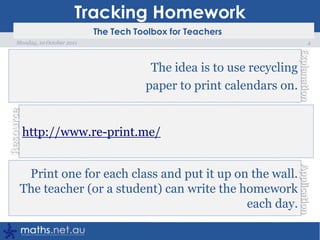
Tracking Homework4Monday, 10 October 2011The idea is to use recycling paper to print calendars on.http://www.re-print.me/Print one for each class and put it up on the wall. The teacher (or a student) can write the homework each day.
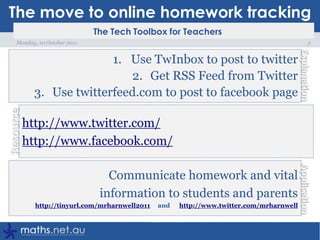
The move to online homework tracking5Monday, 10 October 2011Use TwInbox to post to twitterGet RSS Feed from TwitterUse twitterfeed.com to post to facebook pagehttp://www.twitter.com/http://www.facebook.com/Communicate homework and vital information to students and parentshttp://tinyurl.com/mrharnwell2011     and      http://www.twitter.com/mrharnwell
OneNote > My Lessons > DemoOver to OneNote…6Monday, 10 October 2011
OneNote > My Lessons > DemoOver to OneNote…Sync with Sharepoint                                  OR Web via SkydriveStudents (and parents) can access directly!7Monday, 10 October 2011
Parents want to help their son with homework?8Monday, 10 October 2011DEC (Dept of Ed and Communities) has developed a site to help parents know what students are doing in schoolshttp://www.schoolatoz.nsw.edu.au/There are some quick factsheets which student may find helpful when revising. Example.
Joshua HarnwellAssistant Head of MathematicsHarnwellJ@knox.nsw.edu.auFlipping the ClassroomAIS Conference: Term 4 @ Knox Grammar School
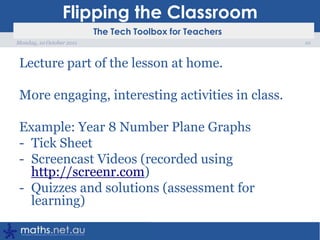
Flipping the ClassroomLecture part of the lesson at home.More engaging, interesting activities in class.Example: Year 8 Number Plane GraphsTick Sheet
Screencast Videos (recorded using http://screenr.com)
Quizzes and solutions (assessment for learning)  10Monday, 10 October 2011
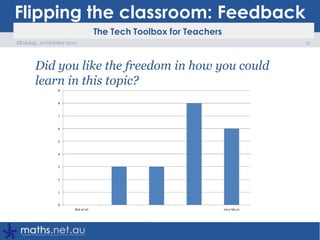
Flipping the classroom: FeedbackDid you like the freedom in how you could learn in this topic?11Monday, 10 October 2011
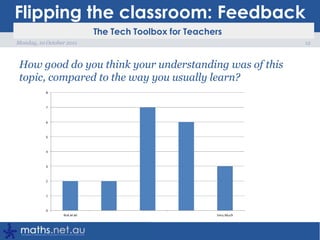
Flipping the classroom: FeedbackHow good do you think your understanding was of this topic, compared to the way you usually learn?12Monday, 10 October 2011
Flipping the classroom: FeedbackFeedback from a parent…“I want you in front of the class, teaching!”13Monday, 10 October 2011
Flipping the classroom: FeedbackComments from students:I hated this topic doing it on the computer and thought it was a terrible way to learni really disliked learning by myself, id rather be tought by the teacher and be given and forced to do homework. i felt i didn't know anything for this topic14Monday, 10 October 2011
Flipping the classroom: FeedbackComments from students:When he made us choose our homework, i feel i didn't do enough.I liked how could work at our own pace but I need to work faster if I want to achieve better results.I liked how we could chose to do what subjects we did and did not understand. I really liked that we could choose what to do and then move on if we know the rest.15Monday, 10 October 2011
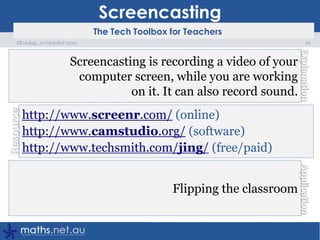
Screencasting16Monday, 10 October 2011Screencasting is recording a video of your computer screen, while you are working on it. It can also record sound.http://www.screenr.com/ (online)http://www.camstudio.org/ (software)http://www.techsmith.com/jing/ (free/paid)Flipping the classroom
Joshua HarnwellAssistant Head of MathematicsHarnwellJ@knox.nsw.edu.auBlogging with Year 8AIS Conference: Term 4 @ Knox Grammar School
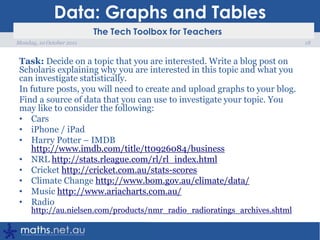
Data: Graphs and TablesTask: Decide on a topic that you are interested. Write a blog post on Scholarisexplaining why you are interested in this topic and what you can investigate statistically.In future posts, you will need to create and upload graphs to your blog.Find a source of data that you can use to investigate your topic. You may like to consider the following:CarsiPhone / iPadHarry Potter – IMDB http://www.imdb.com/title/tt0926084/businessNRL http://stats.rleague.com/rl/rl_index.htmlCricket http://cricket.com.au/stats-scoresClimate Change http://www.bom.gov.au/climate/data/Music http://www.ariacharts.com.au/Radio http://au.nielsen.com/products/nmr_radio_radioratings_archives.shtml18Monday, 10 October 2011
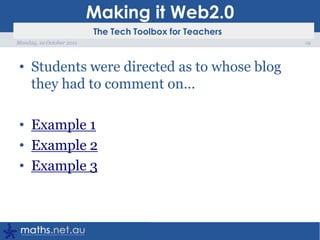
Making it Web2.0Students were directed as to whose blog they had to comment on…Example 1Example 2Example 319Monday, 10 October 2011
Joshua HarnwellAssistant Head of MathematicsHarnwellJ@knox.nsw.edu.auTeaching and Learning AppletsAIS Conference: Term 4 @ Knox Grammar School
AppletsThis is where I started, putting technology into my lessonsTeacher AppletsStudents AppletsLets students visualise Mathematics21Monday, 10 October 2011
Applets: ExamplesGeogebraTubeStudent Applets: Isometric Drawing ToolConstructionsCreative Commons Images: Slope22Monday, 10 October 2011
Bookmarking23Monday, 10 October 2011Online Social Bookmarking lets you easily store bookmarks in one place (backed up), search them and share them with others.http://www.delicious.com/http://www.diigo.com/https://bookmarks.google.com/Store your links, so that you can find them againShare links with colleagues – each department to have a diigo group?
Joshua HarnwellAssistant Head of MathematicsHarnwellJ@knox.nsw.edu.auOther ideas for teaching MathematicsAIS Conference: Term 4 @ Knox Grammar School
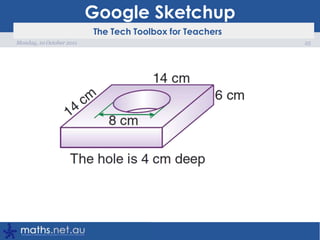
Google Sketchup25Monday, 10 October 2011
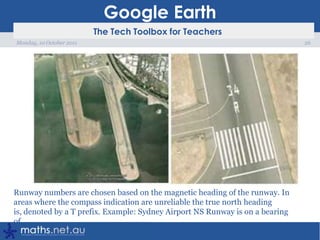
Google Earth26Monday, 10 October 2011
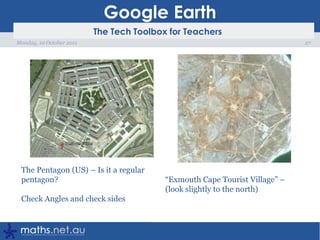
Google Earth27Monday, 10 October 2011
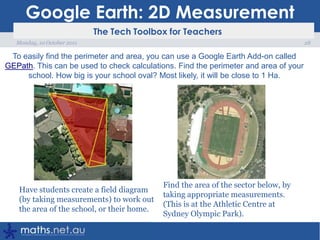
Google Earth: 2D Measurement28Monday, 10 October 2011To easily find the perimeter and area, you can use a Google Earth Add-on called GEPath. This can be used to check calculations. Find the perimeter and area of your school. How big is your school oval? Most likely, it will be close to 1 Ha.
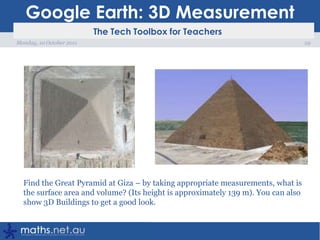
Google Earth: 3D Measurement29Monday, 10 October 2011
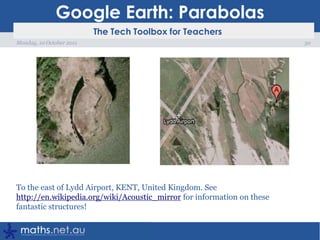
Google Earth: Parabolas30Monday, 10 October 2011
Google Docs31Monday, 10 October 2011Use google docs to collaborate for documents or spreadsheetshttp://www.offisync.com/http://tinyurl.com/googlecloudconnectI check homework, using my iPhone and then use OffiSync to open the Google Spreadsheet in Excel
Microsoft Word and MathsEquations Suck!Microsoft MathSymbols ALT-017632Monday, 10 October 2011
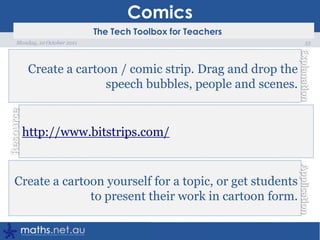
Comics33Monday, 10 October 2011Create a cartoon / comic strip. Drag and drop the speech bubbles, people and scenes.http://www.bitstrips.com/Create a cartoon yourself for a topic, or get students to present their work in cartoon form.
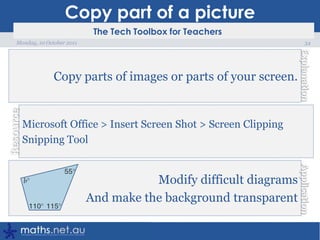
Copy part of a picture34Monday, 10 October 2011Copy parts of images or parts of your screen.Microsoft Office > Insert Screen Shot > Screen ClippingSnipping ToolModify difficult diagramsAnd make the background transparent
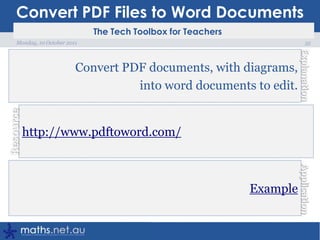
Convert PDF Files to Word Documents35Monday, 10 October 2011Convert PDF documents, with diagrams, into word documents to edit.http://www.pdftoword.com/Example
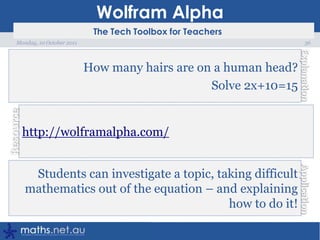
Wolfram Alpha36Monday, 10 October 2011How many hairs are on a human head?Solve 2x+10=15http://wolframalpha.com/Students can investigate a topic, taking difficult mathematics out of the equation – and explaining how to do it!
SkypeOne of my students in Year 11 Extension 1 Mathematics was scheduled to have an operation on his knee and came up with a brilliant plan to not fall behind. The course goes very quickly and missing any lesson can be difficult – we were going to cover Superannuation using a GP.He organised with a friend to skype in from home to watch the lesson as we progressed.For part of the lesson, he was sitting on a table in front of the projector screen (well… the laptop he was skyped into).For the rest of the lesson, he sat in his usual seat.I wonder if UStream would have been an easier alternative – although it would not have allowed him to put up his hand and ask any questions.37Monday, 10 October 2011

Technology in Mathematics

  • 1.
    Joshua HarnwellAssistant Headof MathematicsHarnwellJ@knox.nsw.edu.auTechnology in Mathematics EducationAIS Conference: Term 4 @ Knox Grammar School
  • 2.
    AutomationICT is aboutmaking my life easier!2Monday, 10 October 2011
  • 3.
    Joshua HarnwellAssistant Headof MathematicsHarnwellJ@knox.nsw.edu.auCommunicating with parents and studentsAIS Conference: Term 4 @ Knox Grammar School
  • 4.
    Tracking Homework4Monday, 10October 2011The idea is to use recycling paper to print calendars on.http://www.re-print.me/Print one for each class and put it up on the wall. The teacher (or a student) can write the homework each day.
  • 5.
    The move toonline homework tracking5Monday, 10 October 2011Use TwInbox to post to twitterGet RSS Feed from TwitterUse twitterfeed.com to post to facebook pagehttp://www.twitter.com/http://www.facebook.com/Communicate homework and vital information to students and parentshttp://tinyurl.com/mrharnwell2011 and http://www.twitter.com/mrharnwell
  • 6.
    OneNote > MyLessons > DemoOver to OneNote…6Monday, 10 October 2011
  • 7.
    OneNote > MyLessons > DemoOver to OneNote…Sync with Sharepoint OR Web via SkydriveStudents (and parents) can access directly!7Monday, 10 October 2011
  • 8.
    Parents want tohelp their son with homework?8Monday, 10 October 2011DEC (Dept of Ed and Communities) has developed a site to help parents know what students are doing in schoolshttp://www.schoolatoz.nsw.edu.au/There are some quick factsheets which student may find helpful when revising. Example.
  • 9.
    Joshua HarnwellAssistant Headof MathematicsHarnwellJ@knox.nsw.edu.auFlipping the ClassroomAIS Conference: Term 4 @ Knox Grammar School
  • 10.
    Flipping the ClassroomLecturepart of the lesson at home.More engaging, interesting activities in class.Example: Year 8 Number Plane GraphsTick Sheet
  • 11.
    Screencast Videos (recordedusing http://screenr.com)
  • 12.
    Quizzes and solutions(assessment for learning) 10Monday, 10 October 2011
  • 13.
    Flipping the classroom:FeedbackDid you like the freedom in how you could learn in this topic?11Monday, 10 October 2011
  • 14.
    Flipping the classroom:FeedbackHow good do you think your understanding was of this topic, compared to the way you usually learn?12Monday, 10 October 2011
  • 15.
    Flipping the classroom:FeedbackFeedback from a parent…“I want you in front of the class, teaching!”13Monday, 10 October 2011
  • 16.
    Flipping the classroom:FeedbackComments from students:I hated this topic doing it on the computer and thought it was a terrible way to learni really disliked learning by myself, id rather be tought by the teacher and be given and forced to do homework. i felt i didn't know anything for this topic14Monday, 10 October 2011
  • 17.
    Flipping the classroom:FeedbackComments from students:When he made us choose our homework, i feel i didn't do enough.I liked how could work at our own pace but I need to work faster if I want to achieve better results.I liked how we could chose to do what subjects we did and did not understand. I really liked that we could choose what to do and then move on if we know the rest.15Monday, 10 October 2011
  • 18.
    Screencasting16Monday, 10 October2011Screencasting is recording a video of your computer screen, while you are working on it. It can also record sound.http://www.screenr.com/ (online)http://www.camstudio.org/ (software)http://www.techsmith.com/jing/ (free/paid)Flipping the classroom
  • 19.
    Joshua HarnwellAssistant Headof MathematicsHarnwellJ@knox.nsw.edu.auBlogging with Year 8AIS Conference: Term 4 @ Knox Grammar School
  • 20.
    Data: Graphs andTablesTask: Decide on a topic that you are interested. Write a blog post on Scholarisexplaining why you are interested in this topic and what you can investigate statistically.In future posts, you will need to create and upload graphs to your blog.Find a source of data that you can use to investigate your topic. You may like to consider the following:CarsiPhone / iPadHarry Potter – IMDB http://www.imdb.com/title/tt0926084/businessNRL http://stats.rleague.com/rl/rl_index.htmlCricket http://cricket.com.au/stats-scoresClimate Change http://www.bom.gov.au/climate/data/Music http://www.ariacharts.com.au/Radio http://au.nielsen.com/products/nmr_radio_radioratings_archives.shtml18Monday, 10 October 2011
  • 21.
    Making it Web2.0Studentswere directed as to whose blog they had to comment on…Example 1Example 2Example 319Monday, 10 October 2011
  • 22.
    Joshua HarnwellAssistant Headof MathematicsHarnwellJ@knox.nsw.edu.auTeaching and Learning AppletsAIS Conference: Term 4 @ Knox Grammar School
  • 23.
    AppletsThis is whereI started, putting technology into my lessonsTeacher AppletsStudents AppletsLets students visualise Mathematics21Monday, 10 October 2011
  • 24.
    Applets: ExamplesGeogebraTubeStudent Applets:Isometric Drawing ToolConstructionsCreative Commons Images: Slope22Monday, 10 October 2011
  • 25.
    Bookmarking23Monday, 10 October2011Online Social Bookmarking lets you easily store bookmarks in one place (backed up), search them and share them with others.http://www.delicious.com/http://www.diigo.com/https://bookmarks.google.com/Store your links, so that you can find them againShare links with colleagues – each department to have a diigo group?
  • 26.
    Joshua HarnwellAssistant Headof MathematicsHarnwellJ@knox.nsw.edu.auOther ideas for teaching MathematicsAIS Conference: Term 4 @ Knox Grammar School
  • 27.
  • 28.
  • 29.
  • 30.
    Google Earth: 2DMeasurement28Monday, 10 October 2011To easily find the perimeter and area, you can use a Google Earth Add-on called GEPath. This can be used to check calculations. Find the perimeter and area of your school. How big is your school oval? Most likely, it will be close to 1 Ha.
  • 31.
    Google Earth: 3DMeasurement29Monday, 10 October 2011
  • 32.
  • 33.
    Google Docs31Monday, 10October 2011Use google docs to collaborate for documents or spreadsheetshttp://www.offisync.com/http://tinyurl.com/googlecloudconnectI check homework, using my iPhone and then use OffiSync to open the Google Spreadsheet in Excel
  • 34.
    Microsoft Word andMathsEquations Suck!Microsoft MathSymbols ALT-017632Monday, 10 October 2011
  • 35.
    Comics33Monday, 10 October2011Create a cartoon / comic strip. Drag and drop the speech bubbles, people and scenes.http://www.bitstrips.com/Create a cartoon yourself for a topic, or get students to present their work in cartoon form.
  • 36.
    Copy part ofa picture34Monday, 10 October 2011Copy parts of images or parts of your screen.Microsoft Office > Insert Screen Shot > Screen ClippingSnipping ToolModify difficult diagramsAnd make the background transparent
  • 37.
    Convert PDF Filesto Word Documents35Monday, 10 October 2011Convert PDF documents, with diagrams, into word documents to edit.http://www.pdftoword.com/Example
  • 38.
    Wolfram Alpha36Monday, 10October 2011How many hairs are on a human head?Solve 2x+10=15http://wolframalpha.com/Students can investigate a topic, taking difficult mathematics out of the equation – and explaining how to do it!
  • 39.
    SkypeOne of mystudents in Year 11 Extension 1 Mathematics was scheduled to have an operation on his knee and came up with a brilliant plan to not fall behind. The course goes very quickly and missing any lesson can be difficult – we were going to cover Superannuation using a GP.He organised with a friend to skype in from home to watch the lesson as we progressed.For part of the lesson, he was sitting on a table in front of the projector screen (well… the laptop he was skyped into).For the rest of the lesson, he sat in his usual seat.I wonder if UStream would have been an easier alternative – although it would not have allowed him to put up his hand and ask any questions.37Monday, 10 October 2011