Techniques and Considerations
for Improving Accessibility in
Online Media
Zack Labe(he/him) and Olga Lauter(she/her)
18 May 2023 – USAPECS Board Meeting
IDEA Task Group – Alt Text Training
https://usapecs.wixsite.com/usapecs
To Join!
Introduction: Accessibility in Media
● “Digital accessibility refers to how usable a website, app or other
digital experience is by all possible users, regardless of their ability
or disability” (Perkins School for the Blind 2023)
● One in four adults in the U.S. have some type of disability (CDC
2023)
2
Accessibility as a Requirement
● Providing accessible content is a legal requirement
○ The Americans Disability Act (ADA)
○ Section 508 of the Rehabilitation Act
○ Section 504 of the Rehabilitation Act
● The Web Content Accessibility Guidelines (WCAG)
3
Most Common Accessibility Issues
● Inappropriate Alternative Text on Images
● Poor Contrast Text
● Heading Hierarchy
● Too Many Navigation Links
● Using Non-Descriptive Links (e.g. “Read More”, “Click here”)
● Lack of Keyboard Accessibility and Navigability
● Embedding Inaccessible Documents (Absence of an accessibility
checker)
● Lack of Subtitles and Captions to Videos
Browser Stack Website 2023
4
Alternative Text
● Alternative text (alt-text) describes what is in an image
● It is:
○ Read to users out loud by screen reader software
○ Indexed by search engines
○ Displayed on the page if the image fails to load
● The typical length of an alt-text: 100-125 characters
● Context is important
Harward University Website
https://imageseo.io/alt-text-seo/
5
Okay alt text: <img src="escalator.jpg" alt="man on escalator">
Better alt text: <img src="escalator.jpg" alt="man walking on escalator">
Best alt text: <img src="escalator.jpg" alt="man wearing backpack walking down escalator">
https://moz.com/learn/seo/alt-text
6
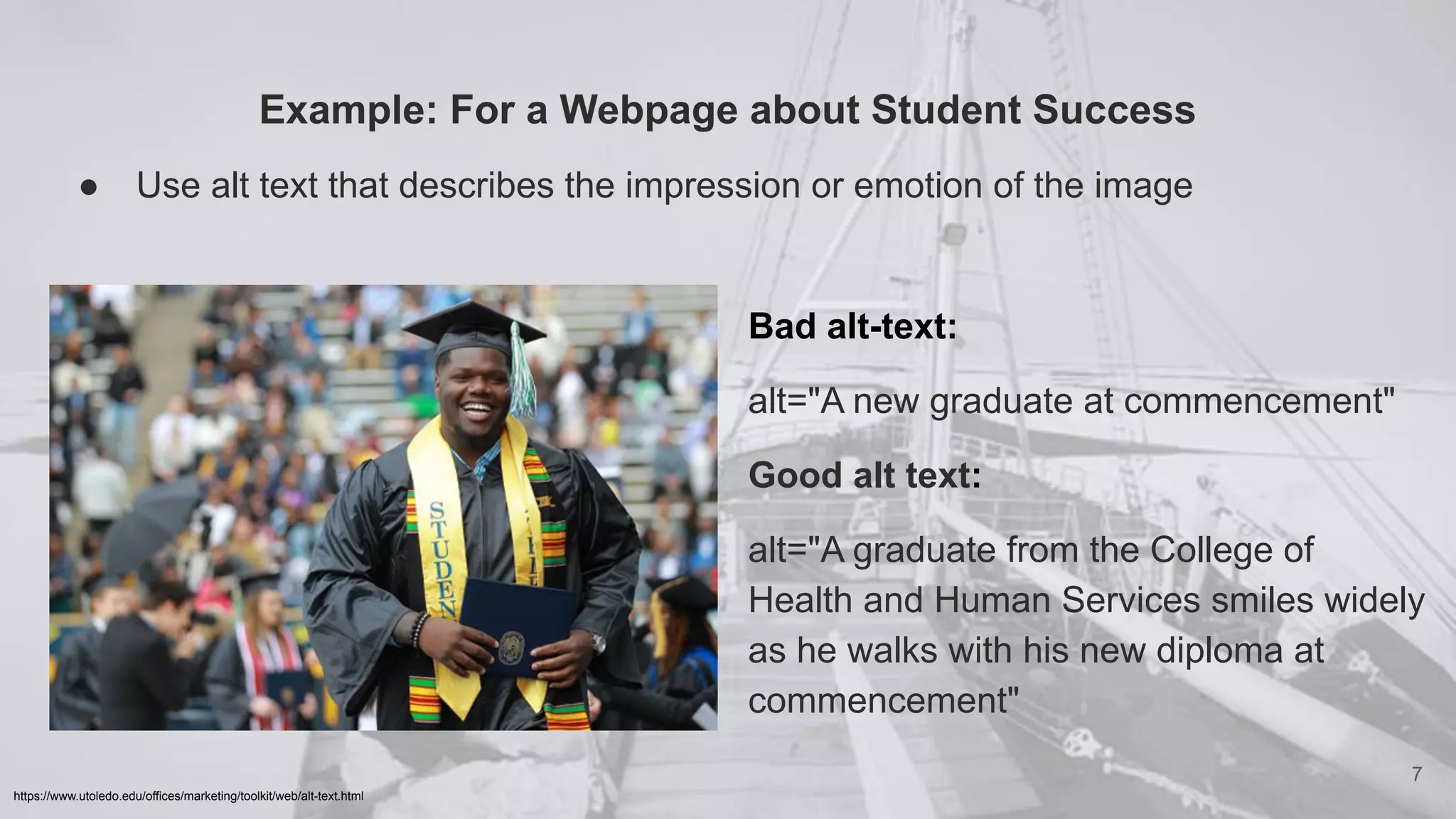
Example: For a Webpage about Student Success
● Use alt text that describes the impression or emotion of the image
7
https://www.utoledo.edu/offices/marketing/toolkit/web/alt-text.html
Bad alt-text:
alt="A new graduate at commencement"
Good alt text:
alt="A graduate from the College of
Health and Human Services smiles widely
as he walks with his new diploma at
commencement"
What about figure captions?
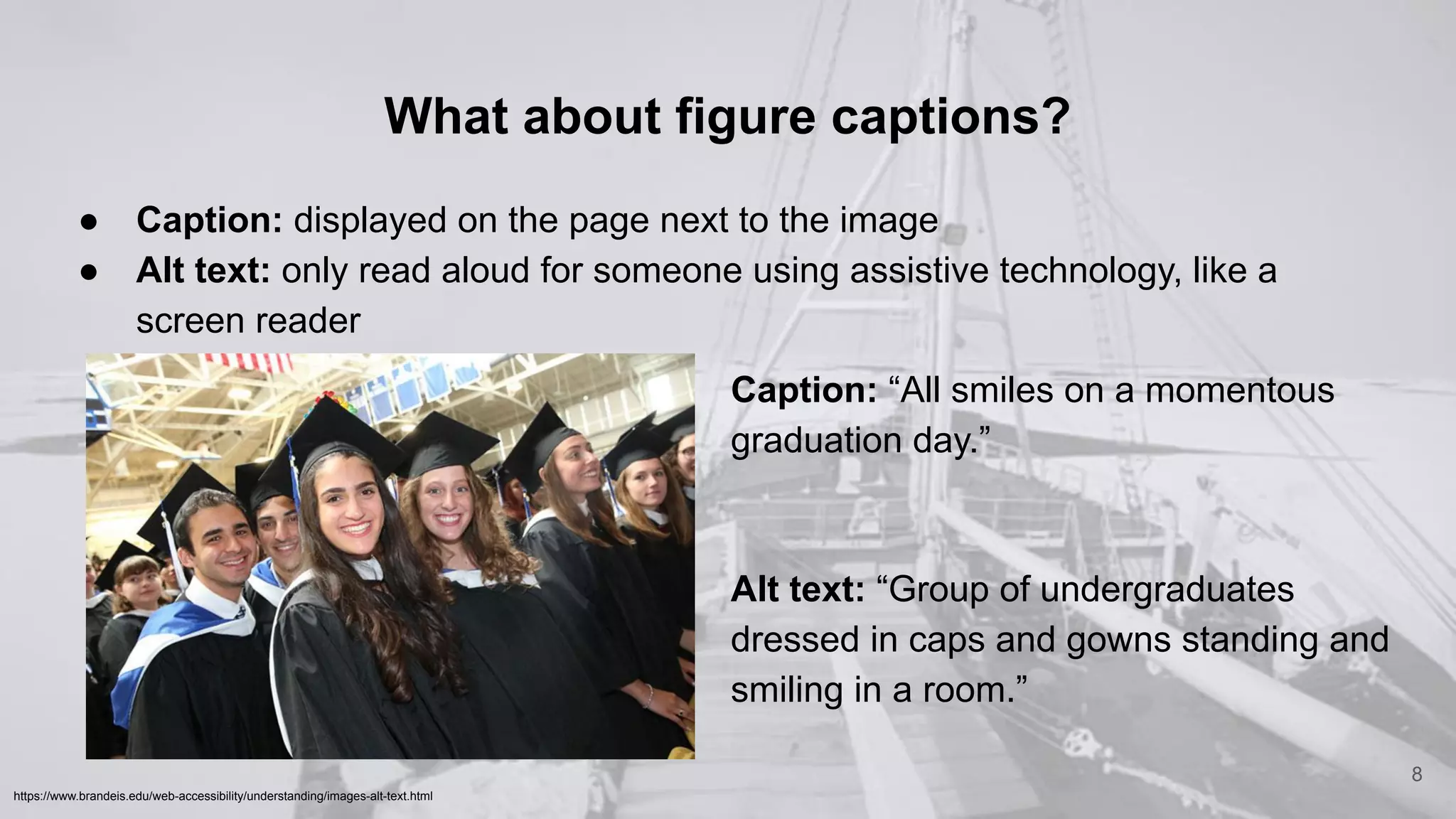
● Caption: displayed on the page next to the image
● Alt text: only read aloud for someone using assistive technology, like a
screen reader
8
https://www.brandeis.edu/web-accessibility/understanding/images-alt-text.html
Caption: “All smiles on a momentous
graduation day.”
Alt text: “Group of undergraduates
dressed in caps and gowns standing and
smiling in a room.”
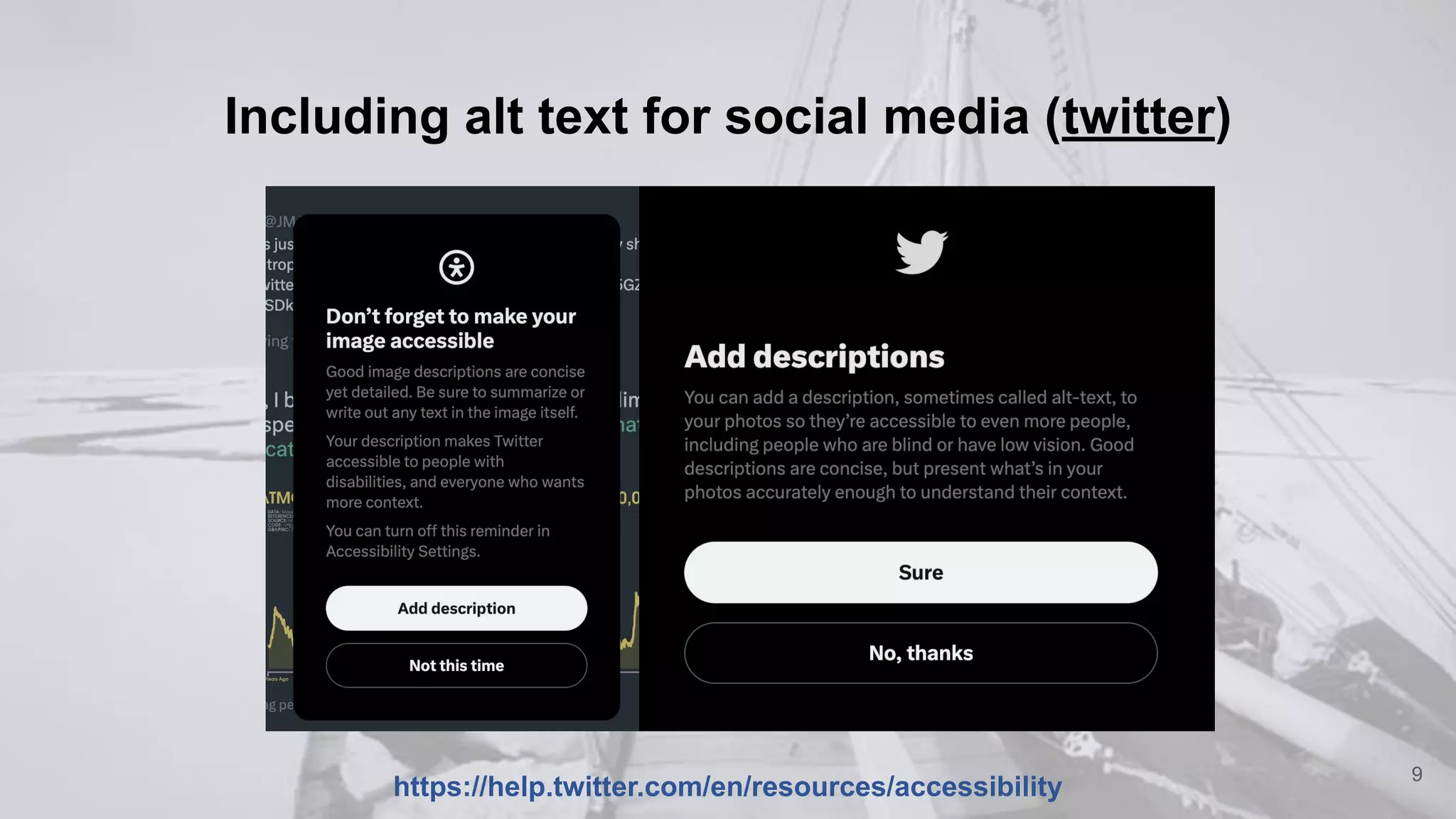
Including alt text for social media (twitter)
9
https://help.twitter.com/en/resources/accessibility
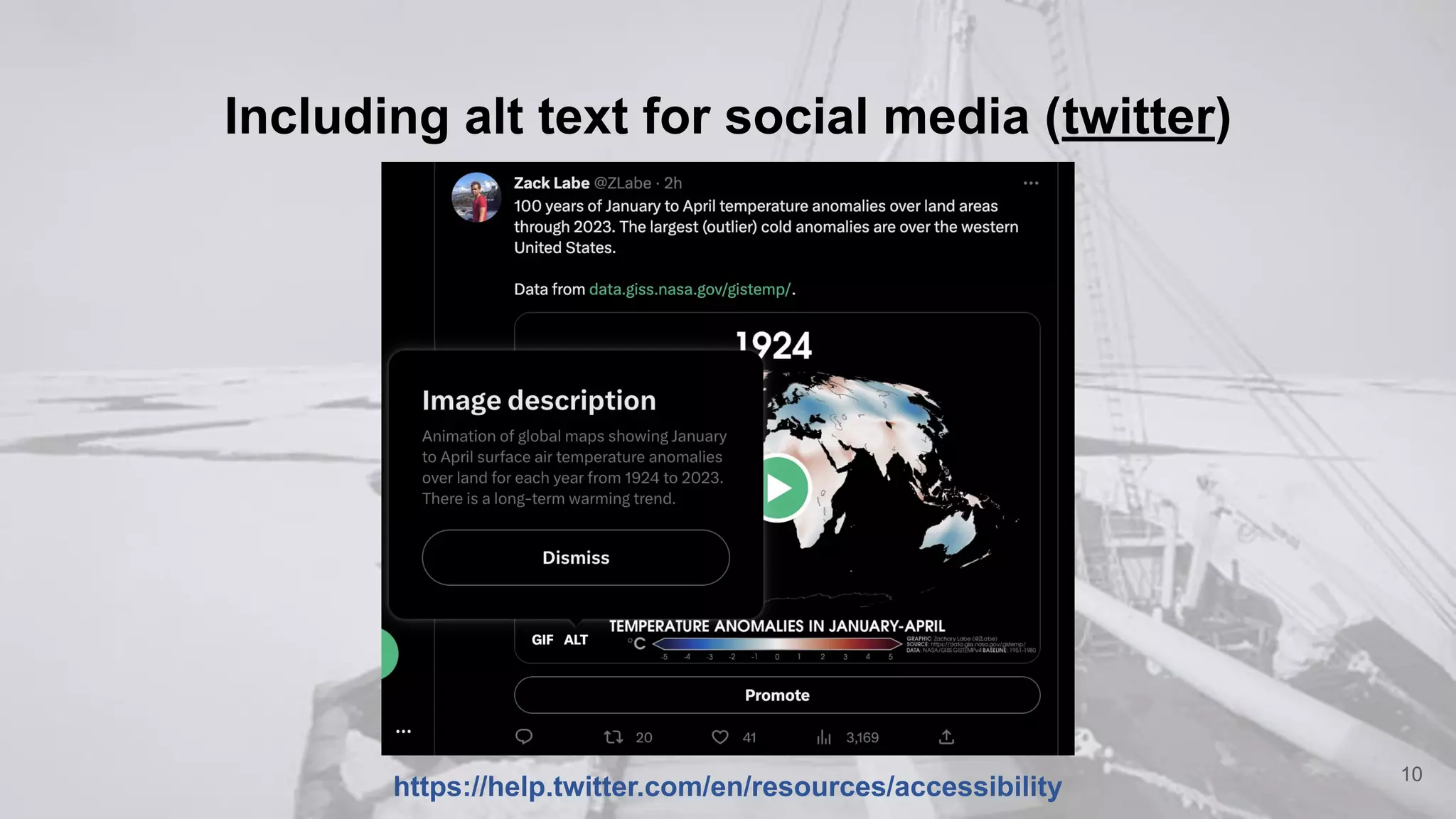
Including alt text for social media (twitter)
10
https://help.twitter.com/en/resources/accessibility
Including alt text for social media (twitter)
11
https://help.twitter.com/en/resources/accessibility
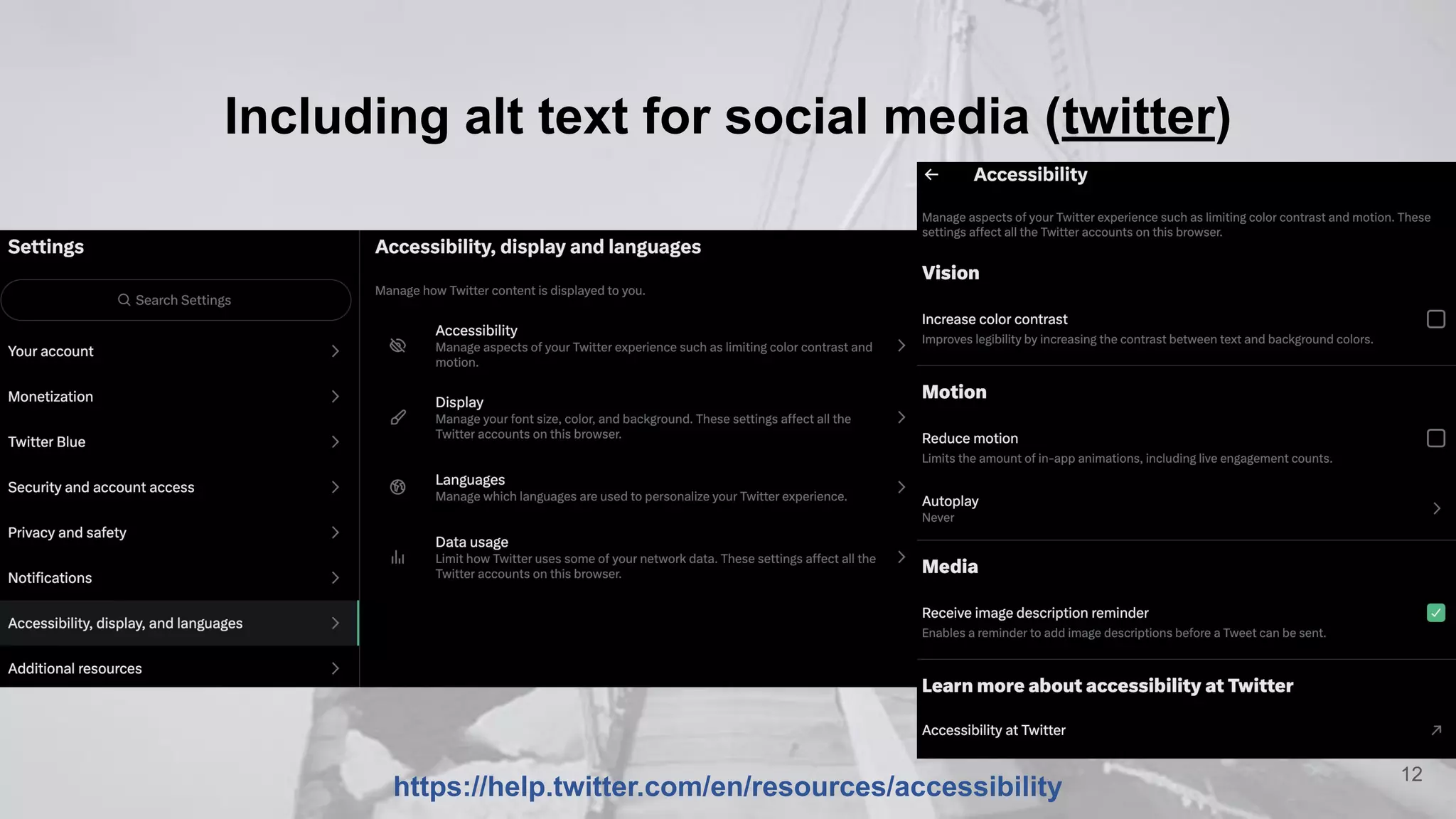
Including alt text for social media (twitter)
12
https://help.twitter.com/en/resources/accessibility
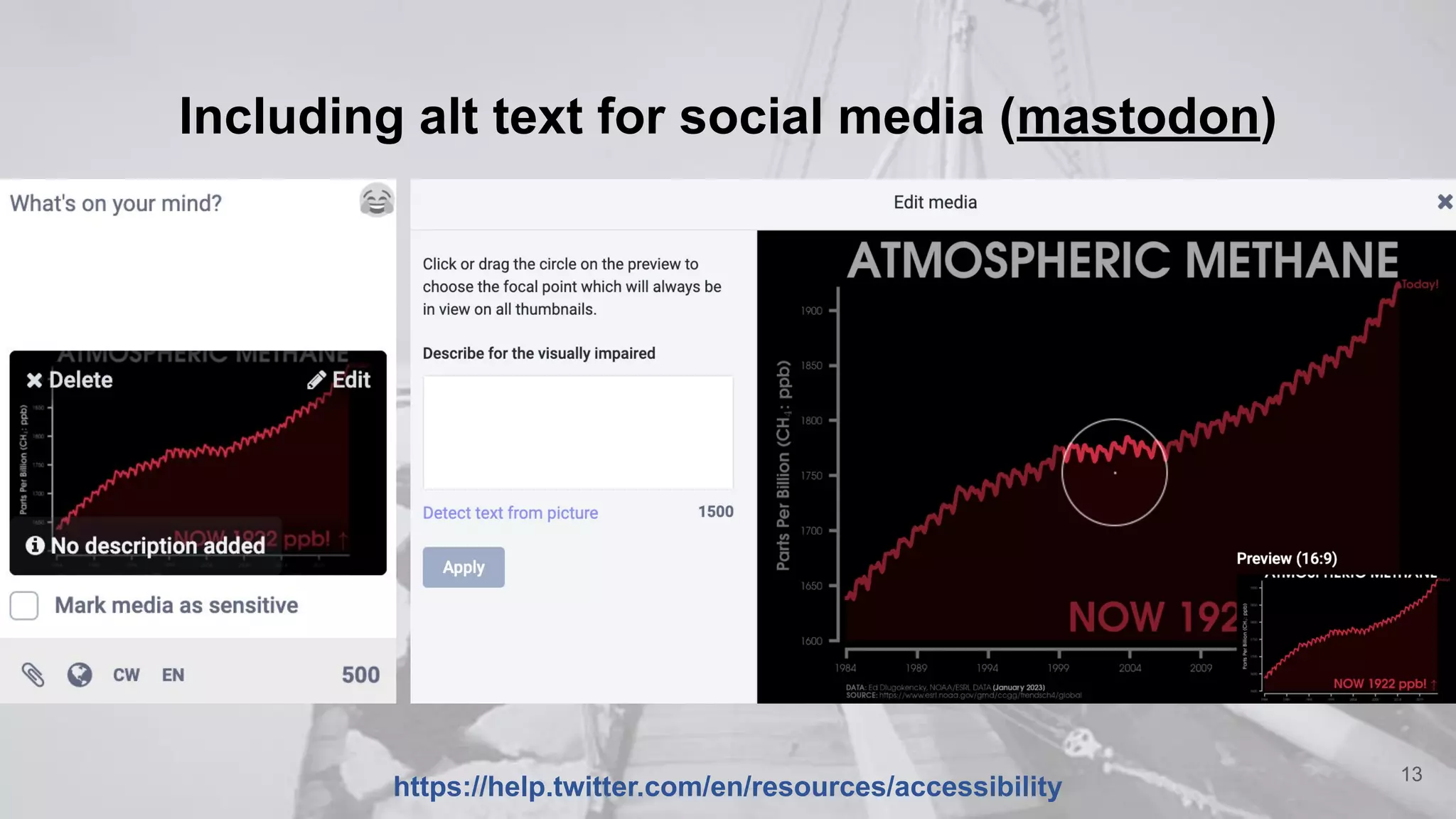
Including alt text for social media (mastodon)
13
https://help.twitter.com/en/resources/accessibility
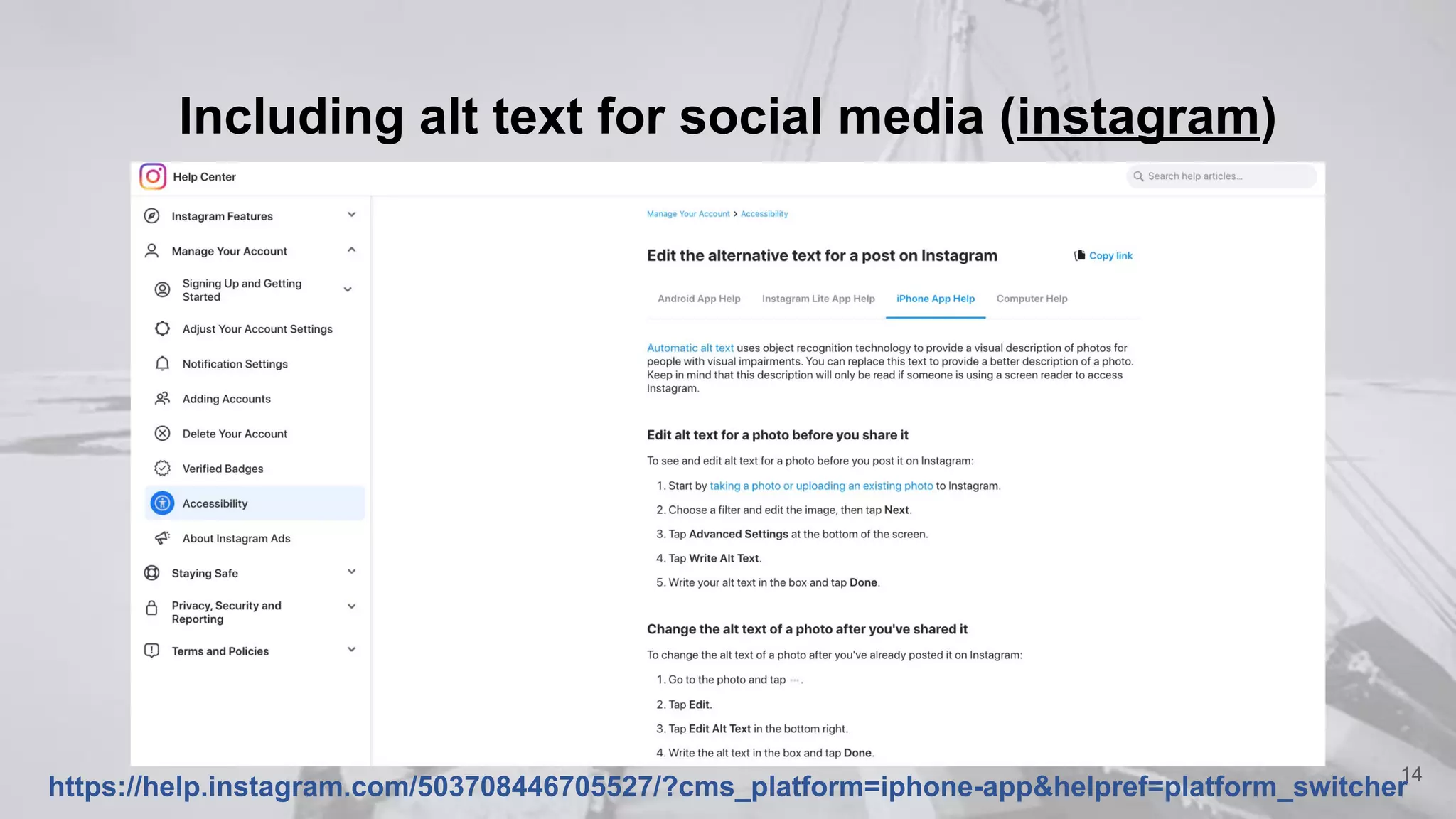
Including alt text for social media (instagram)
14
https://help.instagram.com/503708446705527/?cms_platform=iphone-app&helpref=platform_switcher
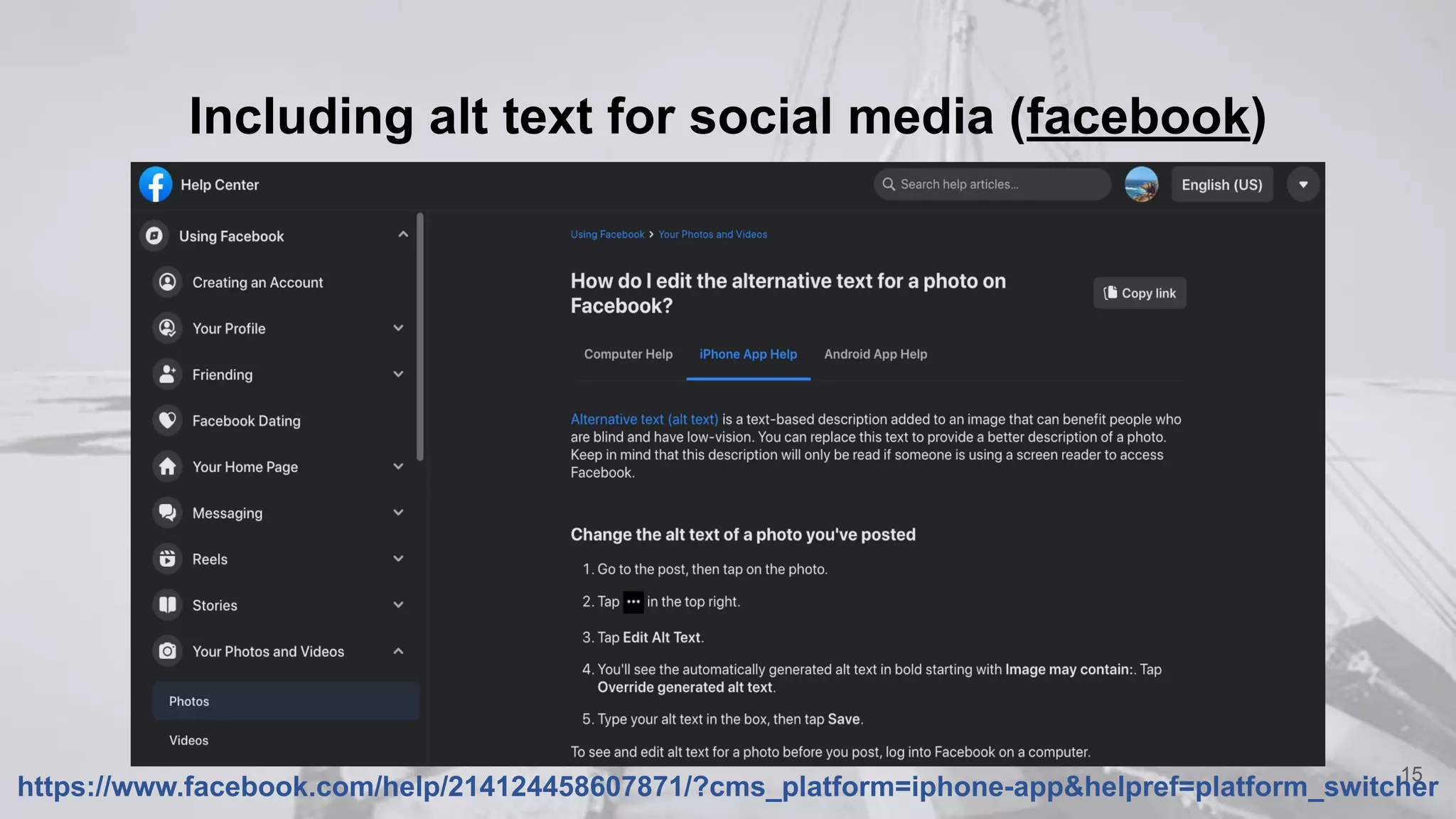
Including alt text for social media (facebook)
15
https://www.facebook.com/help/214124458607871/?cms_platform=iphone-app&helpref=platform_switcher
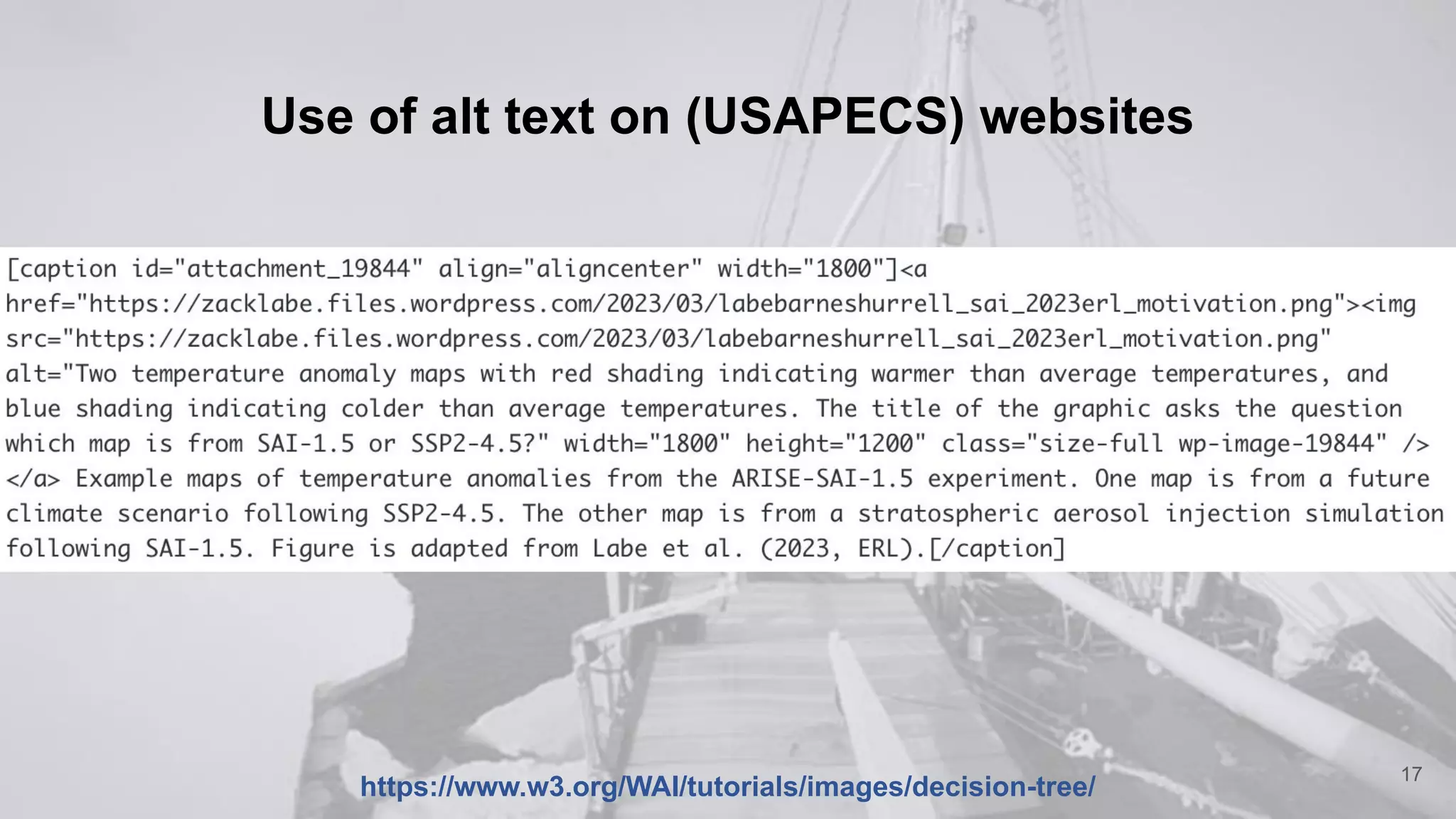
Use of alt text on (USAPECS) websites
16
https://www.w3.org/WAI/tutorials/images/decision-tree/
Use of alt text on (USAPECS) websites
17
https://www.w3.org/WAI/tutorials/images/decision-tree/
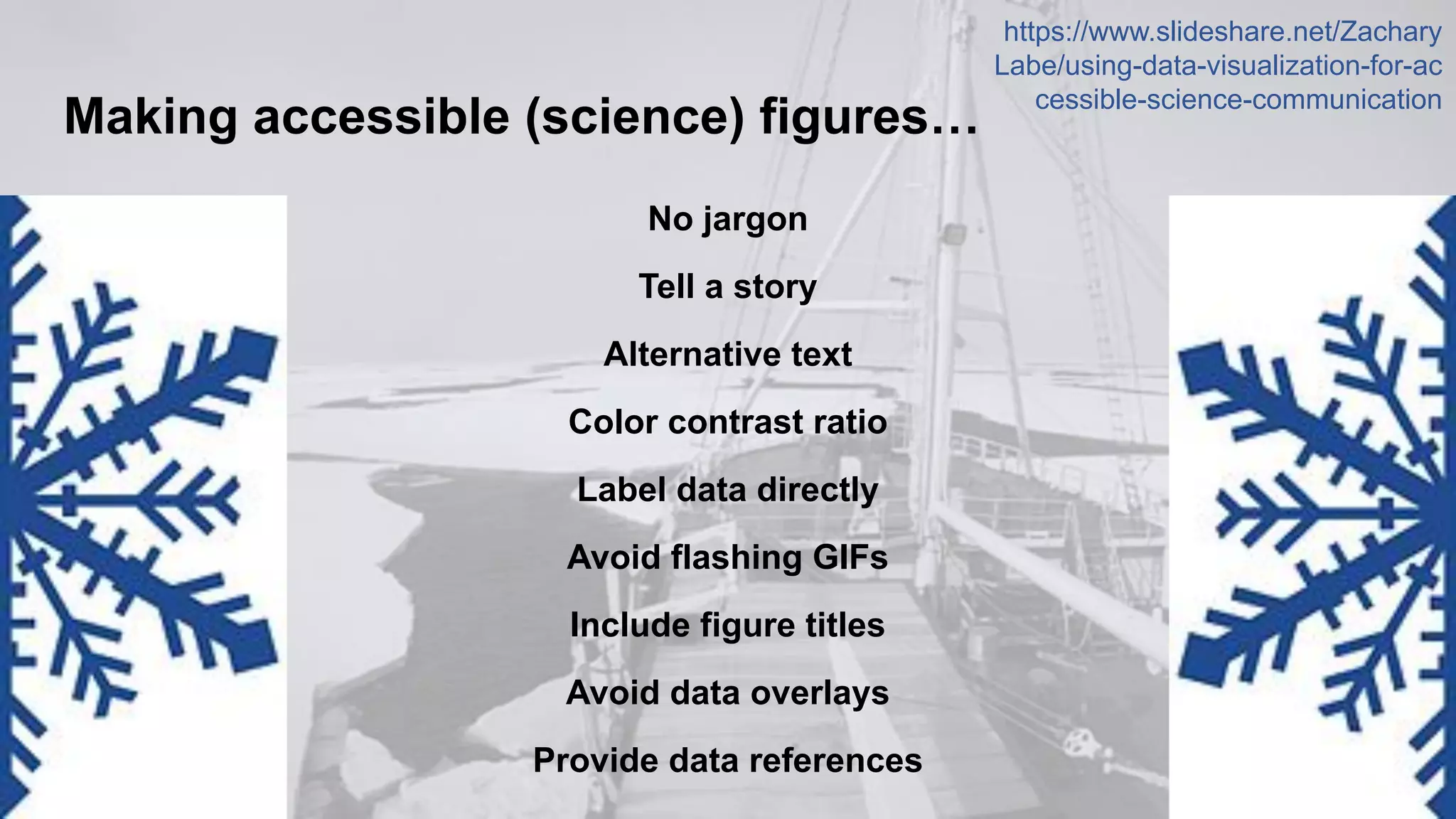
Making accessible (science) figures…
No jargon
Tell a story
Alternative text
Color contrast ratio
Label data directly
Avoid flashing GIFs
Include figure titles
Avoid data overlays
Provide data references 18
https://www.slideshare.net/Zachary
Labe/using-data-visualization-for-ac
cessible-science-communication
Concluding thoughts and recommendations…
● Improving media accessibility should not be an afterthought.
○ We can do better!
● It takes practice in writing alt text descriptions.
● Alt text options are now available on nearly all website and social media
interfaces, but they are often hidden deep within user settings.
● Replying (forgetting) alt text, such as in a follow-on tweet, is not as
helpful for the user - please turn on the reminder options.
19

Techniques and Considerations for Improving Accessibility in Online Media

  • 1.
    Techniques and Considerations forImproving Accessibility in Online Media Zack Labe(he/him) and Olga Lauter(she/her) 18 May 2023 – USAPECS Board Meeting IDEA Task Group – Alt Text Training https://usapecs.wixsite.com/usapecs To Join!
  • 2.
    Introduction: Accessibility inMedia ● “Digital accessibility refers to how usable a website, app or other digital experience is by all possible users, regardless of their ability or disability” (Perkins School for the Blind 2023) ● One in four adults in the U.S. have some type of disability (CDC 2023) 2
  • 3.
    Accessibility as aRequirement ● Providing accessible content is a legal requirement ○ The Americans Disability Act (ADA) ○ Section 508 of the Rehabilitation Act ○ Section 504 of the Rehabilitation Act ● The Web Content Accessibility Guidelines (WCAG) 3
  • 4.
    Most Common AccessibilityIssues ● Inappropriate Alternative Text on Images ● Poor Contrast Text ● Heading Hierarchy ● Too Many Navigation Links ● Using Non-Descriptive Links (e.g. “Read More”, “Click here”) ● Lack of Keyboard Accessibility and Navigability ● Embedding Inaccessible Documents (Absence of an accessibility checker) ● Lack of Subtitles and Captions to Videos Browser Stack Website 2023 4
  • 5.
    Alternative Text ● Alternativetext (alt-text) describes what is in an image ● It is: ○ Read to users out loud by screen reader software ○ Indexed by search engines ○ Displayed on the page if the image fails to load ● The typical length of an alt-text: 100-125 characters ● Context is important Harward University Website https://imageseo.io/alt-text-seo/ 5
  • 6.
    Okay alt text:<img src="escalator.jpg" alt="man on escalator"> Better alt text: <img src="escalator.jpg" alt="man walking on escalator"> Best alt text: <img src="escalator.jpg" alt="man wearing backpack walking down escalator"> https://moz.com/learn/seo/alt-text 6
  • 7.
    Example: For aWebpage about Student Success ● Use alt text that describes the impression or emotion of the image 7 https://www.utoledo.edu/offices/marketing/toolkit/web/alt-text.html Bad alt-text: alt="A new graduate at commencement" Good alt text: alt="A graduate from the College of Health and Human Services smiles widely as he walks with his new diploma at commencement"
  • 8.
    What about figurecaptions? ● Caption: displayed on the page next to the image ● Alt text: only read aloud for someone using assistive technology, like a screen reader 8 https://www.brandeis.edu/web-accessibility/understanding/images-alt-text.html Caption: “All smiles on a momentous graduation day.” Alt text: “Group of undergraduates dressed in caps and gowns standing and smiling in a room.”
  • 9.
    Including alt textfor social media (twitter) 9 https://help.twitter.com/en/resources/accessibility
  • 10.
    Including alt textfor social media (twitter) 10 https://help.twitter.com/en/resources/accessibility
  • 11.
    Including alt textfor social media (twitter) 11 https://help.twitter.com/en/resources/accessibility
  • 12.
    Including alt textfor social media (twitter) 12 https://help.twitter.com/en/resources/accessibility
  • 13.
    Including alt textfor social media (mastodon) 13 https://help.twitter.com/en/resources/accessibility
  • 14.
    Including alt textfor social media (instagram) 14 https://help.instagram.com/503708446705527/?cms_platform=iphone-app&helpref=platform_switcher
  • 15.
    Including alt textfor social media (facebook) 15 https://www.facebook.com/help/214124458607871/?cms_platform=iphone-app&helpref=platform_switcher
  • 16.
    Use of alttext on (USAPECS) websites 16 https://www.w3.org/WAI/tutorials/images/decision-tree/
  • 17.
    Use of alttext on (USAPECS) websites 17 https://www.w3.org/WAI/tutorials/images/decision-tree/
  • 18.
    Making accessible (science)figures… No jargon Tell a story Alternative text Color contrast ratio Label data directly Avoid flashing GIFs Include figure titles Avoid data overlays Provide data references 18 https://www.slideshare.net/Zachary Labe/using-data-visualization-for-ac cessible-science-communication
  • 19.
    Concluding thoughts andrecommendations… ● Improving media accessibility should not be an afterthought. ○ We can do better! ● It takes practice in writing alt text descriptions. ● Alt text options are now available on nearly all website and social media interfaces, but they are often hidden deep within user settings. ● Replying (forgetting) alt text, such as in a follow-on tweet, is not as helpful for the user - please turn on the reminder options. 19