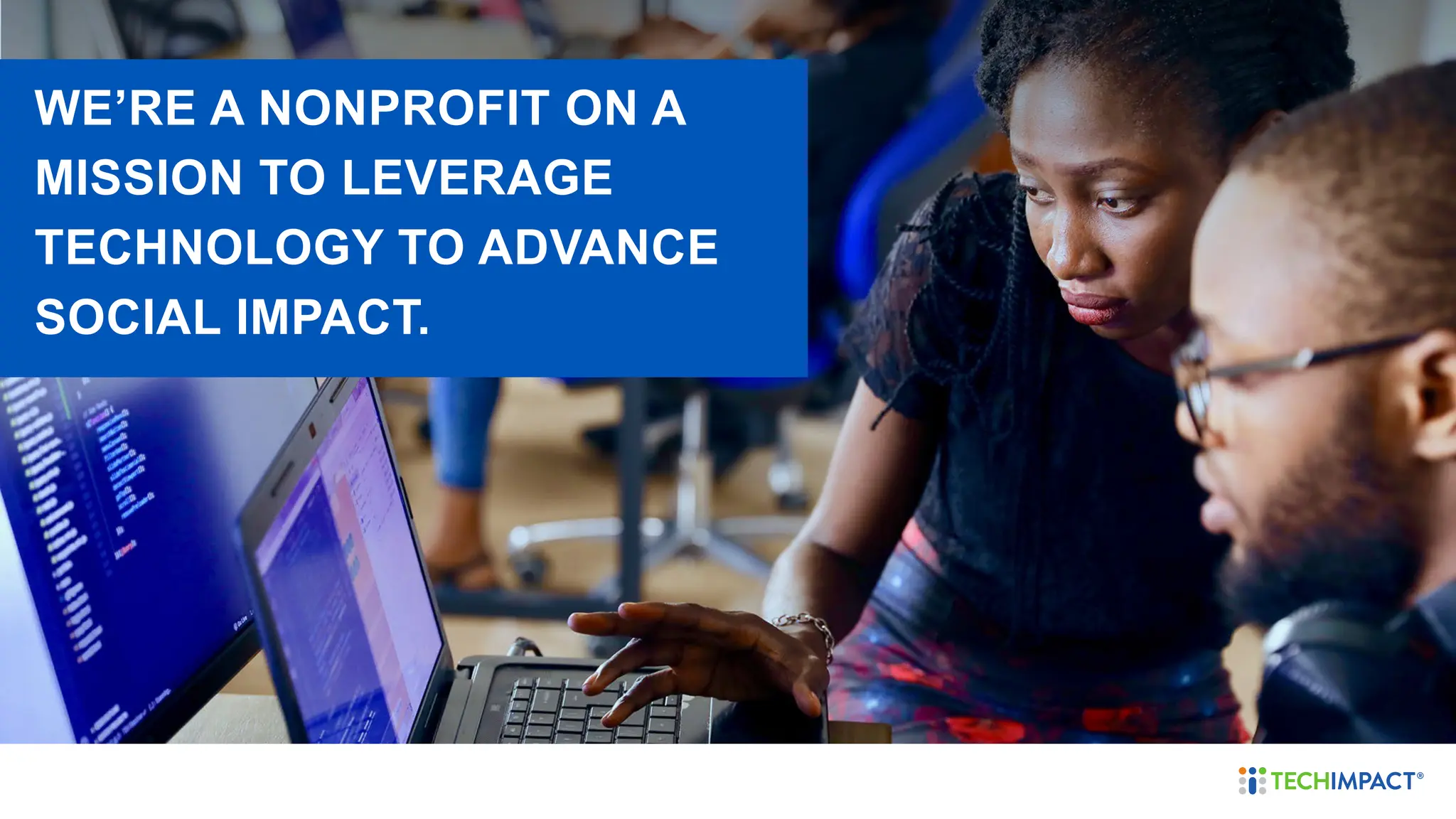
WE’RE A NONPROFIT ON A
MISSION TO LEVERAGE
TECHNOLOGY TO ADVANCE
SOCIAL IMPACT.
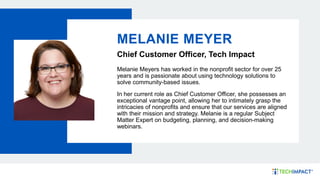
MELANIE MEYER
Chief Customer Officer, Tech Impact
Melanie Meyers has worked in the nonprofit sector for over 25
years and is passionate about using technology solutions to
solve community-based issues.
In her current role as Chief Customer Officer, she possesses an
exceptional vantage point, allowing her to intimately grasp the
intricacies of nonprofits and ensure that our services are aligned
with their mission and strategy. Melanie is a regular Subject
Matter Expert on budgeting, planning, and decision-making
webinars.
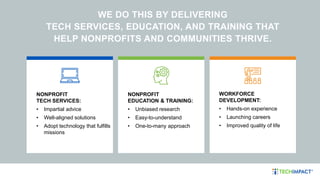
WE DO THIS BY DELIVERING
TECH SERVICES, EDUCATION, AND TRAINING THAT
HELP NONPROFITS AND COMMUNITIES THRIVE.
NONPROFIT
EDUCATION & TRAINING:
• Unbiased research
• Easy-to-understand​
• One-to-many approach
NONPROFIT
TECH SERVICES:
• Impartial advice​
• Well-aligned solutions​
• Adopt technology that fulfills
missions
WORKFORCE
DEVELOPMENT:
• Hands-on experience​
• Launching careers​
• Improved quality of life
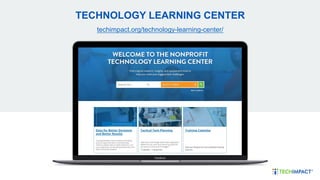
TECHNOLOGY LEARNING CENTER
techimpact.org/technology-learning-center/
1. What is Technology Planning?
2. Assessing Your Current Technology
3. Creating an Action Plan
4. Budgeting and Funding Your Projects
AGENDA
WHAT IS TECHNOLOGY
PLANNING?
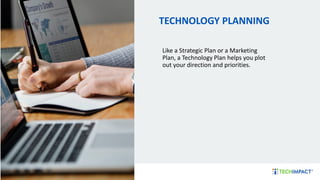
TECHNOLOGY PLANNING
Like a Strategic Plan or a Marketing
Plan, a Technology Plan helps you plot
out your direction and priorities.
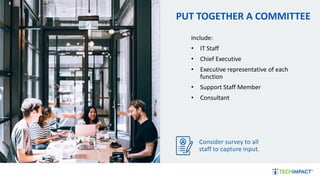
PUT TOGETHER A COMMITTEE
Include:
• IT Staff
• Chief Executive
• Executive representative of each
function
• Support Staff Member
• Consultant
Consider survey to all
staff to capture input.
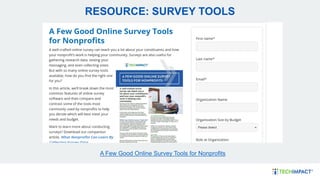
A Few Good Online Survey Tools for Nonprofits
RESOURCE: SURVEY TOOLS
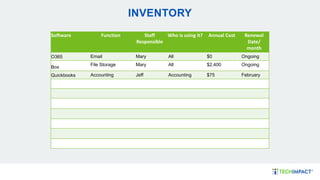
INVENTORY
Software Function Staff
Responsible
Who is using it? Annual Cost Renewal
Date/
month
O365 Email Mary All $0 Ongoing
Box
File Storage Mary All $2,400 Ongoing
Quickbooks Accounting Jeff Accounting $75 February
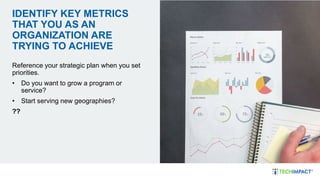
IDENTIFY KEY METRICS
THAT YOU AS AN
ORGANIZATION ARE
TRYING TO ACHIEVE
Reference your strategic plan when you set
priorities.
• Do you want to grow a program or
service?
• Start serving new geographies?
??
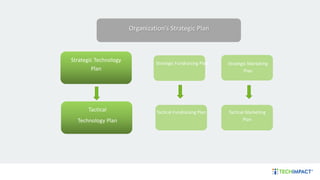
Tactical
Technology Plan
Organization’s Strategic Plan
Strategic Technology
Plan
Tactical Marketing
Plan
Strategic Fundraising Plan
Tactical Fundraising Plan
Strategic Marketing
Plan
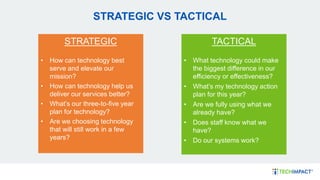
STRATEGIC VS TACTICAL
TACTICAL
• What technology could make
the biggest difference in our
efficiency or effectiveness?
• What’s my technology action
plan for this year?
• Are we fully using what we
already have?
• Does staff know what we
have?
• Do our systems work?
STRATEGIC
• How can technology best
serve and elevate our
mission?
• How can technology help us
deliver our services better?
• What’s our three-to-five year
plan for technology?
• Are we choosing technology
that will still work in a few
years?
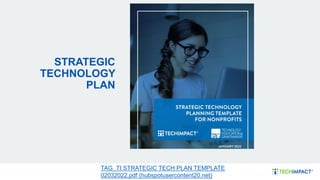
STRATEGIC
TECHNOLOGY
PLAN
TAG_TI STRATEGIC TECH PLAN TEMPLATE
02032022.pdf (hubspotusercontent20.net)
ASSESSING YOUR
CURRENT TECHNOLOGY
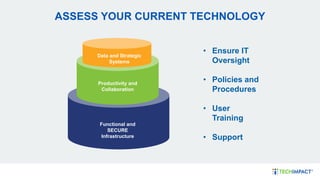
ASSESS YOUR CURRENT TECHNOLOGY
Data and Strategic
Systems
Productivity and
Collaboration
Functional and
SECURE
Infrastructure
• Ensure IT
Oversight
• Policies and
Procedures
• User
Training
• Support
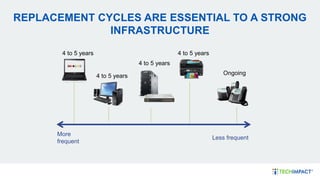
REPLACEMENT CYCLES ARE ESSENTIAL TO A STRONG
INFRASTRUCTURE
More
frequent
Less frequent
4 to 5 years
4 to 5 years
4 to 5 years
Ongoing
4 to 5 years
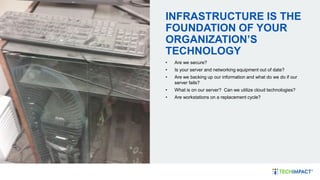
INFRASTRUCTURE IS THE
FOUNDATION OF YOUR
ORGANIZATION’S
TECHNOLOGY
• Are we secure?
• Is your server and networking equipment out of date?
• Are we backing up our information and what do we do if our
server fails?
• What is on our server? Can we utilize cloud technologies?
• Are workstations on a replacement cycle?
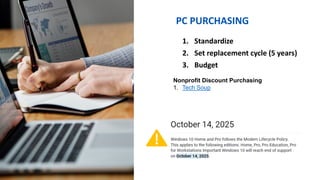
PC PURCHASING
1. Standardize
2. Set replacement cycle (5 years)
3. Budget
Nonprofit Discount Purchasing
1. Tech Soup
DO NOT BUY HOME OS
GO PRO
Pro includes tools needed in professional
environments around security, including
encryption tolls and business management and
deployment tools.
Operating system upgrade license. Cost is $16 through
Tech Soup (one license per workstation): Windows Pro
Full Operating System – No Software Assurance
(techsoup.org
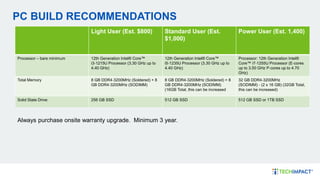
PC BUILD RECOMMENDATIONS
Light User (Est. $800) Standard User (Est.
$1,000)
Power User (Est. 1,400)
Processor – bare minimum 12th Generation Intel® Core
i3‐1215U Processor (3.30 GHz up to
4.40 GHz)
12th Generation Intel® Core
i5‐1235U Processor (3.30 GHz up to
4.40 GHz)
Processor: 12th Generation Intel®
Core i7‐1255U Processor (E‐cores
up to 3.50 GHz P‐cores up to 4.70
GHz)
Total Memory 8 GB DDR4‐3200MHz (Soldered) + 8
GB DDR4‐3200MHz (SODIMM)
8 GB DDR4‐3200MHz (Soldered) + 8
GB DDR4‐3200MHz (SODIMM)
(16GB Total, this can be increased
32 GB DDR4‐3200MHz
(SODIMM) ‐ (2 x 16 GB) (32GB Total,
this can be increased)
Solid State Drive: 256 GB SSD 512 GB SSD 512 GB SSD or 1TB SSD
Always purchase onsite warranty upgrade. Minimum 3 year.
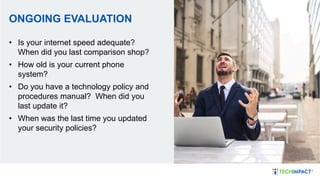
ONGOING EVALUATION
• Is your internet speed adequate?
When did you last comparison shop?
• How old is your current phone
system?
• Do you have a technology policy and
procedures manual? When did you
last update it?
• When was the last time you updated
your security policies?
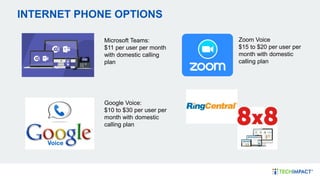
INTERNET PHONE OPTIONS
Microsoft Teams:
$11 per user per month
with domestic calling
plan
Zoom Voice
$15 to $20 per user per
month with domestic
calling plan
Google Voice:
$10 to $30 per user per
month with domestic
calling plan
CREATE IT POLICIES
Examples include:
• Acceptable Use
• BYOD
• Social Media
• Data Sharing
Policies do not have to be long, detailed,
or complex.
Nonprofit Technology Policy Workbook
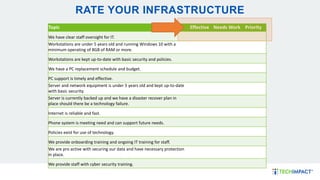
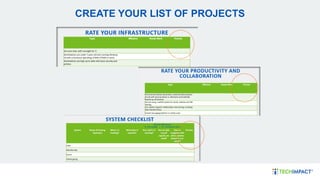
RATE YOUR INFRASTRUCTURE
Topic Effective Needs Work Priority
We have clear staff oversight for IT.
Workstations are under 5 years old and running Windows 10 with a
minimum operating of 8GB of RAM or more.
Workstations are kept up-to-date with basic security and policies.
We have a PC replacement schedule and budget.
PC support is timely and effective.
Server and network equipment is under 5 years old and kept up-to-date
with basic security.
Server is currently backed up and we have a disaster recover plan in
place should there be a technology failure.
Internet is reliable and fast.
Phone system is meeting need and can support future needs.
Policies exist for use of technology.
We provide onboarding training and ongoing IT training for staff.
We are pro active with securing our data and have necessary protection
in place.
We provide staff with cyber security training.
LET’S ANSWER SOME
QUESTIONS!
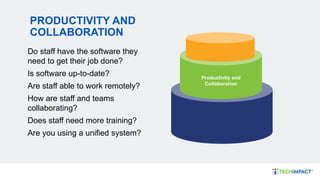
PRODUCTIVITY AND
COLLABORATION
Do staff have the software they
need to get their job done?
Is software up-to-date?
Are staff able to work remotely?
How are staff and teams
collaborating?
Does staff need more training?
Are you using a unified system?
Productivity and
Collaboration
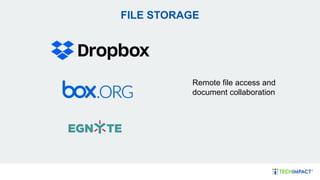
FILE STORAGE
Remote file access and
document collaboration
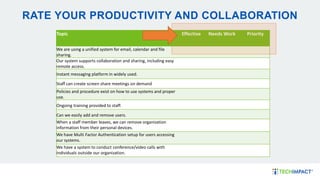
RATE YOUR PRODUCTIVITY AND COLLABORATION
Topic Effective Needs Work Priority
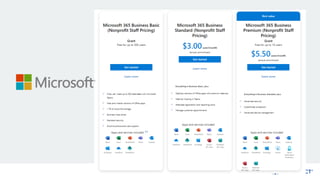
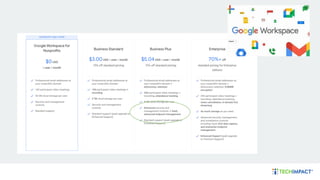
We are using a unified system for email, calendar and file
sharing.
Our system supports collaboration and sharing, including easy
remote access.
Instant messaging platform in widely used.
Staff can create screen share meetings on demand
Policies and procedure exist on how to use systems and proper
use.
Ongoing training provided to staff.
Can we easily add and remove users.
When a staff member leaves, we can remove organization
information from their personal devices.
We have Multi Factor Authentication setup for users accessing
our systems.
We have a system to conduct conference/video calls with
individuals outside our organization.
HOW ARE YOU SECURING
THESE SYSTEMS
• Are Policies enforced to use these
systems
• DLP Policies to protect sensitive
information
• Encrypted Email
• USE MFA
• SSO or Password Vaults/Managers
• Admin Access
• Backup
Consider a Compliance Plan
LET’S CHAT ARE YOU USING A UNIFIED CLOUD
SYSTEM? WHAT ARE YOU USING?
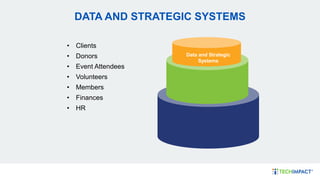
DATA AND STRATEGIC SYSTEMS
• Clients
• Donors
• Event Attendees
• Volunteers
• Members
• Finances
• HR
Data and Strategic
Systems
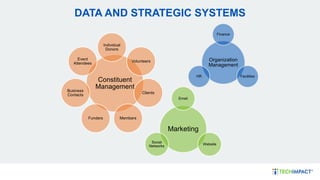
DATA AND STRATEGIC SYSTEMS
Constituent
Management
Individual
Donors
Volunteers
Clients
Members
Funders
Business
Contacts
Event
Attendees
Organization
Management
Finance
Facilities
HR
Marketing
Email
Website
Social
Networks
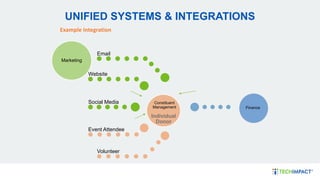
UNIFIED SYSTEMS & INTEGRATIONS
Individual
Donor
Email
Website
Social Media
Event Attendee
Volunteer
Example Integration
Finance
Marketing
Constituent
Management
EVALUATE YOUR SYSTEMS
• Take inventory of each functional area and
systems that support them.
• Are your systems capturing your program and
service delivery?
• Can you analyze your data to understand the
effectiveness of our work?
• Is staff able to pull the reports they need?
• Are there key integrations between systems?
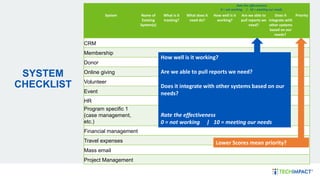
SYSTEM
CHECKLIST
Rate the effectiveness
0 = not working | 10 = meeting our needs
System Name of
Existing
System(s)
What is it
tracking?
What does it
need do?
How well is it
working?
Are we able to
pull reports we
need?
Does it
integrate with
other systems
based on our
needs?
Priority
CRM
Membership
Donor
Online giving
Volunteer
Event
HR
Program specific 1
(case management,
etc.)
Financial management
Travel expenses
Mass email
Project Management
How well is it working?
Are we able to pull reports we need?
Does it integrate with other systems based on our
needs?
Rate the effectiveness
0 = not working | 10 = meeting our needs
Lower Scores mean priority?
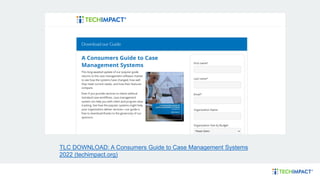
TLC DOWNLOAD: A Consumers Guide to Case Management Systems
2022 (techimpact.org)
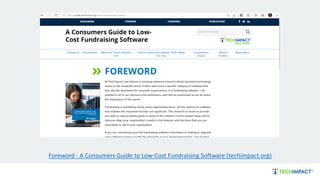
Foreword - A Consumers Guide to Low-Cost Fundraising Software (techimpact.org)
CREATING AN ACTION
PLAN
CREATE YOUR LIST OF PROJECTS
WHERE TO START
YOU CAN’T DO EVERYTHING AT ONCE
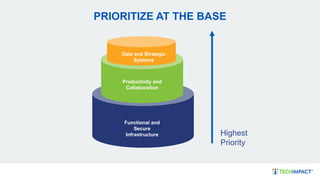
PRIORITIZE AT THE BASE
Highest
Priority
Data and Strategic
Systems
Productivity and
Collaboration
Functional and
Secure
Infrastructure
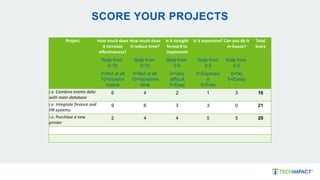
SCORE YOUR PROJECTS
Project How much does
it increase
effectiveness?
How much does
it reduce time?
Is it straight
forward to
implement
Is it expensive? Can you do it
in-house?
Total
Score
Rate from
0-10
Rate from
0-10
Rate from
0-5
Rate from
0-5
Rate from
0-5
0=Not at all
10=transfor
mative
0=Not at all
10=transform
ative
0=Very
difficult
5=Easy
0=Expensiv
e
5=Free
0=No
5=Easily
i.e. Combine events data
with main database
6 4 2 1 3 16
i.e. Integrate finance and
HR systems
9 6 3 3 0 21
i.e. Purchase a new
printer
2 4 4 5 5 20
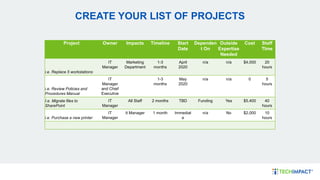
CREATE YOUR LIST OF PROJECTS
Project Owner Impacts Timeline Start
Date
Dependen
t On
Outside
Expertise
Needed
Cost Staff
TIme
i.e. Replace 5 workstations
IT
Manager
Marketing
Department
1-3
months
April
2020
n/a n/a $4,000 20
hours
i.e. Review Policies and
Procedures Manual
IT
Manager
and Chief
Executive
1-3
months
May
2020
n/a n/a 0 5
hours
I.e. Migrate files to
SharePoint
IT
Manager
All Staff 2 months TBD Funding Yes $5,400 40
hours
i.e. Purchase a new printer
IT
Manager
It Manager 1 month Immediat
e
n/a No $2,000 10
hours
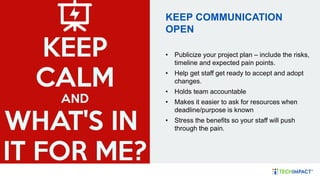
KEEP COMMUNICATION
OPEN
• Publicize your project plan – include the risks,
timeline and expected pain points.
• Help get staff get ready to accept and adopt
changes.
• Holds team accountable
• Makes it easier to ask for resources when
deadline/purpose is known
• Stress the benefits so your staff will push
through the pain.
BUDGETING FOR YOUR
PROJECTS
BUDGETING
Consider:
• Scoring tech costs to program areas
• Cashflow
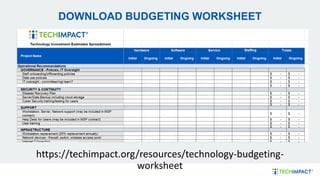
DOWNLOAD BUDGETING WORKSHEET
https://techimpact.org/resources/technology-budgeting-
worksheet
POSSIBLE ASSISTANCE
• Engage your Board.
• Check with local banks or partners.
• Might a local business donate (good
quality) hardware or software?
• Are there volunteers who could help
you design and implement the
project?
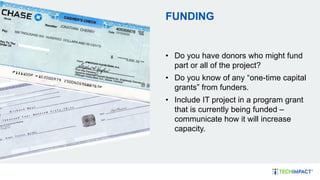
FUNDING
• Do you have donors who might fund
part or all of the project?
• Do you know of any “one-time capital
grants” from funders.
• Include IT project in a program grant
that is currently being funded –
communicate how it will increase
capacity.
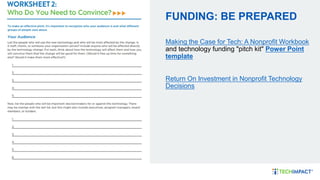
FUNDING: BE PREPARED
Making the Case for Tech: A Nonprofit Workbook
and technology funding "pitch kit" Power Point
template
Return On Investment in Nonprofit Technology
Decisions
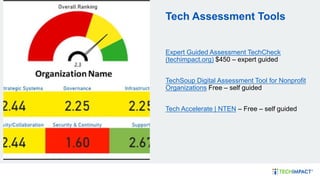
Tech Assessment Tools
Expert Guided Assessment TechCheck
(techimpact.org) $450 – expert guided
TechSoup Digital Assessment Tool for Nonprofit
Organizations Free – self guided
Tech Accelerate | NTEN – Free – self guided
SUMMARY
• Access Your Current Technology
• Creating an Action Plan
• Budgeting for Your Projects
Ensure you continue to assess
security and training.
LET’S ANSWER SOME
QUESTIONS!
Managed IT
Services
Support for
Nonprofits
TECHIMPACT.ORG
THANK YOU
Melanie Meyer melanie@techimpact.org

Tech Planning and Budgeting Webinar 2024.pdf

  • 1.
    WE’RE A NONPROFITON A MISSION TO LEVERAGE TECHNOLOGY TO ADVANCE SOCIAL IMPACT.
  • 2.
    MELANIE MEYER Chief CustomerOfficer, Tech Impact Melanie Meyers has worked in the nonprofit sector for over 25 years and is passionate about using technology solutions to solve community-based issues. In her current role as Chief Customer Officer, she possesses an exceptional vantage point, allowing her to intimately grasp the intricacies of nonprofits and ensure that our services are aligned with their mission and strategy. Melanie is a regular Subject Matter Expert on budgeting, planning, and decision-making webinars.
  • 3.
    WE DO THISBY DELIVERING TECH SERVICES, EDUCATION, AND TRAINING THAT HELP NONPROFITS AND COMMUNITIES THRIVE. NONPROFIT EDUCATION & TRAINING: • Unbiased research • Easy-to-understand​ • One-to-many approach NONPROFIT TECH SERVICES: • Impartial advice​ • Well-aligned solutions​ • Adopt technology that fulfills missions WORKFORCE DEVELOPMENT: • Hands-on experience​ • Launching careers​ • Improved quality of life
  • 4.
  • 5.
    1. What isTechnology Planning? 2. Assessing Your Current Technology 3. Creating an Action Plan 4. Budgeting and Funding Your Projects AGENDA
  • 6.
  • 7.
    TECHNOLOGY PLANNING Like aStrategic Plan or a Marketing Plan, a Technology Plan helps you plot out your direction and priorities.
  • 8.
    PUT TOGETHER ACOMMITTEE Include: • IT Staff • Chief Executive • Executive representative of each function • Support Staff Member • Consultant Consider survey to all staff to capture input.
  • 9.
    A Few GoodOnline Survey Tools for Nonprofits RESOURCE: SURVEY TOOLS
  • 10.
    INVENTORY Software Function Staff Responsible Whois using it? Annual Cost Renewal Date/ month O365 Email Mary All $0 Ongoing Box File Storage Mary All $2,400 Ongoing Quickbooks Accounting Jeff Accounting $75 February
  • 11.
    IDENTIFY KEY METRICS THATYOU AS AN ORGANIZATION ARE TRYING TO ACHIEVE Reference your strategic plan when you set priorities. • Do you want to grow a program or service? • Start serving new geographies? ??
  • 12.
    Tactical Technology Plan Organization’s StrategicPlan Strategic Technology Plan Tactical Marketing Plan Strategic Fundraising Plan Tactical Fundraising Plan Strategic Marketing Plan
  • 13.
    STRATEGIC VS TACTICAL TACTICAL •What technology could make the biggest difference in our efficiency or effectiveness? • What’s my technology action plan for this year? • Are we fully using what we already have? • Does staff know what we have? • Do our systems work? STRATEGIC • How can technology best serve and elevate our mission? • How can technology help us deliver our services better? • What’s our three-to-five year plan for technology? • Are we choosing technology that will still work in a few years?
  • 14.
    STRATEGIC TECHNOLOGY PLAN TAG_TI STRATEGIC TECHPLAN TEMPLATE 02032022.pdf (hubspotusercontent20.net)
  • 15.
  • 16.
    ASSESS YOUR CURRENTTECHNOLOGY Data and Strategic Systems Productivity and Collaboration Functional and SECURE Infrastructure • Ensure IT Oversight • Policies and Procedures • User Training • Support
  • 17.
    REPLACEMENT CYCLES AREESSENTIAL TO A STRONG INFRASTRUCTURE More frequent Less frequent 4 to 5 years 4 to 5 years 4 to 5 years Ongoing 4 to 5 years
  • 18.
    INFRASTRUCTURE IS THE FOUNDATIONOF YOUR ORGANIZATION’S TECHNOLOGY • Are we secure? • Is your server and networking equipment out of date? • Are we backing up our information and what do we do if our server fails? • What is on our server? Can we utilize cloud technologies? • Are workstations on a replacement cycle?
  • 19.
    PC PURCHASING 1. Standardize 2.Set replacement cycle (5 years) 3. Budget Nonprofit Discount Purchasing 1. Tech Soup
  • 20.
    DO NOT BUYHOME OS GO PRO Pro includes tools needed in professional environments around security, including encryption tolls and business management and deployment tools. Operating system upgrade license. Cost is $16 through Tech Soup (one license per workstation): Windows Pro Full Operating System – No Software Assurance (techsoup.org
  • 21.
    PC BUILD RECOMMENDATIONS LightUser (Est. $800) Standard User (Est. $1,000) Power User (Est. 1,400) Processor – bare minimum 12th Generation Intel® Core i3‐1215U Processor (3.30 GHz up to 4.40 GHz) 12th Generation Intel® Core i5‐1235U Processor (3.30 GHz up to 4.40 GHz) Processor: 12th Generation Intel® Core i7‐1255U Processor (E‐cores up to 3.50 GHz P‐cores up to 4.70 GHz) Total Memory 8 GB DDR4‐3200MHz (Soldered) + 8 GB DDR4‐3200MHz (SODIMM) 8 GB DDR4‐3200MHz (Soldered) + 8 GB DDR4‐3200MHz (SODIMM) (16GB Total, this can be increased 32 GB DDR4‐3200MHz (SODIMM) ‐ (2 x 16 GB) (32GB Total, this can be increased) Solid State Drive: 256 GB SSD 512 GB SSD 512 GB SSD or 1TB SSD Always purchase onsite warranty upgrade. Minimum 3 year.
  • 22.
    ONGOING EVALUATION • Isyour internet speed adequate? When did you last comparison shop? • How old is your current phone system? • Do you have a technology policy and procedures manual? When did you last update it? • When was the last time you updated your security policies?
  • 23.
    INTERNET PHONE OPTIONS MicrosoftTeams: $11 per user per month with domestic calling plan Zoom Voice $15 to $20 per user per month with domestic calling plan Google Voice: $10 to $30 per user per month with domestic calling plan
  • 24.
    CREATE IT POLICIES Examplesinclude: • Acceptable Use • BYOD • Social Media • Data Sharing Policies do not have to be long, detailed, or complex. Nonprofit Technology Policy Workbook
  • 25.
    RATE YOUR INFRASTRUCTURE TopicEffective Needs Work Priority We have clear staff oversight for IT. Workstations are under 5 years old and running Windows 10 with a minimum operating of 8GB of RAM or more. Workstations are kept up-to-date with basic security and policies. We have a PC replacement schedule and budget. PC support is timely and effective. Server and network equipment is under 5 years old and kept up-to-date with basic security. Server is currently backed up and we have a disaster recover plan in place should there be a technology failure. Internet is reliable and fast. Phone system is meeting need and can support future needs. Policies exist for use of technology. We provide onboarding training and ongoing IT training for staff. We are pro active with securing our data and have necessary protection in place. We provide staff with cyber security training.
  • 26.
  • 27.
    PRODUCTIVITY AND COLLABORATION Do staffhave the software they need to get their job done? Is software up-to-date? Are staff able to work remotely? How are staff and teams collaborating? Does staff need more training? Are you using a unified system? Productivity and Collaboration
  • 30.
    FILE STORAGE Remote fileaccess and document collaboration
  • 31.
    RATE YOUR PRODUCTIVITYAND COLLABORATION Topic Effective Needs Work Priority We are using a unified system for email, calendar and file sharing. Our system supports collaboration and sharing, including easy remote access. Instant messaging platform in widely used. Staff can create screen share meetings on demand Policies and procedure exist on how to use systems and proper use. Ongoing training provided to staff. Can we easily add and remove users. When a staff member leaves, we can remove organization information from their personal devices. We have Multi Factor Authentication setup for users accessing our systems. We have a system to conduct conference/video calls with individuals outside our organization.
  • 32.
    HOW ARE YOUSECURING THESE SYSTEMS • Are Policies enforced to use these systems • DLP Policies to protect sensitive information • Encrypted Email • USE MFA • SSO or Password Vaults/Managers • Admin Access • Backup Consider a Compliance Plan
  • 33.
    LET’S CHAT AREYOU USING A UNIFIED CLOUD SYSTEM? WHAT ARE YOU USING?
  • 34.
    DATA AND STRATEGICSYSTEMS • Clients • Donors • Event Attendees • Volunteers • Members • Finances • HR Data and Strategic Systems
  • 35.
    DATA AND STRATEGICSYSTEMS Constituent Management Individual Donors Volunteers Clients Members Funders Business Contacts Event Attendees Organization Management Finance Facilities HR Marketing Email Website Social Networks
  • 36.
    UNIFIED SYSTEMS &INTEGRATIONS Individual Donor Email Website Social Media Event Attendee Volunteer Example Integration Finance Marketing Constituent Management
  • 37.
    EVALUATE YOUR SYSTEMS •Take inventory of each functional area and systems that support them. • Are your systems capturing your program and service delivery? • Can you analyze your data to understand the effectiveness of our work? • Is staff able to pull the reports they need? • Are there key integrations between systems?
  • 39.
    SYSTEM CHECKLIST Rate the effectiveness 0= not working | 10 = meeting our needs System Name of Existing System(s) What is it tracking? What does it need do? How well is it working? Are we able to pull reports we need? Does it integrate with other systems based on our needs? Priority CRM Membership Donor Online giving Volunteer Event HR Program specific 1 (case management, etc.) Financial management Travel expenses Mass email Project Management How well is it working? Are we able to pull reports we need? Does it integrate with other systems based on our needs? Rate the effectiveness 0 = not working | 10 = meeting our needs Lower Scores mean priority?
  • 40.
    TLC DOWNLOAD: AConsumers Guide to Case Management Systems 2022 (techimpact.org)
  • 41.
    Foreword - AConsumers Guide to Low-Cost Fundraising Software (techimpact.org)
  • 42.
  • 43.
    CREATE YOUR LISTOF PROJECTS
  • 44.
  • 45.
    YOU CAN’T DOEVERYTHING AT ONCE
  • 46.
    PRIORITIZE AT THEBASE Highest Priority Data and Strategic Systems Productivity and Collaboration Functional and Secure Infrastructure
  • 47.
    SCORE YOUR PROJECTS ProjectHow much does it increase effectiveness? How much does it reduce time? Is it straight forward to implement Is it expensive? Can you do it in-house? Total Score Rate from 0-10 Rate from 0-10 Rate from 0-5 Rate from 0-5 Rate from 0-5 0=Not at all 10=transfor mative 0=Not at all 10=transform ative 0=Very difficult 5=Easy 0=Expensiv e 5=Free 0=No 5=Easily i.e. Combine events data with main database 6 4 2 1 3 16 i.e. Integrate finance and HR systems 9 6 3 3 0 21 i.e. Purchase a new printer 2 4 4 5 5 20
  • 48.
    CREATE YOUR LISTOF PROJECTS Project Owner Impacts Timeline Start Date Dependen t On Outside Expertise Needed Cost Staff TIme i.e. Replace 5 workstations IT Manager Marketing Department 1-3 months April 2020 n/a n/a $4,000 20 hours i.e. Review Policies and Procedures Manual IT Manager and Chief Executive 1-3 months May 2020 n/a n/a 0 5 hours I.e. Migrate files to SharePoint IT Manager All Staff 2 months TBD Funding Yes $5,400 40 hours i.e. Purchase a new printer IT Manager It Manager 1 month Immediat e n/a No $2,000 10 hours
  • 49.
    KEEP COMMUNICATION OPEN • Publicizeyour project plan – include the risks, timeline and expected pain points. • Help get staff get ready to accept and adopt changes. • Holds team accountable • Makes it easier to ask for resources when deadline/purpose is known • Stress the benefits so your staff will push through the pain.
  • 50.
  • 51.
    BUDGETING Consider: • Scoring techcosts to program areas • Cashflow
  • 52.
  • 53.
    POSSIBLE ASSISTANCE • Engageyour Board. • Check with local banks or partners. • Might a local business donate (good quality) hardware or software? • Are there volunteers who could help you design and implement the project?
  • 54.
    FUNDING • Do youhave donors who might fund part or all of the project? • Do you know of any “one-time capital grants” from funders. • Include IT project in a program grant that is currently being funded – communicate how it will increase capacity.
  • 55.
    FUNDING: BE PREPARED Makingthe Case for Tech: A Nonprofit Workbook and technology funding "pitch kit" Power Point template Return On Investment in Nonprofit Technology Decisions
  • 56.
    Tech Assessment Tools ExpertGuided Assessment TechCheck (techimpact.org) $450 – expert guided TechSoup Digital Assessment Tool for Nonprofit Organizations Free – self guided Tech Accelerate | NTEN – Free – self guided
  • 57.
    SUMMARY • Access YourCurrent Technology • Creating an Action Plan • Budgeting for Your Projects Ensure you continue to assess security and training.
  • 58.
  • 59.
  • 60.