The Genius of Simple
2017 Overview
™
Agenda
2
■ A History of Innovation
■ Basys Product Line
■ BACnet Product Line (UbiquiSTAT)
■ Top Unique Features of UbiquiSTAT
■ LIVE DEMO - Ubiquity Cloud 4.0 Enterprise EMS
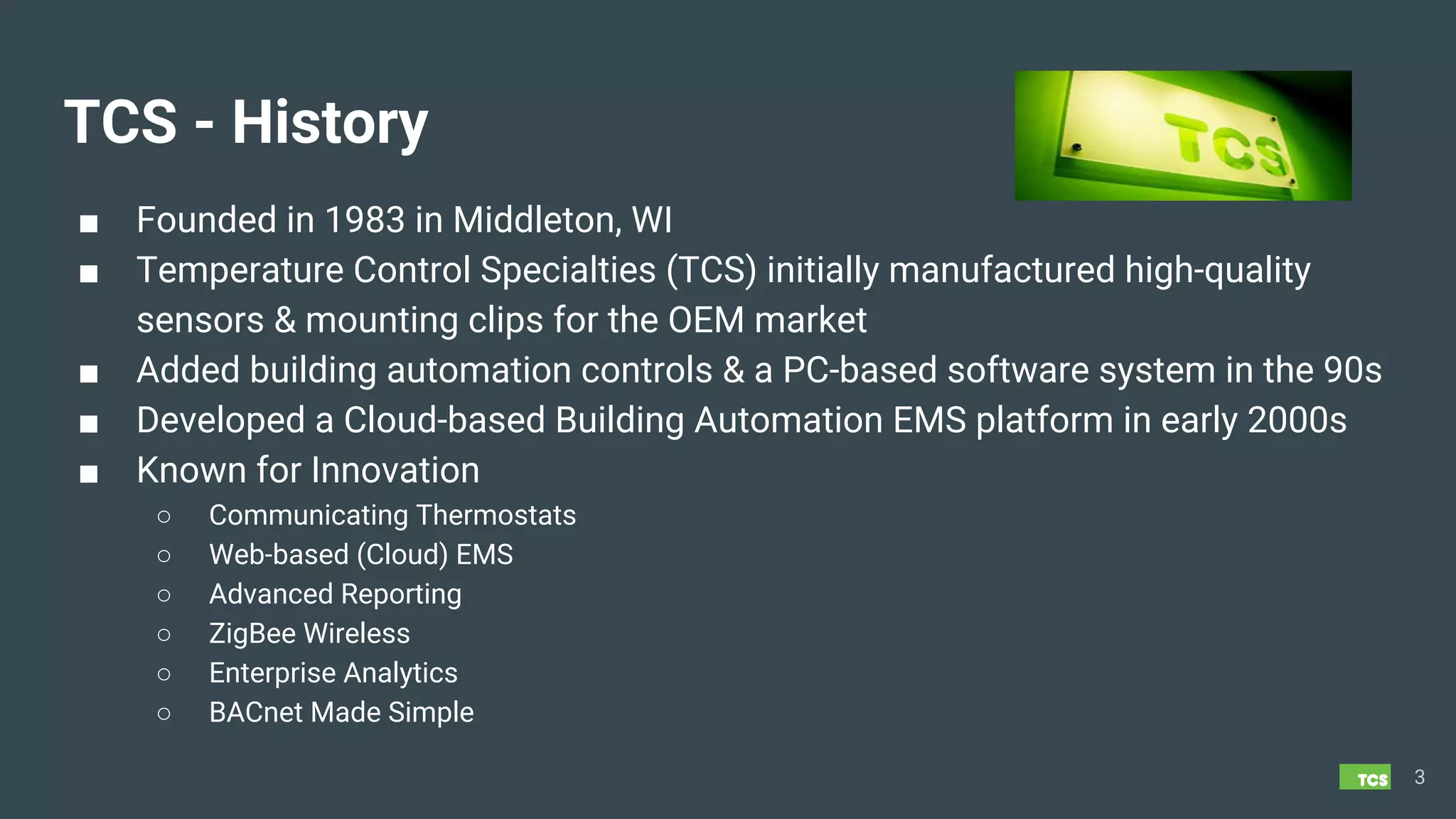
TCS - History
■ Founded in 1983 in Middleton, WI
■ Temperature Control Specialties (TCS) initially manufactured high-quality
sensors & mounting clips for the OEM market
■ Added building automation controls & a PC-based software system in the 90s
■ Developed a Cloud-based Building Automation EMS platform in early 2000s
■ Known for Innovation
○ Communicating Thermostats
○ Web-based (Cloud) EMS
○ Advanced Reporting
○ ZigBee Wireless
○ Enterprise Analytics
○ BACnet Made Simple
3
4
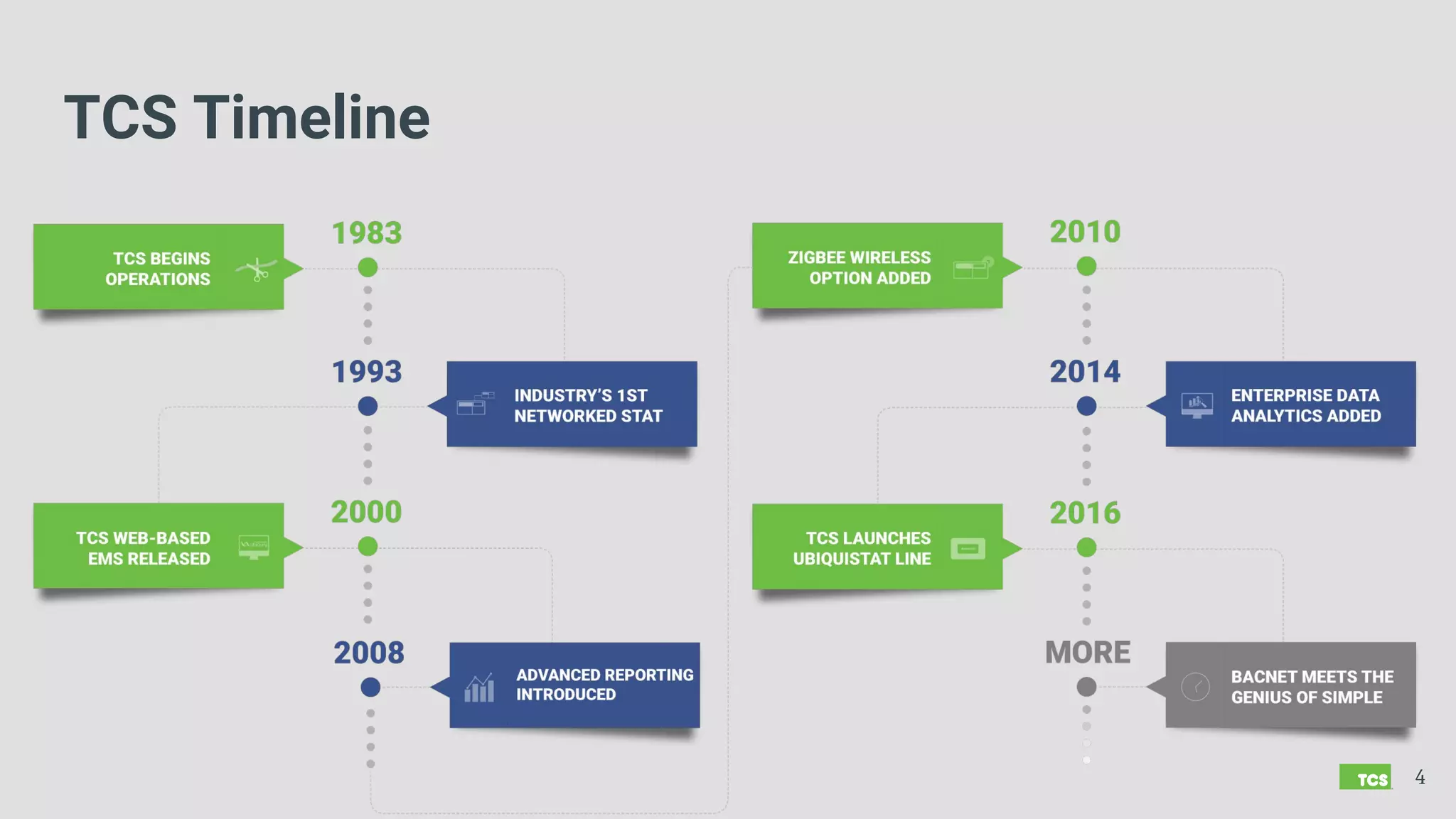
TCS Timeline
Made in America
TCS Products and Software
are Designed, Manufactured,
Tested and Supported
in Middleton, Wisconsin
5
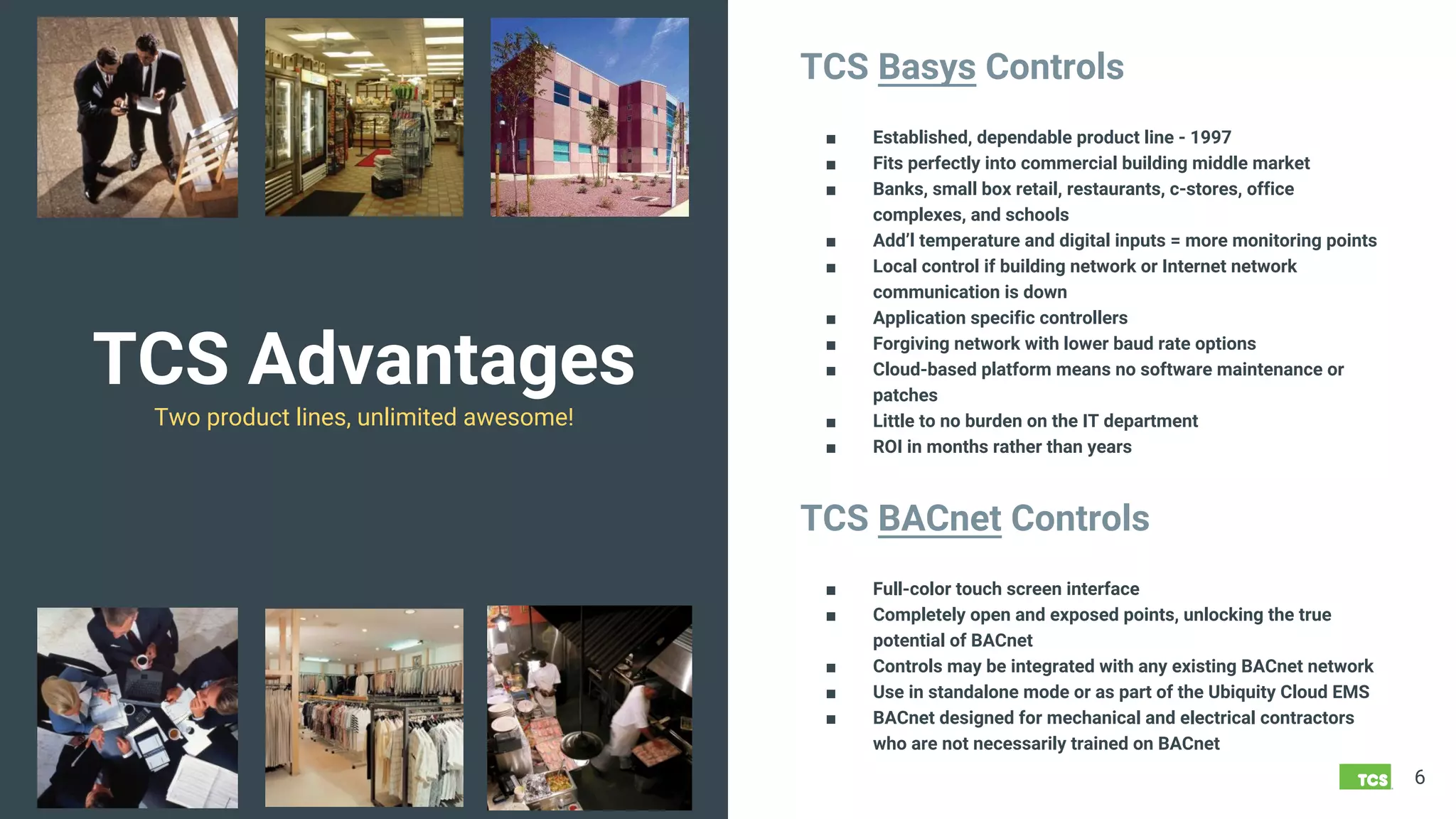
TCS Advantages
Two product lines, unlimited awesome!
6
TCS Basys Controls
■ Established, dependable product line - 1997
■ Fits perfectly into commercial building middle market
■ Banks, small box retail, restaurants, c-stores, office
complexes, and schools
■ Add’l temperature and digital inputs = more monitoring points
■ Local control if building network or Internet network
communication is down
■ Application specific controllers
■ Forgiving network with lower baud rate options
■ Cloud-based platform means no software maintenance or
patches
■ Little to no burden on the IT department
■ ROI in months rather than years
TCS BACnet Controls
■ Full-color touch screen interface
■ Completely open and exposed points, unlocking the true
potential of BACnet
■ Controls may be integrated with any existing BACnet network
■ Use in standalone mode or as part of the Ubiquity Cloud EMS
■ BACnet designed for mechanical and electrical contractors
who are not necessarily trained on BACnet
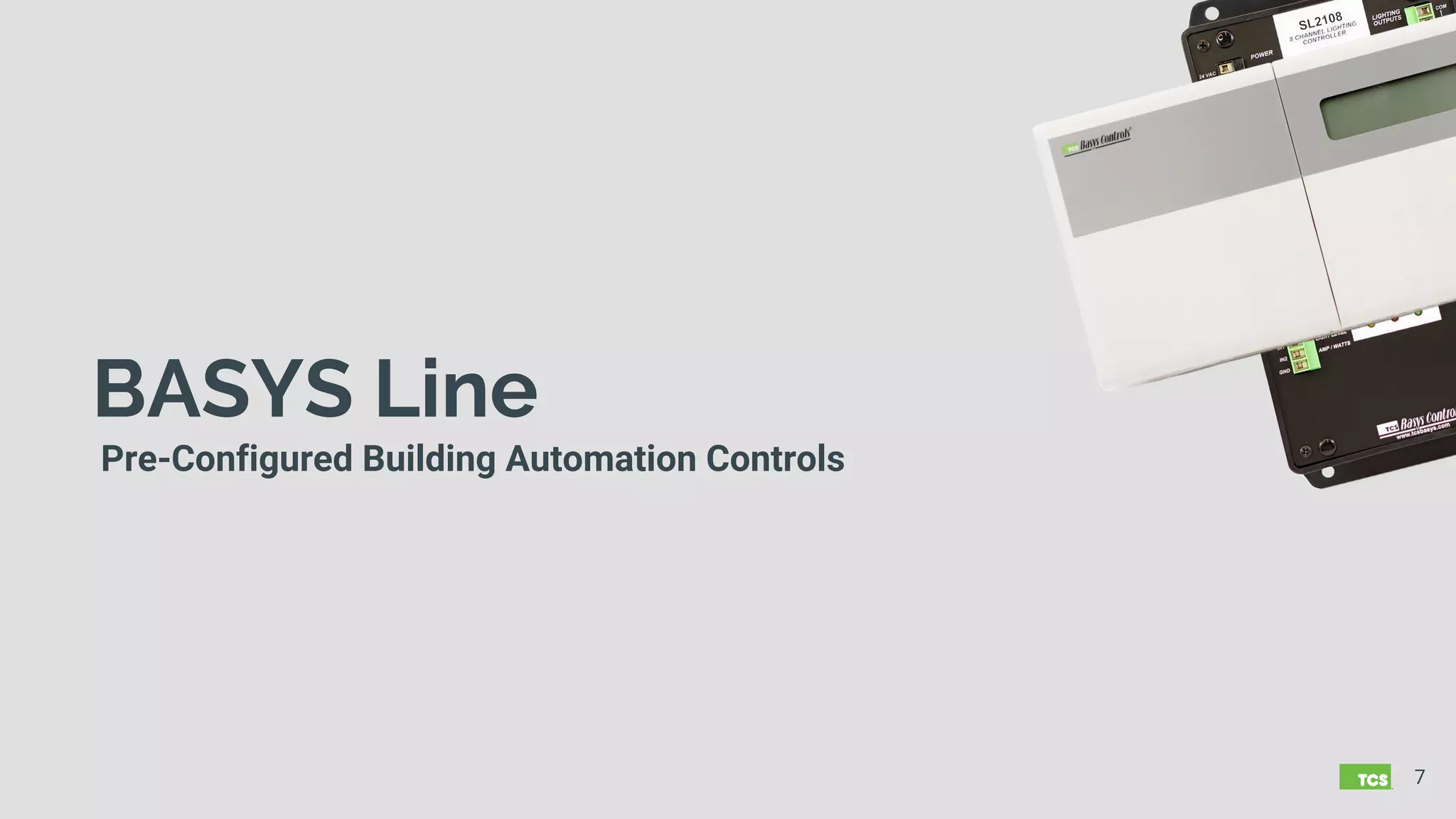
BASYS Line
Pre-Configured Building Automation Controls
7
BASYS
Advantages
8
Application Specific
■ Mapping, sequences, engineering is done for you
with pre-configured, application-specific controls
■ 19 Superstat™ Programmable Thermostat Models
○ Heat/cool, heat pump, modulating, fan coil
○ Includes 4 wireless models
■ 15 Supertrol™ Black Box Controller Models
○ Lighting, general purpose, VAV, plant
controls
■ 9 Accessory Product Lines
○ Temperature
○ Humidity
○ Pressure
○ Mounting
○ Communications
■ 15 OEM (P-part) Lines
○ Actuators, valves, sensors, panels, cables,
etc.
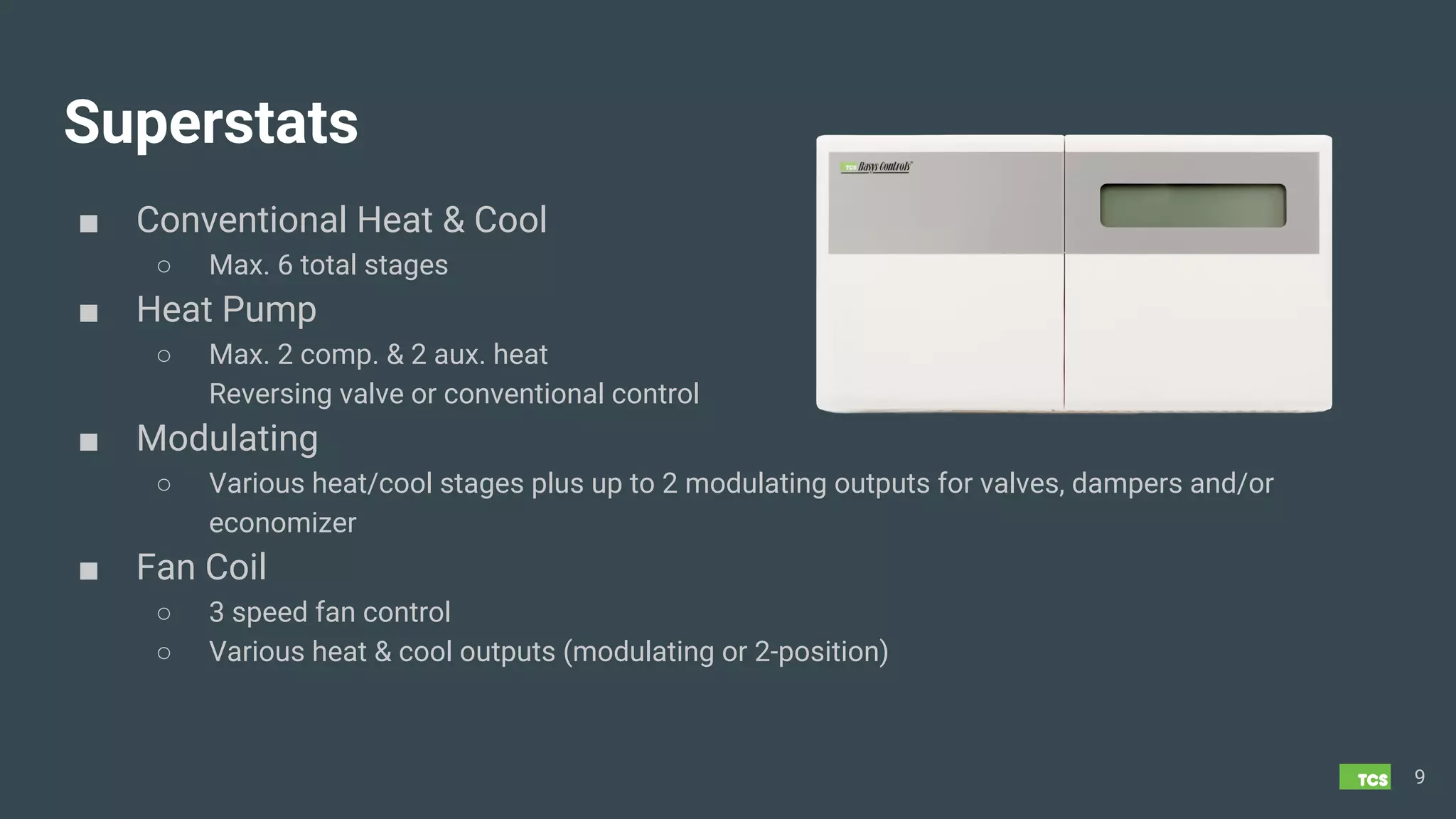
Superstats
■ Conventional Heat & Cool
○ Max. 6 total stages
■ Heat Pump
○ Max. 2 comp. & 2 aux. heat
Reversing valve or conventional control
■ Modulating
○ Various heat/cool stages plus up to 2 modulating outputs for valves, dampers and/or
economizer
■ Fan Coil
○ 3 speed fan control
○ Various heat & cool outputs (modulating or 2-position)
9
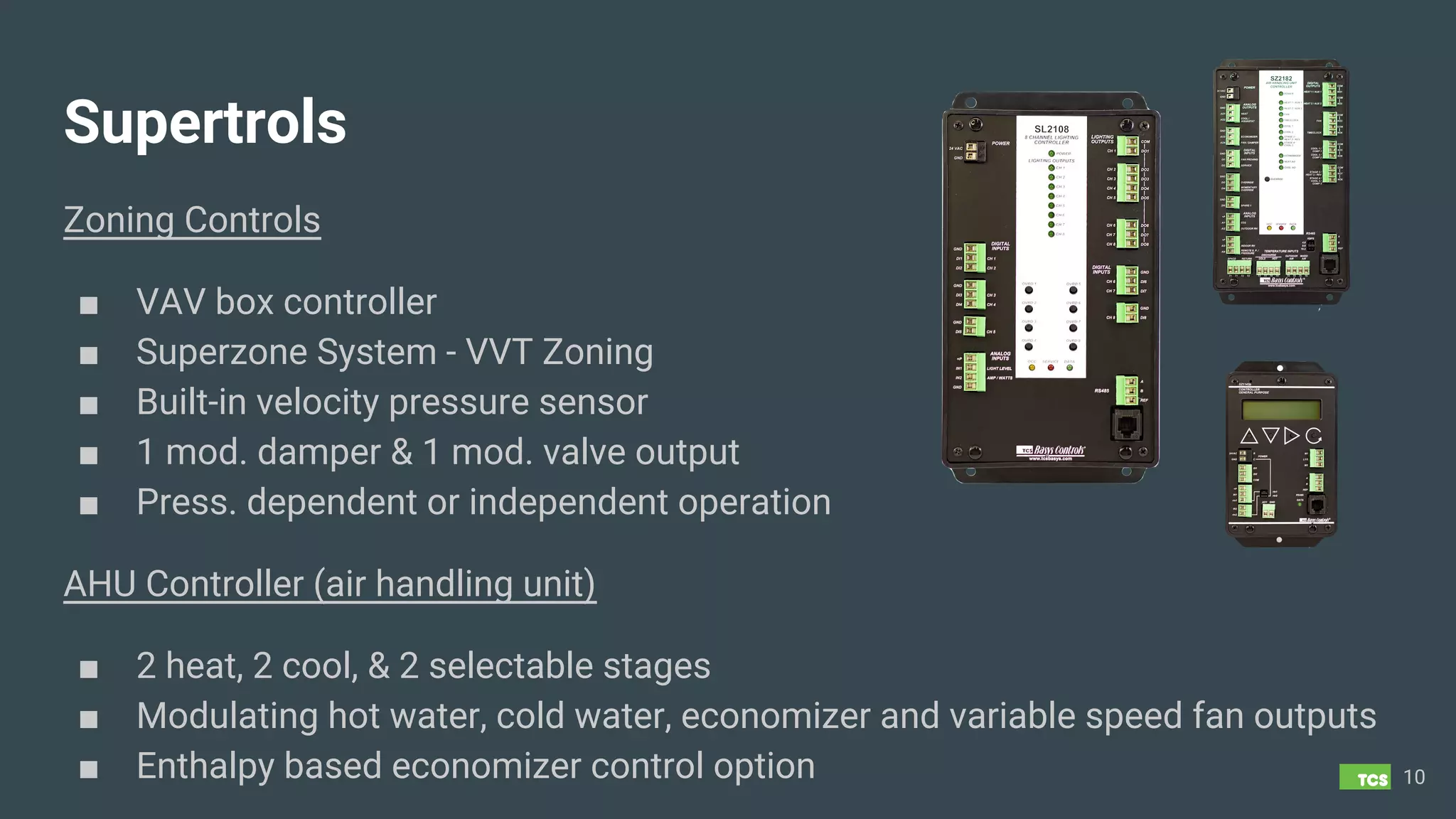
Supertrols
Zoning Controls
■ VAV box controller
■ Superzone System - VVT Zoning
■ Built-in velocity pressure sensor
■ 1 mod. damper & 1 mod. valve output
■ Press. dependent or independent operation
10
AHU Controller (air handling unit)
■ 2 heat, 2 cool, & 2 selectable stages
■ Modulating hot water, cold water, economizer and variable speed fan outputs
■ Enthalpy based economizer control option
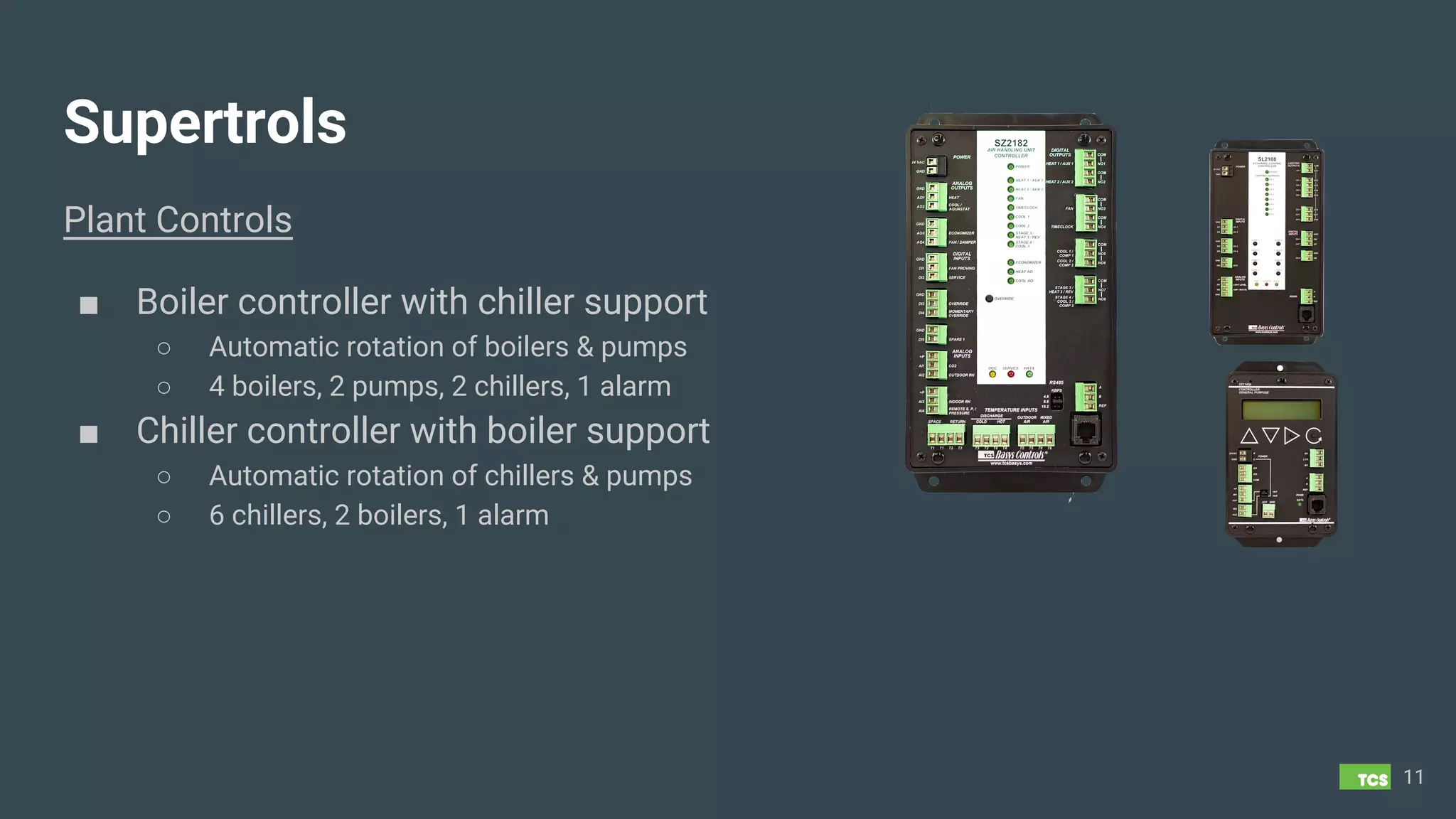
Supertrols
Plant Controls
■ Boiler controller with chiller support
○ Automatic rotation of boilers & pumps
○ 4 boilers, 2 pumps, 2 chillers, 1 alarm
■ Chiller controller with boiler support
○ Automatic rotation of chillers & pumps
○ 6 chillers, 2 boilers, 1 alarm
11
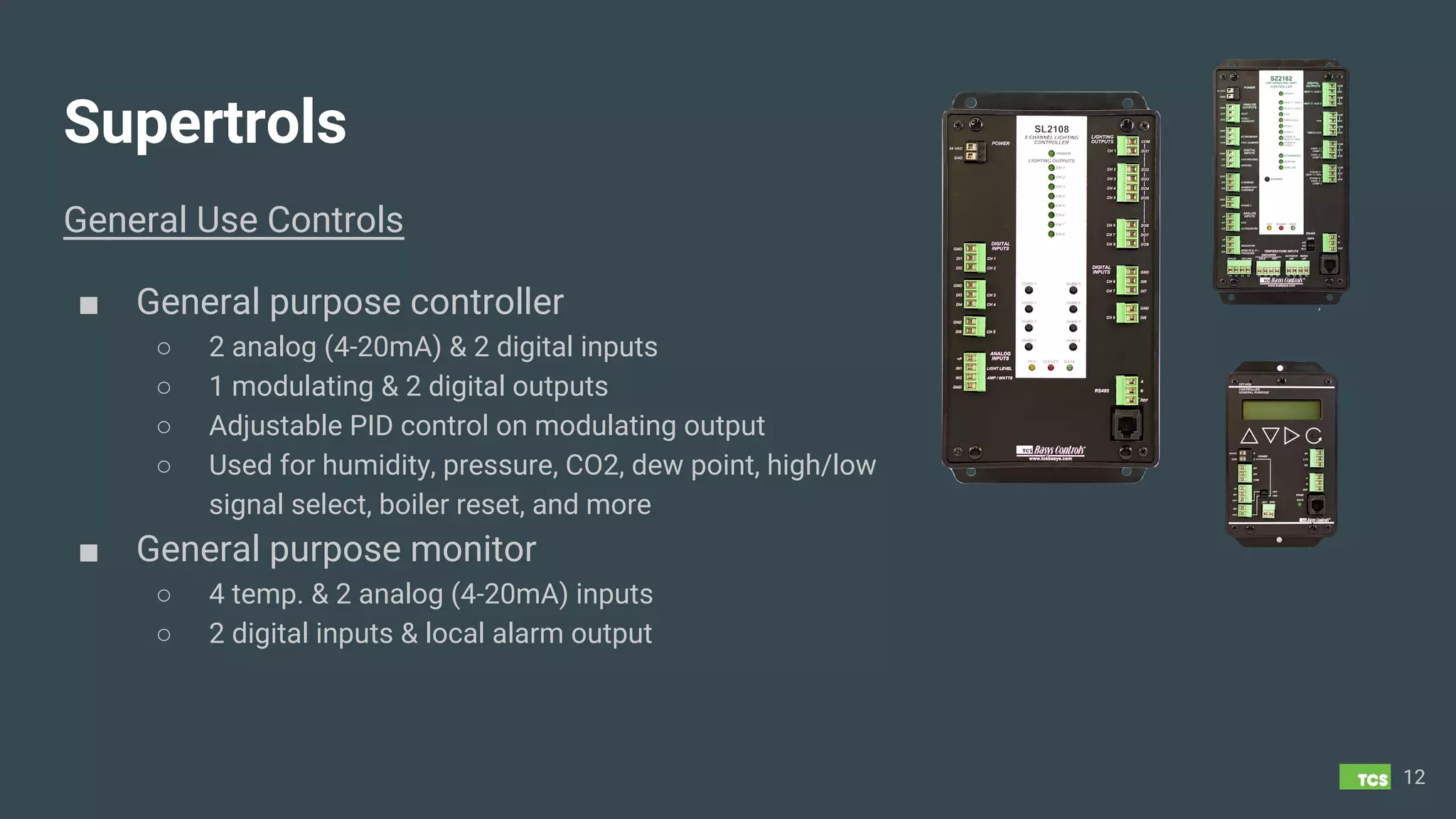
Supertrols
General Use Controls
■ General purpose controller
○ 2 analog (4-20mA) & 2 digital inputs
○ 1 modulating & 2 digital outputs
○ Adjustable PID control on modulating output
○ Used for humidity, pressure, CO2, dew point, high/low
signal select, boiler reset, and more
■ General purpose monitor
○ 4 temp. & 2 analog (4-20mA) inputs
○ 2 digital inputs & local alarm output
12
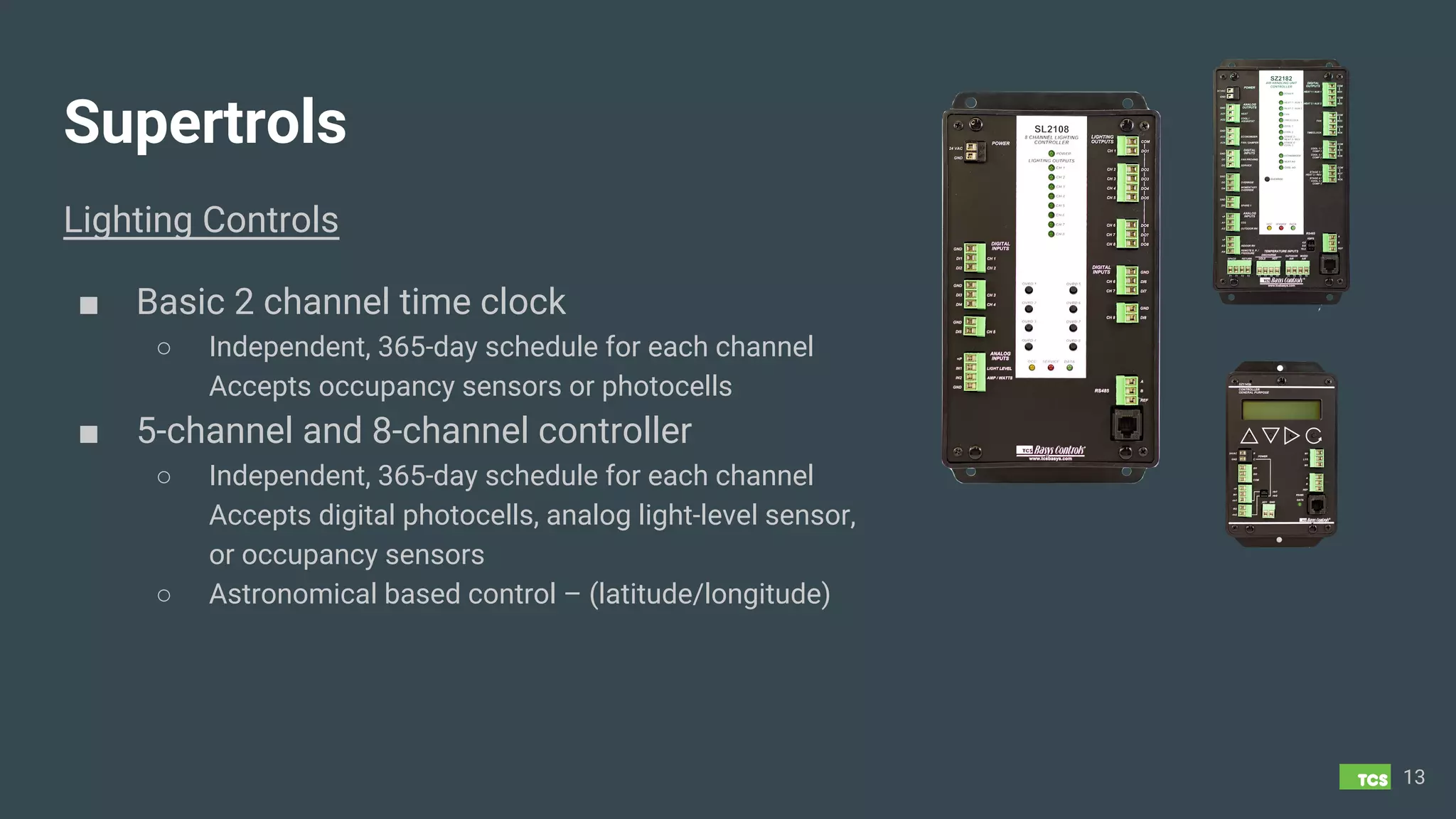
Supertrols
Lighting Controls
■ Basic 2 channel time clock
○ Independent, 365-day schedule for each channel
Accepts occupancy sensors or photocells
■ 5-channel and 8-channel controller
○ Independent, 365-day schedule for each channel
Accepts digital photocells, analog light-level sensor,
or occupancy sensors
○ Astronomical based control – (latitude/longitude)
13
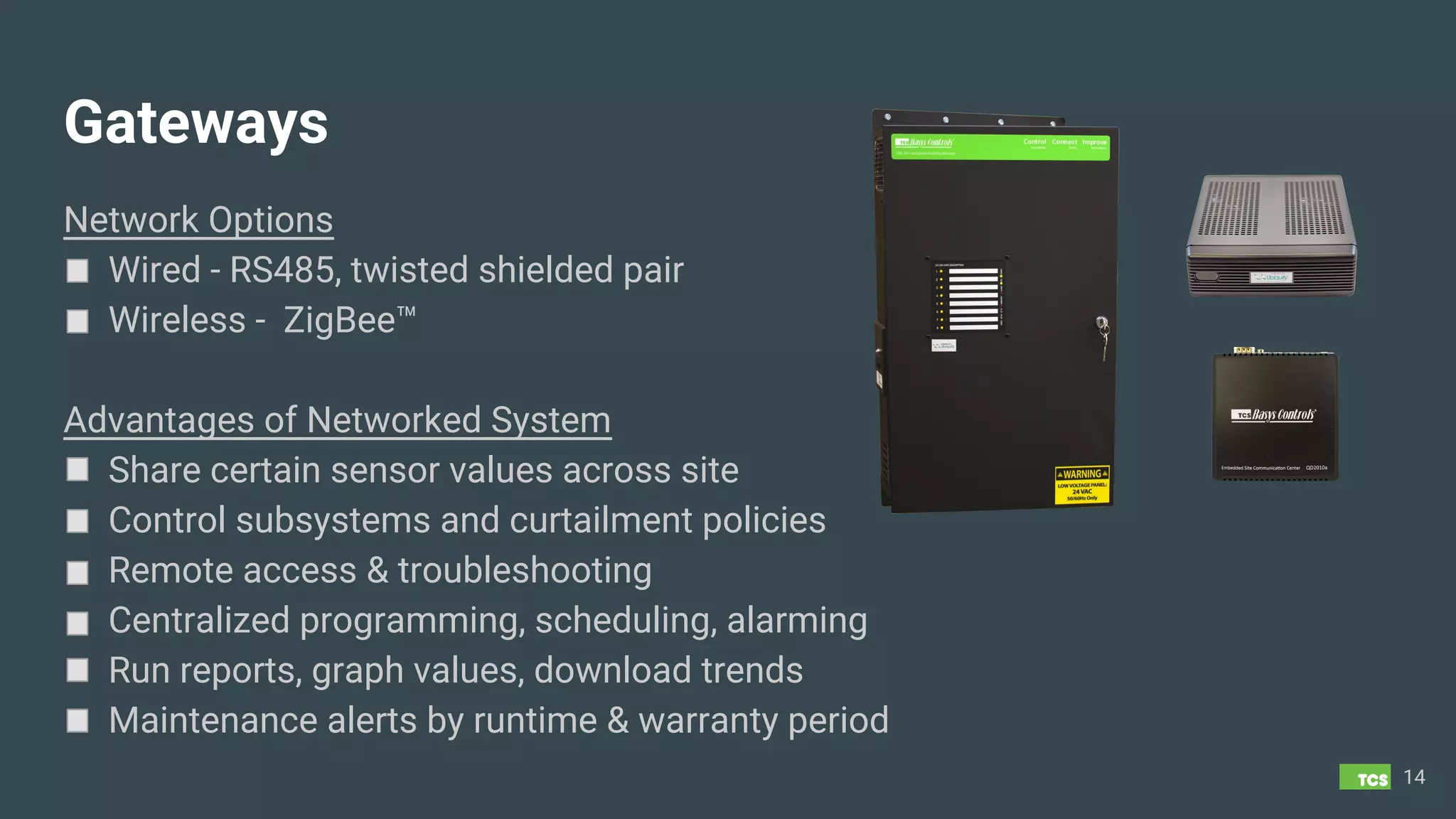
Gateways
Network Options
Wired - RS485, twisted shielded pair
Wireless - ZigBee™
Advantages of Networked System
Share certain sensor values across site
Control subsystems and curtailment policies
Remote access & troubleshooting
Centralized programming, scheduling, alarming
Run reports, graph values, download trends
Maintenance alerts by runtime & warranty period
14
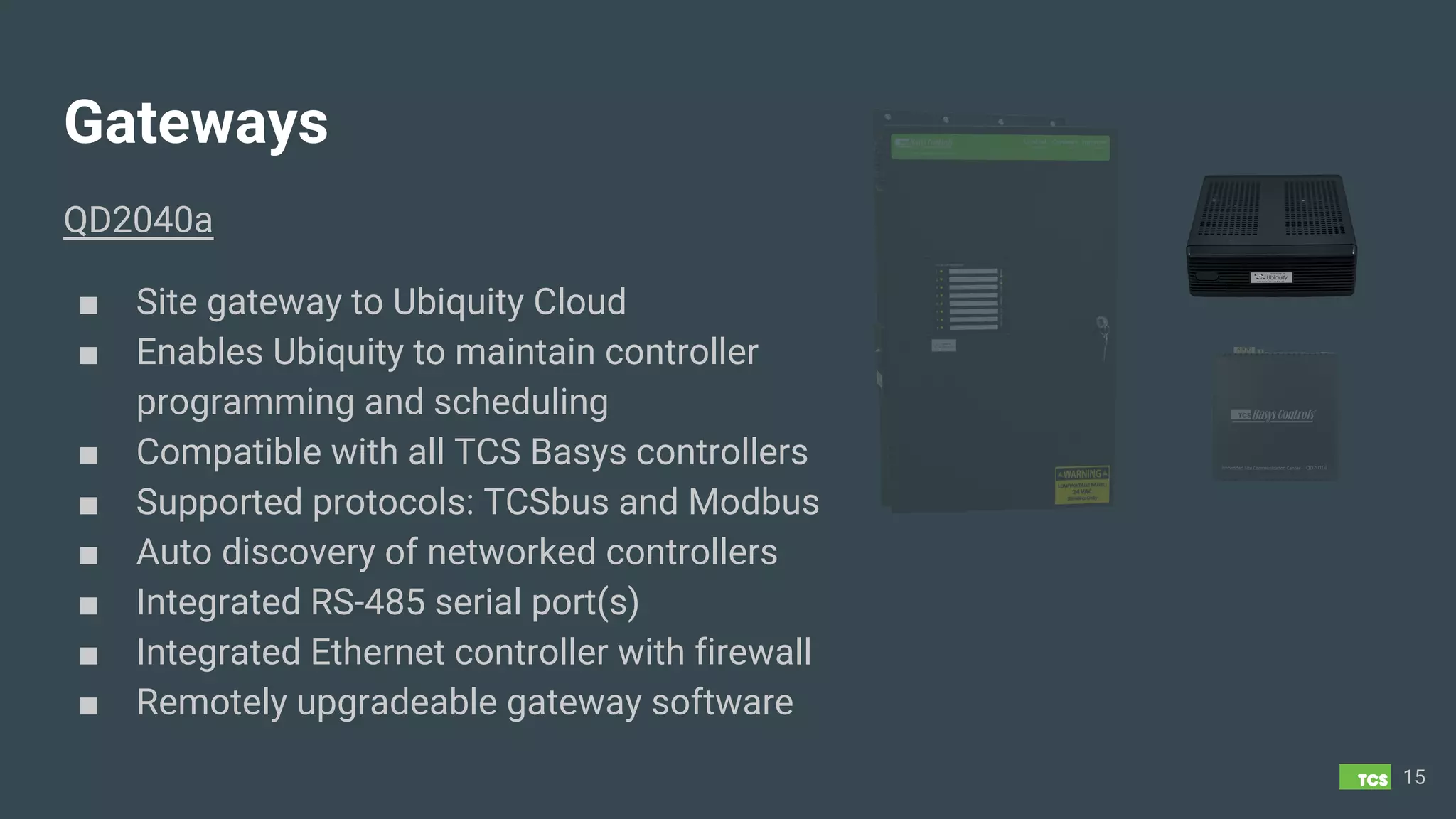
Gateways
QD2040a
■ Site gateway to Ubiquity Cloud
■ Enables Ubiquity to maintain controller
programming and scheduling
■ Compatible with all TCS Basys controllers
■ Supported protocols: TCSbus and Modbus
■ Auto discovery of networked controllers
■ Integrated RS-485 serial port(s)
■ Integrated Ethernet controller with firewall
■ Remotely upgradeable gateway software
15
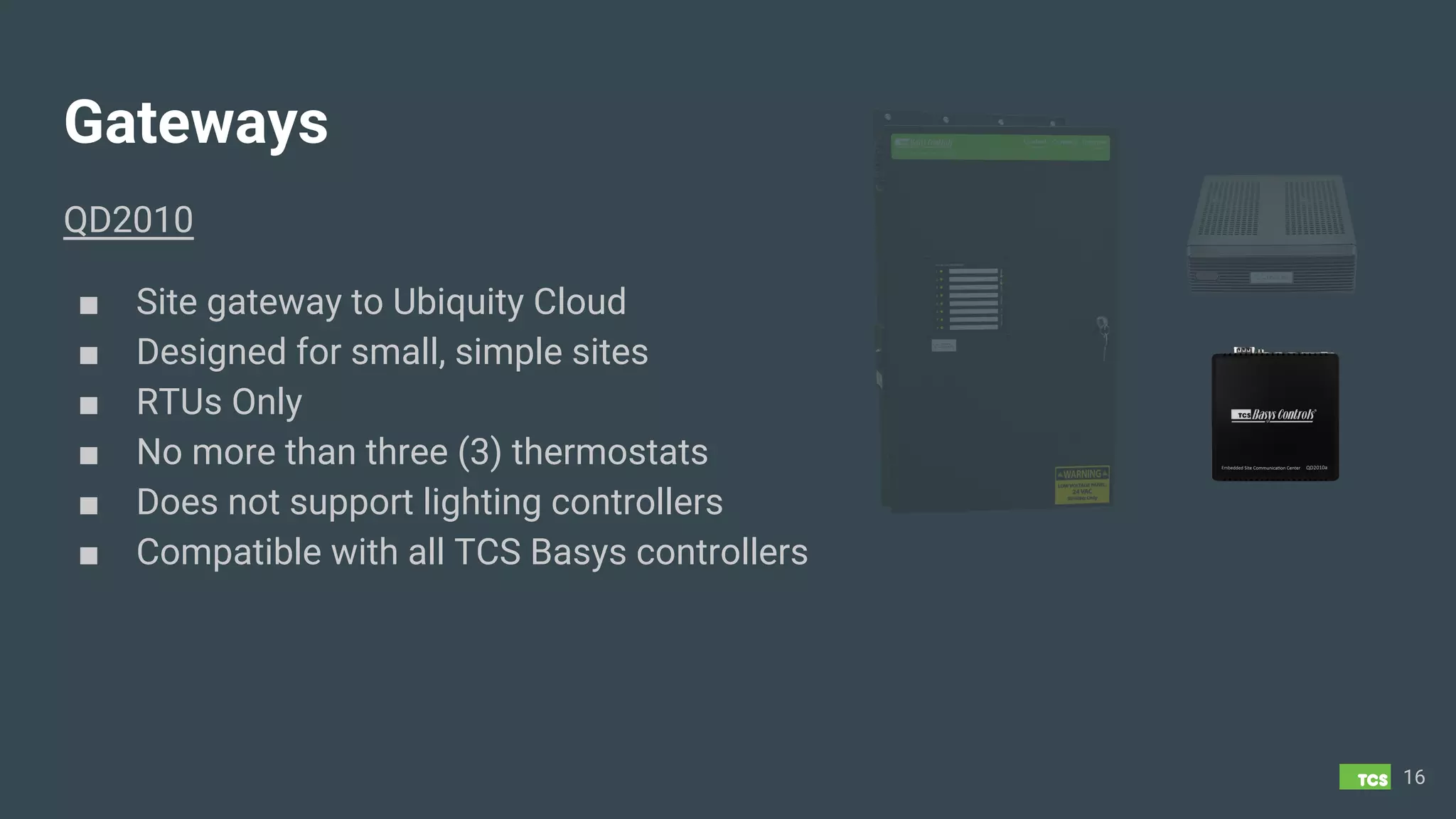
Gateways
QD2010
■ Site gateway to Ubiquity Cloud
■ Designed for small, simple sites
■ RTUs Only
■ No more than three (3) thermostats
■ Does not support lighting controllers
■ Compatible with all TCS Basys controllers
16
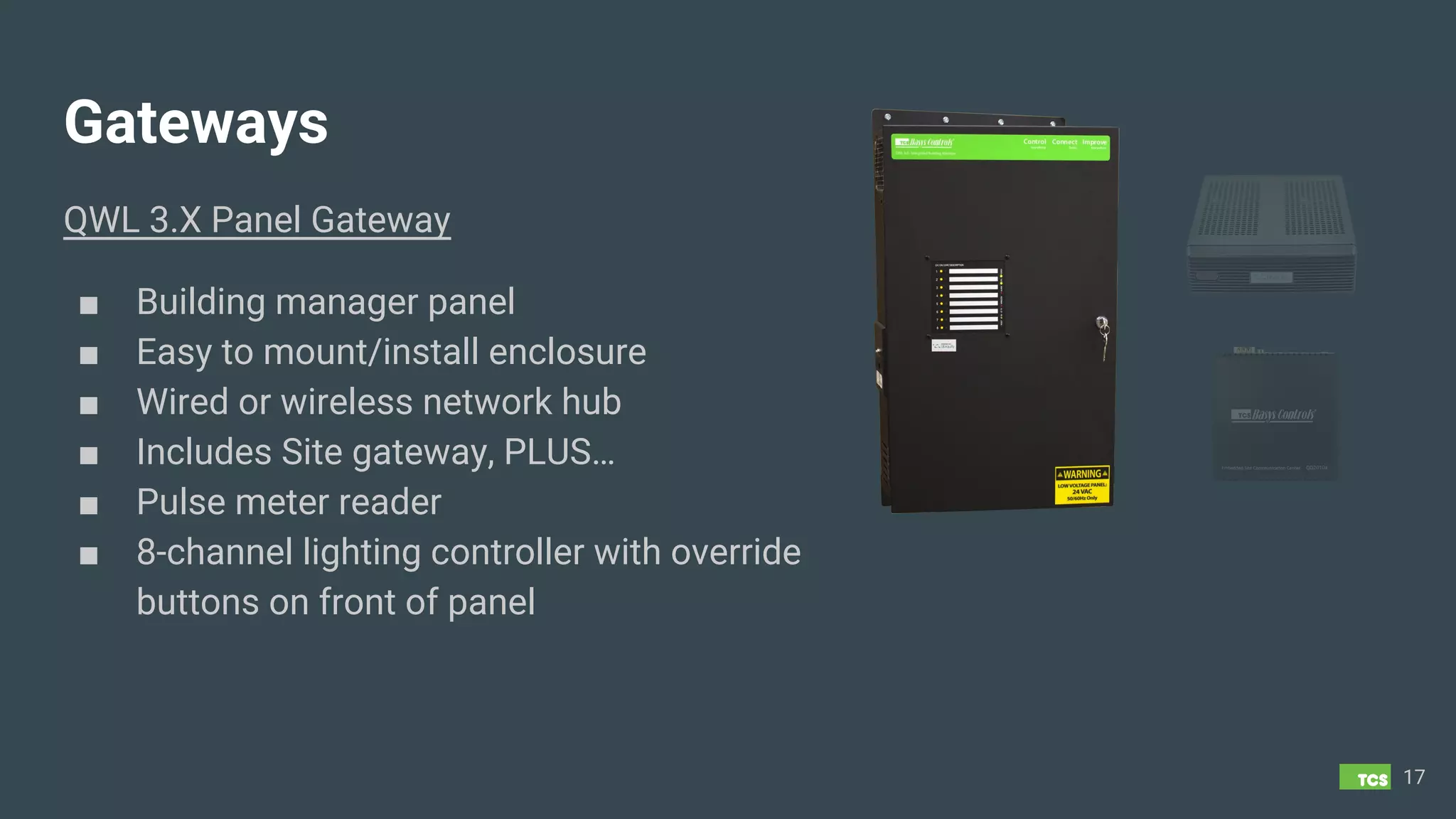
Gateways
QWL 3.X Panel Gateway
■ Building manager panel
■ Easy to mount/install enclosure
■ Wired or wireless network hub
■ Includes Site gateway, PLUS…
■ Pulse meter reader
■ 8-channel lighting controller with override
buttons on front of panel
17
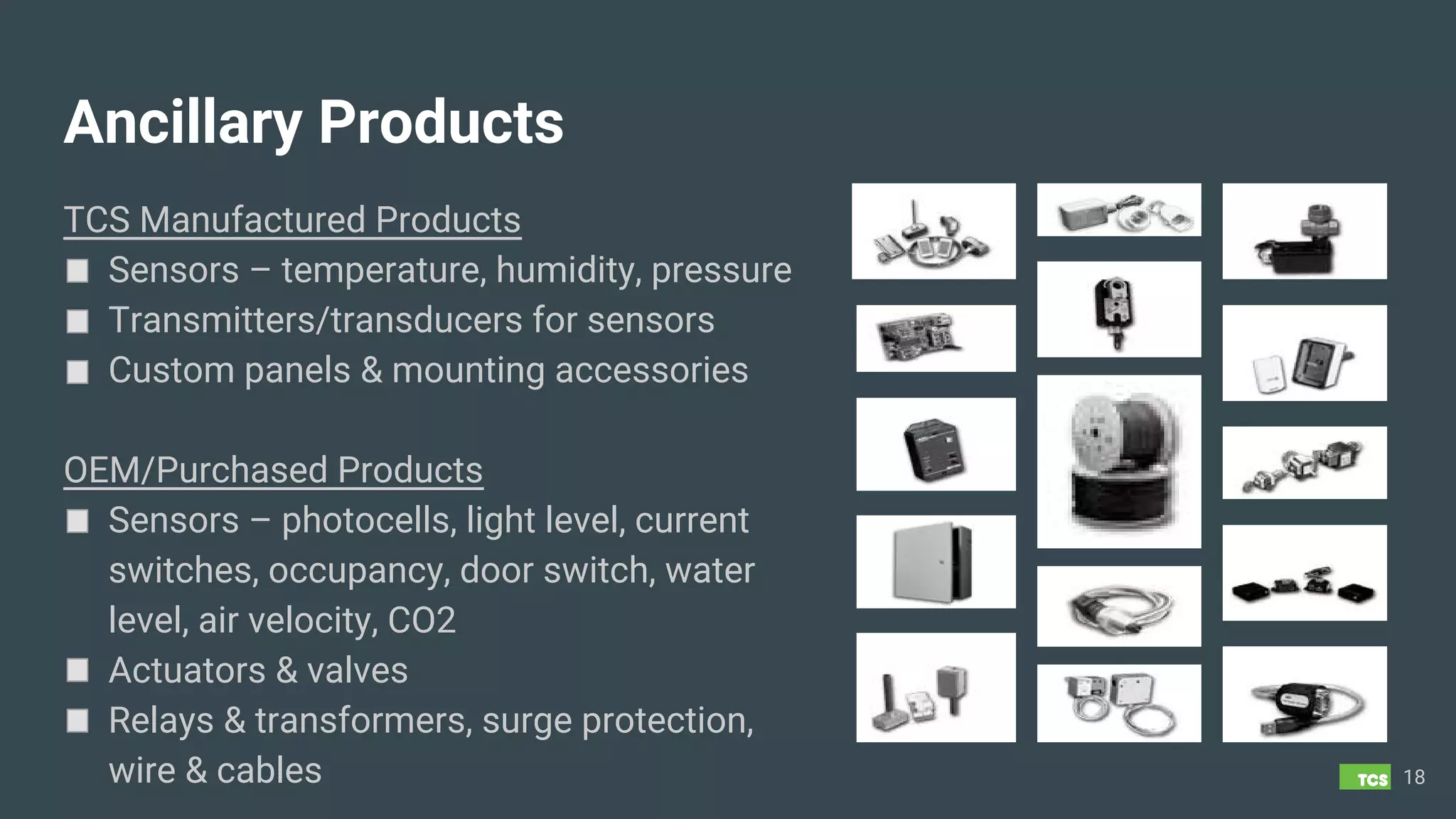
Ancillary Products
TCS Manufactured Products
Sensors – temperature, humidity, pressure
Transmitters/transducers for sensors
Custom panels & mounting accessories
OEM/Purchased Products
Sensors – photocells, light level, current
switches, occupancy, door switch, water
level, air velocity, CO2
Actuators & valves
Relays & transformers, surge protection,
wire & cables 18
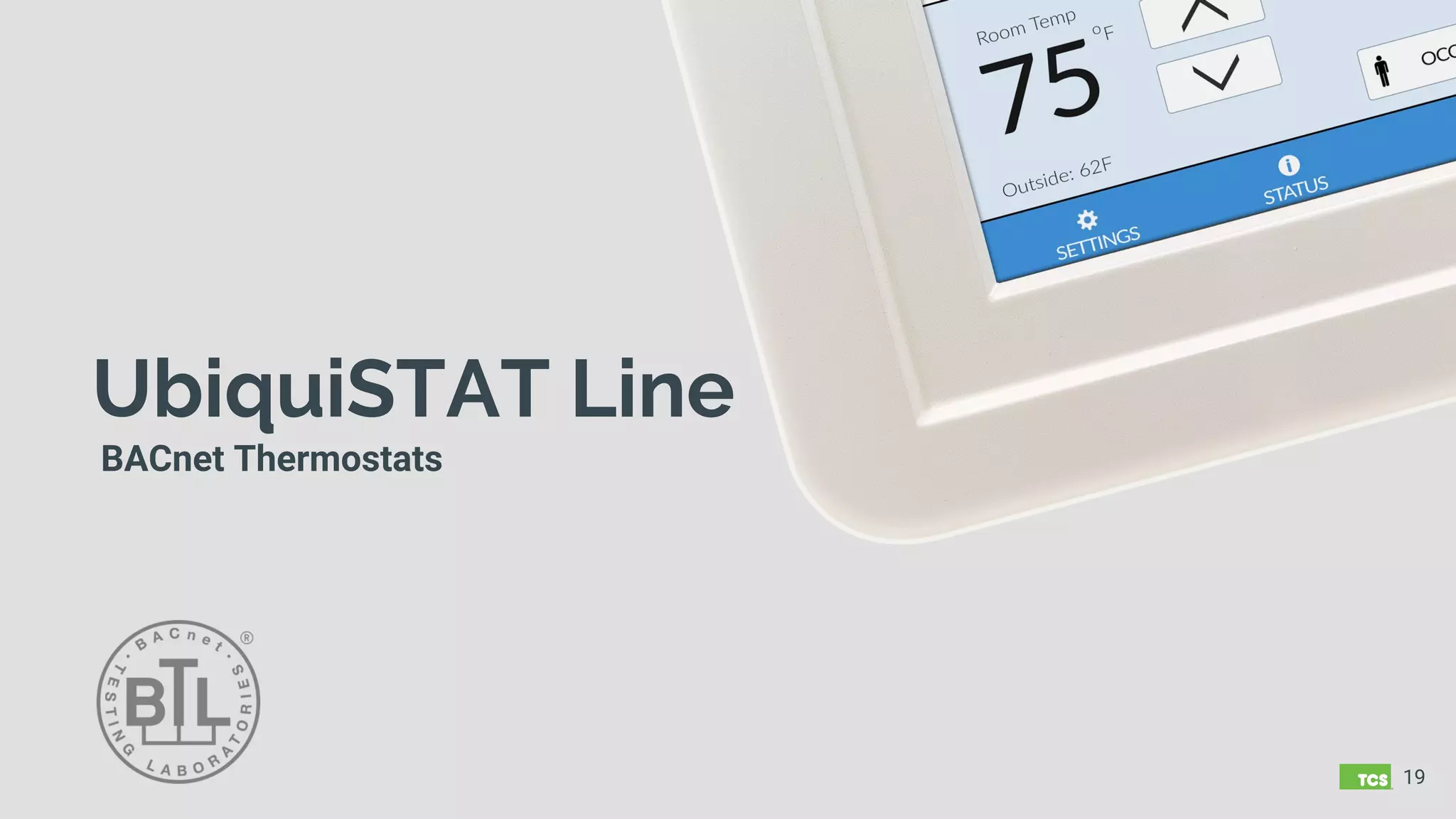
UbiquiSTAT Line
BACnet Thermostats
19
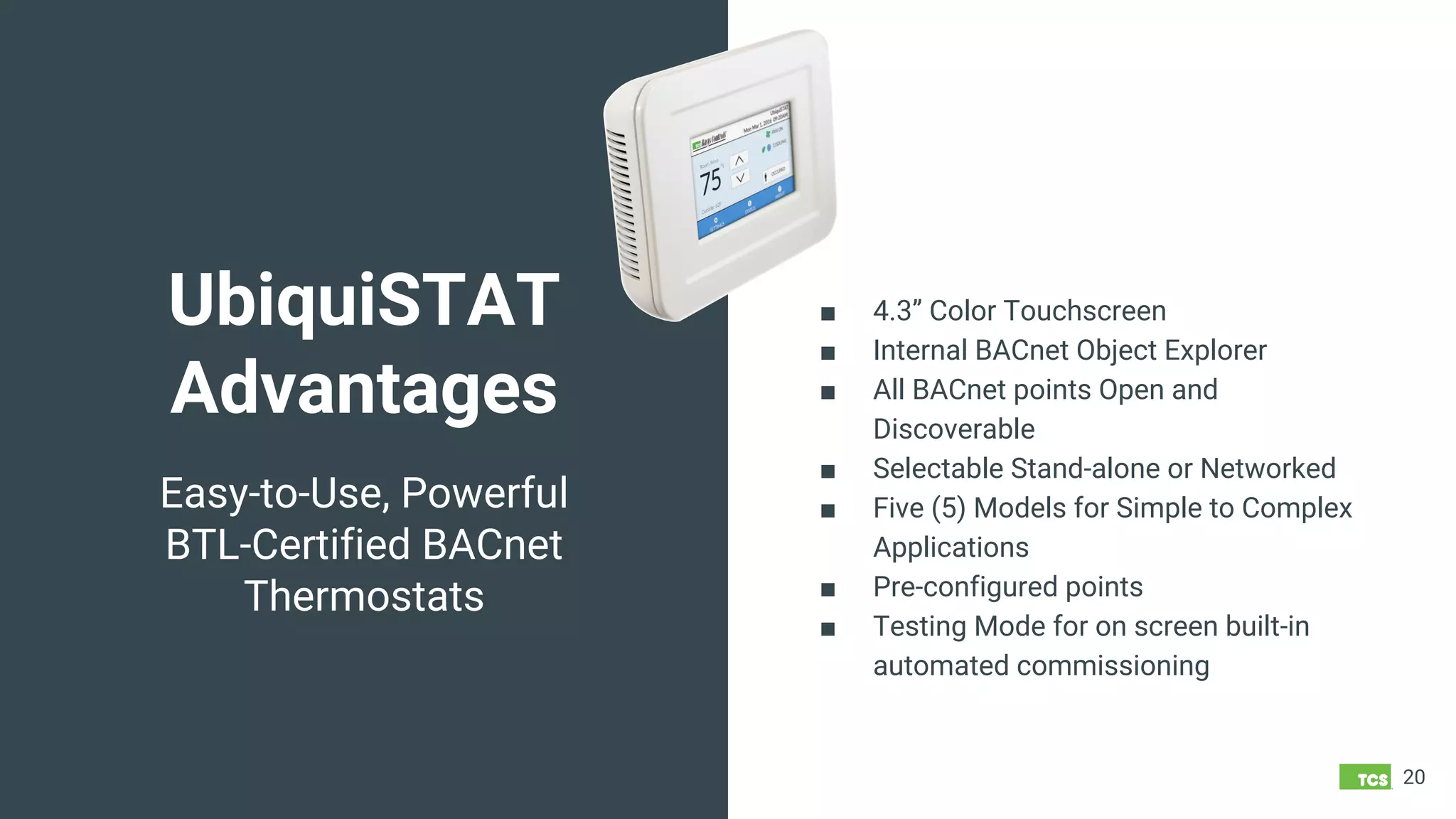
UbiquiSTAT
Advantages
20
Easy-to-Use, Powerful
BTL-Certified BACnet
Thermostats
■ 4.3” Color Touchscreen
■ Internal BACnet Object Explorer
■ All BACnet points Open and
Discoverable
■ Selectable Stand-alone or Networked
■ Five (5) Models for Simple to Complex
Applications
■ Pre-configured points
■ Testing Mode for on screen built-in
automated commissioning
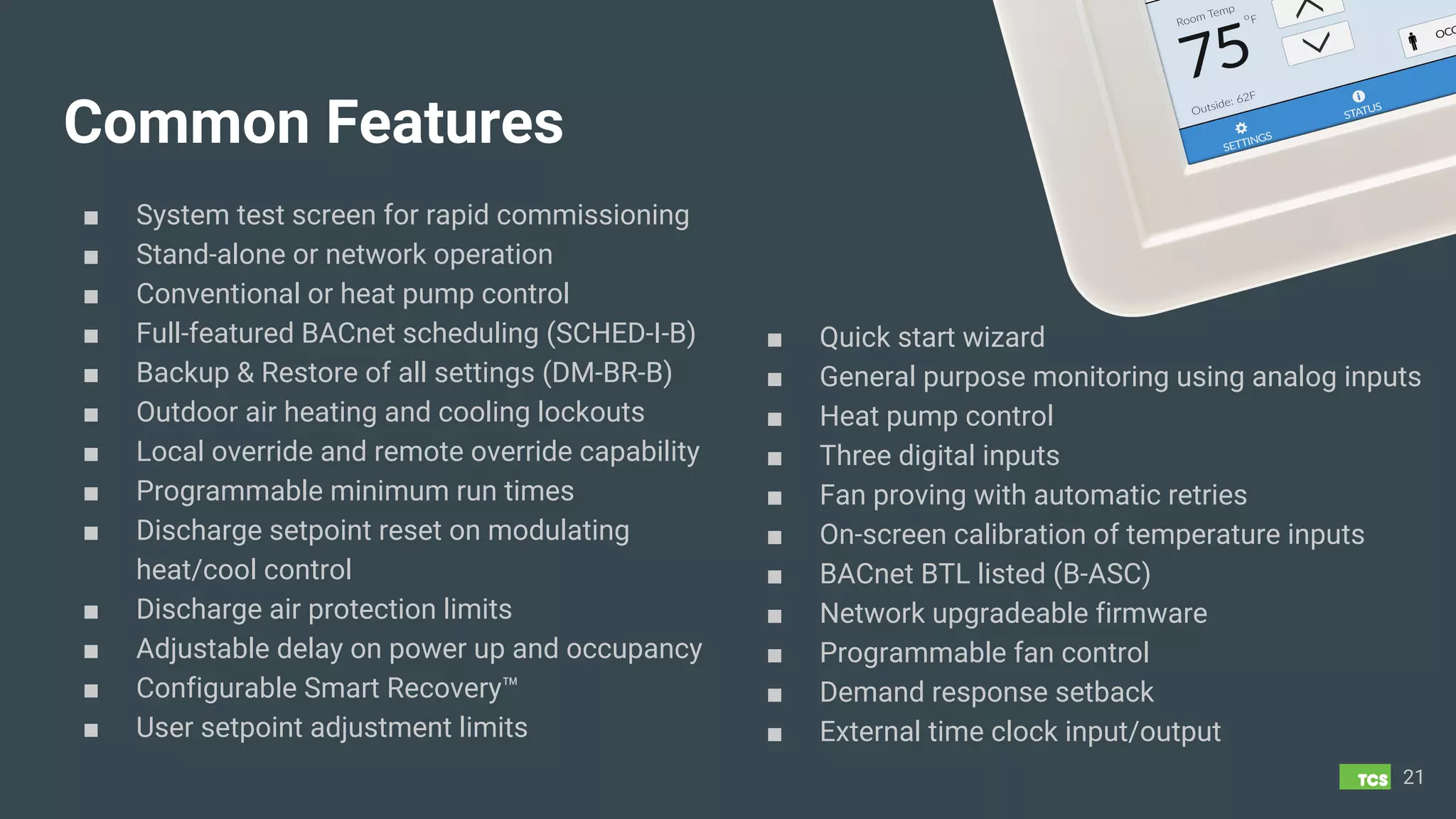
Common Features
■ System test screen for rapid commissioning
■ Stand-alone or network operation
■ Conventional or heat pump control
■ Full-featured BACnet scheduling (SCHED-I-B)
■ Backup & Restore of all settings (DM-BR-B)
■ Outdoor air heating and cooling lockouts
■ Local override and remote override capability
■ Programmable minimum run times
■ Discharge setpoint reset on modulating
heat/cool control
■ Discharge air protection limits
■ Adjustable delay on power up and occupancy
■ Configurable Smart Recovery™
■ User setpoint adjustment limits
21
■ Quick start wizard
■ General purpose monitoring using analog inputs
■ Heat pump control
■ Three digital inputs
■ Fan proving with automatic retries
■ On-screen calibration of temperature inputs
■ BACnet BTL listed (B-ASC)
■ Network upgradeable firmware
■ Programmable fan control
■ Demand response setback
■ External time clock input/output
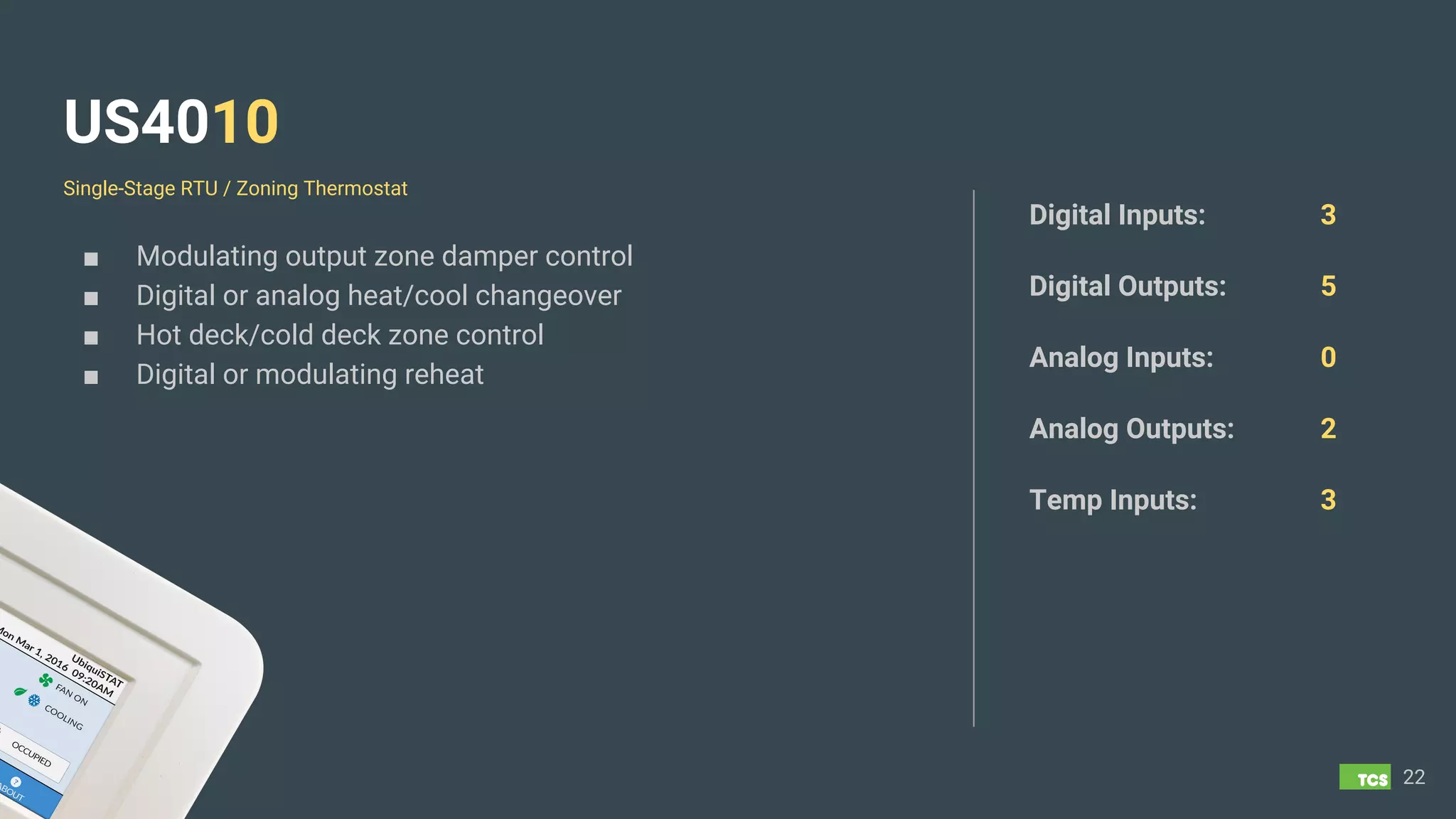
US4010
■ Modulating output zone damper control
■ Digital or analog heat/cool changeover
■ Hot deck/cold deck zone control
■ Digital or modulating reheat
22
Digital Inputs: 3
Digital Outputs: 5
Analog Inputs: 0
Analog Outputs: 2
Temp Inputs: 3
Single-Stage RTU / Zoning Thermostat
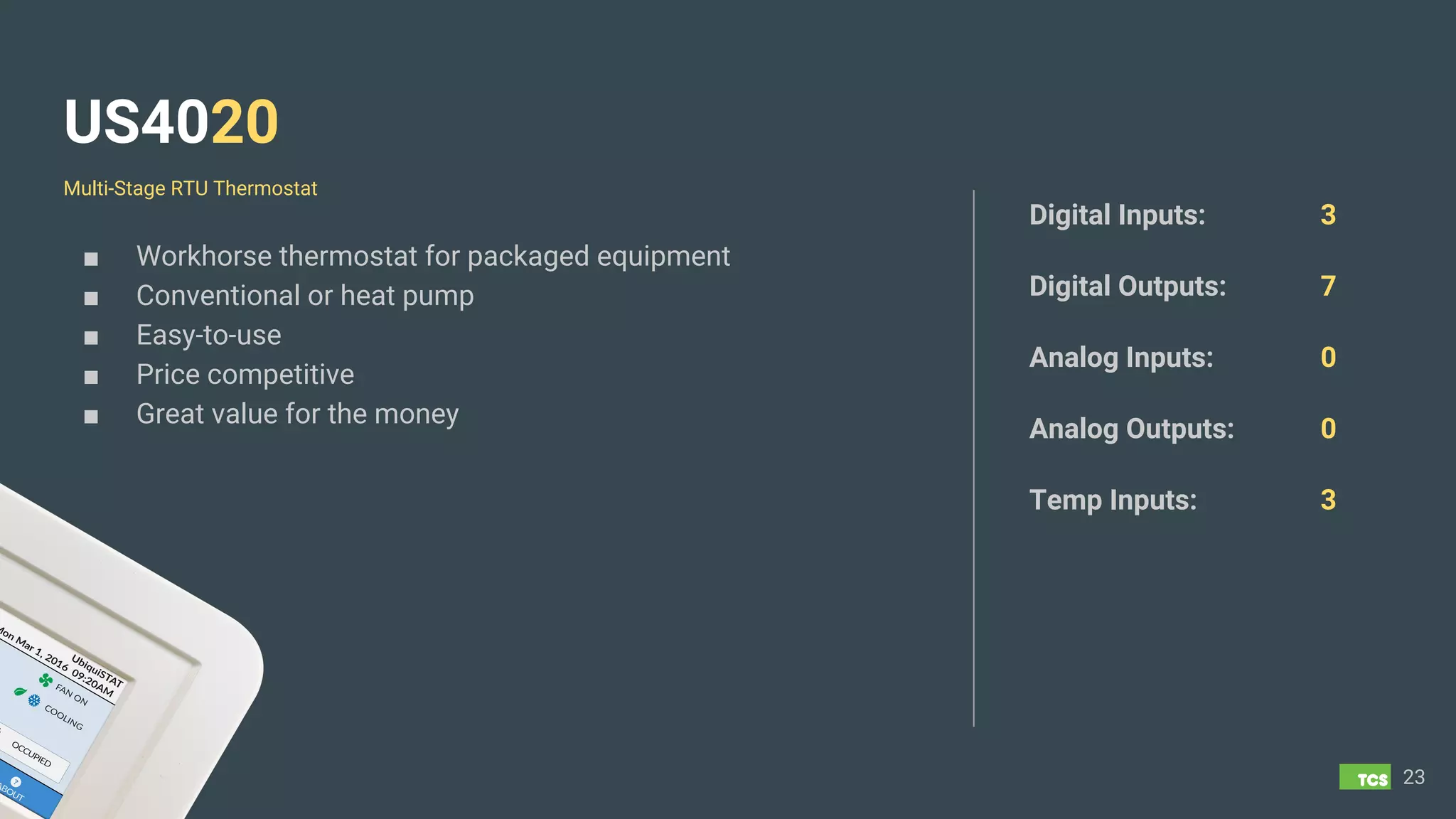
US4020
■ Workhorse thermostat for packaged equipment
■ Conventional or heat pump
■ Easy-to-use
■ Price competitive
■ Great value for the money
23
Digital Inputs: 3
Digital Outputs: 7
Analog Inputs: 0
Analog Outputs: 0
Temp Inputs: 3
Multi-Stage RTU Thermostat
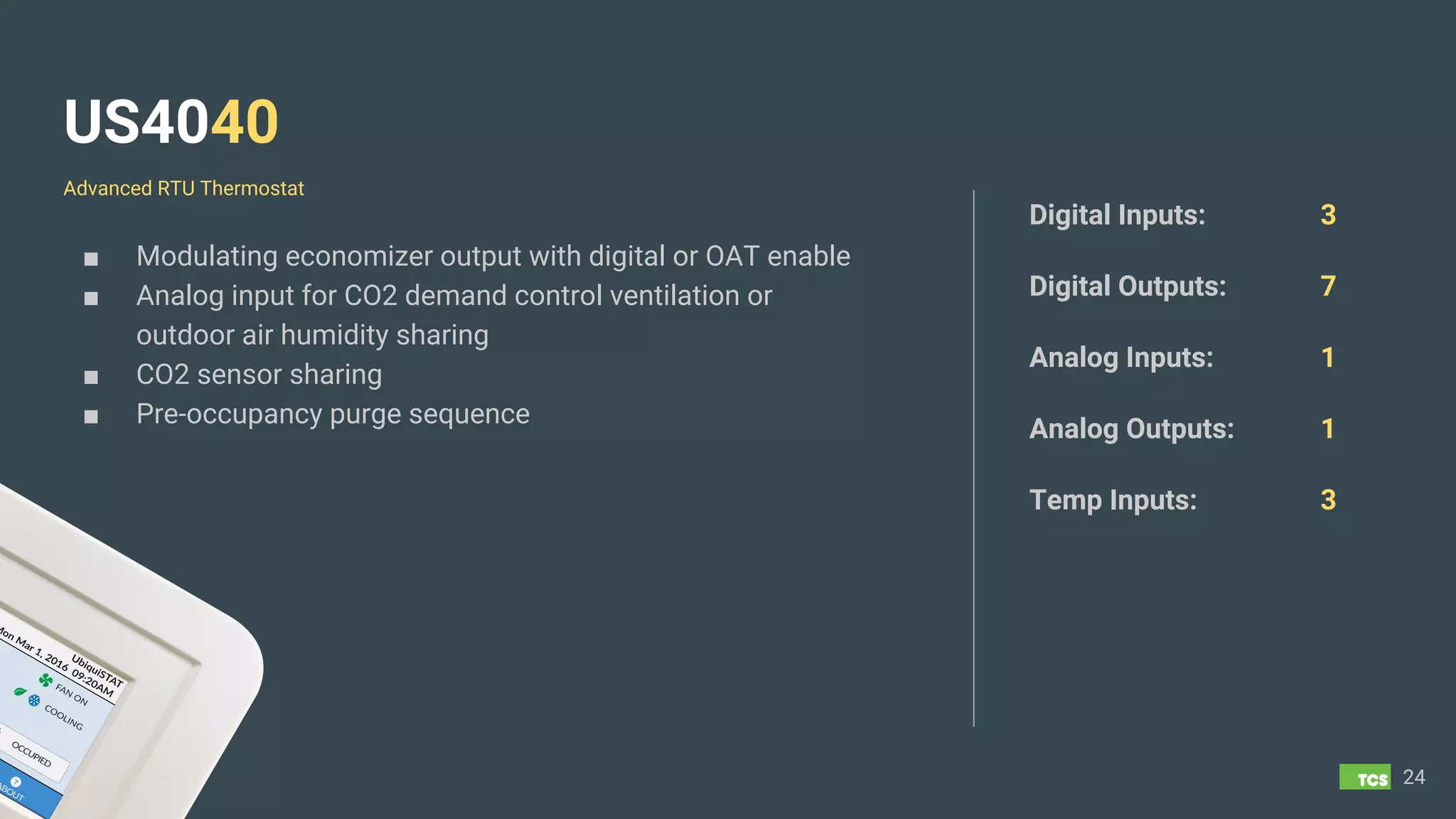
US4040
■ Modulating economizer output with digital or OAT enable
■ Analog input for CO2 demand control ventilation or
outdoor air humidity sharing
■ CO2 sensor sharing
■ Pre-occupancy purge sequence
24
Digital Inputs: 3
Digital Outputs: 7
Analog Inputs: 1
Analog Outputs: 1
Temp Inputs: 3
Advanced RTU Thermostat
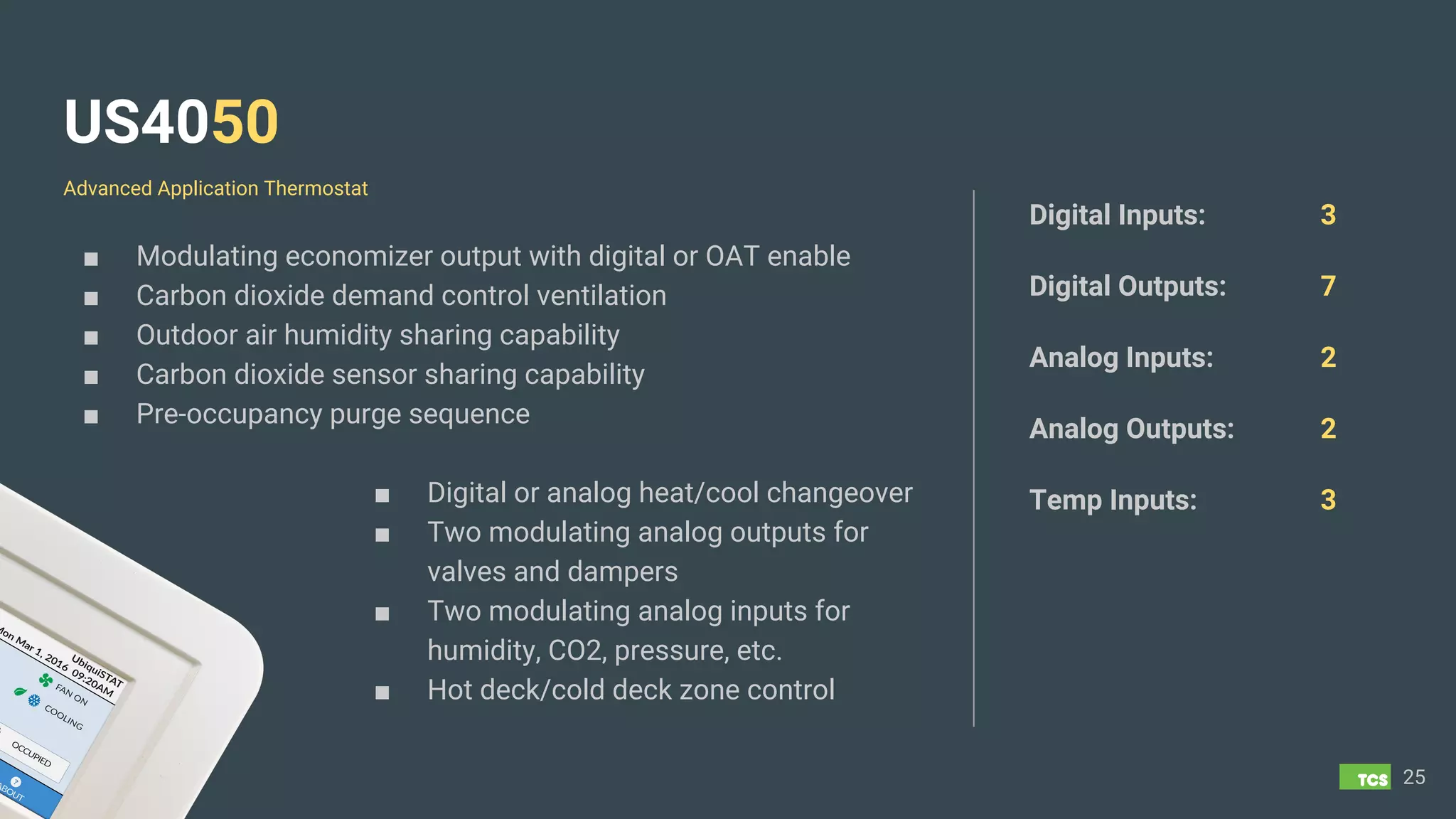
US4050
■ Modulating economizer output with digital or OAT enable
■ Carbon dioxide demand control ventilation
■ Outdoor air humidity sharing capability
■ Carbon dioxide sensor sharing capability
■ Pre-occupancy purge sequence
■ Digital or analog heat/cool changeover
■ Two modulating analog outputs for
valves and dampers
■ Two modulating analog inputs for
humidity, CO2, pressure, etc.
■ Hot deck/cold deck zone control
25
Digital Inputs: 3
Digital Outputs: 7
Analog Inputs: 2
Analog Outputs: 2
Temp Inputs: 3
Advanced Application Thermostat
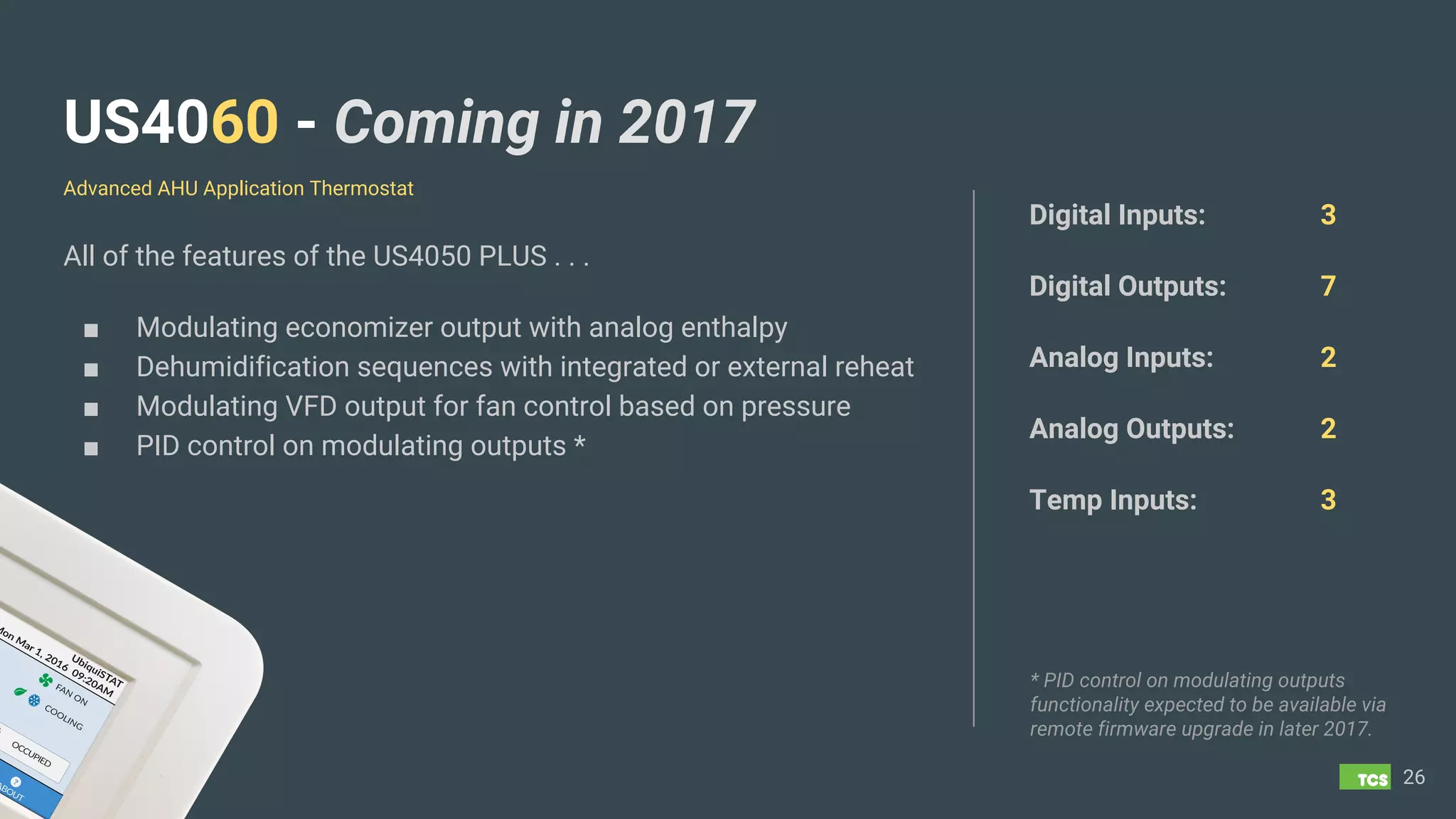
US4060 - Coming in 2017
All of the features of the US4050 PLUS . . .
■ Modulating economizer output with analog enthalpy
■ Dehumidification sequences with integrated or external reheat
■ Modulating VFD output for fan control based on pressure
■ PID control on modulating outputs *
26
Digital Inputs: 3
Digital Outputs: 7
Analog Inputs: 2
Analog Outputs: 2
Temp Inputs: 3
Advanced AHU Application Thermostat
* PID control on modulating outputs
functionality expected to be available via
remote firmware upgrade in later 2017.
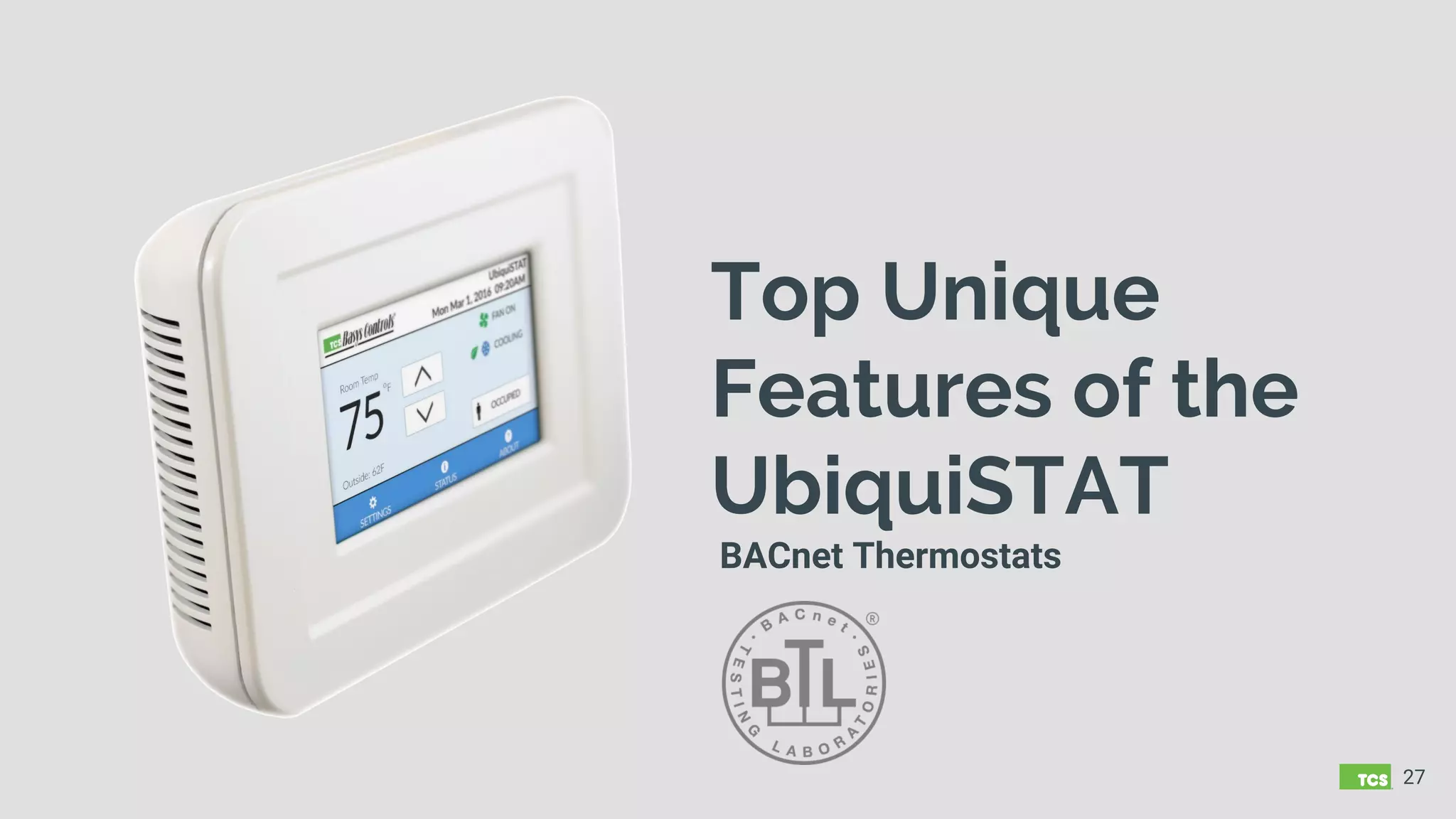
Top Unique
Features of the
UbiquiSTAT
BACnet Thermostats
27
Discharge Air Setpoint Reset
■ Control based on maintaining a discharge air temperature rather than zone
temperature
■ Use with modulating heat or cool systems ONLY
■ Adjust the discharge air setpoint based on the Delta T between the heating or
cooling setpoint and the zone temperature. The larger the Delta T, the bigger
the adjustment to the discharge air setpoint
■ Independent Reset Ratio adjustment for both heating and cooling discharge
air setpoints.
28
Demand Ventilation
■ The demand ventilation feature allows the outdoor air intake to be varied in
order to limit a maximum acceptable level of CO2 in the space.
■ Works in conjunction with a CO2 sensor directly wired to an analog input of
the UbiquiSTAT
■ A CO2 PPM setpoint threshold is programmed in the UbiquiSTAT. When that
threshold is exceeded, the analog output wired from the UbiquiSTAT to the
outdoor air damper will begin to modulate based on a programmed
proportional band to allow fresh air into the space until the CO2 PPM drops
below setpoint.
29
Dehumidification w/ Reheat
■ Coming Soon on Model US4060
■ When indoor humidity levels exceed the programmed humidity setpoint, the
UbiquiSTAT will cycle cooling to dehumidify the air
■ If running the cooling to dehumidify leads to an overcooling of the zone, the
UbiquiSTAT can reheat the discharge air to maintain comfort in the zone.
■ This reheat setpoint, which is the zone temperature where reheat will engage,
is a programmable Delta T above the cooling setpoint (default setting)
■ The reheat setpoint can also be a programmed temperature, independent of
the heating or cooling setpoint.
30
Fan Recirculation Mode
■ Introduced by TCS in order to satisfy a majority of fresh air recirculation
building code requirements.
■ Allows fan to be in AUTO Mode instead of ON during occupancy
Example:
○ It is determined the fan must run for 30 minutes out of each hour in order to
maintain fresh air recirculation requirement
○ There are 3 calls for cooling in a 45 minute period for a total of 15 minutes of fan
runtime.
○ The UbiquiSTAT will run the fan for an additional 15 minutes, regardless of a call
for cooling in order to meet the fresh air recirculation requirement.
31
Pre-occupancy Purge
■ Used to remove build-up of VOCs (Volatile Organic Compounds) and other
elements in the air when the space is unoccupied.
■ Commonly used to purge the air from the out-gassing paints, glues, and other
construction and material chemicals on newly constructed buildings.
■ This feature causes some amount of fresh air to circulate into the space for a
specified period of time just prior to the occupancy mode changing from
unoccupied to occupied.
■ The rate and duration of fresh air intake is programmable and is typically
determined by number of building air exchanges and is computed specifically
for each building by an engineer.
32
Midpoint Heat/Cool Control
■ Midpoint control operates on both heat and cool simultaneously to generate a
single output that varies around a midpoint.
■ An output below the midpoint represents a call for heating and an output
above the midpoint represents a need for cooling.
■ This output is typically connected to a hot deck cold deck system.
33
Aquastat - Changeover and Unoccupied Options
■ Aquastat mode allows controller to sense when heat or cool is available from
supply air or water temp, or via a digital input.
■ When supply air or water is above the setpoint or digital input is tripped,
heating is allowed. When below the setpoint or digital input is tripped, cooling
is allowed.
■ During unoccupied mode, can continue to modulate in normal programming,
or set to fixed percentage output. Typically used to keep heating valves
marginally open to prevent pipes from freezing when the normal heating
demands of the space are insufficient.
34
Discharge Air Tempering
■ The discharge tempering feature addresses the issue of distributing
unconditioned air into the space that may be uncomfortable. This typically
occurs when the fan is cycling in outdoor air that is very hot or cold, and no or
very little mechanical cooling or heating is active, usually because the space
is satisfied (in the deadband).
■ The discharge tempering feature allows a discharge air setpoint to be
programmed to provide temperate (65-75 degree) discharge air while the
zone temperature is in the deadband between the heating and cooling
setpoints.
■ Can be used with modulating heating or cooling ONLY.
35
Additional Unique UbiquiSTAT Features
■ All inputs and outputs fully
commandable from network
■ Outdoor Air Damper low limit freeze
protection based on Mixed Air Temp
■ Economizer control on either Mixed
or Supply Air
■ Dry Bulb and Enthalpy
■ Enthalpy Comparison (Indoor and
Outdoor)
■ Zone Temp averaging and weighting
36
■ Monitor any 4-20mA device
■ System Test mode on
Thermostat or thru Ubiquity UI
■ Firmware Upgrade Online or via
BACnet tool
■ P+I – Proportional plus
adjustable Integral (0-300 secs)
■ Standard BACnet scheduling
■ System Event Log
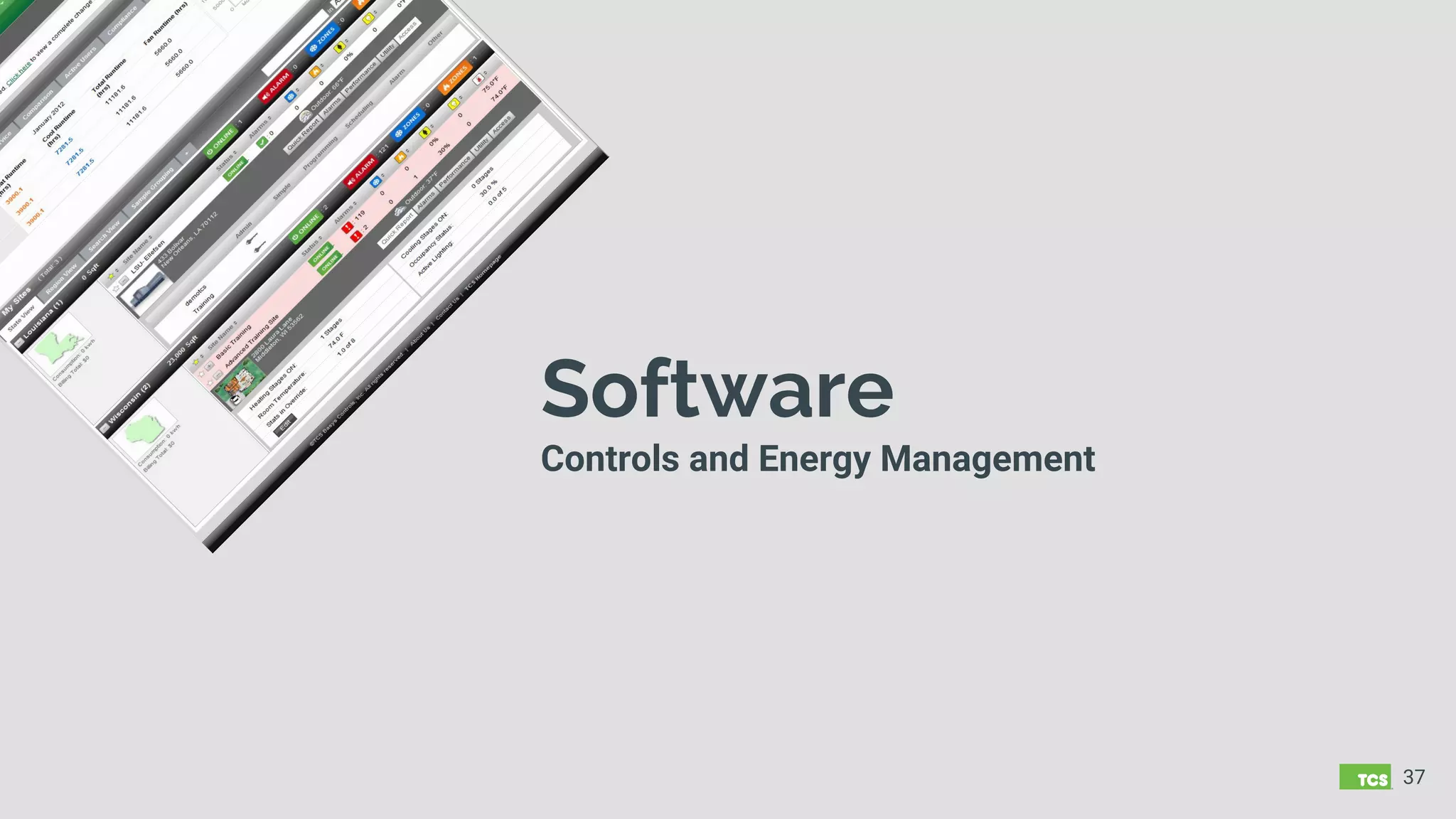
Software
Controls and Energy Management
37
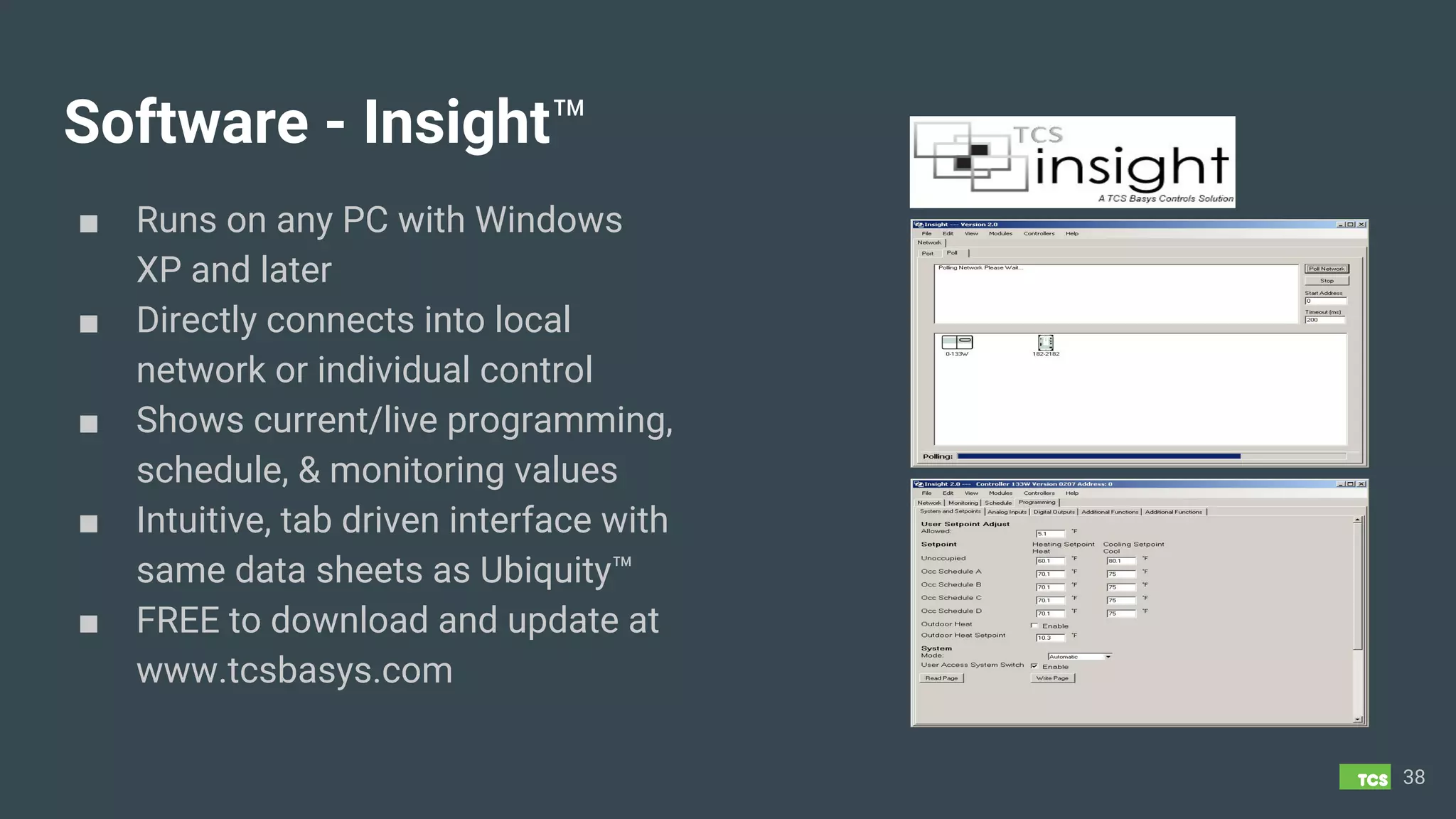
Software - Insight™
■ Runs on any PC with Windows
XP and later
■ Directly connects into local
network or individual control
■ Shows current/live programming,
schedule, & monitoring values
■ Intuitive, tab driven interface with
same data sheets as Ubiquity™
■ FREE to download and update at
www.tcsbasys.com
38
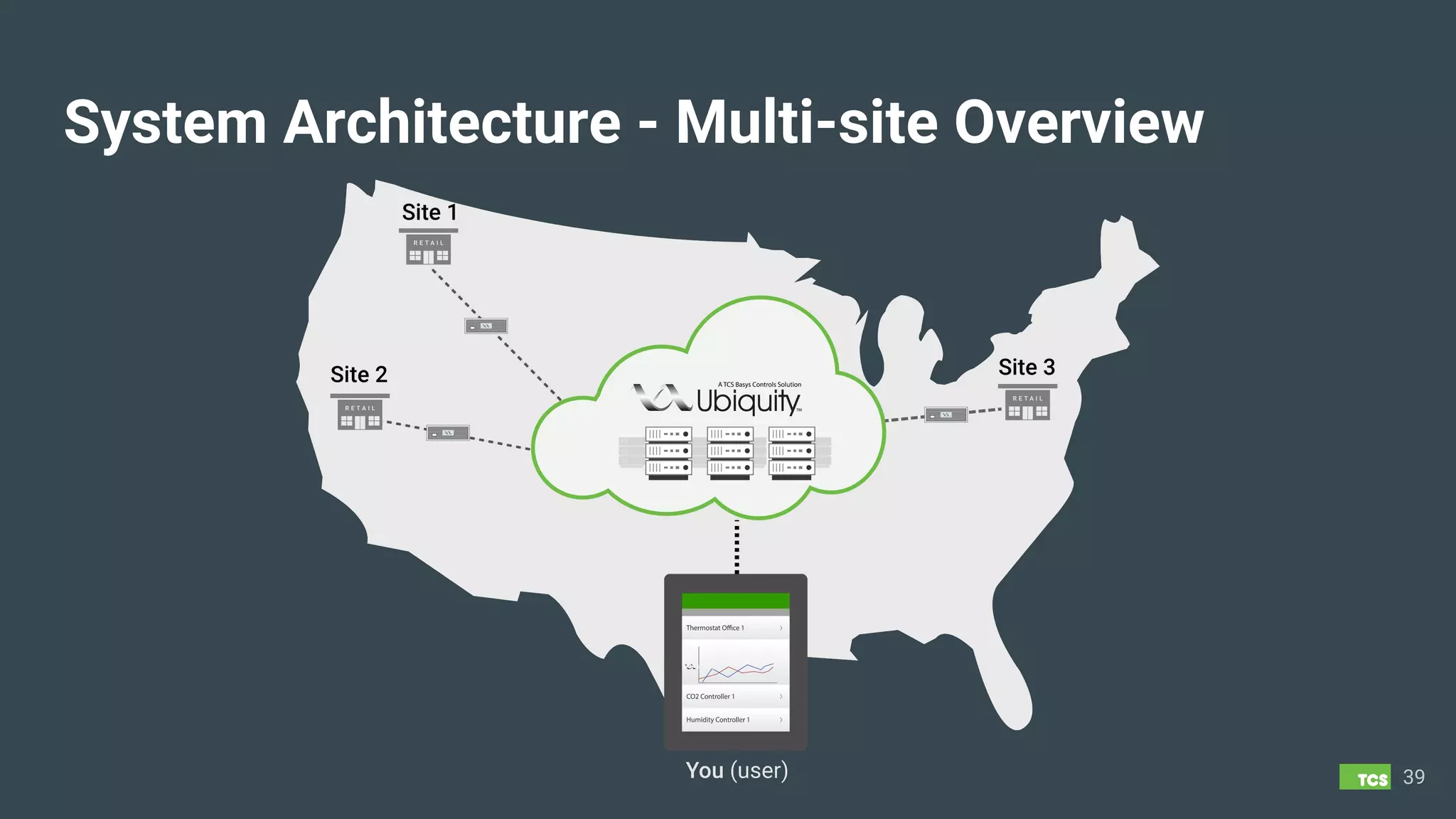
System Architecture - Multi-site Overview
39
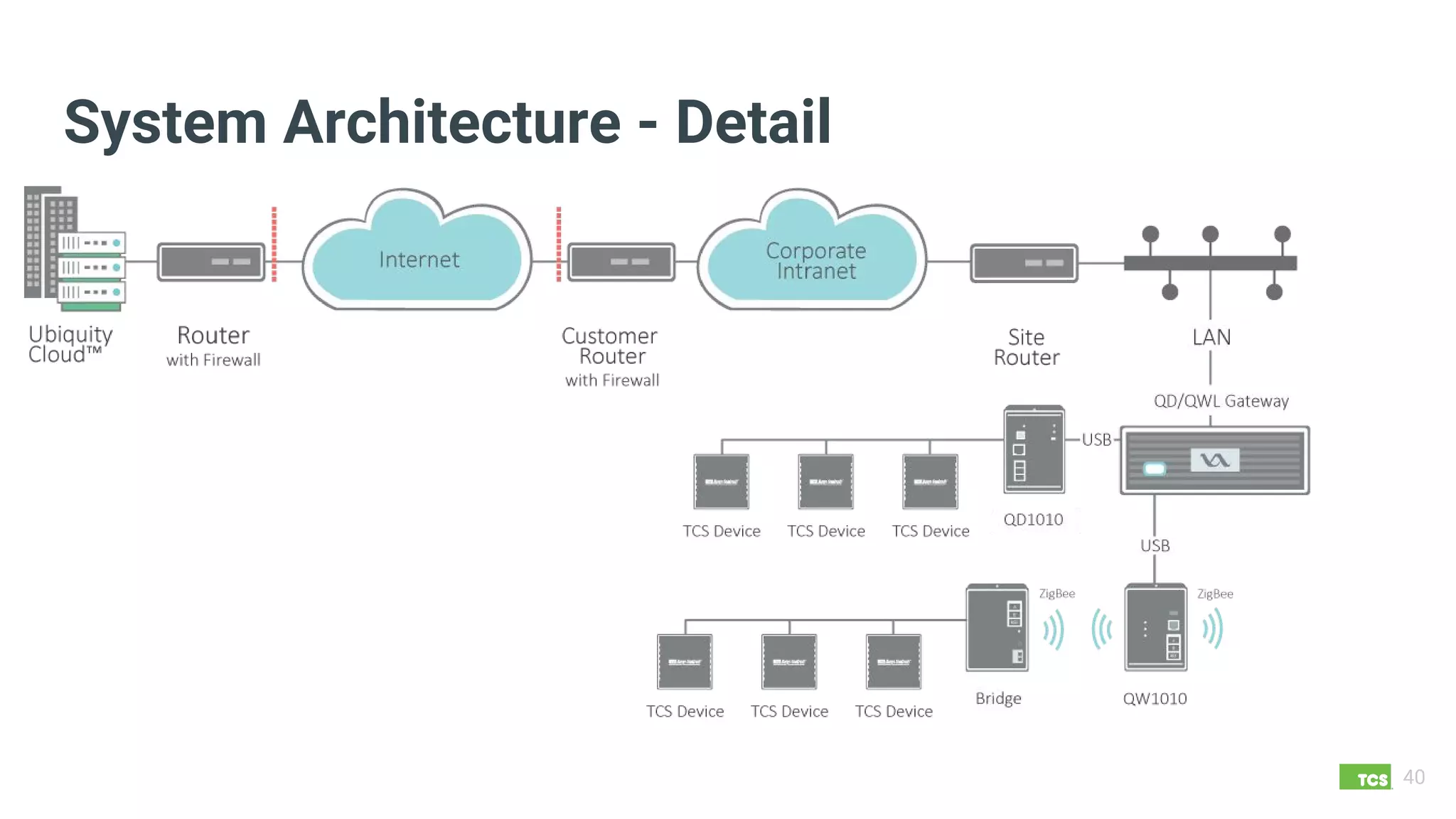
System Architecture - Detail
40
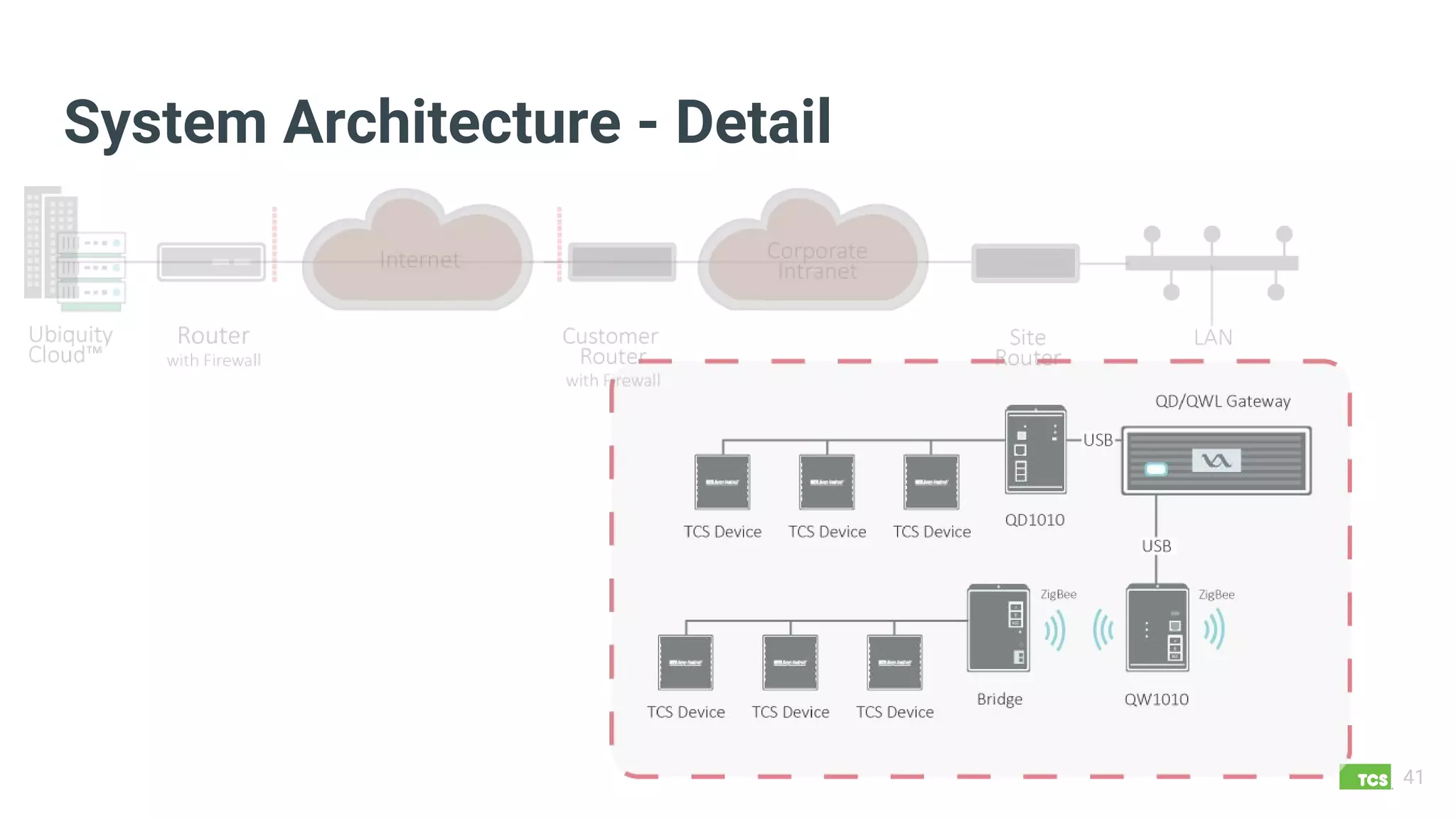
System Architecture - Detail
41
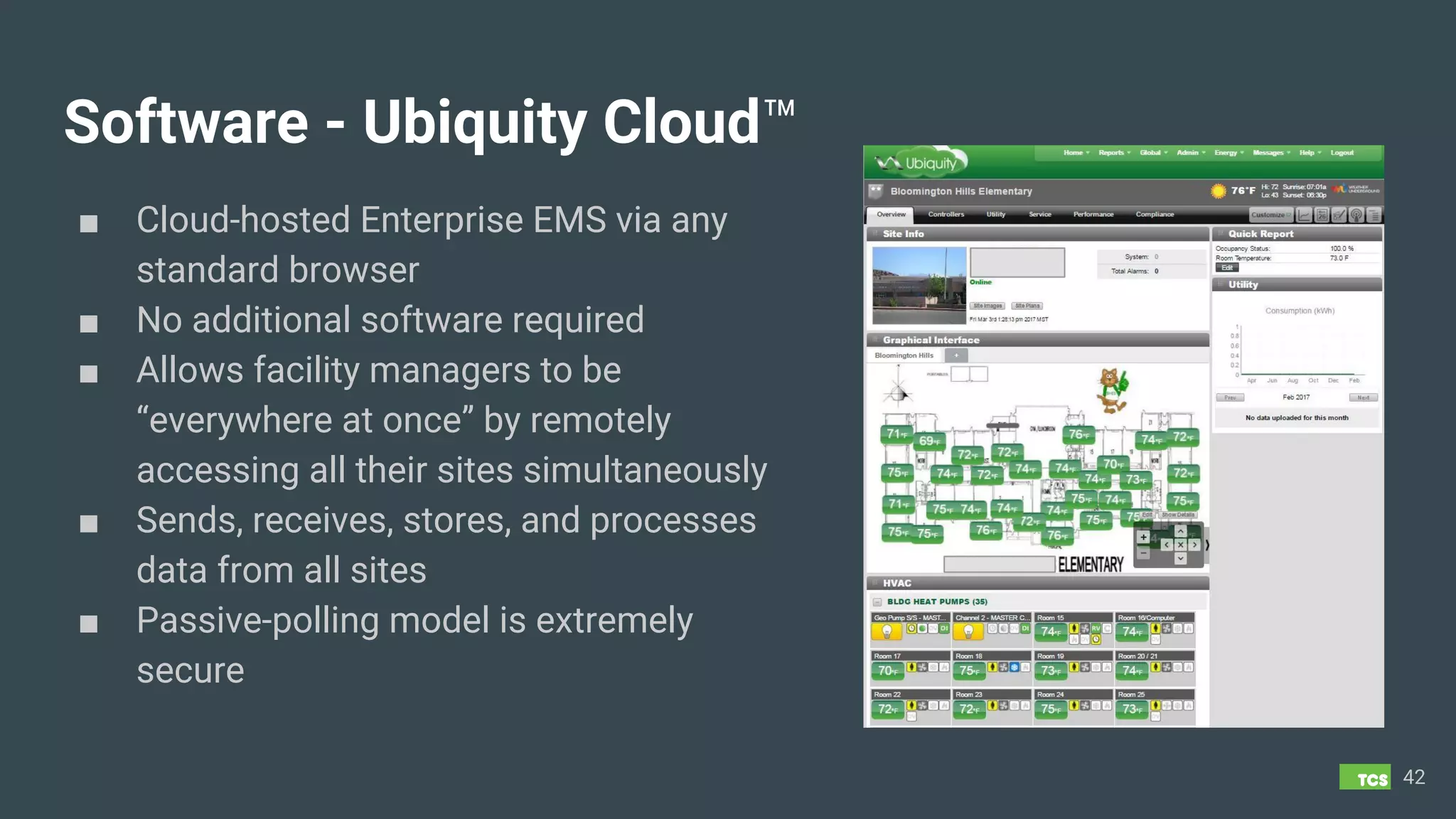
Software - Ubiquity Cloud™
■ Cloud-hosted Enterprise EMS via any
standard browser
■ No additional software required
■ Allows facility managers to be
“everywhere at once” by remotely
accessing all their sites simultaneously
■ Sends, receives, stores, and processes
data from all sites
■ Passive-polling model is extremely
secure
42
■ Sales Support & Part Selection
- Job take-off assistance
- Product recommendations
- Quote generation
■ Technical support for installation & service
work
■ Standard phone support 7am to 7pm CST
■ Online documents and videos available
24/7/365
43
Service and Support
■ TCS Installation Services Available
- New Construction
- Retrofits
- Leverage our expertise for turn-key
installs
■ TCS Managed Services – Various Levels
Available
■ Active monitoring, site optimization, &
reporting
■ 24/7 technical support & service response
UbiquiSTAT
and Ubiquity Cloud
Live Demonstrations
44
Thank you!
James Huffstutler
jhuffstutler@tcsbasys.com
608.669.9416 (direct)

TCS Basys Controls Overview 2017

  • 1.
    The Genius ofSimple 2017 Overview ™
  • 2.
    Agenda 2 ■ A Historyof Innovation ■ Basys Product Line ■ BACnet Product Line (UbiquiSTAT) ■ Top Unique Features of UbiquiSTAT ■ LIVE DEMO - Ubiquity Cloud 4.0 Enterprise EMS
  • 3.
    TCS - History ■Founded in 1983 in Middleton, WI ■ Temperature Control Specialties (TCS) initially manufactured high-quality sensors & mounting clips for the OEM market ■ Added building automation controls & a PC-based software system in the 90s ■ Developed a Cloud-based Building Automation EMS platform in early 2000s ■ Known for Innovation ○ Communicating Thermostats ○ Web-based (Cloud) EMS ○ Advanced Reporting ○ ZigBee Wireless ○ Enterprise Analytics ○ BACnet Made Simple 3
  • 4.
  • 5.
    Made in America TCSProducts and Software are Designed, Manufactured, Tested and Supported in Middleton, Wisconsin 5
  • 6.
    TCS Advantages Two productlines, unlimited awesome! 6 TCS Basys Controls ■ Established, dependable product line - 1997 ■ Fits perfectly into commercial building middle market ■ Banks, small box retail, restaurants, c-stores, office complexes, and schools ■ Add’l temperature and digital inputs = more monitoring points ■ Local control if building network or Internet network communication is down ■ Application specific controllers ■ Forgiving network with lower baud rate options ■ Cloud-based platform means no software maintenance or patches ■ Little to no burden on the IT department ■ ROI in months rather than years TCS BACnet Controls ■ Full-color touch screen interface ■ Completely open and exposed points, unlocking the true potential of BACnet ■ Controls may be integrated with any existing BACnet network ■ Use in standalone mode or as part of the Ubiquity Cloud EMS ■ BACnet designed for mechanical and electrical contractors who are not necessarily trained on BACnet
  • 7.
  • 8.
    BASYS Advantages 8 Application Specific ■ Mapping,sequences, engineering is done for you with pre-configured, application-specific controls ■ 19 Superstat™ Programmable Thermostat Models ○ Heat/cool, heat pump, modulating, fan coil ○ Includes 4 wireless models ■ 15 Supertrol™ Black Box Controller Models ○ Lighting, general purpose, VAV, plant controls ■ 9 Accessory Product Lines ○ Temperature ○ Humidity ○ Pressure ○ Mounting ○ Communications ■ 15 OEM (P-part) Lines ○ Actuators, valves, sensors, panels, cables, etc.
  • 9.
    Superstats ■ Conventional Heat& Cool ○ Max. 6 total stages ■ Heat Pump ○ Max. 2 comp. & 2 aux. heat Reversing valve or conventional control ■ Modulating ○ Various heat/cool stages plus up to 2 modulating outputs for valves, dampers and/or economizer ■ Fan Coil ○ 3 speed fan control ○ Various heat & cool outputs (modulating or 2-position) 9
  • 10.
    Supertrols Zoning Controls ■ VAVbox controller ■ Superzone System - VVT Zoning ■ Built-in velocity pressure sensor ■ 1 mod. damper & 1 mod. valve output ■ Press. dependent or independent operation 10 AHU Controller (air handling unit) ■ 2 heat, 2 cool, & 2 selectable stages ■ Modulating hot water, cold water, economizer and variable speed fan outputs ■ Enthalpy based economizer control option
  • 11.
    Supertrols Plant Controls ■ Boilercontroller with chiller support ○ Automatic rotation of boilers & pumps ○ 4 boilers, 2 pumps, 2 chillers, 1 alarm ■ Chiller controller with boiler support ○ Automatic rotation of chillers & pumps ○ 6 chillers, 2 boilers, 1 alarm 11
  • 12.
    Supertrols General Use Controls ■General purpose controller ○ 2 analog (4-20mA) & 2 digital inputs ○ 1 modulating & 2 digital outputs ○ Adjustable PID control on modulating output ○ Used for humidity, pressure, CO2, dew point, high/low signal select, boiler reset, and more ■ General purpose monitor ○ 4 temp. & 2 analog (4-20mA) inputs ○ 2 digital inputs & local alarm output 12
  • 13.
    Supertrols Lighting Controls ■ Basic2 channel time clock ○ Independent, 365-day schedule for each channel Accepts occupancy sensors or photocells ■ 5-channel and 8-channel controller ○ Independent, 365-day schedule for each channel Accepts digital photocells, analog light-level sensor, or occupancy sensors ○ Astronomical based control – (latitude/longitude) 13
  • 14.
    Gateways Network Options Wired -RS485, twisted shielded pair Wireless - ZigBee™ Advantages of Networked System Share certain sensor values across site Control subsystems and curtailment policies Remote access & troubleshooting Centralized programming, scheduling, alarming Run reports, graph values, download trends Maintenance alerts by runtime & warranty period 14
  • 15.
    Gateways QD2040a ■ Site gatewayto Ubiquity Cloud ■ Enables Ubiquity to maintain controller programming and scheduling ■ Compatible with all TCS Basys controllers ■ Supported protocols: TCSbus and Modbus ■ Auto discovery of networked controllers ■ Integrated RS-485 serial port(s) ■ Integrated Ethernet controller with firewall ■ Remotely upgradeable gateway software 15
  • 16.
    Gateways QD2010 ■ Site gatewayto Ubiquity Cloud ■ Designed for small, simple sites ■ RTUs Only ■ No more than three (3) thermostats ■ Does not support lighting controllers ■ Compatible with all TCS Basys controllers 16
  • 17.
    Gateways QWL 3.X PanelGateway ■ Building manager panel ■ Easy to mount/install enclosure ■ Wired or wireless network hub ■ Includes Site gateway, PLUS… ■ Pulse meter reader ■ 8-channel lighting controller with override buttons on front of panel 17
  • 18.
    Ancillary Products TCS ManufacturedProducts Sensors – temperature, humidity, pressure Transmitters/transducers for sensors Custom panels & mounting accessories OEM/Purchased Products Sensors – photocells, light level, current switches, occupancy, door switch, water level, air velocity, CO2 Actuators & valves Relays & transformers, surge protection, wire & cables 18
  • 19.
  • 20.
    UbiquiSTAT Advantages 20 Easy-to-Use, Powerful BTL-Certified BACnet Thermostats ■4.3” Color Touchscreen ■ Internal BACnet Object Explorer ■ All BACnet points Open and Discoverable ■ Selectable Stand-alone or Networked ■ Five (5) Models for Simple to Complex Applications ■ Pre-configured points ■ Testing Mode for on screen built-in automated commissioning
  • 21.
    Common Features ■ Systemtest screen for rapid commissioning ■ Stand-alone or network operation ■ Conventional or heat pump control ■ Full-featured BACnet scheduling (SCHED-I-B) ■ Backup & Restore of all settings (DM-BR-B) ■ Outdoor air heating and cooling lockouts ■ Local override and remote override capability ■ Programmable minimum run times ■ Discharge setpoint reset on modulating heat/cool control ■ Discharge air protection limits ■ Adjustable delay on power up and occupancy ■ Configurable Smart Recovery™ ■ User setpoint adjustment limits 21 ■ Quick start wizard ■ General purpose monitoring using analog inputs ■ Heat pump control ■ Three digital inputs ■ Fan proving with automatic retries ■ On-screen calibration of temperature inputs ■ BACnet BTL listed (B-ASC) ■ Network upgradeable firmware ■ Programmable fan control ■ Demand response setback ■ External time clock input/output
  • 22.
    US4010 ■ Modulating outputzone damper control ■ Digital or analog heat/cool changeover ■ Hot deck/cold deck zone control ■ Digital or modulating reheat 22 Digital Inputs: 3 Digital Outputs: 5 Analog Inputs: 0 Analog Outputs: 2 Temp Inputs: 3 Single-Stage RTU / Zoning Thermostat
  • 23.
    US4020 ■ Workhorse thermostatfor packaged equipment ■ Conventional or heat pump ■ Easy-to-use ■ Price competitive ■ Great value for the money 23 Digital Inputs: 3 Digital Outputs: 7 Analog Inputs: 0 Analog Outputs: 0 Temp Inputs: 3 Multi-Stage RTU Thermostat
  • 24.
    US4040 ■ Modulating economizeroutput with digital or OAT enable ■ Analog input for CO2 demand control ventilation or outdoor air humidity sharing ■ CO2 sensor sharing ■ Pre-occupancy purge sequence 24 Digital Inputs: 3 Digital Outputs: 7 Analog Inputs: 1 Analog Outputs: 1 Temp Inputs: 3 Advanced RTU Thermostat
  • 25.
    US4050 ■ Modulating economizeroutput with digital or OAT enable ■ Carbon dioxide demand control ventilation ■ Outdoor air humidity sharing capability ■ Carbon dioxide sensor sharing capability ■ Pre-occupancy purge sequence ■ Digital or analog heat/cool changeover ■ Two modulating analog outputs for valves and dampers ■ Two modulating analog inputs for humidity, CO2, pressure, etc. ■ Hot deck/cold deck zone control 25 Digital Inputs: 3 Digital Outputs: 7 Analog Inputs: 2 Analog Outputs: 2 Temp Inputs: 3 Advanced Application Thermostat
  • 26.
    US4060 - Comingin 2017 All of the features of the US4050 PLUS . . . ■ Modulating economizer output with analog enthalpy ■ Dehumidification sequences with integrated or external reheat ■ Modulating VFD output for fan control based on pressure ■ PID control on modulating outputs * 26 Digital Inputs: 3 Digital Outputs: 7 Analog Inputs: 2 Analog Outputs: 2 Temp Inputs: 3 Advanced AHU Application Thermostat * PID control on modulating outputs functionality expected to be available via remote firmware upgrade in later 2017.
  • 27.
    Top Unique Features ofthe UbiquiSTAT BACnet Thermostats 27
  • 28.
    Discharge Air SetpointReset ■ Control based on maintaining a discharge air temperature rather than zone temperature ■ Use with modulating heat or cool systems ONLY ■ Adjust the discharge air setpoint based on the Delta T between the heating or cooling setpoint and the zone temperature. The larger the Delta T, the bigger the adjustment to the discharge air setpoint ■ Independent Reset Ratio adjustment for both heating and cooling discharge air setpoints. 28
  • 29.
    Demand Ventilation ■ Thedemand ventilation feature allows the outdoor air intake to be varied in order to limit a maximum acceptable level of CO2 in the space. ■ Works in conjunction with a CO2 sensor directly wired to an analog input of the UbiquiSTAT ■ A CO2 PPM setpoint threshold is programmed in the UbiquiSTAT. When that threshold is exceeded, the analog output wired from the UbiquiSTAT to the outdoor air damper will begin to modulate based on a programmed proportional band to allow fresh air into the space until the CO2 PPM drops below setpoint. 29
  • 30.
    Dehumidification w/ Reheat ■Coming Soon on Model US4060 ■ When indoor humidity levels exceed the programmed humidity setpoint, the UbiquiSTAT will cycle cooling to dehumidify the air ■ If running the cooling to dehumidify leads to an overcooling of the zone, the UbiquiSTAT can reheat the discharge air to maintain comfort in the zone. ■ This reheat setpoint, which is the zone temperature where reheat will engage, is a programmable Delta T above the cooling setpoint (default setting) ■ The reheat setpoint can also be a programmed temperature, independent of the heating or cooling setpoint. 30
  • 31.
    Fan Recirculation Mode ■Introduced by TCS in order to satisfy a majority of fresh air recirculation building code requirements. ■ Allows fan to be in AUTO Mode instead of ON during occupancy Example: ○ It is determined the fan must run for 30 minutes out of each hour in order to maintain fresh air recirculation requirement ○ There are 3 calls for cooling in a 45 minute period for a total of 15 minutes of fan runtime. ○ The UbiquiSTAT will run the fan for an additional 15 minutes, regardless of a call for cooling in order to meet the fresh air recirculation requirement. 31
  • 32.
    Pre-occupancy Purge ■ Usedto remove build-up of VOCs (Volatile Organic Compounds) and other elements in the air when the space is unoccupied. ■ Commonly used to purge the air from the out-gassing paints, glues, and other construction and material chemicals on newly constructed buildings. ■ This feature causes some amount of fresh air to circulate into the space for a specified period of time just prior to the occupancy mode changing from unoccupied to occupied. ■ The rate and duration of fresh air intake is programmable and is typically determined by number of building air exchanges and is computed specifically for each building by an engineer. 32
  • 33.
    Midpoint Heat/Cool Control ■Midpoint control operates on both heat and cool simultaneously to generate a single output that varies around a midpoint. ■ An output below the midpoint represents a call for heating and an output above the midpoint represents a need for cooling. ■ This output is typically connected to a hot deck cold deck system. 33
  • 34.
    Aquastat - Changeoverand Unoccupied Options ■ Aquastat mode allows controller to sense when heat or cool is available from supply air or water temp, or via a digital input. ■ When supply air or water is above the setpoint or digital input is tripped, heating is allowed. When below the setpoint or digital input is tripped, cooling is allowed. ■ During unoccupied mode, can continue to modulate in normal programming, or set to fixed percentage output. Typically used to keep heating valves marginally open to prevent pipes from freezing when the normal heating demands of the space are insufficient. 34
  • 35.
    Discharge Air Tempering ■The discharge tempering feature addresses the issue of distributing unconditioned air into the space that may be uncomfortable. This typically occurs when the fan is cycling in outdoor air that is very hot or cold, and no or very little mechanical cooling or heating is active, usually because the space is satisfied (in the deadband). ■ The discharge tempering feature allows a discharge air setpoint to be programmed to provide temperate (65-75 degree) discharge air while the zone temperature is in the deadband between the heating and cooling setpoints. ■ Can be used with modulating heating or cooling ONLY. 35
  • 36.
    Additional Unique UbiquiSTATFeatures ■ All inputs and outputs fully commandable from network ■ Outdoor Air Damper low limit freeze protection based on Mixed Air Temp ■ Economizer control on either Mixed or Supply Air ■ Dry Bulb and Enthalpy ■ Enthalpy Comparison (Indoor and Outdoor) ■ Zone Temp averaging and weighting 36 ■ Monitor any 4-20mA device ■ System Test mode on Thermostat or thru Ubiquity UI ■ Firmware Upgrade Online or via BACnet tool ■ P+I – Proportional plus adjustable Integral (0-300 secs) ■ Standard BACnet scheduling ■ System Event Log
  • 37.
  • 38.
    Software - Insight™ ■Runs on any PC with Windows XP and later ■ Directly connects into local network or individual control ■ Shows current/live programming, schedule, & monitoring values ■ Intuitive, tab driven interface with same data sheets as Ubiquity™ ■ FREE to download and update at www.tcsbasys.com 38
  • 39.
    System Architecture -Multi-site Overview 39
  • 40.
  • 41.
  • 42.
    Software - UbiquityCloud™ ■ Cloud-hosted Enterprise EMS via any standard browser ■ No additional software required ■ Allows facility managers to be “everywhere at once” by remotely accessing all their sites simultaneously ■ Sends, receives, stores, and processes data from all sites ■ Passive-polling model is extremely secure 42
  • 43.
    ■ Sales Support& Part Selection - Job take-off assistance - Product recommendations - Quote generation ■ Technical support for installation & service work ■ Standard phone support 7am to 7pm CST ■ Online documents and videos available 24/7/365 43 Service and Support ■ TCS Installation Services Available - New Construction - Retrofits - Leverage our expertise for turn-key installs ■ TCS Managed Services – Various Levels Available ■ Active monitoring, site optimization, & reporting ■ 24/7 technical support & service response
  • 44.
  • 45.