1
Taking Care of Business at Office
Depot with Elastic Cloud Enterprise
Kyle Curtis
Jan 22, 2019
2
Agenda
Managing stand-alone Elasticsearch clusters before ECE1
ECE Implemented! – Benefits and wins3
Architectural Overview4
Closing Remarks5
Preparation and Planning for ECE2
3
Managing stand-alone Elasticsearch clusters
before ECE
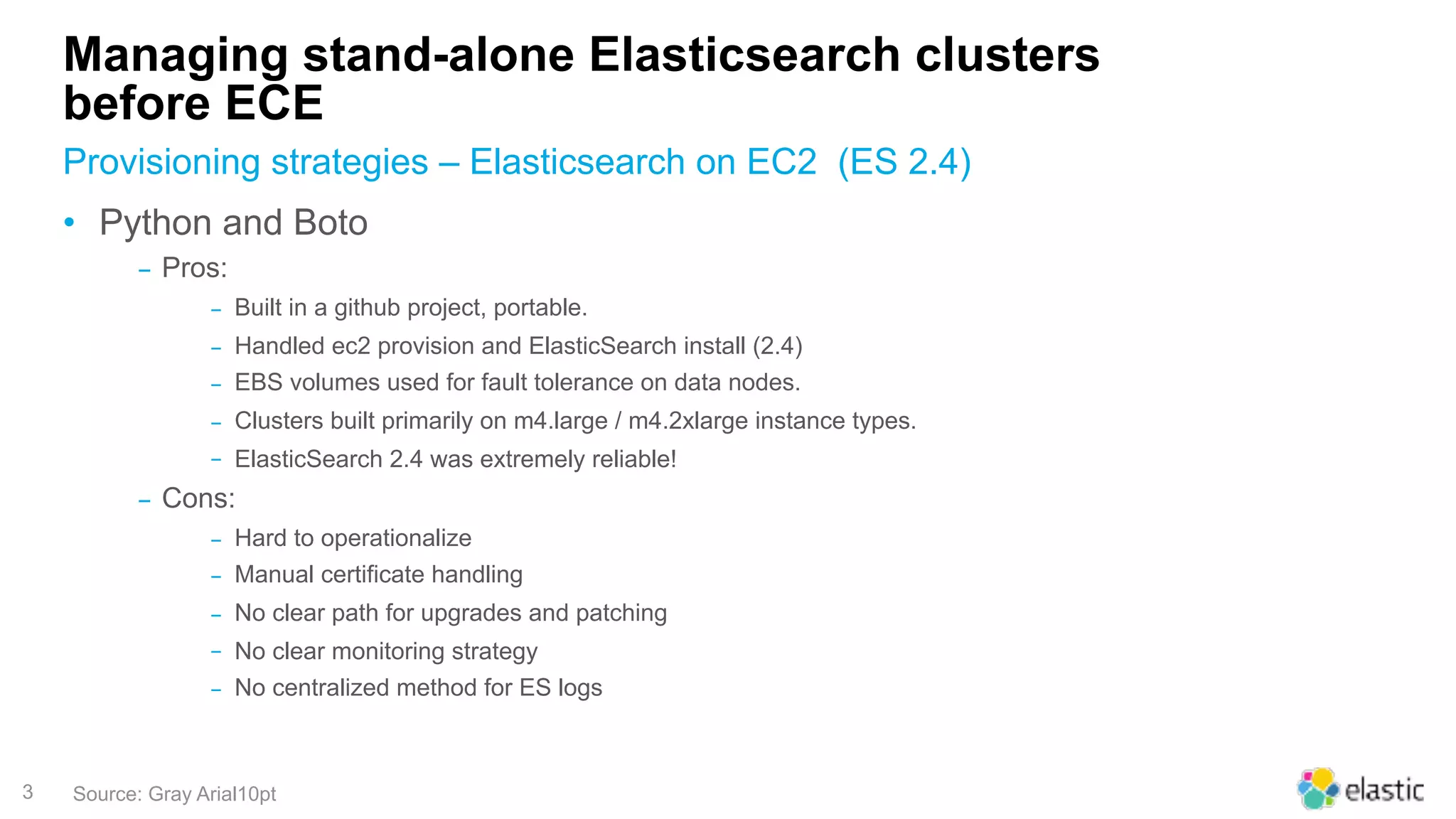
• Python and Boto
‒ Pros:
‒ Built in a github project, portable.
‒ Handled ec2 provision and ElasticSearch install (2.4)
‒ EBS volumes used for fault tolerance on data nodes.
‒ Clusters built primarily on m4.large / m4.2xlarge instance types.
‒ ElasticSearch 2.4 was extremely reliable!
‒ Cons:
‒ Hard to operationalize
‒ Manual certificate handling
‒ No clear path for upgrades and patching
‒ No clear monitoring strategy
‒ No centralized method for ES logs
Provisioning strategies – Elasticsearch on EC2 (ES 2.4)
Source: Gray Arial10pt
4
Managing stand-alone Elasticsearch clusters
before ECE
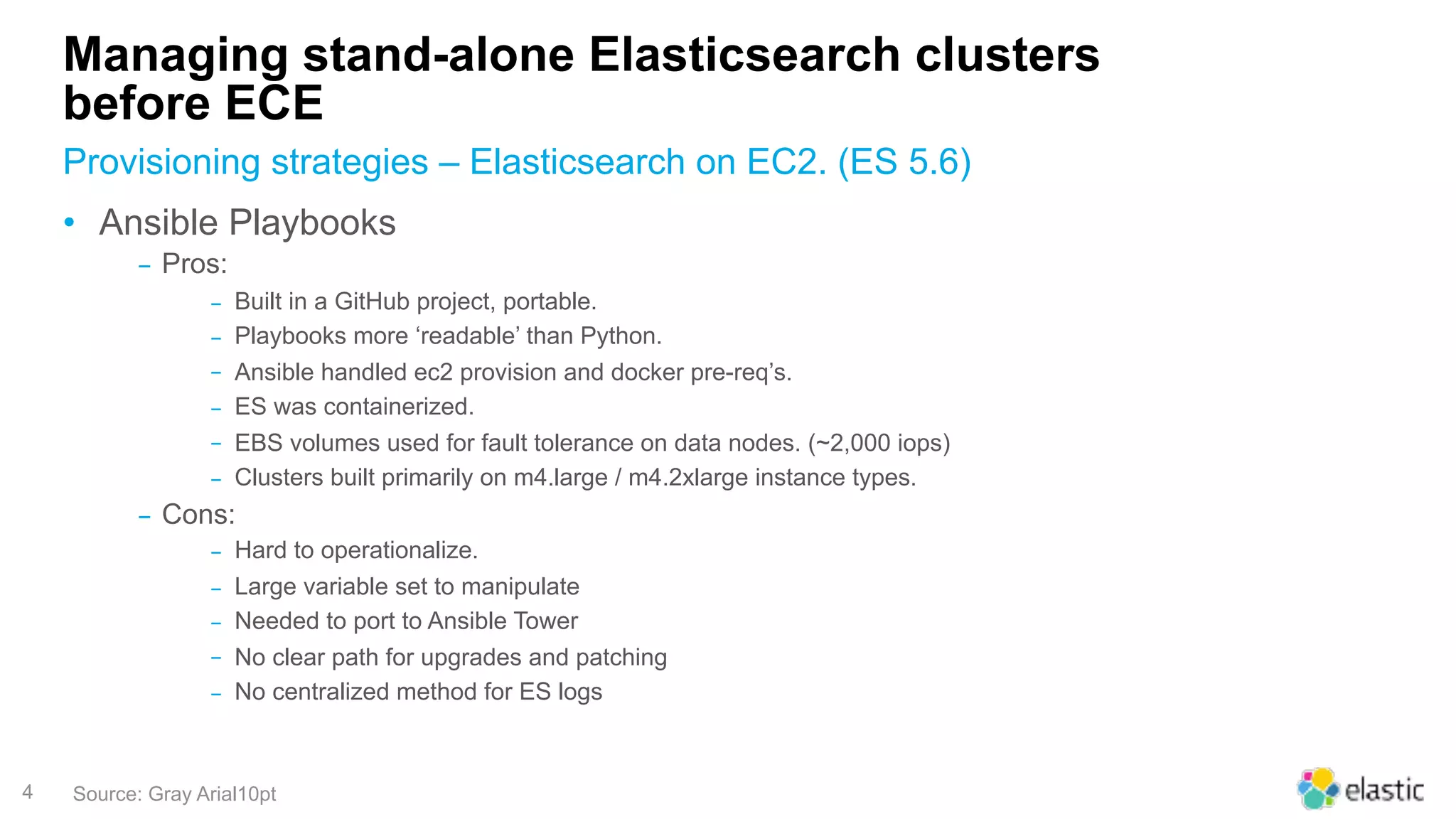
• Ansible Playbooks
‒ Pros:
‒ Built in a GitHub project, portable.
‒ Playbooks more ‘readable’ than Python.
‒ Ansible handled ec2 provision and docker pre-req’s.
‒ ES was containerized.
‒ EBS volumes used for fault tolerance on data nodes. (~2,000 iops)
‒ Clusters built primarily on m4.large / m4.2xlarge instance types.
‒ Cons:
‒ Hard to operationalize.
‒ Large variable set to manipulate
‒ Needed to port to Ansible Tower
‒ No clear path for upgrades and patching
‒ No centralized method for ES logs
Provisioning strategies – Elasticsearch on EC2. (ES 5.6)
Source: Gray Arial10pt
5
EC2 instances
Spread out across
multiple VPC’s
Standalone Elasticsearch Clusters – before ECE
Clusters
Dev, Preprod and
Production
Versions
Elasticsearch 2.4
and 5.6
100 14 2
6
LETS FOCUS ON USING
ELASTICSEARCH, NOT
ENGINEERING EVERYTHING
AROUND IT
7
Agenda
Managing stand-alone Elasticsearch clusters before ECE
ECE Implemented! – Benefits and wins3
Architectural Overview4
Closing Remarks5
Preparation and Planning for ECE2
1
8
Preparation and Planning for ECE
• Elastic Cloud Enterprise Selection Concerns:
‒Performance
‒New Hardware (EC2 Instance type selection and config)
‒Load Balancing
‒Certificate handling
‒ECE Version 1
‒Cost (Licensing and Compute)
‒Support
Questions and Concerns before we started
Source: Gray Arial10pt
9
Preparation and Planning for ECE
https://www.elastic.co/guide/en/cloud-enterprise/current/ece-topology-example1.html
Source: Gray Arial10pt
10
AWS - special considerations
EC2 Instance type selected for ECE
Source: Gray Arial10pt
We chose:
‒ i3.4xlarge
‒ 16 vCPU’s
‒ 122 Gb RAM
‒ 2 x 1.9Tb NVMe SSD (massive IOPS!)
‒ AWS EC2 reference: https://aws.amazon.com/ec2/instance-types/i3
Pay Close Attention to:
• OS - Insure your selected OS works properly with the “ENA” AWS network
adapter type – we used centos7.
• New Storage Types - NVMe is ephemeral, so reboot but never power off!
11
AWS – ELB Specifics
Source: Gray Arial10pt
Creating an Application Load Balancer
in AWS you need:
‒ ELB type “Application”
‒ Port: 9243
‒ Protocol: HTTPS
‒ Health Check: /__elb_health__
‒ Only bind in your ECE nodes with the proxy
role enabled.
‒ Bind a certificate to your elb, all clients
must trust AWS Signers.
12
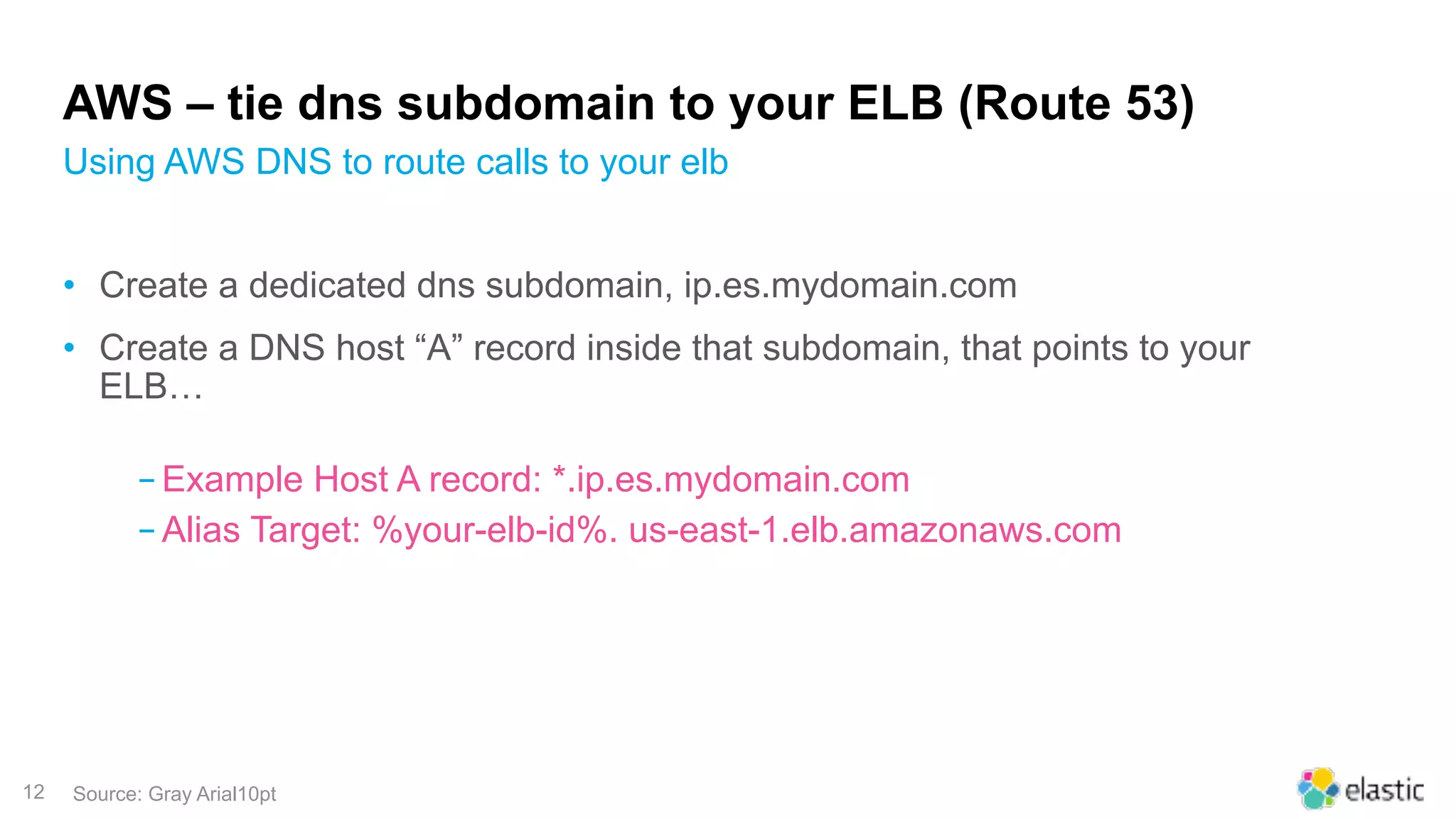
AWS – tie dns subdomain to your ELB (Route 53)
Using AWS DNS to route calls to your elb
Source: Gray Arial10pt
• Create a dedicated dns subdomain, ip.es.mydomain.com
• Create a DNS host “A” record inside that subdomain, that points to your
ELB…
‒Example Host A record: *.ip.es.mydomain.com
‒Alias Target: %your-elb-id%. us-east-1.elb.amazonaws.com
13
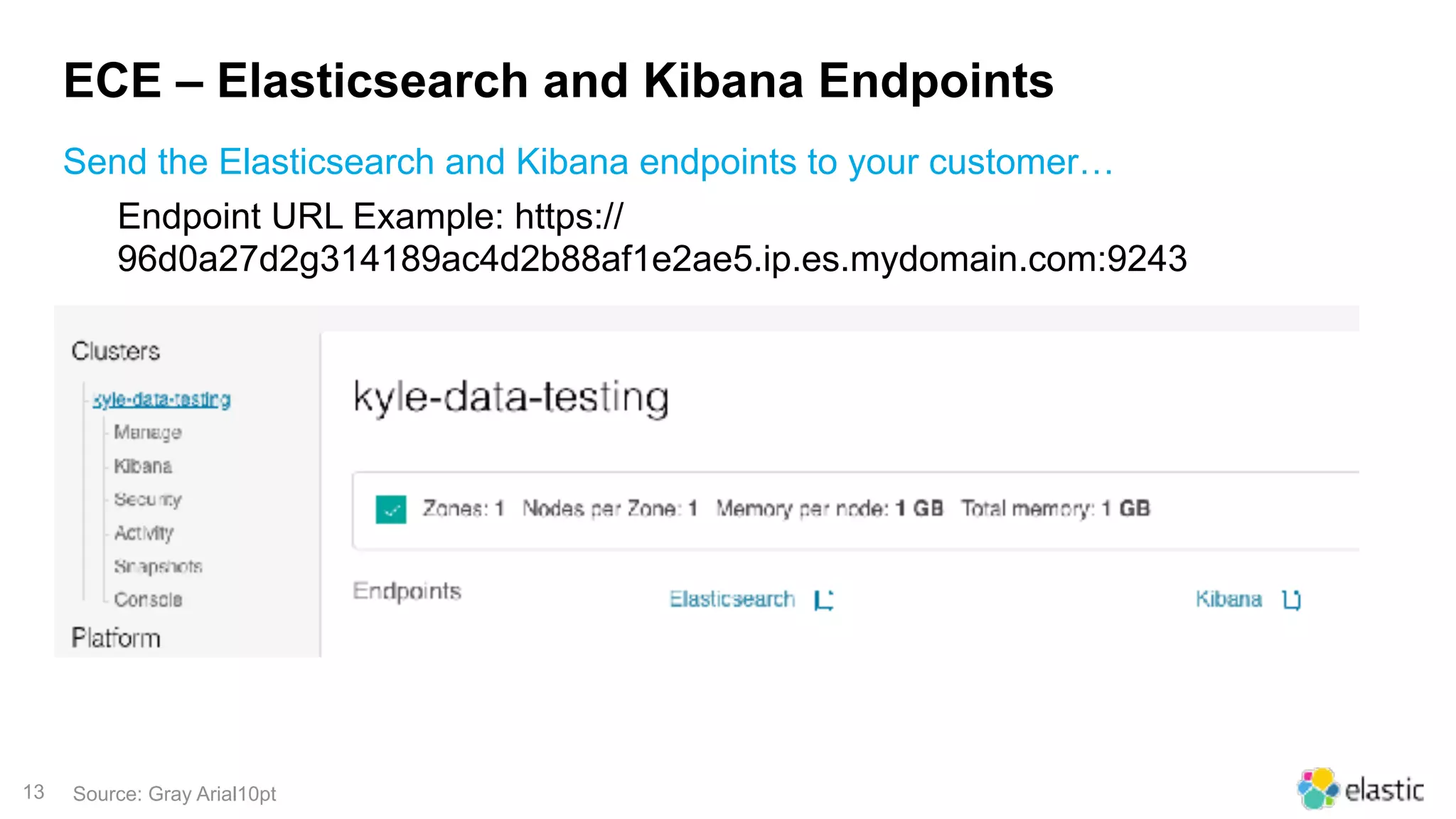
ECE – Elasticsearch and Kibana Endpoints
Send the Elasticsearch and Kibana endpoints to your customer…
Source: Gray Arial10pt
Endpoint URL Example: https://
96d0a27d2g314189ac4d2b88af1e2ae5.ip.es.mydomain.com:9243
14
Agenda
Managing stand-alone Elasticsearch clusters before ECE
ECE Implemented! – Benefits and wins
Architectural Overview4
Closing Remarks5
Preparation and Planning for ECE
1
3
2
15
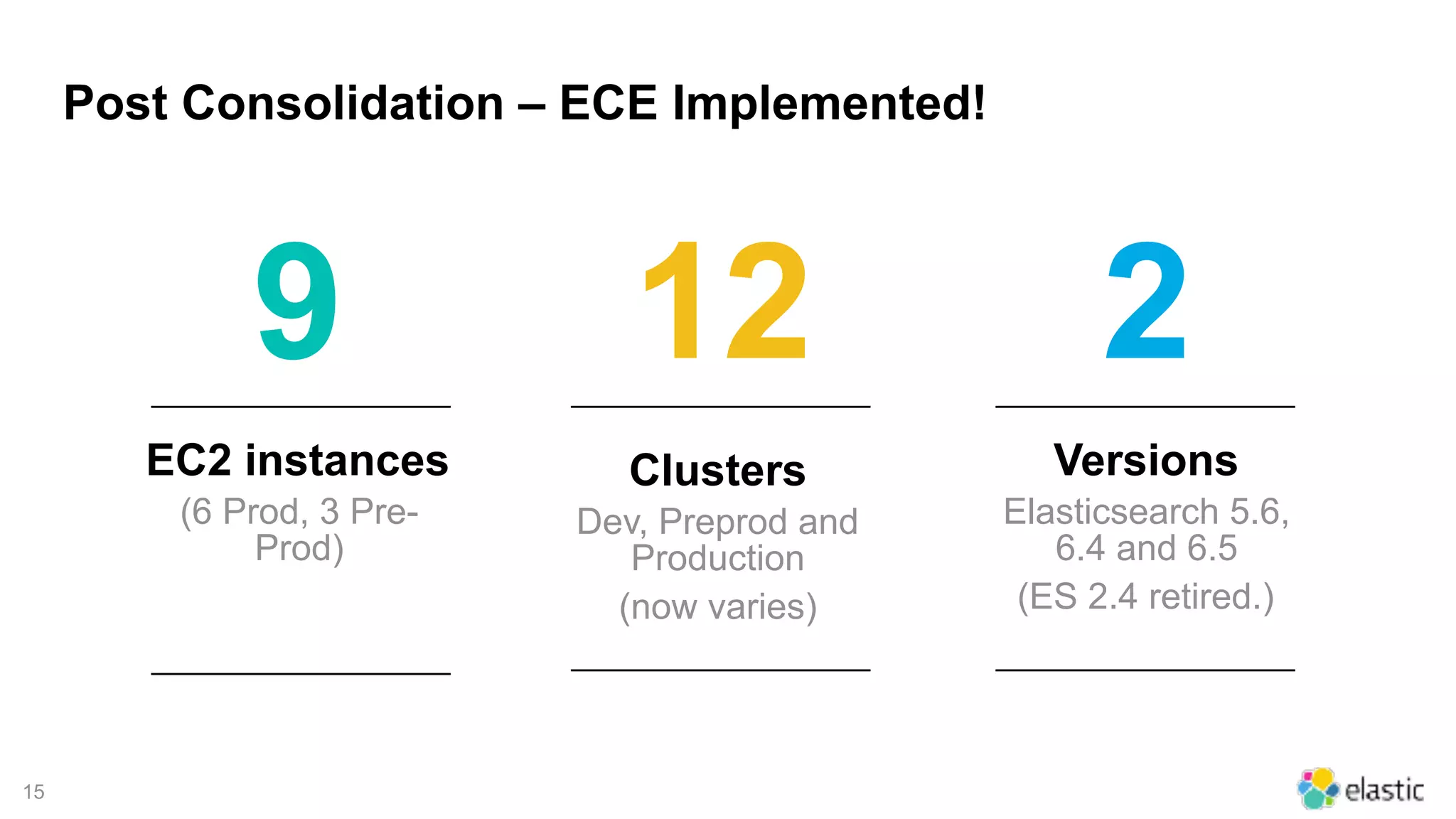
EC2 instances
(6 Prod, 3 Pre-
Prod)
Post Consolidation – ECE Implemented!
Clusters
Dev, Preprod and
Production
(now varies)
Versions
Elasticsearch 5.6,
6.4 and 6.5
(ES 2.4 retired.)
9 12 2
16
ECE Implemented – Benefits and wins!
• Point / Click Provisioning – build a cluster in minutes not hours.
• Point / Click Scaling – make changes to ElasticSearch and Kibana sizes
without updating complex scripts.
• Point / Click addition of new ES Versions and matching Kibana versions.
• Automated Snapshots (you provide an s3 bucket)
Source: Gray Arial10pt
17
ECE Implemented – Benefits and wins!
• Multi cloud zone support built-in.
• Automatic Certificate handling (certificate generation between ES nodes is
automatically handled.)
• Central log management - Elasticsearch logs – all automatically handled
inside ECE with Beats.
• Trusted Certificate for all clusters – no more providing a certificate or signer
CA to Clients. (trusted certificate on the elb)
• All ES clusters now TLSv1.2 Compliant!
Source: Gray Arial10pt
18
ECE Post Implementation – Future Directions
• Operationalize ECE
• LDAPS - Leverage LDAPS authentication and on-board business
intelligence users to work with data in Kibana.
• ECE API! - Automate more…Leverage the ECE API to integrate with
Automation and other Platforms.
• Get Operations in-sync with elastic fix releases for more timely patch cycles
• Upgrade to ECE 2.0!
Source: Gray Arial10pt
19
Agenda
Managing stand-alone ElasticSearch clusters before ECE
ECE Implemented! – Benefits and wins
Architectural Overview
Closing Remarks5
Preparation and Planning for ECE
1
2
4
3
20
21
Agenda
Managing stand-alone ElasticSearch clusters before ECE
ECE Implemented! – Benefits and wins
Architectural Overview
Closing Remarks5
Preparation and Planning for ECE
1
2
3
4
22
THANK YOU!
PLEASE VISIT
OFFICEDEPOT.COM FOR ALL
YOUR BUSINESS NEEDS

Taking Care of Business at Office Depot with Elastic Cloud Enterprise

  • 1.
    1 Taking Care ofBusiness at Office Depot with Elastic Cloud Enterprise Kyle Curtis Jan 22, 2019
  • 2.
    2 Agenda Managing stand-alone Elasticsearchclusters before ECE1 ECE Implemented! – Benefits and wins3 Architectural Overview4 Closing Remarks5 Preparation and Planning for ECE2
  • 3.
    3 Managing stand-alone Elasticsearchclusters before ECE • Python and Boto ‒ Pros: ‒ Built in a github project, portable. ‒ Handled ec2 provision and ElasticSearch install (2.4) ‒ EBS volumes used for fault tolerance on data nodes. ‒ Clusters built primarily on m4.large / m4.2xlarge instance types. ‒ ElasticSearch 2.4 was extremely reliable! ‒ Cons: ‒ Hard to operationalize ‒ Manual certificate handling ‒ No clear path for upgrades and patching ‒ No clear monitoring strategy ‒ No centralized method for ES logs Provisioning strategies – Elasticsearch on EC2 (ES 2.4) Source: Gray Arial10pt
  • 4.
    4 Managing stand-alone Elasticsearchclusters before ECE • Ansible Playbooks ‒ Pros: ‒ Built in a GitHub project, portable. ‒ Playbooks more ‘readable’ than Python. ‒ Ansible handled ec2 provision and docker pre-req’s. ‒ ES was containerized. ‒ EBS volumes used for fault tolerance on data nodes. (~2,000 iops) ‒ Clusters built primarily on m4.large / m4.2xlarge instance types. ‒ Cons: ‒ Hard to operationalize. ‒ Large variable set to manipulate ‒ Needed to port to Ansible Tower ‒ No clear path for upgrades and patching ‒ No centralized method for ES logs Provisioning strategies – Elasticsearch on EC2. (ES 5.6) Source: Gray Arial10pt
  • 5.
    5 EC2 instances Spread outacross multiple VPC’s Standalone Elasticsearch Clusters – before ECE Clusters Dev, Preprod and Production Versions Elasticsearch 2.4 and 5.6 100 14 2
  • 6.
    6 LETS FOCUS ONUSING ELASTICSEARCH, NOT ENGINEERING EVERYTHING AROUND IT
  • 7.
    7 Agenda Managing stand-alone Elasticsearchclusters before ECE ECE Implemented! – Benefits and wins3 Architectural Overview4 Closing Remarks5 Preparation and Planning for ECE2 1
  • 8.
    8 Preparation and Planningfor ECE • Elastic Cloud Enterprise Selection Concerns: ‒Performance ‒New Hardware (EC2 Instance type selection and config) ‒Load Balancing ‒Certificate handling ‒ECE Version 1 ‒Cost (Licensing and Compute) ‒Support Questions and Concerns before we started Source: Gray Arial10pt
  • 9.
    9 Preparation and Planningfor ECE https://www.elastic.co/guide/en/cloud-enterprise/current/ece-topology-example1.html Source: Gray Arial10pt
  • 10.
    10 AWS - specialconsiderations EC2 Instance type selected for ECE Source: Gray Arial10pt We chose: ‒ i3.4xlarge ‒ 16 vCPU’s ‒ 122 Gb RAM ‒ 2 x 1.9Tb NVMe SSD (massive IOPS!) ‒ AWS EC2 reference: https://aws.amazon.com/ec2/instance-types/i3 Pay Close Attention to: • OS - Insure your selected OS works properly with the “ENA” AWS network adapter type – we used centos7. • New Storage Types - NVMe is ephemeral, so reboot but never power off!
  • 11.
    11 AWS – ELBSpecifics Source: Gray Arial10pt Creating an Application Load Balancer in AWS you need: ‒ ELB type “Application” ‒ Port: 9243 ‒ Protocol: HTTPS ‒ Health Check: /__elb_health__ ‒ Only bind in your ECE nodes with the proxy role enabled. ‒ Bind a certificate to your elb, all clients must trust AWS Signers.
  • 12.
    12 AWS – tiedns subdomain to your ELB (Route 53) Using AWS DNS to route calls to your elb Source: Gray Arial10pt • Create a dedicated dns subdomain, ip.es.mydomain.com • Create a DNS host “A” record inside that subdomain, that points to your ELB… ‒Example Host A record: *.ip.es.mydomain.com ‒Alias Target: %your-elb-id%. us-east-1.elb.amazonaws.com
  • 13.
    13 ECE – Elasticsearchand Kibana Endpoints Send the Elasticsearch and Kibana endpoints to your customer… Source: Gray Arial10pt Endpoint URL Example: https:// 96d0a27d2g314189ac4d2b88af1e2ae5.ip.es.mydomain.com:9243
  • 14.
    14 Agenda Managing stand-alone Elasticsearchclusters before ECE ECE Implemented! – Benefits and wins Architectural Overview4 Closing Remarks5 Preparation and Planning for ECE 1 3 2
  • 15.
    15 EC2 instances (6 Prod,3 Pre- Prod) Post Consolidation – ECE Implemented! Clusters Dev, Preprod and Production (now varies) Versions Elasticsearch 5.6, 6.4 and 6.5 (ES 2.4 retired.) 9 12 2
  • 16.
    16 ECE Implemented –Benefits and wins! • Point / Click Provisioning – build a cluster in minutes not hours. • Point / Click Scaling – make changes to ElasticSearch and Kibana sizes without updating complex scripts. • Point / Click addition of new ES Versions and matching Kibana versions. • Automated Snapshots (you provide an s3 bucket) Source: Gray Arial10pt
  • 17.
    17 ECE Implemented –Benefits and wins! • Multi cloud zone support built-in. • Automatic Certificate handling (certificate generation between ES nodes is automatically handled.) • Central log management - Elasticsearch logs – all automatically handled inside ECE with Beats. • Trusted Certificate for all clusters – no more providing a certificate or signer CA to Clients. (trusted certificate on the elb) • All ES clusters now TLSv1.2 Compliant! Source: Gray Arial10pt
  • 18.
    18 ECE Post Implementation– Future Directions • Operationalize ECE • LDAPS - Leverage LDAPS authentication and on-board business intelligence users to work with data in Kibana. • ECE API! - Automate more…Leverage the ECE API to integrate with Automation and other Platforms. • Get Operations in-sync with elastic fix releases for more timely patch cycles • Upgrade to ECE 2.0! Source: Gray Arial10pt
  • 19.
    19 Agenda Managing stand-alone ElasticSearchclusters before ECE ECE Implemented! – Benefits and wins Architectural Overview Closing Remarks5 Preparation and Planning for ECE 1 2 4 3
  • 20.
  • 21.
    21 Agenda Managing stand-alone ElasticSearchclusters before ECE ECE Implemented! – Benefits and wins Architectural Overview Closing Remarks5 Preparation and Planning for ECE 1 2 3 4
  • 22.
    22 THANK YOU! PLEASE VISIT OFFICEDEPOT.COMFOR ALL YOUR BUSINESS NEEDS