Take-A-Turn System                      User/Programmers Manual          11/08/09


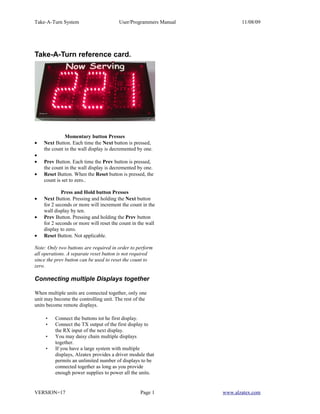
Take-A-Turn reference card.


              Momentary button Presses
•   Next Button. Each time the Next button is pressed,
    the count in the wall display is decremented by one.
•
•   Prev Button. Each time the Prev button is pressed,
    the count in the wall display is decremented by one.
•   Reset Button. When the Reset button is pressed, the
    count is set to zero..

             Press and Hold button Presses
•   Next Button. Pressing and holding the Next button
    for 2 seconds or more will increment the count in the
    wall display by ten.
•   Prev Button. Pressing and holding the Prev button
    for 2 seconds or more will reset the count in the wall
    display to zero.
•   Reset Button. Not applicable.

Note: Only two buttons are required in order to perform
all operations. A separate reset button is not required
since the prev button can be used to reset the count to
zero.

Connecting multiple Displays together

When multiple units are connected together, only one
unit may become the controlling unit. The rest of the
units become remote displays.

     •   Connect the buttons tot he first display.
     •   Connect the TX output of the first display to
         the RX input of the next display.
     •   You may daisy chain multiple displays
         together.
     •   If you have a large system with multiple
         displays, Alzatex provides a driver module that
         permits an unlimited number of displays to be
         connected together as long as you provide
         enough power supplies to power all the units.


VERSION=17                                        Page 1          www.alzatex.com

Takeaturn Ds590a Rc

  • 1.
    Take-A-Turn System User/Programmers Manual 11/08/09 Take-A-Turn reference card. Momentary button Presses • Next Button. Each time the Next button is pressed, the count in the wall display is decremented by one. • • Prev Button. Each time the Prev button is pressed, the count in the wall display is decremented by one. • Reset Button. When the Reset button is pressed, the count is set to zero.. Press and Hold button Presses • Next Button. Pressing and holding the Next button for 2 seconds or more will increment the count in the wall display by ten. • Prev Button. Pressing and holding the Prev button for 2 seconds or more will reset the count in the wall display to zero. • Reset Button. Not applicable. Note: Only two buttons are required in order to perform all operations. A separate reset button is not required since the prev button can be used to reset the count to zero. Connecting multiple Displays together When multiple units are connected together, only one unit may become the controlling unit. The rest of the units become remote displays. • Connect the buttons tot he first display. • Connect the TX output of the first display to the RX input of the next display. • You may daisy chain multiple displays together. • If you have a large system with multiple displays, Alzatex provides a driver module that permits an unlimited number of displays to be connected together as long as you provide enough power supplies to power all the units. VERSION=17 Page 1 www.alzatex.com