Switch Roles
Overview for Instructors / Administrators to view courses as other roles..
Switching Roles
 The switching roles feature is available to roles for Instructors to
Administrators.
 This feature allows a user to view the course content as users who do not
have as much access.
 Please note: This feature does not always give you a true picture of what
the course would look like to someone with that role. Your role still shows
some of itself. It is recommended you have a "test" user with the
appropriate role who can be used to give a more accurate view.
Switching Roles
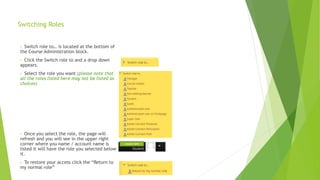
• Switch role to… is located at the bottom of
the Course Administration block.
• Click the Switch role to and a drop down
appears.
• Select the role you want (please note that
all the roles listed here may not be listed as
choices)
• Once you select the role, the page will
refresh and you will see in the upper right
corner where you name / account name is
listed it will have the role you selected below
it.
• To restore your access click the “Return to
my normal role”

Switching roles - Moodle

  • 1.
    Switch Roles Overview forInstructors / Administrators to view courses as other roles..
  • 2.
    Switching Roles  Theswitching roles feature is available to roles for Instructors to Administrators.  This feature allows a user to view the course content as users who do not have as much access.  Please note: This feature does not always give you a true picture of what the course would look like to someone with that role. Your role still shows some of itself. It is recommended you have a "test" user with the appropriate role who can be used to give a more accurate view.
  • 3.
    Switching Roles • Switchrole to… is located at the bottom of the Course Administration block. • Click the Switch role to and a drop down appears. • Select the role you want (please note that all the roles listed here may not be listed as choices) • Once you select the role, the page will refresh and you will see in the upper right corner where you name / account name is listed it will have the role you selected below it. • To restore your access click the “Return to my normal role”