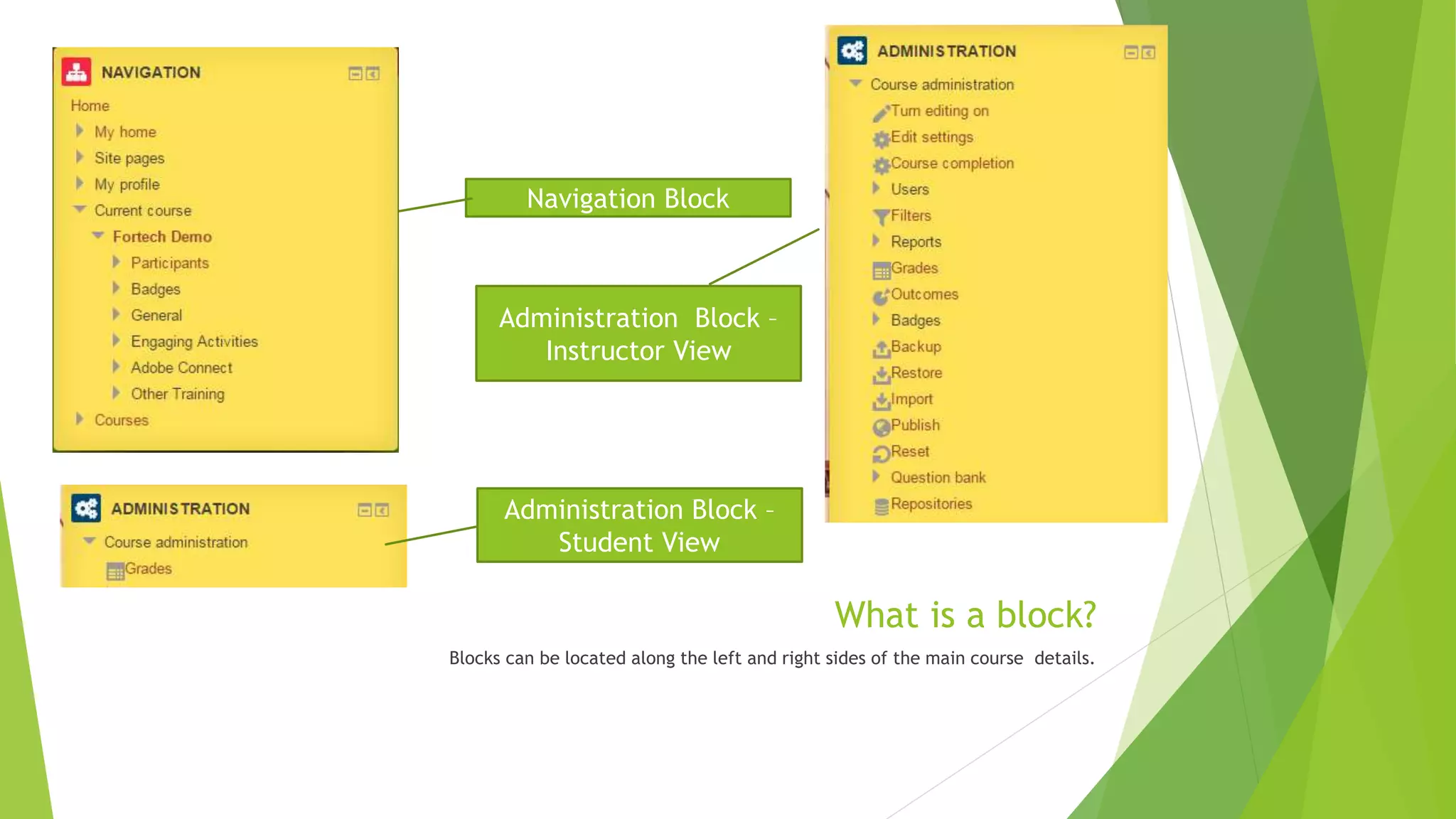
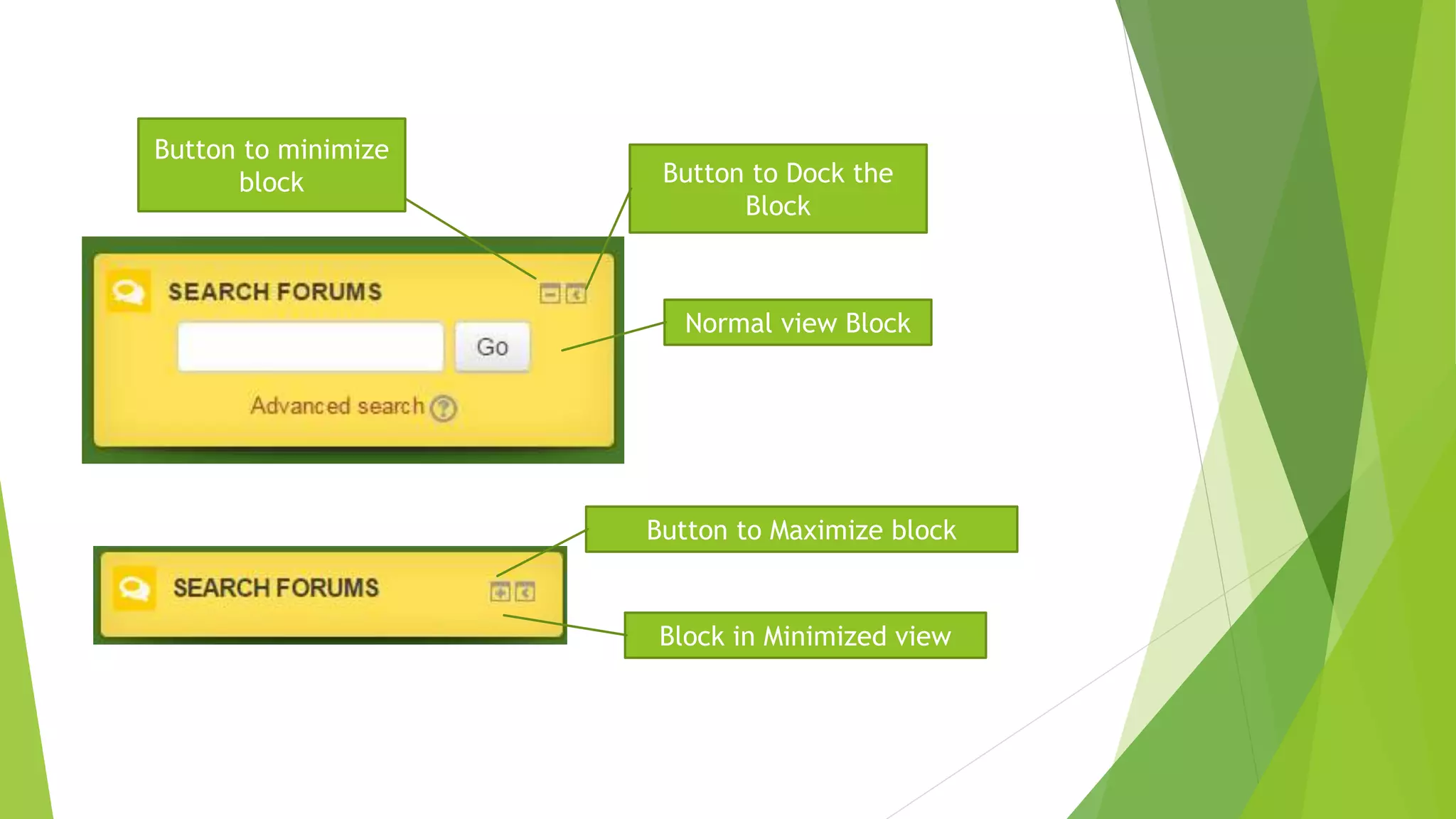
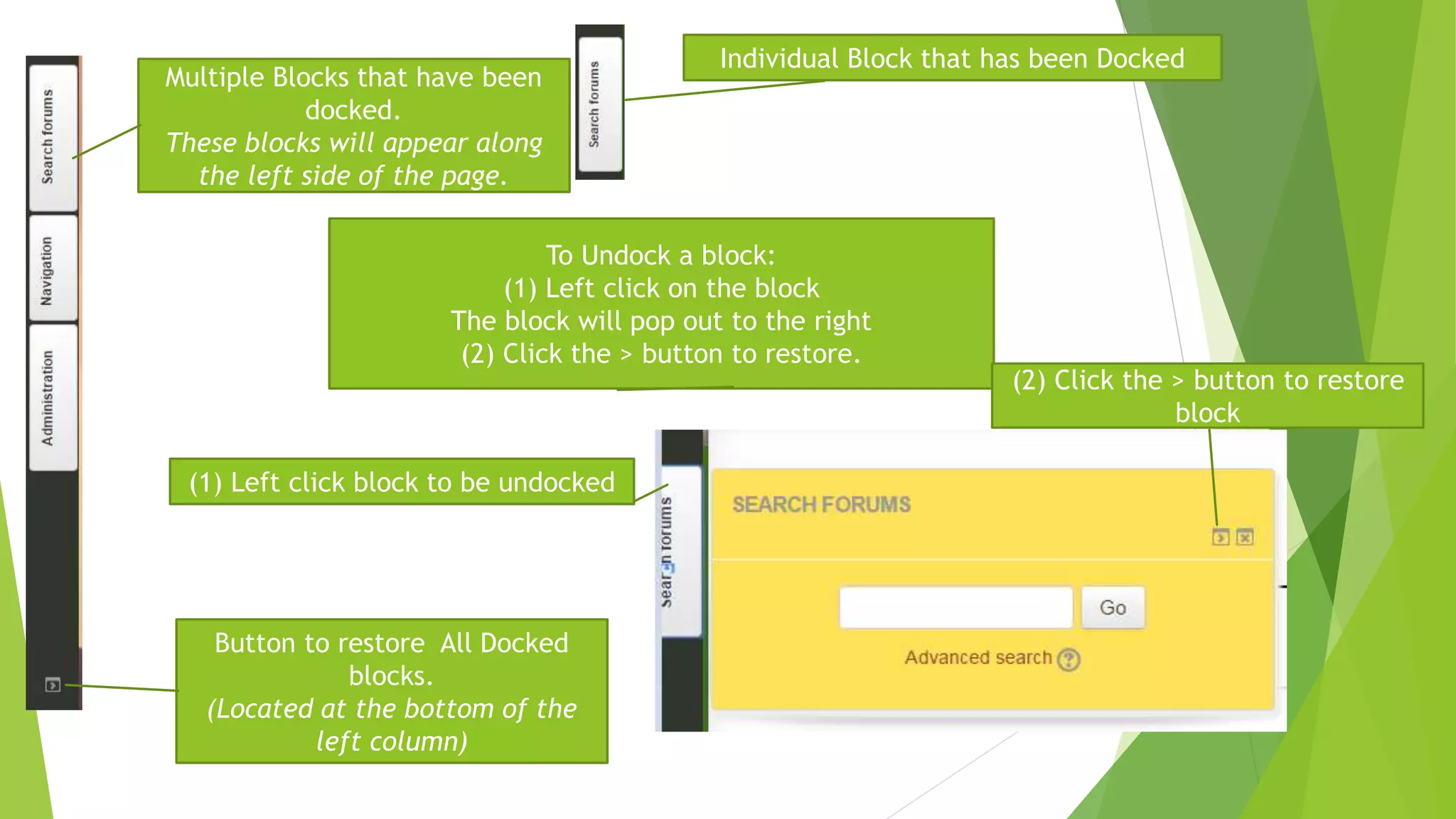
Blocks can be located along the sides of course details pages and contain navigation, administration, and content information. Blocks can be minimized, maximized, docked along the side, or undocked by clicking buttons to expand, collapse, anchor, or remove from the dock. Multiple docked blocks will appear stacked on the left side and can be restored by a button at the bottom.