Sumo Logic Confidential
Optimizing Scheduled Searches
Mario Sanchez, Lavanya Shastri
November 2016
How-To Webinar Welcome. To give
everyone a chance to
successfully connect, we’ll
start at
10:05 AM Pacific.
Note you are currently
muted.
Sumo Logic Confidential
Agenda
Using Scheduled Searches to Monitoring your Environment
Alert Types
Email
Script Action
ServiceNow
Webhooks
Save to Index
Creating Meaningful Alerts
Sumo Logic Confidential
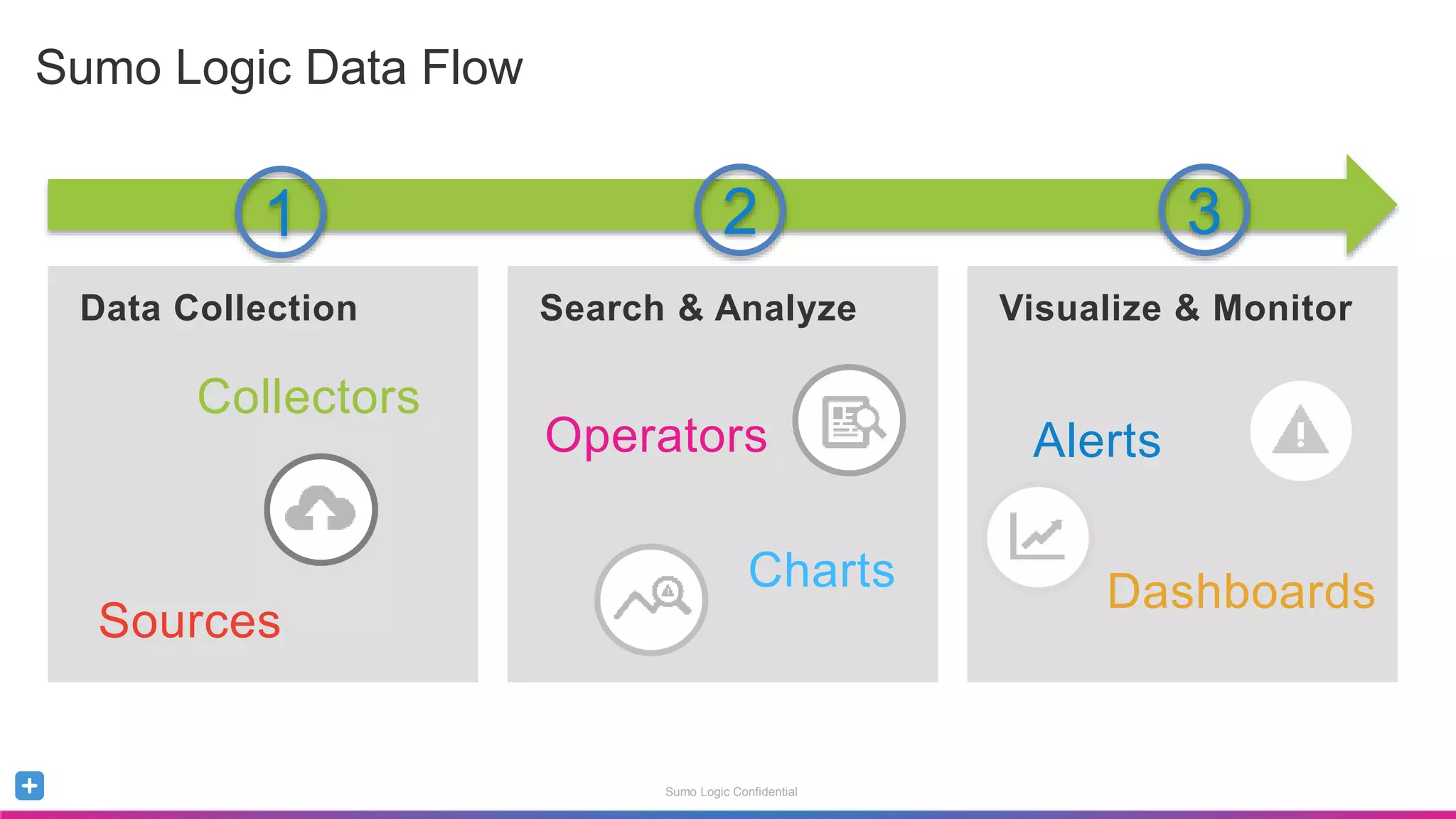
Sumo Logic Data Flow
Data Collection Search & Analyze Visualize & Monitor
Alerts
Dashboards
Collectors
Sources
Operators
Charts
1 2 3
Sumo Logic Confidential
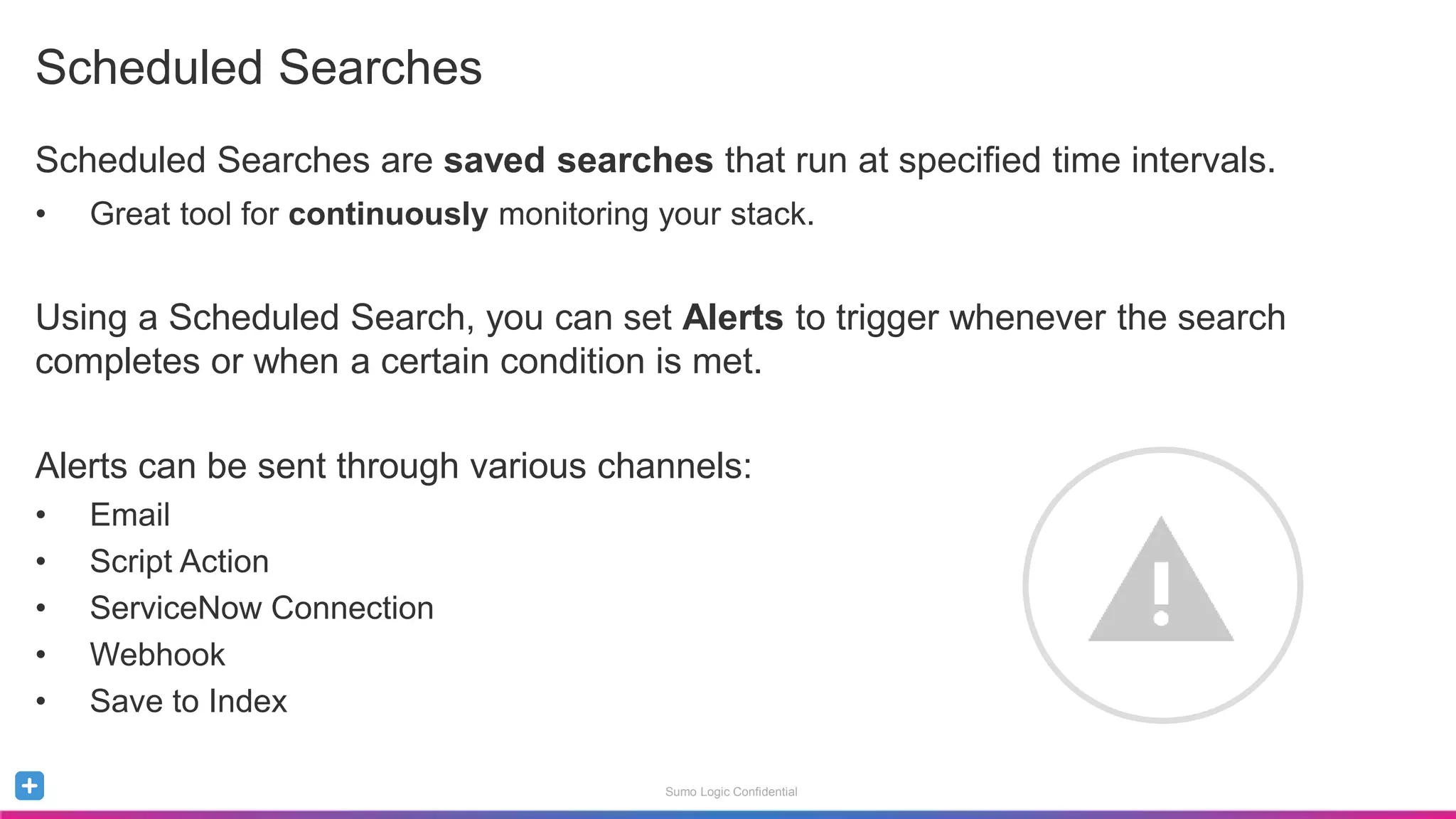
Scheduled Searches
Scheduled Searches are saved searches that run at specified time intervals.
• Great tool for continuously monitoring your stack.
Using a Scheduled Search, you can set Alerts to trigger whenever the search
completes or when a certain condition is met.
Alerts can be sent through various channels:
• Email
• Script Action
• ServiceNow Connection
• Webhook
• Save to Index
Sumo Logic Confidential
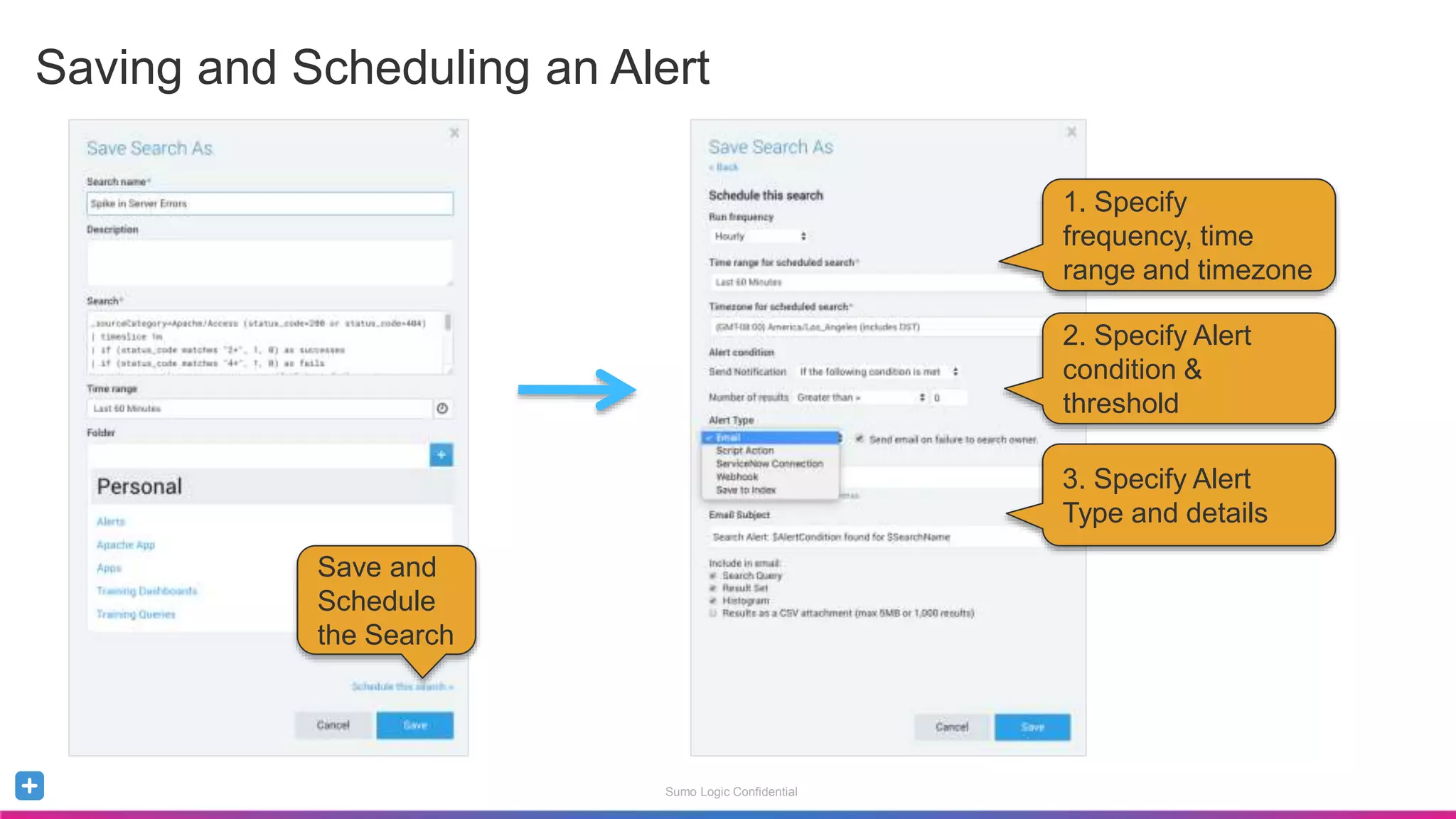
Saving and Scheduling an Alert
Save and
Schedule
the Search
1. Specify
frequency, time
range and timezone
2. Specify Alert
condition &
threshold
3. Specify Alert
Type and details
Sumo Logic Confidential
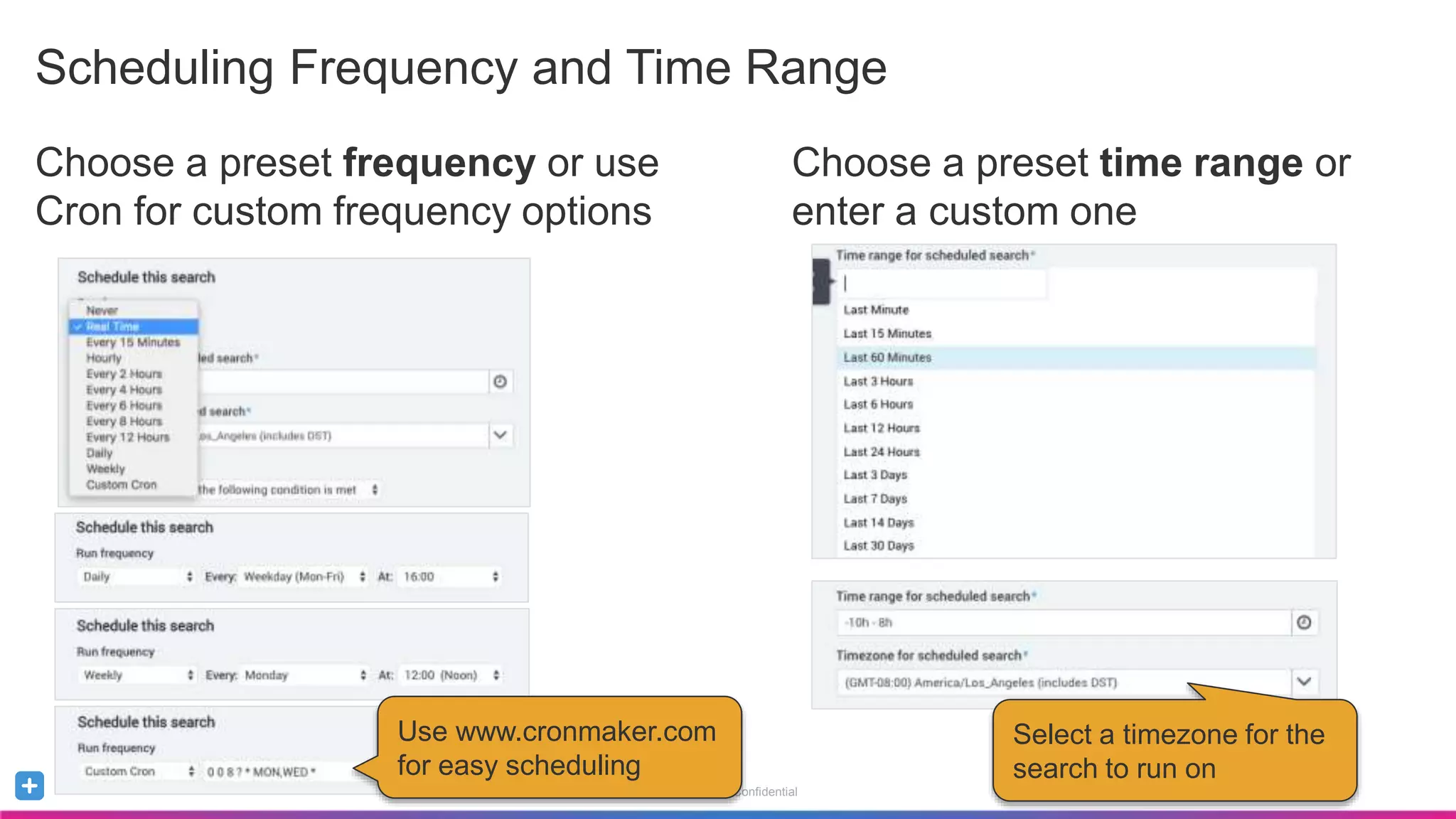
Scheduling Frequency and Time Range
Choose a preset frequency or use
Cron for custom frequency options
Use www.cronmaker.com
for easy scheduling
Choose a preset time range or
enter a custom one
Select a timezone for the
search to run on
Sumo Logic Confidential
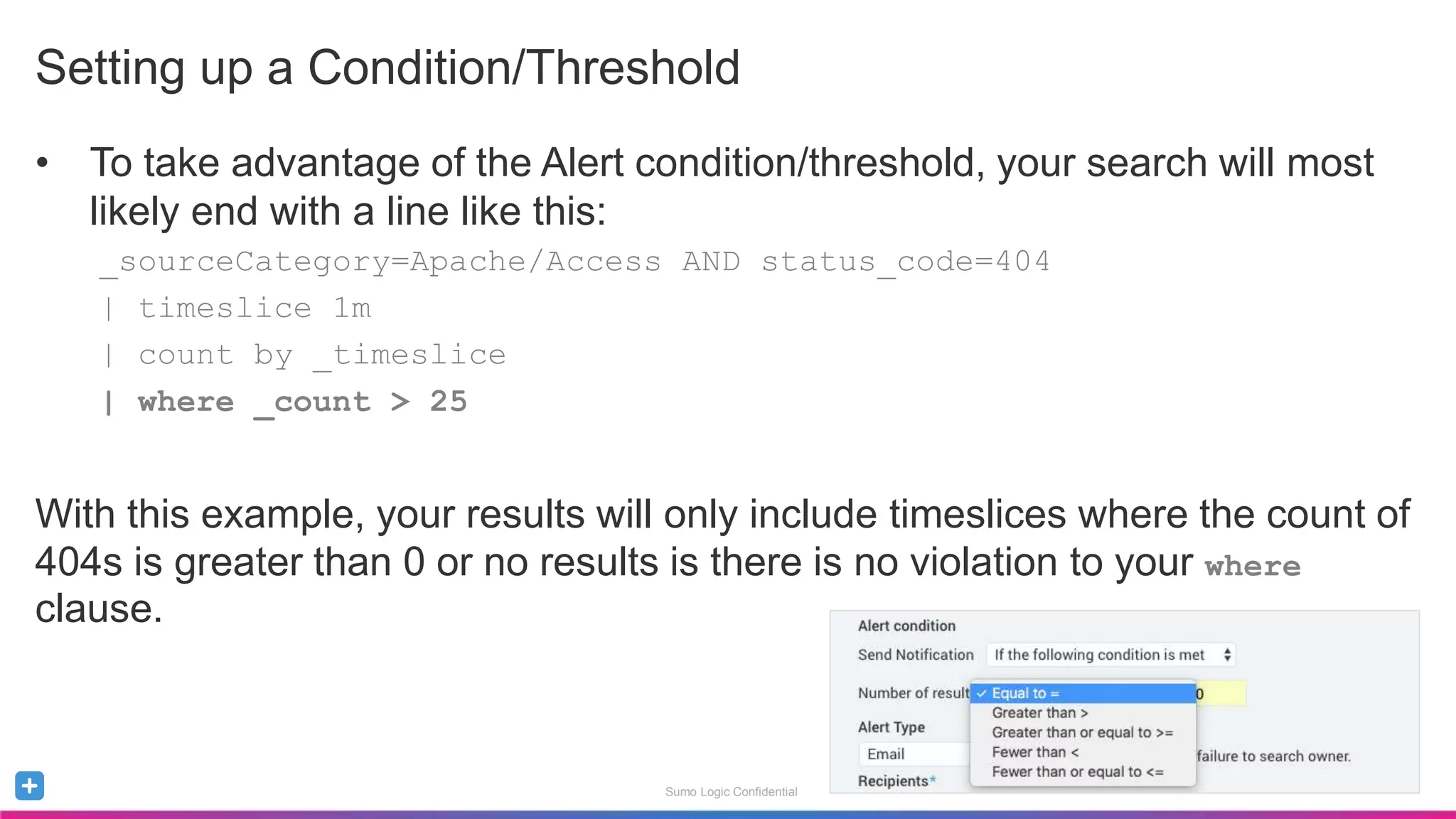
Setting up a Condition/Threshold
• To take advantage of the Alert condition/threshold, your search will most
likely end with a line like this:
_sourceCategory=Apache/Access AND status_code=404
| timeslice 1m
| count by _timeslice
| where _count > 25
With this example, your results will only include timeslices where the count of
404s is greater than 0 or no results is there is no violation to your where
clause.
Sumo Logic Confidential
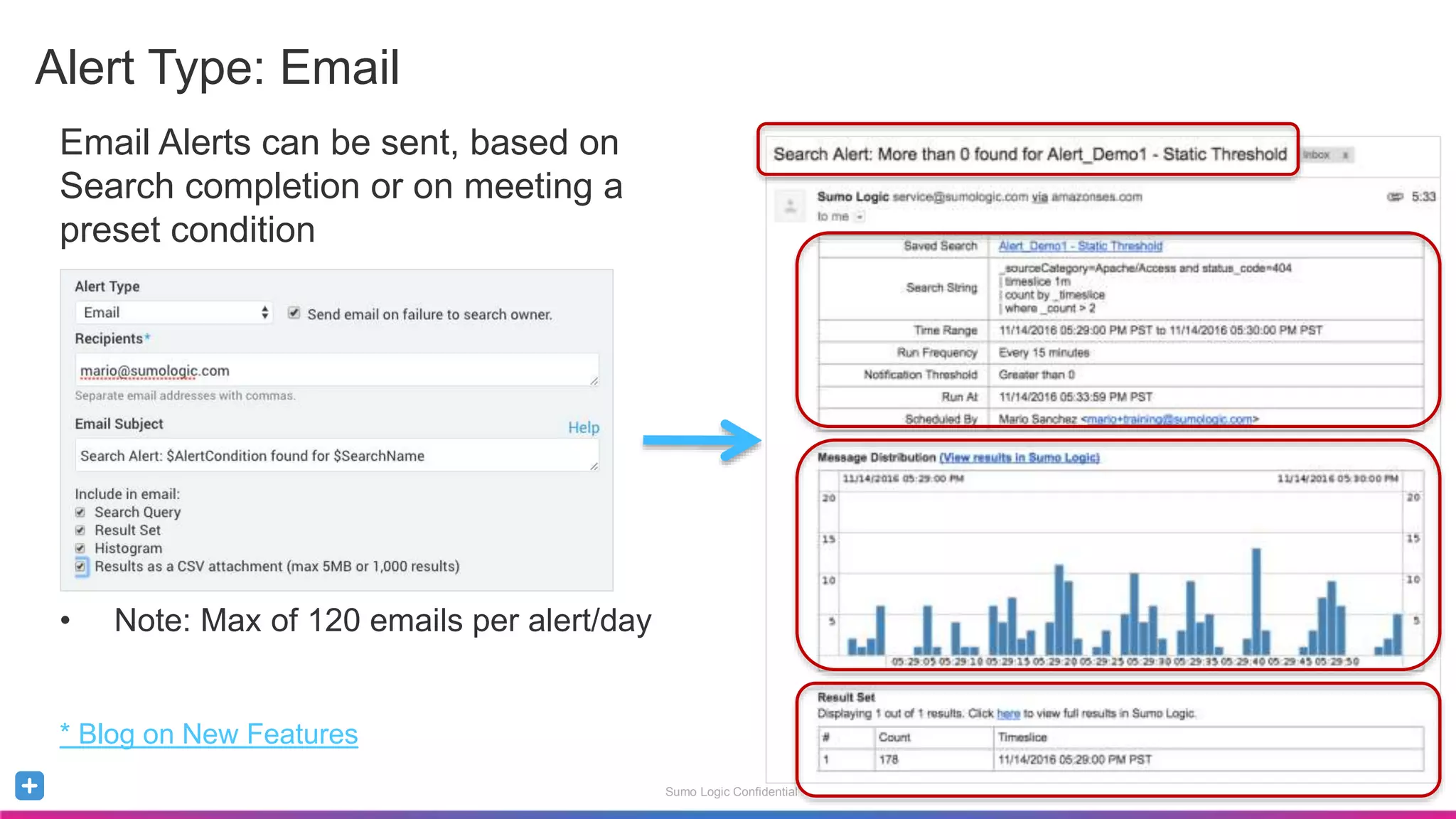
Alert Type: Email
Email Alerts can be sent, based on
Search completion or on meeting a
preset condition
• Note: Max of 120 emails per alert/day
* Blog on New Features
Sumo Logic Confidential
Alert Type: Script Action
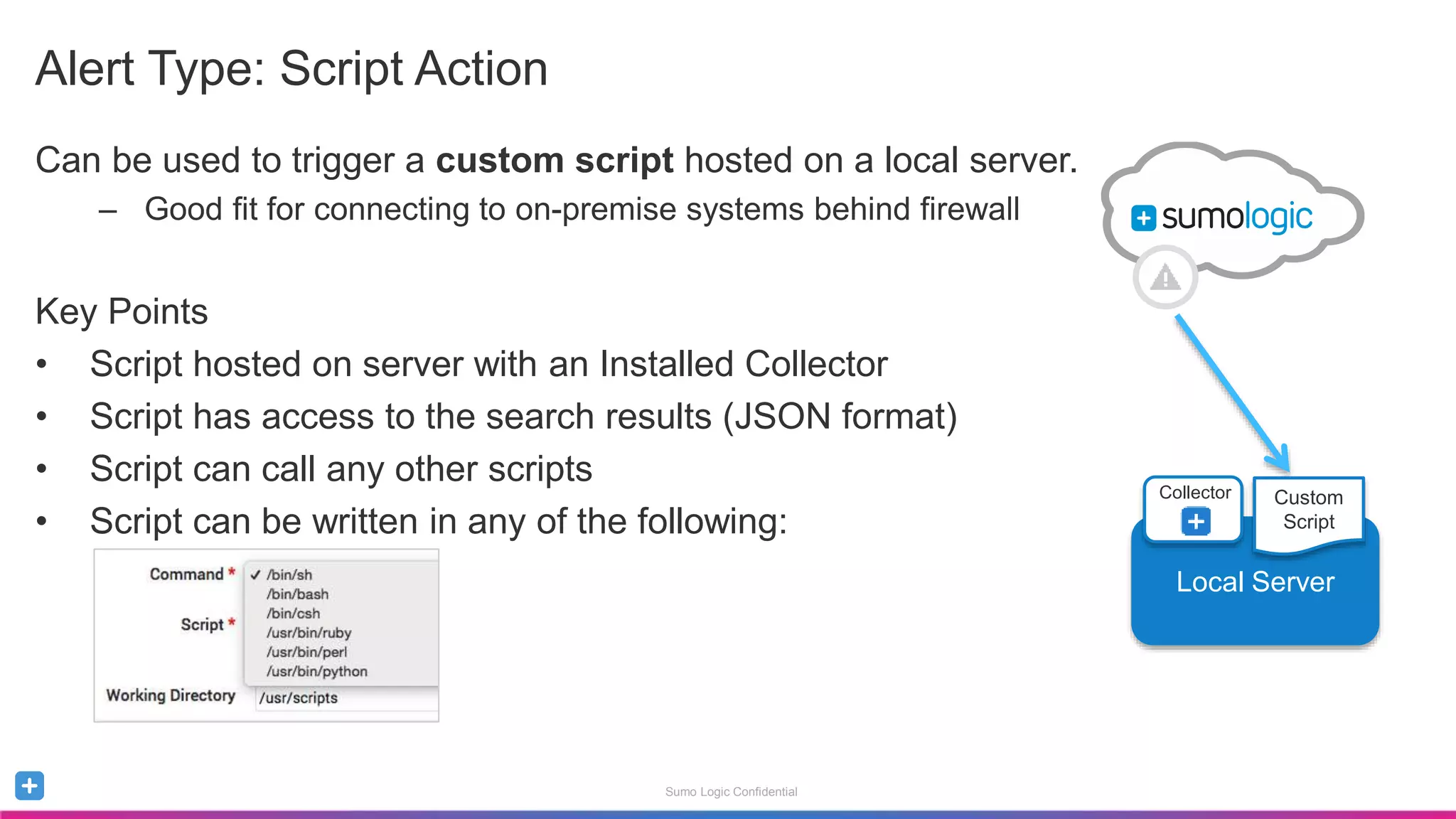
Can be used to trigger a custom script hosted on a local server.
– Good fit for connecting to on-premise systems behind firewall
Key Points
• Script hosted on server with an Installed Collector
• Script has access to the search results (JSON format)
• Script can call any other scripts
• Script can be written in any of the following:
Local Server
Collector Custom
Script
Sumo Logic Confidential
Alert Type: Script Action
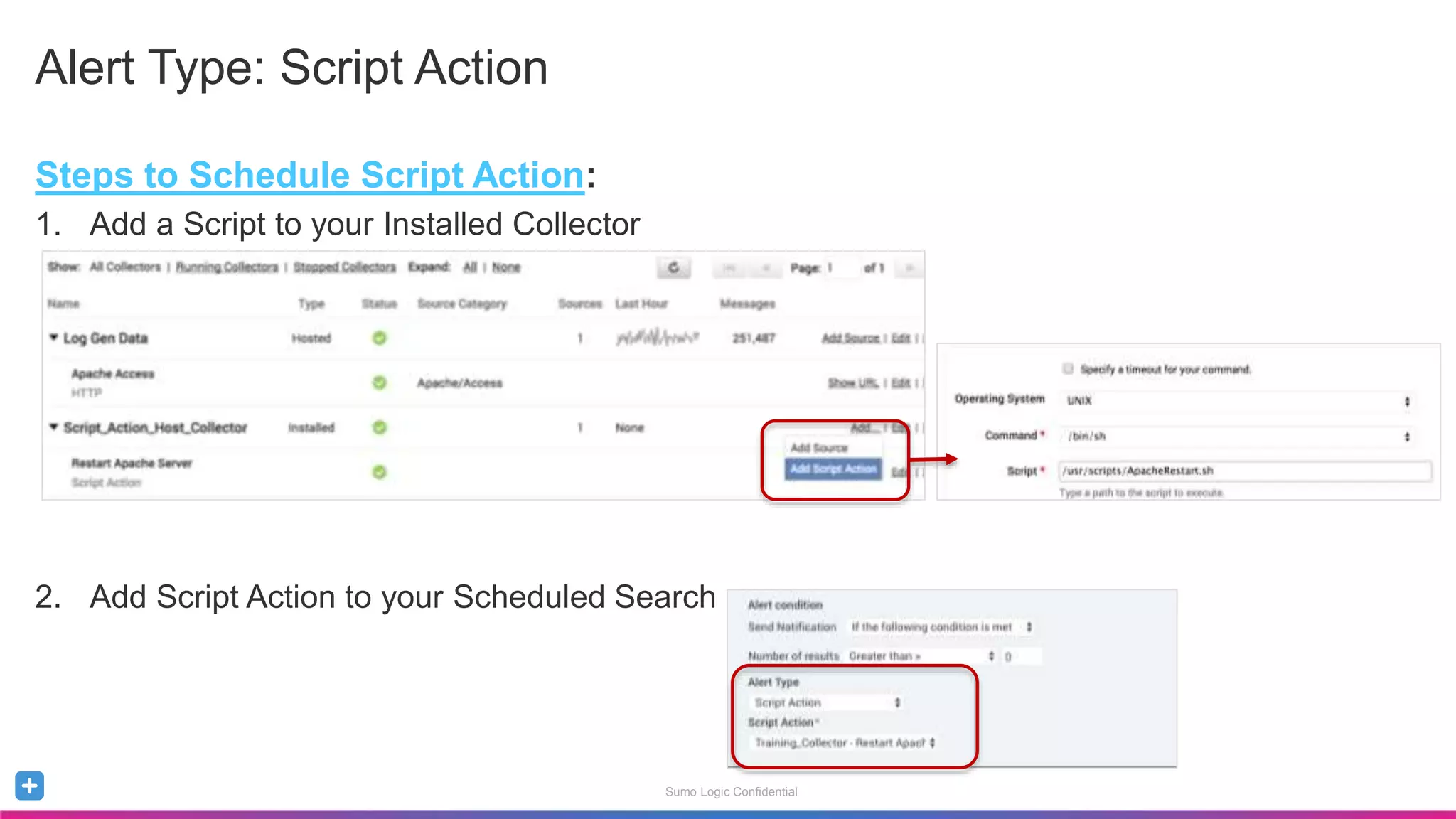
Steps to Schedule Script Action:
1. Add a Script to your Installed Collector
2. Add Script Action to your Scheduled Search
Sumo Logic Confidential
Alert Type: ServiceNow Connection
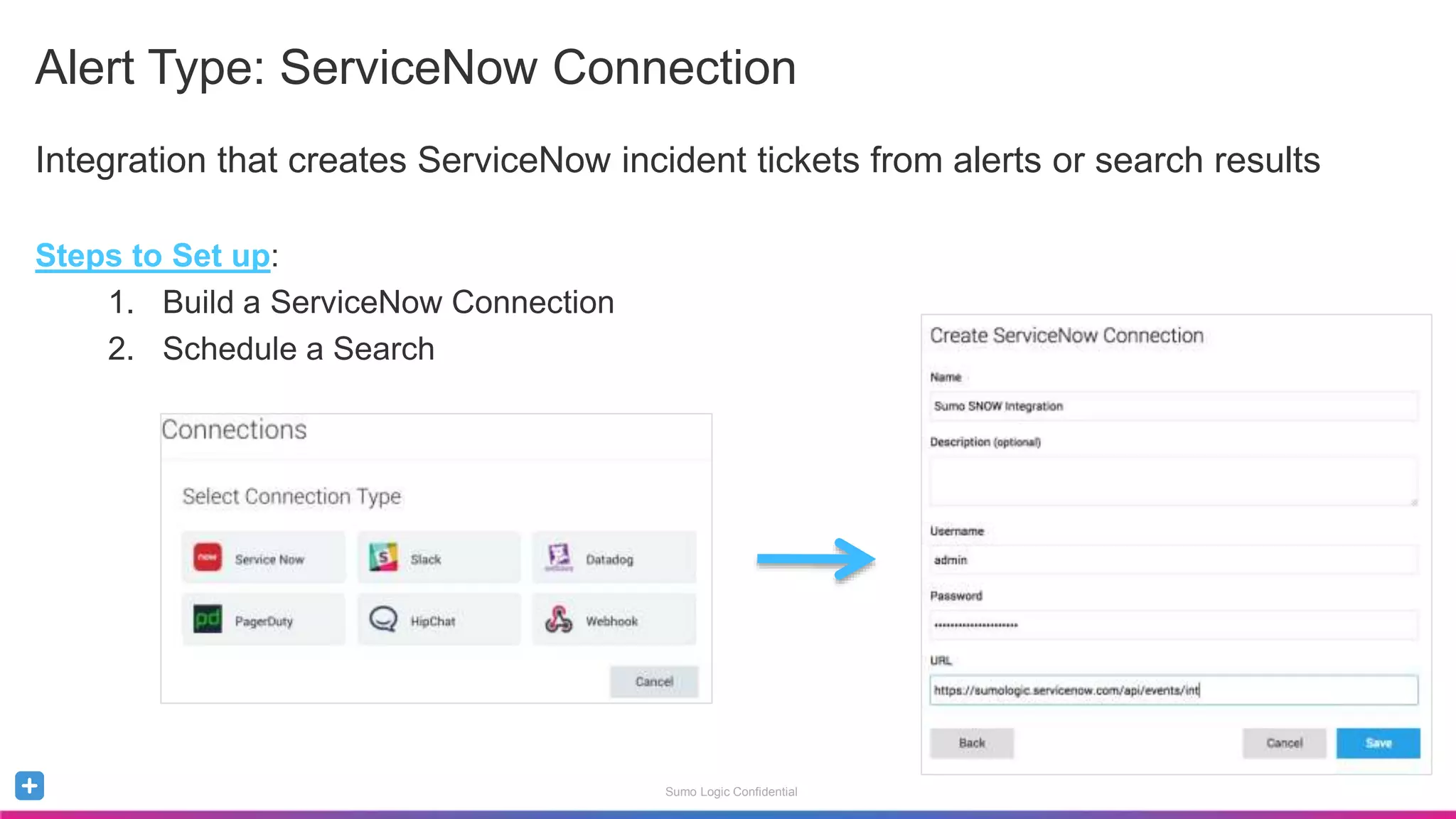
Integration that creates ServiceNow incident tickets from alerts or search results
Steps to Set up:
1. Build a ServiceNow Connection
2. Schedule a Search
Sumo Logic Confidential
Alert Type: Webhooks
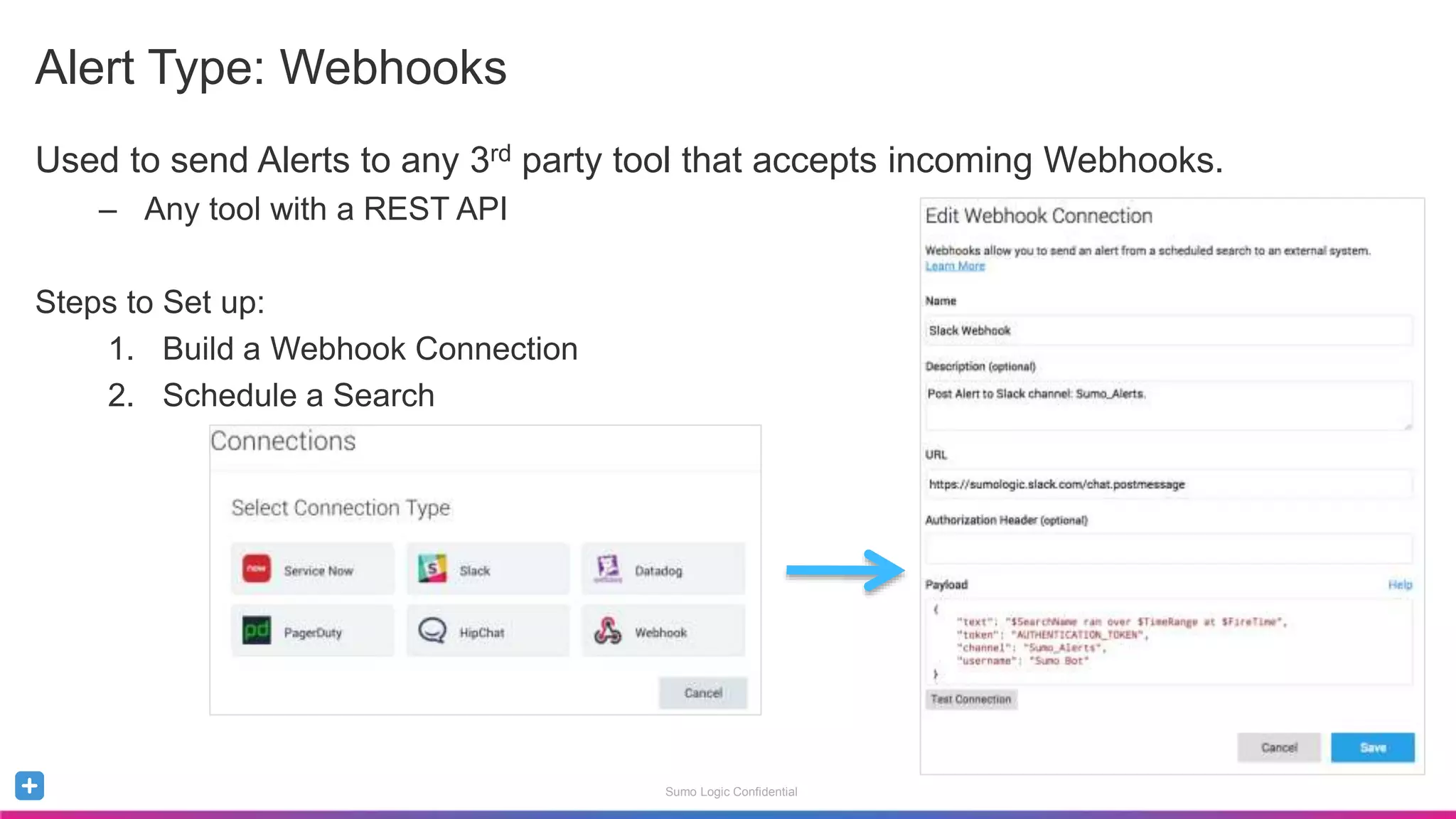
Used to send Alerts to any 3rd party tool that accepts incoming Webhooks.
– Any tool with a REST API
Steps to Set up:
1. Build a Webhook Connection
2. Schedule a Search
Sumo Logic Confidential
Alert Type: Save to Index
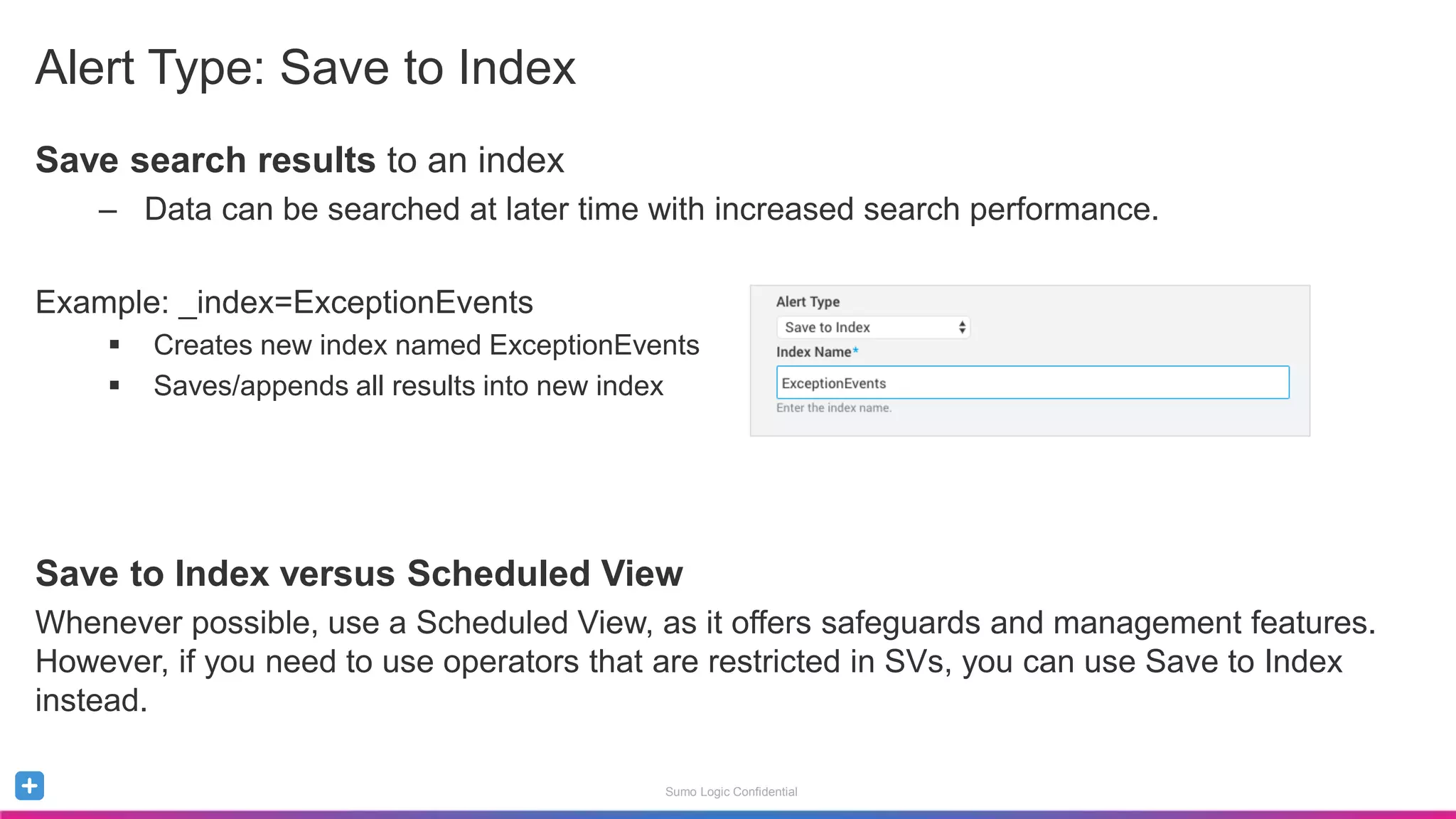
Save search results to an index
– Data can be searched at later time with increased search performance.
Example: _index=ExceptionEvents
 Creates new index named ExceptionEvents
 Saves/appends all results into new index
Save to Index versus Scheduled View
Whenever possible, use a Scheduled View, as it offers safeguards and management features.
However, if you need to use operators that are restricted in SVs, you can use Save to Index
instead.
Sumo Logic Confidential
Best Practices: Good Alerts, Not-so-Good Alerts
Blog Post: 2 Key Principles for Creating Meaningful Alerts
To be meaningful, Alerts should be:
• Actionable – Alerts should have an associated playbook detailing steps to take
• Directed – Alerts should be directed to an individual or group accountable for handling it
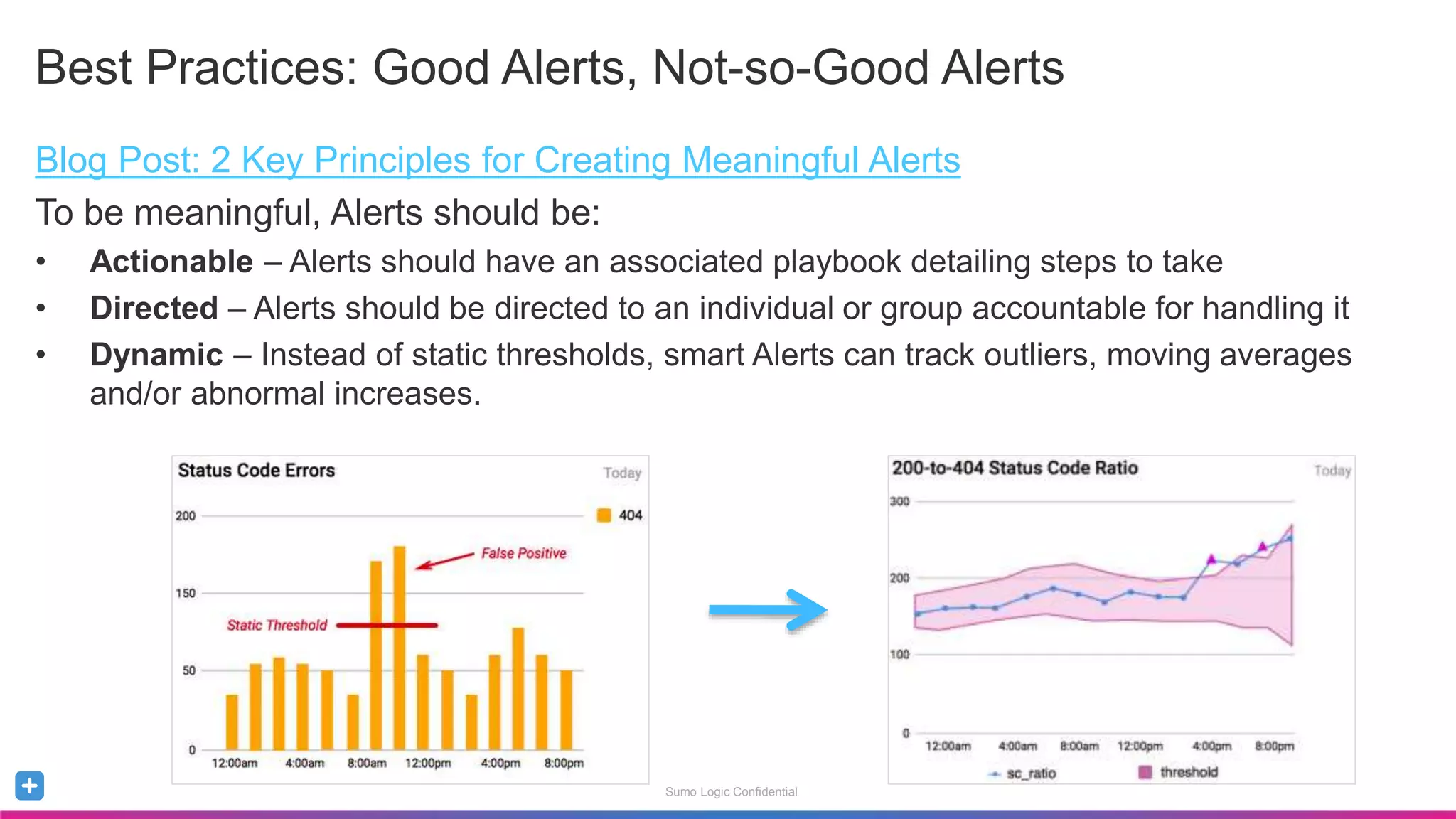
• Dynamic – Instead of static thresholds, smart Alerts can track outliers, moving averages
and/or abnormal increases.
Sumo Logic Confidential
Summary
To create Alerts:
Save and Schedule the Alert
Specify Frequency and Time Range
Specify Condition and Threshold
Specify Alert Type and its Details
Alerts should be Actionable and Directed
Meaningful Alerts use Dynamic Thresholds

Sumo Logic: Optimizing Scheduled Searches

  • 1.
    Sumo Logic Confidential OptimizingScheduled Searches Mario Sanchez, Lavanya Shastri November 2016 How-To Webinar Welcome. To give everyone a chance to successfully connect, we’ll start at 10:05 AM Pacific. Note you are currently muted.
  • 2.
    Sumo Logic Confidential Agenda UsingScheduled Searches to Monitoring your Environment Alert Types Email Script Action ServiceNow Webhooks Save to Index Creating Meaningful Alerts
  • 3.
    Sumo Logic Confidential SumoLogic Data Flow Data Collection Search & Analyze Visualize & Monitor Alerts Dashboards Collectors Sources Operators Charts 1 2 3
  • 4.
    Sumo Logic Confidential ScheduledSearches Scheduled Searches are saved searches that run at specified time intervals. • Great tool for continuously monitoring your stack. Using a Scheduled Search, you can set Alerts to trigger whenever the search completes or when a certain condition is met. Alerts can be sent through various channels: • Email • Script Action • ServiceNow Connection • Webhook • Save to Index
  • 5.
    Sumo Logic Confidential Savingand Scheduling an Alert Save and Schedule the Search 1. Specify frequency, time range and timezone 2. Specify Alert condition & threshold 3. Specify Alert Type and details
  • 6.
    Sumo Logic Confidential SchedulingFrequency and Time Range Choose a preset frequency or use Cron for custom frequency options Use www.cronmaker.com for easy scheduling Choose a preset time range or enter a custom one Select a timezone for the search to run on
  • 7.
    Sumo Logic Confidential Settingup a Condition/Threshold • To take advantage of the Alert condition/threshold, your search will most likely end with a line like this: _sourceCategory=Apache/Access AND status_code=404 | timeslice 1m | count by _timeslice | where _count > 25 With this example, your results will only include timeslices where the count of 404s is greater than 0 or no results is there is no violation to your where clause.
  • 8.
    Sumo Logic Confidential AlertType: Email Email Alerts can be sent, based on Search completion or on meeting a preset condition • Note: Max of 120 emails per alert/day * Blog on New Features
  • 9.
    Sumo Logic Confidential AlertType: Script Action Can be used to trigger a custom script hosted on a local server. – Good fit for connecting to on-premise systems behind firewall Key Points • Script hosted on server with an Installed Collector • Script has access to the search results (JSON format) • Script can call any other scripts • Script can be written in any of the following: Local Server Collector Custom Script
  • 10.
    Sumo Logic Confidential AlertType: Script Action Steps to Schedule Script Action: 1. Add a Script to your Installed Collector 2. Add Script Action to your Scheduled Search
  • 11.
    Sumo Logic Confidential AlertType: ServiceNow Connection Integration that creates ServiceNow incident tickets from alerts or search results Steps to Set up: 1. Build a ServiceNow Connection 2. Schedule a Search
  • 12.
    Sumo Logic Confidential AlertType: Webhooks Used to send Alerts to any 3rd party tool that accepts incoming Webhooks. – Any tool with a REST API Steps to Set up: 1. Build a Webhook Connection 2. Schedule a Search
  • 13.
    Sumo Logic Confidential AlertType: Save to Index Save search results to an index – Data can be searched at later time with increased search performance. Example: _index=ExceptionEvents  Creates new index named ExceptionEvents  Saves/appends all results into new index Save to Index versus Scheduled View Whenever possible, use a Scheduled View, as it offers safeguards and management features. However, if you need to use operators that are restricted in SVs, you can use Save to Index instead.
  • 14.
    Sumo Logic Confidential BestPractices: Good Alerts, Not-so-Good Alerts Blog Post: 2 Key Principles for Creating Meaningful Alerts To be meaningful, Alerts should be: • Actionable – Alerts should have an associated playbook detailing steps to take • Directed – Alerts should be directed to an individual or group accountable for handling it • Dynamic – Instead of static thresholds, smart Alerts can track outliers, moving averages and/or abnormal increases.
  • 15.
    Sumo Logic Confidential Summary Tocreate Alerts: Save and Schedule the Alert Specify Frequency and Time Range Specify Condition and Threshold Specify Alert Type and its Details Alerts should be Actionable and Directed Meaningful Alerts use Dynamic Thresholds

Editor's Notes

  • #4 Collect and Centralize - Sumo Logic can collect terabytes of data from any app, cloud, device, custom hardware, sensor, server and network sources. Collectors collect, compress, cache and encrypt the data for secure transfer. Search and Analyze – Administrators and Analysts can run searches and correlate events in real-time across the entire application stack. Monitor and Visualize - Custom dashboards and visualization help you easily monitor your data in real-time. Custom alerts notify you when specific events are identified across your stack.
  • #5 Email Send an email to an individual or group when threshold is met Script Action Run a custom script on a local server. Script can receive search results which are passed in JSON format. May be a good fit for connecting to on-premise systems behind the firewall. ServiceNow Connection A ServiceNOW-specific integration that creates SNOW incident tickets from alerts and also from the messages screen in search results. Webhook Targeted at systems that support incoming webhook/HTTP alerts such as pagerduty, opsgenie, slack, etc. Easy cloud-cloud method for connecting to these systems Save to Index Ability to save search results to a separate index(bucket) for quick search at a later time.
  • #9 The 120 emails per day limit is to prevent Sumo from being labeled as a Spammer by Amazon. To overcome this limit please file a support ticket.
  • #12 This
  • #13 Examples: Pagerduty, Opsgenie, Slack, DataDog
  • #14 This
  • #15  Static Threshold (Alert 1) A naive implementation would simply set a static threshold for 404 errors. However, if your traffic is cyclical or volatile, this could result in a lot of false-positives. And, the problem with false-positives is that they’re not actionable. In reality, you don’t care about any absolute number of 404 errors. You actually want to know when you have an “abnormal” amount of 404 errors. Dynamic Threshold: (Alert 2) Sumo Logic’s outlier operator tracks the moving average of a value and detects when new values lie outside the standard deviation. This lets you monitor rates of change and volatility. We can make our alert more dynamic by detecting abnormally high increases in 404 errors. This eliminates some of the false-positives by looking at the increase in 404s over a given period of time instead of an absolute threshold. For even better results, we need to consider the rest of our web traffic when analyzing 404 errors. Intelligent Dynamic Threshold: (Alert 3) 404 errors are typically correlated with your total web traffic. When you have more visitors, you’ll often have more 404 errors, too. You can incorporate this relationship into an alert by comparing 200 status codes with 404 status codes over time. This query calculates the ratio of 404 status codes to 200 status codes. As long as your 404 errors are increasing at a rate similar to your total traffic, this ratio stays the same, and you don’t have a problem. But, when your 404 errors spike without a corresponding increase in 200 status codes, this is cause for concern. When this happens,sc_ratio will rise. By detecting this change with outlier, you can create a dynamic alert that only fires when you’ve broken your code.