

Sumo Logic Confidential
July 2016
Advanced Analytics
Sumo Logic ”How To” Webinar
Welcome.
To give everyone a
chance to successfully
connect, we’ll start at
10:05 AM Pacific.
Sumo Logic Confidential
At the completion of this webinar, you will be able to…
Understand the Anatomy of a Query
Run advanced queries using:
Outlier
Join
Transaction
Geo Lookup
LogReduce and LogCompare
Run LiveTail to view your live logs
Explore the Query Library in Sumo Dojo
Sumo Logic Confidential
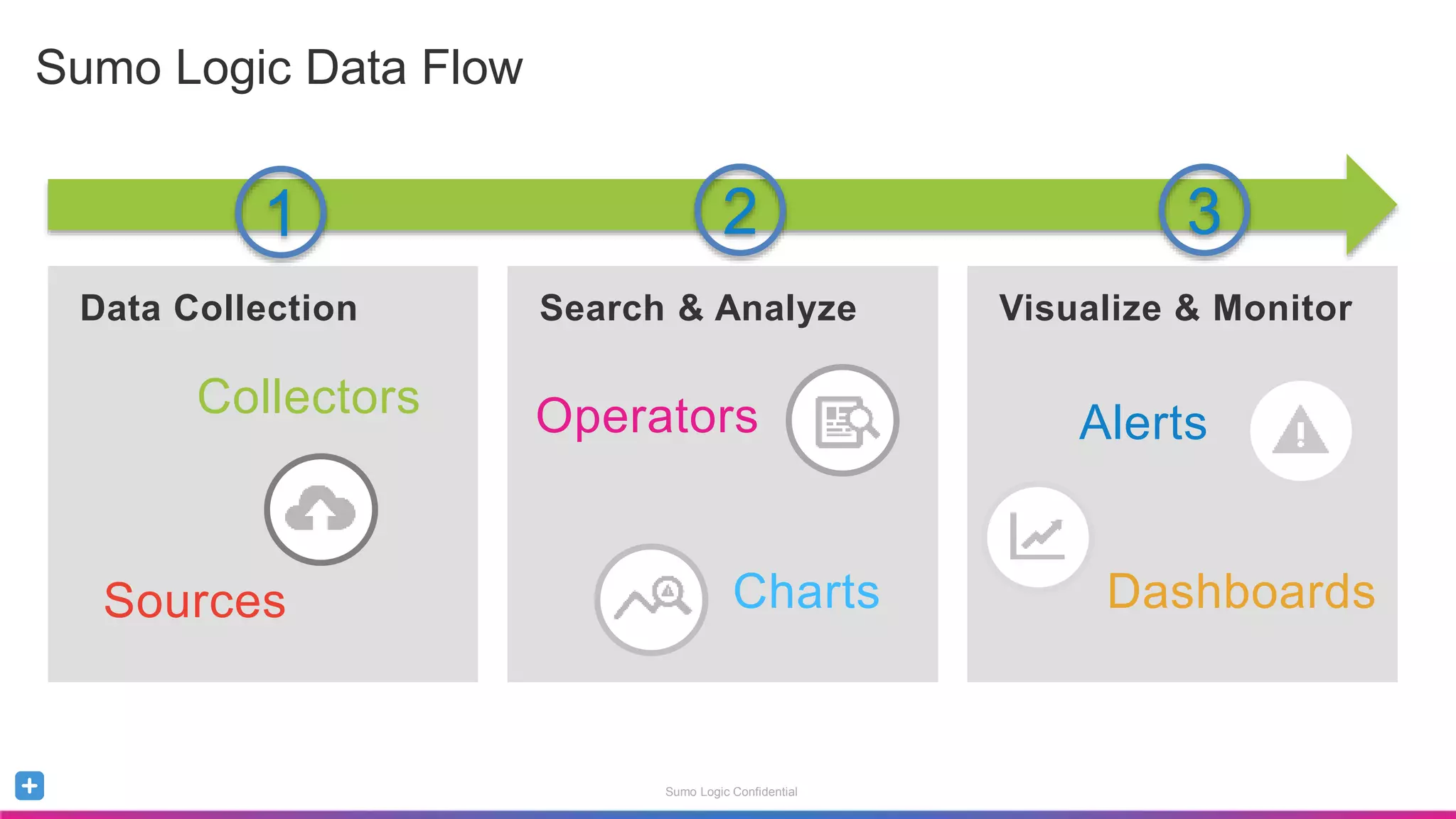
Sumo Logic Data Flow
Data Collection Search & Analyze Visualize & Monitor
Alerts
Dashboards
Collectors
Sources
Operators
Charts
1 2 3
Sumo Logic Confidential
Why Queries?
Analyze, Monitor and Alert
Sumo Logic Confidential
Building Blocks to Analyze, Monitor and Alert
Create Queries that allow you to troubleshoot, identify trends
Create Dashboards that allow you to monitor and visualize you
data
Create Alerts that provide notification of critical events
Don’t start from scratch! Take advantage Sumo Logic Apps
Out-of-the-Box content for popular sources
Pre-built queries that you can use as templates
Sumo Logic Confidential
The Basics of Searching
Anatomy of a Query
Sumo Logic Confidential
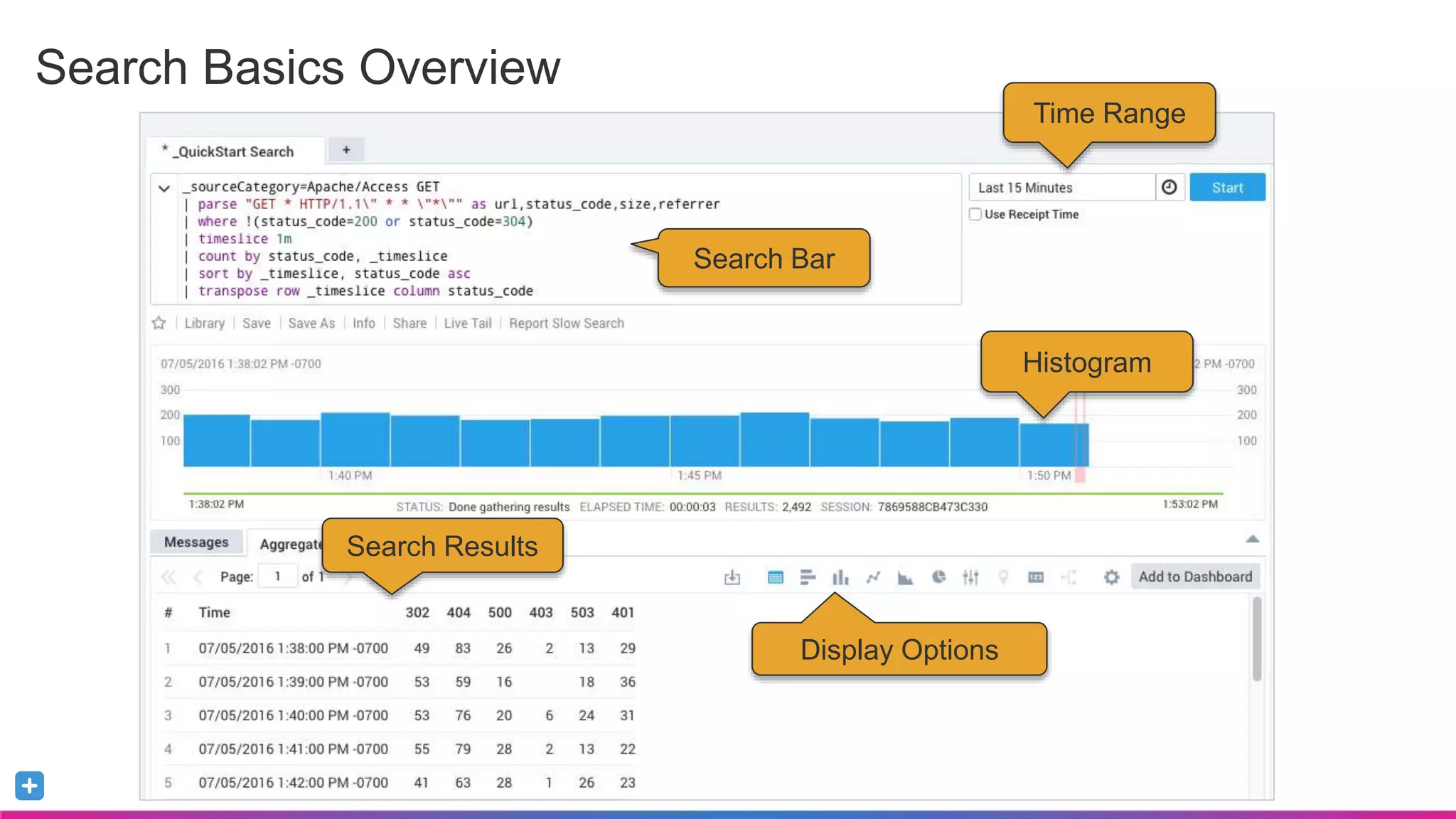
Search Basics Overview
Time Range
Histogram
Search Bar
Search Results
Display Options
Sumo Logic Confidential
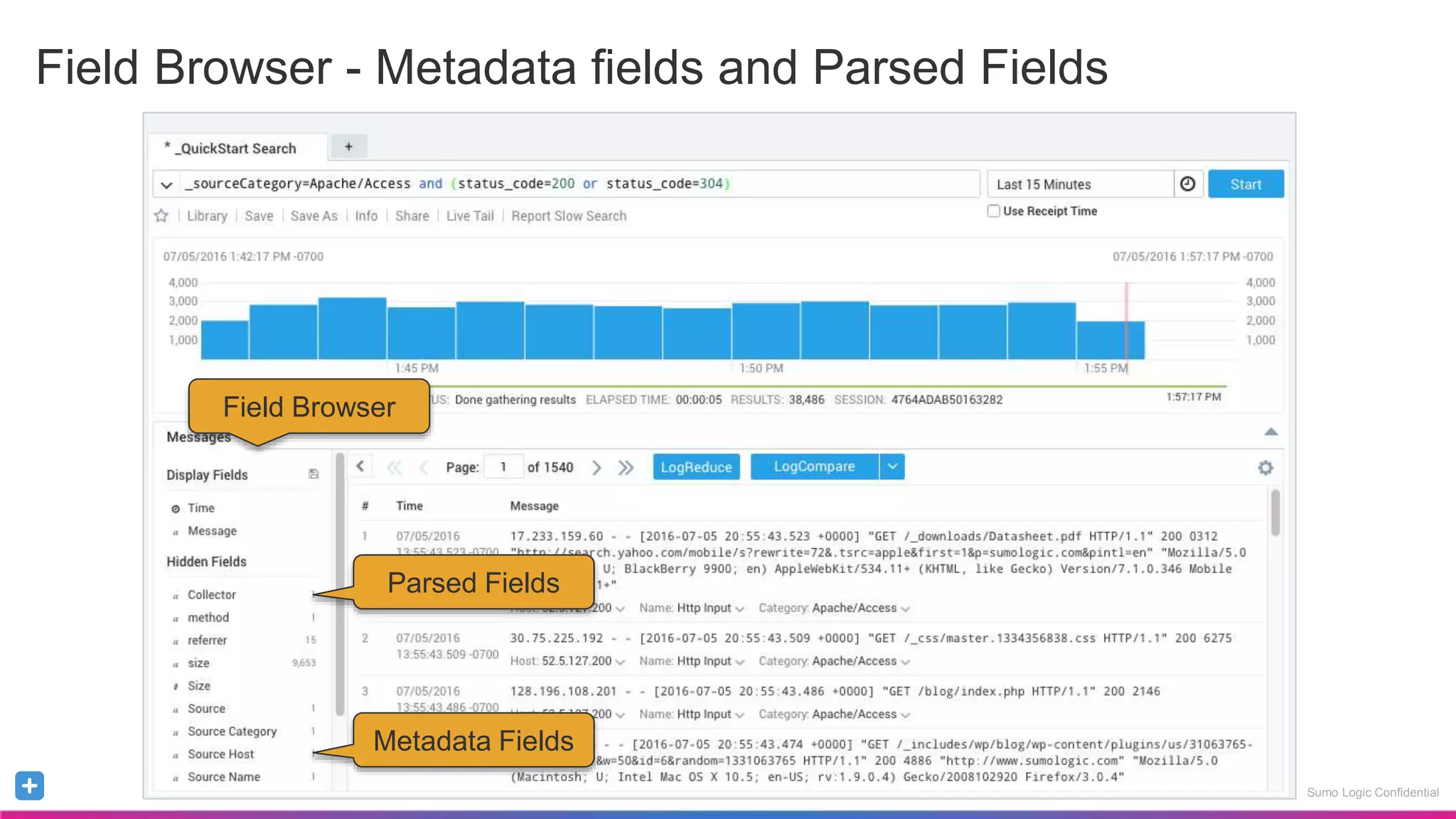
Field Browser - Metadata fields and Parsed Fields
Sumo Logic Confidential
Field Browser
Metadata Fields
Parsed Fields
Sumo Logic Confidential
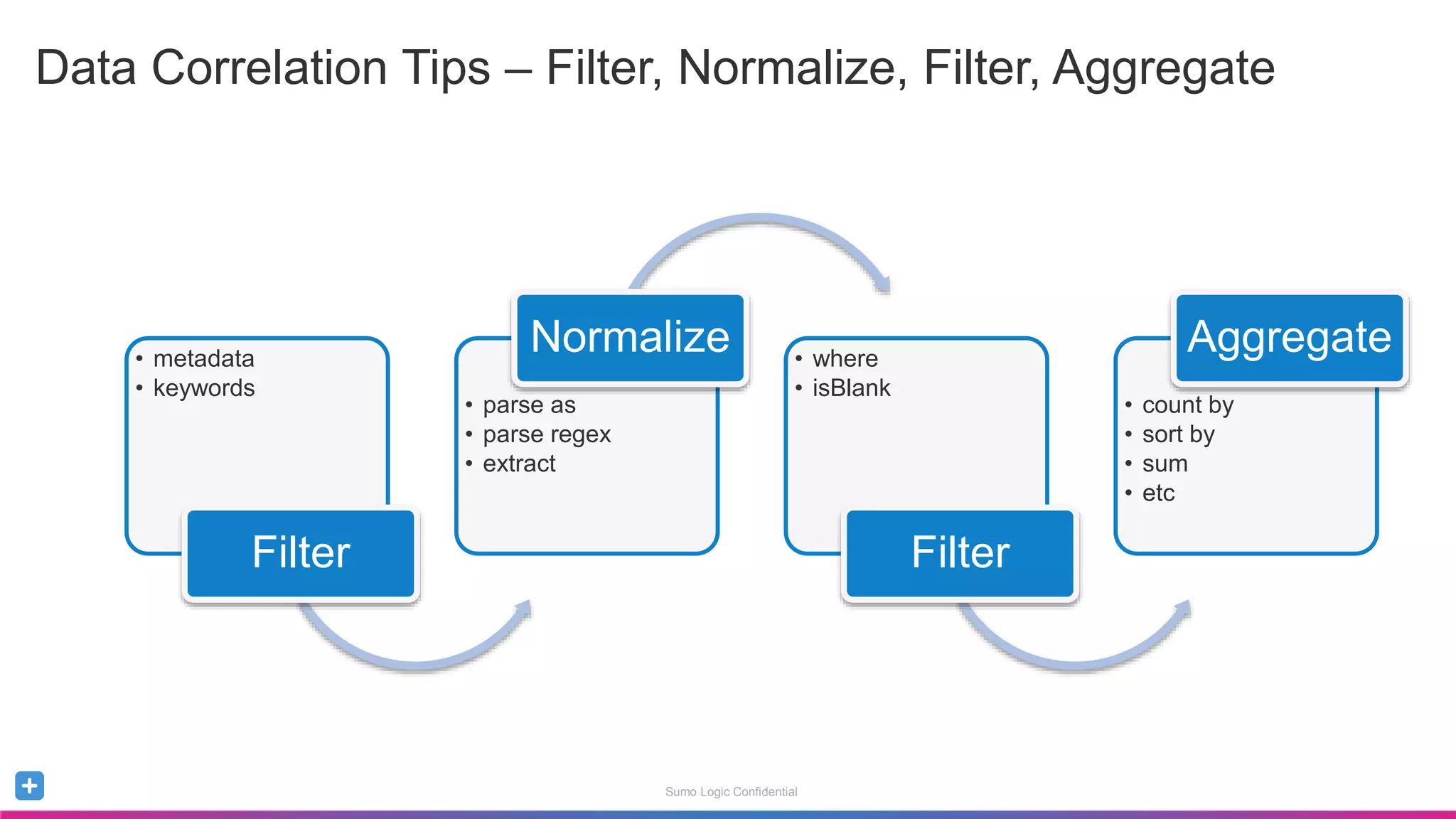
Data Correlation Tips – Filter, Normalize, Filter, Aggregate
• metadata
• keywords
Filter
• parse as
• parse regex
• extract
Normalize • where
• isBlank
Filter
• count by
• sort by
• sum
• etc
Aggregate
Sumo Logic Confidential
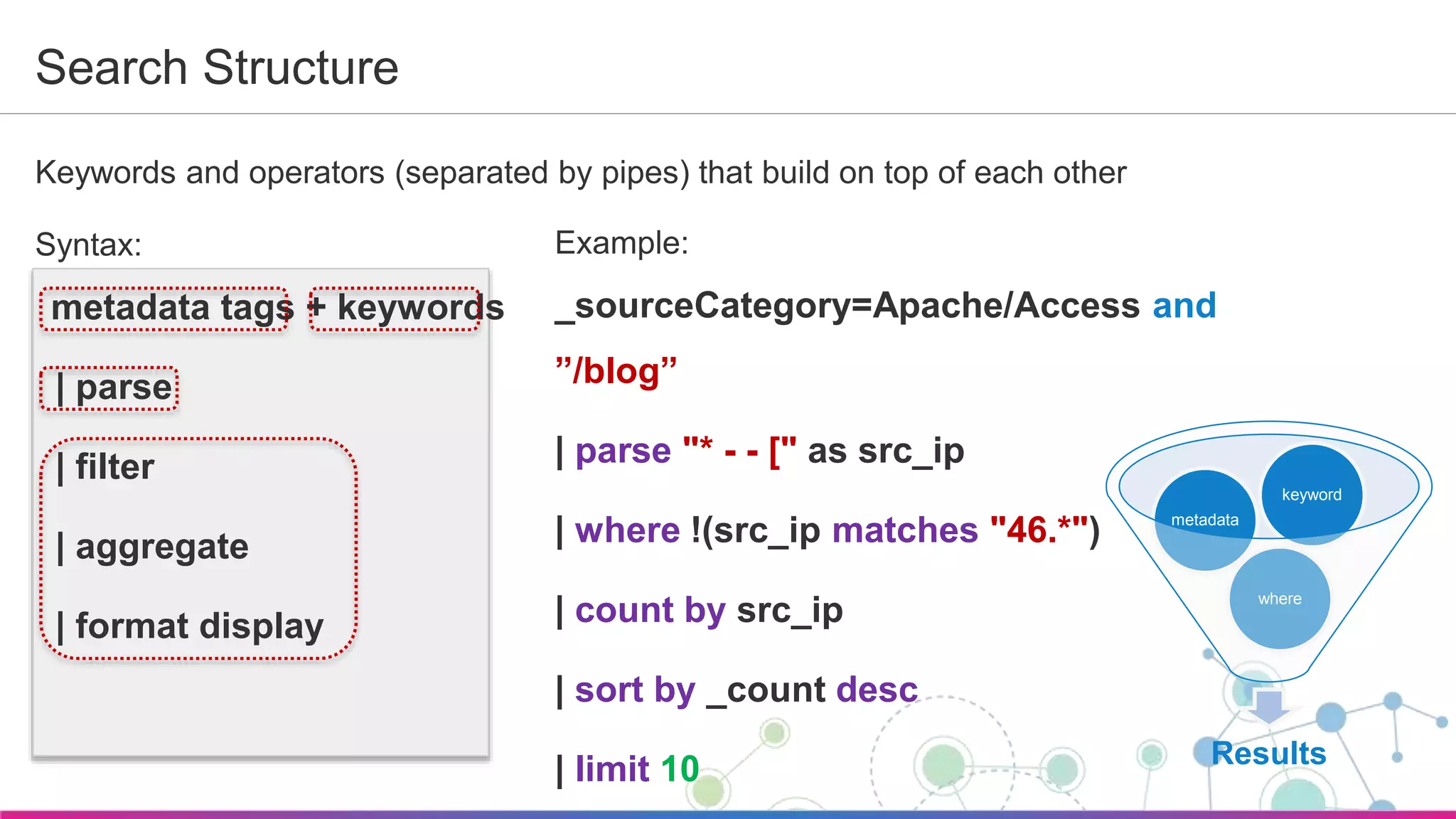
Search Structure
Keywords and operators (separated by pipes) that build on top of each other
Syntax:
metadata tags + keywords
| parse
| filter
| aggregate
| format display
Results
where
metadata
keyword
Example:
_sourceCategory=Apache/Access and
”/blog”
| parse "* - - [" as src_ip
| where !(src_ip matches "46.*")
| count by src_ip
| sort by _count desc
| limit 10
Sumo Logic Confidential
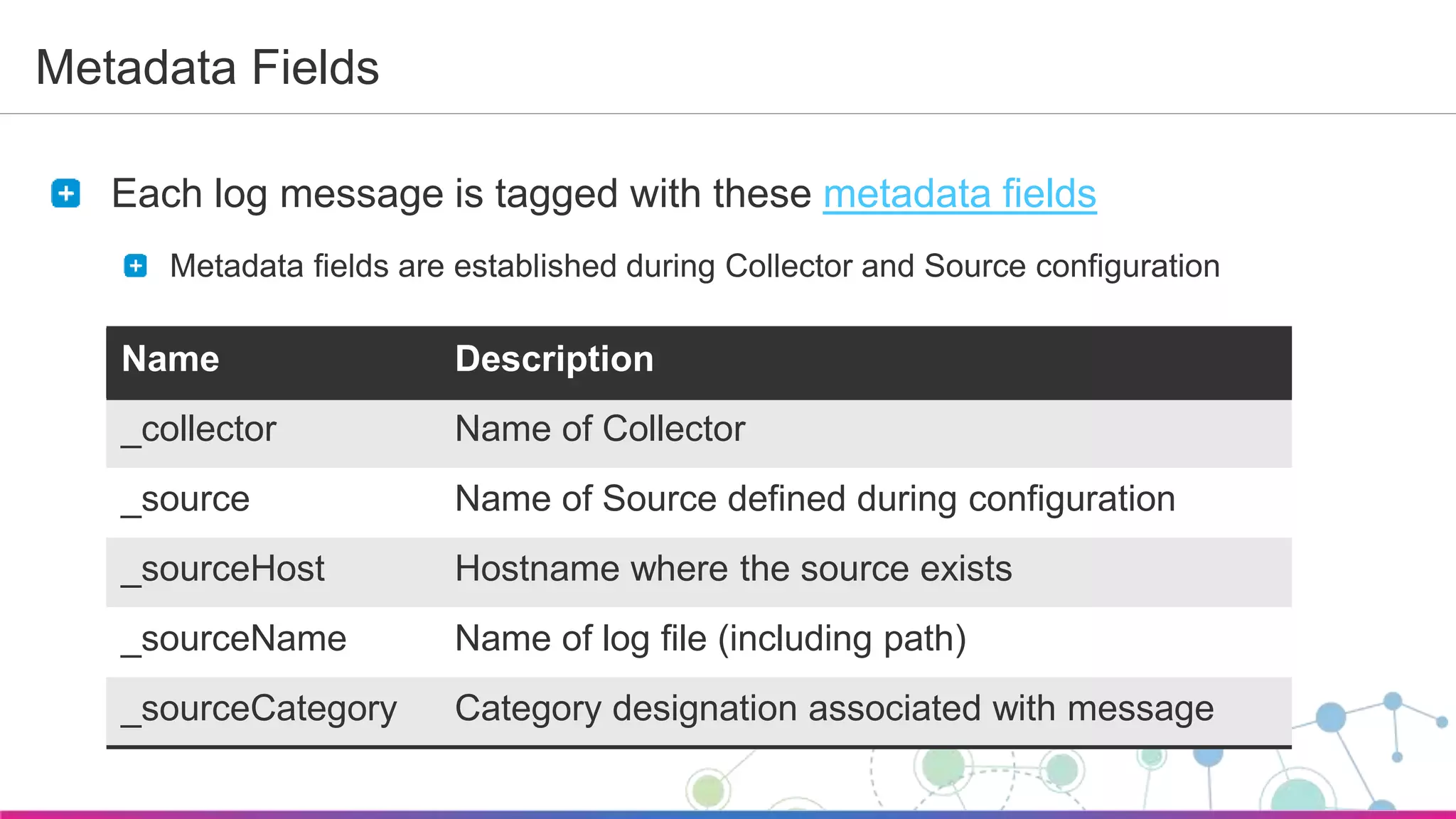
Metadata Fields
Each log message is tagged with these metadata fields
Metadata fields are established during Collector and Source configuration
Name Description
_collector Name of Collector
_source Name of Source defined during configuration
_sourceHost Hostname where the source exists
_sourceName Name of log file (including path)
_sourceCategory Category designation associated with message
Sumo Logic Confidential
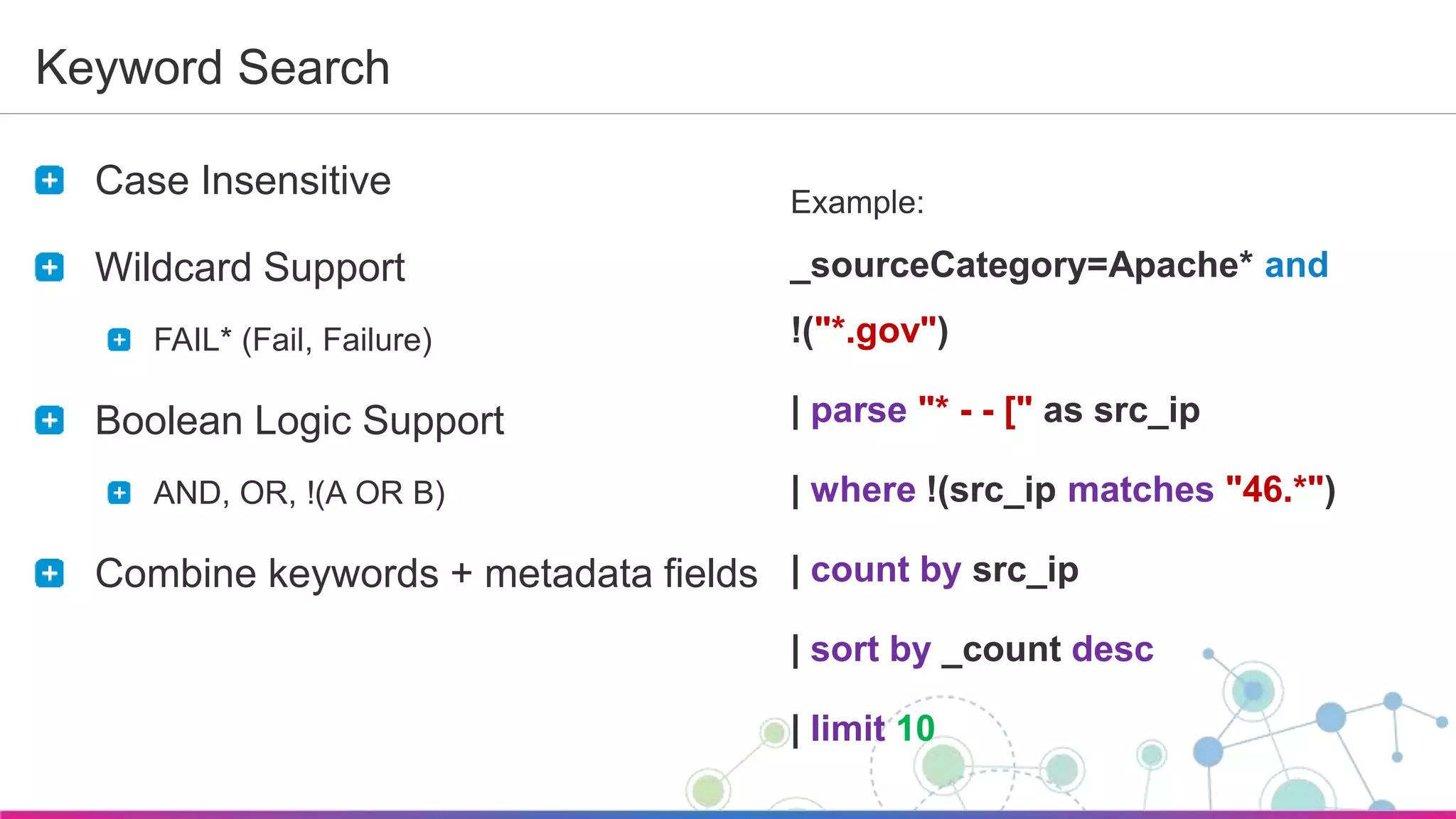
Keyword Search
Case Insensitive
Wildcard Support
FAIL* (Fail, Failure)
Boolean Logic Support
AND, OR, !(A OR B)
Combine keywords + metadata fields
Example:
_sourceCategory=Apache* and
!("*.gov")
| parse "* - - [" as src_ip
| where !(src_ip matches "46.*")
| count by src_ip
| sort by _count desc
| limit 10
Sumo Logic Confidential
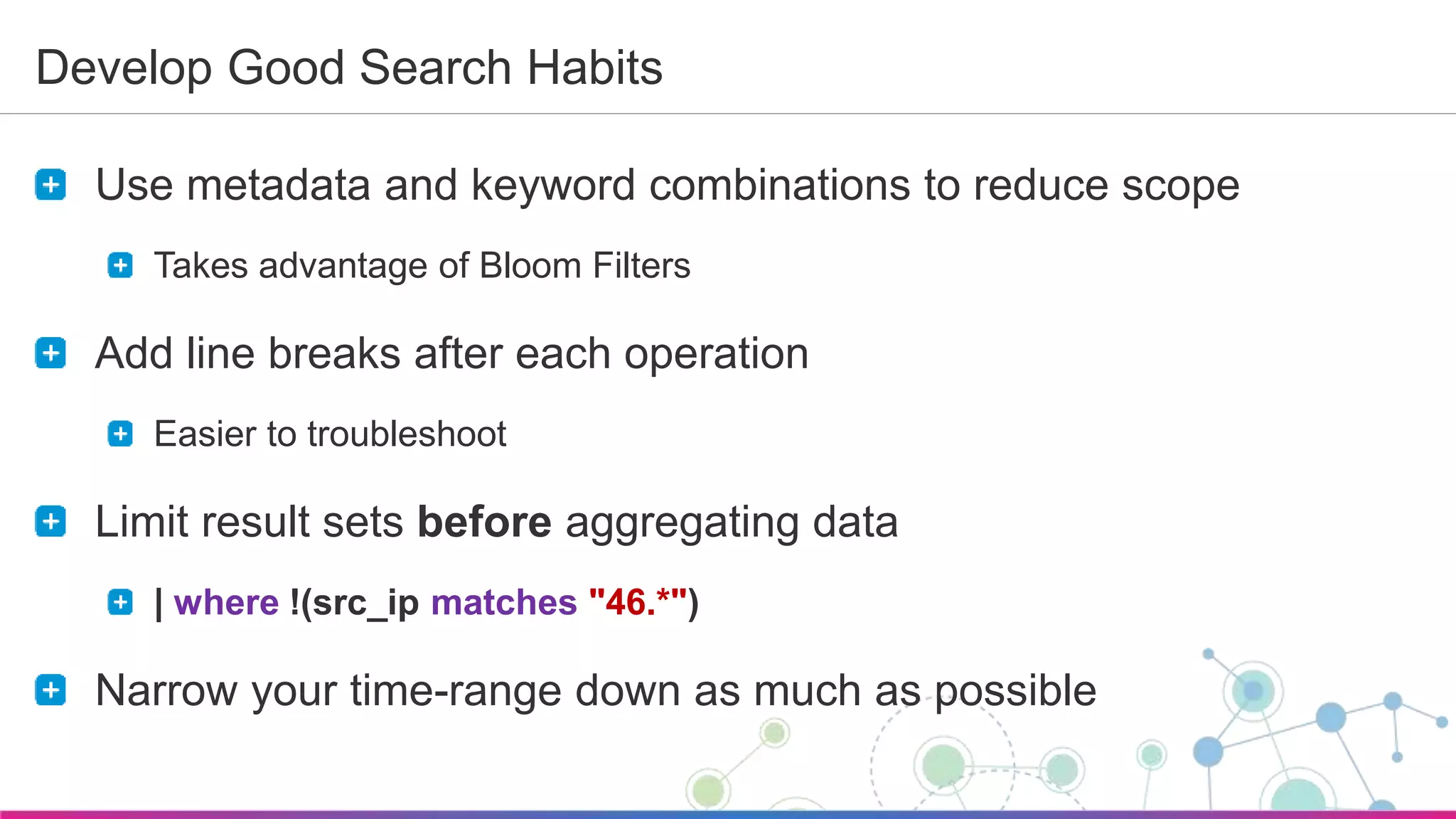
Develop Good Search Habits
Use metadata and keyword combinations to reduce scope
Takes advantage of Bloom Filters
Add line breaks after each operation
Easier to troubleshoot
Limit result sets before aggregating data
| where !(src_ip matches "46.*")
Narrow your time-range down as much as possible
Sumo Logic Confidential
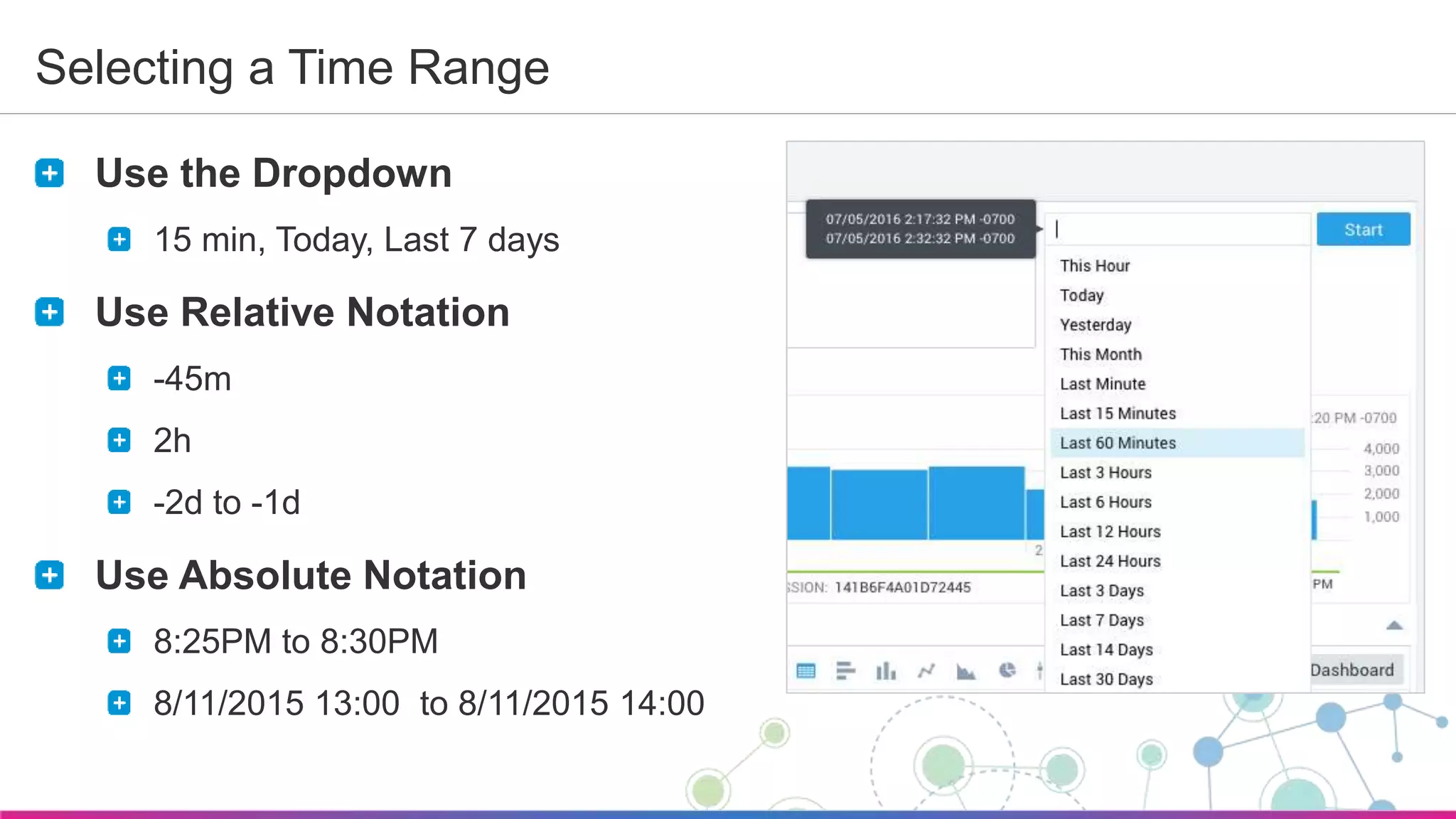
Selecting a Time Range
Use the Dropdown
15 min, Today, Last 7 days
Use Relative Notation
-45m
2h
-2d to -1d
Use Absolute Notation
8:25PM to 8:30PM
8/11/2015 13:00 to 8/11/2015 14:00
Sumo Logic Confidential
Parsing Your Data
Extracting Fields
Sumo Logic Confidential
Extracting Fields
Extract parts of a message and classify them as fields
Perform logical, conditional and mathematical operations
Parsing Options
parse anchor: Leverages beginning and ending anchors
parse regex: Extracts nested information via regex
CSV and Split: Uses comma or other separator to parse fields
key value: Leverages key/value pair format
JSON: Extracts fields within a JSON formatted message
Sumo Logic Confidential
Develop Good Parsing Habits
For structured messages, use parse anchor instead of parse
regex
When possible, avoid the use of expensive parse regex tokens
like .*
Be specific on what you are looking for (i.e. d{2,10})
Use Field Extraction Rules to pre-parse data
Eliminates having to parse on every query
Avoid using soon-to-be-deprecated public parsers (apache/access, iis, windows/2008)
Note that creating FERs is an Admin function
Sumo Logic Confidential
Advanced Operators
Query Examples
Sumo Logic Confidential
JOIN Operator Example
_sourceCategory=prod/api/webhooks and "webhook-worker"
| join
(parse regex "INFO (?<id>.*) Send HTTP request with (?<bytes>.*) byte message body to (?<url>.*)") as
info,
(parse regex "INFO (?<id>.*) [FAILURE] (?<message>.*)") as failure
on info.id = failure.id
| fields info_id, info_url, failure_message, info__messagetime
| where info_url = "<insert_webhook_url_here>"
| formatDate(fromMillis(info__messagetime), "MM-dd-yyyy HH:mm:ss") as myDate
Sumo Logic Confidential
Query Templates for your Needs
Query Library @ Sumo Dojo
Sumo Logic Confidential
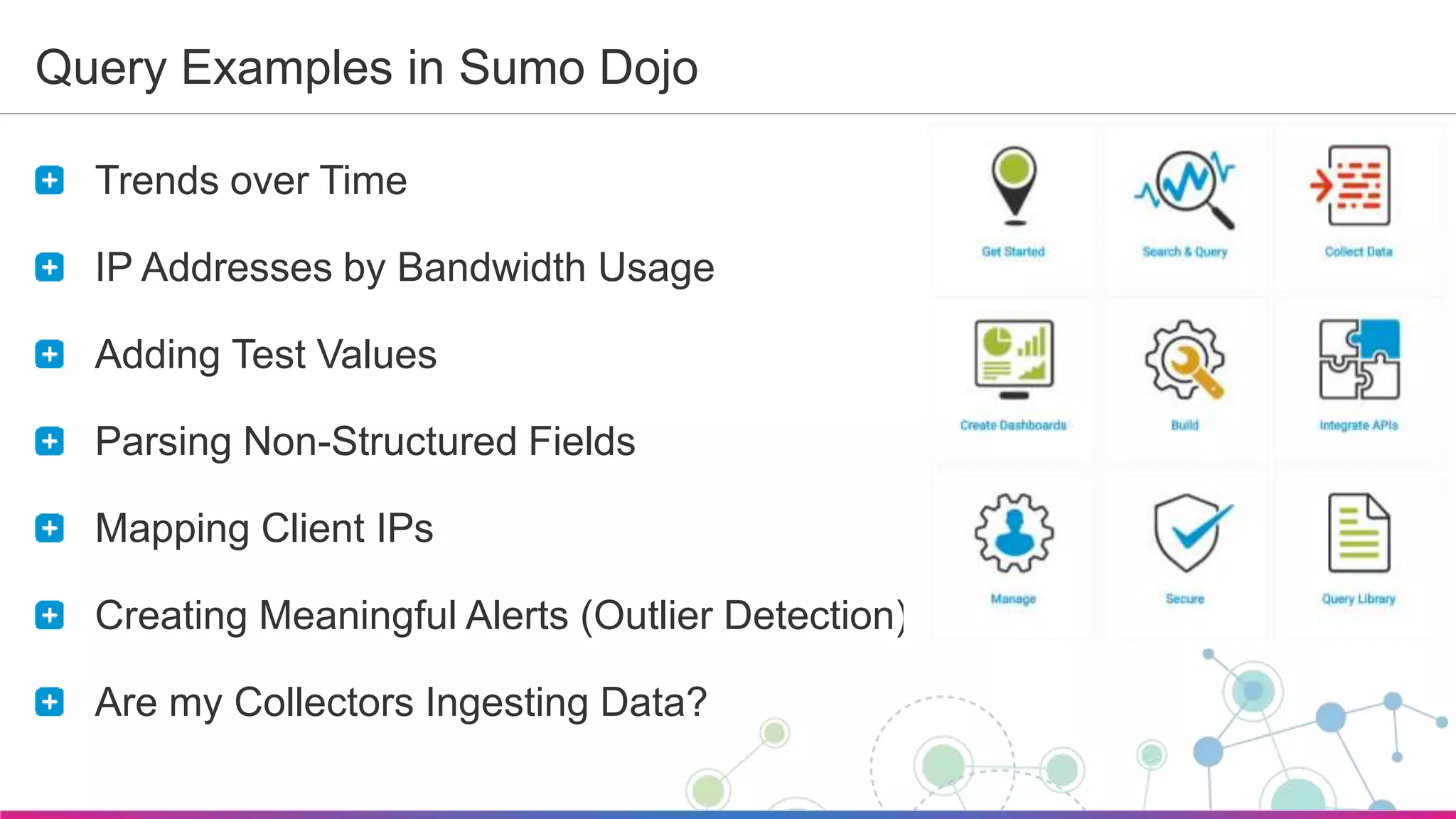
Query Examples in Sumo Dojo
Trends over Time
IP Addresses by Bandwidth Usage
Adding Test Values
Parsing Non-Structured Fields
Mapping Client IPs
Creating Meaningful Alerts (Outlier Detection)
Are my Collectors Ingesting Data?
Sumo Logic Confidential
Questions?
Search Documentation and Training
Library of Past Webinars
Search/Post @ Sumo Dojo
Search, Post, Respond
Submit Feature Requests
Vote for Existing Ones
Open a Support Case
Contact Customer Success
customer-success@sumologic.com
Sumo Logic Confidential
Thank You!

Sumo Logic "How to" Webinar: Advanced Analytics

  • 1.
    Sumo Logic Confidential July2016 Advanced Analytics Sumo Logic ”How To” Webinar Welcome. To give everyone a chance to successfully connect, we’ll start at 10:05 AM Pacific.
  • 2.
    Sumo Logic Confidential Atthe completion of this webinar, you will be able to… Understand the Anatomy of a Query Run advanced queries using: Outlier Join Transaction Geo Lookup LogReduce and LogCompare Run LiveTail to view your live logs Explore the Query Library in Sumo Dojo
  • 3.
    Sumo Logic Confidential SumoLogic Data Flow Data Collection Search & Analyze Visualize & Monitor Alerts Dashboards Collectors Sources Operators Charts 1 2 3
  • 4.
    Sumo Logic Confidential WhyQueries? Analyze, Monitor and Alert
  • 5.
    Sumo Logic Confidential BuildingBlocks to Analyze, Monitor and Alert Create Queries that allow you to troubleshoot, identify trends Create Dashboards that allow you to monitor and visualize you data Create Alerts that provide notification of critical events Don’t start from scratch! Take advantage Sumo Logic Apps Out-of-the-Box content for popular sources Pre-built queries that you can use as templates
  • 6.
  • 7.
  • 8.
    Sumo Logic Confidential TheBasics of Searching Anatomy of a Query
  • 9.
    Sumo Logic Confidential SearchBasics Overview Time Range Histogram Search Bar Search Results Display Options
  • 10.
    Sumo Logic Confidential FieldBrowser - Metadata fields and Parsed Fields Sumo Logic Confidential Field Browser Metadata Fields Parsed Fields
  • 11.
    Sumo Logic Confidential DataCorrelation Tips – Filter, Normalize, Filter, Aggregate • metadata • keywords Filter • parse as • parse regex • extract Normalize • where • isBlank Filter • count by • sort by • sum • etc Aggregate
  • 12.
    Sumo Logic Confidential SearchStructure Keywords and operators (separated by pipes) that build on top of each other Syntax: metadata tags + keywords | parse | filter | aggregate | format display Results where metadata keyword Example: _sourceCategory=Apache/Access and ”/blog” | parse "* - - [" as src_ip | where !(src_ip matches "46.*") | count by src_ip | sort by _count desc | limit 10
  • 13.
    Sumo Logic Confidential MetadataFields Each log message is tagged with these metadata fields Metadata fields are established during Collector and Source configuration Name Description _collector Name of Collector _source Name of Source defined during configuration _sourceHost Hostname where the source exists _sourceName Name of log file (including path) _sourceCategory Category designation associated with message
  • 14.
    Sumo Logic Confidential KeywordSearch Case Insensitive Wildcard Support FAIL* (Fail, Failure) Boolean Logic Support AND, OR, !(A OR B) Combine keywords + metadata fields Example: _sourceCategory=Apache* and !("*.gov") | parse "* - - [" as src_ip | where !(src_ip matches "46.*") | count by src_ip | sort by _count desc | limit 10
  • 15.
    Sumo Logic Confidential DevelopGood Search Habits Use metadata and keyword combinations to reduce scope Takes advantage of Bloom Filters Add line breaks after each operation Easier to troubleshoot Limit result sets before aggregating data | where !(src_ip matches "46.*") Narrow your time-range down as much as possible
  • 16.
    Sumo Logic Confidential Selectinga Time Range Use the Dropdown 15 min, Today, Last 7 days Use Relative Notation -45m 2h -2d to -1d Use Absolute Notation 8:25PM to 8:30PM 8/11/2015 13:00 to 8/11/2015 14:00
  • 17.
    Sumo Logic Confidential ParsingYour Data Extracting Fields
  • 18.
    Sumo Logic Confidential ExtractingFields Extract parts of a message and classify them as fields Perform logical, conditional and mathematical operations Parsing Options parse anchor: Leverages beginning and ending anchors parse regex: Extracts nested information via regex CSV and Split: Uses comma or other separator to parse fields key value: Leverages key/value pair format JSON: Extracts fields within a JSON formatted message
  • 19.
    Sumo Logic Confidential DevelopGood Parsing Habits For structured messages, use parse anchor instead of parse regex When possible, avoid the use of expensive parse regex tokens like .* Be specific on what you are looking for (i.e. d{2,10}) Use Field Extraction Rules to pre-parse data Eliminates having to parse on every query Avoid using soon-to-be-deprecated public parsers (apache/access, iis, windows/2008) Note that creating FERs is an Admin function
  • 20.
    Sumo Logic Confidential AdvancedOperators Query Examples
  • 21.
  • 22.
    Sumo Logic Confidential JOINOperator Example _sourceCategory=prod/api/webhooks and "webhook-worker" | join (parse regex "INFO (?<id>.*) Send HTTP request with (?<bytes>.*) byte message body to (?<url>.*)") as info, (parse regex "INFO (?<id>.*) [FAILURE] (?<message>.*)") as failure on info.id = failure.id | fields info_id, info_url, failure_message, info__messagetime | where info_url = "<insert_webhook_url_here>" | formatDate(fromMillis(info__messagetime), "MM-dd-yyyy HH:mm:ss") as myDate
  • 23.
    Sumo Logic Confidential QueryTemplates for your Needs Query Library @ Sumo Dojo
  • 24.
    Sumo Logic Confidential QueryExamples in Sumo Dojo Trends over Time IP Addresses by Bandwidth Usage Adding Test Values Parsing Non-Structured Fields Mapping Client IPs Creating Meaningful Alerts (Outlier Detection) Are my Collectors Ingesting Data?
  • 25.
    Sumo Logic Confidential Questions? SearchDocumentation and Training Library of Past Webinars Search/Post @ Sumo Dojo Search, Post, Respond Submit Feature Requests Vote for Existing Ones Open a Support Case Contact Customer Success customer-success@sumologic.com
  • 26.

Editor's Notes

  • #2 Welcome everyone. My name is…. Housekeeping items: Everyone is on mute to avoid distractions If you want to ask a question, please do so using the GTW question panel This webinar will be recorded and shared with all of you, along with the slides
  • #4 Sumo Logic Data Flow is broken into 3 main areas: Data Collection through configurable Collectors and Sources. Collectors collect, compress, cache and encrypt the data for secure transfer. Search and Analyze – Users can run searches and correlate events in real-time across the entire application stack. We will be spending most of our time in this area during this webinar, as this is most likely what you will first be doing as a new user. Visualize and Monitor- Users have the ability to create custom dashboards to help you easily monitor your data in real-time. Custom alerts notify you when specific events are identified across your stack. I will cover Data Collection at a high-level, and cover the next 2 areas through a demo.
  • #6 Show Apache Access Dashboards and Artifactory Dashboards (Artifactory - Download Activity) In Apache - Web Server Operations dashboard, click on top-right dashboard (Server Errors Over Time) to show query behind it.
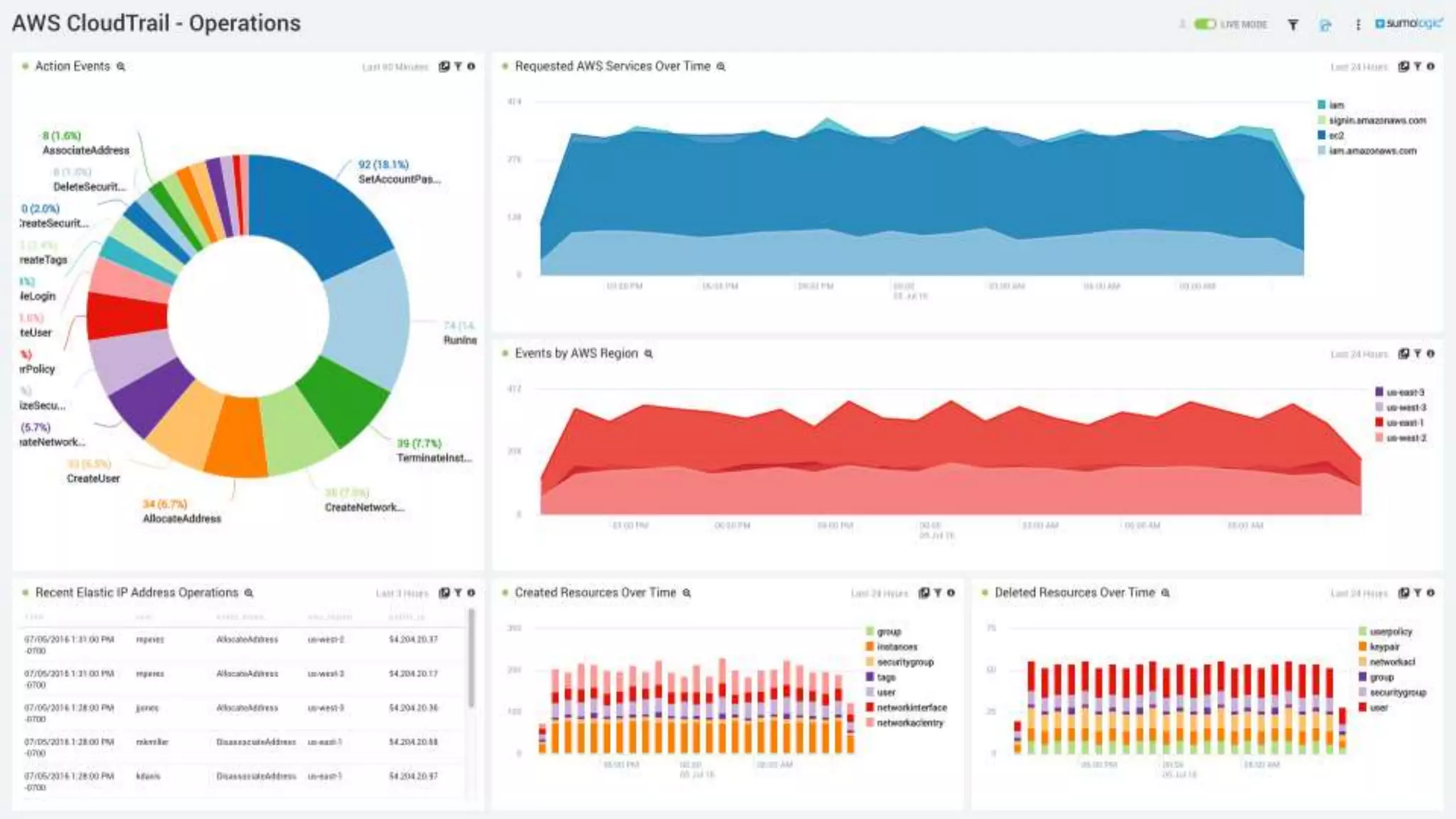
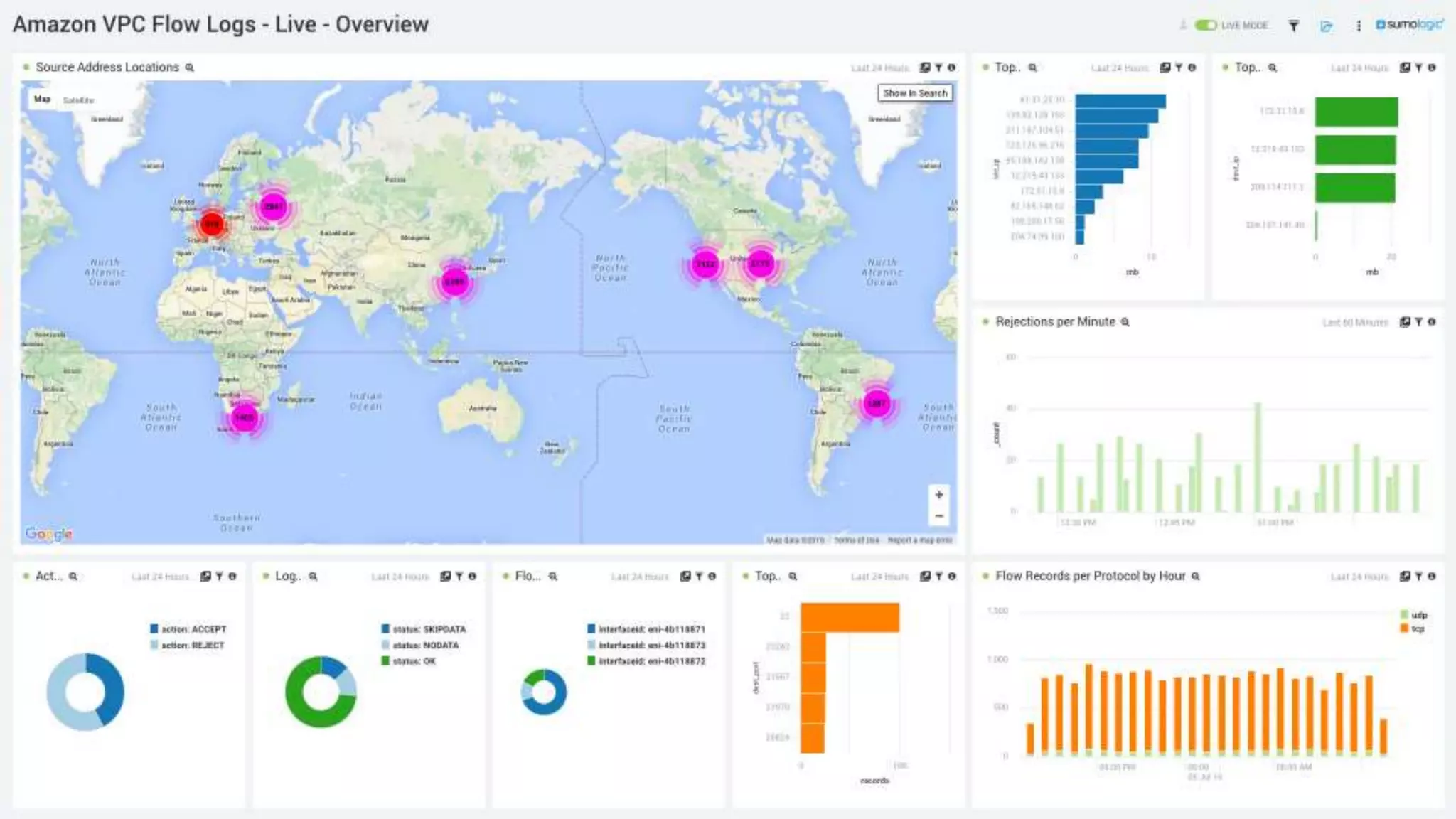
  • #7 Example of AWS Cloud Trail Dashboard
  • #13 The combination of metadata and keywords reflect the search of your scope. This is what we’re going to talk a little bit more about in the next few slides. It’s very important that you be very selective about the data you’ll be searching through.
  • #14 These proverbial sticky notes are slapped onto every message that Sumo ingests The five metadata fields can also be used when searching your data. NOTE: the underscore
  • #15 You’ll also want to include keywords as part of your search scope.
  • #16 Plug for regex101.
  • #17 Plug for regex101.
  • #19 Need Identify Specific value you want to extract It enables you to perform additional operations Logical/Conditional – based on values Mathematical - Ways of defining fields Parse Anchor: is used to extract a string based on start and stop anchor points, and then to alias the extracted string as a user-created field. Parse Regex: or Extract, uses regular expressions to extract more complex or nested information as aliased fields.
  • #22 _sourceCategory=ecommark| parse regex "(?<ip>\d{1,3}\.\d{1,3}\.\d{1,3}\.\d{1,3})" nodrop| transaction on ip with "*/cart*" as cart, with "*/shippingInfo*" as shipping, with "*/billingInfo*" as billing, with "*Verifying credit card with external service*" as billingVerification, with "*/confirmation*" as confirmation, with "*Order shipped*" as orderShipped results by flow| count by fromstate, tostate _sourceCategory=aws_elb| parse "* * *:* *:* * * * * * * * \"* *://*:*/* HTTP" as f1, elb_server, clientIP, port, backend, backend_port, requestProc, ba_Response, cli_Response, ELB_StatusCode, be_StatusCode, rcvd, send, method, protocol, domain, server_port, path | timeslice 1m| count as requests by _timeslice| predict requests by 1m //forecast=20