Sumo Logic Confidential
QuickStart Webinar
Getting Started with Sumo Logic
Mario Sánchez
December 2016
Welcome.
To give everyone a
chance to successfully
connect, we’ll start at
10:05 AM Pacific.
Note you are currently
muted.
Sumo Logic Confidential
At the completion of this webinar, you will be able to…
Understand Data Collection (Admin Topic)
Search, Parse and Analyze Data
Visualize and Monitor through Dashboards & Alerts
Take advantage of the content Library and Apps
Sumo Logic Confidential
What is Sumo Logic?
Sumo Logic Confidential
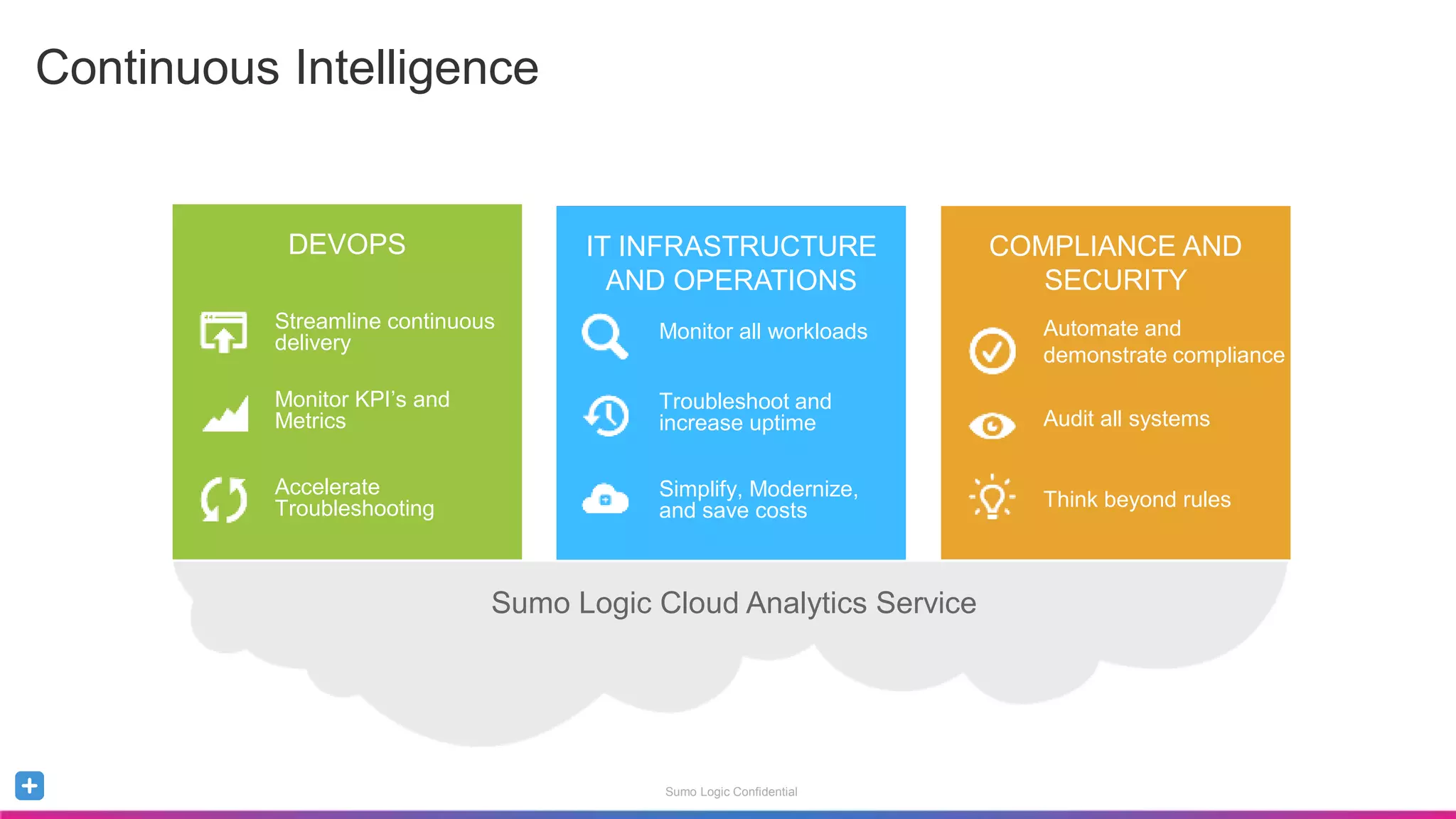
Continuous Intelligence
DEVOPS IT INFRASTRUCTURE
AND OPERATIONS
COMPLIANCE AND
SECURITY
DEVOPS
Streamline continuous
delivery
Monitor KPI’s and
Metrics
Accelerate
Troubleshooting
IT INFRASTRUCTURE
AND OPERATIONS
Monitor all workloads
Troubleshoot and
increase uptime
Simplify, Modernize,
and save costs
COMPLIANCE AND
SECURITY
Automate and
demonstrate compliance
Audit all systems
Think beyond rules
Sumo Logic Cloud Analytics Service
Sumo Logic Confidential
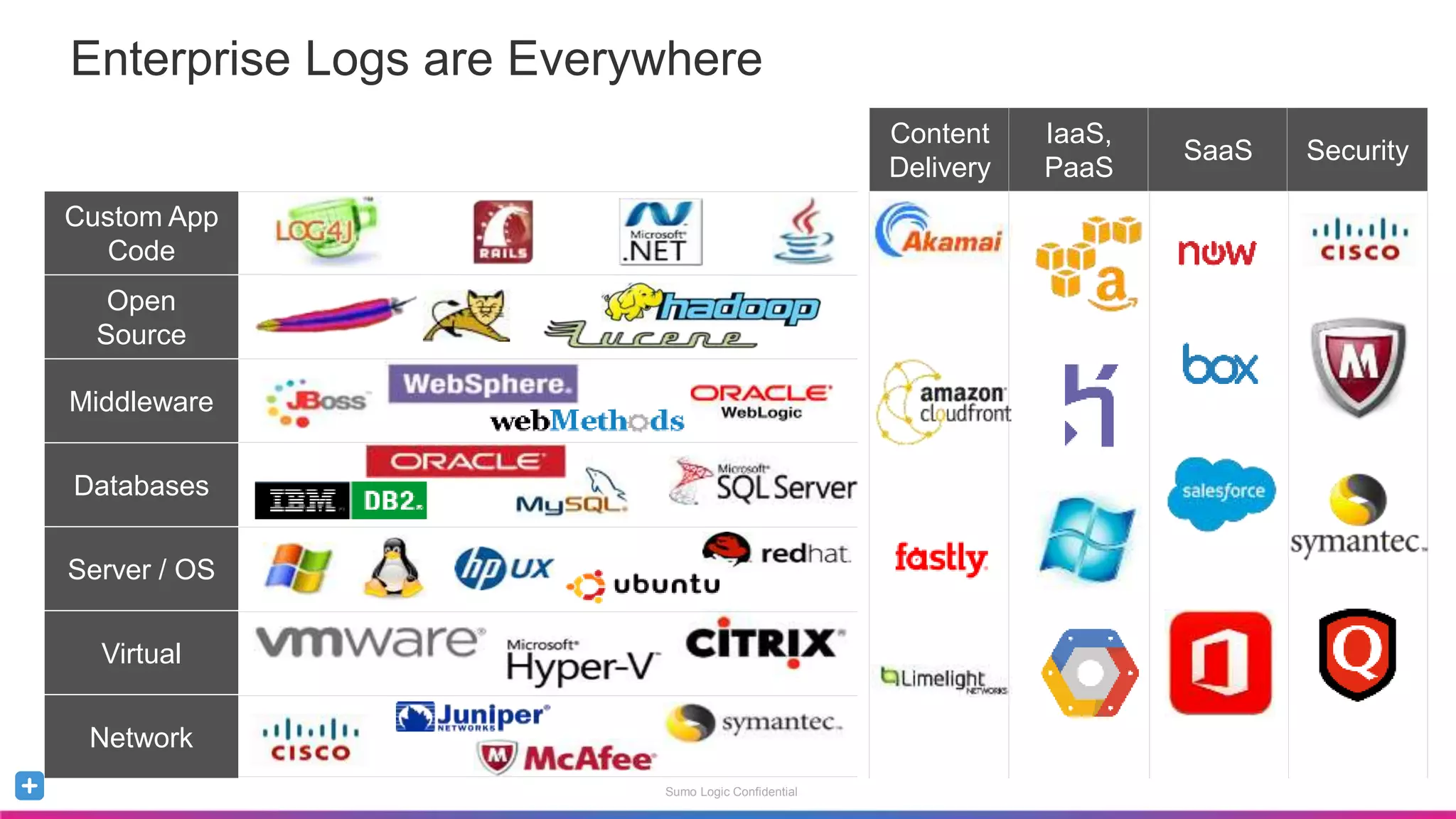
Enterprise Logs are Everywhere
Custom App
Code
Server / OS
Virtual
Databases
Network
Open
Source
Middleware
Content
Delivery
IaaS,
PaaS
SaaS Security
Sumo Logic Confidential
High-Level Data Flow
Sumo Logic Confidential
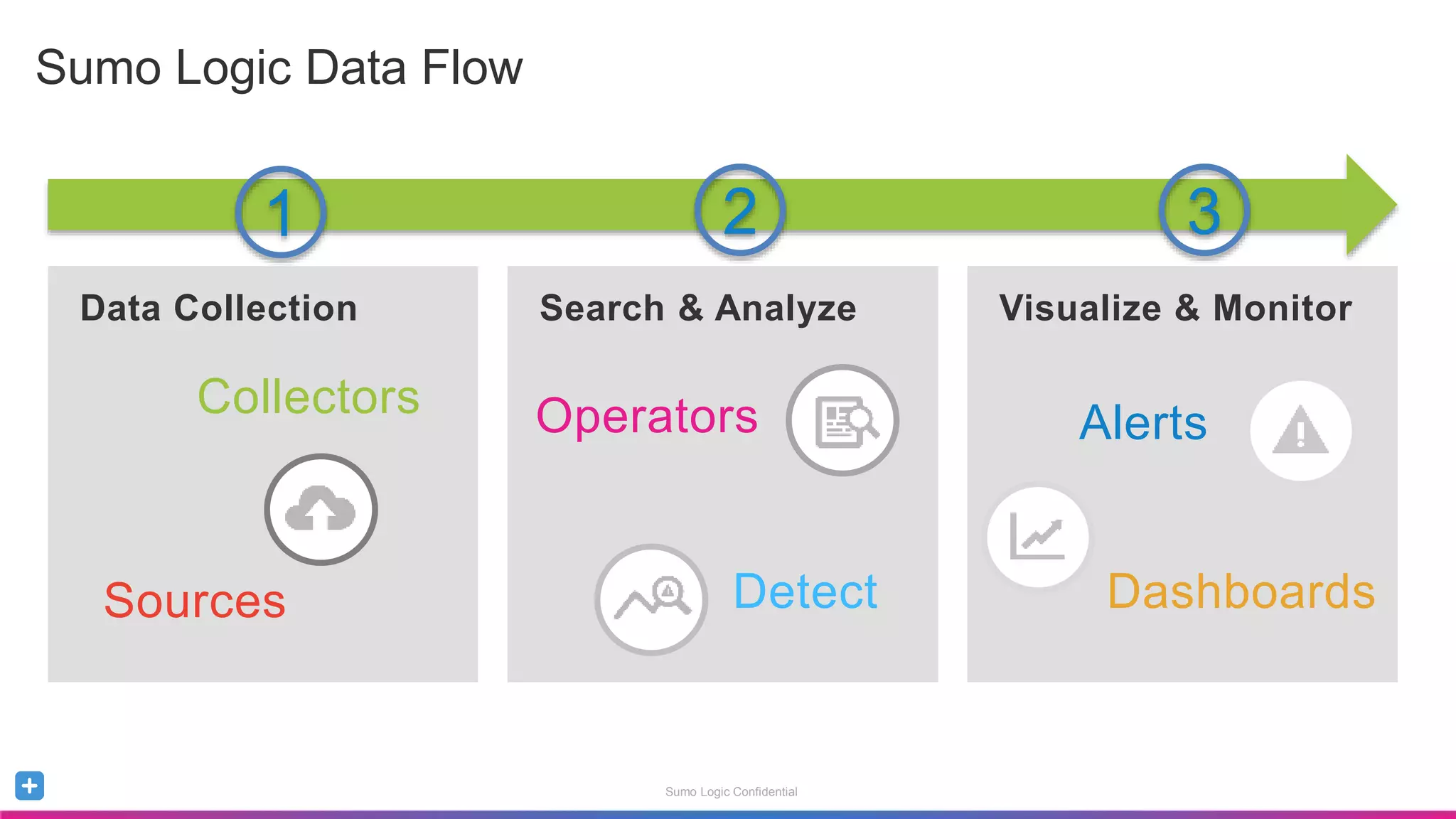
Sumo Logic Data Flow
Data Collection Search & Analyze Visualize & Monitor
Alerts
Dashboards
Collectors
Sources
Operators
Detect
1 2 3
Sumo Logic Confidential
Data Collection
Sumo Logic Confidential
Host A
Collectors and Sources
Apache Access
Apache Error
Collector
A
Host B
Collector
B
Host C
Collector
C
Apache Access
Apache Error
IIS Logs
IIS W3C Logs
Sumo Logic Confidential
Metadata Fields
Name Description
_collector Name of the collector this data came from
_source Name of the source this data came through
_sourceHost Hostname of the server this data came from
_sourceName Name of the log file (including path)
_sourceCategor
y
Category designation of source data
Tags added to your messages when data is collected
Host A
Apache Access
Apache Error
Collector
A
Sumo Logic Confidential
Host A
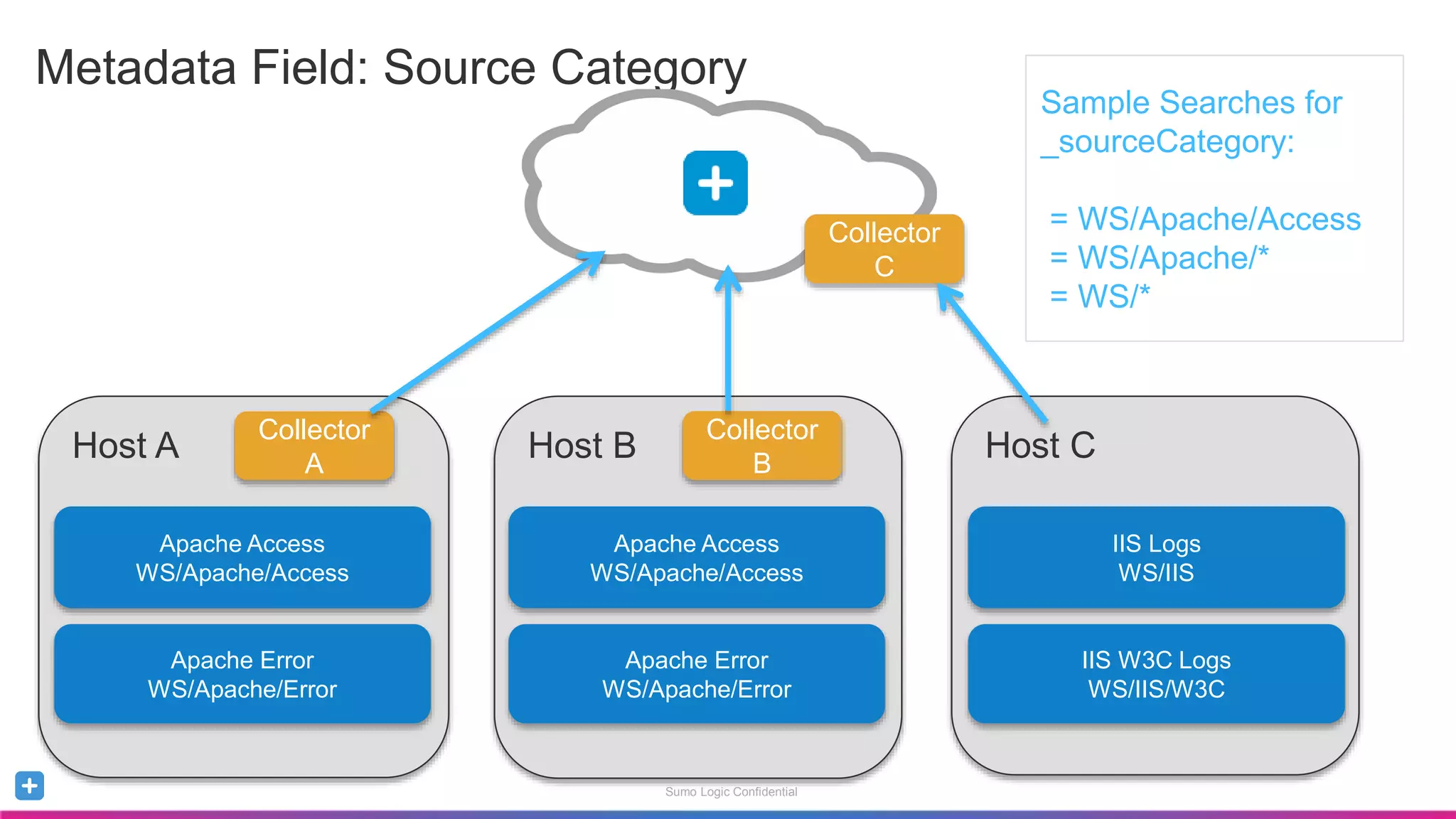
Metadata Field: Source Category
Apache Access
WS/Apache/Access
Apache Error
WS/Apache/Error
Collector
A
Host B
Collector
B
Host C
Collector
C
Apache Access
WS/Apache/Access
Apache Error
WS/Apache/Error
IIS Logs
WS/IIS
IIS W3C Logs
WS/IIS/W3C
Sample Searches for
_sourceCategory:
= WS/Apache/Access
= WS/Apache/*
= WS/*
Sumo Logic Confidential
Search and Analyze
Sumo Logic Confidential
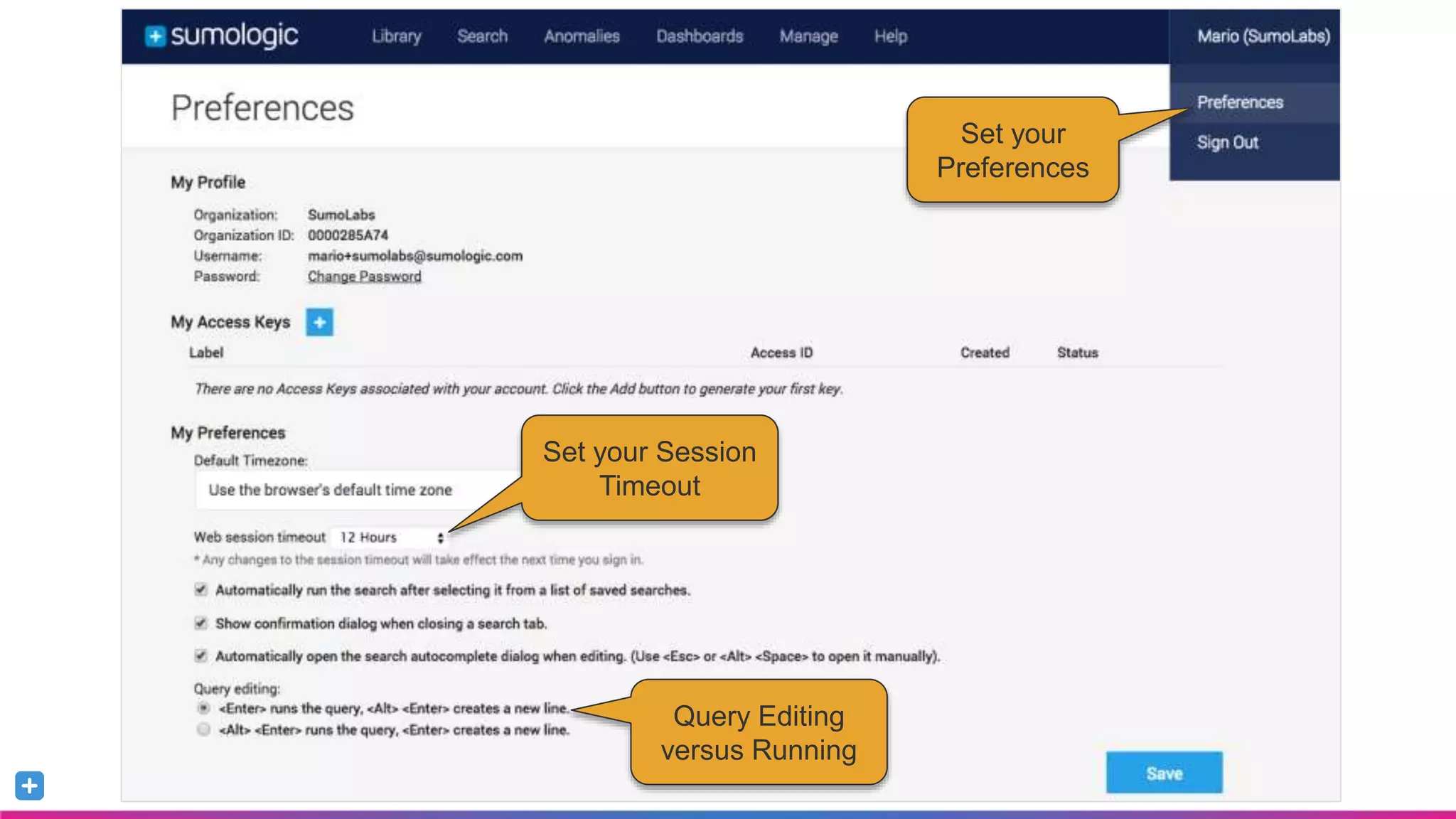
Set your
Preferences
Set your Session
Timeout
Query Editing
versus Running
Sumo Logic Confidential
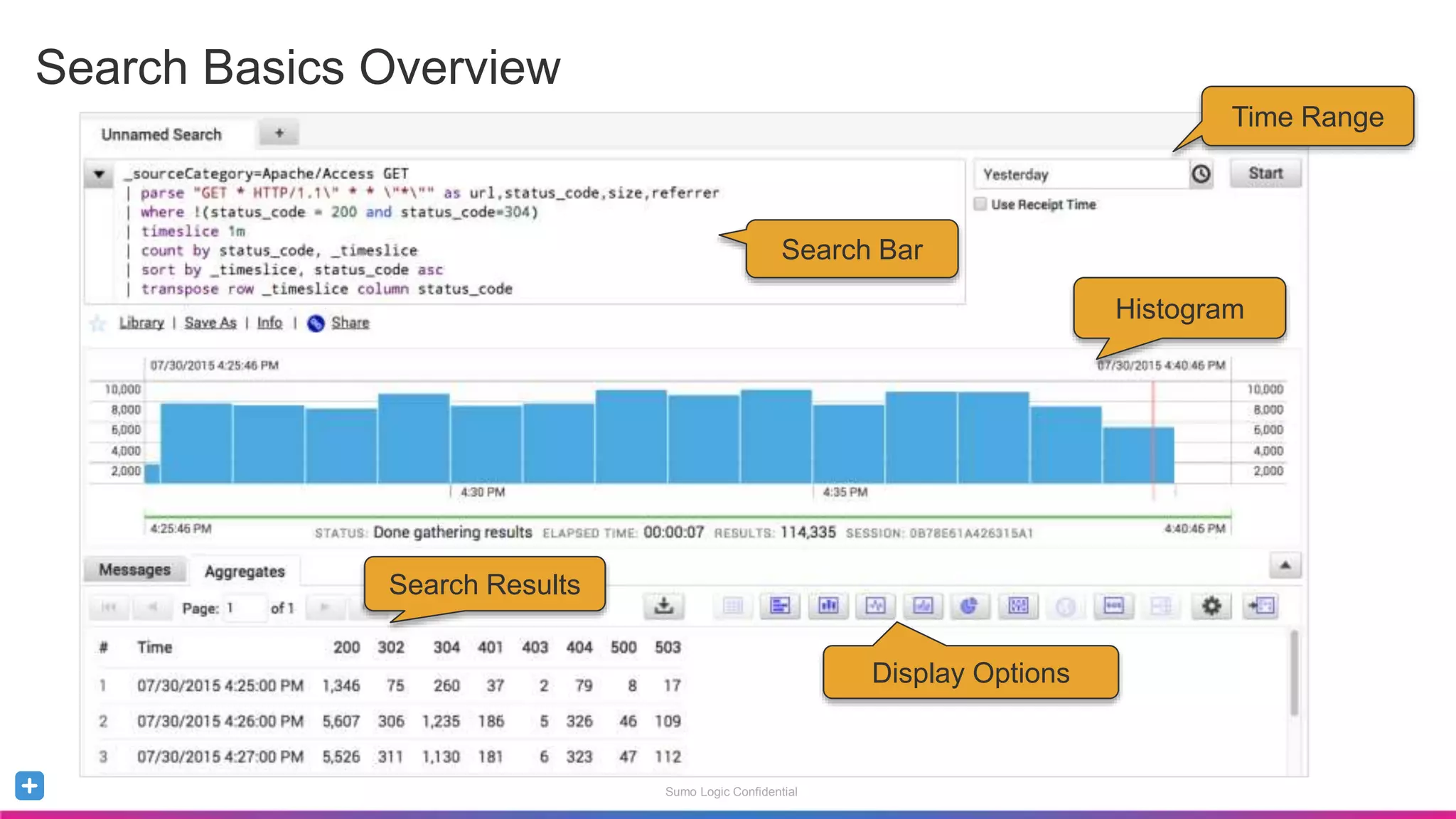
Search Basics Overview
Time Range
Histogram
Search Bar
Search Results
Display Options
Sumo Logic Confidential
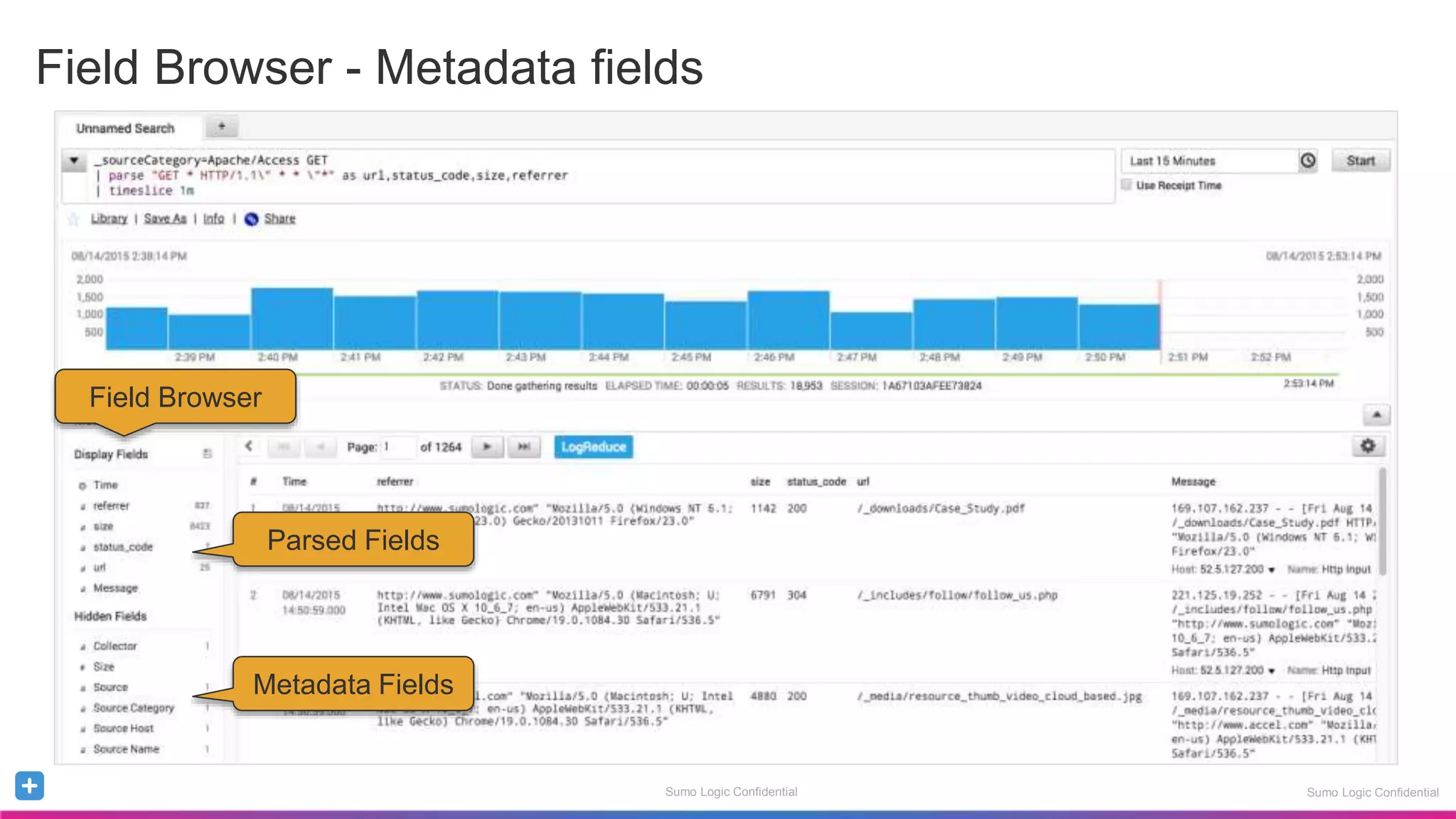
Field Browser - Metadata fields
Sumo Logic Confidential
Field Browser
Metadata Fields
Parsed Fields
Sumo Logic Confidential
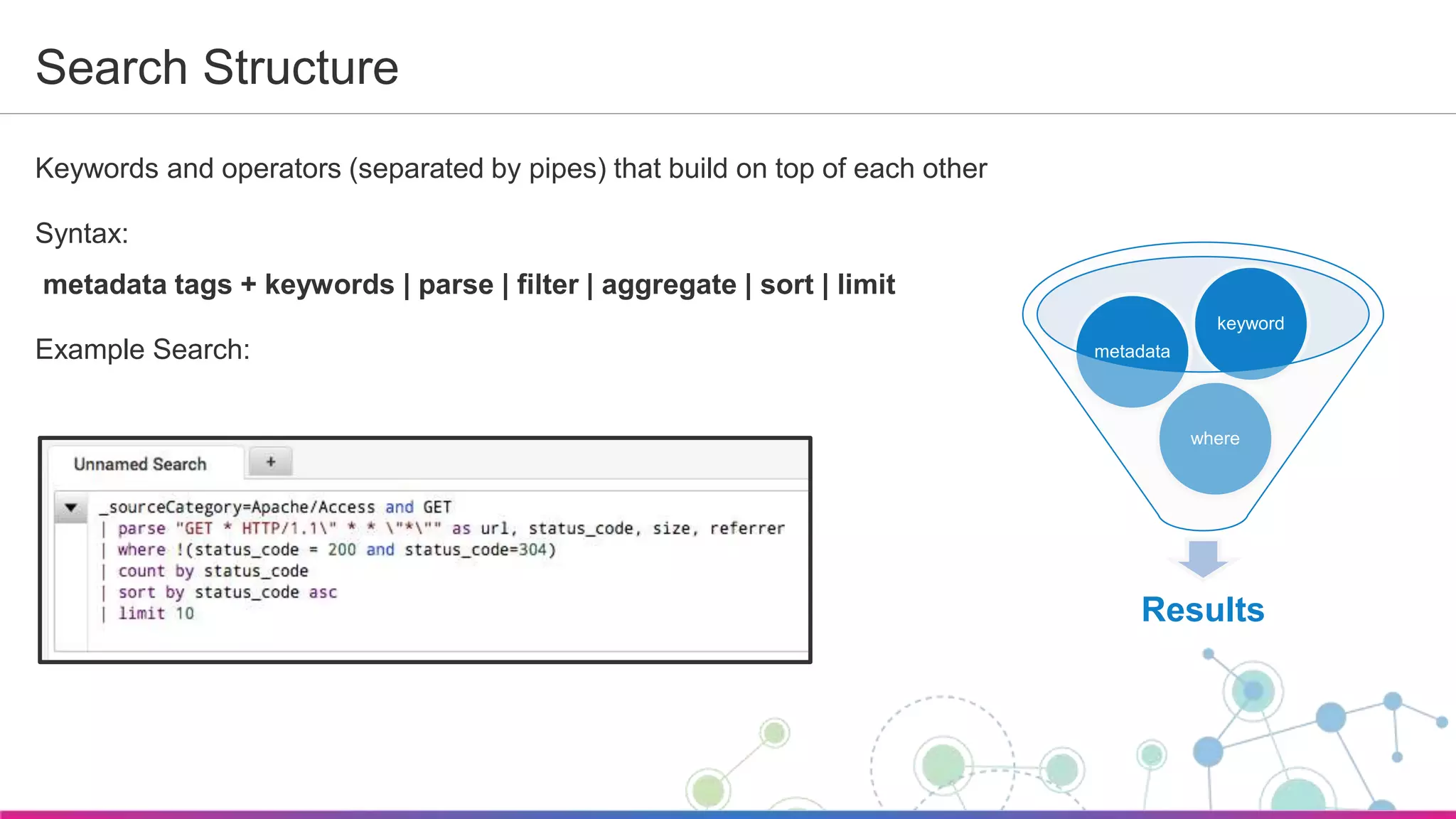
Search Structure
Keywords and operators (separated by pipes) that build on top of each other
Syntax:
metadata tags + keywords | parse | filter | aggregate | sort | limit
Example Search:
Results
where
metadata
keyword
Sumo Logic Confidential
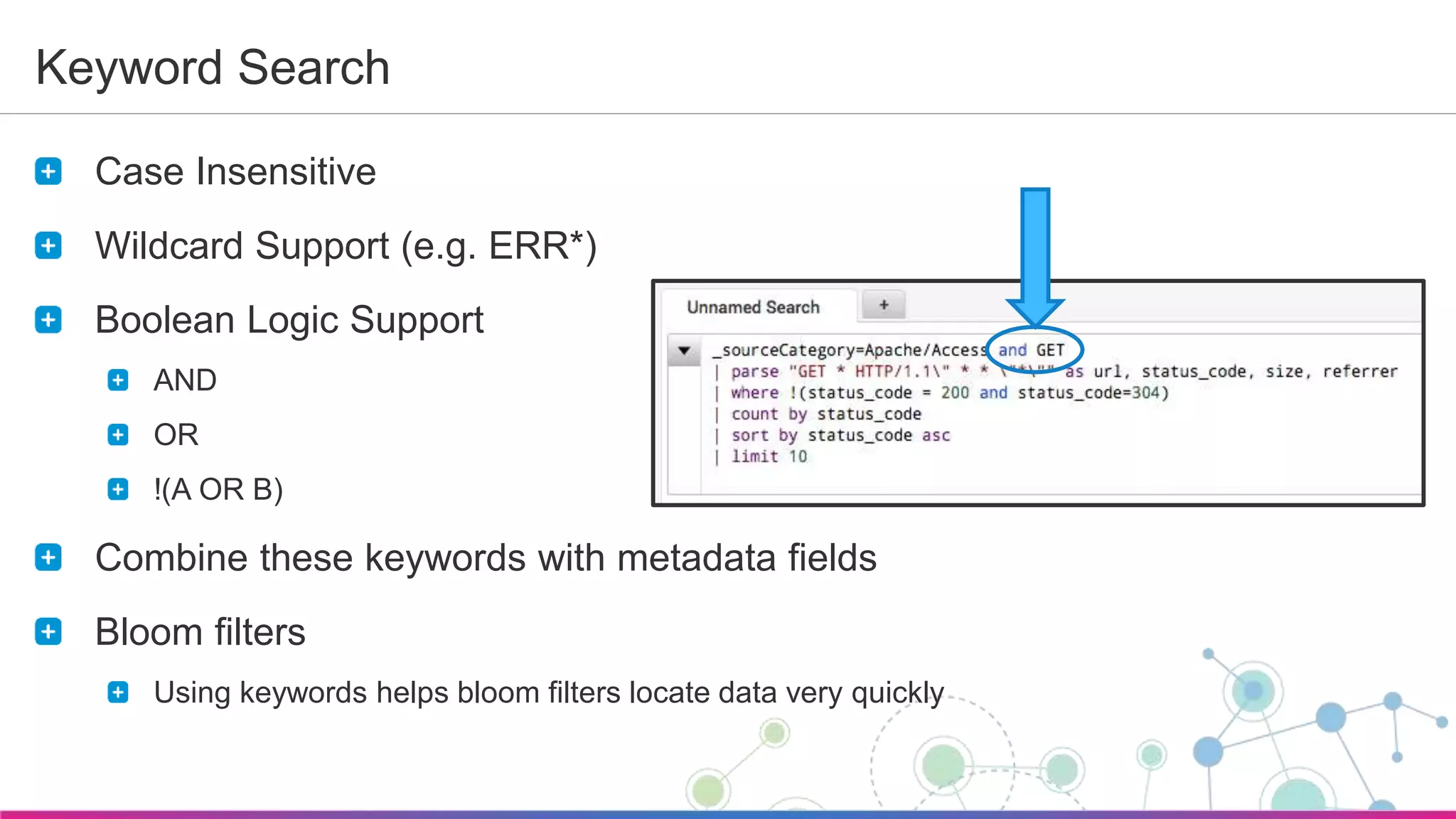
Keyword Search
Case Insensitive
Wildcard Support (e.g. ERR*)
Boolean Logic Support
AND
OR
!(A OR B)
Combine these keywords with metadata fields
Bloom filters
Using keywords helps bloom filters locate data very quickly
Sumo Logic Confidential
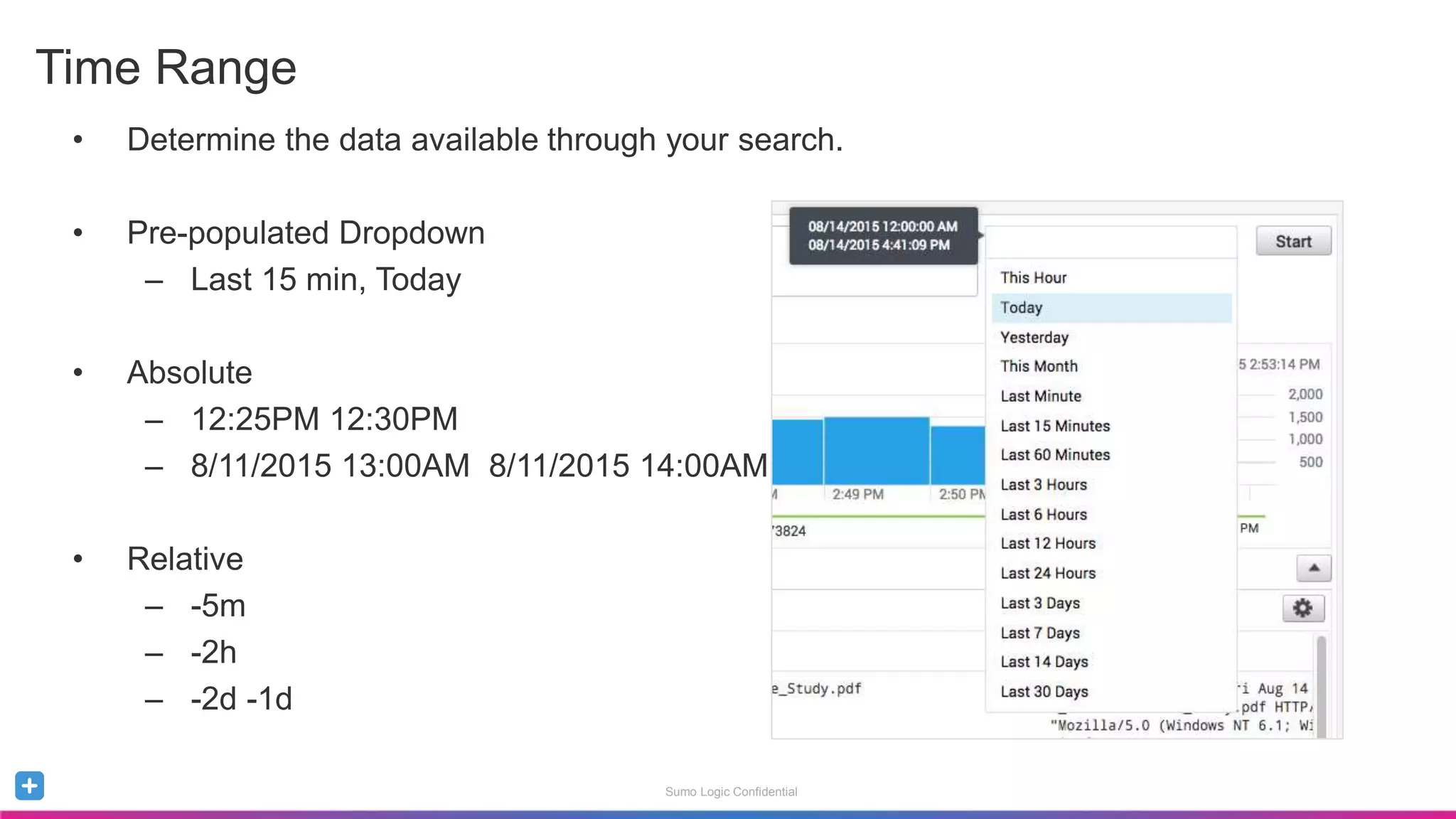
• Determine the data available through your search.
• Pre-populated Dropdown
– Last 15 min, Today
• Absolute
– 12:25PM 12:30PM
– 8/11/2015 13:00AM 8/11/2015 14:00AM
• Relative
– -5m
– -2h
– -2d -1d
Time Range
Sumo Logic Confidential
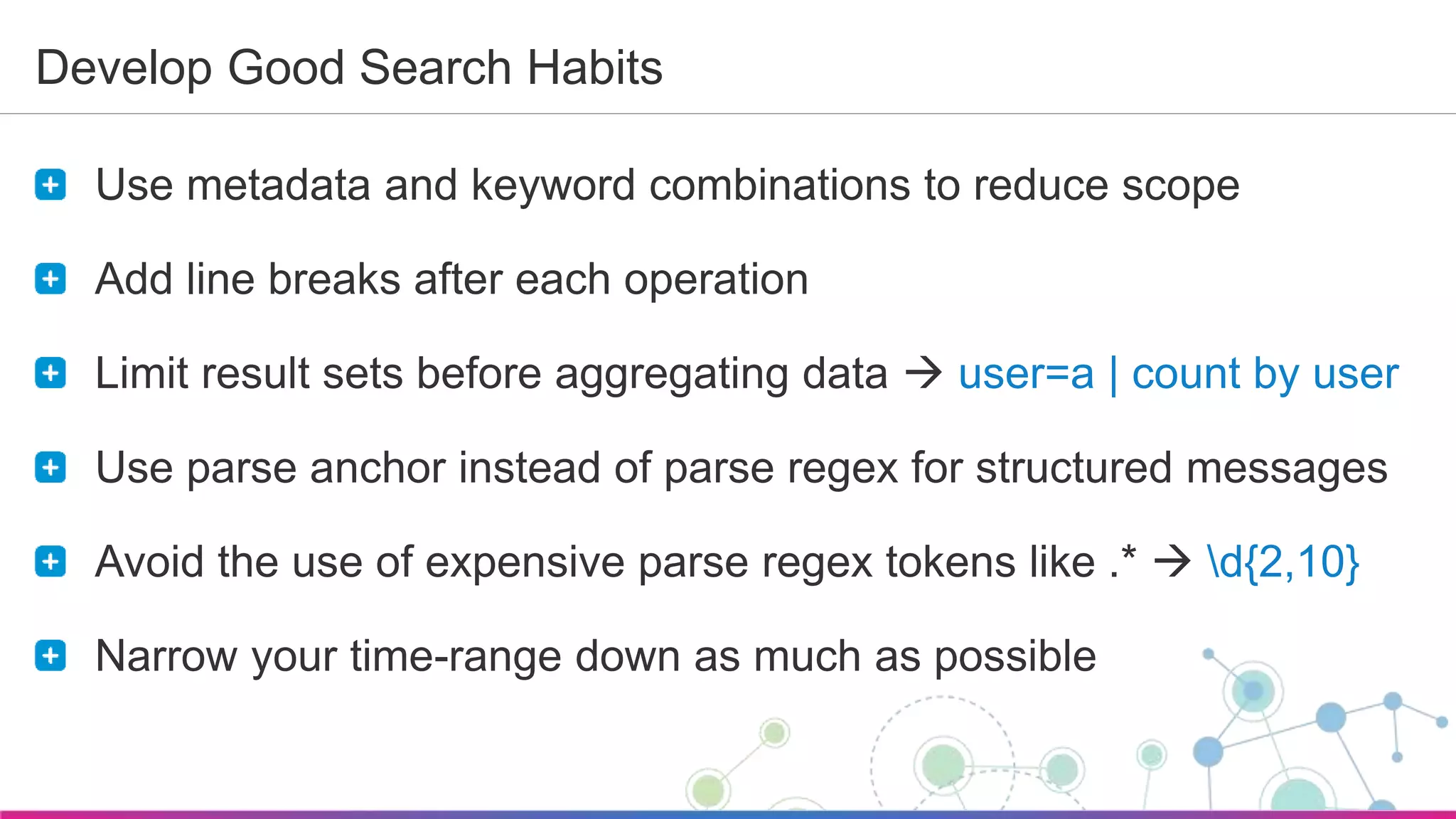
Develop Good Search Habits
Use metadata and keyword combinations to reduce scope
Add line breaks after each operation
Limit result sets before aggregating data  user=a | count by user
Use parse anchor instead of parse regex for structured messages
Avoid the use of expensive parse regex tokens like .*  d{2,10}
Narrow your time-range down as much as possible
Sumo Logic Confidential
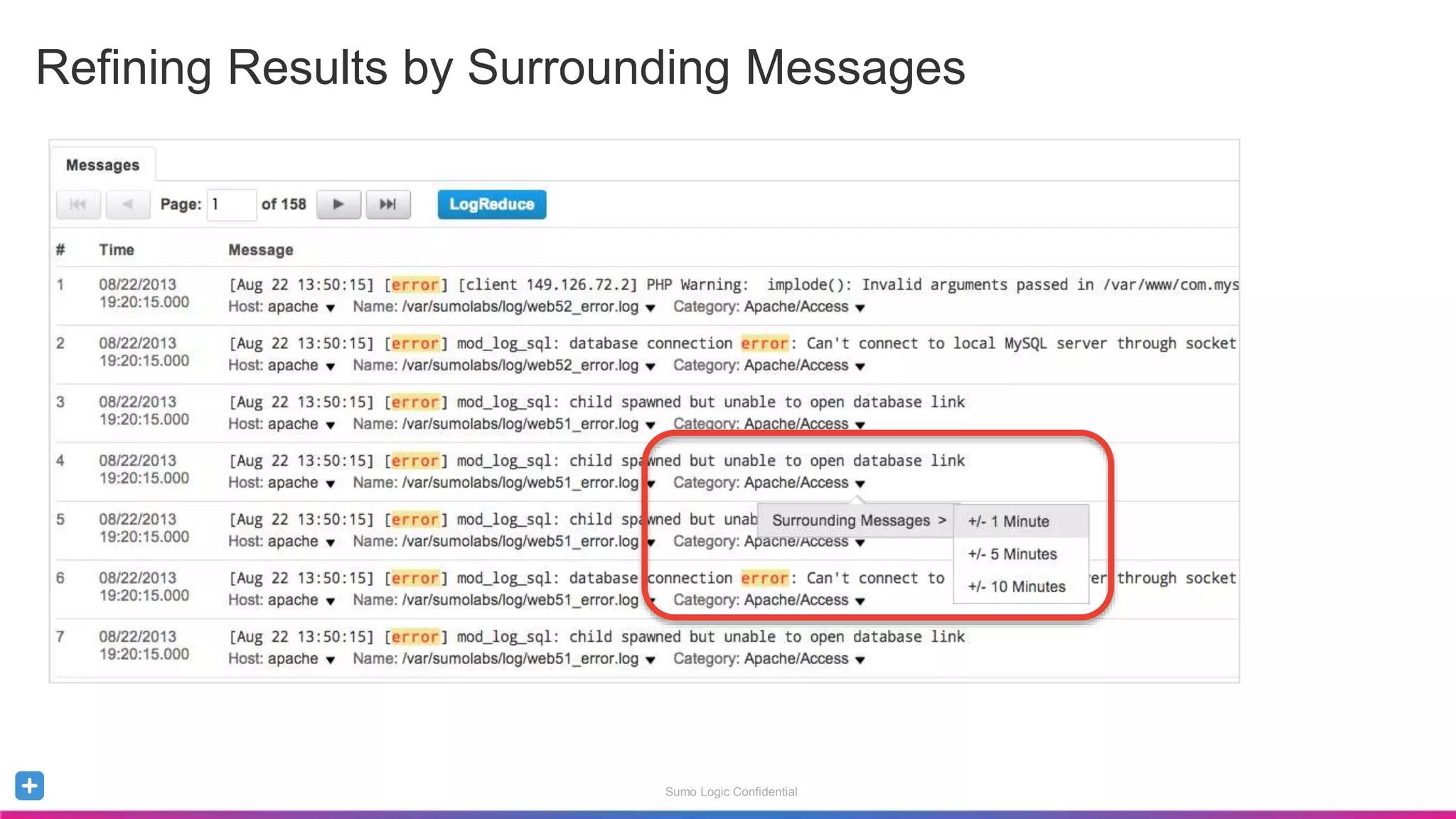
Refining Results by Surrounding Messages
Sumo Logic Confidential
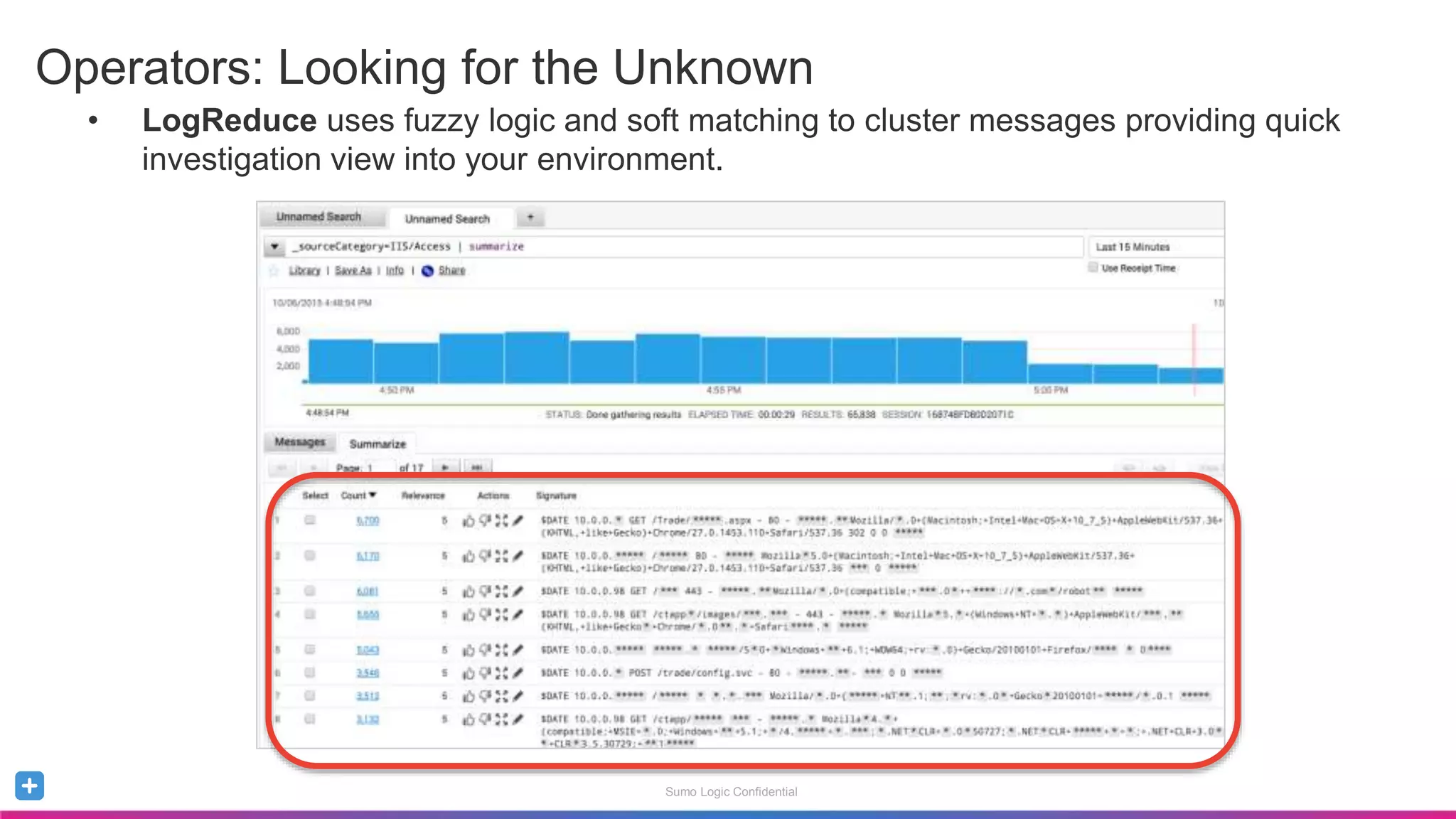
• LogReduce uses fuzzy logic and soft matching to cluster messages providing quick
investigation view into your environment.
Operators: Looking for the Unknown
Sumo Logic Confidential
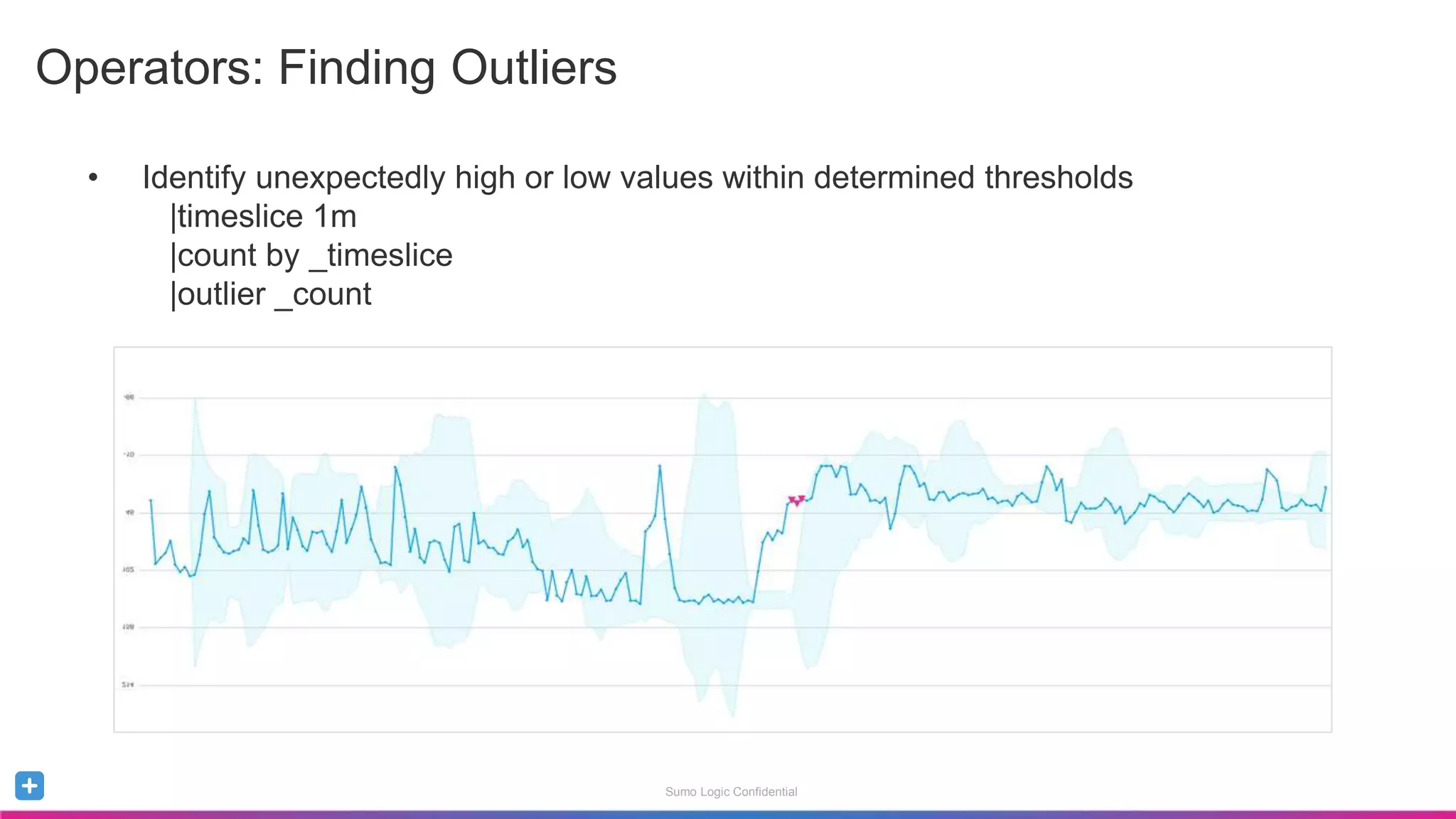
• Identify unexpectedly high or low values within determined thresholds
|timeslice 1m
|count by _timeslice
|outlier _count
Operators: Finding Outliers
Sumo Logic Confidential
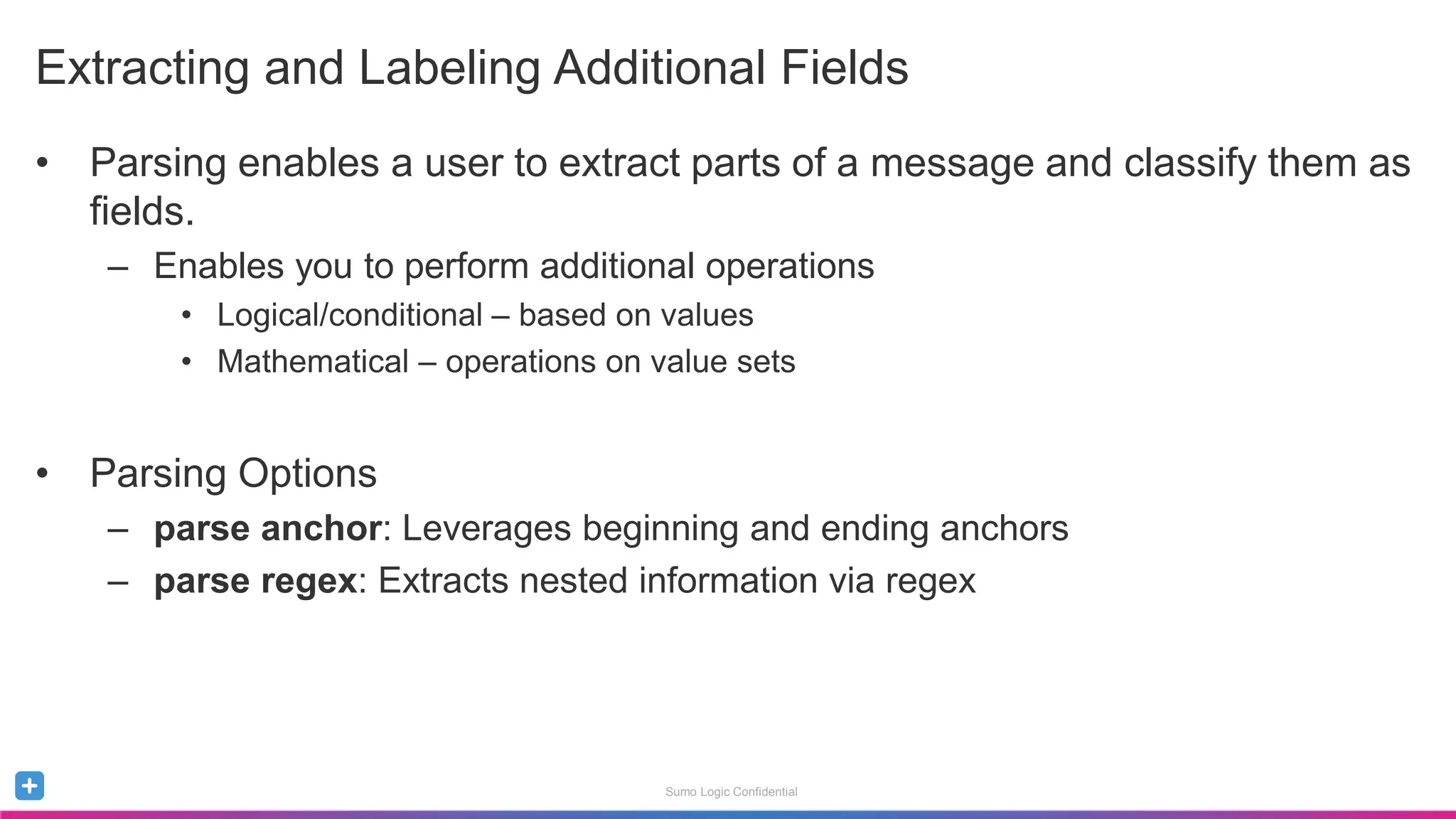
• Parsing enables a user to extract parts of a message and classify them as
fields.
– Enables you to perform additional operations
• Logical/conditional – based on values
• Mathematical – operations on value sets
• Parsing Options
– parse anchor: Leverages beginning and ending anchors
– parse regex: Extracts nested information via regex
Extracting and Labeling Additional Fields
Sumo Logic Confidential
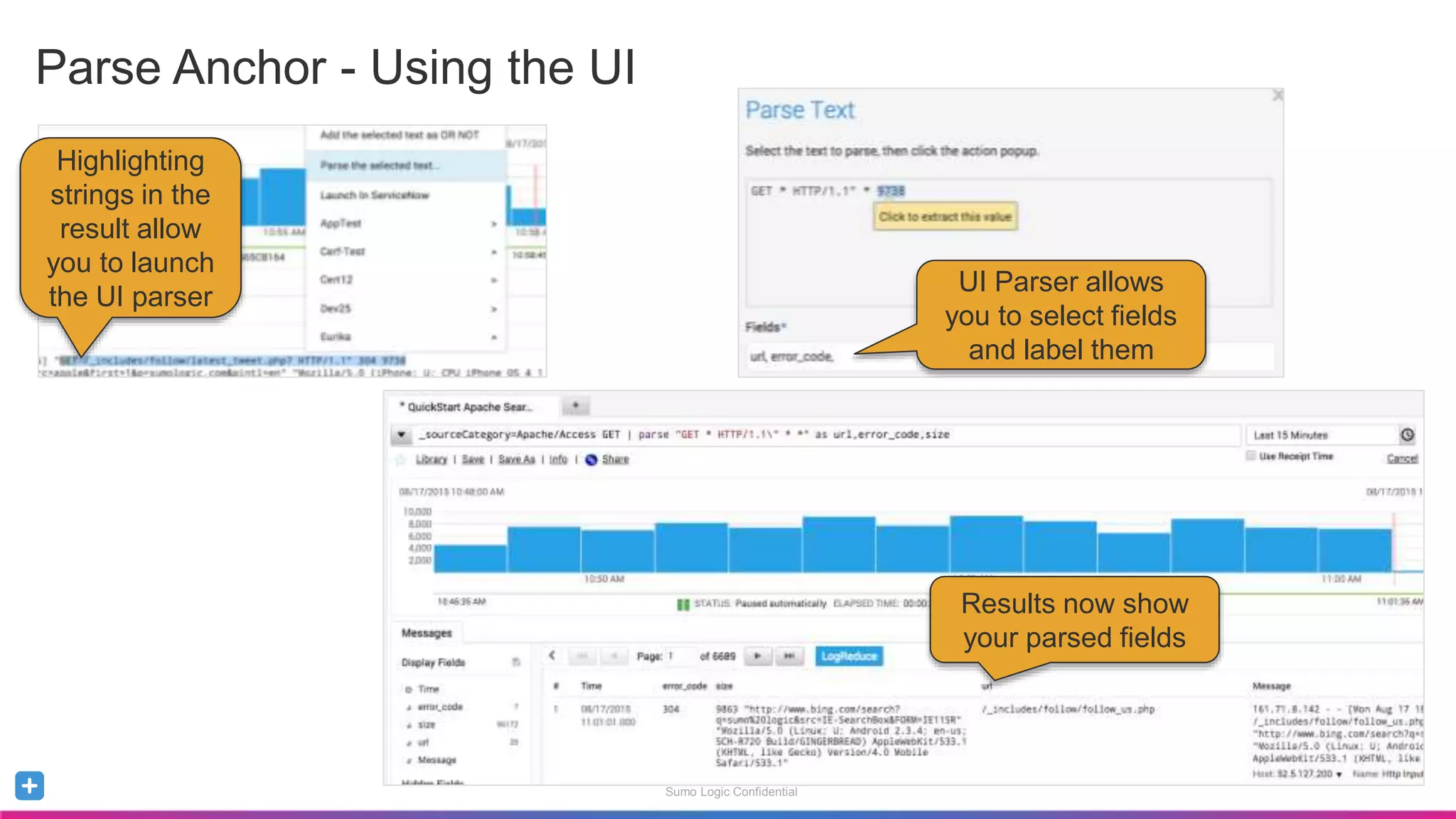
Parse Anchor - Using the UI
Highlighting
strings in the
result allow
you to launch
the UI parser
UI Parser allows
you to select fields
and label them
Results now show
your parsed fields
Sumo Logic Confidential
• Extracts nested information via regular expressions
• Use if the construct of the messages is inconsistent
_sourceCategory=Apache/Access
| parse regex "[A-Z]+s(?<url>/S*)sHTTP/1.d+"s(?<status_code>d+)s"
Parse Regex
Sumo Logic Confidential
Regular Expressions – References and Resources
Regular Expressions use JRE
Online Resources:
• regex101.com
• Regular-expressions.info/refadv.html
• en.wikipedia.org/wiki/Regular_expression
• regexr.com
• Book
– Mastering Regular Expressions by Jeffrey E.F. Friedl
Sumo Logic Confidential
Parsing with Field Extraction Rules
Field Extraction Rules
Parse the data on ingest rather than run-time; simplifies searches
Take advantage of interactive dashboard filters
Sumo Logic Confidential
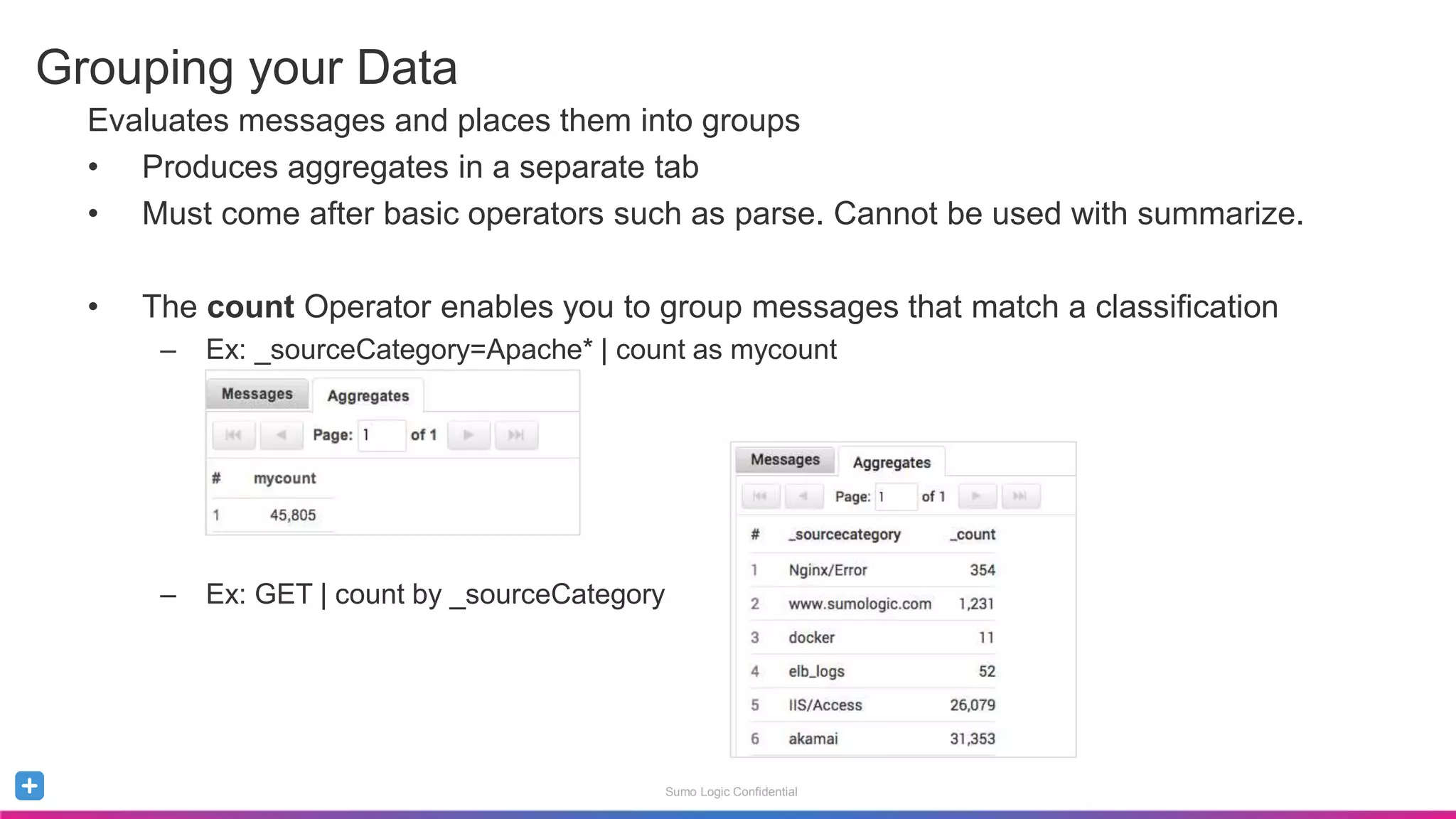
Evaluates messages and places them into groups
• Produces aggregates in a separate tab
• Must come after basic operators such as parse. Cannot be used with summarize.
• The count Operator enables you to group messages that match a classification
– Ex: _sourceCategory=Apache* | count as mycount
– Ex: GET | count by _sourceCategory
Grouping your Data
Sumo Logic Confidential
• Dissecting your result sets using Metadata Fields
– Ability to aggregate results sets and grouping them by metadata fields
• EX: _collector=*apache* | count by _sourceCategory
– Get a count of grouped result sets
• Ex: (Error OR fail*)| count by _sourcecategory , _sourcehost
– Organize Results by Count
• Ex: _collector=*apache*| count by _sourceCategory | sort by _count
Leveraging Metadata for Grouping
Sumo Logic Confidential
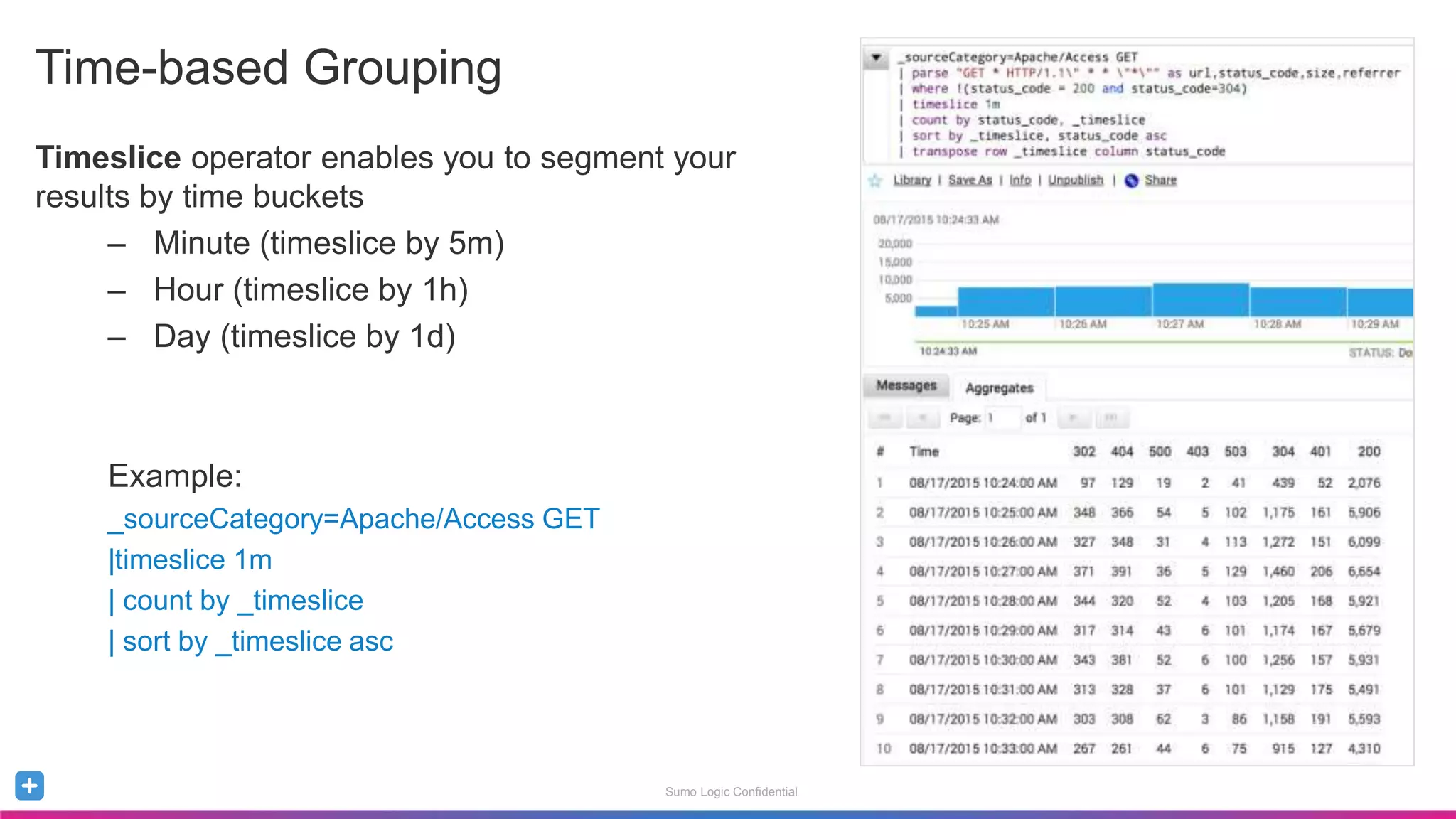
Timeslice operator enables you to segment your
results by time buckets
– Minute (timeslice by 5m)
– Hour (timeslice by 1h)
– Day (timeslice by 1d)
Example:
_sourceCategory=Apache/Access GET
|timeslice 1m
| count by _timeslice
| sort by _timeslice asc
Time-based Grouping
Sumo Logic Confidential
Dashboards
Sumo Logic Confidential
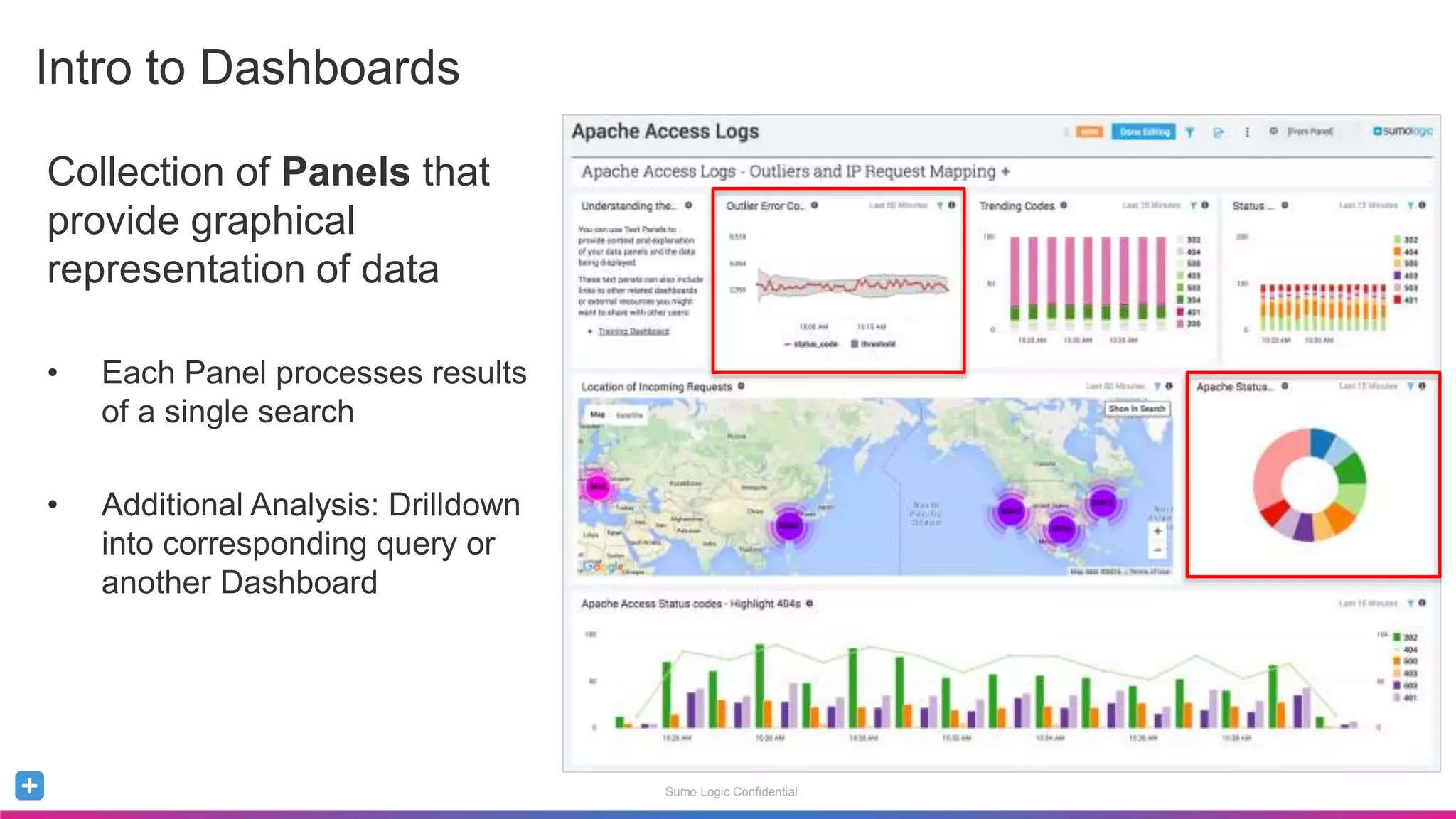
Collection of Panels that
provide graphical
representation of data
• Each Panel processes results
of a single search
• Additional Analysis: Drilldown
into corresponding query or
another Dashboard
Intro to Dashboards
Sumo Logic Confidential
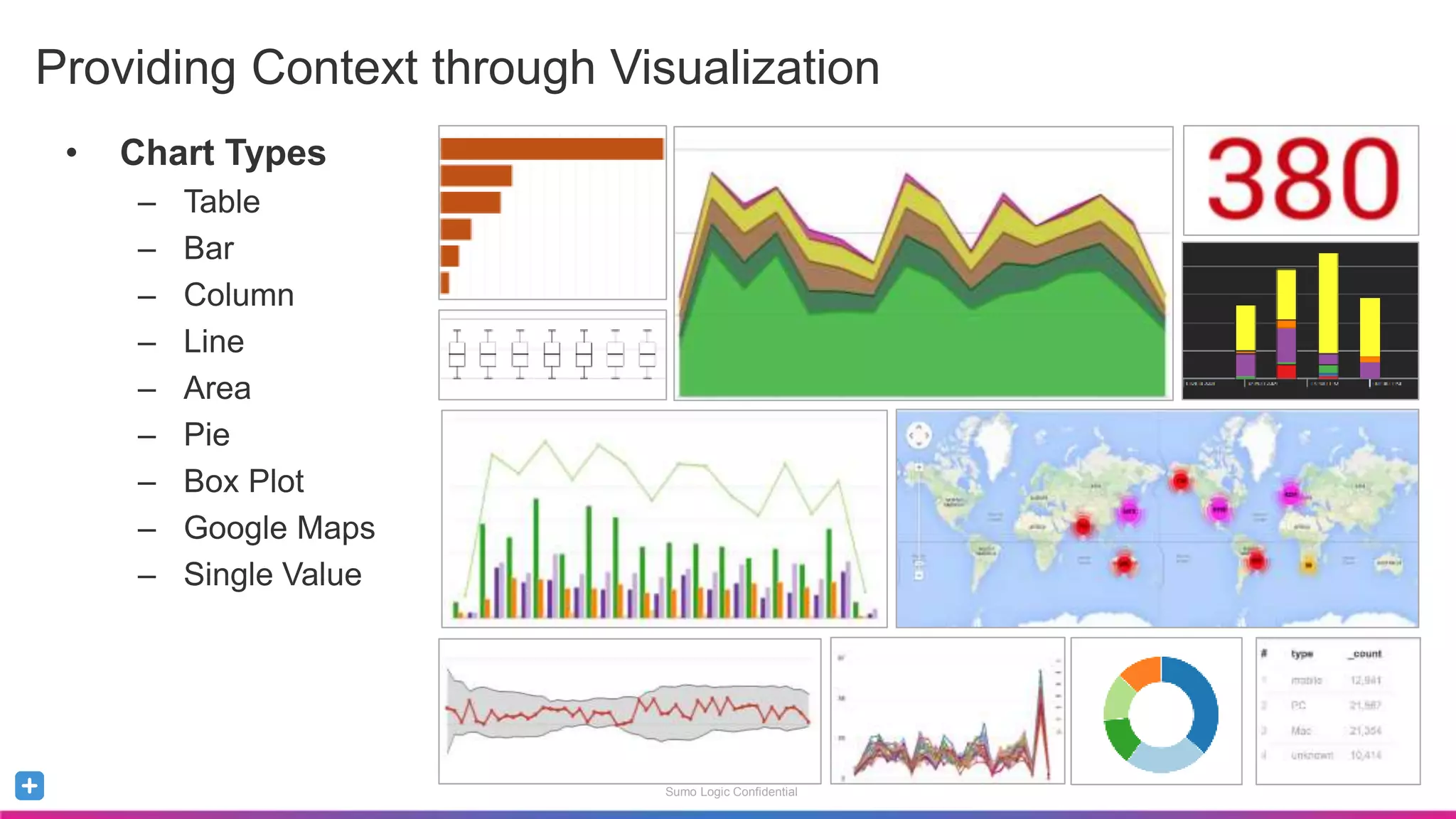
• Chart Types
– Table
– Bar
– Column
– Line
– Area
– Pie
– Box Plot
– Google Maps
– Single Value
Providing Context through Visualization
Sumo Logic Confidential
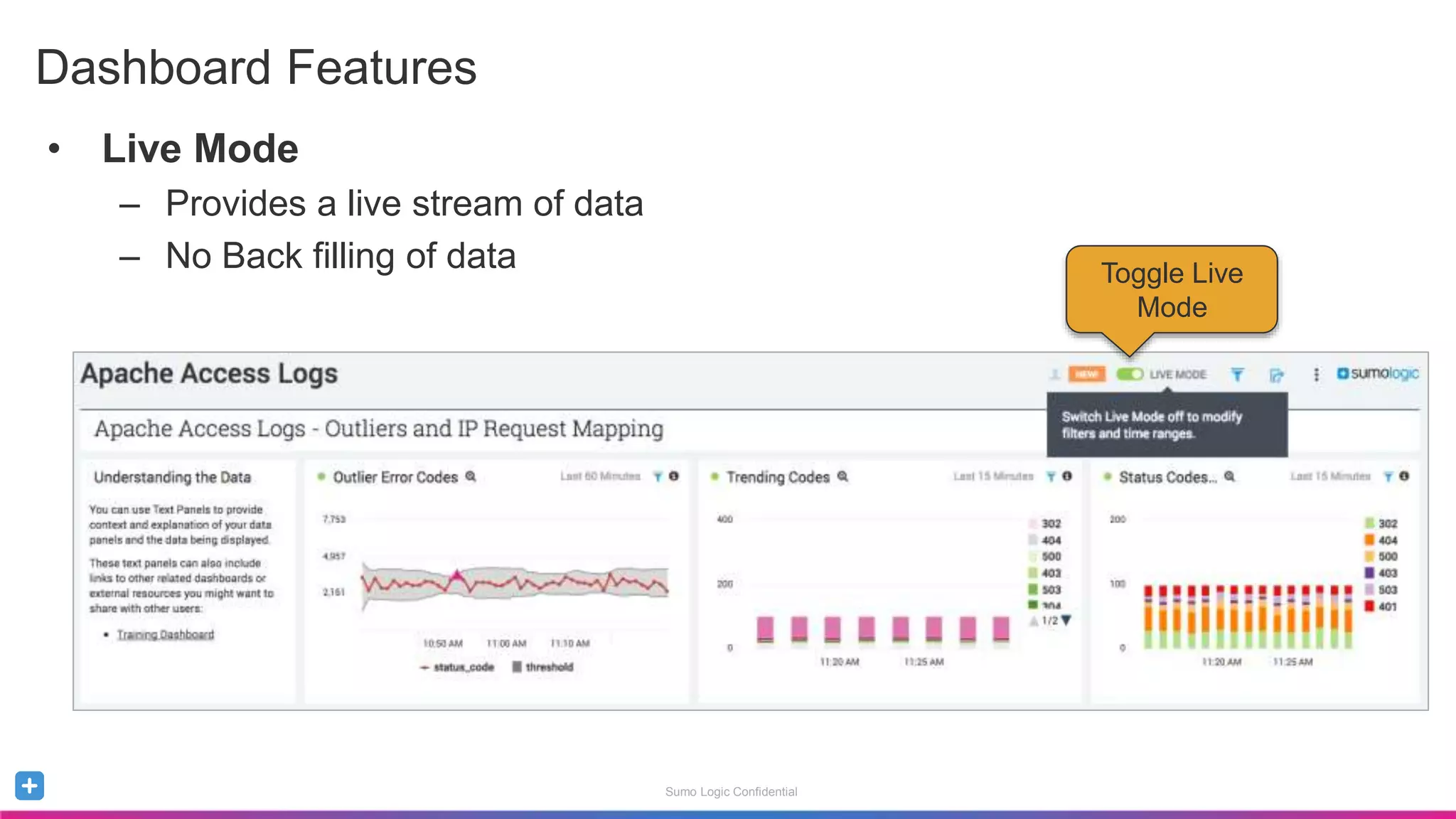
• Live Mode
– Provides a live stream of data
– No Back filling of data
Dashboard Features
Toggle Live
Mode
Sumo Logic Confidential
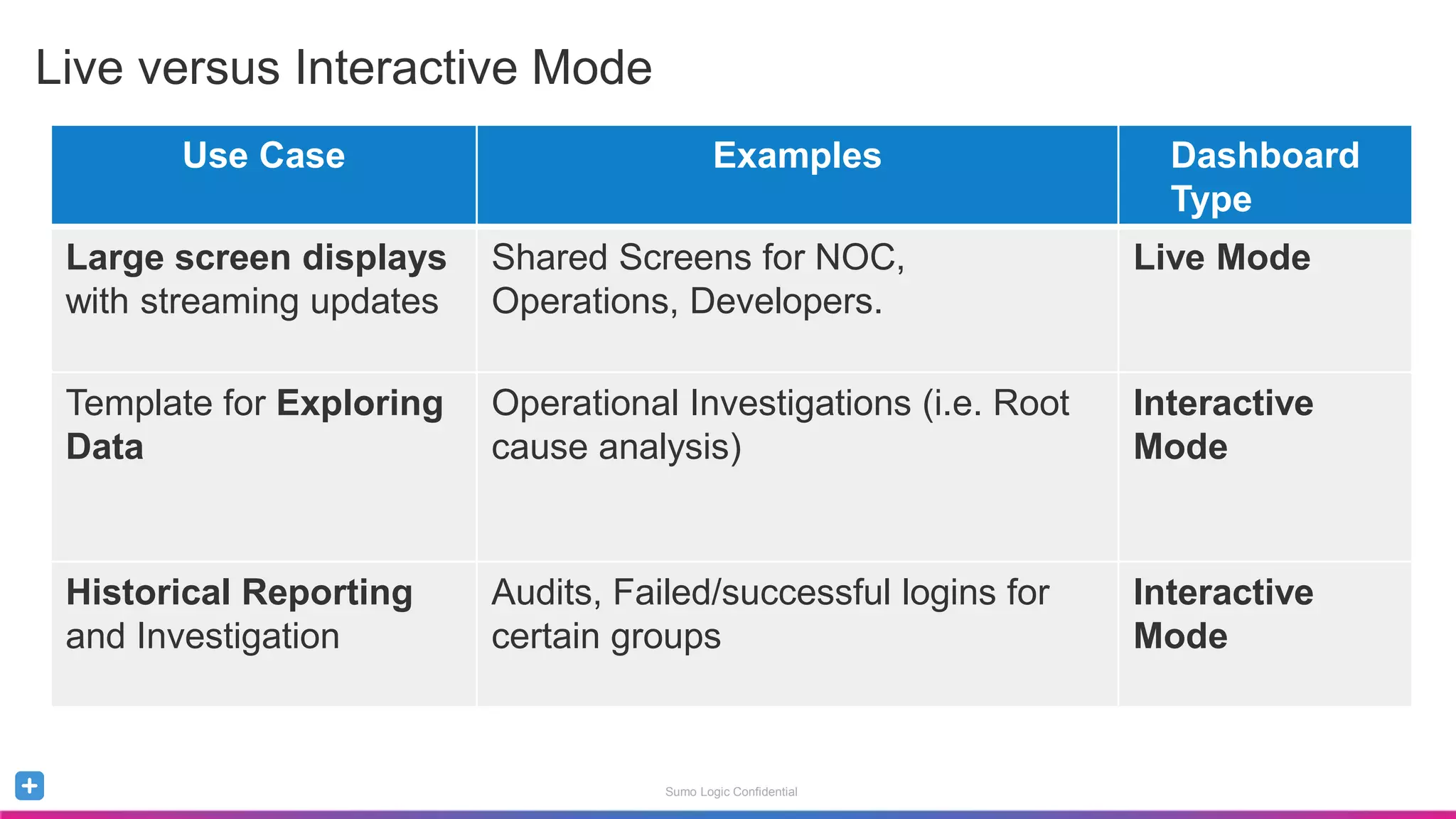
Live versus Interactive Mode
Use Case Examples Dashboard
Type
Large screen displays
with streaming updates
Shared Screens for NOC,
Operations, Developers.
Live Mode
Template for Exploring
Data
Operational Investigations (i.e. Root
cause analysis)
Interactive
Mode
Historical Reporting
and Investigation
Audits, Failed/successful logins for
certain groups
Interactive
Mode
Sumo Logic Confidential
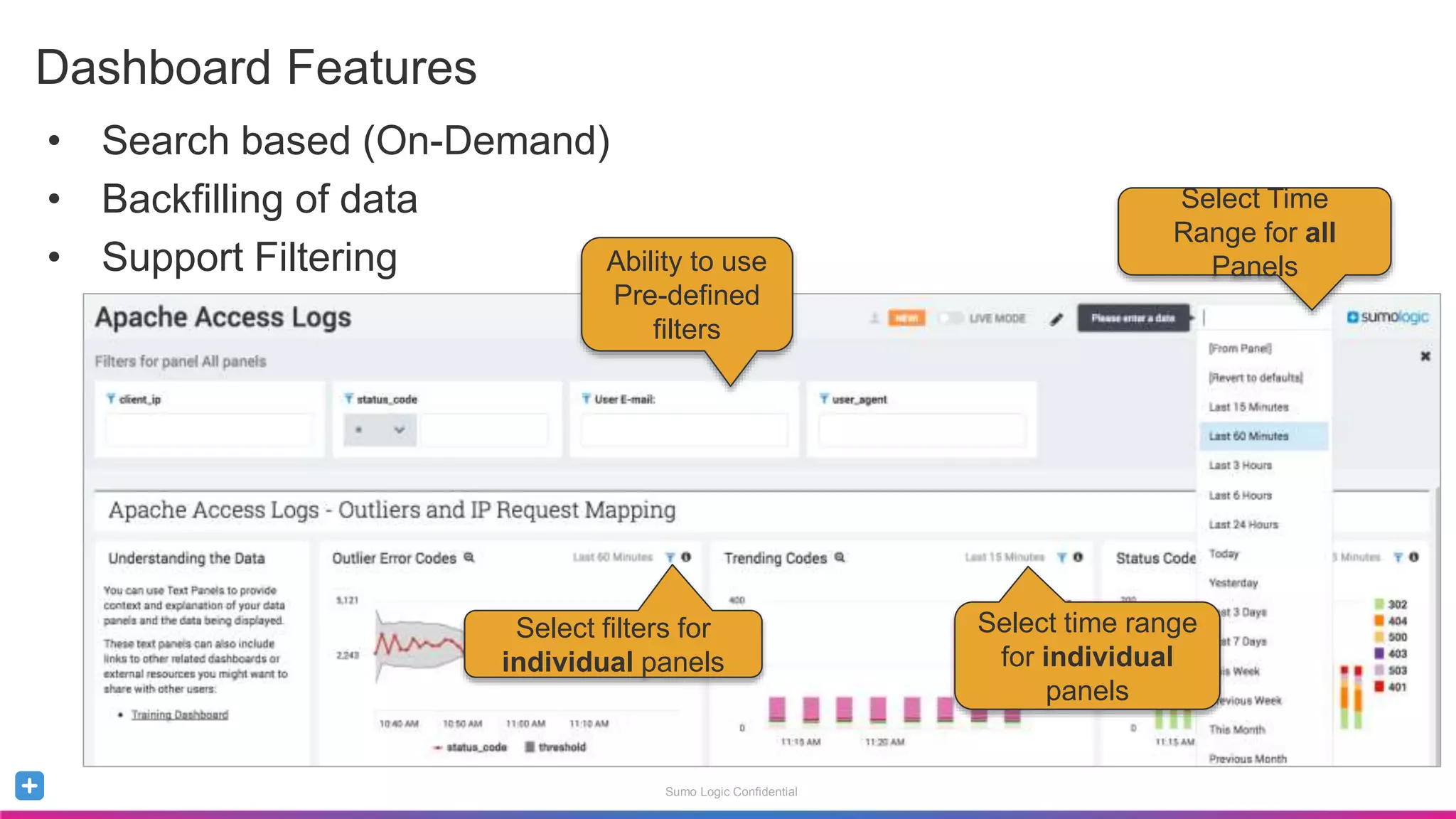
• Search based (On-Demand)
• Backfilling of data
• Support Filtering
Dashboard Features
Select Time
Range for all
PanelsAbility to use
Pre-defined
filters
Select filters for
individual panels
Select time range
for individual
panels
Sumo Logic Confidential
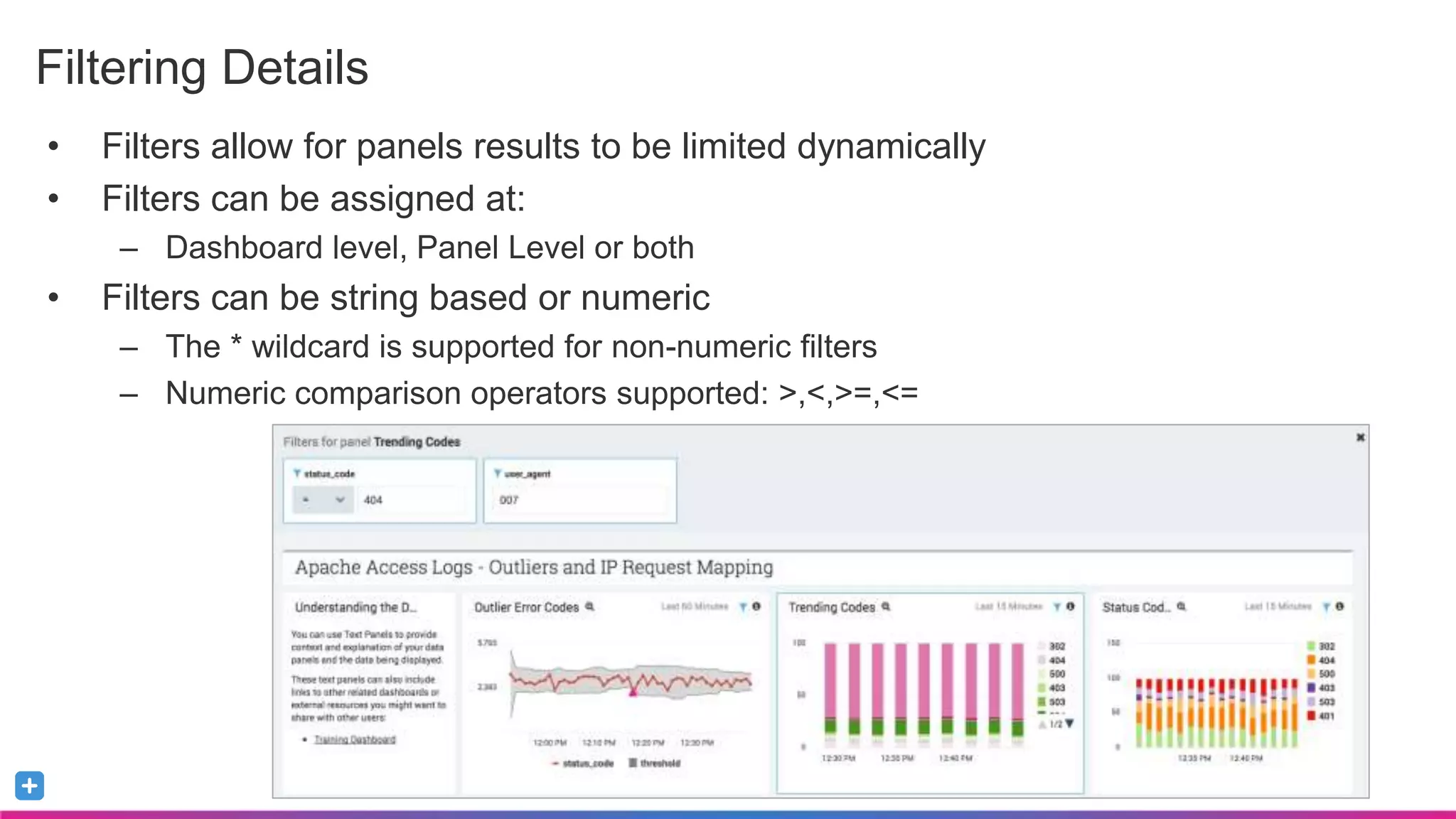
• Filters allow for panels results to be limited dynamically
• Filters can be assigned at:
– Dashboard level, Panel Level or both
• Filters can be string based or numeric
– The * wildcard is supported for non-numeric filters
– Numeric comparison operators supported: >,<,>=,<=
Filtering Details
Sumo Logic Confidential
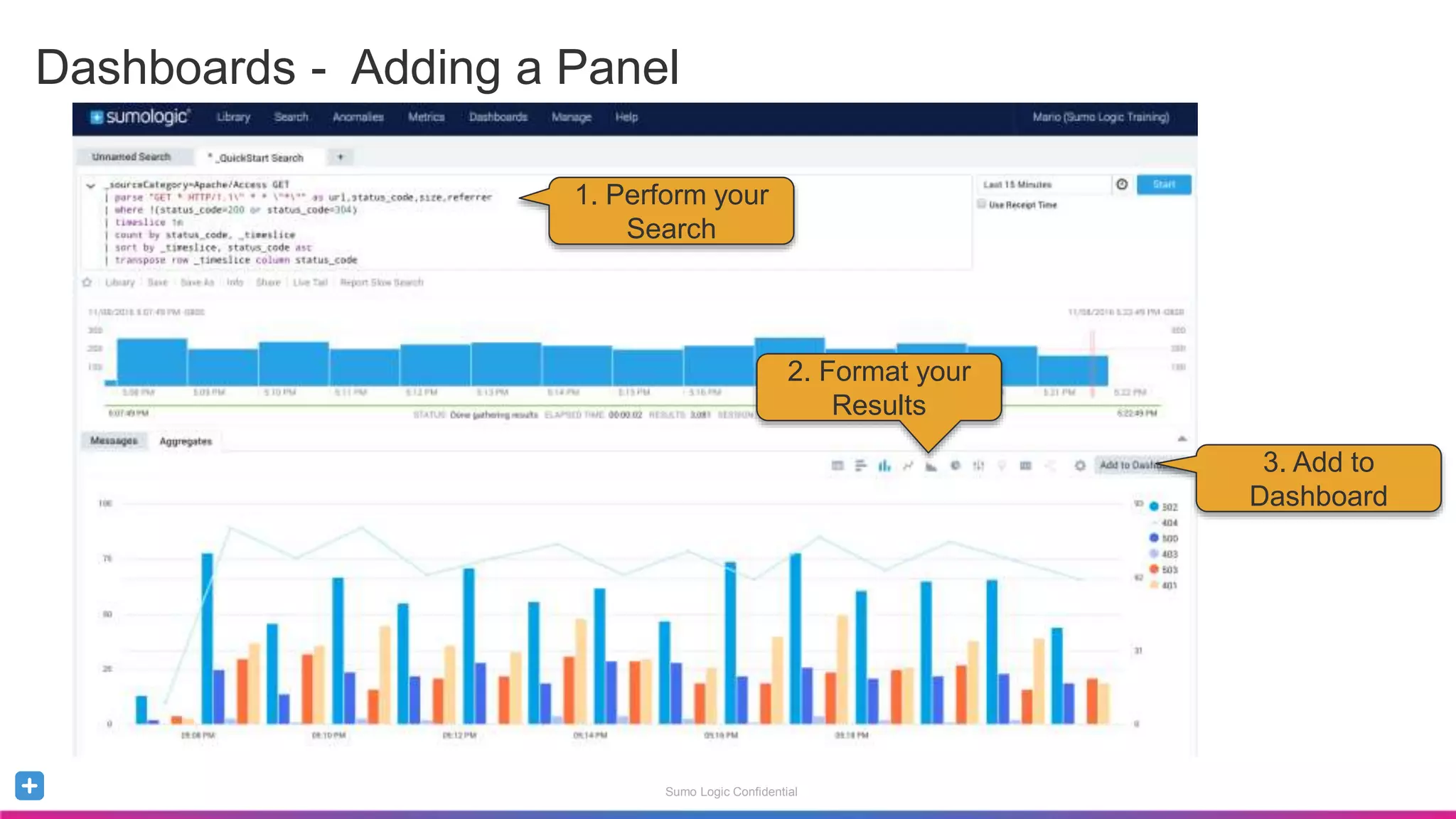
Dashboards - Adding a Panel
1. Perform your
Search
2. Format your
Results
3. Add to
Dashboard
Sumo Logic Confidential
Alerts
Sumo Logic Confidential
Alerting – Scheduled Searches
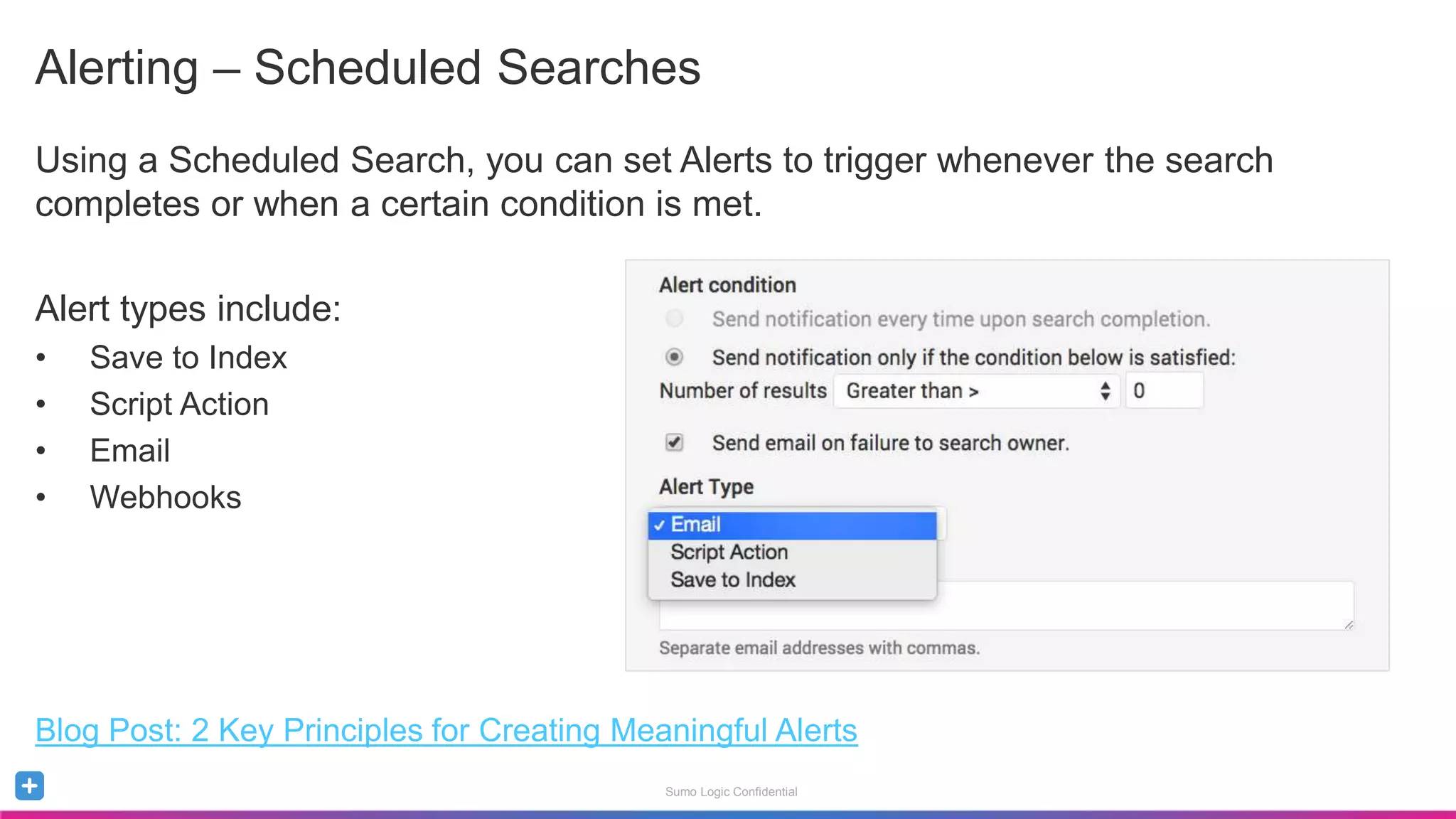
Using a Scheduled Search, you can set Alerts to trigger whenever the search
completes or when a certain condition is met.
Alert types include:
• Save to Index
• Script Action
• Email
• Webhooks
Blog Post: 2 Key Principles for Creating Meaningful Alerts
Sumo Logic Confidential
Saving and Scheduling an Alert
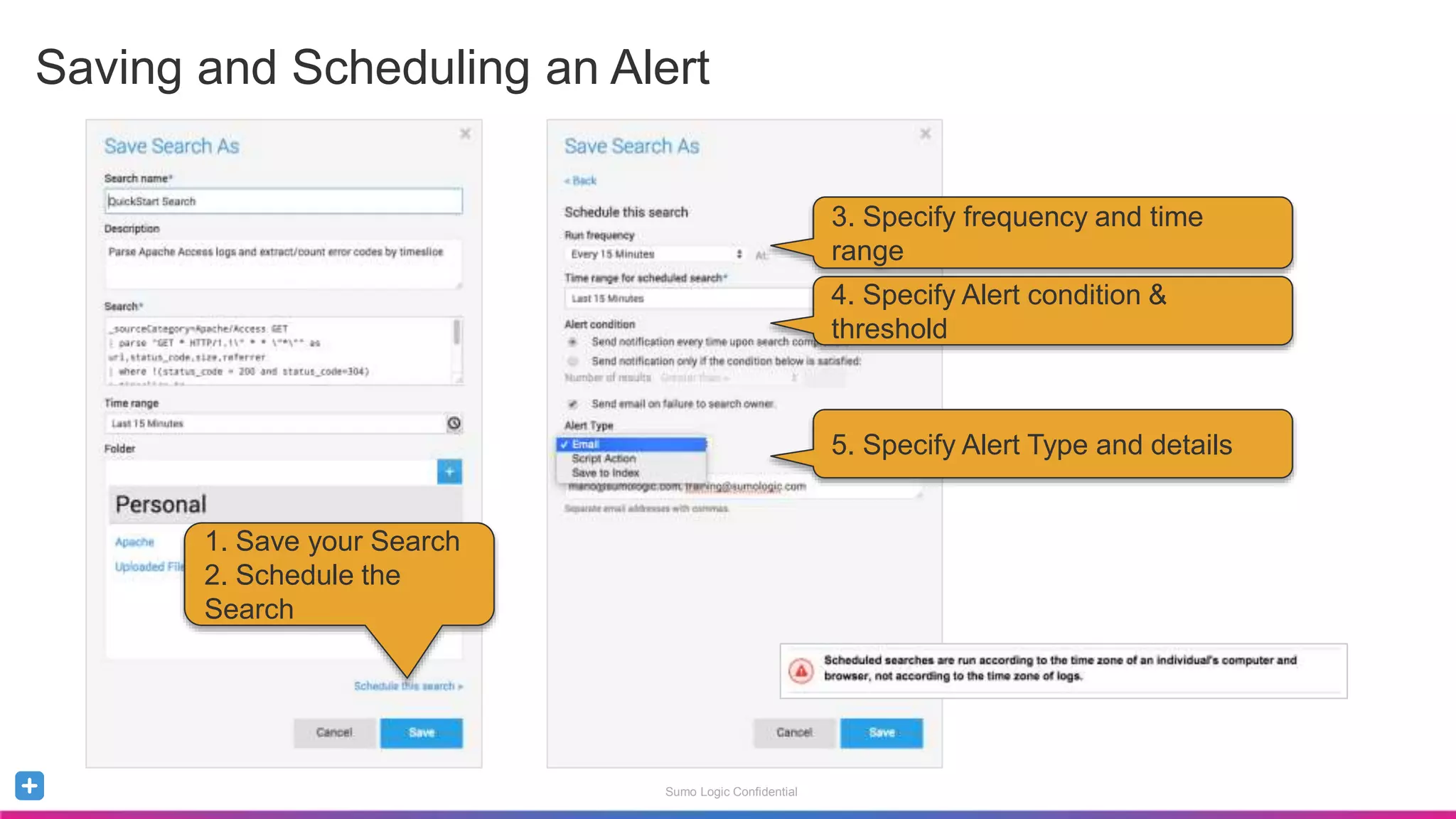
1. Save your Search
2. Schedule the
Search
3. Specify frequency and time
range
4. Specify Alert condition &
threshold
5. Specify Alert Type and details
Sumo Logic Confidential
Jumpstart with Apps
Sumo Logic Confidential
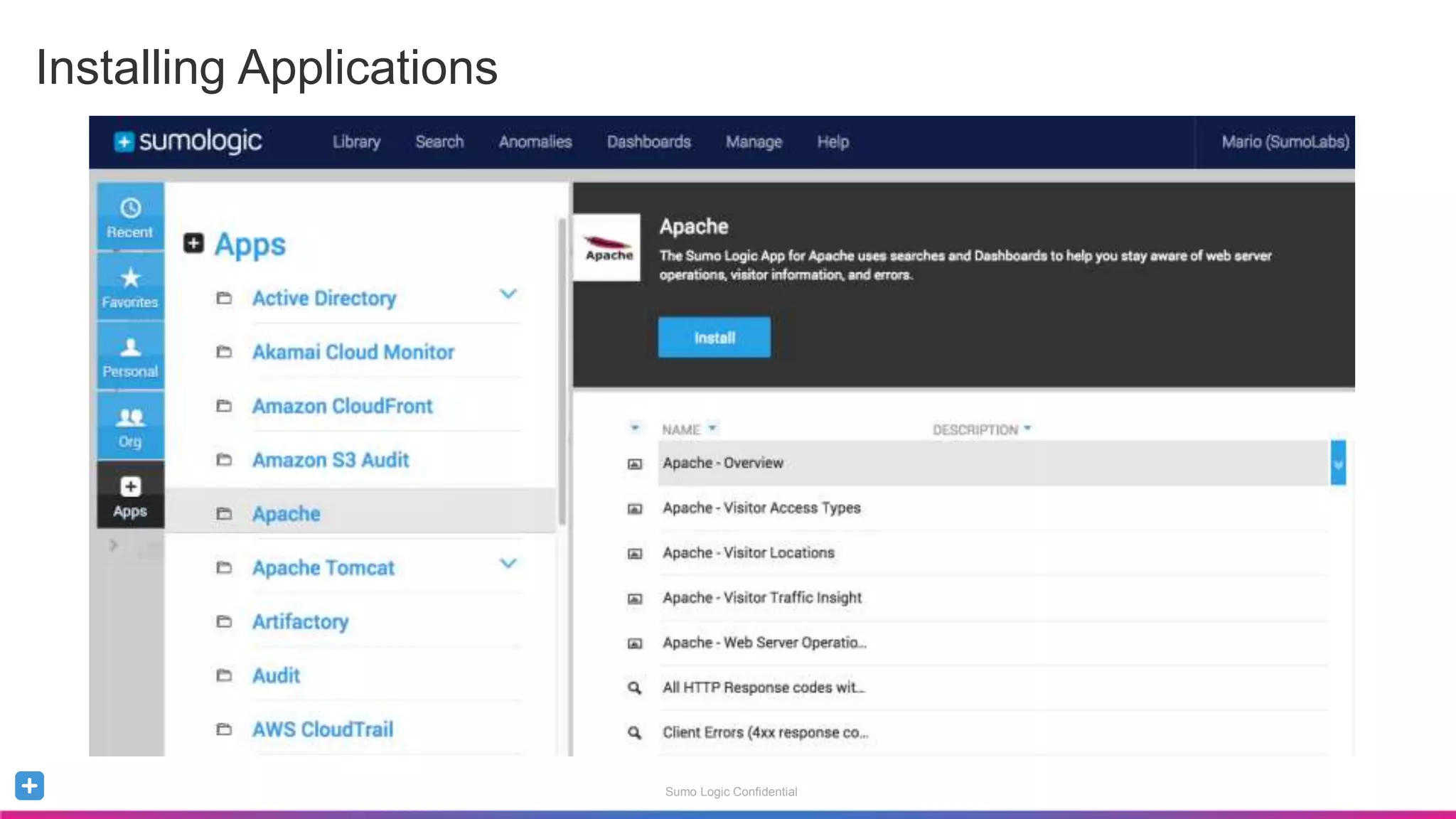
Installing Applications
Sumo Logic Confidential
In Summary, with Sumo Logic, you can…
Ingest any type of logs (structured and non-structured)
Query and Analyze using Operators
Visualize data through Charts and Dashboards
Alert on Critical Events
Call to Action:
Ensure you have a robust _SoureCategory naming convention
Set up Field Extraction Rules for your popular data sources
Sumo Logic Confidential
Questions?
Consume Training
sumologic.com/training
Read Documentation
help.sumologic.com
Search/Post to Community
community.sumologic.com
Open a Support Case
support.sumologic.com
Log a Feature Request
sumologic.ideas.aha.io/ideas
Sumo Logic Confidential
Thank you!
Sumo Logic Confidential
Admin: Source Category Naming Convention
Simplifies Search Syntax and Scope Definitions
Used for other Sumo Logic features
Role-Based Access Control (Data Provisioning)
Partitioning (Search Optimization Tool)
Adopt a Robust Naming Convention Early
Ex: Prod/Sumo/Apache/Access  Env/Customer/Device/MessageType
Ex: OS/Windows/2012/Messages  Device/Vendor/Version/MessageType
Blog Post: Good SourceCategory, Bad SourceCategory
Sumo Logic Confidential
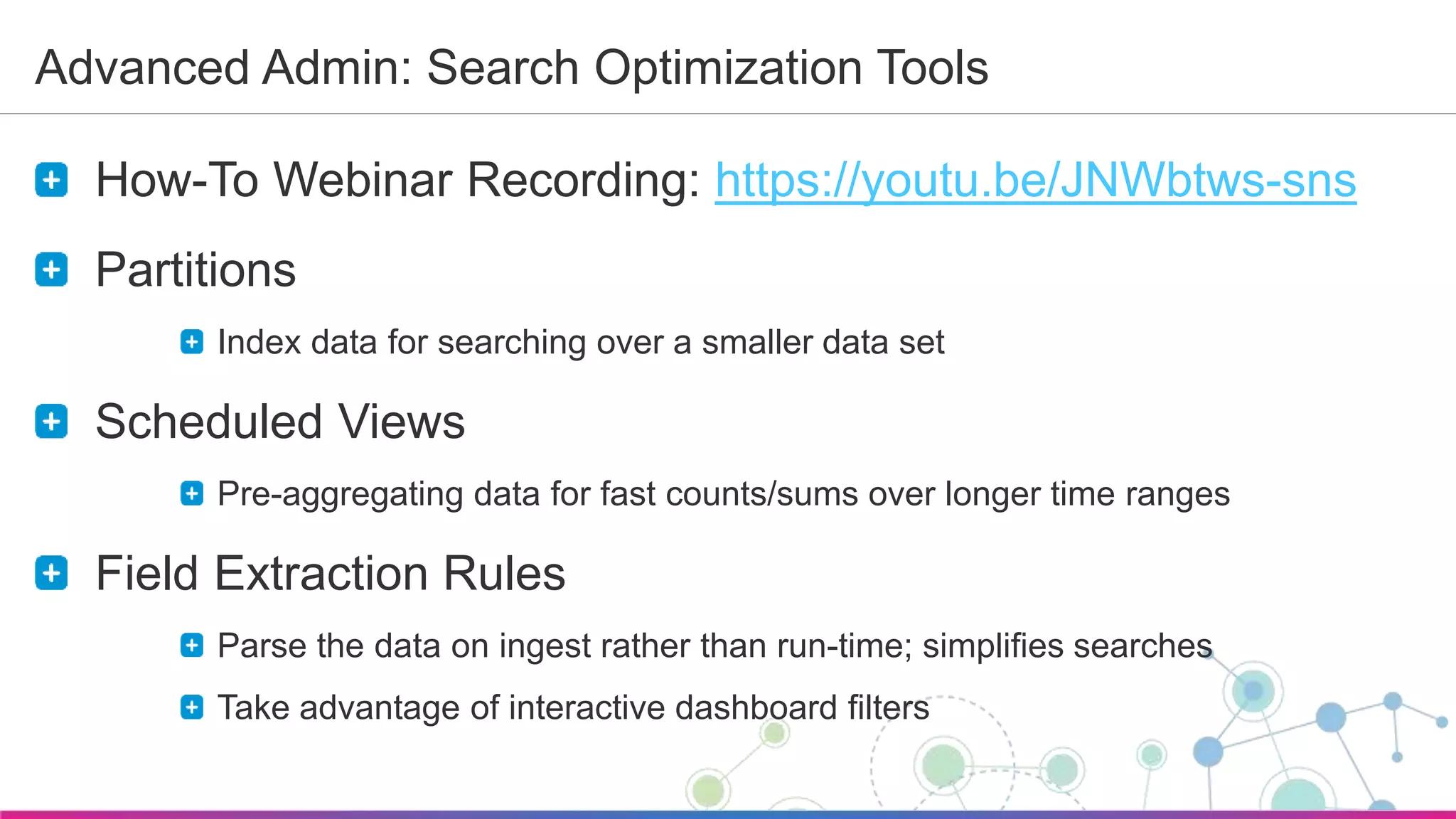
Advanced Admin: Search Optimization Tools
How-To Webinar Recording: https://youtu.be/JNWbtws-sns
Partitions
Index data for searching over a smaller data set
Scheduled Views
Pre-aggregating data for fast counts/sums over longer time ranges
Field Extraction Rules
Parse the data on ingest rather than run-time; simplifies searches
Take advantage of interactive dashboard filters

Sumo Logic QuickStart Webinar - Dec 2016

  • 1.
    Sumo Logic Confidential QuickStartWebinar Getting Started with Sumo Logic Mario Sánchez December 2016 Welcome. To give everyone a chance to successfully connect, we’ll start at 10:05 AM Pacific. Note you are currently muted.
  • 2.
    Sumo Logic Confidential Atthe completion of this webinar, you will be able to… Understand Data Collection (Admin Topic) Search, Parse and Analyze Data Visualize and Monitor through Dashboards & Alerts Take advantage of the content Library and Apps
  • 3.
  • 4.
    Sumo Logic Confidential ContinuousIntelligence DEVOPS IT INFRASTRUCTURE AND OPERATIONS COMPLIANCE AND SECURITY DEVOPS Streamline continuous delivery Monitor KPI’s and Metrics Accelerate Troubleshooting IT INFRASTRUCTURE AND OPERATIONS Monitor all workloads Troubleshoot and increase uptime Simplify, Modernize, and save costs COMPLIANCE AND SECURITY Automate and demonstrate compliance Audit all systems Think beyond rules Sumo Logic Cloud Analytics Service
  • 5.
    Sumo Logic Confidential EnterpriseLogs are Everywhere Custom App Code Server / OS Virtual Databases Network Open Source Middleware Content Delivery IaaS, PaaS SaaS Security
  • 6.
  • 7.
    Sumo Logic Confidential SumoLogic Data Flow Data Collection Search & Analyze Visualize & Monitor Alerts Dashboards Collectors Sources Operators Detect 1 2 3
  • 8.
  • 9.
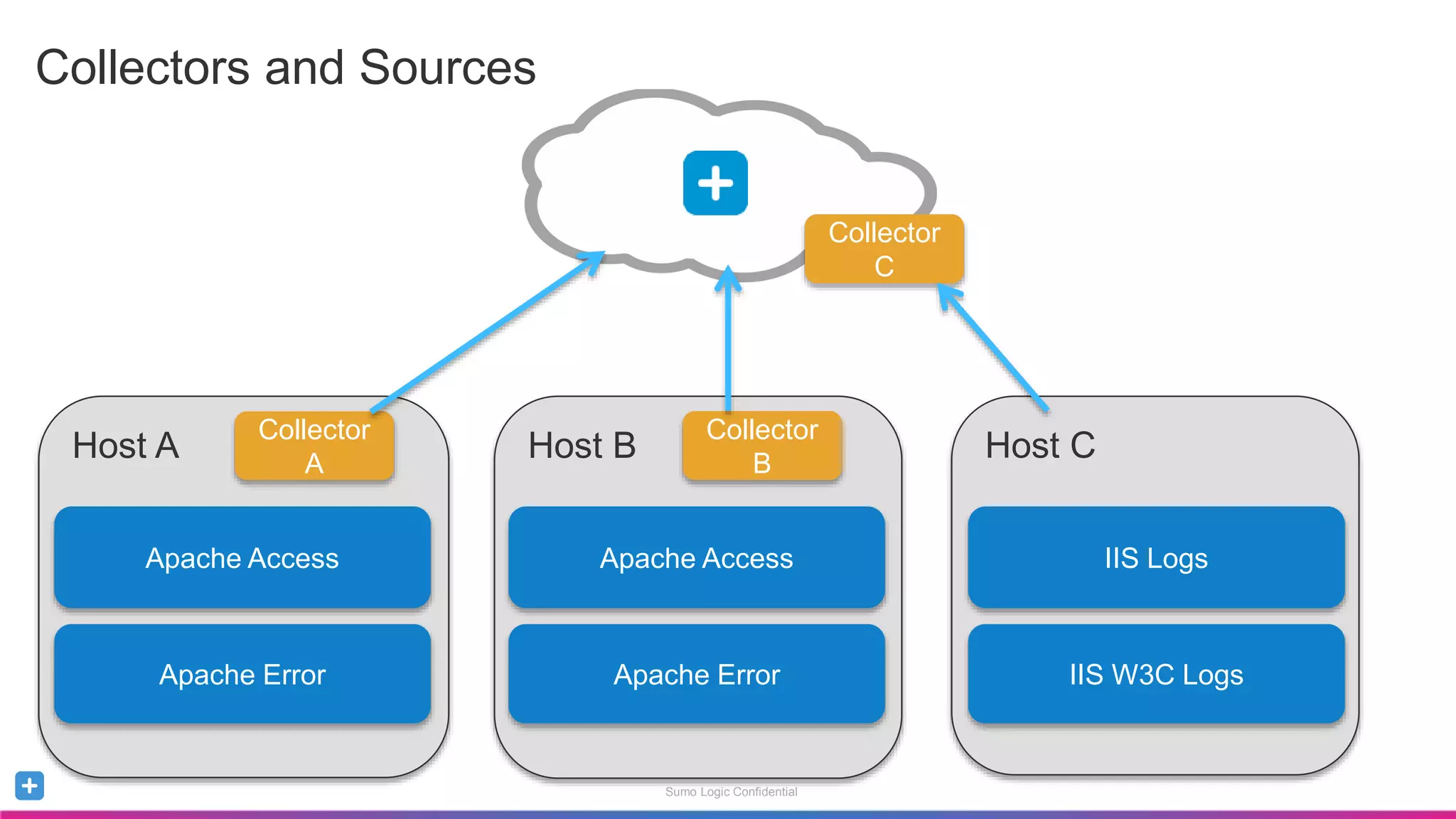
    Sumo Logic Confidential HostA Collectors and Sources Apache Access Apache Error Collector A Host B Collector B Host C Collector C Apache Access Apache Error IIS Logs IIS W3C Logs
  • 10.
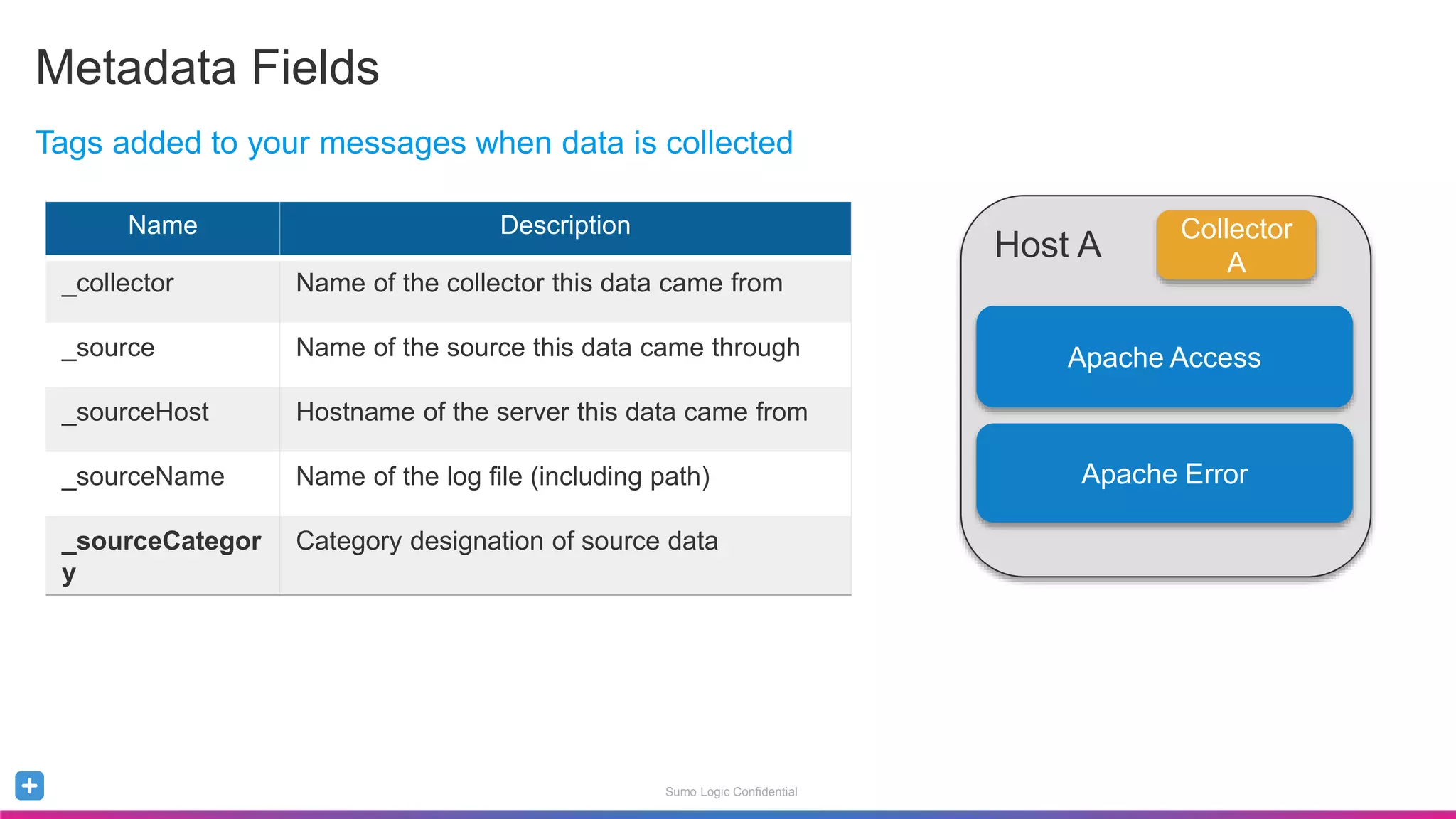
    Sumo Logic Confidential MetadataFields Name Description _collector Name of the collector this data came from _source Name of the source this data came through _sourceHost Hostname of the server this data came from _sourceName Name of the log file (including path) _sourceCategor y Category designation of source data Tags added to your messages when data is collected Host A Apache Access Apache Error Collector A
  • 11.
    Sumo Logic Confidential HostA Metadata Field: Source Category Apache Access WS/Apache/Access Apache Error WS/Apache/Error Collector A Host B Collector B Host C Collector C Apache Access WS/Apache/Access Apache Error WS/Apache/Error IIS Logs WS/IIS IIS W3C Logs WS/IIS/W3C Sample Searches for _sourceCategory: = WS/Apache/Access = WS/Apache/* = WS/*
  • 12.
  • 13.
    Sumo Logic Confidential Setyour Preferences Set your Session Timeout Query Editing versus Running
  • 14.
    Sumo Logic Confidential SearchBasics Overview Time Range Histogram Search Bar Search Results Display Options
  • 15.
    Sumo Logic Confidential FieldBrowser - Metadata fields Sumo Logic Confidential Field Browser Metadata Fields Parsed Fields
  • 16.
    Sumo Logic Confidential SearchStructure Keywords and operators (separated by pipes) that build on top of each other Syntax: metadata tags + keywords | parse | filter | aggregate | sort | limit Example Search: Results where metadata keyword
  • 17.
    Sumo Logic Confidential KeywordSearch Case Insensitive Wildcard Support (e.g. ERR*) Boolean Logic Support AND OR !(A OR B) Combine these keywords with metadata fields Bloom filters Using keywords helps bloom filters locate data very quickly
  • 18.
    Sumo Logic Confidential •Determine the data available through your search. • Pre-populated Dropdown – Last 15 min, Today • Absolute – 12:25PM 12:30PM – 8/11/2015 13:00AM 8/11/2015 14:00AM • Relative – -5m – -2h – -2d -1d Time Range
  • 19.
    Sumo Logic Confidential DevelopGood Search Habits Use metadata and keyword combinations to reduce scope Add line breaks after each operation Limit result sets before aggregating data  user=a | count by user Use parse anchor instead of parse regex for structured messages Avoid the use of expensive parse regex tokens like .*  d{2,10} Narrow your time-range down as much as possible
  • 20.
    Sumo Logic Confidential RefiningResults by Surrounding Messages
  • 21.
    Sumo Logic Confidential •LogReduce uses fuzzy logic and soft matching to cluster messages providing quick investigation view into your environment. Operators: Looking for the Unknown
  • 22.
    Sumo Logic Confidential •Identify unexpectedly high or low values within determined thresholds |timeslice 1m |count by _timeslice |outlier _count Operators: Finding Outliers
  • 23.
    Sumo Logic Confidential •Parsing enables a user to extract parts of a message and classify them as fields. – Enables you to perform additional operations • Logical/conditional – based on values • Mathematical – operations on value sets • Parsing Options – parse anchor: Leverages beginning and ending anchors – parse regex: Extracts nested information via regex Extracting and Labeling Additional Fields
  • 24.
    Sumo Logic Confidential ParseAnchor - Using the UI Highlighting strings in the result allow you to launch the UI parser UI Parser allows you to select fields and label them Results now show your parsed fields
  • 25.
    Sumo Logic Confidential •Extracts nested information via regular expressions • Use if the construct of the messages is inconsistent _sourceCategory=Apache/Access | parse regex "[A-Z]+s(?<url>/S*)sHTTP/1.d+"s(?<status_code>d+)s" Parse Regex
  • 26.
    Sumo Logic Confidential RegularExpressions – References and Resources Regular Expressions use JRE Online Resources: • regex101.com • Regular-expressions.info/refadv.html • en.wikipedia.org/wiki/Regular_expression • regexr.com • Book – Mastering Regular Expressions by Jeffrey E.F. Friedl
  • 27.
    Sumo Logic Confidential Parsingwith Field Extraction Rules Field Extraction Rules Parse the data on ingest rather than run-time; simplifies searches Take advantage of interactive dashboard filters
  • 28.
    Sumo Logic Confidential Evaluatesmessages and places them into groups • Produces aggregates in a separate tab • Must come after basic operators such as parse. Cannot be used with summarize. • The count Operator enables you to group messages that match a classification – Ex: _sourceCategory=Apache* | count as mycount – Ex: GET | count by _sourceCategory Grouping your Data
  • 29.
    Sumo Logic Confidential •Dissecting your result sets using Metadata Fields – Ability to aggregate results sets and grouping them by metadata fields • EX: _collector=*apache* | count by _sourceCategory – Get a count of grouped result sets • Ex: (Error OR fail*)| count by _sourcecategory , _sourcehost – Organize Results by Count • Ex: _collector=*apache*| count by _sourceCategory | sort by _count Leveraging Metadata for Grouping
  • 30.
    Sumo Logic Confidential Timesliceoperator enables you to segment your results by time buckets – Minute (timeslice by 5m) – Hour (timeslice by 1h) – Day (timeslice by 1d) Example: _sourceCategory=Apache/Access GET |timeslice 1m | count by _timeslice | sort by _timeslice asc Time-based Grouping
  • 31.
  • 32.
    Sumo Logic Confidential Collectionof Panels that provide graphical representation of data • Each Panel processes results of a single search • Additional Analysis: Drilldown into corresponding query or another Dashboard Intro to Dashboards
  • 33.
    Sumo Logic Confidential •Chart Types – Table – Bar – Column – Line – Area – Pie – Box Plot – Google Maps – Single Value Providing Context through Visualization
  • 34.
    Sumo Logic Confidential •Live Mode – Provides a live stream of data – No Back filling of data Dashboard Features Toggle Live Mode
  • 35.
    Sumo Logic Confidential Liveversus Interactive Mode Use Case Examples Dashboard Type Large screen displays with streaming updates Shared Screens for NOC, Operations, Developers. Live Mode Template for Exploring Data Operational Investigations (i.e. Root cause analysis) Interactive Mode Historical Reporting and Investigation Audits, Failed/successful logins for certain groups Interactive Mode
  • 36.
    Sumo Logic Confidential •Search based (On-Demand) • Backfilling of data • Support Filtering Dashboard Features Select Time Range for all PanelsAbility to use Pre-defined filters Select filters for individual panels Select time range for individual panels
  • 37.
    Sumo Logic Confidential •Filters allow for panels results to be limited dynamically • Filters can be assigned at: – Dashboard level, Panel Level or both • Filters can be string based or numeric – The * wildcard is supported for non-numeric filters – Numeric comparison operators supported: >,<,>=,<= Filtering Details
  • 38.
    Sumo Logic Confidential Dashboards- Adding a Panel 1. Perform your Search 2. Format your Results 3. Add to Dashboard
  • 39.
  • 40.
    Sumo Logic Confidential Alerting– Scheduled Searches Using a Scheduled Search, you can set Alerts to trigger whenever the search completes or when a certain condition is met. Alert types include: • Save to Index • Script Action • Email • Webhooks Blog Post: 2 Key Principles for Creating Meaningful Alerts
  • 41.
    Sumo Logic Confidential Savingand Scheduling an Alert 1. Save your Search 2. Schedule the Search 3. Specify frequency and time range 4. Specify Alert condition & threshold 5. Specify Alert Type and details
  • 42.
  • 43.
  • 44.
    Sumo Logic Confidential InSummary, with Sumo Logic, you can… Ingest any type of logs (structured and non-structured) Query and Analyze using Operators Visualize data through Charts and Dashboards Alert on Critical Events Call to Action: Ensure you have a robust _SoureCategory naming convention Set up Field Extraction Rules for your popular data sources
  • 45.
    Sumo Logic Confidential Questions? ConsumeTraining sumologic.com/training Read Documentation help.sumologic.com Search/Post to Community community.sumologic.com Open a Support Case support.sumologic.com Log a Feature Request sumologic.ideas.aha.io/ideas
  • 46.
  • 47.
    Sumo Logic Confidential Admin:Source Category Naming Convention Simplifies Search Syntax and Scope Definitions Used for other Sumo Logic features Role-Based Access Control (Data Provisioning) Partitioning (Search Optimization Tool) Adopt a Robust Naming Convention Early Ex: Prod/Sumo/Apache/Access  Env/Customer/Device/MessageType Ex: OS/Windows/2012/Messages  Device/Vendor/Version/MessageType Blog Post: Good SourceCategory, Bad SourceCategory
  • 48.
    Sumo Logic Confidential AdvancedAdmin: Search Optimization Tools How-To Webinar Recording: https://youtu.be/JNWbtws-sns Partitions Index data for searching over a smaller data set Scheduled Views Pre-aggregating data for fast counts/sums over longer time ranges Field Extraction Rules Parse the data on ingest rather than run-time; simplifies searches Take advantage of interactive dashboard filters

Editor's Notes

  • #2 Welcome everyone to Sumo Logic’s Quickstart Webinar. My name is …. And I am … Before we get started, let’s cover some housekeeping items: - To avoid distractions, all Participants are muted - However, if you want to ask a question, feel free to use the GoToWebinar Question panel. We will have a Q&A session at the end. - To preempt the most common question: Yes, this session will be recorded and I will share Slides and a recording of this webinar with everyone OK, let’s get started: My goal today is to provide you with basic understanding of the Sumo logic Service and how it can help you uncover events that aredifficult to do with simple searches and greps.
  • #3  Given that we have quite a few beginners, we will start with a high-level view and then dive into details. >> review entire agenda - Although we will cover a few slides, most of this webinar will be done through a demo (a specific use case related to web servers) – reviewing the recording will allow you to follow along in your environment with your own data. Note that Tips and Tricks and Best Practices will be scattered throughout the presentation
  • #4 Sumo Logic helps you gain insights into the growing pool of data within your complex environment.
  • #5 Most of you are using the Sumo Logic service for at least one of the 3 following use cases: For DevOps –allows DevOps teams to monitor KPI’s to deliver quality software; less time troubleshooting and more time developing code. For IT Ops – Extract valuable information such as latencies, performance metrics, trends and any critical events tied with core systems. For Compliance and Security – Sumo Logic helps organizations simplify and automate compliance & security monitoring across their entire stack, using predictive analytics
  • #6 What data can we ingest? We can ingest data from just about any source you can imagine - structured or unstructured. Here are just a few of the devices, applications and frameworks you may be using - all of which produce log data that Sumo Logic can ingest and analyze. The left hands side can present you technology stack – from custom application code all the way down to your network devices. The right can represent your infrastructure.
  • #8 Sumo Logic Data Flow is broken into 3 main areas: Data Collection through configurable Collectors and Sources. Collectors collect, compress, cache and encrypt the data for secure transfer. Search and Analyze – Users can run searches and correlate events in real-time across the entire application stack. We will be spending most of our time in this area during this webinar, as this is most likely what you will first be doing as a new user. Visualize and Monitor- Users have the ability to create custom dashboards to help you easily monitor your data in real-time. Custom alerts notify you when specific events are identified across your stack. I will cover Data Collection at a high-level, and cover the next 2 areas through a demo.
  • #10 This is an great example what we see at a typical customer. This customer is sending web server log files to the Sumo Logic service. Host A and Host B are each sending a couple of log files through a locally installed Sumo Logic collector. In the case of Host C, which is sending IIS log files, it’s using a hosted collector where a local script in Host C can send data to an HTTP endpoint (running curl and POST commands). Hosted collectors are also able to load data from AWS S3 buckets. For instructor: Demo how to search help for “collector types” The great news for this customer is that they can centralize all their webserver logs, and start searching across all logs, or just Apache logs, or just Host B logs.
  • #11 Great, data is ingested into the Sumo Logic service, but something else is also happening in the background. Every single message ingested gets tagged with metadata that makes it much easier to search for related messages. This table shows the 5 main tags (review them all) In particular, I want to point out the source Category metadata field, as choosing the right naming convention can make a big impact on your searching capabilities and performance.
  • #12 This example will highlight the importance of defining the proper source category: Notice I’ve added the desired SourceCategory for each Source: = WS/Apache/Access Searches across Apache Security logs in both Host A and Host B = WS/Apache/* Searches across all Apache sources in both Host A and Host B = WS/* Searches across all Web Servers across all hosts
  • #13  The second area of Data flow is Search and Analyze. I will jump into a demo to show you more detail of how this can be done.
  • #17 The combination of metadata and keywords reflect the search of your scope. This is what we’re going to talk a little bit more about in the next few slides. It’s very important that you be very selective about the data you’ll be searching through.
  • #18 You’ll also want to include keywords as part of your search scope. Architecture discussions – show how the searches work in the backend
  • #20 Plug for regex101.
  • #21 Surrounding messages allow you to investigate events surrounding a message from the context of the Host, file name or category identified enabling you to view the activity for the defined time period.
  • #22 Introduce LogReduce Here we see the search “ (Error OR fail*)” returns 99 pages of error results, which can be cumbersome to go through. What you can do is click on the LogReduce button to invoke the Sumo Logic log reduce technology via the summarize operator to automatically find patterns in your logs and reduce this result set to a single page.
  • #23 Demo the outlier operator Timeslices are required Adjustable variables allow you to get the right sensitivity Threshold Number of rolling stddev above/below the moving average Default: 3 Consecutive Number of consecutive points above/below the threshold to trigger Default: 1 Direction Detect high values, low values or both Default: Both Window Number of trailing timeslices used to calculate Default: 10
  • #24 Need Identify Specific value you want to extract It enables you to perform additional operations Logical/Conditional – based on values Mathematical - Ways of defining fields Parse Anchor: is used to extract a string based on start and stop anchor points, and then to alias the extracted string as a user-created field. Parse Regex: or Extract, uses regular expressions to extract more complex or nested information as aliased fields.
  • #25 Walk through screenshots for defining one field
  • #26 We add the [A-Z]+ to denote all uppercase HTTP methods like GET, POST, CONNECT, PUT, DELETE etc. Also we make sure we are capturing a URL but specifying the starting character is a / and that it has one or more non-white space chars in it followed by a HTTP/1.\d+ word.
  • #29 Now that u have your data, whats next. See how your data is segmented – you can do this by grouping / Dissecting your result sets using meta data fields Example: Counting by _sourceCategory Introduce concept of count Example: count on no groups Get a count of grouped result sets Example: Group by one group (category) Many _sourcecategory and host Include the underscore before the field name (sort by _count)
  • #30 Now that u have your data, whats next. See how your data is segmented – you can do this by grouping / Dissecting your result sets using meta data fields Example: Counting by _sourceCategory Introduce concept of count Example: count on no groups Get a count of grouped result sets Example: Group by one group (category) Many _sourcecategory and host Include the underscore before the field name (sort by _count)
  • #34 Different ways of seeing the same data in Interactive Search
  • #48  Source Categories are very powerful, and adopting a robust naming convention early is key to simplify your searches and scope definitions. Source Category is also used in other areas of our service, for example, for restricting or granting data access to users and roles, or for optimizing searches through partitions (which we will talk about later in this webinar)