Successfully Delivering
Large Scale Online
Summative Exams
Ashley Wright
Development Officer
Quality in Learning & Teaching
Newcastle University
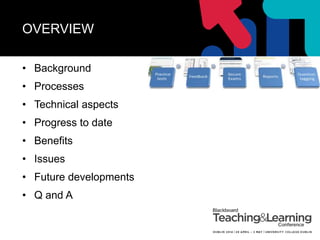
OVERVIEW
• Background
• Processes
• Technical aspects
• Progress to date
• Benefits
• Issues
• Future developments
• Q and A
BACKGROUND
UTLC funded project in 2007 – Online
Assessment and Feedback (OLAF)
Aims:
• Improvement in student and staff
experiences in the areas of assessment and
feedback highlighted by the NSS
• Develop a product/service which would
deliver high stakes summative assessment
in a secure online environment
PROCESSES
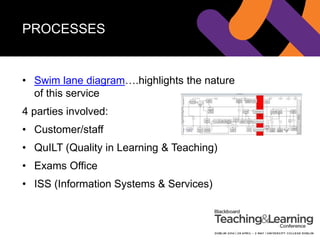
• Swim lane diagram….highlights the nature
of this service
4 parties involved:
• Customer/staff
• QuILT (Quality in Learning & Teaching)
• Exams Office
• ISS (Information Systems & Services)
PROCESSES
Creating online exams -
https://blogs.ncl.ac.uk/olafaq/
• Directly in Blackboard/re-used with
modifications (easiest option)
• Convert from Word using Respondus – site
wide licence. Upload/download directly to
Bb via Respondus
TECHNICAL ASPECTS
• Around 1400 PCs on campus located in clusters
(Herschel largest with ~ 150) - http://m.ncl.ac.uk/iss/#clusfree
• Reboot cluster and login with generic user account
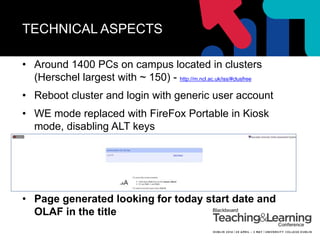
• WE mode replaced with FireFox Portable in Kiosk
mode, disabling ALT keys
• Page generated looking for today start date and
OLAF in the title
TECHNICAL ASPECTS
• Next step is login screen – altered using extension
in FireFox
• Open test in a new window so there is no left menu
• The important parts which change for each
assessment are the
course_assessment_id and the
course_id, these are the pk1 values in the
database for the relevant exam.
TECHNICAL ASPECTS
• Invigilators in charge during the exam sitting
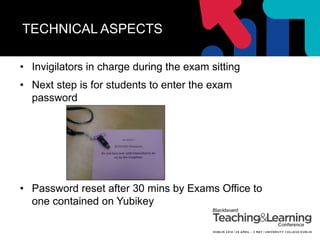
• Next step is for students to enter the exam
password
• Password reset after 30 mins by Exams Office to
one contained on Yubikey
TECHNICAL ASPECTS
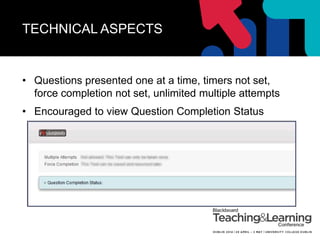
• Questions presented one at a time, timers not set,
force completion not set, unlimited multiple attempts
• Encouraged to view Question Completion Status
TECHNICAL ASPECTS
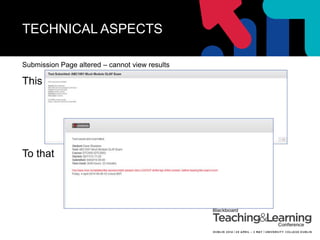
Submission Page altered – cannot view results
This
To that
TECHNICAL ASPECTS
• KEY - Checker page created by ISS to manage
exam volume
• Direct links into the relevant test.
• Red colour highlights a potential issue
• Info is gathered by a PHP web server connecting
directly to the Blackboard database
• Could be developed into a building block?
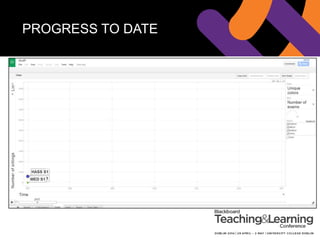
PROGRESS TO DATE
BENEFITS
• Staff time saved in terms of marking alternative
assessments (10 mins per sitting ~90000 mins in
Jan 2014)
• Reuse existing assessments, with modifications
• Paper!
• Staff and student familiarity
• Robust and confident in the performance of Bb
ISSUES
• Should it be titled OLA?
• Limitations on q types/-ve marking, layout, random
blocks
• Randomisation – id of Qs – specific sections
• Cluster spaces limited and technical glitches
• Save and Submit on final Q
• Forgotten login details by students!
FUTURE DEVELOPMENTS
• Incorporate text entry
• Use Tablets (exams of <= 1 hour)
• Multimedia (view/listen and answer
questions based upon this)
• Non Newcastle campus delivery, e.g
Singapore, Malaysia…a n other location
• What are Bb planning next?
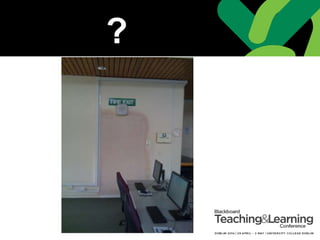
?
Q & A
Thanks for listening!
ashley.wright@ncl.ac.uk
@ashleyhwright

Successfully Delivering Secure Online Exams at Scale

  • 1.
    Successfully Delivering Large ScaleOnline Summative Exams Ashley Wright Development Officer Quality in Learning & Teaching Newcastle University
  • 2.
    OVERVIEW • Background • Processes •Technical aspects • Progress to date • Benefits • Issues • Future developments • Q and A
  • 3.
    BACKGROUND UTLC funded projectin 2007 – Online Assessment and Feedback (OLAF) Aims: • Improvement in student and staff experiences in the areas of assessment and feedback highlighted by the NSS • Develop a product/service which would deliver high stakes summative assessment in a secure online environment
  • 4.
    PROCESSES • Swim lanediagram….highlights the nature of this service 4 parties involved: • Customer/staff • QuILT (Quality in Learning & Teaching) • Exams Office • ISS (Information Systems & Services)
  • 5.
    PROCESSES Creating online exams- https://blogs.ncl.ac.uk/olafaq/ • Directly in Blackboard/re-used with modifications (easiest option) • Convert from Word using Respondus – site wide licence. Upload/download directly to Bb via Respondus
  • 6.
    TECHNICAL ASPECTS • Around1400 PCs on campus located in clusters (Herschel largest with ~ 150) - http://m.ncl.ac.uk/iss/#clusfree • Reboot cluster and login with generic user account • WE mode replaced with FireFox Portable in Kiosk mode, disabling ALT keys • Page generated looking for today start date and OLAF in the title
  • 7.
    TECHNICAL ASPECTS • Nextstep is login screen – altered using extension in FireFox • Open test in a new window so there is no left menu • The important parts which change for each assessment are the course_assessment_id and the course_id, these are the pk1 values in the database for the relevant exam.
  • 8.
    TECHNICAL ASPECTS • Invigilatorsin charge during the exam sitting • Next step is for students to enter the exam password • Password reset after 30 mins by Exams Office to one contained on Yubikey
  • 9.
    TECHNICAL ASPECTS • Questionspresented one at a time, timers not set, force completion not set, unlimited multiple attempts • Encouraged to view Question Completion Status
  • 10.
    TECHNICAL ASPECTS Submission Pagealtered – cannot view results This To that
  • 11.
    TECHNICAL ASPECTS • KEY- Checker page created by ISS to manage exam volume • Direct links into the relevant test. • Red colour highlights a potential issue • Info is gathered by a PHP web server connecting directly to the Blackboard database • Could be developed into a building block?
  • 12.
  • 13.
    BENEFITS • Staff timesaved in terms of marking alternative assessments (10 mins per sitting ~90000 mins in Jan 2014) • Reuse existing assessments, with modifications • Paper! • Staff and student familiarity • Robust and confident in the performance of Bb
  • 14.
    ISSUES • Should itbe titled OLA? • Limitations on q types/-ve marking, layout, random blocks • Randomisation – id of Qs – specific sections • Cluster spaces limited and technical glitches • Save and Submit on final Q • Forgotten login details by students!
  • 15.
    FUTURE DEVELOPMENTS • Incorporatetext entry • Use Tablets (exams of <= 1 hour) • Multimedia (view/listen and answer questions based upon this) • Non Newcastle campus delivery, e.g Singapore, Malaysia…a n other location • What are Bb planning next?
  • 16.
  • 17.
    Q & A Thanksfor listening! ashley.wright@ncl.ac.uk @ashleyhwright