Subversion


                Technical Report
                  Joe Chavez
                August 2, 2006
8/2/2006 v1.1        Joe Chavez


                                   1
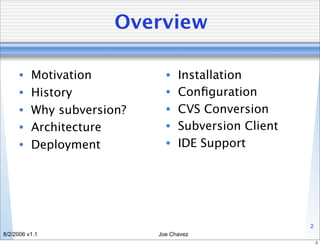
Overview

      •   Motivation          •   Installation
      •   History             •   Configuration
      •   Why subversion?     •   CVS Conversion
      •   Architecture        •   Subversion Client
      •   Deployment          •   IDE Support


                                                      2
8/2/2006 v1.1               Joe Chavez
                                                          2
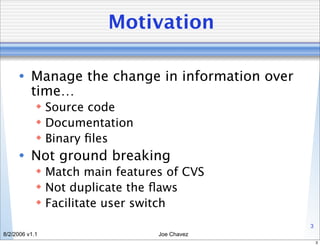
Motivation

      • Manage the change in information over
        time…
             Source code
             Documentation
             Binary files
      • Not ground breaking
             Match main features of CVS
             Not duplicate the flaws
             Facilitate user switch
                                                3
8/2/2006 v1.1                   Joe Chavez
                                                    3
History

      • Started by CollabNet in 2000
      • “Self-hosting” in August, 2001
      • Debian Free Software Guidelines license
      • CollabNet still pays the salaries of a
        “few” full time employees
      • Version 1.3.1 released on April 3rd


                                                  4
8/2/2006 v1.1             Joe Chavez
                                                      4
Why subversion?

      • Most current CVS features
      • Directories, renames, and file meta-
        data are versioned
      • True version history
      • Atomic commits
      • Choice of network layers
      • Consistent data handling

                                              5
8/2/2006 v1.1             Joe Chavez
                                                  5
Why subversion?

      •   Efficient branching and tagging
      •   Integration
      •   Standalone server option
      •   Versioning of symbolic links
      •   Parse ready output
      •   Localized messages
      •   Properties
      •   Secure Access - SSH/SSL


                                            6
8/2/2006 v1.1                  Joe Chavez
                                                6
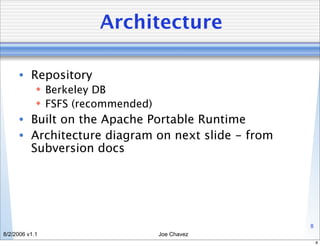
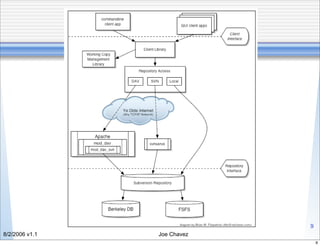
Architecture

      • Client
             Command Line (XP, *nix, OS X, etc.)
             IDE (IntelliJ, Eclipse… to name a few)
             Client Library
      • Connectivity
             Internet
                 DAV (Apache mod_dav + mod_dav_svn) - http/s://
                 SVN - svn://
             Local
                 file://
                                                                   7
8/2/2006 v1.1                          Joe Chavez
                                                                       7
Architecture

      • Repository
             Berkeley DB
             FSFS (recommended)
      • Built on the Apache Portable Runtime
      • Architecture diagram on next slide - from
        Subversion docs


                                                    8
8/2/2006 v1.1                      Joe Chavez
                                                        8
Diagram


                                9
8/2/2006 v1.1      Joe Chavez
                                    9
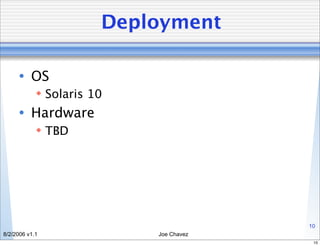
Deployment

      • OS
             Solaris 10
      • Hardware
             TBD


                                        10
8/2/2006 v1.1              Joe Chavez
                                         10
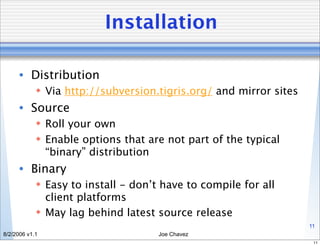
Installation

      • Distribution
             Via http://subversion.tigris.org/ and mirror sites
      • Source
             Roll your own
             Enable options that are not part of the typical
              “binary” distribution
      • Binary
             Easy to install - don’t have to compile for all
              client platforms
             May lag behind latest source release
                                                                   11
8/2/2006 v1.1                        Joe Chavez
                                                                    11
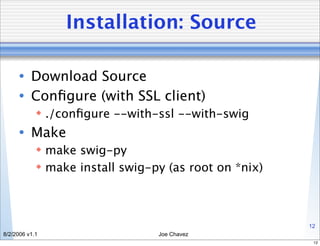
Installation: Source

      • Download Source
      • Configure (with SSL client)
             ./configure --with-ssl --with-swig
      • Make
             make swig-py
             make install swig-py (as root on *nix)


                                                       12
8/2/2006 v1.1                    Joe Chavez
                                                        12
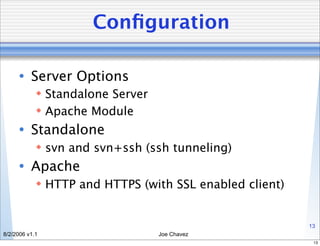
Configuration

      • Server Options
             Standalone Server
             Apache Module
      • Standalone
             svn and svn+ssh (ssh tunneling)
      • Apache
             HTTP and HTTPS (with SSL enabled client)


                                                         13
8/2/2006 v1.1                     Joe Chavez
                                                          13
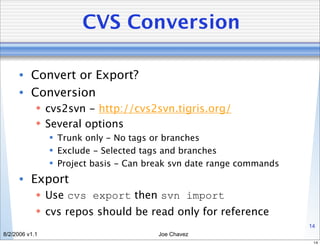
CVS Conversion

      • Convert or Export?
      • Conversion
             cvs2svn - http://cvs2svn.tigris.org/
             Several options
                 Trunk only - No tags or branches
                 Exclude - Selected tags and branches
                 Project basis - Can break svn date range commands
      • Export
             Use cvs export then svn import
             cvs repos should be read only for reference
                                                                      14
8/2/2006 v1.1                           Joe Chavez
                                                                       14
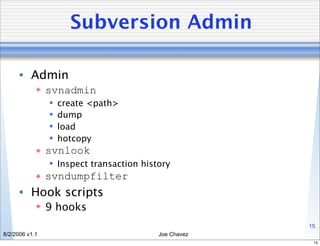
Subversion Admin

      • Admin
             svnadmin
                   create <path>
                   dump
                   load
                   hotcopy
             svnlook
                 Inspect transaction history
             svndumpfilter
      • Hook scripts
             9 hooks
                                                       15
8/2/2006 v1.1                             Joe Chavez
                                                        15
Subversion Client

      • Client - svn
             All local/remote access
      • Repository commands
             svn import
             svn checkout
             svn commit


                                              16
8/2/2006 v1.1                    Joe Chavez
                                               16
Subversion Client

      • File commands
             svn add, svn delete, svn copy, and svn move
             svn status - client side only, no “update” side
              effects
                 -u to show repository updates
             svn diff - no net access
             svn revert - revert to original file and undo
              scheduled operations
             svn update - interesting if conflicts are found
             svn resolve - use to resolve a conflict
                                                                17
8/2/2006 v1.1                           Joe Chavez
                                                                 17
Subversion Client

      • History Commands
             svn log - detailed file history
                 -v for path changes
                 -q for no log body
                 -v -q for names of changed files
             svn cat - display file or particular revision
             svn list - show file list for a directory
                 -v for detailed info


                                                             18
8/2/2006 v1.1                            Joe Chavez
                                                              18
IDE Support

      • IntelliJ
             Check out on command line first
             Create new project
             Set subversion as source control
      • Eclipse - Subclipse
             Plug-in Install URL
              http://subclipse.tigris.org/update_1.0.x
             Select “SVN Repository Browsing”
              perspective

                                                         19
8/2/2006 v1.1                    Joe Chavez
                                                          19
Summary

      •   Motivation          •   Installation
      •   History             •   Configuration
      •   Why subversion?     •   CVS Conversion
      •   Architecture        •   Subversion Client
      •   Deployment          •   IDE Support


                                                      20
8/2/2006 v1.1               Joe Chavez
                                                       20
Q&A

      • Got questions?


                                       21
8/2/2006 v1.1             Joe Chavez
                                        21
References

      • SSC Subversion
          Main Site: https://audrey.ipac.caltech.edu/svn
            Install notes
            This presentation
            Full technical report
      • Subversion
             http://subversion.tigris.org

      • Version Control with Subversion (free book)
             http://svnbook.red-bean.com/

      • cvs2svn
             http://cvs2svn.tigris.org/                    22
8/2/2006 v1.1                                Joe Chavez
                                                             22
Open Issues

      • User account management
      • Rollout schedule
      • Training


                                     23
8/2/2006 v1.1           Joe Chavez
                                      23

Subversion Tech Report (2006)

  • 1.
    Subversion Technical Report Joe Chavez August 2, 2006 8/2/2006 v1.1 Joe Chavez 1
  • 2.
    Overview • Motivation • Installation • History • Configuration • Why subversion? • CVS Conversion • Architecture • Subversion Client • Deployment • IDE Support 2 8/2/2006 v1.1 Joe Chavez 2
  • 3.
    Motivation • Manage the change in information over time…  Source code  Documentation  Binary files • Not ground breaking  Match main features of CVS  Not duplicate the flaws  Facilitate user switch 3 8/2/2006 v1.1 Joe Chavez 3
  • 4.
    History • Started by CollabNet in 2000 • “Self-hosting” in August, 2001 • Debian Free Software Guidelines license • CollabNet still pays the salaries of a “few” full time employees • Version 1.3.1 released on April 3rd 4 8/2/2006 v1.1 Joe Chavez 4
  • 5.
    Why subversion? • Most current CVS features • Directories, renames, and file meta- data are versioned • True version history • Atomic commits • Choice of network layers • Consistent data handling 5 8/2/2006 v1.1 Joe Chavez 5
  • 6.
    Why subversion? • Efficient branching and tagging • Integration • Standalone server option • Versioning of symbolic links • Parse ready output • Localized messages • Properties • Secure Access - SSH/SSL 6 8/2/2006 v1.1 Joe Chavez 6
  • 7.
    Architecture • Client  Command Line (XP, *nix, OS X, etc.)  IDE (IntelliJ, Eclipse… to name a few)  Client Library • Connectivity  Internet  DAV (Apache mod_dav + mod_dav_svn) - http/s://  SVN - svn://  Local  file:// 7 8/2/2006 v1.1 Joe Chavez 7
  • 8.
    Architecture • Repository  Berkeley DB  FSFS (recommended) • Built on the Apache Portable Runtime • Architecture diagram on next slide - from Subversion docs 8 8/2/2006 v1.1 Joe Chavez 8
  • 9.
    Diagram 9 8/2/2006 v1.1 Joe Chavez 9
  • 10.
    Deployment • OS  Solaris 10 • Hardware  TBD 10 8/2/2006 v1.1 Joe Chavez 10
  • 11.
    Installation • Distribution  Via http://subversion.tigris.org/ and mirror sites • Source  Roll your own  Enable options that are not part of the typical “binary” distribution • Binary  Easy to install - don’t have to compile for all client platforms  May lag behind latest source release 11 8/2/2006 v1.1 Joe Chavez 11
  • 12.
    Installation: Source • Download Source • Configure (with SSL client)  ./configure --with-ssl --with-swig • Make  make swig-py  make install swig-py (as root on *nix) 12 8/2/2006 v1.1 Joe Chavez 12
  • 13.
    Configuration • Server Options  Standalone Server  Apache Module • Standalone  svn and svn+ssh (ssh tunneling) • Apache  HTTP and HTTPS (with SSL enabled client) 13 8/2/2006 v1.1 Joe Chavez 13
  • 14.
    CVS Conversion • Convert or Export? • Conversion  cvs2svn - http://cvs2svn.tigris.org/  Several options  Trunk only - No tags or branches  Exclude - Selected tags and branches  Project basis - Can break svn date range commands • Export  Use cvs export then svn import  cvs repos should be read only for reference 14 8/2/2006 v1.1 Joe Chavez 14
  • 15.
    Subversion Admin • Admin  svnadmin  create <path>  dump  load  hotcopy  svnlook  Inspect transaction history  svndumpfilter • Hook scripts  9 hooks 15 8/2/2006 v1.1 Joe Chavez 15
  • 16.
    Subversion Client • Client - svn  All local/remote access • Repository commands  svn import  svn checkout  svn commit 16 8/2/2006 v1.1 Joe Chavez 16
  • 17.
    Subversion Client • File commands  svn add, svn delete, svn copy, and svn move  svn status - client side only, no “update” side effects  -u to show repository updates  svn diff - no net access  svn revert - revert to original file and undo scheduled operations  svn update - interesting if conflicts are found  svn resolve - use to resolve a conflict 17 8/2/2006 v1.1 Joe Chavez 17
  • 18.
    Subversion Client • History Commands  svn log - detailed file history  -v for path changes  -q for no log body  -v -q for names of changed files  svn cat - display file or particular revision  svn list - show file list for a directory  -v for detailed info 18 8/2/2006 v1.1 Joe Chavez 18
  • 19.
    IDE Support • IntelliJ  Check out on command line first  Create new project  Set subversion as source control • Eclipse - Subclipse  Plug-in Install URL http://subclipse.tigris.org/update_1.0.x  Select “SVN Repository Browsing” perspective 19 8/2/2006 v1.1 Joe Chavez 19
  • 20.
    Summary • Motivation • Installation • History • Configuration • Why subversion? • CVS Conversion • Architecture • Subversion Client • Deployment • IDE Support 20 8/2/2006 v1.1 Joe Chavez 20
  • 21.
    Q&A • Got questions? 21 8/2/2006 v1.1 Joe Chavez 21
  • 22.
    References • SSC Subversion  Main Site: https://audrey.ipac.caltech.edu/svn  Install notes  This presentation  Full technical report • Subversion  http://subversion.tigris.org • Version Control with Subversion (free book)  http://svnbook.red-bean.com/ • cvs2svn  http://cvs2svn.tigris.org/ 22 8/2/2006 v1.1 Joe Chavez 22
  • 23.
    Open Issues • User account management • Rollout schedule • Training 23 8/2/2006 v1.1 Joe Chavez 23