Basics for Teachers
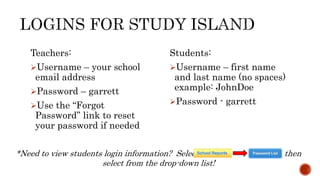
Teachers:
Username – your school
email address
Password – garrett
Use the “Forgot
Password” link to reset
your password if needed
Students:
Username – lunch
number
Password - garrett
*Need to view students login information? Select then
select from the drop-down list!
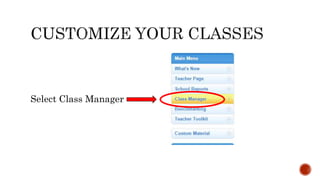
Select Class Manager
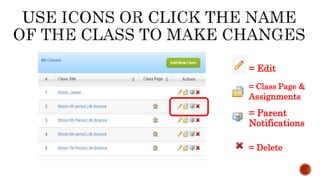
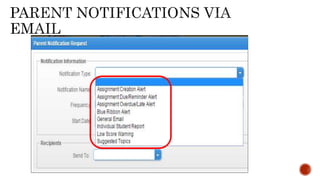
= Parent
Notifications
= Edit
= Delete
= Class Page &
Assignments
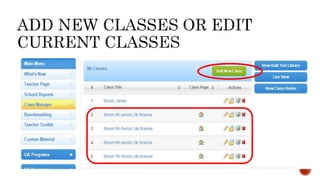
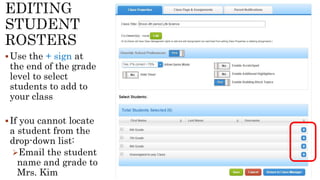
Use the + sign at
the end of the grade
level to select
students to add to
your class
If you cannot locate
a student from the
drop-down list:
Email the student
name, lunch
number and grade
level to the Media
Center staff
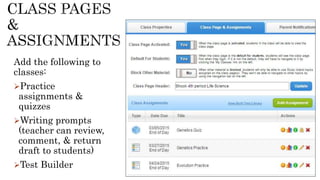
Add the following to
classes:
Practice
assignments &
quizzes
Writing prompts
(teacher can review,
comment, & return
draft to students)
Test Builder
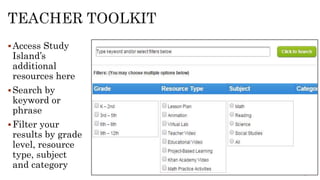
Access Study
Island’s
additional
resources here
Search by
keyword or
phrase
Filter your
results by grade
level, resource
type, subject
and category
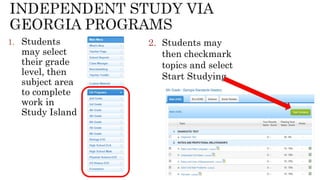
1. Students
may select
their grade
level, then
subject area
to complete
work in
Study Island
2. Students may
then checkmark
topics and select
Start Studying
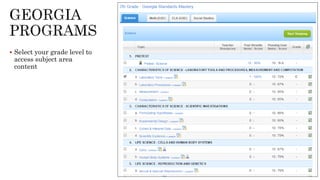
 Select your grade level to
access subject area
content
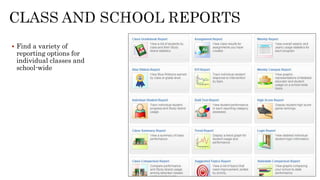
 Find a variety of
reporting options for
individual classes and
school-wide
Visit Mrs. Zimmerman in the Media Center or email her at
karii.zimmerman@cobbk12.org

Study Island for teachers

  • 1.
  • 2.
    Teachers: Username – yourschool email address Password – garrett Use the “Forgot Password” link to reset your password if needed Students: Username – lunch number Password - garrett *Need to view students login information? Select then select from the drop-down list!
  • 3.
  • 5.
    = Parent Notifications = Edit =Delete = Class Page & Assignments
  • 6.
    Use the +sign at the end of the grade level to select students to add to your class If you cannot locate a student from the drop-down list: Email the student name, lunch number and grade level to the Media Center staff
  • 7.
    Add the followingto classes: Practice assignments & quizzes Writing prompts (teacher can review, comment, & return draft to students) Test Builder
  • 9.
    Access Study Island’s additional resources here Searchby keyword or phrase Filter your results by grade level, resource type, subject and category
  • 10.
    1. Students may select theirgrade level, then subject area to complete work in Study Island 2. Students may then checkmark topics and select Start Studying
  • 11.
     Select yourgrade level to access subject area content
  • 12.
     Find avariety of reporting options for individual classes and school-wide
  • 13.
    Visit Mrs. Zimmermanin the Media Center or email her at karii.zimmerman@cobbk12.org