



Streamline Testing with
  Visual Studio 2012


                Imaginet Resources Corp.
                http://www.imaginet.com
Agenda


•   Software Quality Assurance Practices

•   Opportunities to Streamline QA

•   Tools in practice

•   QA Reporting

•   Review
Overview

• Software Testing: an investigation conducted to
  provide stakeholders with information about the
  quality of the software under test.

• Software Quality:

  – Functional Quality: how well software complies with a given
    design, based on functional requirements or specifications.

  – Structural Quality: how well software meets non-functional
    requirements (e.g., maintainability).


                                   Credit to Wikipedia for these definitions
How do we test?

•   Product owner gathers requirements
•   Developers write code based on requirements
•   Software is built/packaged
•   Test environment is prepared
•   Testers verify software
•   As needed, testers report bugs
•   Developers fix bugs
•   Testers verify fixes
•   Software is declared ready for
    production
Opportunities?
• Do you have dedicated testers?

• When do your testers start working?

• How do they know what they’re testing?

• How do you prepare the test environment?

• Can you speed up test execution?

• Can you reduce wasted cycles working bugs?

• How do you select the right set of regression tests?

• How do you know it’s ready for production?
Streamlining Planning


• Test based on requirements!
  –   Involved testers early in the process
  –   Tests are developed along side software
  –   Tests are ready to run when code is ready to test
  –   Testers know what they’re testing
Streamline Environments


• Automate Build (Compile and Packaging)
  – Track specifically what is in the build


• Simplify Test Environment Setup
  –   Use virtual test environments
  –   Create environments based on a library of machines
  –   Deploy environments from a library
  –   Share environments or not, based on your needs


• Automate Deployment
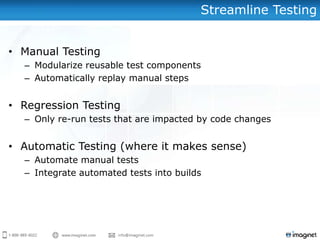
Streamline Testing


• Manual Testing
  – Modularize reusable test components
  – Automatically replay manual steps


• Regression Testing
  – Only re-run tests that are impacted by code changes


• Automatic Testing (where it makes sense)
  – Automate manual tests
  – Integrate automated tests into builds
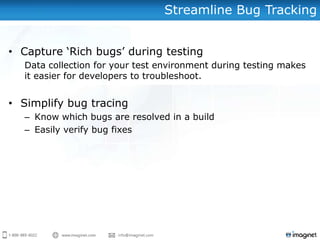
Streamline Bug Tracking


• Capture ‘Rich bugs’ during testing
  Data collection for your test environment during testing makes
  it easier for developers to troubleshoot.


• Simplify bug tracing
  – Know which bugs are resolved in a build
  – Easily verify bug fixes
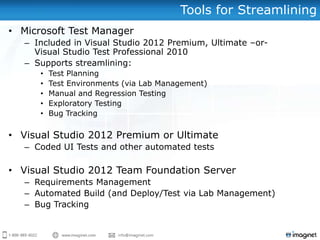
Tools for Streamlining
• Microsoft Test Manager
   – Included in Visual Studio 2012 Premium, Ultimate –or-
     Visual Studio Test Professional 2010
   – Supports streamlining:
      •   Test Planning
      •   Test Environments (via Lab Management)
      •   Manual and Regression Testing
      •   Exploratory Testing
      •   Bug Tracking

• Visual Studio 2012 Premium or Ultimate
   – Coded UI Tests and other automated tests

• Visual Studio 2012 Team Foundation Server
   – Requirements Management
   – Automated Build (and Deploy/Test via Lab Management)
   – Bug Tracking
DEMONSTRATION
• Test Planning

• Test Case Development

• Test Case Execution

• Exploratory Testing

• Bug Tracking

• Test Automation

• Environment Management

• Automated Build/Deploy/Test
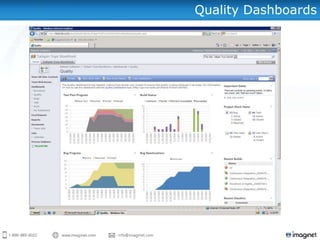
Quality Dashboards
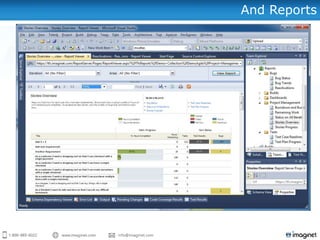
And Reports
Summary

•   Quality Assurance
     – Current State
     – Opportunities


•   Tools in action
     –   Test Planning
     –   Test Case Development
     –   Test Case Execution
     –   Exploratory Testing
     –   Bug Tracking
     –   Test Automation
     –   Environment Management
     –   Automated Build/Deploy/Test


•   Tracking and Quality Metrics
Questions?
Want to know more...?
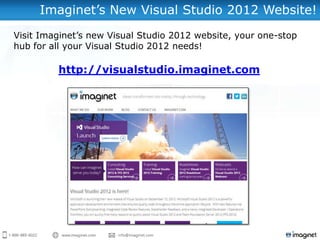
Imaginet’s New Visual Studio 2012 Website!
Visit Imaginet’s new Visual Studio 2012 website, your one-stop
hub for all your Visual Studio 2012 needs!

         http://visualstudio.imaginet.com
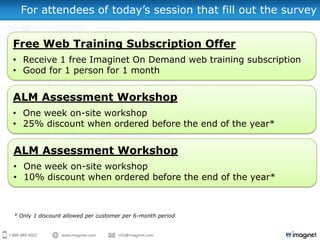
For attendees of today’s session that fill out the survey


Free Web Training Subscription Offer
• Receive 1 free Imaginet On Demand web training subscription
• Good for 1 person for 1 month


ALM Assessment Workshop
• One week on-site workshop
• 25% discount when ordered before the end of the year*


ALM Assessment Workshop
• One week on-site workshop
• 10% discount when ordered before the end of the year*


* Only 1 discount allowed per customer per 6-month period
For questions or more information,
      please contact us at:

info@imaginet.com or (972) 607-4830
http://www.imaginet.com

Streamlining Testing with Visual Studio 2012

  • 1.
    Streamline Testing with Visual Studio 2012 Imaginet Resources Corp. http://www.imaginet.com
  • 2.
    Agenda • Software Quality Assurance Practices • Opportunities to Streamline QA • Tools in practice • QA Reporting • Review
  • 3.
    Overview • Software Testing:an investigation conducted to provide stakeholders with information about the quality of the software under test. • Software Quality: – Functional Quality: how well software complies with a given design, based on functional requirements or specifications. – Structural Quality: how well software meets non-functional requirements (e.g., maintainability). Credit to Wikipedia for these definitions
  • 4.
    How do wetest? • Product owner gathers requirements • Developers write code based on requirements • Software is built/packaged • Test environment is prepared • Testers verify software • As needed, testers report bugs • Developers fix bugs • Testers verify fixes • Software is declared ready for production
  • 5.
    Opportunities? • Do youhave dedicated testers? • When do your testers start working? • How do they know what they’re testing? • How do you prepare the test environment? • Can you speed up test execution? • Can you reduce wasted cycles working bugs? • How do you select the right set of regression tests? • How do you know it’s ready for production?
  • 6.
    Streamlining Planning • Testbased on requirements! – Involved testers early in the process – Tests are developed along side software – Tests are ready to run when code is ready to test – Testers know what they’re testing
  • 7.
    Streamline Environments • AutomateBuild (Compile and Packaging) – Track specifically what is in the build • Simplify Test Environment Setup – Use virtual test environments – Create environments based on a library of machines – Deploy environments from a library – Share environments or not, based on your needs • Automate Deployment
  • 8.
    Streamline Testing • ManualTesting – Modularize reusable test components – Automatically replay manual steps • Regression Testing – Only re-run tests that are impacted by code changes • Automatic Testing (where it makes sense) – Automate manual tests – Integrate automated tests into builds
  • 9.
    Streamline Bug Tracking •Capture ‘Rich bugs’ during testing Data collection for your test environment during testing makes it easier for developers to troubleshoot. • Simplify bug tracing – Know which bugs are resolved in a build – Easily verify bug fixes
  • 10.
    Tools for Streamlining •Microsoft Test Manager – Included in Visual Studio 2012 Premium, Ultimate –or- Visual Studio Test Professional 2010 – Supports streamlining: • Test Planning • Test Environments (via Lab Management) • Manual and Regression Testing • Exploratory Testing • Bug Tracking • Visual Studio 2012 Premium or Ultimate – Coded UI Tests and other automated tests • Visual Studio 2012 Team Foundation Server – Requirements Management – Automated Build (and Deploy/Test via Lab Management) – Bug Tracking
  • 11.
    DEMONSTRATION • Test Planning •Test Case Development • Test Case Execution • Exploratory Testing • Bug Tracking • Test Automation • Environment Management • Automated Build/Deploy/Test
  • 12.
  • 13.
  • 14.
    Summary • Quality Assurance – Current State – Opportunities • Tools in action – Test Planning – Test Case Development – Test Case Execution – Exploratory Testing – Bug Tracking – Test Automation – Environment Management – Automated Build/Deploy/Test • Tracking and Quality Metrics
  • 15.
  • 16.
    Want to knowmore...?
  • 17.
    Imaginet’s New VisualStudio 2012 Website! Visit Imaginet’s new Visual Studio 2012 website, your one-stop hub for all your Visual Studio 2012 needs! http://visualstudio.imaginet.com
  • 18.
    For attendees oftoday’s session that fill out the survey Free Web Training Subscription Offer • Receive 1 free Imaginet On Demand web training subscription • Good for 1 person for 1 month ALM Assessment Workshop • One week on-site workshop • 25% discount when ordered before the end of the year* ALM Assessment Workshop • One week on-site workshop • 10% discount when ordered before the end of the year* * Only 1 discount allowed per customer per 6-month period
  • 19.
    For questions ormore information, please contact us at: info@imaginet.com or (972) 607-4830
  • 20.

Editor's Notes