Streamlining
Metadata Automation
with ArcGIS and FME
Jordan
Duft
Product Manager
Metadata, Search &
Discovery
Esri
Dean
Hintz
Product Manager, Open
Standards / XML
Safe Software
Bruce
Harold
Product Manager
Data Interoperability
Esri
Meet the Presenters
Peak of Data Integration 2025
Seattle, WA | May 6–8, 2025
● Abstracts due Nov 29th, 2024
○ All levels FME proficiency welcome
○ 15 & 25 min options (incl. Q&A)
○ Special speaker rate for accepted talks
● Registration is open!
peakofdataintegration.com/Call-For-Presentations
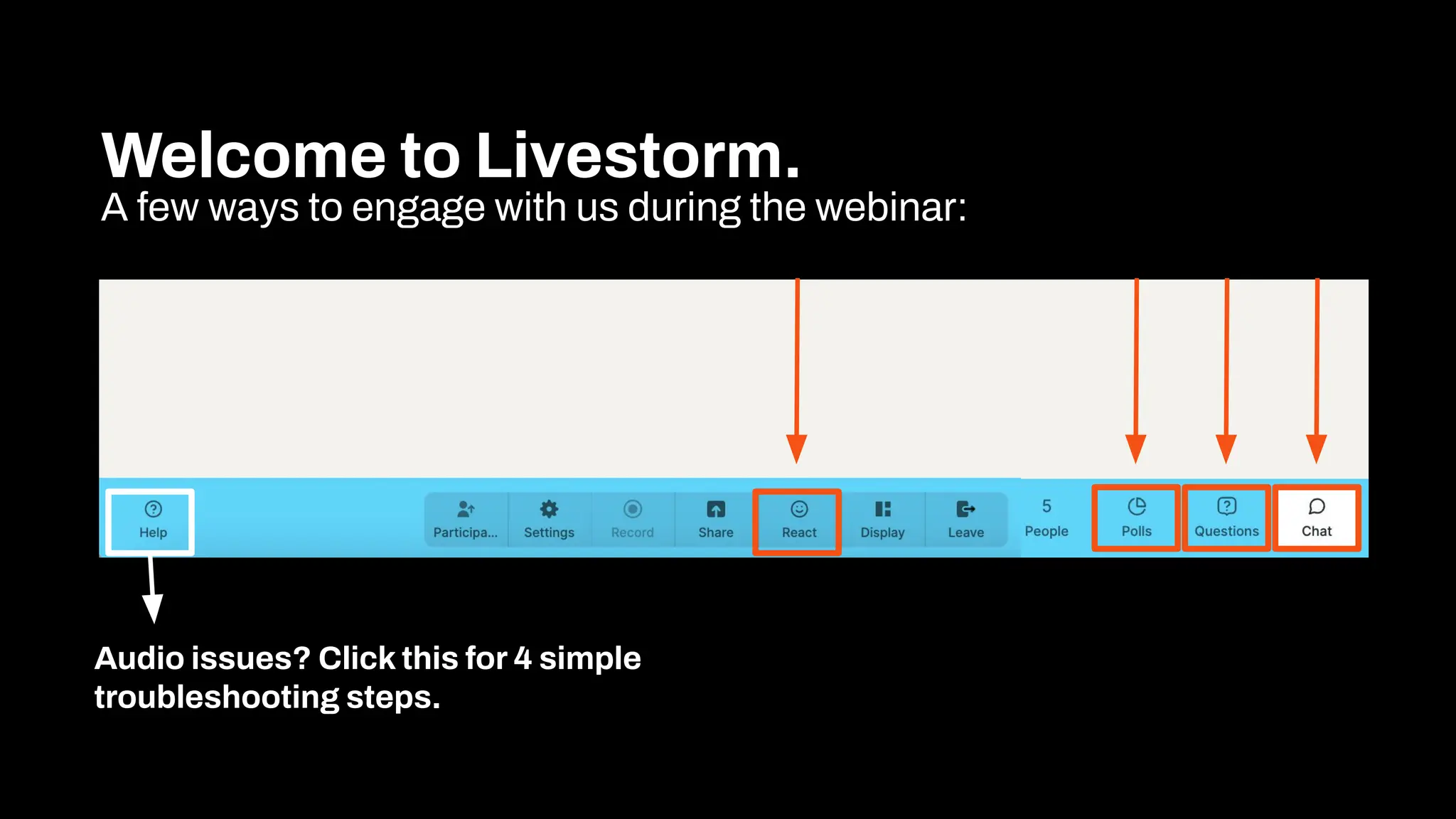
Welcome to Livestorm.
A few ways to engage with us during the webinar:
Audio issues? Click this for 4 simple
troubleshooting steps.
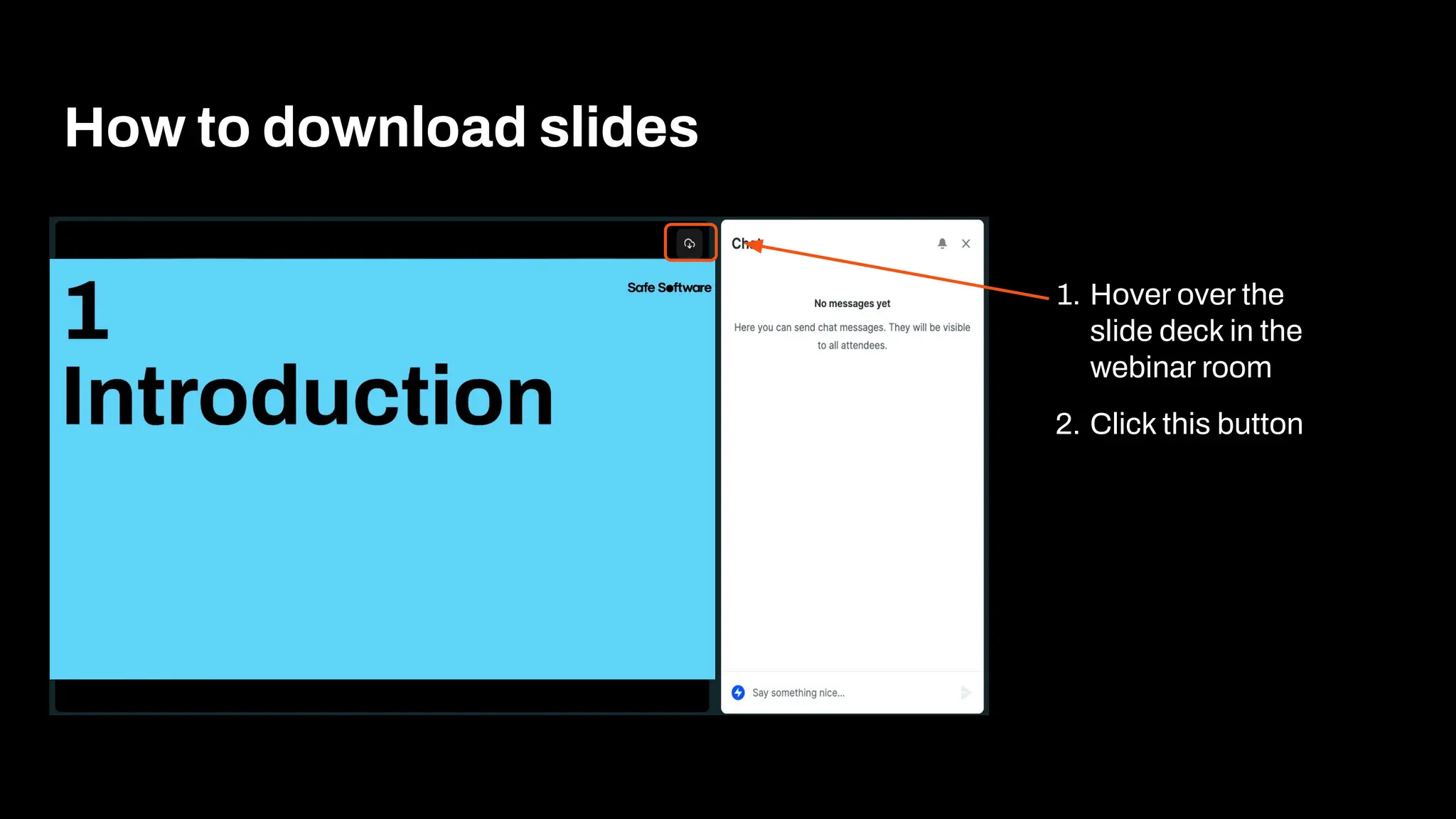
How to download slides
1. Hover over the
slide deck in the
webinar room
2. Click this button
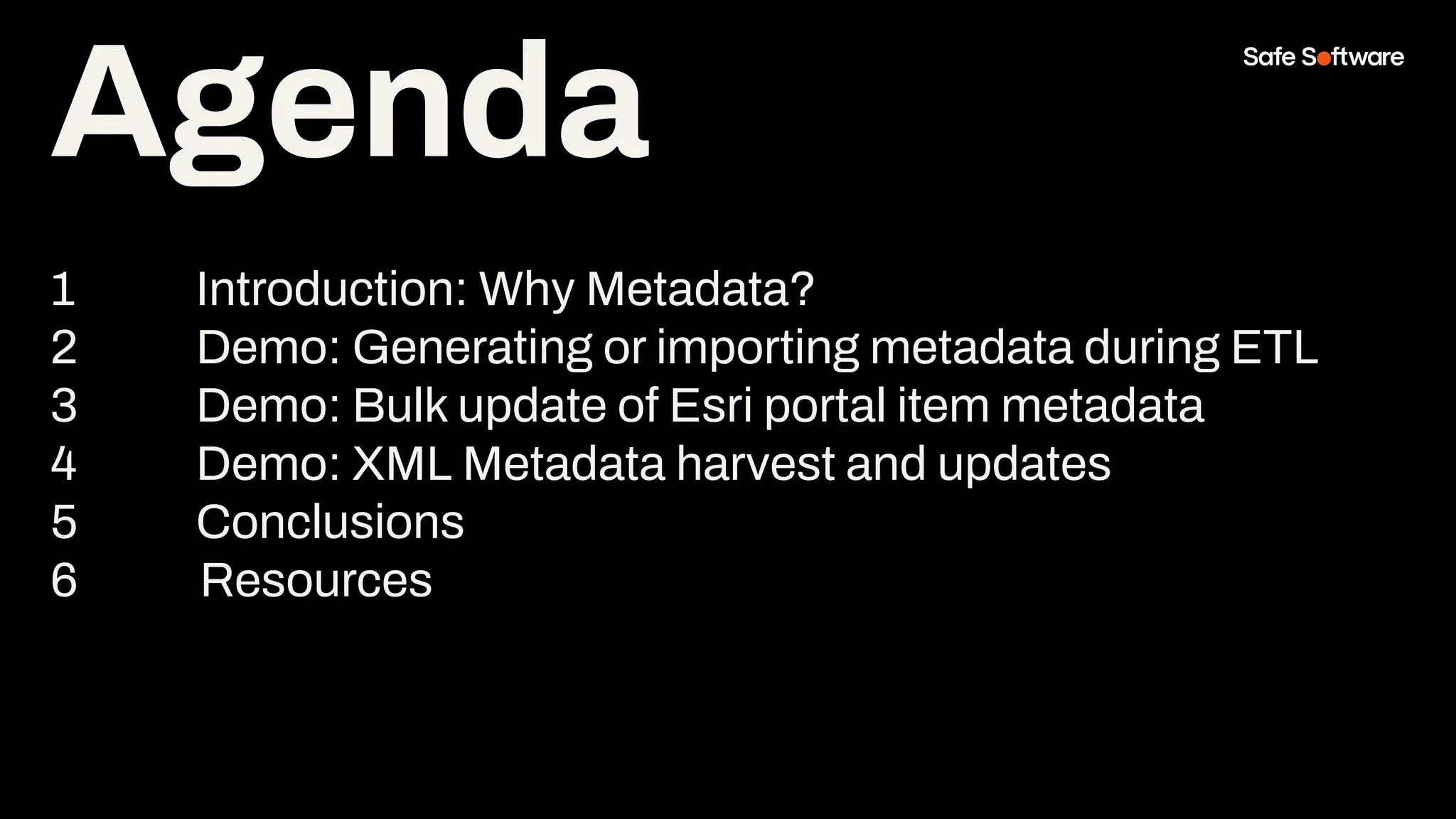
Agenda
1 Introduction: Why Metadata?
2 Demo: Generating or importing metadata during ETL
3 Demo: Bulk update of Esri portal item metadata
4 Demo: XML Metadata harvest and updates
5 Conclusions
6 Resources
Agenda
1
Introduction
Bootstrap your
metadata
maintenance using
FME & ArcGIS Data
Interoperability.
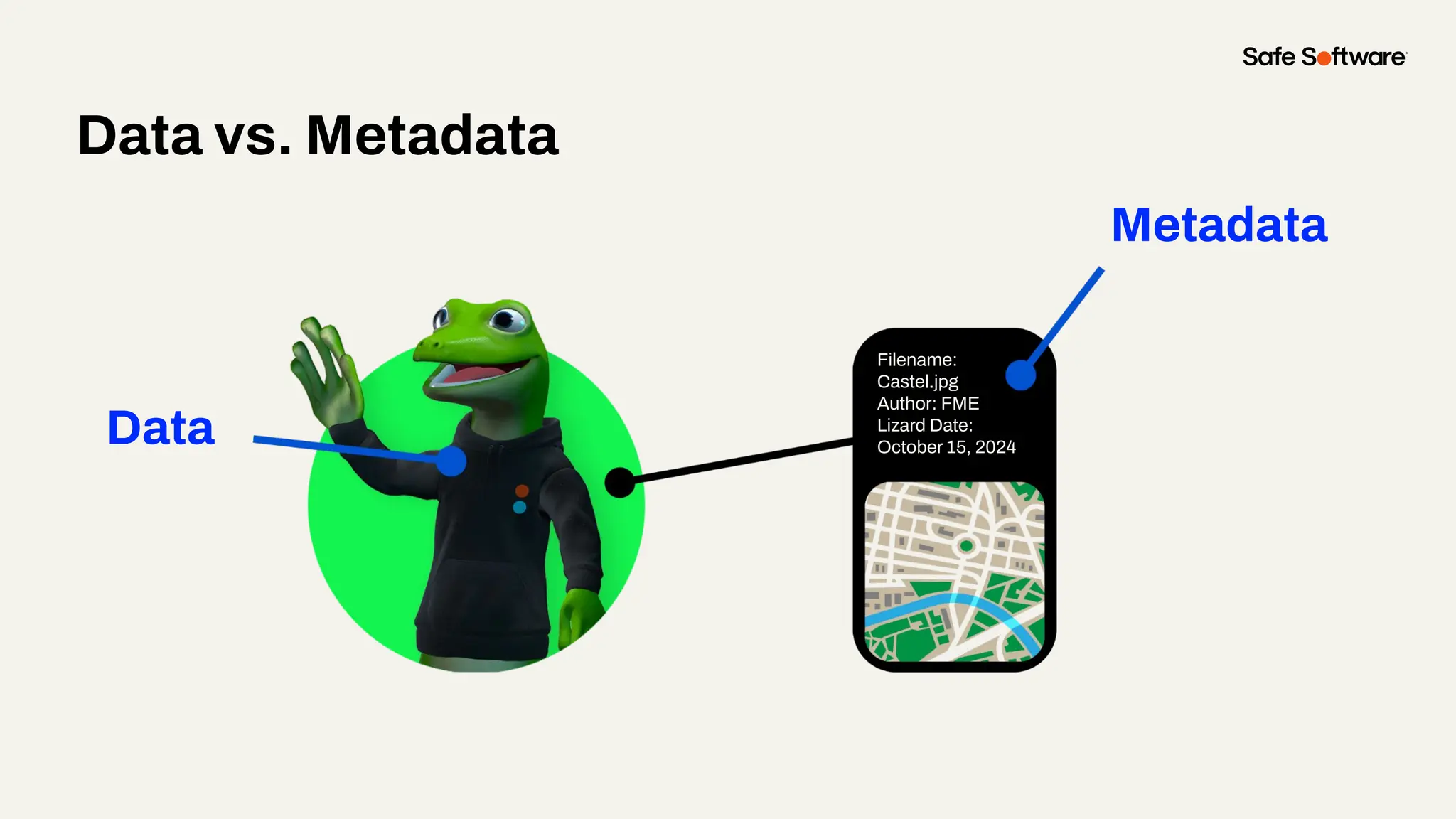
Data vs. Metadata
Data
Metadata
Filename:
Castel.jpg
Author: FME
Lizard Date:
October 15, 2024
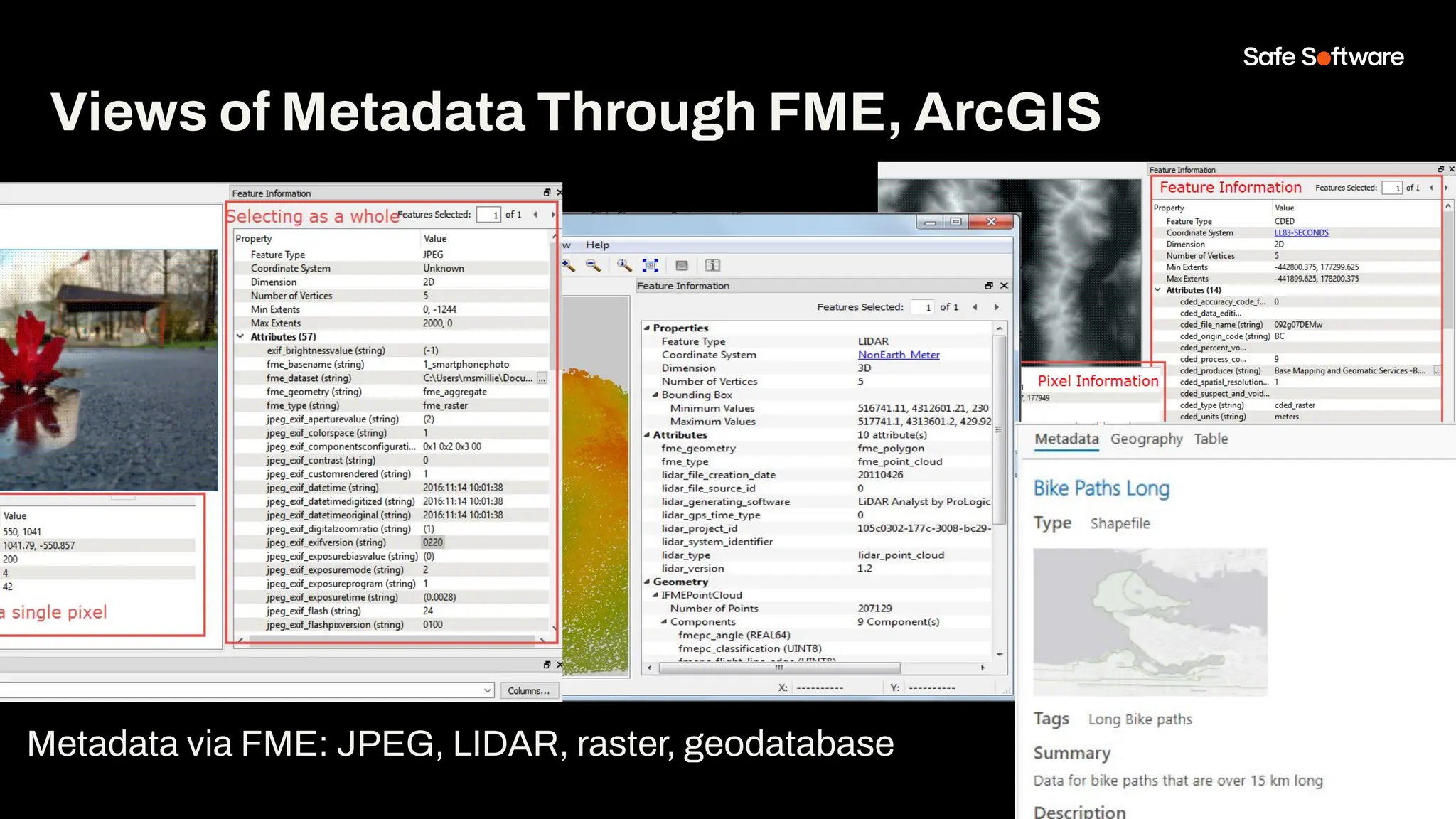
Views of Metadata Through FME, ArcGIS
Metadata via FME: JPEG, LIDAR, raster, geodatabase
Why Metadata?
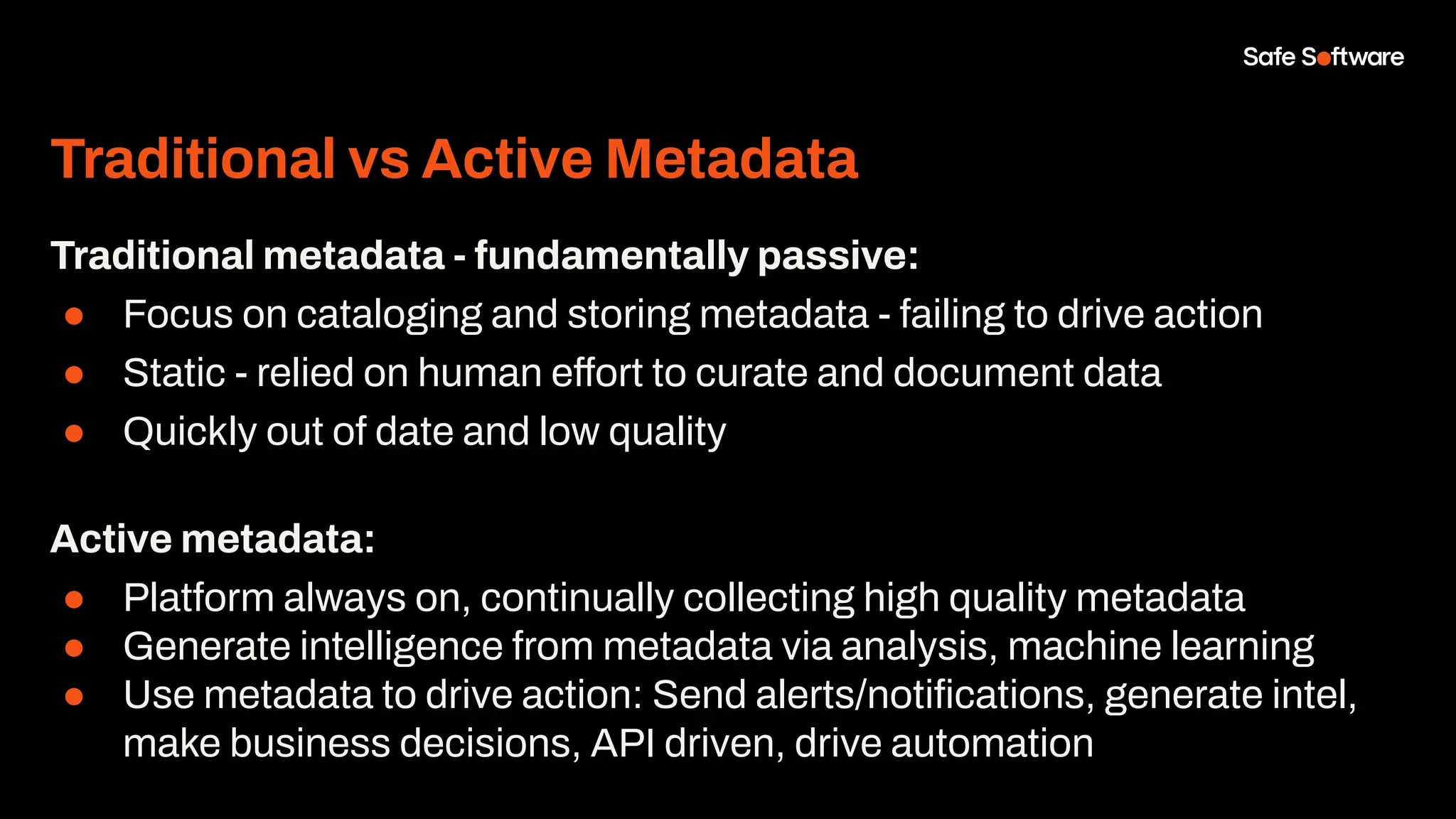
Traditional vs Active Metadata
Traditional metadata - fundamentally passive:
● Focus on cataloging and storing metadata - failing to drive action
● Static - relied on human effort to curate and document data
● Quickly out of date and low quality
Active metadata:
● Platform always on, continually collecting high quality metadata
● Generate intelligence from metadata via analysis, machine learning
● Use metadata to drive action: Send alerts/notifications, generate intel,
make business decisions, API driven, drive automation
Why Metadata - Users
Good metadata helps us find quality, relevant information:
● Supports search & discovery: Tags for search, labels for AI
● Lack of metadata leads to data acquisition and retention headaches
● Typical user spends up to 80% of their time on data prep (20% collecting
and 60% cleaning / organizing)
Why Metadata - Producers
Metadata helps us manage data life cycles, creation to publication:
● Quality control, integrity, data accuracy, currency
● Interoperability: repeatability, span silos, machine to machine, APIs
● Data governance: value, longevity, reuse, indexing, lineage
● Emerging data storage & scaling technologies: big data, No SQL, sensors,
digital twins, BIM
● Emerging data science & analytics technologies: BI, AI, ML, modelling &
simulation
● Metadata is the glue that ties all these new technologies together
Why Metadata - Properties
Data properties useful for determining relevance:
● Location: Position or extent
● Time: Creation date, last updated, time range
● Author: Data collector, source trustworthiness
● Type: Data structure (e.g., imagery, tables, maps), data types
● Content: Themes, schema, units, values
● Quality: Positional/temporal accuracy, resolution, cloud cover
● Summary Statistics: Record count, time steps, size
● Summary Info: Text description, intended use, thumbnails
● Security: Sensitivity, privacy, required access rights
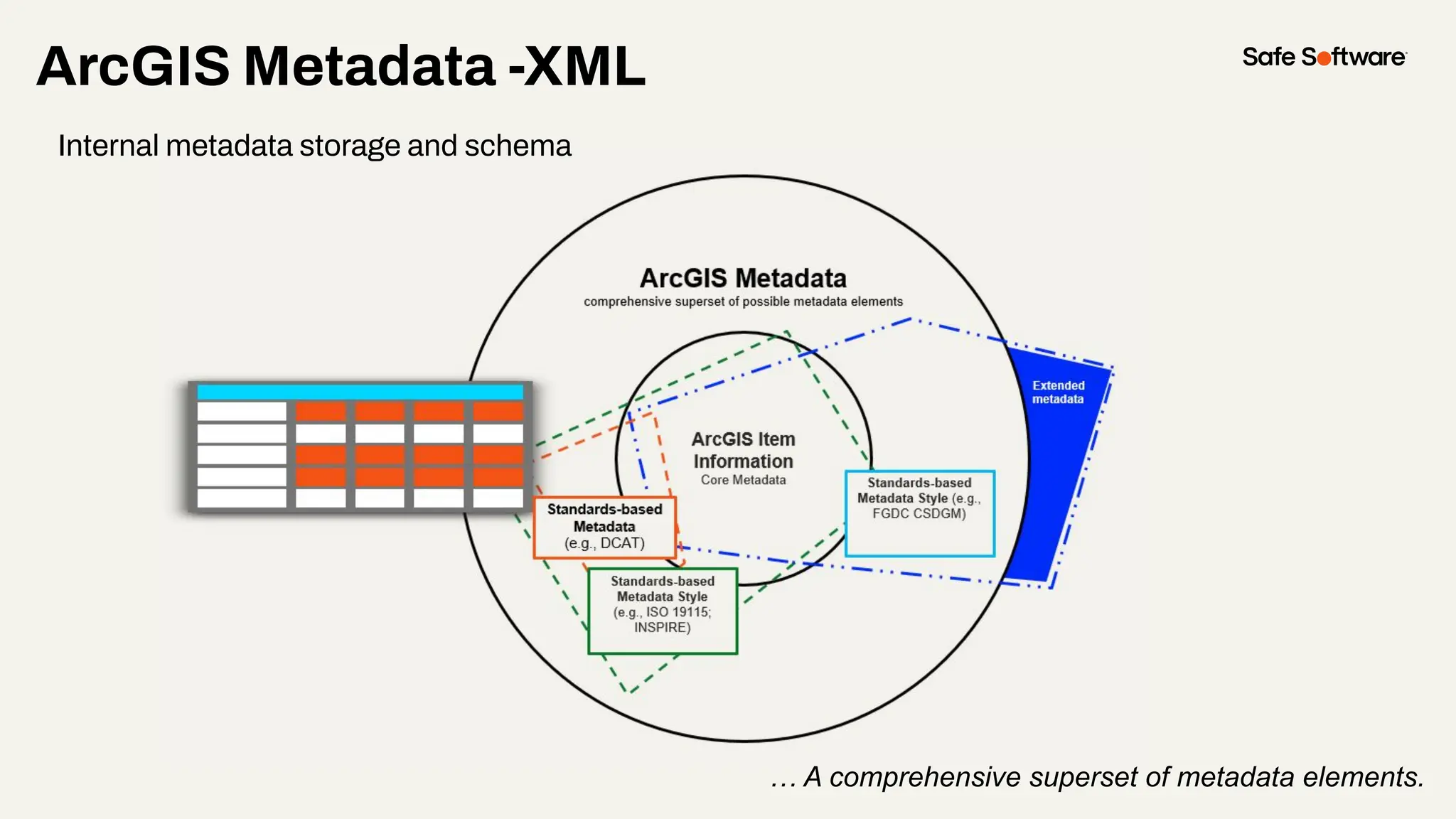
ArcGIS Metadata -XML
… A comprehensive superset of metadata elements.
Internal metadata storage and schema
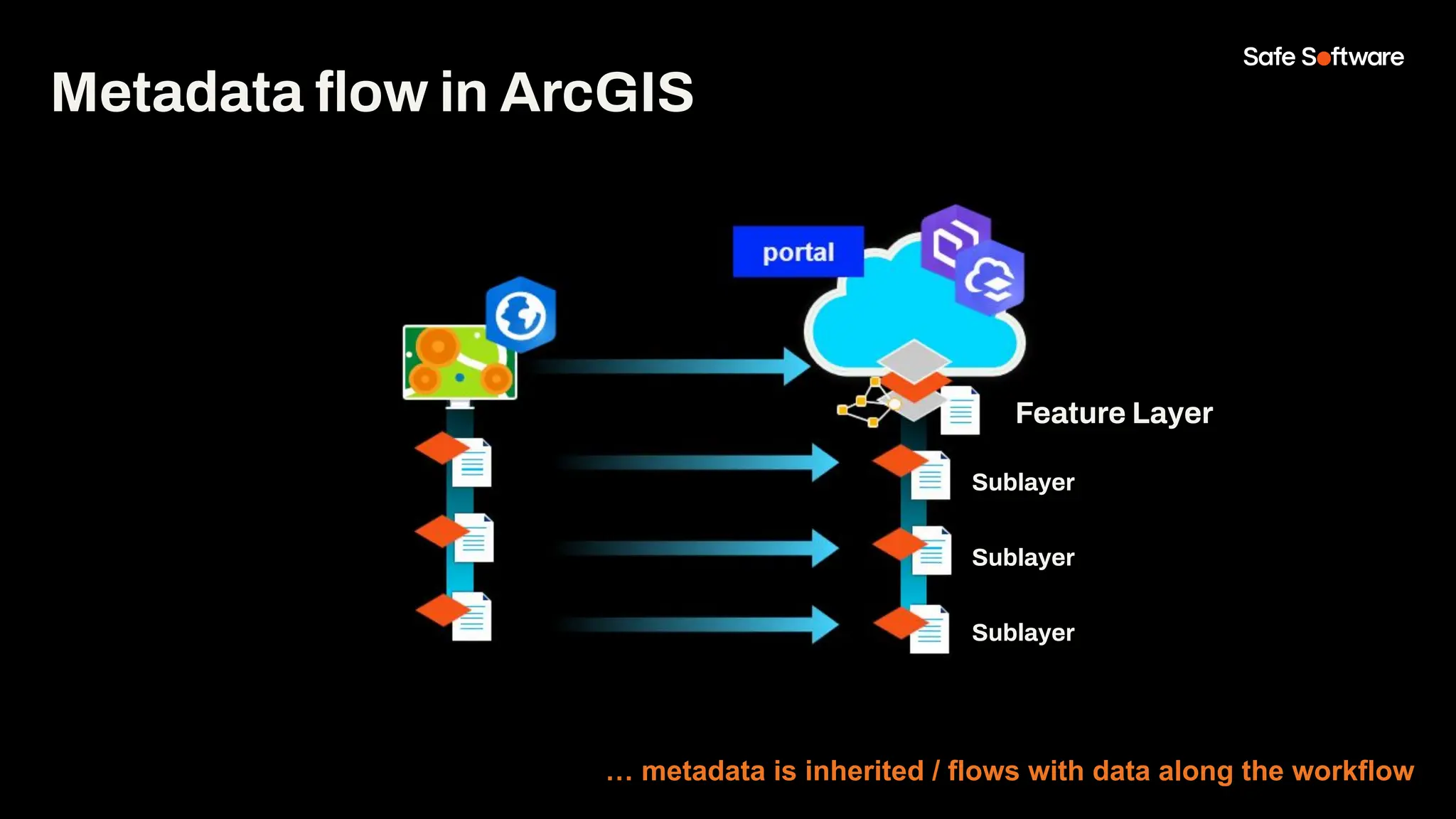
Metadata flow in ArcGIS
… metadata is inherited / flows with data along the workflow
Feature Layer
Sublayer
Sublayer
Sublayer
What is your biggest
challenge related to
metadata?
With FME and ArcGIS, automate
and simplify metadata
management—no more
unneeded manual work!
2
ArcGIS Online
Connector &
MetaData Updates!
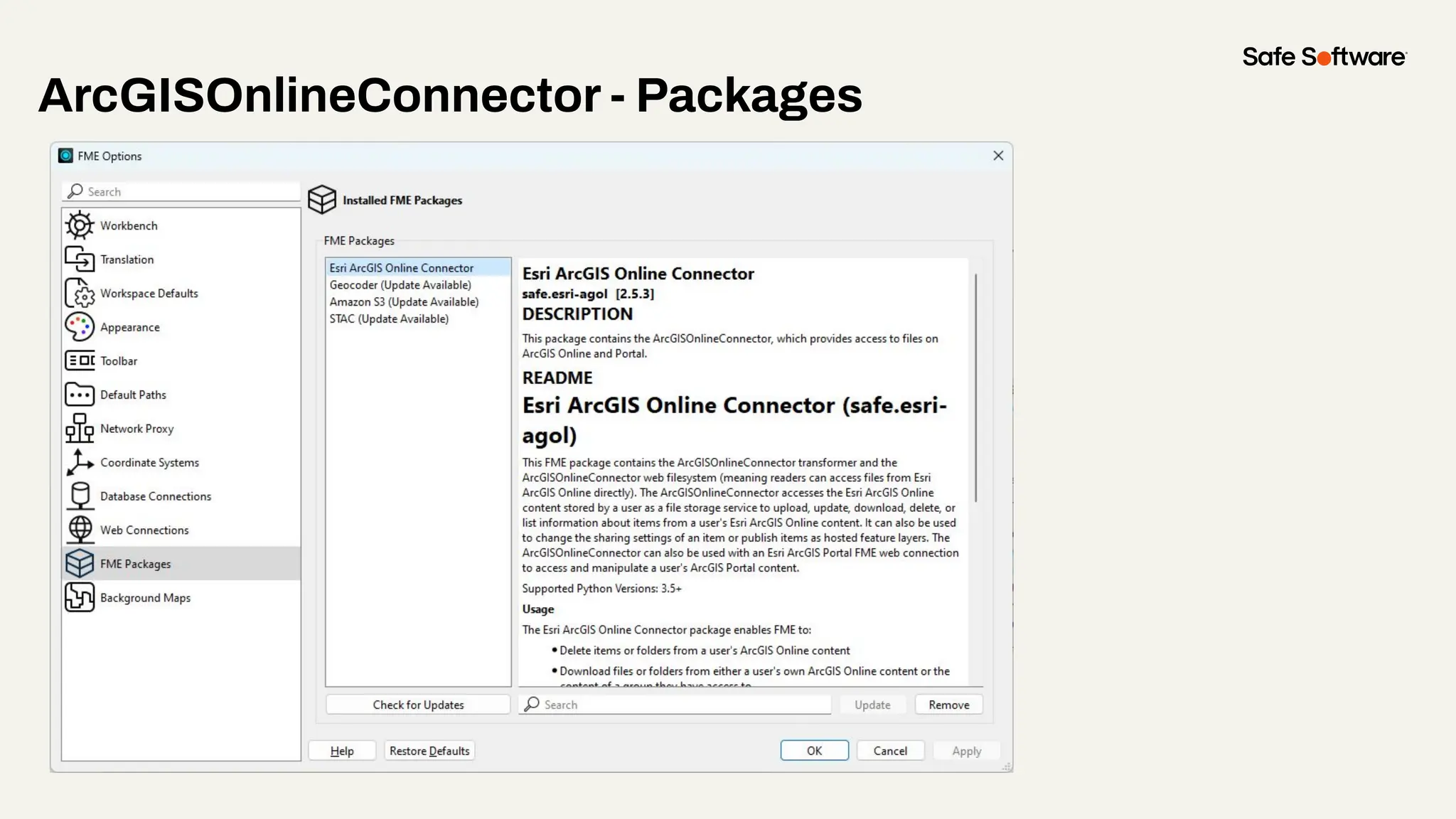
ArcGISOnlineConnector - Packages
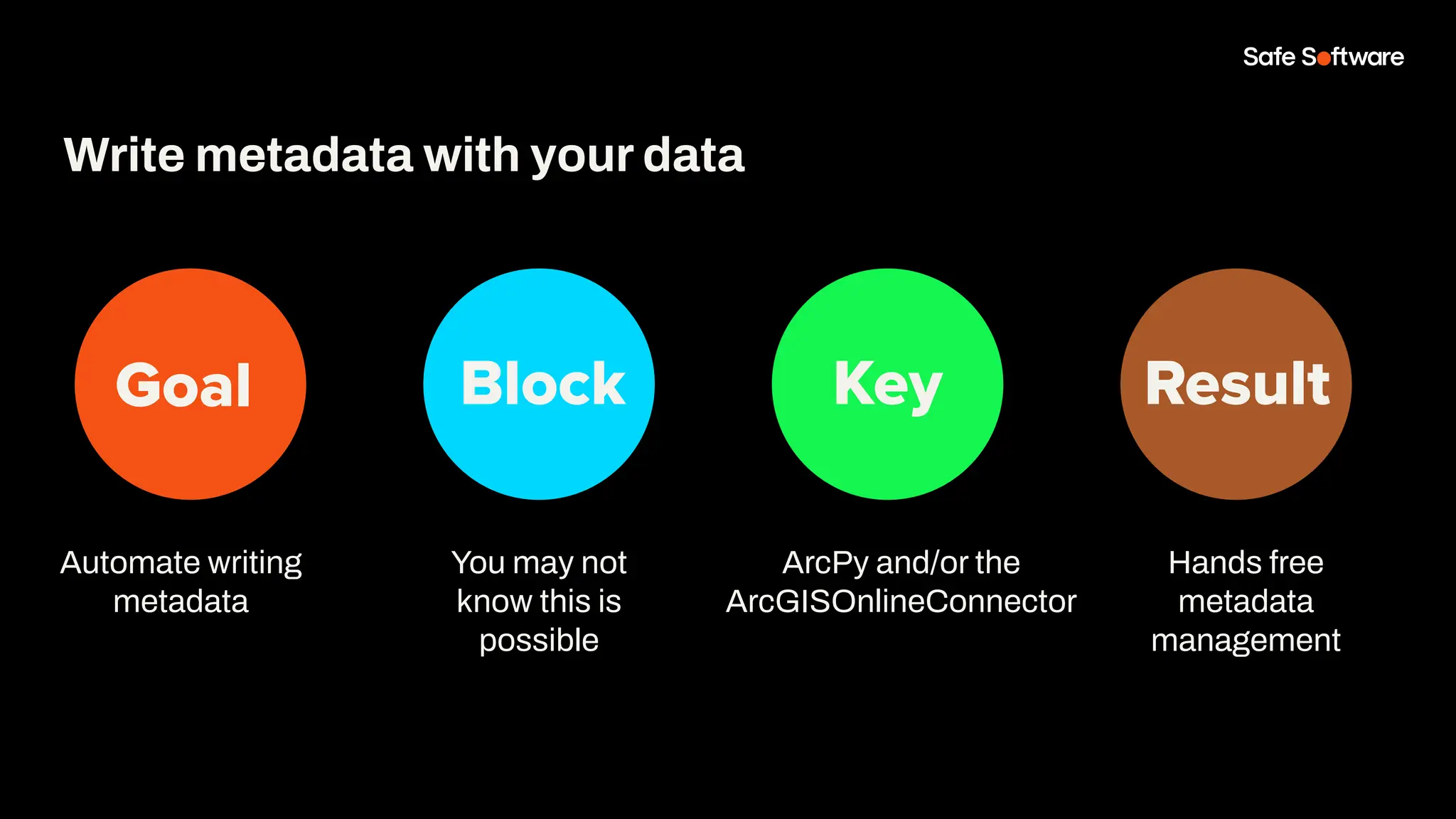
Goal Block Key Result
Automate writing
metadata
Write metadata with your data
You may not
know this is
possible
ArcPy and/or the
ArcGISOnlineConnector
Hands free
metadata
management
Demo
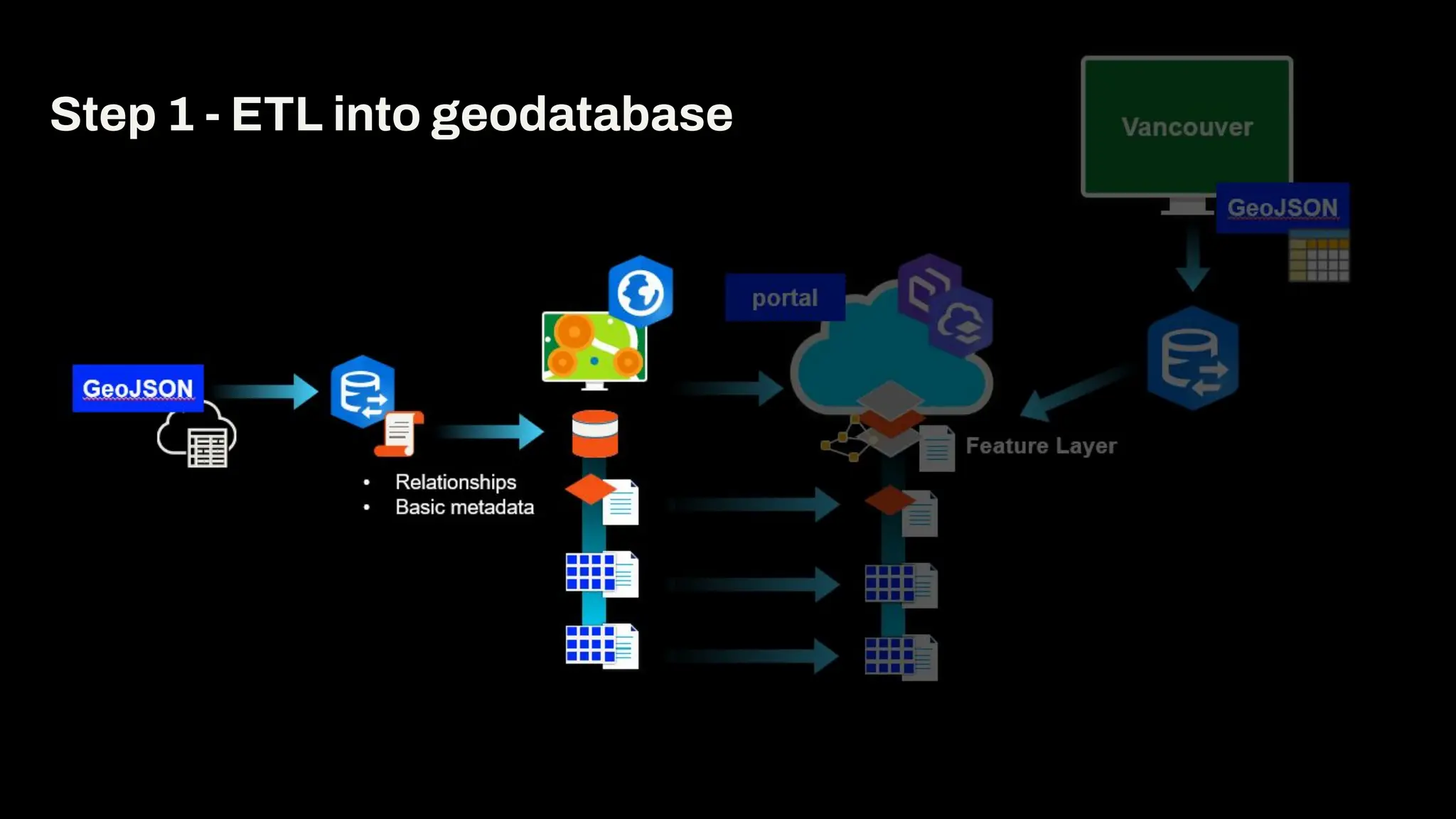
Step 1 - ETL into geodatabase
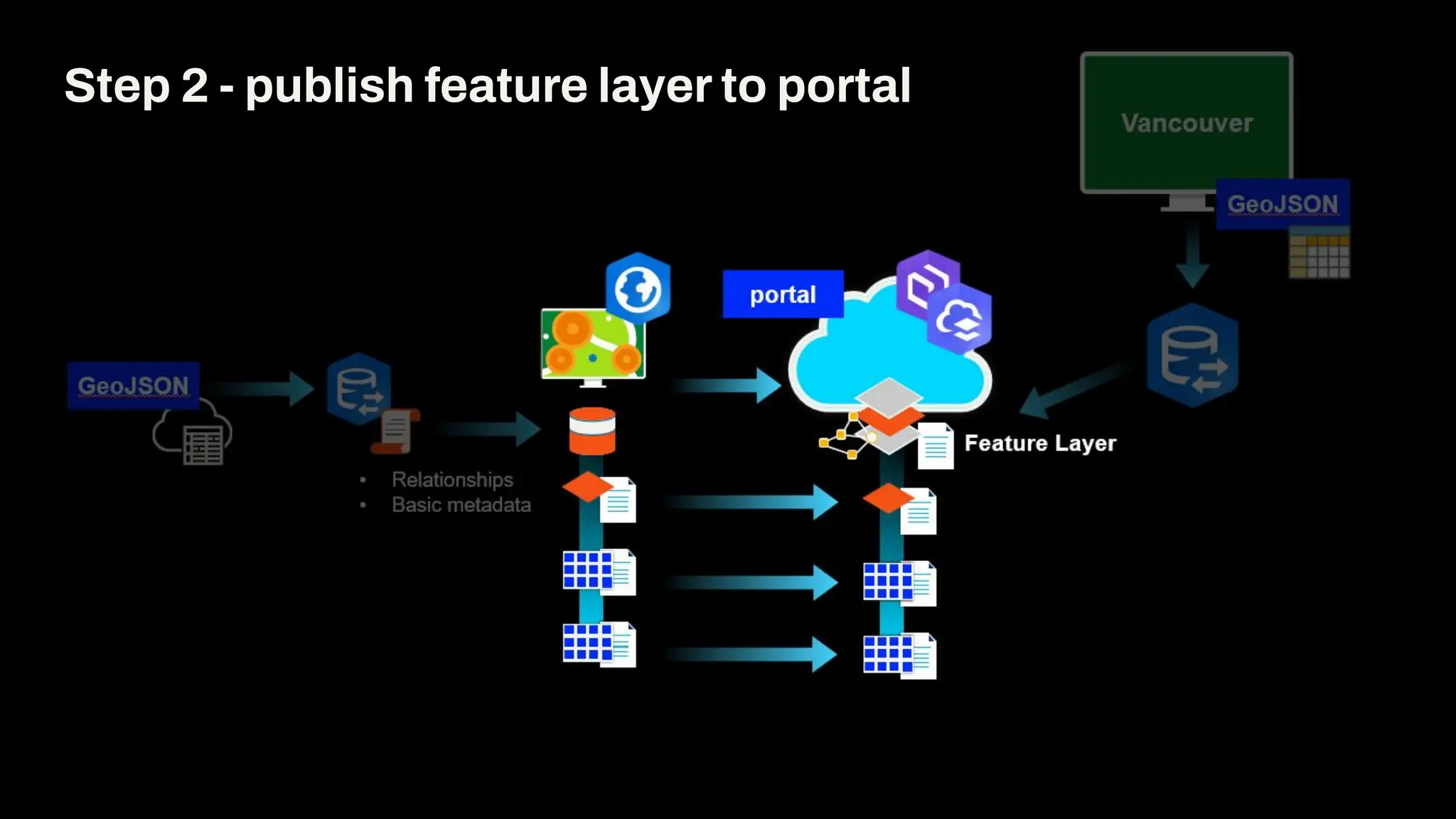
Step 2 - publish feature layer to portal
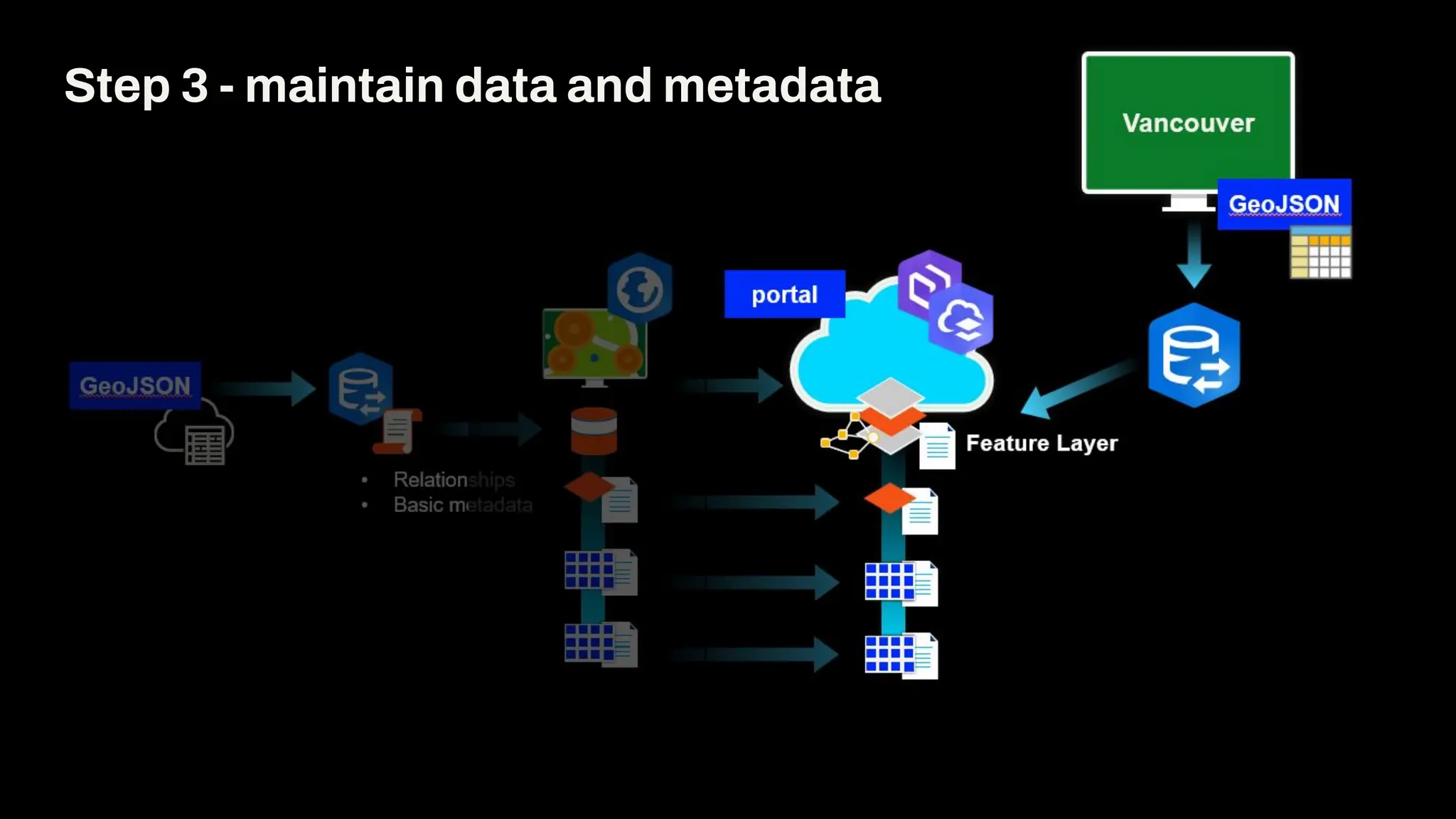
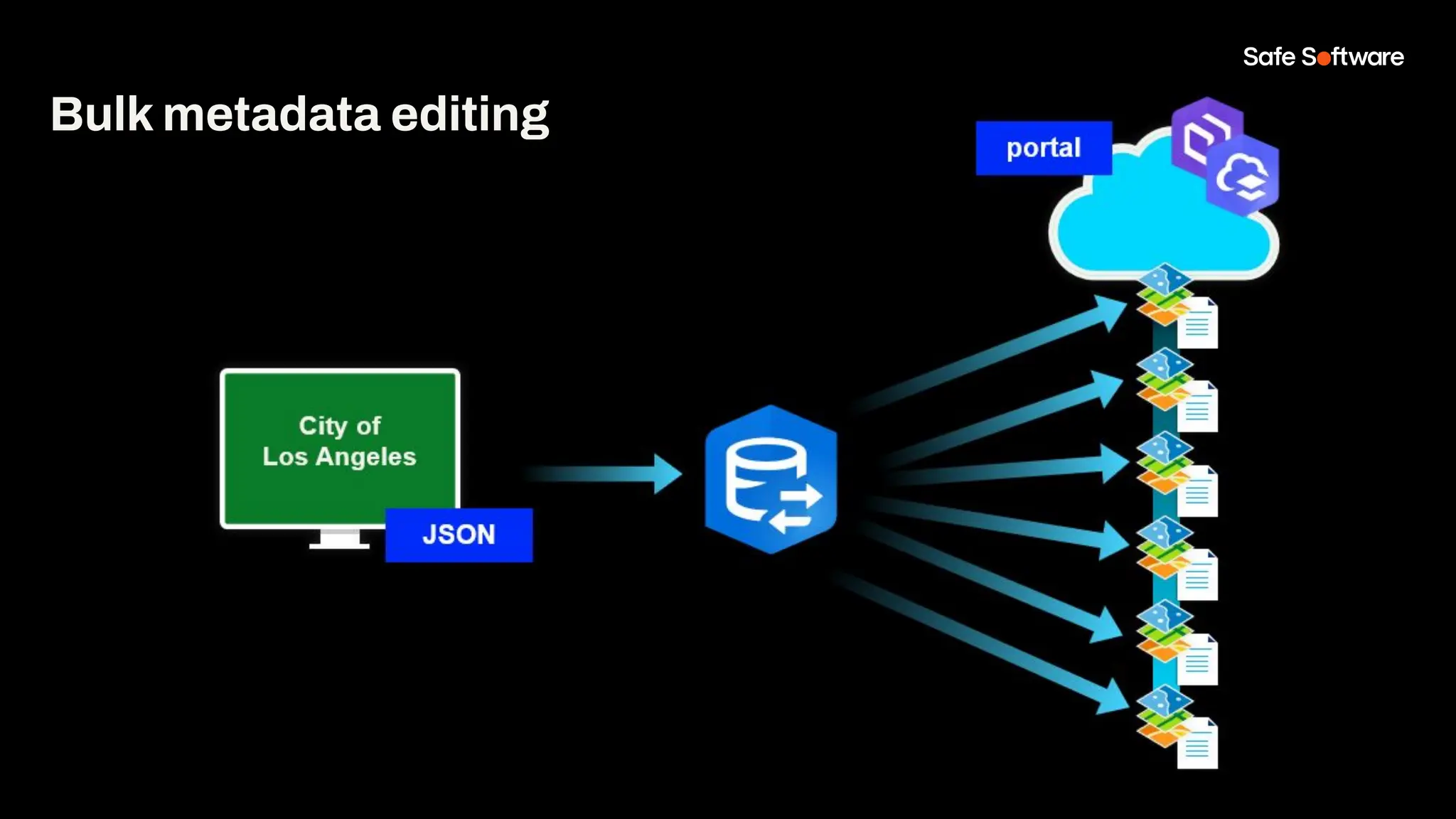
Step 3 - maintain data and metadata
Bulk metadata editing
3
Maintain portal
item metadata in
bulk
Slide Title
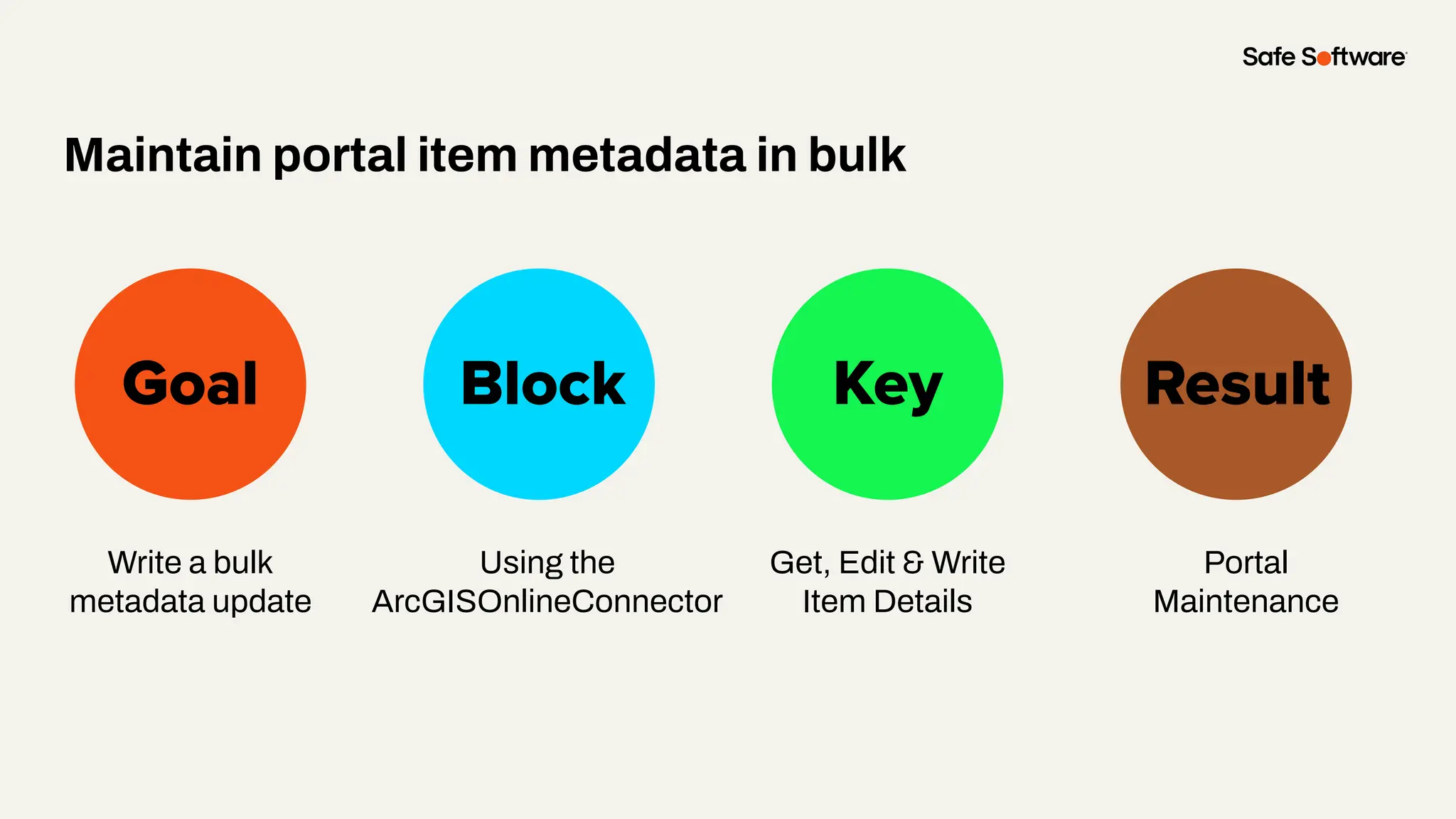
Write a bulk
metadata update
Goal Block Key
Maintain portal item metadata in bulk
Result
Using the
ArcGISOnlineConnector
Get, Edit & Write
Item Details
Portal
Maintenance
Demo
4
XML Metadata
harvest and
updates
Slide Title
Automatically
harvest metadata
from source tables
and write out the
metadata document
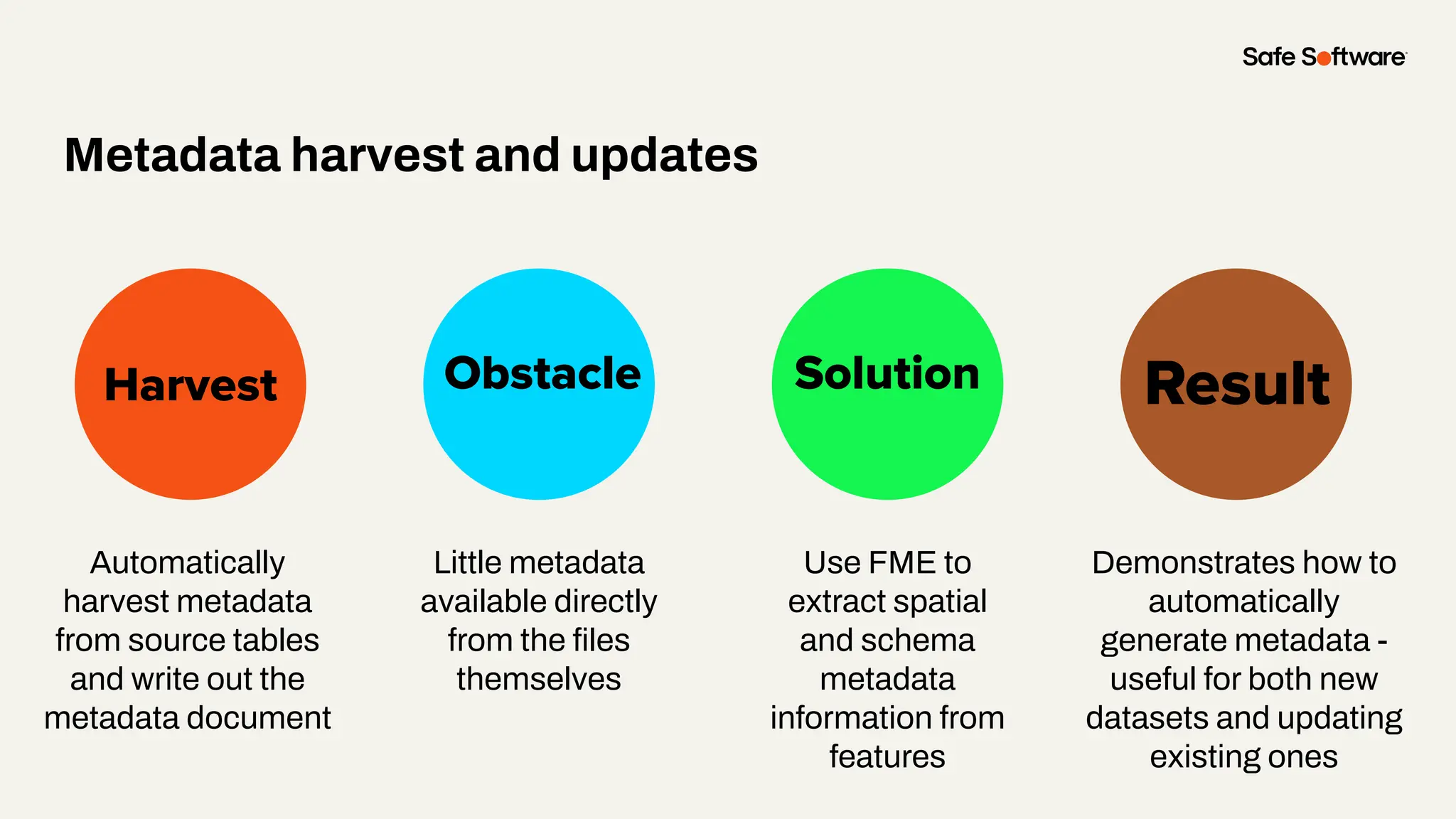
Harvest Obstacle Solution
Metadata harvest and updates
Result
Little metadata
available directly
from the files
themselves
Use FME to
extract spatial
and schema
metadata
information from
features
Demonstrates how to
automatically
generate metadata -
useful for both new
datasets and updating
existing ones
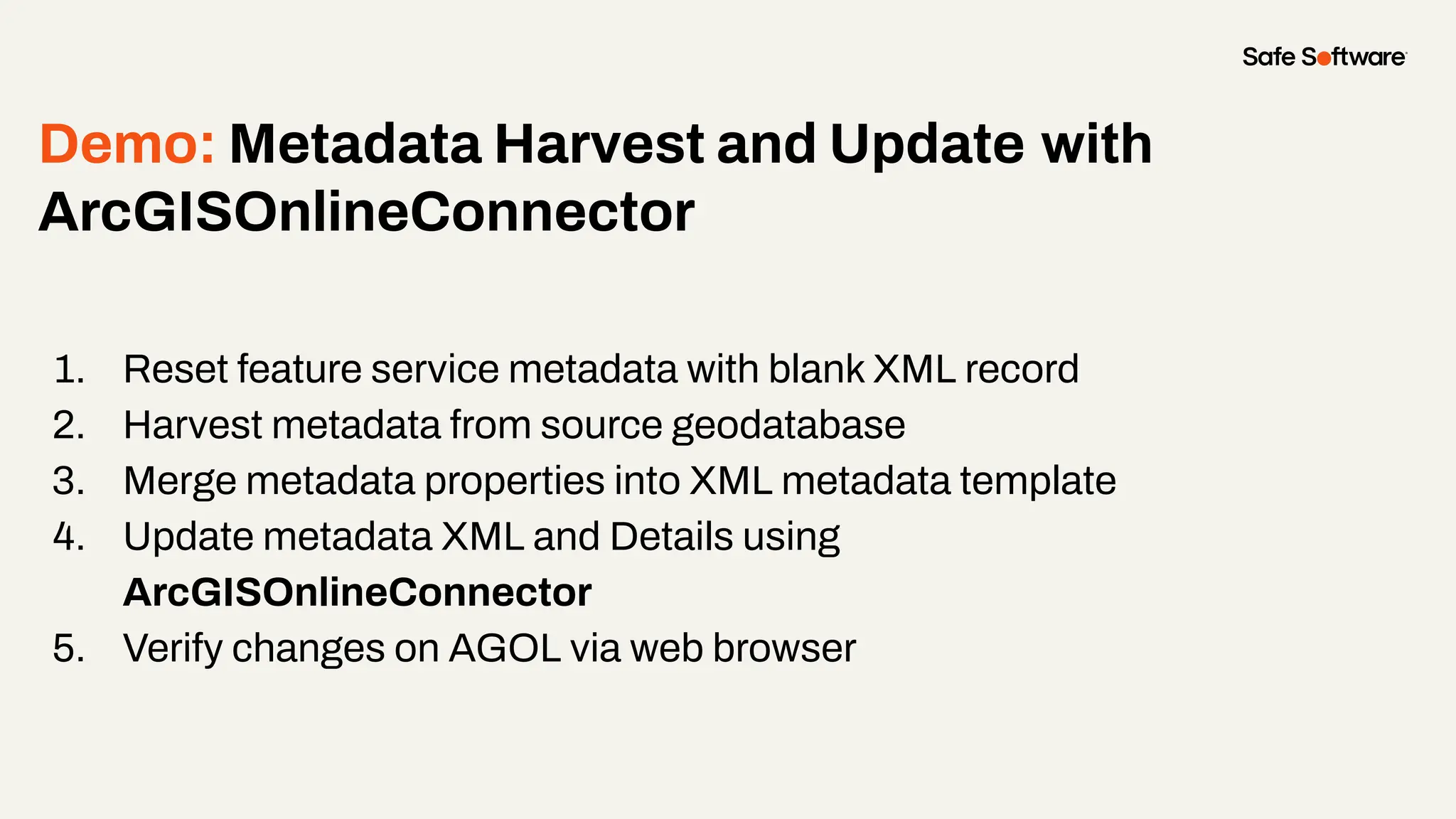
Demo: Metadata Harvest and Update with
ArcGISOnlineConnector
1. Reset feature service metadata with blank XML record
2. Harvest metadata from source geodatabase
3. Merge metadata properties into XML metadata template
4. Update metadata XML and Details using
ArcGISOnlineConnector
5. Verify changes on AGOL via web browser
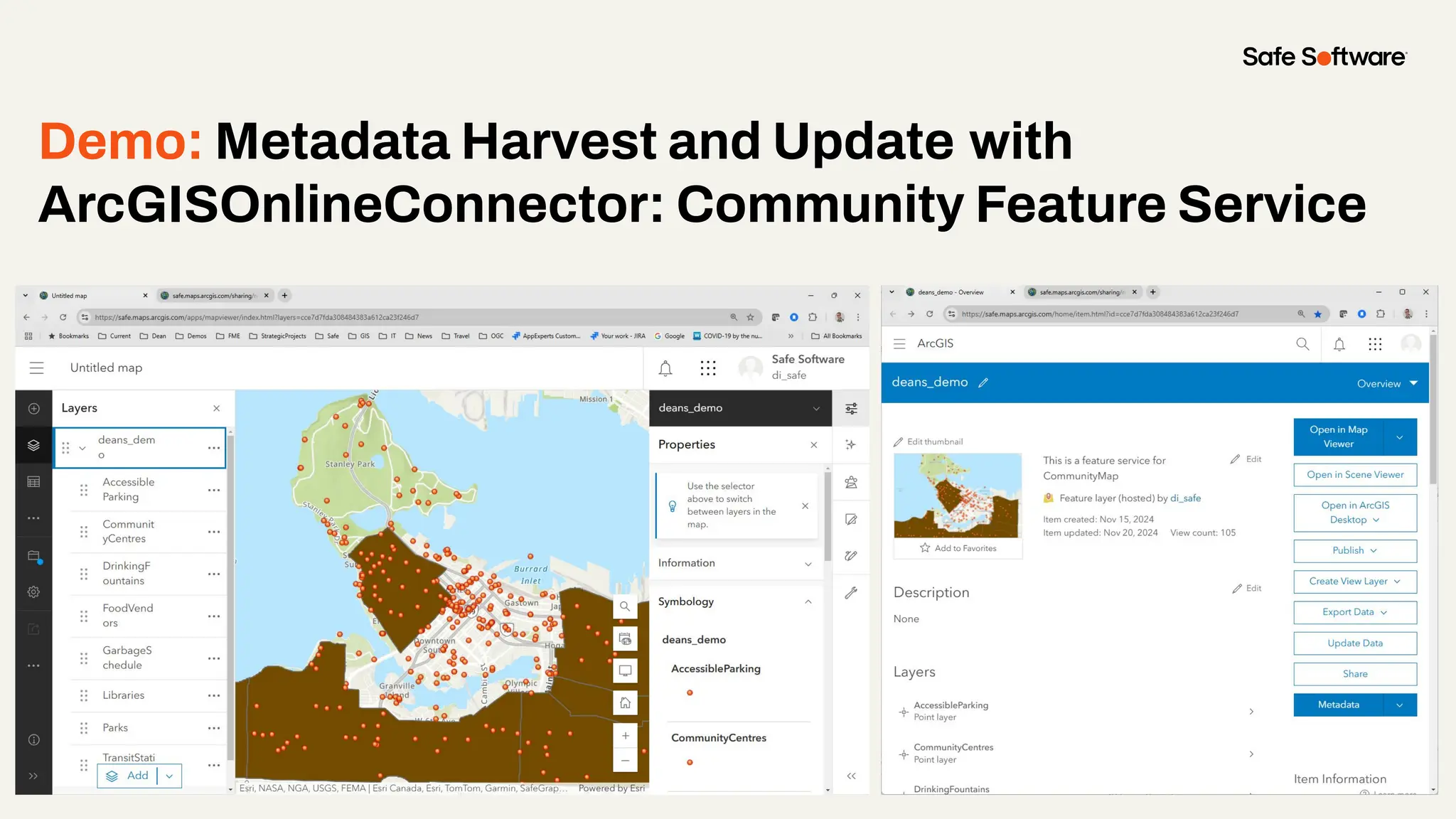
Demo: Metadata Harvest and Update with
ArcGISOnlineConnector: Community Feature Service
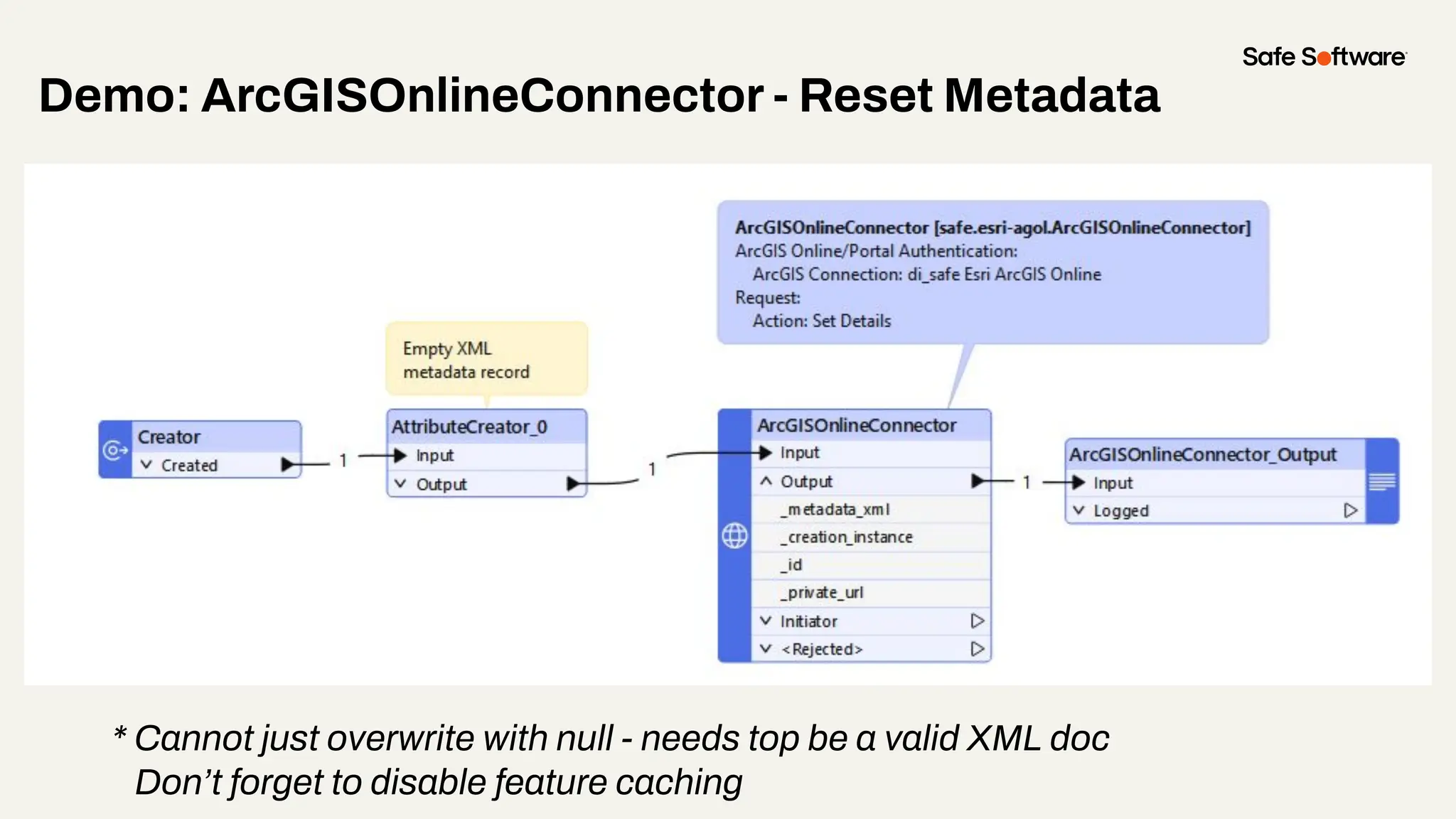
Demo: ArcGISOnlineConnector - Reset Metadata
* Cannot just overwrite with null - needs top be a valid XML doc
Don’t forget to disable feature caching
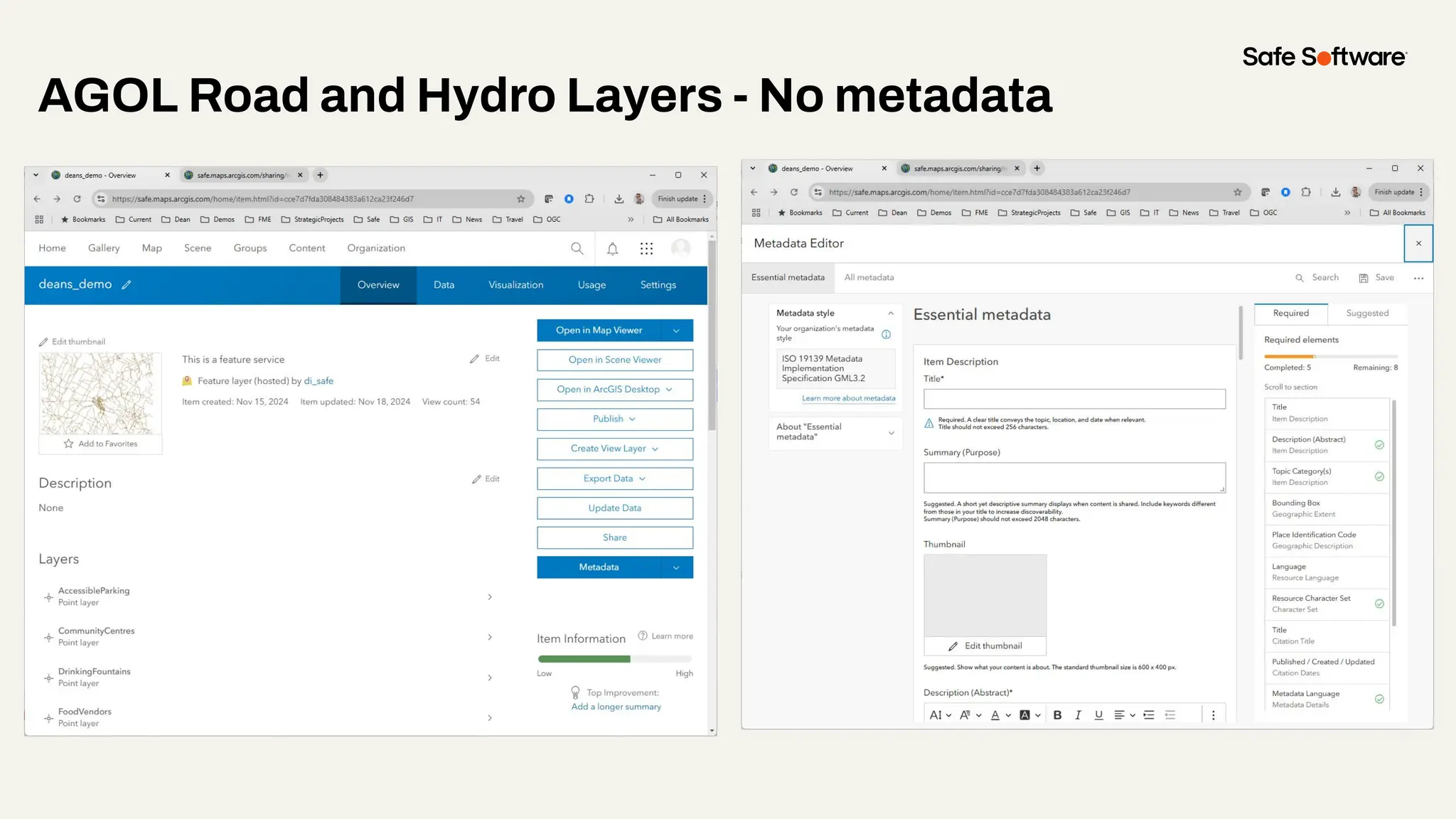
AGOL Road and Hydro Layers - No metadata
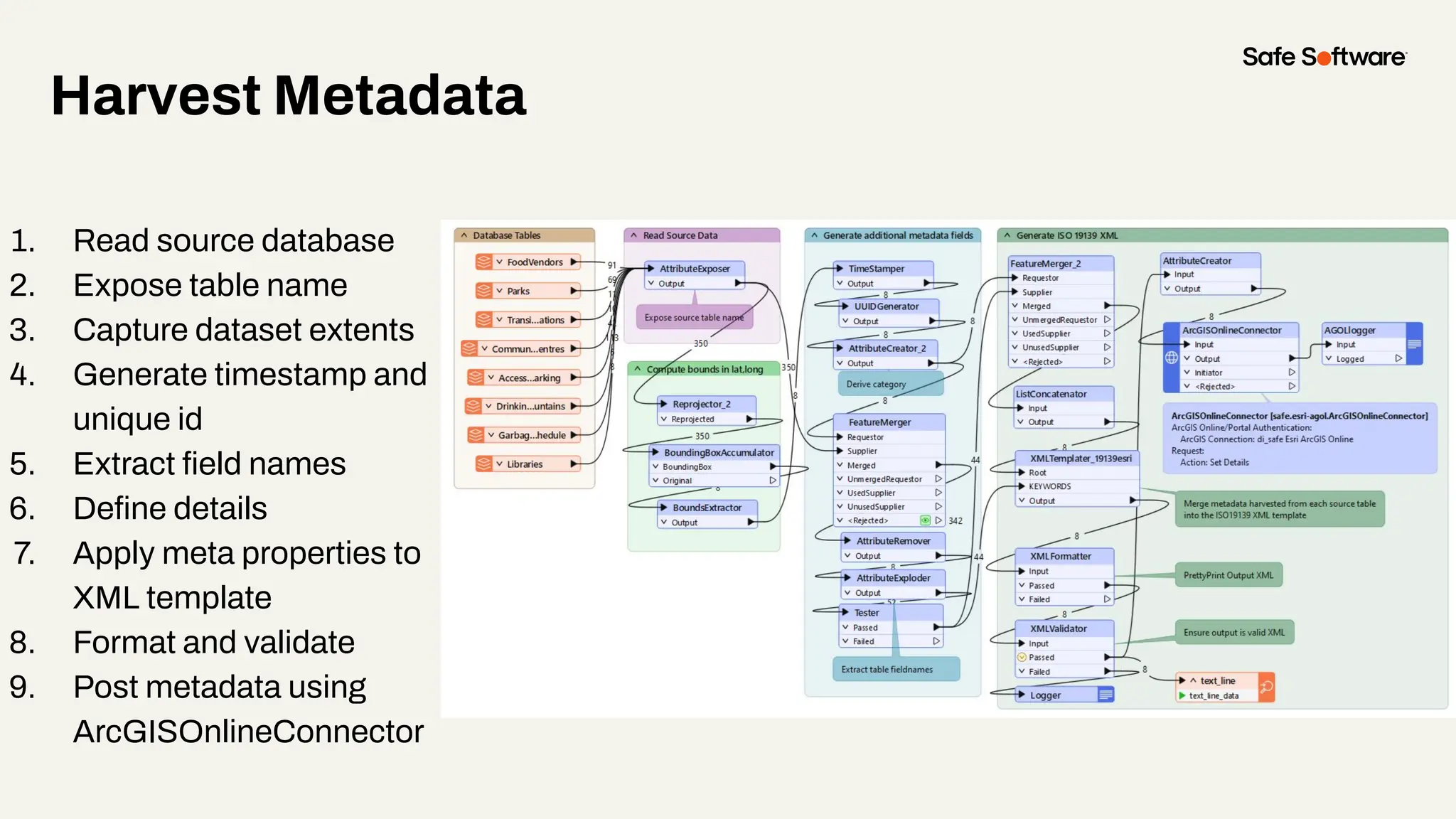
Harvest Metadata
1. Read source database
2. Expose table name
3. Capture dataset extents
4. Generate timestamp and
unique id
5. Extract field names
6. Define details
7. Apply meta properties to
XML template
8. Format and validate
9. Post metadata using
ArcGISOnlineConnector
Harvest Metadata
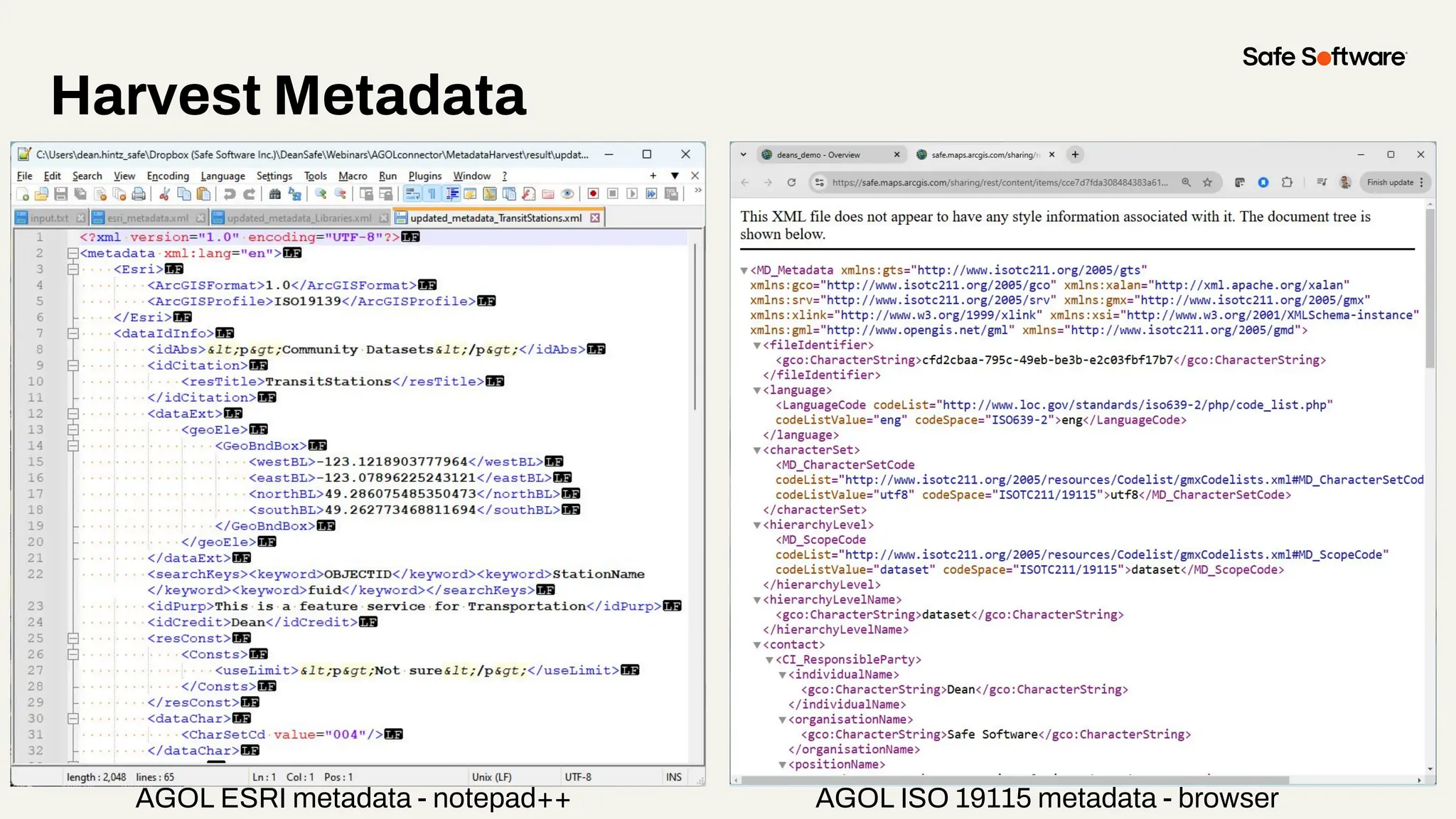
AGOL ESRI metadata - notepad++ AGOL ISO 19115 metadata - browser
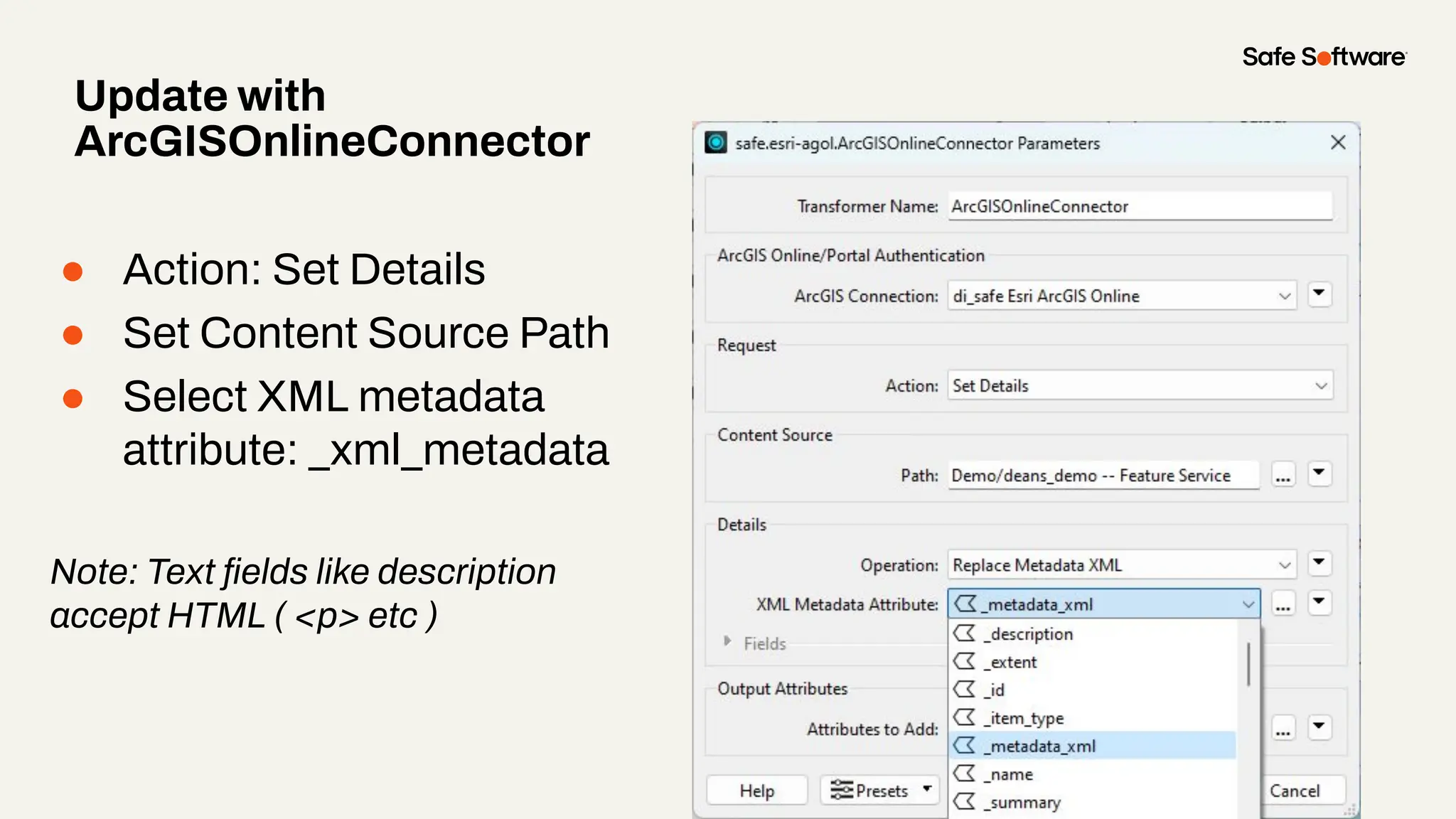
● Action: Set Details
● Set Content Source Path
● Select XML metadata
attribute: _xml_metadata
Note: Text fields like description
accept HTML ( <p> etc )
Update with
ArcGISOnlineConnector
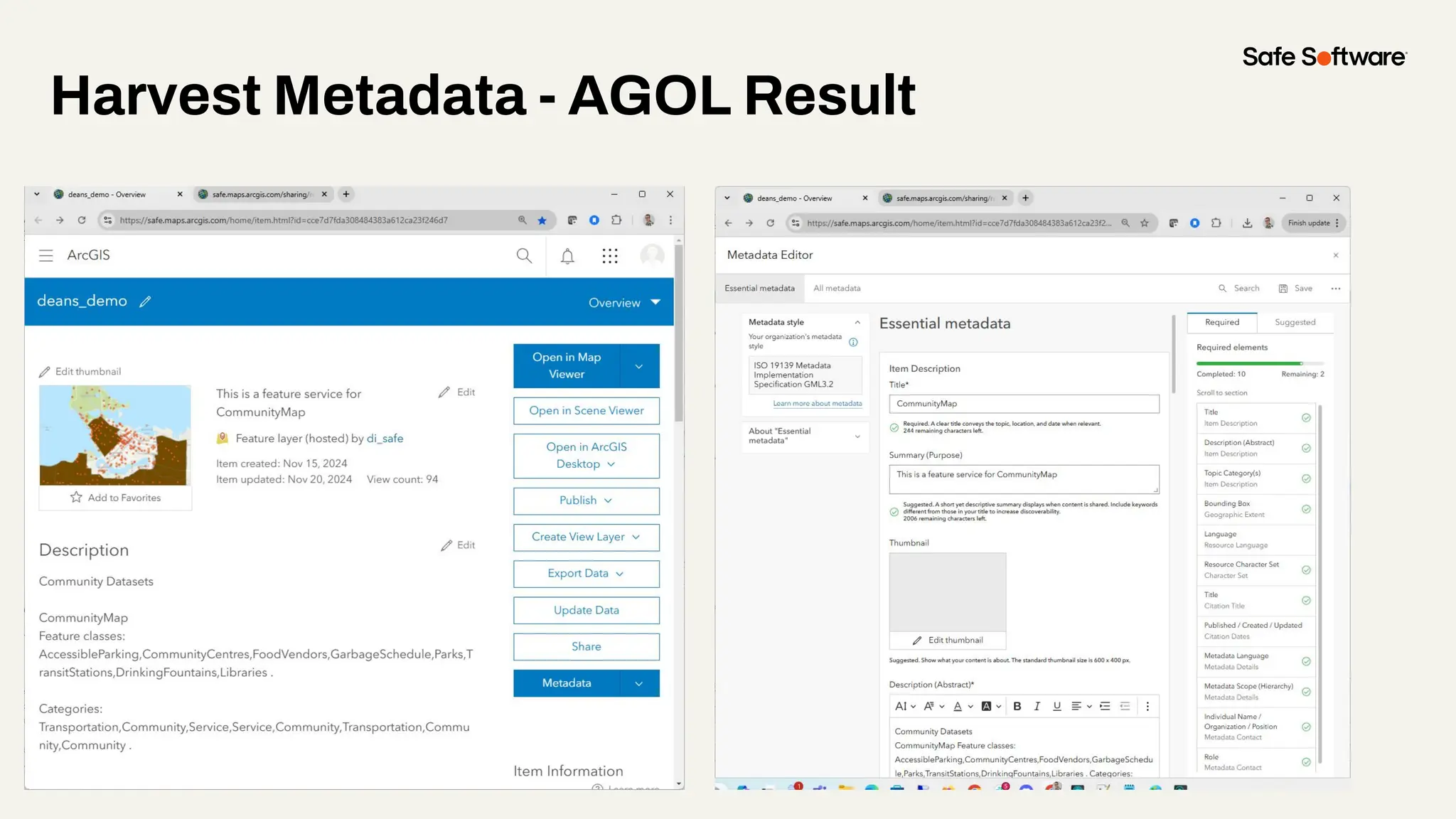
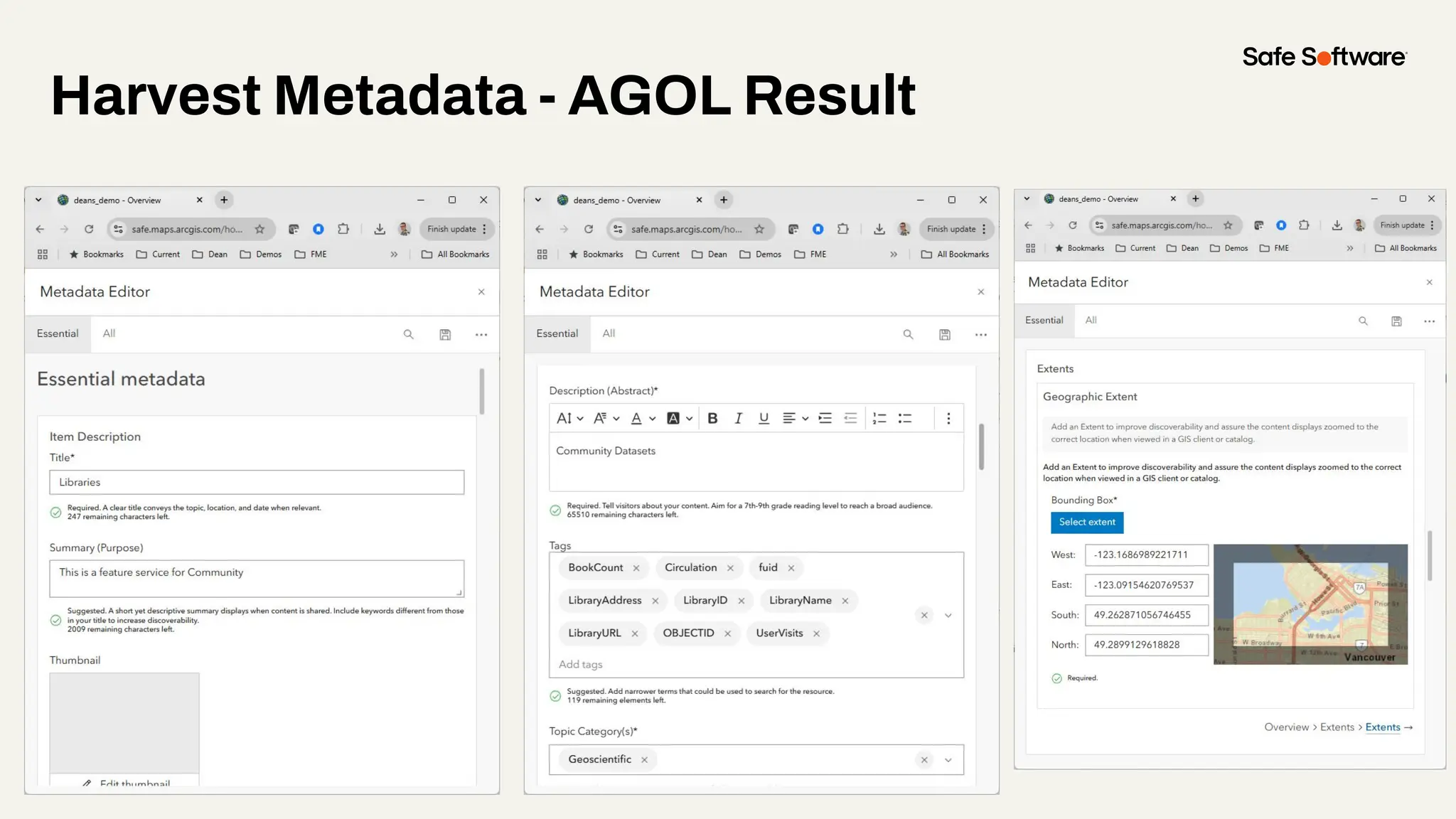
Harvest Metadata - AGOL Result
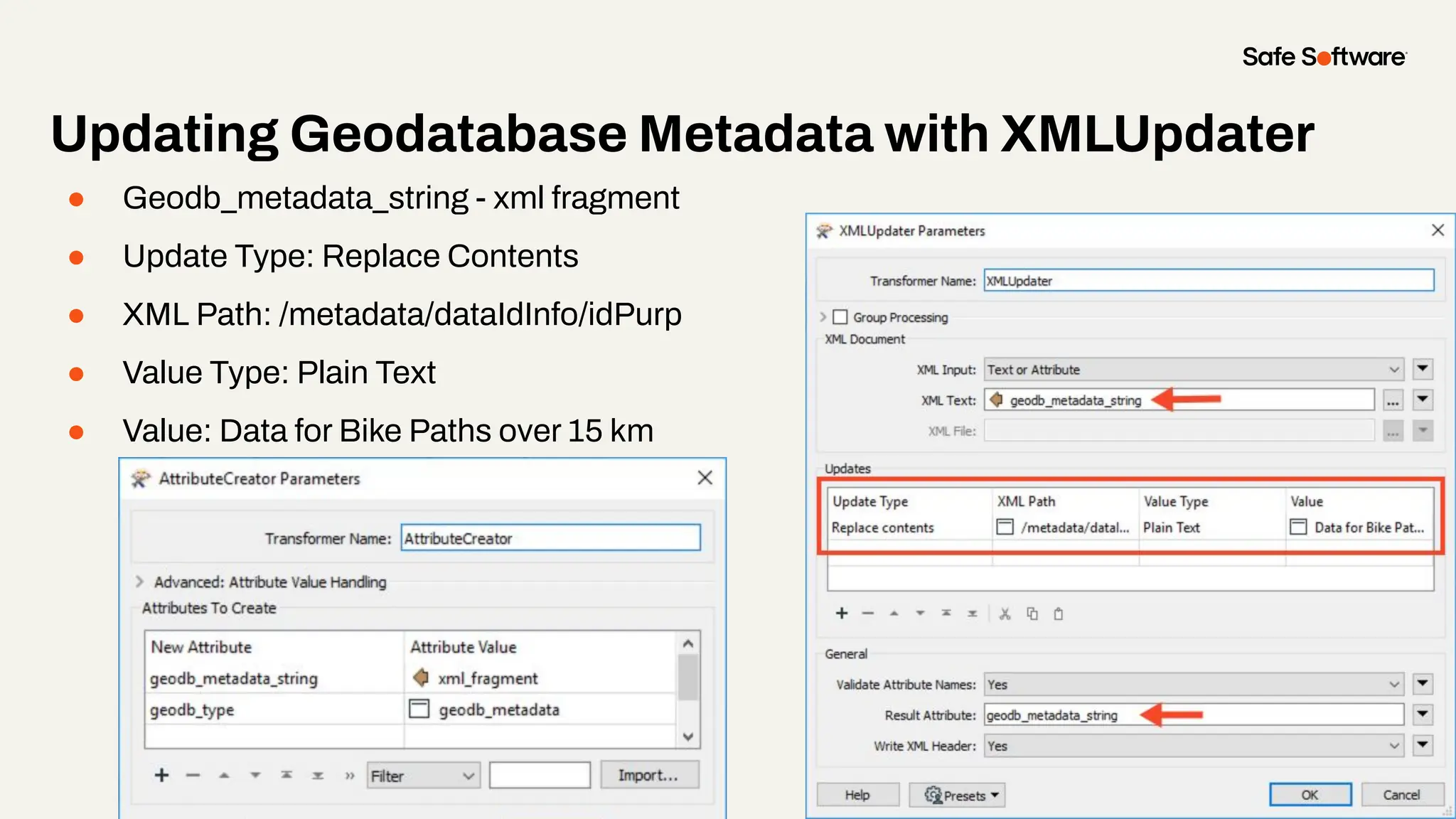
● Geodb_metadata_string - xml fragment
● Update Type: Replace Contents
● XML Path: /metadata/dataIdInfo/idPurp
● Value Type: Plain Text
● Value: Data for Bike Paths over 15 km
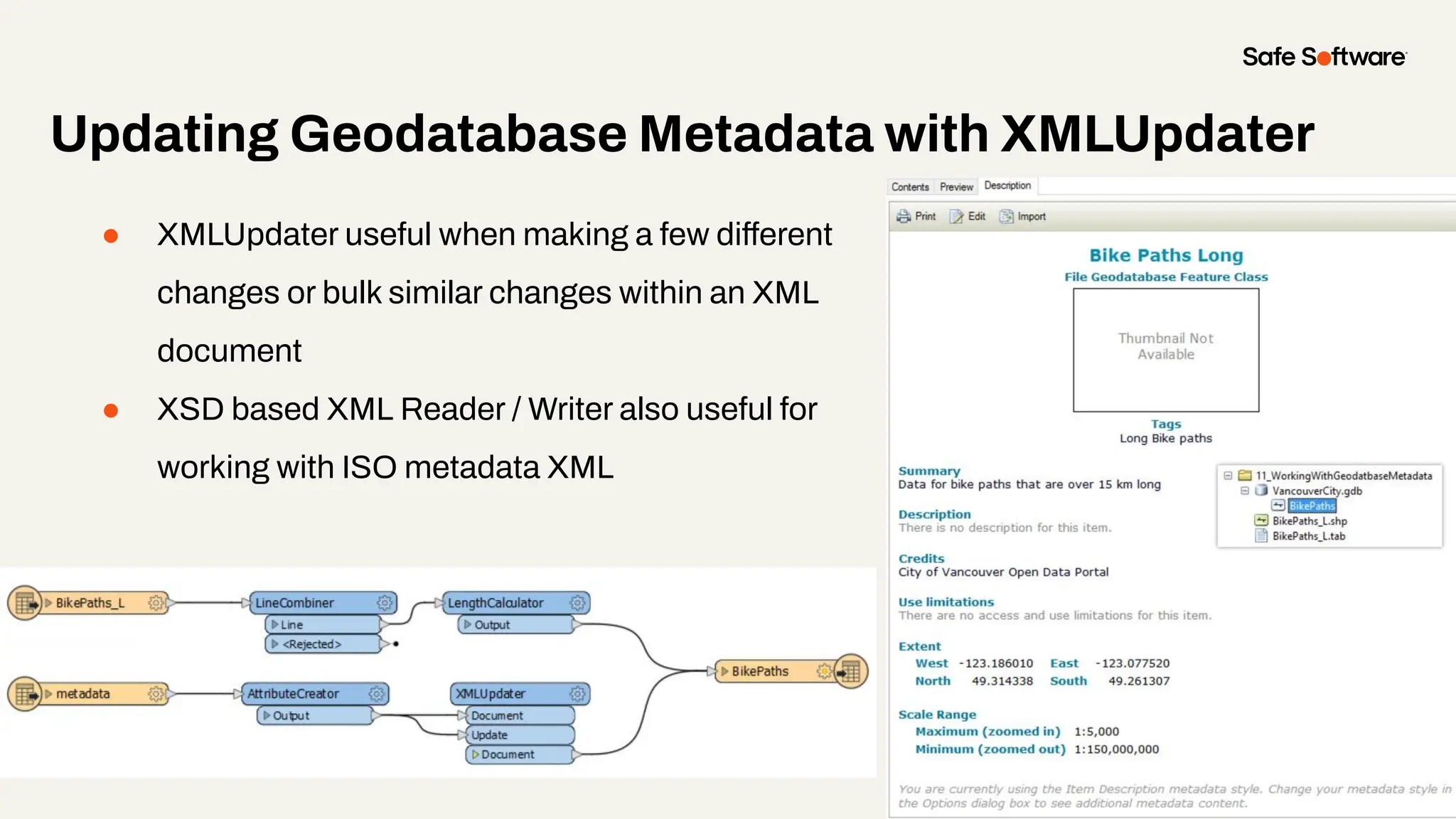
Updating Geodatabase Metadata with XMLUpdater
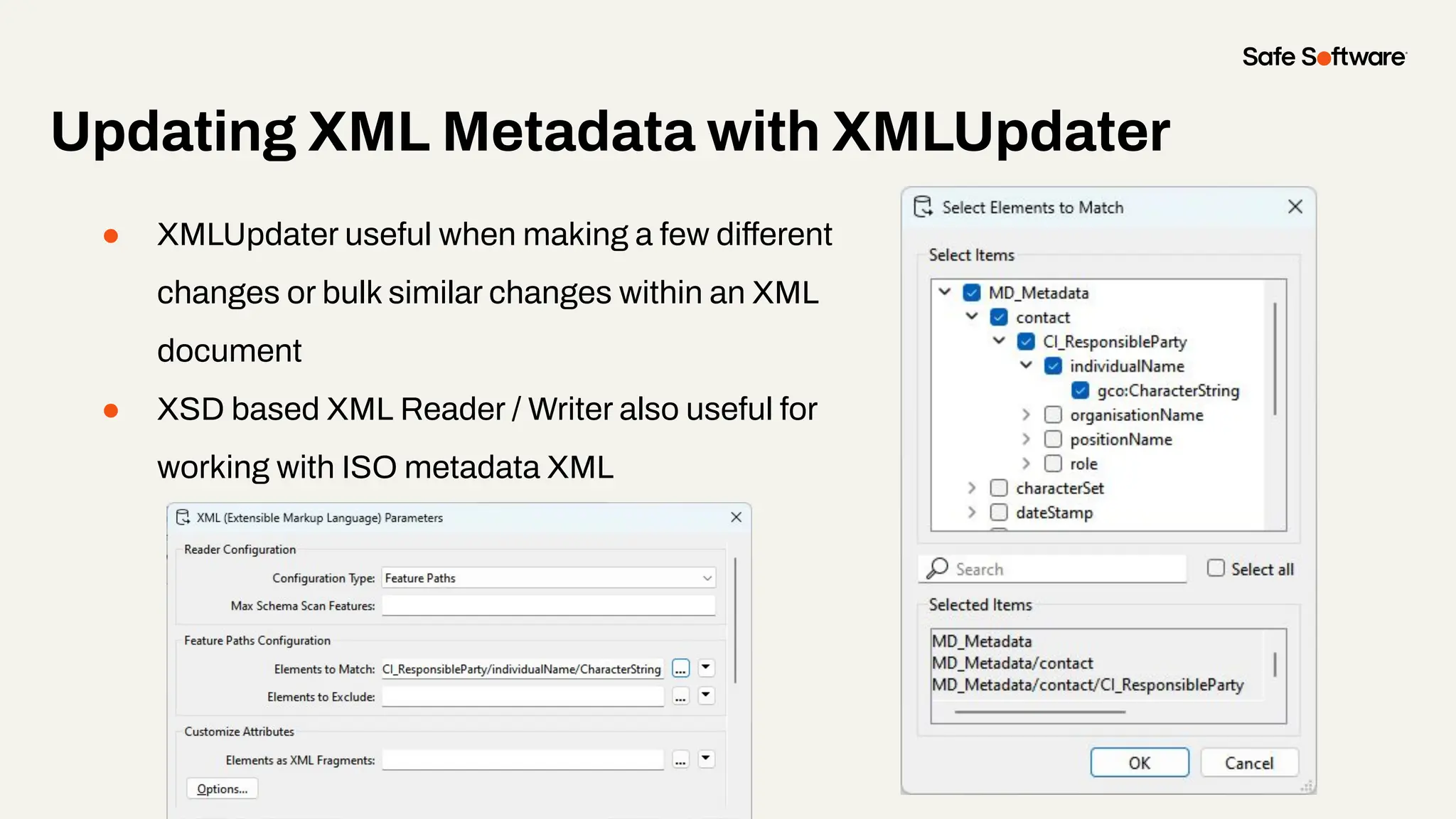
● XMLUpdater useful when making a few different
changes or bulk similar changes within an XML
document
● XSD based XML Reader / Writer also useful for
working with ISO metadata XML
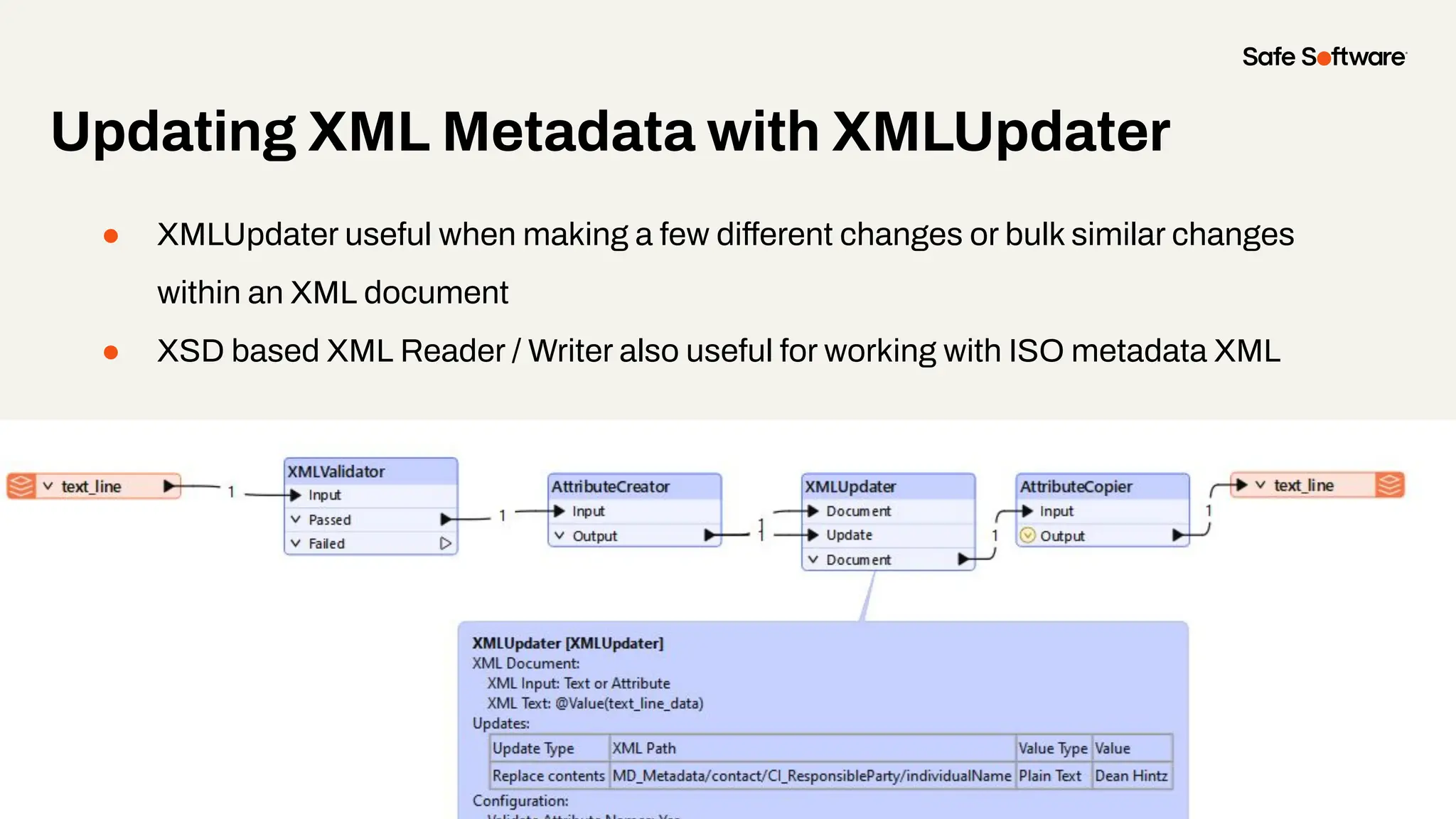
Updating XML Metadata with XMLUpdater
● XMLUpdater useful when making a few different changes or bulk similar changes
within an XML document
● XSD based XML Reader / Writer also useful for working with ISO metadata XML
Updating XML Metadata with XMLUpdater
● XMLUpdater useful when making a few different
changes or bulk similar changes within an XML
document
● XSD based XML Reader / Writer also useful for
working with ISO metadata XML
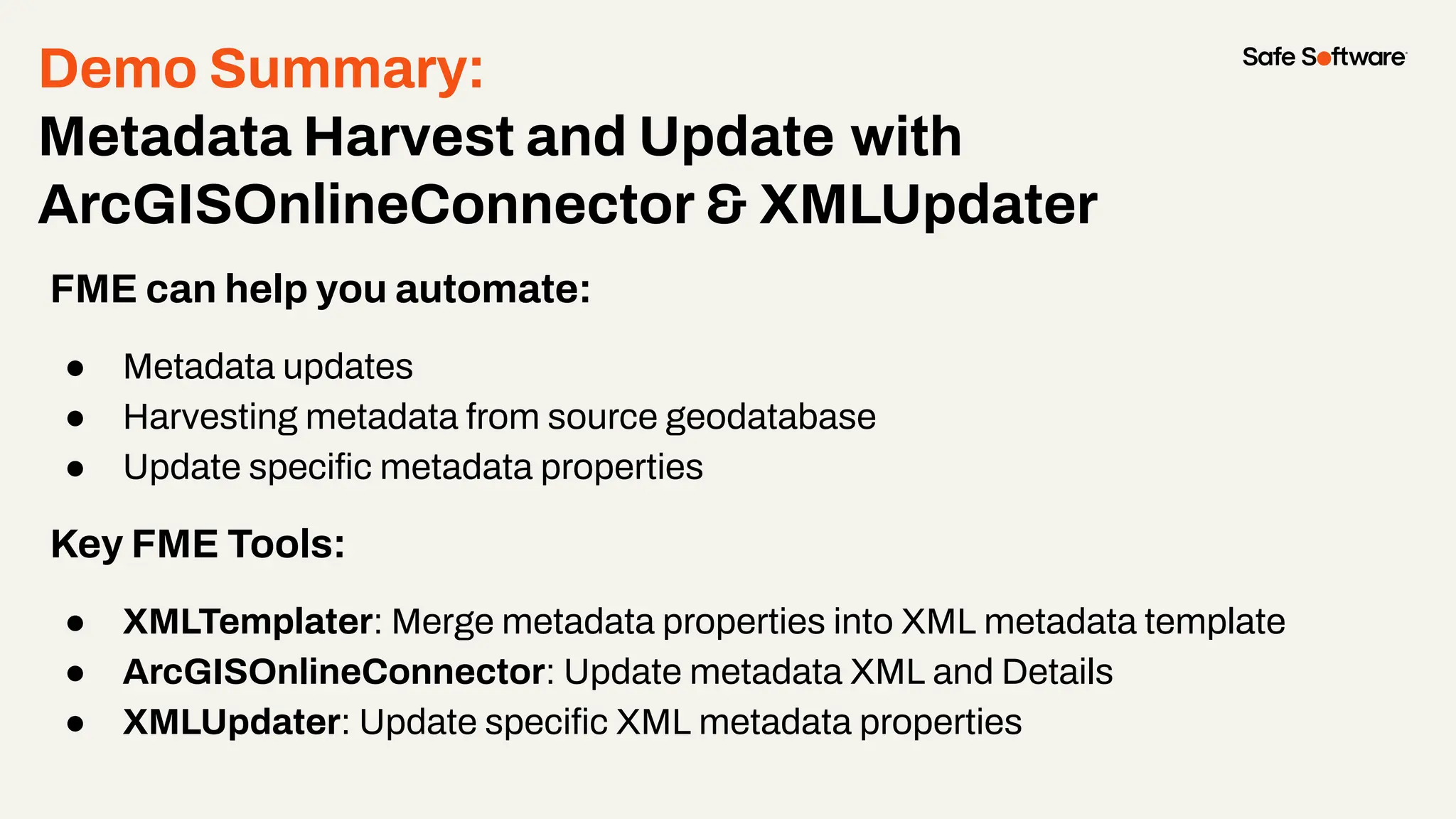
Demo Summary:
Metadata Harvest and Update with
ArcGISOnlineConnector & XMLUpdater
FME can help you automate:
● Metadata updates
● Harvesting metadata from source geodatabase
● Update specific metadata properties
Key FME Tools:
● XMLTemplater: Merge metadata properties into XML metadata template
● ArcGISOnlineConnector: Update metadata XML and Details
● XMLUpdater: Update specific XML metadata properties
5
Conclusion
Lessons Learned
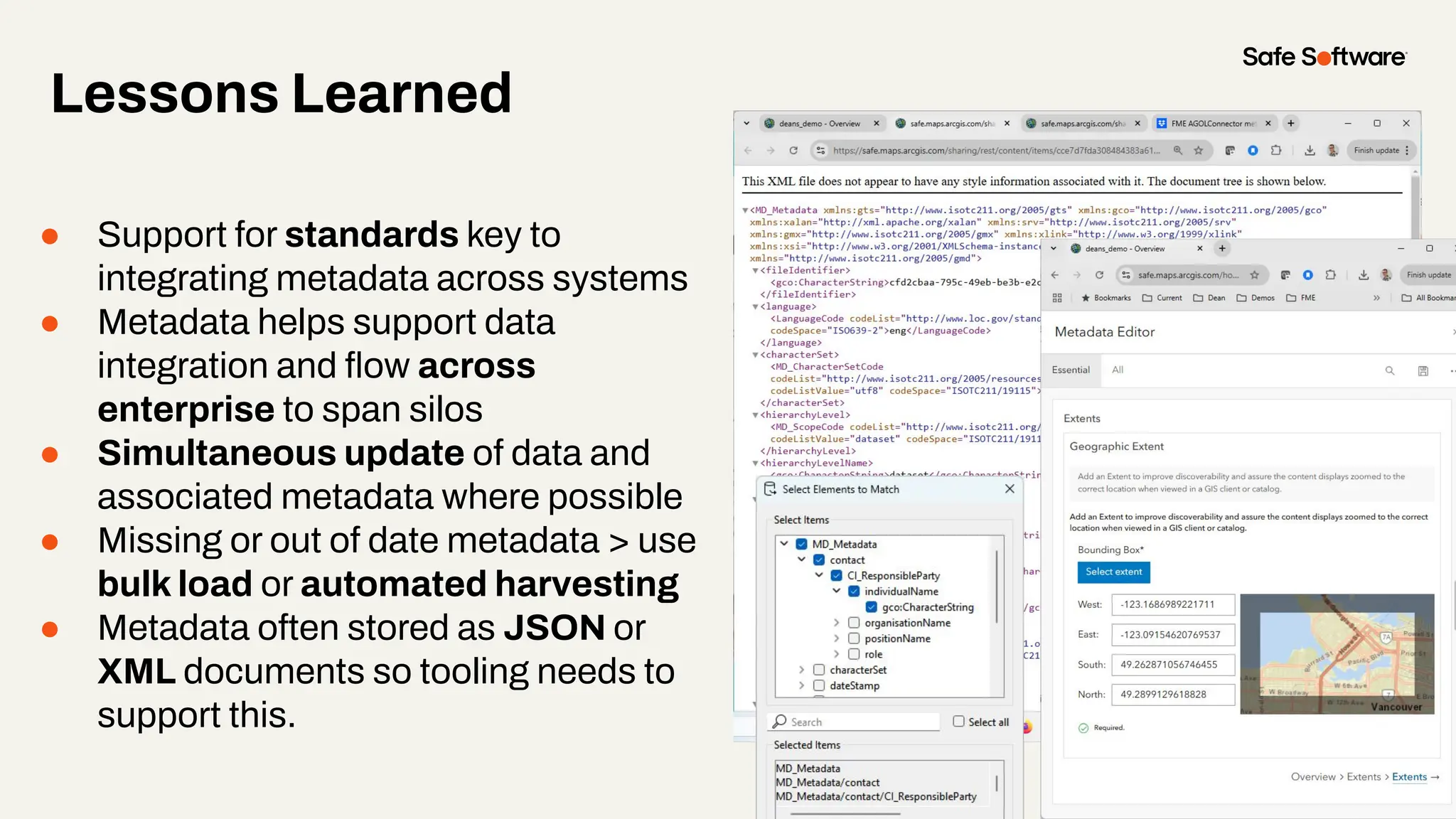
● Support for standards key to
integrating metadata across systems
● Metadata helps support data
integration and flow across
enterprise to span silos
● Simultaneous update of data and
associated metadata where possible
● Missing or out of date metadata > use
bulk load or automated harvesting
● Metadata often stored as JSON or
XML documents so tooling needs to
support this.
Summary
Active Metadata:
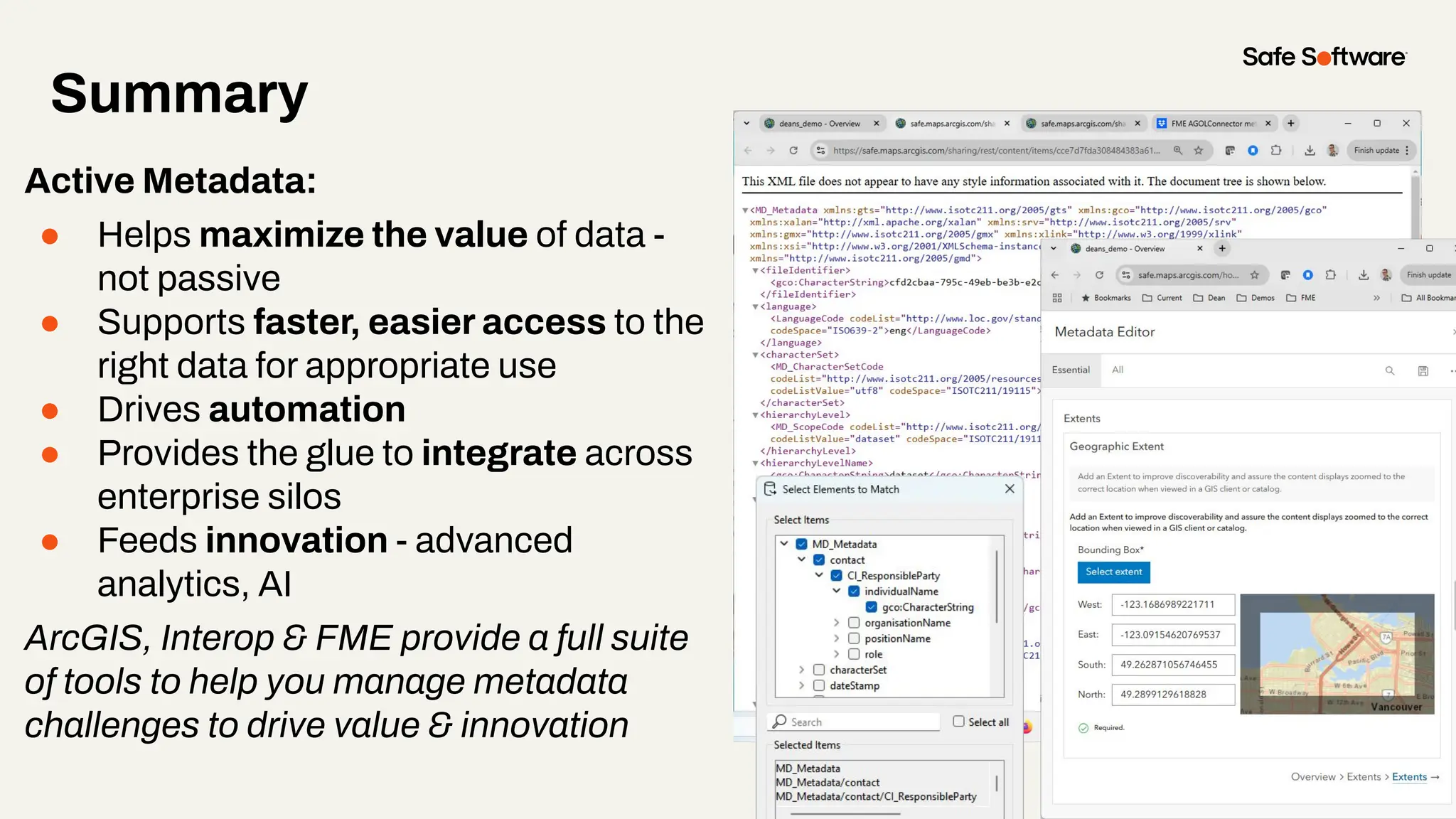
● Helps maximize the value of data -
not passive
● Supports faster, easier access to the
right data for appropriate use
● Drives automation
● Provides the glue to integrate across
enterprise silos
● Feeds innovation - advanced
analytics, AI
ArcGIS, Interop & FME provide a full suite
of tools to help you manage metadata
challenges to drive value & innovation
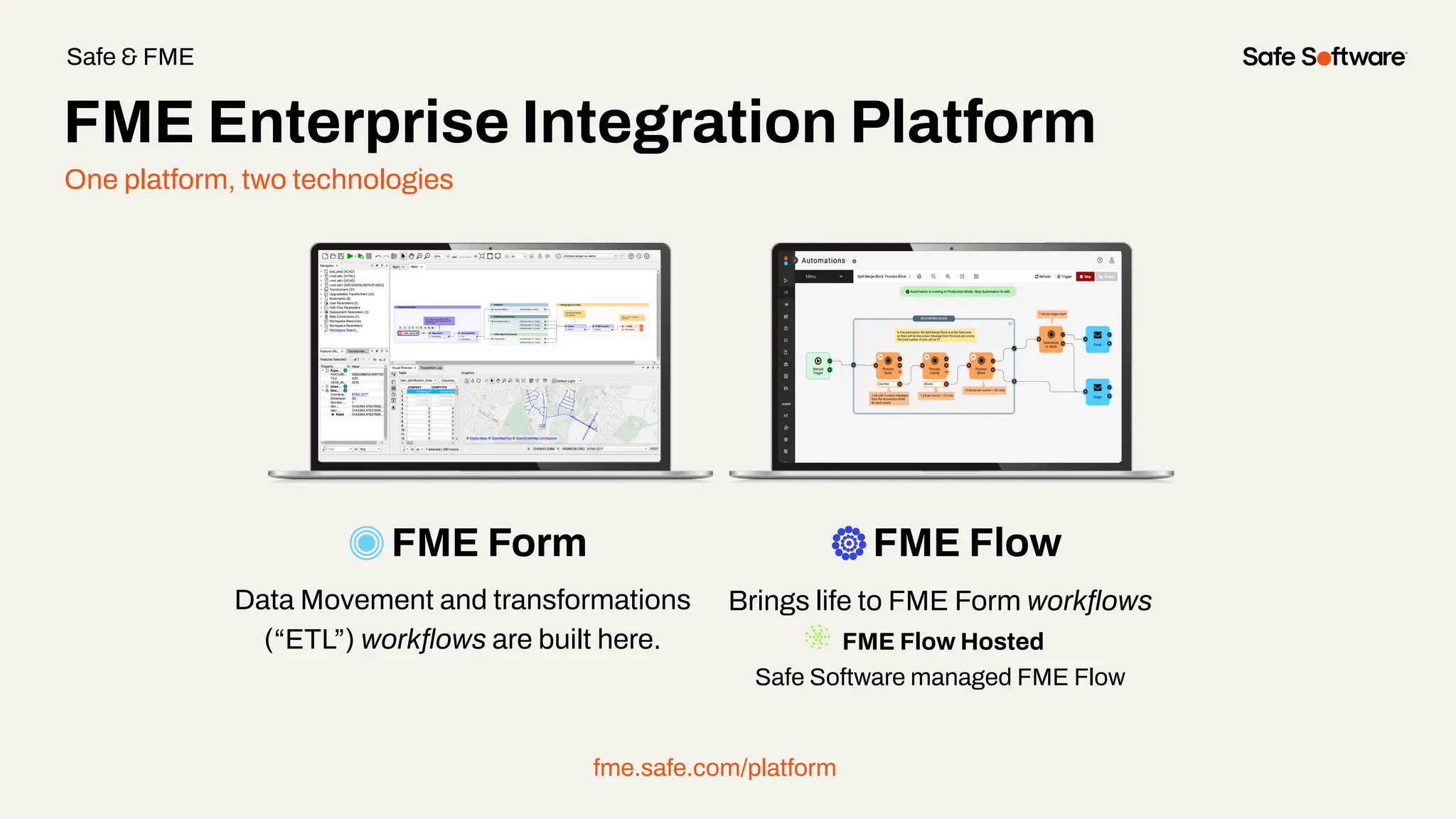
One platform, two technologies
FME Form FME Flow
Data Movement and transformations
(“ETL”) workflows are built here.
Brings life to FME Form workflows
FME Flow Hosted
Safe Software managed FME Flow
fme.safe.com/platform
FME Enterprise Integration Platform
Safe & FME
29+
27K+
128
190
20K+
years of solving data
challenges
FME Community
members
countries with
FME customers
organizations worldwide
global partners with
FME services
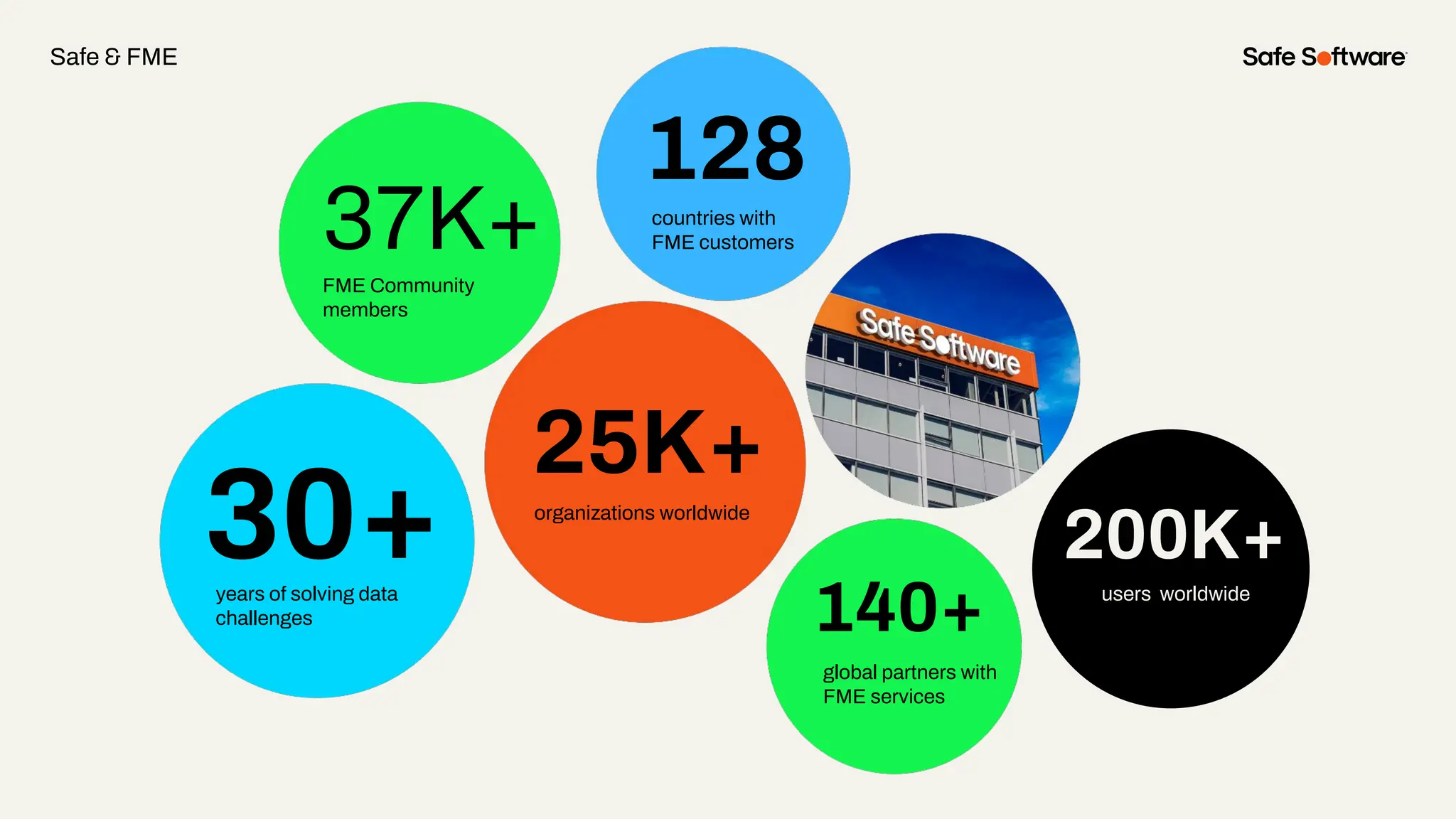
30+
37K+
128
140+
25K+
years of solving data
challenges
FME Community
members
countries with
FME customers
organizations worldwide
global partners with
FME services
200K+
users worldwide
Safe & FME
6
Resources
Streamlining Metadata
Automation Resources
● Bruce’s: metadata blog
● Gartner: active metadata
● Safe: AGOL Metadata in FME
● Safe: Active Metadata platforms
● Dean’s metadata webinar
FME Community:
● FME & metadata
● Harvesting metadata
● Geodatabase metadata
● XML metadata manipulation
Get our Ebook
Spatial Data for the
Enterprise
fme.ly/gzc
Guided learning
experiences at your
fingertips
academy.safe.com
FME Academy
Resources
Check out how-to’s &
demos in the knowledge
base
support.safe.com
Knowledge Base Webinars
Upcoming &
on-demand webinars
safe.com/webinars
Check out
our podcasts
on-demand.
featuring special guest
speakers over at EM360
Resources
7
Next Steps
We’d love to help you get started.
askArcGISOpenPlatformPM@esri.com
info@safe.com
Experience the
FME Accelerator
Get In Touch
A world where data is not just a
commodity but a catalyst for
real change.
fme.safe.com/accelerator
Next Steps
ClaimYour Community Badge &
Dive into the new Community!
● Get community badges for watching
webinars
● community.safe.com
● Today’s code: 6S2B8T
Join the Community today!
Next Steps
Peak of Data Integration 2025
Seattle, WA | May 6–8, 2025
● Abstracts due Nov 29th, 2024
○ All levels FME proficiency welcome
○ 15 & 25 min options (incl. Q&A)
○ Special speaker rate for accepted talks
● Registration is open!
peakofdataintegration.com/Call-For-Presentations
8
Q&A
ThankYou
Recap of Next Steps
1 Follow us on LinkedIn!
2 Contact us
3 Experience the FME Accelerator
Please fill out our
webinar survey

Streamlining Metadata Automation with ArcGIS and FME

  • 1.
  • 2.
    Jordan Duft Product Manager Metadata, Search& Discovery Esri Dean Hintz Product Manager, Open Standards / XML Safe Software Bruce Harold Product Manager Data Interoperability Esri Meet the Presenters
  • 3.
    Peak of DataIntegration 2025 Seattle, WA | May 6–8, 2025 ● Abstracts due Nov 29th, 2024 ○ All levels FME proficiency welcome ○ 15 & 25 min options (incl. Q&A) ○ Special speaker rate for accepted talks ● Registration is open! peakofdataintegration.com/Call-For-Presentations
  • 4.
    Welcome to Livestorm. Afew ways to engage with us during the webinar: Audio issues? Click this for 4 simple troubleshooting steps.
  • 5.
    How to downloadslides 1. Hover over the slide deck in the webinar room 2. Click this button
  • 6.
    Agenda 1 Introduction: WhyMetadata? 2 Demo: Generating or importing metadata during ETL 3 Demo: Bulk update of Esri portal item metadata 4 Demo: XML Metadata harvest and updates 5 Conclusions 6 Resources Agenda
  • 7.
  • 8.
    Bootstrap your metadata maintenance using FME& ArcGIS Data Interoperability.
  • 9.
  • 10.
    Views of MetadataThrough FME, ArcGIS Metadata via FME: JPEG, LIDAR, raster, geodatabase
  • 11.
  • 12.
    Traditional vs ActiveMetadata Traditional metadata - fundamentally passive: ● Focus on cataloging and storing metadata - failing to drive action ● Static - relied on human effort to curate and document data ● Quickly out of date and low quality Active metadata: ● Platform always on, continually collecting high quality metadata ● Generate intelligence from metadata via analysis, machine learning ● Use metadata to drive action: Send alerts/notifications, generate intel, make business decisions, API driven, drive automation
  • 13.
    Why Metadata -Users Good metadata helps us find quality, relevant information: ● Supports search & discovery: Tags for search, labels for AI ● Lack of metadata leads to data acquisition and retention headaches ● Typical user spends up to 80% of their time on data prep (20% collecting and 60% cleaning / organizing)
  • 14.
    Why Metadata -Producers Metadata helps us manage data life cycles, creation to publication: ● Quality control, integrity, data accuracy, currency ● Interoperability: repeatability, span silos, machine to machine, APIs ● Data governance: value, longevity, reuse, indexing, lineage ● Emerging data storage & scaling technologies: big data, No SQL, sensors, digital twins, BIM ● Emerging data science & analytics technologies: BI, AI, ML, modelling & simulation ● Metadata is the glue that ties all these new technologies together
  • 15.
    Why Metadata -Properties Data properties useful for determining relevance: ● Location: Position or extent ● Time: Creation date, last updated, time range ● Author: Data collector, source trustworthiness ● Type: Data structure (e.g., imagery, tables, maps), data types ● Content: Themes, schema, units, values ● Quality: Positional/temporal accuracy, resolution, cloud cover ● Summary Statistics: Record count, time steps, size ● Summary Info: Text description, intended use, thumbnails ● Security: Sensitivity, privacy, required access rights
  • 16.
    ArcGIS Metadata -XML …A comprehensive superset of metadata elements. Internal metadata storage and schema
  • 17.
    Metadata flow inArcGIS … metadata is inherited / flows with data along the workflow Feature Layer Sublayer Sublayer Sublayer
  • 18.
    What is yourbiggest challenge related to metadata?
  • 19.
    With FME andArcGIS, automate and simplify metadata management—no more unneeded manual work!
  • 20.
  • 21.
  • 22.
    Goal Block KeyResult Automate writing metadata Write metadata with your data You may not know this is possible ArcPy and/or the ArcGISOnlineConnector Hands free metadata management
  • 23.
  • 24.
    Step 1 -ETL into geodatabase
  • 25.
    Step 2 -publish feature layer to portal
  • 26.
    Step 3 -maintain data and metadata
  • 27.
  • 28.
  • 29.
    Slide Title Write abulk metadata update Goal Block Key Maintain portal item metadata in bulk Result Using the ArcGISOnlineConnector Get, Edit & Write Item Details Portal Maintenance
  • 30.
  • 31.
  • 32.
    Slide Title Automatically harvest metadata fromsource tables and write out the metadata document Harvest Obstacle Solution Metadata harvest and updates Result Little metadata available directly from the files themselves Use FME to extract spatial and schema metadata information from features Demonstrates how to automatically generate metadata - useful for both new datasets and updating existing ones
  • 33.
    Demo: Metadata Harvestand Update with ArcGISOnlineConnector 1. Reset feature service metadata with blank XML record 2. Harvest metadata from source geodatabase 3. Merge metadata properties into XML metadata template 4. Update metadata XML and Details using ArcGISOnlineConnector 5. Verify changes on AGOL via web browser
  • 34.
    Demo: Metadata Harvestand Update with ArcGISOnlineConnector: Community Feature Service
  • 35.
    Demo: ArcGISOnlineConnector -Reset Metadata * Cannot just overwrite with null - needs top be a valid XML doc Don’t forget to disable feature caching
  • 36.
    AGOL Road andHydro Layers - No metadata
  • 37.
    Harvest Metadata 1. Readsource database 2. Expose table name 3. Capture dataset extents 4. Generate timestamp and unique id 5. Extract field names 6. Define details 7. Apply meta properties to XML template 8. Format and validate 9. Post metadata using ArcGISOnlineConnector
  • 38.
    Harvest Metadata AGOL ESRImetadata - notepad++ AGOL ISO 19115 metadata - browser
  • 39.
    ● Action: SetDetails ● Set Content Source Path ● Select XML metadata attribute: _xml_metadata Note: Text fields like description accept HTML ( <p> etc ) Update with ArcGISOnlineConnector
  • 40.
    Harvest Metadata -AGOL Result
  • 41.
    Harvest Metadata -AGOL Result
  • 42.
    ● Geodb_metadata_string -xml fragment ● Update Type: Replace Contents ● XML Path: /metadata/dataIdInfo/idPurp ● Value Type: Plain Text ● Value: Data for Bike Paths over 15 km Updating Geodatabase Metadata with XMLUpdater
  • 43.
    Updating Geodatabase Metadatawith XMLUpdater ● XMLUpdater useful when making a few different changes or bulk similar changes within an XML document ● XSD based XML Reader / Writer also useful for working with ISO metadata XML
  • 44.
    Updating XML Metadatawith XMLUpdater ● XMLUpdater useful when making a few different changes or bulk similar changes within an XML document ● XSD based XML Reader / Writer also useful for working with ISO metadata XML
  • 45.
    Updating XML Metadatawith XMLUpdater ● XMLUpdater useful when making a few different changes or bulk similar changes within an XML document ● XSD based XML Reader / Writer also useful for working with ISO metadata XML
  • 46.
    Demo Summary: Metadata Harvestand Update with ArcGISOnlineConnector & XMLUpdater FME can help you automate: ● Metadata updates ● Harvesting metadata from source geodatabase ● Update specific metadata properties Key FME Tools: ● XMLTemplater: Merge metadata properties into XML metadata template ● ArcGISOnlineConnector: Update metadata XML and Details ● XMLUpdater: Update specific XML metadata properties
  • 47.
  • 48.
    Lessons Learned ● Supportfor standards key to integrating metadata across systems ● Metadata helps support data integration and flow across enterprise to span silos ● Simultaneous update of data and associated metadata where possible ● Missing or out of date metadata > use bulk load or automated harvesting ● Metadata often stored as JSON or XML documents so tooling needs to support this.
  • 49.
    Summary Active Metadata: ● Helpsmaximize the value of data - not passive ● Supports faster, easier access to the right data for appropriate use ● Drives automation ● Provides the glue to integrate across enterprise silos ● Feeds innovation - advanced analytics, AI ArcGIS, Interop & FME provide a full suite of tools to help you manage metadata challenges to drive value & innovation
  • 50.
    One platform, twotechnologies FME Form FME Flow Data Movement and transformations (“ETL”) workflows are built here. Brings life to FME Form workflows FME Flow Hosted Safe Software managed FME Flow fme.safe.com/platform FME Enterprise Integration Platform Safe & FME
  • 51.
    29+ 27K+ 128 190 20K+ years of solvingdata challenges FME Community members countries with FME customers organizations worldwide global partners with FME services 30+ 37K+ 128 140+ 25K+ years of solving data challenges FME Community members countries with FME customers organizations worldwide global partners with FME services 200K+ users worldwide Safe & FME
  • 52.
  • 53.
    Streamlining Metadata Automation Resources ●Bruce’s: metadata blog ● Gartner: active metadata ● Safe: AGOL Metadata in FME ● Safe: Active Metadata platforms ● Dean’s metadata webinar FME Community: ● FME & metadata ● Harvesting metadata ● Geodatabase metadata ● XML metadata manipulation
  • 54.
    Get our Ebook SpatialData for the Enterprise fme.ly/gzc Guided learning experiences at your fingertips academy.safe.com FME Academy Resources Check out how-to’s & demos in the knowledge base support.safe.com Knowledge Base Webinars Upcoming & on-demand webinars safe.com/webinars
  • 55.
    Check out our podcasts on-demand. featuringspecial guest speakers over at EM360 Resources
  • 56.
  • 57.
    We’d love tohelp you get started. askArcGISOpenPlatformPM@esri.com info@safe.com Experience the FME Accelerator Get In Touch A world where data is not just a commodity but a catalyst for real change. fme.safe.com/accelerator Next Steps
  • 58.
    ClaimYour Community Badge& Dive into the new Community! ● Get community badges for watching webinars ● community.safe.com ● Today’s code: 6S2B8T Join the Community today! Next Steps
  • 59.
    Peak of DataIntegration 2025 Seattle, WA | May 6–8, 2025 ● Abstracts due Nov 29th, 2024 ○ All levels FME proficiency welcome ○ 15 & 25 min options (incl. Q&A) ○ Special speaker rate for accepted talks ● Registration is open! peakofdataintegration.com/Call-For-Presentations
  • 60.
  • 61.
    ThankYou Recap of NextSteps 1 Follow us on LinkedIn! 2 Contact us 3 Experience the FME Accelerator Please fill out our webinar survey