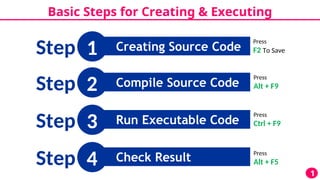
Basic Steps forCreating & Executing
Creating Source Code
1
1
Step
Compile Source Code
2
Step
Run Executable Code
3
Step
Check Result
4
Step Press
Alt + F5
Press
Ctrl + F9
Press
Alt + F9
Press
F2 To Save
3.
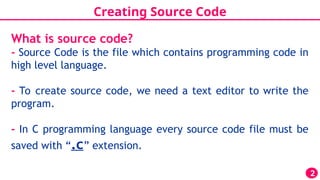
Creating Source Code
2
Whatis source code?
- Source Code is the file which contains programming code in
high level language.
- To create source code, we need a text editor to write the
program.
- In C programming language every source code file must be
saved with “.c” extension.
4.
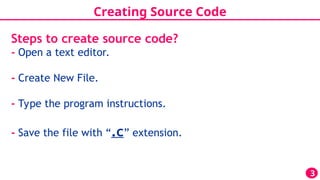
Creating Source Code
3
Stepsto create source code?
- Open a text editor.
- Create New File.
- Type the program instructions.
- Save the file with “.c” extension.
5.
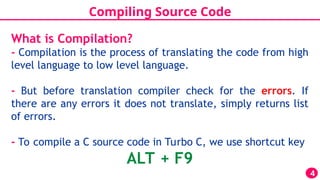
Compiling Source Code
4
Whatis Compilation?
- Compilation is the process of translating the code from high
level language to low level language.
- But before translation compiler check for the errors. If
there are any errors it does not translate, simply returns list
of errors.
- To compile a C source code in Turbo C, we use shortcut key
ALT + F9
6.
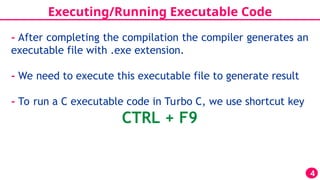
Executing/Running Executable Code
4
-After completing the compilation the compiler generates an
executable file with .exe extension.
- We need to execute this executable file to generate result
- To run a C executable code in Turbo C, we use shortcut key
CTRL + F9
7.
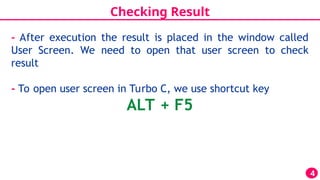
Checking Result
4
- Afterexecution the result is placed in the window called
User Screen. We need to open that user screen to check
result
- To open user screen in Turbo C, we use shortcut key
ALT + F5
8.
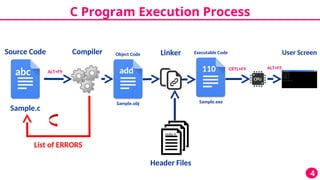
C Program ExecutionProcess
4
abc
Sample.c
Source Code Compiler
List of ERRORS
add
Linker
Object Code
Sample.obj
110
Executable Code
Sample.exe
CPU
User Screen
Header Files
stdio.h
ALT+F9
CRTL+F9 ALT+F5




![[ITP - Lecture 02] Steps to Create Program & Approaches of Programming](https://cdn.slidesharecdn.com/ss_thumbnails/lecture-4stepsapproachesofprogramming-171215163715-thumbnail.jpg?width=640&height=640&fit=bounds)


