State of the WEB ‘18
Abdelrahman Omran | @Omranic | me@omranic.com
Be excellent to each other.
Treat everyone with respect. Participate while
acknowledging that everyone deserves to be here — and
each of us has the right to enjoy our experience without fear
of harassment, discrimination, or condescension, whether
blatant or via micro-aggressions. Jokes shouldn’t demean
others. Consider what you are saying and how it would feel
if it were said to or about you.
Practice saying "Yes and" to each other.
It’s a theatre improv technique to build on each other’s
ideas. We all benefit when we create together.
Speak up if you see or hear something.
Harassment is not tolerated, and you are empowered
to politely engage when you or others are
disrespected. The person making you feel
uncomfortable may not be aware of what they are
doing, and politely bringing their behavior to their
attention is encouraged.
In case you see or hear something or feel
uncomfortable, reach out to dev-mena@google.com
Code of Conduct
Current State
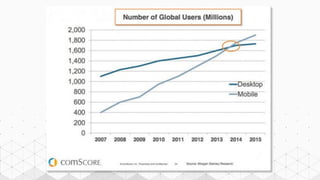
The world is changing, and so the Web
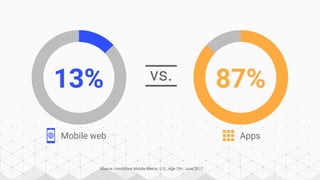
vs.
Source: comScore Mobile Metrix, U.S., Age 18+, June 2017
13% 87%
Mobile web Apps
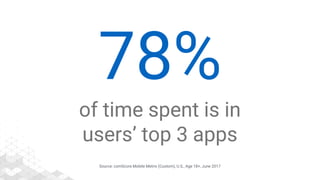
Source: comScore Mobile Metrix (Custom), U.S., Age 18+, June 2017
78%
of time spent is in
users’ top 3 apps
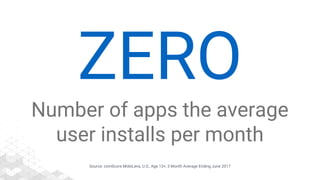
Source: comScore MobiLens, U.S., Age 13+, 3 Month Average Ending June 2017
ZERO
Number of apps the average
user installs per month
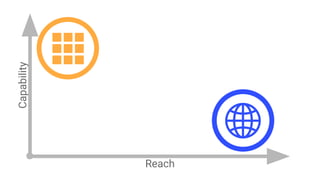
Reach
Capability
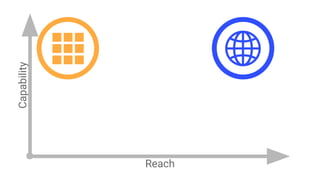
Reach
Capability
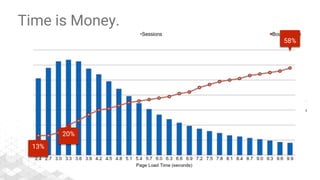
Time is Money.
58%
13%
20%
Source: DoubleClick - The need for mobile speed, September 2016
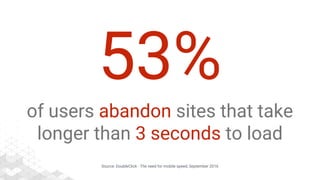
53%
of users abandon sites that take
longer than 3 seconds to load
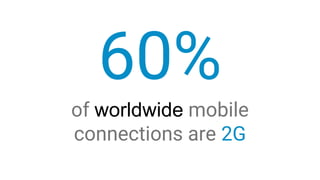
60%
of worldwide mobile
connections are 2G
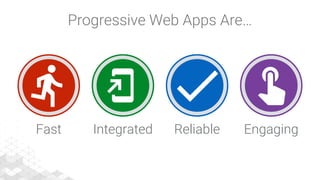
Progressive Web Apps Are…
Fast EngagingReliableIntegrated
Offline Browsing
Caching Strategies and Offline Storage
Background Sync
Defer actions until the user has stable connectivity
Push Notifications
Simple and effective way to re-engage with your users
Shared Resources
Yes you can share resources between same domain scope tabs
Installable Without Installation!
PWA automatically installed in first page load
More Secure by Default
PWA & service workers require HTTPS or it won’t work!
Speed & more Speeeeeed!
Again, using caching strategies you can reach or even beat native browsing speed!
More Hardware Access
Really more than you imagine!
More Hardware Access
Really more than you imagine!
WebUSB
Make USB safer and easier to use by bringing it to the Web
WebAR
The easiest way to create & share Augmented Reality on the Web
WebVR
Create immersive 3D, Virtual Reality experiences in your browser
WebAssembly
It is new type of code, low-level assembly-like language, runs at near native speed!
Progressive Web Apps
Is a radically improved user experience, Modern mobile web is mainstream now!
The Scale
How many devices connected to the web?
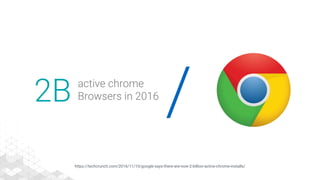
/2B active chrome
Browsers in 2016
https://techcrunch.com/2016/11/10/google-says-there-are-now-2-billion-active-chrome-installs/
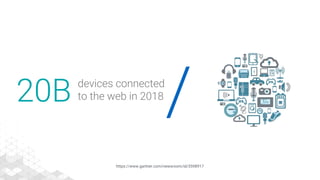
/20B devices connected
to the web in 2018
https://www.gartner.com/newsroom/id/3598917
Progressive Web Apps
Radically better web experiences
Fast
EngagingReliable
Integrated
/
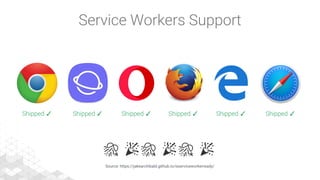
Shipped ✓ Shipped ✓ Shipped ✓ Shipped ✓ Shipped ✓ Shipped ✓
Source: https://jakearchibald.github.io/isserviceworkerready/
Service Workers Support
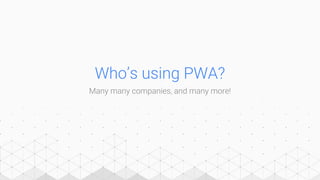
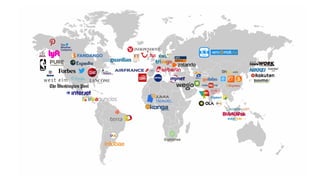
Who’s using PWA?
Many many companies, and many more!
Over 215 new API
Only since last year!
Source: https://youtu.be/_ssDaecATCM?t=1075
PiP - Picture In Picture Web API
Allow websites to create a floating video window always on top of other windows
SPECS: https://wicg.github.io/picture-in-picture/
SOURCE: https://developers.google.com/web/updates/2017/09/picture-in-picture
/
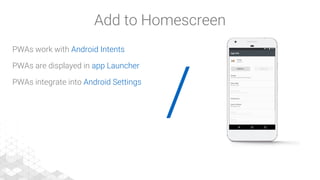
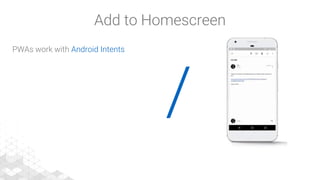
PWAs work with Android Intents
Add to Homescreen
/
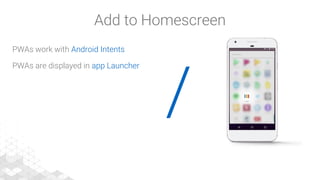
PWAs work with Android Intents
PWAs are displayed in app Launcher
Add to Homescreen
/
PWAs work with Android Intents
PWAs are displayed in app Launcher
PWAs integrate into Android Settings
Add to Homescreen
/
PWAs work with Android Intents
PWAs are displayed in app Launcher
PWAs integrate into Android Settings
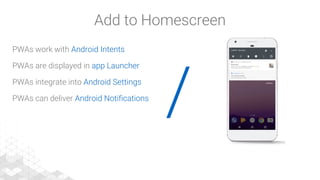
PWAs can deliver Android Notifications
Add to Homescreen
/
PWAs work with Android Intents
PWAs are displayed in app Launcher
PWAs integrate into Android Settings
PWAs can deliver Android Notifications
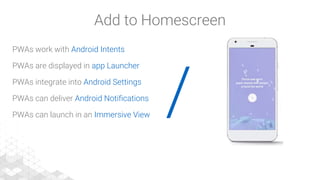
PWAs can launch in an Immersive View
Add to Homescreen
/
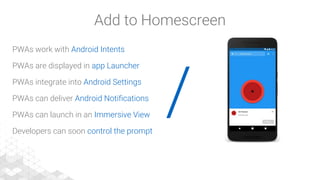
PWAs work with Android Intents
PWAs are displayed in app Launcher
PWAs integrate into Android Settings
PWAs can deliver Android Notifications
PWAs can launch in an Immersive View
Developers can soon control the prompt
Add to Homescreen
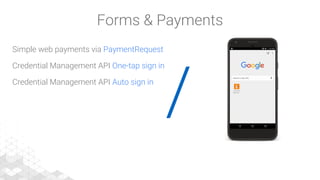
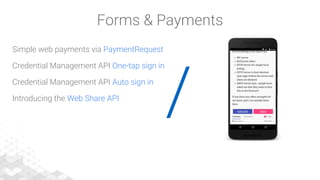
Forms & Payments
$123B spent on mobile commerce in 2016 in US.
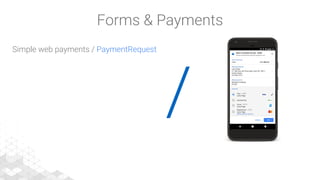
/
Simple web payments / PaymentRequest
Forms & Payments
/
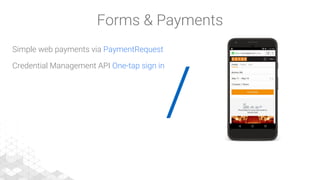
Simple web payments via PaymentRequest
Credential Management API One-tap sign in
Forms & Payments
/
Simple web payments via PaymentRequest
Credential Management API One-tap sign in
Credential Management API Auto sign in
Forms & Payments
/
Simple web payments via PaymentRequest
Credential Management API One-tap sign in
Credential Management API Auto sign in
Introducing the Web Share API
Forms & Payments
AMP - Accelerated Mobile Pages
Consistently fast, beautiful and high-performing across devices
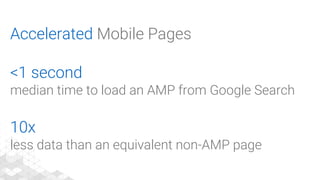
Accelerated Mobile Pages
<1 second
median time to load an AMP from Google Search
10x
less data than an equivalent non-AMP page
/2B AMP Pages, 900k
different domains
https://www.ampproject.org/latest/blog/turbocharging-amp/
PWA Case Study #1
Twitter Lite implementation of PWA
/
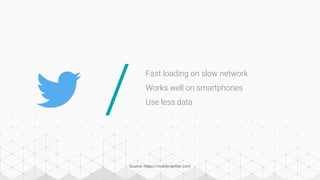
Fast loading on slow network
Works well on smartphones
Use less data
Source: https://mobile.twitter.com
/
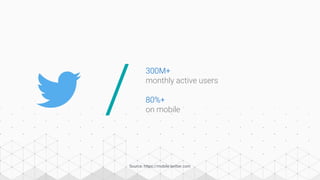
300M+
monthly active users
80%+
on mobile
Source: https://mobile.twitter.com
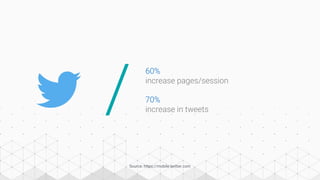
60%
increase pages/session
/
Source: https://mobile.twitter.com
70%
increase in tweets
/
Source: https://mobile.twitter.com
70%
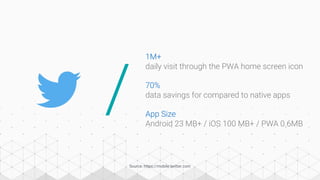
data savings for compared to native apps
App Size
Android 23 MB+ / iOS 100 MB+ / PWA 0.6MB
1M+
daily visit through the PWA home screen icon
PWA Case Study #2
WEGO travel agency and their amazing revamped user experience
Development Tools
Tools that make it easy for you to develop, tweak and optimize your PWA
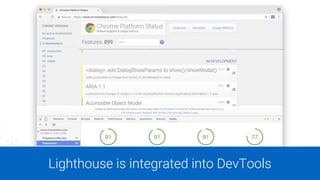
Lighthouse is integrated into DevTools
Capture screen shot on ChromeOS device, and place here.
Be sure to hide the bottom task bar that includes your image, open apps, etc.
Ideal image size should be 1626x1080.
When using those sizes, image position is {x: 147px, y: 63px}
Add a CURVED SHADOW to the screen shot
https://developers.google.com/web/
Capture screen shot on ChromeOS device, and place here.
Be sure to hide the bottom task bar that includes your image, open apps, etc.
Ideal image size should be 1626x1080.
When using those sizes, image position is {x: 147px, y: 63px}
Add a CURVED SHADOW to the screen shot
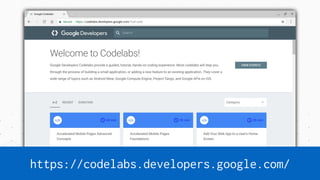
https://codelabs.developers.google.com/
Capture screen shot on ChromeOS device, and place here.
Be sure to hide the bottom task bar that includes your image, open apps, etc.
Ideal image size should be 1626x1080.
When using those sizes, image position is {x: 147px, y: 63px}
Add a CURVED SHADOW to the screen shot
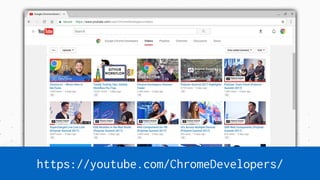
https://youtube.com/ChromeDevelopers/
We encourage you to join us in this conversation
/ /Twitter
@ChromiumDev
StackOverflow
Progressive-web-apps
amp-html
GitHub
github.com/GoogleChrome
github.com/ampproject/amphtml
developers.google.com/web
Abdelrahman Omran | @Omranic | me@omranic.com
Thank You!

State of the WEB ‘18

  • 1.
    State of theWEB ‘18 Abdelrahman Omran | @Omranic | me@omranic.com
  • 2.
    Be excellent toeach other. Treat everyone with respect. Participate while acknowledging that everyone deserves to be here — and each of us has the right to enjoy our experience without fear of harassment, discrimination, or condescension, whether blatant or via micro-aggressions. Jokes shouldn’t demean others. Consider what you are saying and how it would feel if it were said to or about you. Practice saying "Yes and" to each other. It’s a theatre improv technique to build on each other’s ideas. We all benefit when we create together. Speak up if you see or hear something. Harassment is not tolerated, and you are empowered to politely engage when you or others are disrespected. The person making you feel uncomfortable may not be aware of what they are doing, and politely bringing their behavior to their attention is encouraged. In case you see or hear something or feel uncomfortable, reach out to dev-mena@google.com Code of Conduct
  • 3.
    Current State The worldis changing, and so the Web
  • 5.
    vs. Source: comScore MobileMetrix, U.S., Age 18+, June 2017 13% 87% Mobile web Apps
  • 6.
    Source: comScore MobileMetrix (Custom), U.S., Age 18+, June 2017 78% of time spent is in users’ top 3 apps
  • 7.
    Source: comScore MobiLens,U.S., Age 13+, 3 Month Average Ending June 2017 ZERO Number of apps the average user installs per month
  • 8.
  • 9.
  • 10.
  • 11.
    Source: DoubleClick -The need for mobile speed, September 2016 53% of users abandon sites that take longer than 3 seconds to load
  • 12.
  • 13.
    Progressive Web AppsAre… Fast EngagingReliableIntegrated
  • 14.
  • 15.
    Background Sync Defer actionsuntil the user has stable connectivity
  • 16.
    Push Notifications Simple andeffective way to re-engage with your users
  • 17.
    Shared Resources Yes youcan share resources between same domain scope tabs
  • 18.
    Installable Without Installation! PWAautomatically installed in first page load
  • 19.
    More Secure byDefault PWA & service workers require HTTPS or it won’t work!
  • 20.
    Speed & moreSpeeeeeed! Again, using caching strategies you can reach or even beat native browsing speed!
  • 21.
    More Hardware Access Reallymore than you imagine!
  • 22.
    More Hardware Access Reallymore than you imagine!
  • 23.
    WebUSB Make USB saferand easier to use by bringing it to the Web
  • 24.
    WebAR The easiest wayto create & share Augmented Reality on the Web
  • 25.
    WebVR Create immersive 3D,Virtual Reality experiences in your browser
  • 26.
    WebAssembly It is newtype of code, low-level assembly-like language, runs at near native speed!
  • 27.
    Progressive Web Apps Isa radically improved user experience, Modern mobile web is mainstream now!
  • 28.
    The Scale How manydevices connected to the web?
  • 29.
    /2B active chrome Browsersin 2016 https://techcrunch.com/2016/11/10/google-says-there-are-now-2-billion-active-chrome-installs/
  • 30.
    /20B devices connected tothe web in 2018 https://www.gartner.com/newsroom/id/3598917
  • 31.
    Progressive Web Apps Radicallybetter web experiences Fast EngagingReliable Integrated /
  • 32.
    Shipped ✓ Shipped✓ Shipped ✓ Shipped ✓ Shipped ✓ Shipped ✓ Source: https://jakearchibald.github.io/isserviceworkerready/ Service Workers Support
  • 33.
    Who’s using PWA? Manymany companies, and many more!
  • 35.
    Over 215 newAPI Only since last year! Source: https://youtu.be/_ssDaecATCM?t=1075
  • 36.
    PiP - PictureIn Picture Web API Allow websites to create a floating video window always on top of other windows SPECS: https://wicg.github.io/picture-in-picture/ SOURCE: https://developers.google.com/web/updates/2017/09/picture-in-picture
  • 37.
    / PWAs work withAndroid Intents Add to Homescreen
  • 38.
    / PWAs work withAndroid Intents PWAs are displayed in app Launcher Add to Homescreen
  • 39.
    / PWAs work withAndroid Intents PWAs are displayed in app Launcher PWAs integrate into Android Settings Add to Homescreen
  • 40.
    / PWAs work withAndroid Intents PWAs are displayed in app Launcher PWAs integrate into Android Settings PWAs can deliver Android Notifications Add to Homescreen
  • 41.
    / PWAs work withAndroid Intents PWAs are displayed in app Launcher PWAs integrate into Android Settings PWAs can deliver Android Notifications PWAs can launch in an Immersive View Add to Homescreen
  • 42.
    / PWAs work withAndroid Intents PWAs are displayed in app Launcher PWAs integrate into Android Settings PWAs can deliver Android Notifications PWAs can launch in an Immersive View Developers can soon control the prompt Add to Homescreen
  • 43.
    Forms & Payments $123Bspent on mobile commerce in 2016 in US.
  • 44.
    / Simple web payments/ PaymentRequest Forms & Payments
  • 45.
    / Simple web paymentsvia PaymentRequest Credential Management API One-tap sign in Forms & Payments
  • 46.
    / Simple web paymentsvia PaymentRequest Credential Management API One-tap sign in Credential Management API Auto sign in Forms & Payments
  • 47.
    / Simple web paymentsvia PaymentRequest Credential Management API One-tap sign in Credential Management API Auto sign in Introducing the Web Share API Forms & Payments
  • 48.
    AMP - AcceleratedMobile Pages Consistently fast, beautiful and high-performing across devices
  • 49.
    Accelerated Mobile Pages <1second median time to load an AMP from Google Search 10x less data than an equivalent non-AMP page
  • 50.
    /2B AMP Pages,900k different domains https://www.ampproject.org/latest/blog/turbocharging-amp/
  • 52.
    PWA Case Study#1 Twitter Lite implementation of PWA
  • 53.
    / Fast loading onslow network Works well on smartphones Use less data Source: https://mobile.twitter.com
  • 54.
    / 300M+ monthly active users 80%+ onmobile Source: https://mobile.twitter.com
  • 55.
  • 56.
    / Source: https://mobile.twitter.com 70% data savingsfor compared to native apps App Size Android 23 MB+ / iOS 100 MB+ / PWA 0.6MB 1M+ daily visit through the PWA home screen icon
  • 57.
    PWA Case Study#2 WEGO travel agency and their amazing revamped user experience
  • 59.
    Development Tools Tools thatmake it easy for you to develop, tweak and optimize your PWA
  • 61.
  • 62.
    Capture screen shoton ChromeOS device, and place here. Be sure to hide the bottom task bar that includes your image, open apps, etc. Ideal image size should be 1626x1080. When using those sizes, image position is {x: 147px, y: 63px} Add a CURVED SHADOW to the screen shot https://developers.google.com/web/
  • 63.
    Capture screen shoton ChromeOS device, and place here. Be sure to hide the bottom task bar that includes your image, open apps, etc. Ideal image size should be 1626x1080. When using those sizes, image position is {x: 147px, y: 63px} Add a CURVED SHADOW to the screen shot https://codelabs.developers.google.com/
  • 64.
    Capture screen shoton ChromeOS device, and place here. Be sure to hide the bottom task bar that includes your image, open apps, etc. Ideal image size should be 1626x1080. When using those sizes, image position is {x: 147px, y: 63px} Add a CURVED SHADOW to the screen shot https://youtube.com/ChromeDevelopers/
  • 65.
    We encourage youto join us in this conversation / /Twitter @ChromiumDev StackOverflow Progressive-web-apps amp-html GitHub github.com/GoogleChrome github.com/ampproject/amphtml developers.google.com/web
  • 66.
    Abdelrahman Omran |@Omranic | me@omranic.com Thank You!