Startup UXA story of tradeoffs and constraints
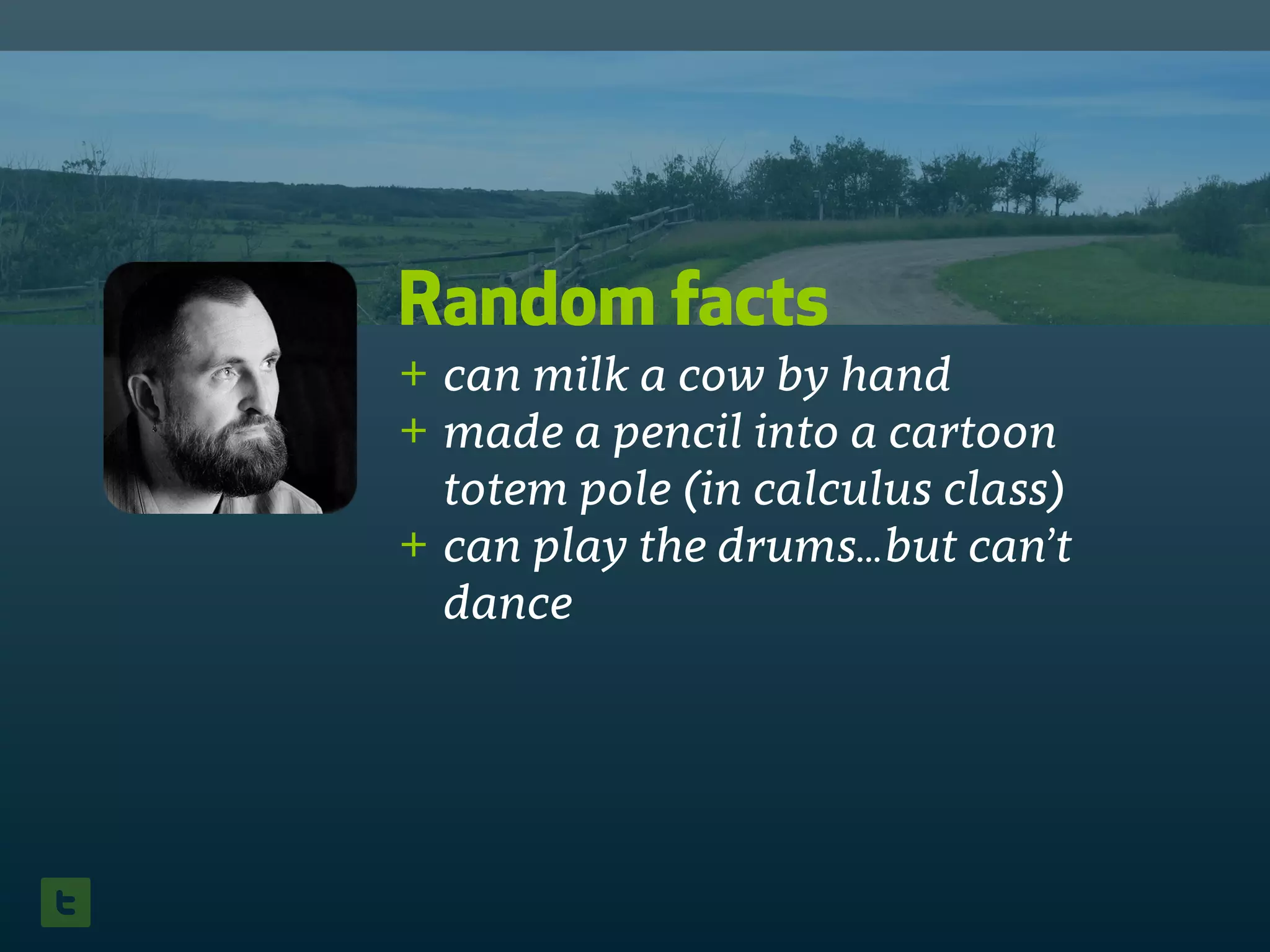
Random facts
+ can milk a cow by hand
+ made a pencil into a cartoon
totem pole (in calculus class)
+ can play the drums…but can’t
dance
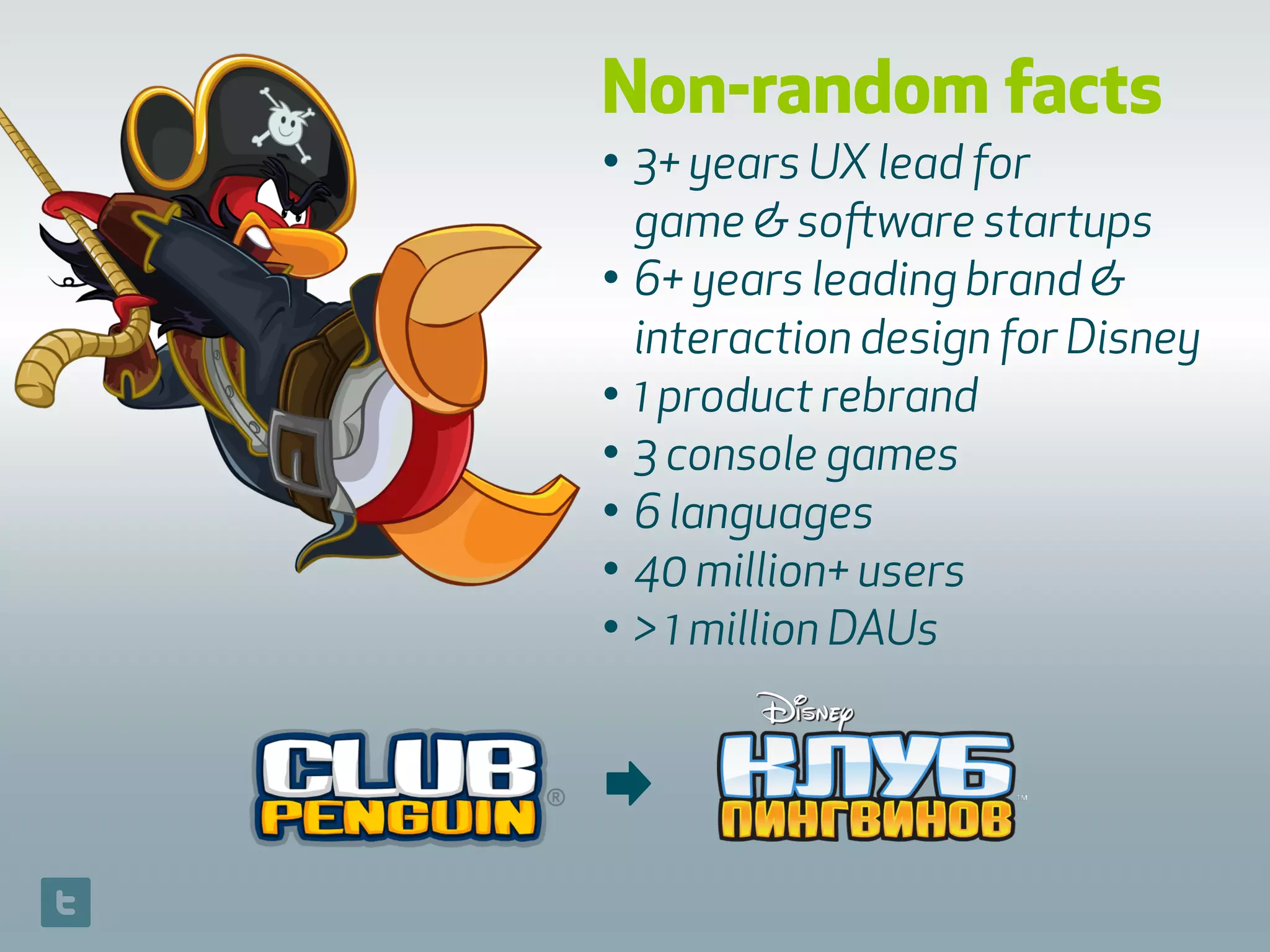
Non-random facts
• 3+ years UX lead for 
game & software startups
• 6+ years leading brand &
interaction design for Disney
• 1 product rebrand
• 3 console games
• 6 languages
• 40 million+ users
• > 1 million DAUs
➡
Today’s talk on UX
Through the lens of a startup, focusing on
tradeoffs and constraints:
+ introductory concepts
+ case study: what ‘should’ have
happened vs. what actually happened
+ some recommendations & learnings
Introductory
Concepts
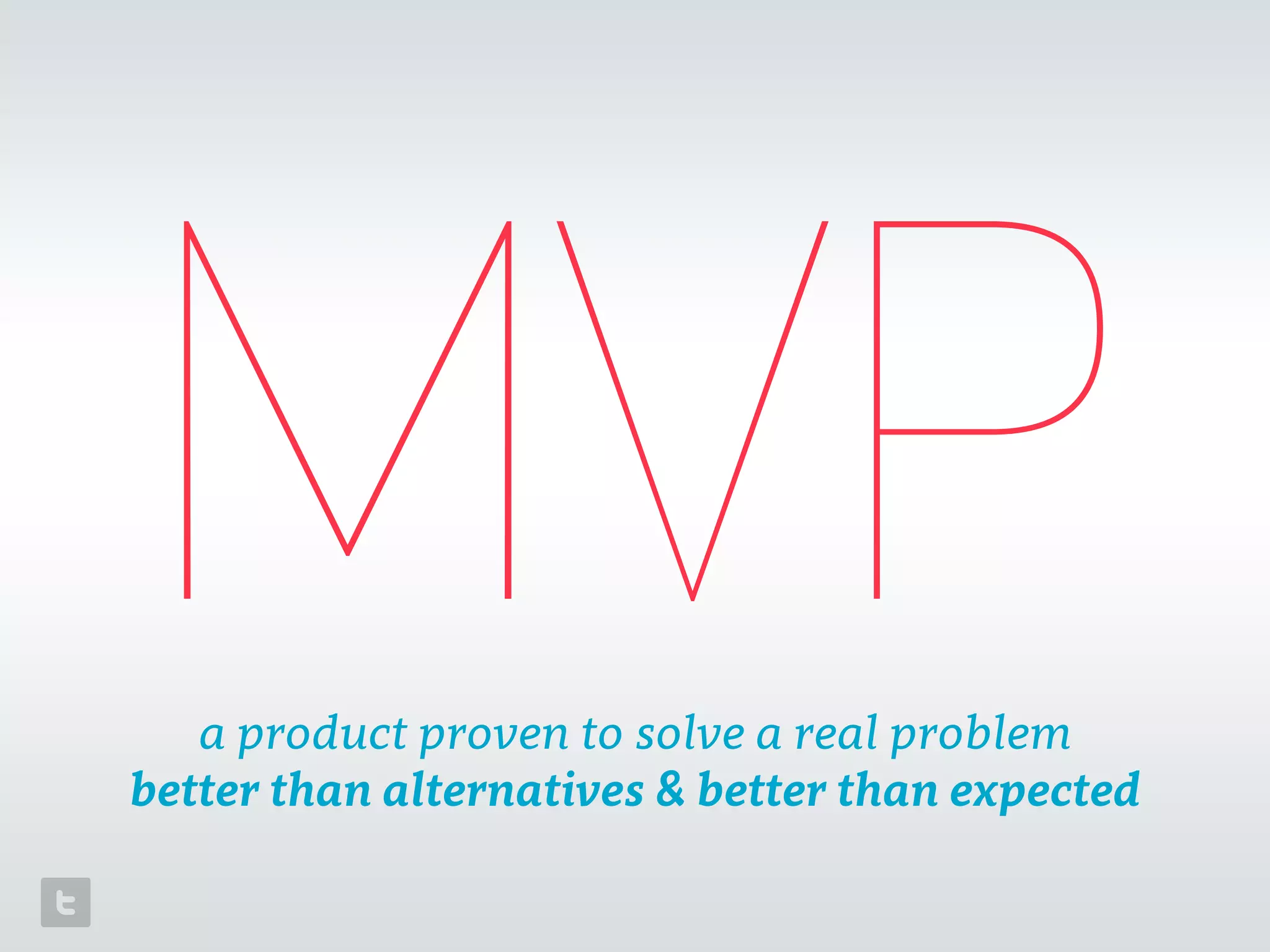
MVPa product proven to solve a real problem

better than alternatives & better than expected
$
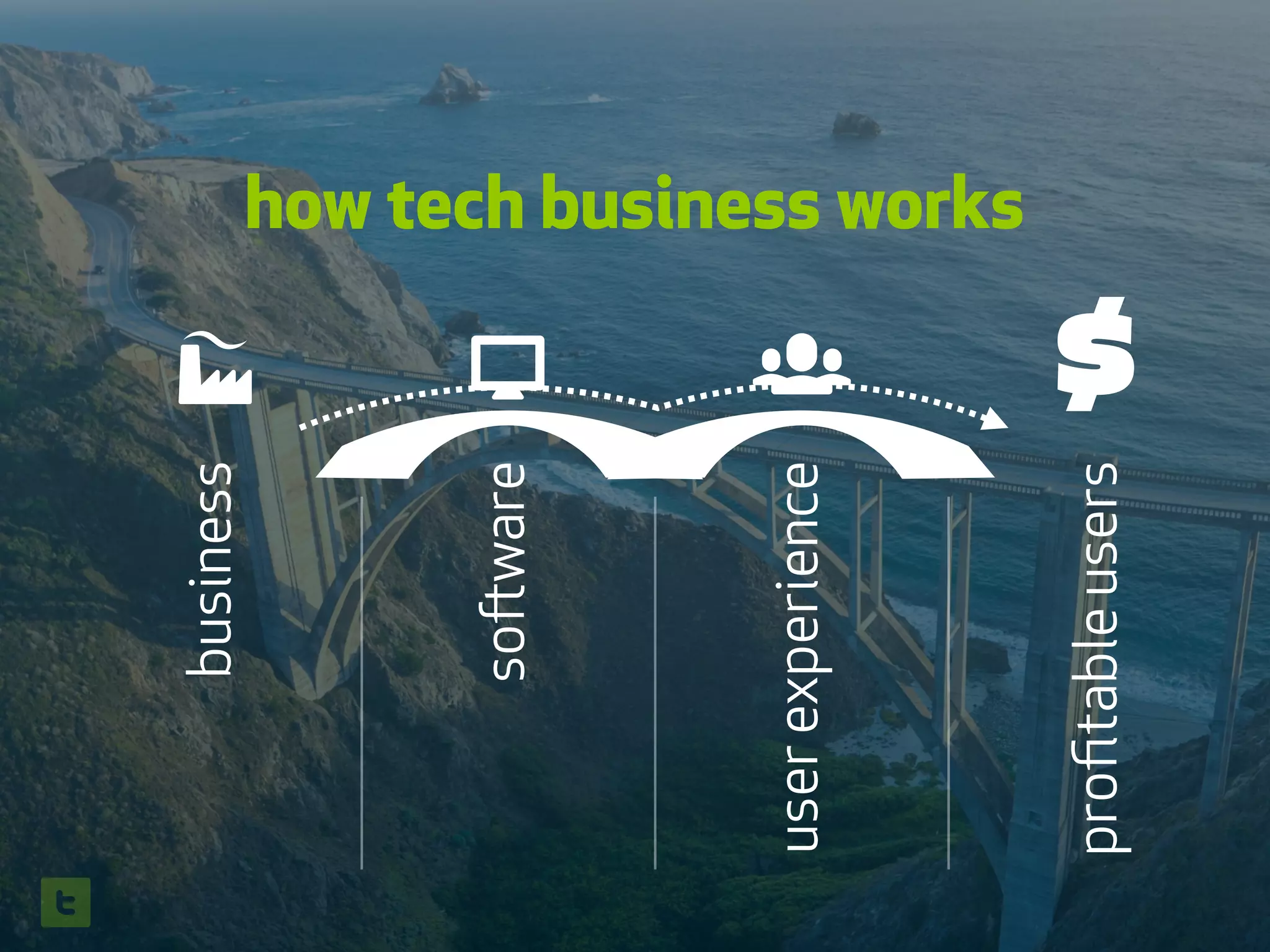
business
💻
software
👥
userexperience
profitableusers
how tech business works
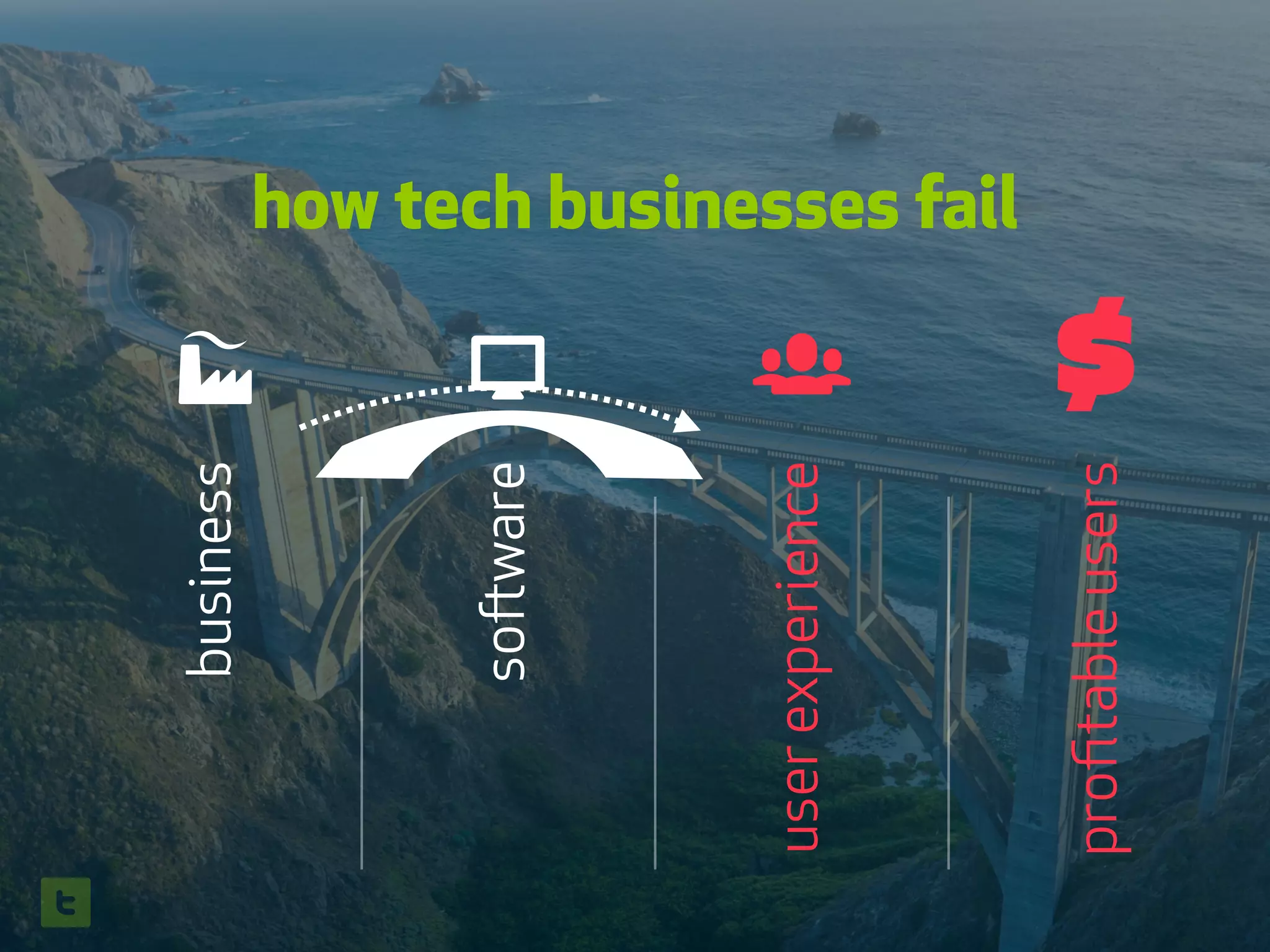
business
💻
software
👥
userexperience
$
profitableusers
how tech businesses fail
🚀
t
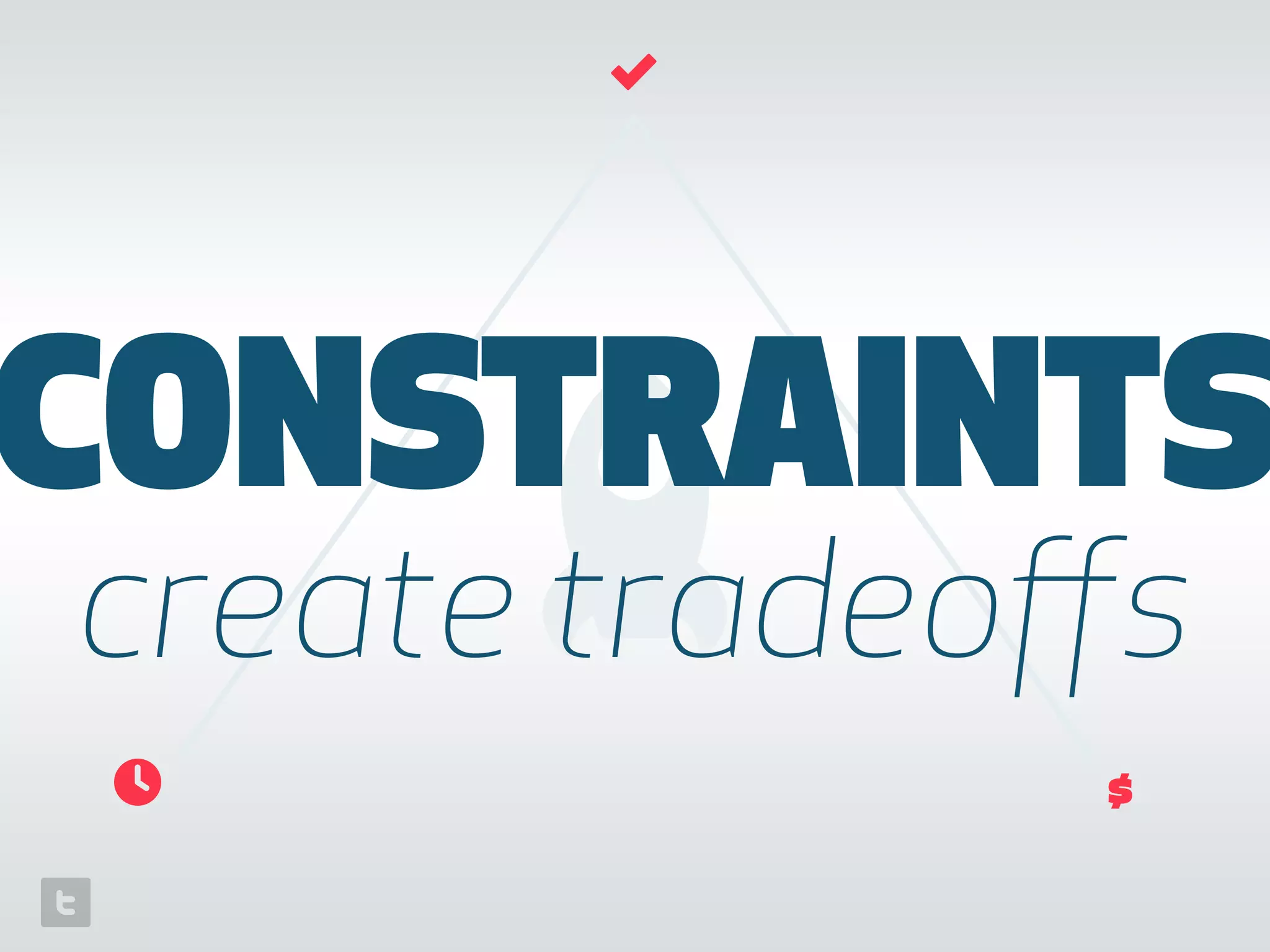
CONSTRAINTS
create tradeoffs
⏲
✓
$
everything is possible;
not everything is
in scope
Tradeoffs produce:
+ technical debt
+ design debt
+ increased risk to the business
+ a faster path to learning
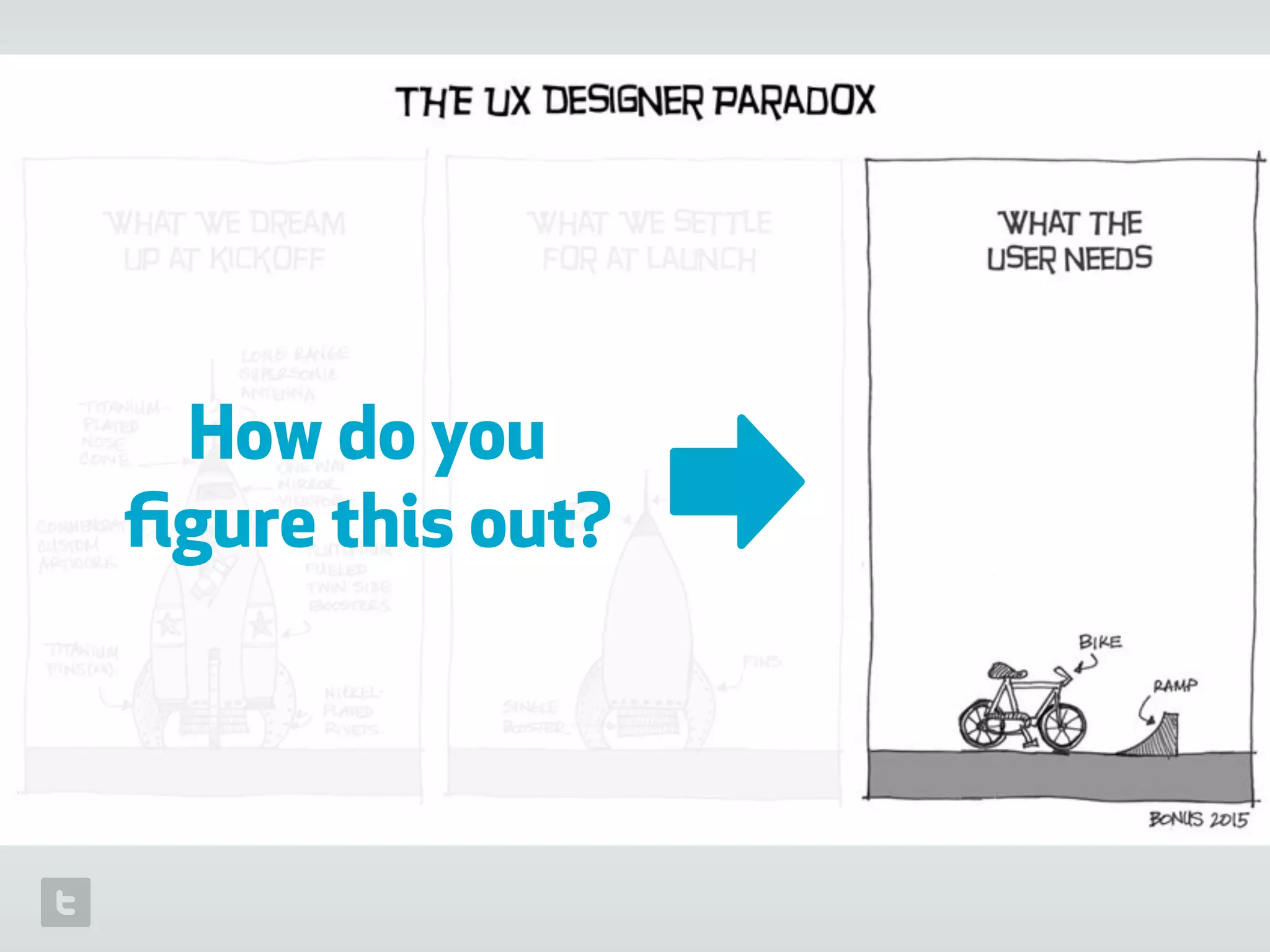
How do you
figure this out? ➡
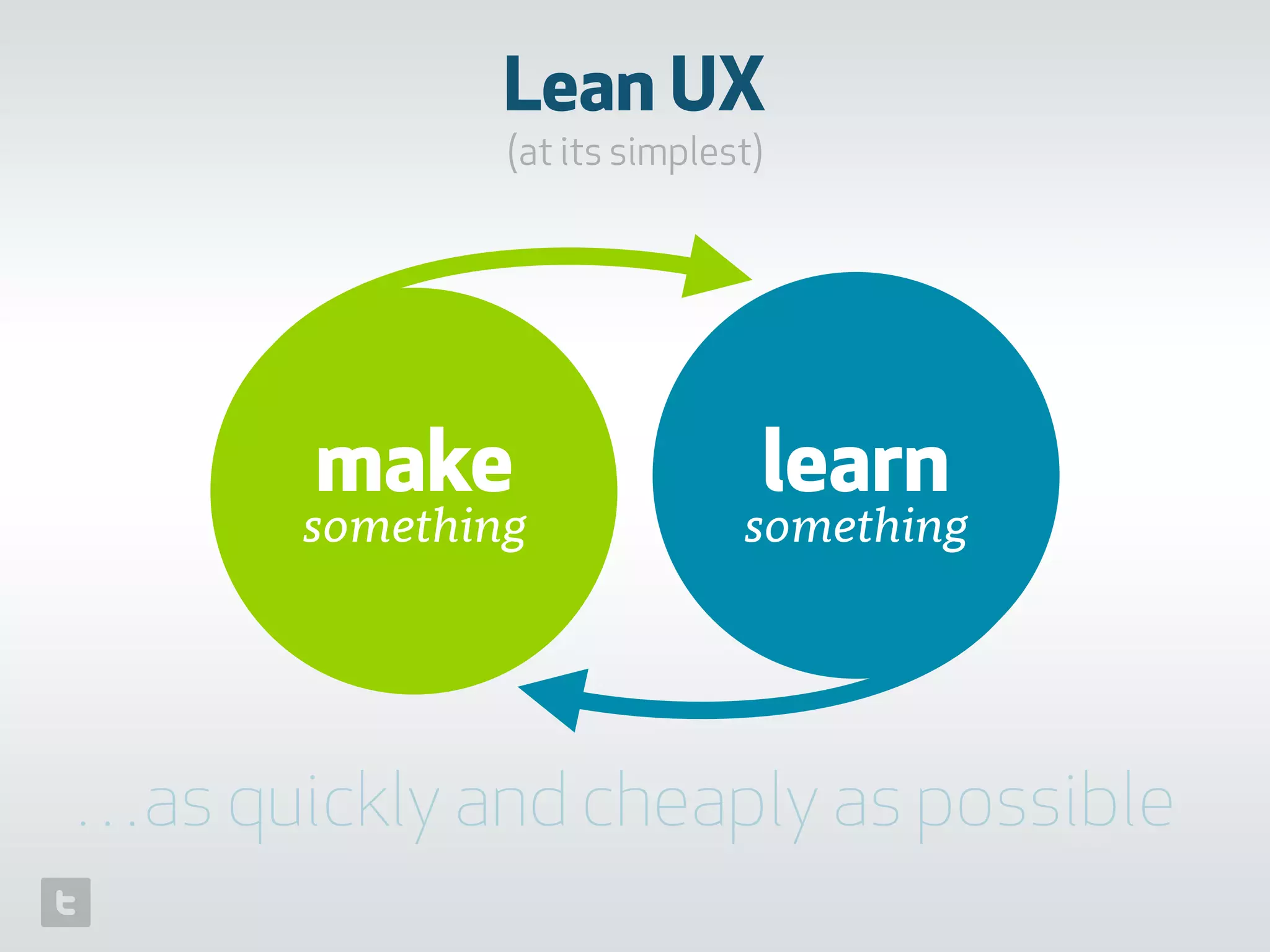
Lean UX
(at its simplest)
make
something
learn
something
…as quickly and cheaply as possible
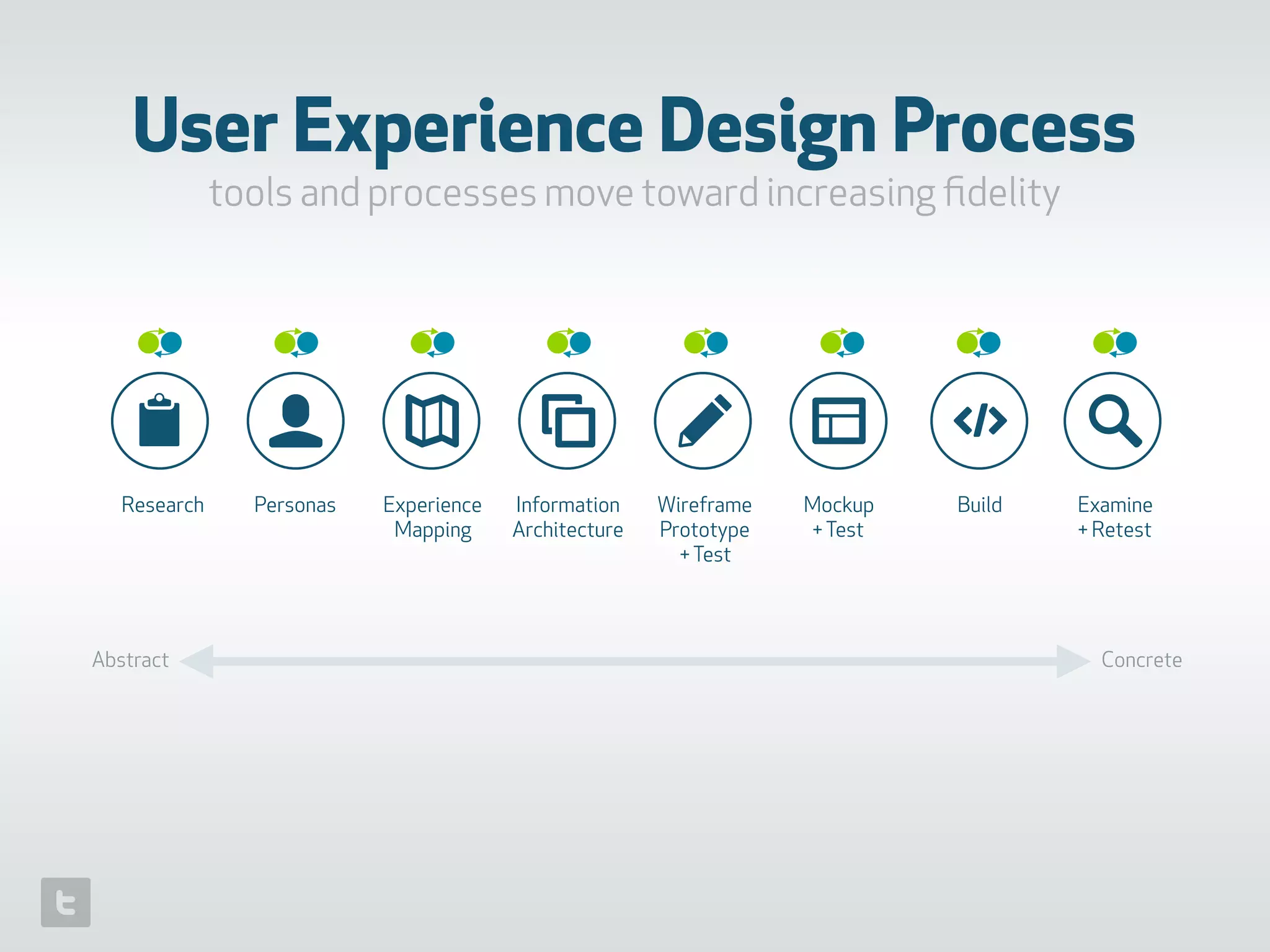
📋 👤 ✎ 🔎
Research Personas Experience
Mapping
Information
Architecture
Wireframe
Prototype 

+Test
Mockup
+Test
Build Examine
+ Retest
User Experience Design Process
tools and processes move toward increasing fidelity
Abstract Concrete
Case
Study
February 2014 December 2015
21 Months / 2 major web versions / 1 ios app
…and countless cut corners
real world
(getting out of the hypothetical)
🌐␡
1. research
📋
👤 ✎ 🔎📋
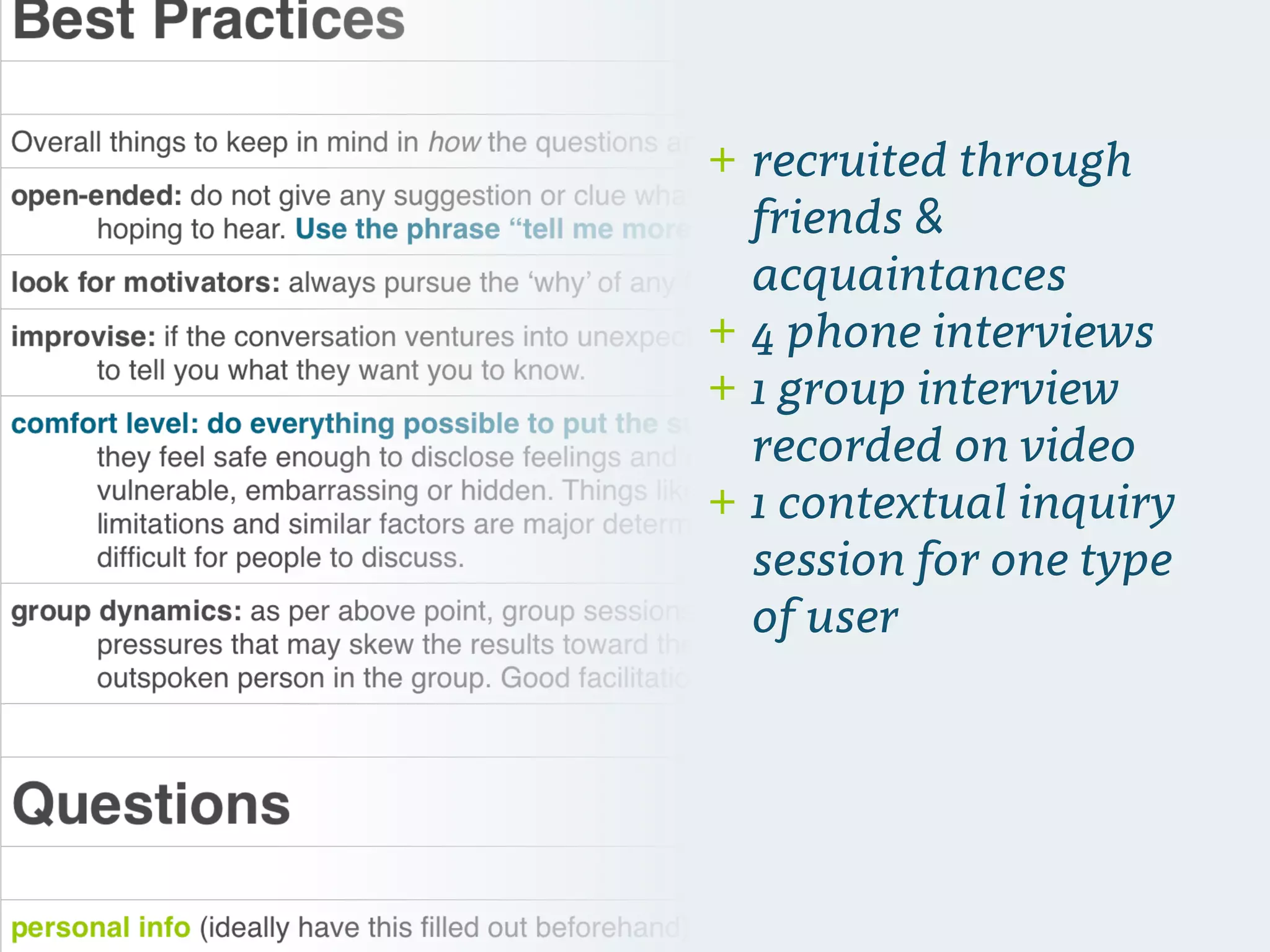
+ recruited through
friends &
acquaintances
+ 4 phone interviews
+ 1 group interview
recorded on video
+ 1 contextual inquiry
session for one type
of user
2. personas
👥
📋 👤 ✎ 🔎
–Johnny Appleseed
“Type a quote here.”
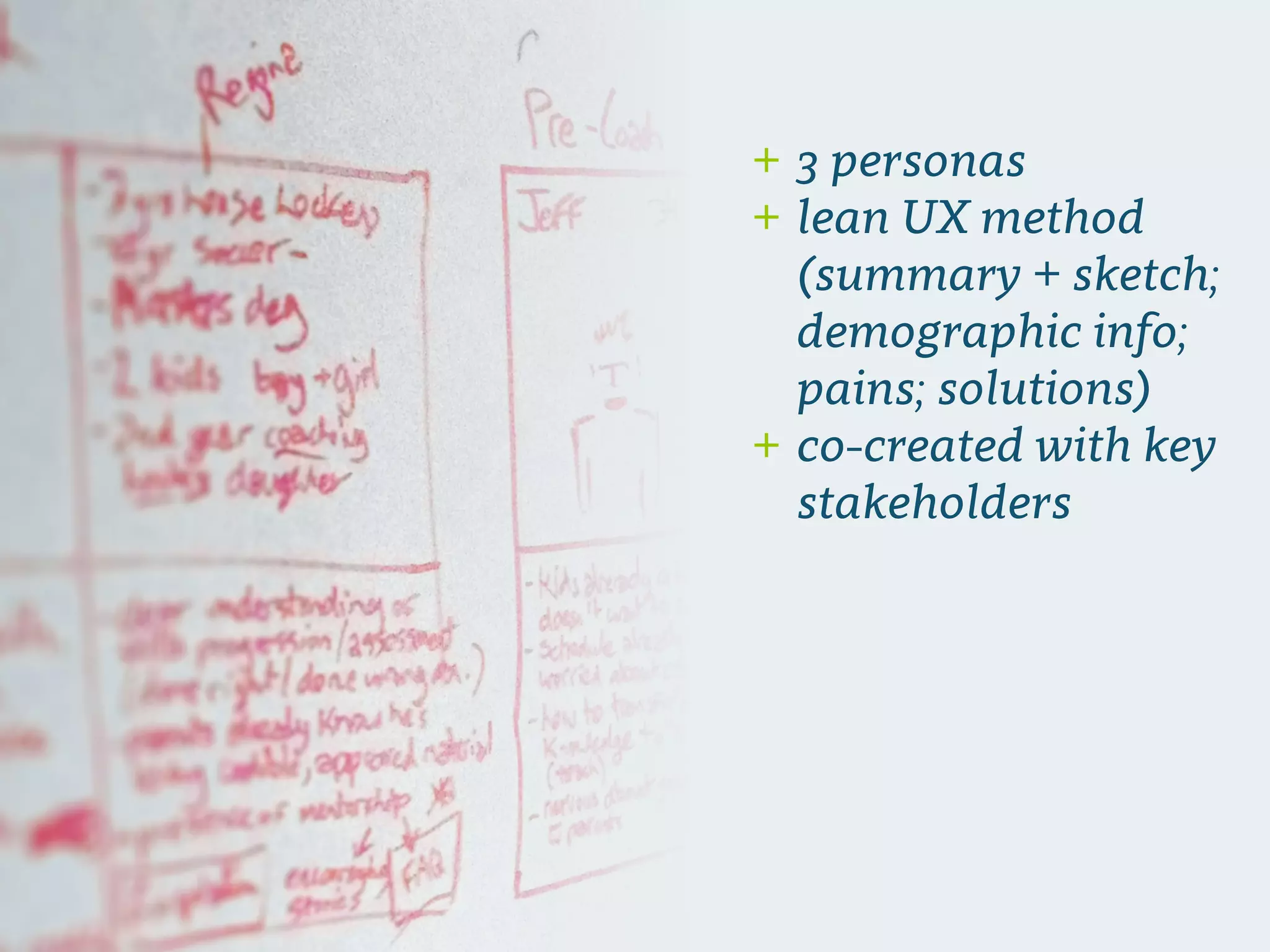
+ 3 personas
+ lean UX method
(summary + sketch;
demographic info;
pains; solutions)
+ co-created with key
stakeholders
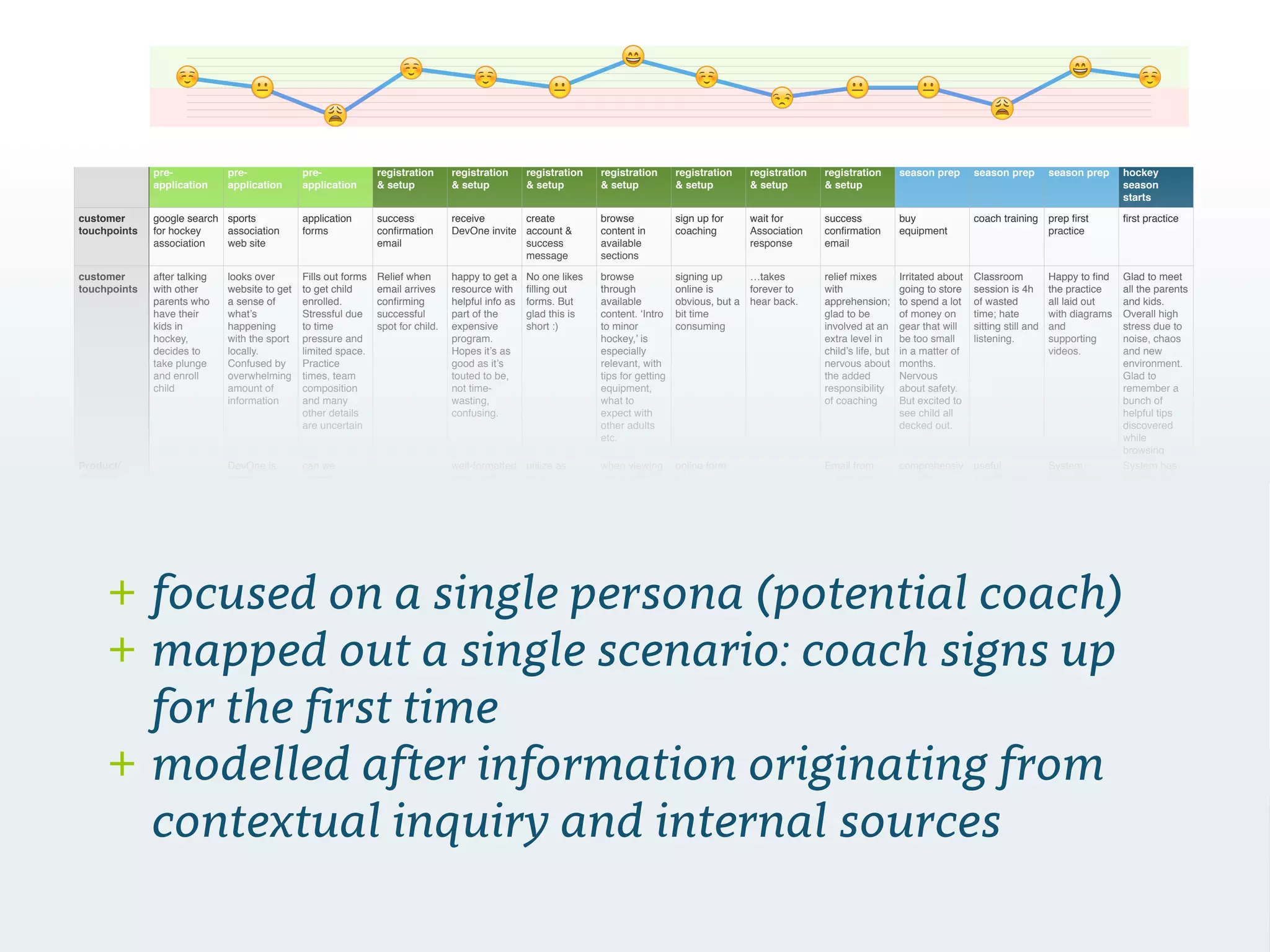
3. experience mapping
✎ 🔎📋 👤
customer
happiness
1 0 -3 2 1 0 3 1 -1 0 0 -2 2 1
pre-
application
pre-
application
pre-
application
registration
& setup
registration
& setup
registration
& setup
registration
& setup
registration
& setup
registration
& setup
registration
& setup
season prep season prep season prep hockey
season
starts
customer
touchpoints
google search
for hockey
association
sports
association
web site
application
forms
success
confirmation
email
receive
DevOne invite
create
account &
success
message
browse
content in
available
sections
sign up for
coaching
wait for
Association
response
success
confirmation
email
buy
equipment
coach training prep first
practice
first practice
customer
touchpoints
after talking
with other
parents who
have their
kids in
hockey,
decides to
take plunge
and enroll
child
looks over
website to get
a sense of
what’s
happening
with the sport
locally.
Confused by
overwhelming
amount of
information
Fills out forms
to get child
enrolled.
Stressful due
to time
pressure and
limited space.
Practice
times, team
composition
and many
other details
are uncertain
Relief when
email arrives
confirming
successful
spot for child.
happy to get a
resource with
helpful info as
part of the
expensive
program.
Hopes it’s as
good as it’s
touted to be,
not time-
wasting,
confusing.
No one likes
filling out
forms. But
glad this is
short :)
browse
through
available
content. ‘Intro
to minor
hockey,’ is
especially
relevant, with
tips for getting
equipment,
what to
expect with
other adults
etc.
signing up
online is
obvious, but a
bit time
consuming
…takes
forever to
hear back.
relief mixes
with
apprehension;
glad to be
involved at an
extra level in
child’s life, but
nervous about
the added
responsibility
of coaching
Irritated about
going to store
to spend a lot
of money on
gear that will
be too small
in a matter of
months.
Nervous
about safety.
But excited to
see child all
decked out.
Classroom
session is 4h
of wasted
time; hate
sitting still and
listening.
Happy to find
the practice
all laid out
with diagrams
and
supporting
videos.
Glad to meet
all the parents
and kids.
Overall high
stress due to
noise, chaos
and new
environment.
Glad to
remember a
bunch of
helpful tips
discovered
while
browsing
Product/
Support
DevOne is
promoted on
the
association
website; well-
resourced org
is welcomed.
can we
somehow aid
the signup
process?
well-formatted
email with
direct links to
one or two
helpful
videos/
resources
utilize as
much
Association
data as
possible to
lower the
amount of
effort required
for parents
when viewing
‘my team’, it’s
immediately
apparent if/
who is the
coach. If there
is already a
coach
assigned, a
welcome
message to
parents is on
message
board.
online form
with
standardized
questions
useful to
associations.
Email from
association
indicates they
have been
added as a
coach.
Association
assigns coach
status in
system.
Automated
email
confirms this
and suggests
content.
comprehensiv
e guide in
system
covers all
major areas
of equipment
requirements
useful
information
available for
viewing
throughout
the season
System
focuses on
first practice
of season.
Suggested
and related
content is
‘getting
started’ and
other intro
topics
System has
content to
prep for such
things as ice
and locker
room
etiquette, how
to address
parents etc.
Tactical stuff
for practice
easily
accessible
-2.25
-1.5
-0.75
0
0.75
1.5
2.25
3
Category Axis
!
"
# # # #
☺️ ☺️☺️ ☺️ ☺️!
"&
+ focused on a single persona (potential coach)
+ mapped out a single scenario: coach signs up
for the first time
+ modelled after information originating from
contextual inquiry and internal sources
4. information architecture
✎ 🔎👤📋
Product Intro Benefit statement product description
feel good mission/
done
skip
Home page
Footer
Coaches
Become a coach
request invite
(with value add info)
log in
create account
sell message
assessment of sports
knowledge/
application form
coaching resources
kids & group
dynamics
prepping for game
day
making parents
happy
Assessing player skill
levels
Dressing room
etiquette
inspiration for
coaches
Ask an Expert
this week’s practice nextprevious
year at a glance
drill 1, drill 2, drill 3
etc.
change password
Parents/families
administrator access
Initiation
invite users
import registrations
Novice - Evans
log in
Health & sports
lifestyle
Intro to Minor
Hockey
Sportsmanship & the
love of the game
Equipment Guide
Dressing Room
Etiquette
(global features)
Search
send feedback account/ log in
update info
Who’s who on the
team (parent roles)
sports nutrition
raising athletes
group dynamics and
other people’s kids
Injuries & first aid
print
drill videos
drill diagram
share
related content
(terms, related skills,
common errors, other
links)
try this at home: off-
ice activities
Your divisionrecommended videos
search results
Atom House
Novice - Lutz
etc.
search/browse
content
video content
blog/written content
PDF/download
content
functionality
required
submit a question
global nav
validated code/link
approve/assign to
division
coach login
admin
parents login
public
multiple viewers
Your division
Legend
view other division
view other division
kids
promo membership!
lock but viewable related content
watch code of conduct video
share content
videos: shared videos have
watermarks; possibly remove
watermarks for logged in users
Featured content
(videos)
Company info
Privacy
Terms
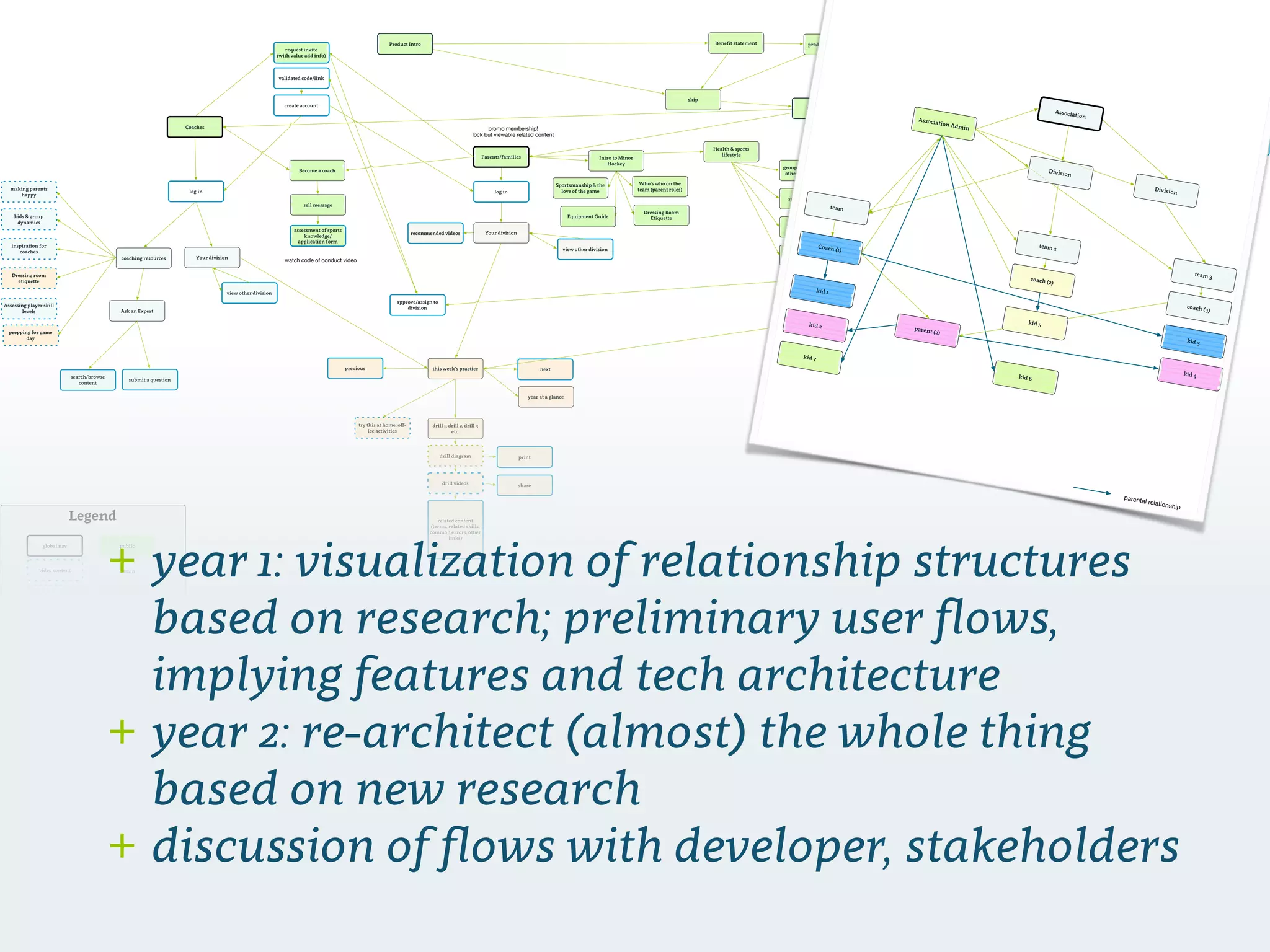
+ year 1: visualization of relationship structures
based on research; preliminary user flows,
implying features and tech architecture
+ year 2: re-architect (almost) the whole thing
based on new research
+ discussion of flows with developer, stakeholders
Association
team
team 2
kid 2
kid 3
team 3
Coach (1)
parent (2)
kid 1
Division
coach (3)
kid 4
Association Admin
kid 7
parental relationship
Division
coach (2)
kid 5
kid 6
5. wireframe + test
✎
🔎📋 👤 ✎
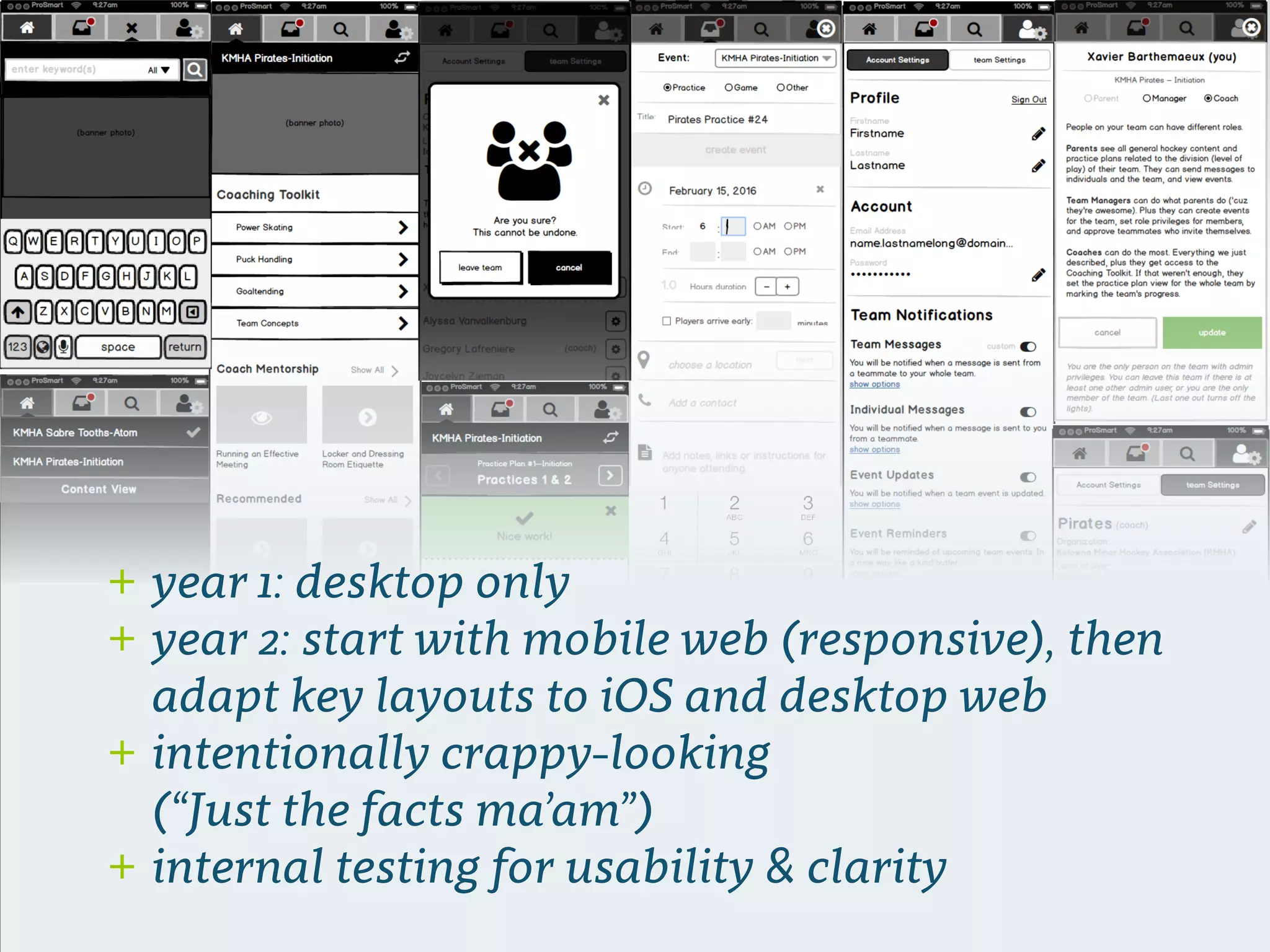
+ year 1: desktop only
+ year 2: start with mobile web (responsive), then
adapt key layouts to iOS and desktop web
+ intentionally crappy-looking 

(“Just the facts ma’am”)
+ internal testing for usability & clarity
6. mockup + test
🔎👤 ✎📋
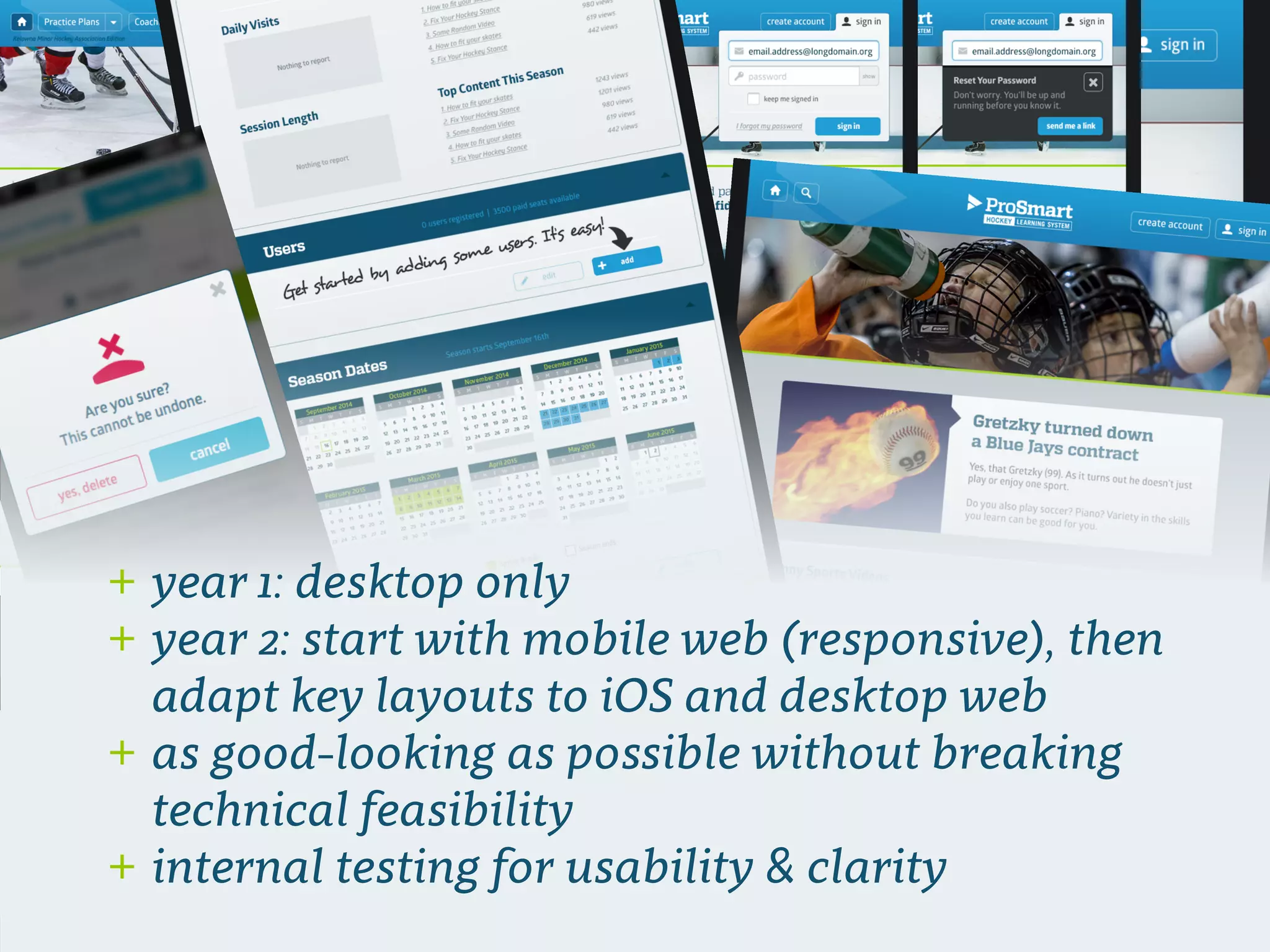
+ year 1: desktop only
+ year 2: start with mobile web (responsive), then
adapt key layouts to iOS and desktop web
+ as good-looking as possible without breaking
technical feasibility
+ internal testing for usability & clarity
7. build
🔎👤 ✎📋
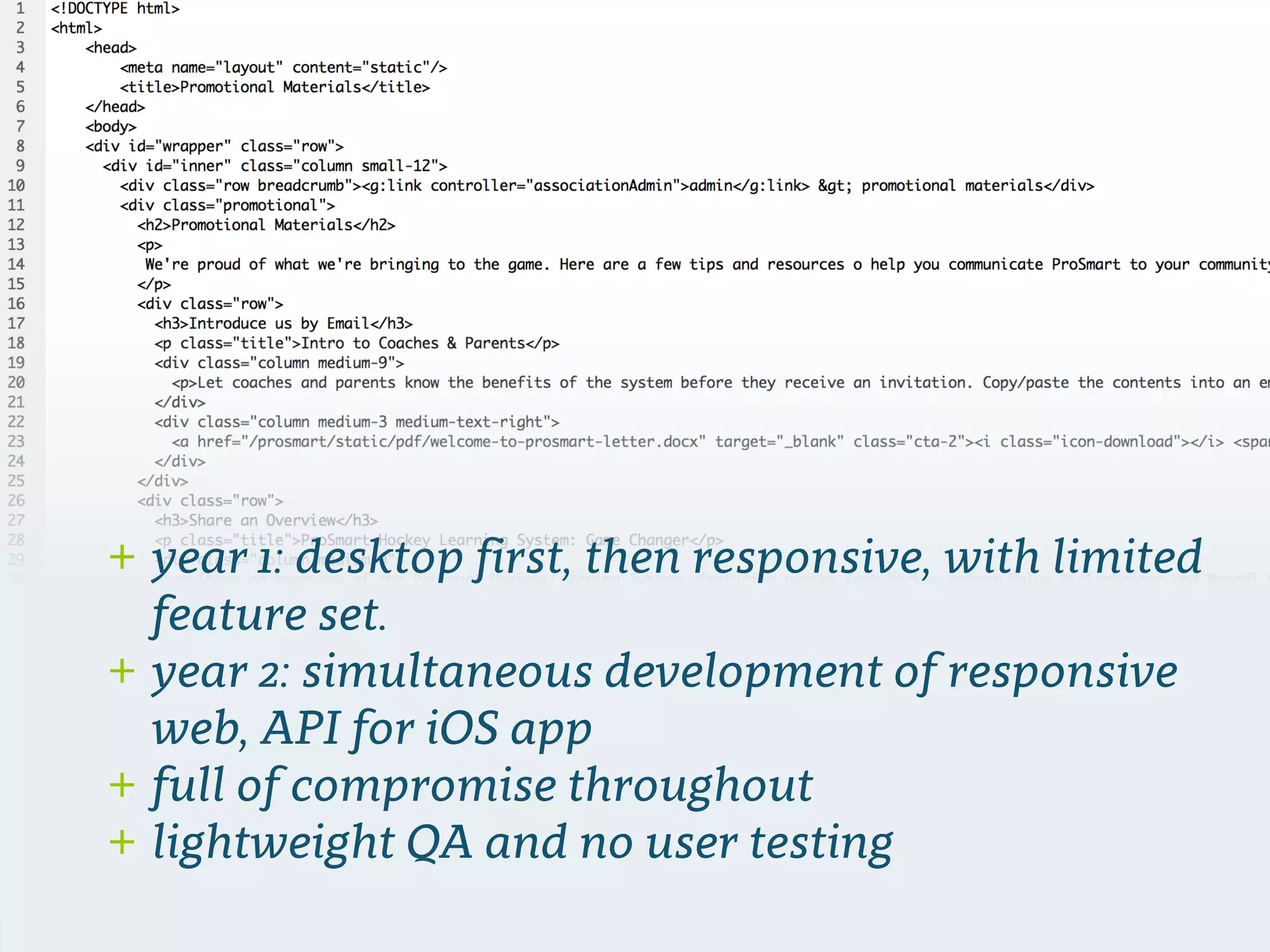
+ year 1: desktop first, then responsive, with limited
feature set.
+ year 2: simultaneous development of responsive
web, API for iOS app
+ full of compromise throughout
+ lightweight QA and no user testing
8. retest & new research
🔎
👤 ✎ 🔎📋
we did a survey
international reach / impressive retention /
backing of major corporations + NHL alumni
etc.
Recommendations
& Learnings
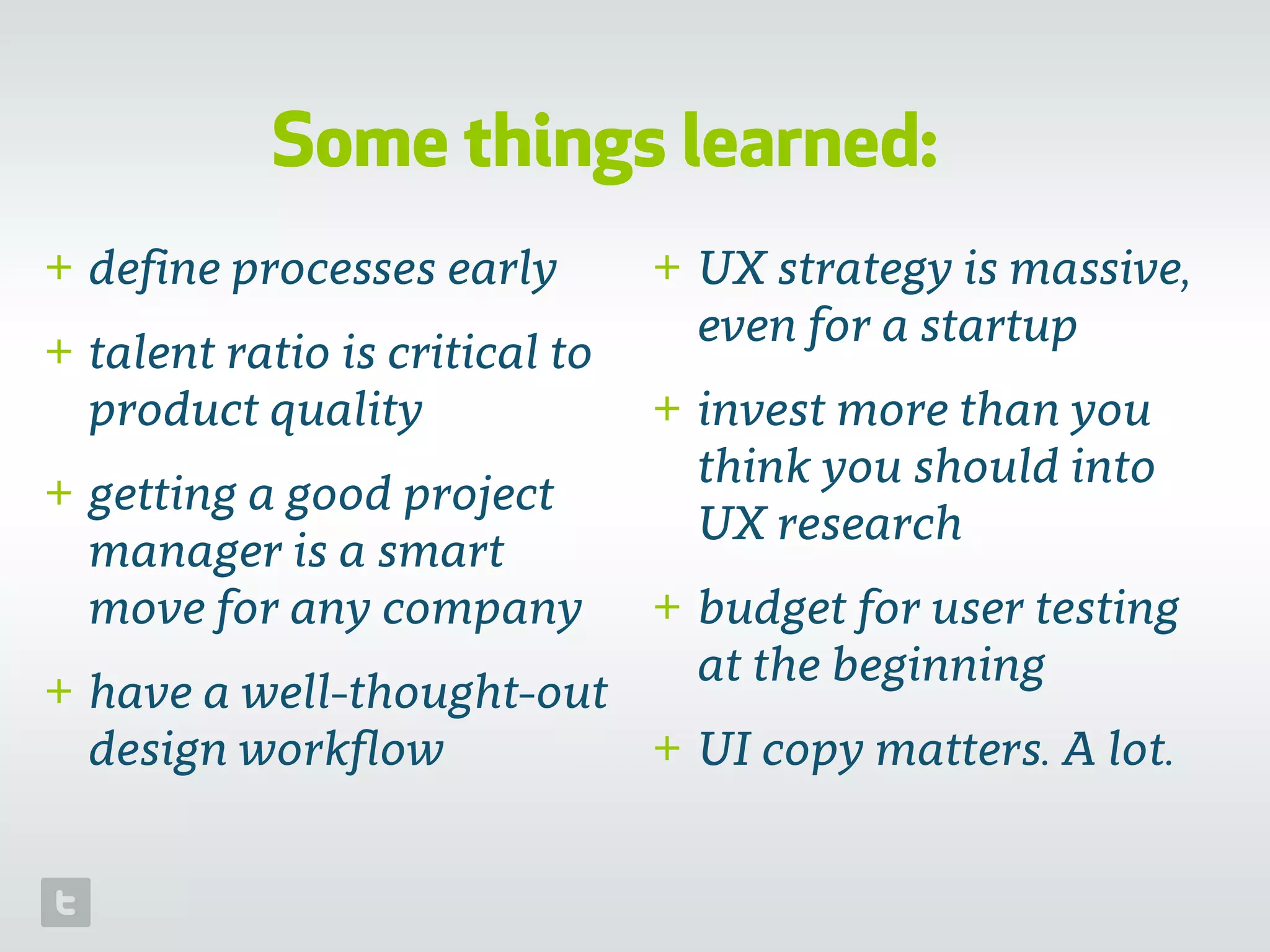
Some things learned:
+ define processes early
+ talent ratio is critical to
product quality
+ getting a good project
manager is a smart
move for any company
+ have a well-thought-out
design workflow
+ UX strategy is massive,
even for a startup
+ invest more than you
think you should into
UX research
+ budget for user testing
at the beginning
+ UI copy matters. A lot.
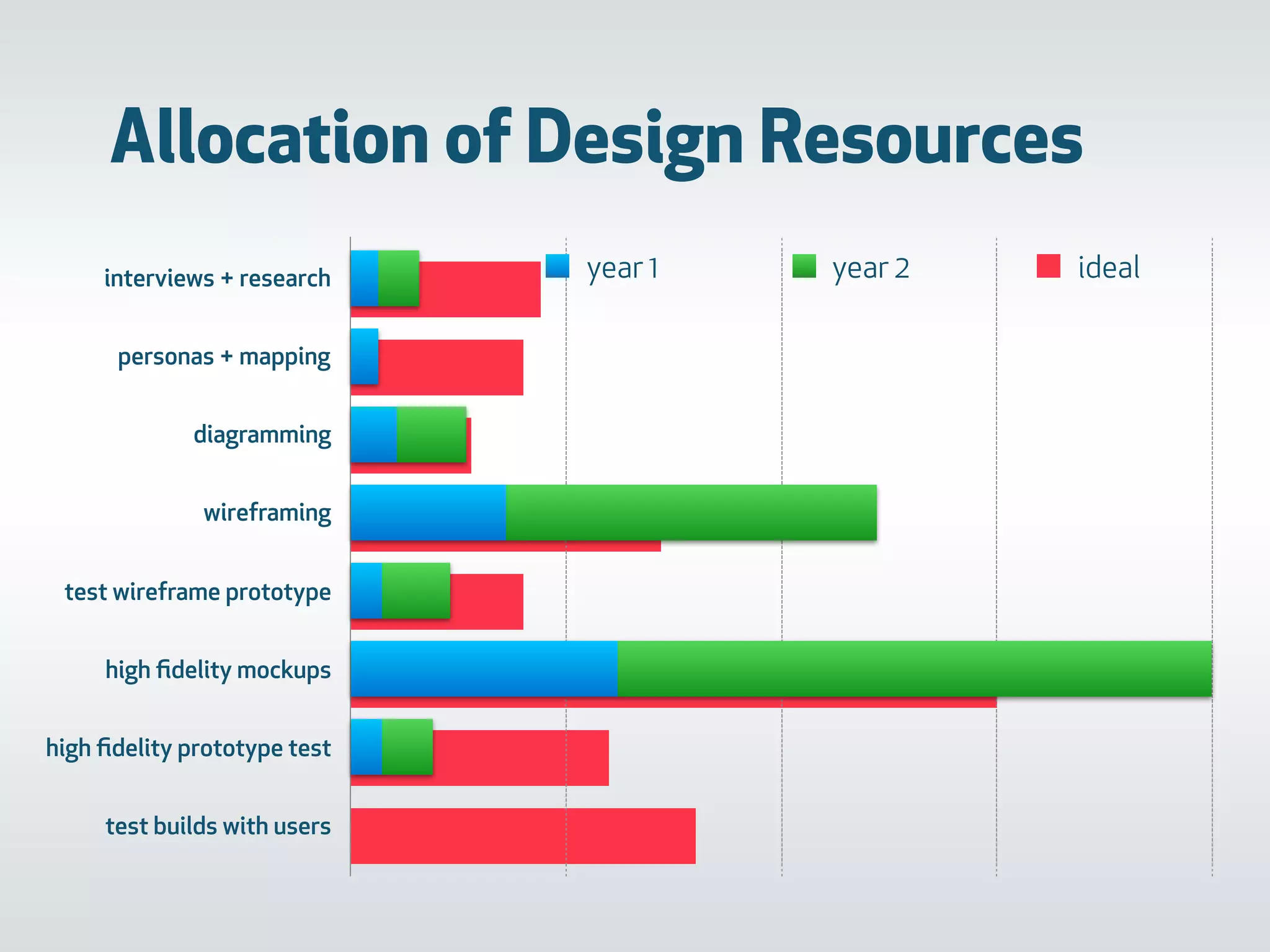
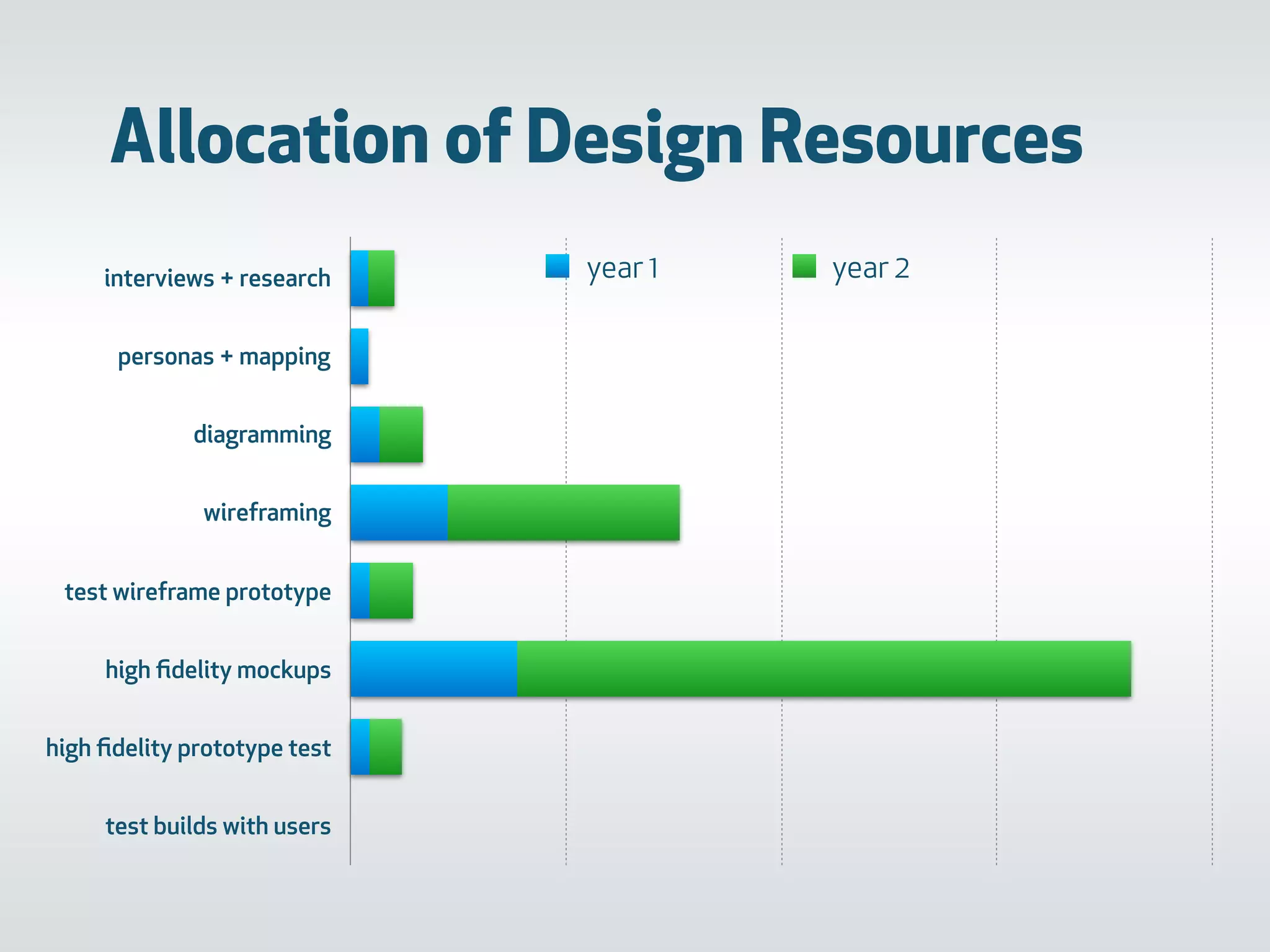
Allocation of Design Resources
interviews + research
personas + mapping
diagramming
wireframing
test wireframe prototype
high fidelity mockups
high fidelity prototype test
test builds with users
0 200 400 600 800
year 1 year 2
0 125 250 375 500
idealinterviews + research
personas + mapping
diagramming
wireframing
test wireframe prototype
high fidelity mockups
high fidelity prototype test
test builds with users
0 125 250 375 500
year 1 year 2
Allocation of Design Resources
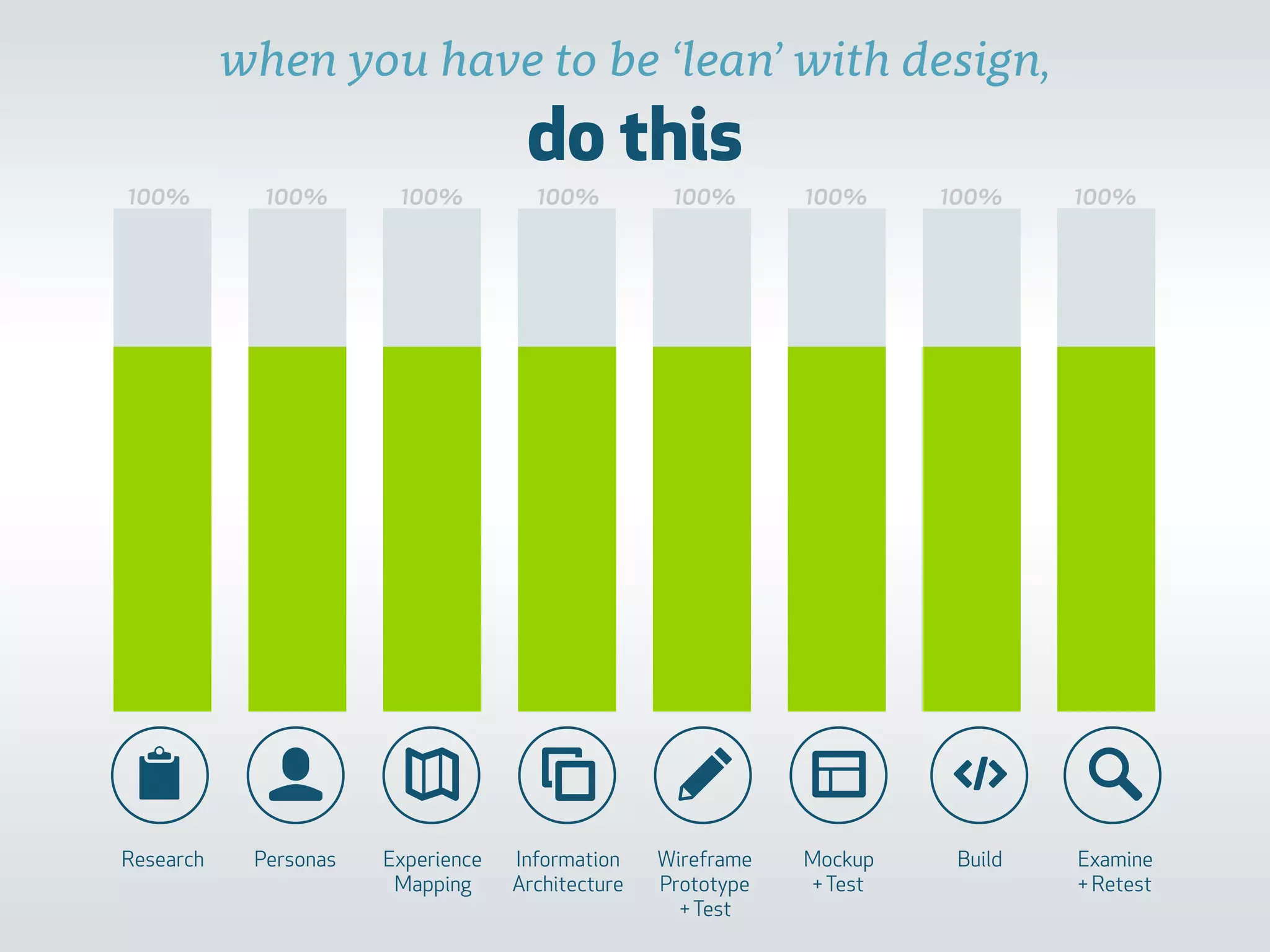
do this
📋 👤 ✎ 🔎
Research Personas Experience
Mapping
Information
Architecture
Wireframe
Prototype 

+Test
Mockup
+Test
Build Examine
+ Retest
100% 100% 100% 100% 100% 100% 100% 100%
when you have to be ‘lean’ with design,
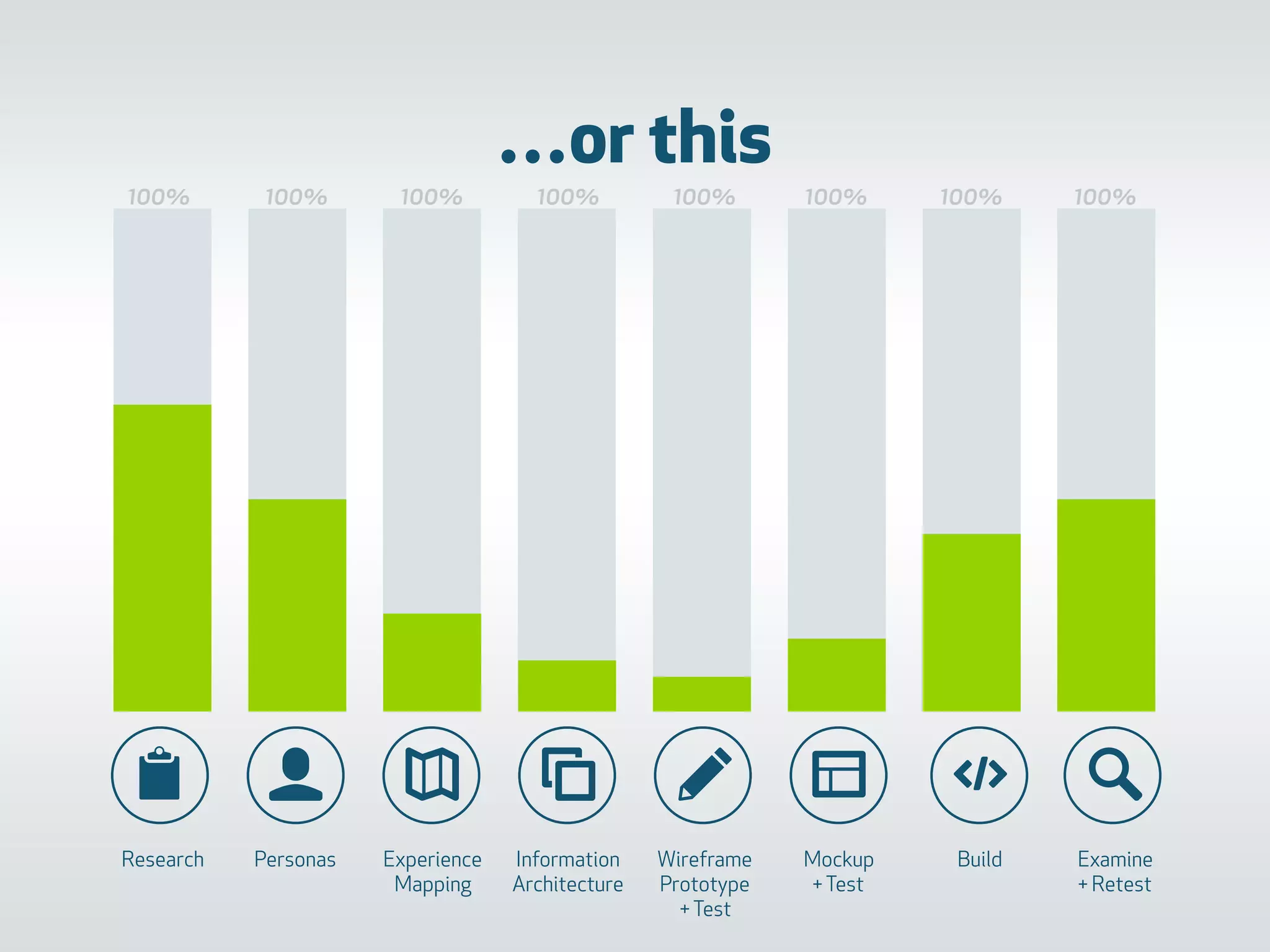
…or this
100% 100% 100% 100% 100% 100% 100% 100%
📋 👤 ✎ 🔎
Research Personas Experience
Mapping
Information
Architecture
Wireframe
Prototype 

+Test
Mockup
+Test
Build Examine
+ Retest
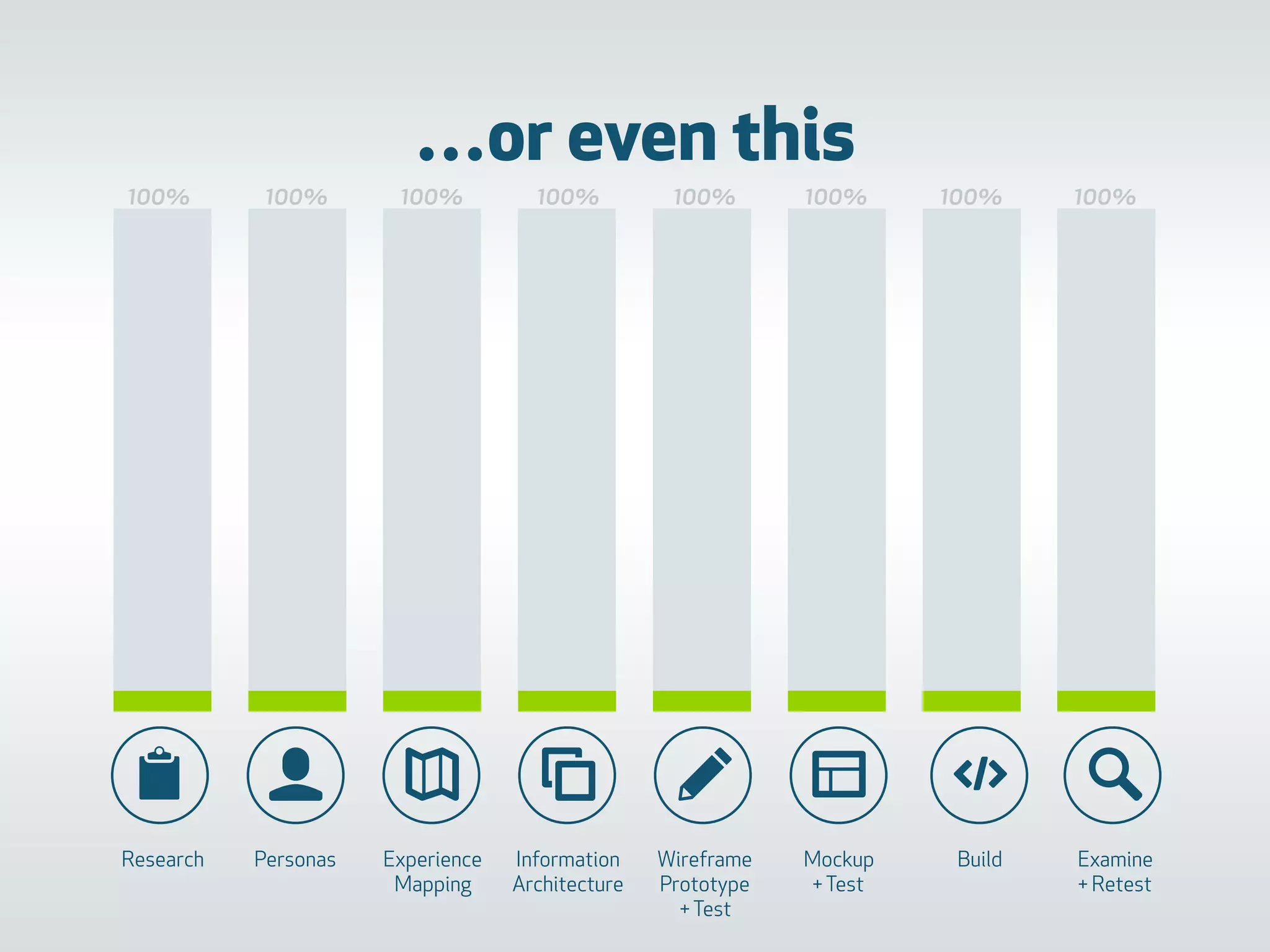
…or even this
100% 100% 100% 100% 100% 100% 100% 100%
📋 👤 ✎ 🔎
Research Personas Experience
Mapping
Information
Architecture
Wireframe
Prototype 

+Test
Mockup
+Test
Build Examine
+ Retest
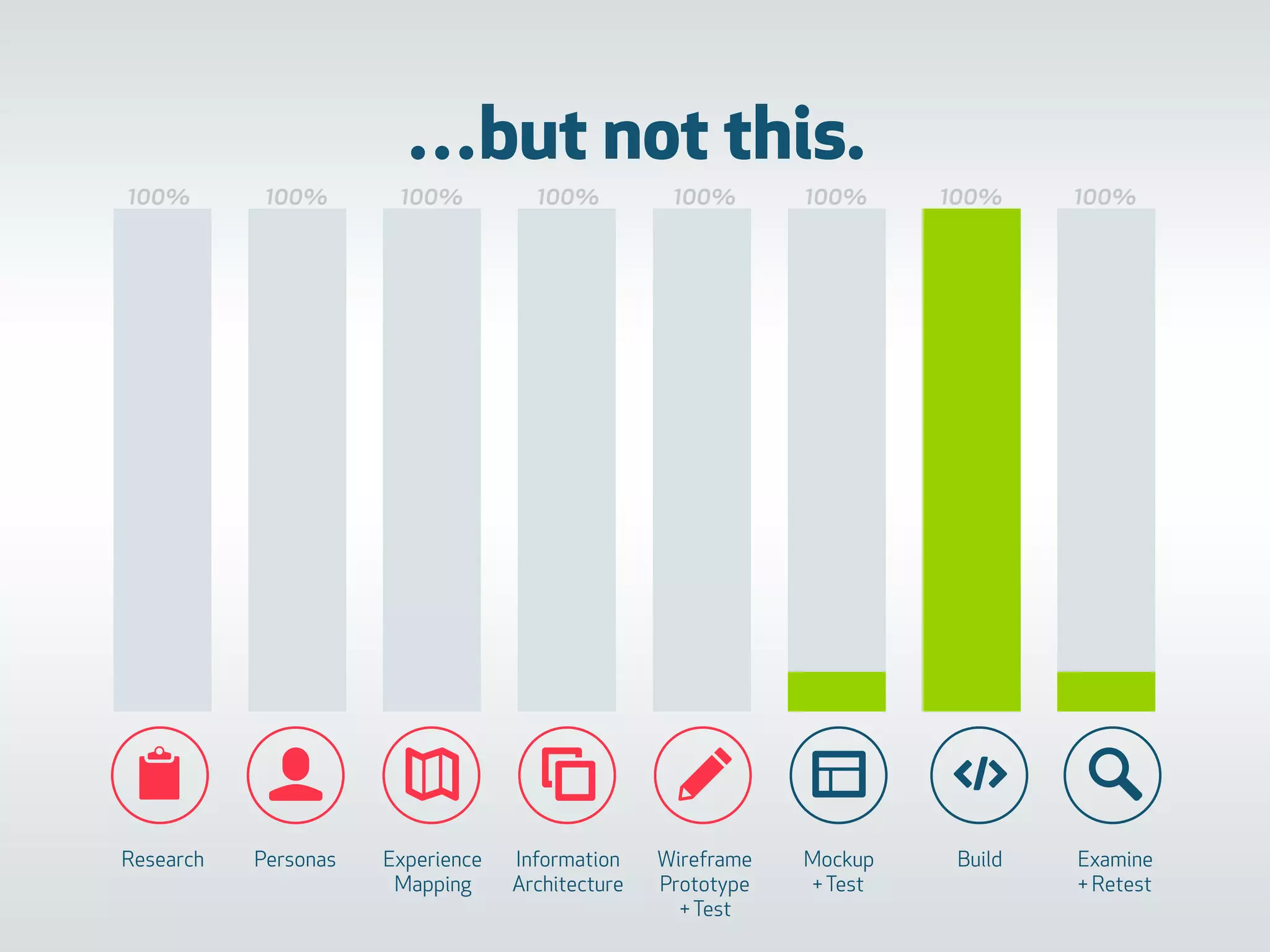
…but not this.
100% 100% 100% 100% 100% 100% 100% 100%
📋 👤 ✎ 🔎
Research Personas Experience
Mapping
Information
Architecture
Wireframe
Prototype 

+Test
Mockup
+Test
Build Examine
+ Retest
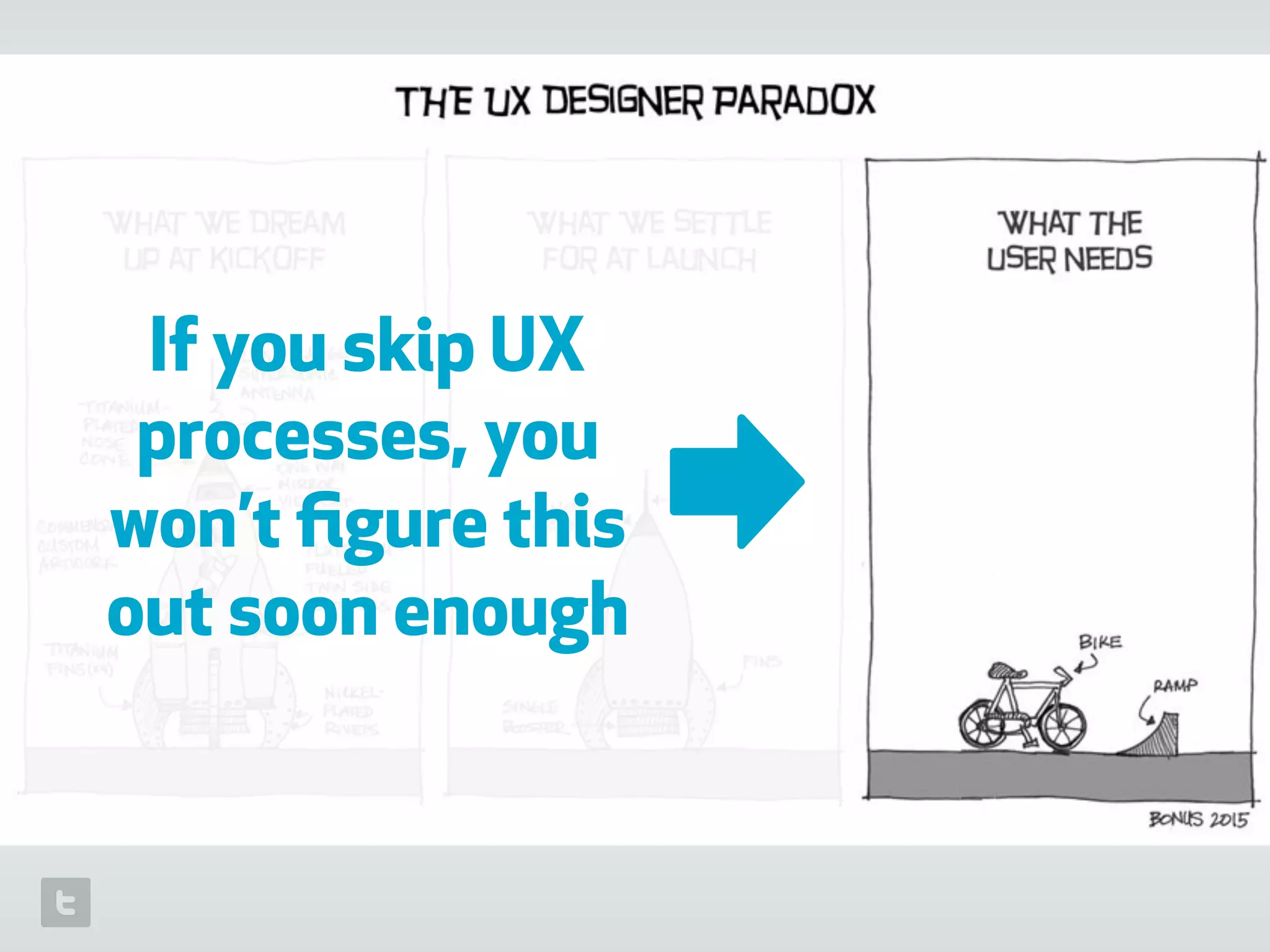
If you skip UX
processes, you
won’t figure this
out soon enough
➡
📋 👤 ✎ 🔎
Research Personas Experience
Mapping
Information
Architecture
Wireframe
Prototype 

+Test
Mockup
+Test
Build Examine
+ Retest
Abstract Concrete
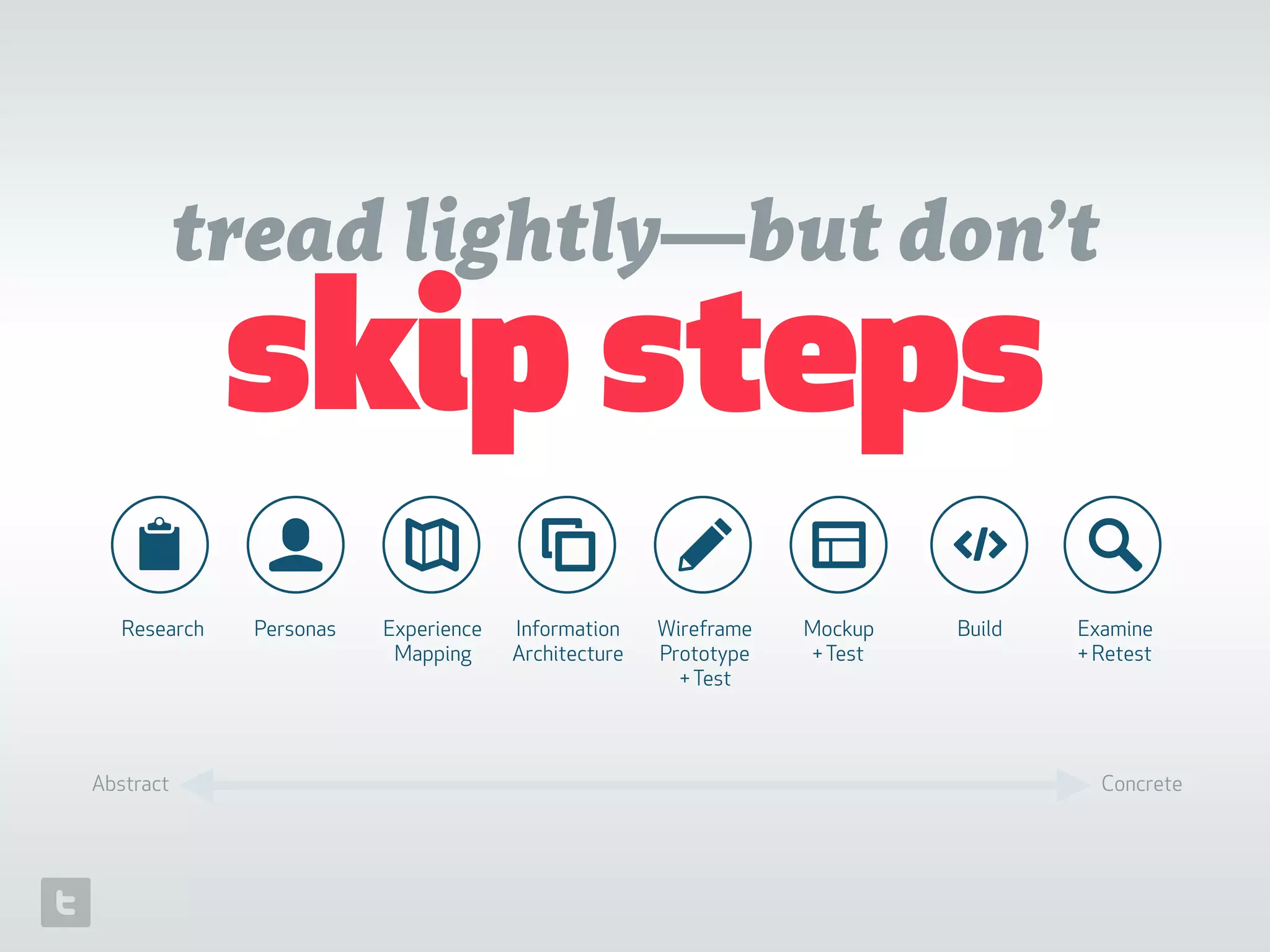
tread lightly—but don’t
skip steps
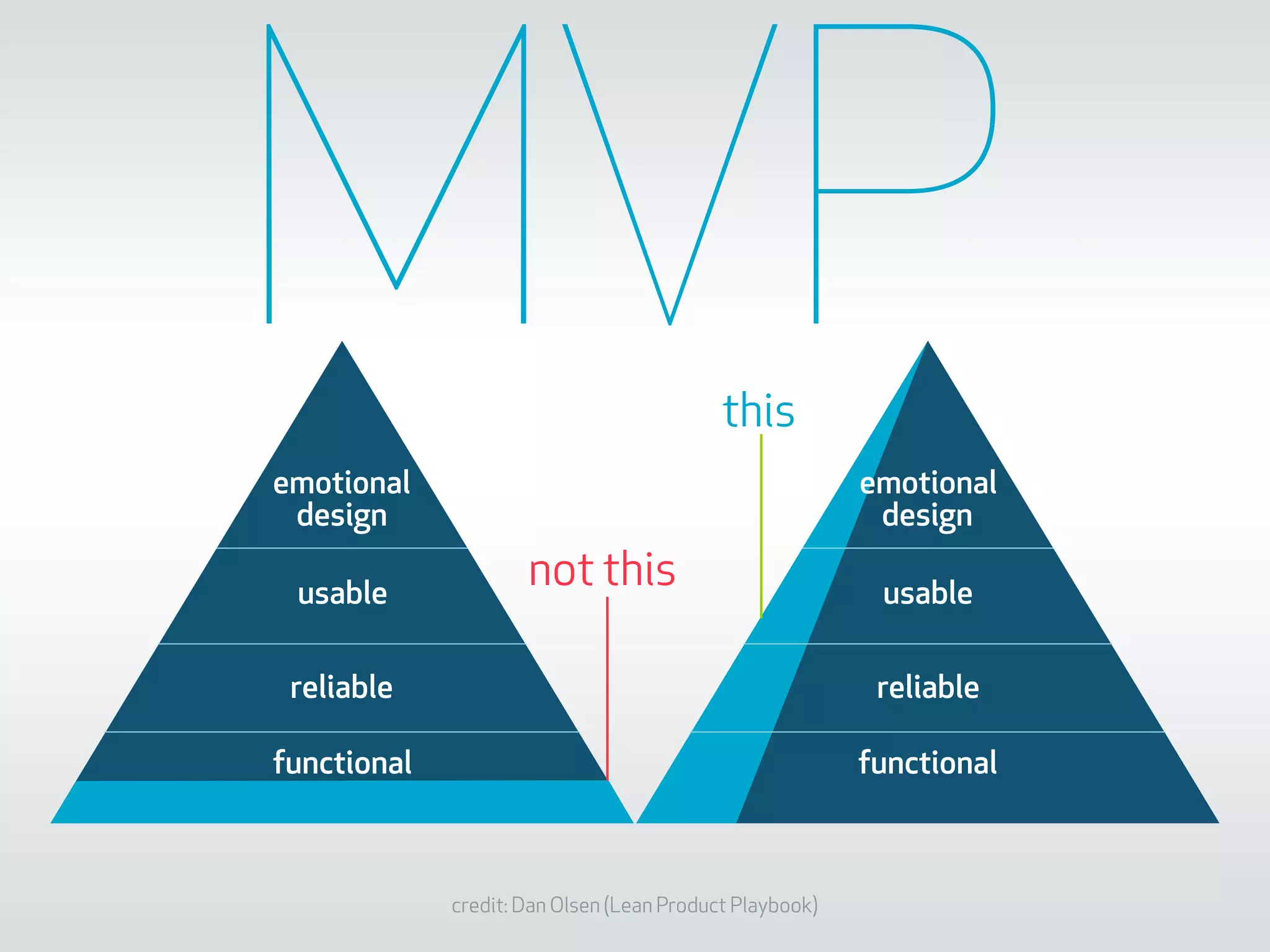
credit: Dan Olsen (Lean Product Playbook)
emotional
design
usable
reliable
functional
emotional
design
usable
reliable
functional
not this
this
MVP
~thanks for being awesome~
📋 👤 ✎ 🔎
@_schnee_

Startup UX: A story of tradeoffs and constraints

  • 1.
    Startup UXA storyof tradeoffs and constraints
  • 2.
    Random facts + canmilk a cow by hand + made a pencil into a cartoon totem pole (in calculus class) + can play the drums…but can’t dance
  • 3.
    Non-random facts • 3+years UX lead for 
 game & software startups • 6+ years leading brand & interaction design for Disney • 1 product rebrand • 3 console games • 6 languages • 40 million+ users • > 1 million DAUs ➡
  • 4.
    Today’s talk onUX Through the lens of a startup, focusing on tradeoffs and constraints: + introductory concepts + case study: what ‘should’ have happened vs. what actually happened + some recommendations & learnings
  • 5.
  • 6.
    MVPa product provento solve a real problem
 better than alternatives & better than expected
  • 7.
  • 8.
  • 9.
  • 10.
    everything is possible; noteverything is in scope
  • 11.
    Tradeoffs produce: + technicaldebt + design debt + increased risk to the business + a faster path to learning
  • 14.
    How do you figurethis out? ➡
  • 15.
    Lean UX (at itssimplest) make something learn something …as quickly and cheaply as possible
  • 16.
    📋 👤 ✎🔎 Research Personas Experience Mapping Information Architecture Wireframe Prototype 
 +Test Mockup +Test Build Examine + Retest User Experience Design Process tools and processes move toward increasing fidelity Abstract Concrete
  • 17.
  • 18.
    February 2014 December2015 21 Months / 2 major web versions / 1 ios app …and countless cut corners
  • 19.
    real world (getting outof the hypothetical) 🌐␡
  • 20.
  • 21.
    + recruited through friends& acquaintances + 4 phone interviews + 1 group interview recorded on video + 1 contextual inquiry session for one type of user
  • 22.
  • 23.
    –Johnny Appleseed “Type aquote here.” + 3 personas + lean UX method (summary + sketch; demographic info; pains; solutions) + co-created with key stakeholders
  • 24.
  • 25.
    customer happiness 1 0 -32 1 0 3 1 -1 0 0 -2 2 1 pre- application pre- application pre- application registration & setup registration & setup registration & setup registration & setup registration & setup registration & setup registration & setup season prep season prep season prep hockey season starts customer touchpoints google search for hockey association sports association web site application forms success confirmation email receive DevOne invite create account & success message browse content in available sections sign up for coaching wait for Association response success confirmation email buy equipment coach training prep first practice first practice customer touchpoints after talking with other parents who have their kids in hockey, decides to take plunge and enroll child looks over website to get a sense of what’s happening with the sport locally. Confused by overwhelming amount of information Fills out forms to get child enrolled. Stressful due to time pressure and limited space. Practice times, team composition and many other details are uncertain Relief when email arrives confirming successful spot for child. happy to get a resource with helpful info as part of the expensive program. Hopes it’s as good as it’s touted to be, not time- wasting, confusing. No one likes filling out forms. But glad this is short :) browse through available content. ‘Intro to minor hockey,’ is especially relevant, with tips for getting equipment, what to expect with other adults etc. signing up online is obvious, but a bit time consuming …takes forever to hear back. relief mixes with apprehension; glad to be involved at an extra level in child’s life, but nervous about the added responsibility of coaching Irritated about going to store to spend a lot of money on gear that will be too small in a matter of months. Nervous about safety. But excited to see child all decked out. Classroom session is 4h of wasted time; hate sitting still and listening. Happy to find the practice all laid out with diagrams and supporting videos. Glad to meet all the parents and kids. Overall high stress due to noise, chaos and new environment. Glad to remember a bunch of helpful tips discovered while browsing Product/ Support DevOne is promoted on the association website; well- resourced org is welcomed. can we somehow aid the signup process? well-formatted email with direct links to one or two helpful videos/ resources utilize as much Association data as possible to lower the amount of effort required for parents when viewing ‘my team’, it’s immediately apparent if/ who is the coach. If there is already a coach assigned, a welcome message to parents is on message board. online form with standardized questions useful to associations. Email from association indicates they have been added as a coach. Association assigns coach status in system. Automated email confirms this and suggests content. comprehensiv e guide in system covers all major areas of equipment requirements useful information available for viewing throughout the season System focuses on first practice of season. Suggested and related content is ‘getting started’ and other intro topics System has content to prep for such things as ice and locker room etiquette, how to address parents etc. Tactical stuff for practice easily accessible -2.25 -1.5 -0.75 0 0.75 1.5 2.25 3 Category Axis ! " # # # # ☺️ ☺️☺️ ☺️ ☺️! "& + focused on a single persona (potential coach) + mapped out a single scenario: coach signs up for the first time + modelled after information originating from contextual inquiry and internal sources
  • 26.
  • 27.
    Product Intro Benefitstatement product description feel good mission/ done skip Home page Footer Coaches Become a coach request invite (with value add info) log in create account sell message assessment of sports knowledge/ application form coaching resources kids & group dynamics prepping for game day making parents happy Assessing player skill levels Dressing room etiquette inspiration for coaches Ask an Expert this week’s practice nextprevious year at a glance drill 1, drill 2, drill 3 etc. change password Parents/families administrator access Initiation invite users import registrations Novice - Evans log in Health & sports lifestyle Intro to Minor Hockey Sportsmanship & the love of the game Equipment Guide Dressing Room Etiquette (global features) Search send feedback account/ log in update info Who’s who on the team (parent roles) sports nutrition raising athletes group dynamics and other people’s kids Injuries & first aid print drill videos drill diagram share related content (terms, related skills, common errors, other links) try this at home: off- ice activities Your divisionrecommended videos search results Atom House Novice - Lutz etc. search/browse content video content blog/written content PDF/download content functionality required submit a question global nav validated code/link approve/assign to division coach login admin parents login public multiple viewers Your division Legend view other division view other division kids promo membership! lock but viewable related content watch code of conduct video share content videos: shared videos have watermarks; possibly remove watermarks for logged in users Featured content (videos) Company info Privacy Terms + year 1: visualization of relationship structures based on research; preliminary user flows, implying features and tech architecture + year 2: re-architect (almost) the whole thing based on new research + discussion of flows with developer, stakeholders Association team team 2 kid 2 kid 3 team 3 Coach (1) parent (2) kid 1 Division coach (3) kid 4 Association Admin kid 7 parental relationship Division coach (2) kid 5 kid 6
  • 28.
    5. wireframe +test ✎ 🔎📋 👤 ✎
  • 29.
    + year 1:desktop only + year 2: start with mobile web (responsive), then adapt key layouts to iOS and desktop web + intentionally crappy-looking 
 (“Just the facts ma’am”) + internal testing for usability & clarity
  • 30.
    6. mockup +test 🔎👤 ✎📋
  • 31.
    + year 1:desktop only + year 2: start with mobile web (responsive), then adapt key layouts to iOS and desktop web + as good-looking as possible without breaking technical feasibility + internal testing for usability & clarity
  • 32.
  • 33.
    + year 1:desktop first, then responsive, with limited feature set. + year 2: simultaneous development of responsive web, API for iOS app + full of compromise throughout + lightweight QA and no user testing
  • 34.
    8. retest &new research 🔎 👤 ✎ 🔎📋
  • 35.
    we did asurvey
  • 36.
    international reach /impressive retention / backing of major corporations + NHL alumni etc.
  • 37.
  • 38.
    Some things learned: +define processes early + talent ratio is critical to product quality + getting a good project manager is a smart move for any company + have a well-thought-out design workflow + UX strategy is massive, even for a startup + invest more than you think you should into UX research + budget for user testing at the beginning + UI copy matters. A lot.
  • 39.
    Allocation of DesignResources interviews + research personas + mapping diagramming wireframing test wireframe prototype high fidelity mockups high fidelity prototype test test builds with users 0 200 400 600 800 year 1 year 2
  • 40.
    0 125 250375 500 idealinterviews + research personas + mapping diagramming wireframing test wireframe prototype high fidelity mockups high fidelity prototype test test builds with users 0 125 250 375 500 year 1 year 2 Allocation of Design Resources
  • 41.
    do this 📋 👤✎ 🔎 Research Personas Experience Mapping Information Architecture Wireframe Prototype 
 +Test Mockup +Test Build Examine + Retest 100% 100% 100% 100% 100% 100% 100% 100% when you have to be ‘lean’ with design,
  • 42.
    …or this 100% 100%100% 100% 100% 100% 100% 100% 📋 👤 ✎ 🔎 Research Personas Experience Mapping Information Architecture Wireframe Prototype 
 +Test Mockup +Test Build Examine + Retest
  • 43.
    …or even this 100%100% 100% 100% 100% 100% 100% 100% 📋 👤 ✎ 🔎 Research Personas Experience Mapping Information Architecture Wireframe Prototype 
 +Test Mockup +Test Build Examine + Retest
  • 44.
    …but not this. 100%100% 100% 100% 100% 100% 100% 100% 📋 👤 ✎ 🔎 Research Personas Experience Mapping Information Architecture Wireframe Prototype 
 +Test Mockup +Test Build Examine + Retest
  • 45.
    If you skipUX processes, you won’t figure this out soon enough ➡
  • 46.
    📋 👤 ✎🔎 Research Personas Experience Mapping Information Architecture Wireframe Prototype 
 +Test Mockup +Test Build Examine + Retest Abstract Concrete tread lightly—but don’t skip steps
  • 47.
    credit: Dan Olsen(Lean Product Playbook) emotional design usable reliable functional emotional design usable reliable functional not this this MVP
  • 48.
    ~thanks for beingawesome~ 📋 👤 ✎ 🔎 @_schnee_