
동기의 시대를 뛰어넘는
응용 프로그램이
나쁜 평가를 받는 이유
사용자들은 대체적으로
성능과 연관 지어
응용 프로그램의
품질을 평가
개념
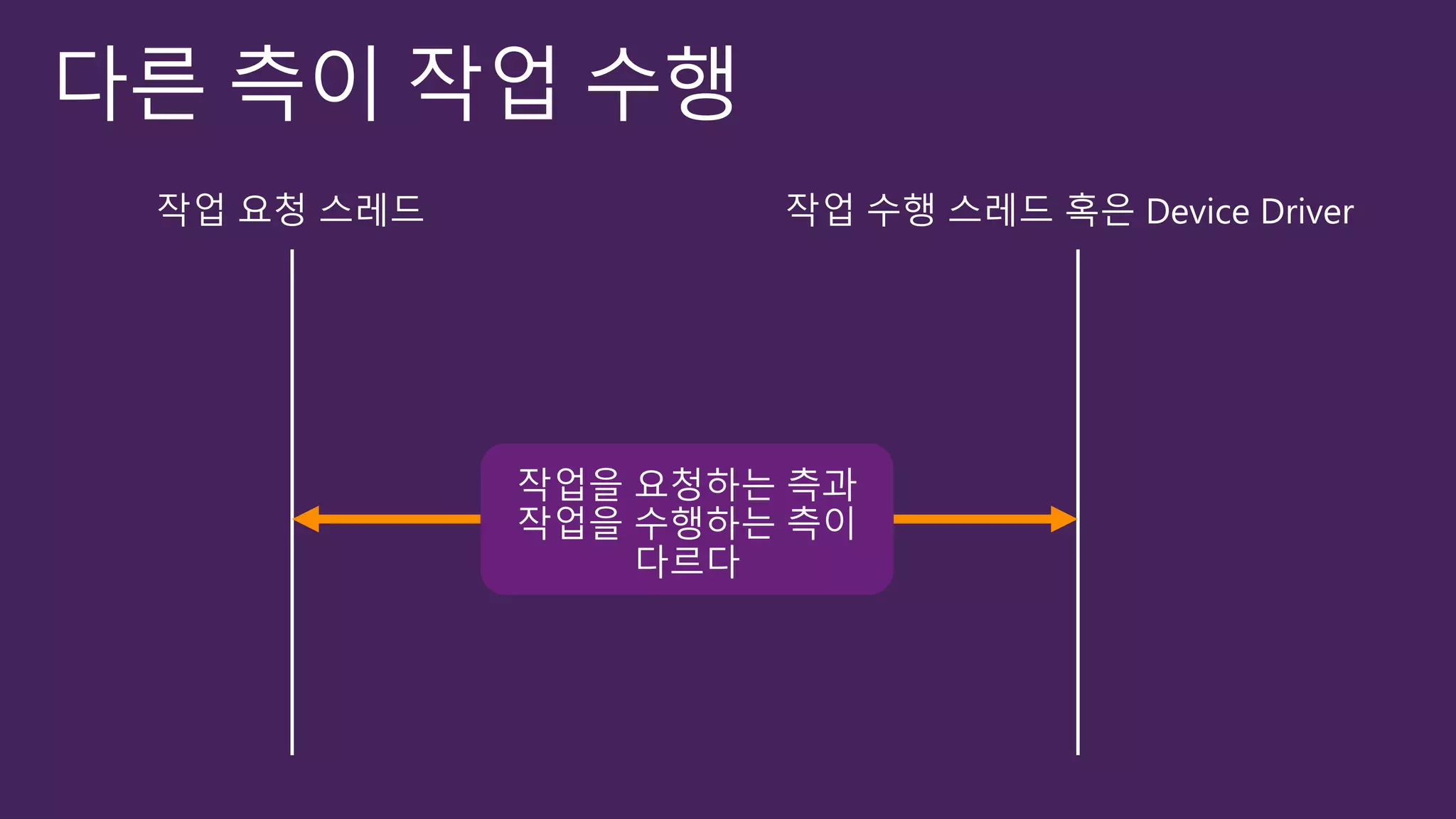
다른 측(다른 스레드/디바이스 드라이버)이 작업 수행
작업을 요청한 스레드와 작업을 수행하는 측이 동일하지 않다
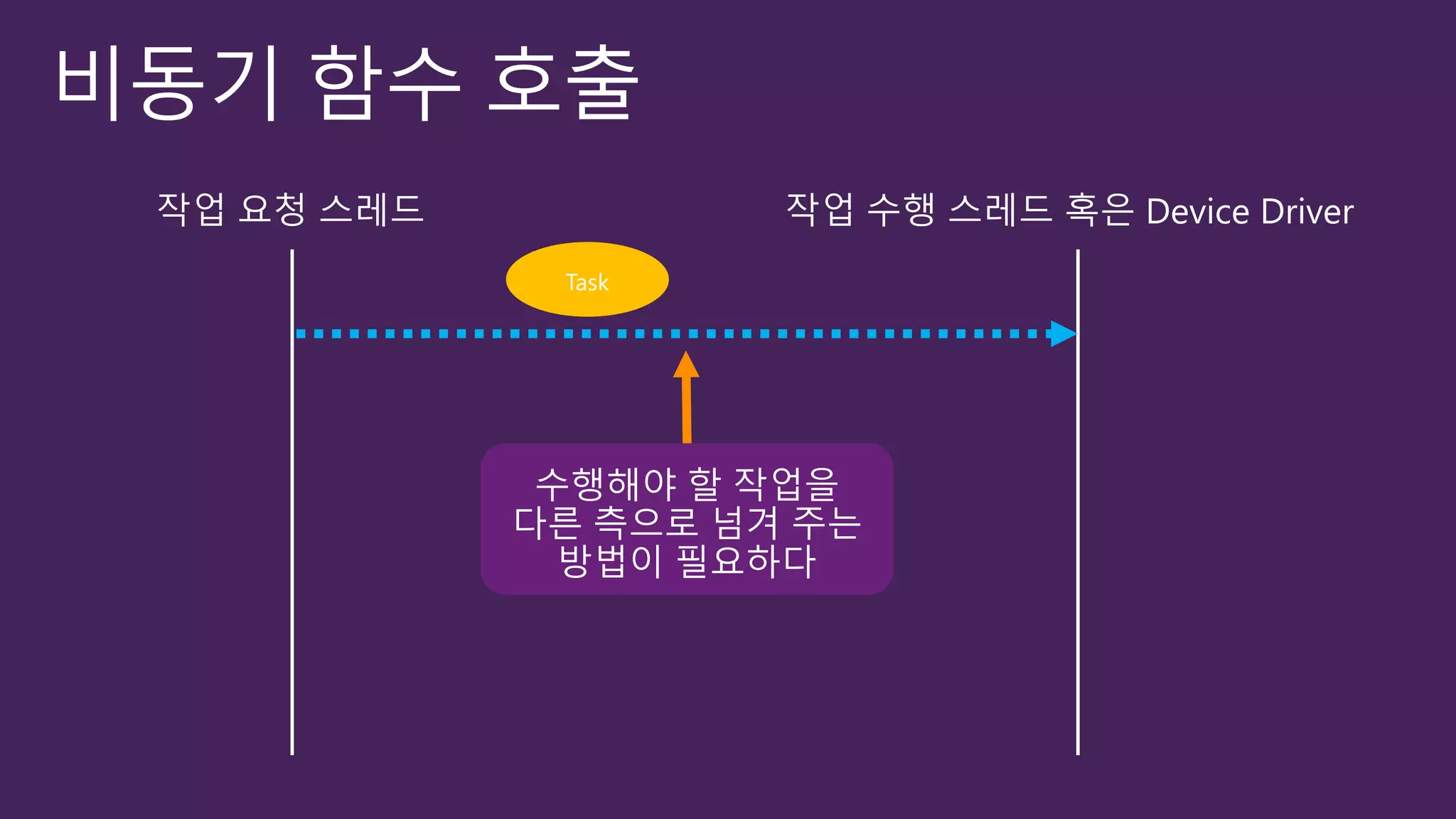
비동기 함수 호출
작업요청 방식이 다르다
작업이 완료될 때까지 대기하지 않겠다
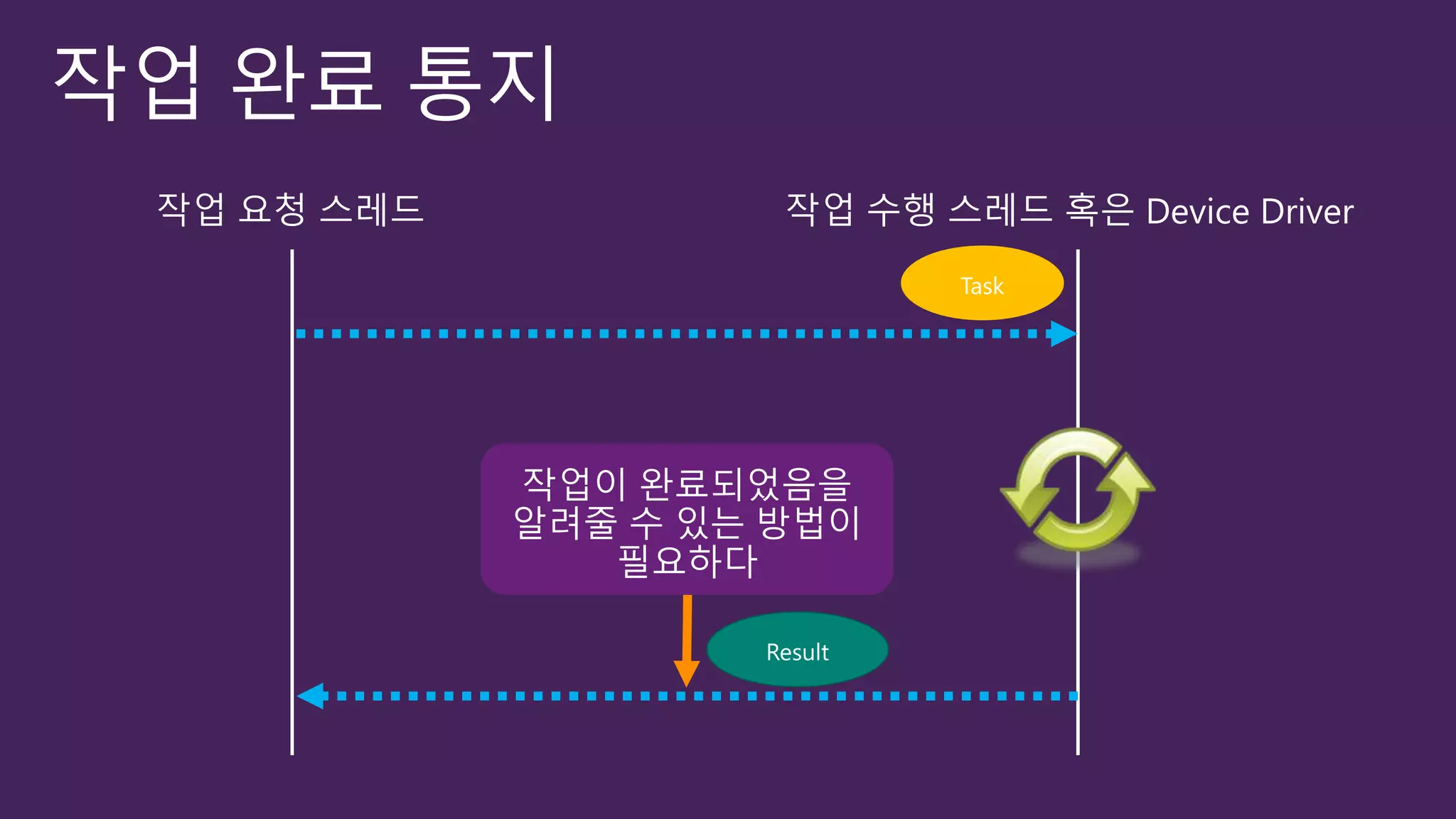
작업 완료 통지
작업이 완료되면 알려다오
작업 요청 스레드 작업 수행 스레드 혹은 Device Driver
비동기 프로그래밍
사용자의 조작에 빠르게 응답
CPU 작업을 효율적으로 수행
I/O 작업을 효율적으로 수행
public class MyClass
{
public int Read(byte [] buffer, int offset, int count);
}
public class MyClass
{
public IAsyncResult BeginRead(
byte [] buffer, int offset, int count,
AsyncCallback callback, object state);
public int EndRead(IAsyncResult asyncResult);
}
public class MyClass
{
public void ReadAsync(byte [] buffer, int offset, int count);
public event ReadCompletedEventHandler ReadCompleted;
}
public class MyClass
{
public Task<int> ReadAsync(byte [] buffer, int offset, int count);
}
1. Sync
2. APM
3. EAP
4. TAP
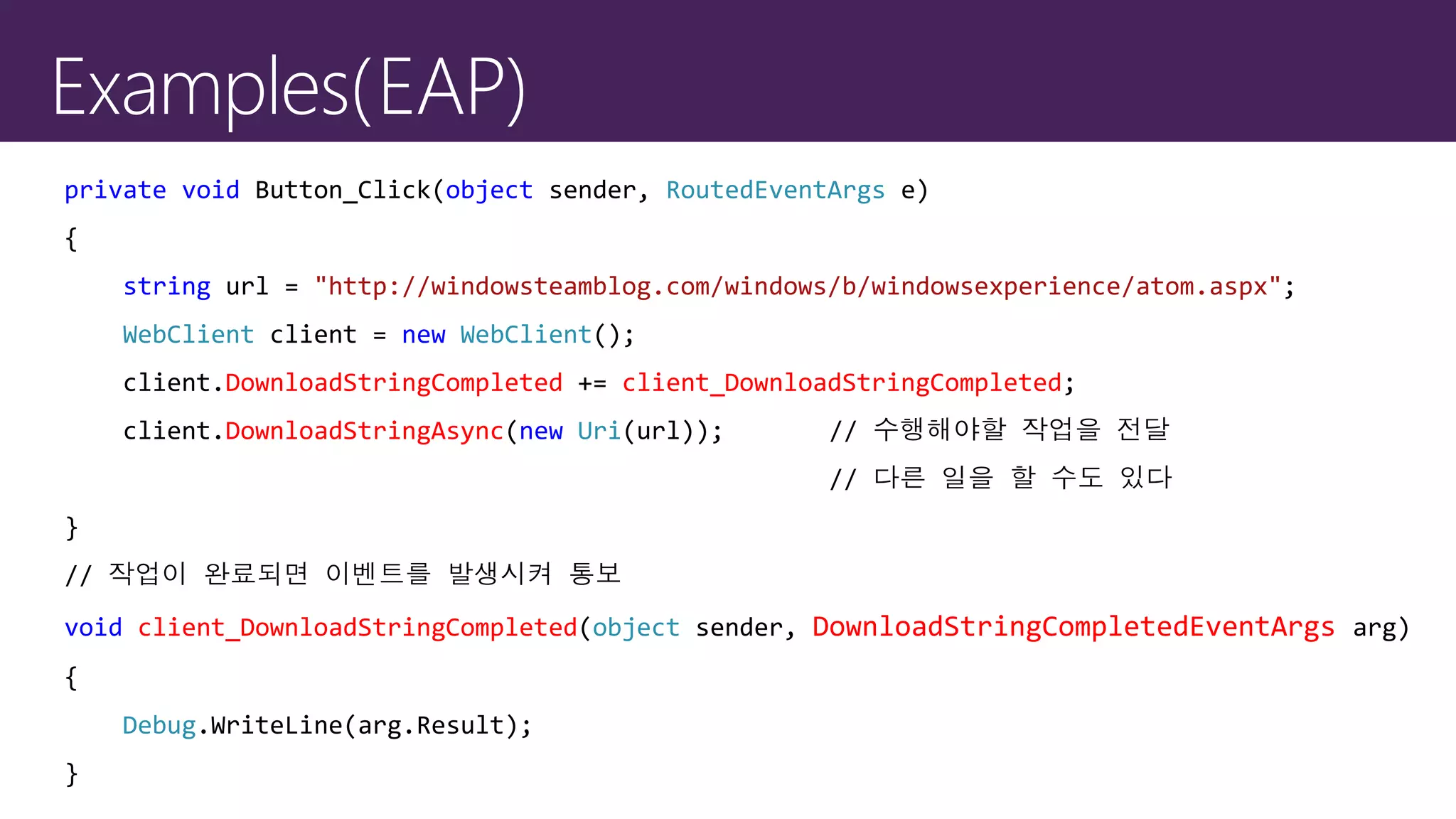
private void Button_Click(object sender, RoutedEventArgs e)
{
string url = "http://windowsteamblog.com/windows/b/windowsexperience/atom.aspx";
WebClient client = new WebClient();
client.DownloadStringCompleted += client_DownloadStringCompleted;
client.DownloadStringAsync(new Uri(url)); // 수행해야할 작업을 전달
// 다른 일을 할 수도 있다
}
// 작업이 완료되면 이벤트를 발생시켜 통보
void client_DownloadStringCompleted(object sender, DownloadStringCompletedEventArgs arg)
{
Debug.WriteLine(arg.Result);
}
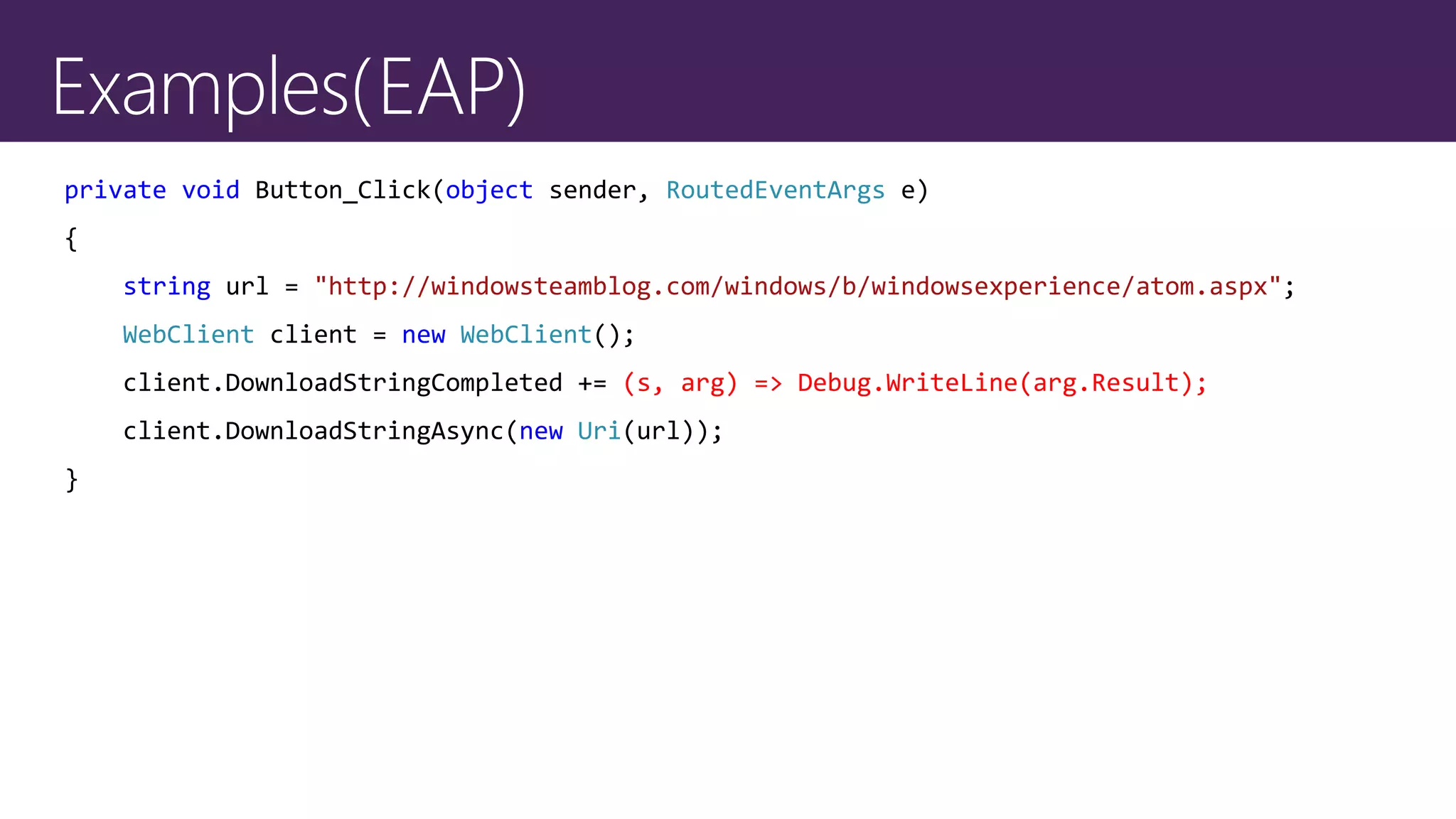
private void Button_Click(object sender, RoutedEventArgs e)
{
string url = "http://windowsteamblog.com/windows/b/windowsexperience/atom.aspx";
WebClient client = new WebClient();
client.DownloadStringCompleted += (s, arg) => Debug.WriteLine(arg.Result);
client.DownloadStringAsync(new Uri(url));
}
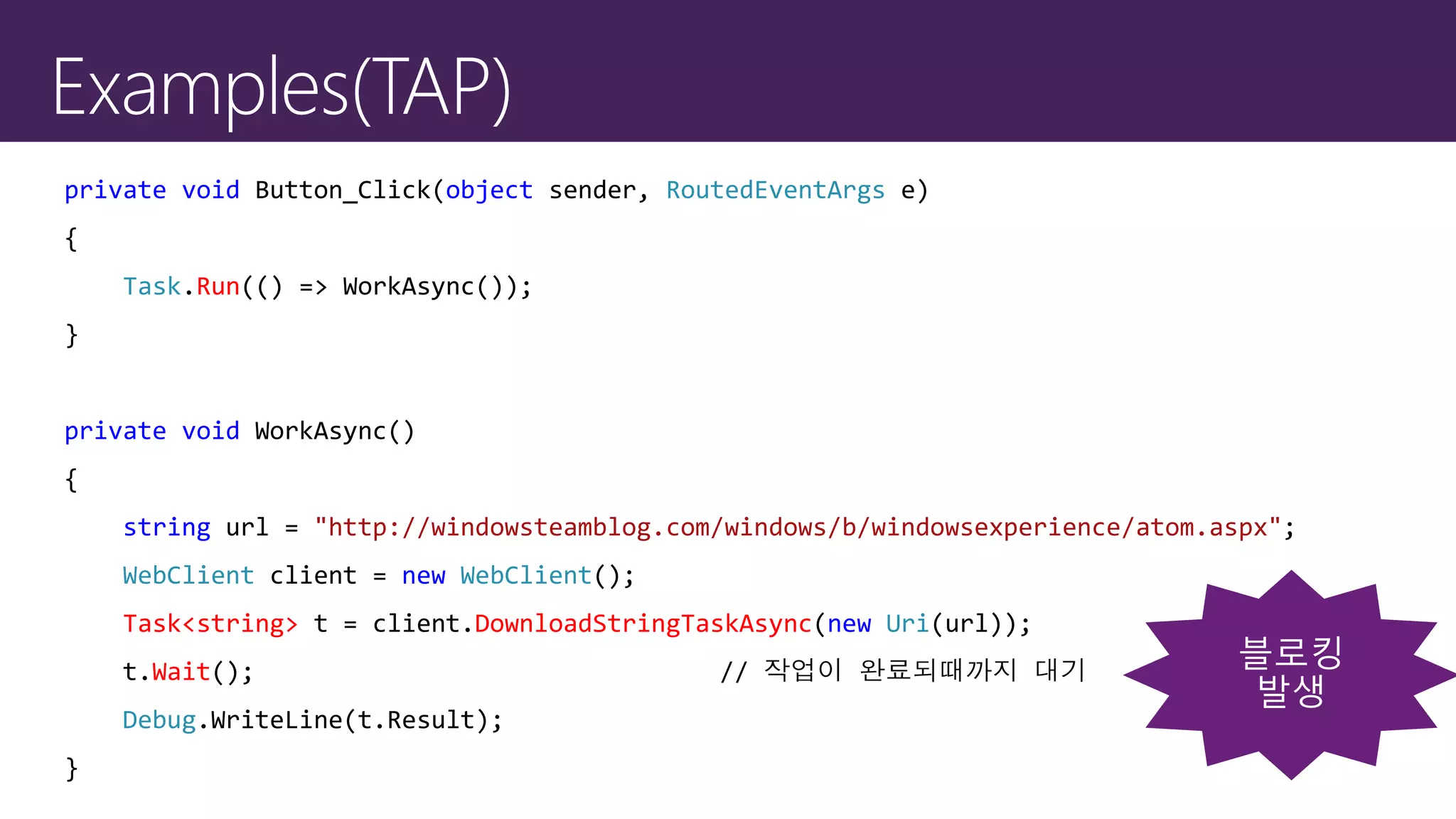
private void Button_Click(object sender, RoutedEventArgs e)
{
Task.Run(() => WorkAsync());
}
private void WorkAsync()
{
string url = "http://windowsteamblog.com/windows/b/windowsexperience/atom.aspx";
WebClient client = new WebClient();
Task<string> t = client.DownloadStringTaskAsync(new Uri(url));
t.Wait(); // 작업이 완료되때까지 대기
Debug.WriteLine(t.Result);
}
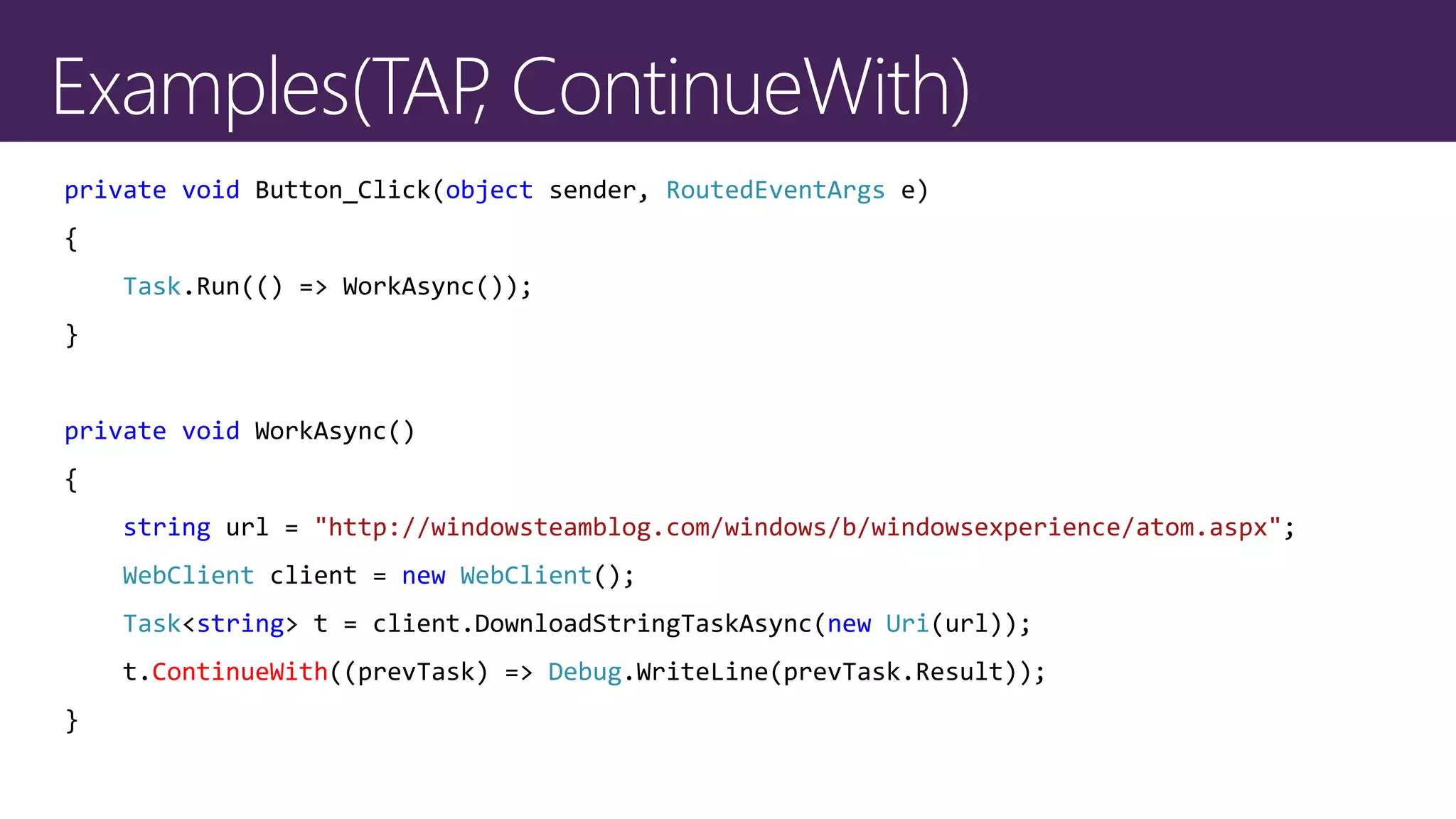
private void Button_Click(object sender, RoutedEventArgs e)
{
Task.Run(() => WorkAsync());
}
private void WorkAsync()
{
string url = "http://windowsteamblog.com/windows/b/windowsexperience/atom.aspx";
WebClient client = new WebClient();
Task<string> t = client.DownloadStringTaskAsync(new Uri(url));
t.ContinueWith((prevTask) => Debug.WriteLine(prevTask.Result));
}
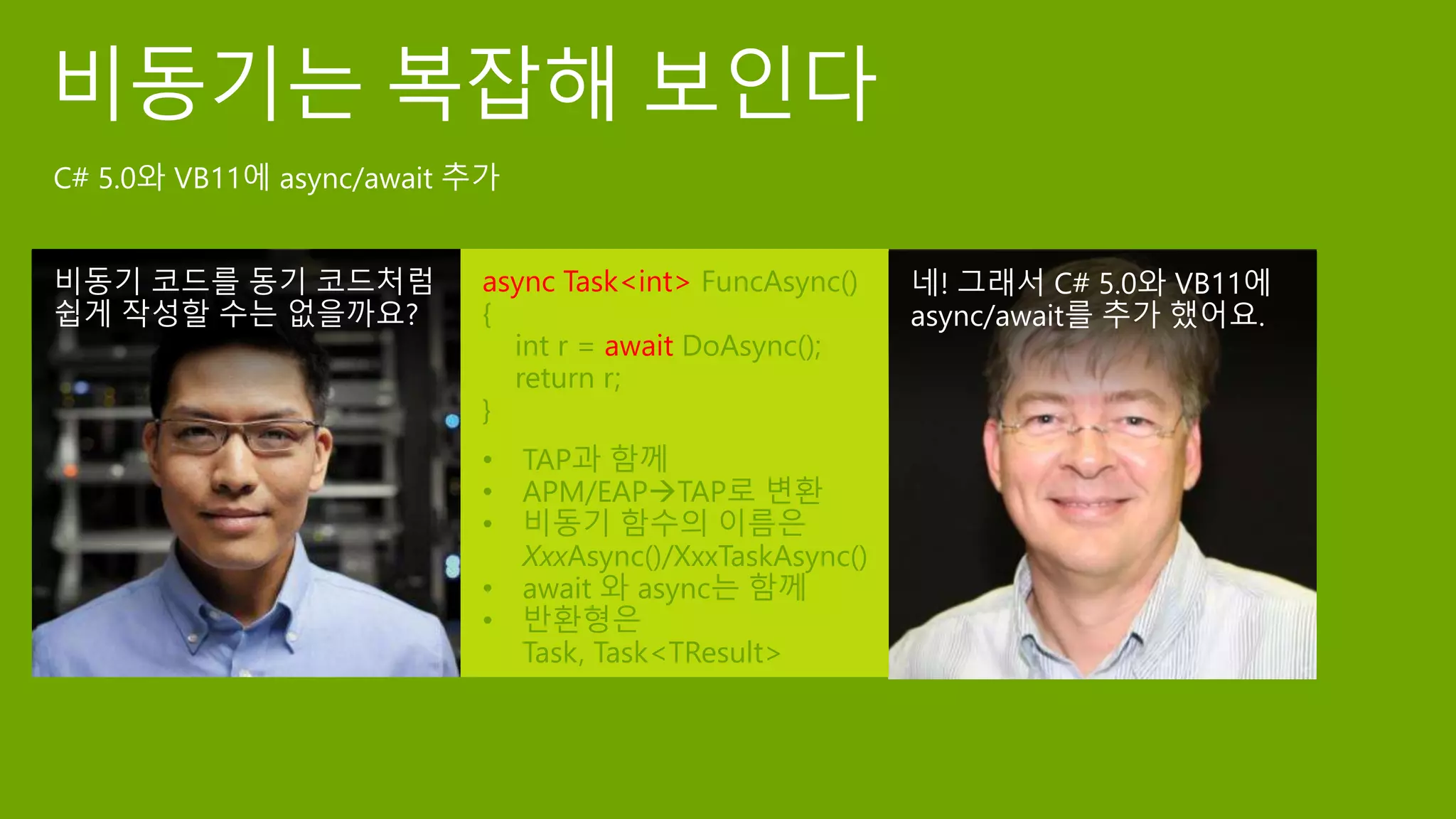
async Task<int> FuncAsync()
{
int r = await DoAsync();
return r;
}
• TAP과 함께
• APM/EAPTAP로 변환
• 비동기 함수의 이름은
XxxAsync()/XxxTaskAsync()
• await 와 async는 함께
• 반환형은
Task, Task<TResult>
private async void Button_Click(object sender, RoutedEventArgs e)
{
await WorkAsync();
}
private async Task WorkAsync()
{
string url = "http://windowsteamblog.com/windows/b/windowsexperience/atom.aspx";
WebClient client = new WebClient();
string result = await client.DownloadStringTaskAsync(new Uri(url));
Debug.WriteLine(result);
}
Click
async Task LoadSettingsAsync() {
await IO.Network.DownloadAsync(path);
}
async void Button1_Click(){
await LoadSettingsAsync();
UpdateView();
}
Click
Messagepump
Task ...
DownloadAsync
Task ...
LoadSettingsAsync
Download
LoadSettings
private void Button_Click(object sender, RoutedEventArgs e)
{
string url = "http://windowsteamblog.com/windows/b/windowsexperience/atom.aspx";
WebClient client = new WebClient();
Task<string> t = client.DownloadStringTaskAsync(new Uri(url));
t.ContinueWith((r) => Debug.WriteLine(r.Result));
}
private async void Button_Click_1(object sender, RoutedEventArgs e)
{
string url = "http://windowsteamblog.com/windows/b/windowsexperience/atom.aspx";
WebClient client = new WebClient();
string result = await client.DownloadStringTaskAsync(new Uri(url));
Debug.WriteLine(result);
}
TAP with async/await
TAP
TAP
EAP
TAP, ContinueWith
async/await
WinRT의 비동기
C++는 PPL
C#, VB는 TPL과 async/await
Javascript는 commonJS/A 의 promise/then
+ +
Windows Runtime
public sealed class SyndicationClient : ISyndicationClient
{
public IAsyncOperationWithProgress<SyndicationFeed, RetrievalProgress>
RetrieveFeedAsync(Uri uri);
…
}
public sealed class SyndicationFeed : ISyndicationNode
{
public ISyndicationText Title { get; set; }
…
}
public interface ISyndicationText : ISyndicationNode
{
string Text { get; set; }
…
}
#include <ppltasks.h>
void App::SetFeedText() {
using namespace Windows::Web::Syndication;
using namespace concurrency;
String^ url = "http://windowsteamblog.com/windows_phone/b/wmdev/atom.aspx";
SyndicationClient^ client = ref new SyndicationClient();
task<SyndicationFeed^> retriveTask(client->RetrieveFeedAsync(ref new Uri(url)));
retriveTask.then([this] (SyndicationFeed^ feed)
{
String ^title = feed->Title->Text;
});
}
function SetFeedText()
{
var url = "http://windowsteamblog.com/windows/b/windowsexperience/atom.aspx";
var client = Windows.Web.Syndication.SyndicationClient();
var feedOp = client.retrieveFeedAsync(new Windows.Foundation.Uri(url));
feedOp.then(function (feed)
{
var title = feed.title.text;
});
}
private async void SetFeedText()
{
string url = "http://windowsteamblog.com/windows/b/windowsexperience/atom.aspx";
SyndicationClient client = new SyndicationClient();
SyndicationFeed feed = await client.RetrieveFeedAsync(new Uri(url));
var title = feed.Title.Text;
}
async/await
Use raw interface
Multiple task
Task Combination
동기화 시대를 뛰어넘는 비동기 프로그래밍

동기화 시대를 뛰어넘는 비동기 프로그래밍

  • 1.
  • 3.
    응용 프로그램이 나쁜 평가를받는 이유 사용자들은 대체적으로 성능과 연관 지어 응용 프로그램의 품질을 평가
  • 11.
    개념 다른 측(다른 스레드/디바이스드라이버)이 작업 수행 작업을 요청한 스레드와 작업을 수행하는 측이 동일하지 않다 비동기 함수 호출 작업요청 방식이 다르다 작업이 완료될 때까지 대기하지 않겠다 작업 완료 통지 작업이 완료되면 알려다오
  • 12.
    작업 요청 스레드작업 수행 스레드 혹은 Device Driver
  • 13.
    작업 요청 스레드작업 수행 스레드 혹은 Device Driver
  • 14.
    작업 요청 스레드작업 수행 스레드 혹은 Device Driver
  • 15.
    작업 요청 스레드작업 수행 스레드 혹은 Device Driver
  • 16.
    비동기 프로그래밍 사용자의 조작에빠르게 응답 CPU 작업을 효율적으로 수행 I/O 작업을 효율적으로 수행
  • 20.
    public class MyClass { publicint Read(byte [] buffer, int offset, int count); } public class MyClass { public IAsyncResult BeginRead( byte [] buffer, int offset, int count, AsyncCallback callback, object state); public int EndRead(IAsyncResult asyncResult); } public class MyClass { public void ReadAsync(byte [] buffer, int offset, int count); public event ReadCompletedEventHandler ReadCompleted; } public class MyClass { public Task<int> ReadAsync(byte [] buffer, int offset, int count); } 1. Sync 2. APM 3. EAP 4. TAP
  • 21.
    private void Button_Click(objectsender, RoutedEventArgs e) { string url = "http://windowsteamblog.com/windows/b/windowsexperience/atom.aspx"; WebClient client = new WebClient(); client.DownloadStringCompleted += client_DownloadStringCompleted; client.DownloadStringAsync(new Uri(url)); // 수행해야할 작업을 전달 // 다른 일을 할 수도 있다 } // 작업이 완료되면 이벤트를 발생시켜 통보 void client_DownloadStringCompleted(object sender, DownloadStringCompletedEventArgs arg) { Debug.WriteLine(arg.Result); }
  • 22.
    private void Button_Click(objectsender, RoutedEventArgs e) { string url = "http://windowsteamblog.com/windows/b/windowsexperience/atom.aspx"; WebClient client = new WebClient(); client.DownloadStringCompleted += (s, arg) => Debug.WriteLine(arg.Result); client.DownloadStringAsync(new Uri(url)); }
  • 23.
    private void Button_Click(objectsender, RoutedEventArgs e) { Task.Run(() => WorkAsync()); } private void WorkAsync() { string url = "http://windowsteamblog.com/windows/b/windowsexperience/atom.aspx"; WebClient client = new WebClient(); Task<string> t = client.DownloadStringTaskAsync(new Uri(url)); t.Wait(); // 작업이 완료되때까지 대기 Debug.WriteLine(t.Result); }
  • 24.
    private void Button_Click(objectsender, RoutedEventArgs e) { Task.Run(() => WorkAsync()); } private void WorkAsync() { string url = "http://windowsteamblog.com/windows/b/windowsexperience/atom.aspx"; WebClient client = new WebClient(); Task<string> t = client.DownloadStringTaskAsync(new Uri(url)); t.ContinueWith((prevTask) => Debug.WriteLine(prevTask.Result)); }
  • 25.
    async Task<int> FuncAsync() { intr = await DoAsync(); return r; } • TAP과 함께 • APM/EAPTAP로 변환 • 비동기 함수의 이름은 XxxAsync()/XxxTaskAsync() • await 와 async는 함께 • 반환형은 Task, Task<TResult>
  • 26.
    private async voidButton_Click(object sender, RoutedEventArgs e) { await WorkAsync(); } private async Task WorkAsync() { string url = "http://windowsteamblog.com/windows/b/windowsexperience/atom.aspx"; WebClient client = new WebClient(); string result = await client.DownloadStringTaskAsync(new Uri(url)); Debug.WriteLine(result); }
  • 27.
    Click async Task LoadSettingsAsync(){ await IO.Network.DownloadAsync(path); } async void Button1_Click(){ await LoadSettingsAsync(); UpdateView(); } Click Messagepump Task ... DownloadAsync Task ... LoadSettingsAsync Download LoadSettings
  • 28.
    private void Button_Click(objectsender, RoutedEventArgs e) { string url = "http://windowsteamblog.com/windows/b/windowsexperience/atom.aspx"; WebClient client = new WebClient(); Task<string> t = client.DownloadStringTaskAsync(new Uri(url)); t.ContinueWith((r) => Debug.WriteLine(r.Result)); } private async void Button_Click_1(object sender, RoutedEventArgs e) { string url = "http://windowsteamblog.com/windows/b/windowsexperience/atom.aspx"; WebClient client = new WebClient(); string result = await client.DownloadStringTaskAsync(new Uri(url)); Debug.WriteLine(result); } TAP with async/await TAP
  • 29.
  • 30.
    WinRT의 비동기 C++는 PPL C#,VB는 TPL과 async/await Javascript는 commonJS/A 의 promise/then
  • 31.
  • 32.
  • 33.
    public sealed classSyndicationClient : ISyndicationClient { public IAsyncOperationWithProgress<SyndicationFeed, RetrievalProgress> RetrieveFeedAsync(Uri uri); … } public sealed class SyndicationFeed : ISyndicationNode { public ISyndicationText Title { get; set; } … } public interface ISyndicationText : ISyndicationNode { string Text { get; set; } … }
  • 34.
    #include <ppltasks.h> void App::SetFeedText(){ using namespace Windows::Web::Syndication; using namespace concurrency; String^ url = "http://windowsteamblog.com/windows_phone/b/wmdev/atom.aspx"; SyndicationClient^ client = ref new SyndicationClient(); task<SyndicationFeed^> retriveTask(client->RetrieveFeedAsync(ref new Uri(url))); retriveTask.then([this] (SyndicationFeed^ feed) { String ^title = feed->Title->Text; }); }
  • 35.
    function SetFeedText() { var url= "http://windowsteamblog.com/windows/b/windowsexperience/atom.aspx"; var client = Windows.Web.Syndication.SyndicationClient(); var feedOp = client.retrieveFeedAsync(new Windows.Foundation.Uri(url)); feedOp.then(function (feed) { var title = feed.title.text; }); }
  • 36.
    private async voidSetFeedText() { string url = "http://windowsteamblog.com/windows/b/windowsexperience/atom.aspx"; SyndicationClient client = new SyndicationClient(); SyndicationFeed feed = await client.RetrieveFeedAsync(new Uri(url)); var title = feed.Title.Text; }
  • 37.

Editor's Notes

  • #2 소개
  • #3 오늘은 이 질문으로부터 시작
  • #4 비정상 종료는 다르나 나머지는 성능과 대체로 연관이 있음
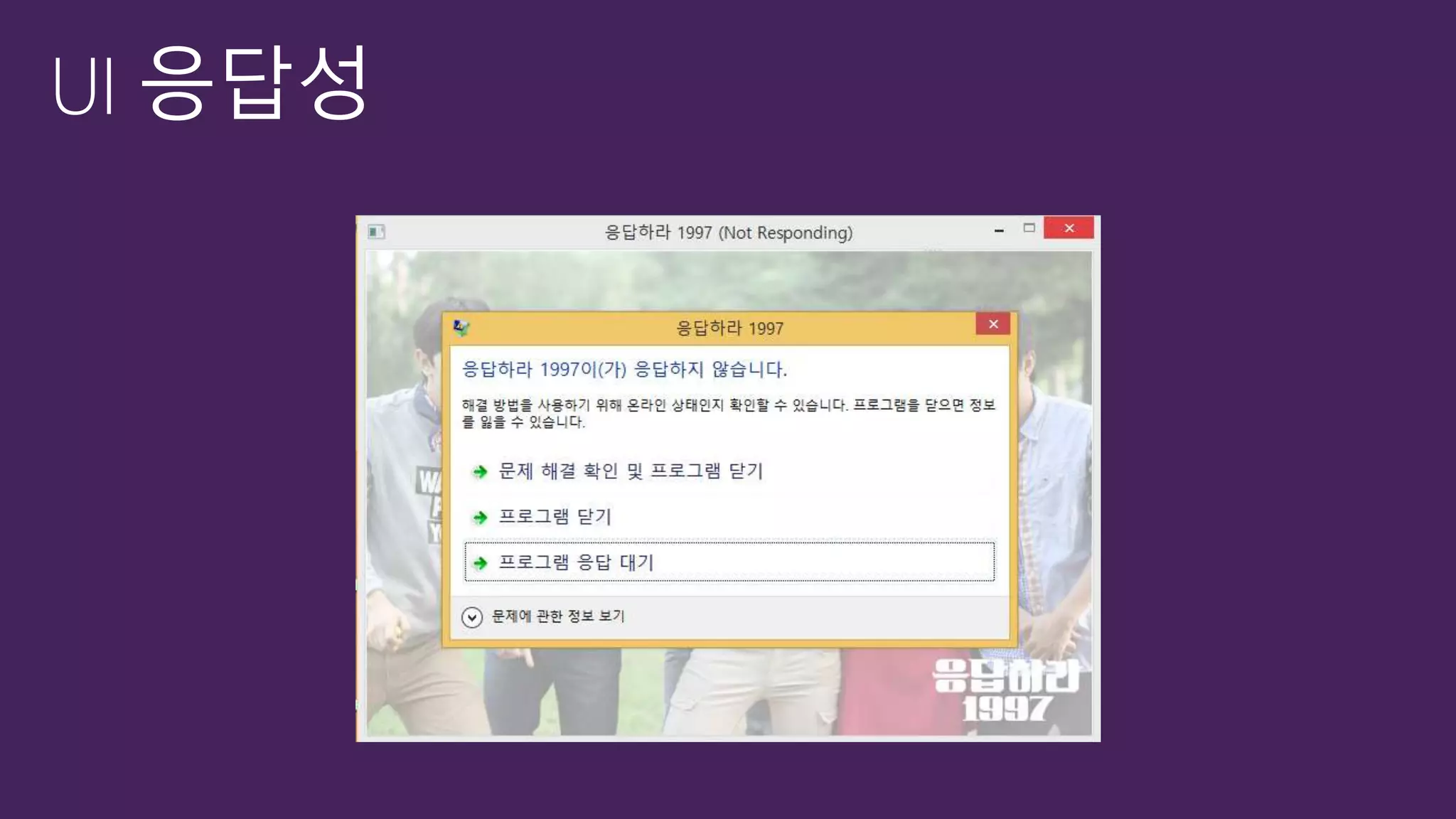
  • #5 응답하라 1987
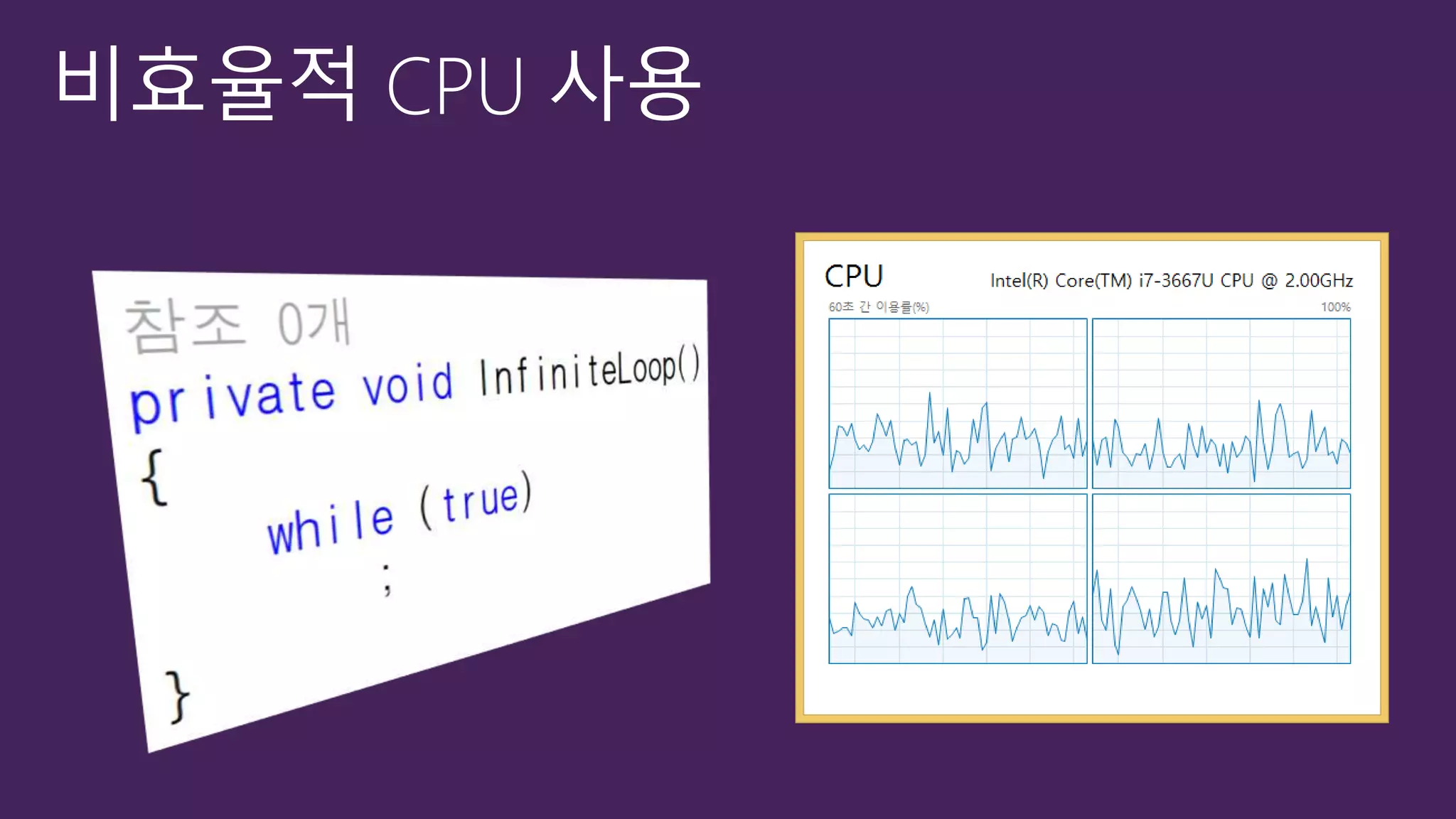
  • #8 무한루프. Logical Core가 4개임에도 사용율은 100%가 되지 못함
  • #9 NTFS Driver가 실제 작업을 수행함에도 사용자 Thread가 작업 완료까지 대기 하고 있음
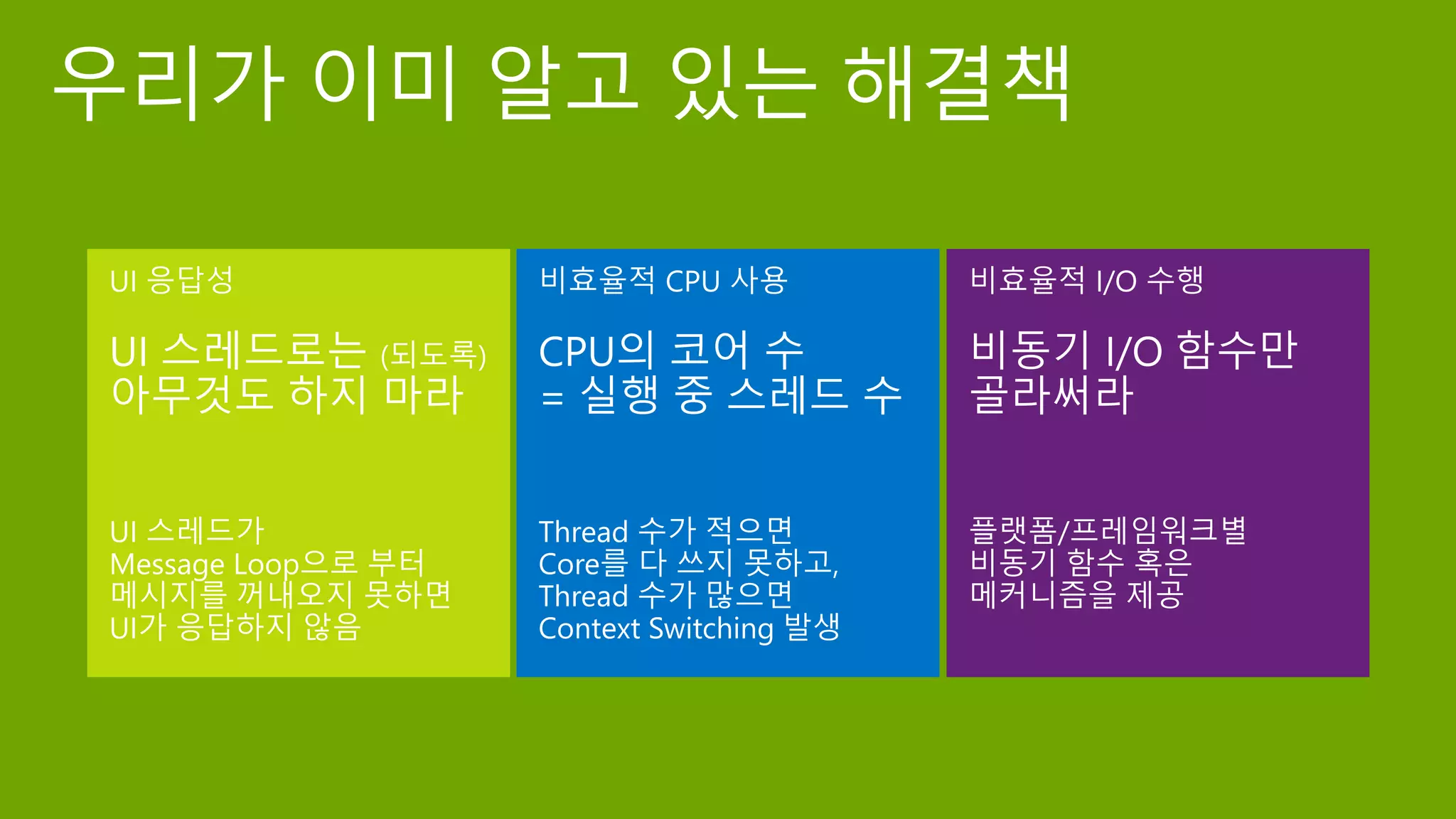
  • #10 UI 응답성. UI Component는 자체적인 Thread Model이 있음, WinForm, WPF, Silverlight, IE 는 모두 STA/Console App은 없음 CPU 코어 수 = 실행 중 스레드 수를 만드려면. 수동으로 사용자가 스레드 개수를 제어하거나, 잘 짜여진 Thread Pool등을 사용하는 것이 좋음. Context Switching이란 결국 CPU의 상태를 저장하고/복원하는 과정 Windows는 30ms Quantium Time을 가짐 비동기 함수는 Win32, WPF, Siverlight, WP, W8까지 대체로 대부분 존재함. 특별히 Windows 8의 WinRT의 경우 50ms은 넘는 모든 작업들은 모두 비동기로만 제공하고 있음 대략 60%에 육박하는 수준의 I/O 기능들이 비동기로 수행
  • #12 개념만 정리하면 3가지로 특징 지어질 수 있음 비동기는 작업 요청자와 작업 수행자가 다름 작업을 요청하는 다른 방식이 필요함 작업을 완료 통지를 받을 수 있는 방법이 필요함
  • #22 APM .NET framework 1.1 EAP .NET framework 2.0 TAP .NET Framework 4.0 APM과 EAP는 모두 쉽게 TAP형태로 변경해서 사용가능 병렬화 기법상의 Task parallelism 언급
  • #24 Sync/Tap이 signature 차원에서 가장 닮아있음 APM/EAP 모두 추가 method와 delegate type/event가 필요함
  • #25 event 결합
  • #26 Lamda expression Anonymous method Haskell과 같은 언어에서 많이 사용됨/nested function 하지만 Anonymous method 자체는 1936년 Lambda calculaus에서 정립됨 Closure 를 만들기 위한 것임. Lamda+ environment A closure is a lambda expression paired with an environment that binds each of its free variables to a value. In Java, lambda expressions will be implemented by means of closures, so the two terms have come to be used interchangeably in the community.
  • #27 비동기 작업이 완료되면 디버그 출력 화면에 출력. 비동기 작업이 완료될 때 까지 스레드가 대기할 것임. Blocking이 발생 -> wait free/lock 로
  • #28 function composition 선행 task가 끝났을 때 수행할 Task Continuation 생성. Continuation chaining을 생성하여 효율을 도모할 수 있음
  • #29 Async/await가 C# 5.0에 추가 Async는 modifer이지만 method signature에 포함되지 않음 Task를 기반으로 동작함 언어가 library Type가 쌍을 이루어 돌아간(e.g. foreach/Ienumerable)
  • #30 Async는 Task /Task<Tresult> 만 혀용함 하지만 예외적으로 async void를 허용하긴 함. 그러나 최상위 event handler에서만 사용됨 Generics는 73년 ML 같은 언어에서 처음 출현 이후 Ada, Delphi, Eiffel, Java, C#, f#에서는 generics로 ML, Scala, Haskell에서는 parametric polymorphism으로 불림 C+은 template이라고 조금 다르긴 하지만 불림
  • #31 [CLICK] * In any UI application, Winforms/WPF/Silverlight/Phone/Win8, the UI thread runs a loop * When a click arrives, it invokes the handler. [CLICK] * When async method hits first await, returns to its caller. [CLICK] * When it hits first await, ... you know the drill [CLICK] * Back to the message-loop. That's why it's responsive, and ready to handle more UI interactions. * Doesn't freeze. [CLICK] * Later on, let's say the network download has finished. * Task gets marked as completed, and if UI thread is free, can resume where it left off. * That's going to be: finish the method [CLICK] * And so the task gets marked as completed, and again the UI thread can resume where it left off. * Okay, that's the mechanism. * Even if you don't follow, that's fine, we'll spell out the practical ramifications.
  • #32 순수 TAP와 TAW With async/await의 코드를 비교.
  • #35 Completed와 같은 event handler, Cancel, Progress 등이 있음. EAP와 Pattern이 일치
  • #38 C++/CX는 WinRT를 사용하기 위한 확장으로 객체 생성시 ref new/참조시 caret(^)를 사용함.
  • #42 앞서 우리가 살펴보았던 UI 응답성의 문제/비효율적 CPU 사용의 문제 그리고/비효율적인 I/O의 문제등을 해결하기 위해서 비동기 함수 호출 메커니즘은 필수 불가결한 요소가 되었음. Win32에서 WinForm, Siverlight, WinRT와 같은 Framework과 함께 C++의 PPL/C#의 TPL/Javascript CommonJS/A proposal등의 library를 제공하고 있으며, 더 나아가 async/await와 같은 강력한 언어 규격을 추가하였음. 비동기 프로그래밍은 이제 하면 좋은 것이 아니라 반드시 해야 하는 필수적인 요소로 부각되고 있음. 이는 Mobile/Desktop/Server Application이 이르기 까지 예외없이 적용되며, 분산환경의 서버에 도입될 경우 그 기대효과가 더 크다고 할 것임
  • #43 부족한 내용이나마 도움이 되셨길 바라고, 참석해 주신 여러분께 다시 한번 감사의 말씀을 드립니다. 감사합니다.