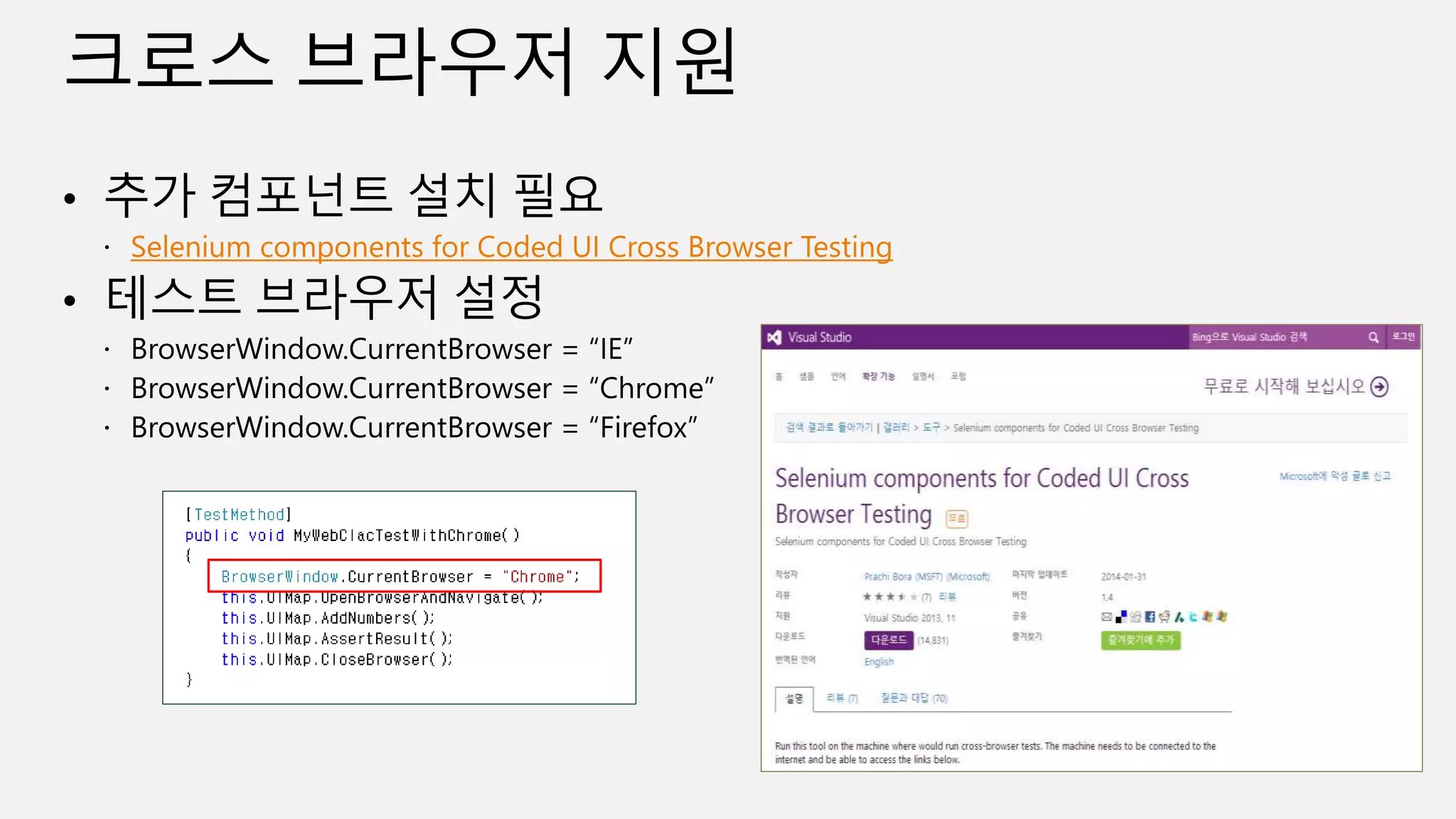
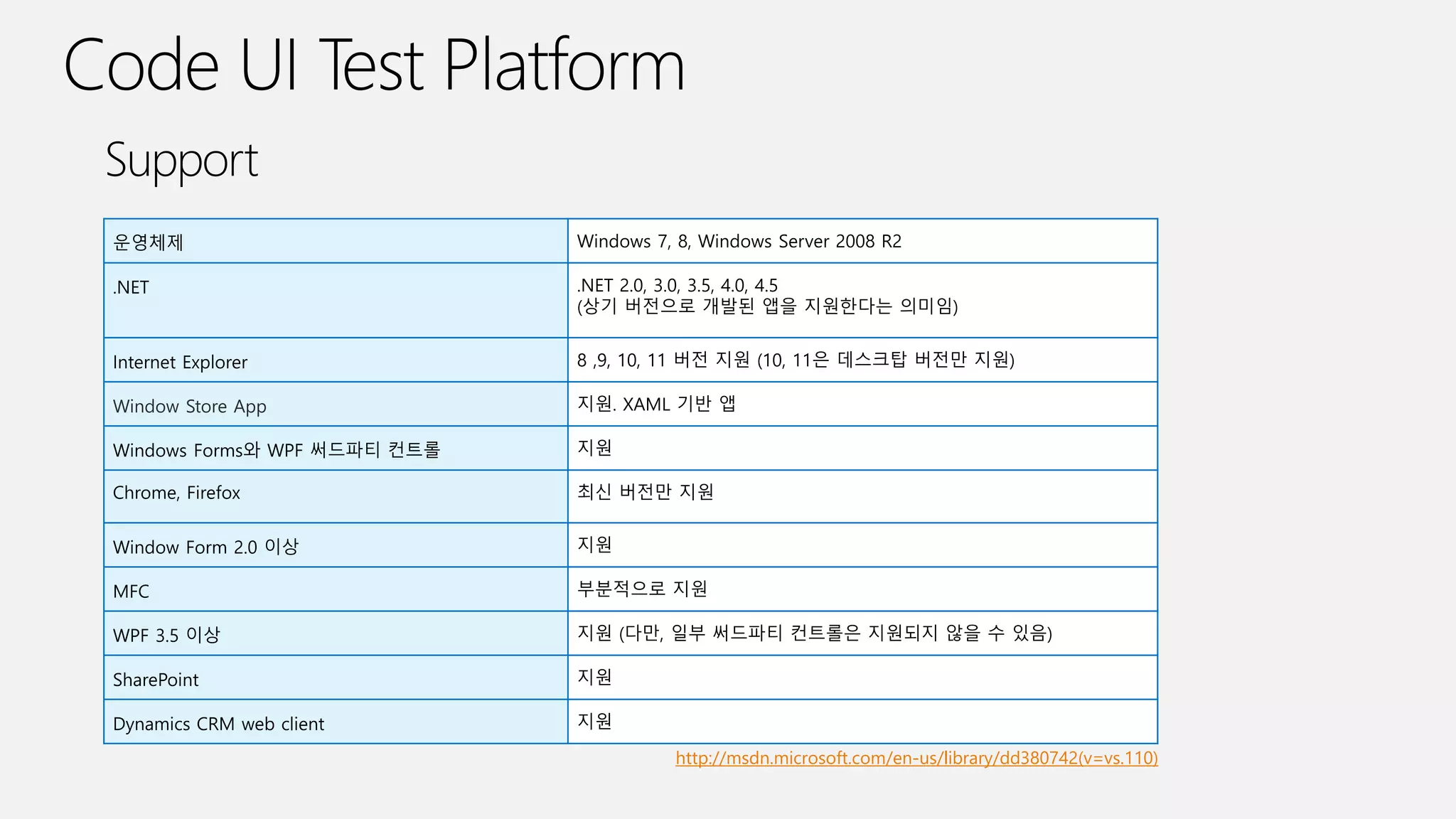
운영체제 Windows 7,8, Windows Server 2008 R2
.NET .NET 2.0, 3.0, 3.5, 4.0, 4.5
(상기 버전으로 개발된 앱을 지원한다는 의미임)
Internet Explorer 8 ,9, 10, 11 버전 지원 (10, 11은 데스크탑 버전만 지원)
Window Store App 지원. XAML 기반 앱
Windows Forms와 WPF 써드파티 컨트롤 지원
Chrome, Firefox 최신 버전만 지원
Window Form 2.0 이상 지원
MFC 부분적으로 지원
WPF 3.5 이상 지원 (다만, 일부 써드파티 컨트롤은 지원되지 않을 수 있음)
SharePoint 지원
Dynamics CRM web client 지원
http://msdn.microsoft.com/en-us/library/dd380742(v=vs.110)
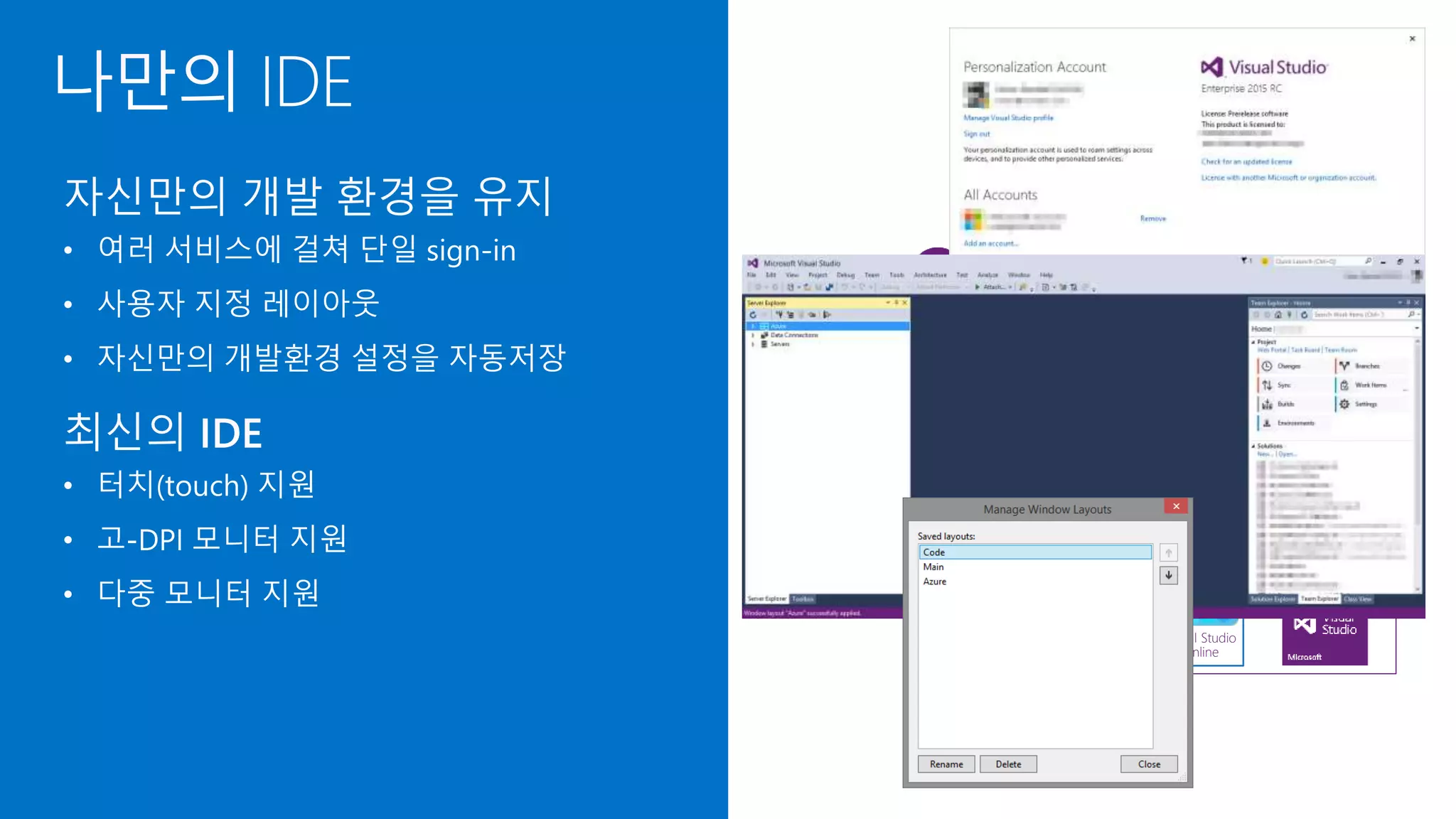
#7 Visual Studio 2015 is all about you having a great personalized experience.
We’ve made enhancements to profile management making it easier to have a single sign-in experience for your Visual Studio profile, Visual Studio Online, and Microsoft Azure.
With Visual Studio 2015, we’ve added support for multiple window layouts. This feature makes it easy change the layout of your various tool windows based on need—code only, cloud work, team work—whatever.
You’ll find three distinct color profiles (you can of course customize as you see fit) and save them.
All of this data is synced with your Visual Studio profile so it’s easy to sit down and be productive at any of your machines.
Visual Studio 2015 is our most modern version of the IDE ever.
We’ve added support for touch including features like pinch to zoom in the code editor.
We’ve worked hard to make sure Visual Studio 2015 looks good on those high resolution desktop and portable displays.
And of course you continue to get great multi-monitor support when you need it.
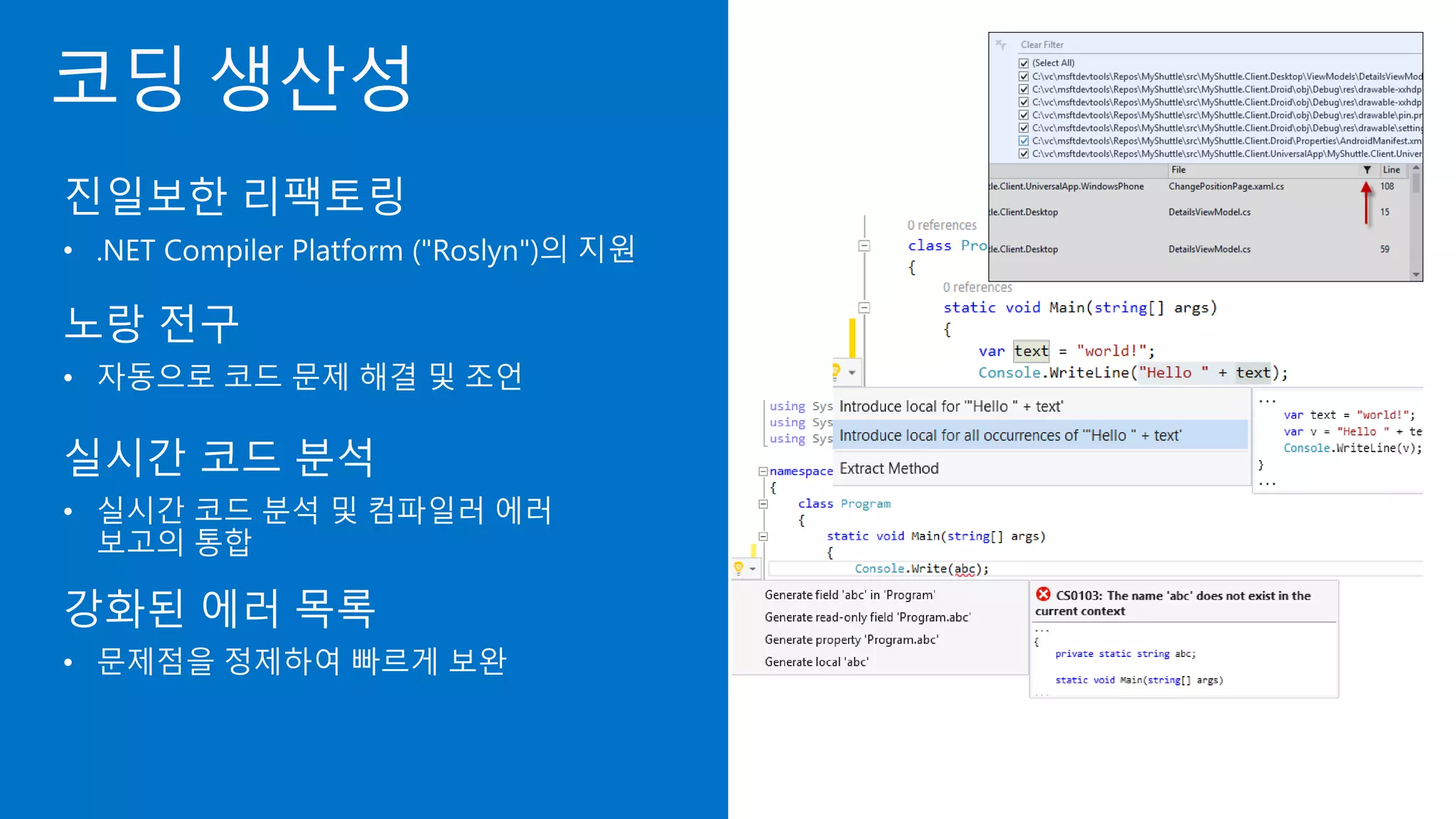
#8 Visual Studio 2015 is all about making your more productive.
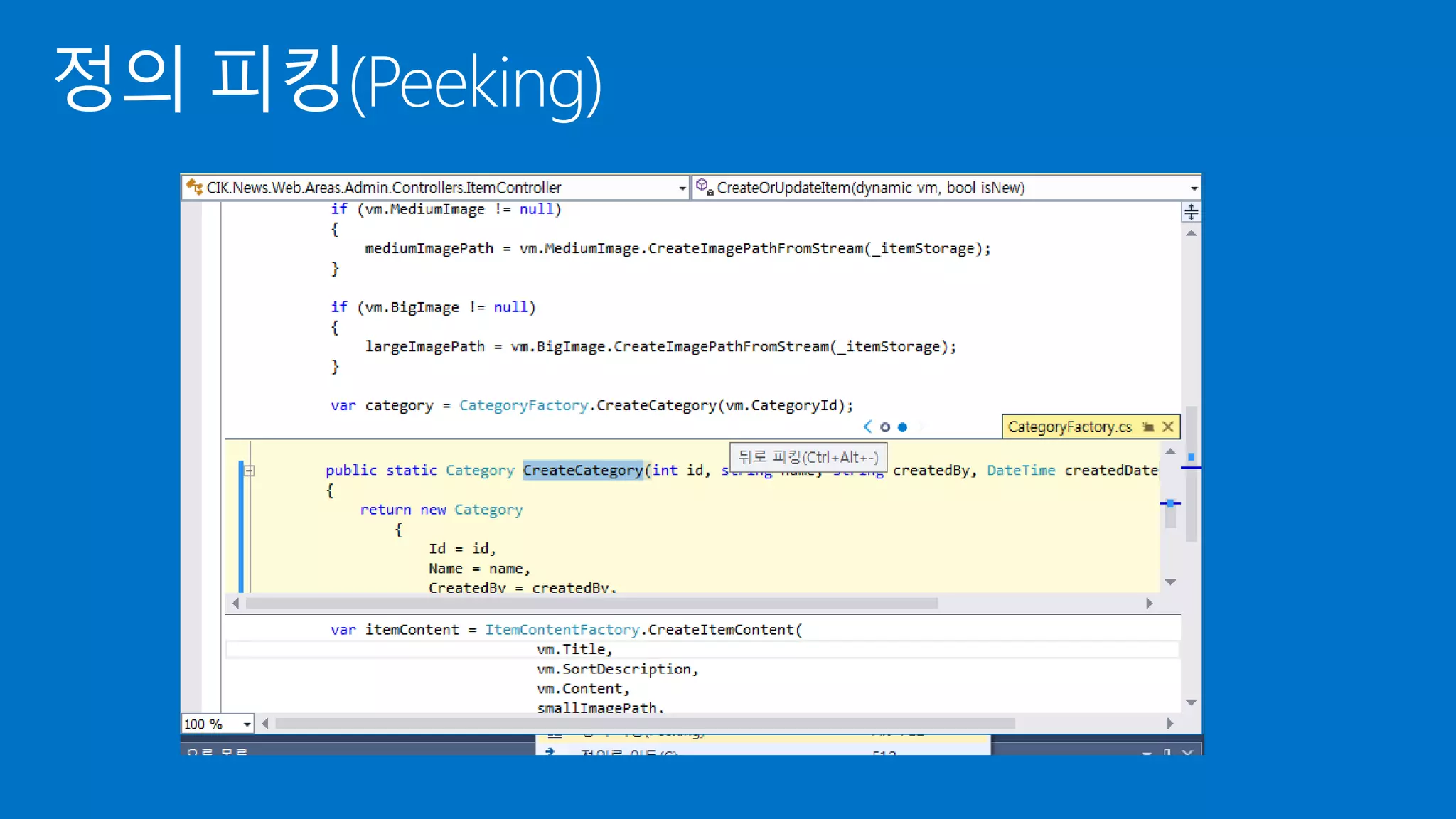
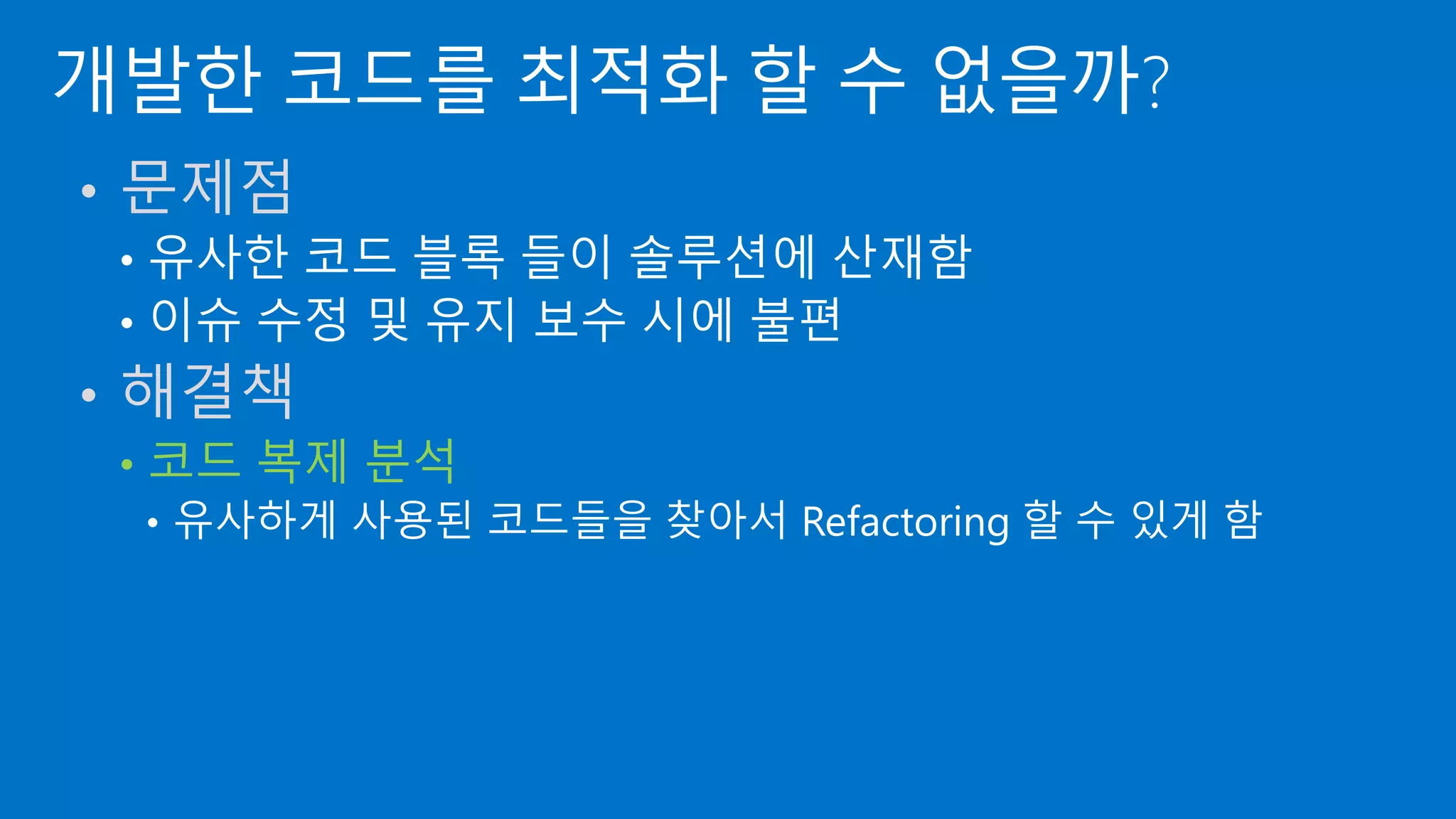
A great new feature you find is advanced refactoring brought to you by the .NET Compiler Platform ("Roslyn").
You’ll find these refactorings are available a number of ways including our new “light bulbs” that show up in context.
Light bulbs help you with suggestions for better, cleaner code. In addition, they provide you with fixes to compile errors where you can see one or more suggested fixes as well as how it will affect your code in an in-place differencing window.
In Visual Studio 2015, you’ll find we’ve made the static code analysis tools easier to use. Now you’ll find suggestions, warnings, and errors right in the Error List window.
And to make the Error List easier to use, we’ve added filter options for columns like code, project, and file.
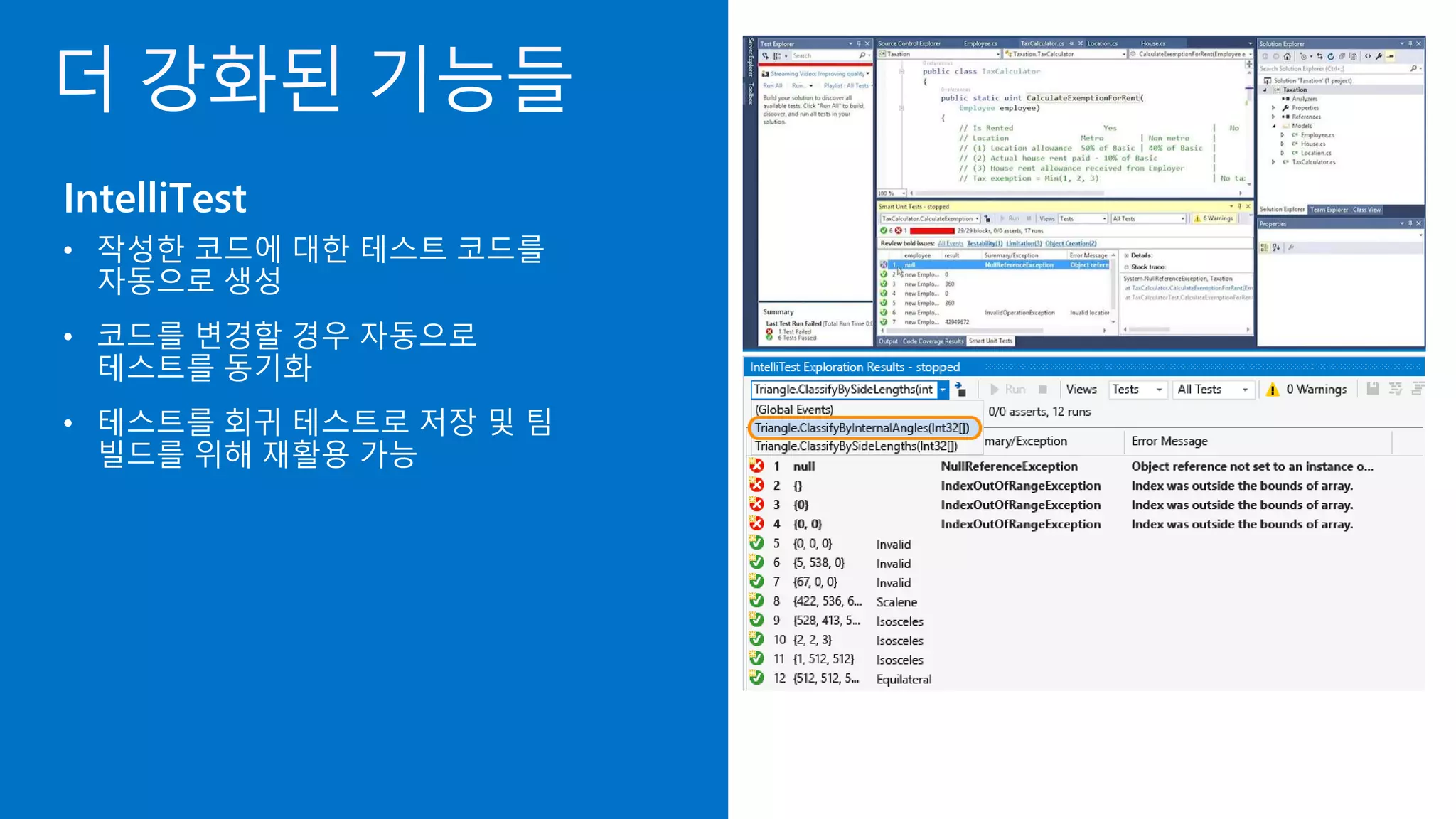
#9 IntelliTest is an intelligent assistant for software development, designed to help reduce test maintenance costs and increase testing efficiency.
IntelliTest helps you automatically generate unit tests and it keeps your test in sync as you change you code.
You can then save these tests for future use as regression tests.
#10 IntelliTest is an intelligent assistant for software development, designed to help reduce test maintenance costs and increase testing efficiency.
IntelliTest helps you automatically generate unit tests and it keeps your test in sync as you change you code.
You can then save these tests for future use as regression tests.
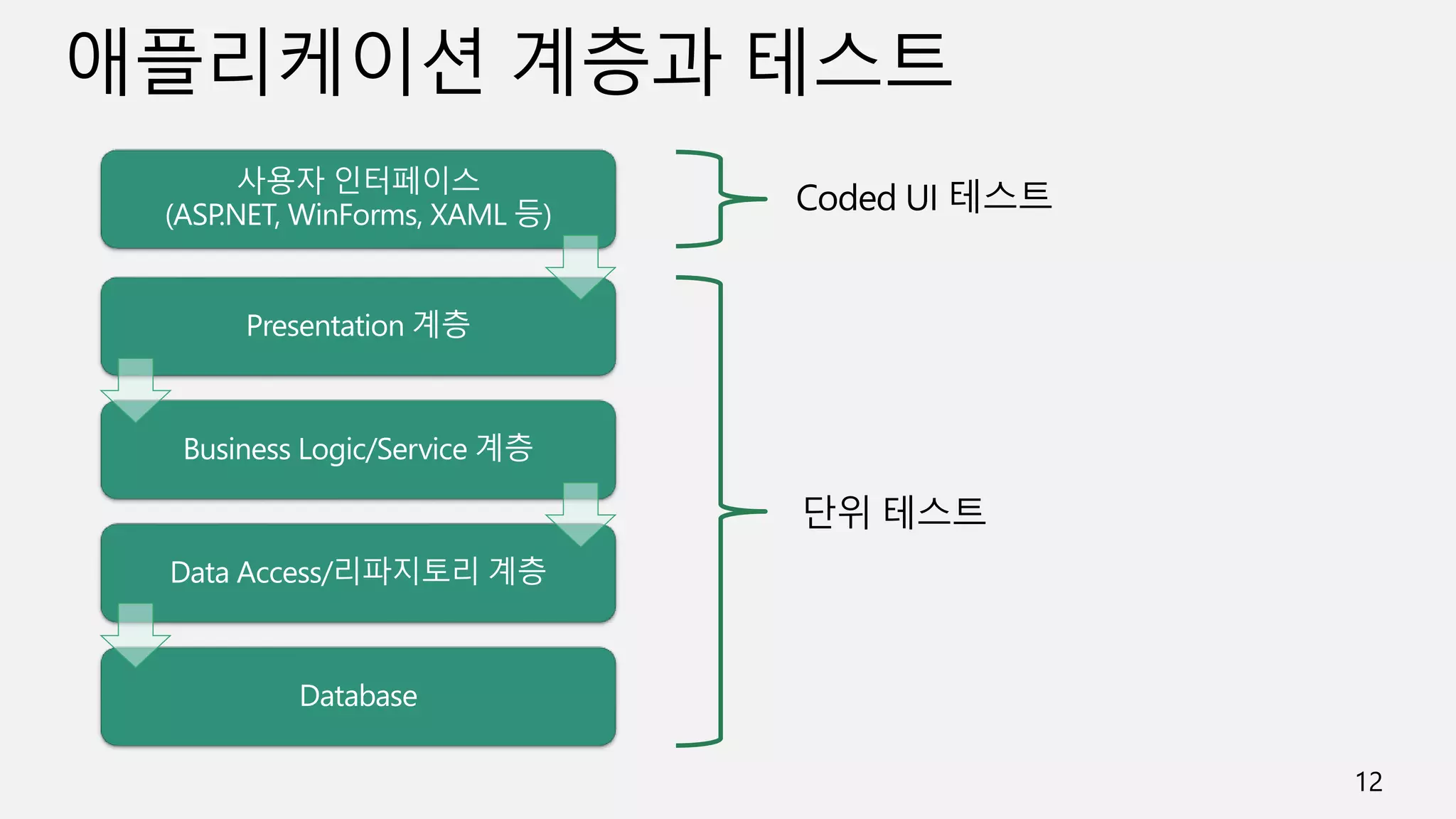
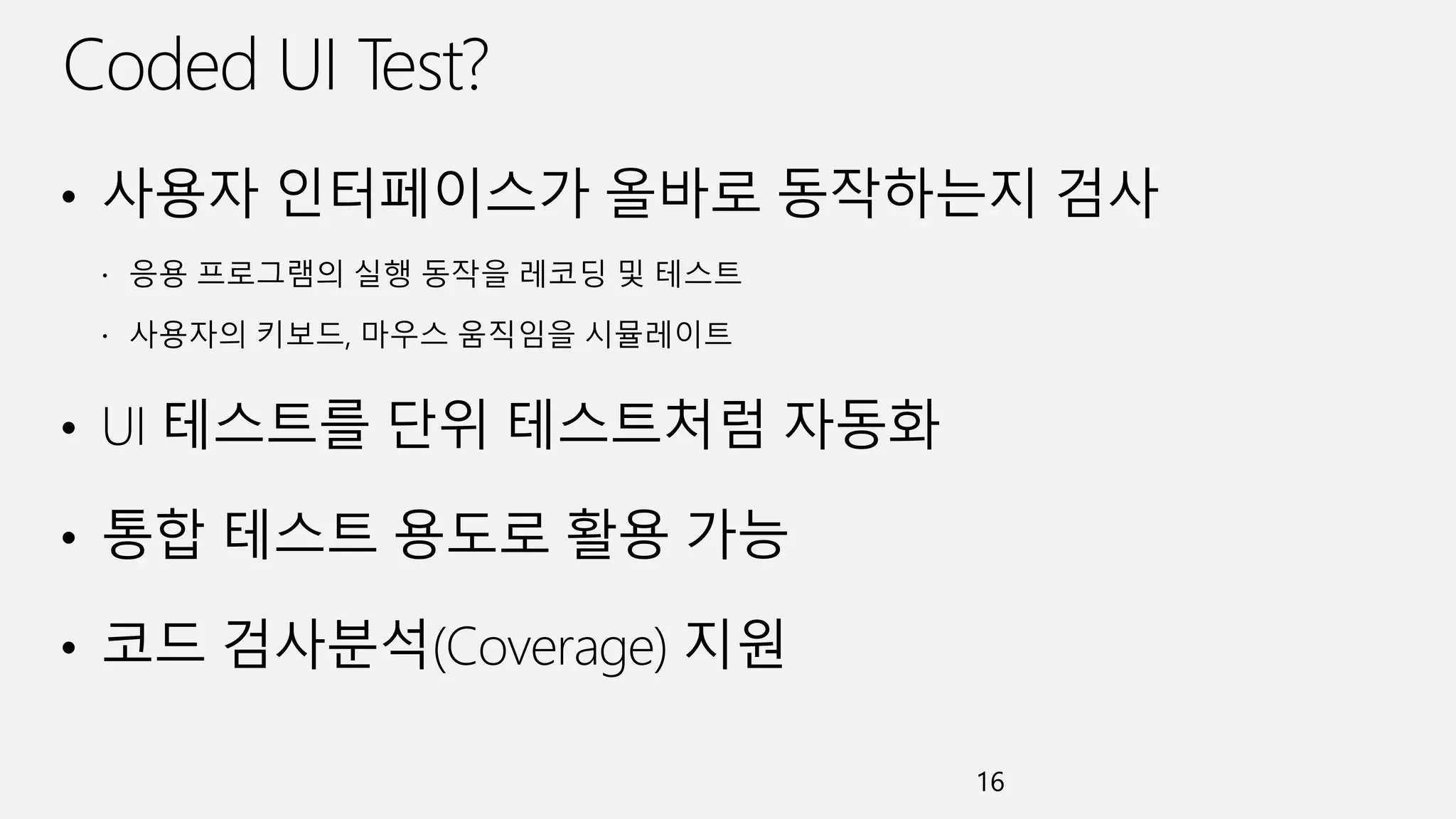
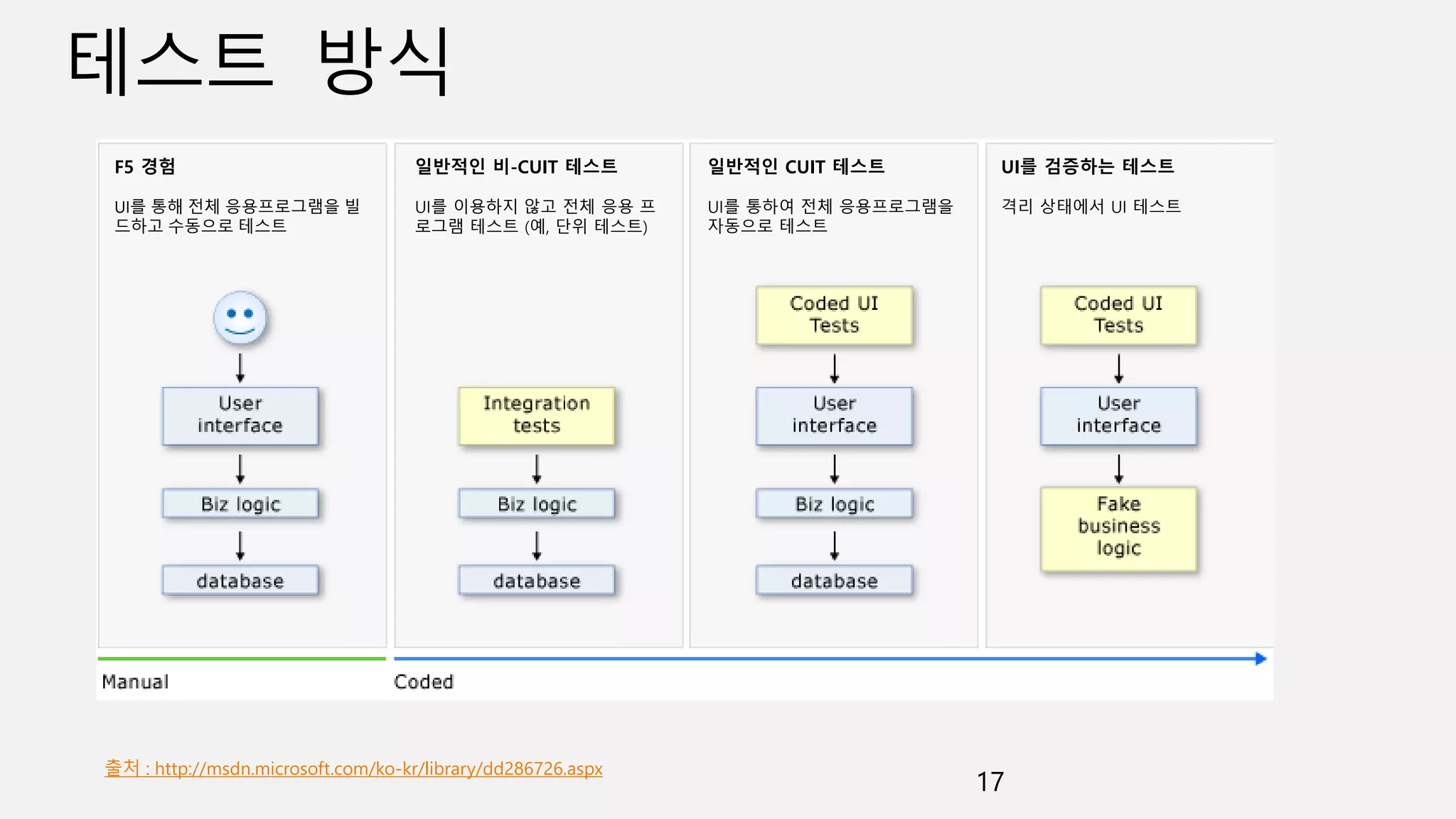
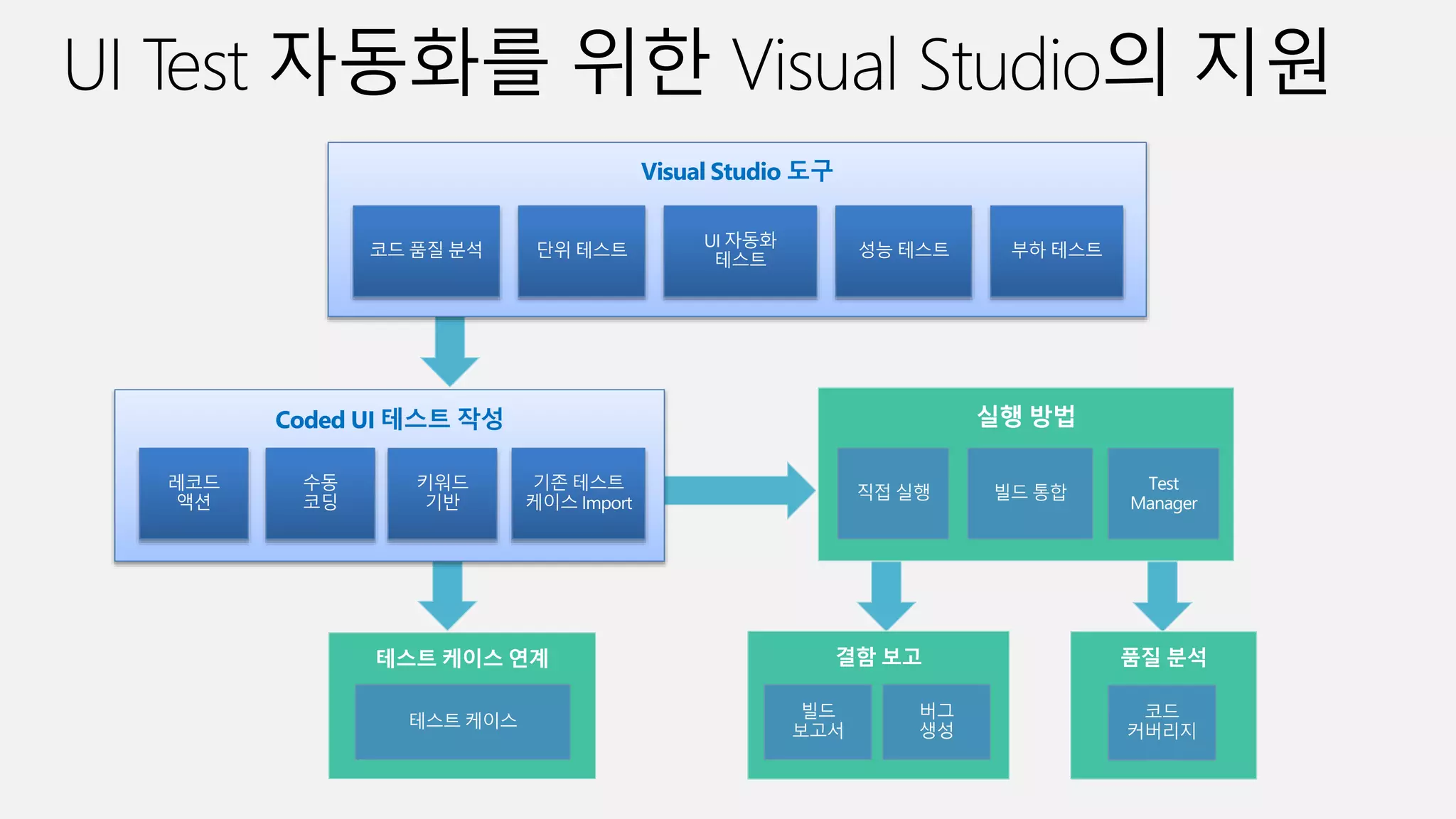
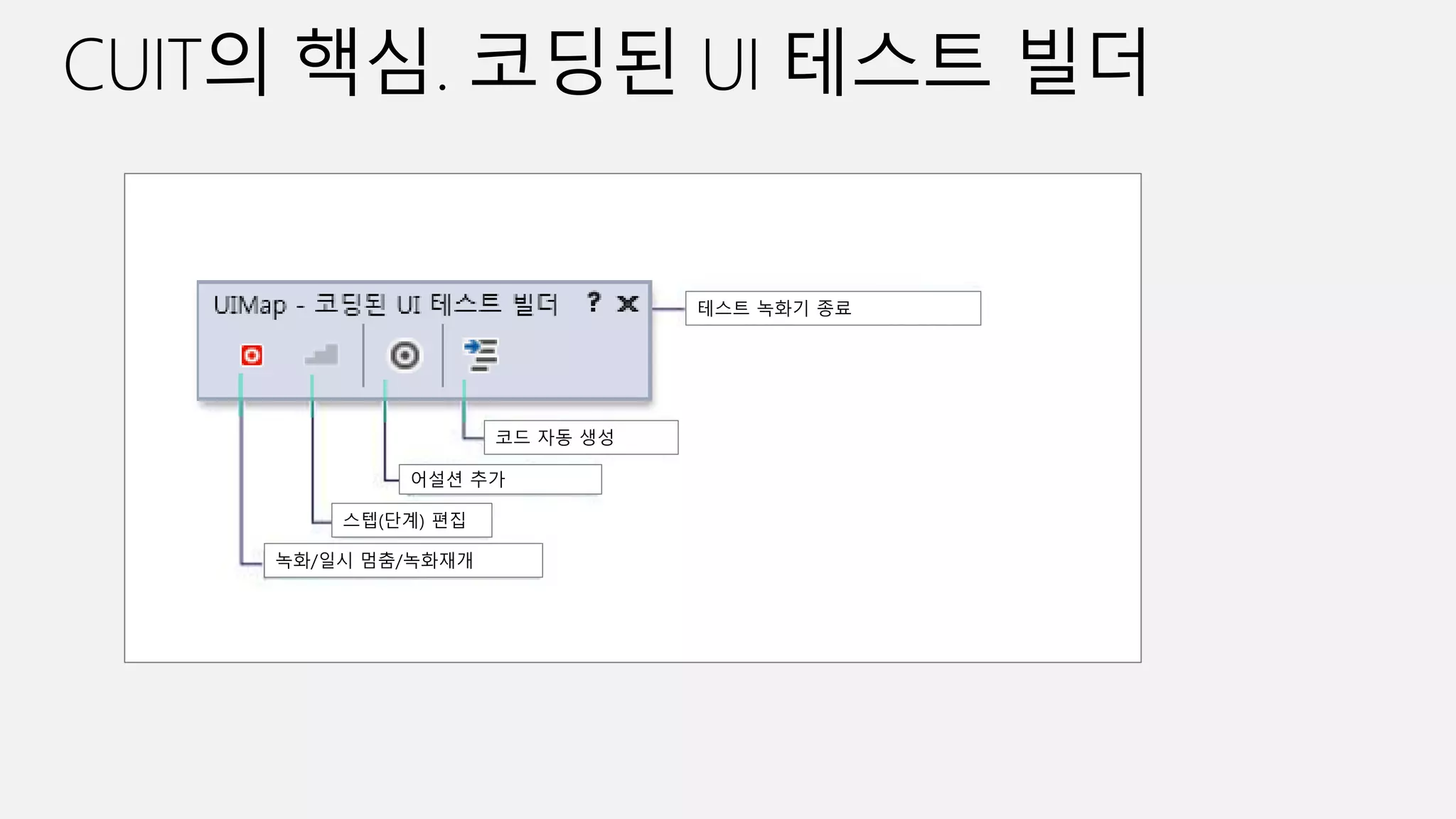
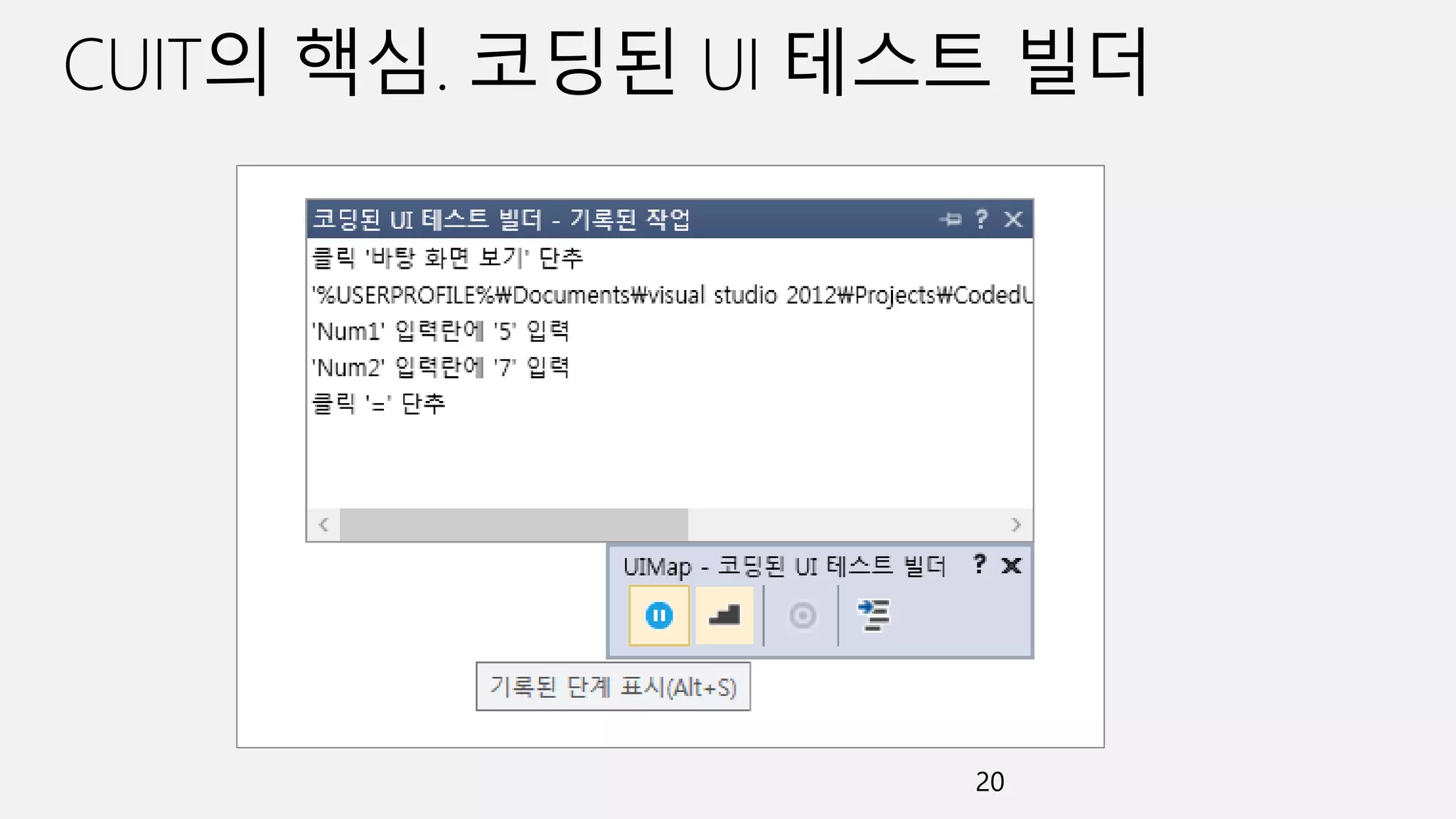
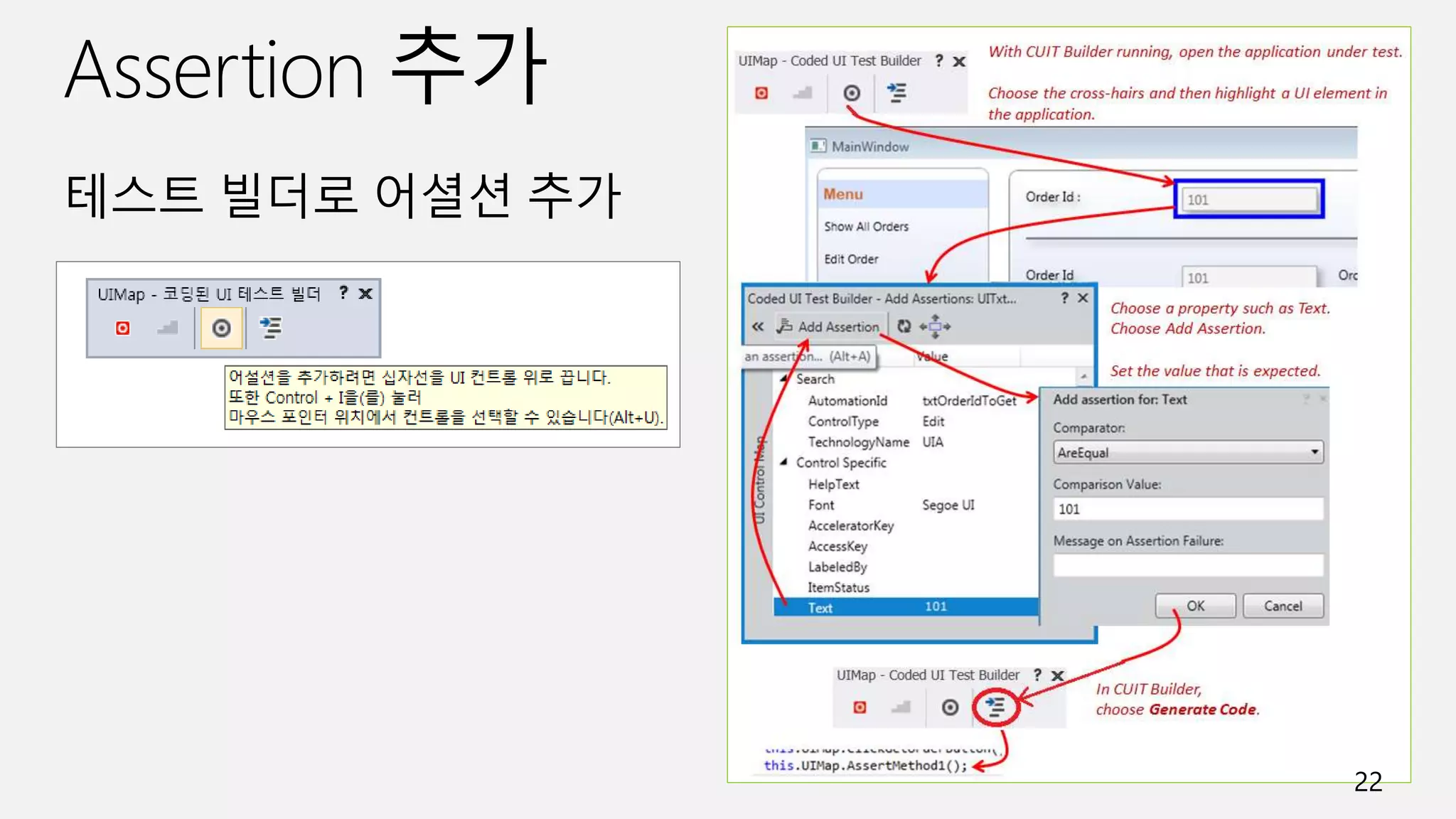
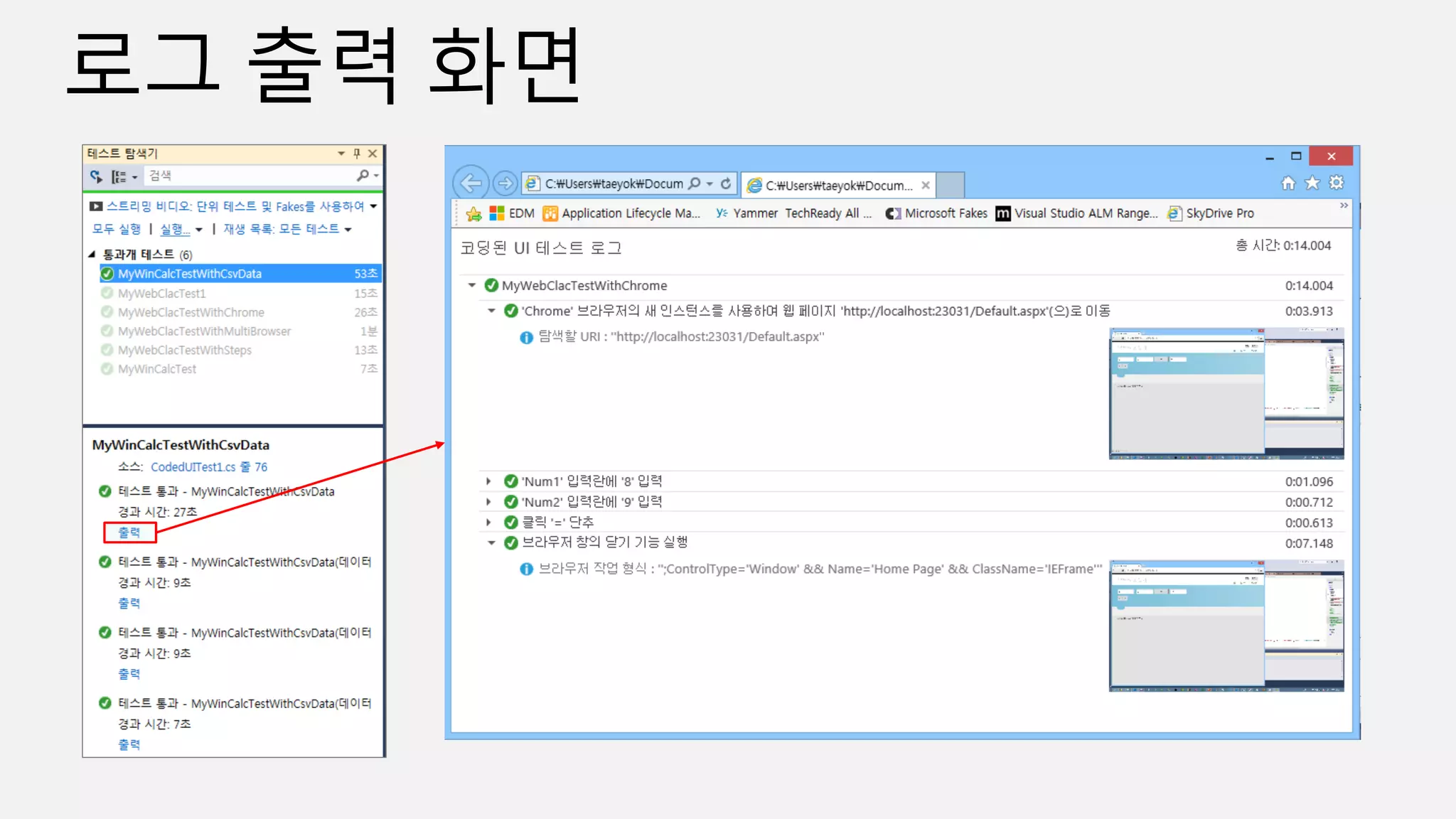
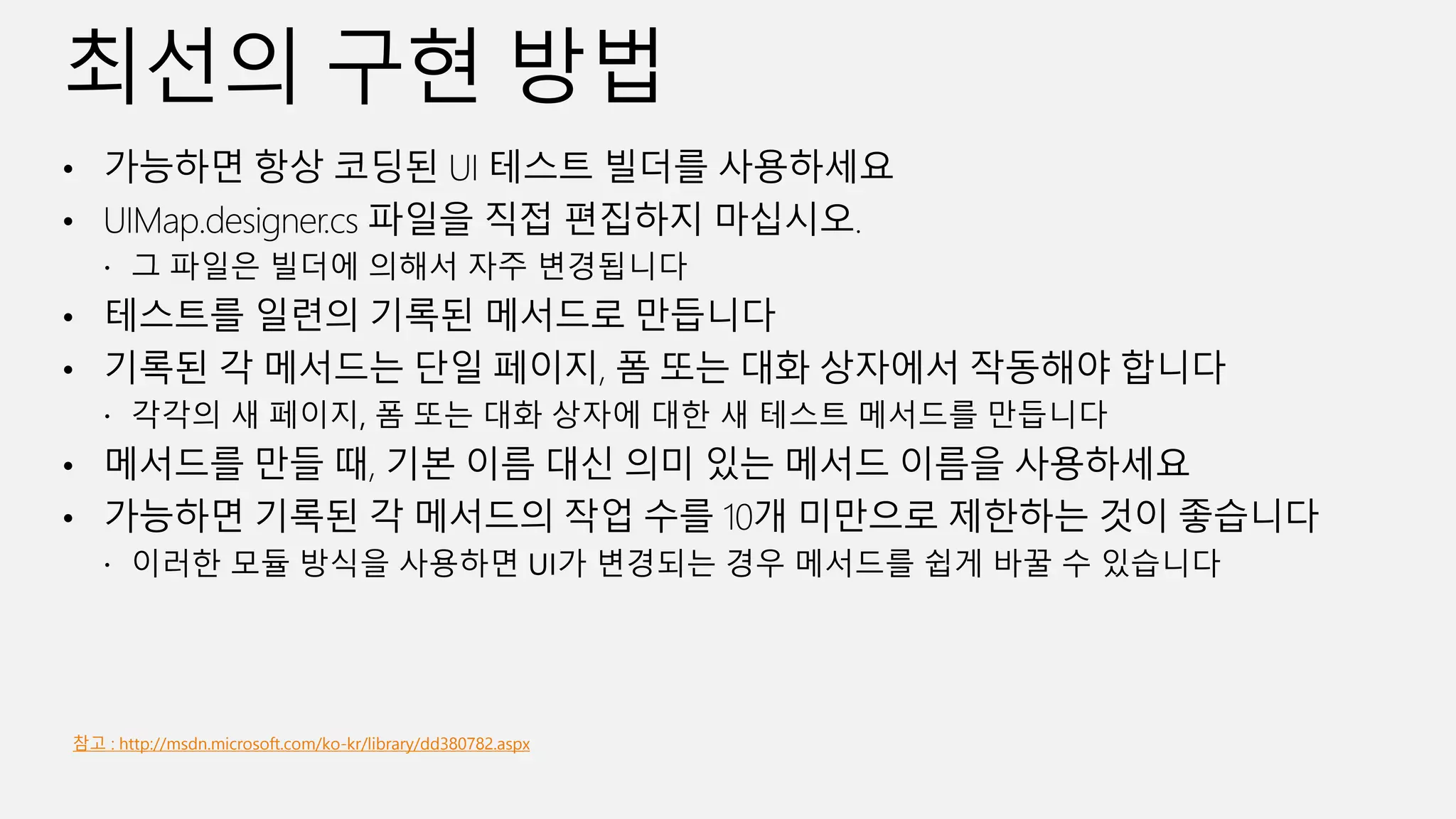
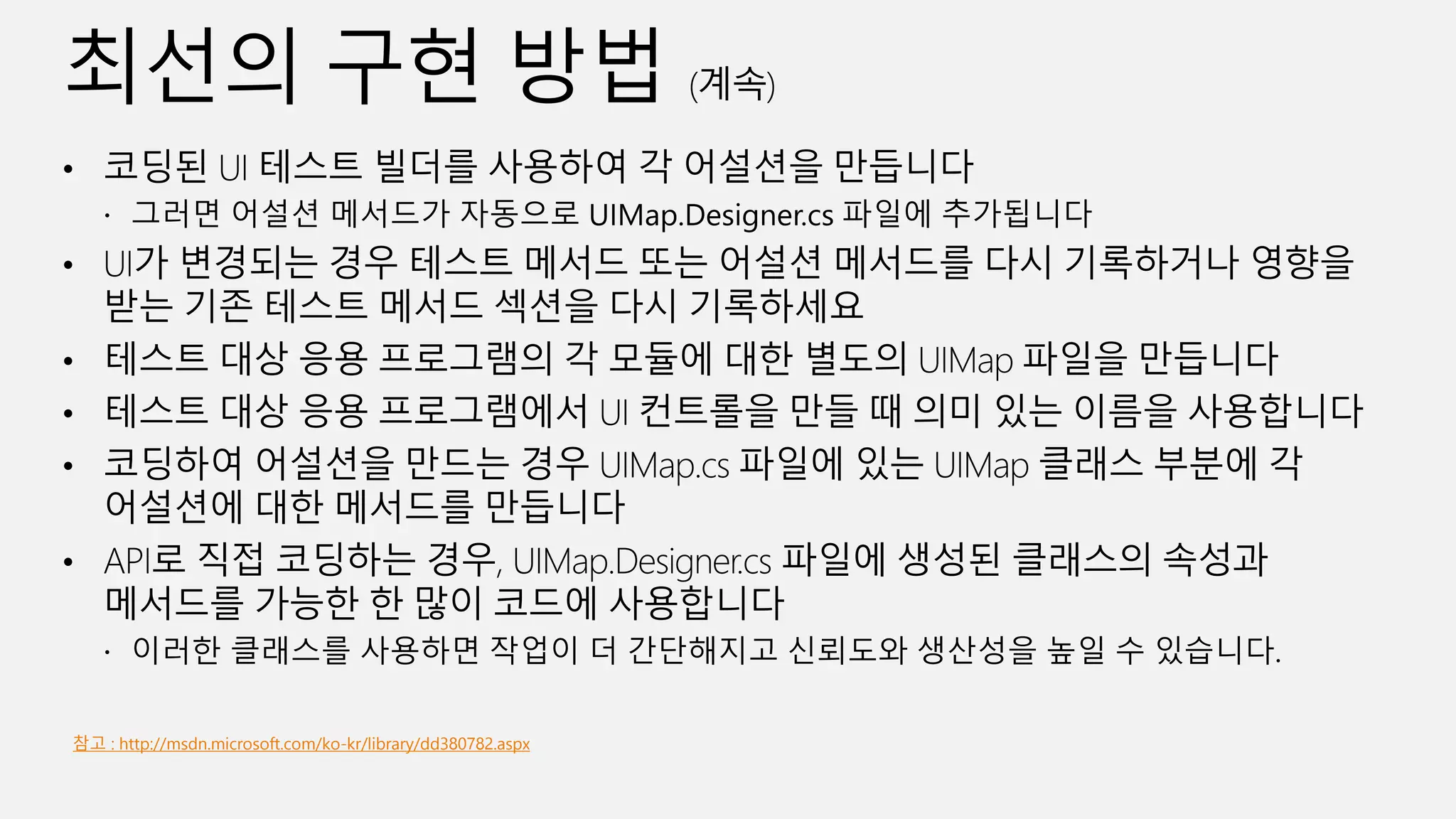
#19 UI Automation test creation is handled from the Visual Studio IDE. There are three methods for creating these tests: manual creation via code, keyword based scripts (using the preferred partner solution LogiGear), recording your actions as you interact with the UI, or importing an existing manual test case that has an action recording. Once the test has been created in the IDE, it can be ran from the IDE itself directly, from Test Manager, or automated as part of an automated build or deploy scenario. Automated UI tests can be associated with test cases in TFS for maximum visibility. Just like all other types of testing in Visual Studio, automated UI tests are backed by Team Foundation Server, enabling up to the minute detailed reporting. Depending on the method of execution, bugs can be created (directly in the case of MTM execution, or part of a failed build in the case of complete automation).

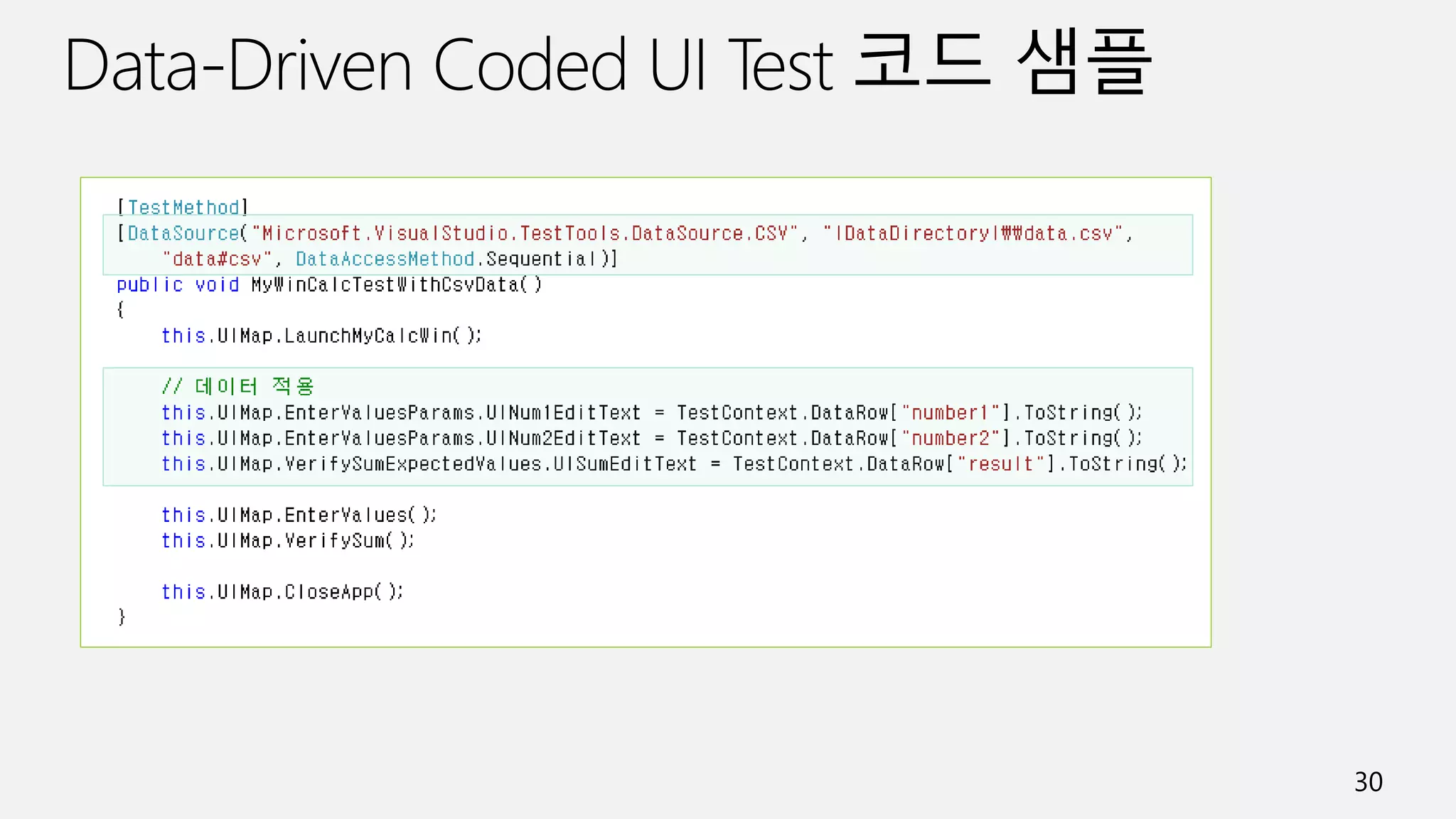
![[DataSource]
TestContext.DataRow["열 이름"]
참고 : http://msdn.microsoft.com/ko-kr/library/ee624082.aspx](https://image.slidesharecdn.com/visualstudio2015-171202131438/75/Visual-studio-2015-23-2048.jpg)
![29
데이터 형식 데이터 원본 어트리뷰트
CSV
[DataSource("Microsoft.VisualStudio.TestTools.DataSource.CSV", "|DataDirectory|data.csv",
"data#csv", DataAccessMethod.Sequential), DeploymentItem("data.csv"), TestMethod]
Excel
[DataSource("System.Data.Odbc", "Dsn=Excel Files;Driver={Microsoft Excel Driver (*.xls)};
dbq=|DataDirectory|Data.xls;defaultdir=.;driverid=790;maxbuffersize=2048;
pagetimeout=5;readonly=true", "Sheet1$", DataAccessMethod.Sequential), TestMethod]
테스트 케이스
(TFS)
[DataSource("Microsoft.VisualStudio.TestTools.DataSource.TestCase",
"http://vlm13261329:8080/tfs/DefaultCollection;Agile", "30",
DataAccessMethod.Sequential), TestMethod]
XML
[DataSource("Microsoft.VisualStudio.TestTools.DataSource.XML", "|DataDirectory|data.xml“,
"Iterations", DataAccessMethod.Sequential), DeploymentItem("data.xml"), TestMethod]
SQL Express
[DataSource("System.Data.SqlClient", "Data Source=.sqlexpress;Initial Catalog=tempdb;
Integrated Security=True", "Data", DataAccessMethod.Sequential), TestMethod]](https://image.slidesharecdn.com/visualstudio2015-171202131438/75/Visual-studio-2015-24-2048.jpg)



![[Korea Linux Forum] Implementing web based online multiplayer tetris with Ope...](https://cdn.slidesharecdn.com/ss_thumbnails/implementingwebbasedonlinemultiplayertetris-141111200036-conversion-gate02-thumbnail.jpg?width=640&height=640&fit=bounds)


![[D2 오픈세미나]5.html5 api 테트리스게임_이진권](https://cdn.slidesharecdn.com/ss_thumbnails/d25-140525205941-phpapp02-thumbnail.jpg?width=640&height=640&fit=bounds)


![[IGC 2016] 엔씨소프트 김종원 - 모바일 테스트 자동화 시스템](https://cdn.slidesharecdn.com/ss_thumbnails/3-161009030553-thumbnail.jpg?width=640&height=640&fit=bounds)

![[IGC2018] TeamHoray 문지환 - 던그리드, 이랬으면 더 좋았을 텐데](https://cdn.slidesharecdn.com/ss_thumbnails/4-181023024052-thumbnail.jpg?width=640&height=640&fit=bounds)


![[Visual studio camp #1] Enterprise Software Testing](https://cdn.slidesharecdn.com/ss_thumbnails/visualstudiocamp1enterprisesoftwaretesting-130820035223-phpapp02-thumbnail.jpg?width=640&height=640&fit=bounds)


![[Td 2015]디버깅, 어디까지 해봤니 당신이 아마도 몰랐을 디버깅 꿀팁 공개(김희준)](https://cdn.slidesharecdn.com/ss_thumbnails/td2015-151104052537-lva1-app6891-thumbnail.jpg?width=640&height=640&fit=bounds)


![[2020 Ignite Seoul]Azure에서 사용할 수 있는 컨테이너/오케스트레이션 기술 살펴보기](https://cdn.slidesharecdn.com/ss_thumbnails/afun60-200123021847-thumbnail.jpg?width=640&height=640&fit=bounds)


