


Restore Corrupt SQL Server Database Using SysTools SQL Server Recovery Tool
Agenda Introduction Why SQL Server Database gets corrupt? Features Flow Screen Flow
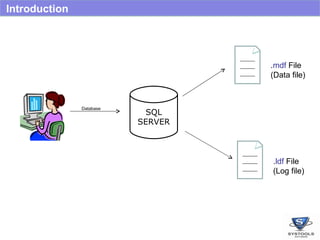
Introduction SQL SERVER Database . mdf  File (Data file) . ldf  File (Log file)
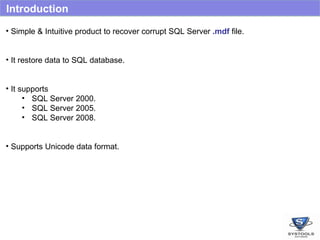
Introduction Simple & Intuitive product to recover corrupt SQL Server  .mdf  file. It restore data to SQL database. It supports  SQL Server 2000. SQL Server 2005. SQL Server 2008. Supports Unicode data format.
Why File Corruption? Common reasons which lead to  database corruptions are: Improper shutdown due to power failure . Virus attacks. Error in reading database from  back-up. Disk Failure such as RAID DISK failure. Database recovered after disk crash / formatting. Invalid database file header.
Features Recovers  Tables Views Rules  Stored Procedure Triggers Paginated preview  tables. Query View of Stored Procedures, Views, Rules and Triggers. Restore  To a SQL Server database SQL Server compatible scripts.
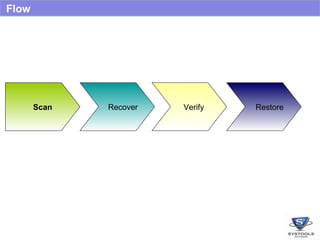
Flow Scan Recover Verify Restore Scan Recover Scan Verify Recover Scan Restore Verify Recover Scan
Demo
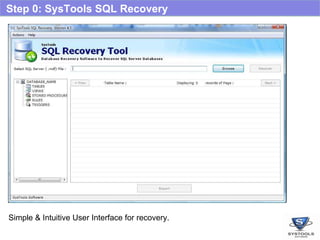
Step 0: SysTools SQL Recovery   Simple & Intuitive User Interface for recovery.
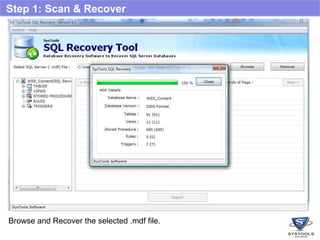
Step 1: Scan & Recover Browse and Recover the selected .mdf file.
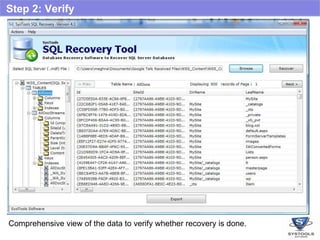
Step 2: Verify Comprehensive view of the data to verify whether recovery is done.
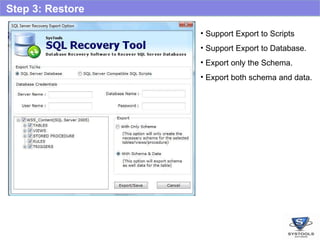
Step 3: Restore Support Export to Scripts Support Export to Database. Export only the Schema. Export both schema and data.
Thank You Visit http://www.sqlrecoverytool.com/

Sql Server Recovery Overview

  • 1.
    Restore Corrupt SQLServer Database Using SysTools SQL Server Recovery Tool
  • 2.
    Agenda Introduction WhySQL Server Database gets corrupt? Features Flow Screen Flow
  • 3.
    Introduction SQL SERVERDatabase . mdf File (Data file) . ldf File (Log file)
  • 4.
    Introduction Simple &Intuitive product to recover corrupt SQL Server .mdf file. It restore data to SQL database. It supports SQL Server 2000. SQL Server 2005. SQL Server 2008. Supports Unicode data format.
  • 5.
    Why File Corruption?Common reasons which lead to database corruptions are: Improper shutdown due to power failure . Virus attacks. Error in reading database from back-up. Disk Failure such as RAID DISK failure. Database recovered after disk crash / formatting. Invalid database file header.
  • 6.
    Features Recovers Tables Views Rules Stored Procedure Triggers Paginated preview tables. Query View of Stored Procedures, Views, Rules and Triggers. Restore To a SQL Server database SQL Server compatible scripts.
  • 7.
    Flow Scan RecoverVerify Restore Scan Recover Scan Verify Recover Scan Restore Verify Recover Scan
  • 8.
  • 9.
    Step 0: SysToolsSQL Recovery Simple & Intuitive User Interface for recovery.
  • 10.
    Step 1: Scan& Recover Browse and Recover the selected .mdf file.
  • 11.
    Step 2: VerifyComprehensive view of the data to verify whether recovery is done.
  • 12.
    Step 3: RestoreSupport Export to Scripts Support Export to Database. Export only the Schema. Export both schema and data.
  • 13.
    Thank You Visithttp://www.sqlrecoverytool.com/