SQL JOINS
SQL Joins are used to relate information in different tables. A Join condition is a part of the
sql query that retrieves rows from two or more tables. A SQL Join condition is used in the SQL
WHERE clause of select, update, delete statements.
The SQL Syntax for joining two tables is:
SELECT col1, col2, col3...
FROM table_name1, table_name2
WHERE table_name1.col2 = table_name2.col1;
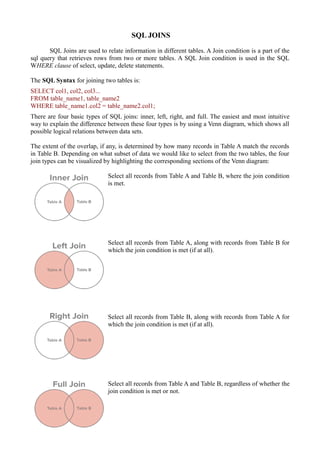
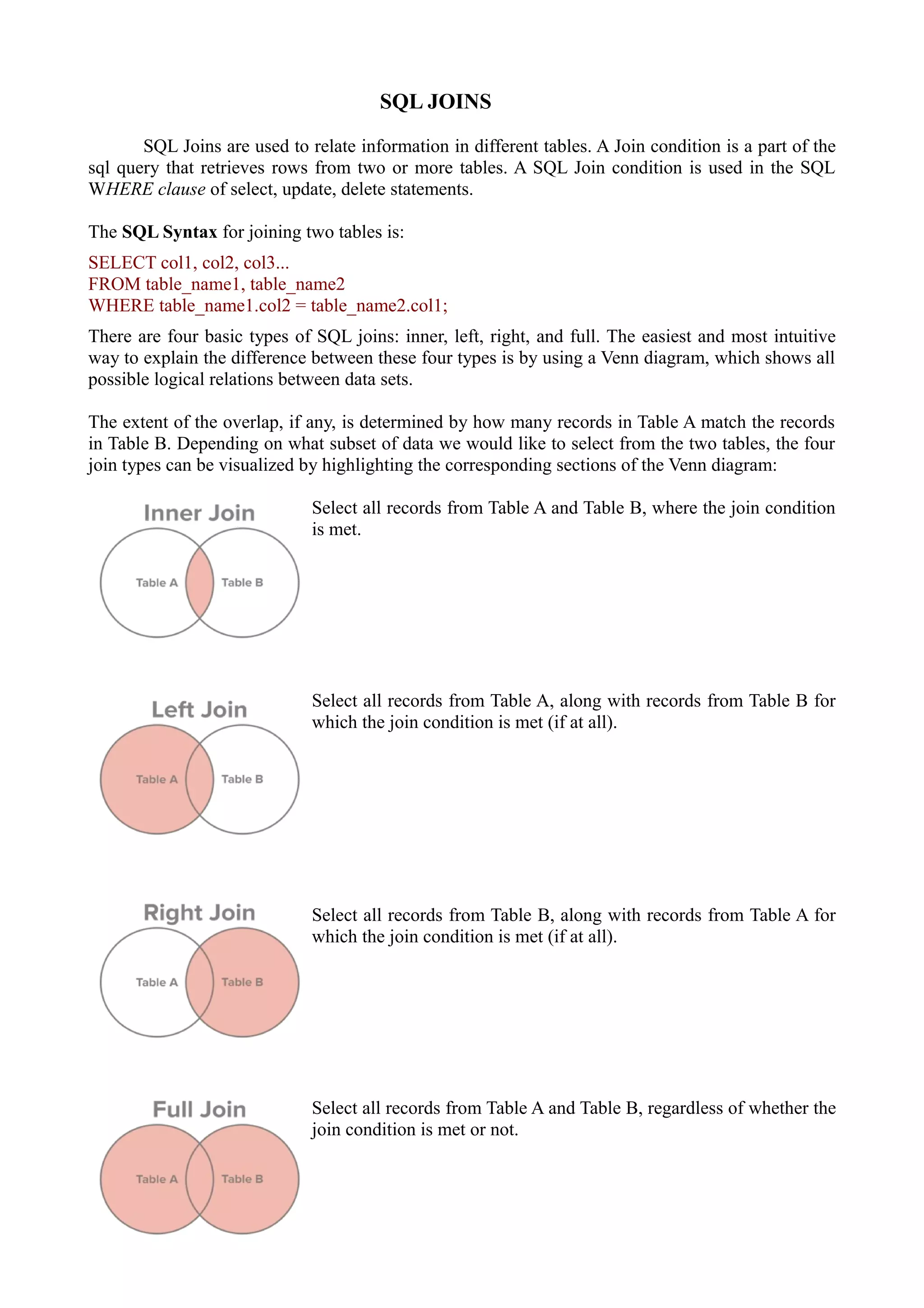
There are four basic types of SQL joins: inner, left, right, and full. The easiest and most intuitive
way to explain the difference between these four types is by using a Venn diagram, which shows all
possible logical relations between data sets.
The extent of the overlap, if any, is determined by how many records in Table A match the records
in Table B. Depending on what subset of data we would like to select from the two tables, the four
join types can be visualized by highlighting the corresponding sections of the Venn diagram:
Select all records from Table A and Table B, where the join condition
is met.
Select all records from Table A, along with records from Table B for
which the join condition is met (if at all).
Select all records from Table B, along with records from Table A for
which the join condition is met (if at all).
Select all records from Table A and Table B, regardless of whether the
join condition is met or not.
Consider there are two tables named `customers` and `orders`
Note that (1) not every customer in our customers table has placed an order and (2) there are a few
orders for which no customer record exists in our customers table.
Inner Join
Let’s say we wanted to get a list of those customers who placed an order and the details of the order
they placed. This would be a perfect fit for an inner join, since an inner join returns records at the
intersection of the two tables.
select first_name, last_name, order_date, order_amount
from customers c
inner join orders o
on c.customer_id = o.customer_id
Left Join
If we wanted to simply append information about orders to our customers table, regardless of
whether a customer placed an order or not, we would use a left join. A left join returns all records
from table A and any matching records from table B.
select first_name, last_name, order_date, order_amount
from customers c
left join orders o
on c.customer_id = o.customer_id
where order_date is NULL
Right Join
Right join is a mirror version of the left join and allows to get a list of all orders, appended with
customer information.
select first_name, last_name, order_date, order_amount
from customers c
right join orders o
on c.customer_id = o.customer_id
Full Join
Finally, for a list of all records from both tables, we can use a full join.
select first_name, last_name, order_date, order_amount
from customers c
full join orders o
on c.customer_id = o.customer_id

Sql joins

  • 1.
    SQL JOINS SQL Joinsare used to relate information in different tables. A Join condition is a part of the sql query that retrieves rows from two or more tables. A SQL Join condition is used in the SQL WHERE clause of select, update, delete statements. The SQL Syntax for joining two tables is: SELECT col1, col2, col3... FROM table_name1, table_name2 WHERE table_name1.col2 = table_name2.col1; There are four basic types of SQL joins: inner, left, right, and full. The easiest and most intuitive way to explain the difference between these four types is by using a Venn diagram, which shows all possible logical relations between data sets. The extent of the overlap, if any, is determined by how many records in Table A match the records in Table B. Depending on what subset of data we would like to select from the two tables, the four join types can be visualized by highlighting the corresponding sections of the Venn diagram: Select all records from Table A and Table B, where the join condition is met. Select all records from Table A, along with records from Table B for which the join condition is met (if at all). Select all records from Table B, along with records from Table A for which the join condition is met (if at all). Select all records from Table A and Table B, regardless of whether the join condition is met or not.
  • 2.
    Consider there aretwo tables named `customers` and `orders` Note that (1) not every customer in our customers table has placed an order and (2) there are a few orders for which no customer record exists in our customers table. Inner Join Let’s say we wanted to get a list of those customers who placed an order and the details of the order they placed. This would be a perfect fit for an inner join, since an inner join returns records at the intersection of the two tables. select first_name, last_name, order_date, order_amount from customers c inner join orders o on c.customer_id = o.customer_id Left Join If we wanted to simply append information about orders to our customers table, regardless of whether a customer placed an order or not, we would use a left join. A left join returns all records from table A and any matching records from table B. select first_name, last_name, order_date, order_amount from customers c left join orders o on c.customer_id = o.customer_id where order_date is NULL Right Join Right join is a mirror version of the left join and allows to get a list of all orders, appended with customer information. select first_name, last_name, order_date, order_amount from customers c right join orders o on c.customer_id = o.customer_id Full Join Finally, for a list of all records from both tables, we can use a full join. select first_name, last_name, order_date, order_amount from customers c full join orders o on c.customer_id = o.customer_id