SQL(Structured Query Language)
BEGINNER TO INTERMEDIATE LEVEL
BY ASHISH TIWARI
BY ASHISH TIWARI 1
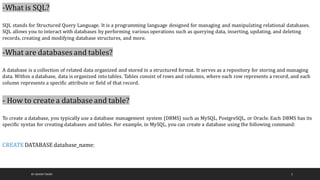
-What is SQL?
SQL stands for Structured Query Language. It is a programming language designed for managing and manipulating relational databases.
SQL allows you to interact with databases by performing various operations such as querying data, inserting, updating, and deleting
records, creating and modifying database structures, and more.
-What are databases and tables?
A database is a collection of related data organized and stored in a structured format. It serves as a repository for storing and managing
data. Within a database, data is organized into tables. Tables consist of rows and columns, where each row represents a record, and each
column represents a specific attribute or field of that record.
- How to create a database and table?
To create a database, you typically use a database management system (DBMS) such as MySQL, PostgreSQL, or Oracle. Each DBMS has its
specific syntax for creating databases and tables. For example, in MySQL, you can create a database using the following command:
CREATE DATABASE database_name;
BY ASHISH TIWARI 2
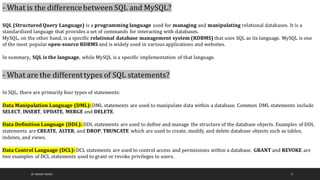
- What is the differencebetween SQL and MySQL?
SQL (Structured Query Language) is a programming language used for managing and manipulating relational databases. It is a
standardized language that provides a set of commands for interacting with databases.
MySQL, on the other hand, is a specific relational database management system (RDBMS) that uses SQL as its language. MySQL is one
of the most popular open-source RDBMS and is widely used in various applications and websites.
In summary, SQL is the language, while MySQL is a specific implementation of that language.
- What are the differenttypes of SQL statements?
In SQL, there are primarily four types of statements:
Data Manipulation Language (DML):DML statements are used to manipulate data within a database. Common DML statements include
SELECT, INSERT, UPDATE, MERGE and DELETE.
Data Definition Language (DDL): DDL statements are used to define and manage the structure of the database objects. Examples of DDL
statements are CREATE, ALTER, and DROP, TRUNCATE which are used to create, modify, and delete database objects such as tables,
indexes, and views.
Data Control Language (DCL): DCL statements are used to control access and permissions within a database. GRANT and REVOKE are
two examples of DCL statements used to grant or revoke privileges to users.
BY ASHISH TIWARI 3
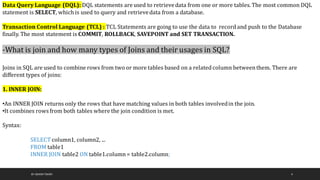
Data Query Language (DQL): DQL statements are used to retrievedata from one or more tables. The most common DQL
statement is SELECT, which is used to query and retrievedata from a database.
Transaction Control Language (TCL) : TCL Statements are going to use the data to record and push to the Database
finally. The most statement is COMMIT, ROLLBACK, SAVEPOINT and SET TRANSACTION.
-What is join and how many types of Joins and their usages in SQL?
Joins in SQL are used to combine rows from two or more tables based on a related column betweenthem. There are
different types of joins:
1. INNER JOIN:
•An INNER JOIN returns only the rows that have matching values in both tables involvedin the join.
•It combines rows from both tables where the join condition is met.
Syntax:
SELECT column1, column2, ...
FROM table1
INNER JOIN table2 ON table1.column = table2.column;
BY ASHISH TIWARI 4
2. LEFT JOIN (or LEFT OUTER JOIN) :
•A LEFT JOIN returns all rows from the left table and the matching rows from the right table. If there is no match, NULL
values are returned for the right table columns.
•It preserves all the records from the left table.
Syntax:
SELECT column1, column2, ...
FROM table1
LEFT JOIN table2 ON table1.column= table2.column;
3. RIGHT JOIN (or RIGHT OUTER JOIN):
•A RIGHT JOIN returns all rows from the right table and the matching rows from the left table. If there is no match, NULL
values are returned for the left table columns.
•It preserves all the records from the right table.
Syntax:
SELECT column1, column2, ...
FROM table1
RIGHT JOIN table2 ON table1.column = table2.column;
BY ASHISH TIWARI 5
4. FULL JOIN (or FULL OUTER JOIN):
•A FULL JOIN returns all rows from both tables, regardlessof whether there is a match or not. If there is no match, NULL
values are returned for the non-matching columns.
•It includes all records from both tables.
Syntax:
SELECT column1, column2, ...
FROM table1
FULL JOIN table2 ON table1.column= table2.column;
5. CROSS JOIN:
•A CROSS JOIN returns the Cartesian product of both tables, i.e., all possible combinations of rows from both tables.
•It does not require a specific join condition.
Syntax:
SELECT column1, column2, ...
FROM table1
CROSS JOIN table2;
BY ASHISH TIWARI 6
BY ASHISH TIWARI 7
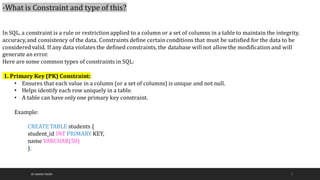
-What is Constraint and type of this?
In SQL, a constraint is a rule or restrictionapplied to a column or a set of columns in a table to maintain the integrity,
accuracy,and consistency of the data. Constraints define certainconditions that must be satisfied for the data to be
considered valid. If any data violates the defined constraints, the database willnot allowthe modificationand will
generate an error.
Here are some common types of constraints in SQL:
1. Primary Key (PK) Constraint:
• Ensures that each value in a column (or a set of columns) is unique and not null.
• Helps identify each row uniquely in a table.
• A table can have only one primary key constraint.
Example:
CREATE TABLE students (
student_id INT PRIMARY KEY,
name VARCHAR(50)
);
BY ASHISH TIWARI 8
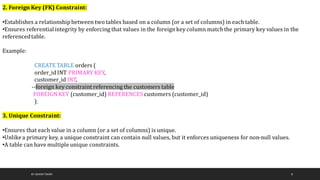
2. Foreign Key (FK) Constraint:
•Establishes a relationship between two tables based on a column (or a set of columns) in each table.
•Ensures referentialintegrity by enforcing that values in the foreignkey column match the primary key values in the
referencedtable.
Example:
CREATE TABLE orders (
order_id INT PRIMARY KEY,
customer_id INT,
--foreign key constraint referencing the customers table
FOREIGN KEY (customer_id) REFERENCES customers (customer_id)
);
3. Unique Constraint:
•Ensures that each value in a column (or a set of columns) is unique.
•Unlikea primary key, a unique constraint can contain null values, but it enforces uniqueness for non-null values.
•A table can have multiple unique constraints.
BY ASHISH TIWARI 9
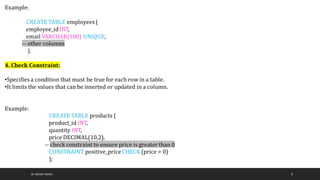
Example:
CREATE TABLE employees (
employee_idINT,
email VARCHAR(100) UNIQUE,
-- other columns
);
4. Check Constraint:
•Specifies a condition that must be true for each row in a table.
•It limits the values that can be inserted or updated in a column.
Example:
CREATE TABLE products (
product_id INT,
quantity INT,
price DECIMAL(10,2),
-- check constraint to ensure price is greater than 0
CONSTRAINT positive_priceCHECK (price > 0)
);
BY ASHISH TIWARI 10
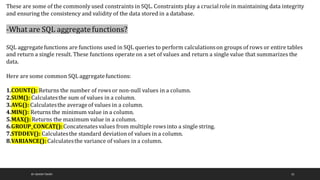
These are some of the commonly used constraints in SQL. Constraints play a crucialrole in maintaining data integrity
and ensuring the consistency and validity of the data stored in a database.
-What are SQL aggregatefunctions?
SQL aggregatefunctions are functions used in SQL queries to perform calculationson groups of rows or entire tables
and return a single result. These functions operate on a set of values and return a single value that summarizes the
data.
Here are some common SQL aggregatefunctions:
1.COUNT(): Returns the number of rows or non-null values in a column.
2.SUM(): Calculatesthe sum of values in a column.
3.AVG(): Calculatesthe averageof values in a column.
4.MIN(): Returns the minimum value in a column.
5.MAX(): Returns the maximum value in a column.
6.GROUP_CONCAT():Concatenates values from multiple rows into a single string.
7.STDDEV(): Calculatesthe standard deviationof values in a column.
8.VARIANCE(): Calculatesthe variance of values in a column.
BY ASHISH TIWARI 11
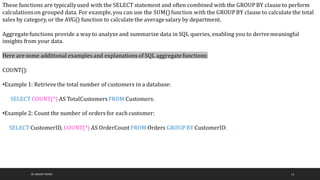
These functions are typicallyused with the SELECT statement and often combined with the GROUPBY clause to perform
calculationson grouped data. For example,you can use the SUM() function with the GROUPBY clause to calculatethe total
sales by category, or the AVG() function to calculatethe averagesalary by department.
Aggregatefunctions provide a way to analyzeand summarize data in SQL queries, enabling you to derivemeaningful
insights from your data.
Here are some additional examples and explanations of SQL aggregatefunctions::
COUNT():
•Example 1: Retrievethe total number of customers in a database:
SELECT COUNT(*) AS TotalCustomersFROM Customers;
•Example 2: Count the number of orders for each customer:
SELECT CustomerID, COUNT(*) AS OrderCount FROM Orders GROUPBY CustomerID;
BY ASHISH TIWARI 12
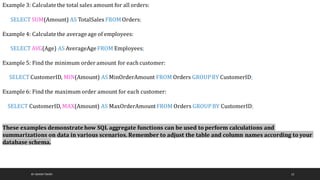
Example 3: Calculatethe total sales amount for all orders:
SELECT SUM(Amount) AS TotalSales FROMOrders;
Example 4: Calculatethe averageage of employees:
SELECT AVG(Age) AS AverageAgeFROM Employees;
Example 5: Find the minimum order amount for each customer:
SELECT CustomerID, MIN(Amount) AS MinOrderAmount FROM Orders GROUPBY CustomerID;
Example 6: Find the maximum order amount for each customer:
SELECT CustomerID, MAX(Amount) AS MaxOrderAmountFROM Orders GROUPBY CustomerID;
These examples demonstrate how SQL aggregate functions can be used to perform calculations and
summarizations on data in various scenarios. Remember to adjust the table and column names according to your
database schema.
BY ASHISH TIWARI 13
-What is a subquery in SQL?
A subquery in SQL is a query nested within another query.
It allows you to use the results of one query as input for another query. The subquery is executed first, and its results are
then used by the outer query to perform further operations. Subqueries can be used in different parts of a query, such as
the SELECT, FROM, WHERE, HAVING, and JOIN clauses.
They help in filtering data, performing calculations,or retrieving specific information based on the results of the subquery.
Subqueries can be nested, allowingfor complex query operations.
Overall,subqueries provide flexibilityand versatilityin SQL query construction by breaking down complex problems
into smaller, more manageableparts.
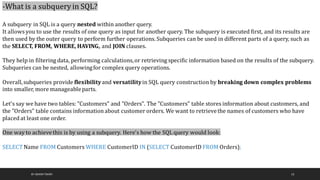
Let's say we have two tables: "Customers" and "Orders". The "Customers" table stores information about customers, and
the "Orders" table contains informationabout customer orders. We want to retrievethe names of customers who have
placed at least one order.
One way to achievethis is by using a subquery. Here's how the SQL query would look:
SELECT Name FROM Customers WHERE CustomerID IN (SELECT CustomerID FROM Orders);
BY ASHISH TIWARI 14
-What is a view in SQL?
In SQL, a view is a virtual table derived from a query's result. It acts as a saved SQL query that canbe treated as a table.
Views offer the followingbenefits:
1.Data Abstraction:Views provide an abstractionlayer,allowing users to interact with a customized or simplified
representation of the data. It simplifies complex queries and presents the data in a more meaningful and intuitive way.
2.Data Security: Views can enhance security by controlling access to sensitive data. Instead of granting direct access to the
underlying tables, you can grant users access to specific views, limiting their exposure to sensitive information.
3.Simplified Querying: Views encapsulate complexqueries, making them easier to read, understand, and reuse. Instead of
repeatedlywriting complex queries, you can createa view and query it whenever needed, improving productivity and code
maintenance.
4.Performance Optimization: Views can improve query performance by pre-computing and storing the results of
expensive or frequently used queries. This reduces the need to repeatedlyexecute complex queries, resulting in faster
response times.
5.Data Consistency: Views ensure data consistency by providing a unified and standardized view of the data. Instead of
having multiple applications or users directly accessing the underlying tables, views offer a centralizedand consistent data
source.
BY ASHISH TIWARI 15
To create a view in SQL, you use the CREATE VIEW statement, specifying the view name, column names, and the
underlying query.
For example:
CREATE VIEW SalesSummary AS
SELECT ProductID, SUM(Quantity) AS TotalQuantity, SUM(Price)AS TotalPrice
FROM Sales
GROUPBY ProductID;
Once the view is created,you can query this likeany other tables;
SELECT * FROM SalesSummary;
-What is a stored procedure in SQL?
A stored procedure in SQL is a named collectionof SQL statements stored in the database. It allowsyou to encapsulate and
execute a series of SQL commands repeatedly. Stored procedures offer benefits such as code reusability, improved
performance, enhanced security, and modular database design. They are created using the CREATE PROCEDURE
statement and can be executed using the EXECUTEor EXEC statement. Stored procedures provide a centralized and
efficient way to manage and execute SQL code in a database.
BY ASHISH TIWARI 16
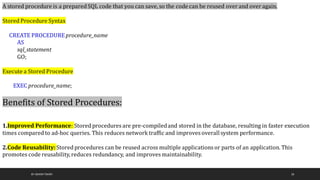
A stored procedure is a prepared SQL code that you can save, so the code can be reused over and over again.
Stored Procedure Syntax
CREATE PROCEDUREprocedure_name
AS
sql_statement
GO;
Execute a Stored Procedure
EXEC procedure_name;
Benefits of Stored Procedures:
1.Improved Performance: Stored procedures are pre-compiledand stored in the database, resulting in faster execution
times compared to ad-hoc queries. This reduces network traffic and improves overallsystem performance.
2.Code Reusability:Stored procedures can be reused across multiple applications or parts of an application. This
promotes code reusability, reduces redundancy, and improves maintainability.
BY ASHISH TIWARI 17
1.Enhanced Security: Stored procedures allowfor fine-grained access control. Users can execute stored procedures
without directly accessing underlying tables, protecting sensitive data and enforcing security measures.
2.Encapsulated Business Logic: Stored procedures encapsulate complex business logic into a single unit. This improves
code organization, readability, and maintainability, making it easier to manage and modify database operations.
3.Reduced Network Traffic: By executing stored procedures on the database server, only the results are sent over the
network rather than the entire SQL code. This reduces network congestionand enhances scalability.
4.Transaction Management: Stored procedures can define transaction boundaries, ensuring that a set of SQL statements
are treated as a single atomicoperation. This helps maintain data integrity and consistency.
5.Version Control: Stored procedures can be version-controlled,enabling better tracking and management of changes to
database operations. This facilitatescollaborationamong developers and ensures a controlled development process.
6.Database Abstraction: Stored procedures provide an abstractionlayerbetween the applicationand the database. This
allowsfor changes to the database structure without impacting the applicationcode, leading to better maintainability.
7.Improved Debugging and Troubleshooting: Stored procedures can be debugged and profiled, making it easier to
identify and resolveissues. This facilitatestroubleshooting and performance optimization.
8.Scalability: Stored procedures can help in scaling the database system by reducing the workloadon applicationservers.
With optimized and reusable code, the database can handle more concurrent requests efficiently
BY ASHISH TIWARI 18
-What is the differenceb/w Views & Store Procedure ?
You cannot calla stored proc from inside a view. It is not supported. However, you canmake views callother views or table-
valued user-defined functions. For the latter, you must make sure that you’re using inline functions.
A Stored Procedure:
•Accepts parameters
•Can NOT be used as building block in a larger query
•Can contain several statements, loops, IF ELSE, etc.
•Can perform modifications to one or severaltables
•Can NOT be used as the target of an INSERT, UPDATE or DELETE statement.
BY ASHISH TIWARI 19
A View:
•Does NOT accept parameters
•Can be used as building block in a largerquery
•Can contain only one single SELECT query
•Can NOT perform modifications to any table
•But can (sometimes) be used as the target of an INSERT, UPDATE or DELETE statement.
-What is the difference betweena primary key and a foreign key?
The primary key and foreign key are two fundamental concepts in relationaldatabases that establish relationships between
tables. Here's the difference between them:
Primary Key:
•A primary key is a column or a set of columns in a table that uniquely identifies each row in that table.
•It must have a unique value for each row and cannot contain null values.
•There can be only one primary key in a table.
•The primary key is used to enforce data integrity and ensure the uniqueness of each record in the table.
•It is typicallyused as a referenceby foreignkeys in other tables.
BY ASHISH TIWARI 20
Foreign Key:
•A foreign key is a column or a set of columns in a table that refers to the primary key of another table.
•It establishes a relationship between two tables by enforcingreferentialintegrity.
•The foreign key in one table refers to the primary key in another table, creating a link betweenthem.
•It ensures that the values in the foreign key column(s) match the values in the primary key column(s) of the
referencedtable.
•Multiple foreign keyscan exist in a table, referring to different primary keys in other tables.
•Foreign keys allow for the establishment of relationships, such as one-to-one, one-to-many, or many-to-many, between
tables.
-How do you Optimize SQL queries for the better performance ?
Optimizing SQL queries for better performance involvesvarious techniques and best practices.Here are some key steps
you can take to optimize SQL queries:
1.Use Indexes: Identify the columns used in search conditions, join operations, and sorting. Createappropriate indexes
on these columns to speed up data retrieval.
However,be cautious not to over-index,as it can impact the performance of data modificationoperations.
BY ASHISH TIWARI 21
2.Write Efficient Queries: Craft queries to retrieveonly the necessary data. Avoid using wildcardcharacters excessively
and retrieveonly the required columns. Minimize the use of functions in WHERE clauses, as they can prevent index usage.
Use efficient join conditions and filter data as early as possible in the query execution.
3.Use Proper Joins: Understand the types of joins (e.g., INNER JOIN, LEFT JOIN) and choose the appropriate one based on
the relationship between tables. Ensure join conditions are accurateand join columns are indexed for optimal performance.
4.Limit Result Set: Use pagination or LIMIT/OFFSETclauses to retrievea limited number of rows at a time. This reduces
the data transferred and improves query performance, especiallywhen dealing with large result sets.
5.Avoid Nested Queries: Whenever possible, rewrite nested subqueries as JOIN operations or leveragetemporarytables
or Common Table Expressions (CTEs). This reduces the number of queries executed and improves performance.
6.Optimize Data Types: Use appropriate data types that match the data being stored. Using smaller data types
Follow Ashish Tiwari for such more useful posts.

SQL -Beginner To Intermediate Level.pdf

  • 1.
    SQL(Structured Query Language) BEGINNERTO INTERMEDIATE LEVEL BY ASHISH TIWARI BY ASHISH TIWARI 1
  • 2.
    -What is SQL? SQLstands for Structured Query Language. It is a programming language designed for managing and manipulating relational databases. SQL allows you to interact with databases by performing various operations such as querying data, inserting, updating, and deleting records, creating and modifying database structures, and more. -What are databases and tables? A database is a collection of related data organized and stored in a structured format. It serves as a repository for storing and managing data. Within a database, data is organized into tables. Tables consist of rows and columns, where each row represents a record, and each column represents a specific attribute or field of that record. - How to create a database and table? To create a database, you typically use a database management system (DBMS) such as MySQL, PostgreSQL, or Oracle. Each DBMS has its specific syntax for creating databases and tables. For example, in MySQL, you can create a database using the following command: CREATE DATABASE database_name; BY ASHISH TIWARI 2
  • 3.
    - What isthe differencebetween SQL and MySQL? SQL (Structured Query Language) is a programming language used for managing and manipulating relational databases. It is a standardized language that provides a set of commands for interacting with databases. MySQL, on the other hand, is a specific relational database management system (RDBMS) that uses SQL as its language. MySQL is one of the most popular open-source RDBMS and is widely used in various applications and websites. In summary, SQL is the language, while MySQL is a specific implementation of that language. - What are the differenttypes of SQL statements? In SQL, there are primarily four types of statements: Data Manipulation Language (DML):DML statements are used to manipulate data within a database. Common DML statements include SELECT, INSERT, UPDATE, MERGE and DELETE. Data Definition Language (DDL): DDL statements are used to define and manage the structure of the database objects. Examples of DDL statements are CREATE, ALTER, and DROP, TRUNCATE which are used to create, modify, and delete database objects such as tables, indexes, and views. Data Control Language (DCL): DCL statements are used to control access and permissions within a database. GRANT and REVOKE are two examples of DCL statements used to grant or revoke privileges to users. BY ASHISH TIWARI 3
  • 4.
    Data Query Language(DQL): DQL statements are used to retrievedata from one or more tables. The most common DQL statement is SELECT, which is used to query and retrievedata from a database. Transaction Control Language (TCL) : TCL Statements are going to use the data to record and push to the Database finally. The most statement is COMMIT, ROLLBACK, SAVEPOINT and SET TRANSACTION. -What is join and how many types of Joins and their usages in SQL? Joins in SQL are used to combine rows from two or more tables based on a related column betweenthem. There are different types of joins: 1. INNER JOIN: •An INNER JOIN returns only the rows that have matching values in both tables involvedin the join. •It combines rows from both tables where the join condition is met. Syntax: SELECT column1, column2, ... FROM table1 INNER JOIN table2 ON table1.column = table2.column; BY ASHISH TIWARI 4
  • 5.
    2. LEFT JOIN(or LEFT OUTER JOIN) : •A LEFT JOIN returns all rows from the left table and the matching rows from the right table. If there is no match, NULL values are returned for the right table columns. •It preserves all the records from the left table. Syntax: SELECT column1, column2, ... FROM table1 LEFT JOIN table2 ON table1.column= table2.column; 3. RIGHT JOIN (or RIGHT OUTER JOIN): •A RIGHT JOIN returns all rows from the right table and the matching rows from the left table. If there is no match, NULL values are returned for the left table columns. •It preserves all the records from the right table. Syntax: SELECT column1, column2, ... FROM table1 RIGHT JOIN table2 ON table1.column = table2.column; BY ASHISH TIWARI 5
  • 6.
    4. FULL JOIN(or FULL OUTER JOIN): •A FULL JOIN returns all rows from both tables, regardlessof whether there is a match or not. If there is no match, NULL values are returned for the non-matching columns. •It includes all records from both tables. Syntax: SELECT column1, column2, ... FROM table1 FULL JOIN table2 ON table1.column= table2.column; 5. CROSS JOIN: •A CROSS JOIN returns the Cartesian product of both tables, i.e., all possible combinations of rows from both tables. •It does not require a specific join condition. Syntax: SELECT column1, column2, ... FROM table1 CROSS JOIN table2; BY ASHISH TIWARI 6
  • 7.
    BY ASHISH TIWARI7 -What is Constraint and type of this? In SQL, a constraint is a rule or restrictionapplied to a column or a set of columns in a table to maintain the integrity, accuracy,and consistency of the data. Constraints define certainconditions that must be satisfied for the data to be considered valid. If any data violates the defined constraints, the database willnot allowthe modificationand will generate an error. Here are some common types of constraints in SQL: 1. Primary Key (PK) Constraint: • Ensures that each value in a column (or a set of columns) is unique and not null. • Helps identify each row uniquely in a table. • A table can have only one primary key constraint. Example: CREATE TABLE students ( student_id INT PRIMARY KEY, name VARCHAR(50) );
  • 8.
    BY ASHISH TIWARI8 2. Foreign Key (FK) Constraint: •Establishes a relationship between two tables based on a column (or a set of columns) in each table. •Ensures referentialintegrity by enforcing that values in the foreignkey column match the primary key values in the referencedtable. Example: CREATE TABLE orders ( order_id INT PRIMARY KEY, customer_id INT, --foreign key constraint referencing the customers table FOREIGN KEY (customer_id) REFERENCES customers (customer_id) ); 3. Unique Constraint: •Ensures that each value in a column (or a set of columns) is unique. •Unlikea primary key, a unique constraint can contain null values, but it enforces uniqueness for non-null values. •A table can have multiple unique constraints.
  • 9.
    BY ASHISH TIWARI9 Example: CREATE TABLE employees ( employee_idINT, email VARCHAR(100) UNIQUE, -- other columns ); 4. Check Constraint: •Specifies a condition that must be true for each row in a table. •It limits the values that can be inserted or updated in a column. Example: CREATE TABLE products ( product_id INT, quantity INT, price DECIMAL(10,2), -- check constraint to ensure price is greater than 0 CONSTRAINT positive_priceCHECK (price > 0) );
  • 10.
    BY ASHISH TIWARI10 These are some of the commonly used constraints in SQL. Constraints play a crucialrole in maintaining data integrity and ensuring the consistency and validity of the data stored in a database. -What are SQL aggregatefunctions? SQL aggregatefunctions are functions used in SQL queries to perform calculationson groups of rows or entire tables and return a single result. These functions operate on a set of values and return a single value that summarizes the data. Here are some common SQL aggregatefunctions: 1.COUNT(): Returns the number of rows or non-null values in a column. 2.SUM(): Calculatesthe sum of values in a column. 3.AVG(): Calculatesthe averageof values in a column. 4.MIN(): Returns the minimum value in a column. 5.MAX(): Returns the maximum value in a column. 6.GROUP_CONCAT():Concatenates values from multiple rows into a single string. 7.STDDEV(): Calculatesthe standard deviationof values in a column. 8.VARIANCE(): Calculatesthe variance of values in a column.
  • 11.
    BY ASHISH TIWARI11 These functions are typicallyused with the SELECT statement and often combined with the GROUPBY clause to perform calculationson grouped data. For example,you can use the SUM() function with the GROUPBY clause to calculatethe total sales by category, or the AVG() function to calculatethe averagesalary by department. Aggregatefunctions provide a way to analyzeand summarize data in SQL queries, enabling you to derivemeaningful insights from your data. Here are some additional examples and explanations of SQL aggregatefunctions:: COUNT(): •Example 1: Retrievethe total number of customers in a database: SELECT COUNT(*) AS TotalCustomersFROM Customers; •Example 2: Count the number of orders for each customer: SELECT CustomerID, COUNT(*) AS OrderCount FROM Orders GROUPBY CustomerID;
  • 12.
    BY ASHISH TIWARI12 Example 3: Calculatethe total sales amount for all orders: SELECT SUM(Amount) AS TotalSales FROMOrders; Example 4: Calculatethe averageage of employees: SELECT AVG(Age) AS AverageAgeFROM Employees; Example 5: Find the minimum order amount for each customer: SELECT CustomerID, MIN(Amount) AS MinOrderAmount FROM Orders GROUPBY CustomerID; Example 6: Find the maximum order amount for each customer: SELECT CustomerID, MAX(Amount) AS MaxOrderAmountFROM Orders GROUPBY CustomerID; These examples demonstrate how SQL aggregate functions can be used to perform calculations and summarizations on data in various scenarios. Remember to adjust the table and column names according to your database schema.
  • 13.
    BY ASHISH TIWARI13 -What is a subquery in SQL? A subquery in SQL is a query nested within another query. It allows you to use the results of one query as input for another query. The subquery is executed first, and its results are then used by the outer query to perform further operations. Subqueries can be used in different parts of a query, such as the SELECT, FROM, WHERE, HAVING, and JOIN clauses. They help in filtering data, performing calculations,or retrieving specific information based on the results of the subquery. Subqueries can be nested, allowingfor complex query operations. Overall,subqueries provide flexibilityand versatilityin SQL query construction by breaking down complex problems into smaller, more manageableparts. Let's say we have two tables: "Customers" and "Orders". The "Customers" table stores information about customers, and the "Orders" table contains informationabout customer orders. We want to retrievethe names of customers who have placed at least one order. One way to achievethis is by using a subquery. Here's how the SQL query would look: SELECT Name FROM Customers WHERE CustomerID IN (SELECT CustomerID FROM Orders);
  • 14.
    BY ASHISH TIWARI14 -What is a view in SQL? In SQL, a view is a virtual table derived from a query's result. It acts as a saved SQL query that canbe treated as a table. Views offer the followingbenefits: 1.Data Abstraction:Views provide an abstractionlayer,allowing users to interact with a customized or simplified representation of the data. It simplifies complex queries and presents the data in a more meaningful and intuitive way. 2.Data Security: Views can enhance security by controlling access to sensitive data. Instead of granting direct access to the underlying tables, you can grant users access to specific views, limiting their exposure to sensitive information. 3.Simplified Querying: Views encapsulate complexqueries, making them easier to read, understand, and reuse. Instead of repeatedlywriting complex queries, you can createa view and query it whenever needed, improving productivity and code maintenance. 4.Performance Optimization: Views can improve query performance by pre-computing and storing the results of expensive or frequently used queries. This reduces the need to repeatedlyexecute complex queries, resulting in faster response times. 5.Data Consistency: Views ensure data consistency by providing a unified and standardized view of the data. Instead of having multiple applications or users directly accessing the underlying tables, views offer a centralizedand consistent data source.
  • 15.
    BY ASHISH TIWARI15 To create a view in SQL, you use the CREATE VIEW statement, specifying the view name, column names, and the underlying query. For example: CREATE VIEW SalesSummary AS SELECT ProductID, SUM(Quantity) AS TotalQuantity, SUM(Price)AS TotalPrice FROM Sales GROUPBY ProductID; Once the view is created,you can query this likeany other tables; SELECT * FROM SalesSummary; -What is a stored procedure in SQL? A stored procedure in SQL is a named collectionof SQL statements stored in the database. It allowsyou to encapsulate and execute a series of SQL commands repeatedly. Stored procedures offer benefits such as code reusability, improved performance, enhanced security, and modular database design. They are created using the CREATE PROCEDURE statement and can be executed using the EXECUTEor EXEC statement. Stored procedures provide a centralized and efficient way to manage and execute SQL code in a database.
  • 16.
    BY ASHISH TIWARI16 A stored procedure is a prepared SQL code that you can save, so the code can be reused over and over again. Stored Procedure Syntax CREATE PROCEDUREprocedure_name AS sql_statement GO; Execute a Stored Procedure EXEC procedure_name; Benefits of Stored Procedures: 1.Improved Performance: Stored procedures are pre-compiledand stored in the database, resulting in faster execution times compared to ad-hoc queries. This reduces network traffic and improves overallsystem performance. 2.Code Reusability:Stored procedures can be reused across multiple applications or parts of an application. This promotes code reusability, reduces redundancy, and improves maintainability.
  • 17.
    BY ASHISH TIWARI17 1.Enhanced Security: Stored procedures allowfor fine-grained access control. Users can execute stored procedures without directly accessing underlying tables, protecting sensitive data and enforcing security measures. 2.Encapsulated Business Logic: Stored procedures encapsulate complex business logic into a single unit. This improves code organization, readability, and maintainability, making it easier to manage and modify database operations. 3.Reduced Network Traffic: By executing stored procedures on the database server, only the results are sent over the network rather than the entire SQL code. This reduces network congestionand enhances scalability. 4.Transaction Management: Stored procedures can define transaction boundaries, ensuring that a set of SQL statements are treated as a single atomicoperation. This helps maintain data integrity and consistency. 5.Version Control: Stored procedures can be version-controlled,enabling better tracking and management of changes to database operations. This facilitatescollaborationamong developers and ensures a controlled development process. 6.Database Abstraction: Stored procedures provide an abstractionlayerbetween the applicationand the database. This allowsfor changes to the database structure without impacting the applicationcode, leading to better maintainability. 7.Improved Debugging and Troubleshooting: Stored procedures can be debugged and profiled, making it easier to identify and resolveissues. This facilitatestroubleshooting and performance optimization. 8.Scalability: Stored procedures can help in scaling the database system by reducing the workloadon applicationservers. With optimized and reusable code, the database can handle more concurrent requests efficiently
  • 18.
    BY ASHISH TIWARI18 -What is the differenceb/w Views & Store Procedure ? You cannot calla stored proc from inside a view. It is not supported. However, you canmake views callother views or table- valued user-defined functions. For the latter, you must make sure that you’re using inline functions. A Stored Procedure: •Accepts parameters •Can NOT be used as building block in a larger query •Can contain several statements, loops, IF ELSE, etc. •Can perform modifications to one or severaltables •Can NOT be used as the target of an INSERT, UPDATE or DELETE statement.
  • 19.
    BY ASHISH TIWARI19 A View: •Does NOT accept parameters •Can be used as building block in a largerquery •Can contain only one single SELECT query •Can NOT perform modifications to any table •But can (sometimes) be used as the target of an INSERT, UPDATE or DELETE statement. -What is the difference betweena primary key and a foreign key? The primary key and foreign key are two fundamental concepts in relationaldatabases that establish relationships between tables. Here's the difference between them: Primary Key: •A primary key is a column or a set of columns in a table that uniquely identifies each row in that table. •It must have a unique value for each row and cannot contain null values. •There can be only one primary key in a table. •The primary key is used to enforce data integrity and ensure the uniqueness of each record in the table. •It is typicallyused as a referenceby foreignkeys in other tables.
  • 20.
    BY ASHISH TIWARI20 Foreign Key: •A foreign key is a column or a set of columns in a table that refers to the primary key of another table. •It establishes a relationship between two tables by enforcingreferentialintegrity. •The foreign key in one table refers to the primary key in another table, creating a link betweenthem. •It ensures that the values in the foreign key column(s) match the values in the primary key column(s) of the referencedtable. •Multiple foreign keyscan exist in a table, referring to different primary keys in other tables. •Foreign keys allow for the establishment of relationships, such as one-to-one, one-to-many, or many-to-many, between tables. -How do you Optimize SQL queries for the better performance ? Optimizing SQL queries for better performance involvesvarious techniques and best practices.Here are some key steps you can take to optimize SQL queries: 1.Use Indexes: Identify the columns used in search conditions, join operations, and sorting. Createappropriate indexes on these columns to speed up data retrieval. However,be cautious not to over-index,as it can impact the performance of data modificationoperations.
  • 21.
    BY ASHISH TIWARI21 2.Write Efficient Queries: Craft queries to retrieveonly the necessary data. Avoid using wildcardcharacters excessively and retrieveonly the required columns. Minimize the use of functions in WHERE clauses, as they can prevent index usage. Use efficient join conditions and filter data as early as possible in the query execution. 3.Use Proper Joins: Understand the types of joins (e.g., INNER JOIN, LEFT JOIN) and choose the appropriate one based on the relationship between tables. Ensure join conditions are accurateand join columns are indexed for optimal performance. 4.Limit Result Set: Use pagination or LIMIT/OFFSETclauses to retrievea limited number of rows at a time. This reduces the data transferred and improves query performance, especiallywhen dealing with large result sets. 5.Avoid Nested Queries: Whenever possible, rewrite nested subqueries as JOIN operations or leveragetemporarytables or Common Table Expressions (CTEs). This reduces the number of queries executed and improves performance. 6.Optimize Data Types: Use appropriate data types that match the data being stored. Using smaller data types Follow Ashish Tiwari for such more useful posts.