Spreadsheets for developers 
Felienne Hermans
So you are a developer? Why 
should you bother to learn 
spreadsheets? 
In this deck, I explain you why.
So you are a developer? Why 
should you bother to learn 
spreadsheets? 
In this deck, I explain you why. 
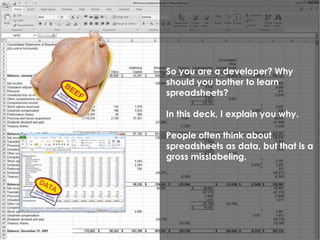
People often think about 
spreadsheets as data, but that is a 
gross misslabeling.
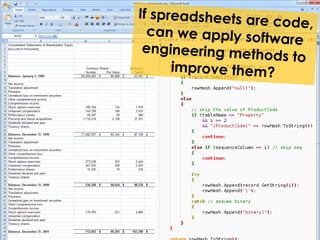
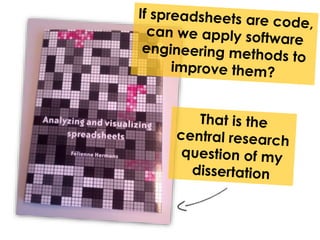
Spreadsheets are code
Spreadsheets are code 
I have made it my life’s work to 
spread the happy word 
“Spreadsheets are code!”
Spreadsheets are code 
I have made it my life’s work to 
spread the happy word 
“Spreadsheets are code!” 
If you don’t immediately believe 
me, I have three reasons* 
* If you do believe me, skip the next 10 slides ;)
Spreadsheets are code
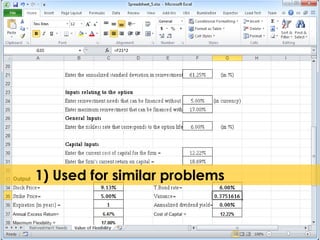
1) Used for similar problems
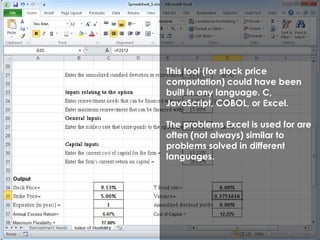
This tool (for stock price 
computation) could have been 
built in any language. C, 
JavaScript, COBOL, or Excel. 
The problems Excel is used for are 
often (not always) similar to 
problems solved in different 
languages.
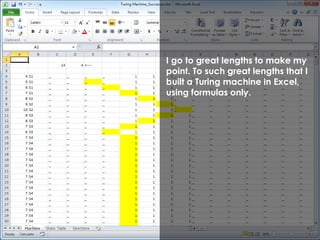
I go to great lengths to make my 
point. To such great lengths that I 
built a Turing machine in Excel, 
using formulas only.
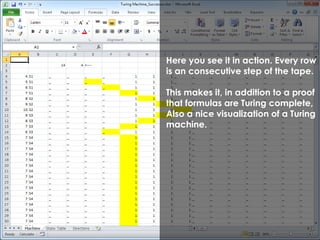
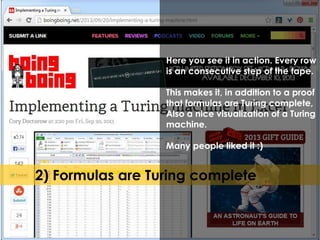
Here you see it in action. Every row 
is an consecutive step of the tape. 
This makes it, in addition to a proof 
that formulas are Turing complete, 
Also a nice visualization of a Turing 
machine.
Here you see it in action. Every row 
is an consecutive step of the tape. 
This makes it, in addition to a proof 
that formulas are Turing complete, 
Also a nice visualization of a Turing 
machine. 
Many people liked it :) 
2) Formulas are Turing complete
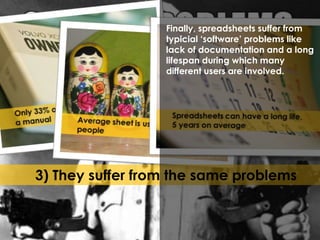
Finally, spreadsheets suffer from 
typicial ‘software’ problems like 
lack of documentation and a long 
lifespan during which many 
different users are involved. 
3) They suffer from the same problems
Spreadsheets are code 
In summary: both the activities, 
complexity and problems are the same
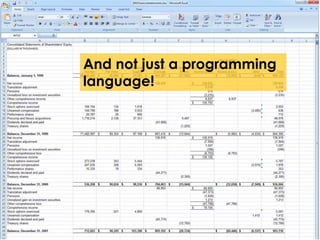
And not just a programming 
language!
Resistance is futile!
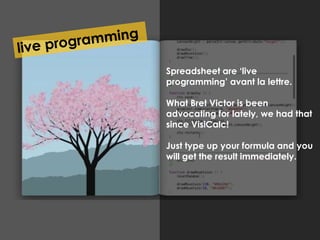
Stukje Bret Victor hier Spreadsheet are ‘live 
programming’ avant la lettre. 
What Bret Victor is been 
advocating for lately, we had that 
since VisiCalc! 
Just type up your formula and you 
will get the result immediately.
You love pure functional 
languages?
You love pure functional 
languages? 
We’ve got you covered. All a 
formula can do is take input and 
do something with it. 
No side effects possible.
Finally, spreadsheets are the lingua 
franca of computing. You 
grandfather probably knows how 
to put a spreadsheet together for 
his savings. Your next door 
neighbour? Uses it for his fantasy 
football league. That history major 
you are helping out with his math 
work? I am sure he out-pivot tables 
you! 
Everyone knows this, expect for 
developers! 
That’s just crazy!
I am just going to assume you are 
convinced and you want to learn 
spreadsheets. Therefore, I’ll 
implement selection sort in a 
spreadsheet to show you their 
power.
I am just going to assume you are 
convinced and you want to learn 
spreadsheets. Therefore, I’ll 
implement selection sort in a 
spreadsheet to show you their 
power. 
To refresh your memory: selection 
sort sorts a list by repeatedly 
selecting the smallest value and 
putting it in the front:
I am just going to assume you are 
convinced and you want to learn 
spreadsheets. Therefore, I’ll 
implement selection sort in a 
spreadsheet to show you their 
power. 
To refresh your memory: selection 
sort sorts a list by repeatedly 
selecting the smallest value and 
putting it in the front: 
7-8-3-1-12-15
I am just going to assume you are 
convinced and you want to learn 
spreadsheets. Therefore, I’ll 
implement selection sort in a 
spreadsheet to show you their 
power. 
To refresh your memory: selection 
sort sorts a list by repeatedly 
selecting the smallest value and 
putting it in the front: 
7-8-3-1-12-15 
| 
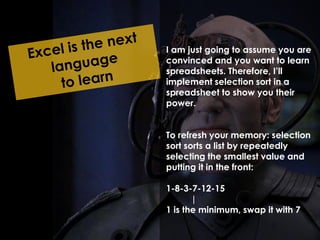
1 is the minimum, swap it with 7
I am just going to assume you are 
convinced and you want to learn 
spreadsheets. Therefore, I’ll 
implement selection sort in a 
spreadsheet to show you their 
power. 
To refresh your memory: selection 
sort sorts a list by repeatedly 
selecting the smallest value and 
putting it in the front: 
1-8-3-7-12-15 
| 
1 is the minimum, swap it with 7
I am just going to assume you are 
convinced and you want to learn 
spreadsheets. Therefore, I’ll 
implement selection sort in a 
spreadsheet to show you their 
power. 
To refresh your memory: selection 
sort sorts a list by repeatedly 
selecting the smallest value and 
putting it in the front: 
1-8-3-7-12-15 
| 
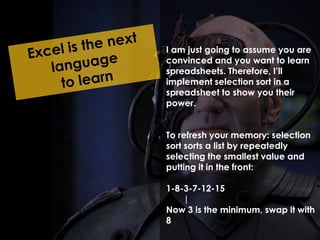
Now 3 is the minimum, swap it with 
8
I am just going to assume you are 
convinced and you want to learn 
spreadsheets. Therefore, I’ll 
implement selection sort in a 
spreadsheet to show you their 
power. 
To refresh your memory: selection 
sort sorts a list by repeatedly 
selecting the smallest value and 
putting it in the front: 
1-3-8-7-12-15 
| 
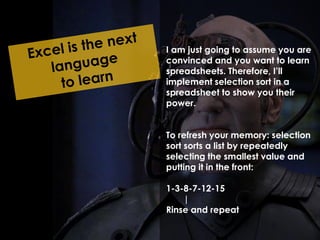
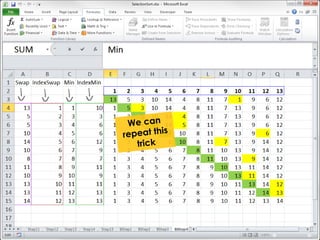
Rinse and repeat
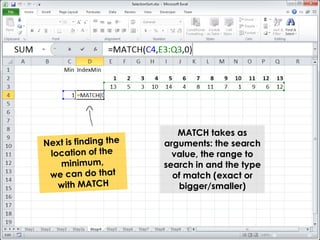
MATCH takes as 
arguments: the search 
value, the range to 
search in and the type 
of match (exact or 
bigger/smaller)
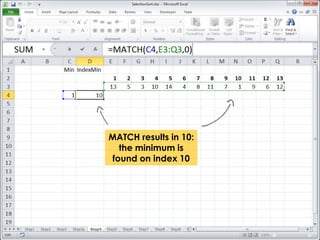
MATCH results in 10: 
the minimum is 
found on index 10
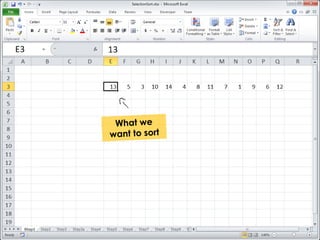
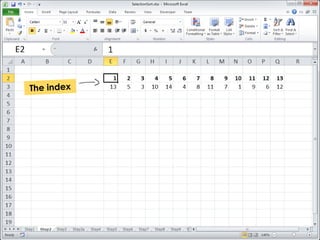
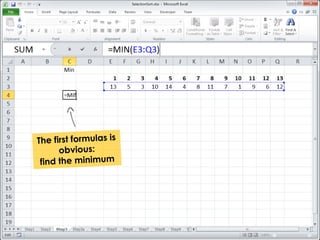
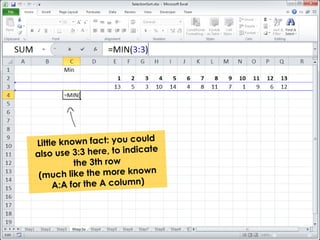
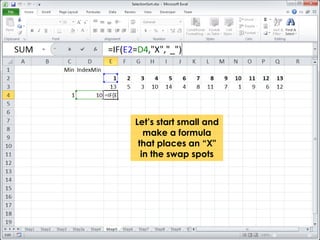
Let’s start small and 
make a formula 
that places an “X" 
in the swap spots
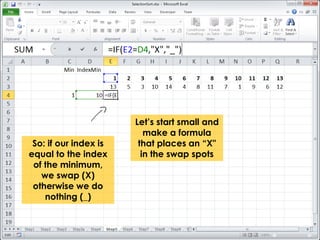
So: if our index is 
equal to the index 
of the minimum, 
we swap (X) 
otherwise we do 
nothing (_) 
Let’s start small and 
make a formula 
that places an “X" 
in the swap spots
So: if our index is 
equal to the index 
of the minimum, 
we swap (X) 
otherwise we do 
nothing (_) 
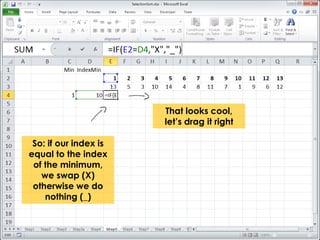
That looks cool, 
let’s drag it right
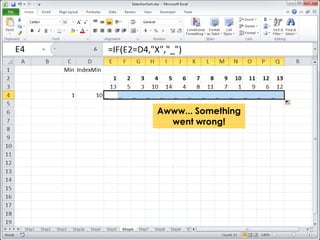
Awww... Something 
went wrong!
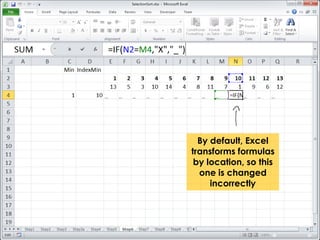
By default, Excel 
transforms formulas 
by location, so this 
one is changed 
incorrectly
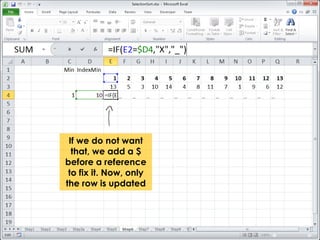
If we do not want 
that, we add a $ 
before a reference 
to fix it. Now, only 
the row is updated
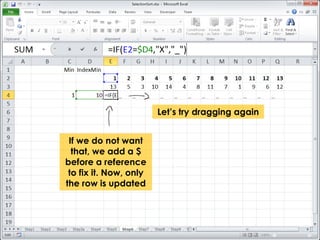
If we do not want 
that, we add a $ 
before a reference 
to fix it. Now, only 
the row is updated 
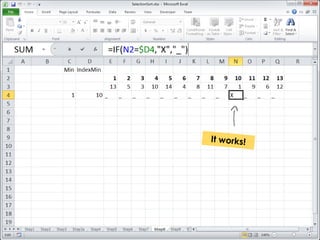
Let’s try dragging again
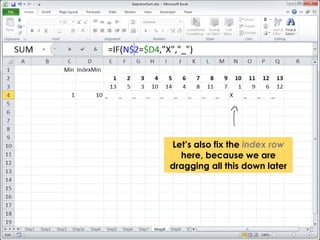
Let’s also fix the index row 
here, because we are 
dragging all this down later
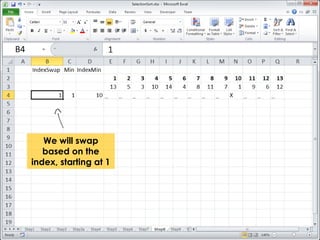
We will swap 
based on the 
index, starting at 1
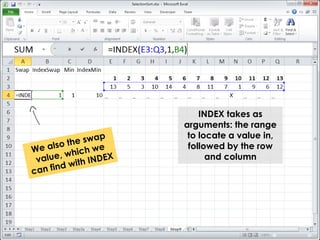
INDEX takes as 
arguments: the range 
to locate a value in, 
followed by the row 
and column
INDEX takes as 
arguments: the range 
to locate a value in, 
followed by the row 
and column 
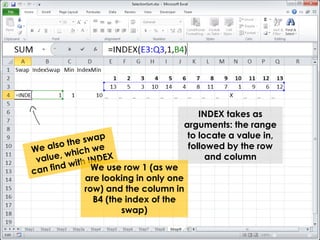
We use row 1 (as we 
are looking in only one 
row) and the column in 
B4 (the index of the 
swap)
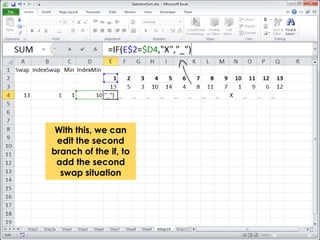
With this, we can 
edit the second 
branch of the if, to 
add the second 
swap situation
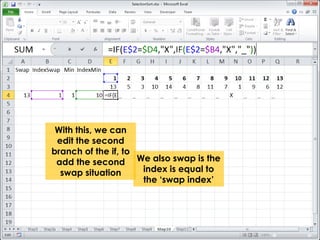
With this, we can 
edit the second 
branch of the if, to 
add the second 
swap situation 
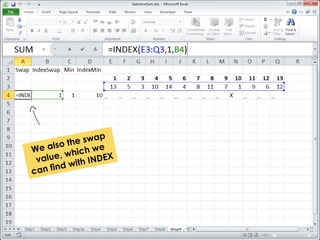
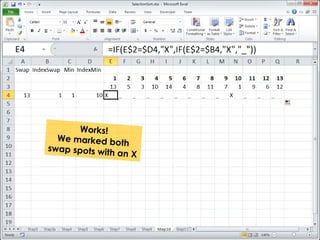
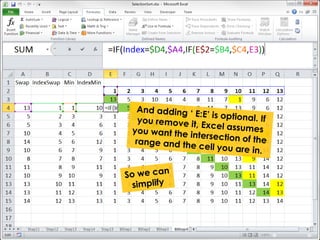
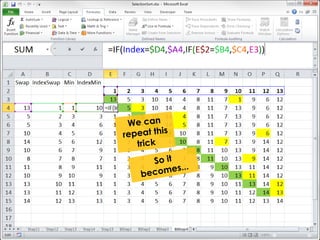
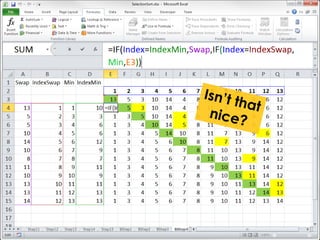
We also swap is the 
index is equal to 
the ‘swap index’
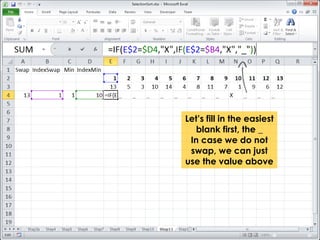
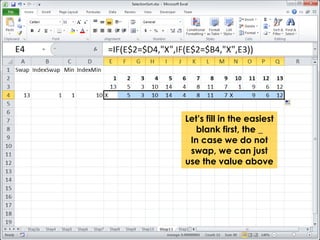
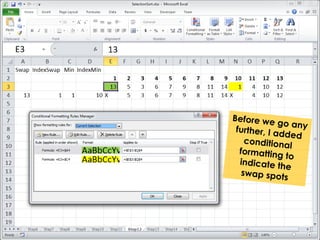
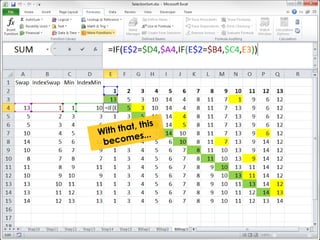
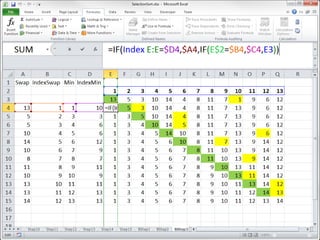
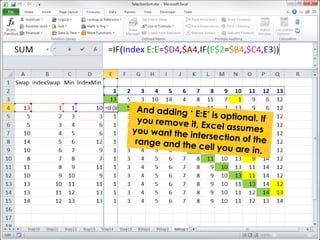
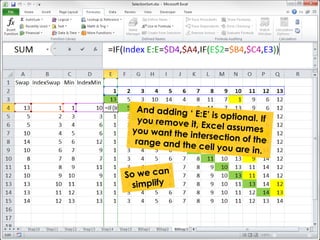
Let’s fill in the easiest 
blank first, the _ 
In case we do not 
swap, we can just 
use the value above
Let’s fill in the easiest 
blank first, the _ 
In case we do not 
swap, we can just 
use the value above
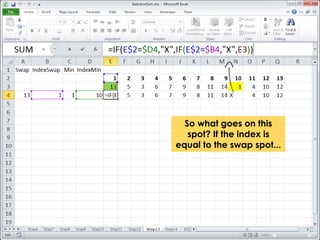
So what goes on this 
spot? If the index is 
equal to the swap spot...
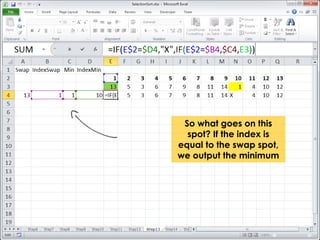
So what goes on this 
spot? If the index is 
equal to the swap spot, 
we output the minimum
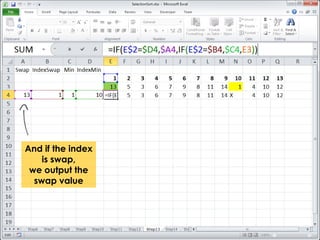
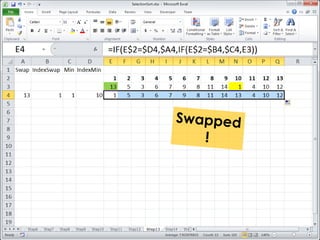
And if the index 
is swap, 
we output the 
swap value
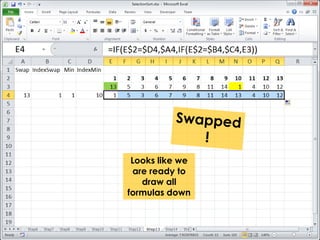
Looks like we 
are ready to 
draw all 
formulas down
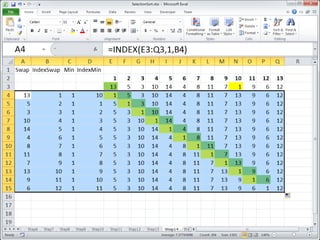
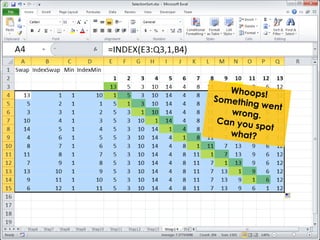
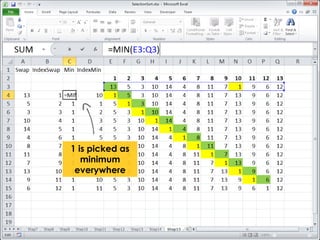
1 is picked as 
minimum 
everywhere
1 is picked as 
minimum 
everywhere 
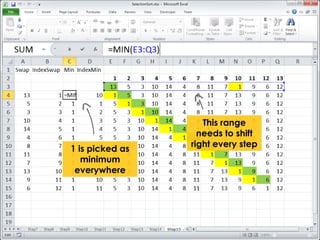
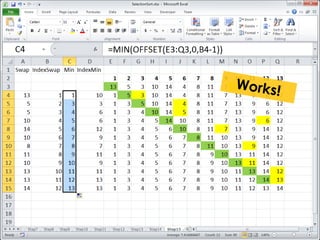
This range 
needs to shift 
right every step
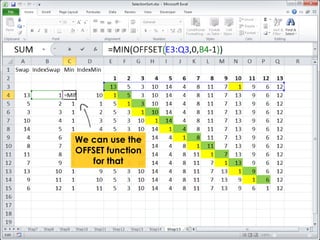
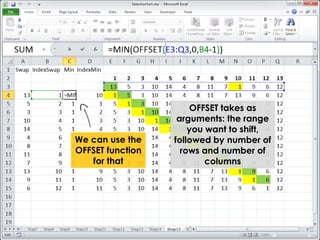
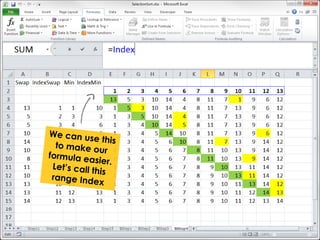
We can use the 
OFFSET function 
for that
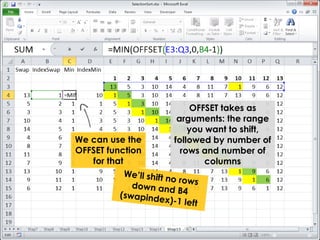
We can use the 
OFFSET function 
for that 
OFFSET takes as 
arguments: the range 
you want to shift, 
followed by number of 
rows and number of 
columns
We can use the 
OFFSET function 
for that 
OFFSET takes as 
arguments: the range 
you want to shift, 
followed by number of 
rows and number of 
columns
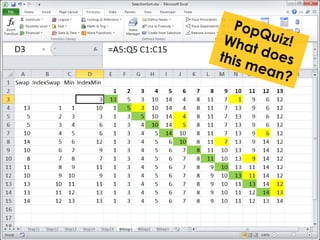
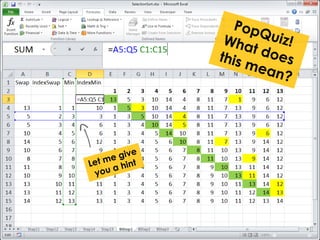
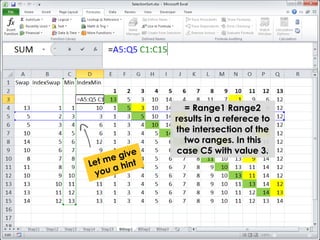
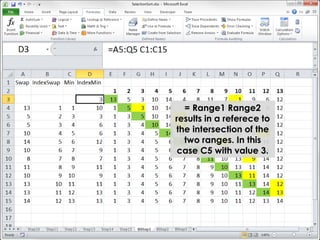
= Range1 Range2 
results in a referece to 
the intersection of the 
two ranges. In this 
case C5 with value 3.
= Range1 Range2 
results in a referece to 
the intersection of the 
two ranges. In this 
case C5 with value 3.
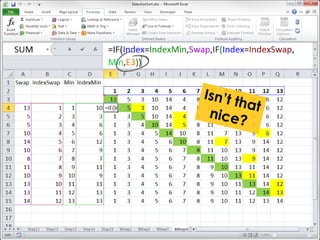
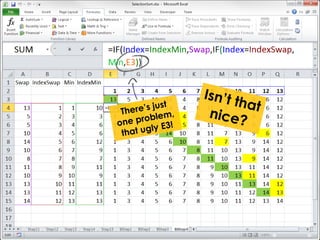
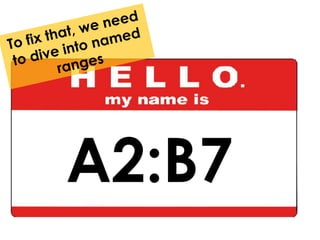
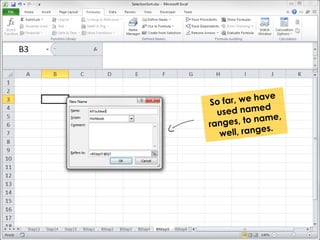
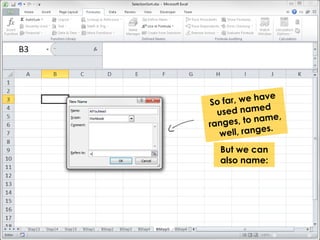
A2:B7
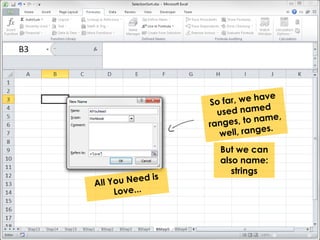
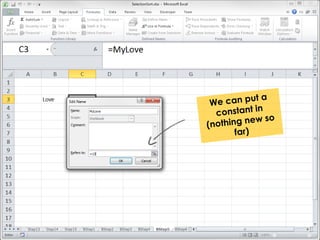
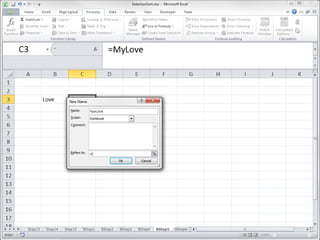
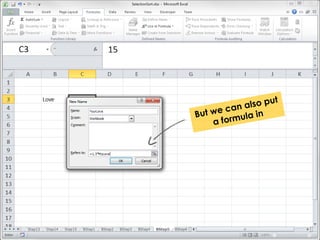
But we can 
also name:
But we can 
also name: 
strings
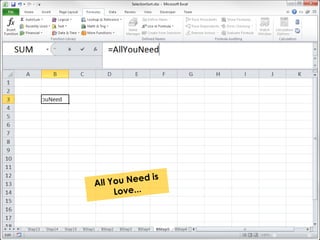
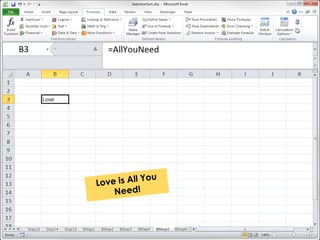
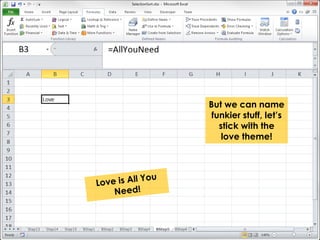
But we can name 
funkier stuff, let’s 
stick with the 
love theme!
This too can be 
expressed with a 
named range
Named ranges 
got you covered 
again!
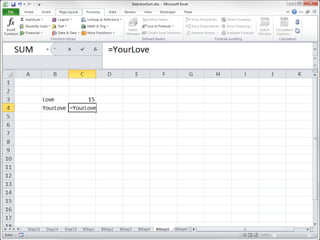
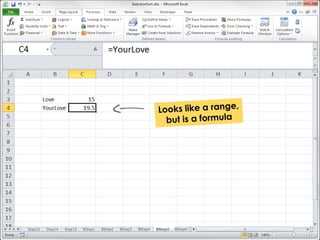
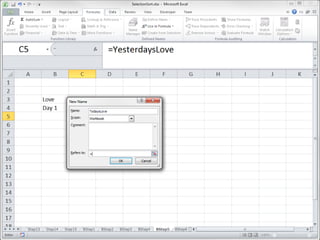
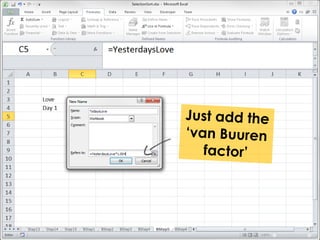
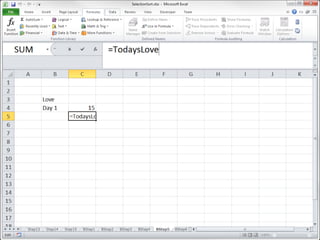
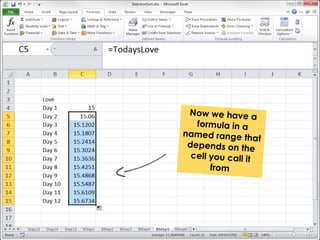
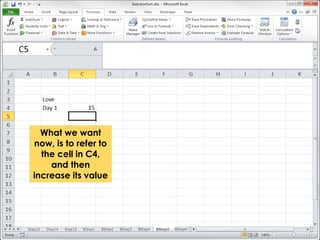
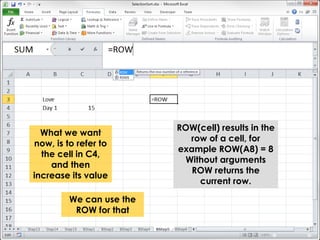
What we want 
now, is to refer to 
the cell in C4, 
and then 
increase its value
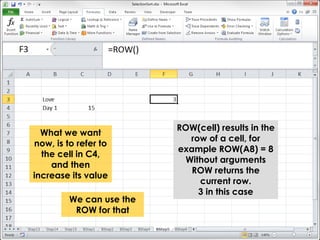
ROW(cell) results in the 
row of a cell, for 
example ROW(A8) = 8 
Without arguments 
ROW returns the 
current row. 
What we want 
now, is to refer to 
the cell in C4, 
and then 
increase its value 
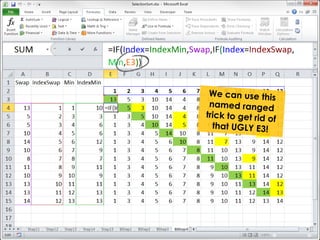
We can use the 
ROW for that
ROW(cell) results in the 
row of a cell, for 
example ROW(A8) = 8 
Without arguments 
ROW returns the 
current row. 
3 in this case 
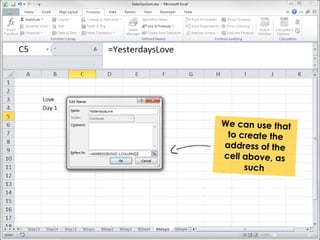
What we want 
now, is to refer to 
the cell in C4, 
and then 
increase its value 
We can use the 
ROW for that
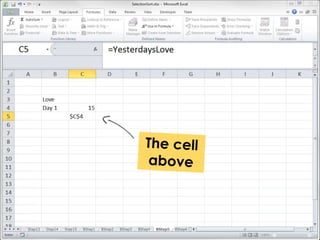
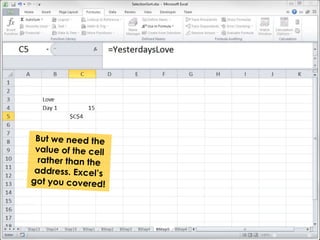
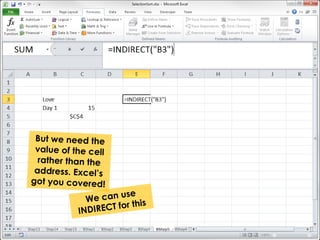
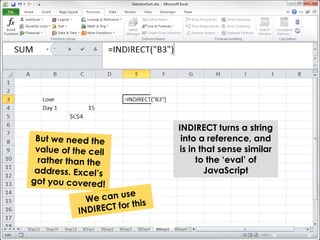
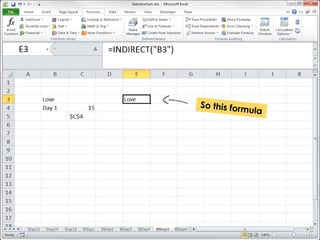
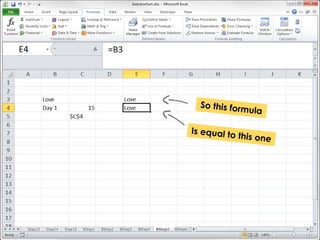
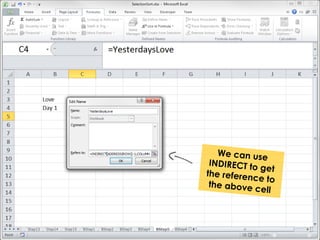
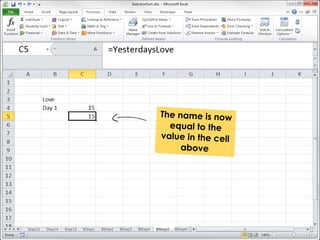
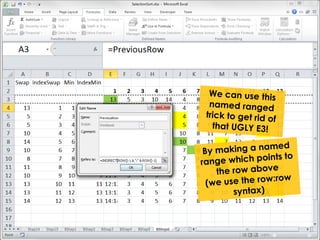
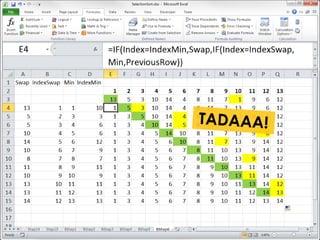
INDIRECT turns a string 
into a reference, and 
is in that sense similar 
to the ‘eval’ of 
JavaScript
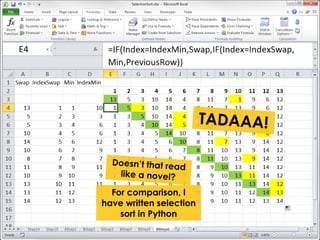
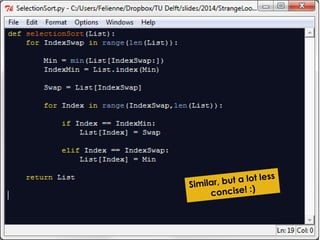
For comparison, I 
have written selection 
sort in Python
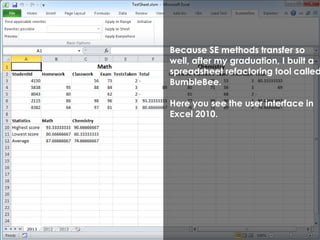
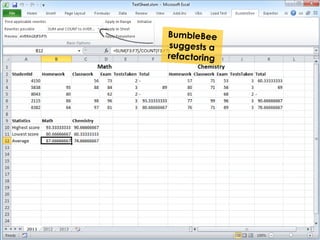
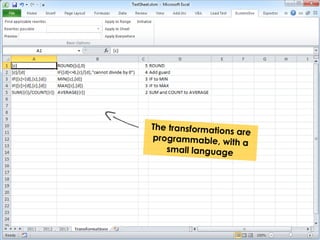
Because SE methods transfer so 
well, after my graduation, I built a 
spreadsheet refactoring tool called 
BumbleBee.
Because SE methods transfer so 
well, after my graduation, I built a 
spreadsheet refactoring tool called 
BumbleBee. 
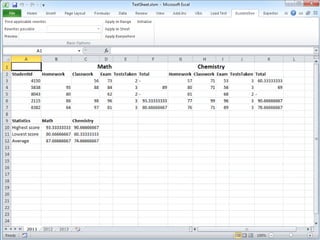
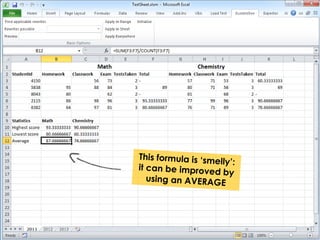
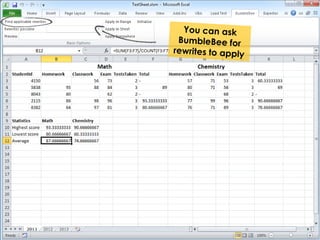
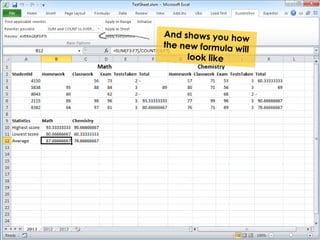
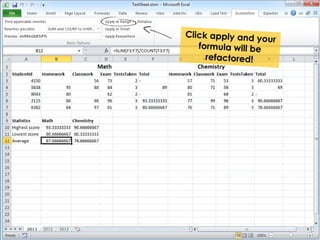
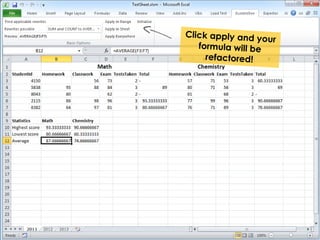
Here you see the user interface in 
Excel 2010.
And of course, if you say 
refactoring...
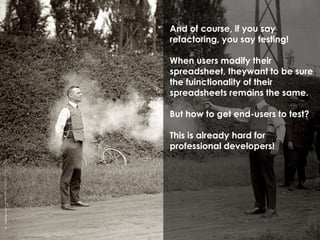
And of course, if you say 
refactoring, you say testing! 
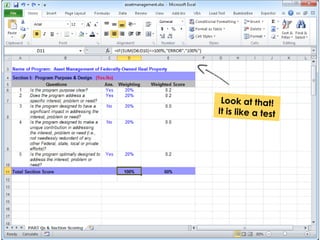
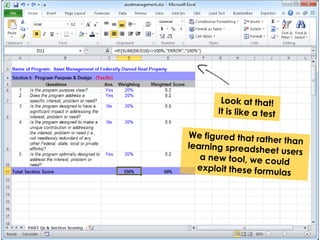
When users modify their 
spreadsheet, theywant to be sure 
the fuinctionality of their 
spreadsheets remains the same. 
But how to get end-users to test? 
This is already hard for 
professional developers!
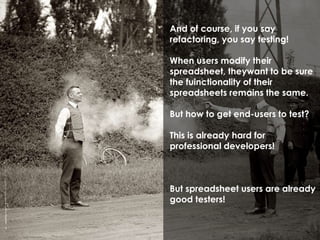
And of course, if you say 
refactoring, you say testing! 
When users modify their 
spreadsheet, theywant to be sure 
the fuinctionality of their 
spreadsheets remains the same. 
But how to get end-users to test? 
This is already hard for 
professional developers! 
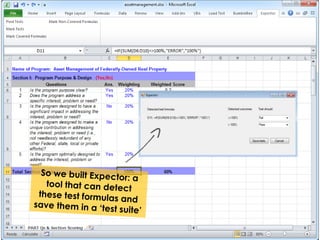
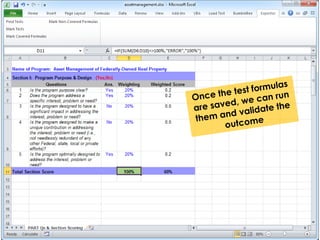
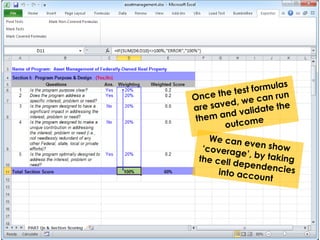
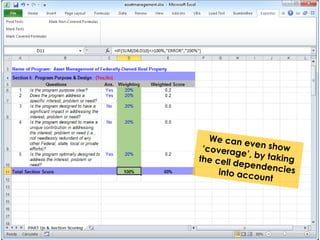
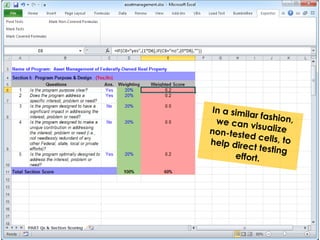
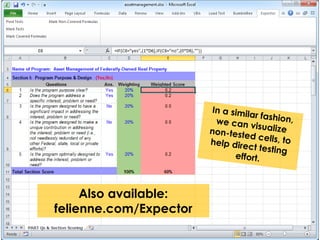
But spreadsheet users are already 
good testers!
Also available: 
felienne.com/Expector
That’s all folks! Thanks for watching my 
talk on SlideShare! 
Don’t forget that: 
More info? 
• www.felienne.com 
• www.spreadsheetlab.org 
Want to connect? 
• @felienne 
• mail@felienne.com

Spreadsheets for developers

  • 1.
    Spreadsheets for developers Felienne Hermans
  • 2.
    So you area developer? Why should you bother to learn spreadsheets? In this deck, I explain you why.
  • 3.
    So you area developer? Why should you bother to learn spreadsheets? In this deck, I explain you why. People often think about spreadsheets as data, but that is a gross misslabeling.
  • 4.
  • 5.
    Spreadsheets are code I have made it my life’s work to spread the happy word “Spreadsheets are code!”
  • 6.
    Spreadsheets are code I have made it my life’s work to spread the happy word “Spreadsheets are code!” If you don’t immediately believe me, I have three reasons* * If you do believe me, skip the next 10 slides ;)
  • 7.
  • 8.
    1) Used forsimilar problems
  • 9.
    This tool (forstock price computation) could have been built in any language. C, JavaScript, COBOL, or Excel. The problems Excel is used for are often (not always) similar to problems solved in different languages.
  • 10.
    I go togreat lengths to make my point. To such great lengths that I built a Turing machine in Excel, using formulas only.
  • 11.
    Here you seeit in action. Every row is an consecutive step of the tape. This makes it, in addition to a proof that formulas are Turing complete, Also a nice visualization of a Turing machine.
  • 12.
    Here you seeit in action. Every row is an consecutive step of the tape. This makes it, in addition to a proof that formulas are Turing complete, Also a nice visualization of a Turing machine. Many people liked it :) 2) Formulas are Turing complete
  • 13.
    Finally, spreadsheets sufferfrom typicial ‘software’ problems like lack of documentation and a long lifespan during which many different users are involved. 3) They suffer from the same problems
  • 14.
    Spreadsheets are code In summary: both the activities, complexity and problems are the same
  • 15.
    And not justa programming language!
  • 16.
  • 17.
    Stukje Bret Victorhier Spreadsheet are ‘live programming’ avant la lettre. What Bret Victor is been advocating for lately, we had that since VisiCalc! Just type up your formula and you will get the result immediately.
  • 18.
    You love purefunctional languages?
  • 19.
    You love purefunctional languages? We’ve got you covered. All a formula can do is take input and do something with it. No side effects possible.
  • 20.
    Finally, spreadsheets arethe lingua franca of computing. You grandfather probably knows how to put a spreadsheet together for his savings. Your next door neighbour? Uses it for his fantasy football league. That history major you are helping out with his math work? I am sure he out-pivot tables you! Everyone knows this, expect for developers! That’s just crazy!
  • 21.
    I am justgoing to assume you are convinced and you want to learn spreadsheets. Therefore, I’ll implement selection sort in a spreadsheet to show you their power.
  • 22.
    I am justgoing to assume you are convinced and you want to learn spreadsheets. Therefore, I’ll implement selection sort in a spreadsheet to show you their power. To refresh your memory: selection sort sorts a list by repeatedly selecting the smallest value and putting it in the front:
  • 23.
    I am justgoing to assume you are convinced and you want to learn spreadsheets. Therefore, I’ll implement selection sort in a spreadsheet to show you their power. To refresh your memory: selection sort sorts a list by repeatedly selecting the smallest value and putting it in the front: 7-8-3-1-12-15
  • 24.
    I am justgoing to assume you are convinced and you want to learn spreadsheets. Therefore, I’ll implement selection sort in a spreadsheet to show you their power. To refresh your memory: selection sort sorts a list by repeatedly selecting the smallest value and putting it in the front: 7-8-3-1-12-15 | 1 is the minimum, swap it with 7
  • 25.
    I am justgoing to assume you are convinced and you want to learn spreadsheets. Therefore, I’ll implement selection sort in a spreadsheet to show you their power. To refresh your memory: selection sort sorts a list by repeatedly selecting the smallest value and putting it in the front: 1-8-3-7-12-15 | 1 is the minimum, swap it with 7
  • 26.
    I am justgoing to assume you are convinced and you want to learn spreadsheets. Therefore, I’ll implement selection sort in a spreadsheet to show you their power. To refresh your memory: selection sort sorts a list by repeatedly selecting the smallest value and putting it in the front: 1-8-3-7-12-15 | Now 3 is the minimum, swap it with 8
  • 27.
    I am justgoing to assume you are convinced and you want to learn spreadsheets. Therefore, I’ll implement selection sort in a spreadsheet to show you their power. To refresh your memory: selection sort sorts a list by repeatedly selecting the smallest value and putting it in the front: 1-3-8-7-12-15 | Rinse and repeat
  • 32.
    MATCH takes as arguments: the search value, the range to search in and the type of match (exact or bigger/smaller)
  • 33.
    MATCH results in10: the minimum is found on index 10
  • 34.
    Let’s start smalland make a formula that places an “X" in the swap spots
  • 35.
    So: if ourindex is equal to the index of the minimum, we swap (X) otherwise we do nothing (_) Let’s start small and make a formula that places an “X" in the swap spots
  • 36.
    So: if ourindex is equal to the index of the minimum, we swap (X) otherwise we do nothing (_) That looks cool, let’s drag it right
  • 37.
  • 38.
    By default, Excel transforms formulas by location, so this one is changed incorrectly
  • 39.
    If we donot want that, we add a $ before a reference to fix it. Now, only the row is updated
  • 40.
    If we donot want that, we add a $ before a reference to fix it. Now, only the row is updated Let’s try dragging again
  • 42.
    Let’s also fixthe index row here, because we are dragging all this down later
  • 43.
    We will swap based on the index, starting at 1
  • 45.
    INDEX takes as arguments: the range to locate a value in, followed by the row and column
  • 46.
    INDEX takes as arguments: the range to locate a value in, followed by the row and column We use row 1 (as we are looking in only one row) and the column in B4 (the index of the swap)
  • 47.
    With this, wecan edit the second branch of the if, to add the second swap situation
  • 48.
    With this, wecan edit the second branch of the if, to add the second swap situation We also swap is the index is equal to the ‘swap index’
  • 50.
    Let’s fill inthe easiest blank first, the _ In case we do not swap, we can just use the value above
  • 51.
    Let’s fill inthe easiest blank first, the _ In case we do not swap, we can just use the value above
  • 53.
    So what goeson this spot? If the index is equal to the swap spot...
  • 54.
    So what goeson this spot? If the index is equal to the swap spot, we output the minimum
  • 55.
    And if theindex is swap, we output the swap value
  • 57.
    Looks like we are ready to draw all formulas down
  • 60.
    1 is pickedas minimum everywhere
  • 61.
    1 is pickedas minimum everywhere This range needs to shift right every step
  • 62.
    We can usethe OFFSET function for that
  • 63.
    We can usethe OFFSET function for that OFFSET takes as arguments: the range you want to shift, followed by number of rows and number of columns
  • 64.
    We can usethe OFFSET function for that OFFSET takes as arguments: the range you want to shift, followed by number of rows and number of columns
  • 69.
    = Range1 Range2 results in a referece to the intersection of the two ranges. In this case C5 with value 3.
  • 70.
    = Range1 Range2 results in a referece to the intersection of the two ranges. In this case C5 with value 3.
  • 82.
  • 84.
    But we can also name:
  • 85.
    But we can also name: strings
  • 88.
    But we canname funkier stuff, let’s stick with the love theme!
  • 90.
    This too canbe expressed with a named range
  • 96.
    Named ranges gotyou covered again!
  • 97.
    What we want now, is to refer to the cell in C4, and then increase its value
  • 98.
    ROW(cell) results inthe row of a cell, for example ROW(A8) = 8 Without arguments ROW returns the current row. What we want now, is to refer to the cell in C4, and then increase its value We can use the ROW for that
  • 99.
    ROW(cell) results inthe row of a cell, for example ROW(A8) = 8 Without arguments ROW returns the current row. 3 in this case What we want now, is to refer to the cell in C4, and then increase its value We can use the ROW for that
  • 104.
    INDIRECT turns astring into a reference, and is in that sense similar to the ‘eval’ of JavaScript
  • 116.
    For comparison, I have written selection sort in Python
  • 121.
    Because SE methodstransfer so well, after my graduation, I built a spreadsheet refactoring tool called BumbleBee.
  • 122.
    Because SE methodstransfer so well, after my graduation, I built a spreadsheet refactoring tool called BumbleBee. Here you see the user interface in Excel 2010.
  • 131.
    And of course,if you say refactoring...
  • 132.
    And of course,if you say refactoring, you say testing! When users modify their spreadsheet, theywant to be sure the fuinctionality of their spreadsheets remains the same. But how to get end-users to test? This is already hard for professional developers!
  • 133.
    And of course,if you say refactoring, you say testing! When users modify their spreadsheet, theywant to be sure the fuinctionality of their spreadsheets remains the same. But how to get end-users to test? This is already hard for professional developers! But spreadsheet users are already good testers!
  • 141.
  • 142.
    That’s all folks!Thanks for watching my talk on SlideShare! Don’t forget that: More info? • www.felienne.com • www.spreadsheetlab.org Want to connect? • @felienne • mail@felienne.com