M A X I M U M R O I S P E C I A L R E P O R T
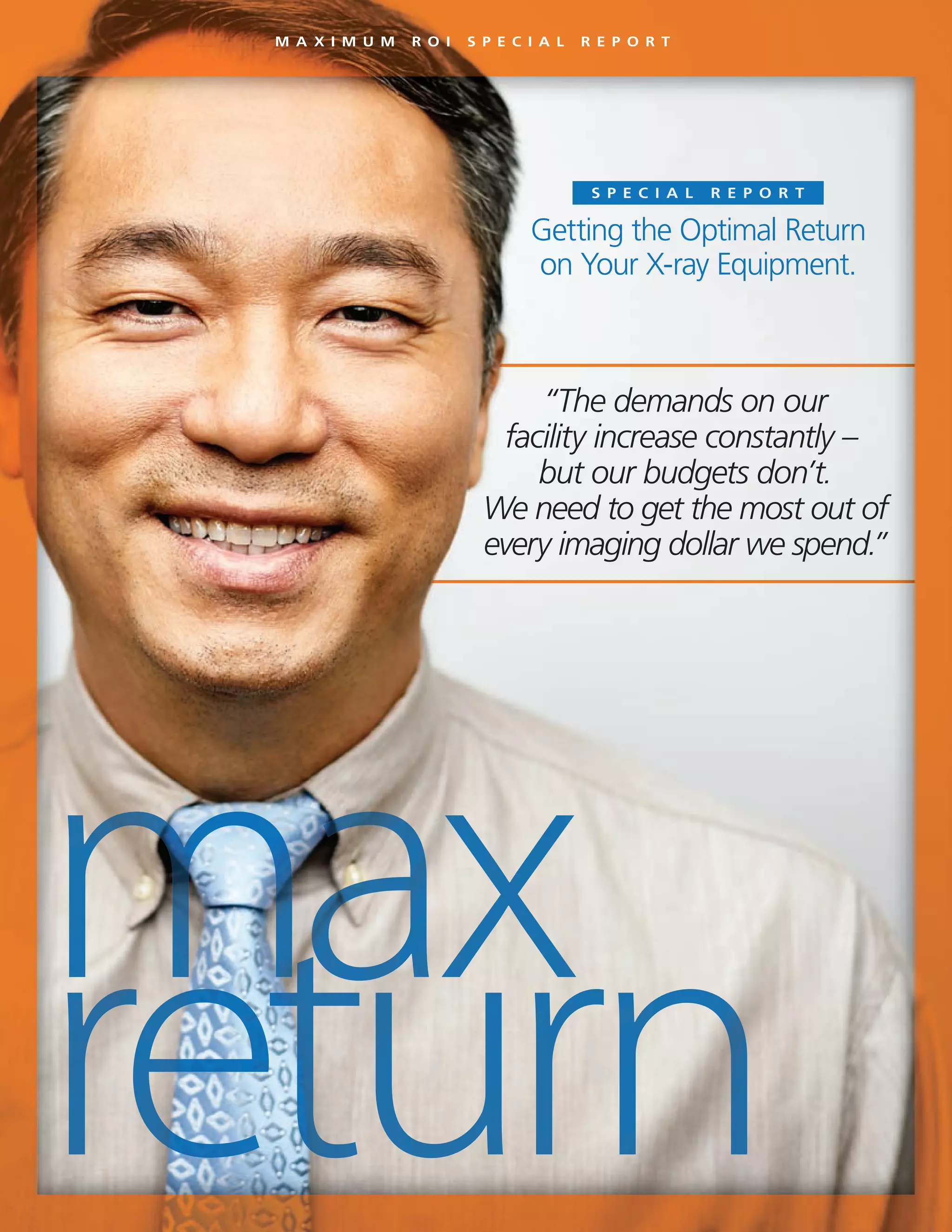
“The demands on our
facility increase constantly –
but our budgets don’t.
We need to get the most out of
every imaging dollar we spend.”
Getting the Optimal Return
on Your X-ray Equipment.
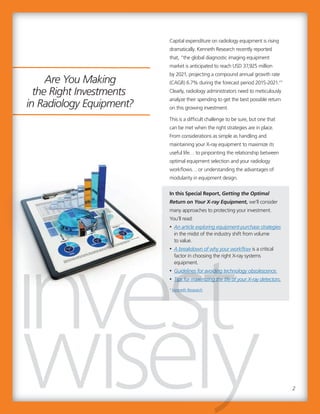
Capital expenditure on radiology equipment is rising
dramatically. Kenneth Research recently reported
that, “the global diagnostic imaging equipment
market is anticipated to reach USD 37,925 million
by 2021, projecting a compound annual growth rate
(CAGR) 6.7% during the forecast period 2015-2021.”1
Clearly, radiology administrators need to meticulously
analyze their spending to get the best possible return
on this growing investment.
This is a difficult challenge to be sure, but one that
can be met when the right strategies are in place.
From considerations as simple as handling and
maintaining your X-ray equipment to maximize its
useful life… to pinpointing the relationship between
optimal equipment selection and your radiology
workflows… or understanding the advantages of
modularity in equipment design.
In this Special Report, Getting the Optimal
Return on Your X-ray Equipment, we’ll consider
many approaches to protecting your investment.
You’ll read:
• An article exploring equipment-purchase strategies
in the midst of the industry shift from volume
to value.
• A breakdown of why your workflow is a critical
factor in choosing the right X-ray systems
equipment.
• Guidelines for avoiding technology obsolescence.
• Tips for maximizing the life of your X-ray detectors.
1
Kenneth Research
2
Guidelines for avoiding technology obsolescence.
Tips for maximizing the life of your X-ray detectors.
Kenneth Research
Guidelines for avoiding technology obsolescence.
Tips for maximizing the life of your X-ray detectors.
Are You Making
the Right Investments
in Radiology Equipment?
3
“Now more than ever,
maximizing the ROI delivered by
your imaging systems is of the
essence. We have some strategies
to help make that happen.”
3
“Now more than ever,
maximizing the ROI delivered by
your imaging systems is of the
essence. We have some strategies
to help make that happen.”
David C. Westgate
Chairman, President and CEO
In this time of increasing financial pressures – with
hospitals and imaging facilities needing to accomplish
more with stagnant or shrinking budgets – getting the
most value from your medical imaging investments is
critical. To help, we’ve created this Special Report:
Getting the Optimal Return on Your X-ray Equipment.
We hope you find the following articles informative
and insightful. Look for additional reports on other
important topics in the near future.
It’s a privilege to lead and serve Carestream and,
most importantly, to serve you – our valued customers.
We will continue to build on our proven record of
providing the best customer experience, and many new
product development projects are well underway –
all designed to support your commitment to excellence
and the well-being of your patients.
You can always count on our team to do the right
thing to help you succeed. You have our promise on
that, and of course, our gratitude for your business.
“Ways to increase efficiency
will be highly prized.”
The ongoing shift from volume to value could
radically change decisions about the purchase of
diagnostic imaging equipment. To gain insight on
this topic, Carestream reached out to leaders in the
imaging community. MD Buyline analysts, AHRA’s
past president, UVA’s CMIO, and others gave their
perspective on how to allocate and invest in
technology to ensure not only are the right resources
in place today, but also for success in the future.
Here are some of the opinions offered on the
purchase of diagnostic imaging equipment:
• “Consolidation has turned hospitals that were once
competitors into members of an extended family.
These integrated delivery networks have changed
how equipment purchasing decisions are made.
Whereas physicians may want the latest and
greatest, the biggest and the best, more practical
considerations are now being applied.”
MD Buyline’s Tom Watson
• “We have aging baby boomers who have strong
desires to remain active for work and leisure. This
will continue to grow needs in orthopaedic care.”
Dr. Christopher (Cree) Gaskin,
Associate CMIO at the University of Virginia
• “Ways to increase efficiency will be highly prized.
If a vendor offers an image storage and viewing
solution that meets the needs of all stakeholders
across the enterprise, an implementation can save
money and manpower while providing doctors a
single access point to view all medical images on a
given patient.”
Dr. Gaskin
In this article, experts on diagnostic imaging offer their
thoughts and recommendations on choosing the right
X-ray equipment for your facility.
Volume to Value:
Medical Imaging Leaders’
Advice on Purchase of
Diagnostic Imaging
Equipment.
“Ways to increase efficiency
will be highly prized.”
The ongoing shift from volume to value could
radically change decisions about the purchase of
diagnostic imaging equipment. To gain insight on
this topic, Carestream reached out to leaders in the
imaging community. MD Buyline analysts, AHRA’s
past president, UVA’s CMIO, and others gave their
perspective on how to allocate and invest in
technology to ensure not only are the right resources
in place today, but also for success in the future.
Here are some of the opinions offered on the
purchase of diagnostic imaging equipment:
• “Consolidation has turned hospitals that were once
competitors into members of an extended family.
These integrated delivery networks have changed
how equipment purchasing decisions are made.
Whereas physicians may want the latest and
greatest, the biggest and the best, more practical
considerations are now being applied.”
MD Buyline’s Tom Watson
• “We have aging baby boomers who have strong
desires to remain active for work and leisure. This
will continue to grow needs in orthopaedic care.”
Dr. Christopher (Cree) Gaskin,
Associate CMIO at the University of Virginia
• “Ways to increase efficiency will be highly prized.
If a vendor offers an image storage and viewingIf a vendor offers an image storage and viewing
solution that meets the needs of all stakeholderssolution that meets the needs of all stakeholders
across the enterprise, an implementation can saveacross the enterprise, an implementation can saveacross the enterprise, an implementation can saveacross the enterprise, an implementation can save
money and manpower while providing doctors amoney and manpower while providing doctors amoney and manpower while providing doctors amoney and manpower while providing doctors a
single access point to view all medical images on asingle access point to view all medical images on asingle access point to view all medical images on asingle access point to view all medical images on a
given patient.”given patient.”
Dr. GaskinDr. Gaskin
In this article, experts on diagnostic imaging offer their
thoughts and recommendations on choosing the right
X-ray equipment for your facility.
Volume to Value:
Medical Imaging Leaders’
Advice on Purchase of
Diagnostic Imaging
Equipment.
M A X I M U M R O I S P E C I A L R E P O R T
4
8. How can we optimize the scope of our outpatient
footprint and rationalize equipment across
inpatient and outpatient sites?
9. Where are we focusing right now in terms of
population? How is that cascading down to
imaging?
10.What’s been our strategy for utilization
management? How do we think it will affect our
modality-specific volumes?
11. What’s been our strategy for tracking and
reducing radiation dose?
12. How can we better image-enable the enterprise
to support appropriate use and clinical
collaboration?
Author: Greg Freiherr, Contributing Editor for Imaging
Technology News.
• “If other providers are drawing patients from your
territory to nearby metropolitan areas, and you
want to keep patients, then your facility must be
competitive. But you don’t need equipment with
every single bell and whistle. If you are not going
to do prostate imaging or spectroscopy, a 3T
magnet may not be necessary.”
Bill Algee, CRA, FAHRA, AHRA past President
12 Discussion Starters to Guide Equipment
Purchasing Decisions
We’ve compiled a dozen questions to assist your
strategic planning discussions with administrators,
physicians, and staff:
1. What are our biggest pain points in terms of
cost growth?
2. Where are we focusing right now to improve
margins?
3. What have we tried in the past to manage costs
that wasn’t successful?
4. Do our vendors offer innovative approaches to
managing the cost of service and supplies?
5. What service lines are our greatest areas of
opportunity?
6. Who are our main competitors in the
outpatient space?
7. What are our options for improving our
competitive position?
8. How can we optimize the scope of our outpatient
footprint and rationalize equipment across
inpatient and outpatient sites?
9. Where are we focusing right now in terms of
population? How is that cascading down to
imaging?
10.What’s been our strategy for utilization
management? How do we think it will affect our
modality-specific volumes?
11. What’s been our strategy for tracking and
reducing radiation dose?
12. How can we better image-enable the enterprise
to support appropriate use and clinical
collaboration?
Author: Greg Freiherr, Contributing Editor for Imaging
Technology News.
• “If other providers are drawing patients from your
territory to nearby metropolitan areas, and you
want to keep patients, then your facility must be
competitive. But you don’t need equipment with
every single bell and whistle. If you are not going
to do prostate imaging or spectroscopy, a 3T
magnet may not be necessary.”
Bill Algee, CRA, FAHRA, AHRA past President
12 Discussion Starters to Guide Equipment
Purchasing Decisions
We’ve compiled a dozen questions to assist your
strategic planning discussions with administrators,
physicians, and staff:
1. What are our biggest pain points in terms of
cost growth?
2. Where are we focusing right now to improve
margins?
3. What have we tried in the past to manage costs
that wasn’t successful?
4. Do our vendors offer innovative approaches to
managing the cost of service and supplies?
5. What service lines are our greatest areas of
opportunity?
6. Who are our main competitors in the
outpatient space?
7. What are our options for improving our
competitive position?
5
“90% of successful product
selection comes from
understanding clinical and
ergonomic workflows.”
9 Questions to Answer Before
Researching Equipment.
Radiology equipment selection for imaging rooms is
among the most important decisions a hospital or
imaging facility will make. Choosing the imaging
product best suited to your workflow and imaging
needs can help your doctors make quicker diagnoses
and give you a faster return on investment. The right
diagnostic imaging equipment also can help reduce
X-ray exam times and increase patient comfort.
Selecting the wrong product can negatively affect
imaging workflow and owner costs. Considering that
the average lifespan of digital radiography equipment
is 20 years, it is critical to make a well-informed
decision.
During my 10 years of advising medical-imaging
facilities on equipment purchases, I’ve found that
some facilities don’t fully understand their imaging
needs. Others might understand them, but have not
documented their needs well enough to share with
the prospective vendor. This makes it hard for the
supplier to recommend the most appropriate
solution. It also makes it difficult for you to compare
products from different vendors.
The most important considerations are clinical and
ergonomic workflows in X-ray imaging rooms. I’ve
found that 90 percent of successful product selection
comes from fully understanding how the equipment
and the room will be used.
Clearly identifying and documenting your workflows
and imaging needs in a room will help you make a
well-informed purchase decision. It will also get you
to the end of the sales process – and ultimately up
and running – sooner.
Clinical and ergonomic workflow in imaging rooms
might be the most important consideration of all in
maximizing ROI on your equipment selections. Here,
we explore the details and outline the questions every
facility should ask themselves prior to purchase.
Radiology Equipment
Selection Begins with
Understanding
Workflows.
“90% of successful product
selection comes from
understanding clinical and
ergonomic workflows.”
9 Questions to Answer Before
Researching Equipment.
Radiology equipment selection for imaging rooms is
among the most important decisions a hospital or
imaging facility will make. Choosing the imaging
product best suited to your workflow and imaging
needs can help your doctors make quicker diagnoses
and give you a faster return on investment. The right
diagnostic imaging equipment also can help reduce
X-ray exam times and increase patient comfort.
Selecting the wrong product can negatively affect
imaging workflow and owner costs. Considering that
the average lifespan of digital radiography equipment
is 20 years, it is critical to make a well-informed
decision.
During my 10 years of advising medical-imaging
facilities on equipment purchases, I’ve found that
some facilities don’t fully understand their imaging
needs. Others might understand them, but have not
documented their needs well enough to share with
the prospective vendor. This makes it hard for the
supplier to recommend the most appropriate
solution. It also makes it difficult for you to compare
products from different vendors.
The most important considerations are clinical and
ergonomic workflows in X-ray imaging rooms. I’ve
found that 90 percent of successful product selection
comes from fully understanding how the equipment
and the room will be used.
Clearly identifying and documenting your workflows
and imaging needs in a room will help you make a
well-informed purchase decision. It will also get you
to the end of the sales process – and ultimately up
and running – sooner.and running – sooner.
Clinical and ergonomic workflow in imaging rooms
might be the most important consideration of all in
maximizing ROI on your equipment selections. Here,
we explore the details and outline the questions every
facility should ask themselves prior to purchase.
Radiology Equipment
Selection Begins with
Understanding
Workflows.
M A X I M U M R O I S P E C I A L R E P O R T
6
Based on your answers to these questions, your
supplier can likely give you the best possible solution
to meet your diagnostic imaging needs, along with a
preliminary equipment layout. The layout will illustrate
how the equipment will fit in the room while
accommodating clinical, patient, and tech workflows
and ensure you will have the maximum return on
your investment
At this point, your supplier also can give you guidance
about any possible room modifications that will be
required to accommodate the new equipment. This
could involve changes to plumbing, electricity, and
even structural support. Ideally, your supplier will give
you options to minimize room construction, if
possible. Be prepared to ask questions like, “what can
we do if we don’t move the table?” or, “is there a
way to replace tables and control panels?”
I hope these questions will help you better
understand your clinical and ergonomic workflows,
and choose the best possible product to meet your
diagnostic imaging needs.
Author: Bill Bartosch, Senior Project Manager at Carestream
Health. He is certified by the Project Management Institute.
Do some research before starting the radiology
equipment selection process.
Based on my experience, here is a short list of
questions that you should be prepared to answer
before starting your process of digital radiography
equipment selection.
• How many imaging exams will be performed on
the equipment each day?
• What type of room will the imaging exams be
performed in? For example, is it trauma, ED,
general radiology, orthopaedic, or some other
room?
• Do you need to do pediatric imaging?
• What images do you need to capture? For
example, chest, extremities, abdomen/stomach,
long bone, standing knees, and feet. Make a
complete and specific list.
• How many people are typically in the imaging
room? This will help determine and possibly limit
equipment size. Complicated procedures for neuro
and other ologies, and interventional procedures
increase the number of people needed in a room.
The number of people is also larger at training
facilities.
Similarly, imaging rooms for inpatients need to be
large enough to handle the critical care patients who
come down for special exams. These patients might
need anesthesia and special gases. They might be
tethered to ventilators and multiple pumps.
• What are the sizes of your patients? Do you need
to image bariatric patients? If so, your X-ray table
needs to support their weight without losing
important functionality such as tilt and table top
movement.
• Are your patients ambulatory?  Or are they in
wheelchairs, beds and/or stretchers?
• What is the clinical workflow for the room?
• What is your budgeting process? How long does it
usually take? Are there timeframes and deadlines
for submitting budgeting requests for approval?
Based on your answers to these questions, your
supplier can likely give you the best possible solution
to meet your diagnostic imaging needs, along with a
preliminary equipment layout. The layout will illustrate
how the equipment will fit in the room while
accommodating clinical, patient, and tech workflows
and ensure you will have the maximum return on
your investment
At this point, your supplier also can give you guidance
about any possible room modifications that will be
required to accommodate the new equipment. This
could involve changes to plumbing, electricity, and
even structural support. Ideally, your supplier will give
you options to minimize room construction, if
possible. Be prepared to ask questions like, “what can
we do if we don’t move the table?” or, “is there a
way to replace tables and control panels?”
I hope these questions will help you better
understand your clinical and ergonomic workflows,
and choose the best possible product to meet your
diagnostic imaging needs.
Author: Bill Bartosch, Senior Project Manager at Carestream
Health. He is certified by the Project Management Institute.
Do some research before starting the radiology
equipment selection process.
Based on my experience, here is a short list of
questions that you should be prepared to answer
before starting your process of digital radiography
equipment selection.
• How many imaging exams will be performed on
the equipment each day?
• What type of room will the imaging exams be
performed in? For example, is it trauma, ED,
general radiology, orthopaedic, or some other
room?
• Do you need to do pediatric imaging?
• What images do you need to capture? For
example, chest, extremities, abdomen/stomach,
long bone, standing knees, and feet. Make a
complete and specific list.
• How many people are typically in the imaging
room? This will help determine and possibly limit
equipment size. Complicated procedures for neuro
and other ologies, and interventional procedures
increase the number of people needed in a room.
The number of people is also larger at training
facilities.
Similarly, imaging rooms for inpatients need to be
large enough to handle the critical care patients who
come down for special exams. These patients might
need anesthesia and special gases. They might be
tethered to ventilators and multiple pumps.
• What are the sizes of your patients? Do you need
to image bariatric patients? If so, your X-ray table
needs to support their weight without losing
important functionality such as tilt and table top
movement.
• Are your patients ambulatory?  Or are they in
wheelchairs, beds and/or stretchers?
• What is the clinical workflow for the room?
• What is your budgeting process? How long does it
usually take? Are there timeframes and deadlines
for submitting budgeting requests for approval?
7
Radiologic technology is advancing at an
extraordinary and ever-accelerating pace – with
ongoing advances that empower radiology
departments to continually increase their efficiency as
well as their standard of care. At the same time, this
rapid evolution poses a serious issue: it’s not
uncommon for equipment to become outdated well
before it has reached the end of its useful life. This
can force facilities that want to remain on the cutting
edge to replace equipment on an all-too-frequent
basis, incurring costs that no department in this age
of tightening budgets can afford.
In light of this serious challenge, how can you run a
facility with the best and latest technology... and at
the same time avoid a financial breakdown? You
need to choose technology and equipment that’s
future proof – technology that’s designed to be
scalable and grow along with your evolving needs.
This can minimize worries about technology
obsolescence, extend the life of your existing
equipment and continue to leverage your current
investments.
This is what it means for your imaging solutions to be
Right for Today, Ready for Tomorrow.
Getting Started
To move forward, the first step is to identify and
incorporate growth scenarios into your long-term
planning and design. As part of this, you should
develop projections for your service and uptime
requirements, based on your facility type, equipment
utilization, and degree of equipment redundancy.
You will also need to examine any shifting trends in
the demographics and needs of your patient base.
Finally, you should assess where you are now in the
imaging continuum; that is, are you imaging on film;
have you upgraded to Computed Radiography (CR);
or, have you stepped all the way up to the benefits of
full Digital Radiography (DR)? Whatever your current
Today, new and better imaging solutions are
introduced so frequently that they can become
outdated very quickly – making the cost implications
of trying to stay up to date prohibitive. This article
discusses “future-proof,” modular system design
as a powerful solution to this issue.
Avoiding Technology
Obsolescence –
A Strategic Approach to
Your X-ray Purchases.
Radiologic technology is advancing at an
extraordinary and ever-accelerating pace – with
ongoing advances that empower radiology
departments to continually increase their efficiency as
well as their standard of care. At the same time, this
rapid evolution poses a serious issue: it’s not
uncommon for equipment to become outdated well
before it has reached the end of its useful life. This
can force facilities that want to remain on the cutting
edge to replace equipment on an all-too-frequent
basis, incurring costs that no department in this age
of tightening budgets can afford.
In light of this serious challenge, how can you run a
facility with the best and latest technology... and at
the same time avoid a financial breakdown? You
need to choose technology and equipment that’s
future proof – technology that’s designed to be
scalable and grow along with your evolving needs.
This can minimize worries about technology
obsolescence, extend the life of your existing
equipment and continue to leverage your current
investments.
This is what it means for your imaging solutions to be
Right for Today, Ready for Tomorrow.
Getting Started
To move forward, the first step is to identify and
incorporate growth scenarios into your long-term
planning and design. As part of this, you shouldplanning and design. As part of this, you shouldplanning and design. As part of this, you shouldplanning and design. As part of this, you should
develop projections for your service and uptimedevelop projections for your service and uptimedevelop projections for your service and uptimedevelop projections for your service and uptime
requirements, based on your facility type, equipmentrequirements, based on your facility type, equipmentrequirements, based on your facility type, equipmentrequirements, based on your facility type, equipment
utilization, and degree of equipment redundancy.utilization, and degree of equipment redundancy.utilization, and degree of equipment redundancy.utilization, and degree of equipment redundancy.
You will also need to examine any shifting trends inYou will also need to examine any shifting trends inYou will also need to examine any shifting trends inYou will also need to examine any shifting trends inYou will also need to examine any shifting trends in
the demographics and needs of your patient base.the demographics and needs of your patient base.the demographics and needs of your patient base.the demographics and needs of your patient base.the demographics and needs of your patient base.
Finally, you should assess where you are now in theFinally, you should assess where you are now in theFinally, you should assess where you are now in theFinally, you should assess where you are now in theFinally, you should assess where you are now in the
imaging continuum; that is, are you imaging on film;imaging continuum; that is, are you imaging on film;imaging continuum; that is, are you imaging on film;
have you upgraded to Computed Radiography (CR);have you upgraded to Computed Radiography (CR);have you upgraded to Computed Radiography (CR);
or, have you stepped all the way up to the benefits ofor, have you stepped all the way up to the benefits ofor, have you stepped all the way up to the benefits of
full Digital Radiography (DR)? Whatever your currentfull Digital Radiography (DR)? Whatever your currentfull Digital Radiography (DR)? Whatever your current
Today, new and better imaging solutions are
introduced so frequently that they can become
outdated very quickly – making the cost implications
of trying to stay up to date prohibitive. This article
discusses “future-proof,” modular system design
as a powerful solution to this issue.
Avoiding Technology
Obsolescence –
A Strategic Approach to
Your X-ray Purchases.
M A X I M U M R O I S P E C I A L R E P O R T
8
Modularity and Scalability
Carestream’s DRX-Ascend imaging solutions are
based on an exceptionally modular platform. The
benefits of this are compelling. For example:
• If you’re currently using film and plan to continue
this for some time, you can look to our Ascend
analog X-ray systems and X-ray film that represent
the gold standard for the industry.
• When you’re ready, Carestream can help you
upgrade to CR – without the need to purchase
all-new components for your X-ray room. Because
of modular capabilities, funds are only spent on the
technologies needed instead of additional costs
spent on hardware or software that is not needed,
but cannot be dissociated from the original
technology.
• In the future, you can move into DR imaging while
still protecting your current X-ray investment.
Carestream’s DRX-1 System allow you to convert
existing CR rooms (regardless of the manufacturer
or model) to DR with a state-of-the-art wireless,
digital detector – which is fully compatible and
sharable with the other DRX equipment across
your entire facility.
• Moreover, you can just as easily jump into DR
from film.
• Carestream’s “designed with the future in mind”
philosophy is not limited to hardware.
• Carestream’s teams work alongside your
professionals to keep your imaging equipment
running at its peak performance.
technology and migration path, you’ll need to
establish a timeframe and budgetary parameters for
progressing to the next level.
These can be tough challenges. But, you don’t have
to address them on your own; the right solutions
provider can partner with you to evaluate your
present needs and help lay out a plan for the future.
The Guidance You Need is Close at Hand
Carestream is just such a vendor – helping you to
look beyond a single product at a specific point in
time – and working with you to design a forward-
thinking solution that will remain viable and evolve
along with your changing requirements. The
foundation of this strategy should be an initiative that
emphasizes modular capital purchases and
professional services to reduce risk and increase
flexibility and adaptability to change.
Carestream’s broad portfolio of X-ray solutions can
provide the answer wherever your facility is on the
imaging continuum and offer a bridge to the
next level of X-ray technology and services
when you are ready.
Modularity and Scalability
Carestream’s DRX-Ascend imaging solutions are
based on an exceptionally modular platform. The
benefits of this are compelling. For example:
• If you’re currently using film and plan to continue
this for some time, you can look to our Ascend
analog X-ray systems and X-ray film that represent
the gold standard for the industry.
• When you’re ready, Carestream can help you
upgrade to CR – without the need to purchase
all-new components for your X-ray room. Because
of modular capabilities, funds are only spent on the
technologies needed instead of additional costs
spent on hardware or software that is not needed,
but cannot be dissociated from the original
technology.
• In the future, you can move into DR imaging while
still protecting your current X-ray investment.
Carestream’s DRX-1 System allow you to convert
existing CR rooms (regardless of the manufacturer
or model) to DR with a state-of-the-art wireless,
digital detector – which is fully compatible and
sharable with the other DRX equipment across
your entire facility.
• Moreover, you can just as easily jump into DR
from film.
• Carestream’s “designed with the future in mind”
philosophy is not limited to hardware.
• Carestream’s teams work alongside your
professionals to keep your imaging equipment
running at its peak performance.
technology and migration path, you’ll need to
establish a timeframe and budgetary parameters for
progressing to the next level.
These can be tough challenges. But, you don’t have
to address them on your own; the right solutions
provider can partner with you to evaluate your
present needs and help lay out a plan for the future.
The Guidance You Need is Close at Hand
Carestream is just such a vendor – helping you to
look beyond a single product at a specific point in
time – and working with you to design a forward-
thinking solution that will remain viable and evolve
along with your changing requirements. The
foundation of this strategy should be an initiative that
emphasizes modular capital purchases and
professional services to reduce risk and increase
flexibility and adaptability to change.
Carestream’s broad portfolio of X-ray solutions can
provide the answer wherever your facility is on the
imaging continuum and offer a bridge to the
next level of X-ray technology and services
when you are ready.
9
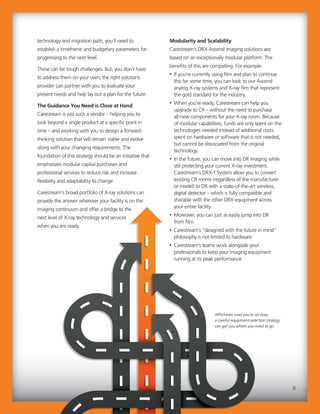
Whichever road you’re on now,
a careful equipment-selection strategy
can get you where you need to go.
“Develop projections for your
service and uptime requirements
based on your facility type,
equipment utilization and degree
of equipment redundancy.”
The Road Forward
As radiology departments and imaging facilities
navigate their future, the need to tap advancing
technology while containing costs will continue to be
a formidable challenge. While the cost control and
agility ultimately helps the healthcare facility, the
improved customer care experienced through
modular solutions is also noticeable and vital. With
the improved efficiency created, healthcare providers
are able to capture, collect, analyze and access
information much faster, without compromising the
quality of care. To succeed, the smartest strategy is
to invest in imaging solutions that will adapt to your
needs as you progress along the imaging continuum.
Author: Sarah Verna is Carestream’s Worldwide Marketing
Manager for X-ray Solutions.
“Develop projections for your
service and uptime requirements
based on your facility type,
equipment utilization and degree
of equipment redundancy.”
The Road Forward
As radiology departments and imaging facilities
navigate their future, the need to tap advancing
technology while containing costs will continue to be
a formidable challenge. While the cost control and
agility ultimately helps the healthcare facility, the
improved customer care experienced through
modular solutions is also noticeable and vital. With
the improved efficiency created, healthcare providers
are able to capture, collect, analyze and access
information much faster, without compromising the
quality of care. To succeed, the smartest strategy is
to invest in imaging solutions that will adapt to your
needs as you progress along the imaging continuum.
Author: Sarah Verna is Carestream’s Worldwide Marketing
Manager for X-ray Solutions.
10
Administrators need to educate
their radiology technologists
about the value of the
DR cassette.
Rad techs often ask us for best practices for protecting
DR detectors. My number one suggestion? Handle
them with care.
Many medical imaging providers have upgraded from
CR to DR imaging because the technology is more
efficient, quicker, and, most importantly, requires less
dose to the patient. With fast and efficient DR
technology, providers can see more patients and gain
higher utilization of their assets.
However, a broken DR cassette can bring the
streamlined workflow to a halt. Following are 11 tips
to help protect your investment in this crucial piece of
diagnostic imaging equipment. Additionally,
administrators need to educate their radiology
technologists about the value of this DR asset.
Some rad techs might not understand that the
investment in a DRX detector – and thus the financial 
impact of damage – is much greater than the CR
cassettes they handled in the past.
One way to reinforce this point is to make analogies
to luxury items. When technologists make the
connection that the cost of a DR detector versus a CR
cassette is similar to the cost difference between a
Corvette and an economy model Kia, they are more
likely to understand the need to handle it with care.
This new understanding, paired with training on
proper handling, is crucial to protecting your
investment in your X-ray detectors.
A broken DR cassette can bring radiology workflow
to a halt. Here we offer practical guidelines to get
the optimal return on this important piece of X-ray
equipment.
X-ray Detectors for
Digital Radiography:
11 Tips to Protect Your
Investment.
Administrators need to educate
their radiology technologists
about the value of the
DR cassette.DR cassette.
Rad techs often ask us for best practices for protecting
DR detectors. My number one suggestion? Handle
them with care.
Many medical imaging providers have upgraded from
CR to DR imaging because the technology is more
efficient, quicker, and, most importantly, requires less
dose to the patient. With fast and efficient DR
technology, providers can see more patients and gain
higher utilization of their assets.
However, a broken DR cassette can bring the
streamlined workflow to a halt. Following are 11 tips
to help protect your investment in this crucial piece of
diagnostic imaging equipment. Additionally,
administrators need to educate their radiology
technologists about the value of this DR asset.
Some rad techs might not understand that the
investment in a DRX detector – and thus the financial 
impact of damage – is much greater than the CR
cassettes they handled in the past.
One way to reinforce this point is to make analogiesOne way to reinforce this point is to make analogies
to luxury items. When technologists make theto luxury items. When technologists make the
connection that the cost of a DR detector versus a CRconnection that the cost of a DR detector versus a CR
cassette is similar to the cost difference between acassette is similar to the cost difference between a
Corvette and an economy model Kia, they are moreCorvette and an economy model Kia, they are more
likely to understand the need to handle it with care.likely to understand the need to handle it with care.
This new understanding, paired with training onThis new understanding, paired with training on
proper handling, is crucial to protecting yourproper handling, is crucial to protecting your
investment in your X-ray detectors.investment in your X-ray detectors.investment in your X-ray detectors.
A broken DR cassette can bring radiology workflow
to a halt. Here we offer practical guidelines to get
the optimal return on this important piece of X-ray
equipment.
X-ray Detectors for
Digital Radiography:
11 Tips to Protect Your
Investment.
M A X I M U M R O I S P E C I A L R E P O R T
11
6. If the detector is placed between a patient’s legs,
stabilize the detector using a bent knee. The
bent knee reinforces the detector and limits the
amount of unsecured area that could cause the
detector to tip and fall.
7. If the detector is placed on the table and a hand is
placed on top to be imaged, move the patient so
there is enough room to have the entire detector
lying flat on the table. At no time should the
detector overhang the edge of the table.
8. To remove the detector from a portable grid and
detector holder, lay the grid holder flat on the
table and slide the detector out. Do not turn it
vertical and shake the detector out of the grid and
holder. This limits the chance that the detector
could slip and fall off the table, or be damaged
when it hits the table.
9. When replacing the battery in the detector never
slide it in at an angle. Always keep the battery low
and straight when sliding it back into the detector.
Note that the detector has built in power
management and will automatically enter standby
or sleep mode after periods of inactivity in order
to maximize battery life. Batteries have a capacity
of ~340 images per charge, with a standby time
of 14 days. Batteries are rated for 500 charge
cycles.
10. Bagged detectors should always be carried with a
firm grip on the side and bottom of the detector.
Never carry the detector by the top of the bag.
The bag could break and the detector could slip
from it and be damaged. Always keep a firm grip
on the side and bottom of the detector, and carry
it close to you above your waist.
11. Standard procedures when working in an
environment where bodily fluids are present
call for bagging the detector before use. This will
prevent fluids from spilling onto the detector.
However, if fluids do come in contact with the
detector, wipe it thoroughly with disinfectant
wipes. Also, the battery can be removed and
cleaned.
Author: Kevin Odorczyk is Worldwide Product Line Manager for
DR Detectors at Carestream Health.
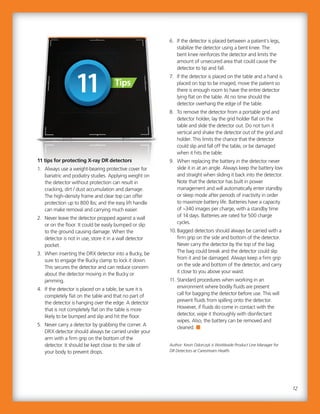
11 tips for protecting X-ray DR detectors
1. Always use a weight-bearing protective cover for
bariatric and podiatry studies. Applying weight on
the detector without protection can result in
cracking, dirt / dust accumulation and damage.
The high-density frame and clear top can offer
protection up to 800 lbs; and the easy lift handle
can make removal and carrying much easier.
2. Never leave the detector propped against a wall
or on the floor. It could be easily bumped or slip
to the ground causing damage. When the
detector is not in use, store it in a wall detector
pocket.
3. When inserting the DRX detector into a Bucky, be
sure to engage the Bucky clamp to lock it down.
This secures the detector and can reduce concern
about the detector moving in the Bucky or
jamming.
4. If the detector is placed on a table, be sure it is
completely flat on the table and that no part of
the detector is hanging over the edge. A detector
that is not completely flat on the table is more
likely to be bumped and slip and hit the floor.
5. Never carry a detector by grabbing the corner. A
DRX detector should always be carried under your
arm with a firm grip on the bottom of the
detector. It should be kept close to the side of
your body to prevent drops.
6. If the detector is placed between a patient’s legs,
stabilize the detector using a bent knee. The
bent knee reinforces the detector and limits the
amount of unsecured area that could cause the
detector to tip and fall.
7. If the detector is placed on the table and a hand is
placed on top to be imaged, move the patient so
there is enough room to have the entire detector
lying flat on the table. At no time should the
detector overhang the edge of the table.
8. To remove the detector from a portable grid and
detector holder, lay the grid holder flat on the
table and slide the detector out. Do not turn it
vertical and shake the detector out of the grid and
holder. This limits the chance that the detector
could slip and fall off the table, or be damaged
when it hits the table.
9. When replacing the battery in the detector never
slide it in at an angle. Always keep the battery low
and straight when sliding it back into the detector.
Note that the detector has built in power
management and will automatically enter standby
or sleep mode after periods of inactivity in order
to maximize battery life. Batteries have a capacity
of ~340 images per charge, with a standby time
of 14 days. Batteries are rated for 500 charge
cycles.
10. Bagged detectors should always be carried with a
firm grip on the side and bottom of the detector.
Never carry the detector by the top of the bag.
The bag could break and the detector could slip
from it and be damaged. Always keep a firm grip
on the side and bottom of the detector, and carry
it close to you above your waist.
11. Standard procedures when working in an
environment where bodily fluids are present
call for bagging the detector before use. This will
prevent fluids from spilling onto the detector.
However, if fluids do come in contact with the
detector, wipe it thoroughly with disinfectant
wipes. Also, the battery can be removed and
cleaned.
Author: Kevin Odorczyk is Worldwide Product Line Manager for
DR Detectors at Carestream Health.
The high-density frame and clear top can offer
protection up to 800 lbs; and the easy lift handle
can make removal and carrying much easier.
2. Never leave the detector propped against a wall
or on the floor. It could be easily bumped or slip
to the ground causing damage. When the
detector is not in use, store it in a wall detector
pocket.
3. When inserting the DRX detector into a Bucky, be
sure to engage the Bucky clamp to lock it down.
This secures the detector and can reduce concern
about the detector moving in the Bucky or
jamming.
4. If the detector is placed on a table, be sure it is
completely flat on the table and that no part of
the detector is hanging over the edge. A detector
that is not completely flat on the table is more
likely to be bumped and slip and hit the floor.
5. Never carry a detector by grabbing the corner. A
DRX detector should always be carried under your
arm with a firm grip on the bottom of the
detector. It should be kept close to the side of
your body to prevent drops.
12
11 tips for protecting X-ray DR detectors
1. Always use a weight-bearing protective cover for
bariatric and podiatry studies. Applying weight on
the detector without protection can result in
cracking, dirt / dust accumulation and damage.
TipsTips
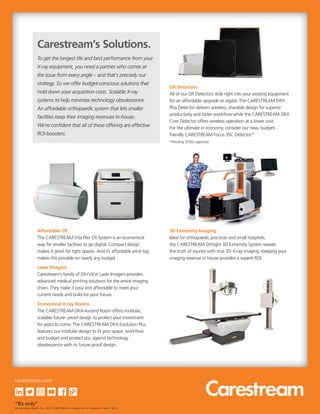
DR Detectors
All of our DR Detectors slide right into your existing equipment
for an affordable upgrade to digital. The CARESTREAM DRX
Plus Detector delivers wireless, sharable design for superior
productivity and faster workflow while the CARESTREAM DRX
Core Detector offers wireless operation at a lower cost.
For the ultimate in economy, consider our new, budget-
friendly CARESTREAM Focus 35C Detector.*
*Pending 510(k) approval.
3D Extremity Imaging
Ideal for orthopaedic practices and small hospitals,
the CARESTREAM OnSight 3D Extremity System reveals
the truth of injuries with true 3D X-ray imaging. Keeping your
imaging revenue in house provides a superb ROI.
Affordable CR
The CARESTREAM Vita Flex CR System is an economical
way for smaller facilities to go digital. Compact design
makes it great for tight spaces. And its affordable price tag
makes this possible on nearly any budget.
Laser Imagers
Carestream’s family of DRYVIEW Laser Imagers provides
advanced medical printing solutions for the entire imaging
chain. They make it easy and affordable to meet your
current needs and build for your future.
Economical X-ray Rooms
The CARESTREAM DRX-Ascend Room offers modular,
scalable future- proof design to protect your investment
for years to come. The CARESTREAM DRX-Evolution Plus
features our modular design to fit your space, workflow
and budget and protect you against technology
obsolescence with its future proof design.
To get the longest life and best performance from your
X-ray equipment, you need a partner who comes at
the issue from every angle – and that’s precisely our
strategy. So we offer budget-conscious solutions that
hold down your acquisition costs. Scalable X-ray
systems to help minimize technology obsolescence.
An affordable orthopaedic system that lets smaller
facilities keep their imaging revenues in-house.
We’re confident that all of these offering are effective
ROI-boosters.
Carestream’s Solutions.
DR Detectors
“Rx only”
© Carestream Health, Inc., 2019. CARESTREAM is a trademark of Carestream Health. 09/19
carestream.com

Special Report: Getting the Optimal Return on X-ray Equipment

  • 1.
    M A XI M U M R O I S P E C I A L R E P O R T “The demands on our facility increase constantly – but our budgets don’t. We need to get the most out of every imaging dollar we spend.” Getting the Optimal Return on Your X-ray Equipment.
  • 2.
    Capital expenditure onradiology equipment is rising dramatically. Kenneth Research recently reported that, “the global diagnostic imaging equipment market is anticipated to reach USD 37,925 million by 2021, projecting a compound annual growth rate (CAGR) 6.7% during the forecast period 2015-2021.”1 Clearly, radiology administrators need to meticulously analyze their spending to get the best possible return on this growing investment. This is a difficult challenge to be sure, but one that can be met when the right strategies are in place. From considerations as simple as handling and maintaining your X-ray equipment to maximize its useful life… to pinpointing the relationship between optimal equipment selection and your radiology workflows… or understanding the advantages of modularity in equipment design. In this Special Report, Getting the Optimal Return on Your X-ray Equipment, we’ll consider many approaches to protecting your investment. You’ll read: • An article exploring equipment-purchase strategies in the midst of the industry shift from volume to value. • A breakdown of why your workflow is a critical factor in choosing the right X-ray systems equipment. • Guidelines for avoiding technology obsolescence. • Tips for maximizing the life of your X-ray detectors. 1 Kenneth Research 2 Guidelines for avoiding technology obsolescence. Tips for maximizing the life of your X-ray detectors. Kenneth Research Guidelines for avoiding technology obsolescence. Tips for maximizing the life of your X-ray detectors. Are You Making the Right Investments in Radiology Equipment?
  • 3.
    3 “Now more thanever, maximizing the ROI delivered by your imaging systems is of the essence. We have some strategies to help make that happen.” 3 “Now more than ever, maximizing the ROI delivered by your imaging systems is of the essence. We have some strategies to help make that happen.” David C. Westgate Chairman, President and CEO In this time of increasing financial pressures – with hospitals and imaging facilities needing to accomplish more with stagnant or shrinking budgets – getting the most value from your medical imaging investments is critical. To help, we’ve created this Special Report: Getting the Optimal Return on Your X-ray Equipment. We hope you find the following articles informative and insightful. Look for additional reports on other important topics in the near future. It’s a privilege to lead and serve Carestream and, most importantly, to serve you – our valued customers. We will continue to build on our proven record of providing the best customer experience, and many new product development projects are well underway – all designed to support your commitment to excellence and the well-being of your patients. You can always count on our team to do the right thing to help you succeed. You have our promise on that, and of course, our gratitude for your business.
  • 4.
    “Ways to increaseefficiency will be highly prized.” The ongoing shift from volume to value could radically change decisions about the purchase of diagnostic imaging equipment. To gain insight on this topic, Carestream reached out to leaders in the imaging community. MD Buyline analysts, AHRA’s past president, UVA’s CMIO, and others gave their perspective on how to allocate and invest in technology to ensure not only are the right resources in place today, but also for success in the future. Here are some of the opinions offered on the purchase of diagnostic imaging equipment: • “Consolidation has turned hospitals that were once competitors into members of an extended family. These integrated delivery networks have changed how equipment purchasing decisions are made. Whereas physicians may want the latest and greatest, the biggest and the best, more practical considerations are now being applied.” MD Buyline’s Tom Watson • “We have aging baby boomers who have strong desires to remain active for work and leisure. This will continue to grow needs in orthopaedic care.” Dr. Christopher (Cree) Gaskin, Associate CMIO at the University of Virginia • “Ways to increase efficiency will be highly prized. If a vendor offers an image storage and viewing solution that meets the needs of all stakeholders across the enterprise, an implementation can save money and manpower while providing doctors a single access point to view all medical images on a given patient.” Dr. Gaskin In this article, experts on diagnostic imaging offer their thoughts and recommendations on choosing the right X-ray equipment for your facility. Volume to Value: Medical Imaging Leaders’ Advice on Purchase of Diagnostic Imaging Equipment. “Ways to increase efficiency will be highly prized.” The ongoing shift from volume to value could radically change decisions about the purchase of diagnostic imaging equipment. To gain insight on this topic, Carestream reached out to leaders in the imaging community. MD Buyline analysts, AHRA’s past president, UVA’s CMIO, and others gave their perspective on how to allocate and invest in technology to ensure not only are the right resources in place today, but also for success in the future. Here are some of the opinions offered on the purchase of diagnostic imaging equipment: • “Consolidation has turned hospitals that were once competitors into members of an extended family. These integrated delivery networks have changed how equipment purchasing decisions are made. Whereas physicians may want the latest and greatest, the biggest and the best, more practical considerations are now being applied.” MD Buyline’s Tom Watson • “We have aging baby boomers who have strong desires to remain active for work and leisure. This will continue to grow needs in orthopaedic care.” Dr. Christopher (Cree) Gaskin, Associate CMIO at the University of Virginia • “Ways to increase efficiency will be highly prized. If a vendor offers an image storage and viewingIf a vendor offers an image storage and viewing solution that meets the needs of all stakeholderssolution that meets the needs of all stakeholders across the enterprise, an implementation can saveacross the enterprise, an implementation can saveacross the enterprise, an implementation can saveacross the enterprise, an implementation can save money and manpower while providing doctors amoney and manpower while providing doctors amoney and manpower while providing doctors amoney and manpower while providing doctors a single access point to view all medical images on asingle access point to view all medical images on asingle access point to view all medical images on asingle access point to view all medical images on a given patient.”given patient.” Dr. GaskinDr. Gaskin In this article, experts on diagnostic imaging offer their thoughts and recommendations on choosing the right X-ray equipment for your facility. Volume to Value: Medical Imaging Leaders’ Advice on Purchase of Diagnostic Imaging Equipment. M A X I M U M R O I S P E C I A L R E P O R T 4
  • 5.
    8. How canwe optimize the scope of our outpatient footprint and rationalize equipment across inpatient and outpatient sites? 9. Where are we focusing right now in terms of population? How is that cascading down to imaging? 10.What’s been our strategy for utilization management? How do we think it will affect our modality-specific volumes? 11. What’s been our strategy for tracking and reducing radiation dose? 12. How can we better image-enable the enterprise to support appropriate use and clinical collaboration? Author: Greg Freiherr, Contributing Editor for Imaging Technology News. • “If other providers are drawing patients from your territory to nearby metropolitan areas, and you want to keep patients, then your facility must be competitive. But you don’t need equipment with every single bell and whistle. If you are not going to do prostate imaging or spectroscopy, a 3T magnet may not be necessary.” Bill Algee, CRA, FAHRA, AHRA past President 12 Discussion Starters to Guide Equipment Purchasing Decisions We’ve compiled a dozen questions to assist your strategic planning discussions with administrators, physicians, and staff: 1. What are our biggest pain points in terms of cost growth? 2. Where are we focusing right now to improve margins? 3. What have we tried in the past to manage costs that wasn’t successful? 4. Do our vendors offer innovative approaches to managing the cost of service and supplies? 5. What service lines are our greatest areas of opportunity? 6. Who are our main competitors in the outpatient space? 7. What are our options for improving our competitive position? 8. How can we optimize the scope of our outpatient footprint and rationalize equipment across inpatient and outpatient sites? 9. Where are we focusing right now in terms of population? How is that cascading down to imaging? 10.What’s been our strategy for utilization management? How do we think it will affect our modality-specific volumes? 11. What’s been our strategy for tracking and reducing radiation dose? 12. How can we better image-enable the enterprise to support appropriate use and clinical collaboration? Author: Greg Freiherr, Contributing Editor for Imaging Technology News. • “If other providers are drawing patients from your territory to nearby metropolitan areas, and you want to keep patients, then your facility must be competitive. But you don’t need equipment with every single bell and whistle. If you are not going to do prostate imaging or spectroscopy, a 3T magnet may not be necessary.” Bill Algee, CRA, FAHRA, AHRA past President 12 Discussion Starters to Guide Equipment Purchasing Decisions We’ve compiled a dozen questions to assist your strategic planning discussions with administrators, physicians, and staff: 1. What are our biggest pain points in terms of cost growth? 2. Where are we focusing right now to improve margins? 3. What have we tried in the past to manage costs that wasn’t successful? 4. Do our vendors offer innovative approaches to managing the cost of service and supplies? 5. What service lines are our greatest areas of opportunity? 6. Who are our main competitors in the outpatient space? 7. What are our options for improving our competitive position? 5
  • 6.
    “90% of successfulproduct selection comes from understanding clinical and ergonomic workflows.” 9 Questions to Answer Before Researching Equipment. Radiology equipment selection for imaging rooms is among the most important decisions a hospital or imaging facility will make. Choosing the imaging product best suited to your workflow and imaging needs can help your doctors make quicker diagnoses and give you a faster return on investment. The right diagnostic imaging equipment also can help reduce X-ray exam times and increase patient comfort. Selecting the wrong product can negatively affect imaging workflow and owner costs. Considering that the average lifespan of digital radiography equipment is 20 years, it is critical to make a well-informed decision. During my 10 years of advising medical-imaging facilities on equipment purchases, I’ve found that some facilities don’t fully understand their imaging needs. Others might understand them, but have not documented their needs well enough to share with the prospective vendor. This makes it hard for the supplier to recommend the most appropriate solution. It also makes it difficult for you to compare products from different vendors. The most important considerations are clinical and ergonomic workflows in X-ray imaging rooms. I’ve found that 90 percent of successful product selection comes from fully understanding how the equipment and the room will be used. Clearly identifying and documenting your workflows and imaging needs in a room will help you make a well-informed purchase decision. It will also get you to the end of the sales process – and ultimately up and running – sooner. Clinical and ergonomic workflow in imaging rooms might be the most important consideration of all in maximizing ROI on your equipment selections. Here, we explore the details and outline the questions every facility should ask themselves prior to purchase. Radiology Equipment Selection Begins with Understanding Workflows. “90% of successful product selection comes from understanding clinical and ergonomic workflows.” 9 Questions to Answer Before Researching Equipment. Radiology equipment selection for imaging rooms is among the most important decisions a hospital or imaging facility will make. Choosing the imaging product best suited to your workflow and imaging needs can help your doctors make quicker diagnoses and give you a faster return on investment. The right diagnostic imaging equipment also can help reduce X-ray exam times and increase patient comfort. Selecting the wrong product can negatively affect imaging workflow and owner costs. Considering that the average lifespan of digital radiography equipment is 20 years, it is critical to make a well-informed decision. During my 10 years of advising medical-imaging facilities on equipment purchases, I’ve found that some facilities don’t fully understand their imaging needs. Others might understand them, but have not documented their needs well enough to share with the prospective vendor. This makes it hard for the supplier to recommend the most appropriate solution. It also makes it difficult for you to compare products from different vendors. The most important considerations are clinical and ergonomic workflows in X-ray imaging rooms. I’ve found that 90 percent of successful product selection comes from fully understanding how the equipment and the room will be used. Clearly identifying and documenting your workflows and imaging needs in a room will help you make a well-informed purchase decision. It will also get you to the end of the sales process – and ultimately up and running – sooner.and running – sooner. Clinical and ergonomic workflow in imaging rooms might be the most important consideration of all in maximizing ROI on your equipment selections. Here, we explore the details and outline the questions every facility should ask themselves prior to purchase. Radiology Equipment Selection Begins with Understanding Workflows. M A X I M U M R O I S P E C I A L R E P O R T 6
  • 7.
    Based on youranswers to these questions, your supplier can likely give you the best possible solution to meet your diagnostic imaging needs, along with a preliminary equipment layout. The layout will illustrate how the equipment will fit in the room while accommodating clinical, patient, and tech workflows and ensure you will have the maximum return on your investment At this point, your supplier also can give you guidance about any possible room modifications that will be required to accommodate the new equipment. This could involve changes to plumbing, electricity, and even structural support. Ideally, your supplier will give you options to minimize room construction, if possible. Be prepared to ask questions like, “what can we do if we don’t move the table?” or, “is there a way to replace tables and control panels?” I hope these questions will help you better understand your clinical and ergonomic workflows, and choose the best possible product to meet your diagnostic imaging needs. Author: Bill Bartosch, Senior Project Manager at Carestream Health. He is certified by the Project Management Institute. Do some research before starting the radiology equipment selection process. Based on my experience, here is a short list of questions that you should be prepared to answer before starting your process of digital radiography equipment selection. • How many imaging exams will be performed on the equipment each day? • What type of room will the imaging exams be performed in? For example, is it trauma, ED, general radiology, orthopaedic, or some other room? • Do you need to do pediatric imaging? • What images do you need to capture? For example, chest, extremities, abdomen/stomach, long bone, standing knees, and feet. Make a complete and specific list. • How many people are typically in the imaging room? This will help determine and possibly limit equipment size. Complicated procedures for neuro and other ologies, and interventional procedures increase the number of people needed in a room. The number of people is also larger at training facilities. Similarly, imaging rooms for inpatients need to be large enough to handle the critical care patients who come down for special exams. These patients might need anesthesia and special gases. They might be tethered to ventilators and multiple pumps. • What are the sizes of your patients? Do you need to image bariatric patients? If so, your X-ray table needs to support their weight without losing important functionality such as tilt and table top movement. • Are your patients ambulatory?  Or are they in wheelchairs, beds and/or stretchers? • What is the clinical workflow for the room? • What is your budgeting process? How long does it usually take? Are there timeframes and deadlines for submitting budgeting requests for approval? Based on your answers to these questions, your supplier can likely give you the best possible solution to meet your diagnostic imaging needs, along with a preliminary equipment layout. The layout will illustrate how the equipment will fit in the room while accommodating clinical, patient, and tech workflows and ensure you will have the maximum return on your investment At this point, your supplier also can give you guidance about any possible room modifications that will be required to accommodate the new equipment. This could involve changes to plumbing, electricity, and even structural support. Ideally, your supplier will give you options to minimize room construction, if possible. Be prepared to ask questions like, “what can we do if we don’t move the table?” or, “is there a way to replace tables and control panels?” I hope these questions will help you better understand your clinical and ergonomic workflows, and choose the best possible product to meet your diagnostic imaging needs. Author: Bill Bartosch, Senior Project Manager at Carestream Health. He is certified by the Project Management Institute. Do some research before starting the radiology equipment selection process. Based on my experience, here is a short list of questions that you should be prepared to answer before starting your process of digital radiography equipment selection. • How many imaging exams will be performed on the equipment each day? • What type of room will the imaging exams be performed in? For example, is it trauma, ED, general radiology, orthopaedic, or some other room? • Do you need to do pediatric imaging? • What images do you need to capture? For example, chest, extremities, abdomen/stomach, long bone, standing knees, and feet. Make a complete and specific list. • How many people are typically in the imaging room? This will help determine and possibly limit equipment size. Complicated procedures for neuro and other ologies, and interventional procedures increase the number of people needed in a room. The number of people is also larger at training facilities. Similarly, imaging rooms for inpatients need to be large enough to handle the critical care patients who come down for special exams. These patients might need anesthesia and special gases. They might be tethered to ventilators and multiple pumps. • What are the sizes of your patients? Do you need to image bariatric patients? If so, your X-ray table needs to support their weight without losing important functionality such as tilt and table top movement. • Are your patients ambulatory?  Or are they in wheelchairs, beds and/or stretchers? • What is the clinical workflow for the room? • What is your budgeting process? How long does it usually take? Are there timeframes and deadlines for submitting budgeting requests for approval? 7
  • 8.
    Radiologic technology isadvancing at an extraordinary and ever-accelerating pace – with ongoing advances that empower radiology departments to continually increase their efficiency as well as their standard of care. At the same time, this rapid evolution poses a serious issue: it’s not uncommon for equipment to become outdated well before it has reached the end of its useful life. This can force facilities that want to remain on the cutting edge to replace equipment on an all-too-frequent basis, incurring costs that no department in this age of tightening budgets can afford. In light of this serious challenge, how can you run a facility with the best and latest technology... and at the same time avoid a financial breakdown? You need to choose technology and equipment that’s future proof – technology that’s designed to be scalable and grow along with your evolving needs. This can minimize worries about technology obsolescence, extend the life of your existing equipment and continue to leverage your current investments. This is what it means for your imaging solutions to be Right for Today, Ready for Tomorrow. Getting Started To move forward, the first step is to identify and incorporate growth scenarios into your long-term planning and design. As part of this, you should develop projections for your service and uptime requirements, based on your facility type, equipment utilization, and degree of equipment redundancy. You will also need to examine any shifting trends in the demographics and needs of your patient base. Finally, you should assess where you are now in the imaging continuum; that is, are you imaging on film; have you upgraded to Computed Radiography (CR); or, have you stepped all the way up to the benefits of full Digital Radiography (DR)? Whatever your current Today, new and better imaging solutions are introduced so frequently that they can become outdated very quickly – making the cost implications of trying to stay up to date prohibitive. This article discusses “future-proof,” modular system design as a powerful solution to this issue. Avoiding Technology Obsolescence – A Strategic Approach to Your X-ray Purchases. Radiologic technology is advancing at an extraordinary and ever-accelerating pace – with ongoing advances that empower radiology departments to continually increase their efficiency as well as their standard of care. At the same time, this rapid evolution poses a serious issue: it’s not uncommon for equipment to become outdated well before it has reached the end of its useful life. This can force facilities that want to remain on the cutting edge to replace equipment on an all-too-frequent basis, incurring costs that no department in this age of tightening budgets can afford. In light of this serious challenge, how can you run a facility with the best and latest technology... and at the same time avoid a financial breakdown? You need to choose technology and equipment that’s future proof – technology that’s designed to be scalable and grow along with your evolving needs. This can minimize worries about technology obsolescence, extend the life of your existing equipment and continue to leverage your current investments. This is what it means for your imaging solutions to be Right for Today, Ready for Tomorrow. Getting Started To move forward, the first step is to identify and incorporate growth scenarios into your long-term planning and design. As part of this, you shouldplanning and design. As part of this, you shouldplanning and design. As part of this, you shouldplanning and design. As part of this, you should develop projections for your service and uptimedevelop projections for your service and uptimedevelop projections for your service and uptimedevelop projections for your service and uptime requirements, based on your facility type, equipmentrequirements, based on your facility type, equipmentrequirements, based on your facility type, equipmentrequirements, based on your facility type, equipment utilization, and degree of equipment redundancy.utilization, and degree of equipment redundancy.utilization, and degree of equipment redundancy.utilization, and degree of equipment redundancy. You will also need to examine any shifting trends inYou will also need to examine any shifting trends inYou will also need to examine any shifting trends inYou will also need to examine any shifting trends inYou will also need to examine any shifting trends in the demographics and needs of your patient base.the demographics and needs of your patient base.the demographics and needs of your patient base.the demographics and needs of your patient base.the demographics and needs of your patient base. Finally, you should assess where you are now in theFinally, you should assess where you are now in theFinally, you should assess where you are now in theFinally, you should assess where you are now in theFinally, you should assess where you are now in the imaging continuum; that is, are you imaging on film;imaging continuum; that is, are you imaging on film;imaging continuum; that is, are you imaging on film; have you upgraded to Computed Radiography (CR);have you upgraded to Computed Radiography (CR);have you upgraded to Computed Radiography (CR); or, have you stepped all the way up to the benefits ofor, have you stepped all the way up to the benefits ofor, have you stepped all the way up to the benefits of full Digital Radiography (DR)? Whatever your currentfull Digital Radiography (DR)? Whatever your currentfull Digital Radiography (DR)? Whatever your current Today, new and better imaging solutions are introduced so frequently that they can become outdated very quickly – making the cost implications of trying to stay up to date prohibitive. This article discusses “future-proof,” modular system design as a powerful solution to this issue. Avoiding Technology Obsolescence – A Strategic Approach to Your X-ray Purchases. M A X I M U M R O I S P E C I A L R E P O R T 8
  • 9.
    Modularity and Scalability Carestream’sDRX-Ascend imaging solutions are based on an exceptionally modular platform. The benefits of this are compelling. For example: • If you’re currently using film and plan to continue this for some time, you can look to our Ascend analog X-ray systems and X-ray film that represent the gold standard for the industry. • When you’re ready, Carestream can help you upgrade to CR – without the need to purchase all-new components for your X-ray room. Because of modular capabilities, funds are only spent on the technologies needed instead of additional costs spent on hardware or software that is not needed, but cannot be dissociated from the original technology. • In the future, you can move into DR imaging while still protecting your current X-ray investment. Carestream’s DRX-1 System allow you to convert existing CR rooms (regardless of the manufacturer or model) to DR with a state-of-the-art wireless, digital detector – which is fully compatible and sharable with the other DRX equipment across your entire facility. • Moreover, you can just as easily jump into DR from film. • Carestream’s “designed with the future in mind” philosophy is not limited to hardware. • Carestream’s teams work alongside your professionals to keep your imaging equipment running at its peak performance. technology and migration path, you’ll need to establish a timeframe and budgetary parameters for progressing to the next level. These can be tough challenges. But, you don’t have to address them on your own; the right solutions provider can partner with you to evaluate your present needs and help lay out a plan for the future. The Guidance You Need is Close at Hand Carestream is just such a vendor – helping you to look beyond a single product at a specific point in time – and working with you to design a forward- thinking solution that will remain viable and evolve along with your changing requirements. The foundation of this strategy should be an initiative that emphasizes modular capital purchases and professional services to reduce risk and increase flexibility and adaptability to change. Carestream’s broad portfolio of X-ray solutions can provide the answer wherever your facility is on the imaging continuum and offer a bridge to the next level of X-ray technology and services when you are ready. Modularity and Scalability Carestream’s DRX-Ascend imaging solutions are based on an exceptionally modular platform. The benefits of this are compelling. For example: • If you’re currently using film and plan to continue this for some time, you can look to our Ascend analog X-ray systems and X-ray film that represent the gold standard for the industry. • When you’re ready, Carestream can help you upgrade to CR – without the need to purchase all-new components for your X-ray room. Because of modular capabilities, funds are only spent on the technologies needed instead of additional costs spent on hardware or software that is not needed, but cannot be dissociated from the original technology. • In the future, you can move into DR imaging while still protecting your current X-ray investment. Carestream’s DRX-1 System allow you to convert existing CR rooms (regardless of the manufacturer or model) to DR with a state-of-the-art wireless, digital detector – which is fully compatible and sharable with the other DRX equipment across your entire facility. • Moreover, you can just as easily jump into DR from film. • Carestream’s “designed with the future in mind” philosophy is not limited to hardware. • Carestream’s teams work alongside your professionals to keep your imaging equipment running at its peak performance. technology and migration path, you’ll need to establish a timeframe and budgetary parameters for progressing to the next level. These can be tough challenges. But, you don’t have to address them on your own; the right solutions provider can partner with you to evaluate your present needs and help lay out a plan for the future. The Guidance You Need is Close at Hand Carestream is just such a vendor – helping you to look beyond a single product at a specific point in time – and working with you to design a forward- thinking solution that will remain viable and evolve along with your changing requirements. The foundation of this strategy should be an initiative that emphasizes modular capital purchases and professional services to reduce risk and increase flexibility and adaptability to change. Carestream’s broad portfolio of X-ray solutions can provide the answer wherever your facility is on the imaging continuum and offer a bridge to the next level of X-ray technology and services when you are ready. 9 Whichever road you’re on now, a careful equipment-selection strategy can get you where you need to go.
  • 10.
    “Develop projections foryour service and uptime requirements based on your facility type, equipment utilization and degree of equipment redundancy.” The Road Forward As radiology departments and imaging facilities navigate their future, the need to tap advancing technology while containing costs will continue to be a formidable challenge. While the cost control and agility ultimately helps the healthcare facility, the improved customer care experienced through modular solutions is also noticeable and vital. With the improved efficiency created, healthcare providers are able to capture, collect, analyze and access information much faster, without compromising the quality of care. To succeed, the smartest strategy is to invest in imaging solutions that will adapt to your needs as you progress along the imaging continuum. Author: Sarah Verna is Carestream’s Worldwide Marketing Manager for X-ray Solutions. “Develop projections for your service and uptime requirements based on your facility type, equipment utilization and degree of equipment redundancy.” The Road Forward As radiology departments and imaging facilities navigate their future, the need to tap advancing technology while containing costs will continue to be a formidable challenge. While the cost control and agility ultimately helps the healthcare facility, the improved customer care experienced through modular solutions is also noticeable and vital. With the improved efficiency created, healthcare providers are able to capture, collect, analyze and access information much faster, without compromising the quality of care. To succeed, the smartest strategy is to invest in imaging solutions that will adapt to your needs as you progress along the imaging continuum. Author: Sarah Verna is Carestream’s Worldwide Marketing Manager for X-ray Solutions. 10
  • 11.
    Administrators need toeducate their radiology technologists about the value of the DR cassette. Rad techs often ask us for best practices for protecting DR detectors. My number one suggestion? Handle them with care. Many medical imaging providers have upgraded from CR to DR imaging because the technology is more efficient, quicker, and, most importantly, requires less dose to the patient. With fast and efficient DR technology, providers can see more patients and gain higher utilization of their assets. However, a broken DR cassette can bring the streamlined workflow to a halt. Following are 11 tips to help protect your investment in this crucial piece of diagnostic imaging equipment. Additionally, administrators need to educate their radiology technologists about the value of this DR asset. Some rad techs might not understand that the investment in a DRX detector – and thus the financial  impact of damage – is much greater than the CR cassettes they handled in the past. One way to reinforce this point is to make analogies to luxury items. When technologists make the connection that the cost of a DR detector versus a CR cassette is similar to the cost difference between a Corvette and an economy model Kia, they are more likely to understand the need to handle it with care. This new understanding, paired with training on proper handling, is crucial to protecting your investment in your X-ray detectors. A broken DR cassette can bring radiology workflow to a halt. Here we offer practical guidelines to get the optimal return on this important piece of X-ray equipment. X-ray Detectors for Digital Radiography: 11 Tips to Protect Your Investment. Administrators need to educate their radiology technologists about the value of the DR cassette.DR cassette. Rad techs often ask us for best practices for protecting DR detectors. My number one suggestion? Handle them with care. Many medical imaging providers have upgraded from CR to DR imaging because the technology is more efficient, quicker, and, most importantly, requires less dose to the patient. With fast and efficient DR technology, providers can see more patients and gain higher utilization of their assets. However, a broken DR cassette can bring the streamlined workflow to a halt. Following are 11 tips to help protect your investment in this crucial piece of diagnostic imaging equipment. Additionally, administrators need to educate their radiology technologists about the value of this DR asset. Some rad techs might not understand that the investment in a DRX detector – and thus the financial  impact of damage – is much greater than the CR cassettes they handled in the past. One way to reinforce this point is to make analogiesOne way to reinforce this point is to make analogies to luxury items. When technologists make theto luxury items. When technologists make the connection that the cost of a DR detector versus a CRconnection that the cost of a DR detector versus a CR cassette is similar to the cost difference between acassette is similar to the cost difference between a Corvette and an economy model Kia, they are moreCorvette and an economy model Kia, they are more likely to understand the need to handle it with care.likely to understand the need to handle it with care. This new understanding, paired with training onThis new understanding, paired with training on proper handling, is crucial to protecting yourproper handling, is crucial to protecting your investment in your X-ray detectors.investment in your X-ray detectors.investment in your X-ray detectors. A broken DR cassette can bring radiology workflow to a halt. Here we offer practical guidelines to get the optimal return on this important piece of X-ray equipment. X-ray Detectors for Digital Radiography: 11 Tips to Protect Your Investment. M A X I M U M R O I S P E C I A L R E P O R T 11
  • 12.
    6. If thedetector is placed between a patient’s legs, stabilize the detector using a bent knee. The bent knee reinforces the detector and limits the amount of unsecured area that could cause the detector to tip and fall. 7. If the detector is placed on the table and a hand is placed on top to be imaged, move the patient so there is enough room to have the entire detector lying flat on the table. At no time should the detector overhang the edge of the table. 8. To remove the detector from a portable grid and detector holder, lay the grid holder flat on the table and slide the detector out. Do not turn it vertical and shake the detector out of the grid and holder. This limits the chance that the detector could slip and fall off the table, or be damaged when it hits the table. 9. When replacing the battery in the detector never slide it in at an angle. Always keep the battery low and straight when sliding it back into the detector. Note that the detector has built in power management and will automatically enter standby or sleep mode after periods of inactivity in order to maximize battery life. Batteries have a capacity of ~340 images per charge, with a standby time of 14 days. Batteries are rated for 500 charge cycles. 10. Bagged detectors should always be carried with a firm grip on the side and bottom of the detector. Never carry the detector by the top of the bag. The bag could break and the detector could slip from it and be damaged. Always keep a firm grip on the side and bottom of the detector, and carry it close to you above your waist. 11. Standard procedures when working in an environment where bodily fluids are present call for bagging the detector before use. This will prevent fluids from spilling onto the detector. However, if fluids do come in contact with the detector, wipe it thoroughly with disinfectant wipes. Also, the battery can be removed and cleaned. Author: Kevin Odorczyk is Worldwide Product Line Manager for DR Detectors at Carestream Health. 11 tips for protecting X-ray DR detectors 1. Always use a weight-bearing protective cover for bariatric and podiatry studies. Applying weight on the detector without protection can result in cracking, dirt / dust accumulation and damage. The high-density frame and clear top can offer protection up to 800 lbs; and the easy lift handle can make removal and carrying much easier. 2. Never leave the detector propped against a wall or on the floor. It could be easily bumped or slip to the ground causing damage. When the detector is not in use, store it in a wall detector pocket. 3. When inserting the DRX detector into a Bucky, be sure to engage the Bucky clamp to lock it down. This secures the detector and can reduce concern about the detector moving in the Bucky or jamming. 4. If the detector is placed on a table, be sure it is completely flat on the table and that no part of the detector is hanging over the edge. A detector that is not completely flat on the table is more likely to be bumped and slip and hit the floor. 5. Never carry a detector by grabbing the corner. A DRX detector should always be carried under your arm with a firm grip on the bottom of the detector. It should be kept close to the side of your body to prevent drops. 6. If the detector is placed between a patient’s legs, stabilize the detector using a bent knee. The bent knee reinforces the detector and limits the amount of unsecured area that could cause the detector to tip and fall. 7. If the detector is placed on the table and a hand is placed on top to be imaged, move the patient so there is enough room to have the entire detector lying flat on the table. At no time should the detector overhang the edge of the table. 8. To remove the detector from a portable grid and detector holder, lay the grid holder flat on the table and slide the detector out. Do not turn it vertical and shake the detector out of the grid and holder. This limits the chance that the detector could slip and fall off the table, or be damaged when it hits the table. 9. When replacing the battery in the detector never slide it in at an angle. Always keep the battery low and straight when sliding it back into the detector. Note that the detector has built in power management and will automatically enter standby or sleep mode after periods of inactivity in order to maximize battery life. Batteries have a capacity of ~340 images per charge, with a standby time of 14 days. Batteries are rated for 500 charge cycles. 10. Bagged detectors should always be carried with a firm grip on the side and bottom of the detector. Never carry the detector by the top of the bag. The bag could break and the detector could slip from it and be damaged. Always keep a firm grip on the side and bottom of the detector, and carry it close to you above your waist. 11. Standard procedures when working in an environment where bodily fluids are present call for bagging the detector before use. This will prevent fluids from spilling onto the detector. However, if fluids do come in contact with the detector, wipe it thoroughly with disinfectant wipes. Also, the battery can be removed and cleaned. Author: Kevin Odorczyk is Worldwide Product Line Manager for DR Detectors at Carestream Health. The high-density frame and clear top can offer protection up to 800 lbs; and the easy lift handle can make removal and carrying much easier. 2. Never leave the detector propped against a wall or on the floor. It could be easily bumped or slip to the ground causing damage. When the detector is not in use, store it in a wall detector pocket. 3. When inserting the DRX detector into a Bucky, be sure to engage the Bucky clamp to lock it down. This secures the detector and can reduce concern about the detector moving in the Bucky or jamming. 4. If the detector is placed on a table, be sure it is completely flat on the table and that no part of the detector is hanging over the edge. A detector that is not completely flat on the table is more likely to be bumped and slip and hit the floor. 5. Never carry a detector by grabbing the corner. A DRX detector should always be carried under your arm with a firm grip on the bottom of the detector. It should be kept close to the side of your body to prevent drops. 12 11 tips for protecting X-ray DR detectors 1. Always use a weight-bearing protective cover for bariatric and podiatry studies. Applying weight on the detector without protection can result in cracking, dirt / dust accumulation and damage. TipsTips
  • 13.
    DR Detectors All ofour DR Detectors slide right into your existing equipment for an affordable upgrade to digital. The CARESTREAM DRX Plus Detector delivers wireless, sharable design for superior productivity and faster workflow while the CARESTREAM DRX Core Detector offers wireless operation at a lower cost. For the ultimate in economy, consider our new, budget- friendly CARESTREAM Focus 35C Detector.* *Pending 510(k) approval. 3D Extremity Imaging Ideal for orthopaedic practices and small hospitals, the CARESTREAM OnSight 3D Extremity System reveals the truth of injuries with true 3D X-ray imaging. Keeping your imaging revenue in house provides a superb ROI. Affordable CR The CARESTREAM Vita Flex CR System is an economical way for smaller facilities to go digital. Compact design makes it great for tight spaces. And its affordable price tag makes this possible on nearly any budget. Laser Imagers Carestream’s family of DRYVIEW Laser Imagers provides advanced medical printing solutions for the entire imaging chain. They make it easy and affordable to meet your current needs and build for your future. Economical X-ray Rooms The CARESTREAM DRX-Ascend Room offers modular, scalable future- proof design to protect your investment for years to come. The CARESTREAM DRX-Evolution Plus features our modular design to fit your space, workflow and budget and protect you against technology obsolescence with its future proof design. To get the longest life and best performance from your X-ray equipment, you need a partner who comes at the issue from every angle – and that’s precisely our strategy. So we offer budget-conscious solutions that hold down your acquisition costs. Scalable X-ray systems to help minimize technology obsolescence. An affordable orthopaedic system that lets smaller facilities keep their imaging revenues in-house. We’re confident that all of these offering are effective ROI-boosters. Carestream’s Solutions. DR Detectors “Rx only” © Carestream Health, Inc., 2019. CARESTREAM is a trademark of Carestream Health. 09/19 carestream.com