What is Spam
Filtering?
Spam
Filtering
Spam filters detect unsolicited,
unwanted, and virus-infested
email and stop it from getting
into email inboxes
Internet Service Providers use
spam filters to make sure they
aren’t distributing spam
Spam filters are applied to both
inbound email and outbound
email
Spam Filtering
Spam filters are applied to
both inbound email (email
entering the network) and
outbound email (email
leaving the network).
ISPs use both methods to
protect their customers.
SMBs typically focus on
inbound filters.
There are many spam
filtering solutions available.
They can be hosted in the
“cloud,” on computer
servers, or integrated into
email software such as
Microsoft Outlook.
How do spam filters
work?
• Spam filters use “heuristics” methods,
which means that each email message is
subjected to thousands of predefined rules
(algorithms).
• Each rule assigns a numerical score to the
probability of the message being spam,
and if the score passes a certain threshold
the email is flagged as spam and blocked
from going further.
Types of spam filters
• Content filters – parse the content of
messages, scanning for words that are
commonly used in spam emails.
• Header filters – examine the email header
source to look for suspicious information (such
as spammer email addresses).
• Blocklist filters – stop emails that come from a
blocklist of suspicious IP addresses. Some filters
go further and check the IP reputation of the IP
address.
• Rules-based filters – apply customized rules
designed by the organization to exclude emails
from specific senders, or emails containing
specific words in their subject line or body.
Remember
• No single method is a complete
solution to the spam problem, and
there are always trade-offs (which
the heuristics try to weigh)
between rejecting legitimate email
vs. letting spam slip through.
Is spam filtering necessary?
In today’s world, spam
filtering is a must to protect
your business
It is estimated that 70
percent of all email sent
globally is spam, and the
volume of spam continues to
grow because spam remains
a lucrative business
Spammers get ever more
sophisticated and creative in
their tactics to get their
messages into your inboxes
and wreak their havoc.
Spam filtering solutions must
continually be updated to
address this evolving threat
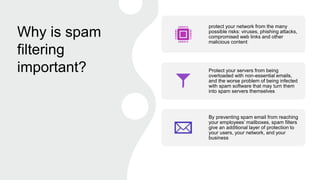
Why is spam
filtering
important?
protect your network from the many
possible risks: viruses, phishing attacks,
compromised web links and other
malicious content
Protect your servers from being
overloaded with non-essential emails,
and the worse problem of being infected
with spam software that may turn them
into spam servers themselves
By preventing spam email from reaching
your employees’ mailboxes, spam filters
give an additional layer of protection to
your users, your network, and your
business
Fact
• A spam filtering solution cannot be 100 percent
effective. However, a business email system
without spam filtering is highly vulnerable, if not
unusable.
Few key things to look
for in Spam Filters
• At a minimum, the solution you choose must
block spam. This might sound like a given, but
not all spam filter software is up to the job (or
doesn’t keep up to date with the evolving world
of spam attacks).
• The solution you choose must provide the
security you need for your network, but not
stop the legitimate emails your employees
need to conduct their business.
• Administrators must have the ability to edit and
create rules over and above predefined rule
settings so that the solution meets your
organizational needs. This customization
should be easy, even for unsophisticated
computer users.

Spam filtering.pptx

  • 1.
  • 2.
    Spam Filtering Spam filters detectunsolicited, unwanted, and virus-infested email and stop it from getting into email inboxes Internet Service Providers use spam filters to make sure they aren’t distributing spam Spam filters are applied to both inbound email and outbound email
  • 3.
    Spam Filtering Spam filtersare applied to both inbound email (email entering the network) and outbound email (email leaving the network). ISPs use both methods to protect their customers. SMBs typically focus on inbound filters. There are many spam filtering solutions available. They can be hosted in the “cloud,” on computer servers, or integrated into email software such as Microsoft Outlook.
  • 4.
    How do spamfilters work? • Spam filters use “heuristics” methods, which means that each email message is subjected to thousands of predefined rules (algorithms). • Each rule assigns a numerical score to the probability of the message being spam, and if the score passes a certain threshold the email is flagged as spam and blocked from going further.
  • 5.
    Types of spamfilters • Content filters – parse the content of messages, scanning for words that are commonly used in spam emails. • Header filters – examine the email header source to look for suspicious information (such as spammer email addresses). • Blocklist filters – stop emails that come from a blocklist of suspicious IP addresses. Some filters go further and check the IP reputation of the IP address. • Rules-based filters – apply customized rules designed by the organization to exclude emails from specific senders, or emails containing specific words in their subject line or body.
  • 6.
    Remember • No singlemethod is a complete solution to the spam problem, and there are always trade-offs (which the heuristics try to weigh) between rejecting legitimate email vs. letting spam slip through.
  • 7.
    Is spam filteringnecessary? In today’s world, spam filtering is a must to protect your business It is estimated that 70 percent of all email sent globally is spam, and the volume of spam continues to grow because spam remains a lucrative business Spammers get ever more sophisticated and creative in their tactics to get their messages into your inboxes and wreak their havoc. Spam filtering solutions must continually be updated to address this evolving threat
  • 8.
    Why is spam filtering important? protectyour network from the many possible risks: viruses, phishing attacks, compromised web links and other malicious content Protect your servers from being overloaded with non-essential emails, and the worse problem of being infected with spam software that may turn them into spam servers themselves By preventing spam email from reaching your employees’ mailboxes, spam filters give an additional layer of protection to your users, your network, and your business
  • 9.
    Fact • A spamfiltering solution cannot be 100 percent effective. However, a business email system without spam filtering is highly vulnerable, if not unusable.
  • 10.
    Few key thingsto look for in Spam Filters • At a minimum, the solution you choose must block spam. This might sound like a given, but not all spam filter software is up to the job (or doesn’t keep up to date with the evolving world of spam attacks). • The solution you choose must provide the security you need for your network, but not stop the legitimate emails your employees need to conduct their business. • Administrators must have the ability to edit and create rules over and above predefined rule settings so that the solution meets your organizational needs. This customization should be easy, even for unsophisticated computer users.