End of the double stack
SolMan 7.2 is based on NetWeaver 7.4. However, the architecture differs in that the
Solution Manager in the current version no longer runs on double-stack architecture.
Instead, the two stacks (Abap and Java) run on two independent systems. In addition,
the NetWeaver 7.4 platform supports the use of Hana as a database, which makes it
possible to use Solution Manager in conjunction with a Hana DB.
JAVA Hubs:
Java-based hubs such as SAP Enterprise Portal, SAP Process Orchestration, and SAP
Business Process Management is supported.
In order to split system, we need to use Dual Stack Split tool
(SWPM*.SAR)
SAP recommend that you download the latest tool support package and patch level when
starting a new provisioning project at: http://help.sap.com/sltoolset -> System Provisioning ->
Download Software Provisioning Manager
Why do you use Work modes in SAP Solman?
You can use various work modes in SAP Solution Manager to perform the following activities
−
 Maintenance
 System Migration
 Patch upgrades
 Customizing changes
What are different types of Work mode in SAP Solman?
 Technical Work mode
 Business Work Mode
What is System Landscape directory?
This directory contains the information about landscape and software component
versions. A SAP system can be configured to register under SLD. System Landscape
Directory (SLD) manages information about all installable and installed elements of
your system landscape.
To create a Change request, what role should be assigned?
To create a change request, role SAP_CM_REQUESTER should be assigned.
@@@@@@@@@@@@@@@@@@@@@@@@@@@@@@@@@@@@@@@@
@
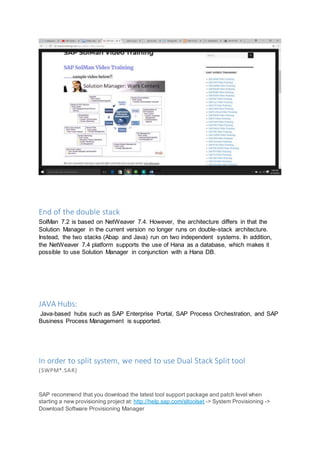
SAP Solution Manager Work
Center Functions
https://mysapbasis.wordpress.com//?s=SLD&search=Go

Solution manager 7.2 details

  • 1.
    End of thedouble stack SolMan 7.2 is based on NetWeaver 7.4. However, the architecture differs in that the Solution Manager in the current version no longer runs on double-stack architecture. Instead, the two stacks (Abap and Java) run on two independent systems. In addition, the NetWeaver 7.4 platform supports the use of Hana as a database, which makes it possible to use Solution Manager in conjunction with a Hana DB. JAVA Hubs: Java-based hubs such as SAP Enterprise Portal, SAP Process Orchestration, and SAP Business Process Management is supported. In order to split system, we need to use Dual Stack Split tool (SWPM*.SAR) SAP recommend that you download the latest tool support package and patch level when starting a new provisioning project at: http://help.sap.com/sltoolset -> System Provisioning -> Download Software Provisioning Manager
  • 2.
    Why do youuse Work modes in SAP Solman? You can use various work modes in SAP Solution Manager to perform the following activities −  Maintenance  System Migration  Patch upgrades  Customizing changes What are different types of Work mode in SAP Solman?  Technical Work mode  Business Work Mode What is System Landscape directory? This directory contains the information about landscape and software component versions. A SAP system can be configured to register under SLD. System Landscape Directory (SLD) manages information about all installable and installed elements of your system landscape. To create a Change request, what role should be assigned? To create a change request, role SAP_CM_REQUESTER should be assigned. @@@@@@@@@@@@@@@@@@@@@@@@@@@@@@@@@@@@@@@@ @
  • 3.
    SAP Solution ManagerWork Center Functions https://mysapbasis.wordpress.com//?s=SLD&search=Go