Download to read offline
![©DassaultSystèmes|ConfidentialInformation|9/29/2020|ref.:3DS_Document_2020
2
“Machine Setup” is the foremost process to do CAM operation for Parts/Assembly.
Go to Standard Tool Bar Add-Ins SolidWorks CAM Enable Add-in
[SolidWorks CAM must be Installed So that you have in Add-in]
1
3
2
How to Define Machine for a Setup?-SolidWorks CAM
SOLIDWORKS CAM- Series 1](https://image.slidesharecdn.com/solidworkscammachinesetup-200929072549/85/Solidworks-cam-machine-setup-2-320.jpg)
![©DassaultSystèmes|ConfidentialInformation|9/29/2020|ref.:3DS_Document_2020
3
How to Define Machine for a Setup?-SolidWorks CAM
After Enabling Add-In SolidWorks CAM
Open Part Model “Bar Plate-SW CAM.sldprt”
[Find the File attached along this Blog]
Command Manager SolidWorks CAM Tab
Click “Define Machine” in Command Manager (or)
Go to SolidWorks CAM Feature Tree Click “Define Machine”
SOLIDWORKS CAM- Series 1](https://image.slidesharecdn.com/solidworkscammachinesetup-200929072549/85/Solidworks-cam-machine-setup-3-320.jpg)
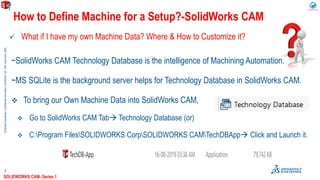
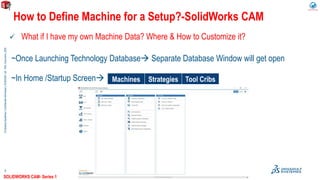
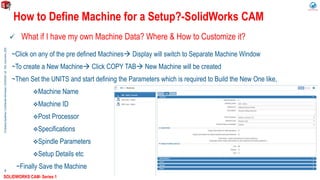
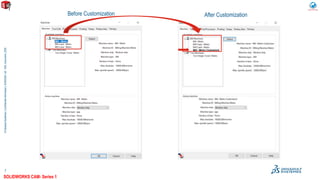


This document discusses how to define a machine for a setup in SolidWorks CAM. It explains that the first step is to enable the SolidWorks CAM add-in. It then describes how to open a part model and select "Define Machine" in the command manager or feature tree to start defining the machine. It also discusses how to customize machine data by launching the Technology Database and either modifying an existing machine or creating a new one by copying an existing one and defining parameters.


