1
Lecture slides for
Week 3 & 4
Software Process Models Cont…
CE-222
2
Overview of this lecture
 Properties of an Evolutionary Model
 What are its types?
 Evolutionary Process Model diagram
 Advantages, problems & applicability of Evolutionary Model
 Incremental Model with applicability, benefits & problems
 Prototyping Model
 Component base development model (COTs)
 Rapid Application Development Model (RAD)
3
Types of Software Process Model
 Two Generic Models:
Waterfall Model
Evolutionary Model
4
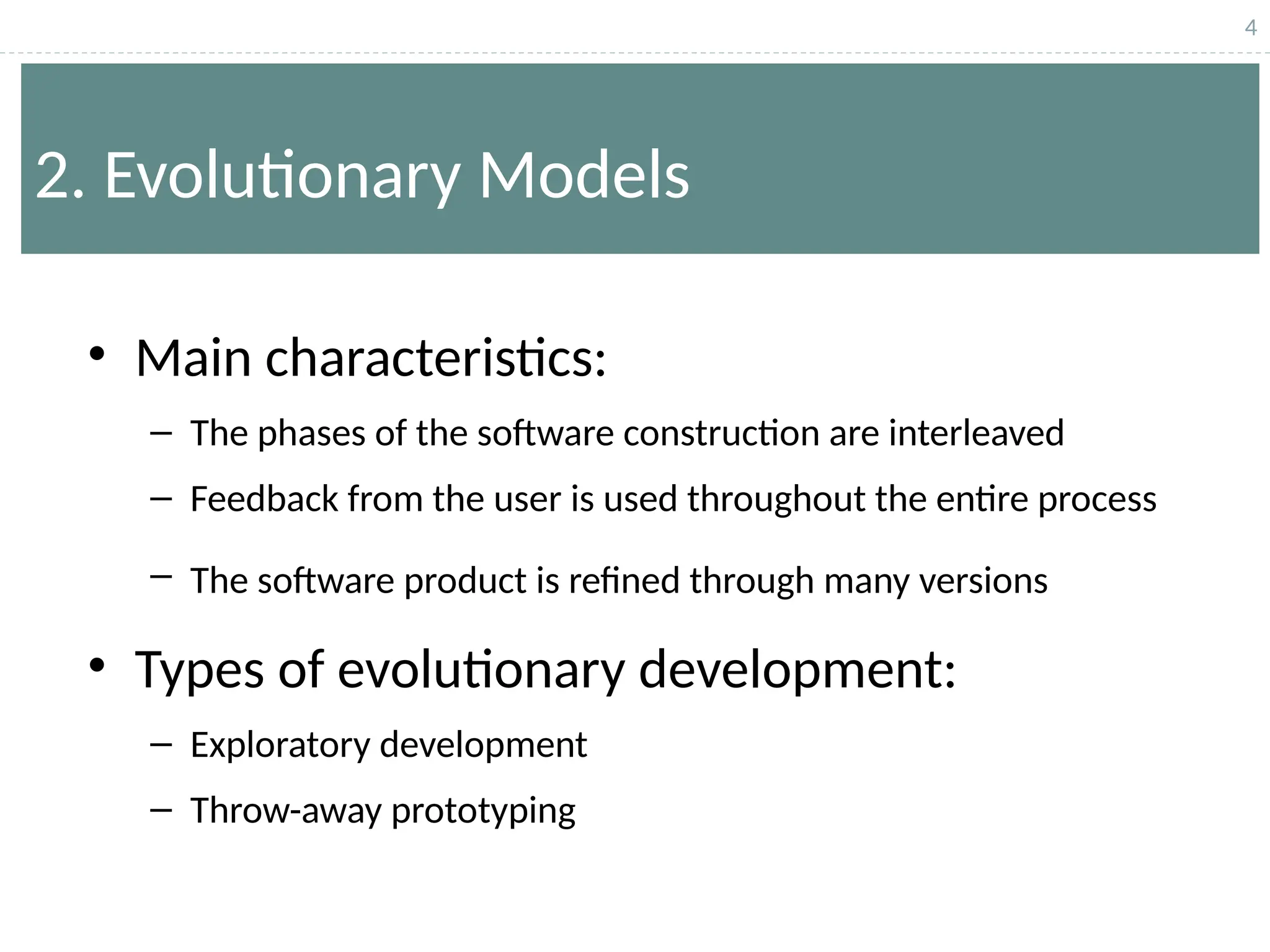
2. Evolutionary Models
• Main characteristics:
– The phases of the software construction are interleaved
– Feedback from the user is used throughout the entire process
– The software product is refined through many versions
• Types of evolutionary development:
– Exploratory development
– Throw-away prototyping
5
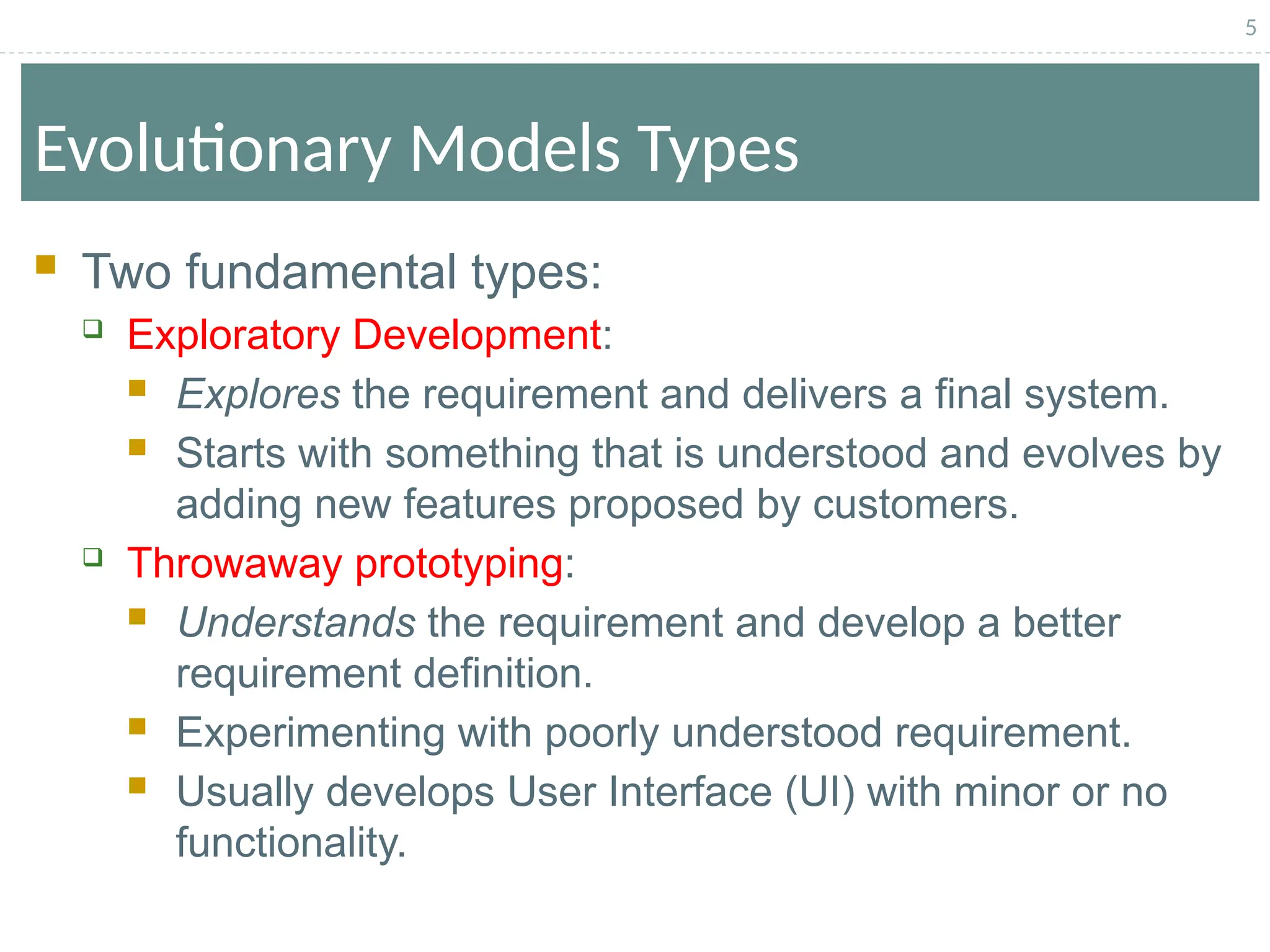
Evolutionary Models Types
 Two fundamental types:
 Exploratory Development:
 Explores the requirement and delivers a final system.
 Starts with something that is understood and evolves by
adding new features proposed by customers.
 Throwaway prototyping:
 Understands the requirement and develop a better
requirement definition.
 Experimenting with poorly understood requirement.
 Usually develops User Interface (UI) with minor or no
functionality.
6
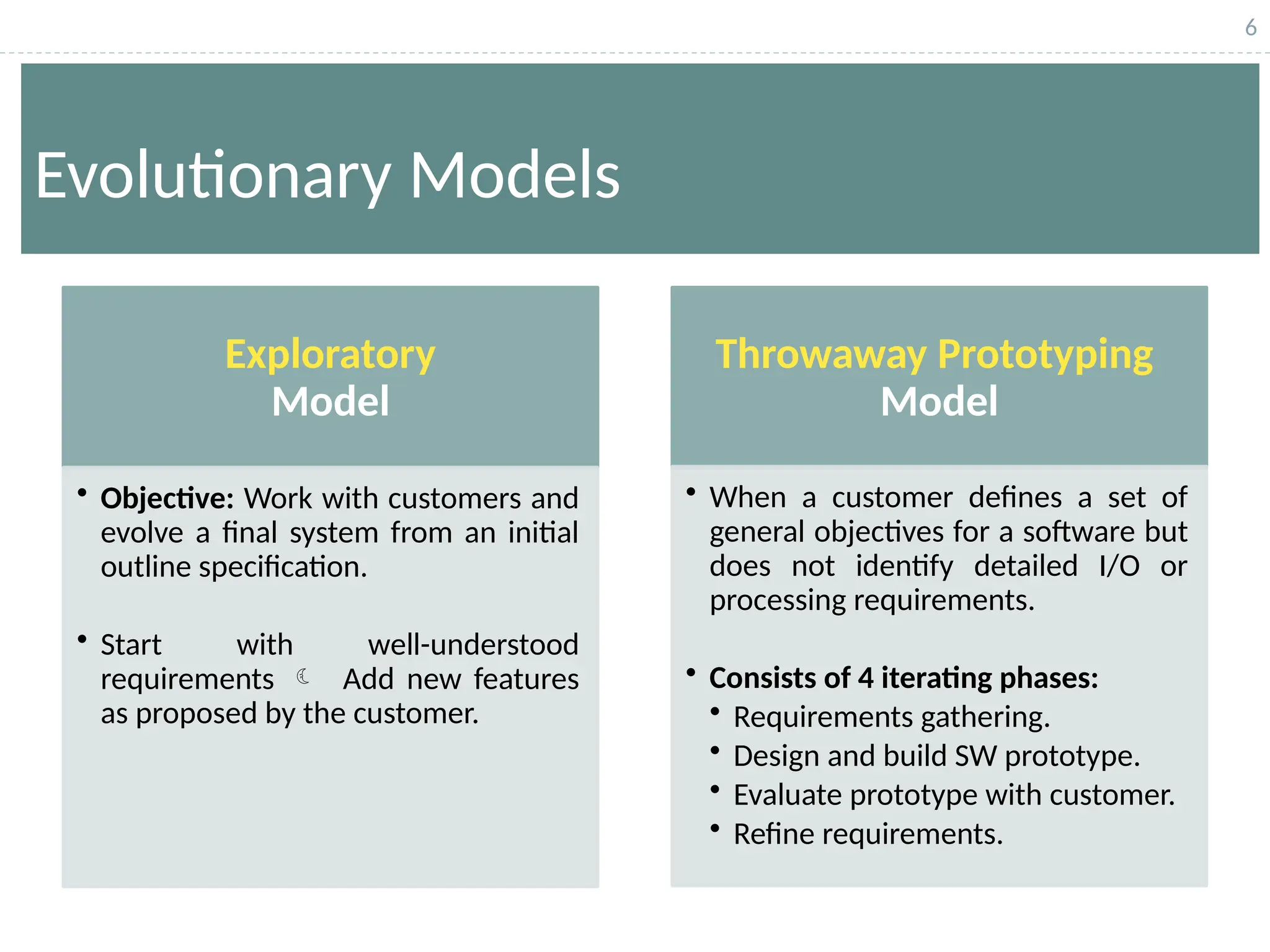
Evolutionary Models
Exploratory
Model
• Objective: Work with customers and
evolve a final system from an initial
outline specification.
• Start with well-understood
requirements  Add new features
as proposed by the customer.
Throwaway Prototyping
Model
• When a customer defines a set of
general objectives for a software but
does not identify detailed I/O or
processing requirements.
• Consists of 4 iterating phases:
• Requirements gathering.
• Design and build SW prototype.
• Evaluate prototype with customer.
• Refine requirements.
7
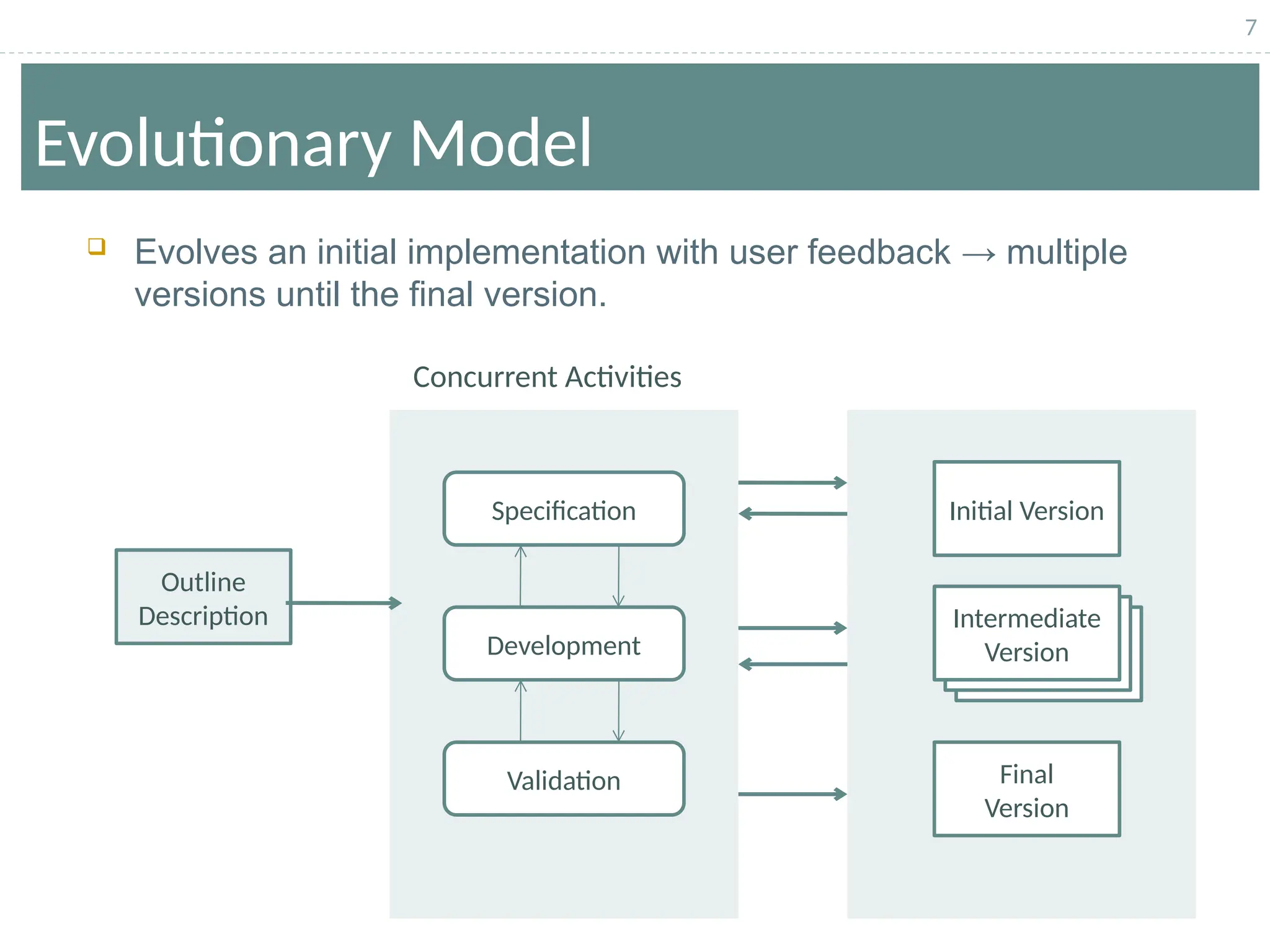
Evolutionary Model
Concurrent Activities
Outline
Description
Initial Version
Final
Version
Intermediate
Version
Specification
Development
Validation
 Evolves an initial implementation with user feedback → multiple
versions until the final version.
8
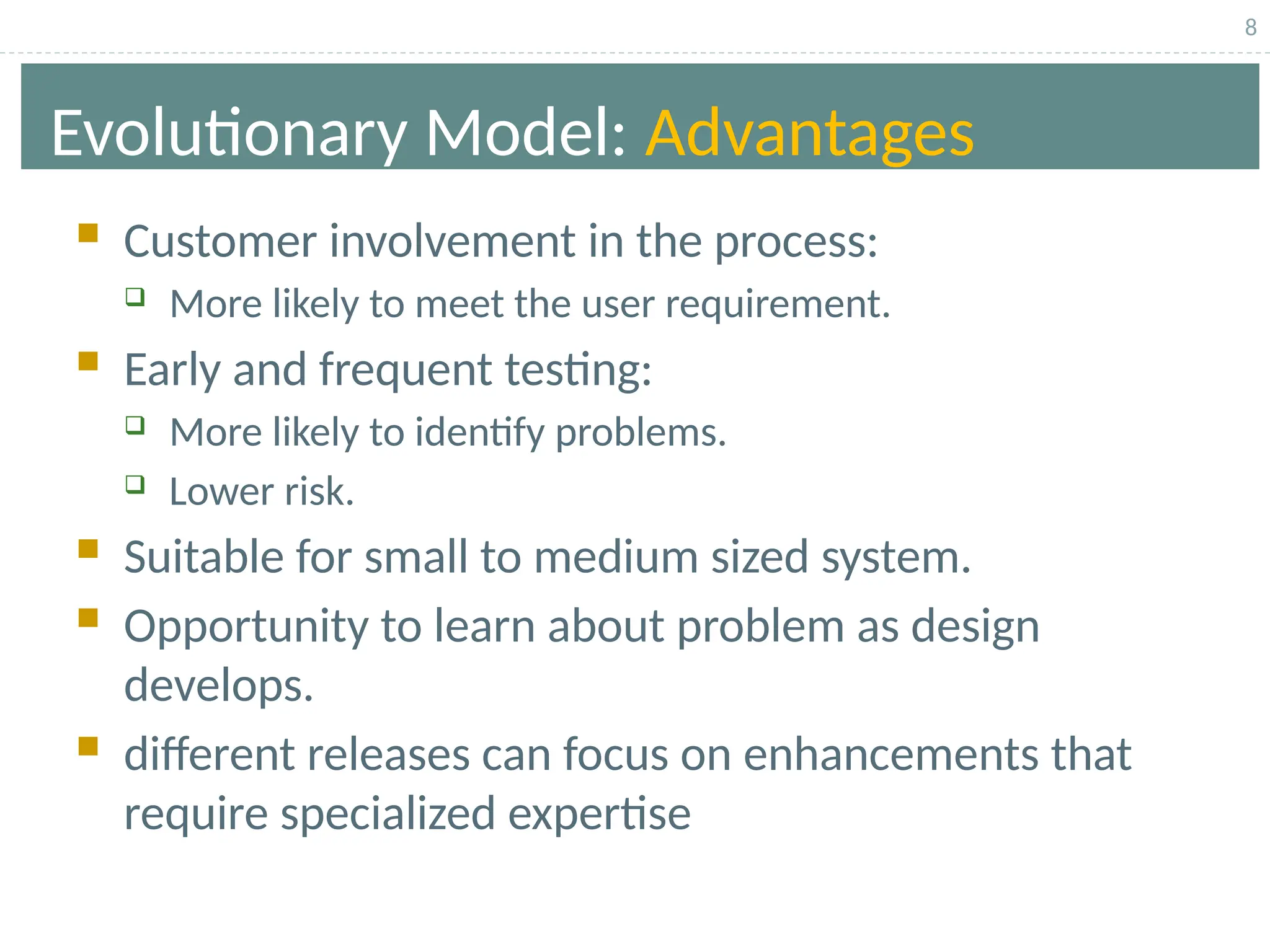
Evolutionary Model: Advantages
 Customer involvement in the process:
 More likely to meet the user requirement.
 Early and frequent testing:
 More likely to identify problems.
 Lower risk.
 Suitable for small to medium sized system.
 Opportunity to learn about problem as design
develops.
 different releases can focus on enhancements that
require specialized expertise
9
Evolutionary Model: Problems
 The process is intangible:
 No regular, well-defined deliverables.
 The process is unpredictable:
 Hard to manage, e.g., scheduling, workforce allocation, etc.
 Systems are poorly structured:
 Continual, unpredictable change tends to corrupt the
software structure.
 Can cause major problems during software evolution.
 Systems may not even converge to a final version.
 No strategy to gauge or solve this problem.
10
Evolutionary Model: Applicability
 Applicability:
 When requirements are not well understood
 When the client and the developer agree on a
“rapid prototype” that will be thrown away
 Good for small and medium-sized software systems
11
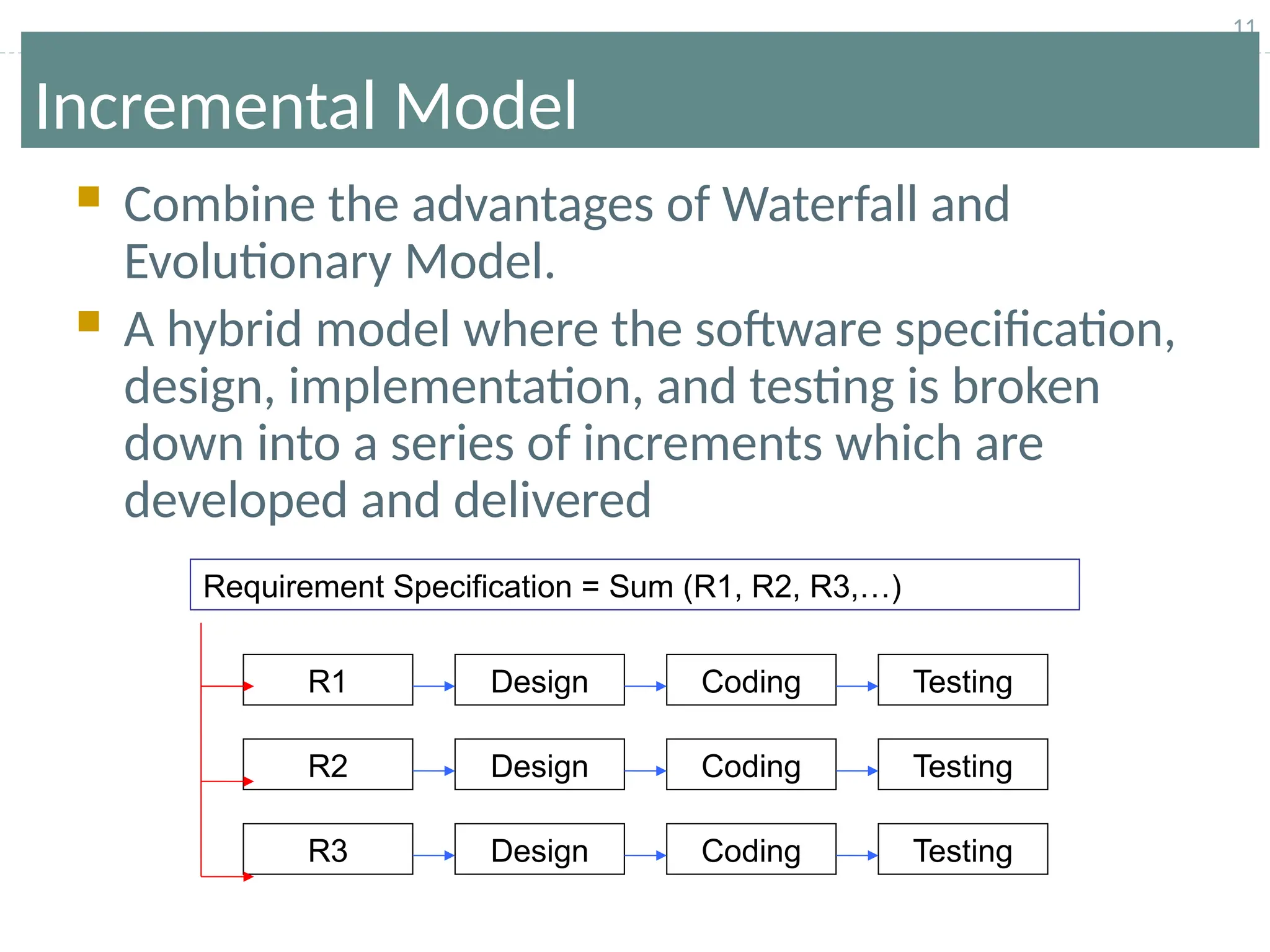
Incremental Model
 Combine the advantages of Waterfall and
Evolutionary Model.
 A hybrid model where the software specification,
design, implementation, and testing is broken
down into a series of increments which are
developed and delivered
Requirement Specification = Sum (R1, R2, R3,…)
R1 Coding
Design Testing
R2
R3 Design
Design
Coding
Coding
Testing
Testing
12
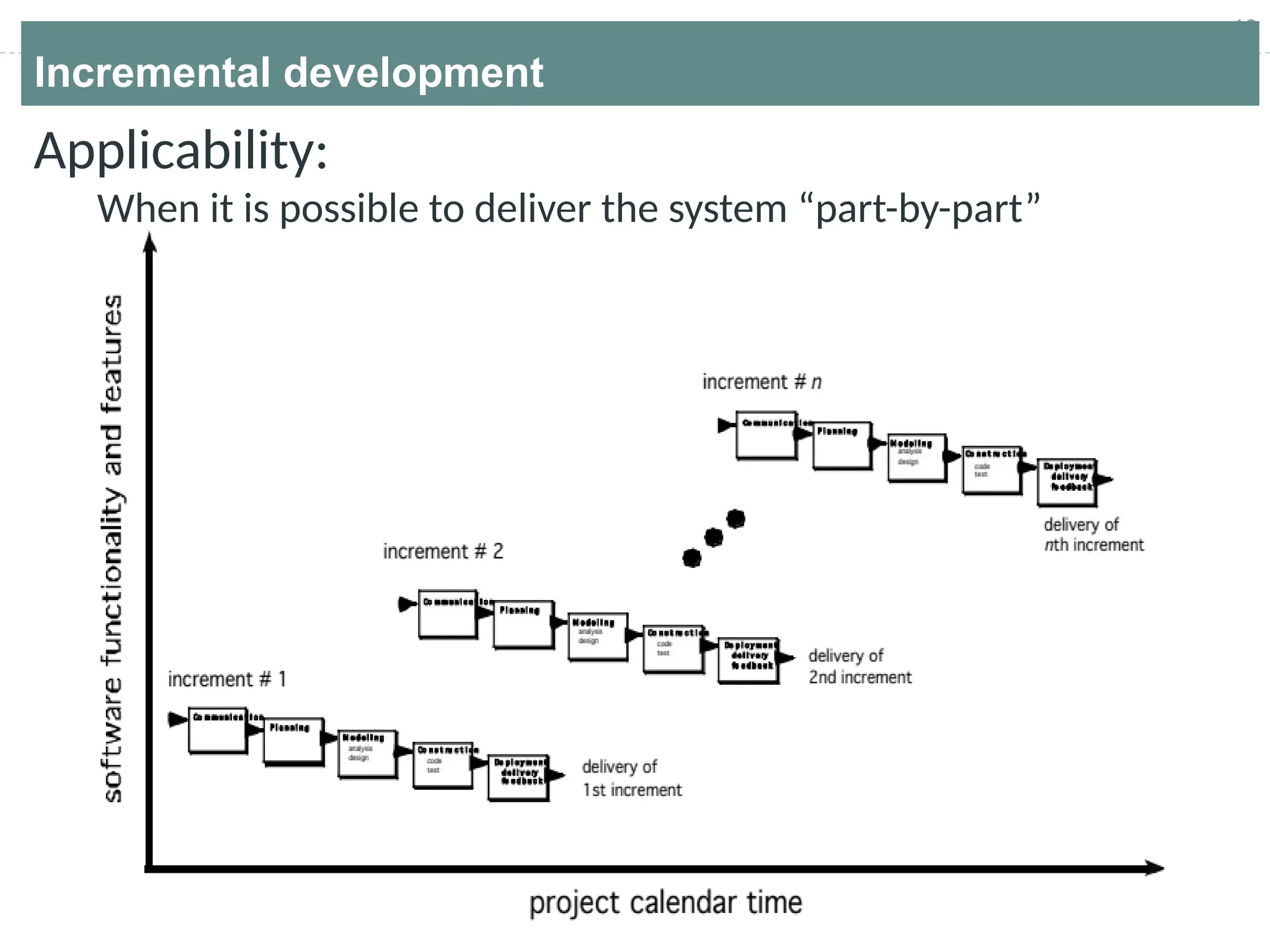
Incremental development
Applicability:
When it is possible to deliver the system “part-by-part”
13
Incremental development
When initial requirements are reasonably well defined,
but the overall scope of the development effort prevents
a purely linear process.

It combines elements of linear and parallel process flows.
Each linear sequence produces deliverable increments of
the software.
The first increment is often a core product with many
supplementary features. Users use it and evaluate it with
more modifications to better meet the needs.
14
Incremental development benefits
 The cost of accommodating changing customer
requirements is reduced.
.
 It is easier to get customer feedback on the development
work that has been done.
 More rapid delivery and deployment of useful software to
the customer is possible.
.
15
Incremental development Problems
The process is not visible.
 Managers need regular deliverables to measure
progress. If systems are developed quickly, it is not
cost-effective to produce documents that reflect every
version of the system.
System structure tends to degrade as new
increments are added.
 Unless time and money is spent on refactoring to
improve the software, regular change tends to corrupt
its structure. Incorporating further software changes
becomes increasingly difficult and costly.
16
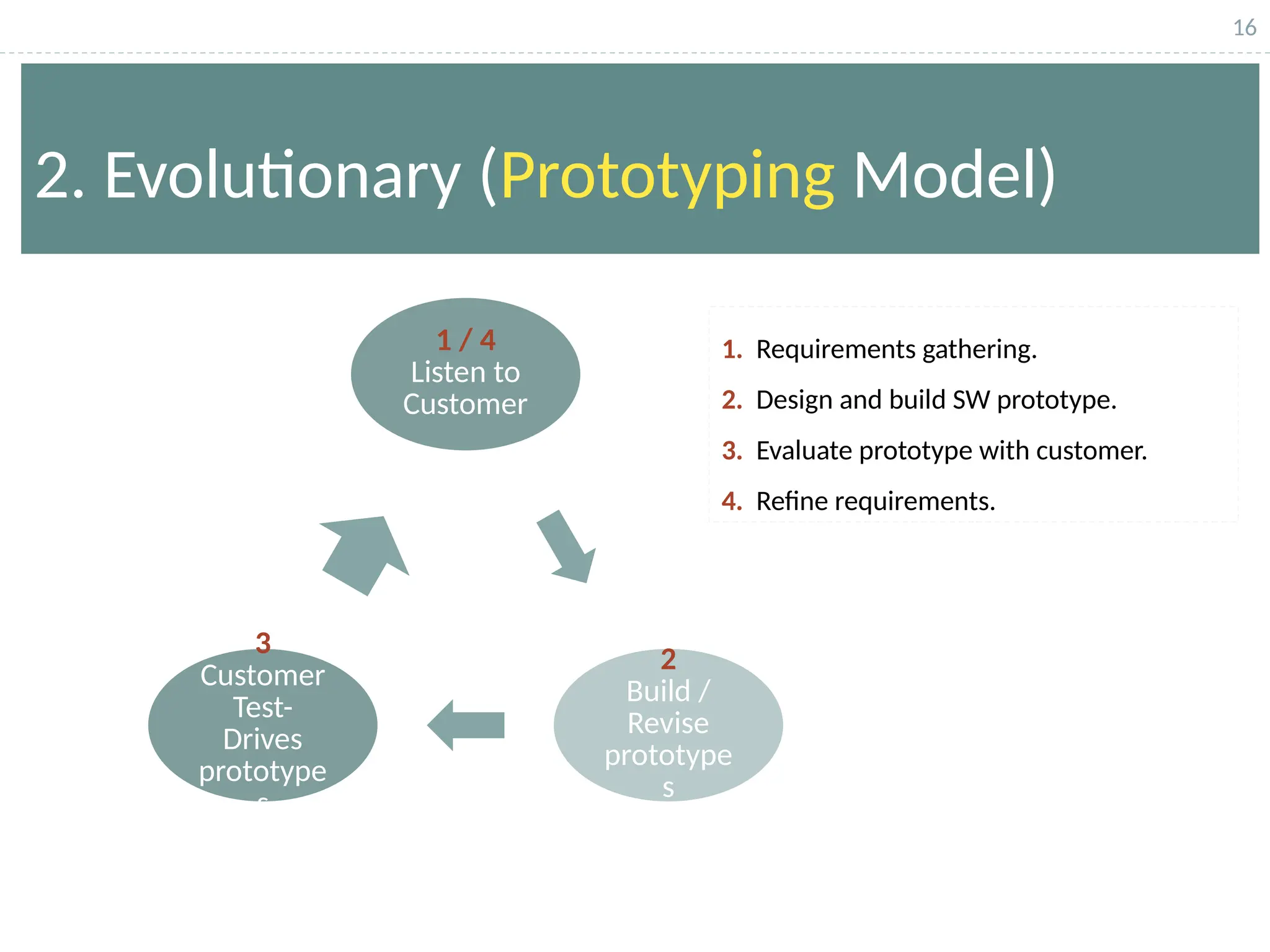
2. Evolutionary (Prototyping Model)
1 / 4
Listen to
Customer
2
Build /
Revise
prototype
s
3
Customer
Test-
Drives
prototype
s
1. Requirements gathering.
2. Design and build SW prototype.
3. Evaluate prototype with customer.
4. Refine requirements.
17
Evolutionary Models: Prototyping
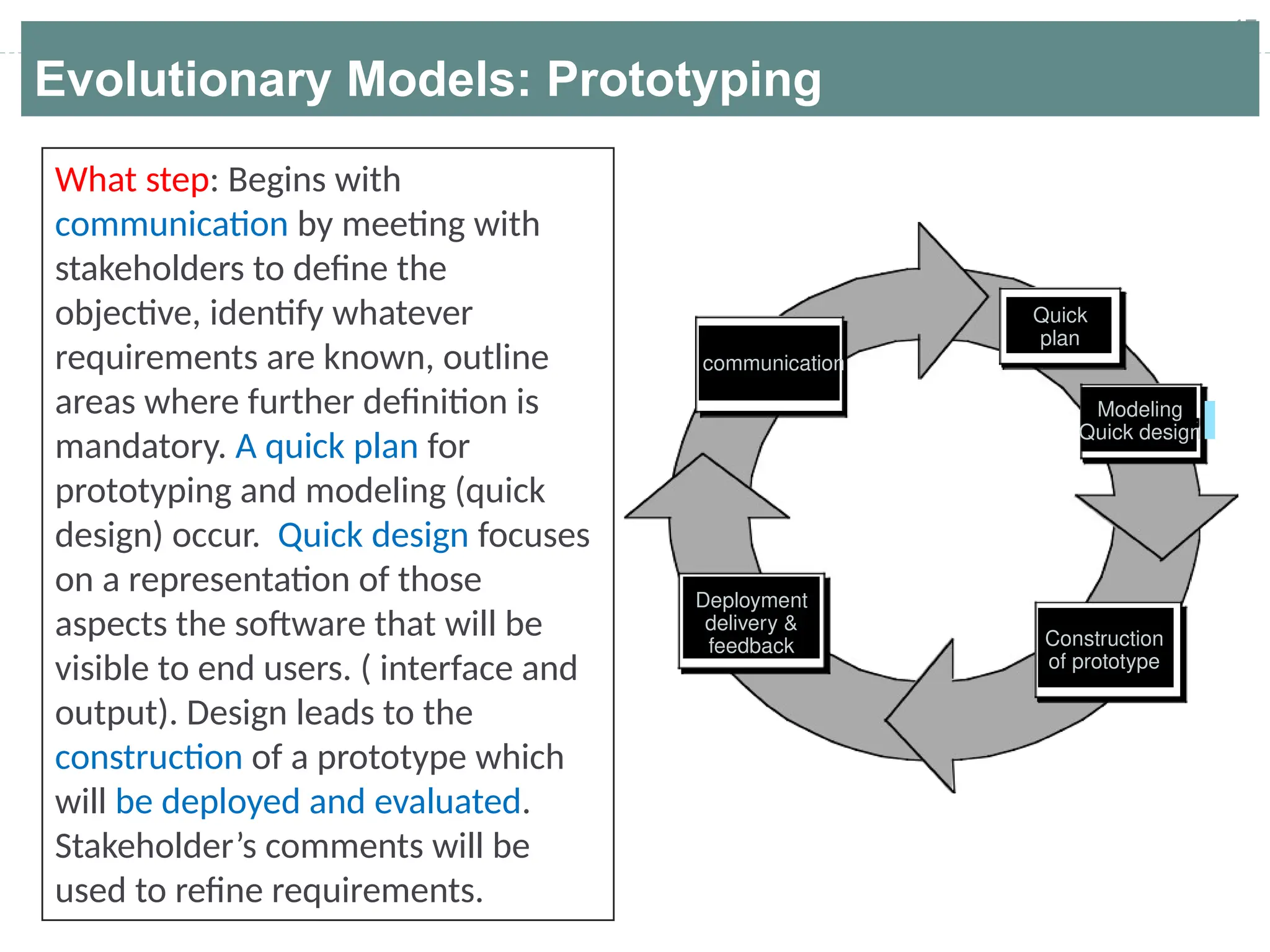
What step: Begins with
communication by meeting with
stakeholders to define the
objective, identify whatever
requirements are known, outline
areas where further definition is
mandatory. A quick plan for
prototyping and modeling (quick
design) occur. Quick design focuses
on a representation of those
aspects the software that will be
visible to end users. ( interface and
output). Design leads to the
construction of a prototype which
will be deployed and evaluated.
Stakeholder’s comments will be
used to refine requirements.
communication
Quick
plan
Modeling
Quick design
Construction
of prototype
Deployment
delivery &
feedback
18
Evolutionary Models: Prototyping
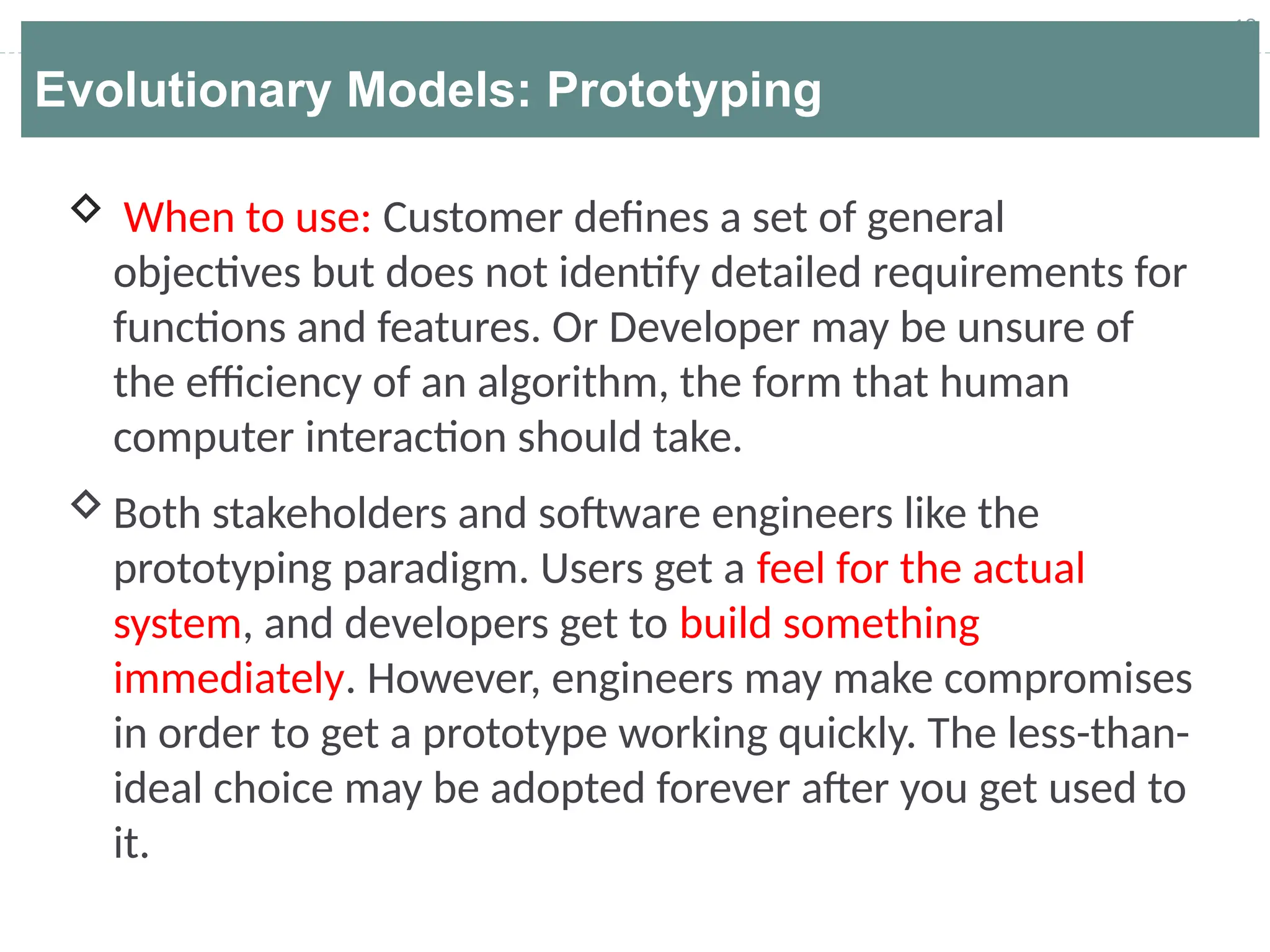
 When to use: Customer defines a set of general
objectives but does not identify detailed requirements for
functions and features. Or Developer may be unsure of
the efficiency of an algorithm, the form that human
computer interaction should take.
Both stakeholders and software engineers like the
prototyping paradigm. Users get a feel for the actual
system, and developers get to build something
immediately. However, engineers may make compromises
in order to get a prototype working quickly. The less-than-
ideal choice may be adopted forever after you get used to
it.
19
Application of Software prototyping
Software that involves too much of data processing
and most of the functionality is internal with very little
user interface does not usually benefit from
prototyping.
A prototype can be used in:
 Software Prototyping is mostly useful in development
of systems having high level of user interactions such
as online systems.
 The requirements engineering process to help with
requirements elicitation and validation.
 In design processes to explore options and develop a
UI design.
20
Benefits of prototyping
 Improved system usability via increased user involvement
in the product even before its implementation.
 A closer match to users’ real needs, since users get a
better understanding of the system being developed.
 Improved design quality via quicker user feedback.
 Reduces time and cost as the defects can be detected
much earlier.
 Reduced development effort.
 Missing functionality can be identified easily.
21
Problems of prototyping
 Users may get confused in the prototypes and actual
systems.
 Practically, this methodology may increase the complexity
of the system as scope of the system may expand
beyond original plans.
 Developers may try to reuse the existing prototypes to
build the actual system, even when it is not technically
feasible.
 The effort invested in building prototypes may be too
much if it is not monitored properly.
22
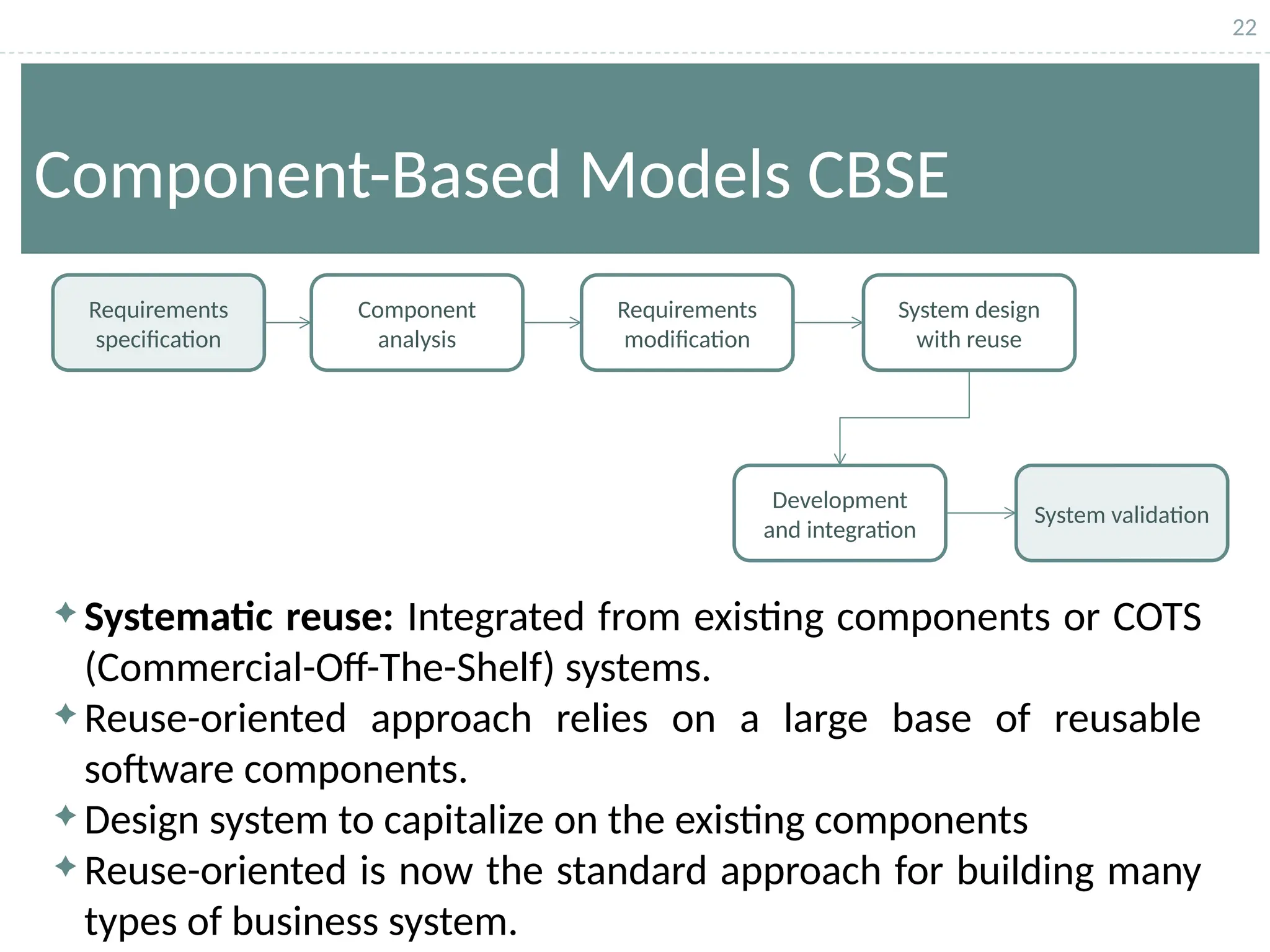
Component-Based Models CBSE
 Systematic reuse: Integrated from existing components or COTS
(Commercial-Off-The-Shelf) systems.
 Reuse-oriented approach relies on a large base of reusable
software components.
 Design system to capitalize on the existing components
 Reuse-oriented is now the standard approach for building many
types of business system.
Requirements
specification
Component
analysis
Requirements
modification
System design
with reuse
Development
and integration
System validation
23
Types of software components:
• Web services that are developed according to service
standards and which are available for remote invocation.
• Collections of objects that are developed as a package to be
integrated with a component framework such as .NET or J2EE.
• Stand-alone software systems (COTS) that are configured for
use in a particular environment.
Component-Based Models CBSE
24
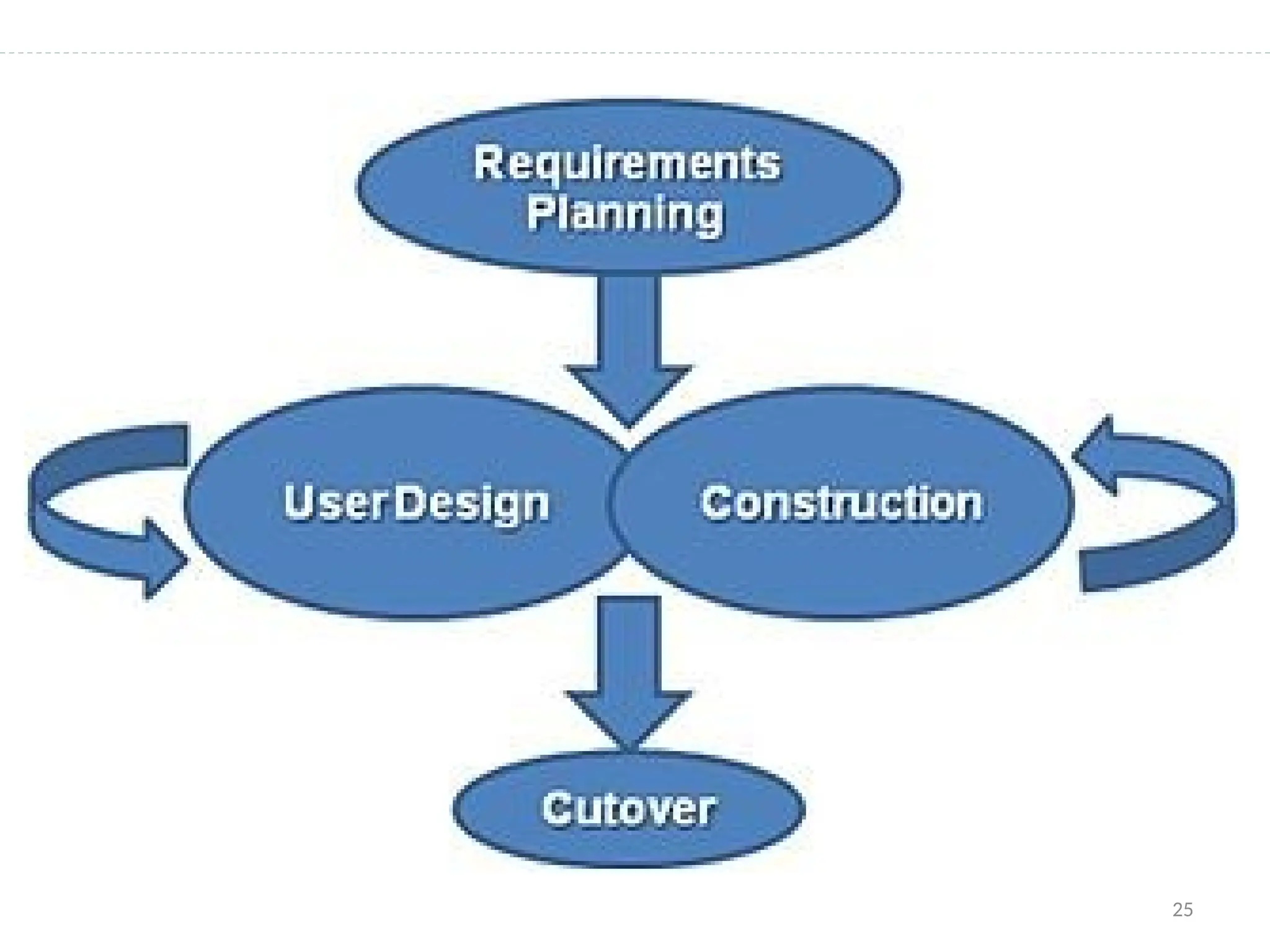
 Rapid Application Development model is based on prototyping
and iterative development with no specific planning involved.
 In RAD model, the functional modules developed using
prototypes in parallel as if they were mini projects and are
integrated to make the complete product for faster delivery.
 RAD focuses on gathering customer requirements through
workshops or focus groups, early testing of the prototypes by
the customer using iterative concept, reuse of the existing
prototypes (components), continuous integration and rapid
delivery.
RAD Model
25
26
 Requirements planning During this initial stage designers,
developers, and users come to a rough agreement on project scope
and application requirements, so that future stages with prototyping
can begin.
 User design – User feedback is gathered with heavy emphasis on
determining the system architecture. This allows initial modeling and
prototypes to be created. This step is repeated as often as necessary
as the project evolves.
Rapid Application Model (RAD)
27
 Construction phase – productivity tools, such as code
generators, screen generators, etc. inside a time-box. (“Do until
done”)
 Cutover phase -- installation of the system, user acceptance
testing and user training
Rapid Application Model (RAD)
28
 Reduced cycle time and improved productivity with fewer
people means lower costs
 Time-box approach mitigates cost and schedule risk
 Customer involved throughout the complete cycle minimizes
risk of not achieving customer satisfaction and business needs
 Focus moves from documentation to code (WYSIWYG).
 Uses modeling concepts to capture information about
business, data, and processes.
RAD Strengths
29
 Accelerated development process must give quick responses
to the user
 Risk of never achieving closure
 Hard to use with legacy systems
 Requires a system that can be modularized
 Developers and customers must be committed to rapid-fire
activities in an abbreviated time frame.
RAD Weaknesses
30
 RAD should be used when there is a need to create a system
that can be modularized in 2-3 months of time.
 Reasonably well-known requirements
 User involved throughout the life cycle
 Project can be time-boxed
 Functionality delivered in increments
 High performance not required
 Low technical risks
When to use RAD
31
Thanks & Any Question

Software Process Models - Types - Explanations.pptx

  • 1.
    1 Lecture slides for Week3 & 4 Software Process Models Cont… CE-222
  • 2.
    2 Overview of thislecture  Properties of an Evolutionary Model  What are its types?  Evolutionary Process Model diagram  Advantages, problems & applicability of Evolutionary Model  Incremental Model with applicability, benefits & problems  Prototyping Model  Component base development model (COTs)  Rapid Application Development Model (RAD)
  • 3.
    3 Types of SoftwareProcess Model  Two Generic Models: Waterfall Model Evolutionary Model
  • 4.
    4 2. Evolutionary Models •Main characteristics: – The phases of the software construction are interleaved – Feedback from the user is used throughout the entire process – The software product is refined through many versions • Types of evolutionary development: – Exploratory development – Throw-away prototyping
  • 5.
    5 Evolutionary Models Types Two fundamental types:  Exploratory Development:  Explores the requirement and delivers a final system.  Starts with something that is understood and evolves by adding new features proposed by customers.  Throwaway prototyping:  Understands the requirement and develop a better requirement definition.  Experimenting with poorly understood requirement.  Usually develops User Interface (UI) with minor or no functionality.
  • 6.
    6 Evolutionary Models Exploratory Model • Objective:Work with customers and evolve a final system from an initial outline specification. • Start with well-understood requirements  Add new features as proposed by the customer. Throwaway Prototyping Model • When a customer defines a set of general objectives for a software but does not identify detailed I/O or processing requirements. • Consists of 4 iterating phases: • Requirements gathering. • Design and build SW prototype. • Evaluate prototype with customer. • Refine requirements.
  • 7.
    7 Evolutionary Model Concurrent Activities Outline Description InitialVersion Final Version Intermediate Version Specification Development Validation  Evolves an initial implementation with user feedback → multiple versions until the final version.
  • 8.
    8 Evolutionary Model: Advantages Customer involvement in the process:  More likely to meet the user requirement.  Early and frequent testing:  More likely to identify problems.  Lower risk.  Suitable for small to medium sized system.  Opportunity to learn about problem as design develops.  different releases can focus on enhancements that require specialized expertise
  • 9.
    9 Evolutionary Model: Problems The process is intangible:  No regular, well-defined deliverables.  The process is unpredictable:  Hard to manage, e.g., scheduling, workforce allocation, etc.  Systems are poorly structured:  Continual, unpredictable change tends to corrupt the software structure.  Can cause major problems during software evolution.  Systems may not even converge to a final version.  No strategy to gauge or solve this problem.
  • 10.
    10 Evolutionary Model: Applicability Applicability:  When requirements are not well understood  When the client and the developer agree on a “rapid prototype” that will be thrown away  Good for small and medium-sized software systems
  • 11.
    11 Incremental Model  Combinethe advantages of Waterfall and Evolutionary Model.  A hybrid model where the software specification, design, implementation, and testing is broken down into a series of increments which are developed and delivered Requirement Specification = Sum (R1, R2, R3,…) R1 Coding Design Testing R2 R3 Design Design Coding Coding Testing Testing
  • 12.
    12 Incremental development Applicability: When itis possible to deliver the system “part-by-part”
  • 13.
    13 Incremental development When initialrequirements are reasonably well defined, but the overall scope of the development effort prevents a purely linear process. It combines elements of linear and parallel process flows. Each linear sequence produces deliverable increments of the software. The first increment is often a core product with many supplementary features. Users use it and evaluate it with more modifications to better meet the needs.
  • 14.
    14 Incremental development benefits The cost of accommodating changing customer requirements is reduced. .  It is easier to get customer feedback on the development work that has been done.  More rapid delivery and deployment of useful software to the customer is possible. .
  • 15.
    15 Incremental development Problems Theprocess is not visible.  Managers need regular deliverables to measure progress. If systems are developed quickly, it is not cost-effective to produce documents that reflect every version of the system. System structure tends to degrade as new increments are added.  Unless time and money is spent on refactoring to improve the software, regular change tends to corrupt its structure. Incorporating further software changes becomes increasingly difficult and costly.
  • 16.
    16 2. Evolutionary (PrototypingModel) 1 / 4 Listen to Customer 2 Build / Revise prototype s 3 Customer Test- Drives prototype s 1. Requirements gathering. 2. Design and build SW prototype. 3. Evaluate prototype with customer. 4. Refine requirements.
  • 17.
    17 Evolutionary Models: Prototyping Whatstep: Begins with communication by meeting with stakeholders to define the objective, identify whatever requirements are known, outline areas where further definition is mandatory. A quick plan for prototyping and modeling (quick design) occur. Quick design focuses on a representation of those aspects the software that will be visible to end users. ( interface and output). Design leads to the construction of a prototype which will be deployed and evaluated. Stakeholder’s comments will be used to refine requirements. communication Quick plan Modeling Quick design Construction of prototype Deployment delivery & feedback
  • 18.
    18 Evolutionary Models: Prototyping When to use: Customer defines a set of general objectives but does not identify detailed requirements for functions and features. Or Developer may be unsure of the efficiency of an algorithm, the form that human computer interaction should take. Both stakeholders and software engineers like the prototyping paradigm. Users get a feel for the actual system, and developers get to build something immediately. However, engineers may make compromises in order to get a prototype working quickly. The less-than- ideal choice may be adopted forever after you get used to it.
  • 19.
    19 Application of Softwareprototyping Software that involves too much of data processing and most of the functionality is internal with very little user interface does not usually benefit from prototyping. A prototype can be used in:  Software Prototyping is mostly useful in development of systems having high level of user interactions such as online systems.  The requirements engineering process to help with requirements elicitation and validation.  In design processes to explore options and develop a UI design.
  • 20.
    20 Benefits of prototyping Improved system usability via increased user involvement in the product even before its implementation.  A closer match to users’ real needs, since users get a better understanding of the system being developed.  Improved design quality via quicker user feedback.  Reduces time and cost as the defects can be detected much earlier.  Reduced development effort.  Missing functionality can be identified easily.
  • 21.
    21 Problems of prototyping Users may get confused in the prototypes and actual systems.  Practically, this methodology may increase the complexity of the system as scope of the system may expand beyond original plans.  Developers may try to reuse the existing prototypes to build the actual system, even when it is not technically feasible.  The effort invested in building prototypes may be too much if it is not monitored properly.
  • 22.
    22 Component-Based Models CBSE Systematic reuse: Integrated from existing components or COTS (Commercial-Off-The-Shelf) systems.  Reuse-oriented approach relies on a large base of reusable software components.  Design system to capitalize on the existing components  Reuse-oriented is now the standard approach for building many types of business system. Requirements specification Component analysis Requirements modification System design with reuse Development and integration System validation
  • 23.
    23 Types of softwarecomponents: • Web services that are developed according to service standards and which are available for remote invocation. • Collections of objects that are developed as a package to be integrated with a component framework such as .NET or J2EE. • Stand-alone software systems (COTS) that are configured for use in a particular environment. Component-Based Models CBSE
  • 24.
    24  Rapid ApplicationDevelopment model is based on prototyping and iterative development with no specific planning involved.  In RAD model, the functional modules developed using prototypes in parallel as if they were mini projects and are integrated to make the complete product for faster delivery.  RAD focuses on gathering customer requirements through workshops or focus groups, early testing of the prototypes by the customer using iterative concept, reuse of the existing prototypes (components), continuous integration and rapid delivery. RAD Model
  • 25.
  • 26.
    26  Requirements planningDuring this initial stage designers, developers, and users come to a rough agreement on project scope and application requirements, so that future stages with prototyping can begin.  User design – User feedback is gathered with heavy emphasis on determining the system architecture. This allows initial modeling and prototypes to be created. This step is repeated as often as necessary as the project evolves. Rapid Application Model (RAD)
  • 27.
    27  Construction phase– productivity tools, such as code generators, screen generators, etc. inside a time-box. (“Do until done”)  Cutover phase -- installation of the system, user acceptance testing and user training Rapid Application Model (RAD)
  • 28.
    28  Reduced cycletime and improved productivity with fewer people means lower costs  Time-box approach mitigates cost and schedule risk  Customer involved throughout the complete cycle minimizes risk of not achieving customer satisfaction and business needs  Focus moves from documentation to code (WYSIWYG).  Uses modeling concepts to capture information about business, data, and processes. RAD Strengths
  • 29.
    29  Accelerated developmentprocess must give quick responses to the user  Risk of never achieving closure  Hard to use with legacy systems  Requires a system that can be modularized  Developers and customers must be committed to rapid-fire activities in an abbreviated time frame. RAD Weaknesses
  • 30.
    30  RAD shouldbe used when there is a need to create a system that can be modularized in 2-3 months of time.  Reasonably well-known requirements  User involved throughout the life cycle  Project can be time-boxed  Functionality delivered in increments  High performance not required  Low technical risks When to use RAD
  • 31.