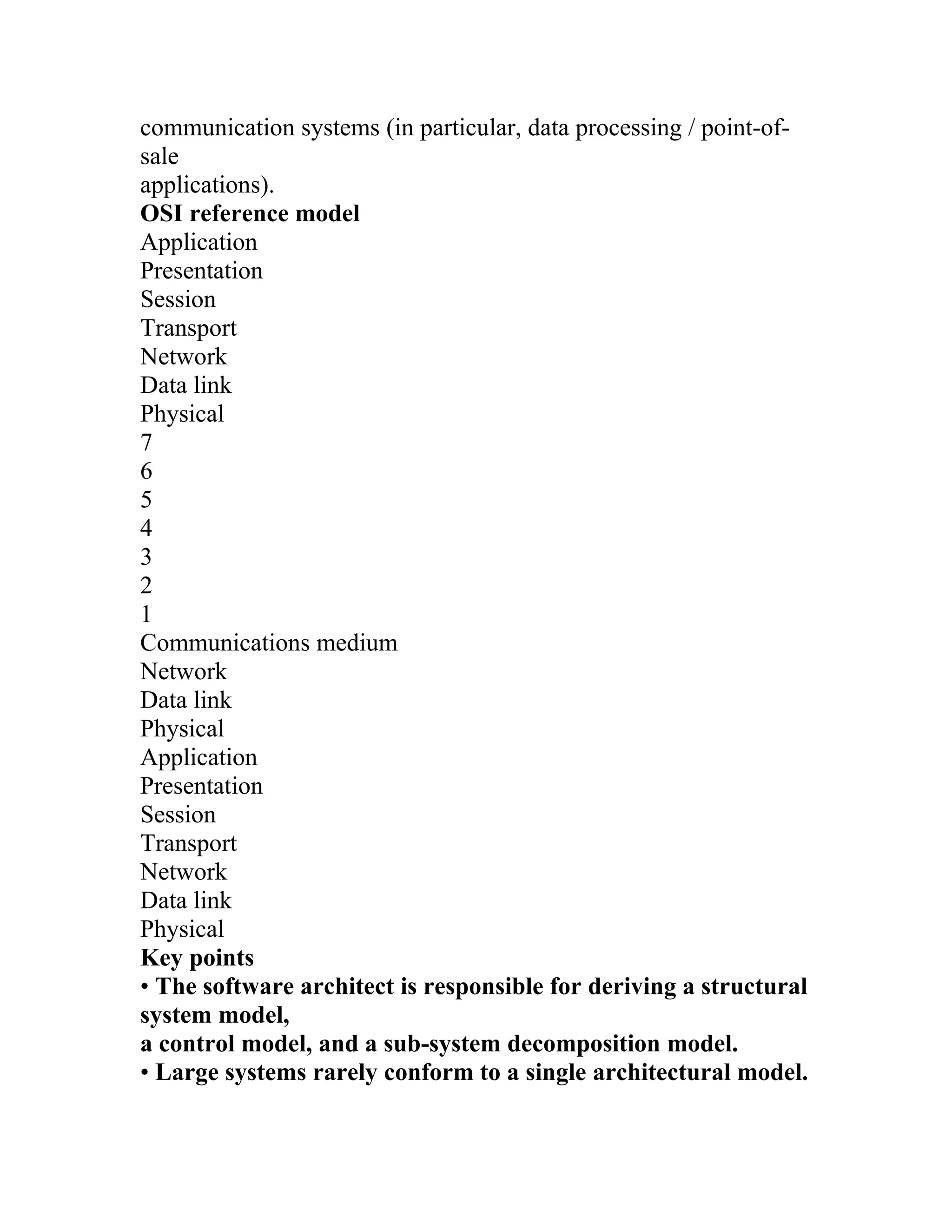
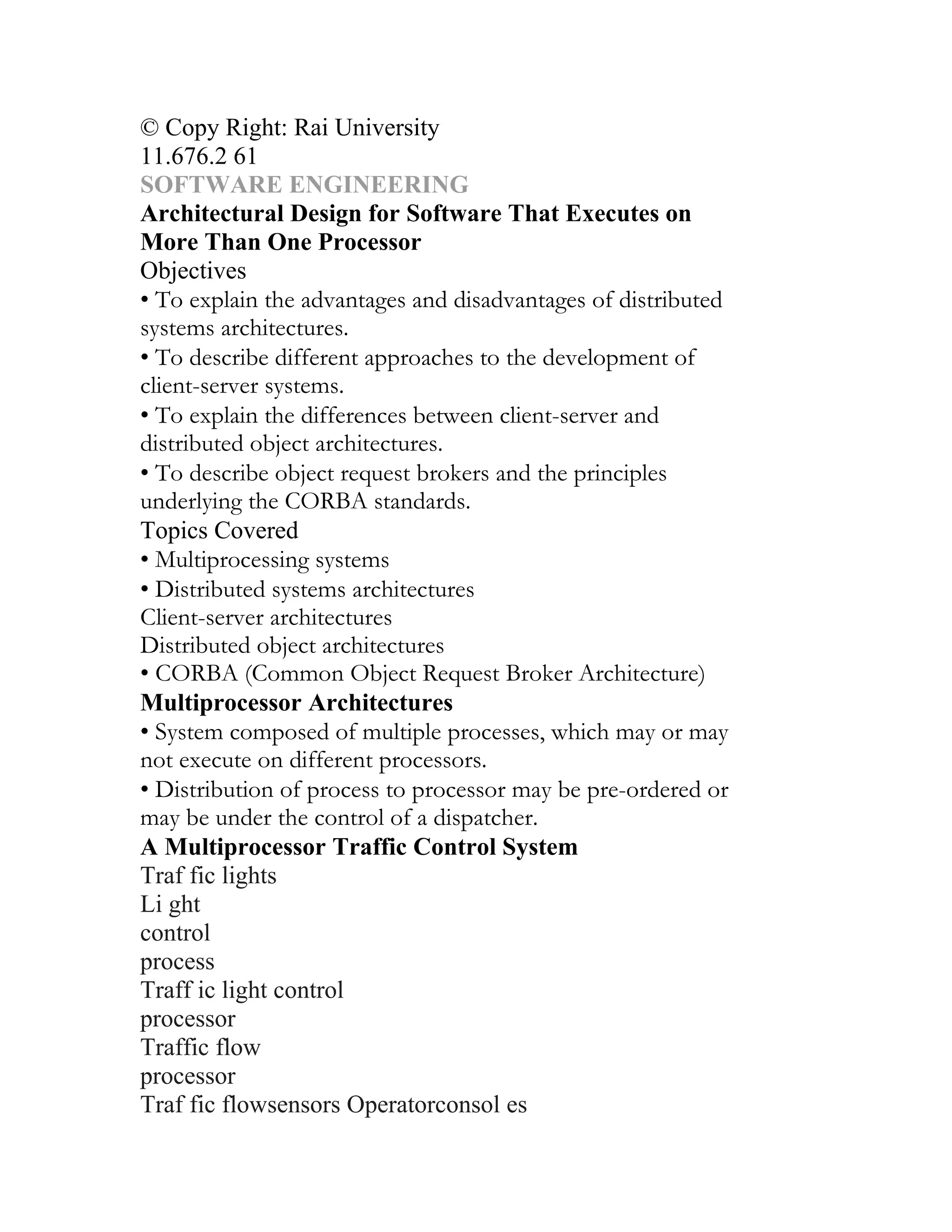
The document outlines the concepts of software and software engineering, emphasizing the differences between software engineering, computer science, and system engineering. It discusses the software process, including its activities like specification, development, validation, and evolution, as well as the financial aspects, methodologies, and ethical responsibilities of software engineers. Additionally, it stresses the importance of project management in delivering software on time and within budget, highlighting risk management and planning as essential components of successful software projects.
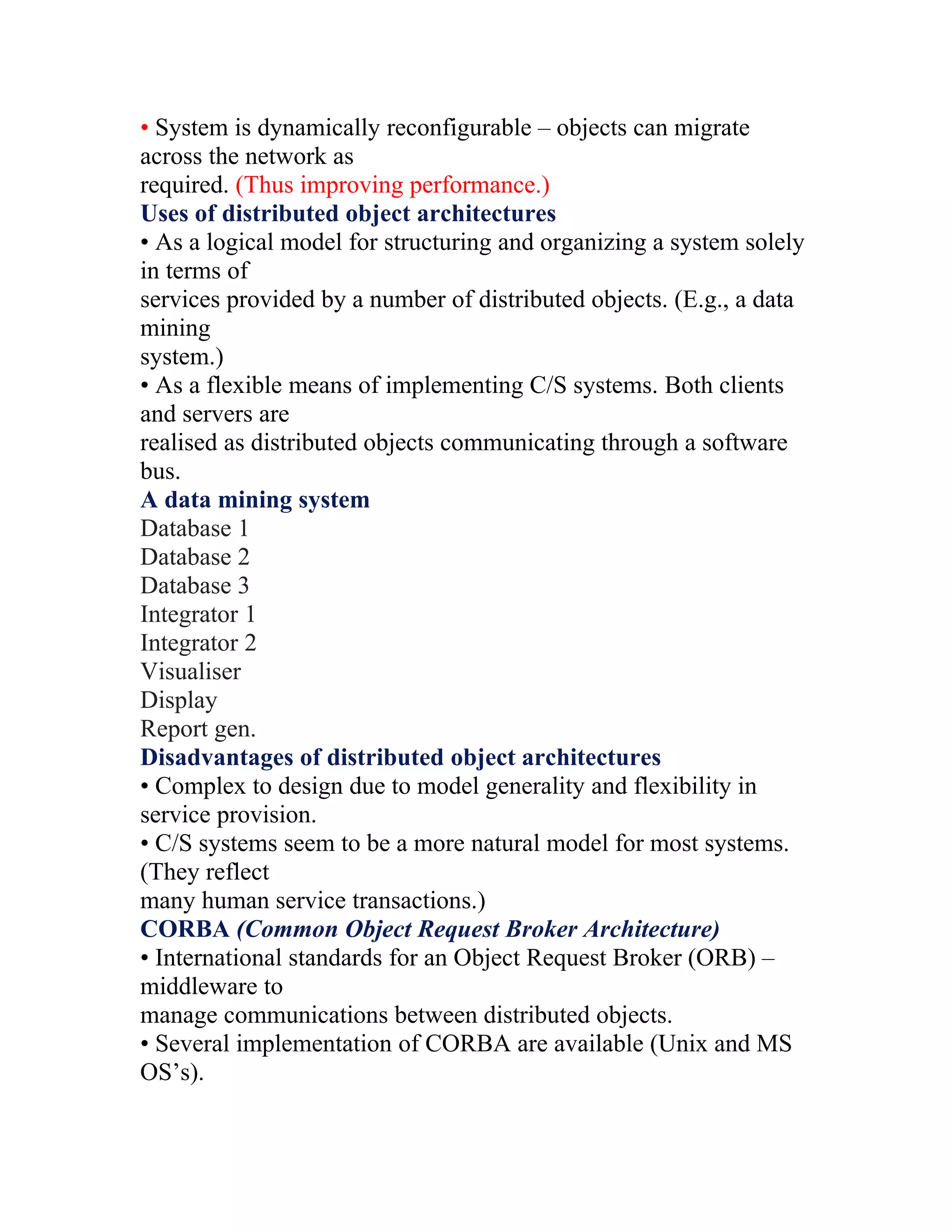
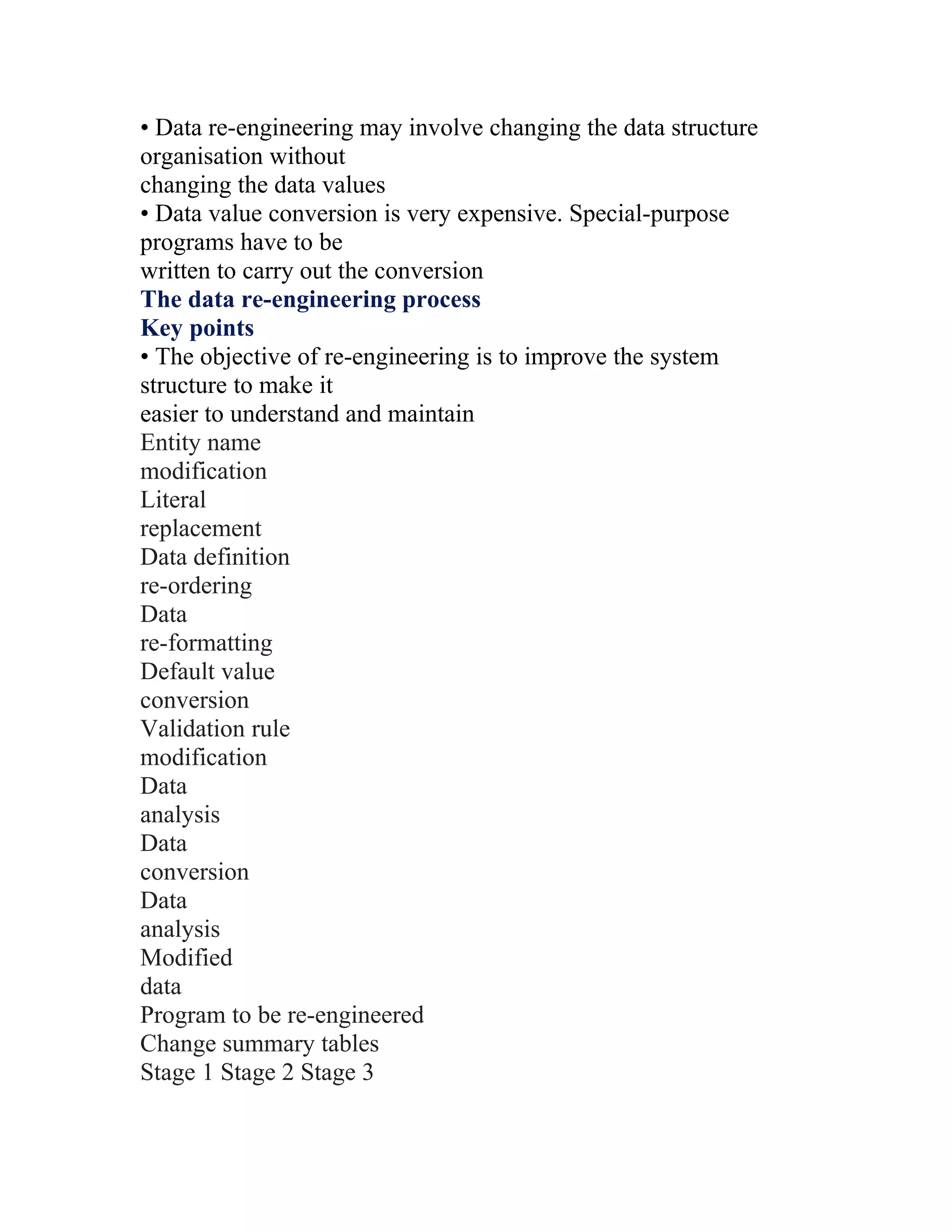
Definitions of software and software engineering, highlighting differences from computer science and system engineering.
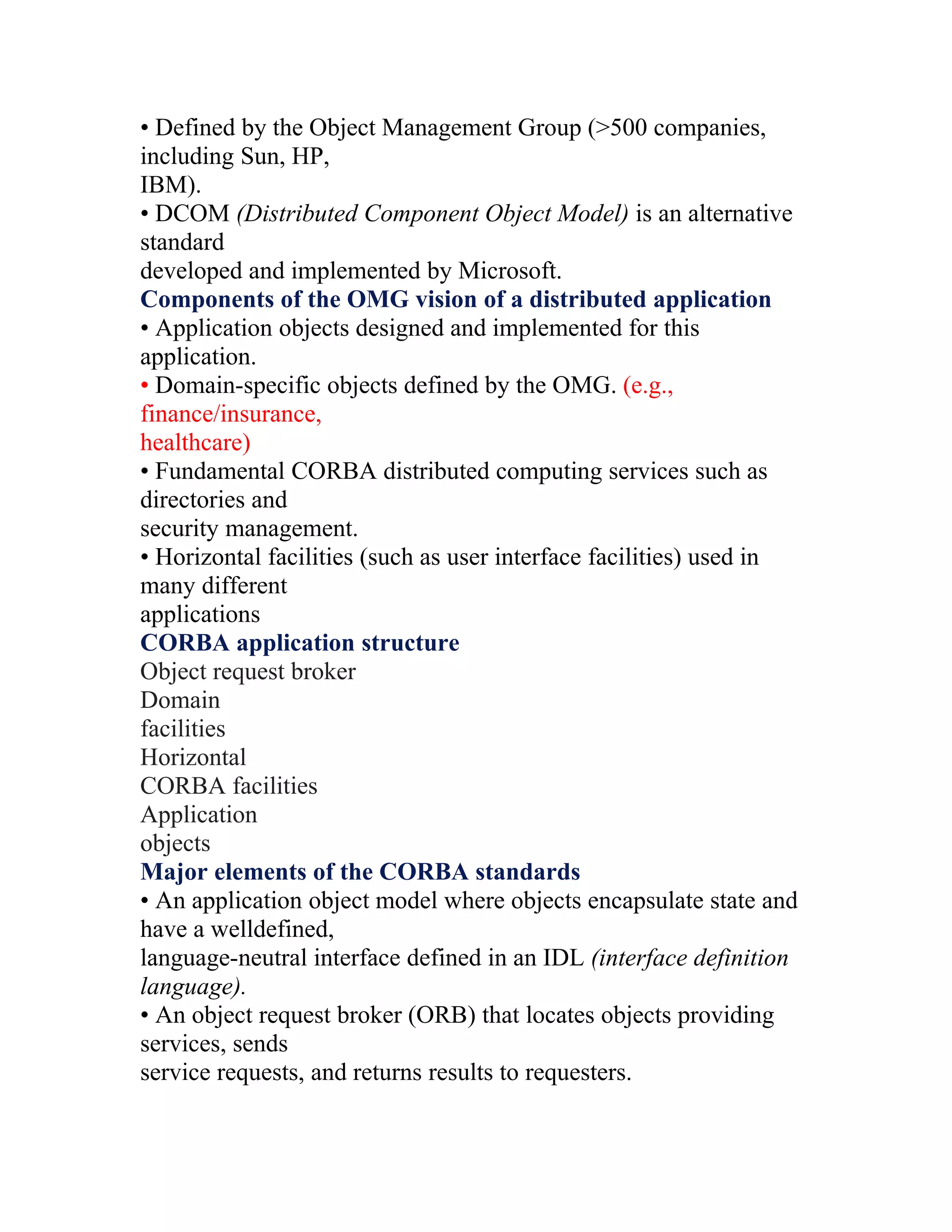
Overview of software processes including specification, development, validation, and evolution, along with models like Waterfall and Agile.
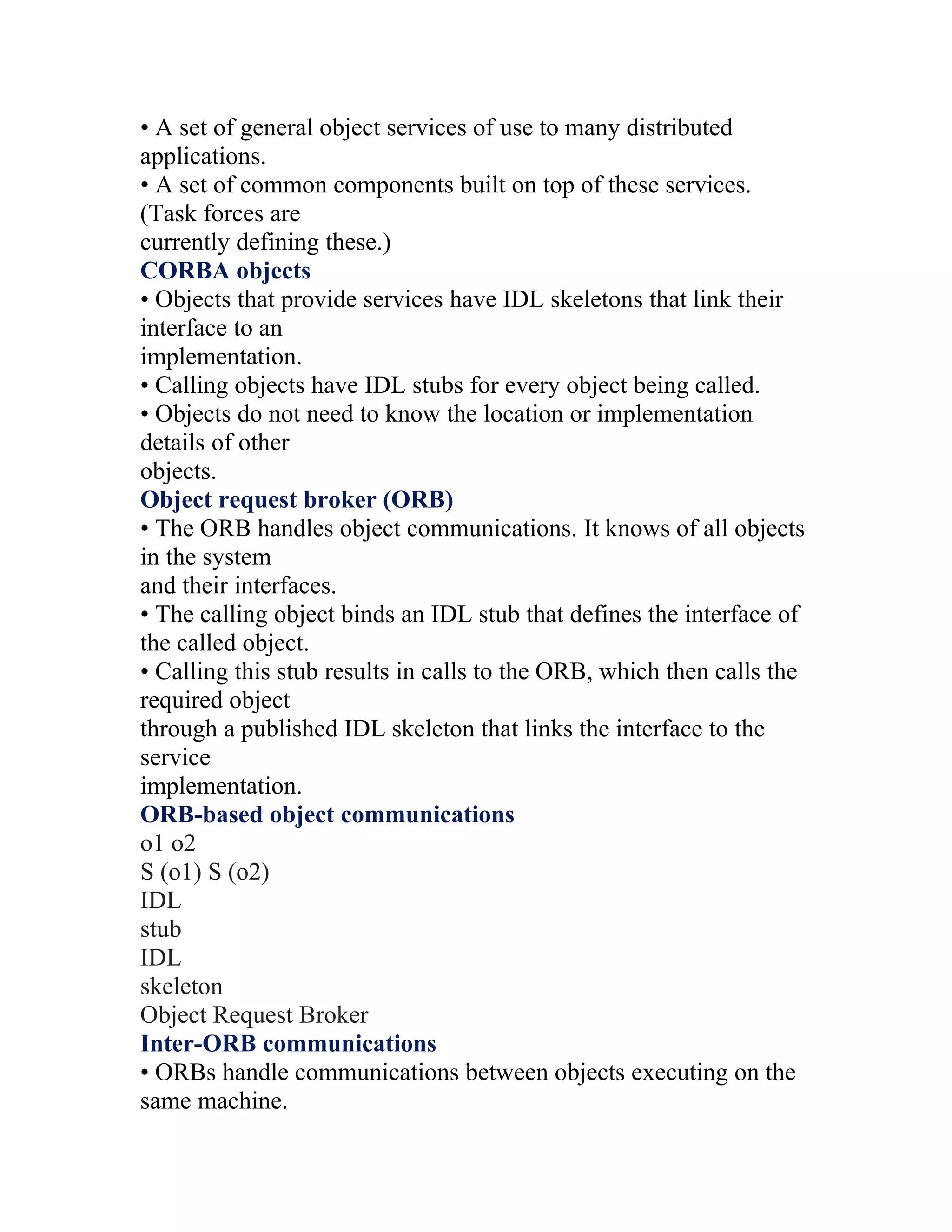
Cost distribution in software engineering focused on development (60%) and testing (40%), outlining CASE tools and structured approaches.
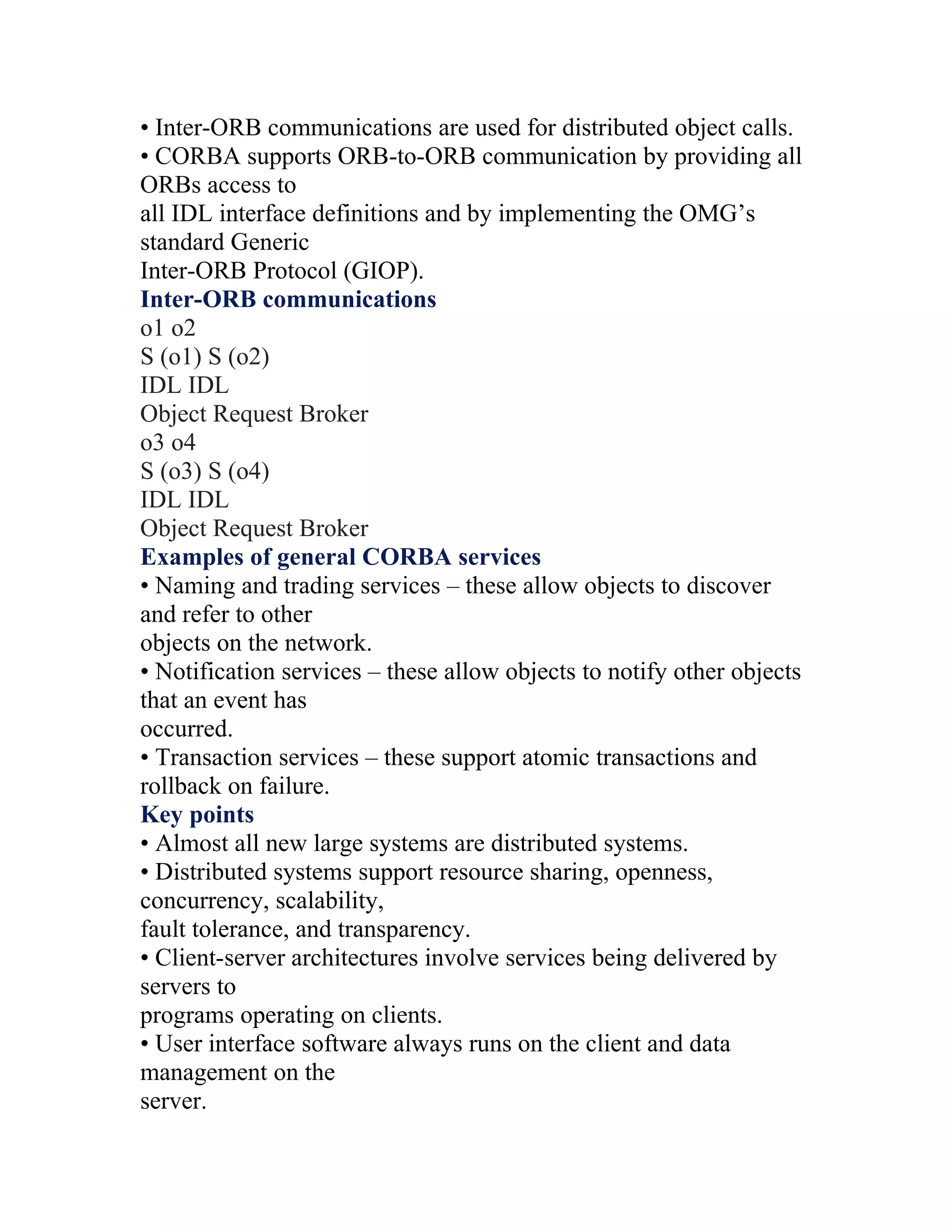
Key challenges include managing legacy systems, meeting diverse requirements, and ensuring ethical practice in development.
Importance of ethical behavior in software engineering, covering ACM/IEEE Code of Ethics and professional responsibilities.
Detailed overview of the software process including specification, design, validation, and evolution.
Key activities including requirements elicitation, validation, and the design and implementation of software based on requirements.
Examines CASE tools' role in adhering to software processes and enhancing project management effectiveness.
Explains planning, scheduling, staffing, and common challenges in managing software projects.
Steps in effective project planning and scheduling, addressing common challenges and methods to optimize resource utilization.
Importance of risk management, processes involved in risk identification, analysis, and strategies for mitigation.
Focuses on the complex process of gathering, analyzing, and validating software requirements. Overview of re-engineering processes, including restructuring, reverse engineering, data recovery, and code translation. Explains the stages of software design, including system modeling, architectural design, and interface specifications.
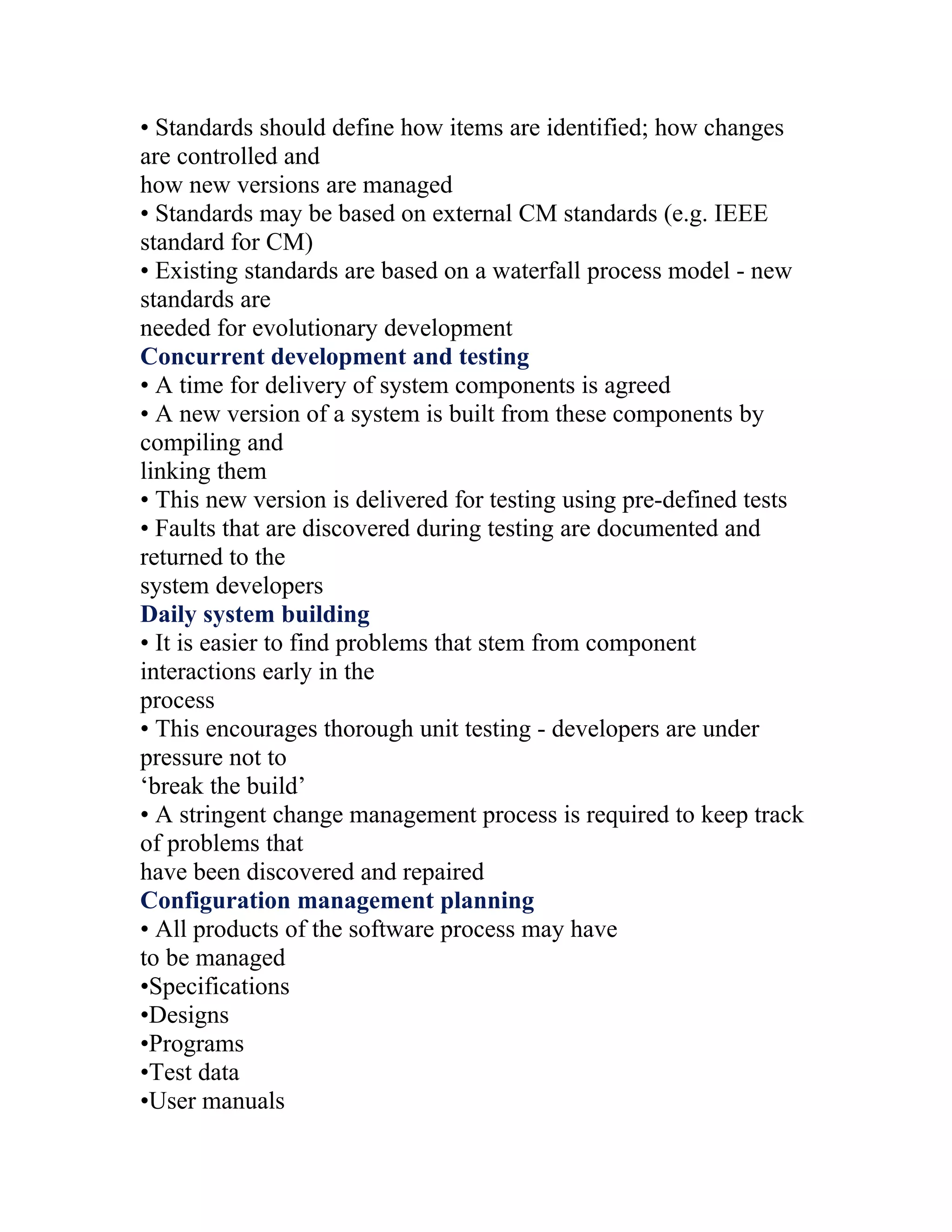
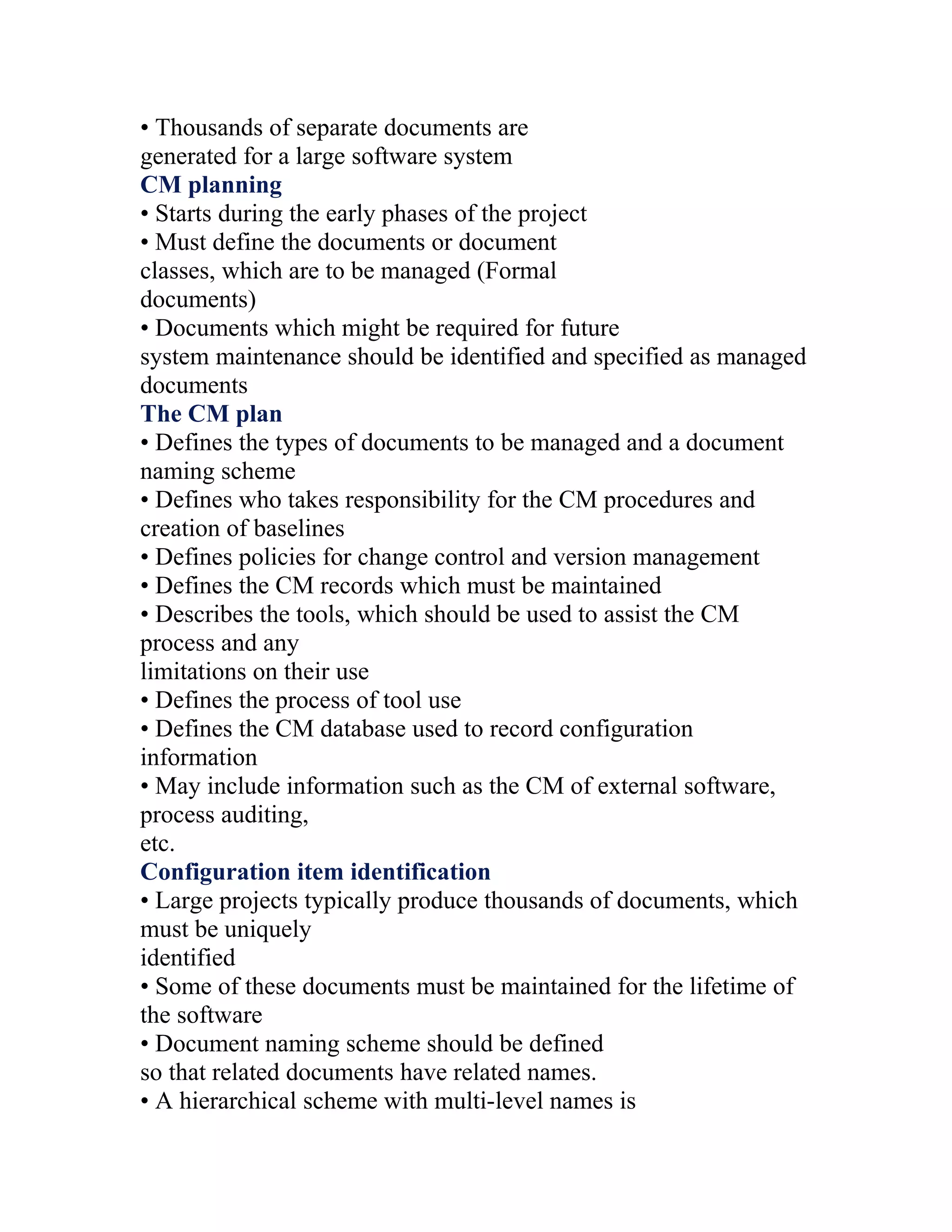
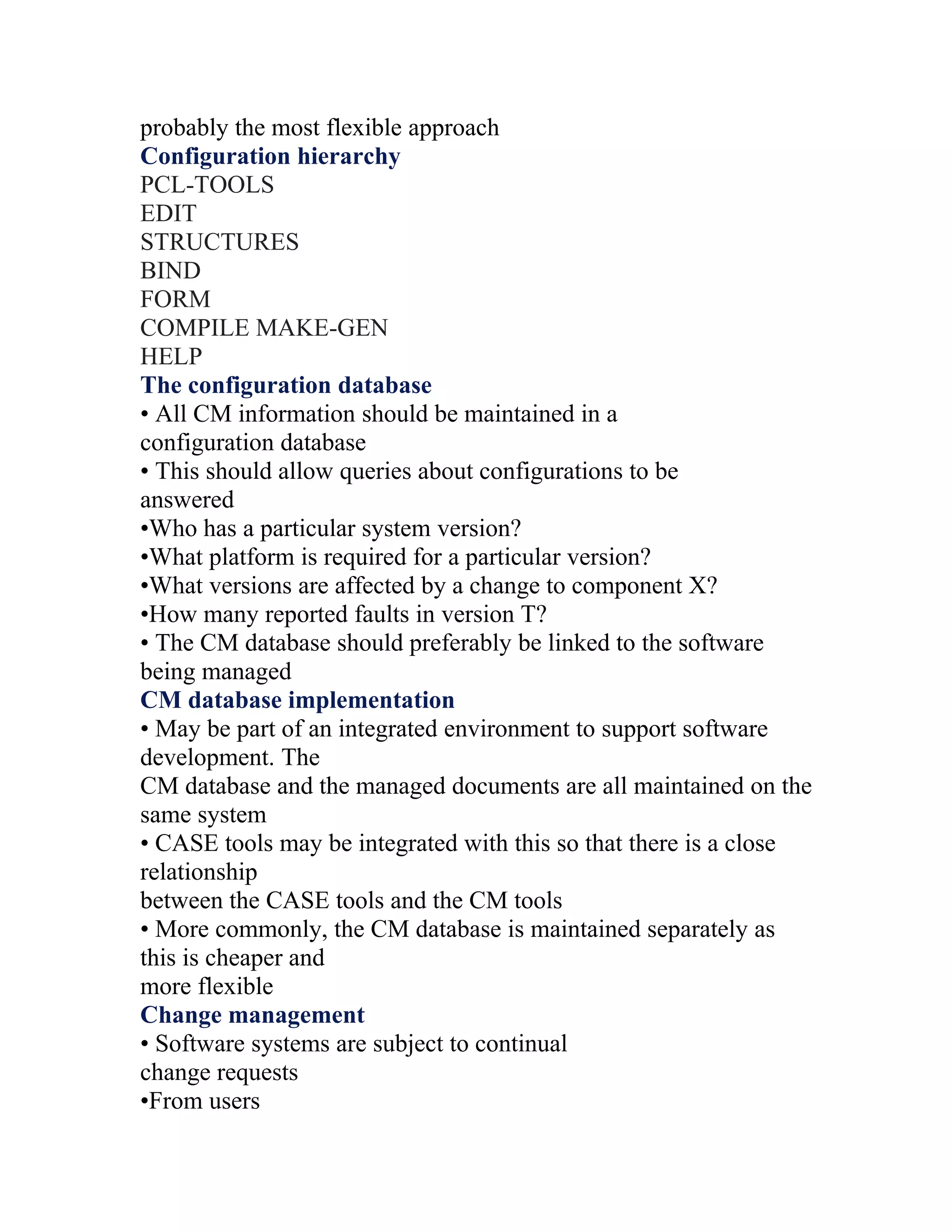
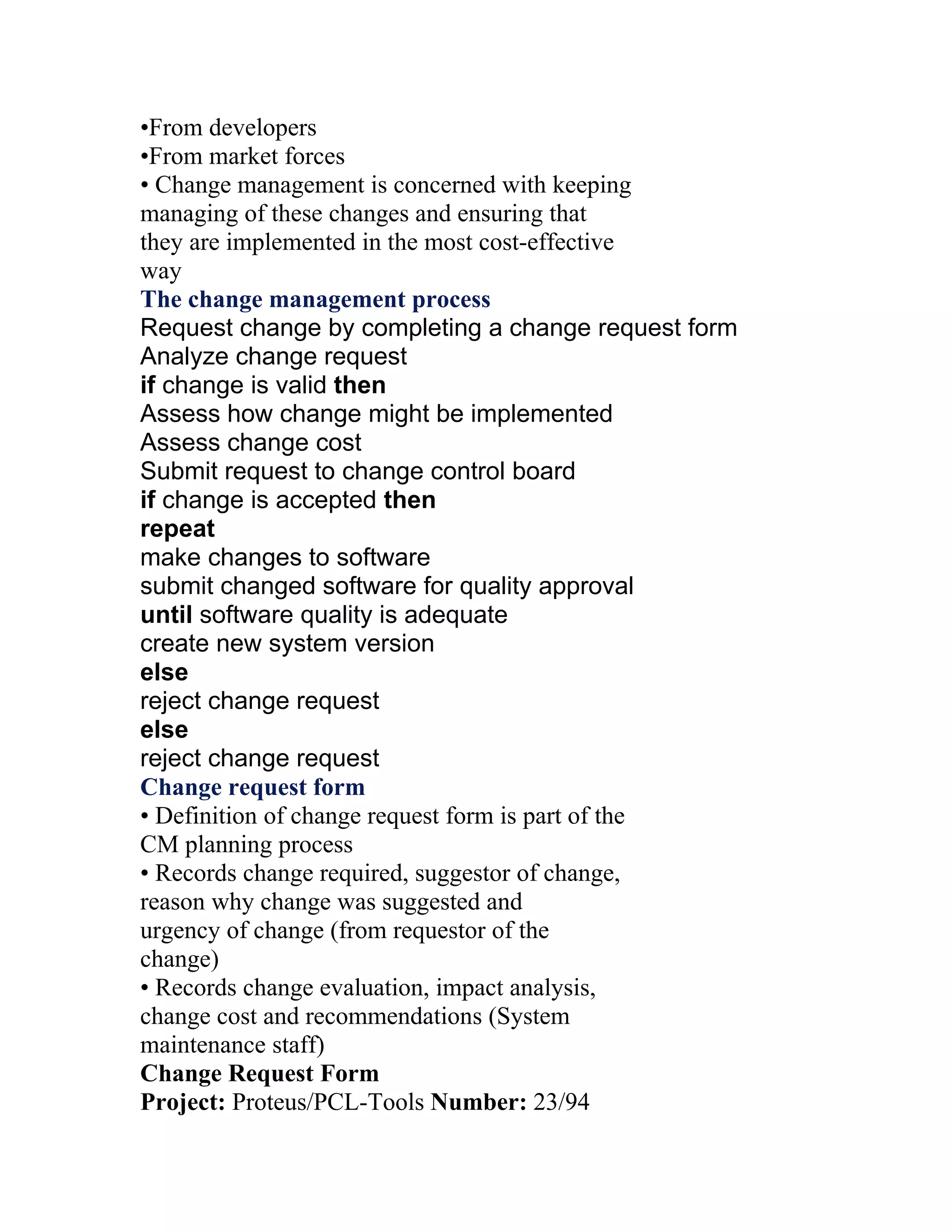
Explains configuration management importance, activities, and managing system versions across development.
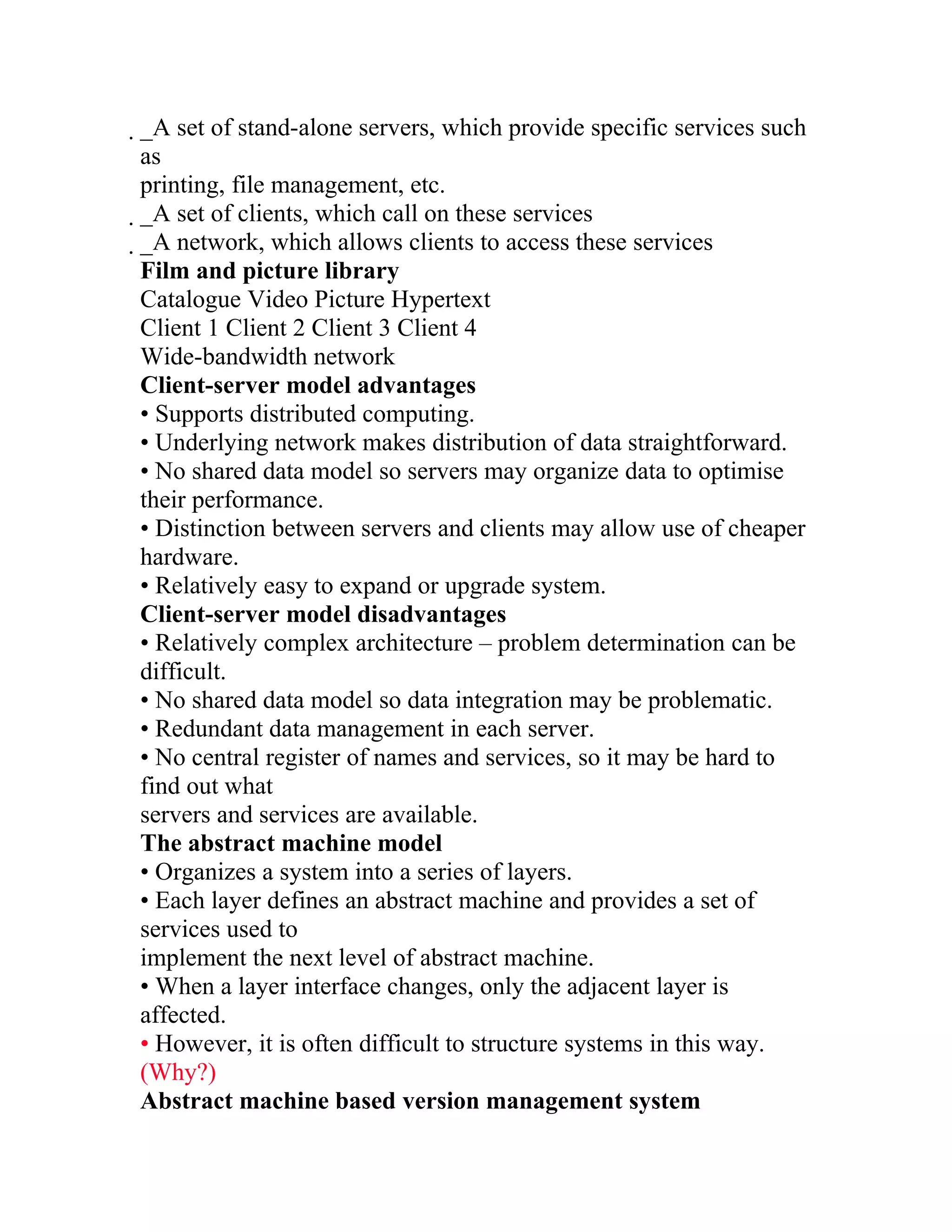
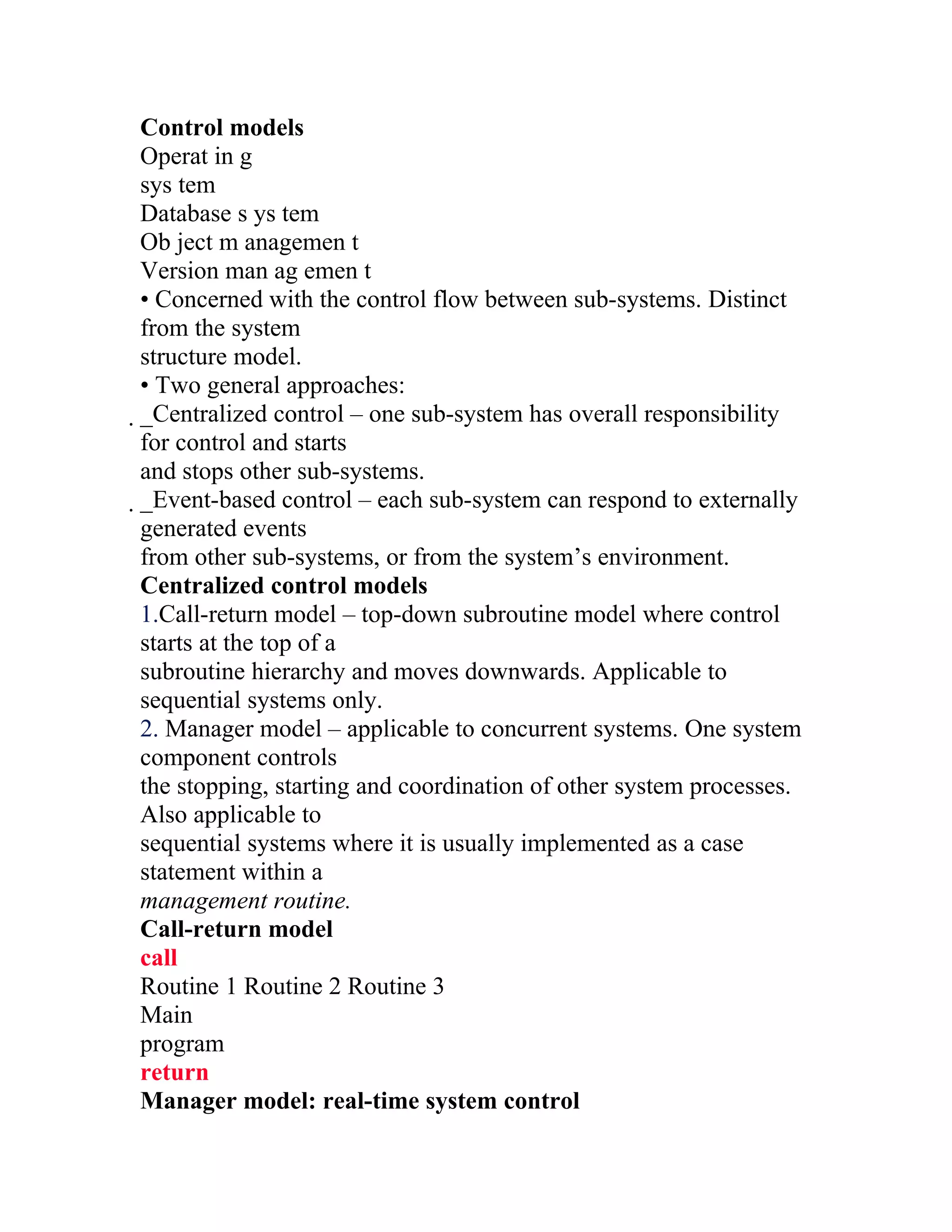
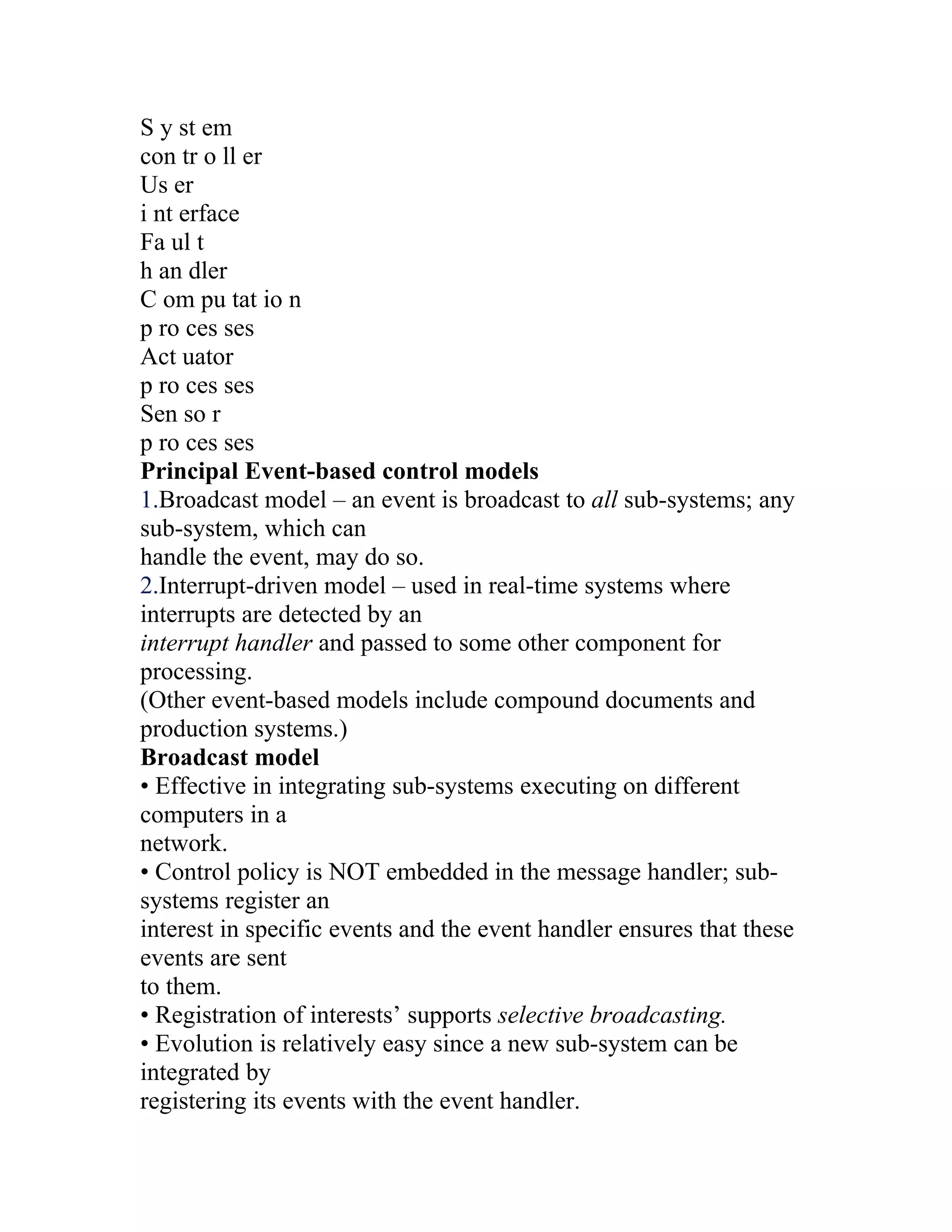
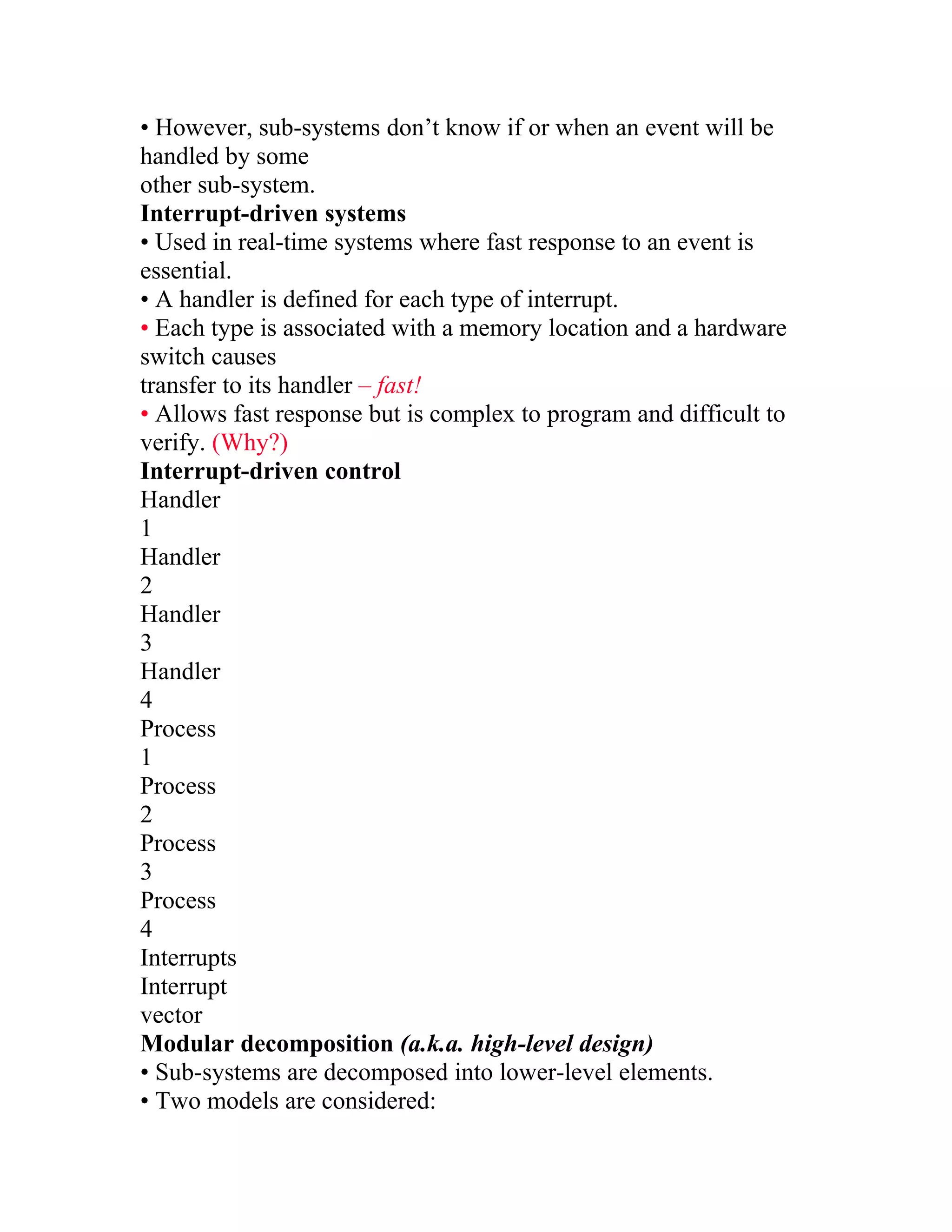
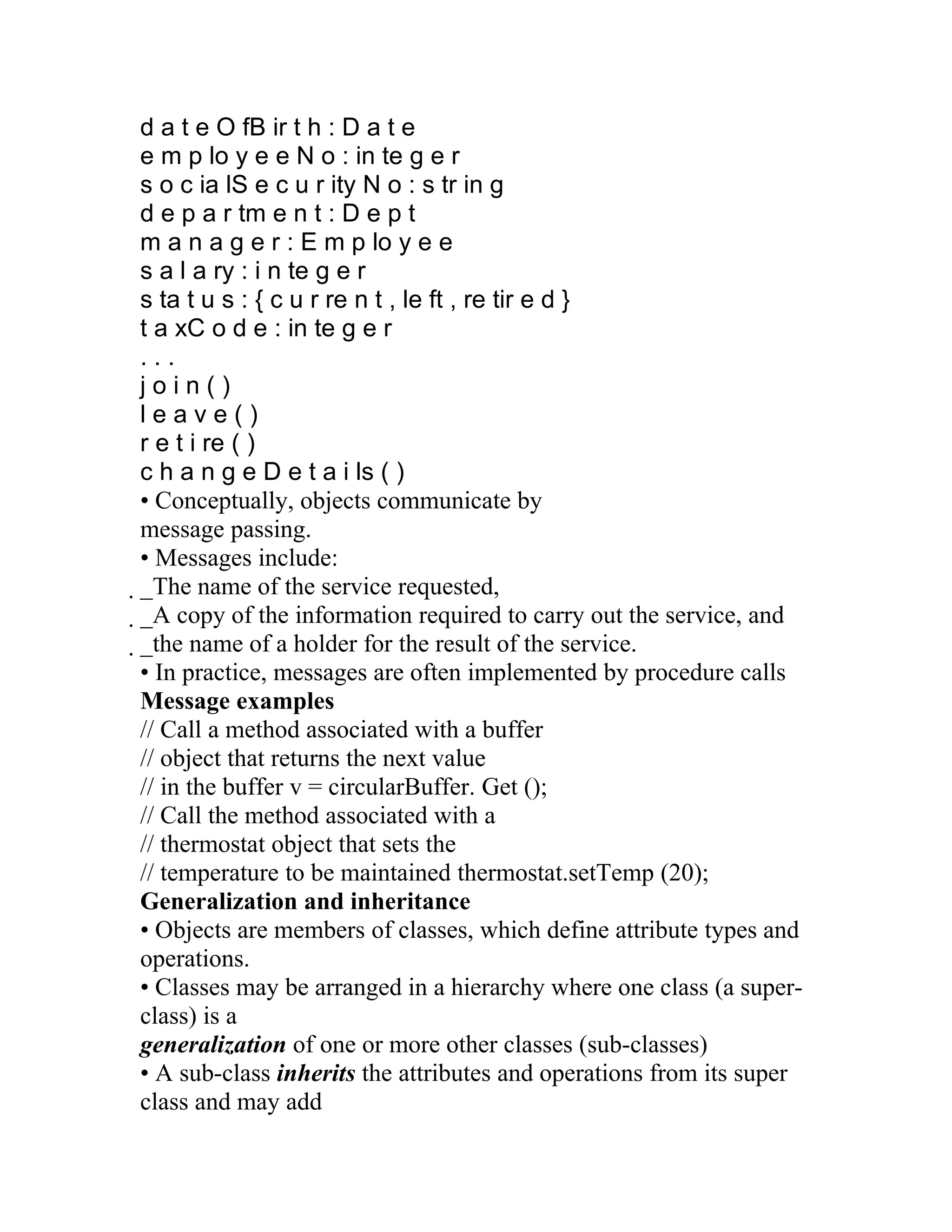
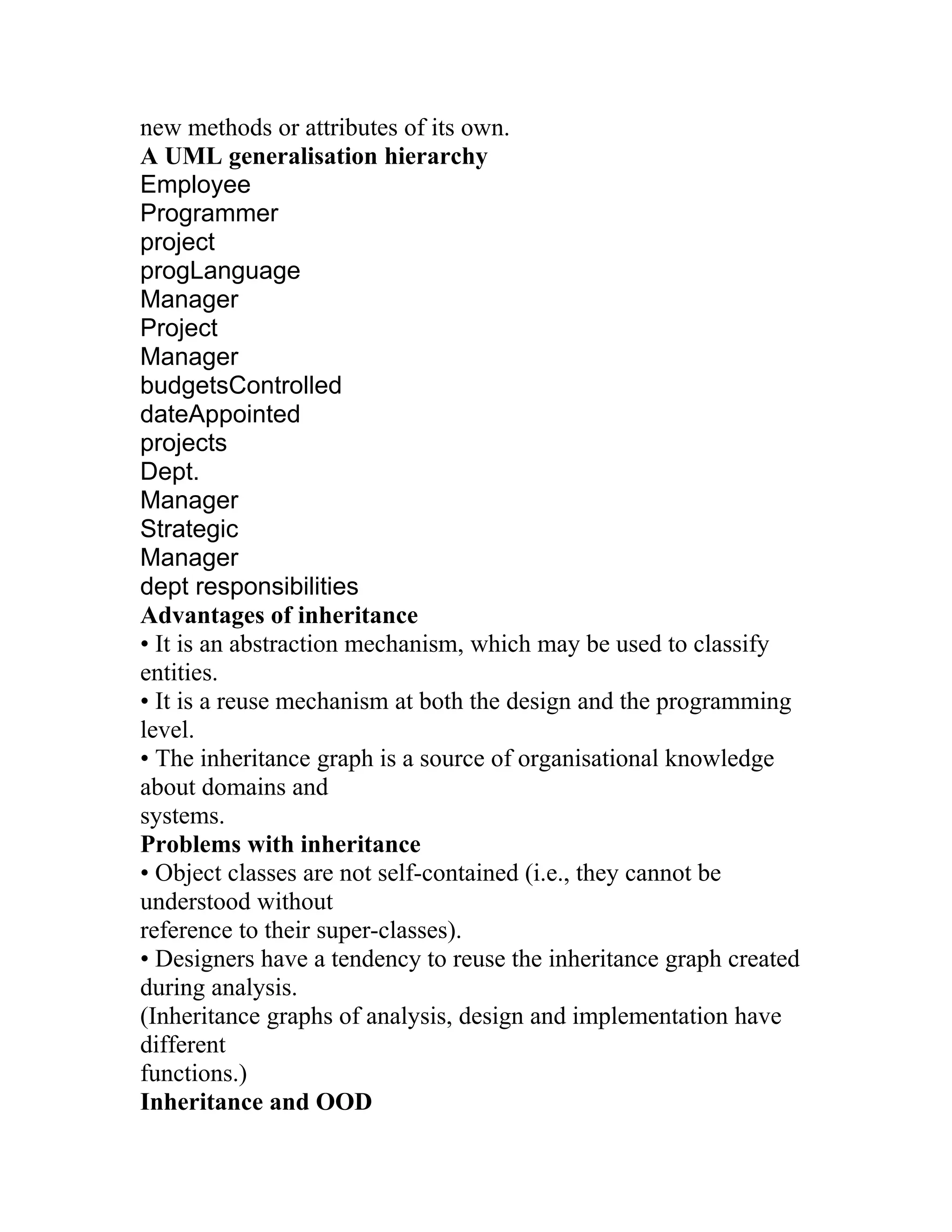
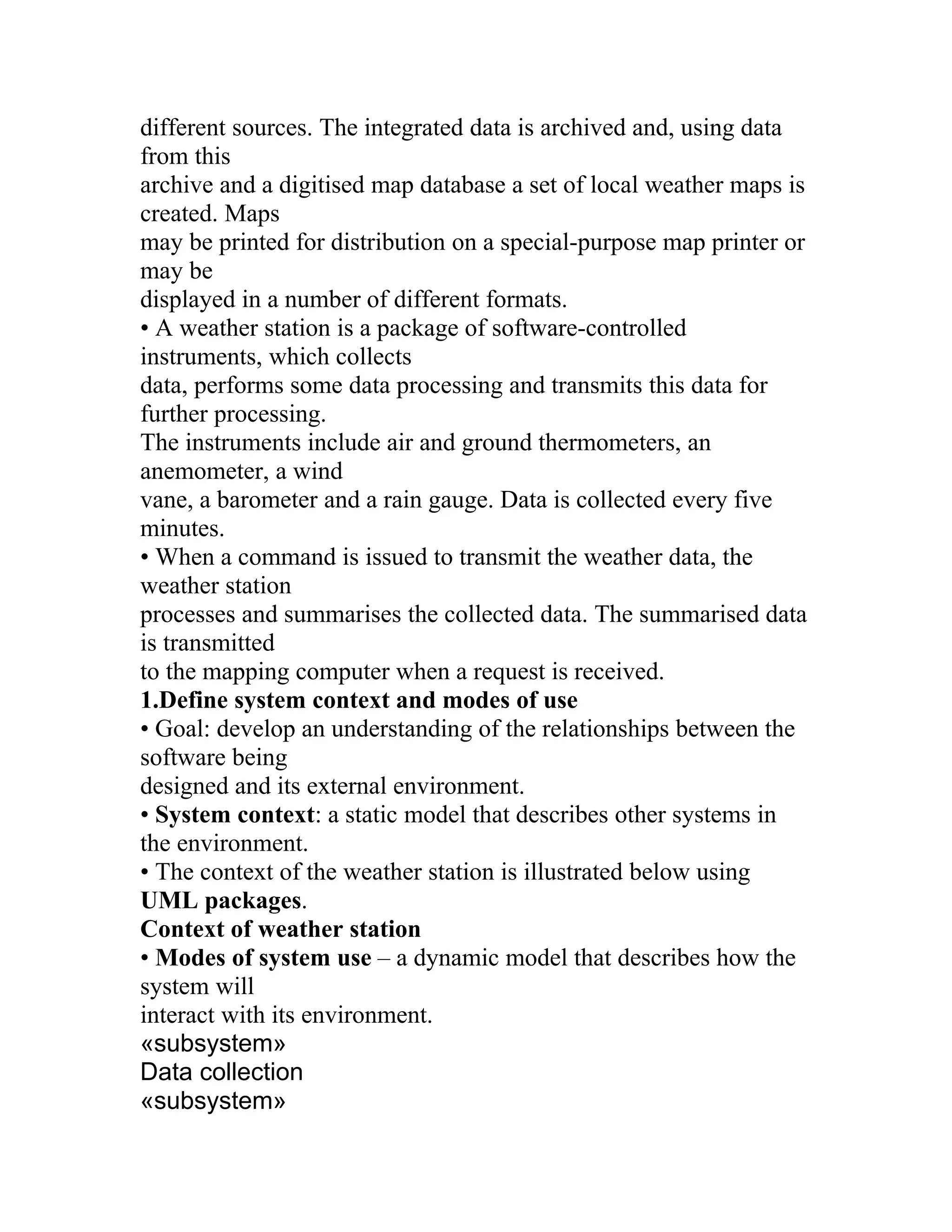
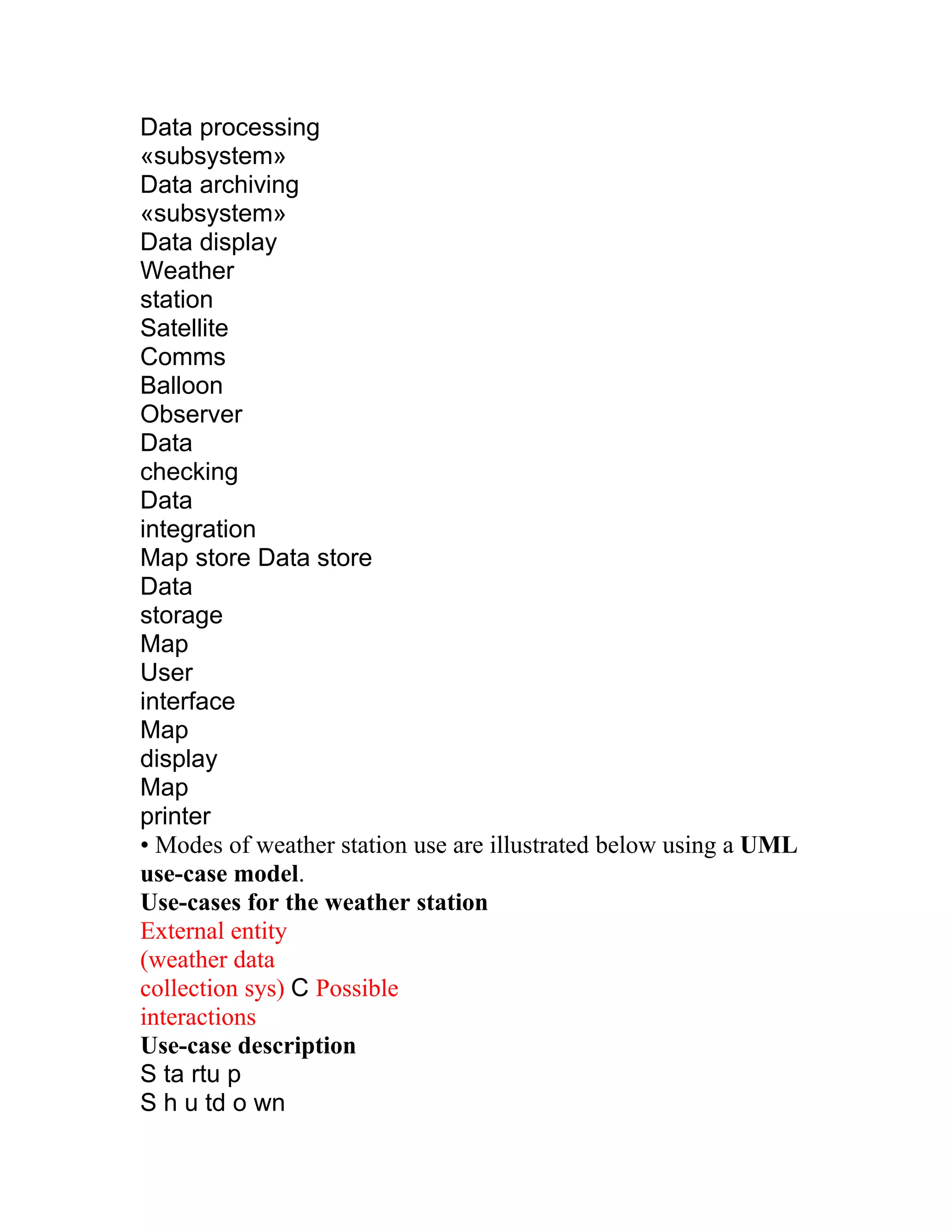
What is software?
Computerprograms and associated documentation
Software products may be developed for a particular customer or
may be developed for a general market Software products may be
•Generic - developed to be sold to a range of different customers
•Bespoke (custom) - developed for a single customer according to
their specification
What is software engineering?
Software engineering is an engineering discipline, which is
concerned with all aspects of software production Software
engineers should adopt a systematic and organised approach to
their work and use appropriate tools and techniques depending on
the problem to be solved, the development constraints and the
resources available.
What is the difference between software engineering and
computer science?
Computer science is concerned with theory and fundamentals;
software engineering is concerned with the practicalities of
developing and delivering useful software Computer science
theories are currently insufficient to act as a complete
underpinning for software engineering
What is the difference between software engineering and
system engineering?
System engineering is concerned with all aspects of computer-
based systems development including hardware, software and
process engineering. Software engineering is part of this process
System engineers are involved in system specification,
architectural design, integration and deployment.
What is a software process?
A set of activities whose goal is the development or evolution of
software Generic activities in all software processes are:
2.
•Specification - whatthe system should do and its development
constraints
•Development - production of the software system
•Validation - checking that the software is what the customer
wants
•Evolution - changing the software in response to changing
demands
What is a software process model?
A simplified representation of a software process, presented from a
specific perspective
Examples of process perspectives are
•Workflow perspective - sequence of activities
•Data-flow perspective - information flow
•Role/action perspective - who does what Generic process models
•Waterfall
•Evolutionary development
•Formal transformation
•Integration from reusable components
What are the costs of software engineering?
Roughly 60% of costs are development costs, 40% are testing
costs. For custom software, evolution costs often exceed
development costs Costs vary depending on the type of system
being developed and the requirements of system attributes such as
performance and system reliability Distribution of costs depends
on the development model that is used.
What are software engineering methods?
Structured approaches to software development which include
system models, notations, rules, design advice and process
guidance
Model descriptions
•Descriptions of graphical models, which should be produced
Rules
3.
•Constraints applied tosystem models
Recommendations
•Advice on good design practice Process guidance
•What activities to follow
What is CASE (Computer-Aided Software Engineering)?
Software systems which are intended to provide automated support
for software process activities. CASE systems are often used for
method support.
Upper-CASE
•Tools to support the early process activities of requirements and
design
Lower-CASE
•Tools to support later activities such as programming, debugging
and testing
What are the attributes of good software?
The software should deliver the required functionality and
performance to the user and should be maintainable, dependable
and usable
Maintainability
•Software must evolve to meet changing needs
Dependability
•Software must be trustworthy
Efficiency
•Software should not make wasteful use of system resources
Usability
•Software must be usable by the users for which it was designed
What are the key challenges facing software engineering?
Coping with legacy systems, coping with increasing diversity and
coping with demands for reduced delivery times Legacy systems
•Old, valuable systems must be maintained and updated
Heterogeneity
4.
•Systems are distributedand include a mix of hardware and
software
Delivery
•There is increasing pressure for faster delivery of software
Professional and ethical responsibility
Software engineering involves wider responsibilities than simply
the application of technical skills Software engineers must behave
in an honest and ethically responsible way if they are to be
respected as professionals Ethical behaviour is more than simply
upholding the law.
Issues of professional responsibility
Confidentiality
•Engineers should normally respect the confidentiality of their
employers or clients irrespective of whether or not a formal
confidentiality agreement has been signed.
Competence
•Engineers should not misrepresent their level of competence.
They should not knowingly accept work, which is out with, their
competence.
Intellectual property rights
•Engineers should be aware of local laws governing the use of
intellectual property such as patents, copyright, etc. They should be
careful to ensure that the intellectual property of employers and
clients is protected.
Computer misuse
•Software engineers should not use their technical skills to misuse
other people’s computers. Computer misuse ranges from relatively
trivial (game playing on an employer’s machine, say) to extremely
serious (dissemination of viruses).
ACM/IEEE Code of Ethics
The professional societies in the US have cooperated to produce a
code of ethical practice. Members of these organisations sign up to
5.
the code ofpractice when they join.The Code contains eight
Principles related to the behaviour of and decisions made by
professional software engineers, including practitioners, educators,
managers, supervisors and policy makers, as well as trainees and
students of the profession.
Code of ethics – preamble
Preamble
•The short version of the code summarizes aspirations at a high
level of the abstraction;the clauses that are included in the full
version give examples and details of how these aspirations change
the way we act as software engineering professionals. Without the
aspirations, the details can become legalistic and tedious; without
the details, the aspirations can become high sounding but empty;
together, the aspirations and the details form a cohesive code.
•Software engineers shall commit themselves to making the
analysis, specification,design, development, testing and
maintenance of software a beneficial and respected
profession. In accordance with their commitment to the health,
safety and welfare of the public, software engineers shall adhere to
the following Eight Principles:
Code of ethics – principles
1. PUBLIC
•Software engineers shall act consistently with the public interest.
2. CLIENTS AND EMPLOYER
•Software engineers shall act in a manner that is in the best
interests of their client and employer consistent with the public
interest.
3. PRODUCT
•Software engineers shall ensure that their products and related
modifications meet the highest professional standards possible.
4. JUDGMENT
•Software engineers shall maintain integrity and independence in
their professional judgment.
5. MANAGEMENT
6.
•Software engineering managersand leaders shall subscribe to and
promote an ethical approach to the management of software
development and maintenance.
6. PROFESSION
•Software engineers shall advance the integrity and reputation of
the profession consistent with the public interest.
7. COLLEAGUES
•Software engineers shall be fair to and supportive of their
colleagues.
8. SELF
•Software engineers shall participate in lifelong learning regarding
the practice of their profession and shall promote an ethical
approach to the practice of the profession.
Ethical dilemmas
Disagreement in principle with the policies of senior management
Your employer acts in an unethical way and releases a safety-
critical system without finishing the testing of the system
Participation in the development of military weapons systems or
nuclear systems
Lecture - 2 Software Processes
The software process
A structured set of activities required to develop a software system
•Specification
•Design
•Validation / verification
•Evolution
A software process model is an abstract representation of a
process. It presents a description of a process from some particular
perspective Models should be as simple as possible, but no
Simpler. – A. Einstein
7.
Models for fundamentalprocess activities
Software specification/requirements engineering
Software development (design and implementation)
Software verification and validation
Software evolution
Software specification
The process of establishing what services are required and the
constraints on the system’s operation and development
Requirements engineering process
•Feasibility (technical and otherwise) study
•Requirements elicitation and analysis
•Requirements specification (documentation)
•Requirements validation
The requirements engineering process
Feasibility study Requirement solicitation and analysis
requirements specification Requirements validation Feasibility
report System models User and system requirements Requirements
document
Software design and implementation
The process of producing an executable system based on the
specification
Software design – design a software structure that realizes the
specification
Implementation – translate this structure into an executable
program
The activities of specification, design, and implementation are
closely related and may be inter-leaved.
Design process activities
“High-Level” design activities
•Architectural design – subsystems and their relationships are
identified
8.
•Abstract specification –of each sub-system’s services
•Interface design – among sub-systems “Low-Level” design
activities
•Component design – services allocated to different components
and their interfaces are designed
•Data structure design
•Algorithm design
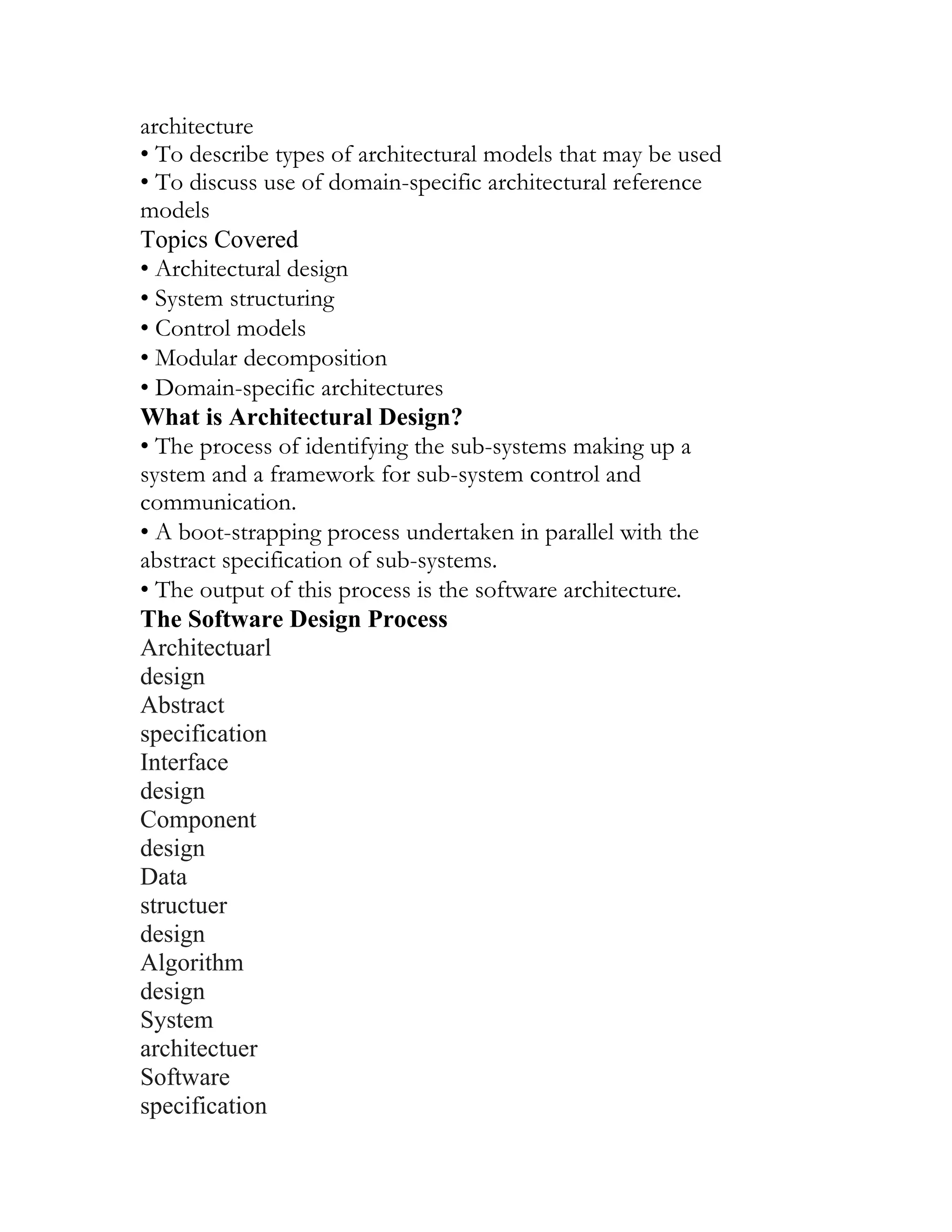
The software design process
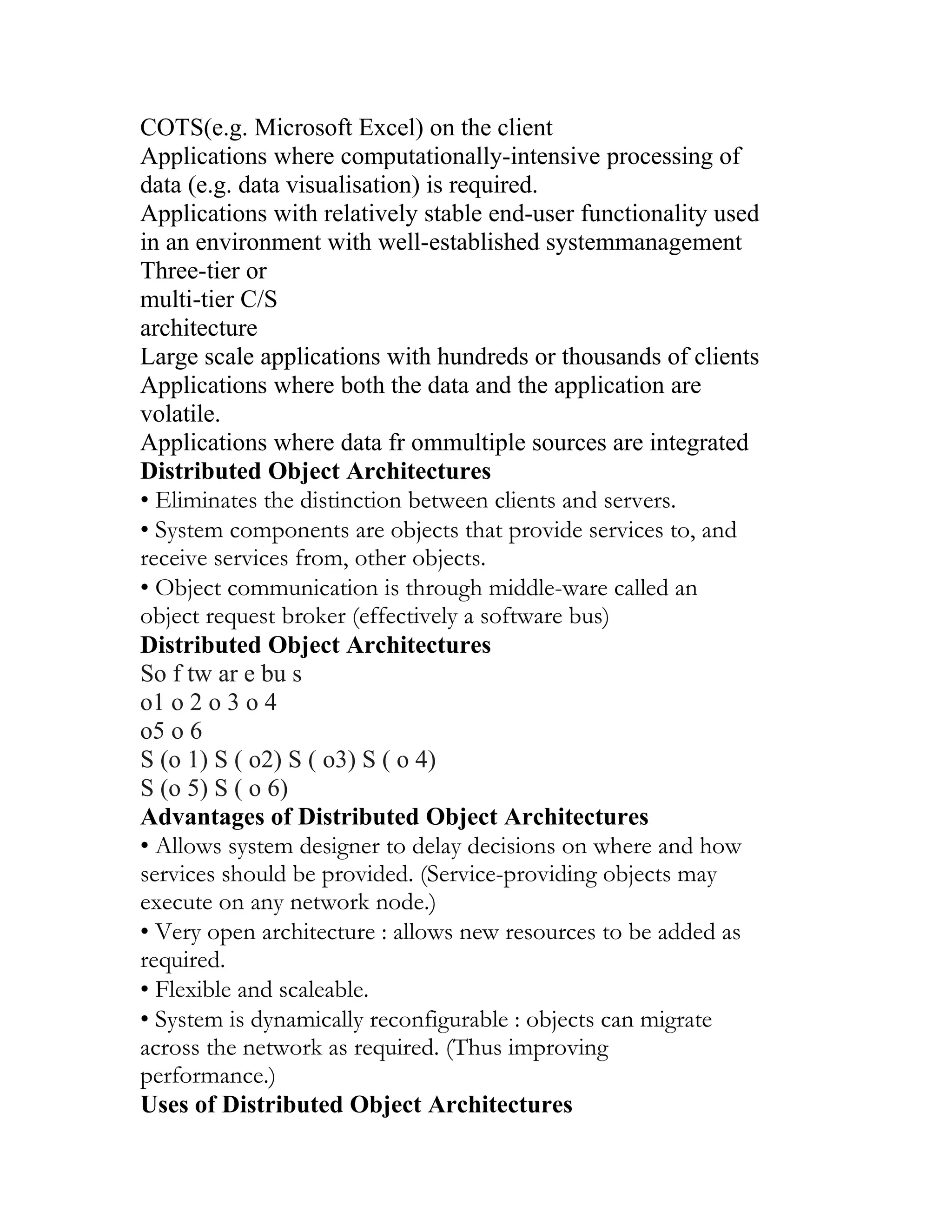
• Architectural design
• Abstract specification
• Interface design
• Component design
• Data structure
• Design Algorithm
• Design System architecture
• Software specification
• Interface specification
• Component specification
• Data structure specification
• Algorithm specification
• Requirements specification
• Design activities
• Design products
Design methods
Systematic (canned) approaches to developing a software design
The design is usually documented as a set of graphical models
Possible models
•Data-flow model
•Entity-relation-attribute model
•Structural model
•Object models
Programming and debugging
9.
Translating a designinto a program and removing errors from that
program (compare with Clean room SE) Programming is a
“personal activity” – a there is no generic programming process
Programmers carry out some program testing to discover faults
(“unit testing”), and remove faults in the debugging process
The debugging process Software verification & validation
• Locate error
• Design error repair
• Repair error
• Re-test program
• Verification and validation (V&V) determines whether or not
a system
(1) conforms to its specification and
(2) meets the needs of the customer.
• Involves inspection / review processes and (machine-based)
testing Testing involves executing system elements with test
cases that are derived from specifications and/or program
logic.
Testing stages
Unit/Module testing - individual function/procedures are tested
(unit/module) Integration testing Component testing - functionally
related units/modules are tested together (component) Integration
testing
Sub-system/product testing - sub-systems or products are tested
(product/sub-system) Integration testing System testing - testing of
the system as a whole, including user acceptance test
Software evolution
Software is inherently flexible and subject to change. As
requirements change through changing business circumstances, the
software that supports the business must also evolve and change.
The distinction between development and evolution is increasingly
irrelevant as fewer and fewer systems are completely new.
Assess existing systems
10.
Define system requirements
Proposesystem changes
Modify systems
New system
Existing systems
Automated process support (CASE)
Computer-aided software engineering (CASE) is software to
support software development and evolution processes Activity
automation
•Graphical editors for system model development
•Data dictionaries for name management
•GUI builders for user interface construction
•Debuggers to support program faultfinding
•Automated translators to generate new versions of a program
(e.g., restructuring tools)
CASE technology
CASE technology has led to significant improvements in the
software process, but not the order of magnitude improvements
that were once predicted.
•Software engineering involves design activity requiring creative
thought – this is not readily automatable
•Software engineering is a team activity and, for large projects,
much time is spent in team interactions. CASE technology does
not support this well.
CASE classification
Classification helps us understand the different types of CASE
tools / systems and their support for process activities
Functional perspective – tools are classified according to their
specific function
Process perspective – tools are classified according to process
activities that are supported
11.
Integration perspective –CASE systems are classified according to
their breadth of support for the software process
CASE integration
Tools – support individual process tasks such as design consistency
checking, text editing, etc.
Workbenches – support a process phase such as specification or
design, Normally include a number of integrated tools
Environments – support all or a substantial part of an entire
software process. Normally include several integrated
workbenches
Tools, workbenches, environments
Single-method workbenches
General-purpose workbenches
Multi-method workbenches
Language-specific workbenches
Analysis and Programming Testing
design
Integrated environments
Process-centred environments
File
Editors Compilers comparators
Tools Workbenches Environments
CASE technology
Lecture-3: Project Management
12.
• Organizing, planningand scheduling software projects
Software project management
• Concerned with activities involved in ensuring that software is
delivered on time, within budget and in accordance with the
requirements of the organizations developing and procuring the
software.
• Project management is needed because software development is
always subject to budget and schedule constraints that are set by
the organization developing the software.
Software management distinctions
• The product is intangible.
• The product is uniquely flexible.
• Software engineering is not recognized as an engineering
discipline with the same status as mechanical, electrical
engineering, etc.
• The software development process is not
standardized.
• Many software projects are “one-off” projects.
Management activities
• Proposal writing (to fund new projects)
• Project planning and scheduling
• Project costing and preparing bids
• Project monitoring and reviews
• Personnel selection and evaluation
• Report writing and presentations
• Attending lots and lots of meetings
Management commonalities
13.
• These activitiesare not peculiar to software
management.
• Many techniques of engineering project management are equally
applicable to software project management.
• Technically complex engineering systems tend to suffer from
most of the same problems as software systems.
Project staffing
• May not be possible to appoint the ideal people to work on a
project…
•Project budget may not allow for use of highly paid staff.
•Those with appropriate skills / experience may not be available.
•An organization may wish to develop employee skills by
assigning inexperienced staff.
• Managers have to work within these constraints especially when
(as is currently the case) there is an international shortage of
skilled IT staff.
Project planning
• Probably the most time-consuming project management activity
(or at least it should be).
• Continuous activity from initial concept to system delivery. Plans
must be regularly revised as new information becomes available.
• Different types of sub-plans may be developed to support a main
software project plan concerned with overall schedule and budget.
Types of project sub-plans
Plan Description
Quality plan Describes the quality procedures and
standards that will be used in a projct.
Validation plan Describes the approach, resources &
schedule used for system validation .
Configuration Describes the configuration mgmt
14.
management plan procedure and structure to be used
.
Maintenance plan Predicts the maintenance requirements
Of the system, maintenance costs and
Effort required
Staff development plan Describes how the skills and experience
Of the project team members will be
developed.
Project planning
• “The plan is nothing – the planning is everything.”
Project planning process
Establish the project constraints
Make initial assessments of the project parameters
Define project milestones and deliverables
while project has not been completed or cancelled
Draw up project schedule
Initiate activities according to schedule
Wait ( for a while )
Review project progress
Revise estimates of project parameters
Update the project schedule
Re-negotiate project constraints and deliverables
if ( problems arise )then
Initiate technical review and possible revision
end if
end loop
Project plan document structure:
• Introduction (goals, constraints, etc.)
• Project organisation
• Risk analysis
• Hardware and software resource requirements
• Work breakdown
15.
• Project schedule
•Monitoring and reporting mechanisms
Activity organization
• Activities in a project should be associated with tangible outputs
for management to judge progress (i.e., to provide process
visibility)
• Milestones are the unequivocal end-points of process activities.
• Deliverables are project results delivered to customers. (There
are also internal deliverables.)
• The waterfall model allows for the straightforward definition of
milestones (“a deliverable oriented model”).
• Deliverables are always milestones, but milestones are not
necessarily deliverables
Milestones in the RE process
Project scheduling
• Split project into tasks and estimate time and resources required
to complete each.
• Tasks should not be too small or too large they should last on the
order of weeks for projects lasting months.
• Organize as concurrent activities to make optimal use of
workforce.
• Minimize task dependencies to avoid potential delays.
• Dependent on project managers’ intuition and experience
16.
The project schedulingprocess
Scheduling problems
• Estimating the difficulty of problems, and hence the cost of
developing solutions, is hard.
• Progress is generally not proportional to the number of people
working on a task.
• Adding people to a late project can make it later. (due to
coordination overhead)
• The unexpected always happens. Always allow for different
contingencies in planning.
Bar charts and activity networks
• Graphical notations are often used to illustrate project schedules.
• Activity charts (a.k.a. PERT* charts) show task dependencies,
durations, and the critical path.
• Bar charts (a.k.a. GANTT charts) generally show resource (e.g.,
people) assignments and calendar time.
• Program Evaluation and Review Technique
Task durations and dependencies
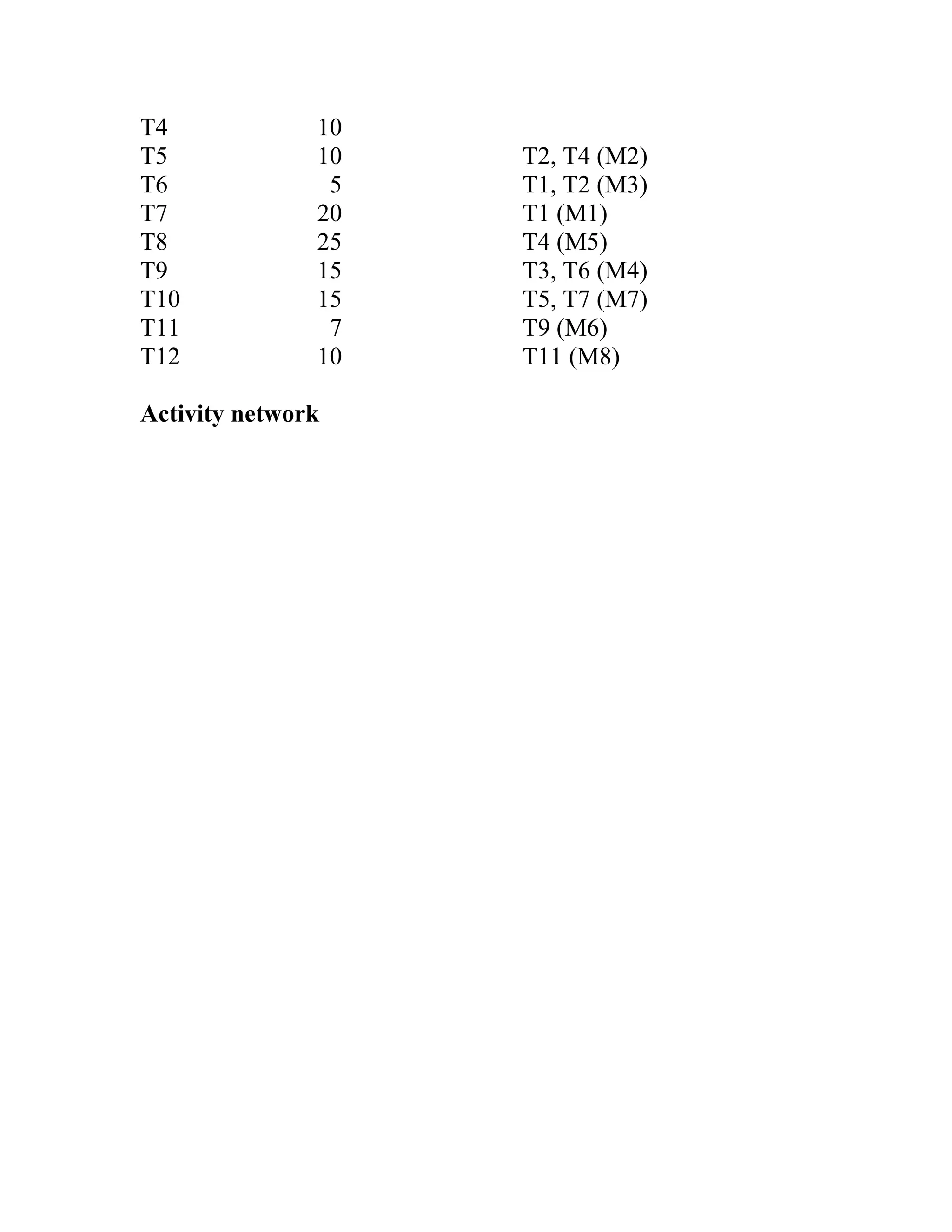
Task Duration (days) Dependencies
T1 8
T2 15
T3 15 T1 (M1)
• Risk managementis concerned with identifying risks and drawing
up plans to minimize their effect on a project.
• A risk is a probability that some adverse circumstance will occur.
•Project risks affect schedule or resources.
•Product risks affect the quality or performance of the software
being developed.
•Business risks affect the organisation developing or procuring the
software. (Taxonomy based on Effect)
Software risks
Risk Risk type Description
Staff turnover Project Experienced staff will leave the project
before it is finished.
Management change Project There will be a change of
organisational management with different priorities.
Hardware unavailability Project Hardware which is essential for
the project will not be delivered on schedule.
Requirements change Project and product There will be a larger
number of changes to the requirements than anticipated.
Specification delays Project and product Specifications of essential
interfaces are not available on schedule
Size underestimate Project and product The size of the system has
been underestimated.
CASE tool underperformance Product CASE tools which support
the project do not perform as anticipated
• Technology change Business The underlying technology on
which the system is built is superseded by new technology.
• Product competition Business A competitive product is
marketed before the system is completed.
The risk management process
• Risk identification – identify project, product and business risks
• Risk analysis – assess the likelihood and consequences of these
risks
20.
• Risk planning– draw up plans to avoid or minimise the effects
of the risk
• Risk monitoring – monitor the risks throughout the project
Risk Risk analysis Risk planning identification Risk monitoring
Risk identification
• Technology risks
• People risks
• Organizational risks
• Requirements risks
• Estimation risks (Taxonomy based on Source)
Risks and risk types
Risk type Possible risks
Technology : The database used in the system cannot
process as many transactions per second as expected.
Software components which should be reused contain
defects which limit their functionality.
People :It is impossible to recruit staff with the skills required.
Key staff are ill and unavailable at critical times. Required
training for staff is not available.
Organisational :The organisation is restructured so that
different management are responsible for the project.
Organisational financial problems force reductions in the
project budget.
Tools: The code generated by CASE tools is inefficient.
CASE tools cannot be integrated.
Requirements :Changes to requirements which require
major design rework are proposed. Customers fail to
understand the impact of requirements changes.
Estimation:The time required to develop the software is
underestimated. The rate of defect repair is underestimated.
The size of the software is underestimated.
Risk analysis
• Assess probability and seriousness of each risk.
21.
• Probability maybe very low, low, moderate, high or very high.
• Risk effects might be catastrophic, serious, tolerable or
insignificant.
risk planning
• Consider each risk and develop a strategy to manage that risk.
• Avoidance strategies – the probability that the risk will arise is
reduced.
• Minimisation strategies – the impact of the risk on the project or
product is
• Contingency plans – if the risk arises, contingency plans are
plans to deal with
Risk Probability Effect
Risk management strategies
Risk Strategy
22.
Organisational financial problems: Prepare a briefing
document for senior management showing how the project is
making a very important contribution to the goals of the
usiness.
Recruitment problems:Alert customer of potential difficulties
and the possibility of delays, investigate buying-in
components.
Staff illness: Reorganise team so that there is more overlap
of work and people therefore understand each other’s jobs.
Defective components:Replace potentially defective
components with bought-in components of known reliability.
Requirements changes: Derive traceability information to
assess requirements change impact, maximize information
hiding in the design.
Organisational restructuring: Prepare a briefing document for
senior management showing how the project is making a
very important contribution to the goals of the business.
Database performance :Investigate the possibility of buying
a higher-performance database.
Underestimated development time:Investigate buying in
components, investigate use of a program generator.
Risk type Potential indicators
Technology : Late delivery of hardware or support software,
many reported technology problems
People: Poor staff morale, poor relationships amongst team
member, job availability
Organisational :organisational gossip, lack of action by
senior management
Tools: reluctance by team members to use tools, complaints
about CASE tools, demands for higher-powered
workstations
Requirements: many requirements change requests,
customer complaints Estimation failure to meet agreed
schedule, failure to clear reported
23.
Defects
Lecture-4: Software Requirements
Requirementsengineering
• The process of eliciting, analysing, documenting, and validating
the services
required of a system and the constraints under which it will
operate and be
developed.
• Descriptions of these services and constraints are the
requirements for the
system.
• Requirements may be high-level and abstract, or detailed and
mathematical
• The hardest single part of building a software system is deciding
precisely what to
build. No other part of the conceptual work is as difficult… No
other part of the
work so cripples the resulting system if done wrong. No other part
is more
difficult to rectify later.
– Fred Brooks, “No Silver Bullet…”
Why is Requirements Engineering so hard?
• Difficulty of anticipation
• Unknown or conflicting requirements / priorities
• Conflicts between users and procurers
• Fragmented nature of requirements
• Complexity / number of distinct requirements
• Some analogies:
_Working a dynamically changing jigsaw puzzle
_Blind men describing an elephant
_Different medical specialists describing an ill patient
Types of requirements
• Requirements range from being high-level and abstract to
detailed and
24.
mathematical.
• This isinevitable as requirements may serve multiple uses.
_May be the basis for a bid for a contract – must be open to
interpretation
_May be the basis for the contract itself -- must be defined in
detail
_May be the basis for design and implementation – must bridge
requirements
engineering and design activities
• User requirements – statements in natural language plus
diagrams of system
services and constraints. Written primarily for customers.
• System requirements – structured document setting out detailed
descriptions of
services and constraints precisely. May serve as a contract between
client and
developer.
• Software design specification – implementation oriented
abstract description of
software design, which may utilize formal (mathematical)
notations. Written for
developers.
User and system requirements
t
1
e
.
r
T
s
h
e
e
l
s
System architects
Software developers
Clientengineers (perhaps)
Systemarchitects
User requirements
System requirements
Software design
Functional and non-functional requirements
• Functional requirements – services the system should provide,
how it should react
to particular inputs, or how it should behave in particular
situations.
• Non-functional requirements – constraints on services or
functions (e.g., response
time) or constraints on development process (e.g., use of a
particular CASE
toolset).
• Domain requirements – functional or non-functional
requirements derived from
application domain (e.g., legal requirements or physical laws
Examples of functional requirements
• The user shall be able to search either all of the initial set of
databases or select a
subset from it.
• The system shall provide appropriate viewers for the user to read
documents in
the document store.
• Every order shall be allocated a unique identifier (ORDER_ID),
which the user
shall be able to copy to the account’s permanent storage area
Requirements imprecision
• Problems arise when requirements are not precisely stated.
• Ambiguous requirements may be interpreted in different ways.
• Consider the term “appropriate viewers”
36.
_User intention– special purpose viewer for each different
document type
_Developer interpretation – provide a text viewer that shows the
contents
of the documents
Requirements completeness and consistency
• In principle, a requirements specification should be both
complete and consistent.
_Complete – all required services and constraints are defined.
_Consistent – no conflicts or contradictions in the requirements.
• In practice, this is nearly impossible.
Non-functional requirements
• Define system attributes (e.g., reliability, response time) and
constraints (e.g.,
MTTF ≥ 5K transactions, response time ≤ 2 seconds).
• Attributes are often emergent system properties – i.e., only
observable when the
entire system is operational.
• Process constraints may mandate a particular CASE system,
programming
language, or development method.
• Non-functional requirements may be more critical than functional
requirements.
If not met, the system may be useless.
Non-functional classifications
• Product requirements – specify product behaviour
• Organizational requirements – derived from policies / procedures
in customer’s or
developer’s organization (e.g., process constraints)
• External requirements – derived from factors external to the
product and its
development process (e.g., interoperability requirements,
legislative requirements)
Non-functional classifications
U il
Non-functional
requirements
Examples
• Product requirement:
4.C.8it shall be possible for all necessary communication between
the APSE and
the user
to be expressed in the standard Ada character set.
• Organisational requirement:
9.3.2 the system development process and deliverable documents
shall conform to
the
process and deliverables defined in XYZCo-SP-STAN-95.
• External requirement:
7.6.5 the system shall not disclose any personal information about
customers
apart from
their name and reference number to the operators of the system.
Goals versus requirements
• General goals such as “system should be user friendly” or
“system should have
fast response time” are not verifiable.
• Goals should be translated into quantitative requirements that
can be objectively
tested.
Examples
• A system goal: The system should be easy to use by experienced
controllers and
should be organized in such a way that user errors are minimized.
• A verifiable non-functional requirement: Experienced
controllers shall be able
to use all the system functions after a total of two hours training.
After this
training, the average number of errors made by experienced users
shall not
39.
exceed two perday.
Requirements measures
Requirement interactions
Property Measure
Speed Processed transactions/second
User/Event response time
Screen refresh time
Size K Bytes
Number of RAM chips
Ease of use Training time
Number of help frames
Reliability Mean time to failure
Probability of unavailability
Rate of failure occurrence
Availability
Robustness Time to restart after failure
Percentage of events causing failure
Probability of data corruption on failure
Portability Percentage of target dependent statements
Number of target systems
• Competing / conflicting requirements are common with complex
systems.
• Spacecraft system example:
_To minimize weight, the number of chips in the unit should be
minimized.
_To minimize power consumption, low-power chips should be
used.
_But using low-power chips means that more chips have to be
used. Which is the most
critical requirement?
• For this reason, preferred points in the solution space should be
identified.
Domain requirements
• Derived from the application domain rather than user needs.
40.
• May benew functional requirements or constraints on existing
requirements.
• If domain requirements are not satisfied, the system may be
unworkable.
Library system domain requirements
• There shall be a standard user interface to all databases, which
shall be based on
the Z39.50 standard.
• Because of copyright restrictions, some documents must be
deleted immediately
on arrival. Depending on the user’s requirements, these
documents will either be
printed locally on the system server for manually forwarding to the
user or routed
to a network printer.
Train protection system domain requirement
• The deceleration of the train shall be computed as:
_Dtrain = Dcontrol + Dgradient
where Dgradient is 9.81m/s2 * compensated gradient/alpha and
where the values of 9.81m/s2 /alpha are known for different
types of train.
Domain requirements problems
• Understandability – requirements are expressed in the language
of the
application domain and may not be understood by software
engineers.
• Implicitness – domain experts may not communicate such
requirements because
they are so obvious (to the experts).
User requirements “shoulds”
• Should be understandable by system users who don’t have
detailed technical
knowledge.
• Should only specify external system behaviour.
41.
• Should bewritten using natural language, forms, and simple
intuitive diagrams.
Some potential problems with using natural language
• Lack of clarity – expressing requirements precisely is difficult
without making
the document wordy and difficult to read.
• Requirements confusion – functions, constraints, goals, and
design info may not
be clearly distinguished.
• Requirements amalgamation – several different requirements
may be lumped
together.
Guidelines for writing user requirements
• Adopt a standard format and use it for all requirements.
• Use language in a consistent way. E.g., use shall for mandatory
requirements,
should for desirable requirements.
• Use text highlighting to identify key parts of the requirement.
• Avoid the use of computer jargon.
System requirements
• More detailed descriptions of user requirements
• May serve as the basis for a contract
• Starting point for system design & implementation
• May utilize different system models such as object or dataflow
System requirements and design information
• In principle, system requirements should state what the system
should do, and not
how it should be designed.
• In practice, however, some design info may be incorporated,
since:
_Sub-systems may be defined to help structure the requirements.
_Interoperability requirements may constrain the design.
_Use of a specific design model may be a requirement
MORE potential problems with using natural language
42.
• Ambiguity –the readers and writers of a requirement must
interpret the same
words in the same way. NL is naturally ambiguous so this is very
difficult.
• Over-flexibility – the same requirement may be stated in a
number of different
ways. The reader must determine when requirements are the same
and when they
are different.
• Lacks of modularisation – NL structures are inadequate to
structure system
requirements sufficiently.
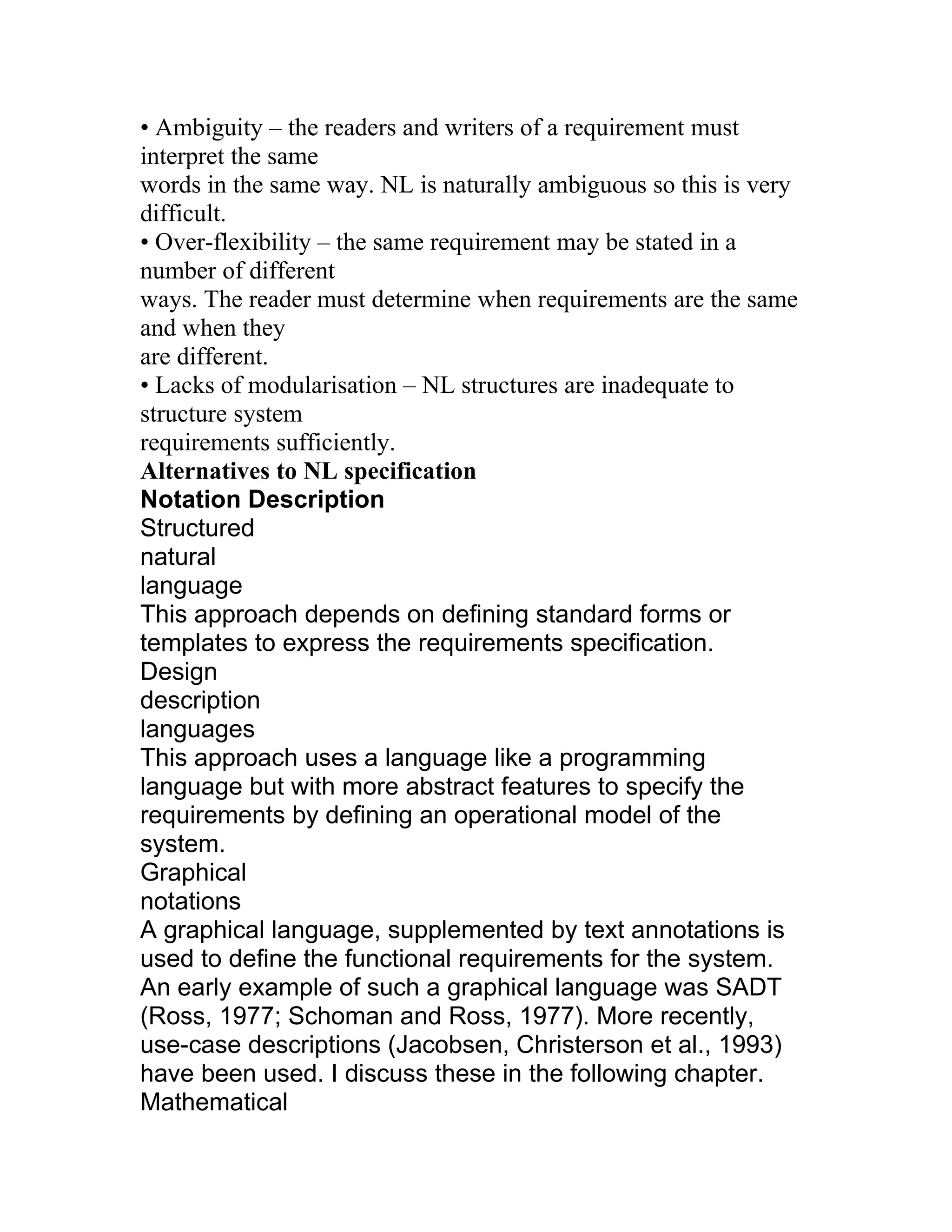
Alternatives to NL specification
Notation Description
Structured
natural
language
This approach depends on defining standard forms or
templates to express the requirements specification.
Design
description
languages
This approach uses a language like a programming
language but with more abstract features to specify the
requirements by defining an operational model of the
system.
Graphical
notations
A graphical language, supplemented by text annotations is
used to define the functional requirements for the system.
An early example of such a graphical language was SADT
(Ross, 1977; Schoman and Ross, 1977). More recently,
use-case descriptions (Jacobsen, Christerson et al., 1993)
have been used. I discuss these in the following chapter.
Mathematical
43.
specifications
These are notationsbased on mathematical concepts
such as finite-state machines or sets. These unambiguous
specifications reduce the arguments between customer
and contractor about system functionality. However, most
customers don’t understand formal specifications and are
reluctant to accept it as a system contract. I discuss formal
specification in Chapter 9.
Program Description Languages (PDLs)
• Requirements are specified operationally using pseudo-code.
• Shows what is required by illustrating how the requirements
could be satisfied.
• Especially useful when specifying a process that involves an
ordered sequence of
actions, or when describing hardware and software interfaces.
Part of an ATM specification
class ATM {
// declarations here
public static void main (String args[]) throws InvalidCard {
try {
thisCard.read () ; // may throw InvalidCard exception
pin = KeyPad.readPin () ; attempts = 1 ;
while ( !thisCard.pin.equals (pin) & attempts < 4 )
{ pin = KeyPad.readPin () ; attempts = attempts + 1 ;
}
if (!thisCard.pin.equals (pin))
throw new InvalidCard ("Bad PIN");
thisBalance = thisCard.getBalance () ;
do { Screen.prompt (" Please select a service ") ;
service = Screen.touchKey () ;
switch (service) {
case Services.withdrawalWithReceipt:
receiptRequired = true ;
PDL disadvantages
44.
• PDL maynot be sufficiently expressive to illustrate requirements
in a concise an
understandable way.
• Notation is only understandable to people with programming
language
knowledge.
• The specification may be taken as a design prescription rather
than a model to
facilitate requirements understanding.
Interface specification
• Used to specify operating interfaces with other systems.
_Procedural interfaces
_Data structures that are exchanged
_Data representations
• Also used to specify functional behaviour.
• Formal notations are effective for interface specification – e.g.,
pre- and postconditions
PDL interface description
Example: interface and operational specifications of a function
interface PrintServer {
// defines an abstract printer server
// requires: interface Printer, interface PrintDoc
// provides: initialize, print, displayPrintQueue,
cancelPrintJob, switchPrinter
void initialize ( Printer p ) ;
void print ( Printer p, PrintDoc d ) ;
void displayPrintQueue ( Printer p ) ;
void cancelPrintJob (Printer p, PrintDoc d) ;
void switchPrinter (Printer p1, Printer p2, PrintDoc d) ;
} //PrintServer
Function: Set BIG to the largest value in array A [1.. N]
Interface specification:
pre-condition: N ≥ 1
post-condition: there exists an i in [1,N] such that BIG=A [i] &
for every in
45.
[1,N], BIG ≥A [j] & A is unchanged
Operational specification:
if N ≥ 1 then do
BIG: = A [1]
for i = 2 to N do
if A [i] > BIG then BIG: = A [i] end if
end for
end if
The requirements document (SRS)
• The official statement of what is required of the system
developers.
• Should include both user and system requirements.
• NOT a design document. As much as possible, it should set out
WHAT the
system should do rather than HOW it should do it.
Users of a requirements document
Us e t he req ui rem ent s
d oc um e n t to pl a n a bi d for
S peci fy t he req uirem en ts and
read th em to c h eck t ha t t hey
m e e t th e ir n eeds . Th ey
s pe c ify c h ang es to th e
requ irem en ts
S y stem c us to m e rs
Requirements document requirements
• Specify external system behaviour
• Specify implementation constraints
• Easy to change (!)
• Serve as reference tool for maintenance
• Record forethought about the life cycle of the system i.e. predict
changes
• Characterise responses to unexpected events
IEEE requirements standard
• Introduction
• General description
46.
• Specific requirements
•Appendices
• Index
• This is a generic structure that must be instantiated for specific
systems
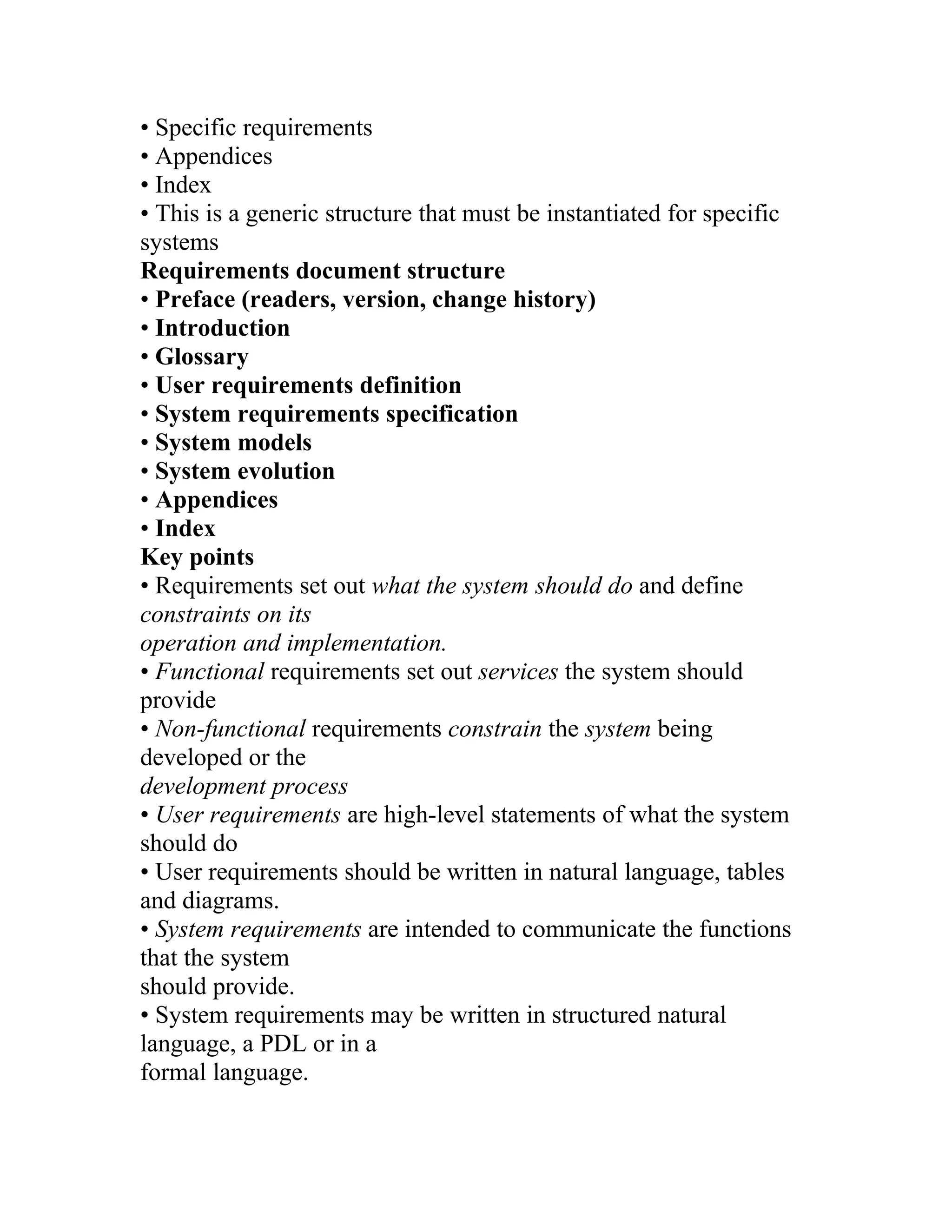
Requirements document structure
• Preface (readers, version, change history)
• Introduction
• Glossary
• User requirements definition
• System requirements specification
• System models
• System evolution
• Appendices
• Index
Key points
• Requirements set out what the system should do and define
constraints on its
operation and implementation.
• Functional requirements set out services the system should
provide
• Non-functional requirements constrain the system being
developed or the
development process
• User requirements are high-level statements of what the system
should do
• User requirements should be written in natural language, tables
and diagrams.
• System requirements are intended to communicate the functions
that the system
should provide.
• System requirements may be written in structured natural
language, a PDL or in a
formal language.
47.
• A softwarerequirements document (SRS) is the agreed statement
of system
requirements
Activities
Activity 1:- Discuss the problems of using natural language for
defining user and system
requirements and show, using small examples, how structuring
natural language into
forms can help avoid some of these difficulties.
Activity 2:- Discuss ambiguities or omissions in the following
statements of
requirements for part of a ticket issuing system.
An automated ticket issuing system sells rail tickets. Users select
their destination,
and input a credit card and a personal identification number. The
rail ticket is issued and
their credit card account charged with its cost. When the user
presses the start button, a
menu display of potential destinations is activated along with a
message to the user to
select a destination. Once a destination has been selected, users are
requested to input
their credit card. Its validity is checked and the user is then
requested to input a personal
identifier. When the credit transaction has been validated, the
ticket is issued.
Activity 3:- Rewrite the above description using the structured
approach described in this
chapter. Resolve the identified ambiguities in some appropriate
way.
Activity 4:- Write system requirements for the above system using
a Java based notation.
You may make any reasonable assumptions about the system. Pay
particular attention to
specifying user errors.
48.
Activity 5:- Usingthe technique suggested here where natural
language is presented in a
standard way, write plausible user requirements for the following
functions:
• An unattended petrol (gas) pump system that includes a credit
card reader. The
customer swipes the card through the reader then specifies the
amount of fuel
required. The fuel is delivered and the customer’s account debited.
• The cash dispensing functioning a bank auto teller machine.
• The spell checking and correcting functioning a word processor.
Activity 6:- Describe three different types of non-functional
requirement, which may be
placed on a system. Give examples of each of these types of
requirement.
Activity 7:- Write a set of non-functional requirements for the
ticket issuing system
described above, setting out its expected reliability and its response
time.
Activity 8:- You have taken a job with a software user who has
contracted your previous
employer to develop a system for them. You discover that your
compan7y’s
interpretation of the requirements is different form the
interpretation taken by your
previous employer. Discuss what you should do in such a situation.
You know that the
costs to your current employer will increases in the ambiguities are
not resolved. You
have also a responsibility of confidentiality to your previous
employer.
Lecture-5: Requirements Engineering Process
Objectives
• To describe the principal requirements engineering activities
49.
• To introducetechniques for requirements elicitation and
analysis
• To describe requirements validation
• To discuss the role of requirements management in support of
other
requirements engineering processes
Topics covered
• Feasibility studies
• Requirements elicitation and analysis
• Requirements validation
• Requirements management
Requirements engineering processes
• The processes used for RE vary widely depending on the
application domain,
the people involved and the organization developing the
requirements.
• However, there are a number of generic activities common to
most processes:
_Feasibility study
_Requirements elicitation and analysis
_Requirements specification
_Requirements validation
Feasibility study
• Determines whether or not the proposed undertaking is
worthwhile.
• Aims to answer three basic questions:
_Would the system contribute to overall organizational
objectives?
_Could the system be engineered using current technology and
within budget?
_Could the system be integrated with other systems already in
use?
Feasibility study issues
• How would the organization cope if the system weren’t
implemented?
50.
• What arethe current process problems and how would the
system help with
these?
• What will the integration problems be?
• Is new technology needed? New skills?
• What must be supported by the system, and what need not be
supported?
Elicitation and analysis
• Involves working with customers to learn about the application
domain, the
services needed and the system’s operational constraints.
• May also involve end-users, managers, maintenance
personnel, domain
experts, trade unions, etc. (That is, any stakeholders.)
Problems of elicitation and analysis
• Getting all, and only, the right people involved.
• Stakeholders often don’t know what they really want (“I’ll
know when I see it”).
• Stakeholders express requirements in their own terms.
• Stakeholders may have conflicting requirements.
• Requirements change during the analysis process. New
stakeholders may emerge and the business environment may
evolve.
• Organizational and political factors may influence the system
requirements.
The elicitation and analysis process
Viewpoint-oriented elicitation
• Stakeholders represent different ways of looking at a problem
(viewpoints)
• A multi-perspective analysis is important, as there is no single
correct way to
analyse system requirements.
• Provides a natural way to structure the elicitation process.
Types of viewpoints
51.
• Data sourcesor sinks – viewpoints are responsible for producing
or consuming
data. Analysis involves checking that assumptions about sources
and sinks are
valid.
• Representation frameworks – viewpoints represented by
different system models
(i.e., dataflow, ER, finite state machine, etc.). Each model yields
different
insights into the system.
• Receivers of services – viewpoints are external to the system
and receive
services from it. Natural to think of end-users as external service
receivers.
Method-based RE
• “Structured methods” to elicit, analyse, and document
requirements.
• Examples include:
_Ross’ Structured Analysis (SA),
_Volere Requirements Process (www.volere.co.uk)
_Knowledge Acquisition and Sharing for Requirement
Engineering (KARE)
(www.kare.org),
_Somerville’s Viewpoint-Oriented Requirements Definition
(VORD), and
_The baut’s Scenario-Based Requirements Engineering (SBRE)_
Volere Requirements Process
Volere requirement shell
KARE workbench architecture
Somerville’s VORD method
VORD standard forms
Scenarios
• Depict examples or scripts of possible system behaviour.
• People often relate to these more readily than to abstract
statements of
52.
requirements.
• Particularly usefulin dealing with fragmentary, incomplete, or
conflicting
requirements.
Scenario descriptions
• System state at the beginning of the scenario.
• Sequence of events for a specific case of some generic task the
system is required
to accomplish.
• Any relevant concurrent activities.
• System state at the completion of the scenario.
A simple scenario
• t0: The user enters values for input array A. The values are [1, 23,
-4, 7, 19]. The
value of output variable BIG remains ‘undefined’.
• t1: The user executes program MAX.
• t2: The value of variable BIG is 23 and the values of A are [1, 23,
-4, 7, 19].
Scenario-Based Requirements Engineering (SBRE)
• Marcel support environment allows rapid construction of an
operational
specification of the desired system and its environment.
• Based on a forward chaining rule-based language.
• An interpreter executes the specification to produce natural
language based
scenarios of system behavior.
SBRE rule template
SBRE scenario generation
Scenario representation in VORD
• VORD supports the graphical description of multi-threaded
“event scenarios” to
document system behaviour:
_Data provided and delivered
_Control information
_Exception processing
53.
_The next expectedevent
• Multi-threading supports description of exceptions.
Scenario for a “start transaction” event
UML use-cases and sequence diagrams
• Use-cases are a graphical notation for representing abstract
scenarios in the UML.
• They identify the actors in an interaction and describe the
interaction itself.
• A set of use-cases should describe all types of interactions with
the system.
• Sequence diagrams may be used to add detail to use-cases by
showing the
sequence of event processing.
Library use-cases
Catalogue management sequence diagram
Social and organizational factors
• All software systems are used in a social and organizational
context. This can
influence or even dominate the system requirements.
• Good analysts must be sensitive to these factors, but there is
currently no
systematic way to tackle their analysis.
Example
• Consider a system, which allows senior management to access
information
without going through middle managers.
• Managerial status. Senior managers may feel that they are too
important to use a
keyboard. This may limit the type of system interface used.
• Managerial responsibilities. Managers may have no uninterrupted
time when they
can learn to use the system
• Organizational resistance. Middle managers who will be made
redundant may
54.
deliberately provide misleadingor incomplete information so that
the system will
fail.
Ethnography
• A social scientists spends considerable time observing and
analysing how people
actually work.
• People do not have to explain or articulate what they do.
• Social and organizational factors of importance may be observed.
• Ethnographic studies have shown that work is usually richer
and more complex
than suggested by simple system models.
Focused ethnography
• Developed during a project studying the air traffic control
process.
• Combines ethnography with prototyping.
• Prototype development raises issues, which focus the
ethnographic analysis.
• Problem with ethnography alone: it studies existing practices,
which may not be
relevant when a new system is put into place.
Requirements validation
• Concerned with whether or not the requirements define a system
that the customer
really wants.
• Requirements error costs are high, so validation is very
important. (Fixing a
requirements error after delivery may cost up to 100 times that of
fixing an error
during implementation.)
Requirements checking
• Validity. Does the system provide the functions which best
support the
customer’s needs?
• Consistency. Are there any requirements conflicts?
55.
• Completeness. Areall functions required by the customer
included?
• Realism. Can the requirements be implemented given available
budget and
technology?
• Verifiability. Can the requirements be tested?
Requirements validation techniques
• Requirements reviews / inspections – systematic manual analysis
of the
requirements.
• Prototyping – using an executable model of the system to check
requirements.
• Test-case generation – developing tests for requirements to check
testability.
• Automated consistency analysis – checking the consistency of a
structured
requirements description.
Requirements reviews / inspections
• Regular reviews should be held while the requirements definition
is being
formulated.
• Both client and contractor staff should be involved in reviews.
(Stakeholders)
• Reviews may be formal (with completed documents) or
informal. Good
communications between developers, customers and users can
resolve problems
at an early stage.
Review check-list
• Verifiability. Is the requirement realistically testable?
• Comprehensibility. Is the requirement properly understood?
• Traceability. Is the origin of the requirement clearly stated?
• Adaptability. Can the requirement be changed with minimum
impact on other
requirements? (Especially when change is anticipated!)
56.
Requirements management
• Requirementsmanagement is the process of managing changing
requirements
during the requirements engineering process and system
development.
• New requirements emerge during the process as business needs
change and a
better understanding of the system is developed.
• The priority of requirements from different viewpoints changes
during the
development process.
• The business and technical environment of the system changes
during its
development.
Enduring and volatile requirements
• Enduring requirements. Stable requirements derived from the
core activity of the
customer organization. E.g., a hospital will always have doctors,
nurses, etc.
May be derived from domain models.
• Volatile requirements. Requirements which change during
development or when
the system is in use. E.g., requirements derived from the latest
health-care policy.
Classification of requirements
• Mutable requirements – those that change due to changes in the
system’s
environment.
• Emergent requirements – those that emerge as understanding of
the system
develops.
• Consequential requirements – those that result from the
introduction of the
system.
57.
• Compatibility requirements– those that depend on other systems
or
organizational processes.
Requirements management planning
• During requirements management planning, you must decide on:
_Requirements identification – how requirements will be
individually identified.
_A change management process – a process to be followed when
analysing the
impact and costs of a requirements change.
_Traceability policies – the amount of information about
requirements relationships
that
is maintained.
_CASE tool support – the tool support required to help manage
requirements change.
Traceability
• Traceability is concerned with the relationships between
requirements, their
sources, and the system design.
• Source traceability – links from requirements to stakeholders who
proposed these
requirements.
• Requirements traceability – links between dependent
requirements.
• Design traceability – links from the requirements to the design.
CASE tool support
• Requirements storage – requirements should be managed in a
secure, managed
data store.
• Change management – the process of change management is a
workflow process
whose stages can be defined and information flow between the
stages partially
automated.
58.
• Traceability management– automated discovery and
documentation of
relationships between requirements
Requirements change management
• Should apply to all proposed changes to the requirements.
• Principal stages:
_Problem analysis – discuss identified requirements problem and
propose specific
change(s).
_Change analysis and costing – assess effects of change on other
requirements.
_Change implementation – modify requirements document and
others to reflect
change.
Requirements change management
Key points
• The requirements engineering process includes a feasibility
study, elicitation and
analysis, specification, and validation.
• Requirements analysis is an iterative process involving domain
understanding,
requirements collection, classification, structuring, prioritization
and validation.
• Systems have multiple stakeholders with different viewpoints and
requirements.
• Social and organization factors influence system requirements.
• Requirements validation is concerned with checks for validity,
consistency,
complete-ness, realism, and verifiability.
• Business, organizational, and technical changes inevitably lead to
changing
requirements.
• Requirements management involves careful planning and a
change management
process.
59.
Activities
Activity 1:- Suggestwho might be stakeholders in a university
student records system.
Explain why it is almost inevitable that the requirements of
different stakeholders will
conflict in some ways.
Activity 2:- A software system is to be developed to automate a
library catalogue. This
system will contain information about all the books in a library and
will be usable by
library staff and by book borrows and reasons the system should
support catalogue
browsing, querying, and should provide facilities allowing users to
send messages to
library staff reserving a book which is on loan. Identify the
principal viewpoints, which
might be taken into account in the specification of this system and
show their
relationships using a viewpoint hierarchy diagram.
Activity 3:- For three of the viewpoints identified in the library
cataloguing system,
suggest services which might be provided to that viewpoint, data
which the viewpoint
might provide and events which control the delivery of these
services.
Activity 4 :- Using your own knowledge of how an ATM is used,
develop a set of use
cases that could be used to derive the requirements for an ATM
system.
Activity 5:- Discuss an example of a type of system where social
and political factors
might strongly influence the system requirements. Explain why
these factors are
important in your example.
60.
Activity 6:- Whoshould be involved in a requirements review?
Draw a process model
showing how a requirements review might be organized.
Activity 7:- Why do tractability matrices become difficult to
mange when there are many
system requirements? Design a requirements structuring
mechanism, based on
viewpoints, which might help reduce the scale of this problem.
Activity 8:- When emergency changes have to be made to system
software may have to
be modified before changes to the requirements have been
approved. Suggest a model of
a process for making these modifications, which ensures that the
requirements document
and the system implementation do not become inconsistent.
Activity 9:- Your company uses a standard analysis method which
is normally applied in
all requirements analyses. In your work, you find that this method
cannot represent social
factors, which are significant in the system you are analyzing. You
point out to your
manager who makes clear that the standard should be followed.
Discuss what you should
do in such a situations.
Lecture-6: System models
• Abstract descriptions of systems whose requirements
are being
analysed
Objectives
• To explain why the context of a system should be modelled as
part of the RE
process
• To describe behavioural modelling, data modelling and object
modelling
61.
• To introducesome of the notations used in the Unified Modelling
Language
(UML)
• To show how CASE workbenches support system modelling
Topics covered
• Context models
• Behavioural models
• Data models
• Object models
• CASE workbenches
System modelling
• System modelling helps the analyst to understand the
functionality of the system
and models are used to communicate with customers
• Different models present the system from different perspectives
•External perspective showing the system’s context or environment
•Behavioural perspective showing the behaviour of the system
•Structural perspective showing the system or data architecture
Structured methods
• Structured methods incorporate system modelling as an inherent
part of the
method
• Methods define a set of models, a process for deriving these
models and rules and
guidelines that should apply to the models
• CASE tools support system modelling as part of a structured
method
Method weaknesses
• They do not model non-functional system requirements
• They do not usually include information about whether a method
is appropriate
for a given problem
• The may produce too much documentation
• The system models are sometimes too detailed and difficult for
users to
62.
understand
Model types
• Dataprocessing model showing how the data is processed at
different stages
• Composition model showing how entities are composed of other
entities
• Architectural model showing principal sub-systems
• Classification model showing how entities have common
characteristics
• Stimulus/response model showing the system’s reaction to events
Context models
• Context models are used to illustrate the boundaries of a system
• Social and organisational concerns may affect the decision on
where to position
system boundaries
• Architectural models show the a system and its relationship with
other systems
The context of an ATM system
Auto-teller
system
Security
system
Maintenance
system
Usage
database
Branch
counter
system
Branch
accounting
system
Account
database
Process models
63.
• Process modelsshow the overall process and the processes that
are supported by
the system
• Data flow models may be used to show the processes and the
flow of information
from one process to another
Equipment procurement process
Get cost
estimates
Accept
delivery of
equipment
Check
delivered
items
Validate
specification
Specify
equipment
required
Choose
supplier
Place
equipment
order
Install
equipment
Find
suppliers
Supplier
database
Accept
delivered
equipment
Equipment
the system
•State machinemodels that show the systems response to events
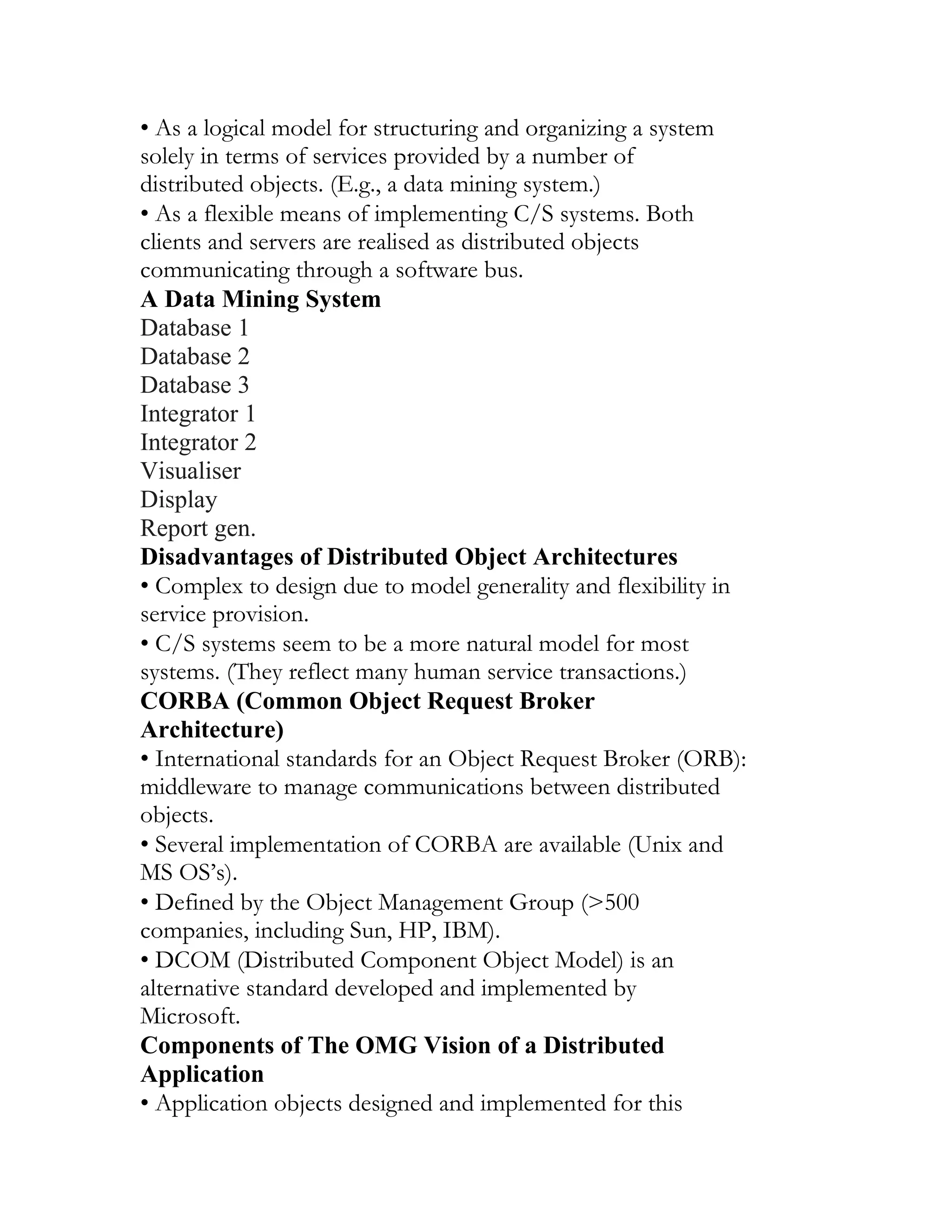
• Both of these models are required for a description of the
system’s behaviour
Data-processing models
• Data flow diagrams are used to model the system’s data
processing
• These show the processing steps as data flows through a system
• Intrinsic part of many analysis methods
• Simple and intuitive notation that customers can understand
• Show end-to-end processing of data
Order processing DFD
Complete
order form
Order
details +
blank
order form
Validate
order
Record
order
Send to
supplier
Adjust
available
budget
Budget
file
Orders
file
Completed
order form
Signed
order form
66.
Signed
order form
Checked and
signedorder
+ order
notification
Order
amount
+ account
details
Signed
order form
Order
details
Data flow diagrams
• DFDs model the system from a functional perspective
• Tracking and documenting how the data associated with a
process is helpful to
develop an overall understanding of the system
• Data flow diagrams may also be used in showing the data
exchange between a
system and other systems in its environment
CASE toolset DFD
Design
editor
Design
cross checker
Design
analyser
Report
generator
Design
database
Code skeleton
generator
67.
Design
database
Input
design
Valid
design
Checked
design
Design
analysis
User
report
and
Referenced
designs
Checked
design Output
code
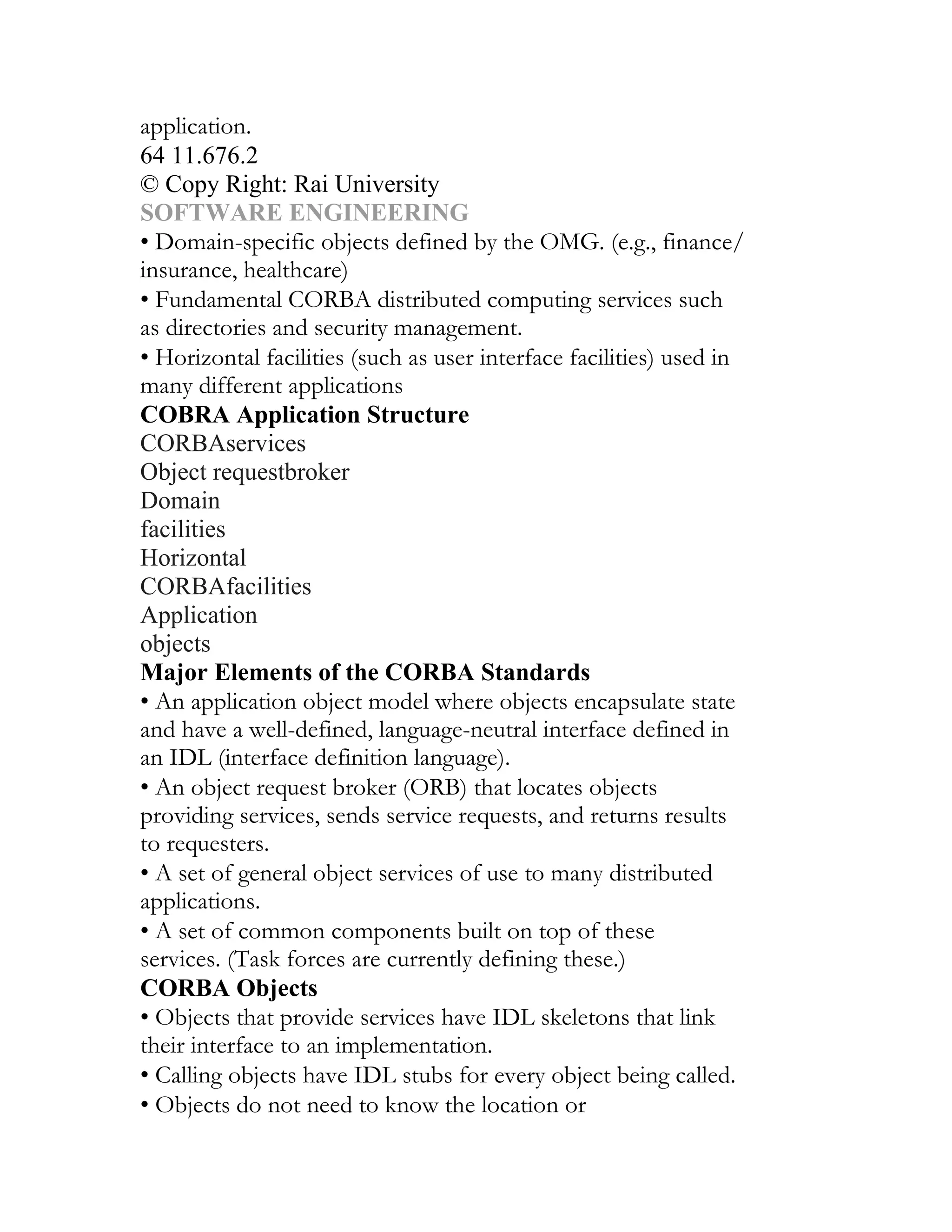
State machinemodels
• These model the behaviour of the system in response to external
and internal
events
• They show the system’s responses to stimuli so are often used for
modelling realtime
systems
• State machine models show system states as nodes and events as
arcs between
these nodes. When an event occurs, the system moves from one
state to another
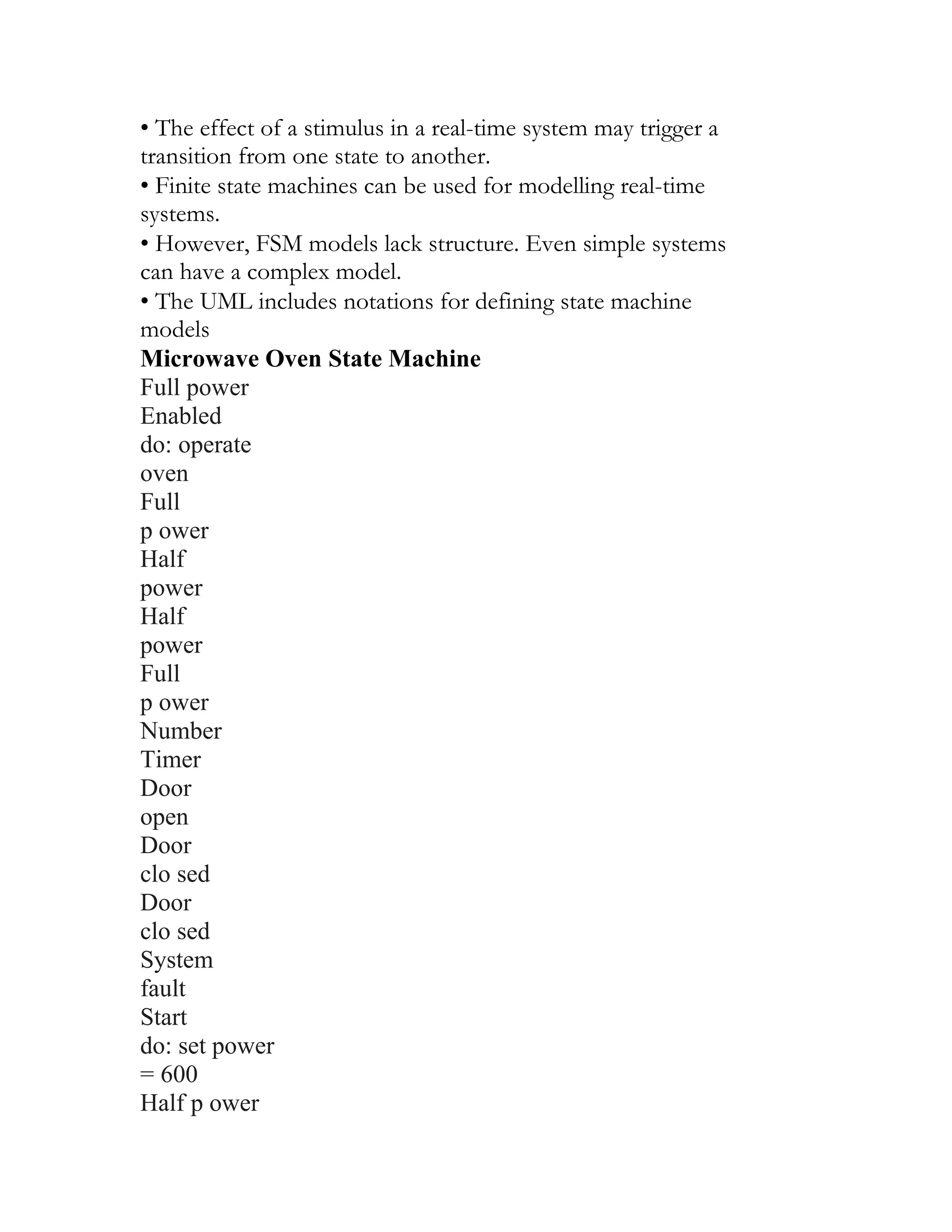
• State charts are an integral part of the UML
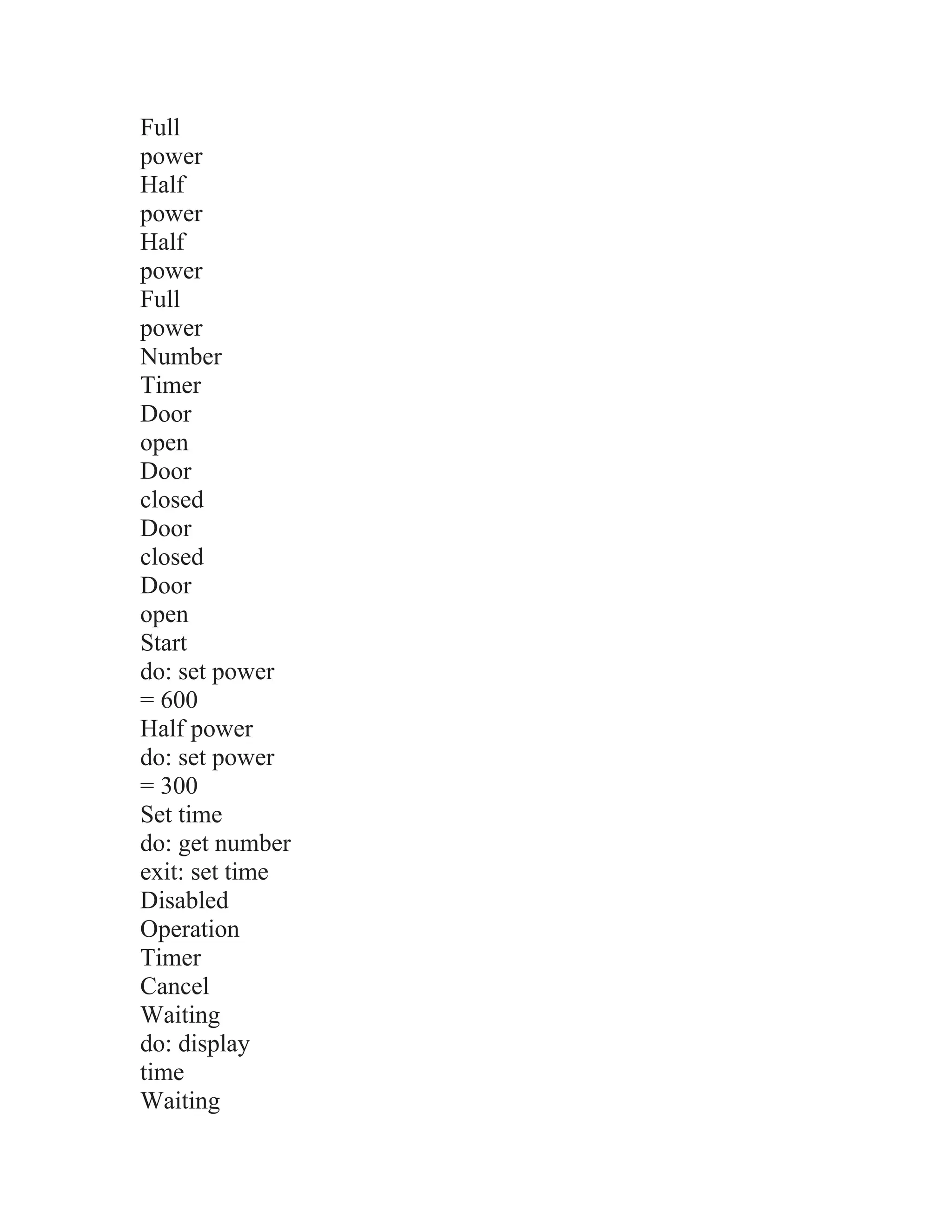
Microwave oven model
Full power
Enabled
do: operate
oven
do: display
time
do: display
'Ready'
do:display
'Waiting'
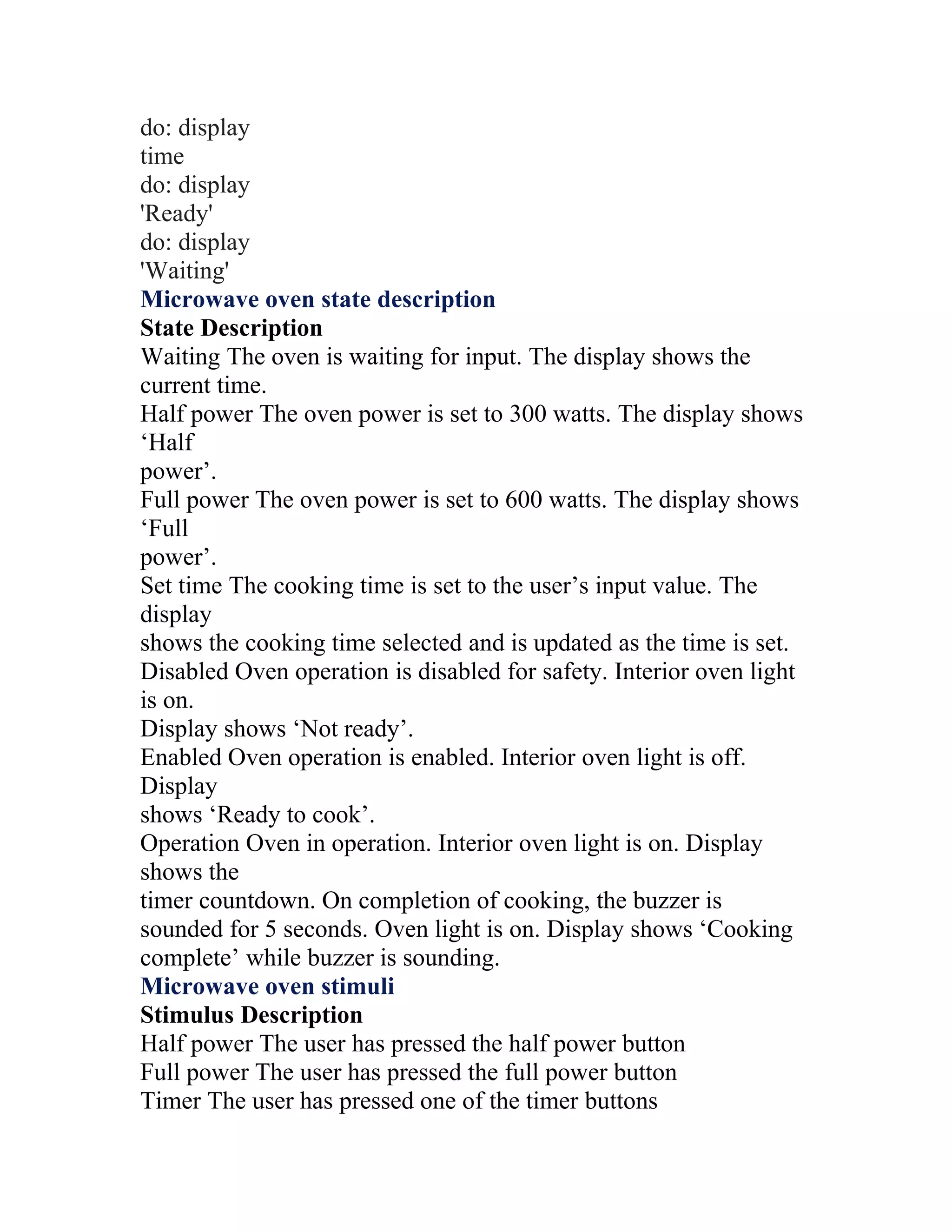
Microwave oven state description
State Description
Waiting The oven is waiting for input. The display shows the
current time.
Half power The oven power is set to 300 watts. The display shows
‘Half
power’.
Full power The oven power is set to 600 watts. The display shows
‘Full
power’.
Set time The cooking time is set to the user’s input value. The
display
shows the cooking time selected and is updated as the time is set.
Disabled Oven operation is disabled for safety. Interior oven light
is on.
Display shows ‘Not ready’.
Enabled Oven operation is enabled. Interior oven light is off.
Display
shows ‘Ready to cook’.
Operation Oven in operation. Interior oven light is on. Display
shows the
timer countdown. On completion of cooking, the buzzer is
sounded for 5 seconds. Oven light is on. Display shows ‘Cooking
complete’ while buzzer is sounding.
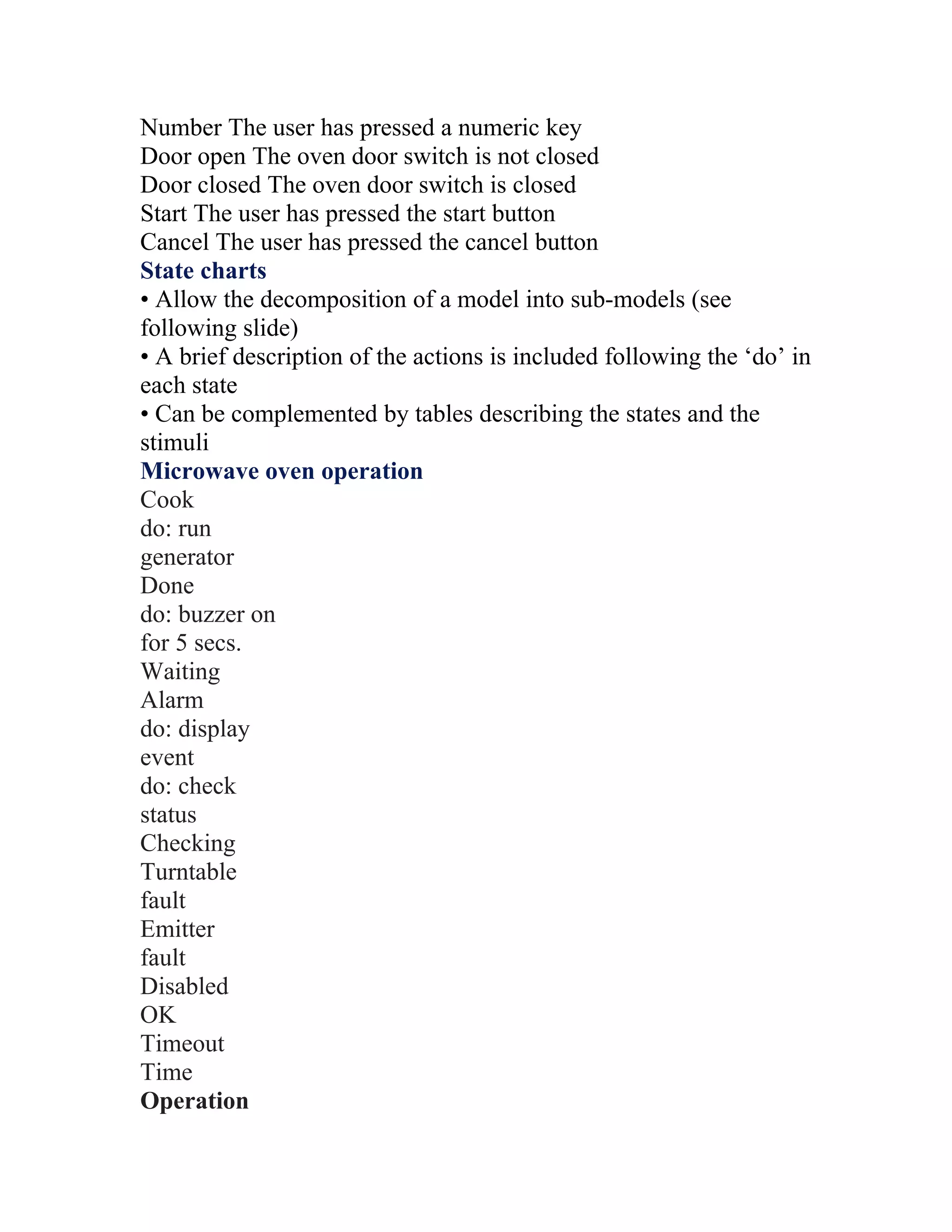
Microwave oven stimuli
Stimulus Description
Half power The user has pressed the half power button
Full power The user has pressed the full power button
Timer The user has pressed one of the timer buttons
70.
Number The userhas pressed a numeric key
Door open The oven door switch is not closed
Door closed The oven door switch is closed
Start The user has pressed the start button
Cancel The user has pressed the cancel button
State charts
• Allow the decomposition of a model into sub-models (see
following slide)
• A brief description of the actions is included following the ‘do’ in
each state
• Can be complemented by tables describing the states and the
stimuli
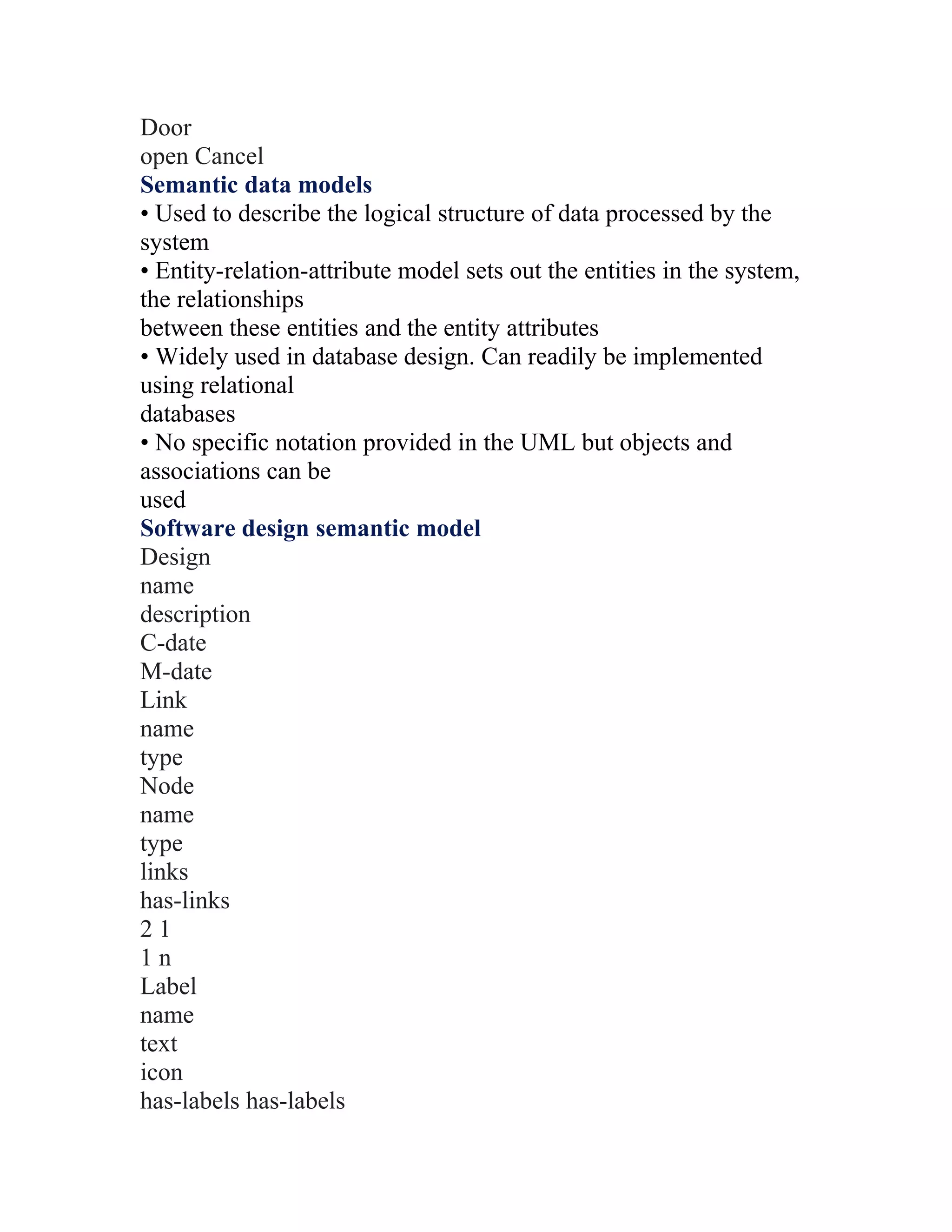
Microwave oven operation
Cook
do: run
generator
Done
do: buzzer on
for 5 secs.
Waiting
Alarm
do: display
event
do: check
status
Checking
Turntable
fault
Emitter
fault
Disabled
OK
Timeout
Time
Operation
71.
Door
open Cancel
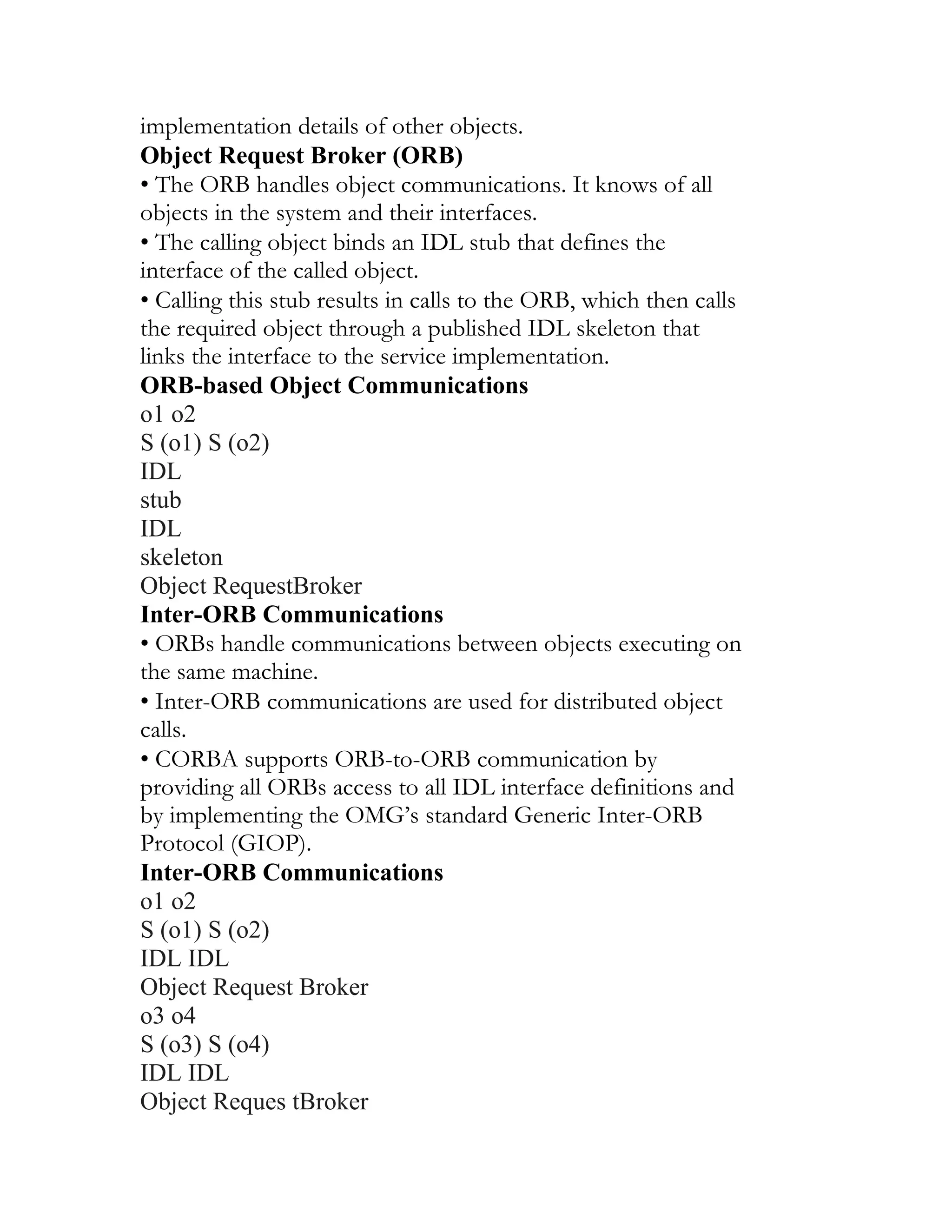
Semantic datamodels
• Used to describe the logical structure of data processed by the
system
• Entity-relation-attribute model sets out the entities in the system,
the relationships
between these entities and the entity attributes
• Widely used in database design. Can readily be implemented
using relational
databases
• No specific notation provided in the UML but objects and
associations can be
used
Software design semantic model
Design
name
description
C-date
M-date
Link
name
type
Node
name
type
links
has-links
21
1n
Label
name
text
icon
has-labels has-labels
72.
1
n
1
n
has-nodes is-a has-links
1
n
1
n
1
1
Datadictionaries
• Data dictionaries are lists of all of the names used in the system
models.
Descriptions of the entities, relationships and attributes are also
included
• Advantages
•Support name management and avoid duplication
•Store of organisational knowledge linking analysis, design and
implementation
• Many CASE workbenches support data dictionaries
Data dictionary entries
Name Description Type Date
has-labels
1:N relation between entities of type
Node or Link and entities of type
Label.
Relation 5.10.1998
Label
Holds structured or unstructured
information about nodes or links.
Labels are represented by an icon
(which can be a transparent box) and
associated text.
Entity 8.12.1998
73.
Link
A 1:1 relationbetween design
entities represented as nodes. Links
are typed and may be named.
Relation 8.12.1998
name
(label)
Each label has a name which
identifies the type of label. The name
must be unique within the set of label
types used in a design.
Attribute 8.12.1998
name
(node)
Each node has a name which must be
unique within a design. The name
may be up to 64 characters long.
Attribute 15.11.1998
Object models
• Object models describe the system in terms of object classes
• An object class is an abstraction over a set of objects with
common attributes and
the services (operations) provided by each object
• Various object models may be produced
•Inheritance models
•Aggregation models
•Interaction models
• Natural ways of reflecting the real-world entities manipulated by
the system
• More abstract entities are more difficult to model using this
approach
• Object class identification is recognised as a difficult process
requiring a deep
understanding of the application domain
74.
• Object classesreflecting domain entities are reusable across
systems
Inheritance models
• Organise the domain object classes into a hierarchy
• Classes at the top of the hierarchy reflect the common features of
all classes
• Object classes inherit their attributes and services from one or
more super-classes.
These may then be specialised as necessary
• Class hierarchy design is a difficult process if duplication in
different branches is
to be avoided
The Unified Modelling Language
• Devised by the developers of widely used object-oriented
analysis and design
methods
• Has become an effective standard for object-oriented modelling
• Notation
•Object classes are rectangles with the name at the top, attributes in
the middle
section and
operations in the bottom section
•Relationships between object classes (known as associations) are
shown as lines
linking objects
•Inheritance is referred to as generalisation and is shown ‘upwards’
rather than
‘downwards’ in a
hierarchy
Library class hierarchy
Author
Edition
Publication date
ISBN
Book
Register ()
De-register ()
Multipleinheritance
• Rather than inheriting the attributes and services from a single
parent class, a
system, which supports multiple inheritance, allows object classes
to inherit from
several super-classes
• Can lead to semantic conflicts where attributes/services with the
same name in
different super-classes have different semantics
• Makes class hierarchy reorganisation more complex
# Tapes
Talking book
Author
Edition
Publication date
ISBN
Book
Speaker
Duration
Recording date
Voice recording
Object aggregation
• Aggregation model shows how classes, which are collections, are
composed of
other classes
• Similar to the part-of relationship in semantic data models
Object behaviour modelling
Videotape
Tape ids.
Lecture
notes
Text
OHP slides
77.
Slides
Assignment
Credits
Solutions
Text
Diagrams
Exercises
oblems
Description
Course title
Number
Year
Instructor
Study pack
#Pr
•A behavioural model shows the interactions between objects to
produce some
particular system behaviour that is specified as a use-case
• Sequence diagrams (or collaboration diagrams) in the UML are
used to model
interaction between objects
Issue of electronic items
:Library User
Ecat:
Catalog
Lookup
Issue
Display
:Library Item Lib1:
NetServer
Issue licence
Accept licence
Compress
CASE workbenches
78.
• A coherentset of tools that is designed to support related
software process
activities such as analysis, design or testing
• Analysis and design workbenches support system modelling
during both
requirements engineering and system design
• These workbenches may support a specific design method or may
provide support
for a creating several different types of system model
An analysis and design workbench
Analysis workbench components
• Diagram editors
Central
information
repository
Code
generator
Query
language
facilities
Structured
diagramming
tools
Data
dictionary
Report
generation
facilities
Design, analysis
and checking
tools
Forms
creation
tools
Import/export
79.
facilities
• Model analysisand checking tools
• Repository and associated query language
• Data dictionary
• Report definition and generation tools
• Forms definition tools
• Import/export translators
• Code generation tools
Key points
• A model is an abstract system view. Complementary types of
model provide
different system information
• Context models show the position of a system in its environment
with other
systems and processes
• Data flow models may be used to model the data processing in a
system
• State machine models model the system’s behaviour in response
to internal or
external events
• Semantic data models describe the logical structure of data,
which is imported to
or exported by the systems
• Object models describe logical system entities, their classification
and
aggregation
• Object models describe the logical system entities and their
classification and
aggregation
• CASE workbenches support the development of system models
Activities
Activity 1:- Draw a context model for a patient information system
in a hospital. You
may make any reasonable assumptions about the other hospital
systems, which are
80.
available, but yourmodel must include a patient admissions system
and an image storage
system for X-rays.
Activity 2:- Based on your experience with a bank ATM, draw a
data-flow diagram
modeling the data processing involved when a customer withdraws
cash form the
machine.
Activity 3:- Model the data processing which might take place in
an electronic mail
system. You should model the mail sending and mail receiving
processing separately.
Activity 4:- Draw state machine models of the control software
for:
• An automatic washing machine, which has different programs for
different types
of clothes.
• The software for ac compact disc player.
• A telephone answering machine on an LED display. The system
should allow the
telephone owner to dial in, type a sequence of numbers (identified
as tones) and
have the recorded messages replayed over the phone.
Activity 5:- Develop an object model including a class hierarchy
diagram and an
aggregation diagram showing the principal components of a
personal computer system
and its system software.
Activity 6:- Develop a sequence diagram showing the interactions
involved when a
student registers for a course in a university. Courses may have a
limited number of
places so the registration process must include checks that places
are available. Assume
81.
that the studentaccesses an electronic course catalogue to find out
about available
courses.
Activity 7:- Describe three modeling activities that may be
supported by a CASE
workbench for some analysis method. Suggest three activities that
cannot be automated.
Lecture-7: Software Prototyping
Objectives
• To describe the use of prototypes in different types of
development projects
• To discuss evolutionary and throw-away prototyping
• To introduce three rapid prototyping techniques:
_high-level language development,
_database programming, and
_component reuse
• To explain the need for user interface prototyping
Topics covered
• Prototyping in the software process
• Rapid prototyping techniques
• User interface prototyping
What is prototyping?
• Some traditional features:
_An iterative process emphasizing
»Rapid development,
»Evaluative use,
»Feedback, and
»Modification
_Learning (based on feedback)
_Consideration of alternatives
_Concreteness (a “real system” is developed and presented to real
users)
• Boundary between prototyping and normal system development
blurs when an
evolutionary (e.g., agile) development approach is used.
82.
Uses of prototypes
•Principal use is to help customers and developers better
understand system
requirements.
_Experimentation stimulates anticipation of how a system could
be used.
_Attempting to use functions together to accomplish some task can
easily
reveal requirements problems.
• Other potential uses:
_Evaluating proposed solutions for feasibility (Experimental
Prototyping)
_“Back-to-back” system testing
_Training users before system delivery
• Prototyping is most often undertaken as a risk reduction activity.
Classifying prototypes
• By purpose:
_Throw-away prototyping – to elicit and validate requirements
_Evolutionary prototyping – to deliver an acceptable, working
system to end-users
_Experimental prototyping – to evaluate proposed solutions for
feasibility,
performance, etc.
Simulation, prototyping, and scenarios
• What are the differences between prototyping and simulation?
• What is the connection between simulation models / prototypes,
and scenarios?
_Simulation models are automatic scenario generators.
_Prototypes facilitate manual scenario generation.
Prototyping benefits
• Misunderstandings exposed.
• Difficult to use or confusing services identified
• Missing services detected
• Incomplete and/or inconsistent requirements found by analysts as
prototype is
83.
being developed. Candemo feasibility and usefulness
• Basis for writing a system specification
Prototyping process
E s t abl is h
p ro to ty pe
o bj ec t iv e s
D e f i ne
p ro to ty pe
f un c ti on a li ty
D eve lo p
p ro to ty pe
E v a lu a t e
p ro to ty pe
P ro to ty pi ng
p la n
O u t li ne
d ef i n i ti on
Ex e c ut ab le
p ro to ty pe
E v a lu ati on
r e po r t
Prototyping outcomes
• Improved system usability
• Closer match to the system needed
• Improved design quality (maybe…)
• Improved maintainability (maybe…)
• Reduced overall development effort (maybe…but corrective
maintenance costs
are usually reduced)
Prototyping in the software process
• Evolutionary prototyping – prototype is produced and refined
through a number
of stages to become the final system.
• Throwaway prototyping – prototype is produced to help elucidate
/ validate
84.
requirements and thendiscarded. The system is then developed
using some other
development process.
Starting points
• In evolutionary prototyping, development starts with those
requirements, which
are best understood.
• In throwaway prototyping, development starts with those
requirements, which are
least understood.
Approaches to prototyping
Evolutionary prototyping
Ev o lu tion ary
p ro to typing
Th row-away
Pro to typing
Delivered
sys tem
Executable Prototyp e +
Sy stem Speci ficat io n
Ou t line
Requ irement s
• Often used when a specification cannot be developed in advance
(e.g., AI systems
and GUI applications).
• System is developed as a series of prototype versions delivered to
the customer
for assessment.
• Verification is unnecessary as there is no specification.
• Validation involves assessing the adequacy of the system.
Build prototype
system
Develop abstract
specification
Use prototype
85.
system
Deliver
system
System
adequate?
YES
N
• Techniques forrapid system development are used such as CASE
tools and 4GLs.
• User interfaces are usually developed using a GUI development
toolkit.
Advantages of evolutionary prototyping over normal system
development
• Accelerated delivery – quick availability is sometimes more
important than details
of functionality or maintainability.
• User engagement – system is more likely to meet user
requirements and users are
more likely to want to make it work.
Evolutionary prototyping problems
• Management problems
_Poor fit with existing waterfall management model
_Specialized developer skills required
• Maintenance problems – continual change tends to corrupt
system structure so
long-term maintenance is expensive.
• Contractual problems – no system requirements specification to
serve as basis for
contract
Incremental development revisited
• System developed and delivered in increments after establishing
an overall
architecture.
• Users experiment with delivered increments while others are
being developed.
86.
• Intended tocombine advantages of prototyping with a more
manageable process
and maintainable system structure.
Incremental development process
Validate
increment
Build system
increment
Specify system
increment
Design system
architecture
Define system
deliverables
System
complete?
Integrate
increment
Validate
system
Deliver final
system
YES
NO
Throw-away prototyping
• Used to reduce requirements risk.
• Initial prototype is developed from outline requirements,
delivered for
experiment, and modified until risk is acceptably low
Outline
requirements
Develop
prototype
Evaluate
prototype
87.
Specify
system
Develop
software
Validate
system
Delivered
software
system
Reusable
components
Throw-away prototype delivery
•Developers may be pressurized to deliver a throw-away
prototype as the final
system.
• This is very problematic...
_It may be impossible to meet non-functional requirements.
_The prototype is almost certainly undocumented.
_The system may be poorly structured and therefore difficult to
maintain.
_Normal quality standards may not have been applied.
Prototypes AS specifications?
• Some parts of the requirements (e.g., safety-critical functions)
may be impossible
to prototype and so don’t appear in the specification.
• An implementation has no legal standing as a contract.
• Non-functional requirements cannot be adequately represented in
a system
prototype.
Implementation techniques
• Various techniques may be used for rapid development:
_Dynamic high-level language development
_Database programming (4GL’s)
_Component and application assembly
• These are not mutually exclusive – they are often used together.
88.
• Visual programmingis an inherent part of most prototype
development systems.
Dynamic high-level languages
• Include powerful data management facilities – often type less and
interpretive
• Require large run-time support system – not normally used for
large system
development.
• Some offer excellent GUI development facilities.
• Some have an integrated support environment whose facilities
may be used in the
prototype.
• Examples: Lisp (list structure based), Prolog (logic based), and
Smalltalk (objectoriented)
Choice of prototyping language
• What is the application domain? (e.g., NLP?, matrix
manipulation?)
• What user interaction is required? (text-based? Web-based?)
• What support environment comes with the language? (e.g., tools,
components)
• What support environment comes with the language? (e.g., tools,
components)
• Different parts of the system may be programmed in different
languages.
However, there may be problems with language communications.
• A multi-paradigm language (e.g., LOOPS) can reduce this
problem.
Database programming languages
• Domain specific languages for business systems based around a
database
management system
• Normally include a database query language, a screen
generator, a report
generator and a spreadsheet.
• May be integrated with a CASE toolset
89.
• The language+ environment is some-times known as a fourth-
generation
language (4GL)
• Cost-effective for small to medium sized business systems
• Examples include Informix, Appgen, Sculptor, and Power-4GL.
DB
programming
language
Interface
generator Spreadsheet
Report
generator
Database management system
Fourth-generation language
Component and application assembly
• Prototypes can be created quickly from a set of reusable
components plus some
mechanism to “glue” these components together.
• The composition mechanism must include control facilities and a
mechanism for
component communication
• Must take into account the availability and functionality of
existing components
Prototyping with reuse
• Application level development
_Entire application systems are integrated with the prototype so
that their
functionality can be shared.
_For example, if text preparation is required, a standard word
processor
can be used.
• Component level development
_Individual components are integrated within a standard
framework to
implement the system
90.
_Framework can bea scripting language or an integration
framework such
as CORBA, DCOM, or Java Beans
Reusable component composition
Component
composition
framework
Executable
prototype
Reusable
software
components
Control and
integration code
Compound documents
• For some applications, a prototype can be created by developing
a compound
document.
• This is a document with active elements (such as a spreadsheet)
that allow user
computations.
• Each active element has an associated application, which is
invoked when that
element is selected.
• The document itself is the integrator for the different
applications.
Application linking in compound documents
Compounddocument
W o rd p roc e s so r S p r ea d sh e e t A u d i o p l a y e r
Text1Text2Text3
Text4Text5
Table1
Table2
Sound1
Sound2
91.
Visual programming
• Scriptinglanguages such as Visual Basic support visual
programming where the
prototype is developed by creating a user interface from standard
items and
associating components with these items.
• A large library of components exists to support this type of
development
• These may be tailored to suit the specific application
requirements.
Visual programming with reuse
File Edit Views Layout Options Help
General
Index
Hypertext
Date component display component
Range checking
script
Tree display
component
12th January 2000
3.876
Draw canvas
component
User prompt
component +
script
Problems with visual development
• Difficult to coordinate team-based development
• No explicit system architecture (hidden)
• Complex dependencies between parts of the program can cause
maintainability
problems.
User interface prototyping
92.
• It isimpossible to pre-specify the look and feel of a user interface
in an effective
way. Prototyping is essential.
• UI development consumes an increasing part of overall system
development costs
• User interface generators may be used to “draw” the interface and
simulate its
functionality with components associated with interface entities.
• Web interfaces may be prototyped using a web site editor.
Key points
• A prototype can be used to give end-users a concrete impression
of the system’s
capabilities.
• Prototyping is becoming increasingly used for system
development where rapid
development is essential.
• Throw-away prototyping is used to understand the system
requirements.
• In evolutionary prototyping, the system is developed by evolving
an initial
version to the final version.
• Rapid development of prototypes is essential. This may require
leaving out
functionality or relaxing non-functional constraints.
• Prototyping techniques include the use of very high-level
languages, database
programming and prototype construction from reusable
components.
• Prototyping is essential for parts of the system such as the user
interface, which
cannot be effectively pre-specified. Users must be involved in
prototype
evaluation
Activities
93.
Activity 1:- Youhave been asked to investigate the feasibility of
prototyping in the
software development process in your organization. Write a report
for your manager
discussing the classes of project where prototyping should be used
and setting out the
expected costs and benefits form using prototyping.
Activity 2:- Explain why, for large systems development, it is
recommended that
prototypes should be throw away prototypes.
Activity 3:- Under what circumstances would you recommend that
prototyping should be
used as a means of validating system requirements?
Activity 4:- Suggest difficulties that might arise when prototyping
real time embedded
computer systems :
Activity 5:- Discuss prototyping using reusable components and
suggest problems which
may arise using this approach. What is the most effective way to
specify reusable
components?
Activity 6:- You have been asked by a charity to prototype a
system that keeps track of
tall donations they have received. This system has to maintain the
names and addresses of
donors, their particular interests, the amount donated, and when it
was donation (e.g. it
must be spent on a particular project) and the system must keep
track of these donations
and how they were spent. Discuss how you would prototype this
system bearing in mind
that the charity has a mixture of paid workers and volunteers.
Many of the volunteers are
retirees who have had little or no computer experience.
94.
Activity 7:- Youhave developed a throw prototype system for a
client who is very happy
with it. However, she suggests that there is no need to develop
another system but that
you should deliver the prototype and offers an excellent price for
the system. You know
that there may be future problems with maintaining the system.
Discuss how you might
respond to this customer.
Lecture-8: Formal Specifications
Objectives
• To explain why formal specification helps discover problems in
system
requirements.
• To describe the use of:
_Algebraic specification techniques, and
_Model-based specification techniques (including simple pre and
post
conditions).
Topics covered
• Formal specification in the software process
• Interface specification
• Behavioural specification
Formal methods
• Formal specification is part of a more general collection of
techniques known as
“formal methods.”
• All are based on the mathematical representations and analysis of
requirements
and software.
• Formal methods include:
_Formal specification
_Specification analysis and property proofs
_Transformational development
_Program verification (program correctness proofs)
95.
• Specifications areexpressed with precisely defined vocabulary,
syntax, and
semantics.
Acceptance and use
• Formal methods have not become mainstream as was once
predicted, especially in
the US.
_Other, less costly software engineering techniques (e.g.,
inspections / reviews) have been successful at increasing
system quality. (Hence, the need for formal methods has
been reduced.)
_Market changes have made time-to-market rather than quality
the key issue for many systems. (Formal methods do not
reduce time-to-market.)
_The scope of formal methods is limited. They are not well
suited to specifying user interfaces. (Many interactive
applications are “GUI-heavy” today.)
_Formal methods are hard to scale up to very large systems.
(Although this is rarely necessary.)
_The costs of introducing formal methods are high.
_Thus, the risks of adopting formal methods on most projects
outweigh the benefits.
• However, formal specification is an excellent way to find
requirements errors and
to express requirements unambiguously.
• Projects, which use formal methods invariably, report fewer
errors in the
delivered software.
• In systems where failure must be avoided, the use of formal
methods is justified
and likely to be cost-effective.
• Thus, the use of formal methods is increasing in critical system
development
where safety, reliability, and security are important.
Formal specification in the software process
96.
Requirements
specification
Fo rmal
specification
System
modelling
Ar chitectural
design
Requirements
definition
High-level
design
Formal specification techniques
• Algebraic approach – the system is specified in terms of its
operations and their
relationships via axioms.
Sequential Concurrent
Algebraic Larch (Guttag, Horning et
al., 1985; Guttag,
Horning et al., 1993),
OBJ (Futatsugi, Goguen
et al., 1985)
Lotos (Bolognesi and
Brinksma, 1987),
Model-based Z (Spivey, 1992)
VDM (Jones, 1980)
B (Wordsworth, 1996)
CSP (Hoare, 1985)
Petri Nets (Peterson,
1981)
• Model-based approach (including simple pre- and post-
conditions) – the system
is specified in terms of a state model and operations are defined in
terms of
changes to system state.
97.
Formal specification languages
SequentialConcurrent
Algebraic Larch (Guttag, Horning et
al., 1985; Guttag, Horning
et al., 1993),
OBJ (Futatsugi, Goguen
et al., 1985)
Lotos (Bolognesi and
Brinksma, 1987),
Model-based Z (Spivey, 1992)
VDM (Jones, 1980)
B (Wordsworth, 1996)
CSP (Hoare, 1985)
Petri Nets (Peterson,
1981)
Use of formal specification
• Formal specification is a rigorous process and requires more
effort in the early
phases of software development.
• This reduces requirements errors as ambiguities, incompleteness,
and
inconsistencies are discovered and resolved.
• Hence, rework due to requirements problems is greatly reduced.
Development costs with formal specification
Sp eci ficat io n
Des ig n and
Implementat io n
Validat io n
Sp eci ficat io n
Des ig n and
Implement at io n
Validat io n
Cost
Wi th ou t fo rm al
s pecificat io n
98.
W ith formal
specificat io n
Specification of sub-system interfaces
• Large systems are normally comprised of sub-systems with well-
defined
interfaces.
• Specification of these interfaces allows for their independent
development.
• Interfaces are often defined as abstract data types or objects.
• The algebraic approach is particularly well suited to the
specification of such
interfaces.
Sub-system interfaces
Su b-s ys tem
A
Su b-s ys tem
B
Int e rface
o bj ec t s
Specification components
• Introduction – defines the sort (type name) and declares other
specifications that
are used
• Description – informally describes the operations on the type
• Signature – defines the syntax of the operations in the interface
and their
parameters
• Axioms – defines the operation semantics by defining axioms
which characterize
behaviour
Types of operations
• Constructor operations: operations which create / modify entities
of the type
• Inspection operations: operations, which evaluate entities of the
type being
99.
specified
• Rule ofthumb for defining axioms: define an axiom, which sets
out what is
always true for each inspection operation over each constructor
Model-based specification
• Algebraic specification can be cumber-some when object
operations are not
independent of object state (i.e., previous operations).
• (System State) Model-based specification exposes the system
state and defines
operations in terms of changes to that state.
• Z is a mature notation for model-based specification. It combines
formal and
informal descriptions and incorporates graphical highlighting.
• The basic building blocks of Z-based specifications are schemas.
• Schemas identify state variables and define constraints and
operations in terms of
those variables.
The structure of a Z schema
SchSch
Natural numbers (0, 1, 2, …)
C o n t a i n e r Defines schema state
contents:
contents Š capacity
capacity:
ema name ema signature Schema predicate
“invariants”, pre- & post- conditions
An insulin pump
insulin
delivery
glucose level
text messages dose delivered Display1
Modelling the insulin pump
Needle
assembly
100.
Sensor
Display2
Alarm
Pump Clock
Power supply
Insulinreservoir
Controller
• The schema models the insulin pump as a number of state
variables
_reading? from sensor
_dose, cumulative dose
_r0, r1, r2 last 3 readings
_capacity pump reservoir
_alarm! signals exceptional conditions
_pump! output for pump device
_display1!, display2! text messages & dose
• Names followed by a? are inputs, names followed by a! are
outputs.
Schema invariant
• Each Z schema has an invariant part, which defines conditions
that are always
true (schema predicates)
• For the insulin pump schema, it is always true that:
_The dose must be less than or equal to the capacity of the insulin
reservoir.
_No single dose may be more than 5 units of insulin and the total
dose delivered in a
time period must not exceed 50 units of insulin. This is a safety
constraint.
_display1! shows the status of the insulin reservoir.
Insulin pump schema
Insulin_pump
reading? :
dose, cumulative_dose:
r0, r1, r2: // used to record the last 3 readings taken
101.
capacity:
alarm!: {off, on}
pump!:
display1!display2!: STRING
every 10 minutes
The dosage computation
• The insulin pump computes the amount of insulin required by
comparing the
current reading with two previous readings.
• If these suggest that blood glucose is rising then insulin is
delivered.
• Information about the total dose delivered is maintained to allow
the safety check
invariant to be applied.
• Note that this invariant always applies – there is no need to repeat
it in the dosage
computation.
DOSAGE schema
operations change state GE
do
(
i(m( por _ts state & pr edicates
- r 1 ∧ x′ - value of x after operation
∧ ( r2 =
∧
DO SA
ΔInsulin_Pump
(
se = 0 ∧
r1 r0) r1)) ∨
(( r1 > r0) (r2 Š r1)) ∨
(( r1 < r0) ∧ ((r1-r2) > (r0-r1)))
)∨
dose = 4 ∧
(
102.
(( r1 Šr0) ∧ (r2 =r1)) ∨
(( r1 < r0) ∧ ((r1-r2) Š (r0-r1)))
)∨
dose =(r2 ) * 4
(
(( r1 Š r0) ∧ (r2 > r1)) ∨
(( r1 > r0) ∧ ((r2 - r1) _ (r1 - r0)))
)
)
c apacit y' = cap acity - dos e
cumulat ive_dose' = cumulative_dose + dose
r0' = r1 ∧ r1 ' = r2
Output schemas
• The output schemas model the system displays and the alarm that
indicates some
potentially dangerous condition.
• The output displays show the dose computed and a warning
message.
• The alarm is activated if blood sugar is very low – this indicates
that the user
should eat something to increase his blood sugar level.
Δ conversion
Note conflict with “insulin low” msg.
^ AND
ALARM
ΔInsulin_Pump
Schema consistency
DISPLAY
Insulin_Pump
display2!' = Nat_to_string (dose) ∧
(reading? < 3 ⇒ display1!' = "Sugar low" ∨
reading? > 30 ⇒ display1!' = "Sugar high" ∨
reading? _ 3 and reading? Š 30 ⇒ display1!' = "OK")
( reading? < 3 ∨ reading? > 30 ) ⇒ alarm!' = on ∨
( reading? _ 3 ∧ reading? Š 30 ) ⇒ alarm!' = off
103.
• It isimportant that schemas be consistent. Inconsistency suggests
a problem with
system requirements.
• The INSULIN_PUMP schema and the DISPLAY are
inconsistent:
_display1! shows a warning message about the insulin reservoir
(INSULIN_PUMP)
_display1! Shows the state of the blood sugar (DISPLAY)
• This must be resolved before implementation of the system.
Specification via Pre- and Post-Conditions
• Predicates that (when considered together) reflect a program’s
intended functional
behavior are defined over its state variables.
• Pre-condition: expresses constraints on program variables before
program
execution. An implementer may assume these will hold BEFORE
program
execution.
• Post-condition: expresses conditions / relationships among
program variables
after execution. These capture any obligatory conditions AFTER
program
execution.
• Language: (first order) predicate calculus
_Predicates (X>4)
_Connectives (&, V, →, ó, NOT)
_Universal and existential quantifiers (for every, there exists…)
_Rules of inference (if A & (A → B) then B)
Example 1
• Sort a non-empty array LIST [1..N] into increasing order.
Pre-cond: N ≥ 1
Post-cond: For_Every i, 1 ≤ i ≤ N-1, LIST [i] ≤ LIST [i+1] &
PERM (LIST, LIST’)
Example 2
104.
• Search anon-empty, ordered array LIST [1..N] for the value
stored in KEY. If
present, set found to true and J to an index of LIST which
corresponds to KEY.
Otherwise, set FOUND to false.
Pre-cond: N ≥ 1 & [(“LIST is in increasing order”) V (“LIST is in
decreasing order”)]
(Exercise: express the “ordered” predicate above FORMALLY.)
Post-cond: [(FOUND & There Exists i, 1 ≤ i ≤ N | J=i & LIST
[J]=Key) V (NOT
FOUND & For_Every i, 1 ≤ i ≤ N, LIST [i] ≠KEY)] & UNCH
(LIST, KEY)
Key points
• Formal system specification complements informal specification
techniques.
• Formal specifications are precise and unambiguous. They remove
areas of doubt
in a specification.
• Formal specification forces an analysis of the system
requirements at an early
stage. Correcting errors at this stage is cheaper than modifying a
delivered system.
• Formal specification techniques are most applicable in the
development of critical
systems.
• Algebraic techniques are particularly suited to specifying
interfaces of objects and
abstract data types.
• In model-based specification, operations are defined in terms of
changes to system
state.
Activities
Activity 1:- Suggest why the architectural design of a system
should precede the
development of a formal specification.
105.
Activity 2:-You havebeen given the task of selling formal
specification techniques to a
software development organization. Outline how you would go
about explaining the
advantages of formal specifications to skeptical, practicing
software engineers.
Activity 3:- Explain why it is particularly important to define sub-
system interfaces in a
precise way and why algebraic specification is particularly
appropriate for sub-system
interface specification.
Activity 4:- In the example of a controlled airspace sector, the
safety condition is that
aircraft may not be within 300 m of height in the same sector.
Modify the specification
shown in figure 9.8 to allow aircraft to occupy the same height in
the sector so long as
they are separated by at least 8km of horizontal difference. You
may ignore aircraft in
adjacent sectors. Hint. You have to modify the constructor
operations so that they include
the aircraft position as well as its height. You also have to define
an operation that, given
two positions, returns the separation between them.
Activity 5:- Bank teller machines rely on using information on the
user’s card giving the
bank identifier, the account number and the user’s personal
identifier. They also derive
account information from a central database and update that
database on completion of a
transaction. Using your knowledge of ATM operation write Z
schemas defining the state
of the system, card validation (where the user’s identifier is
checked) and cash
withdrawal.
106.
Activity 6:- Youare a systems engineer and you are asked to
suggest the best way to
develop the safety software for a heart pacemaker. You suggest
formally specifying the
system but your suggestion is rejected by your manager. You think
his reasons are weak
and based on prejudice. Is it ethical to develop the system using
methods that you think
are inadequate?
Lecture-9: Architectural Design
• Establishing the overall structure of a software system
Objectives
• To introduce architectural design and to discuss its importance
• To explain why multiple models are required to document in
architecture
• To describe types of architectural models that may be used
• To discuss use of domain-specific architectural reference models
Topics covered
• Architectural design
• System structuring
• Control models
• Modular decomposition
• Domain-specific architectures
What is architectural design?
• The process of identifying the sub-systems making up a system
and a framework
for sub-system control and communication.
• A boot-strapping process undertaken in parallel with the abstract
specification of
sub-systems.
• The output of this process is the software architecture.
The software design process
Architectur al
design
Abstract
(e.g., performance, reliability,maintainability) can be studied early
on.
• Large-scale reuse – the architecture may be reusable across a
range of systems
with similar requirements.
Architectural design process
• System structuring – the system is decomposed into major sub-
systems and
communication (e.g., data sharing) mechanisms are identified.
• Control modelling – a model of the control relationships
between the subsystems
is established.
• Modular decomposition – the identified sub-systems are
decomposed into
lower-level modules (components, objects, etc.)
Terminology issues
• Modular decomposition is sometimes called high-level (system)
design.
• A sub-system is usually a system in its own right, and is
sometimes called a
Product.
• A module is a lower-level element that would not normally be
considered a
separate system; modules are sometimes called Components or
Objects.
• Traditional (and Somerville’s) terminology
System (System)
Product (Sub-System)
Component (Module)
Module (Unit) (Algorithm)
Architectural models
• Different types of models may be used to represent an
architectural design.
• Each presents a different perspective on the architecture.
Architectural model types
109.
• Static structuralmodels show the major system components.
• Dynamic process models show the process structure of the
system at run-time.
• Interface models define the sub-system services offered through
public
interfaces.
• Relationship models show relationships such as a dataflow
among sub-systems.
Architectural styles
• The architecture of a system may conform to a single generic
model or style,
although most do not.
• An awareness of these styles and how they can affect system
attributes can
simplify the problem of choosing an appropriate architecture.
System attributes and architectural styles / structures
• Performance – localize operations by using fewer, large-grain
components to
minimize sub-system communication.
• Security – use a layered architecture with critical assets in inner
layers.
• Safety – isolate safety-critical components in one or just a few
sub-systems.
• Availability – include redundant components in the architecture.
• Maintainability – use fine-grain, self-contained components.
System structuring
• Concerned with decomposing the system into interacting sub-
systems.
• The architectural design is normally expressed as a block
diagram presenting an
overview of the system structure.
• More specific models showing how sub-systems share data are
distributed, and
interface with each other may also be developed. (Examples
follow.)
110.
Packing robot controlsystem
V ision
sys tem
Object
identification
system
Arm
contro ller
Gripp er
controller
Packaging
selection
sys tem
Packing
system
Co nveyo r
con troller
The repository model
• Sub-systems must exchange info. This may be done in two ways:
_Shared data is held in a central database or repository and may be
accessed by all sub-systems.
_Each sub-system maintains its own database and passes data
explicitly
to other sub-systems.
• When large amounts of data are used, the repository model of
sharing is
commonly used.
CASE toolset architecture
Project
repository
Design
translator
Program
editor
Design
111.
editor
Code
generator
Design
analyser
Report
generator
Repository model advantages
•Simple and efficient way to share large amounts of data locally.
• Sub-systems, which use data, need not be concerned with how
that data is
produced, and vice-versa.
• Management activities such as backup, access control, and
recovery are
centralized.
• Sharing model is published as the repository schema. Integration
of compatible
tools is relatively easy.
Repository model disadvantages
• Sub-systems must agree on a single repository data model. This
is inevitably a
compromise.
• Data model evolution is difficult and expensive.
• No provision for sub-system-specific data management
requirements related to
backup, access control, and recovery.
• May be difficult to distribute efficiently over a number of
machines due to
problems with data redundancy and inconsistency.
The client-server model
• Distributed system model, which shows how data and processing
are distributed
across a range of processors.
• Major components are:
112.
_A set ofstand-alone servers, which provide specific services such
as
printing, file management, etc.
_A set of clients, which call on these services
_A network, which allows clients to access these services
Film and picture library
Catalogue Video Picture Hypertext
Client 1 Client 2 Client 3 Client 4
Wide-bandwidth network
Client-server model advantages
• Supports distributed computing.
• Underlying network makes distribution of data straightforward.
• No shared data model so servers may organize data to optimise
their performance.
• Distinction between servers and clients may allow use of cheaper
hardware.
• Relatively easy to expand or upgrade system.
Client-server model disadvantages
• Relatively complex architecture – problem determination can be
difficult.
• No shared data model so data integration may be problematic.
• Redundant data management in each server.
• No central register of names and services, so it may be hard to
find out what
servers and services are available.
The abstract machine model
• Organizes a system into a series of layers.
• Each layer defines an abstract machine and provides a set of
services used to
implement the next level of abstract machine.
• When a layer interface changes, only the adjacent layer is
affected.
• However, it is often difficult to structure systems in this way.
(Why?)
Abstract machine based version management system
113.
Control models
Operat ing
sys tem
Database s ys tem
Ob ject m anagemen t
Version man ag emen t
• Concerned with the control flow between sub-systems. Distinct
from the system
structure model.
• Two general approaches:
_Centralized control – one sub-system has overall responsibility
for control and starts
and stops other sub-systems.
_Event-based control – each sub-system can respond to externally
generated events
from other sub-systems, or from the system’s environment.
Centralized control models
1.Call-return model – top-down subroutine model where control
starts at the top of a
subroutine hierarchy and moves downwards. Applicable to
sequential systems only.
2. Manager model – applicable to concurrent systems. One system
component controls
the stopping, starting and coordination of other system processes.
Also applicable to
sequential systems where it is usually implemented as a case
statement within a
management routine.
Call-return model
call
Routine 1 Routine 2 Routine 3
Main
program
return
Manager model: real-time system control
114.
S y stem
con tr o ll er
Us er
i nt erface
Fa ul t
h an dler
C om pu tat io n
p ro ces ses
Act uator
p ro ces ses
Sen so r
p ro ces ses
Principal Event-based control models
1.Broadcast model – an event is broadcast to all sub-systems; any
sub-system, which can
handle the event, may do so.
2.Interrupt-driven model – used in real-time systems where
interrupts are detected by an
interrupt handler and passed to some other component for
processing.
(Other event-based models include compound documents and
production systems.)
Broadcast model
• Effective in integrating sub-systems executing on different
computers in a
network.
• Control policy is NOT embedded in the message handler; sub-
systems register an
interest in specific events and the event handler ensures that these
events are sent
to them.
• Registration of interests’ supports selective broadcasting.
• Evolution is relatively easy since a new sub-system can be
integrated by
registering its events with the event handler.
115.
• However, sub-systemsdon’t know if or when an event will be
handled by some
other sub-system.
Interrupt-driven systems
• Used in real-time systems where fast response to an event is
essential.
• A handler is defined for each type of interrupt.
• Each type is associated with a memory location and a hardware
switch causes
transfer to its handler – fast!
• Allows fast response but is complex to program and difficult to
verify. (Why?)
Interrupt-driven control
Handler
1
Handler
2
Handler
3
Handler
4
Process
1
Process
2
Process
3
Process
4
Interrupts
Interrupt
vector
Modular decomposition (a.k.a. high-level design)
• Sub-systems are decomposed into lower-level elements.
• Two models are considered:
116.
_An object modelwhere the system is decom-posed into
interacting
objects. (object-oriented design)
_A data-flow model where the system is decomposed into
functional
modules, which transform inputs into outputs. (function-oriented
design)
Object models
• Structure the system into a set of loosely coupled objects with
well-defined
interfaces.
• Object-oriented decomposition is concerned with identifying
object classes, their
attributes and operations.
• When implemented, objects are created from these classes and
some control
model is used to coordinate object operations.
Invoice processing system
issue ()
sendReminder ()
acceptPayment ()
sendReceipt ()
invoice#
date
amount
customer
Invoice
invoice#
date
amount
customer#
Receipt
invoice#
date
amount
117.
customer#
Payment
customer#
name
address
credit period
Customer
Data-flow models
•Functional transformations process inputs to produce outputs.
• Sometimes referred to as a pipe and filter model (after
terminology used in
UNIX).
• Variants of this approach have a long history in software design.
• When transformations are sequential, this is a batch sequential
model
• which is extensively used in data processing systems.
• Not really suitable for interactive systems (input data streams
versus events)
Invoice processing system
in Continuopaus s
input streams
Read issued
voices
Identify
yment
Issue
receipts
Find
payments
due
Receipts
Issue
payment
reminder
Reminders
118.
Invoices Payments
Domain-specific architectures
•Architectural models which are specific to some application
domain
• Two types of domain-specific models:
1.Generic models encapsulate the traditional, time-tested
characteristics of real
systems.
2.Reference models are more abstract and describe a larger class
of systems. They
provide a means of comparing different systems in a domain.
• Generic models are usually bottom-up models; Reference
models are
top-down models.
Generic models
• The compiler model is a well-known example.
• Based on the thousands written, it is now generally agreed that
the
standard components of a compiler are:
_Lexical analyser
_Symbol table
_Syntax analyser
_Syntax tree
_Semantic analyser
_Code generator
Compiler model
Sequential function model (batch processing oriented)
Lex ical
analy sis
Syn tactic
analy sis
Semant ic
analy sis
Code
generat ion
119.
Symbo l
table
Language processingsystem
Syntax
analyser
Lexical
analyser
Semantic
analyser
Abstract
syntax tree
Grammar
definition
Symbol
table
Output
definition
Prettyprinter
Editor
Optimizer
Code
generator
Repository
Repository-based model
Reference architectures
• Reference models are derived from a study of the application
domain rather than
from existing systems.
• May be used as a basis for system implementation, or to compare
different
systems. It acts as a standard against which systems can be
evaluated.
• The OSI (Open System Interconnection) model is a layered
model for
120.
communication systems (inparticular, data processing / point-of-
sale
applications).
OSI reference model
Application
Presentation
Session
Transport
Network
Data link
Physical
7
6
5
4
3
2
1
Communications medium
Network
Data link
Physical
Application
Presentation
Session
Transport
Network
Data link
Physical
Key points
• The software architect is responsible for deriving a structural
system model,
a control model, and a sub-system decomposition model.
• Large systems rarely conform to a single architectural model.
121.
• System decompositionmodels include the repository model,
client-server
model, and abstract machine model.
• Control models include centralized control and event-driven
models.
• Modular decomposition models include data-flow and object
models.
• Domain specific architectural models are abstractions over an
application domain.
• They may be constructed by abstracting from existing systems or
they may be
idealized reference models.
Activities
Activity 1:- Explain why it may be necessary to design the system
architecture before the
specifications are written.
Activity 2:- Construct a table showing the advantages and
disadvantages of the different
structural models discussed in this chapter.
Activity 3:- Giving reasons for your answer, suggest an
appropriate structural model for
the following systems:
• An automated ticket issuing system used by passengers at a
railway station.
• A computer controlled video conferencing system, which allows
video, audio, and
computer data to be visible to several participants at the same time.
• A robot floor cleaner, which is intended to clean relatively, clear
spaces such as
corridors. The cleaner must be able to sense walls and other
obstructions.
Activity 4:- Design an architecture for the above systems based on
your choice of
model. Make reasonable assumptions about the system
requirements.
122.
Activity 5:- Explainwhy a call-return model of control is not
usually suitable for real
time systems which control some process.
Activity 6:- Giving reasons for your answer, suggest an
appropriate control model for the
following systems:
• A batch processing system, which takes information about hours,
worked and
pays rates and prints salary slips and bank credit transfer
information.
• A set of software tools, which are, produced buy different
vendors but which mist
work together.
• A television controller, which responds to, signals form a remote
control unit.
Activity 7:- Discuss their advantages and disadvantages as far as
disreputability is
concerned of the data flow model and the object model. Assume
that both single machine
and distributed versions of an application are required.
Activity 8:- Should there be a separate profession of ‘software
architect’ whose role is to
work independently with a customer to design a software
architecture? This would then
be implemented by some software company. What might be the
difficulties of
establishing such a profession?
Lecture-10: Distributed Systems Architectures
• Architectural design for software that executes on
more than one
processor
Objectives
• To explain the advantages and disadvantages of distributed
systems architectures.
123.
• To describedifferent approaches to the development of client-
server systems.
• To explain the differences between client-server and distributed
object
architectures.
• To describe object request brokers and the principles underlying
the CORBA
standards.
Topics covered
• Multiprocessing systems
• Distributed systems architectures
_Client-server architectures
_Distributed object architectures
• CORBA (Common Object Request Broker Architecture)
Multiprocessor architectures
• System composed of multiple processes, which may or may not
execute on
different processors.
• Distribution of process to processor may be pre-ordered or may
be under the
control of a dispatcher.
A multiprocessor traffic control system
Traffic lights
Light
control
process
Traffic light control
processor
Traffic flow
processor
Traffic flow sensors
Sensor
processor
Sensor
control
124.
process
Display
process
Types of multiprocessingsystems
• Personal systems that are not distributed and that are designed to
run on a
personal computer or workstation. (word processors)
• Embedded systems that run on a single processor or on an
integrated group of
processors. (control systems, real-time systems)
• Distributed systems where the system software runs on a loosely
integrated
group of processors linked by a network. (ATM systems)
Distributed systems
• Virtually all-large, computer-based systems are now distributed
systems.
• Processing is distributed over several computers rather than
confined to a single
machine.
• Distributed software engineering is now very important.
Distributed system characteristics / advantages
• Resource sharing (hardware and software)
• Openness (resource extendibility)
• Concurrency (parallel processing)
• Scalability (up to capacity of network)
• Fault tolerance (potential)
• Transparency (ability to conceal distributed nature)
Distributed system disadvantages
• Complexity (no. of factors affecting emergent properties)
• Security (multiple access points, network eavesdropping)
• Manageability (heterogeneity)
• Unpredictable responsiveness
Issues in distributed system design
Design issue Description
Resource
125.
identification
The resources ina distributed system are spread across different
computers and a naming scheme has to be devised so that users can
discover and refer to the resources that they need. An example of
such a naming scheme is the URL (Uniform Resource Locator)
that
is used to identify WWW pages. If a meaningful and universally
understood identification scheme is not used then many of these
resources will be inaccessible to system users.
Communications The universal availability of the Internet and the
efficient
implementation of Internet TCP/IP communication protocols
means
that, for most distributed systems, these are the most effective way
for the computers to communicate. However, where there are
specific requirements for performance, reliability etc. alternative
approaches to communications may be used.
Quality of service The quality of service offered by a system
reflects its performance,
availability and reliability. It is affected by a number of factors
such
as the allocation of processes to processes in the system, the
distribution of resources across the system, the network and the
system hardware and the adaptability of the system.
Software
architectures
The software architecture describes how the application
functionality is distributed over a number of logical components
and
how these components are distributed across processors. Choosing
the right architecture for an application is essential to achieve the
desired quality of service.
Distributed systems architectures
• Client-server architectures – distributed services, which are
called on by clients.
126.
Servers that provideservices are treated differently from clients
that use services.
• Distributed object architectures –removes distinction between
clients and
servers. Any object in the system may provide and use services
from other
objects.
Middleware
• Software that manages and enables communication between the
diverse
components of a distributed system. Middleware is usually off-the-
shelf rather
than specially written.
• Distributed system frameworks, e.g. CORBA and DCOM, is an
important class of
middle-ware described later.
Client-server architectures
• The application is modelled as a set of services that are provided
by servers and a
set of clients that use the services.
• Clients must know of servers but servers need not know of
clients. (e.g.,
“installing” a network printer)
• Clients and servers are logical processes as opposed to physical
machines.
• The mapping of processors to processes is not necessarily 1:1.
A client-server system
s1
s2 s3
c1 s4
c2 c3 c4
c5
c6
c7 c8
c9
127.
c10
c11
c12
Client process
Server process
Computersin a C/S network
Network
SC2 SC1
CC1 CC2 CC3
CC4 CC5 CC6
Server
computer
Client
computer
s1, s2 s3, s4
c5, c6, c7
c1 c2 c3, c4
c8, c9 c10, c11, c12
Application layers model
• Presentation layer – concerned with presenting the results of a
computation to
system users and with collecting user inputs.
• Application processing layer – concerned with implementing
the logic
(functionality) of the application.
• Data management layer – concerned with all system database
operations.
Presentation layer
Application processing
layer
Data management
layer
Application layers
Distributing layers to processors
128.
• Two-tier C/Sarchitecture – the three layers are distributed
between a server
processor and a set of clients.
• Three-tier C/S architecture – the layers are distributed among
two server
processes / processors and a set of clients.
• Multi-tier C/S architectures – the layers are distributed among
multiple server
processes / processors (each associated with a separate database,
for example) and
a set of clients.
Two-tier architectures: thin and fat clients
• Thin-client model – the application logic and data management
are implemented
on the server; the client only handles the user interface.
• Fat-client model – the server is only responsible for data
management; the client
handles the application logic and the user interface.
Thin and fat clients
Thin-client
model
Fat-client
model Client
Client
Server
Data management
Application
processing
Presentation
Server
Data
management
Presentation
Application processing
Thin-client model
129.
• Often usedwhen centralized legacy systems evolve to a C/S
architecture; the user
interface is migrated to workstations or terminals and the legacy
system acts as a
server.
• Places a heavy processing load on both the server and the
network; this is
wasteful when clients are powerful workstations.
Fat-client model
• More processing is delegated to the client as the application logic
is executed
locally.
• But system management is more complex, especially when
application function
changes and new logic must be installed on each client.
A client-server ATM system
Account server
Customer
account
database
Teleprocessing
monitor
ATM
ATM
ATM
ATM
Three-tier architectures
• Each application architecture layer may execute on a separate
processor.
• Allows for better performance and scalability than a thin-client
approach and is
simpler to manage than a fat-client approach.
A 3-tier C/S architecture
Client
Server
130.
Data
management
Presentation
Server
Application
processing
An Internet bankingsystem
Database server
Customer
account
database
Web server
Client
Client
Client
Client
Account service
provision
SQL
SQL query
HTTP interaction
Use of C/S architectures
Architecture Applications
Two-tier C/S
architecture with
thin clients
Legacy system applications where separating application
processing and data management is impractical
Computationally-intensive applications such as compilers with
little or no data management
Data-intensive applications (browsing and querying) with little
or no application processing.
Two-tier C/S
architecture with
fat clients
131.
Applications where applicationprocessing is provided by
COTS (e.g. Microsoft Excel) on the client
Applications where computationally-intensive processing of
data (e.g. data visualisation) is required.
Applications with relatively stable end-user functionality used
in an environment with well-established system management
Three-tier or
multi-tier C/S
architecture
Large scale applications with hundreds or thousands of clients
Applications where both the data and the application are
volatile.
Applications where data from multiple sources are integrated
Distributed object architectures
• Eliminates the distinction between clients and servers.
• System components are objects that provide services to, and
receive services
from, other objects.
• Object communication is through middle-ware called an object
request broker
(effectively a software bus)
Distributed object architectures
Software bus
o1 o2 o3 o4
o5 o6
S (o1) S (o2) S (o3) S (o4)
S (o5) S (o6)
Advantages of distributed object architectures
• Allows system designer to delay decisions on where and how
services should be
provided. (Service-providing objects may execute on any network
node.)
• Very open architecture – allows new resources to be added as
required.
• Flexible and scaleable.
132.
• System isdynamically reconfigurable – objects can migrate
across the network as
required. (Thus improving performance.)
Uses of distributed object architectures
• As a logical model for structuring and organizing a system solely
in terms of
services provided by a number of distributed objects. (E.g., a data
mining
system.)
• As a flexible means of implementing C/S systems. Both clients
and servers are
realised as distributed objects communicating through a software
bus.
A data mining system
Database 1
Database 2
Database 3
Integrator 1
Integrator 2
Visualiser
Display
Report gen.
Disadvantages of distributed object architectures
• Complex to design due to model generality and flexibility in
service provision.
• C/S systems seem to be a more natural model for most systems.
(They reflect
many human service transactions.)
CORBA (Common Object Request Broker Architecture)
• International standards for an Object Request Broker (ORB) –
middleware to
manage communications between distributed objects.
• Several implementation of CORBA are available (Unix and MS
OS’s).
133.
• Defined bythe Object Management Group (>500 companies,
including Sun, HP,
IBM).
• DCOM (Distributed Component Object Model) is an alternative
standard
developed and implemented by Microsoft.
Components of the OMG vision of a distributed application
• Application objects designed and implemented for this
application.
• Domain-specific objects defined by the OMG. (e.g.,
finance/insurance,
healthcare)
• Fundamental CORBA distributed computing services such as
directories and
security management.
• Horizontal facilities (such as user interface facilities) used in
many different
applications
CORBA application structure
Object request broker
Domain
facilities
Horizontal
CORBA facilities
Application
objects
Major elements of the CORBA standards
• An application object model where objects encapsulate state and
have a welldefined,
language-neutral interface defined in an IDL (interface definition
language).
• An object request broker (ORB) that locates objects providing
services, sends
service requests, and returns results to requesters.
134.
• A setof general object services of use to many distributed
applications.
• A set of common components built on top of these services.
(Task forces are
currently defining these.)
CORBA objects
• Objects that provide services have IDL skeletons that link their
interface to an
implementation.
• Calling objects have IDL stubs for every object being called.
• Objects do not need to know the location or implementation
details of other
objects.
Object request broker (ORB)
• The ORB handles object communications. It knows of all objects
in the system
and their interfaces.
• The calling object binds an IDL stub that defines the interface of
the called object.
• Calling this stub results in calls to the ORB, which then calls the
required object
through a published IDL skeleton that links the interface to the
service
implementation.
ORB-based object communications
o1 o2
S (o1) S (o2)
IDL
stub
IDL
skeleton
Object Request Broker
Inter-ORB communications
• ORBs handle communications between objects executing on the
same machine.
135.
• Inter-ORB communicationsare used for distributed object calls.
• CORBA supports ORB-to-ORB communication by providing all
ORBs access to
all IDL interface definitions and by implementing the OMG’s
standard Generic
Inter-ORB Protocol (GIOP).
Inter-ORB communications
o1 o2
S (o1) S (o2)
IDL IDL
Object Request Broker
o3 o4
S (o3) S (o4)
IDL IDL
Object Request Broker
Examples of general CORBA services
• Naming and trading services – these allow objects to discover
and refer to other
objects on the network.
• Notification services – these allow objects to notify other objects
that an event has
occurred.
• Transaction services – these support atomic transactions and
rollback on failure.
Key points
• Almost all new large systems are distributed systems.
• Distributed systems support resource sharing, openness,
concurrency, scalability,
fault tolerance, and transparency.
• Client-server architectures involve services being delivered by
servers to
programs operating on clients.
• User interface software always runs on the client and data
management on the
server.
136.
• In adistributed object architecture, there is no distinction
between clients and
servers.
• Distributed object systems require middle-ware to handle object
communications.
• The CORBA standards are a set of middle-ware standards that
support distributed
object architectures.
Activities
Activity 1:- Explain why distributed systems are inherently more
scalable than
centralized systems. What are the likely limits on the scalability of
the system?
Activity 2:- What is the fundamental difference between a fat-
client and a thin-client
approach to client-server systems development? Explain why the
use of Java as an
implementation language blurs the distinction between these
approaches.
Activity 3:- It is proposed to develop a system for stock
information where dealers can
access information about companies and can evaluate various
investment scenarios using
a simulation system. Different dealers use this simulation in
different ways according to
their experience and the type of stocks that they are dealing with.
Suggest a client-server
architecture for this system that shows where functionality is
located justify the client
server system model that you have chosen.
Activity 4:- Distributed systems based on a client-server model
have been developed
since the 1980s but it is only recently that system architectures
based on disrupted objects
137.
have been implemented.Suggest three reasons why this should be
the case.
Activity 5:- Explain why the use of distributed objects with an
object request broker
simplifies the implementation of scalable client- server systems.
Illustrate your answer
with an example.
Activity 6:- How is the CORBA IDL used to support
communications between objects
that have been implemented in different programming languages?
Explain why this
approach may cause performance problems if there are radical
differences between the
languages used for object implementation.
Activity 7:- What are the basic facilities that must be provided by
an object request
broker?
Lecture-11: Object-Oriented Design
Objectives
• To explain how a software design may be represented as a set of
interacting
objects that encapsulate their own state and operations.
• To describe the activities in the object-oriented design process
• To introduce various models used to describe an object-oriented
design
• To show how the UML may be used to represent these models
Topics covered
• Objects and object classes
• An object-oriented design process
• Design evolution
Characteristics of OOD
• Allows designers to think in terms of interacting objects that
maintain their own
state and provide operations on that state instead of a set of
functions operating on
138.
shared data.
• Objectshide information about the representation of state and
hence limit access
to it.
• Objects may be distributed and may work sequentially or in
parallel.
A design strategy based on “information hiding”…
• A useful definition of information hiding:
Potentially changeable design decisions are isolated
(i.e., “hidden”) to minimize the impact of change.
- David Parnas
Interacting objects
state o3
o3:C3
state o4
o4: C4
state o1
o1: C1
state o6
o6: C1
state o5
o5:C5
state o2
o2: C3
ops1() ops3 () ops4 ()
ops3 () ops1 () ops5 ()
Advantages of OOD
• Easier maintenance. Objects may be
understood as stand-alone entities.
• Objects are appropriate reusable components.
• For some systems, there is an obvious mapping from real world
entities to system
objects.
Object-oriented development
139.
• OO Analysis:concerned with developing an object model of the
application
domain.
• OO Design: concerned with developing an object-oriented
system model to
implement requirements
• OO Programming: concerned with realising an OOD using an
OO
programming language such as Java or C++.
Objects and object classes
• Objects are entities with state and a defined set of operations on
that state.
_State is represented as a set of object attributes.
_Operations provide services to other objects when requested.
• Object classes are templates for objects.
_An object class definition includes declarations of all attributes
and
operations associated with an object of that class.
_They may inherit attributes and services from other object
classes.
The Unified Modeling Language
• Several different notations for OOD were proposed in the 1980s
and 1990s.
(Booch, Rumbaugh, Jacobson, Coad & Yourdon, Wirfs, …)
• UML is an integration of these notations.
• It describes a number of different models that may be produced
during OO
analysis and design (user view, structural view, behavioural view,
implementation
view, …)
Employee object class (UML)
Object communication
E m p lo y e e
n a m e : s t r in g
a d d re s s : s tr in g
140.
d a te O fB ir t h : D a t e
e m p lo y e e N o : in te g e r
s o c ia lS e c u r ity N o : s tr in g
d e p a r tm e n t : D e p t
m a n a g e r : E m p lo y e e
s a l a ry : i n te g e r
s ta t u s : { c u r re n t , le ft , re tir e d }
t a xC o d e : in te g e r
...
join()
leave()
r e t i re ( )
c h a n g e D e t a i ls ( )
• Conceptually, objects communicate by
message passing.
• Messages include:
_The name of the service requested,
_A copy of the information required to carry out the service, and
_the name of a holder for the result of the service.
• In practice, messages are often implemented by procedure calls
Message examples
// Call a method associated with a buffer
// object that returns the next value
// in the buffer v = circularBuffer. Get ();
// Call the method associated with a
// thermostat object that sets the
// temperature to be maintained thermostat.setTemp (20);
Generalization and inheritance
• Objects are members of classes, which define attribute types and
operations.
• Classes may be arranged in a hierarchy where one class (a super-
class) is a
generalization of one or more other classes (sub-classes)
• A sub-class inherits the attributes and operations from its super
class and may add
141.
new methods orattributes of its own.
A UML generalisation hierarchy
Employee
Programmer
project
progLanguage
Manager
Project
Manager
budgetsControlled
dateAppointed
projects
Dept.
Manager
Strategic
Manager
dept responsibilities
Advantages of inheritance
• It is an abstraction mechanism, which may be used to classify
entities.
• It is a reuse mechanism at both the design and the programming
level.
• The inheritance graph is a source of organisational knowledge
about domains and
systems.
Problems with inheritance
• Object classes are not self-contained (i.e., they cannot be
understood without
reference to their super-classes).
• Designers have a tendency to reuse the inheritance graph created
during analysis.
(Inheritance graphs of analysis, design and implementation have
different
functions.)
Inheritance and OOD
142.
• Inheritance isa useful implementation concept, which allows
reuse of attribute
and operation definitions.
• Some feel that identifying an inheritance hierarchy or network is
also a
fundamental part of object-oriented design. (Obviously, this can
only be
implemented using an OOPL.)
• Others feel this places unnecessary restrictions on the
implementation.
• Inheritance introduces complexity and this is undesirable,
especially in critical
systems.
UML associations
• Objects and object classes participate in various types of
relationships with other
objects and object classes.
• In the UML, a generalized relationship is indicated by an
association.
• Associations may be annotated with information that describes
their nature.
• Associations can be used to indicate that an attribute of an object
is an associated
object or that a method relies on an associated object.
An association model
Employee Department
Manager
is-member-of
is-managed-by
manages
Concurrent objects
• The nature of objects as self-contained entities make them well
suited for concurrent
implementation.
• The message-passing model of object
143.
communication can beimplemented directly if objects are running
on separate
processors in a distributed system.
Concurrent object implementation: servers and active objects
• Servers (Passive objects): implemented as parallel processes with
entry points
corresponding to object operations. If no calls are made to it, the
object suspends
itself and waits for further requests for service.
• Active objects: implemented as parallel processes and the
internal object state
may be changed by the object itself and not simply by external
calls.
Example: an active transponder object
• A transponder object broadcasts an aircraft’s position.
• The object periodically updates the position by triangulation from
satellites.
An object-oriented design process
1. Define the context and modes of use of the system.
2. Design the system architecture.
3. Identify the principal system objects.
4. Develop design models (static and dynamic).
5. Specify object interfaces.
Weather system description
• A weather data collection system is required to generate weather
maps on a
regular basis using data collected from remote, unattended weather
stations and
other data sources such as weather observers, balloons and
satellites. Weather
stations transmit their data to the area computer in response to a
request from that
machine.
• The area computer validates the collected data and integrates it
with the data from
144.
different sources. Theintegrated data is archived and, using data
from this
archive and a digitised map database a set of local weather maps is
created. Maps
may be printed for distribution on a special-purpose map printer or
may be
displayed in a number of different formats.
• A weather station is a package of software-controlled
instruments, which collects
data, performs some data processing and transmits this data for
further processing.
The instruments include air and ground thermometers, an
anemometer, a wind
vane, a barometer and a rain gauge. Data is collected every five
minutes.
• When a command is issued to transmit the weather data, the
weather station
processes and summarises the collected data. The summarised data
is transmitted
to the mapping computer when a request is received.
1.Define system context and modes of use
• Goal: develop an understanding of the relationships between the
software being
designed and its external environment.
• System context: a static model that describes other systems in
the environment.
• The context of the weather station is illustrated below using
UML packages.
Context of weather station
• Modes of system use – a dynamic model that describes how the
system will
interact with its environment.
«subsystem»
Data collection
«subsystem»
145.
Data processing
«subsystem»
Data archiving
«subsystem»
Datadisplay
Weather
station
Satellite
Comms
Balloon
Observer
Data
checking
Data
integration
Map store Data store
Data
storage
Map
User
interface
Map
display
Map
printer
• Modes of weather station use are illustrated below using a UML
use-case model.
Use-cases for the weather station
External entity
(weather data
collection sys) C Possible
interactions
Use-case description
S ta rtu p
S h u td o wn
146.
Re p ort
a lib ra te
Te s t
S y s tem We a th e r s ta tion
U s e -c a s e Re p o rt
A c to rs W e a th e r d a ta c o lle c tio n s ys tem , W e a th
e r s ta tio n
D ata T h e w e a th e r s ta tio n s e n d s a s um m a ry o f
th e w e a th e r d a ta th a t
h a s b e e n c o lle c te d from th e in s trum e n ts in th e c o
lle c tio n p e rio d
to th e w e a th e r d a ta c o lle c tio n s ys tem . T h e d a ta
s e n t a re th e
m a x im um m in im um a n d a v e ra g e g ro u n d a n d a
ir tem p e ra tu re s ,
th e m a x im um , m in im um a n d a ve ra g e a ir p re s s u
re s , th e
m a x im um , m in im um a n d a ve ra g e w in d s p e e d
s , th e to ta l
ra in fa ll a n d th e w in d d ire c tio n a s s am p le d a t 5 m
in u te in te rv a ls .
S tim u lu s T h e w e a th e r d a ta c o lle c tio n s ys tem e
s ta b lis h e s a m o d e m lin k
w ith th e w e a th e r s ta tio n a n d re q u e s ts tra n sm is s
io n o f th e d a ta .
R e s p o n s e T h e s um m a r is e d d a ta is s e n t to th e
w e a th e r d a ta c o lle c tio n
s ys tem
C om m en ts W e a th e r s ta tio n s a re u s u a lly a s k e
d to re p o rt o n c e p e r h o u r b u t
th is fre q u e n c y m a y d if fe r from o n e s ta tio n to th e o
th e r a n d m a y
b e m o d if ie d in fu tu re .
basis for “information hiding”
2.Design system architecture
147.
• A layeredarchitecture is appropriate for the weather station:
_Interface layer for handling communications
_Data collection layer for managing instruments
_Instruments layer for collecting data
• Rule of Thumb: There should be no more than 7 entities in an
architectural
model.
Weather station architecture
UML annotations
«subsystem»
Da ta collection
«subsystem»
Instruments
«subsystem»
Interface
Weather station
Manages all
external
communications
Collects and
summarises
weather data
Package of
instruments for raw
data collections
UML “nested packages”
3. Identify principal system objects
• Identifying objects (or object classes) is the most difficult part
OO design.
• There is no “magic formula” – it relies on the skill, experience,
and domain
knowledge of system designers
• An iterative process – you are unlikely to get it right the first
time.
Approaches to object identification
148.
• Use agrammatical approach based on a natural language
description of the
system (Abbott’s heuristic).
• Associate objects with tangible things in the application domain
(e.g. devices).
• Use a behavioural approach: identify objects based on what
participates in what
behaviour.
• Use scenario-based analysis. The objects, attributes and methods
in each scenario
are identified.
• Use an information-hiding based approach. Identify potentially
change-able
design decisions and isolate these in separate objects.
Weather station object classes
• Weather station – interface of the weather station to its
environment. It reflects
interactions identified in the use-case model.
• Weather data – encapsulates summarised data from the
instruments.
• Ground thermometer, Anemometer, Barometer – application
domain
“hardware” objects related to the instruments in the system
Weather station object classes
ident ifier
reportWeather ()
calibrate (instruments)
test ()
startup (instrum ents)
shutdown (instrum ents)
WeatherStation
tes t ()
calibrate ()
Ground
the rmometer
149.
temperature
Anemometer
win dSpeed
win dDirection
tes t ()
Ba rom eter
pressure
height
test ()
calibrate ()
WeatherData
airTem peratures
groundTem peratures
win dSpeeds
win dDirections
pressures
rainfall
collect ()
summarise ()
Other objects and object refinement
• Use domain knowledge to identify more objects, operations, and
attributes.
_Weather stations should have a unique identifier.
_Weather stations are remotely situated so instrument failures have
to be
reported automatically. Therefore, attributes and operations for self
checking are required.
• Active or passive objects?
_Instrument objects are passive and collect data on request rather
than
autonomously. This introduces flexibility (how?) at the expense of
controller processing time.
_Are any active objects required?
4. Develop design models
150.
• Design modelsshow the relationships among objects and object
classes.
• Static models describe the static structure of the system in terms
of object and
object class relationships.
• Dynamic models describe the dynamic interactions among
objects.
Examples of design models
• Sub-system models show logical groupings of objects into
coherent sub-systems.
(static)
• Sequence models show the sequence of object interactions
associated with
system uses. (dynamic)
• State machine models show how individual objects change their
state in
response to events. (dynamic)
• Other models include use-case models, aggregation models,
generalisation
(inheritance) models, etc.
Subsystem models
• In the UML, these are shown using packages, an encapsulation
construct.
• This is a logical model – the actual organization of objects in the
system as
implemented may be different.
Weather station subsystems
annotations
W
r
«subsystem»
Interface
CommsController
eatherStation
«subsystem»
151.
Data collection
«subsystem»
Instruments
Air
thermometer
WeatherData
RainGauge Anemomete
Instrument
Status
Sequencemodels
• Objects are arranged horizontally across the top.
• Time is represented vertically; models are read top to bottom.
• Interactions are represented by labelled arrows – different styles
of arrows
represent different types of interaction.
• A thin rectangle in an object lifeline represents the time when the
object is the
controlling object in the system.
Data collection sequence
No reply expected
Return of
summarise ()
control
:CommsController
request (report)
acknowledge ()
report ()
reply (report)
acknowledge ()
send (report)
:WeatherStation :WeatherData
Weather station state machine model
5. Object interface specification
Shutdown Waiting Testing
Transmitting
152.
Collecting
Summarising
Calibrating
transmission done
calibrate ()
startup() test ()
shutdown ()
calibration OK
test complete
weather summary
complete
clock collection
done
Operation
reportWeather ()
• Designers should avoid revealing data representation information
in their
interface design. (operations access and update data)
• Objects may have several logical interfaces, which are
viewpoints on the methods
provided. (supported directly in Java)
• The UML uses class diagrams for interface specification but
pseudocode may
also be used.
Design evolution
• Hiding information in objects means that changes made to an
object do not affect
other objects in an unpredictable way.
• Assume pollution-monitoring facilities are to be added to weather
stations.
• Pollution readings are transmitted with weather data.
Changes required
• Add an object class called “Air quality” as part of Weather
Station
153.
• Add anoperation reportAirQuality to WeatherStation. Modify the
control
software to collect pollution readings
• Add objects representing pollution monitoring instruments.
Pollution monitoring
NO Data
smo k eD a ta
b e n z eneD a ta
c o lle ct ( )
sum ma r is e ( )
A i r q ua l ity
id e n t ifie r
re p o rtWe a t h e r ()
re p o rtA irQ u a lity ()
c a lib ra te (in st rume n ts)
t e st ()
s ta rt u p (in s trum e n ts )
sh u td own ( in s trume n t s)
We a th e rS ta tion
P o ll utio n m on ito ring ins tr um e n ts
NO me te r Sm o keM e te r
B e n z e neMe t e r
Key points
• OOD results in design components with their own private
state and
operations.
• Objects should have constructor and inspection operations.
They provide
services to other objects.
• Objects may be implemented sequentially or concurrently.
• The Unified Modeling Language provides different notations
for defining
different object models.
• A range of different models may be produced during an object-
oriented design
154.
process. These includestatic and dynamic system models
• Object interfaces should be defined precisely.
• Object-oriented design simplifies system evolution.
Activities
Activity 1:- Explain why adopting an approach to design that is
based on loosely coupled
objects that hide information about their representation should lead
to a design which
may be readily modified.
Activity 2:- Using examples, explain the difference between an
object and an object
class.
Activity 3:- Under what circumstances might it be appropriate to
develop a design where
objects execute concurrently?
Activity 4:- Using the UML graphical notation for object classes,
design the following
object classes identifying attributes and operations. Use your own
experience to decide
on the attributes and operations that should be associated with
these objects:
• A telephone:
• A printer for a personal computer;
• A personal stereo system;
• A bank account;
• A library catalogue.
Activity 5:- Develop the design of the weather station to show the
interaction between
the data collection sub- system and the instruments that collect
weather data. Use
sequence charts to show this interaction.
Activity 6:- Identify possible objects in the following systems and
develop an object
oriented design for them. You may make any reasonable
assumptions about the systems
155.
when deriving thedesign.
• A group diary and time management system is intended to
support the timetabling
of meetings and appointments across a group of co-workers. When
an
appointment is to be made which involves a number of people, the
system finds a
common slot in each of their diaries and arranges the appointment
for that time. If
no common slots are available, it interacts with the users to
rearrange their
personal diaries to make room fort the appointment.
• A petrol (gas) station is to be set up for fully automated
operation. Derivers swipe
their credit card through a reader connected to the pump; the card
is verified by
communication with a credit company computer and a fuel limit
established. The
driver may then take the fuel required when fuel delivery is
complete and the
pump hose is returned to its holster, the driver’s credit card account
is debited
with the cost to the furl taken. The credit card is returned after
debiting. If the card
is invalid, it is returned buy the pump before fuel is dispensed.
Activity 7:- Draw a sequence diagram showing the interactions of
objects in a group
diary system when a group of people arrange a meeting.
Lecture- 12: Real-time Software Design
• Designing embedded software systems whose
behaviour is subject
to timing constraints
Objectives
156.
• To explainthe concept of a real-time system and why these
systems are usually
implemented as concurrent processes
• To describe a design process for real-time systems
• To explain the role of a real-time executive
• To introduce generic architectures for monitoring and control and
data acquisition
systems
Topics covered
• Systems design
• Real-time executives
• Monitoring and control systems
• Data acquisition systems
Real-time systems
• Systems, which monitor and control their
environment
• Inevitably associated with hardware devices
•Sensors: Collect data from the system environment
•Actuators: Change (in some way) the system's
environment
• Time is critical. Real-time systems MUST
respond within specified times
Definition
• A real-time system is a software system where the correct
functioning of the
system depends on the results produced by the system and the time
at which these
results are produced
• A ‘soft’ real-time system is a system whose operation is degraded
if results are
not produced according to the specified timing requirements
• A ‘hard’ real-time system is a system whose operation is
incorrect if results are
not produced according to the timing specification
Stimulus/Response Systems
157.
• Given astimulus, the system must produce a
response within a specified time
• Periodic stimuli. Stimuli, which occur at
predictable time intervals
•For example, a temperature sensor may be polled 10 times
per second
• Aperiodic stimuli. Stimuli, which occur at
unpredictable times
•For example, a system power failure may trigger an
interrupt, which must be processed by the system
Architectural considerations
• Because of the need to respond to timing demands made by
different
stimuli/responses, the system architecture must allow for fast
switching between
stimulus handlers
• Timing demands of different stimuli are different so a simple
sequential loop is
not usually adequate
• Real-time systems are usually designed as cooperating processes
with a real-time
executive controlling these processes
A real-time system model
Real-time
control system
Sensor Sensor Sensor Sensor Sensor Sensor
System elements
• Sensors control processes
•Collect information from sensors. May buffer information
collected in response
to a sensor
stimulus
• Data processor
•Carries out processing of collected information and computes the
system
158.
response
• Actuator control
•Generatescontrol signals for the actuator
Sensor/actuator processes
Data
processor
Actuator
control
Actuator
Sensor
control
Sensor
Stimulus Response
System design
• Design both the hardware and the software associated with
system. Partition
functions to either hardware or software
• Design decisions should be made on the basis on non-functional
system
requirements
• Hardware delivers better performance but potentially longer
development and less
scope for change
Hardware and software design
R-T systems design process
Establish system
requirements
Partition
requirements
Hardware
requirements
Hardware
design
Software
requirements
159.
Software
design
• Identify thestimuli to be processed and the required responses to
these stimuli
• For each stimulus and response, identify the timing constraints
• Aggregate the stimulus and response processing into concurrent
processes.
• A process may be associated with each class of stimulus and
response
• Design algorithms to process each class of stimulus and response.
These must
meet the given timing requirements
• Design a scheduling system, which will ensure that processes are
started in time
to meet their deadlines
• Integrate using a real-time executive or operating system
Timing constraints
• May require extensive simulation and experiment to ensure that
these are met by
the system
• May mean that certain design strategies such as object-oriented
design cannot be
used because of the additional overhead involved
• May mean that low-level programming language features have to
be used for
performance reasons
State machine modelling
• The effect of a stimulus in a real-time system may trigger a
transition from one
state to another.
• Finite state machines can be used for modelling real-time
systems.
• However, FSM models lack structure. Even simple systems can
have a complex
model.
160.
• The UMLincludes notations for defining state machine models
Microwave oven state machine
Full power
Enabled
do: operate
oven
Full
power
Half
power
Half
power
Full
power
Number
Timer
Door
open
Door
closed
Door
closed
System
fault
Start
do: set power
= 600
Half power
do: set power
= 300
Set time
do: get number
exit: set time
Disabled
Operation
161.
Timer
Cancel
Waiting
do: display
time
Waiting
do: display
time
do:display
'Ready'
do: display
'Waiting'
Real-time programming
• Hard-real time systems may have to programmed in assembly
language to ensure
that deadlines are met
• Languages such as C allow efficient programs to be written but
do not have
constructs to support concurrency or shared resource management
• Ada as a language designed to support real-time systems design
so includes a
general-purpose concurrency mechanism
Java as a real-time language
• Java supports lightweight concurrency (threads and synchronized
methods) and
can be used for some soft real-time systems
• Java 2.0 is not suitable for hard RT programming or
programming where precise
control of timing is required
•Not possible to specify thread execution time
•Uncontrollable garbage collection
•Not possible to discover queue sizes for shared resources
•Variable virtual machine implementation
•Not possible to do space or timing analysis
Real-time executives
162.
• Real-time executivesare specialised operating systems, which
manage the
processes in the RTS
• Responsible for process management and
resource (processor and memory) allocation
• May be based on a standard RTE kernel which
is used unchanged or modified for a particular
application
• Does not include facilities such as file management
Executive components
• Real-time clock
•Provides information for process scheduling.
• Interrupt handler
•Manages aperiodic requests for service.
• Scheduler
•Chooses the next process to be run.
• Resource manager
•Allocates memory and processor resources.
• Despatcher
•Starts process execution.
Non-stop system components
• Configuration manager
•Responsible for the dynamic reconfiguration of the system
software and hardware. Hardware modules may be replaced and
software
upgraded without
stopping the systems
• Fault manager
•Responsible for detecting software and hardware faults and
taking appropriate actions (e.g. switching to backup disks) to
ensure that the
system continues in
operation
Real-time executive components
Process resource
• Within these,further levels of priority may be
assigned
Interrupt servicing
• Control is transferred automatically to a
pre-determined memory location
• This location contains an instruction to jump to
an interrupt service routine
• Further interrupts are disabled, the interrupt
serviced and control returned to the interrupted
process
• Interrupt service routines MUST be short,
simple and fast
Periodic process servicing
• In most real-time systems, there will be several
classes of periodic process, each with different
periods (the time between executions),
execution times and deadlines (the time by
which processing must be completed)
• The real-time clock ticks periodically and each
tick causes an interrupt which schedules the
process manager for periodic processes
• The process manager selects a process, which
is ready for execution
Process management
• Concerned with managing the set of concurrent processes
• Periodic processes are executed at pre-specified time intervals
• The executive uses the real-time clock to determine when to
execute a process
• Process period - time between executions
• Process deadline - the time by which processing must be
complete
RTE process management
Process switching
Resource manager
Allocate memory
165.
and processor
Scheduler
Choose process
forexecution
Despatcher
Start execution on an
available processor
• The scheduler chooses the next process to be executed by the
processor. This
depends on a scheduling strategy, which may take the process
priority into
account
• The resource manager allocates memory and a processor for the
process to be
executed
• The despatcher takes the process from ready list, loads it onto a
processor and
starts execution
Scheduling strategies
• Non pre-emptive scheduling
•Once a process has been scheduled for execution, it runs to
completion or until
it is blocked for
some reason (e.g. waiting for I/O)
• Pre-emptive scheduling
•The execution of executing processes may be stopped if a higher
priority
process requires service
• Scheduling algorithms
•Round-robin
•Rate monotonic
•Shortest deadline first
Monitoring and control systems
• Important class of real-time systems
• Continuously check sensors and take actions
166.
depending on sensorvalues
• Monitoring systems examine sensors and
report their results
• Control systems take sensor values and control
hardware actuators
Burglar alarm system
• A system is required to monitor sensors on doors and windows to
detect the
presence of intruders in a building
• When a sensor indicates a break-in, the system switches on lights
around the area
and calls police automatically
• Sensors
•Movement detectors, window sensors, door sensors.
•50 window sensors, 30 door sensors and 200 movement
detectors
•Voltage drop sensor
• Actions
•When an intruder is detected, police are called
automatically.
•Lights are switched on in rooms with active sensors.
•An audible alarm is switched on.
•The system switches automatically to backup power when a
voltage drop is
detected.
The R-T system design process
• Identify stimuli and associated responses
• Define the timing constraints associated with
each stimulus and response
• Allocate system functions to concurrent
processes
• Design algorithms for stimulus processing and
response generation
• Design a scheduling system, which ensures that
processes will always be scheduled to meet
167.
their deadlines
Stimuli tobe processed
• Power failure
•Generated aperiodically by a circuit monitor. When
received, the system must switch to backup power within 50ms
• Intruder alarm
•Stimulus generated by system sensors. Response is to call
the police, switch on building lights and the audible alarm
Timing Requirements
Stimulus/Response Timing requirements
Power fail interrupt The switch to backup power must be
completed
within a deadline of 50 ms.
Door alarm Eac h door alarm sh ould be polled twice per
second.
Window alarm Eac h window alarm sh ould be polled twice per
second.
Movement detector Eac h movement detector should be polled
twice
per second.
Audible alarm The audible alarm should be switched on within
1/2 second of an alarm being raised by a sensor.
Lights sw itch The lights should be switched on within 1/2
second of an alarm b eing raised by a sensor.
Communica tions The ca ll to the police should be started within 2
seconds o f an alarm being raised by a sensor.
Voice synthesiser A synthesised message should be available
within 4 s econds of an alarm being raised by a
sensor.
Process architecture
Lighting control
Audible alarm Voice synthesizer
Alarm system
process
Power switch
168.
process
Building monitor
process
Communication
process
Door sensor
process
Movement
detectorprocess
Window sensor
process
560Hz
400Hz 60Hz 100Hz
Power failure
interrupt
Alarm
system
Building monitor
Alarm
system
Alarm system
Alarm system
Detector status Sensor status Sensor status
Room number
Alert message
Room number
Room number
Building monitor process 1
}
// See http://www.software-engin.com/ for links to the
complete Java code for this
// example
class BuildingMonitor extends Thread {
BuildingSensor win, door, move ;
Siren siren = new Siren () ;
169.
Lights lights =new Lights () ;
Synthesizer synthesizer = new Synthesizer () ;
DoorSensors doors = new DoorSensors (30) ;
WindowSensors windows = new WindowSensors (50) ;
MovementSensors movements = new MovementSensors
(200) ;
PowerMonitor pm = new PowerMonitor () ;
BuildingMonitor()
{
// initialise all the sensors and start the processes
siren.start () ; lights.start () ;
synthesizer.start () ; windows.start () ;
doors.start () ; movements.start () ; pm.start () ;
Building monitor process 2
public void run ()
{
int room = 0 ;
while (true)
{
// poll the movement sensors at least twice per second (400
Hz)
move = movements.getVal () ;
// poll the window sensors at least twice/second (100 Hz)
win = windows.getVal () ;
// poll the door sensors at least twice per second (60 Hz)
door = doors.getVal () ;
if (move.sensorVal == 1 | door.sensorVal == 1 |
win.sensorVal == 1)
{
// a sensor has indicated an intruder
if (move.sensorVal == 1) room = move.room ;
if (door.sensorVal == 1) room = door.room ;
if (win.sensorVal == 1 ) room = win.room ;
lights.on (room) ; siren.on () ; synthesizer.on (room) ;
break ;
170.
} //Bu
}
} lights.shutdown() ;
siren.shutdown () ;
synthesizer.shutdown () ;
windows.shutdown () ; doors.shutdown () ;
movements.shutdown () ;
} // run
ildingMonitor
Control systems
• A burglar alarm system is primarily a monitoring system. It
collects data from
sensors but no real-time actuator control
• Control systems are similar but, in response to sensor values, the
system sends
control signals to actuators
• An example of a monitoring and control system is a system,
which monitors
temperature and switches heaters on and off
A temperature control system
Sensor
process
500Hz
500Hz
Sensor
values
Data acquisition systems
• Collect data from sensors for subsequent
processing and analysis.
• Data collection processes and processing
processes may have different periods and
deadlines.
• Data collection may be faster than processing
e.g. collecting information about an explosion.
• Circular or ring buffers are a mechanism for
171.
smoothing speed differences.
Reactordata collection
• A system collects data from a set of sensors
monitoring the neutron flux from a nuclear
reactor.
• Flux data is placed in a ring buffer for later
processing.
• The ring buffer is itself implemented as a
concurrent process so that the collection and
processing processes may be synchronized.
Reactor flux monitoring
Sensors (each da
Process Display
data
Sensor data
buffer
Sensor
process
Sensor
identifier and
value
Processed
flux level
ta flow is a sensor value)
A ring buffer
Mutual exclusion
• Producer processes collect data and add it to
the buffer. Consumer processes take data from the buffer and make
elements
available
Consumer
process
Producer
process
• Producer and consumer processes must be
172.
mutually excluded fromaccessing the same
element.
• The buffer must stop producer processes
adding information to a full buffer and consumer processes trying
to take
information from an empty buffer.
Java implementation of a ring buffer 1
class CircularBuffer
{
int bufsize ;
SensorRecord [] store ;
int numberOfEntries = 0 ;
int front = 0, back = 0 ;
CircularBuffer (int n) {
bufsize = n ;
store = new SensorRecord [bufsize] ;
} // CircularBuffer
synchronized void put (SensorRecord rec ) throws
InterruptedException
{
if ( numberOfEntries == bufsize)
wait () ;
store [back] = new SensorRecord (rec.sensorId,
rec.sensorVal) ;
back = back + 1 ;
if (back == bufsize)
back = 0 ;
numberOfEntries = numberOfEntries + 1 ;
notify () ;
} // put
Java implementation of a ring buffer 2
synchronized SensorRecord get () throws
InterruptedException
{
SensorRecord result = new SensorRecord (-1, -1) ;
173.
if (numberOfEntries ==0)
wait () ;
result = store [front] ;
front = front + 1 ;
if (front == bufsize)
front = 0 ;
numberOfEntries = numberOfEntries - 1 ;
notify () ;
return result ;
} // get
} // CircularBuffer
Key points
• Real-time system correctness depends not just
on what the system does but also on how fast it
reacts
• A general RT system model involves associating processes with
sensors and
actuators
• Real-time systems architectures are usually designed as a number
of concurrent
processes
• Real-time executives are responsible for
process and resource management.
• Monitoring and control systems poll sensors and send control
signal to actuators
• Data acquisition systems are usually organised according to a
producer consumer
model
• Java has facilities for supporting concurrency but is not suitable
for the
development of time-critical systems
Activities
Activity 1:- Using examples, explain why real time systems
usually have to be
implemented using processes.
174.
Activity 2:- Explainwhy an object oriented approach to software
development may not
be suitable for real time systems.
Activity 3:- Draw state machine models of the control software for
the following
systems:
• An automatic washing machine, which has different programs for
different types
of clothes.
• The software for a compact disc player.
• A telephone answering machine, which records incoming
messages and displays
the number of accepted messages on an LED display. The system
should allow
the telephone owner to dial in, type a sequence of numbers
(identified as tones)
and have the recorded messages replayed over the phone.
• A drinks vending machine, which can dispense coffee with and
without milk and
sugar. The user deposits a coin and makes his or her selection by
pressing a button
on the machine. This causes a cup with powdered coffee to be
output. The user
places this cup under a tap, presses another button and hot eater is
dispensed.
Activity 4:- Discuss the strengths and weaknesses of Java as a
programming language
for real time systems.
Activity 5:- You are asked to work on a real-time development
project for a military
application but have no previous experience of projects in that
domain. Discuss what you,
as a professional software engineer, should do before starting work
on the project.
175.
Lecture-13: Design withReuse
Objectives
• To explain the benefits and some potential problems with
software reuse.
• To describe different types of reusable elements and processes
for reuse.
• To introduce application families as a route to reuse.
• To describe design patterns as high-level abstractions that
promote reuse.
Topics covered
• Component-based development
• Application families
• Design patterns
Reuse-based software engineering
• In most engineering disciplines, systems are routinely designed
by composing
elements that have been used in other systems.
• This has not been true in SE, but to reduce risks and accelerate
development, it is
now recognized that we need to adopt design processes based on
systematic reuse.
Software reuse practice
• Application system reuse – widely practised as software
systems are
implemented as application families. COTS reuse is becoming
increasingly
common.
• Component reuse – now seen as the key to effective and
widespread reuse
through Component-Based Software Engineering (CBSE).
However, it is still
relatively immature.
• Function reuse – libraries of reusable functions have been
common for 40 years.
Benefits of reuse
176.
• Increased reliability– when reused elements have been tried
and tested in a
variety of working systems.
• Reduced process risk – less uncertainty of cost compared to new
development.
• More effective use of specialists – re-use elements instead of
experts.
• Standards compliance – when standards are embedded in
reusable elements.
• Accelerated development – reduced development and validation
time.
Requirements for design with reuse
• Must be possible to find appropriate reusable elements.
• Must be confident that the elements will be reliable and will
behave as specified.
• Elements must be documented so that they can be understood
and, when
necessary, modified.
Reuse problems
• Increased maintenance costs – especially if source code /
documentation absent.
• Lacks of tool support – CASE toolsets do not support
development with reuse.
• Not-invented-here syndrome
• Repositories of reusable elements – techniques for classifying,
cataloguing, and
retrieving elements are immature.
• Finding, understanding, and adapting reusable elements takes
time.
Component-based development
• Component-Based Software Engineering (CBSE) is a
development approach
based on systematic reuse.
• CBSE emerged in the late 1990’s due to failure of OO
development to lead to
177.
extensive reuse.
• Componentsare designed to be general service providers.
Critical characteristics of a reusable component
• An independent executable entity: source code is typically not
available so the
component is not compiled with other system elements.
• All interactions are through a published (2-part) interface –
internal state is never
exposed.
Component interface
• “Provides interface” – defines the services that are provided by
the component
to other system elements.
• “Requires interface” – defines the services that must be made
available to the
component by other system elements in order to operate.
Component interfaces
Printing services component
Printer description
Control interfaceP rinterInt
Requires interface Component Provides interface
Requires interface Provides interface
Print
PrintService
GetQueue
Remove
Transfer
Register
Unregister
GetPDfile
Component abstraction levels
• Functional abstraction – implements a single function (e.g.,
square root)
• Casual groupings – loosely related entities such as data
declarations and functions
178.
• Data abstractions– a data abstraction or object class
• Cluster abstractions – related object classes that work together
• System abstraction – an entire, self-contained system (e.g., MS
Excel)
CBSE processes
• Component-based reuse may be opportunistic, or it may drive the
development
process.
• In reuse-driven development, system requirements are modified
to reflect the
available components.
• CBSE often involves an evolutionary development process with
components
being “glued together” using a scripting language. (e.g., Unix shell,
Visual Basic,
TCL/TK)
An opportunistic reuse process
Design
system
aachitecture
Specify
components
Search for
reusable
components
Incorporate
discovered
components
the “we might get lucky” approach
Reuse-driven development
Search for
reusable
components
Outline
system
179.
requirements
Modify requirements
according to
discovered
components
CBSEproblems
• Component incompatibilities: may mean that cost and schedule
savings are less
than expected.
• Finding and understanding components: repositories and tool
support are
lacking.
• Managing evolution as requirements change: source code is
typically not
available. (“waiting for the next release”)
Application families
• An application family or product line is a related set of
applications that has a
common, domain-specific architecture.
• The common core of the application family is reused each time a
new application
is required.
• Each specific application is specialized in some way.
Application family specialization
• Platform specialization – different versions of the application
are developed for
different platforms.
• Configuration specialization – different versions of the
application are created to
handle different peripheral devices.
• Functional specialization – different versions of the application
are created for
customers with different requirements.
Family member development
Elicit
180.
stakeholder
requirements
Choose closestfit
family
member Delivernew
family member
Re-negotiate
requirements
Adapt existing
system
Use existing family member as prototype
Design patterns (Chris Alexander, mid-70’s)
• A way of reusing “accumulated knowledge and wisdom” about a
problem and its
solution.
• A design pattern is a description of some problem and the
essence of its
solution.
• Should be sufficiently abstract to be reusable in different
contexts.
• Often utilize OO characteristics such as inheritance and
polymorphism.
Pattern elements (Gamma, ‘95)
• Name: a meaningful pattern identifier
• Problem description
• Solution description: a template for a design solution that can be
instantiated in
different operational contexts (often illustrated graphically)
• Consequences: the results and trade-offs of applying the pattern
(analysis and
experience)
The Observer pattern (Details: p. 323)
• Name: Observer
• Description: Separates the display of object state from the object
itself.
181.
• Problem description:Used when multiple displays of state are
needed.
• Solution description: See UML description
• Consequences: Optimisations to enhance display performance
are impractical.
Multiple displays
The Observer pattern
Subject
A: 40
B: 25
C: 15
D: 20
Observer 1 Observer 2
0
50
25
ABCD
A
B
C
D
Subject Observer
Attach (Observer)
Detach (Observer)
Notify ()
Update ()
ConcreteSubject
GetState ()
subjectState
ConcreteObserver
Update ()
observerState
return subjectState
for all o in observers
o -> Update ()
182.
observerState =
subject ->GetState ()
Key points
• Design with reuse involves designing software around existing
examples of good
design and making use of existing software elements.
• Advantages are lower costs, faster software development, and
lower risks.
• CBSE relies on black-box components with defined requires- and
providesinterfaces.
• Software components for reuse should be independent, reflect
stable domain
abstractions, and provide access to state through interface
operations.
• COTS product reuse is concerned with the reuse of large-scale,
off-the-shelf
systems.
• Application families are related applications that have a common,
domain-specific
architecture.
• Design patterns are high-level abstractions that document
successful design
solutions.
Activities
Activity 1:- What are the major technical and non-technical factors
which hinder
software reuse? Form your own experience, do you reuse much
software? If not, why
not?
Activity 2:- Explain why the savings in cost form reusing existing
software is not simple
proportional to the size of the components that are reused.
Activity 3:- Give four circumstances where you might recommend
against software
reuse.
Algebraic specification techniques,and
Model-based specification techniques (including simple pre and
post conditions).
Topics Covered
• Formal specification in the software process
• Interface specification
• Behavioural specification
Formal Methods
• Formal specification is part of a more general collection of
techniques known as “formal methods.”
• All are based on the mathematical representations and
analysis of requirements and software.
• Formal methods include:
Formal specification
Specification analysis and property proofs
Transformational development
Program verification (program correctness proofs)
• Specifications are expressed with precisely defined vocabulary,
syntax, and semantics.
Acceptance and Use
• Formal methods have not become mainstream as was once
predicted, especially in the US.
Other, less costly software engineering techniques (e.g., inspections
/ reviews) have been successful at increasing system
quality. (Hence, the need for formal methods has been reduced.)
Market changes have made time-to-market rather than quality
the key issue for many systems. (Formal methods do not reduce
time-to-market.)
The scope of formal methods is limited. They are not well
suited to specifying user interfaces. (Many interactive applications
are “GUI-heavy” today.)
Formal methods are hard to scale up to very large systems.
(Although this is rarely necessary.)
The costs of introducing formal methods are high.
Thus, the risks of adopting formal methods on most projects
185.
outweigh the benefits.
•However, formal specification is an excellent way to find
requirements errors and to express requirements
unambiguously.
• Projects, which use formal methods invariably, report fewer
errors in the delivered software.
• In systems where failure must be avoided, the use of formal
methods is justified and likely to be cost-effective.
• Thus, the use of formal methods is increasing in critical
system development where safety, reliability, and security are
important.
Formal Specification in The Software Process
Requ irements
specification
Formal
specificatio n
Sy stem
mo dellin g
Ar chitectural
d es ig n
Requ irements
d efinition
Hig h-le vel
d es ig n
Formal Specification Techniques
Algebraic approach : the system is specified in terms of its
operations and their relationships via axioms.
Model-based approach (including simple pre- and postconditions)
: the system is specified in terms of a state model
and operations are defined in terms of changes to system state.
Formal Specification Languages
Use of Formal Specification
• Formal specification is a rigorous process and requires more
effort in the early phases of software development.
• This reduces requirements errors as ambiguities,
Su b- system
A
S u b- sys tem
B
Inte rf ac e
o bj ec ts
Specification Components
• Introduction : defines the sort (type name) and declares
other specifications that are used
• Description : informally describes the operations on the type
• Signature : defines the syntax of the operations in the
interface and their parameters
• Axioms : defines the operation semantics by defining
axioms which characterize behaviour
Types of Operations
• Constructor operations: operations which create / modify
entities of the type
• Inspection operations: operations, which evaluate entities of
the type being specified
• Rule of thumb for defining axioms: define an axiom, which
sets out what is always true for each inspection operation
over each constructor
Model-based Specification
• Algebraic specification can be cumber-some when object
operations are not independent of object state (i.e., previous
operations).
• (System State) Model-based specification exposes the system
state and defines operations in terms of changes to that
state.
• Z is a mature notation for model-based specification. It
combines formal and informal descriptions and incorporates
graphical highlighting.
• The basic building blocks of Z-based specifications are
schemas.
• Schemas identify state variables and define constraints and
188.
operations in termsof those variables.
The Structure of A Z Schema
contents Š capacity
Container
contents:
capacity:
Schema name Schema signature Schema predicate
Natural numbers (0, 1, 2, …)
Defines schema state
“invariants”, pre- & postconditions
An Insulin Pump
Needle
assembly
Sensor
Display1 Display2
Alarm
Pump Clock
Power supply
Insulin reservoir
Controller
insulin
delivery
glucose level
text messages dose delivered
Modelling The Insulin Pump
• The schema models the insulin pump as a number of state
variables
reading? -from sensor dose, cumulative dose
r0, r1, r2 -last 3 readings
capacity -pump reservoir
alarm! -signals exceptional conditions
pump! -output for pump device
display1!, display2! -text messages & dose
• Names followed by a? are inputs, names followed by a! are
outputs.
• The insulinpump computes the amount of insulin required
by comparing the current reading with two previous
readings.
• If these suggest that blood glucose is rising then insulin is
delivered.
• Information about the total dose delivered is maintained to
allow the safety check invariant to be applied.
• Note that this invariant always applies – there is no need to
repeat it in the dosage computation.
DOSAGE Schema
DOSAGE
∆Insulin_Pump
(
dos e = 0 ∧
(
(( r1 •r0) ∧ ( r2 = r1)) ∨
(( r1 > r0) ∧ (r2 Š r1)) ∨
(( r1 < r0) ∧ ((r1-r2) > (r0-r1)))
)∨
dose = 4 ∧
(
(( r1 Š r0) ∧ (r2 =r1)) ∨
(( r1 < r0) ∧ ((r1-r2) Š (r0-r1)))
)∨
dos e =(r2 -r1) * 4 ∧
(
(( r1 Š ∧ (r2 > r1)) ∨
(( r1 > r0) ∧ ((r2 - r1) •(r1 - r0)))
)
)
capacity' = cap acity - dose
cumulative_dos e' = cumulative_dose + dose
r0' = r1 ∧ r1 ' = r2
operations change state
191.
imports state &predicates
(( r1 ? r0) ^ ( r2 = r1)) V
(( r1 > r0) ^ ( r2 < r1)) V
(( r1 < r0) ^ ((r1-r2) > (r0-r1)))
(( r1 ? r0) ^ (r2 = r1)) V
(( r1 < r0) ^ ((r1 – r2) ? (r0 – r1)))
(( r1 ? r0) ^ (r2 > r1)) V
(( r1 > r0) ^ ((r2 – r1) ? (r1 – r0)))
x?- value of x after operation
Output Schemas
• The output schemas model the system displays and the
alarm that indicates some potentially dangerous condition.
• The output displays show the dose computed and a warning
message.
• The alarm is activated if blood sugar is very low – this
indicates that the user should eat something to increase his
blood sugar level.
DIS PLAY
∆In su lin_Pump
dis play2!' = Nat_to_s tring (dose) ∧
(reading? < 3 ⇒ display1!' = "S ugar low" ∨
rea ding? > 3 0 ⇒ disp la y1!' = "S ugar high" ∨
rea ding? •3 a nd re ading? Š 3 0 ⇒ display1!' = "OK")
ALARM
∆In sulin_P ump
( re ading? < 3 ∨ re ading? > 30 ) ⇒ alarm!' = on ∨
( re ading? • 3 ∧ reading ? Š 30 ) ⇒ alarm!' = o ff
conversion Note conflict with
“insulin low” msg.
^ AND
? 3 ? 30
??
Schema Consistency
• It is important that schemas be consistent. Inconsistency
architecture
• To describetypes of architectural models that may be used
• To discuss use of domain-specific architectural reference
models
Topics Covered
• Architectural design
• System structuring
• Control models
• Modular decomposition
• Domain-specific architectures
What is Architectural Design?
• The process of identifying the sub-systems making up a
system and a framework for sub-system control and
communication.
• A boot-strapping process undertaken in parallel with the
abstract specification of sub-systems.
• The output of this process is the software architecture.
The Software Design Process
Architectuarl
design
Abstract
specification
Interface
design
Component
design
Data
structuer
design
Algorithm
design
System
architectuer
Software
specification
196.
Interface
specifica tion
Component
specification
Data
structuer
specification
Algorithm
specifica tion
Requirements
specification
Designacvtiities
Design opdr ucts
Advantages of explicit architecture design and documentation (Bass)
• Stakeholder communication : the architecture may be used as
a focus of discussion by system stakeholders.
• System analysis : the feasibility of meeting critical nonfunctional
requirements (e.g., performance, reliability,
maintainability) can be studied early on.
• Large-scale reuse : the architecture may be reusable across a
range of systems with similar requirements.
Architectural Design Process
• System structuring : the system is decomposed into major
sub-systems and communication (e.g., data sharing)
mechanisms are identified.
• Control modelling : a model of the control relationships
between the sub-systems is established.
• Modular decomposition : the identified sub-systems are
decomposed into lower-level modules (components, objects,
etc.)
Terminology Issues
• Modular decomposition is sometimes called high-level
(system) design.
• A sub-system is usually a system in its own right, and is
sometimes called a Product.
197.
• A moduleis a lower-level element that would not normally
be considered a separate system; modules are sometimes
called Components or Objects.
• Traditional (and Somerville’s) terminology
System (System)
Product (Sub-System)
Component (Module)
Module (Unit) (Algorithm)
Architectural Models
• Different types of models may be used to represent an
architectural design.
• Each presents a different perspective on the architecture.
Architectural Model Types
• Static structural models show the major system components.
• Dynamic process models show the process structure of the
system at run-time.
• Interface models define the sub-system services offered
through public interfaces.
• Relationship models show relationships such as a dataflow
among sub-systems.
Architectural Styles
• The architecture of a system may conform to a single generic
model or style, although most do not.
• An awareness of these styles and how they can affect system
attributes can simplify the problem of choosing an
appropriate architecture.
System Attributes And Architectural Styles /
Structures
• Performance : localize operations by using fewer, large-grain
components to minimize sub-system communication.
• Security : use a layered architecture with critical assets in inner
layers.
• Safety : isolate safety-critical components in one or just a few
sub-systems.
UNIT II
• Sub-systems mustexchange info. This may be done in two
ways:
Shared data is held in a central database or repository and may
be accessed by all sub-systems.
Each sub-system maintains its own database and passes data
explicitly to other sub-systems.
• When large amounts of data are used, the repository model
of sharing is commonly used.
CASE Toolset Architecture
Project
repository
Design
translator
Program
editor
Design
editor
Code
generator
Design
analyser
Report
generator
Repository Model Advantages
• Simple and efficient way to share large amounts of data
locally.
• Sub-systems, which use data, need not be concerned with
how that data is produced, and vice-versa.
• Management activities such as backup, access control, and
recovery are centralized.
• Sharing model is published as the repository schema.
Integration of compatible tools is relatively easy.
Repository Model Disadvantages
• Sub-systems must agree on a single repository data model.
This is inevitably a compromise.
200.
• Data modelevolution is difficult and expensive.
• No provision for sub-system-specific data management
requirements related to backup, access control, and recovery.
• May be difficult to distribute efficiently over a number of
machines due to problems with data redundancy and
inconsistency.
The Client-server Model
• Distributed system model, which shows how data and
processing are distributed across a range of processors.
• Major components are:
A set of stand-alone servers, which provide specific services
such as printing, file management, etc.
A set of clients, which call on these services
A network, which allows clients to access these services
Film and Picture Library
Catalogue
server
Catalogue
Video
server
Filmclip
files
Picture
server
Digitized
photographs
Hypertext
server
Hypertext
web
Client 1 Client 2 Client 3 Client 4
Wide-bandwidthnetwork
Client-server Model Advantages
• Supports distributed computing.
• Underlying network makes distribution of data
• Concerned withthe control flow between sub-systems.
Distinct from the system structure model.
• Two general approaches:
Centralized control : one sub-system has overall responsibility
for control and starts and stops other sub-systems.
Event-based control : each sub-system can respond to externally
generated events from other sub-systems, or from the system’s
environment.
Centralized Control Models
1. Call-return model : top-down subroutine model where
control starts at the top of a subroutine hierarchy and moves
downwards. Applicable to sequential systems only.
2. Manager model : applicable to concurrent systems. One
system component controls the stopping, starting and
coordination of other system processes. Also applicable to
sequential systems where it is usually implemented as a case
statement within a management routine.
Call-return Model
Routine1.1 Routine1.2 Routine3.1 Routine3.2
Routine1 Routine2 Routine3
Main
program
Manager Model - Real-time System Control
S y st em
co n tr o ll er
Us e r
i nt er fac e
Faul t
h an dl e r
C om pu ta t io n
p ro ces ses
Ac t uat o r
p ro ces ses
S en so r
p ro ces se s
Handler
3
Handler
4
Process
1
Process
2
Process
3
Process
4
Interrupts
Interrupt
vector
Modular Decomposition (A.K.A.High-level Design)
• Sub-systems are decomposed into lower-level elements.
• Two models are considered:
An object model where the system is decom-posed into
interacting objects. (object-oriented design)
A data-flow model where the system is decomposed into
functional modules, which transform inputs into outputs.
(function-oriented design)
Object Models
• Structure the system into a set of loosely coupled objects
with well-defined interfaces.
• Object-oriented decomposition is concerned with identifying
object classes, their attributes and operations.
• When implemented, objects are created from these classes
and some control model is used to coordinate object
operations.
Invoice Processing System
issue ()
sendReminder ()
acceptPayment ()
invoices
Identify
payments
Issue
receipts
Find
payments
due
Receipts
Issue
payment
reminder
Reminders
Invoices Payments
Domain-specific Architectures
•Architectural models which are specific to some application
domain
• Two types of domain-specific models:
1.Generic models encapsulate the traditional, time-tested
characteristics of real systems.
2.Reference models are more abstract and describe a larger class
of systems. They provide a means of comparing different
systems in a domain.
• Generic models are usually bottom-up models; Reference
models are top-down models.
Generic Models
• The compiler model is a well-known example.
• Based on the thousands written, it is now generally agreed
that the standard components of a compiler are:
Lexical analyser
Symbol table
Syntax analyser
Syntax tree
Semantic analyser
Code generator
generator
Repository
Repository-based model
Reference Architectures
•Reference models are derived from a study of the application
domain rather than from existing systems.
• May be used as a basis for system implementation, or to
compare different systems. It acts as a standard against
which systems can be evaluated.
• The OSI (Open System Interconnection) model is a layered
model for communication systems (in particular, data
processing / point-of-sale applications).
OSI Reference Model
Application
Presentation
Session
Transport
Network
Data link
Physical
7
6
5
4
3
2
1
Communications medium
Network
Data link
Physical
Application
Presentation
Session
Transport
and cameras
Sensor
processor
Se nsor
control
process
Display
process
Typesof Multiprocessing Systems
• Personal systems that are not distributed and that are
designed to run on a personal computer or workstation.
(word processors)
• Embedded systems that run on a single processor or on an
integrated group of processors. (control systems, real-time
systems)
• Distributed systems where the system software runs on a
loosely integrated group of processors linked by a network.
(ATM systems)
Distributed Systems
• Virtually all-large, computer-based systems are now
distributed systems.
• Processing is distributed over several computers rather than
confined to a single machine.
• Distributed software engineering is now very important.
Distributed System Characteristics / Advantages
• Resource sharing (hardware and software)
• Openness (resource extendibility)
• Concurrency (parallel processing)
• Scalability (up to capacity of network)
• Fault tolerance (potential)
• Transparency (ability to conceal distributed nature)
Distributed System Disadvantages
• Complexity (no. of factors affecting emergent properties)
• Security (multiple access points, network eavesdropping)
213.
• Manageability (heterogeneity)
•Unpredictable responsiveness
Issues in Distributed System Design
Design issue Description
Resource
identification
The resources in a distributed systemare spread across different
computers and a namingscheme has to be devised so that users can
discover and refer to the resources that they need. An example of
such a naming scheme is the URL (Uniform Resource Locator)
that
is usedto identify WWWpages. If a meaningful and universally
understood identificationscheme is not used thenmany of these
resources will be inaccessible to system users.
Communications The universal availability of the Internet and the
effi cient
implementation of InternetTCP/IP communication protocolsmeans
that, for most distributed systems, these are the most effective way
for the computers to communicate. However, where there are
specific requirements for performance, reliability etc. alternative
approaches tocommunications may be used.
Quality of service The quality of service offered by asystemrefl
ects its performance,
availability andreliability. It is affected by a number of factors such
as the allocation of processes to processes in the system, the
distribution of resources across the system, the network andthe
system hardware and the adaptability of the system.
Software
architectures
The software architecture describes how the application
functionality is distributed over a number of logical components
and
how thesecomponents are distributed across processors. Choosing
the right architecture for an application is essential to achieve the
desired quality of service.
c2 c3 c4
c5
c6
c7c 8
c9
c 10
c11
c12
Client pr ocess
Se rver process
Computers in a C/S Network
Network
SC2 SC1
CC1 CC2 CC3
CC4 CC5 CC6
Se rver
computer
Cl ient
computer
s1, s2 s3, s4
c5, c6, c7
c1 c2 c3, c4
c8, c9 c10, c11, c12
Application Layers Model
• Presentation layer : concerned with presenting the results of a
computation to system users and with collecting user inputs.
• Application processing layer : concerned with implementing
the logic (functionality) of the application.
• Data management layer : concerned with all system database
operations.
Application Layers
P r e s e n ta t io n la y e r
A p p l i ca t i o n pr o c e s s in g
l ay e r
D a t a m a n a ge m e n t
216.
l ay er
Distributing Layers to Processors
• Two-tier C/S architecture : the three layers are distributed
between a server processor and a set of clients.
• Three-tier C/S architecture : the layers are distributed among
two server processes / processors and a set of clients.
• Multi-tier C/S architectures : the layers are distributed among
multiple server processes / processors (each associated with a
separate database, for example) and a set of clients.
Two-tier Architectures: Thin and Fat Clients
• Thin-client model : the application logic and data
management are implemented on the server; the client only
handles the user interface.
• Fat-client model : the server is only responsible for data
management; the client handles the application logic and the
user interface.
Thin and Fat Clients
Thin-client
model
Fat-client
model Client
Client
Server
Data management
Application
processing
Presentation
Server
Data
management
Presentation
Application processing
Thin-client Model
• Often used when centralized legacy systems evolve to a C/S
architecture; the user interface is migrated to workstations or
management
Presentation
Server
Application
processin g
An InternetBanking System
Datab ase server
Customer
account
database
Web server
Client
Client
Client
Client
Account service
provision
SQL
SQLquery
HTTP interaction
Use of C/S Architectures
Arc hitecture Applications
Two-tier C/S
architecture with
thin clients
Legacy system applications where separating application
proces sing and data management is impractical
Computationally-intensive applications such as compilers with
little or no datamanagement
Data-intensive applications (browsing and querying) with little
or no application processing.
Two-tier C/S
architecture with
fat clients
Applications where application processing is provided by
219.
COTS(e.g. Microsoft Excel)on the client
Applications where computationally-intensive processing of
data (e.g. data visualisation) is required.
Applications with relatively stable end-user functionality used
in an environment with well-established systemmanagement
Three-tier or
multi-tier C/S
architecture
Large scale applications with hundreds or thousands of clients
Applications where both the data and the application are
volatile.
Applications where data fr ommultiple sources are integrated
Distributed Object Architectures
• Eliminates the distinction between clients and servers.
• System components are objects that provide services to, and
receive services from, other objects.
• Object communication is through middle-ware called an
object request broker (effectively a software bus)
Distributed Object Architectures
So f tw ar e bu s
o1 o 2 o 3 o 4
o5 o 6
S (o 1) S ( o2) S ( o3) S ( o 4)
S (o 5) S ( o 6)
Advantages of Distributed Object Architectures
• Allows system designer to delay decisions on where and how
services should be provided. (Service-providing objects may
execute on any network node.)
• Very open architecture : allows new resources to be added as
required.
• Flexible and scaleable.
• System is dynamically reconfigurable : objects can migrate
across the network as required. (Thus improving
performance.)
Uses of Distributed Object Architectures
220.
• As alogical model for structuring and organizing a system
solely in terms of services provided by a number of
distributed objects. (E.g., a data mining system.)
• As a flexible means of implementing C/S systems. Both
clients and servers are realised as distributed objects
communicating through a software bus.
A Data Mining System
Database 1
Database 2
Database 3
Integrator 1
Integrator 2
Visualiser
Display
Report gen.
Disadvantages of Distributed Object Architectures
• Complex to design due to model generality and flexibility in
service provision.
• C/S systems seem to be a more natural model for most
systems. (They reflect many human service transactions.)
CORBA (Common Object Request Broker
Architecture)
• International standards for an Object Request Broker (ORB):
middleware to manage communications between distributed
objects.
• Several implementation of CORBA are available (Unix and
MS OS’s).
• Defined by the Object Management Group (>500
companies, including Sun, HP, IBM).
• DCOM (Distributed Component Object Model) is an
alternative standard developed and implemented by
Microsoft.
Components of The OMG Vision of a Distributed
Application
• Application objects designed and implemented for this
implementation details ofother objects.
Object Request Broker (ORB)
• The ORB handles object communications. It knows of all
objects in the system and their interfaces.
• The calling object binds an IDL stub that defines the
interface of the called object.
• Calling this stub results in calls to the ORB, which then calls
the required object through a published IDL skeleton that
links the interface to the service implementation.
ORB-based Object Communications
o1 o2
S (o1) S (o2)
IDL
stub
IDL
skeleton
Object RequestBroker
Inter-ORB Communications
• ORBs handle communications between objects executing on
the same machine.
• Inter-ORB communications are used for distributed object
calls.
• CORBA supports ORB-to-ORB communication by
providing all ORBs access to all IDL interface definitions and
by implementing the OMG’s standard Generic Inter-ORB
Protocol (GIOP).
Inter-ORB Communications
o1 o2
S (o1) S (o2)
IDL IDL
Object Request Broker
o3 o4
S (o3) S (o4)
IDL IDL
Object Reques tBroker
operations.
• To describethe activities in the object-oriented design process
• To introduce various models used to describe an objectoriented
design
• To show how the UML may be used to represent these
models
Topics Covered
• Objects and object classes
• An object-oriented design process
• Design evolution
Characteristics of OOD
• Allows designers to think in terms of interacting objects that
maintain their own state and provide operations on that
state instead of a set of functions operating on shared data.
• Objects hide information about the representation of state
and hence limit access to it.
• Objects may be distributed and may work sequentially or in
parallel.
A design strategy based on “information hiding”…
• A useful definition of information hiding:
Potentially changeable design decisions are isolated
(i.e., “hidden”) to minimize the impact of change.
- David Parnas
Interacting Objects
state o3
o3:C3
state o4
o4: C4
state o1
o1: C1
state o6
o6: C1
state o5
o5:C5
state o2
226.
o2: C3
ops1() ops3() ops4 ()
ops3 () ops1 () ops5 ()
Advantages of OOD
• Easier maintenance. Objects may be
understood as stand-alone entities.
• Objects are appropriate reusable components.
• For some systems, there is an obvious mapping from real
world entities to system objects.
Object-oriented Development
• OO Analysis: concerned with developing an object model of
the application domain.
• OO Design: concerned with developing an object-oriented
system model to implement requirements
• OO Programming: concerned with realising an OOD using
an OO programming language such as Java or C++.
Objects and Object Classes
• Objects are entities with state and a defined set of operations
on that state.
State is represented as a set of object attributes.
Operations provide services to other objects when requested.
• Object classes are templates for objects.
An object class definition includes declarations of all attributes
and operations associated with an object of that class.
They may inherit attributes and services from other object
classes.
The Unified Modeling Language
• Several different notations for OOD were proposed in the
1980s and 1990s. (Booch, Rumbaugh, Jacobson, Coad &
Yourdon, Wirfs, …)
• UML is an integration of these notations.
• It describes a number of different models that may be
produced during OO analysis and design (user view,
structural view, behavioural view, implementation view, …)
Employee Object Class (UML)
// in thebuffer v = circularBuffer. Get ( );
// Call the method associated with a
// thermostat object that sets the
// temperature to be maintained thermostat.setTemp (20);
Generalization and Inheritance
• Objects are members of classes, which define attribute types
and operations.
• Classes may be arranged in a hierarchy where one class (a
super-class) is a generalization of one or more other classes
(sub-classes)
• A sub-class inherits the attributes and operations from its
super class and may add new methods or attributes of its
own.
A UML Generalisation Hierarchy
Employee
Programmer
project
progLanguage
Manager
Project
Manager
budgetsControlled
dateAppointed
projects
Dept.
Manager
Strategic
Manager
dept responsibilities
Advantages of Inheritance
• It is an abstraction mechanism, which may be used to classify
entities.
• It is a reuse mechanism at both the design and the
programming level.
• The inheritance graph is a source of organisational
229.
knowledge about domainsand systems.
Problems With Inheritance
• Object classes are not self-contained (i.e., they cannot be
understood without reference to their super-classes).
• Designers have a tendency to reuse the inheritance graph
created during analysis. (Inheritance graphs of analysis,
design and implementation have different functions.)
Inheritance and OOD
• Inheritance is a useful implementation concept, which allows
reuse of attribute and operation definitions.
• Some feel that identifying an inheritance hierarchy or network
is also a fundamental part of object-oriented design.
(Obviously, this can only be implemented using an OOPL.)
• Others feel this places unnecessary restrictions on the
implementation.
• Inheritance introduces complexity and this is undesirable,
especially in critical systems.
UML Associations
• Objects and object classes participate in various types of
relationships with other objects and object classes.
• In the UML, a generalized relationship is indicated by an
association.
• Associations may be annotated with information that
describes their nature.
• Associations can be used to indicate that an attribute of an
object is an associated object or that a method relies on an
associated object.
An Association Model
Employee Department
Manager
is-member-of
is-managed-by
manages
Concurrent Objects
• The nature of objects as self-contained entities make them
archived and, usingdata from this archive and a digitised
map database a set of local weather maps is created. Maps
may be printed for distribution on a special-purpose map
printer or may be displayed in a number of different
formats.
• A weather station is a package of software-controlled
instruments, which collects data, performs some data
processing and transmits this data for further processing.
The instruments include air and ground thermometers, an
anemometer, a wind vane, a barometer and a rain gauge.
Data is collected every five minutes.
• When a command is issued to transmit the weather data, the
weather station processes and summarises the collected data.
The summarised data is transmitted to the mapping
computer when a request is received.
1.Define system context and modes of use
• Goal: develop an understanding of the relationships
between the software being designed and its external
environment.
• System context: a static model that describes other systems
in the environment.
• The context of the weather station is illustrated below using
UML packages.
Context of Weather Station
«subsystem»
Data collection
«subsystem»
Data processing
«subsystem»
Data archiving
«subsystem»
Data display
Weather
station
Satellite
232.
Comms
Balloon
Observer
Data
checking
Data
integration
Map store Datastore
Data
storage
Map
User
interface
Map
display
Map
printer
• Modes of system use : a dynamic model that describes how
the system will interact with its environment.
• Modes of weather station use are illustrated below using a
UML use-case model.
Use-cases for the Weather Station
Use-case Description
System Weather station
Use -case Report
Actors Weather data collection system, Weather station
Data The weather station sends a summary of the weather
data that has been collected from the instruments in the
collection period to the weather data collection system.
The data sent are the maximum minimum and average
ground and air temperatures, the maximum, minimum
and average air pressures, the maximum, minimum and
average wind speeds, the total rainfall and the wind
direction as sampled at 5 minute intervals.
Stimulus The weather data collection system establishes a
UML “nested packages”UML annotations
3. Identify Principal System Objects
• Identifying objects (or object classes) is the most difficult
part OO design.
• There is no “magic formula” – it relies on the skill,
experience, and domain knowledge of system designers
• An iterative process – you are unlikely to get it right the first
time.
Approaches to Object Identification
• Use a grammatical approach based on a natural language
description of the system (Abbott’s heuristic).
• Associate objects with tangible things in the application
domain (e.g. devices).
• Use a behavioural approach: identify objects based on what
participates in what behaviour.
• Use scenario-based analysis. The objects, attributes and
methods in each scenario are identified.
• Use an information-hiding based approach. Identify
potentially change-able design decisions and isolate these in
separate objects.
Weather Station Object Classes
• Weather station : interface of the weather station to its
environment. It reflects interactions identified in the use-case
model.
• Weather data : encapsulates summarised data from the
instruments.
• Ground thermometer, Anemometer, Barometer : application
domain “hardware” objects related to the instruments in the
system
Weather Station Object Classes
ident ifier
reportWe ather ()
c alibrate (inst ruments)
test ()
s tartup (in s truments )
235.
s hutdown (instruments )
Weath erStation
tes t ( )
c alibrate ()
G round
the rm ometer
tempe rature
Anemometer
win d Speed
win d Direc tion
tes t ()
Ba rom eter
pres s ure
heigh t
test ( )
c alibr ate ()
WeatherData
airTemperatures
groundTemperature s
win dSpeeds
win dDirec tions
pres sures
rainfall
c ollect ()
summaris e ()
Other Objects And Object Refinement
• Use domain knowledge to identify more objects, operations,
and attributes.
Weather stations should have a unique identifier.
Weather stations are remotely situated so instrument failures
have to be reported automatically. Therefore, attributes and
operations for self checking are required.
• Active or passive objects?
Instrument objects are passive and collect data on request rather
than autonomously. This introduces flexibility (how?) at the
236.
expense of controllerprocessing time.
Are any active objects required?
4. Develop Design Models
• Design models show the relationships among objects and
object classes.
• Static models describe the static structure of the system in
terms of object and object class relationships.
• Dynamic models describe the dynamic interactions among
objects.
Examples of Design Models
• Sub-system models show logical groupings of objects into
coherent sub-systems. (static)
• Sequence models show the sequence of object interactions
associated with system uses. (dynamic)
• State machine models show how individual objects change
their state in response to events. (dynamic)
• Other models include use-case models, aggregation models,
generalisation (inheritance) models, etc.
Subsystem Models
• In the UML, these are shown using packages, an
encapsulation construct.
• This is a logical model – the actual organization of objects in
the system as implemented may be different.
Weather Station Subsystems
«subsyst em»
I nterface
CommsController
WeatherStation
«subsyst em»
Data collection
«subsystem»
I nst ruments
Air
thermometer
WeatherData
clock collect ion
done
Operation
repo rtWeather ()
5. Object Interface Specification
• Designers should avoid revealing data representation
information in their interface design. (operations access and
update data)
• Objects may have several logical interfaces, which are
viewpoints on the methods provided. (supported directly in
Java)
• The UML uses class diagrams for interface specification but
pseudocode may also be used.
Design Evolution
• Hiding information in objects means that changes made to
an object do not affect other objects in an unpredictable way.
• Assume pollution-monitoring facilities are to be added to
weather stations.
• Pollution readings are transmitted with weather data.
Changes Required
• Add an object class called “Air quality” as part of Weather
Station
• Add an operation reportAirQuality to WeatherStation.
Modify the control software to collect pollution readings
• Add objects representing pollution monitoring instruments.
Pollution Monitoring
NO Da t a
s mo k eD ata
b en z e n eD ata
c olle ct ()
su m m ar is e ( )
Ai r q ua l it y
id en t ifier
r ep or tWea th e r ( )
r ep or t A irQ u ality ()
functioning of thesystem depends on the results produced
by the system and the time at which these results are
produced
• A ‘soft’ real-time system is a system whose operation is
degraded if results are not produced according to the
specified timing requirements
• A ‘hard’ real-time system is a system whose operation is
incorrect if results are not produced according to the timing
specification
Stimulus/Response Systems
• Given a stimulus, the system must produce a response
within a specified time
• Periodic stimuli. Stimuli, which occur at predictable time
intervals
For example, a temperature sensor may be polled 10 times per
second
• A periodic stimuli. Stimuli, which occur at unpredictable
times
For example, a system power failure may trigger an interrupt,
which must be processed by the system
Architectural Considerations
• Because of the need to respond to timing demands made by
different stimuli/responses, the system architecture must
allow for fast switching between stimulus handlers
• Timing demands of different stimuli are different so a
simple sequential loop is not usually adequate
• Real-time systems are usually designed as cooperating
processes with a real-time executive controlling these
processes
A Real-time System Model
Real-time
control sys tem
Actuator Act uat or Actuator Actuator
Sensor Sensor Sensor Sensor Sensor Sensor
System Elements
requirements
Parti ti on
requirements
Hardware
requirements
Hardware
d es ign
So ftware
requ ir em ent s
So ftware
des ig n
R-t Systems Design Process
• Identify the stimuli to be processed and the required
responses to these stimuli
• For each stimulus and response, identify the timing
constraints
• Aggregate the stimulus and response processing into
concurrent processes.
• A process may be associated with each class of stimulus and
response
• Design algorithms to process each class of stimulus and
response. These must meet the given timing requirements
• Design a scheduling system, which will ensure that processes
are started in time to meet their deadlines
• Integrate using a real-time executive or operating system
Timing Constraints
• May require extensive simulation and experiment to ensure
that these are met by the system
• May mean that certain design strategies such as objectoriented
design cannot be used because of the additional
overhead involved
• May mean that low-level programming language features
have to be used for performance reasons
State Machine Modelling
245.
• The effectof a stimulus in a real-time system may trigger a
transition from one state to another.
• Finite state machines can be used for modelling real-time
systems.
• However, FSM models lack structure. Even simple systems
can have a complex model.
• The UML includes notations for defining state machine
models
Microwave Oven State Machine
Full power
Enabled
do: operate
oven
Full
p ower
Half
power
Half
power
Full
p ower
Number
Timer
Door
open
Door
clo sed
Door
clo sed
System
fault
Start
do: set power
= 600
Half p ower
246.
do: set power
=300
Set time
d o: get number
exit: set time
Disabled
Operation
Timer
Cancel
Waiting
do: display
time
Waiting
d o: di splay
time
do: display
'Ready '
do: display
'Waitin g'
Real-time Programming
• Hard-real time systems may have to programmed in
assembly language to ensure that deadlines are met
• Languages such as C allow efficient programs to be written
but do not have constructs to support concurrency or shared
resource management
• Ada as a language designed to support real-time systems
design so includes a general-purpose concurrency mechanism
Java As A Real-time Language
• Java supports lightweight concurrency (threads and
synchronized methods) and can be used for some soft realtime
systems
• Java 2.0 is not suitable for hard RT programming or
programming where precise control of timing is required
Not possible to specify thread execution time
Uncontrollable garbage collection
Pro ce ssresource
requ irement s
Schedul er
Schedul ing
i nformat ion
Re so ur c e
m anag er
De spatch er
Re al-t im e
c lo ck
Proce sses
awa it in g
re sourc es
Re ady
l is t
Inte rrupt
h an dl e r
Avail able
re so urc e
l ist
Proces sor
l ist
Ex ecutin g
p roces s
R eady
pro ce sse s
Re le as ed
re sourc es
Process Priority
• The processing of some types of stimuli must sometimes
take priority
• Interrupt level priority. Highest priority, which is allocated to
processes requiring a very fast response
• Clock level priority. Allocated to periodic processes
• Within these, further levels of priority may be assigned
249.
Interrupt Servicing
• Controlis transferred automatically to a pre-determined
memory location
• This location contains an instruction to jump to an interrupt
service routine
• Further interrupts are disabled, the interrupt serviced and
control returned to the interrupted process
• Interrupt service routines MUST be short, simple and fast
Periodic Process Servicing
• In most real-time systems, there will be several classes of
periodic process, each with different periods (the time
between executions), execution times and deadlines (the time
by which processing must be completed)
• The real-time clock ticks periodically and each tick causes an
interrupt which schedules the process manager for periodic
processes
• The process manager selects a process, which is ready for
execution
Process Management
• Concerned with managing the set of concurrent processes
• Periodic processes are executed at pre-specified time intervals
• The executive uses the real-time clock to determine when to
execute a process
• Process period - time between executions
• Process deadline - the time by which processing must be
complete
RTE Process Management
Reso urce mana ger
Allocate memory
and p ro ces so r
Scheduler
Ch oo se p roces s
fo r executio n
Despatcher
250.
Start executio non an
av ailab le pro ces so r
Process Switching
• The scheduler chooses the next process to be executed by the
processor. This depends on a scheduling strategy, which may
take the process priority into account
• The resource manager allocates memory and a processor for
the process to be executed
• The despatcher takes the process from ready list, loads it
onto a processor and starts execution
Scheduling Strategies
• Non pre-emptive scheduling
Once a process has been scheduled for execution, it runs to
completion or until it is blocked for some reason (e.g. waiting
for I/O)
• Pre-emptive scheduling
The execution of executing processes may be stopped if a
higher priority process requires service
• Scheduling algorithms
Round-robin
Rate monotonic
Shortest deadline first
Monitoring and Control Systems
• Important class of real-time systems
• Continuously check sensors and take actions depending on
sensor values
• Monitoring systems examine sensors and report their results
• Control systems take sensor values and control
hardware actuators
Burglar Alarm System
• A system is required to monitor sensors on doors and
windows to detect the presence of intruders in a building
• When a sensor indicates a break-in, the system switches on
lights around the area and calls police automatically
• Sensors
second .
Win dowalarm Eac h window alarm sh ould be polled twice p er
second .
Movem ent detec tor Eac h mo vement de tect or s hould be polled
twice
per s eco nd.
Aud ible alarm Th e a ud ible alarm should b e sw itche d on within
1/2 s eco nd of an a larm be ing r aised by a s ensor .
Lights sw itch Th e l igh ts sho uld b e switched on w ithin 1 /2
second o f an alarm b ei ng raised by a sensor .
Comm un icatio ns Th e ca ll to the police shou ld be s tar ted
within 2
seconds o f an alarm being raised by a sensor .
Voi ce synth esiser A synthesised message shou ld be av ai lab le
within 4 s econds of an a larm be ing r aised by a
sens or.
Process Architecture
Lighti ng contro l
proce ss
Audible alarm
p rocess
Voice synthesiz er
process
Alarm system
proce ss
Power swit ch
proces s
Building monitor
proce ss
Communi cat ion
process
Door se nsor
proce ss
Movement
det ector proce ss
253.
Wi ndow sensor
proce ss
560Hz
400Hz 60Hz 1 00Hz
Power fa ilure
inter rupt
Alarm
sys tem
Building monitor
Al arm
system
Ala rm s ystem
Ala rm s ystem
Det ector stat us S ensor st at us Sen sor status
Room number
Al ert message
Room number
Room numbe r
Building Monitor Process 1
}
// See http://www.software-engin.com/ for links to the
complete Java code for this
// example
class BuildingMonitor extends Thread {
Buil dingSensor win, door, move ;
Siren siren = new Siren () ;
Lights lights = newLights () ;
Synthesizer synthesizer = new Synthesizer () ;
DoorSensors doors = new DoorSensors (30) ;
WindowSensors windows = new WindowSensors (50) ;
MovementSensors movements = new MovementSensors
(200) ;
PowerMonitor pm = new PowerMonitor () ;
Buil dingMonitor()
{
254.
// initialise all the sensors and start the processes
siren.start () ; lights.start () ;
synthesizer.start () ; windows.start () ;
doors.start () ; movements.start () ; pm.start () ;
Building Monitor Process 2
public void run ()
{
int room = 0 ;
while (t rue)
{
// poll the movement sensors at least twice per second (400
Hz)
move =movements.getVal () ;
// poll the window sensors at least twice/second (100 Hz)
win = windows.getVal () ;
// poll the door sensors at least twice per second (60 Hz)
door = doors.getVal () ;
if (move.sensorVal == 1 | door.sensorVal == 1 |
win.sensorVal == 1)
{
// a sensor has indicated an intruder
if (move.sensorVal == 1) room =move.room ;
if (door.sensorVal == 1) room =door.room ;
if (win.sensorVal == 1 ) room =win.room ;
lights.on (room) ; siren.on () ; synthesizer.on (room) ;
break ;
}
}
lights.shutdown () ; siren.shutdown () ; synthesizer.shutdown
() ;
windows.shutdown () ; doors.shutdown () ;
movements.shutdown () ;
} // run
} //BuildingMonitor
Control Systems
• A systemcollects data from a set of sensors monitoring the
neutron flux from a nuclear reactor.
• Flux data is placed in a ring buffer for later processing.
• The ring buffer is itself implemented as a concurrent process
so that the collection and processing processes may be
synchronized.
Reactor Flux Monitoring
Display
Pro ces s
d ata
Sen sor data
b uffer
Sen so r
p ro ces s
Sen so r
identifier an d
valu e
Pro ces sed
flux level
Sen so rs (each data flow is a sensor v alu e)
A Ring Buffer
Consumer
process
Producer
process
Mutual Exclusion
• Producer processes collect data and add it to the buffer.
Consumer processes take data from the buffer and make
elements available
• Producer and consumer processes must be mutually
excluded from accessing the same element.
• The buffer must stop producer processes adding
information to a full buffer and consumer processes trying
to take information from an empty buffer.
Java Implementation of a Ring Buffer 1
257.
class CircularBuffer
{
int bufsize;
SensorRecord [] store ;
int numberOfEntries = 0 ;
int front = 0, back = 0 ;
CircularBuffer (int n) {
bufsize = n ;
store = new SensorRecord [bufsize] ;
} // CircularBuffer
synchronized void put (SensorRecord rec ) throws
InterruptedException
{
if ( numberOfEntries == bufsize)
wait () ;
store [back] = new SensorRecord (rec.sensorId,
rec.sensorVal) ;
back = back + 1 ;
if (back == bufsize)
back = 0 ;
numberOfEntries = numberOfEntries + 1 ;
notify () ;
} // put
Java Implementation of a Ring Buffer 2
synchronized SensorRecord get () throws
InterruptedException
{
SensorRecord result = new SensorRecord (-1, -1) ;
if (numberOfEntries == 0)
wait () ;
result = store [front] ;
front = front + 1 ;
if (front == bufsize)
front = 0 ;
numberOfEntries = numberOfEntries - 1 ;
• To distinguishbetween software and data re-engineering and to
explain the
problems of data re-engineering
Topics covered
• Source code translation
• Reverse engineering
• Program structure improvement
• Program modularisation
• Data re-engineering
System re-engineering
• Re-structuring or re-writing part or all of a
legacy system without changing its
functionality
• Applicable where some but not all sub-systems
of a larger system require frequent
maintenance
• Re-engineering involves adding effort to make
them easier to maintain. The system may be re-structured and re-
documented
When to re-engineer
• When system changes are mostly confined to
part of the system then re-engineer that part
• When hardware or software support becomes
obsolete
• When tools to support re-structuring are
available
Re-engineering advantages
• Reduced risk
•There is a high risk in new software development. There may be
development problems,
staffing problems and specification problems
• Reduced cost
•The cost of re-engineering is often significantly less than the costs
of developing new
software
261.
Business process re-engineering
•Concerned with re-designing business processes to make them
more responsive
and more efficient
• Often reliant on the introduction of new computer systems to
support the revised
processes
• May force software re-engineering as the legacy systems are
designed to support
existing processes
Forward engineering and re-engineering
Understanding and
transformation
Existing
software system
Re-engineered
system
Design and
implementation
System
specification
New
system
Software re-engineering
Forward engineering
The re-engineering process
Reverse
engineering
Program
documentation
Data
reengineering
Original data
Program
structure
262.
improvement
Program
modularisation
Structured
program
Reengineered
data
Modularised
Original program
program
Source code
translation
Re-engineeringcost factors
• The quality of the software to be re-engineered
• The tool support available for re-engineering
• The extent of the data conversion, which is required
• The availability of expert staff for re-engineering
Re-engineering approaches
A Automated restructuring
with manual changes
utomated source
code conversion
Restructuring plus
architectural changes
Automated program
restructuring
Program and data
restructuring
Increased cost
Source code translation
• Involves converting the code from one language (or language
version) to another
e.g. FORTRAN to C
• May be necessary because of:
•Hardware platform update
263.
•Staff skill shortages
•Organisationalpolicy changes
• Only realistic if an automatic translator is available
The program translation process
Automatically
translate code
Design translator
instructions
Identify source
code differences
Manually
translate code
System to be
re-engineered
System to be
re-engineered
Re-engineered
system
Reverse engineering
• Analysing software with a view to understanding its design and
specification
• May be part of a re-engineering process but may also be used to
re-specify a
system for re-implementation
• Builds a program data base and generates information from this
• Program understanding tools (browsers, cross-reference
generators, etc.) may be
used in this process
The reverse engineering process
Data stucture
diagrams
Program stucture
diagrams
Traceability
matrices
264.
Document
generation
System
information
store
Automated
analysis
Manual
annotation
System to be
re-engineered
•Reverse engineering often precedes re-engineering but is
sometimes worthwhile
in its own right
•The design and specification of a system may be reverse
engineered so that they can be
an input to the requirements specification process for the system’s
replacement
•The design and specification may be reverse engineered to
support program maintenance
Program structure improvement
• Maintenance tends to corrupt the structure of a program. It
becomes harder and
harder to understand
• The program may be automatically restructured to remove
unconditional branches
• Conditions may be simplified to make them more readable
Condition simplification
-- Complex condition
if not (A > B and (C < D or not (E > F)))...
-- Simplified condition
if (A <= B and (C>= D or E > F)...
Automatic program restructuring
Graph
representation
265.
Program
generator
Restructured
program
Analyser and
graph builder
Programto be
restructured
Restructuring problems
• Problems with re-structuring are:
•Loss of comments
•Loss of documentation
•Heavy computational demands
• Restructuring doesn’t help with poor modularisation where
related components
are dispersed throughout the code
• The understandability of data-driven programs may not be
improved by restructuring
Program modularisation
• The process of re-organising a program so that related program
parts are collected
together in a single module
• Usually a manual process that is carried out by program
inspection and reorganisation
Module types
• Data abstractions
•Abstract data types where data structures and associated
operations are grouped
• Hardware modules
•All functions required to interface with a hardware unit
• Functional modules
•Modules containing functions that carry out closely related tasks
• Process support modules
•Modules where the functions support a business process or
process fragment
266.
Recovering data abstractions
•Many legacy systems use shared tables and global data to save
memory space
• Causes problems because changes have a wide impact in the
system
• Shared global data may be converted to objects or ADTs
•Analyse common data areas to identify logical abstractions
•Create an ADT or object for these abstractions
•Use a browser to find all data references and replace with
reference to the data
abstraction
Data abstraction recovery
• Analyse common data areas to identify logical abstractions
• Create an abstract data type or object class for each of these
abstractions
• Provide functions to access and update each field of the data
abstraction
• Use a program browser to find calls to these data abstractions and
replace these
with the new defined functions
Data re-engineering
• Involves analysing and reorganising the data structures (and
sometimes the data
values) in a program
• May be part of the process of migrating from a file-based system
to a DBMSbased
system or changing from one DBMS to another
• Objective is to create a managed data environment
Approaches to data re-engineering
Approach Description
Data cleanup The data records and values are analysed to improve
their quality.
Duplicates are removed, redundant information is deleted and a
consistent
format applied to all records. This should not normally require any
267.
associated program changes.
Dataextension In this case, the data and associated programs are
re-engineered to remove
limits on the data processing. This may require changes to
programs to
increase field lengths, modify upper limits on the tables, etc. The
data itself
may then have to be rewritten and cleaned up to reflect the
program
changes.
Data migration In this case, data is moved into the control of a
modern database
management system. The data may be stored in separate files or
may be
managed by an older type of DBMS.
Data problems
• End-users want data on their desktop machines rather than in a
file system. They
need to be able to download this data from a DBMS
• Systems may have to process much more data than was originally
intended by
their designers
• Redundant data may be stored in different formats in different
places in the
system
Data value inconsistencies
Data inconsistency Description
Inconsistent default
values
Different programs assign different default values to the same
logical data
items. This causes problems for programs other than those that
created the
data. The problem is compounded when missing values are
assigned a
268.
default value thatis valid. The missing data cannot then be
discovered.
Inconsistent units The same information is represented in different
units in different
programs. For example, in the US or the UK, weight data may be
represented in pounds in older programs but in kilograms in more
recent
systems. A major problem of this type has arisen in Europe with
the
introduction of a single European currency. Legacy systems have
been
written to deal with national currency units and data has to be
converted to
euros.
Inconsistent validation
rules
Different programs apply different data validation rules. Data
written by
one program may be rejected by another. This is a particular
problem for
archival data which may not have been updated in line with
changes to
data validation rules.
Inconsistent
representation
semantics
Programs assume some meaning in the way items are represented.
For
example, some programs may assume that upper-case text means
an
address. Programs may use different conventions and may
therefore reject
data which is semantically valid.
Inconsistent handling
of negative values
269.
Some programs rejectnegative values for entities which must
always be
positive. Others, however, may accept these as negative values or
fail to
recognise them as negative and convert them to a positive value.
Data migration
• Data naming problems
•Names may be hard to understand. The same data may have
different names in different
programs
Database
management
system
Logical and
physical
data models
describes
File 1 File 2 File 3 File 4 File 5 File 6
Program 2 Program 3
Program 4 Program 5 Program 6 Program 7
Program 1
Program 3 Program 4 Program 5 Program 6
Program 2 Program 7
Program 1
Becomes
• Field length problems
•The same item may be assigned different lengths in different
programs
• Record organisation problems
•Records representing the same entity may be organised differently
in different programs
• Hard-coded literals
• No data dictionary
Data conversion
270.
• Data re-engineeringmay involve changing the data structure
organisation without
changing the data values
• Data value conversion is very expensive. Special-purpose
programs have to be
written to carry out the conversion
The data re-engineering process
Key points
• The objective of re-engineering is to improve the system
structure to make it
easier to understand and maintain
Entity name
modification
Literal
replacement
Data definition
re-ordering
Data
re-formatting
Default value
conversion
Validation rule
modification
Data
analysis
Data
conversion
Data
analysis
Modified
data
Program to be re-engineered
Change summary tables
Stage 1 Stage 2 Stage 3
271.
• The re-engineeringprocess involves source code translation,
reverse engineering,
program structure improvement, program modularisation and data
re-engineering
• Source code translation is the automatic conversion of program in
one language to
another
• Reverse engineering is the process of deriving the system design
and specification
from its source code
• Program structure improvement replaces unstructured control
constructs with
while loops and simple conditionals
• Program modularisation involves reorganisation to group related
items
• Data re-engineering may be necessary because of inconsistent
data management
Activities
Activity 1:- Under what circumstances do you think that software
should scrapped and
rewritten rather than re-engineered?
Activity 2:- Write a set of guidelines that may be used to help find
modules in an
unstructured program.
Activity 3:- What problems might arise when converting data form
one type of database
management system to another (e.g. hierarchical to relational or
relational to object –
oriented?
Activity 4:- Explain why it is impossible to recover a system
specification be
automatically analyzing system source code.
Activity 5:- Using examples, describe the problems with data
degradation which may
have to be tackled during the process of data cleanup.
272.
Activity 6:- Theyear 2000 problem where dates were represented
as two digits posed a
major program maintenance problem for many organizations.
What were the implications
of this problem for data re-engineering?
Activity 7:- A company routinely places contractual conditions on
freelance working on
re-engineering their applications which prevents them from taking
on contracts with
similar companies. The reason for this is that re-engineering
inevitably reveals business
information. Is this a reasonable position for a company to take
given that they have no
obligations to contractors after their contract has finished?
Lecture-24: Configuration management
• Managing the products of system change
Objectives
• To explain the importance of software configuration management
(CM)
• To describe key CM activities namely CM planning, change
management, version
management and system building
• To discuss the use of CASE tools to support configuration
management processes
Topics covered
• Configuration management planning
• Change management
• Version and release management
• System building
• CASE tools for configuration management
Configuration management
• New versions of software systems are created as they change
•For different machines/OS
•Offering different functionality
•Tailored for particular user requirements
273.
• Configuration managementis concerned with managing evolving
software
systems
•System change is a team activity
•CM aims to control the costs and effort involved in making
changes to a system
• Involves the development and application of procedures and
standards to manage
an evolving software product
• May be seen as part of a more general quality management
process
• When released to CM, software systems are sometimes called
baselines, as they
are a starting point for further development
System families
Workstation
version
Unix
version
DEC
version
Initial
system
Mainframe
version
VMS
version
PC
version
Sun
version
CM standards
• CM should always be based on a set of standards, which are
applied within an
organisation
274.
• Standards shoulddefine how items are identified; how changes
are controlled and
how new versions are managed
• Standards may be based on external CM standards (e.g. IEEE
standard for CM)
• Existing standards are based on a waterfall process model - new
standards are
needed for evolutionary development
Concurrent development and testing
• A time for delivery of system components is agreed
• A new version of a system is built from these components by
compiling and
linking them
• This new version is delivered for testing using pre-defined tests
• Faults that are discovered during testing are documented and
returned to the
system developers
Daily system building
• It is easier to find problems that stem from component
interactions early in the
process
• This encourages thorough unit testing - developers are under
pressure not to
‘break the build’
• A stringent change management process is required to keep track
of problems that
have been discovered and repaired
Configuration management planning
• All products of the software process may have
to be managed
•Specifications
•Designs
•Programs
•Test data
•User manuals
275.
• Thousands ofseparate documents are
generated for a large software system
CM planning
• Starts during the early phases of the project
• Must define the documents or document
classes, which are to be managed (Formal
documents)
• Documents which might be required for future
system maintenance should be identified and specified as managed
documents
The CM plan
• Defines the types of documents to be managed and a document
naming scheme
• Defines who takes responsibility for the CM procedures and
creation of baselines
• Defines policies for change control and version management
• Defines the CM records which must be maintained
• Describes the tools, which should be used to assist the CM
process and any
limitations on their use
• Defines the process of tool use
• Defines the CM database used to record configuration
information
• May include information such as the CM of external software,
process auditing,
etc.
Configuration item identification
• Large projects typically produce thousands of documents, which
must be uniquely
identified
• Some of these documents must be maintained for the lifetime of
the software
• Document naming scheme should be defined
so that related documents have related names.
• A hierarchical scheme with multi-level names is
276.
probably the mostflexible approach
Configuration hierarchy
PCL-TOOLS
EDIT
STRUCTURES
BIND
FORM
COMPILE MAKE-GEN
HELP
The configuration database
• All CM information should be maintained in a
configuration database
• This should allow queries about configurations to be
answered
•Who has a particular system version?
•What platform is required for a particular version?
•What versions are affected by a change to component X?
•How many reported faults in version T?
• The CM database should preferably be linked to the software
being managed
CM database implementation
• May be part of an integrated environment to support software
development. The
CM database and the managed documents are all maintained on the
same system
• CASE tools may be integrated with this so that there is a close
relationship
between the CASE tools and the CM tools
• More commonly, the CM database is maintained separately as
this is cheaper and
more flexible
Change management
• Software systems are subject to continual
change requests
•From users
277.
•From developers
•From marketforces
• Change management is concerned with keeping
managing of these changes and ensuring that
they are implemented in the most cost-effective
way
The change management process
Request change by completing a change request form
Analyze change request
if change is valid then
Assess how change might be implemented
Assess change cost
Submit request to change control board
if change is accepted then
repeat
make changes to software
submit changed software for quality approval
until software quality is adequate
create new system version
else
reject change request
else
reject change request
Change request form
• Definition of change request form is part of the
CM planning process
• Records change required, suggestor of change,
reason why change was suggested and
urgency of change (from requestor of the
change)
• Records change evaluation, impact analysis,
change cost and recommendations (System
maintenance staff)
Change Request Form
Project: Proteus/PCL-Tools Number: 23/94
278.
Change requester: I.Sommerville Date: 1/12/98
Requested change: When a component is selected from the
structure,
display the name of the file where it is stored.
Change analyser: G. Dean Analysis date: 10/12/98
Components affected: Display-Icon.Select, Display-Icon.Display
Associated components: FileTable
Change assessment: Relatively simple to implement as a file
name table
is available. Requires the design and implementation of a display
field. No
changes to associated components are required.
Change priority: Low
Change implementation:
Estimated effort: 0.5 days
Date to CCB: 15/12/98 CCB decision date: 1/2/99
CCB decision: Accept change. Change to be implemented in
Release 2.1.
Change implementor: Date of change:
Date submitted to QA: QA decision:
Date submitted to CM:
Comments
Change tracking tools
• A major problem in change management is
tracking change status
• Change tracking tools keep track the status of
each change request and automatically ensure
that change requests are sent to the right
people at the right time.
• Integrated with E-mail systems allowing
electronic change request distribution
Change control board
• Changes should be reviewed by an external group who decide
whether or not they
produced
• Ensure thatversion management procedures and tools are
properly applied
• Plan and distribute new system releases
Versions/variants/releases
• Version An instance of a system, which is
functionally distinct in some way from other
system instances
• Variant An instance of a system, which is
functionally identical but non-functionally
distinct from other instances of a system
• Release An instance of a system, which is
distributed to users outside of the development
team
Version identification
• Procedures for version identification should define an
unambiguous way of
identifying component versions
• Three basic techniques for component identification
•Version numbering
•Attribute-based identification
•Change-oriented identification
Version numbering
• Simple naming scheme uses a linear derivation
e.g. V1, V1.1, V1.2, V2.1, V2.2 etc.
• Actual derivation structure is a tree or a
network rather than a sequence
• Names are not meaningful.
• Hierarchical naming scheme may be better
Version derivation structure
V1.0 V1.1 V1.2 V2.0 V2.1 V2.2
V1.1b V1.1.1
V1.1a
Attribute-based identification
• Attributes can be associated with a version with
281.
the combination ofattributes identifying that
version
• Examples of attributes are Date, Creator,
Programming Language, Customer, and Status etc.
• More flexible than an explicit naming scheme
for version retrieval; Can cause problems with
uniqueness
• Needs an associated name for easy reference
Attribute-based queries
• An important advantage of attribute-based identification is that it
can support
queries so that you can find ‘the most recent version in Java’ etc.
Example
•AC3D (language =Java, platform = NT4, date = Jan 1999)
Change-oriented identification
• Integrates versions and the changes made to create these versions
• Used for systems rather than components
• Each proposed change has a change set that describes changes
made to implement
that change
• Change sets are applied in sequence so that, in principle, a
version of the system
that incorporates an arbitrary set of changes may be created
Release management
• Releases must incorporate changes forced on
the system by errors discovered by users and
by hardware changes
• They must also incorporate new system
functionality
• Release planning is concerned with when to
issue a system version as a release
System releases
• Not just a set of executable programs
• May also include
282.
•Configuration files defininghow the release is configured for a
particular installation
•Data files needed for system operation
•An installation program or shell script to install the system on
target hardware
•Electronic and paper documentation
•Packaging and associated publicity
• Systems are now normally released on CD-ROM or as
downloadable installation
files from the web
Release problems
• Customer may not want a new release of the
system
•They may be happy with their current system as the new version
may provide unwanted
functionality
• Release management must not assume that all previous releases
have been
accepted. All files required for a release should be re-created when
a new release
is installed
Release decision making
• Preparing and distributing a system release is an expensive
process
• Factors such as the technical quality of the system, competition,
marketing
requirements and customer change requests should all influence
the decision of
when to issue a new system release
System release strategy
Factor Description
Technical quality of
the system
If serious system faults are reported which affect the way in which
many customers use the system, it may be necessary to issue a
283.
fault repair release.However, minor system faults may be repaired
by issuing patches (often distributed over the Internet) that can be
applied to the current release of the system.
Lehman’s fifth law
(see Chapter 27)
This suggests that the increment of functionality which is included
in each release is approximately constant. Therefore, if there has
been a system release with significant new functionality, then it
may have to be followed by a repair release.
Competition A new system release may be necessary because a
competing
product is available.
Marketing
requirements
The marketing department of an organisation may have made a
commitment for releases to be available at a particular date.
Customer change
proposals
For customised systems, customers may have made and paid for a
specific set of system change proposals and they expect a system
release as soon as these have been i mplemented.
Release creation
• Release creation involves collecting all files and documentation
required to create
a system release
• Configuration descriptions have to be written for different
hardware and
installation scripts have to be written
• The specific release must be documented to record exactly what
files were used to
create it. This allows it to be re-created if necessary
System building
• The process of compiling and linking software components into
an executable
system
284.
• Different systemsare built from different
combinations of components
• Invariably supported by automated tools that are driven by ‘build
scripts’
System building problems
• Do the build instructions include all required
components?
•When there are many hundreds of components making up
a system, it is easy to miss one out. This should normally
be detected by the linker
• Is the appropriate component version
specified?
•A more significant problem. A system built with the wrong
version may work initially but fail after delivery
• Are all data files available?
•The build should not rely on 'standard' data files. Standards
vary from place to place
• Are data file references within components
correct?
•Embedding absolute names in code almost always causes
problems as naming conventions differ from place to place
• Is the system being built for the right platform?
•Sometimes must build for a specific OS version or hardware
configuration
• Is the right version of the compiler and other
software tools specified?
•Different compiler versions may actually generate different code
and the compiled
component will exhibit different behaviour
System building
Build
script
Source code
component
versions
285.
Object code
components
Executable
system
System
builder
Compilers
Version
management
system
Linker
System representation
•Systems are normally represented for building by specifying the
file name to be
processed by building tools. Dependencies between these are
described to the
building tools
• Mistakes can be made as users lose track of which objects are
stored in which
files
• A system modelling language addresses this problem by using a
logical rather
than a physical system representation
CASE tools for configuration management
• CM processes are standardised and involve applying pre-defined
procedures
• Large amounts of data must be managed
• CASE tool support for CM is therefore essential
• Mature CASE tools to support configuration management are
available ranging
from stand-alone tools to integrated CM workbenches
Change management tools
• Change management is a procedural process so it can be
modelled and integrated
with a version management system
286.
• Change managementtools
•Form editor to support processing the change request forms
•Workflow system to define who does what and to automate
information transfer
•Change database that manages change proposals and is linked to a
VM system
Version management tools
• Version and release identification
•Systems assign identifiers automatically when a new version is
submitted to the system
• Storage management.
•System stores the differences between versions rather than all the
version code
• Change history recording
•Record reasons for version creation
• Independent development
•Only one version at a time may be checked out for change.
Parallel working on different
versions
Delta-based versioning
Version
1.0
Version
1.1
Version
1.2
Version
1.3
D1 D2 D3
Creation date
System building
• Building a large system is computationally expensive and may
take several hours
• Hundreds of files may be involved
• System building tools may provide
287.
•A dependency specificationlanguage and interpreter
•Tool selection and instantiation support
•Distributed compilation
•Derived object management
Component dependencies
comp
scan.o syn.o sem.o cgen.o
Key points
• Configuration management is the management of system change
to software
products
• A formal document-naming scheme should be
established and documents should be managed in a database
• The configuration database should record information about
changes and change
requests
• A consistent scheme of version identification should be
established using version
numbers, attributes or change sets
• System releases include executable code, data, configuration files
and
documentation
• System building involves assembling components into a system
• CASE tools are available to support all CM activities
• CASE tools may be stand-alone tools or may be integrated
systems which
integrate support for version management, system building and
change
management
Activities
Activity 1:- Explain why you should not use the title of a
document to identify the
document in a configuration management system. Suggest a
standard for a document
288.
identification scheme thatmay be used for all projects in an
organization.
Activity 2:- Using the entity-relational or object-oriented approach
design a model of a
configuration database which records information about system
components, versions,
releases and changes. Some requirements for the data model are as
follows:
• It should be possible to retrieve all versions or a single identified
version of a
component.
• It should be possible to retrieve the latest version of a component.
• It should be possible to find out which change requests have been
implemented by
a particular version of a system.
• It should be possible to discover which versions of components
are included in a
specified version of a system.
• It should be possible to retrieve a particular release of a system
according to either
the release date or the customers to whom the release was
delivered.
Activity 3:- Using a data-flow diagram. Describe a change
management procedure,
which might be used in a large organization concerned with
developing software foe
external clients. Changes may be suggested form either external or
internal sources.
Activity 4:- Describe the difficulties which can be encountered in
system building.
Suggest particular problems that might arise when a system is built
on a host computer
for some target machine.
Activity 5:- A common problem with system building occurs
when physical file names
289.
are incorporated insystem code and the file structure implied in
these names differs form
that of the target machine. Write a set of programmer’s guidelines,
which help avoid this
and other system building problems, which you can think of.
Activity 6:- Describe five factors which must be taken into
account by engineers during
the process of building a release of a large software system.
Activity 7:- Describe two ways in which system building tools can
optimize the process
of building a version of a system form its components.