A  New Concept By Camille Johnston
Are you always trying to find a site that you were just at? Does your favorites list look like your history cache?  Do you wonder where you put that website? What is a tag anyway?
 
 
Takes bookmarking to the next level. Eliminates the ongoing search to find where you saved the website. Easy to do even if you do not quite know what you are looking for.
Makes bookmarking a little easier. Organizes websites according to the tag. Gives suggestions of common tags.
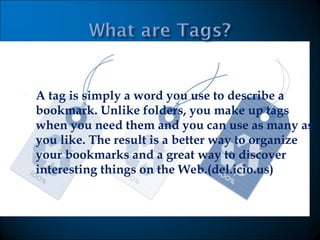
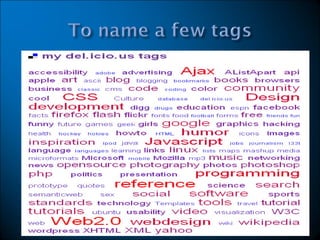
A tag is simply a word you use to describe a bookmark. Unlike folders, you make up tags when you need them and you can use as many as you like. The result is a better way to organize your bookmarks and a great way to discover interesting things on the Web.(del.icio.us)
 
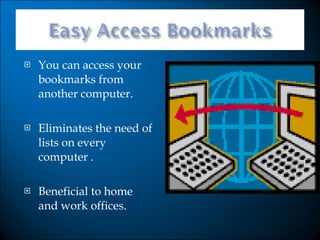
You can access your bookmarks from another computer. Eliminates the need of lists on every computer . Beneficial to home and work offices.
Identifies the most useful websites in a category. Gives the internet community the opportunity to view your choices. Makes it easy to search and navigate the web.
Del.icio.us   for highest ranking websites through keywords. Dig g.com   for technology and science. Reddit.com    for new and interesting sites. Just click on anyone to try it out.
A video brought to you by Common Craft.  Very easy to understand.  Just click and listen. Social bookmarking video
Although  it takes time to tag a website it saves time in the future for everyone.  You can stop reinventing the wheel. Research can be tedious if you have to weed out the sites that are not applicable. Can be a great help for teachers particularly for lesson plans.
It is another piece of software that needs maintenance, updates and caring. Users often misspell words when tagging. Users can assign derogatory tags.
LeFeever, L. (August 6, 2007). Video:Social  Bookmarking in Plain  English. In Common Craft. Retrieved May 31, 2008, from  http://www.commoncraft.com/bookmarking-plain-english.  Lomas, C. (May 2005). 7 Things You Should Know About Social  Bookmarking. In  Educause   Connect . Retrieved May 31, 2008,  from http://connect.educause.edu/Library/ELI/7ThingsYouS houldKnowAbout/39378. Mager, A. (n.d.). Try Social Bookmarking. In Andrew Mager.  Retrieved May 31, 2008, from  http://www.andrewmager.com/2007/01/29/try-social- bookmarking/.  Rankin, B. (February 7, 2007). Social Bookmarking. In  Ask Bob  Rankin . Retrieved  May 31, 2008, from  http://askbobrankin.com/social_bookmarking.html.

Social Bookmarking

  • 1.
    A NewConcept By Camille Johnston
  • 2.
    Are you alwaystrying to find a site that you were just at? Does your favorites list look like your history cache? Do you wonder where you put that website? What is a tag anyway?
  • 3.
  • 4.
  • 5.
    Takes bookmarking tothe next level. Eliminates the ongoing search to find where you saved the website. Easy to do even if you do not quite know what you are looking for.
  • 6.
    Makes bookmarking alittle easier. Organizes websites according to the tag. Gives suggestions of common tags.
  • 7.
    A tag issimply a word you use to describe a bookmark. Unlike folders, you make up tags when you need them and you can use as many as you like. The result is a better way to organize your bookmarks and a great way to discover interesting things on the Web.(del.icio.us)
  • 8.
  • 9.
    You can accessyour bookmarks from another computer. Eliminates the need of lists on every computer . Beneficial to home and work offices.
  • 10.
    Identifies the mostuseful websites in a category. Gives the internet community the opportunity to view your choices. Makes it easy to search and navigate the web.
  • 11.
    Del.icio.us for highest ranking websites through keywords. Dig g.com for technology and science. Reddit.com for new and interesting sites. Just click on anyone to try it out.
  • 12.
    A video broughtto you by Common Craft. Very easy to understand. Just click and listen. Social bookmarking video
  • 13.
    Although ittakes time to tag a website it saves time in the future for everyone. You can stop reinventing the wheel. Research can be tedious if you have to weed out the sites that are not applicable. Can be a great help for teachers particularly for lesson plans.
  • 14.
    It is anotherpiece of software that needs maintenance, updates and caring. Users often misspell words when tagging. Users can assign derogatory tags.
  • 15.
    LeFeever, L. (August6, 2007). Video:Social Bookmarking in Plain English. In Common Craft. Retrieved May 31, 2008, from http://www.commoncraft.com/bookmarking-plain-english. Lomas, C. (May 2005). 7 Things You Should Know About Social Bookmarking. In Educause Connect . Retrieved May 31, 2008, from http://connect.educause.edu/Library/ELI/7ThingsYouS houldKnowAbout/39378. Mager, A. (n.d.). Try Social Bookmarking. In Andrew Mager. Retrieved May 31, 2008, from http://www.andrewmager.com/2007/01/29/try-social- bookmarking/. Rankin, B. (February 7, 2007). Social Bookmarking. In Ask Bob Rankin . Retrieved May 31, 2008, from http://askbobrankin.com/social_bookmarking.html.