SOAP II: Data Encoding
Marlon Pierce, Bryan Carpenter, Geoffrey Fox
Community Grids Lab
Indiana University
mpierce@cs.indiana.edu
http://www.grid2004.org/spring2004
Review: SOAP Message Payloads
• SOAP has a very simple structure:
– Envelopes wrap body and optional header elements.
• SOAP body elements may contain any sort of XML
– Literally, use <any> wildcard to include other XML.
• SOAP does not provide specific encoding restrictions.
• Instead, provides conventions that you can follow for
different message styles.
– RPC is a common convention.
• Remember: SOAP designers were trying to design it to
be general purpose.
– SOAP encoding and data models are optional
SOAP Data Models
SOAP’s Abstract Data Model
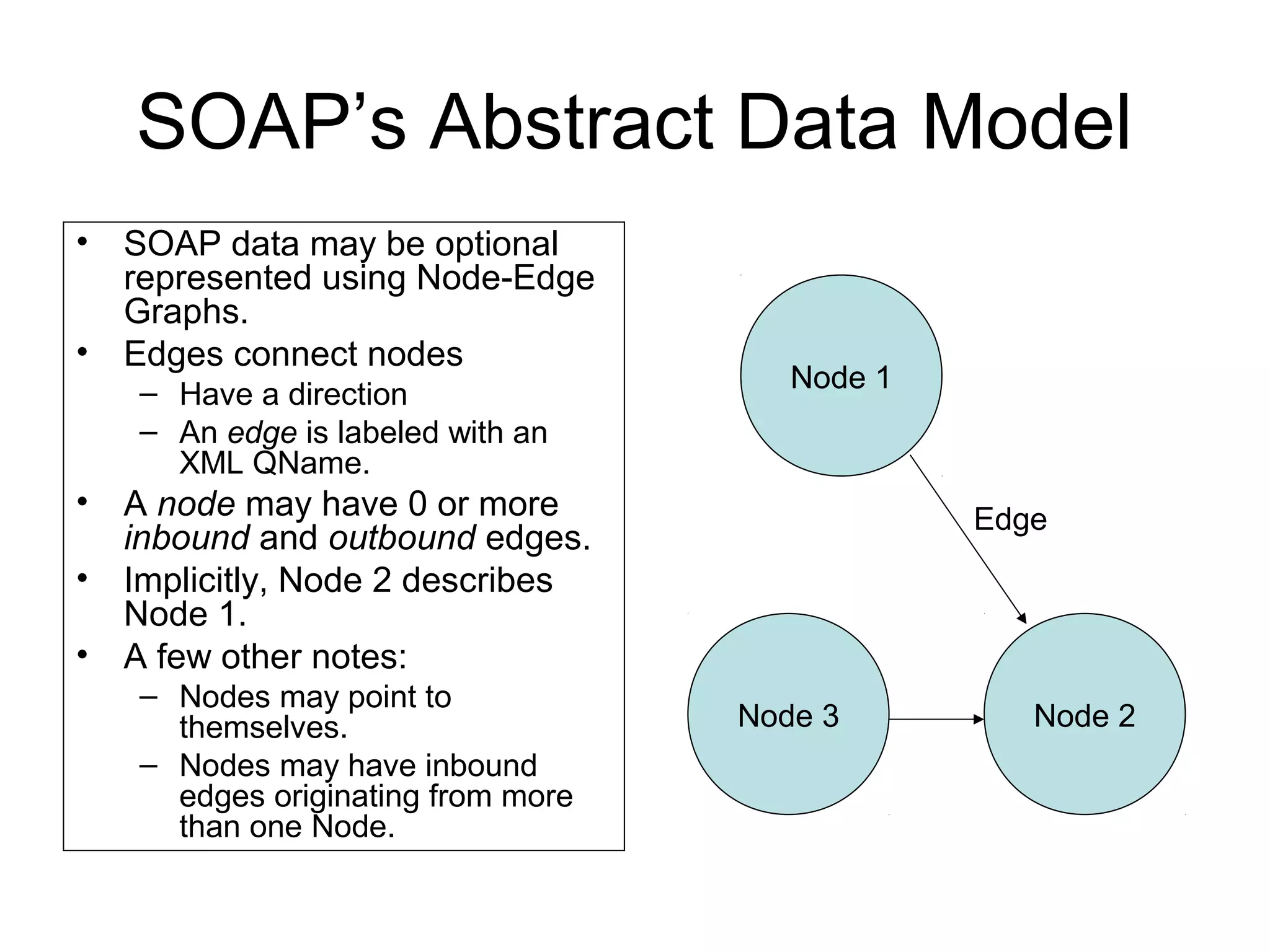
• SOAP data may be optional
represented using Node-Edge
Graphs.
• Edges connect nodes
– Have a direction
– An edge is labeled with an
XML QName.
• A node may have 0 or more
inbound and outbound edges.
• Implicitly, Node 2 describes
Node 1.
• A few other notes:
– Nodes may point to
themselves.
– Nodes may have inbound
edges originating from more
than one Node.
Node 1
Node 2
Edge
Node 3
Nodes and Values
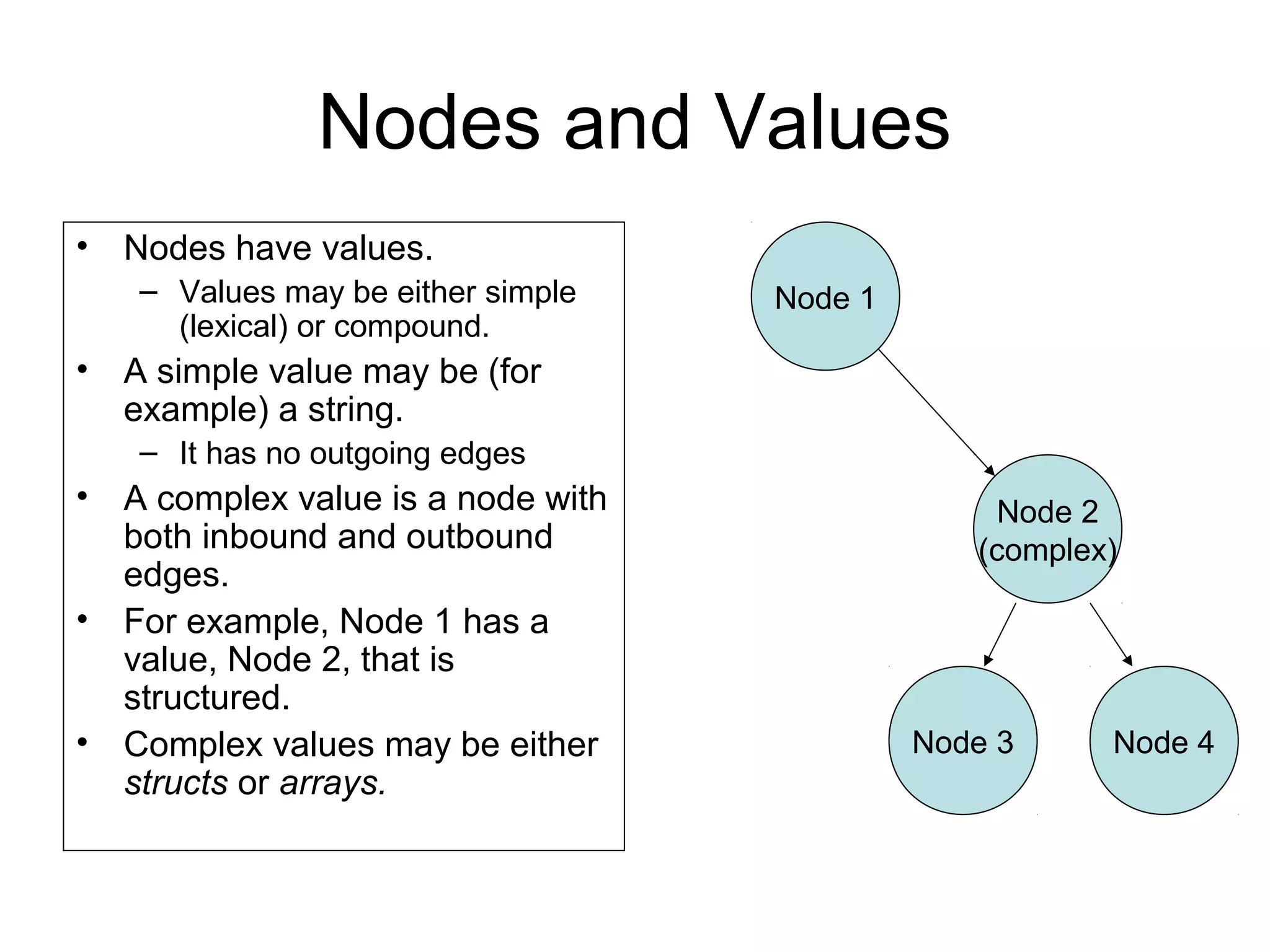
• Nodes have values.
– Values may be either simple
(lexical) or compound.
• A simple value may be (for
example) a string.
– It has no outgoing edges
• A complex value is a node with
both inbound and outbound
edges.
• For example, Node 1 has a
value, Node 2, that is
structured.
• Complex values may be either
structs or arrays.
Node 1
Node 2
(complex)
Node 3 Node 4
Complex Types: Structs and Arrays
• A compound value is a graph node with zero or
more outbound edges.
• Outbound edges may be distinguished by either
labels or by position.
• Nodes may be one of two sorts:
– Struct: all outbound edges are distinguished solely by
labels.
– Array: all outbound edges are distinguished solely by
position order.
• Obviously we are zeroing in on programming
language data structures.
Abstract Data Models
• The SOAP Data Model is an abstract model
– Directed, labeled graph
• It will be expressed in XML.
• The graph model implies semantics about data
structures that are not in the XML itself.
– XML describes only syntax.
• Implicitly, nodes in the graph model resemble
nouns, while the edges represent predicates.
• We will revisit this in later lectures on the
Semantic Web.
Graphs to XML
• SOAP nodes and edges are not readily apparent
in simple XML encoding rules.
– Normally, an XML element in the SOAP body acts as
both the edge and the node of the abstract model.
• However, SOAP does have an internal
referencing system.
– Use it when pointing from one element to another.
– Here, the XML-to-graph correspondence is more
obvious.
SOAP Encoding
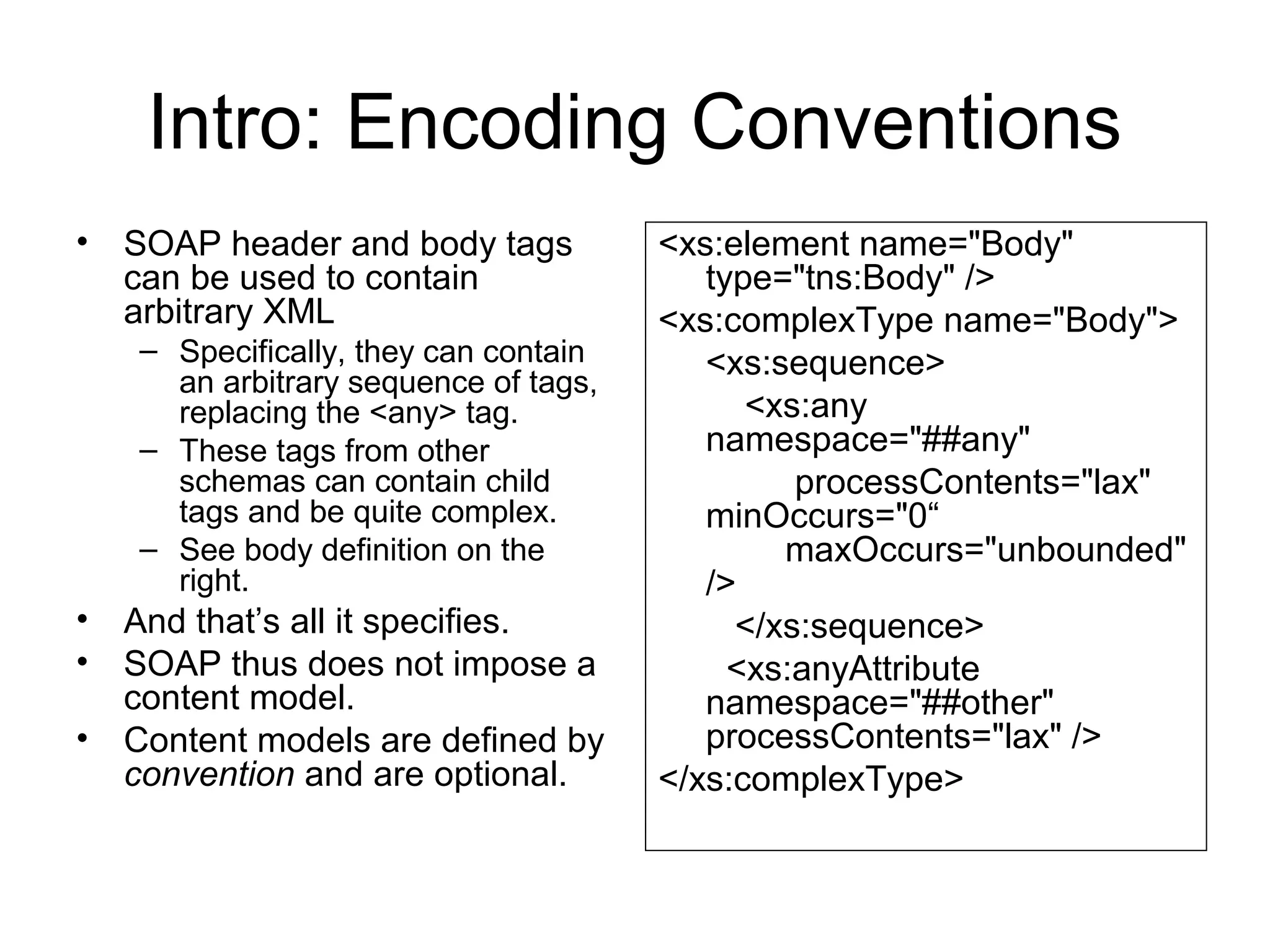
Intro: Encoding Conventions
• SOAP header and body tags
can be used to contain
arbitrary XML
– Specifically, they can contain
an arbitrary sequence of tags,
replacing the <any> tag.
– These tags from other
schemas can contain child
tags and be quite complex.
– See body definition on the
right.
• And that’s all it specifies.
• SOAP thus does not impose a
content model.
• Content models are defined by
convention and are optional.
<xs:element name="Body"
type="tns:Body" />
<xs:complexType name="Body">
<xs:sequence>
<xs:any
namespace="##any"
processContents="lax"
minOccurs="0“
maxOccurs="unbounded"
/>
</xs:sequence>
<xs:anyAttribute
namespace="##other"
processContents="lax" />
</xs:complexType>
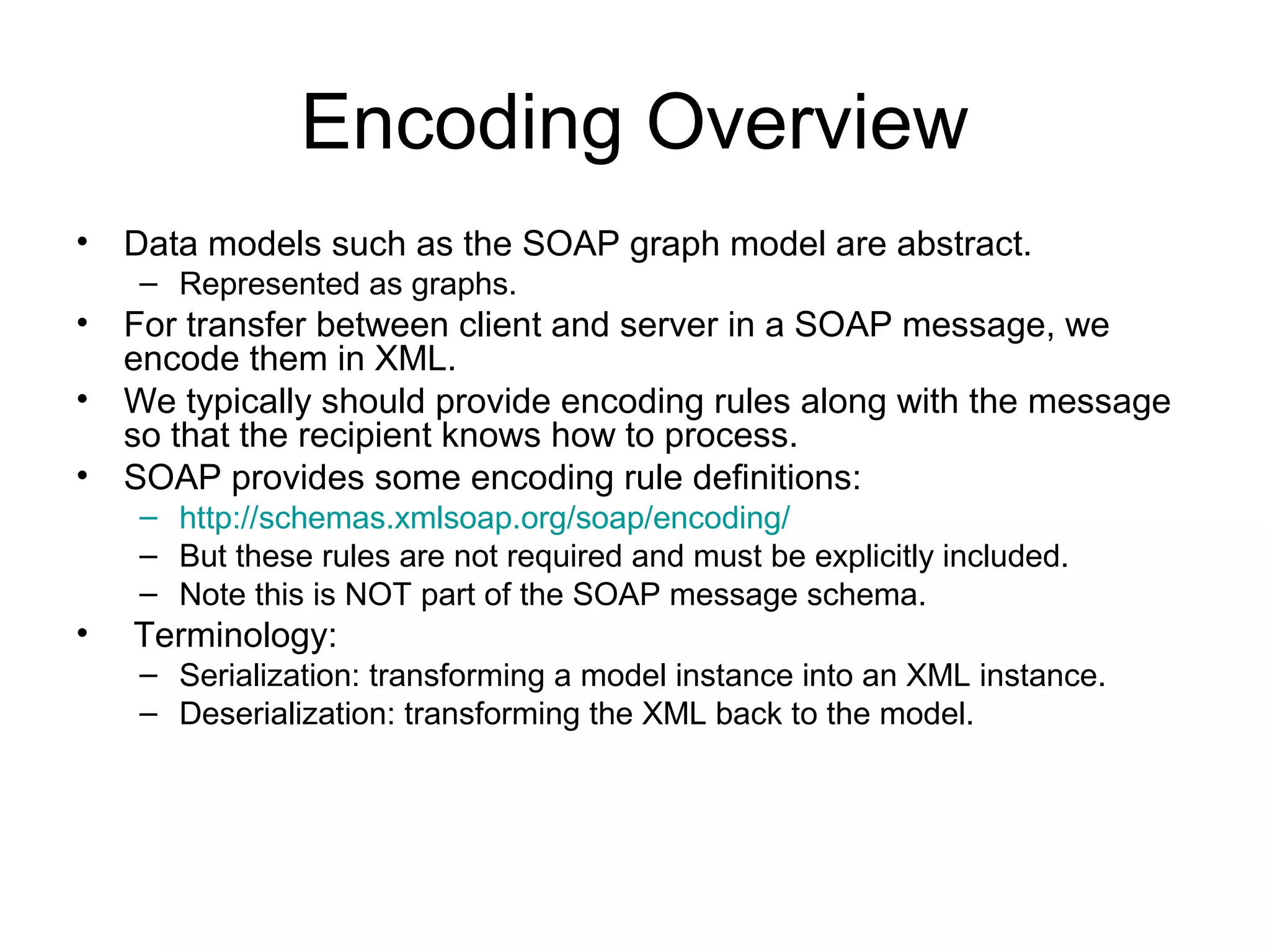
Encoding Overview
• Data models such as the SOAP graph model are abstract.
– Represented as graphs.
• For transfer between client and server in a SOAP message, we
encode them in XML.
• We typically should provide encoding rules along with the message
so that the recipient knows how to process.
• SOAP provides some encoding rule definitions:
– http://schemas.xmlsoap.org/soap/encoding/
– But these rules are not required and must be explicitly included.
– Note this is NOT part of the SOAP message schema.
• Terminology:
– Serialization: transforming a model instance into an XML instance.
– Deserialization: transforming the XML back to the model.
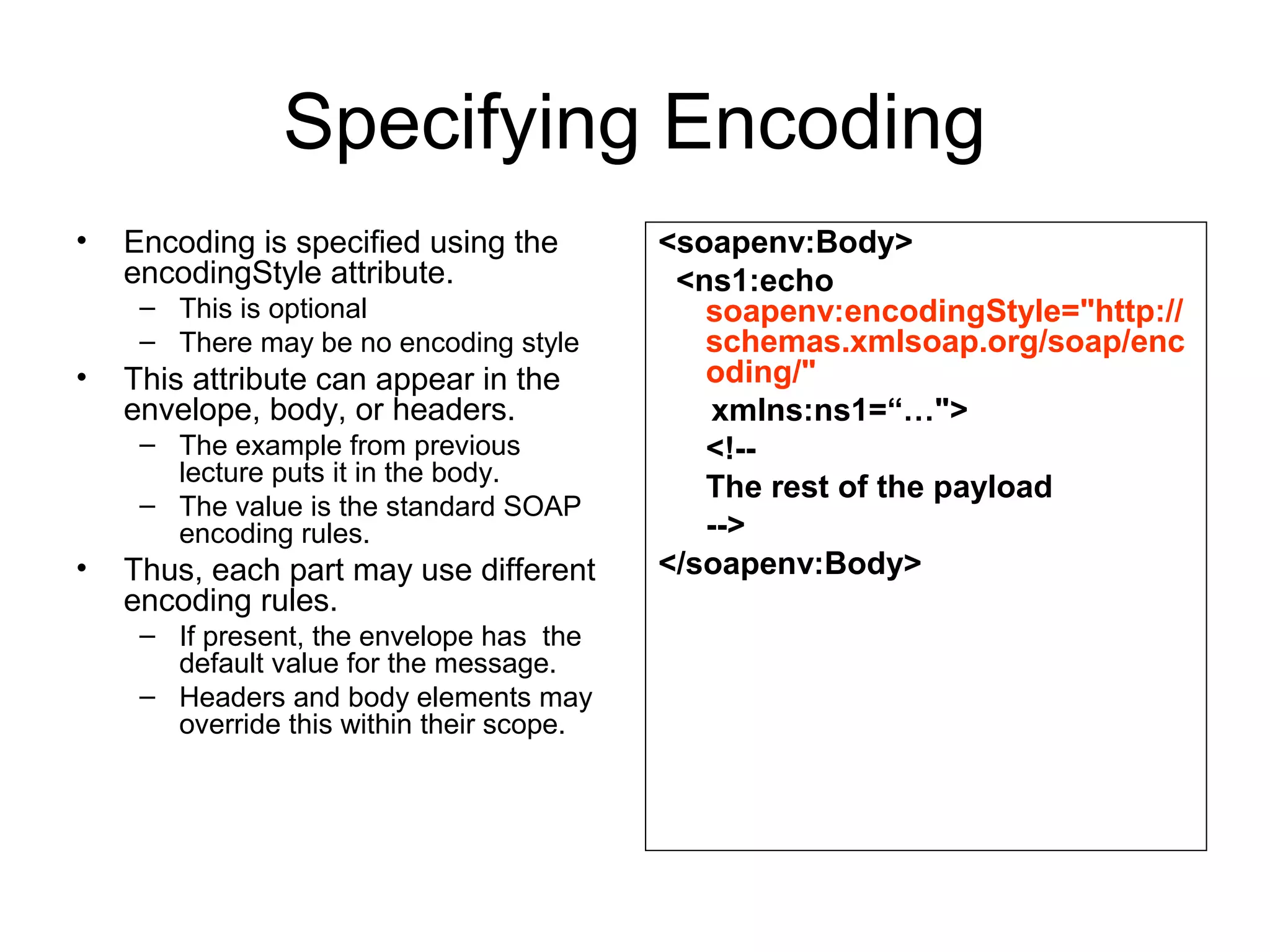
Specifying Encoding
• Encoding is specified using the
encodingStyle attribute.
– This is optional
– There may be no encoding style
• This attribute can appear in the
envelope, body, or headers.
– The example from previous
lecture puts it in the body.
– The value is the standard SOAP
encoding rules.
• Thus, each part may use different
encoding rules.
– If present, the envelope has the
default value for the message.
– Headers and body elements may
override this within their scope.
<soapenv:Body>
<ns1:echo
soapenv:encodingStyle="http://
schemas.xmlsoap.org/soap/enc
oding/"
xmlns:ns1=“…">
<!--
The rest of the payload
-->
</soapenv:Body>
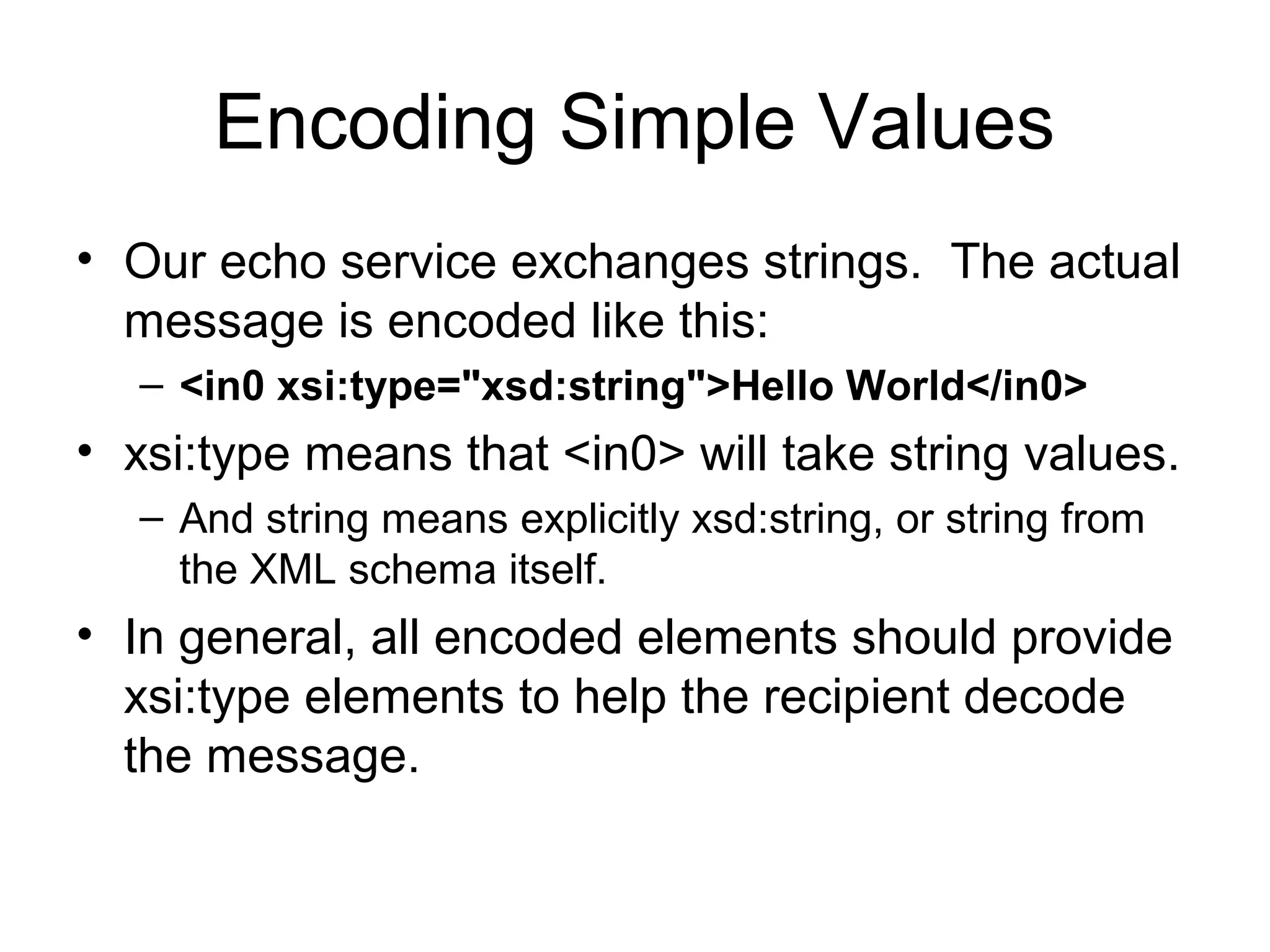
Encoding Simple Values
• Our echo service exchanges strings. The actual
message is encoded like this:
– <in0 xsi:type="xsd:string">Hello World</in0>
• xsi:type means that <in0> will take string values.
– And string means explicitly xsd:string, or string from
the XML schema itself.
• In general, all encoded elements should provide
xsi:type elements to help the recipient decode
the message.
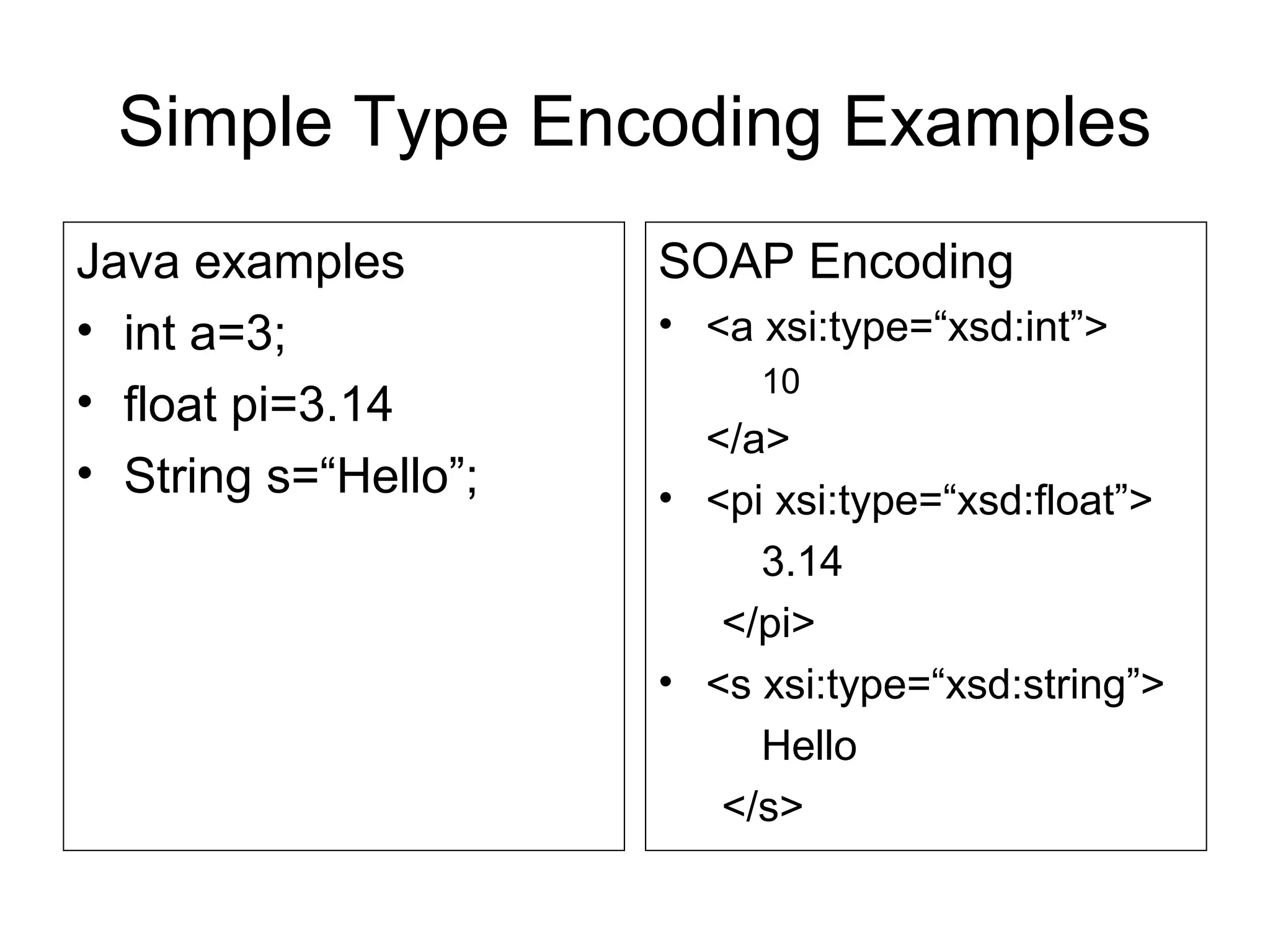
Simple Type Encoding Examples
Java examples
• int a=3;
• float pi=3.14
• String s=“Hello”;
SOAP Encoding
• <a xsi:type=“xsd:int”>
10
</a>
• <pi xsi:type=“xsd:float”>
3.14
</pi>
• <s xsi:type=“xsd:string”>
Hello
</s>
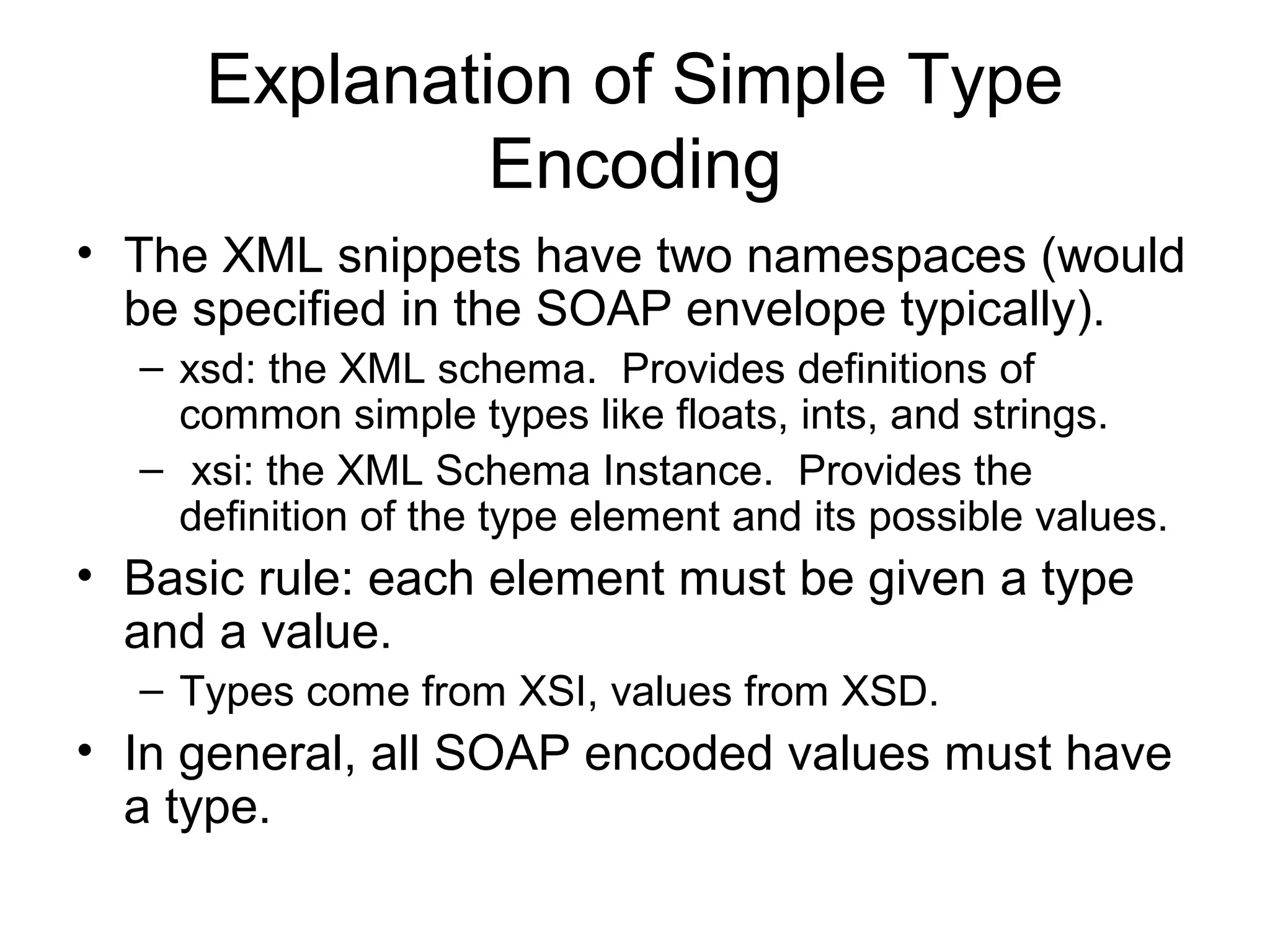
Explanation of Simple Type
Encoding
• The XML snippets have two namespaces (would
be specified in the SOAP envelope typically).
– xsd: the XML schema. Provides definitions of
common simple types like floats, ints, and strings.
– xsi: the XML Schema Instance. Provides the
definition of the type element and its possible values.
• Basic rule: each element must be given a type
and a value.
– Types come from XSI, values from XSD.
• In general, all SOAP encoded values must have
a type.
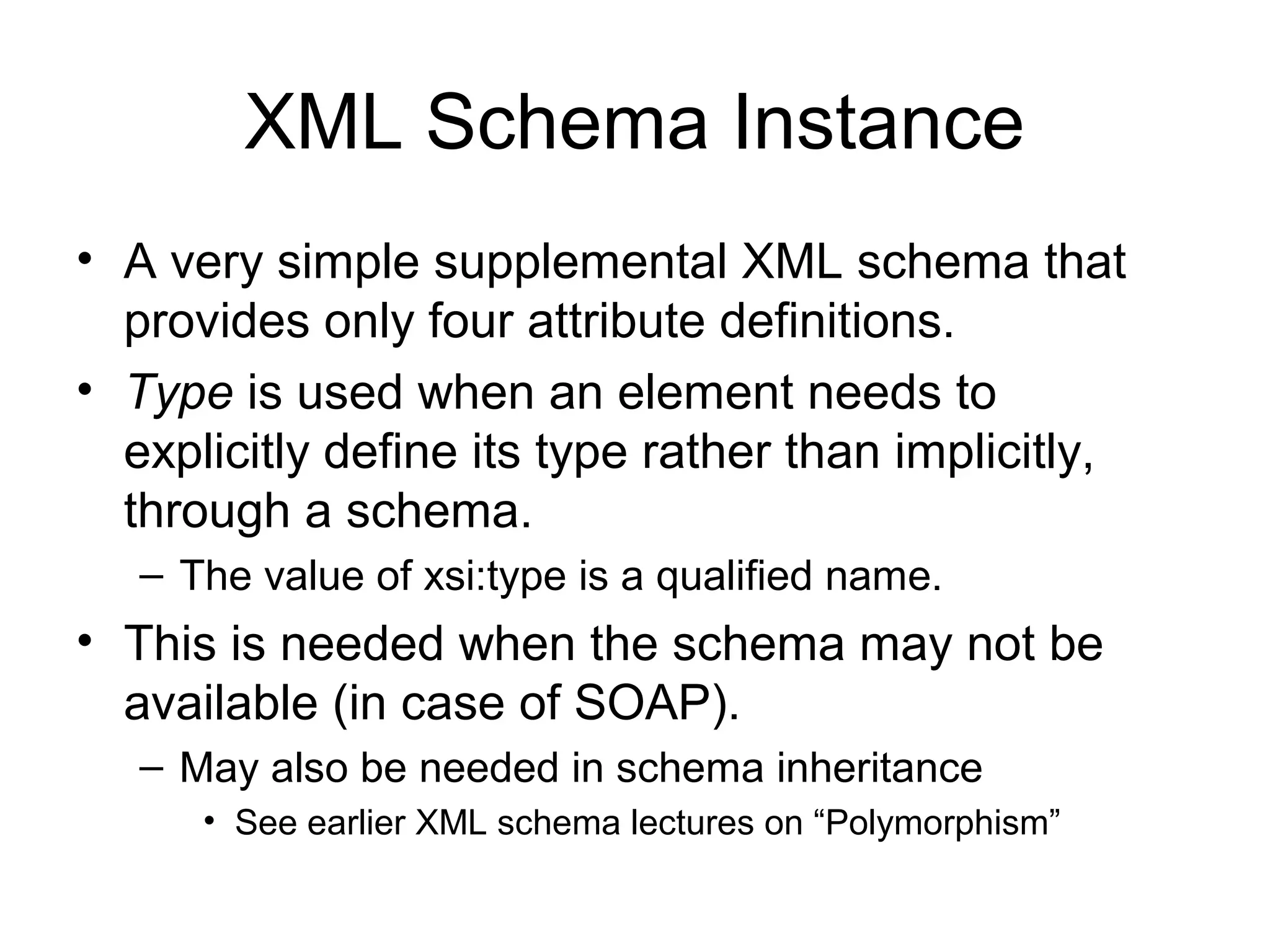
XML Schema Instance
• A very simple supplemental XML schema that
provides only four attribute definitions.
• Type is used when an element needs to
explicitly define its type rather than implicitly,
through a schema.
– The value of xsi:type is a qualified name.
• This is needed when the schema may not be
available (in case of SOAP).
– May also be needed in schema inheritance
• See earlier XML schema lectures on “Polymorphism”
Example for Encoding Arrays in
SOAP 1.1
• Java Arrays
– int[3] myArray={23,10,32};
• Possible SOAP 1.1 Encoding:
<myArray xsi:type=“SOAP-ENC:Array
SOAP-ENC:arrayType=“xsd:int[3]”>
<v1>21</v1>
<v2>10</v2>
<v3>32</v3>
</myArray>
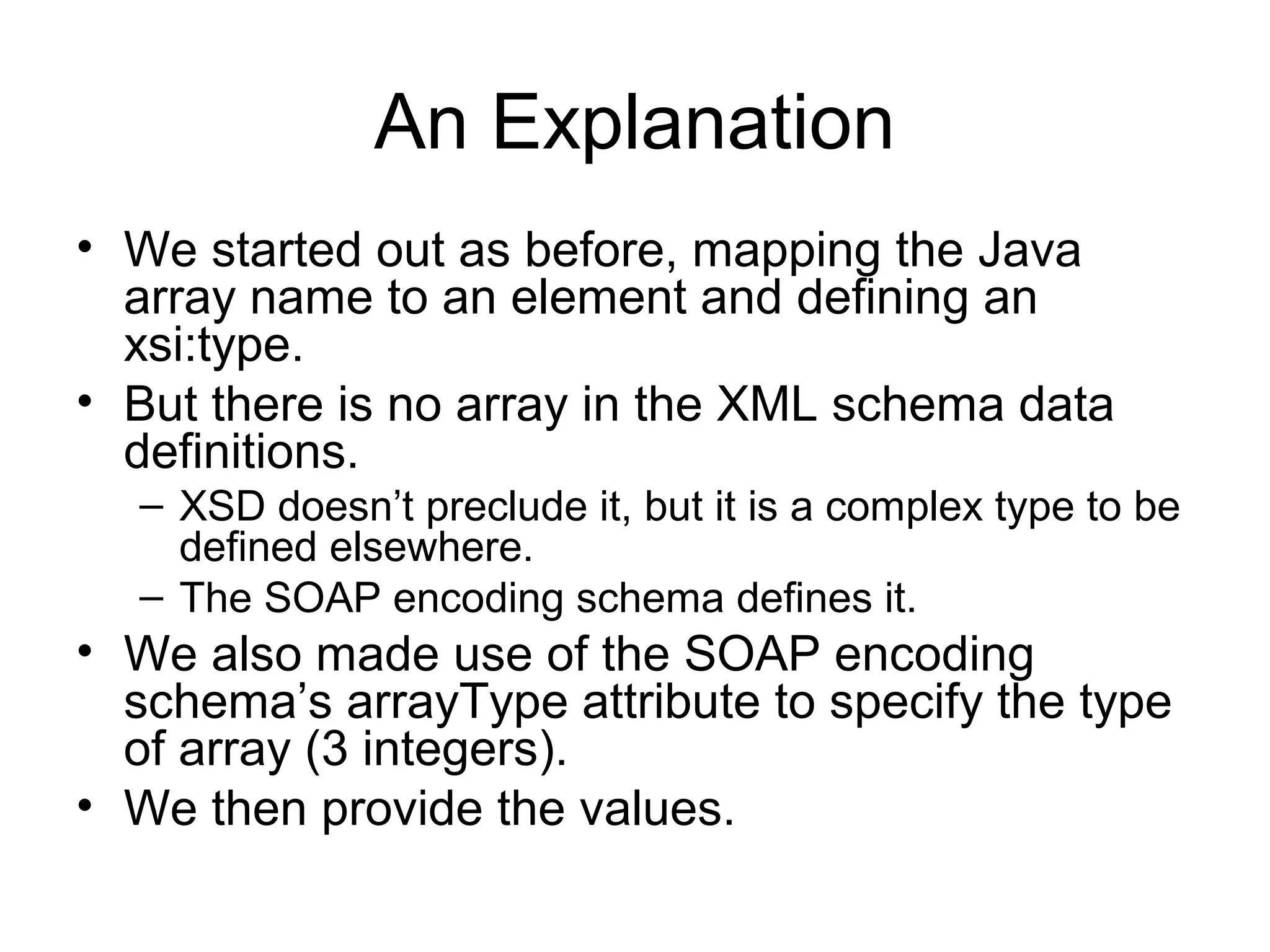
An Explanation
• We started out as before, mapping the Java
array name to an element and defining an
xsi:type.
• But there is no array in the XML schema data
definitions.
– XSD doesn’t preclude it, but it is a complex type to be
defined elsewhere.
– The SOAP encoding schema defines it.
• We also made use of the SOAP encoding
schema’s arrayType attribute to specify the type
of array (3 integers).
• We then provide the values.
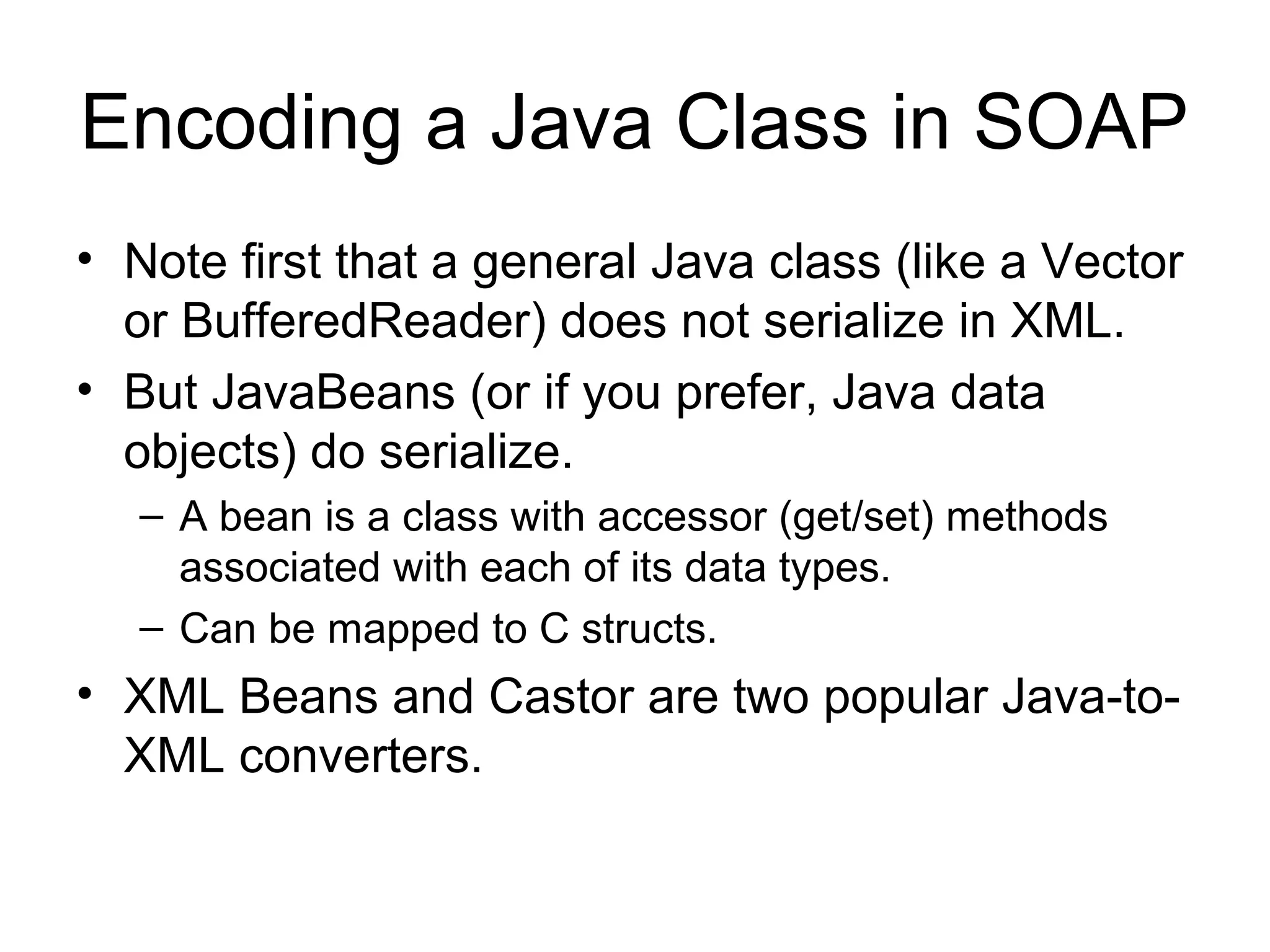
Encoding a Java Class in SOAP
• Note first that a general Java class (like a Vector
or BufferedReader) does not serialize in XML.
• But JavaBeans (or if you prefer, Java data
objects) do serialize.
– A bean is a class with accessor (get/set) methods
associated with each of its data types.
– Can be mapped to C structs.
• XML Beans and Castor are two popular Java-to-
XML converters.
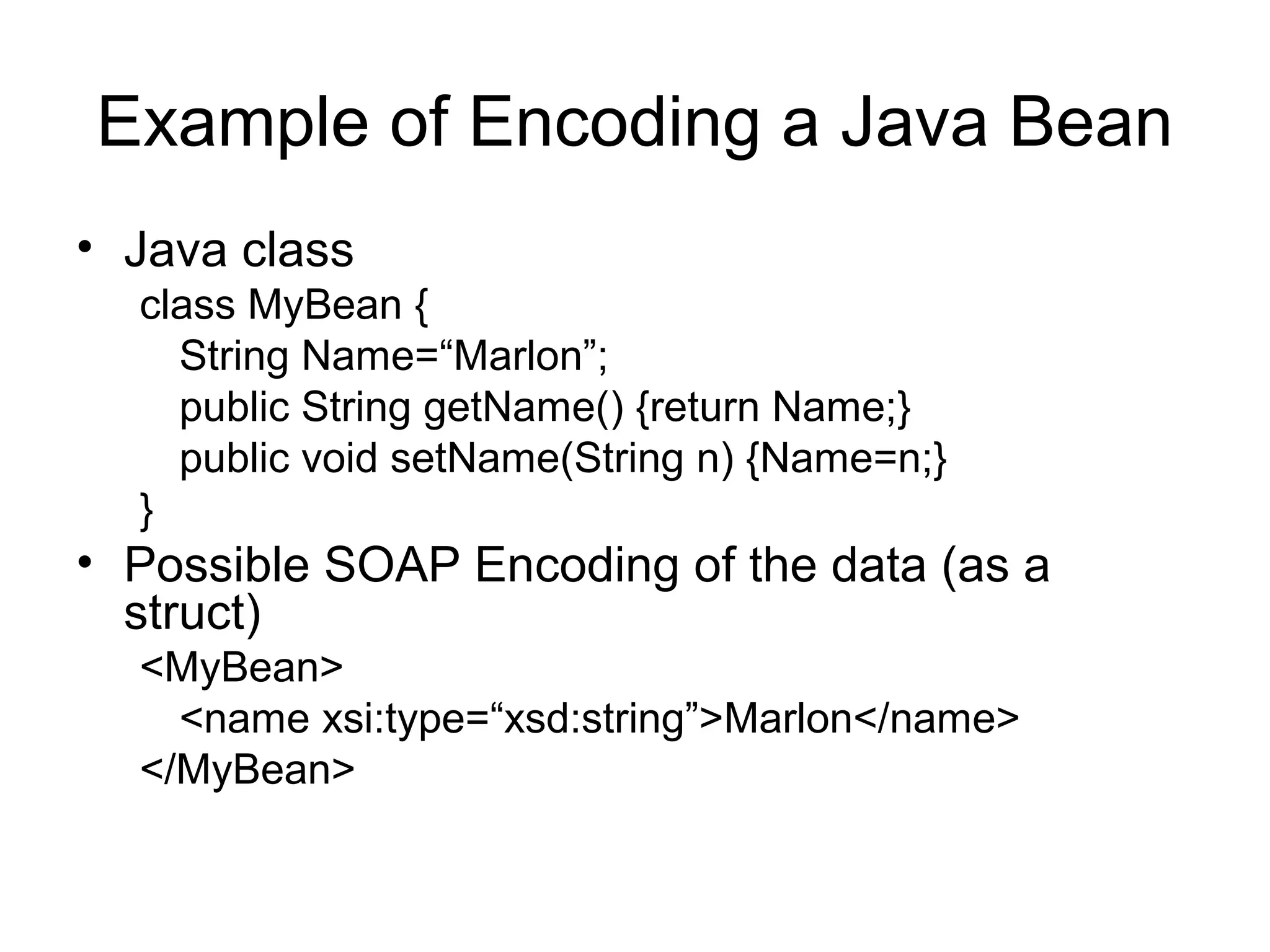
Example of Encoding a Java Bean
• Java class
class MyBean {
String Name=“Marlon”;
public String getName() {return Name;}
public void setName(String n) {Name=n;}
}
• Possible SOAP Encoding of the data (as a
struct)
<MyBean>
<name xsi:type=“xsd:string”>Marlon</name>
</MyBean>
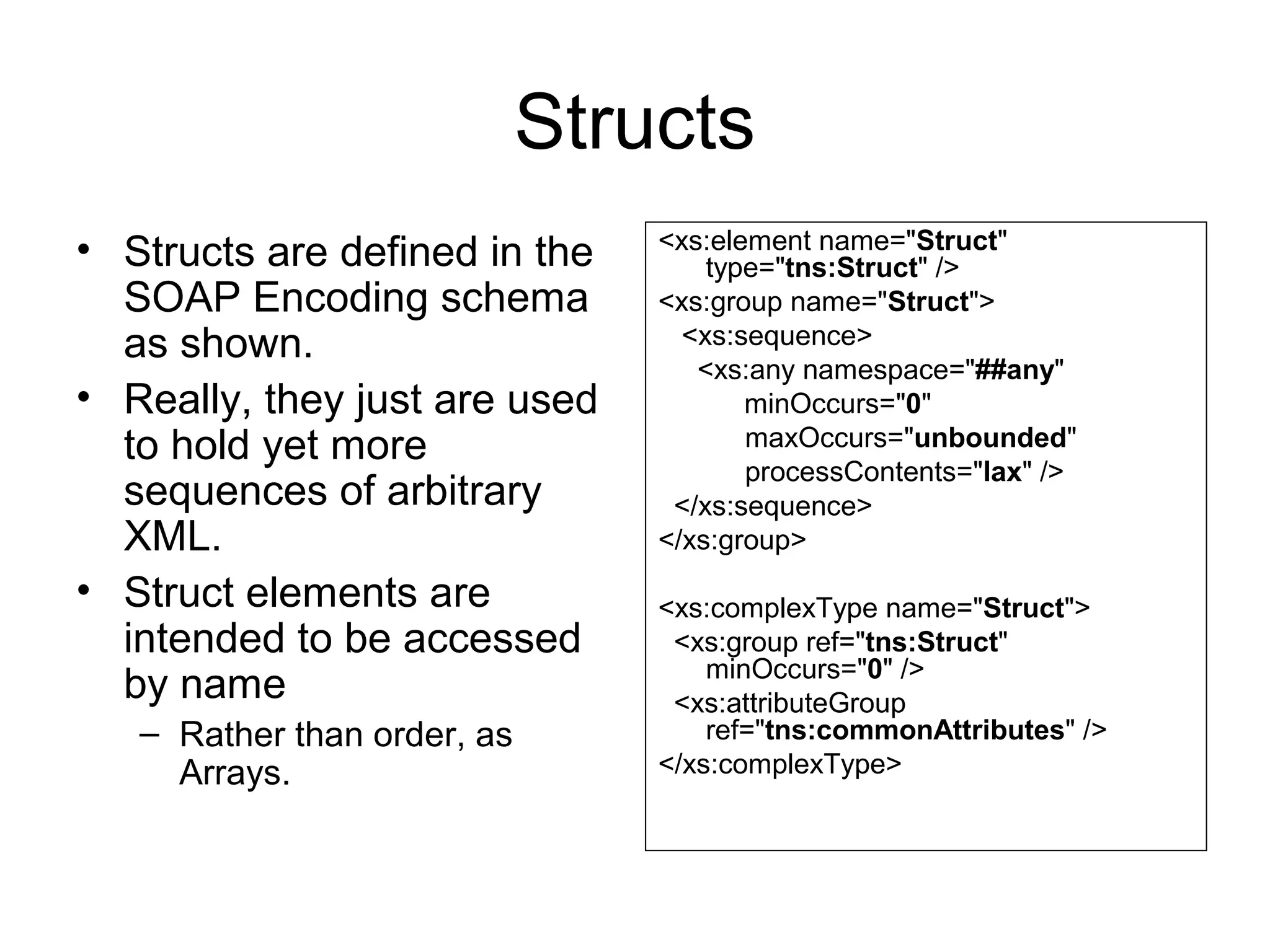
Structs
• Structs are defined in the
SOAP Encoding schema
as shown.
• Really, they just are used
to hold yet more
sequences of arbitrary
XML.
• Struct elements are
intended to be accessed
by name
– Rather than order, as
Arrays.
<xs:element name="Struct"
type="tns:Struct" />
<xs:group name="Struct">
<xs:sequence>
  <xs:any namespace="##any"
minOccurs="0"
maxOccurs="unbounded"
processContents="lax" />
  </xs:sequence>
</xs:group>
<xs:complexType name="Struct">
  <xs:group ref="tns:Struct"
minOccurs="0" />
  <xs:attributeGroup
ref="tns:commonAttributes" />
</xs:complexType>
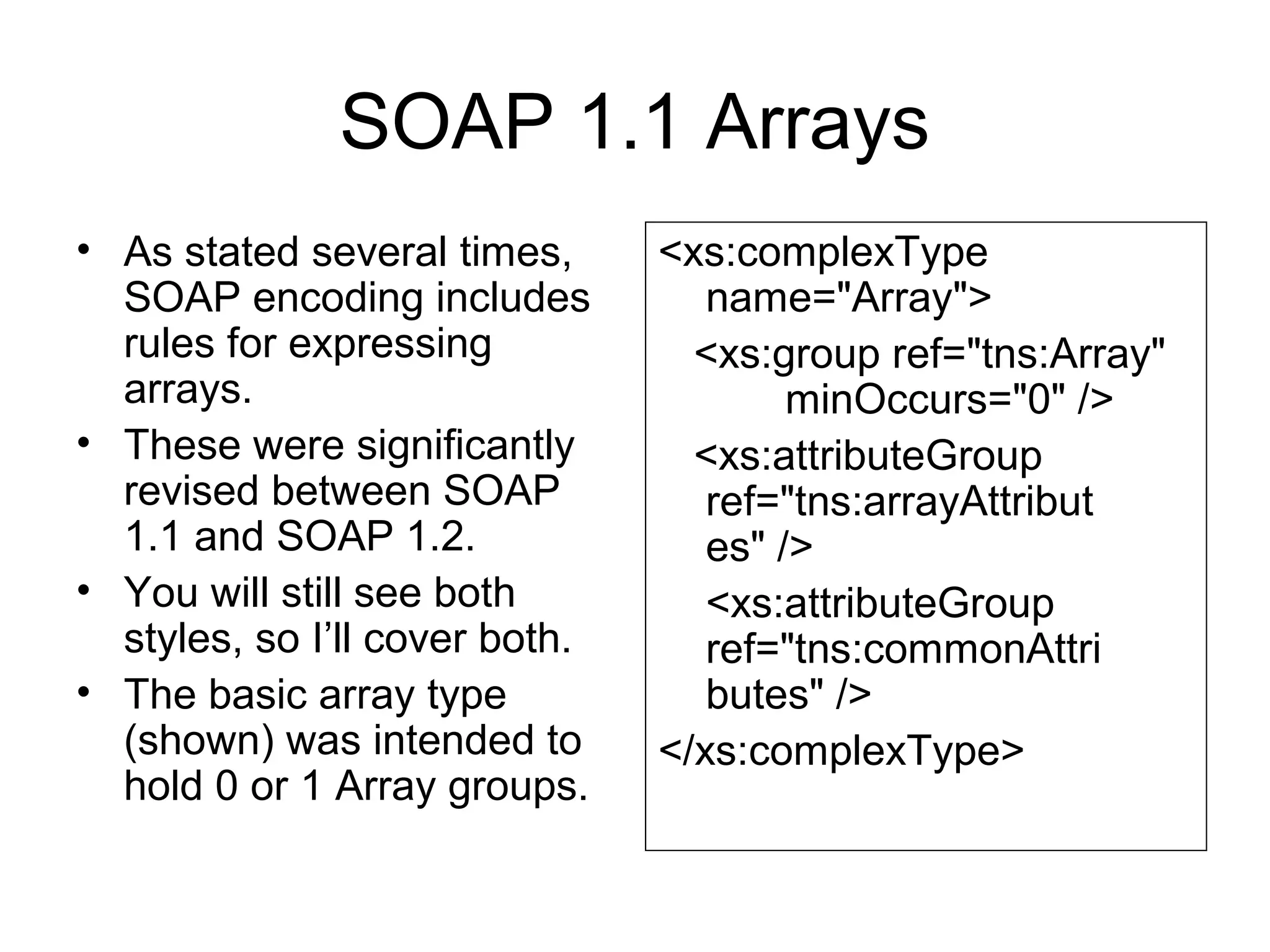
SOAP 1.1 Arrays
• As stated several times,
SOAP encoding includes
rules for expressing
arrays.
• These were significantly
revised between SOAP
1.1 and SOAP 1.2.
• You will still see both
styles, so I’ll cover both.
• The basic array type
(shown) was intended to
hold 0 or 1 Array groups.
<xs:complexType
name="Array">
<xs:group ref="tns:Array"
minOccurs="0" />
<xs:attributeGroup
ref="tns:arrayAttribut
es" />
<xs:attributeGroup
ref="tns:commonAttri
butes" />
</xs:complexType>
SOAP 1.1 Array Group
• Array elements contain
zero or more array
groups.
• The array group in turn is
a sequence of <any>
tags.
• So the array group can
hold arbitrary XML.
<xs:group name="Array">
<xs:sequence>
  <xs:any
namespace="##any"
minOccurs="0"
maxOccurs="unbounded"
processContents="lax" />
  </xs:sequence>
</xs:group>
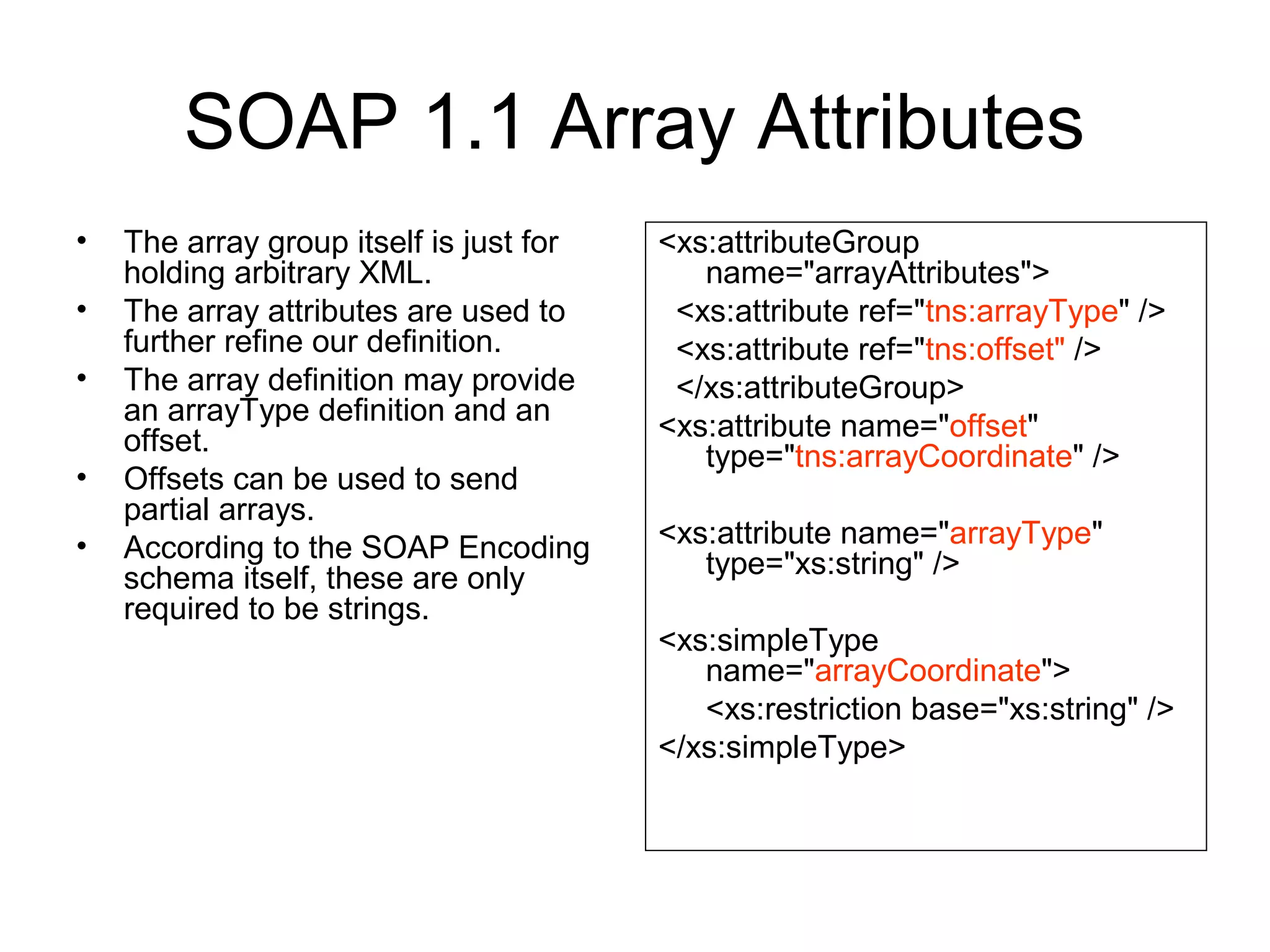
SOAP 1.1 Array Attributes
• The array group itself is just for
holding arbitrary XML.
• The array attributes are used to
further refine our definition.
• The array definition may provide
an arrayType definition and an
offset.
• Offsets can be used to send
partial arrays.
• According to the SOAP Encoding
schema itself, these are only
required to be strings.
<xs:attributeGroup
name="arrayAttributes">
<xs:attribute ref="tns:arrayType" />
<xs:attribute ref="tns:offset" />
</xs:attributeGroup>
<xs:attribute name="offset"
type="tns:arrayCoordinate" />
<xs:attribute name="arrayType"
type="xs:string" />
<xs:simpleType
name="arrayCoordinate">
<xs:restriction base="xs:string" />
</xs:simpleType>
Specifying Array Sizes in SOAP 1.1
• The arrayType specifies only that the it takes a string
value.
• The SOAP specification (part 2) does provide the rules.
• First, it should have the form enc:arraySize.
– Encoding can be an XSD type, but not necessarily.
– Ex: xsd:int[5], xsd:string[2,3], p:Person[5]
– The last is an array of five persons, defined in p.
• Second, use the following notation:
– [] is a 1D array.
– [][] is a array of 1D arrays
– [,] is a 2D array.
– And so on.
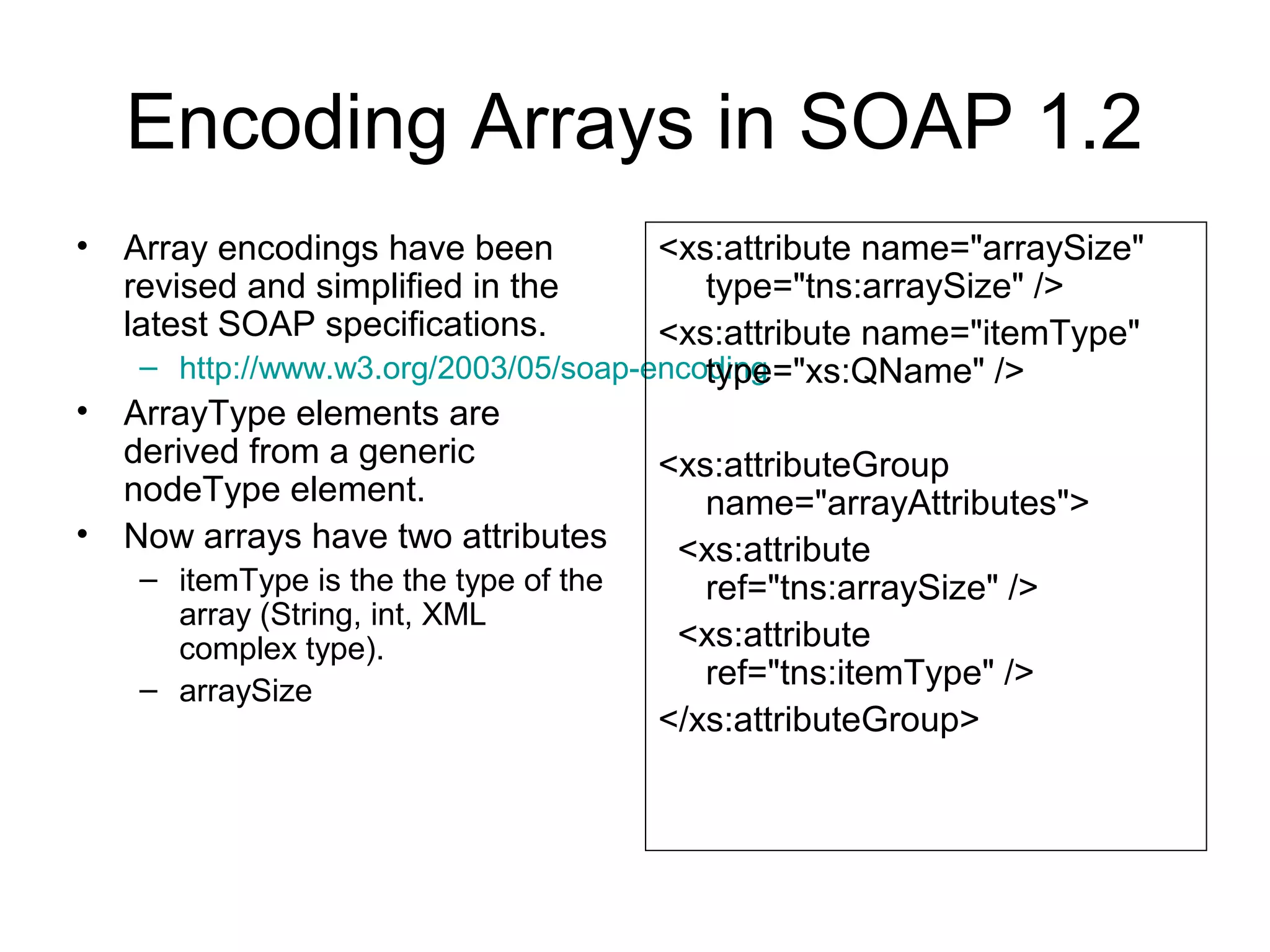
Encoding Arrays in SOAP 1.2
• Array encodings have been
revised and simplified in the
latest SOAP specifications.
– http://www.w3.org/2003/05/soap-encoding
• ArrayType elements are
derived from a generic
nodeType element.
• Now arrays have two attributes
– itemType is the the type of the
array (String, int, XML
complex type).
– arraySize
<xs:attribute name="arraySize"
type="tns:arraySize" />
<xs:attribute name="itemType"
type="xs:QName" />
<xs:attributeGroup
name="arrayAttributes">
<xs:attribute
ref="tns:arraySize" />
<xs:attribute
ref="tns:itemType" />
</xs:attributeGroup>
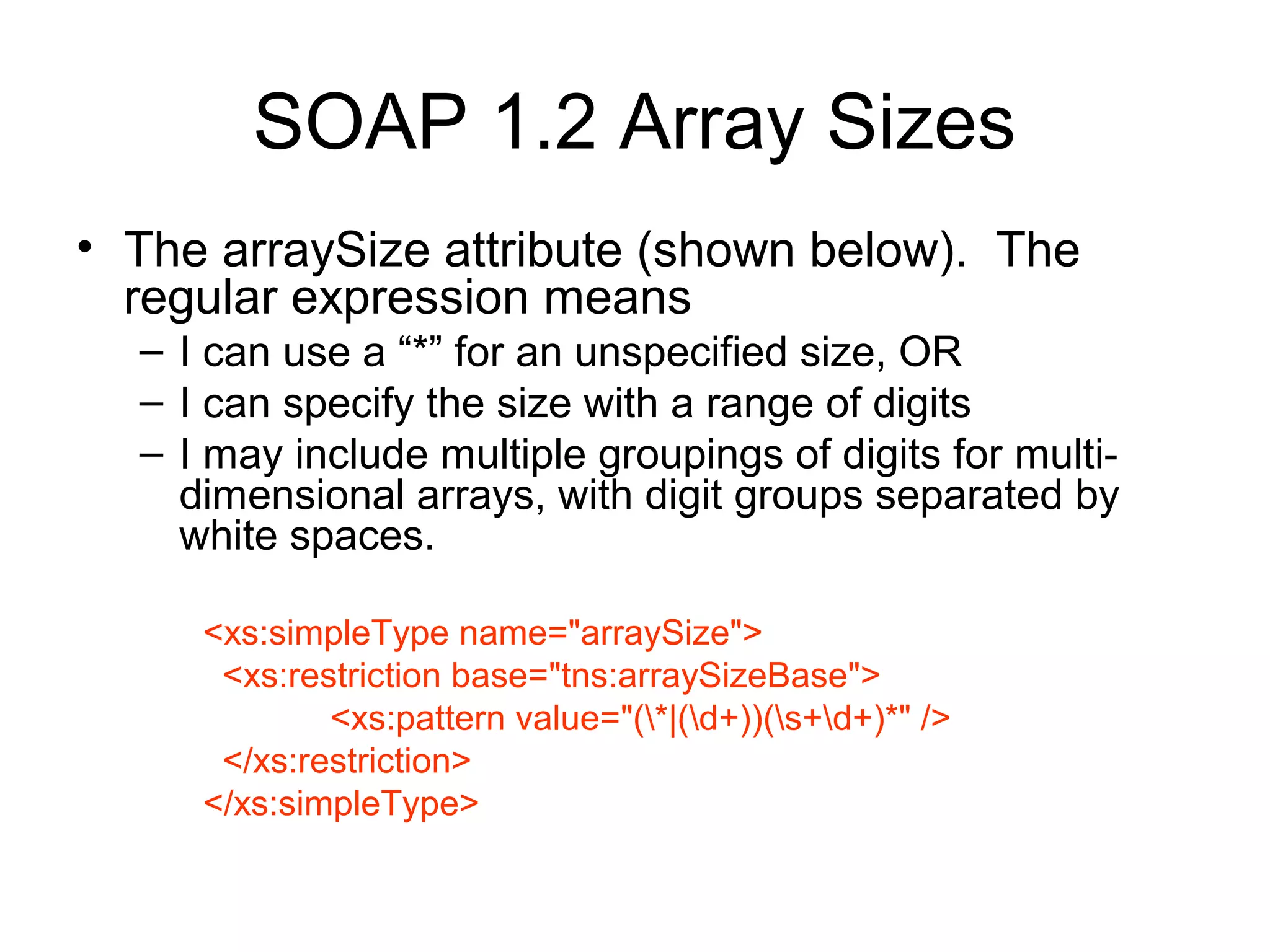
SOAP 1.2 Array Sizes
• The arraySize attribute (shown below). The
regular expression means
– I can use a “*” for an unspecified size, OR
– I can specify the size with a range of digits
– I may include multiple groupings of digits for multi-
dimensional arrays, with digit groups separated by
white spaces.
<xs:simpleType name="arraySize">
<xs:restriction base="tns:arraySizeBase">
<xs:pattern value="(*|(d+))(s+d+)*" />
</xs:restriction>
</xs:simpleType>
Comparison of 1.1 and 1.2 Arrays
<numbers
enc:arrayType="xs:int[2]">
<number>3
</number> <number>4
</number>
</numbers>
<numbers
enc:itemType="xs:int"
enc:arraySize="2">
<number>3
</number> <number>4
</number>
</numbers>
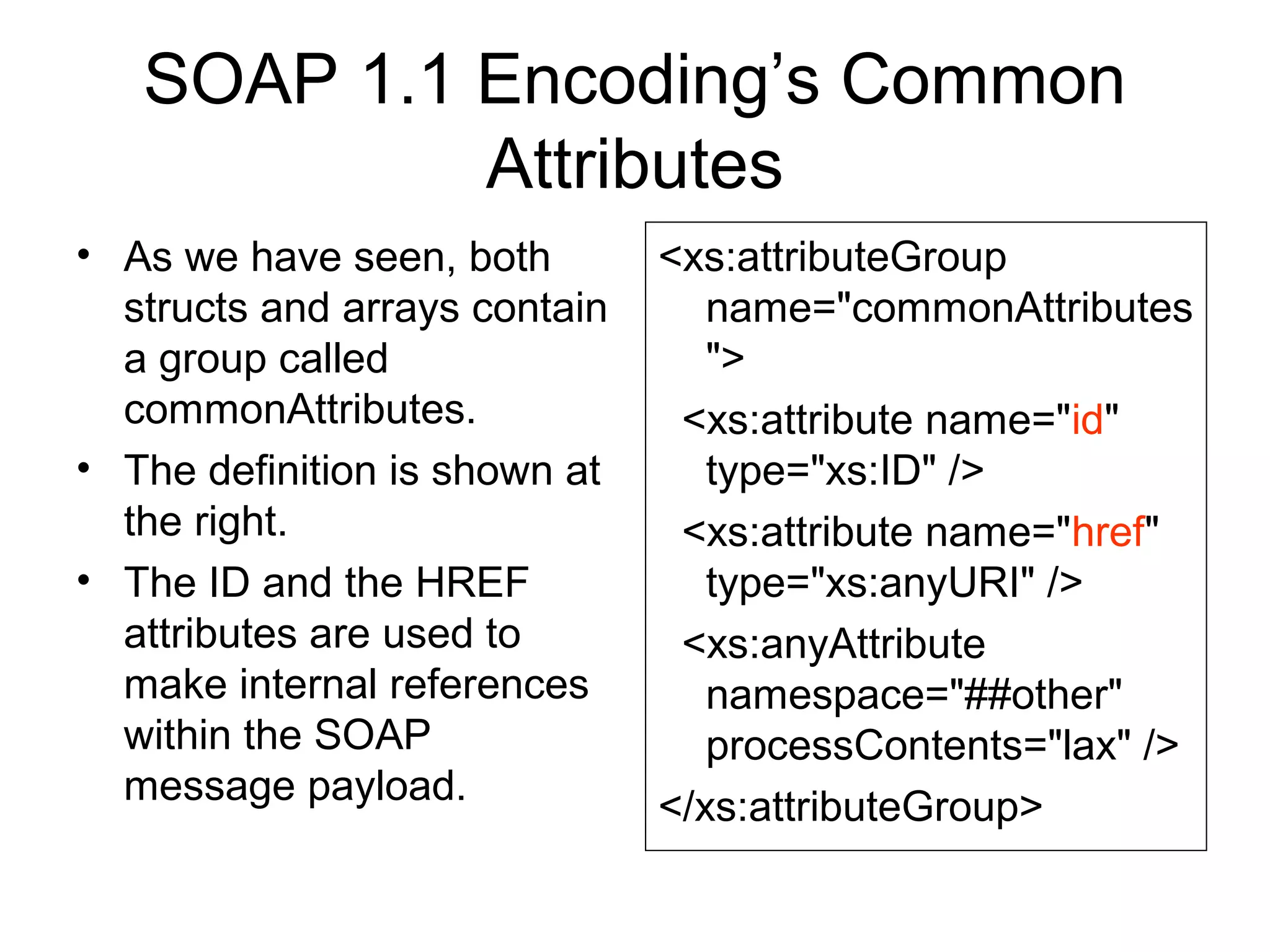
SOAP 1.1 Encoding’s Common
Attributes
• As we have seen, both
structs and arrays contain
a group called
commonAttributes.
• The definition is shown at
the right.
• The ID and the HREF
attributes are used to
make internal references
within the SOAP
message payload.
<xs:attributeGroup
name="commonAttributes
">
<xs:attribute name="id"
type="xs:ID" />
<xs:attribute name="href"
type="xs:anyURI" />
<xs:anyAttribute
namespace="##other"
processContents="lax" />
</xs:attributeGroup>
References and IDs
• As you know, XML provides a simple tree model for
data.
• While you can convert many data models into trees, it
will lead to redundancy.
• The problem is that data models are graphs, which may
be more complicated than simple trees.
• Consider a typical manager/employee data model.
– Managers are an extension of the more general employee class.
– Assume in following example we have defined an appropriate
schema.
Before/After Referencing
(SOAP 1.1 Encoding)
<manager>
<fname>Geoffrey</>
<lname>Fox</>
</manager>
<employee>
<fname>Marlon</>
<lname>Pierce</>
<manager>
<fname>Geoffrey</>
<lname>Fox</>
</manager>
</employee>
<manager id=“GCF”>
<fname>Geoffrey</>
<lname>Fox</>
</manager>
<employee>
<fname>Marlon</>
<lname>Pierce</>
<manager href=“#gcf”>
</employee>
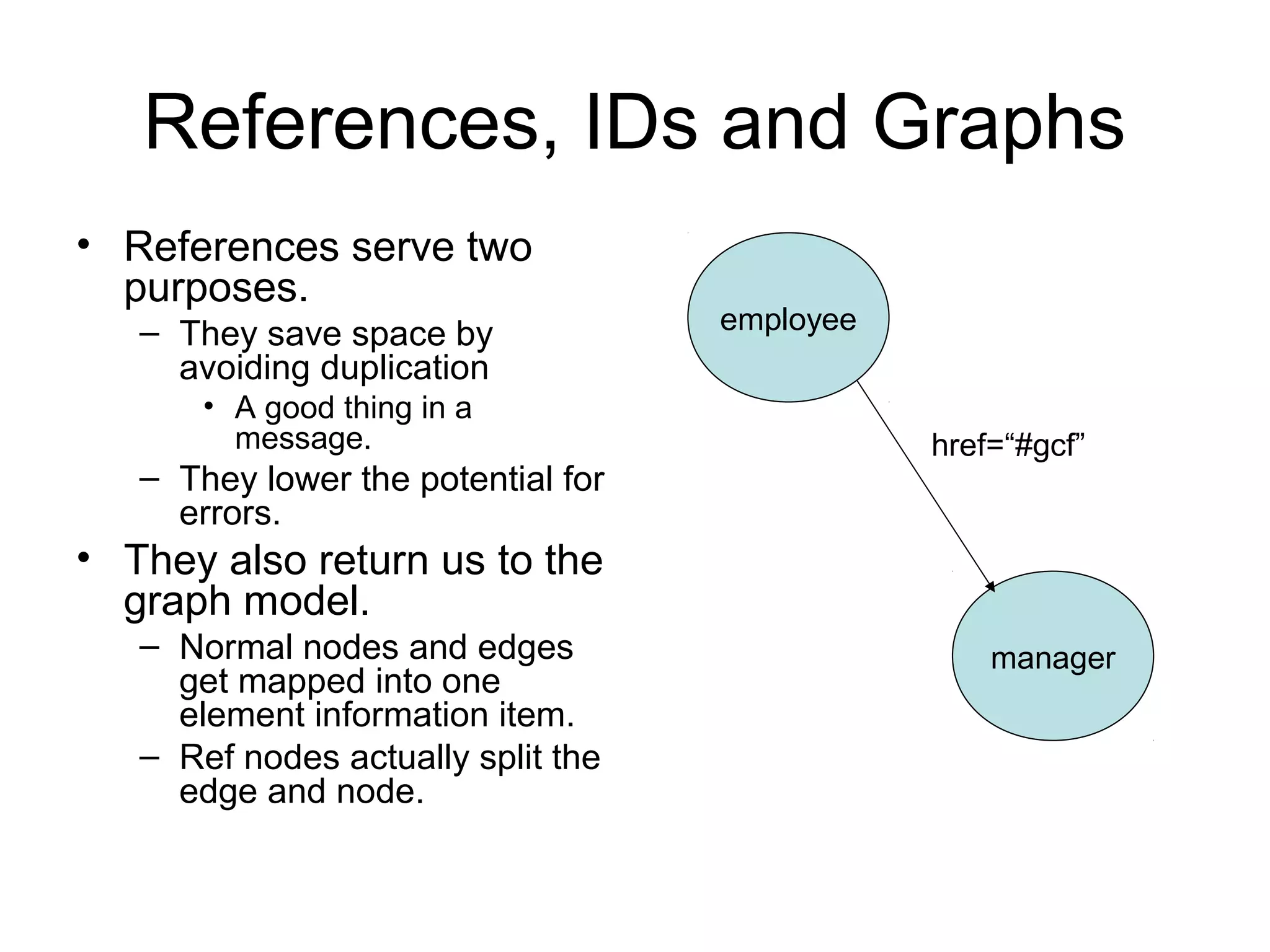
References, IDs and Graphs
• References serve two
purposes.
– They save space by
avoiding duplication
• A good thing in a
message.
– They lower the potential for
errors.
• They also return us to the
graph model.
– Normal nodes and edges
get mapped into one
element information item.
– Ref nodes actually split the
edge and node.
employee
manager
href=“#gcf”
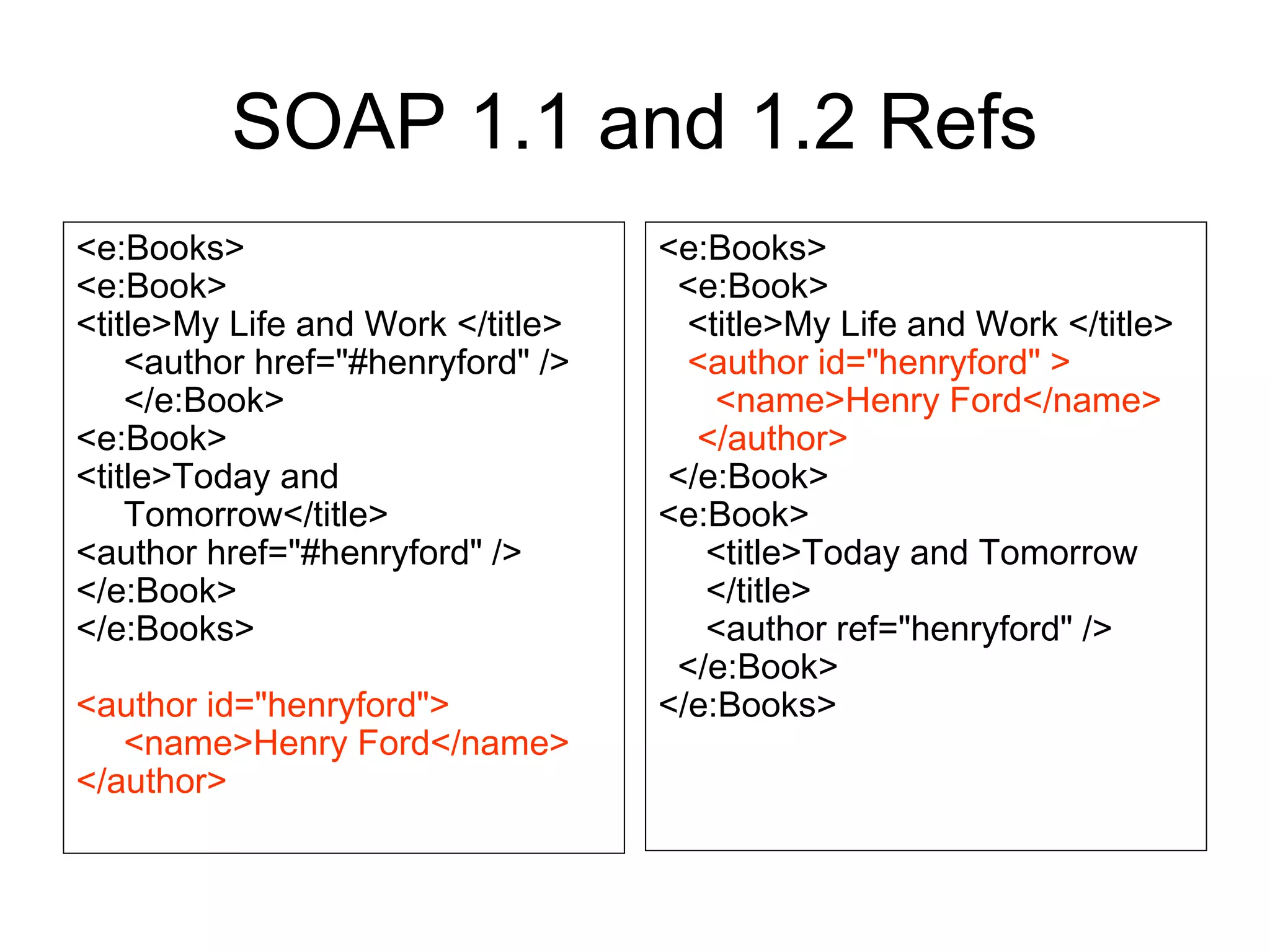
References in SOAP 1.2
• SOAP 1.1 required all
references to point to
other top level elements.
• SOPA 1.2 changed this,
so now refs can point to
child elements in a graph
as well as top level
elements.
– See next figure
• They also changed the
tag names and values, so
the encoding looks
slightly different.
<manager id=“GCF”>
<fname>Geoffrey</>
<lname>Fox</>
</manager>
<employee>
<fname>Marlon</>
<lname>Pierce</>
<manager ref=“gcf”>
</employee>
SOAP 1.1 and 1.2 Refs
<e:Books>
<e:Book>
<title>My Life and Work </title>
<author href="#henryford" />
</e:Book>
<e:Book>
<title>Today and
Tomorrow</title>
<author href="#henryford" />
</e:Book>
</e:Books>
<author id="henryford">
<name>Henry Ford</name>
</author>
<e:Books>
<e:Book>
<title>My Life and Work </title>
<author id="henryford" >
<name>Henry Ford</name>
</author>
</e:Book>
<e:Book>
<title>Today and Tomorrow
</title>
<author ref="henryford" />
</e:Book>
</e:Books>
Using SOAP for Remote
Procedure Calls
The Story So Far…
• We have defined a general purpose abstract
data model.
• We have looked at SOAP encoding.
– SOAP does not provide standard encoding rules, but
instead provides a pluggable encoding style attribute.
• We examined a specific set of encoding rules
that may be optionally used.
• We are now ready to look at a special case of
SOAP encodings suitable for remote procedure
calls (RPC).
Requirements for RPC with SOAP
• RPC is just a way to
invoke a remote
operation and get some
data back.
– All of your Web Service
examples use RPC
• How do we do this with
SOAP? We encode
carefully to avoid
ambiguity.
• But it really is just
common sense.
• Information needed for
RPC:
– Location of service
– The method name
– The method values
• The values must be
associated with the
method’s argument
names.
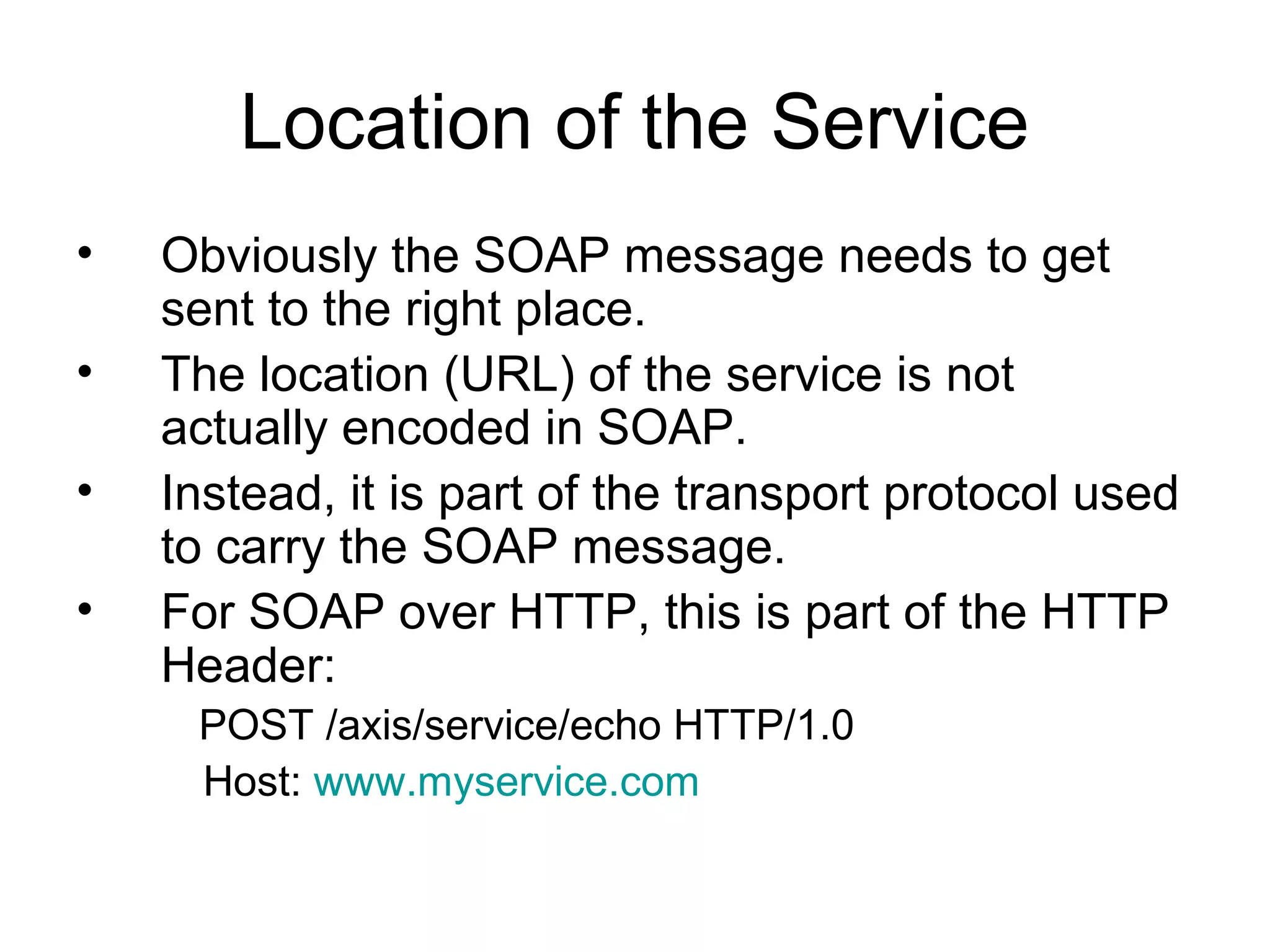
Location of the Service
• Obviously the SOAP message needs to get
sent to the right place.
• The location (URL) of the service is not
actually encoded in SOAP.
• Instead, it is part of the transport protocol used
to carry the SOAP message.
• For SOAP over HTTP, this is part of the HTTP
Header:
POST /axis/service/echo HTTP/1.0
Host: www.myservice.com
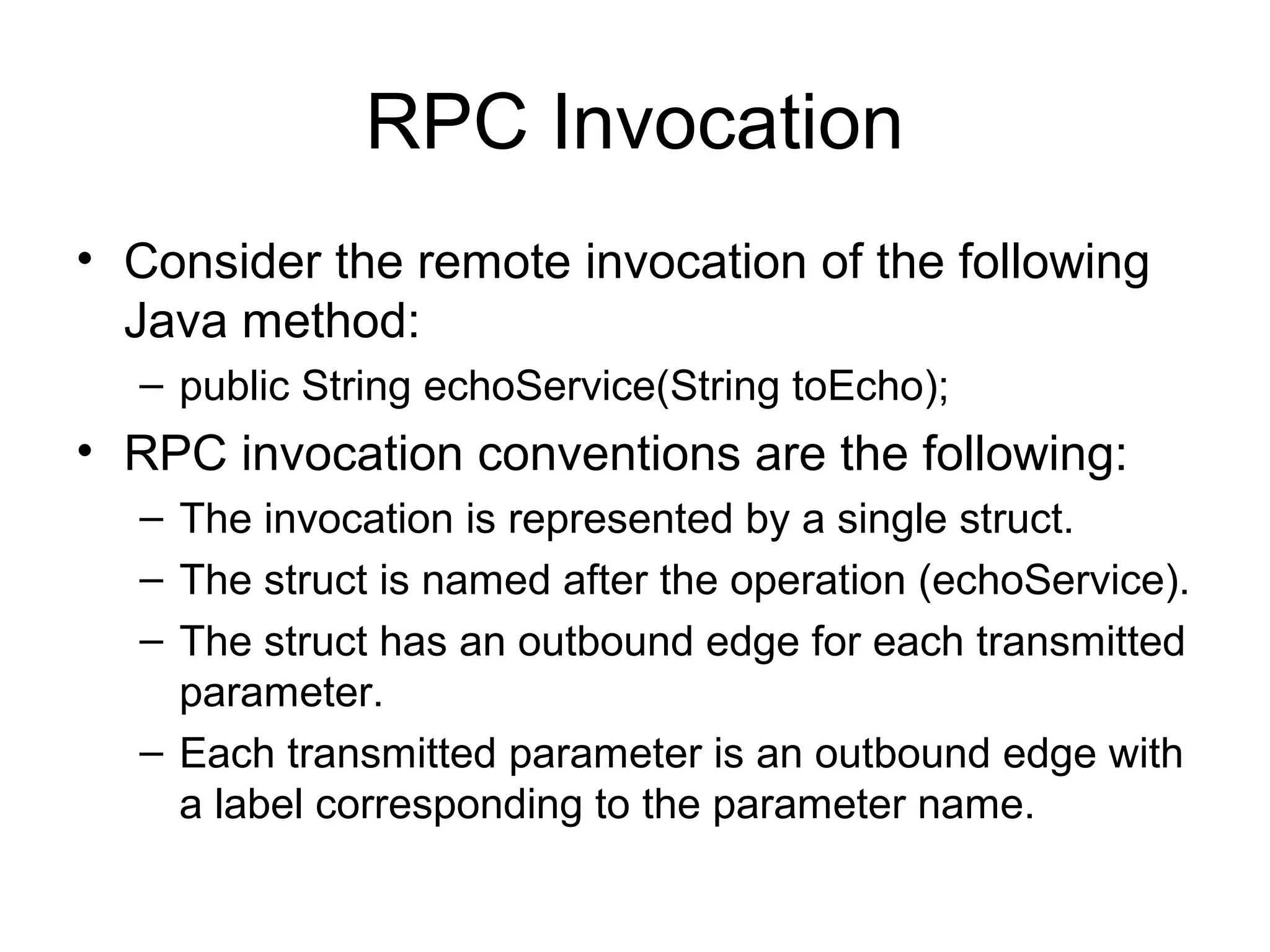
RPC Invocation
• Consider the remote invocation of the following
Java method:
– public String echoService(String toEcho);
• RPC invocation conventions are the following:
– The invocation is represented by a single struct.
– The struct is named after the operation (echoService).
– The struct has an outbound edge for each transmitted
parameter.
– Each transmitted parameter is an outbound edge with
a label corresponding to the parameter name.
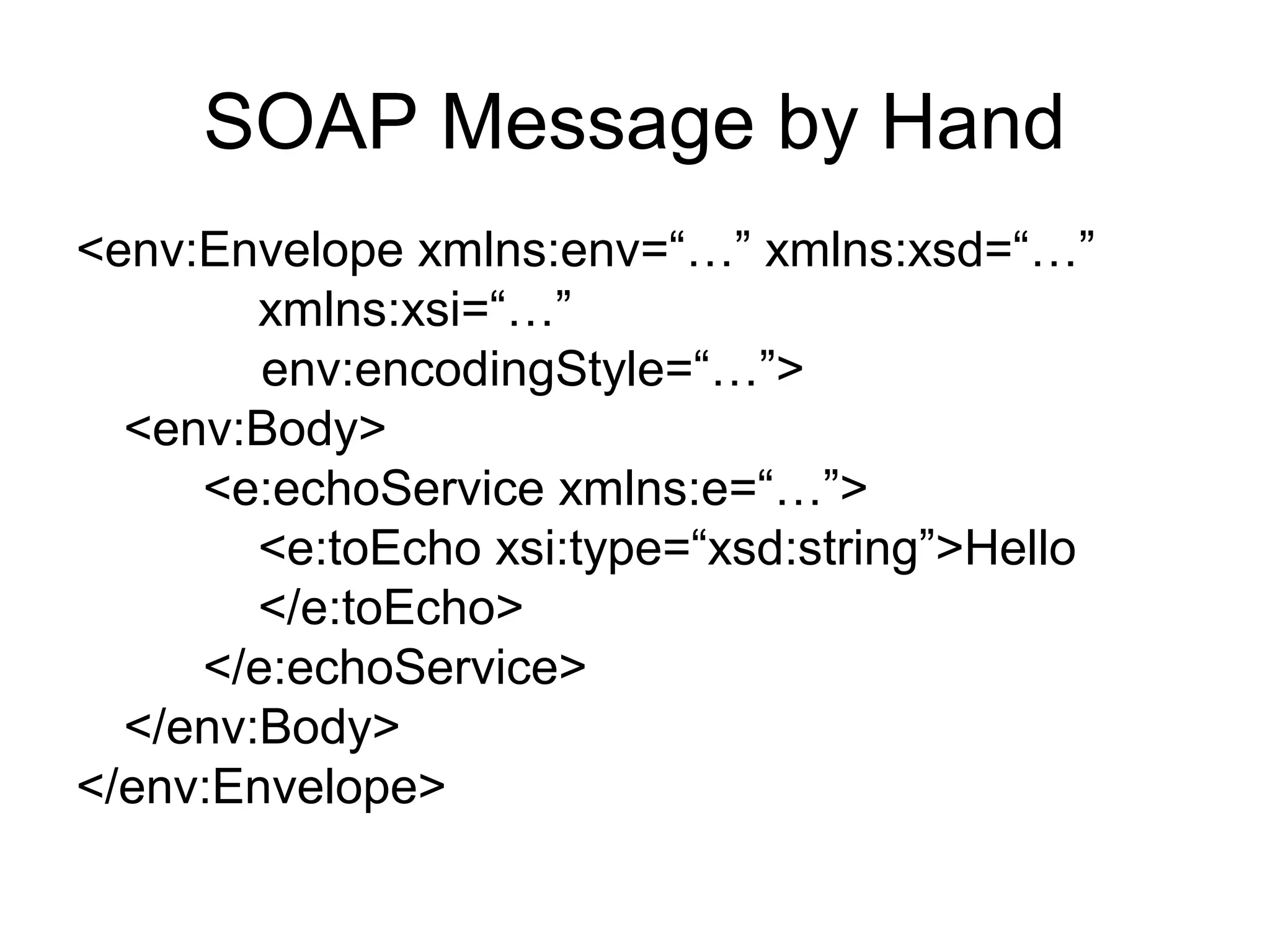
SOAP Message by Hand
<env:Envelope xmlns:env=“…” xmlns:xsd=“…”
xmlns:xsi=“…”
env:encodingStyle=“…”>
<env:Body>
<e:echoService xmlns:e=“…”>
<e:toEcho xsi:type=“xsd:string”>Hello
</e:toEcho>
</e:echoService>
</env:Body>
</env:Envelope>
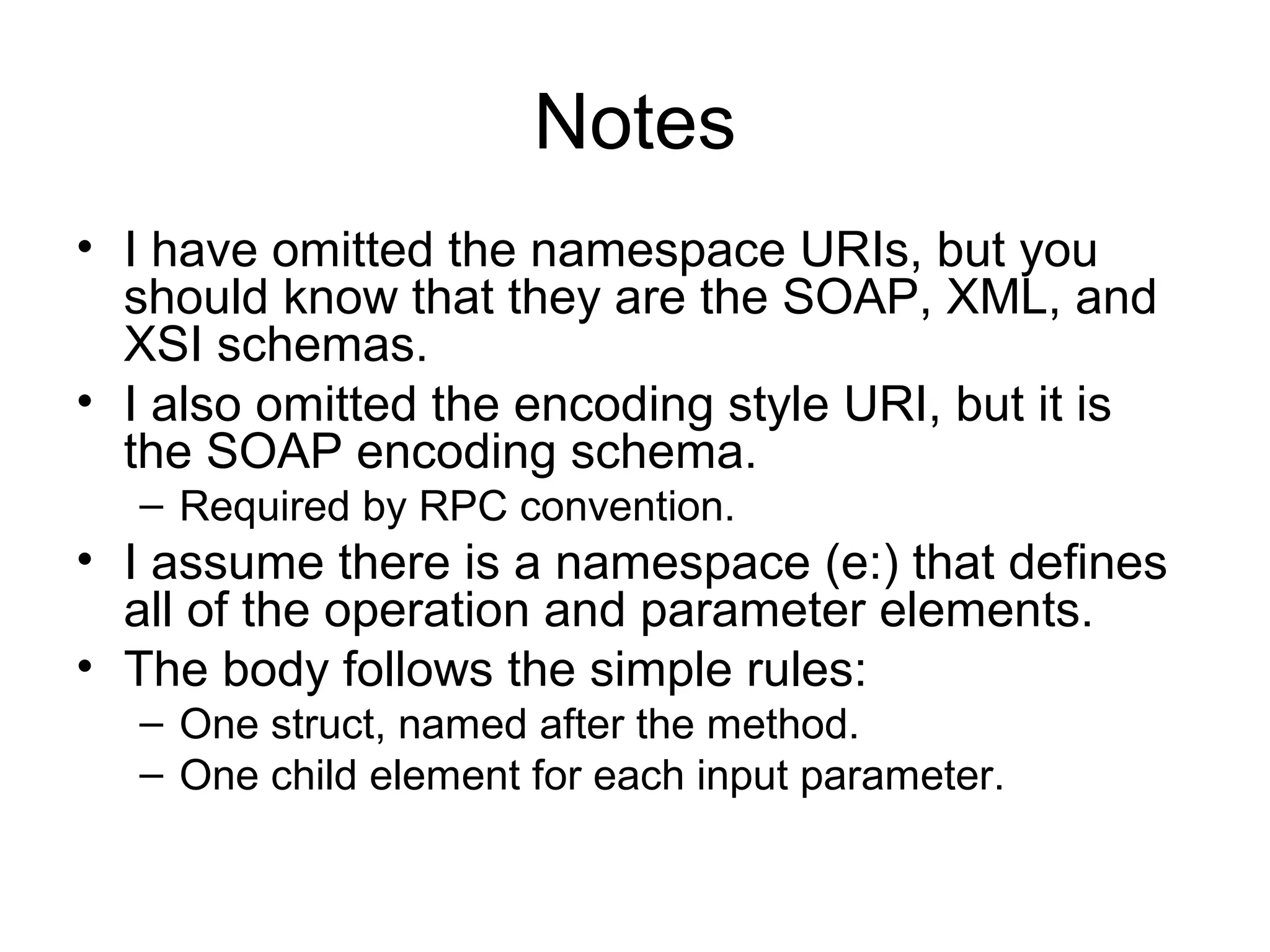
Notes
• I have omitted the namespace URIs, but you
should know that they are the SOAP, XML, and
XSI schemas.
• I also omitted the encoding style URI, but it is
the SOAP encoding schema.
– Required by RPC convention.
• I assume there is a namespace (e:) that defines
all of the operation and parameter elements.
• The body follows the simple rules:
– One struct, named after the method.
– One child element for each input parameter.
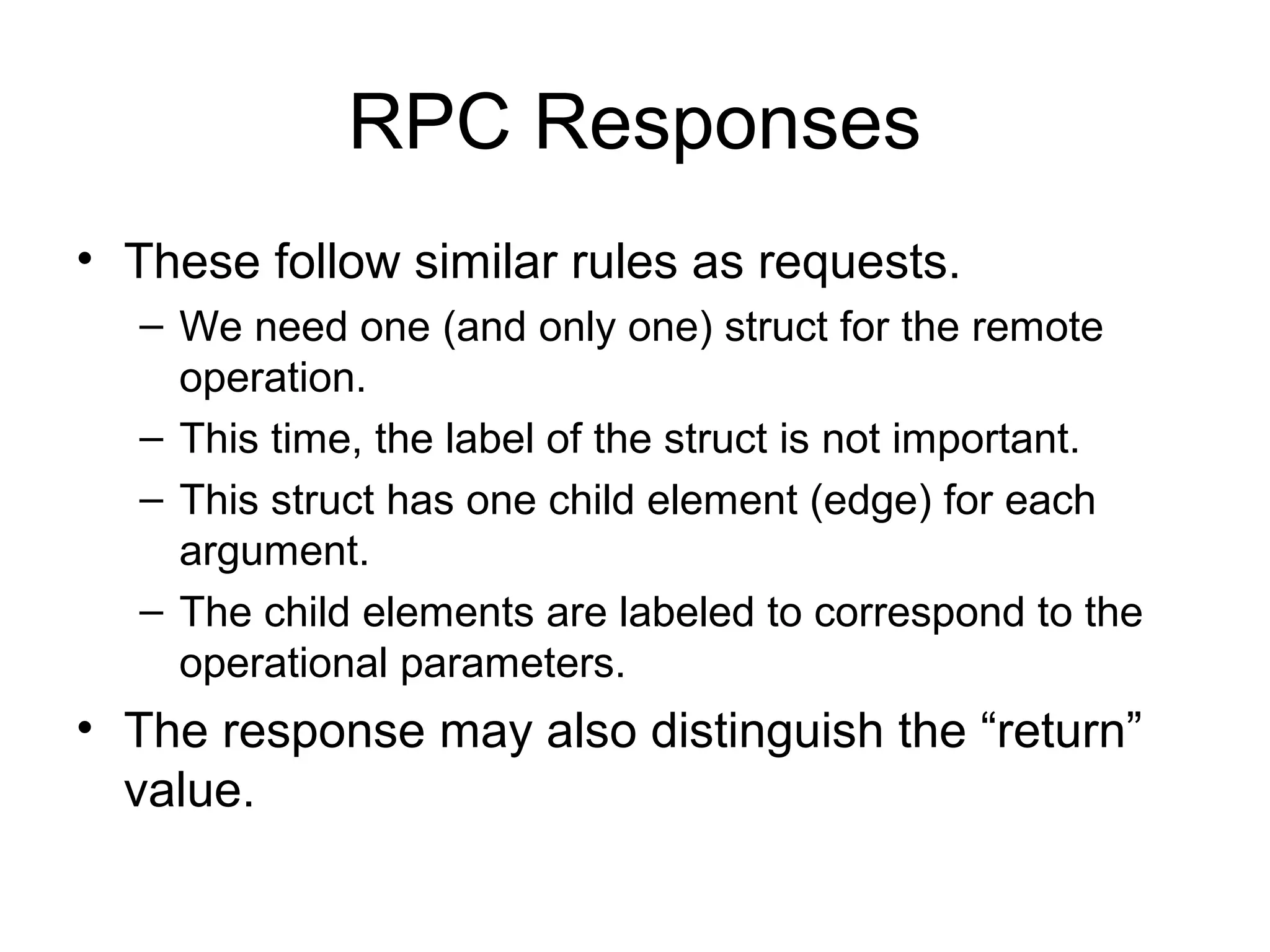
RPC Responses
• These follow similar rules as requests.
– We need one (and only one) struct for the remote
operation.
– This time, the label of the struct is not important.
– This struct has one child element (edge) for each
argument.
– The child elements are labeled to correspond to the
operational parameters.
• The response may also distinguish the “return”
value.
RPC Return Values
• Often in RPC we need to distinguish one of the
output values as the “return value”.
– Legacy of C and other programming languages.
• We do this by labeling the return type like this:
<rpc:result>ex:myReturn</rpc:result>
<ex:myReturn xsi:type=“xsd:int”>0</>
• The rpc namespace is
– http://www.w3c.org/2003/05/soap-rpc
An RPC Response
<env:Envelope xmlns:env=“…” xmlns:xsd=“…”
xmlns:xsi=“…” env:encodingStyle=“…”>
<env:Body>
<e:echoResponse
xmlns:rpc=“…”
xmlns:e=“…”>
<rpc:result>e:echoReturn</rpc:result>
<e:echoReturn xsi:type=“xsd:string”>
Hello
</e:echoReturn>
</e:echoResponse>
</env:Body>
</env:Envelope>
Going Beyond Simple Types
• Our simple example just communicates in single
strings.
• But it is straightforward to write SOAP encodings
for remote procedures that use
– Single simple type arguments of other types (ints,
floats, and so on).
– Arrays
– Data objects (structs)
– Multiple arguments, both simple and compound.
Discovering the Descriptions for
RPC
• The RPC encoding rules are based on
some big assumptions:
– You know the location of the service.
– You know the names of the operations.
– You know the parameter names and types of
each operation.
• How you learn this is out of SOAP’s
scope.
• WSDL is one obvious way.
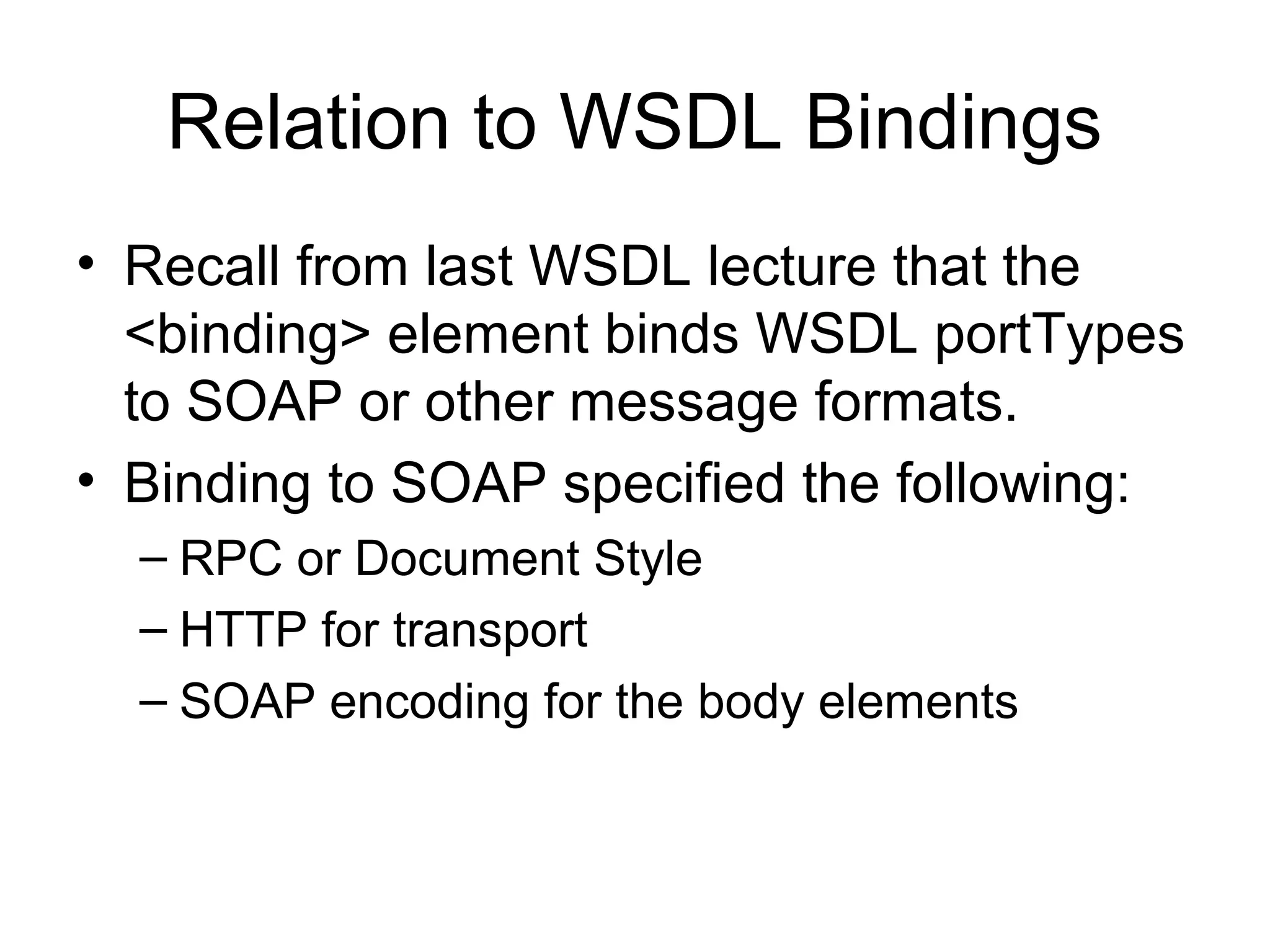
Relation to WSDL Bindings
• Recall from last WSDL lecture that the
<binding> element binds WSDL portTypes
to SOAP or other message formats.
• Binding to SOAP specified the following:
– RPC or Document Style
– HTTP for transport
– SOAP encoding for the body elements
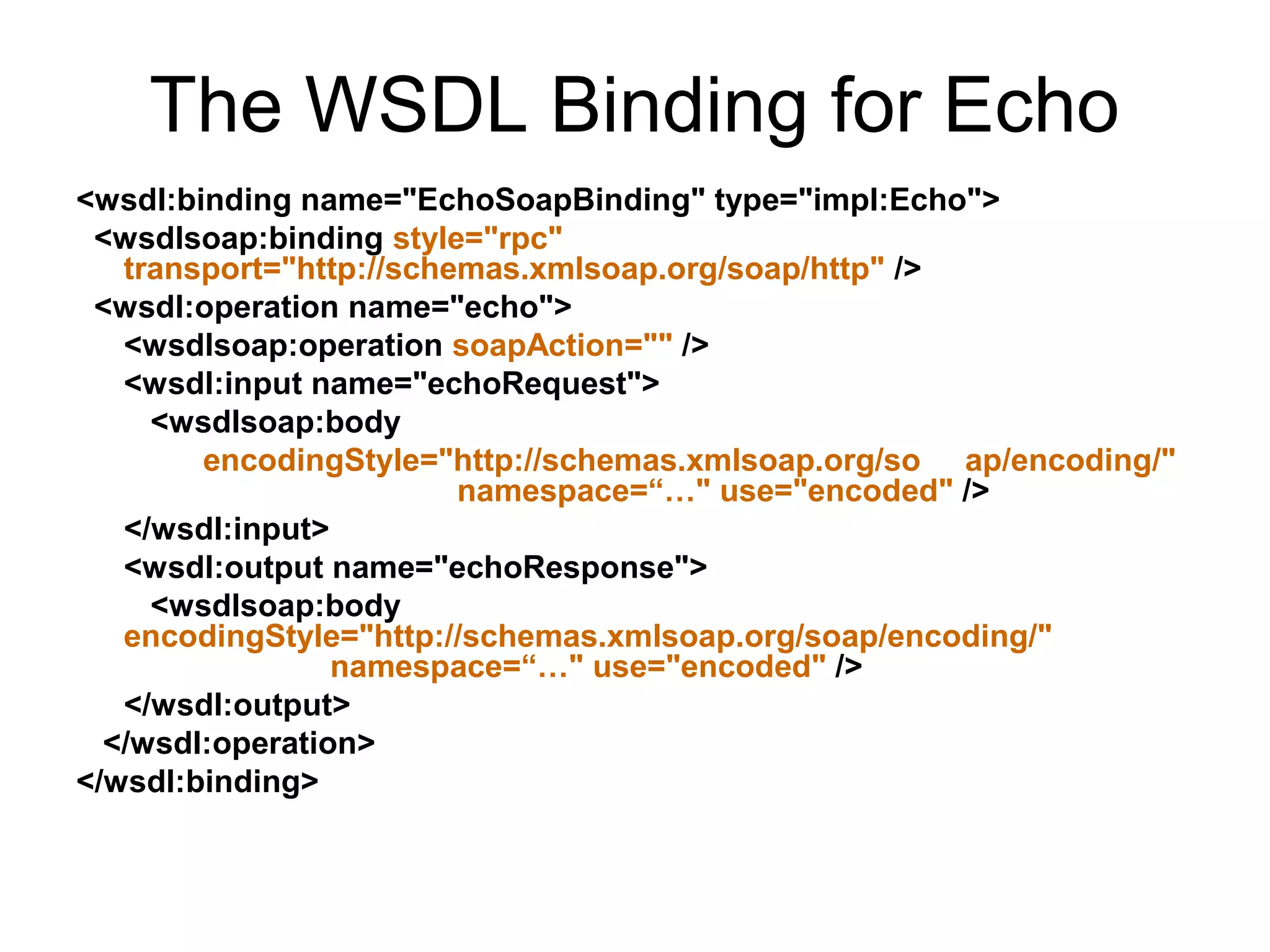
The WSDL Binding for Echo
<wsdl:binding name="EchoSoapBinding" type="impl:Echo">
<wsdlsoap:binding style="rpc"
transport="http://schemas.xmlsoap.org/soap/http" />
<wsdl:operation name="echo">
<wsdlsoap:operation soapAction="" />
<wsdl:input name="echoRequest">
<wsdlsoap:body
encodingStyle="http://schemas.xmlsoap.org/so ap/encoding/"
namespace=“…" use="encoded" />
</wsdl:input>
<wsdl:output name="echoResponse">
<wsdlsoap:body
encodingStyle="http://schemas.xmlsoap.org/soap/encoding/"
namespace=“…" use="encoded" />
</wsdl:output>
</wsdl:operation>
</wsdl:binding>
RPC Style for Body Elements
• The body element just contains
XML.
• Our WSDL specified RPC style
encoding.
– So we will structure our body
element to look like the WSDL
method.
• First, the body contains an
element <echo> that corresponds
to the remote comnand.
– Using namespace ns1 to connect
<echo> to its WSDL definition
• Then the tag contains the element
<in0> which contains the payload.
<soapenv:Body>
<ns1:echo
soapenv:encodingStyle=""
xmlns:ns1="">
<in0 xsi:type="xsd:string">
Hello World
</in0>
</ns1:echo>
</soapenv:Body>
Connection of WSDL Definitions
and SOAP Message for RPC
<wsdl:portType name="Echo">
<wsdl:operation name="echo"
parameterOrder="in0”>
<wsdl:input
message="impl:echoRequest
name="echoRequest" />
</wsdl:operation>
</wsdl:portType>
<soapenv:Body>
<ns1:echo
soapenv:encodingStyle=""
xmlns:ns1="">
<in0 xsi:type="xsd:string">
Hello World
</in0>
</ns1:echo>
</soapenv:Body>
<wsdl:message<wsdl:message
name="echoRequest">name="echoRequest">
<wsdl:part name="<wsdl:part name="in0in0""
type="xsd:string" />type="xsd:string" />
</wsdl:message></wsdl:message>
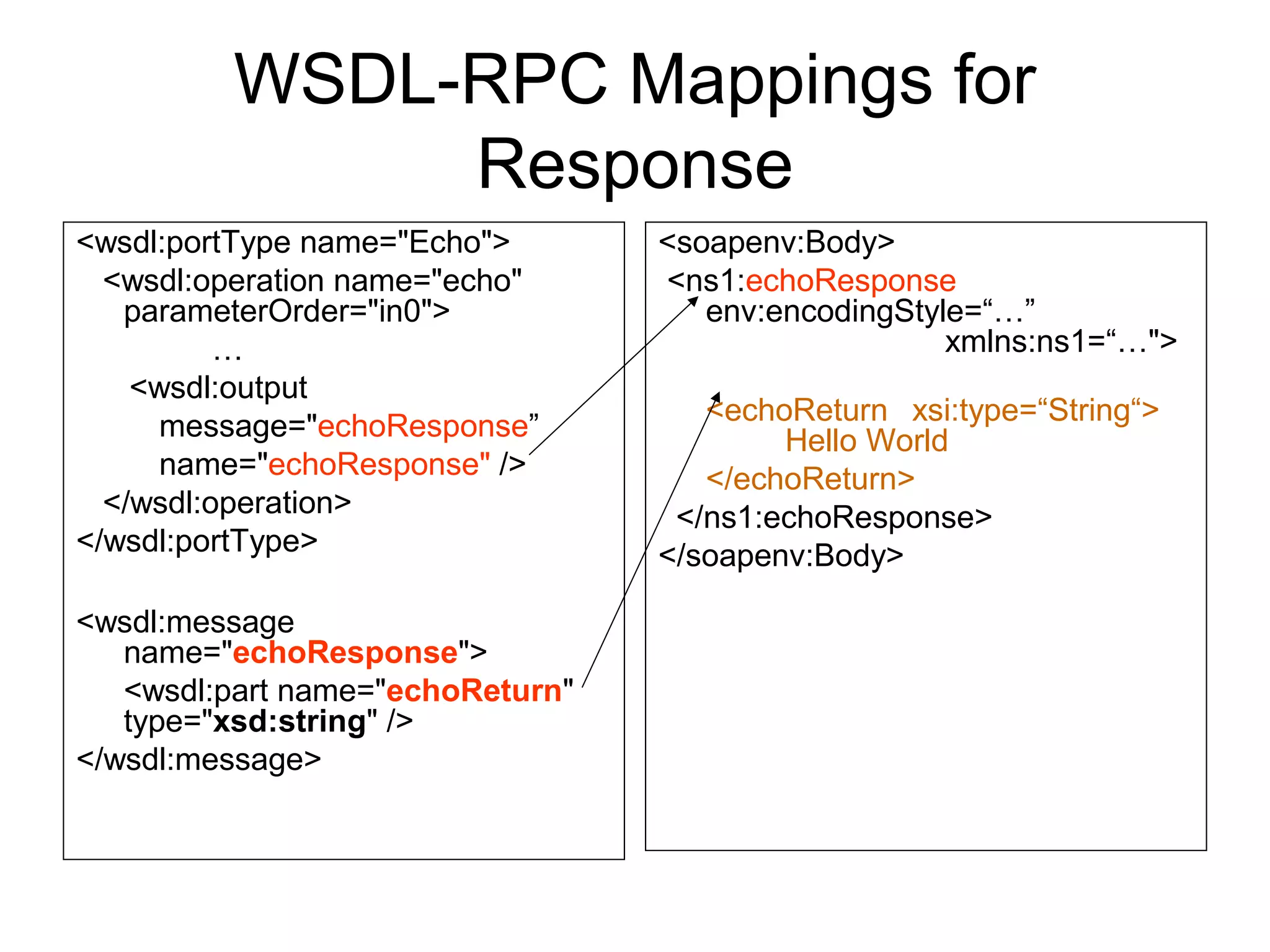
WSDL-RPC Mappings for
Response
<wsdl:portType name="Echo">
<wsdl:operation name="echo"
parameterOrder="in0">
…
<wsdl:output
message="echoResponse”
name="echoResponse" />
</wsdl:operation>
</wsdl:portType>
<wsdl:message
name="echoResponse">
<wsdl:part name="echoReturn"
type="xsd:string" />
</wsdl:message>
<soapenv:Body>
<ns1:echoResponse
env:encodingStyle=“…”
xmlns:ns1=“…">
<echoReturn xsi:type=“String“>
Hello World
</echoReturn>
</ns1:echoResponse>
</soapenv:Body>
Alternative Encoding
Schemes
Wrap Up
• As we have seen, SOAP itself does not provide
encoding rules for message payloads.
– Instead, it provides a pluggable encoding style
attribute.
• SOAP encoding rules are optional, but likely to
be commonly supported in software like Axis.
• SOAP encoding’s three main parts for RPC:
– Abstract Data Model
– XML Encoding of model
– Further conventions for RPC
• What about other encodings?
Alternative Encoding Schemes
• SOAP encoding uses graph models for data but,
apart from references, does not explicitly map
the parts of the graph to different XML elements.
• There are other XML data encoding schemes
that make a much more explicit connection
between the graph and the encoding.
• The Resource Description Framework is one
such scheme.
• So we may choose to use RDF instead of SOAP
encoding in a SOAP message.
RDF Encoding Example of Echo
<?xml version=‘1.0’ ?>
<env:Envelope xmlns:env=“…”>
<env:Body
env:encodingStyle=“http://www.w3c.org/1999/02/22-rdf-syntax-
ns#”>
<rdf:RDF>
<rdf:Description about=“echo service uri”>
<e:echoService>
<e:in0>Hello</e:in0>
</e:echoService>
</rdf:Description>
</rdf:RDF>
</env:Body>
</env:Envelope>
RDF Encoding Notes
• We will look at RDF in detail in next week’s
lectures.
• Basic idea is that <rdf:Description> tags are
envelopes for xml tags from other schemas.
• The <Description>’s about attribute tells you
what is being described.
• Note that standard Web Service engines do not
support RDF or other encodings.
– You would need to extend it yourself.
– But it is possible.

Soap2

  • 1.
    SOAP II: DataEncoding Marlon Pierce, Bryan Carpenter, Geoffrey Fox Community Grids Lab Indiana University mpierce@cs.indiana.edu http://www.grid2004.org/spring2004
  • 2.
    Review: SOAP MessagePayloads • SOAP has a very simple structure: – Envelopes wrap body and optional header elements. • SOAP body elements may contain any sort of XML – Literally, use <any> wildcard to include other XML. • SOAP does not provide specific encoding restrictions. • Instead, provides conventions that you can follow for different message styles. – RPC is a common convention. • Remember: SOAP designers were trying to design it to be general purpose. – SOAP encoding and data models are optional
  • 3.
  • 4.
    SOAP’s Abstract DataModel • SOAP data may be optional represented using Node-Edge Graphs. • Edges connect nodes – Have a direction – An edge is labeled with an XML QName. • A node may have 0 or more inbound and outbound edges. • Implicitly, Node 2 describes Node 1. • A few other notes: – Nodes may point to themselves. – Nodes may have inbound edges originating from more than one Node. Node 1 Node 2 Edge Node 3
  • 5.
    Nodes and Values •Nodes have values. – Values may be either simple (lexical) or compound. • A simple value may be (for example) a string. – It has no outgoing edges • A complex value is a node with both inbound and outbound edges. • For example, Node 1 has a value, Node 2, that is structured. • Complex values may be either structs or arrays. Node 1 Node 2 (complex) Node 3 Node 4
  • 6.
    Complex Types: Structsand Arrays • A compound value is a graph node with zero or more outbound edges. • Outbound edges may be distinguished by either labels or by position. • Nodes may be one of two sorts: – Struct: all outbound edges are distinguished solely by labels. – Array: all outbound edges are distinguished solely by position order. • Obviously we are zeroing in on programming language data structures.
  • 7.
    Abstract Data Models •The SOAP Data Model is an abstract model – Directed, labeled graph • It will be expressed in XML. • The graph model implies semantics about data structures that are not in the XML itself. – XML describes only syntax. • Implicitly, nodes in the graph model resemble nouns, while the edges represent predicates. • We will revisit this in later lectures on the Semantic Web.
  • 8.
    Graphs to XML •SOAP nodes and edges are not readily apparent in simple XML encoding rules. – Normally, an XML element in the SOAP body acts as both the edge and the node of the abstract model. • However, SOAP does have an internal referencing system. – Use it when pointing from one element to another. – Here, the XML-to-graph correspondence is more obvious.
  • 9.
  • 10.
    Intro: Encoding Conventions •SOAP header and body tags can be used to contain arbitrary XML – Specifically, they can contain an arbitrary sequence of tags, replacing the <any> tag. – These tags from other schemas can contain child tags and be quite complex. – See body definition on the right. • And that’s all it specifies. • SOAP thus does not impose a content model. • Content models are defined by convention and are optional. <xs:element name="Body" type="tns:Body" /> <xs:complexType name="Body"> <xs:sequence> <xs:any namespace="##any" processContents="lax" minOccurs="0“ maxOccurs="unbounded" /> </xs:sequence> <xs:anyAttribute namespace="##other" processContents="lax" /> </xs:complexType>
  • 11.
    Encoding Overview • Datamodels such as the SOAP graph model are abstract. – Represented as graphs. • For transfer between client and server in a SOAP message, we encode them in XML. • We typically should provide encoding rules along with the message so that the recipient knows how to process. • SOAP provides some encoding rule definitions: – http://schemas.xmlsoap.org/soap/encoding/ – But these rules are not required and must be explicitly included. – Note this is NOT part of the SOAP message schema. • Terminology: – Serialization: transforming a model instance into an XML instance. – Deserialization: transforming the XML back to the model.
  • 12.
    Specifying Encoding • Encodingis specified using the encodingStyle attribute. – This is optional – There may be no encoding style • This attribute can appear in the envelope, body, or headers. – The example from previous lecture puts it in the body. – The value is the standard SOAP encoding rules. • Thus, each part may use different encoding rules. – If present, the envelope has the default value for the message. – Headers and body elements may override this within their scope. <soapenv:Body> <ns1:echo soapenv:encodingStyle="http:// schemas.xmlsoap.org/soap/enc oding/" xmlns:ns1=“…"> <!-- The rest of the payload --> </soapenv:Body>
  • 13.
    Encoding Simple Values •Our echo service exchanges strings. The actual message is encoded like this: – <in0 xsi:type="xsd:string">Hello World</in0> • xsi:type means that <in0> will take string values. – And string means explicitly xsd:string, or string from the XML schema itself. • In general, all encoded elements should provide xsi:type elements to help the recipient decode the message.
  • 14.
    Simple Type EncodingExamples Java examples • int a=3; • float pi=3.14 • String s=“Hello”; SOAP Encoding • <a xsi:type=“xsd:int”> 10 </a> • <pi xsi:type=“xsd:float”> 3.14 </pi> • <s xsi:type=“xsd:string”> Hello </s>
  • 15.
    Explanation of SimpleType Encoding • The XML snippets have two namespaces (would be specified in the SOAP envelope typically). – xsd: the XML schema. Provides definitions of common simple types like floats, ints, and strings. – xsi: the XML Schema Instance. Provides the definition of the type element and its possible values. • Basic rule: each element must be given a type and a value. – Types come from XSI, values from XSD. • In general, all SOAP encoded values must have a type.
  • 16.
    XML Schema Instance •A very simple supplemental XML schema that provides only four attribute definitions. • Type is used when an element needs to explicitly define its type rather than implicitly, through a schema. – The value of xsi:type is a qualified name. • This is needed when the schema may not be available (in case of SOAP). – May also be needed in schema inheritance • See earlier XML schema lectures on “Polymorphism”
  • 17.
    Example for EncodingArrays in SOAP 1.1 • Java Arrays – int[3] myArray={23,10,32}; • Possible SOAP 1.1 Encoding: <myArray xsi:type=“SOAP-ENC:Array SOAP-ENC:arrayType=“xsd:int[3]”> <v1>21</v1> <v2>10</v2> <v3>32</v3> </myArray>
  • 18.
    An Explanation • Westarted out as before, mapping the Java array name to an element and defining an xsi:type. • But there is no array in the XML schema data definitions. – XSD doesn’t preclude it, but it is a complex type to be defined elsewhere. – The SOAP encoding schema defines it. • We also made use of the SOAP encoding schema’s arrayType attribute to specify the type of array (3 integers). • We then provide the values.
  • 19.
    Encoding a JavaClass in SOAP • Note first that a general Java class (like a Vector or BufferedReader) does not serialize in XML. • But JavaBeans (or if you prefer, Java data objects) do serialize. – A bean is a class with accessor (get/set) methods associated with each of its data types. – Can be mapped to C structs. • XML Beans and Castor are two popular Java-to- XML converters.
  • 20.
    Example of Encodinga Java Bean • Java class class MyBean { String Name=“Marlon”; public String getName() {return Name;} public void setName(String n) {Name=n;} } • Possible SOAP Encoding of the data (as a struct) <MyBean> <name xsi:type=“xsd:string”>Marlon</name> </MyBean>
  • 21.
    Structs • Structs aredefined in the SOAP Encoding schema as shown. • Really, they just are used to hold yet more sequences of arbitrary XML. • Struct elements are intended to be accessed by name – Rather than order, as Arrays. <xs:element name="Struct" type="tns:Struct" /> <xs:group name="Struct"> <xs:sequence>   <xs:any namespace="##any" minOccurs="0" maxOccurs="unbounded" processContents="lax" />   </xs:sequence> </xs:group> <xs:complexType name="Struct">   <xs:group ref="tns:Struct" minOccurs="0" />   <xs:attributeGroup ref="tns:commonAttributes" /> </xs:complexType>
  • 22.
    SOAP 1.1 Arrays •As stated several times, SOAP encoding includes rules for expressing arrays. • These were significantly revised between SOAP 1.1 and SOAP 1.2. • You will still see both styles, so I’ll cover both. • The basic array type (shown) was intended to hold 0 or 1 Array groups. <xs:complexType name="Array"> <xs:group ref="tns:Array" minOccurs="0" /> <xs:attributeGroup ref="tns:arrayAttribut es" /> <xs:attributeGroup ref="tns:commonAttri butes" /> </xs:complexType>
  • 23.
    SOAP 1.1 ArrayGroup • Array elements contain zero or more array groups. • The array group in turn is a sequence of <any> tags. • So the array group can hold arbitrary XML. <xs:group name="Array"> <xs:sequence>   <xs:any namespace="##any" minOccurs="0" maxOccurs="unbounded" processContents="lax" />   </xs:sequence> </xs:group>
  • 24.
    SOAP 1.1 ArrayAttributes • The array group itself is just for holding arbitrary XML. • The array attributes are used to further refine our definition. • The array definition may provide an arrayType definition and an offset. • Offsets can be used to send partial arrays. • According to the SOAP Encoding schema itself, these are only required to be strings. <xs:attributeGroup name="arrayAttributes"> <xs:attribute ref="tns:arrayType" /> <xs:attribute ref="tns:offset" /> </xs:attributeGroup> <xs:attribute name="offset" type="tns:arrayCoordinate" /> <xs:attribute name="arrayType" type="xs:string" /> <xs:simpleType name="arrayCoordinate"> <xs:restriction base="xs:string" /> </xs:simpleType>
  • 25.
    Specifying Array Sizesin SOAP 1.1 • The arrayType specifies only that the it takes a string value. • The SOAP specification (part 2) does provide the rules. • First, it should have the form enc:arraySize. – Encoding can be an XSD type, but not necessarily. – Ex: xsd:int[5], xsd:string[2,3], p:Person[5] – The last is an array of five persons, defined in p. • Second, use the following notation: – [] is a 1D array. – [][] is a array of 1D arrays – [,] is a 2D array. – And so on.
  • 26.
    Encoding Arrays inSOAP 1.2 • Array encodings have been revised and simplified in the latest SOAP specifications. – http://www.w3.org/2003/05/soap-encoding • ArrayType elements are derived from a generic nodeType element. • Now arrays have two attributes – itemType is the the type of the array (String, int, XML complex type). – arraySize <xs:attribute name="arraySize" type="tns:arraySize" /> <xs:attribute name="itemType" type="xs:QName" /> <xs:attributeGroup name="arrayAttributes"> <xs:attribute ref="tns:arraySize" /> <xs:attribute ref="tns:itemType" /> </xs:attributeGroup>
  • 27.
    SOAP 1.2 ArraySizes • The arraySize attribute (shown below). The regular expression means – I can use a “*” for an unspecified size, OR – I can specify the size with a range of digits – I may include multiple groupings of digits for multi- dimensional arrays, with digit groups separated by white spaces. <xs:simpleType name="arraySize"> <xs:restriction base="tns:arraySizeBase"> <xs:pattern value="(*|(d+))(s+d+)*" /> </xs:restriction> </xs:simpleType>
  • 28.
    Comparison of 1.1and 1.2 Arrays <numbers enc:arrayType="xs:int[2]"> <number>3 </number> <number>4 </number> </numbers> <numbers enc:itemType="xs:int" enc:arraySize="2"> <number>3 </number> <number>4 </number> </numbers>
  • 29.
    SOAP 1.1 Encoding’sCommon Attributes • As we have seen, both structs and arrays contain a group called commonAttributes. • The definition is shown at the right. • The ID and the HREF attributes are used to make internal references within the SOAP message payload. <xs:attributeGroup name="commonAttributes "> <xs:attribute name="id" type="xs:ID" /> <xs:attribute name="href" type="xs:anyURI" /> <xs:anyAttribute namespace="##other" processContents="lax" /> </xs:attributeGroup>
  • 30.
    References and IDs •As you know, XML provides a simple tree model for data. • While you can convert many data models into trees, it will lead to redundancy. • The problem is that data models are graphs, which may be more complicated than simple trees. • Consider a typical manager/employee data model. – Managers are an extension of the more general employee class. – Assume in following example we have defined an appropriate schema.
  • 31.
    Before/After Referencing (SOAP 1.1Encoding) <manager> <fname>Geoffrey</> <lname>Fox</> </manager> <employee> <fname>Marlon</> <lname>Pierce</> <manager> <fname>Geoffrey</> <lname>Fox</> </manager> </employee> <manager id=“GCF”> <fname>Geoffrey</> <lname>Fox</> </manager> <employee> <fname>Marlon</> <lname>Pierce</> <manager href=“#gcf”> </employee>
  • 32.
    References, IDs andGraphs • References serve two purposes. – They save space by avoiding duplication • A good thing in a message. – They lower the potential for errors. • They also return us to the graph model. – Normal nodes and edges get mapped into one element information item. – Ref nodes actually split the edge and node. employee manager href=“#gcf”
  • 33.
    References in SOAP1.2 • SOAP 1.1 required all references to point to other top level elements. • SOPA 1.2 changed this, so now refs can point to child elements in a graph as well as top level elements. – See next figure • They also changed the tag names and values, so the encoding looks slightly different. <manager id=“GCF”> <fname>Geoffrey</> <lname>Fox</> </manager> <employee> <fname>Marlon</> <lname>Pierce</> <manager ref=“gcf”> </employee>
  • 34.
    SOAP 1.1 and1.2 Refs <e:Books> <e:Book> <title>My Life and Work </title> <author href="#henryford" /> </e:Book> <e:Book> <title>Today and Tomorrow</title> <author href="#henryford" /> </e:Book> </e:Books> <author id="henryford"> <name>Henry Ford</name> </author> <e:Books> <e:Book> <title>My Life and Work </title> <author id="henryford" > <name>Henry Ford</name> </author> </e:Book> <e:Book> <title>Today and Tomorrow </title> <author ref="henryford" /> </e:Book> </e:Books>
  • 35.
    Using SOAP forRemote Procedure Calls
  • 36.
    The Story SoFar… • We have defined a general purpose abstract data model. • We have looked at SOAP encoding. – SOAP does not provide standard encoding rules, but instead provides a pluggable encoding style attribute. • We examined a specific set of encoding rules that may be optionally used. • We are now ready to look at a special case of SOAP encodings suitable for remote procedure calls (RPC).
  • 37.
    Requirements for RPCwith SOAP • RPC is just a way to invoke a remote operation and get some data back. – All of your Web Service examples use RPC • How do we do this with SOAP? We encode carefully to avoid ambiguity. • But it really is just common sense. • Information needed for RPC: – Location of service – The method name – The method values • The values must be associated with the method’s argument names.
  • 38.
    Location of theService • Obviously the SOAP message needs to get sent to the right place. • The location (URL) of the service is not actually encoded in SOAP. • Instead, it is part of the transport protocol used to carry the SOAP message. • For SOAP over HTTP, this is part of the HTTP Header: POST /axis/service/echo HTTP/1.0 Host: www.myservice.com
  • 39.
    RPC Invocation • Considerthe remote invocation of the following Java method: – public String echoService(String toEcho); • RPC invocation conventions are the following: – The invocation is represented by a single struct. – The struct is named after the operation (echoService). – The struct has an outbound edge for each transmitted parameter. – Each transmitted parameter is an outbound edge with a label corresponding to the parameter name.
  • 40.
    SOAP Message byHand <env:Envelope xmlns:env=“…” xmlns:xsd=“…” xmlns:xsi=“…” env:encodingStyle=“…”> <env:Body> <e:echoService xmlns:e=“…”> <e:toEcho xsi:type=“xsd:string”>Hello </e:toEcho> </e:echoService> </env:Body> </env:Envelope>
  • 41.
    Notes • I haveomitted the namespace URIs, but you should know that they are the SOAP, XML, and XSI schemas. • I also omitted the encoding style URI, but it is the SOAP encoding schema. – Required by RPC convention. • I assume there is a namespace (e:) that defines all of the operation and parameter elements. • The body follows the simple rules: – One struct, named after the method. – One child element for each input parameter.
  • 42.
    RPC Responses • Thesefollow similar rules as requests. – We need one (and only one) struct for the remote operation. – This time, the label of the struct is not important. – This struct has one child element (edge) for each argument. – The child elements are labeled to correspond to the operational parameters. • The response may also distinguish the “return” value.
  • 43.
    RPC Return Values •Often in RPC we need to distinguish one of the output values as the “return value”. – Legacy of C and other programming languages. • We do this by labeling the return type like this: <rpc:result>ex:myReturn</rpc:result> <ex:myReturn xsi:type=“xsd:int”>0</> • The rpc namespace is – http://www.w3c.org/2003/05/soap-rpc
  • 44.
    An RPC Response <env:Envelopexmlns:env=“…” xmlns:xsd=“…” xmlns:xsi=“…” env:encodingStyle=“…”> <env:Body> <e:echoResponse xmlns:rpc=“…” xmlns:e=“…”> <rpc:result>e:echoReturn</rpc:result> <e:echoReturn xsi:type=“xsd:string”> Hello </e:echoReturn> </e:echoResponse> </env:Body> </env:Envelope>
  • 45.
    Going Beyond SimpleTypes • Our simple example just communicates in single strings. • But it is straightforward to write SOAP encodings for remote procedures that use – Single simple type arguments of other types (ints, floats, and so on). – Arrays – Data objects (structs) – Multiple arguments, both simple and compound.
  • 46.
    Discovering the Descriptionsfor RPC • The RPC encoding rules are based on some big assumptions: – You know the location of the service. – You know the names of the operations. – You know the parameter names and types of each operation. • How you learn this is out of SOAP’s scope. • WSDL is one obvious way.
  • 47.
    Relation to WSDLBindings • Recall from last WSDL lecture that the <binding> element binds WSDL portTypes to SOAP or other message formats. • Binding to SOAP specified the following: – RPC or Document Style – HTTP for transport – SOAP encoding for the body elements
  • 48.
    The WSDL Bindingfor Echo <wsdl:binding name="EchoSoapBinding" type="impl:Echo"> <wsdlsoap:binding style="rpc" transport="http://schemas.xmlsoap.org/soap/http" /> <wsdl:operation name="echo"> <wsdlsoap:operation soapAction="" /> <wsdl:input name="echoRequest"> <wsdlsoap:body encodingStyle="http://schemas.xmlsoap.org/so ap/encoding/" namespace=“…" use="encoded" /> </wsdl:input> <wsdl:output name="echoResponse"> <wsdlsoap:body encodingStyle="http://schemas.xmlsoap.org/soap/encoding/" namespace=“…" use="encoded" /> </wsdl:output> </wsdl:operation> </wsdl:binding>
  • 49.
    RPC Style forBody Elements • The body element just contains XML. • Our WSDL specified RPC style encoding. – So we will structure our body element to look like the WSDL method. • First, the body contains an element <echo> that corresponds to the remote comnand. – Using namespace ns1 to connect <echo> to its WSDL definition • Then the tag contains the element <in0> which contains the payload. <soapenv:Body> <ns1:echo soapenv:encodingStyle="" xmlns:ns1=""> <in0 xsi:type="xsd:string"> Hello World </in0> </ns1:echo> </soapenv:Body>
  • 50.
    Connection of WSDLDefinitions and SOAP Message for RPC <wsdl:portType name="Echo"> <wsdl:operation name="echo" parameterOrder="in0”> <wsdl:input message="impl:echoRequest name="echoRequest" /> </wsdl:operation> </wsdl:portType> <soapenv:Body> <ns1:echo soapenv:encodingStyle="" xmlns:ns1=""> <in0 xsi:type="xsd:string"> Hello World </in0> </ns1:echo> </soapenv:Body> <wsdl:message<wsdl:message name="echoRequest">name="echoRequest"> <wsdl:part name="<wsdl:part name="in0in0"" type="xsd:string" />type="xsd:string" /> </wsdl:message></wsdl:message>
  • 51.
    WSDL-RPC Mappings for Response <wsdl:portTypename="Echo"> <wsdl:operation name="echo" parameterOrder="in0"> … <wsdl:output message="echoResponse” name="echoResponse" /> </wsdl:operation> </wsdl:portType> <wsdl:message name="echoResponse"> <wsdl:part name="echoReturn" type="xsd:string" /> </wsdl:message> <soapenv:Body> <ns1:echoResponse env:encodingStyle=“…” xmlns:ns1=“…"> <echoReturn xsi:type=“String“> Hello World </echoReturn> </ns1:echoResponse> </soapenv:Body>
  • 52.
  • 53.
    Wrap Up • Aswe have seen, SOAP itself does not provide encoding rules for message payloads. – Instead, it provides a pluggable encoding style attribute. • SOAP encoding rules are optional, but likely to be commonly supported in software like Axis. • SOAP encoding’s three main parts for RPC: – Abstract Data Model – XML Encoding of model – Further conventions for RPC • What about other encodings?
  • 54.
    Alternative Encoding Schemes •SOAP encoding uses graph models for data but, apart from references, does not explicitly map the parts of the graph to different XML elements. • There are other XML data encoding schemes that make a much more explicit connection between the graph and the encoding. • The Resource Description Framework is one such scheme. • So we may choose to use RDF instead of SOAP encoding in a SOAP message.
  • 55.
    RDF Encoding Exampleof Echo <?xml version=‘1.0’ ?> <env:Envelope xmlns:env=“…”> <env:Body env:encodingStyle=“http://www.w3c.org/1999/02/22-rdf-syntax- ns#”> <rdf:RDF> <rdf:Description about=“echo service uri”> <e:echoService> <e:in0>Hello</e:in0> </e:echoService> </rdf:Description> </rdf:RDF> </env:Body> </env:Envelope>
  • 56.
    RDF Encoding Notes •We will look at RDF in detail in next week’s lectures. • Basic idea is that <rdf:Description> tags are envelopes for xml tags from other schemas. • The <Description>’s about attribute tells you what is being described. • Note that standard Web Service engines do not support RDF or other encodings. – You would need to extend it yourself. – But it is possible.