Installation - Oracle Fusion Middleware 12C
SOA, BPM, OSB, BAM & B2B
Name – Rakesh Gujjarlapudi
Email Address – rakesh_gujj@yahoo.com
1.1 Install JDK 7 U 55
Software location
[root@soabpm-vm JDK]# pwd
/u02/software/JDK
[root@soabpm-vm JDK]# ls
jdk-7u55-linux-x64.rpm
Check the default JDK running
[root@soabpm-vm JDK]# alternatives --config java
There is 1 program that provides 'java'.
Selection Command
-----------------------------------------------
*+ 1 /usr/lib/jvm/jre-1.6.0-openjdk.x86_64/bin/java
Enter to keep the current selection[+], or type selection number: ^C
Install JDK
[root@soabpm-vm JDK]# rpm -Uvh jdk-7u55-linux-x64.rpm
Preparing... ########################################### [100%]
1:jdk ########################################### [100%]
Unpacking JAR files...
rt.jar...
jsse.jar...
charsets.jar...
tools.jar...
localedata.jar...
jfxrt.jar...
[root@soabpm-vm JDK]#
Check the installed JDK
[root@soabpm-vm JDK]# clear
cd /usr/java/jdk1.7.0_55/bin/
[root@soabpm-vm bin]# ./java -version
java version "1.7.0_55"
Java(TM) SE Runtime Environment (build 1.7.0_55-b13)
Java HotSpot(TM) 64-Bit Server VM (build 24.55-b03, mixed mode)
[root@soabpm-vm bin]#
Set the JDK as default for oracle user
[oracle@soabpm-vm ~]$ vi .bash_profile
# .bash_profile
# Get the aliases and functions
if [ -f ~/.bashrc ]; then
. ~/.bashrc
fi
# User specific environment and startup programs
. $HOME/bin/oradb_env
PATH=$PATH:$HOME/bin:$ORACLE_HOME/bin
export PATH
export JAVA_HOME=/usr/java/jdk1.7.0_55
export PATH=$JAVA_HOME/bin:$PATH
Verfify JDK
[oracle@soabpm-vm ~]$ source .bash_profile
[oracle@soabpm-vm ~]$ java -version
java version "1.7.0_55"
Java(TM) SE Runtime Environment (build 1.7.0_55-b13)
Java HotSpot(TM) 64-Bit Server VM (build 24.55-b03, mixed mode)
[oracle@soabpm-vm ~]$
1.2 Install Weblogic Server 12C
[oracle@soabpm-vm WLS_12C]$ pwd
/u01/app12/software/WLS_12C
[oracle@soabpm-vm WLS_12C]$ ls
fmw_12.1.3.0.0_wls.jar
[oracle@soabpm-vm WLS_12C]$ java -jar fmw_12.1.3.0.0_wls.jar
Oracle Inventory = /u01/app12/oraInventory
Operating System Group = oracle
Weblogic 12C - Welcome Screen
Select ORACLE_HOME = /u01/app12/products/fmw1213
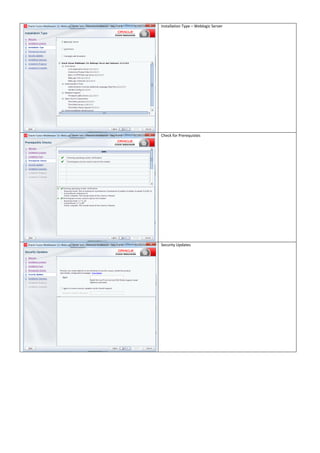
Installation Type – Weblogic Server
Check for Prerequistes
Security Updates
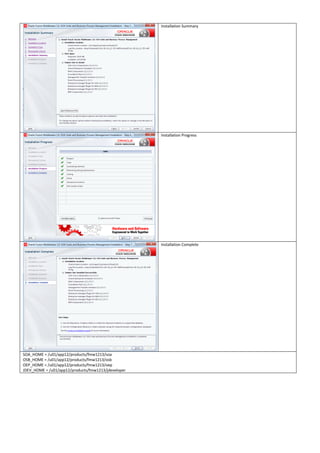
Installation Summary
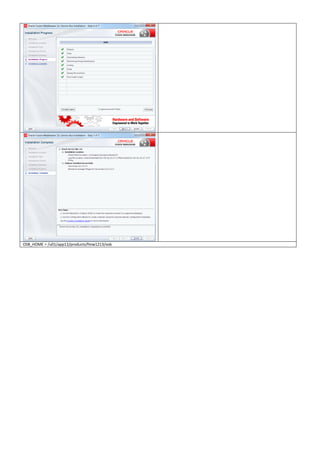
Installation Progress
Installation Complete
Deselect – Automaticall Launch the Configuration Wizard
WL_HOME = /u01/app12/products/fmw1213/wlserver
ORACLE_HOME = /u01/app12/products/fmw1213
1.3 Install Oracle Fusion Middleware Infrastructure 12C
[oracle@soabpm-vm INFRA]$ pwd
/u01/app12/software/INFRA
[oracle@soabpm-vm INFRA]$ java -jar fmw_12.1.3.0.0_infrastructure.jar
Welcome Screen – Oracle Fusion Middleware 12C Infrastructure
Select ORACLE_HOME
Oracle Home = /u01/app12/products/fmw1213
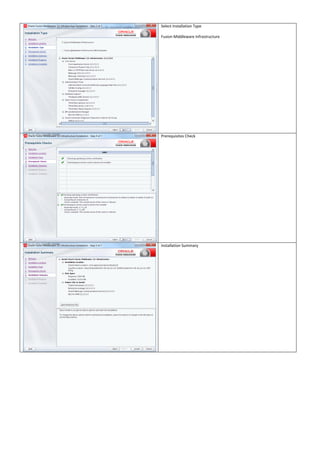
Select Installation Type
Fusion Middleware Infrastructure
Prerequisites Check
Installation Summary
Installation Progress
Installation Complete
EM_DIR = /u01/app12/products/fmw1213/em
ORACLE_COMMON_HOME=/u01/app12/products/fmw1213/oracle_common
1.4 Install Oracle SOA/BPM 12C
[oracle@soabpm-vm SOA_BPM]$ pwd
/u01/app12/software/SOA_BPM
[oracle@soabpm-vm SOA_BPM]$ java -jar fmw_12.1.3.0.0_soa.jar
Welcome Screen
Oracle Fusion Middleware 12C SOA Suite & BPM
Select ORACLE_HOME
Oracle Home = /u01/app12/products/fmw1213
Select Installation Type – SOA Suite
This selection installs just SOA Suite
Select Installation Type – BPM
This select installs both SOA Suite & BPM
Prerequisites Check
Installation Summary
Installation Progress
Installation Complete
SOA_HOME = /u01/app12/products/fmw1213/soa
OSB_HOME = /u01/app12/products/fmw1213/osb
OEP_HOME = /u01/app12/products/fmw1213/oep
JDEV_HOME = /u01/app12/products/fmw1213/jdeveloper
1.5 Install Oracle Service Bus 12C
[oracle@soabpm-vm OSB]$ pwd
/u01/app12/software/OSB
[oracle@soabpm-vm OSB]$ ls
fmw_12.1.3.0.0_osb.jar
[oracle@soabpm-vm OSB]$ java -jar fmw_12.1.3.0.0_osb.jar
Welcome Screen – Oracle Fusion Middleware 12C Service Bus
Select ORACLE_HOME
Oracle Home = /u01/app12/products/fmw1213
Installation Type – Service Bus
Prerequisites Check
OSB_HOME = /u01/app12/products/fmw1213/osb
1.6 Install SOA Schemas using RCU
[oracle@soabpm-vm bin]$ pwd
/u01/app12/products/fmw1213/oracle_common/bin
[oracle@soabpm-vm bin]$ ./rcu
Select
Create Repository -> System Load and Product Load
Database Connection Details
Select – Oracle Database
Host Name – soabpm-vm
Port – 1521
Service Name – XE
Username – SYS
Password – welcome1
Role – SYSDBA
Checking Global Prerequisites for the database
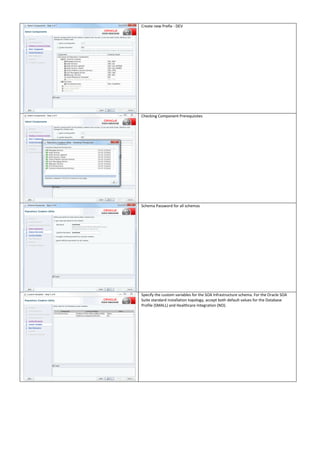
Create new Prefix - DEV
Checking Component Prerequisites
Schema Password for all schemas
Specify the custom variables for the SOA Infrastructure schema. For the Oracle SOA
Suite standard installation topology, accept both default values for the Database
Profile (SMALL) and Healthcare Integration (NO).
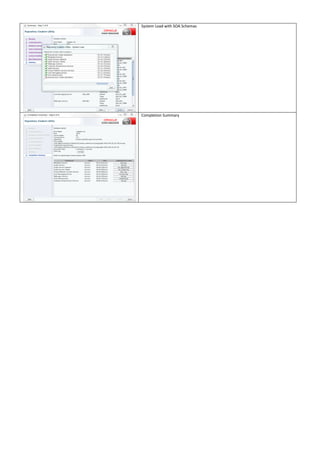
Map Tablespaces
Confirmation
Validating & Creating Tablespaces
Summary
System Load with SOA Schemas
Completion Summary
1.7 Install SOA Domain 12C
[oracle@soabpm-vm bin]$ pwd
/u01/app12/products/fmw1213/oracle_common/common/bin
[oracle@soabpm-vm bin]$ ./config.sh
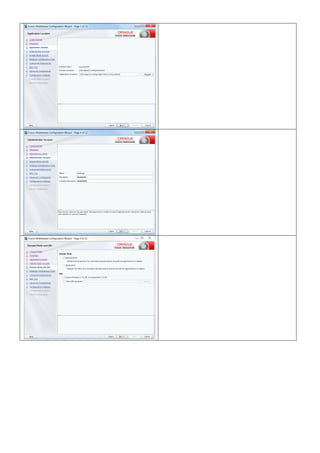
Domain Location = /u01/app12/config/domains/soa_domain
1.8 Start the Domain
Create security directories and place the boot.properties in the security folder
mkdir /u01/app12/config/domains/soa_domain/servers/AdminServer/security
mkdir /u01/app12/config/domains/soa_domain/servers/soa_server1/security
mkdir /u01/app12/config/domains/soa_domain/servers/osb_server1/security
mkdir /u01/app12/config/domains/soa_domain/servers/ums_server1/security
mkdir /u01/app12/config/domains/soa_domain/servers/bam_server1/security
# Generated by Configuration Wizard on Tue Aug 19 21:53:21 PDT 2014
username=weblogic
password=welcome1
1.9 Access URLS
SOA Domain – Weblogic Console
http://soabpm-vm:7001/console/
AdminServer(admin) - 7001
soa_server1 – 7004
bam_server1 – 7003
osb_server1 – 7005
ums_server1 - 7006
Enterprise Manager
http://soabpm-vm:7001/em/
Service Bus Console
http://soabpm-
vm:7001/servicebus/faces/resources
SOA Composer
http://soabpm-
vm:7004/soa/composer/faces/login
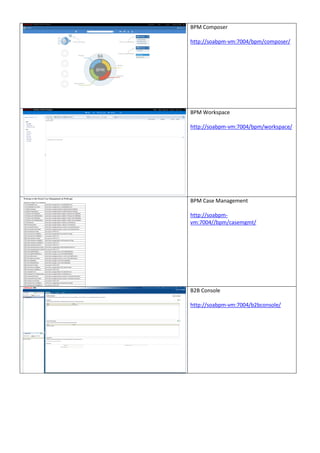
BPM Composer
http://soabpm-vm:7004/bpm/composer/
BPM Workspace
http://soabpm-vm:7004/bpm/workspace/
BPM Case Management
http://soabpm-
vm:7004//bpm/casemgmt/
B2B Console
http://soabpm-vm:7004/b2bconsole/
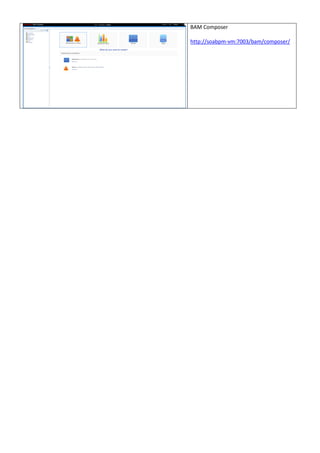
BAM Composer
http://soabpm-vm:7003/bam/composer/

Oracle SOA, BPM, OSB, BAM, & B2B 12C

  • 1.
    Installation - OracleFusion Middleware 12C SOA, BPM, OSB, BAM & B2B Name – Rakesh Gujjarlapudi Email Address – rakesh_gujj@yahoo.com
  • 2.
    1.1 Install JDK7 U 55 Software location [root@soabpm-vm JDK]# pwd /u02/software/JDK [root@soabpm-vm JDK]# ls jdk-7u55-linux-x64.rpm Check the default JDK running [root@soabpm-vm JDK]# alternatives --config java There is 1 program that provides 'java'. Selection Command ----------------------------------------------- *+ 1 /usr/lib/jvm/jre-1.6.0-openjdk.x86_64/bin/java Enter to keep the current selection[+], or type selection number: ^C Install JDK [root@soabpm-vm JDK]# rpm -Uvh jdk-7u55-linux-x64.rpm Preparing... ########################################### [100%] 1:jdk ########################################### [100%] Unpacking JAR files... rt.jar... jsse.jar... charsets.jar... tools.jar... localedata.jar... jfxrt.jar... [root@soabpm-vm JDK]# Check the installed JDK [root@soabpm-vm JDK]# clear cd /usr/java/jdk1.7.0_55/bin/ [root@soabpm-vm bin]# ./java -version java version "1.7.0_55" Java(TM) SE Runtime Environment (build 1.7.0_55-b13) Java HotSpot(TM) 64-Bit Server VM (build 24.55-b03, mixed mode) [root@soabpm-vm bin]# Set the JDK as default for oracle user [oracle@soabpm-vm ~]$ vi .bash_profile # .bash_profile # Get the aliases and functions if [ -f ~/.bashrc ]; then . ~/.bashrc fi # User specific environment and startup programs . $HOME/bin/oradb_env PATH=$PATH:$HOME/bin:$ORACLE_HOME/bin export PATH export JAVA_HOME=/usr/java/jdk1.7.0_55 export PATH=$JAVA_HOME/bin:$PATH Verfify JDK [oracle@soabpm-vm ~]$ source .bash_profile [oracle@soabpm-vm ~]$ java -version java version "1.7.0_55" Java(TM) SE Runtime Environment (build 1.7.0_55-b13) Java HotSpot(TM) 64-Bit Server VM (build 24.55-b03, mixed mode) [oracle@soabpm-vm ~]$
  • 3.
    1.2 Install WeblogicServer 12C [oracle@soabpm-vm WLS_12C]$ pwd /u01/app12/software/WLS_12C [oracle@soabpm-vm WLS_12C]$ ls fmw_12.1.3.0.0_wls.jar [oracle@soabpm-vm WLS_12C]$ java -jar fmw_12.1.3.0.0_wls.jar Oracle Inventory = /u01/app12/oraInventory Operating System Group = oracle Weblogic 12C - Welcome Screen Select ORACLE_HOME = /u01/app12/products/fmw1213
  • 4.
    Installation Type –Weblogic Server Check for Prerequistes Security Updates
  • 5.
    Installation Summary Installation Progress InstallationComplete Deselect – Automaticall Launch the Configuration Wizard WL_HOME = /u01/app12/products/fmw1213/wlserver ORACLE_HOME = /u01/app12/products/fmw1213
  • 6.
    1.3 Install OracleFusion Middleware Infrastructure 12C [oracle@soabpm-vm INFRA]$ pwd /u01/app12/software/INFRA [oracle@soabpm-vm INFRA]$ java -jar fmw_12.1.3.0.0_infrastructure.jar Welcome Screen – Oracle Fusion Middleware 12C Infrastructure Select ORACLE_HOME Oracle Home = /u01/app12/products/fmw1213
  • 7.
    Select Installation Type FusionMiddleware Infrastructure Prerequisites Check Installation Summary
  • 8.
    Installation Progress Installation Complete EM_DIR= /u01/app12/products/fmw1213/em ORACLE_COMMON_HOME=/u01/app12/products/fmw1213/oracle_common
  • 9.
    1.4 Install OracleSOA/BPM 12C [oracle@soabpm-vm SOA_BPM]$ pwd /u01/app12/software/SOA_BPM [oracle@soabpm-vm SOA_BPM]$ java -jar fmw_12.1.3.0.0_soa.jar Welcome Screen Oracle Fusion Middleware 12C SOA Suite & BPM Select ORACLE_HOME Oracle Home = /u01/app12/products/fmw1213
  • 10.
    Select Installation Type– SOA Suite This selection installs just SOA Suite Select Installation Type – BPM This select installs both SOA Suite & BPM Prerequisites Check
  • 11.
    Installation Summary Installation Progress InstallationComplete SOA_HOME = /u01/app12/products/fmw1213/soa OSB_HOME = /u01/app12/products/fmw1213/osb OEP_HOME = /u01/app12/products/fmw1213/oep JDEV_HOME = /u01/app12/products/fmw1213/jdeveloper
  • 12.
    1.5 Install OracleService Bus 12C [oracle@soabpm-vm OSB]$ pwd /u01/app12/software/OSB [oracle@soabpm-vm OSB]$ ls fmw_12.1.3.0.0_osb.jar [oracle@soabpm-vm OSB]$ java -jar fmw_12.1.3.0.0_osb.jar Welcome Screen – Oracle Fusion Middleware 12C Service Bus Select ORACLE_HOME Oracle Home = /u01/app12/products/fmw1213
  • 13.
    Installation Type –Service Bus Prerequisites Check
  • 14.
  • 15.
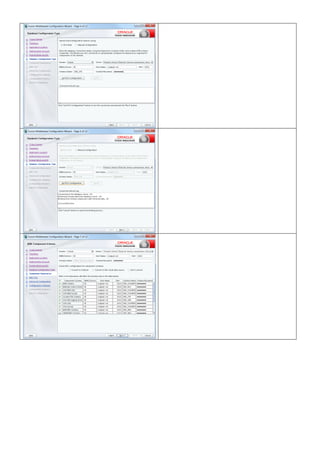
    1.6 Install SOASchemas using RCU [oracle@soabpm-vm bin]$ pwd /u01/app12/products/fmw1213/oracle_common/bin [oracle@soabpm-vm bin]$ ./rcu Select Create Repository -> System Load and Product Load Database Connection Details Select – Oracle Database Host Name – soabpm-vm Port – 1521 Service Name – XE Username – SYS Password – welcome1 Role – SYSDBA Checking Global Prerequisites for the database
  • 16.
    Create new Prefix- DEV Checking Component Prerequisites Schema Password for all schemas Specify the custom variables for the SOA Infrastructure schema. For the Oracle SOA Suite standard installation topology, accept both default values for the Database Profile (SMALL) and Healthcare Integration (NO).
  • 17.
    Map Tablespaces Confirmation Validating &Creating Tablespaces Summary
  • 18.
    System Load withSOA Schemas Completion Summary
  • 19.
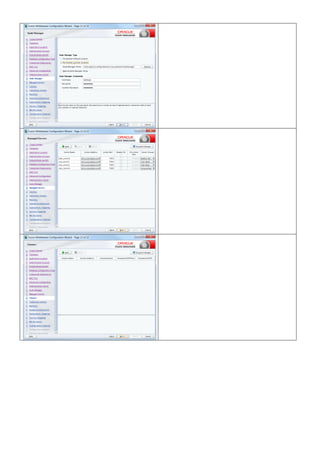
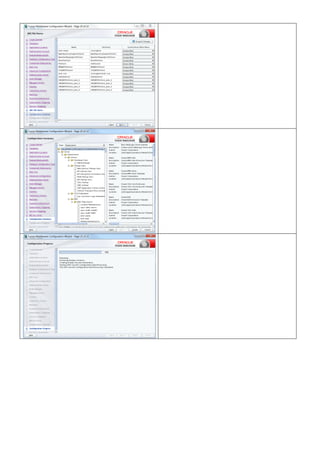
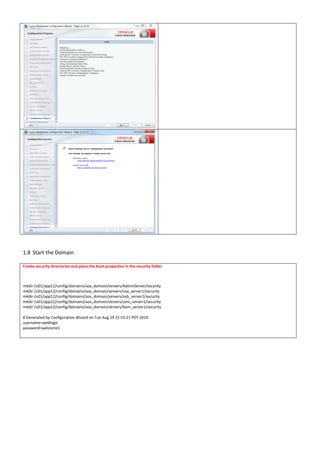
    1.7 Install SOADomain 12C [oracle@soabpm-vm bin]$ pwd /u01/app12/products/fmw1213/oracle_common/common/bin [oracle@soabpm-vm bin]$ ./config.sh Domain Location = /u01/app12/config/domains/soa_domain
  • 27.
    1.8 Start theDomain Create security directories and place the boot.properties in the security folder mkdir /u01/app12/config/domains/soa_domain/servers/AdminServer/security mkdir /u01/app12/config/domains/soa_domain/servers/soa_server1/security mkdir /u01/app12/config/domains/soa_domain/servers/osb_server1/security mkdir /u01/app12/config/domains/soa_domain/servers/ums_server1/security mkdir /u01/app12/config/domains/soa_domain/servers/bam_server1/security # Generated by Configuration Wizard on Tue Aug 19 21:53:21 PDT 2014 username=weblogic password=welcome1
  • 28.
    1.9 Access URLS SOADomain – Weblogic Console http://soabpm-vm:7001/console/ AdminServer(admin) - 7001 soa_server1 – 7004 bam_server1 – 7003 osb_server1 – 7005 ums_server1 - 7006 Enterprise Manager http://soabpm-vm:7001/em/ Service Bus Console http://soabpm- vm:7001/servicebus/faces/resources SOA Composer http://soabpm- vm:7004/soa/composer/faces/login
  • 29.
    BPM Composer http://soabpm-vm:7004/bpm/composer/ BPM Workspace http://soabpm-vm:7004/bpm/workspace/ BPMCase Management http://soabpm- vm:7004//bpm/casemgmt/ B2B Console http://soabpm-vm:7004/b2bconsole/
  • 30.