SnapLogic Live: Salesforce Integration
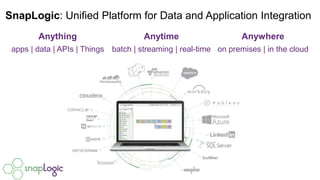
Anything
apps | data | APIs | Things
SnapLogic: Unified Platform for Data and Application Integration
Anytime
batch | streaming | real-time
Anywhere
on premises | in the cloud
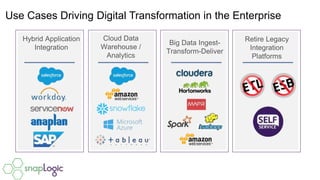
Use Cases Driving Digital Transformation in the Enterprise
Hybrid Application
Integration
Cloud Data
Warehouse /
Analytics
Big Data Ingest-
Transform-Deliver
Retire Legacy
Integration
Platforms
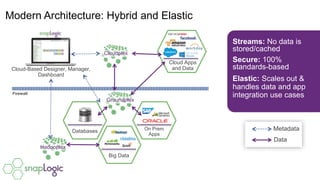
Modern Architecture: Hybrid and Elastic
Streams: No data is
stored/cached
Secure: 100%
standards-based
Elastic: Scales out &
handles data and app
integration use cases
Metadata
Data
Databases On Prem
Apps
Big Data
Cloud Apps
and DataCloud-Based Designer, Manager,
Dashboard
Cloudplex
Groundplex
Hadooplex
Firewall
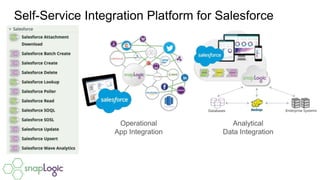
Self-Service Integration Platform for Salesforce
Operational
App Integration
Analytical
Data Integration
Demonstration:
SnapLogic.com/Live
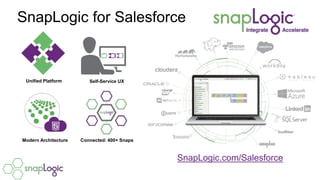
SnapLogic for Salesforce
SnapLogic.com/Salesforce
Unified Platform Self-Service UX
Modern Architecture Connected: 400+ Snaps

SnapLogic Live: Salesforce Integration

Editor's Notes

  • #3 Leading enterprises choose SnapLogic because we help them connect data and applications faster. We connect anything: sources including applications, APIs, things, or data We connect anytime: in batches, streaming, or in real time And we connect anywhere: on premises, in the cloud or a combination of both
  • #5 Here is an example of a SnapLogic deployment. The SnapLogic control plane – including he Designer, Manager and Dashboard - does not store your data. It’s metadata only. Once a pipeline is executed, it looks for the associated Snaplex or Hadooplex. The plex dynamically scales out, adding more nodes as needed. We like to say that SnapLogic “respects data gravity” and runs as close to the data as need be. If you are integrating only cloud applications, it would make no sense to run your integrations behind the firewall. Similarly, if you’re doing ground to ground or cloud to ground, you may want to run your Snaplex on Window or Linux servers. Note that the dotted line is sending instructions via metadata to the plex, which is waiting to run. The solid line indicates how data movies bi-directionally between systems.